MULTITHREADING IN JAVA
INTRODUCTION
 Multitasking
 Computer seems to work on multiple tasks
concurrently or simultaneously
 Approach

Computer does some work on a particular task

Computer then quickly switch to next task

Tasks managed by operating system (scheduler)
 Can improve performance by reducing waiting
 Multitasking can be
 Process based

A process is, a program that is executing.

Run two or more programs concurrently

e.g. running the Java compiler and at the same time
using a text editor.

Processes are heavyweight tasks
 Thread Based

The thread is the smallest unit of program.

A single program can have multiple threads and can
perform multiple tasks simultaneously.

e.g. a text editor can format text at the same time that
it is printing a document

Threads are light weight tasks
Applications
 Web based appln development
eg Chrome browser,Gmail,Google drive,Social media
networking
Gaming Appln development
The Java Thread Model
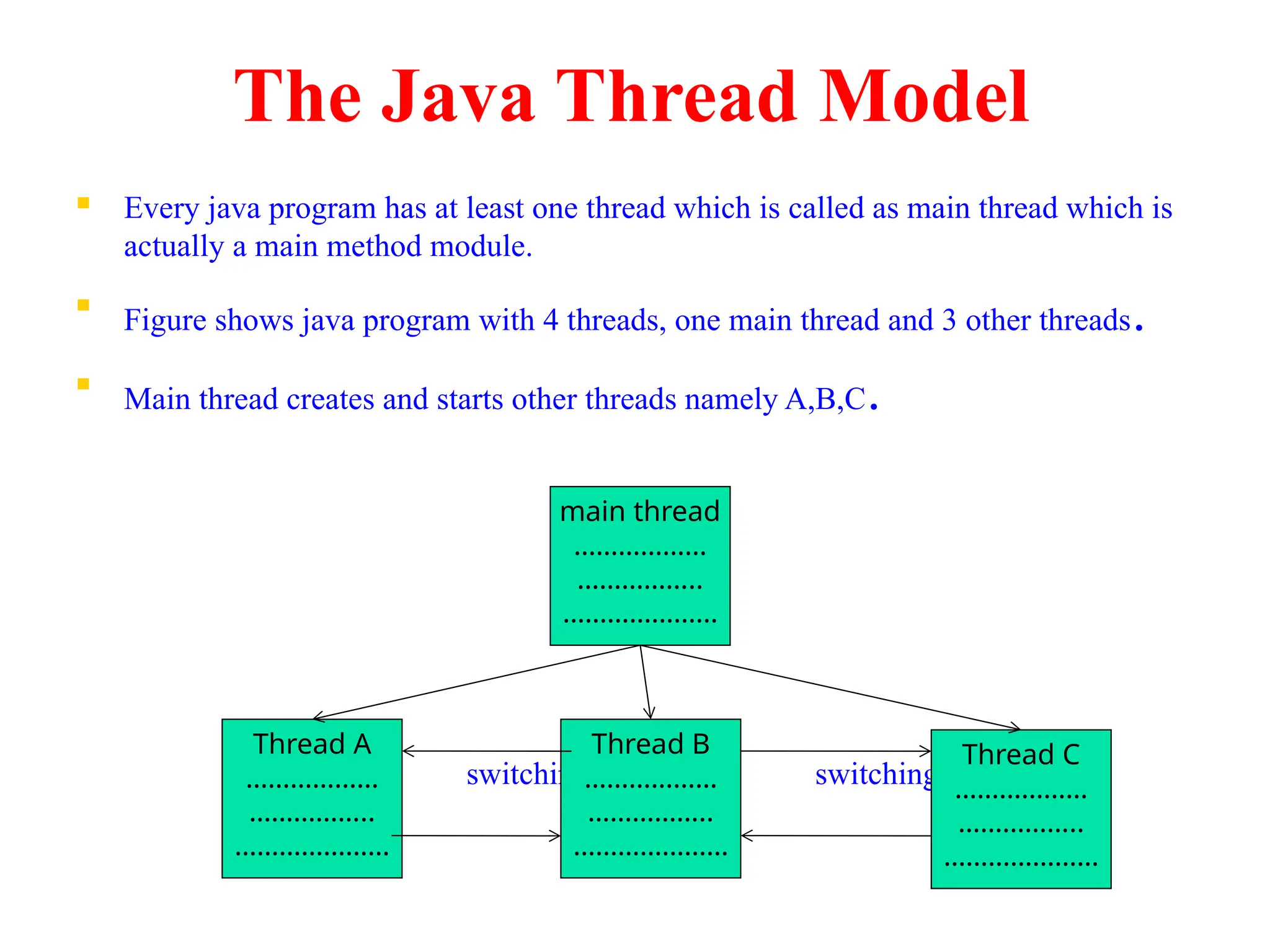
 Every java program has at least one thread which is called as main thread which is
actually a main method module.

Figure shows java program with 4 threads, one main thread and 3 other threads.

Main thread creates and starts other threads namely A,B,C.
switching switching
main thread
………………
……………..
…………………
Thread A
………………
……………..
…………………
Thread B
………………
……………..
…………………
Thread C
………………
……………..
…………………
Life cycle of thread
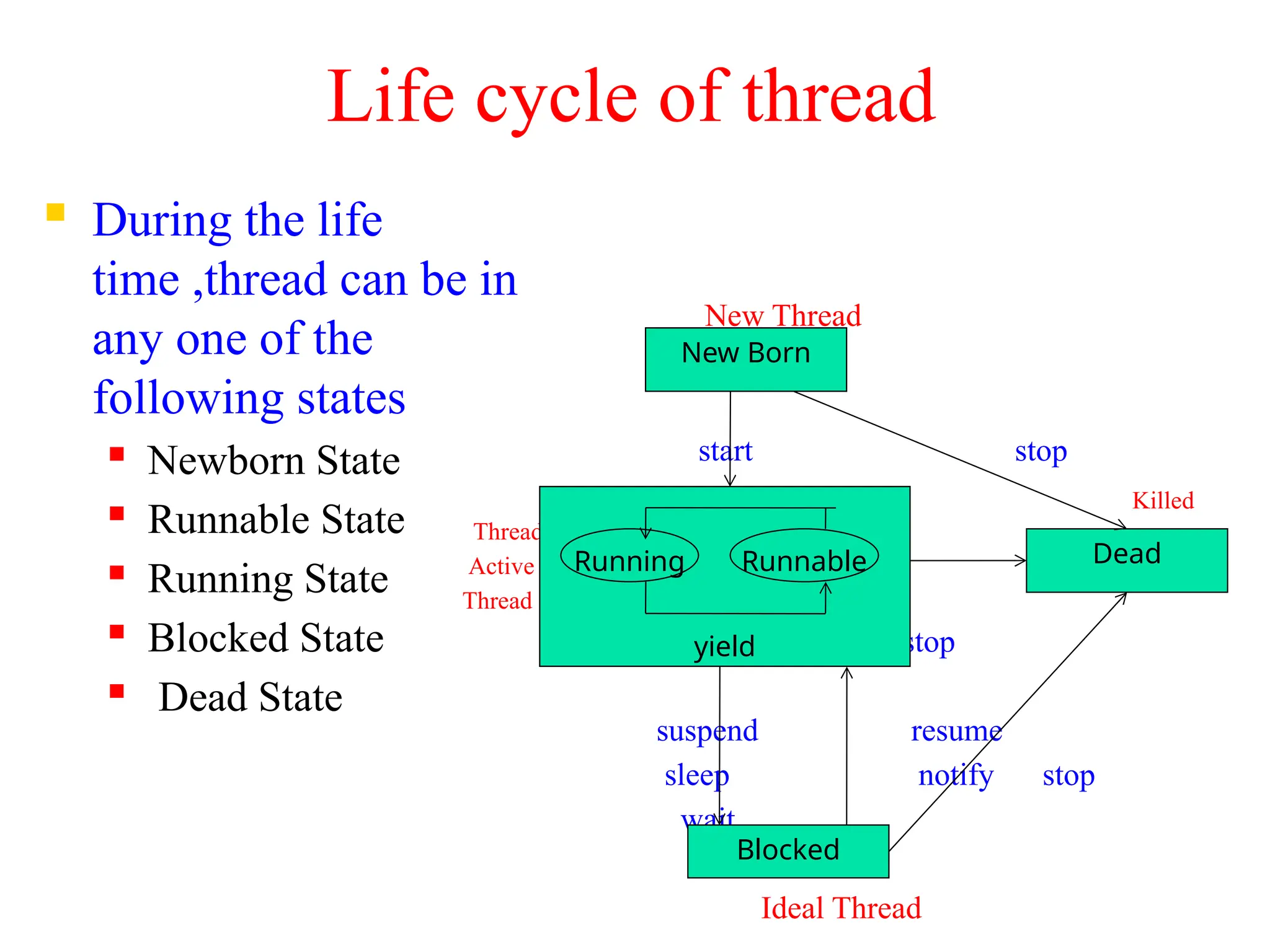
 During the life
time ,thread can be in
any one of the
following states
 Newborn State
 Runnable State
 Running State
 Blocked State
 Dead State
New Thread
start stop
Killed
Thread
Active
Thread
stop
suspend resume
sleep notify stop
wait
Ideal Thread
New Born
yield
Blocked
Dead
Running Runnable
Newborn State
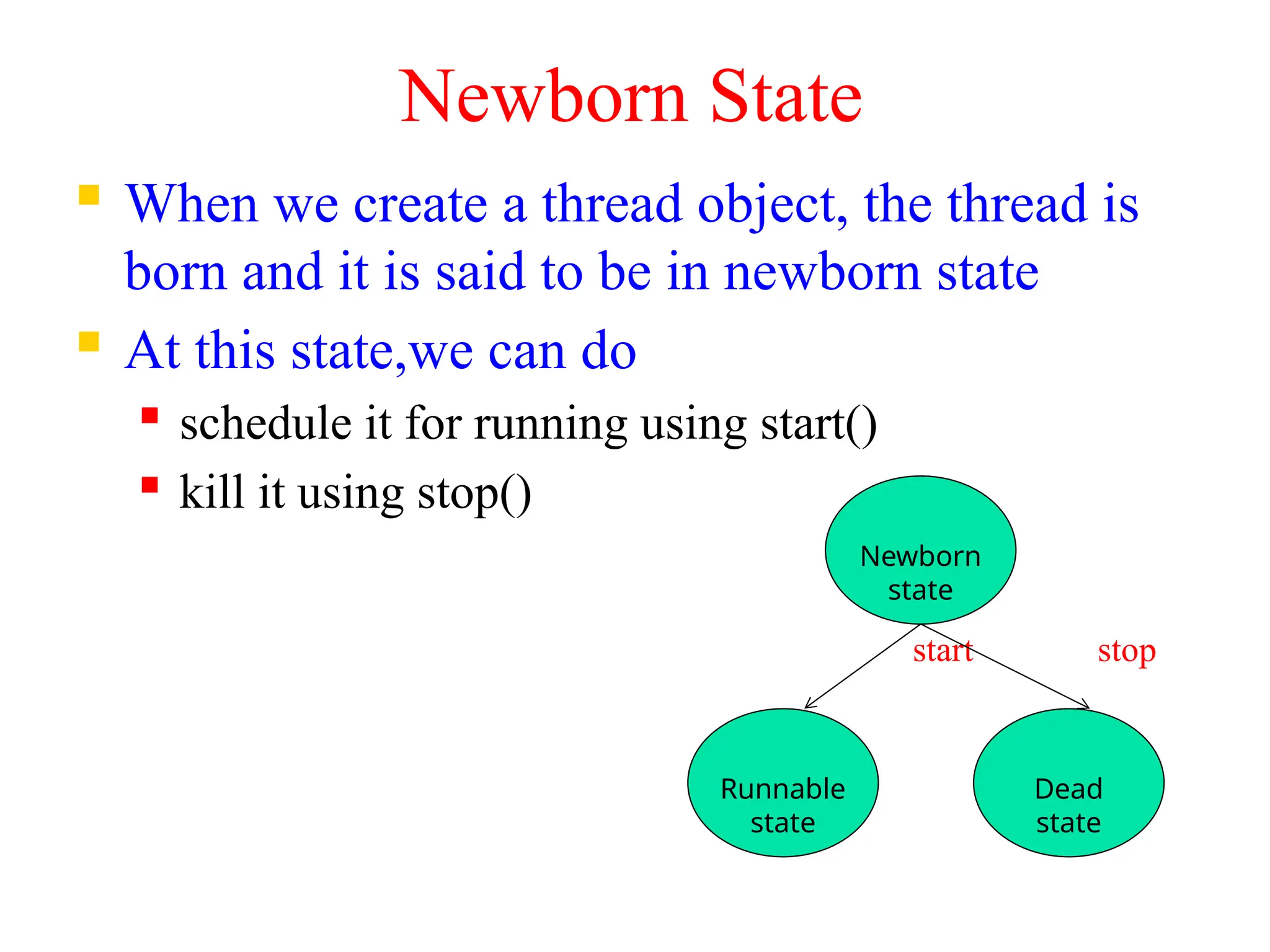
 When we create a thread object, the thread is
born and it is said to be in newborn state
 At this state,we can do
 schedule it for running using start()
 kill it using stop()
start stop
Newborn
state
Runnable
state
Dead
state
Runnable state
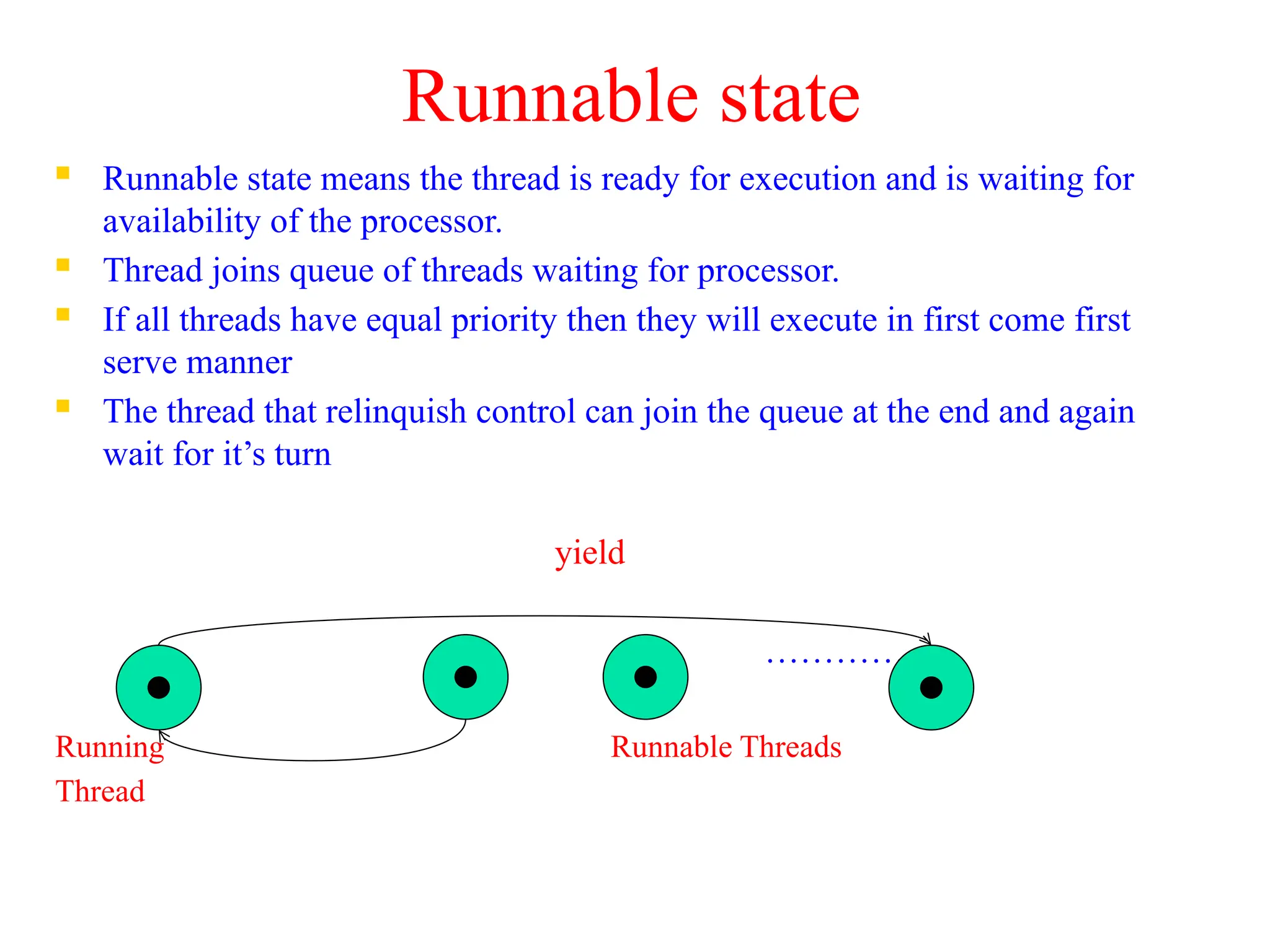
 Runnable state means the thread is ready for execution and is waiting for
availability of the processor.
 Thread joins queue of threads waiting for processor.
 If all threads have equal priority then they will execute in first come first
serve manner
 The thread that relinquish control can join the queue at the end and again
wait for it’s turn
yield
………….
Running Runnable Threads
Thread
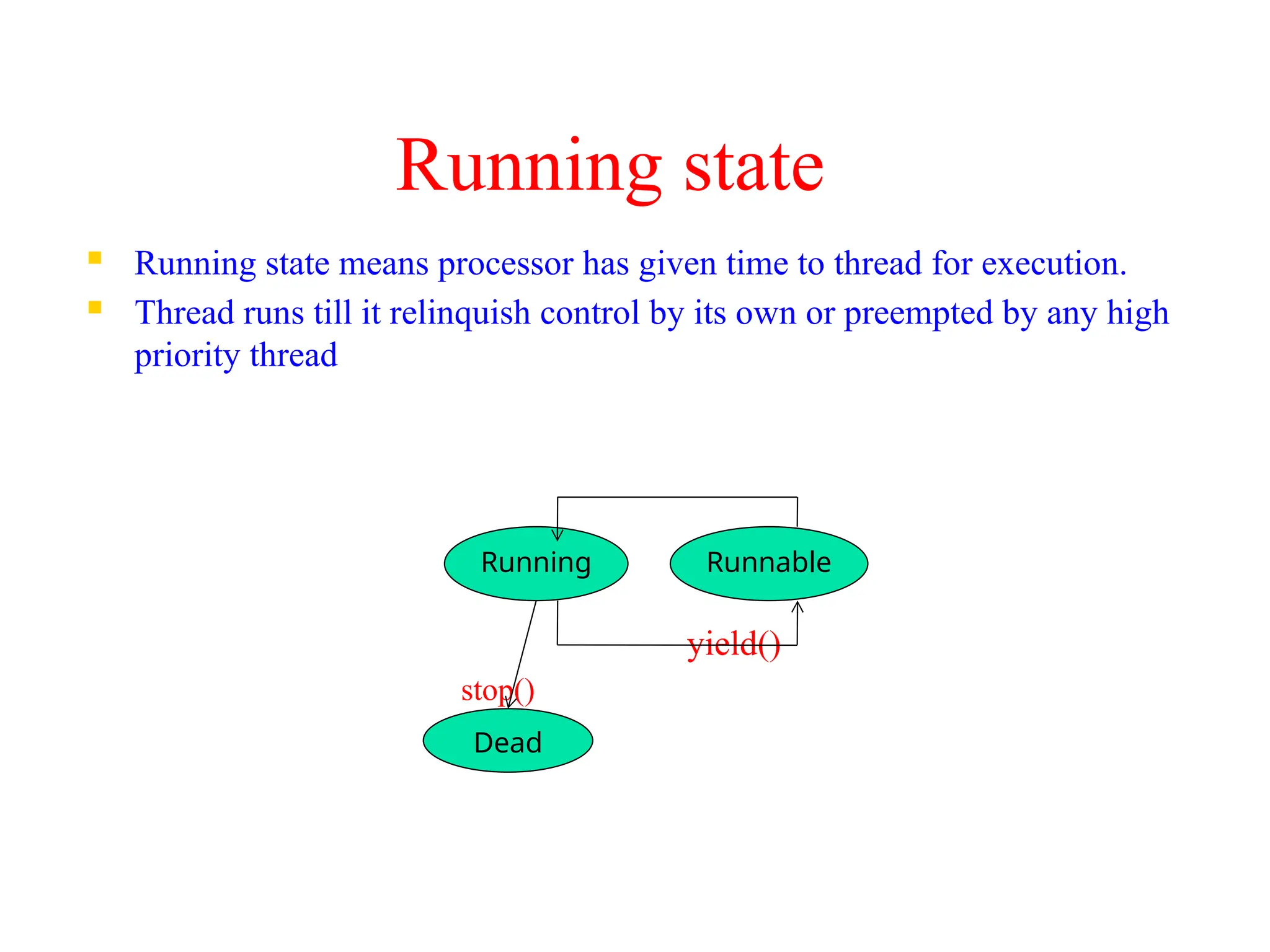
Running state
 Running state means processor has given time to thread for execution.
 Thread runs till it relinquish control by its own or preempted by any high
priority thread
yield()
stop()
Running Runnable
Dead
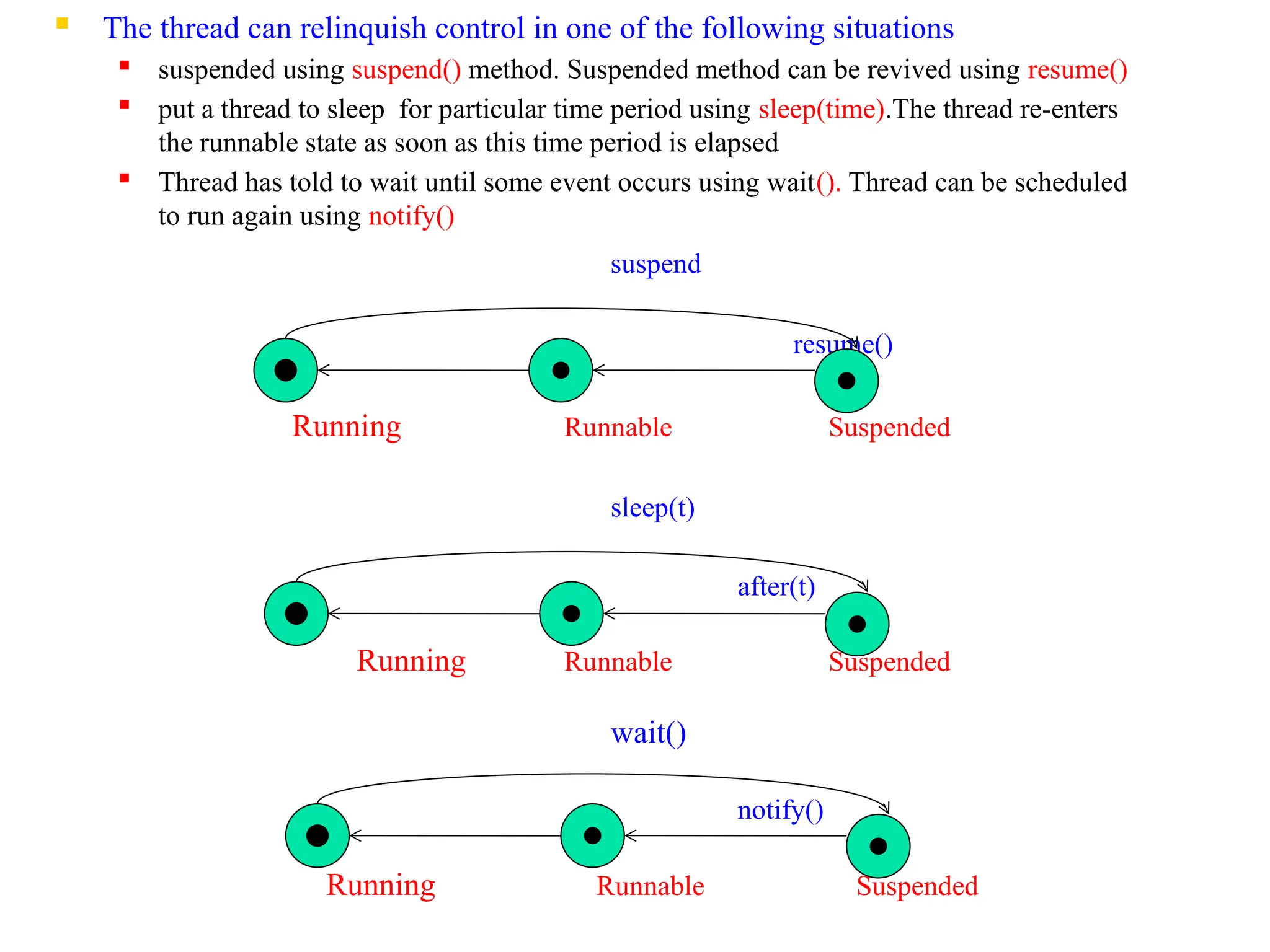
 The thread can relinquish control in one of the following situations
 suspended using suspend() method. Suspended method can be revived using resume()

put a thread to sleep for particular time period using sleep(time).The thread re-enters
the runnable state as soon as this time period is elapsed
 Thread has told to wait until some event occurs using wait(). Thread can be scheduled
to run again using notify()
suspend
resume()
Running Runnable Suspended
sleep(t)
after(t)
Running Runnable Suspended
wait()
notify()
Running Runnable Suspended
 Blocked state:
 Thread is said to be blocked when it is prevented from entering into runnable
state and subsequently in running state
 Blocked thread is considered as ”not runnable” but “not dead” and it is fully
qualified to run again
 Dead state:
 A running thread ends its life when it has completed its execution.
 We can kill the thread by calling stop() method
Creating a Thread
 Java's multithreading system is built upon the Thread class, its methods,
and its companion interface, Runnable
 Threads are implemented in form objects that contain run() method.
 The run() method is heart and soul of a thread
 It makes up entire body of thread and is only method in which thread’s
behavior can be implemented
 General form:
public void run()
{
……………
}
 Java defines two ways for creating new threads
 implement the Runnable interface.
 extend the Thread class
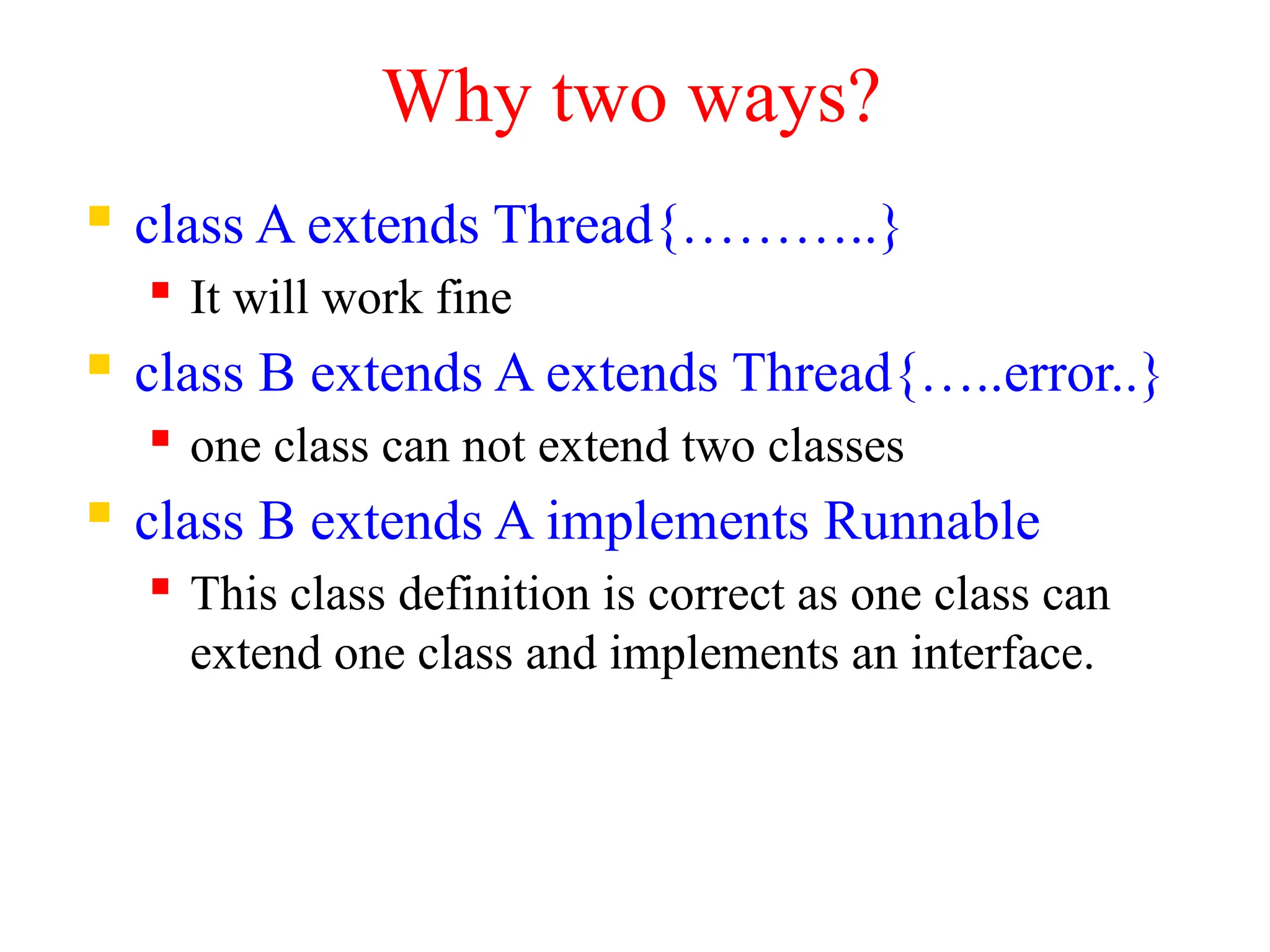
Why two ways?
 class A extends Thread{………..}
 It will work fine
 class B extends A extends Thread{…..error..}
 one class can not extend two classes
 class B extends A implements Runnable
 This class definition is correct as one class can
extend one class and implements an interface.
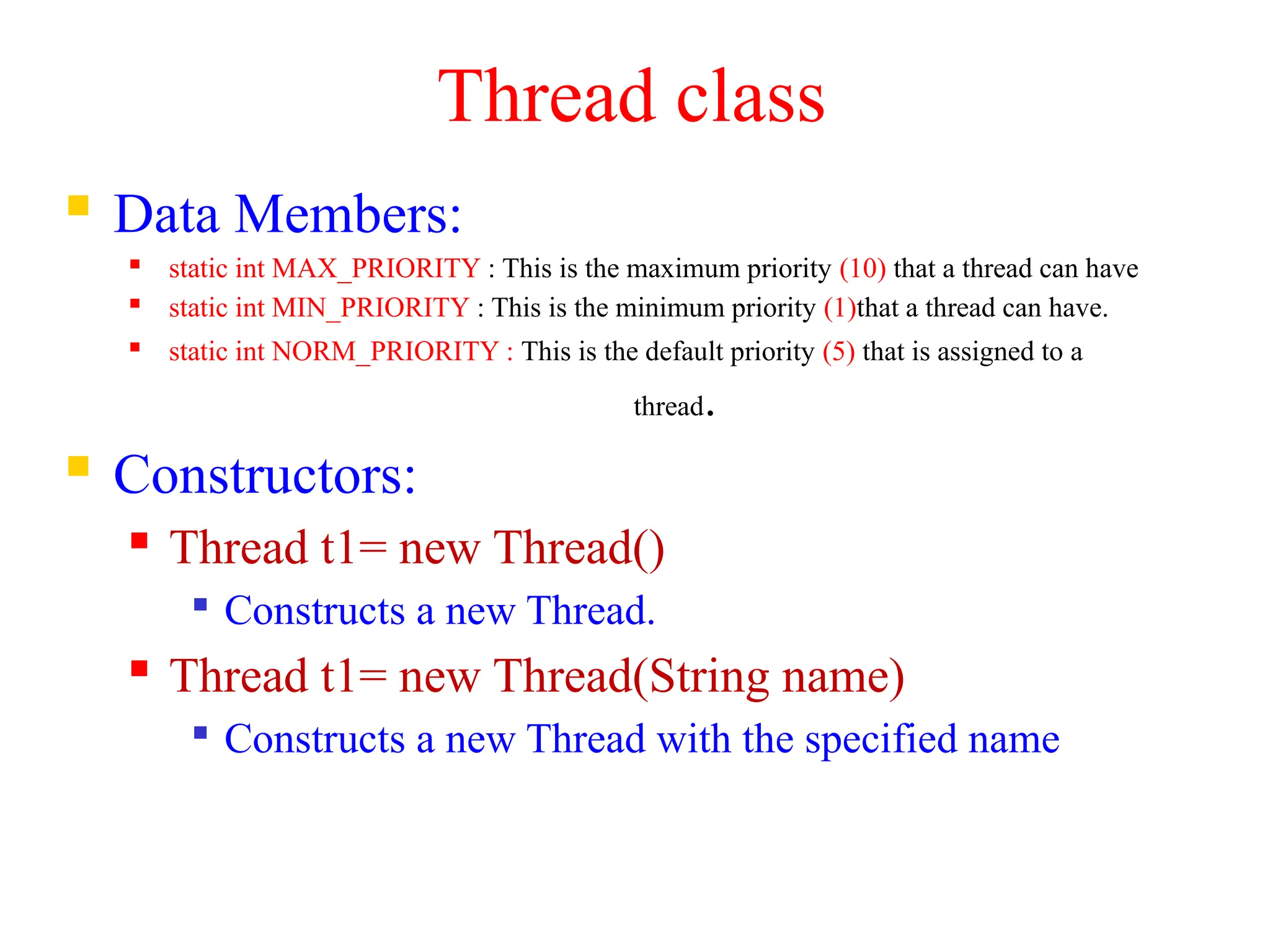
Thread class
 Data Members:
 static int MAX_PRIORITY : This is the maximum priority (10) that a thread can have
 static int MIN_PRIORITY : This is the minimum priority (1)that a thread can have.
 static int NORM_PRIORITY : This is the default priority (5) that is assigned to a
thread.
 Constructors:
 Thread t1= new Thread()

Constructs a new Thread.
 Thread t1= new Thread(String name)

Constructs a new Thread with the specified name
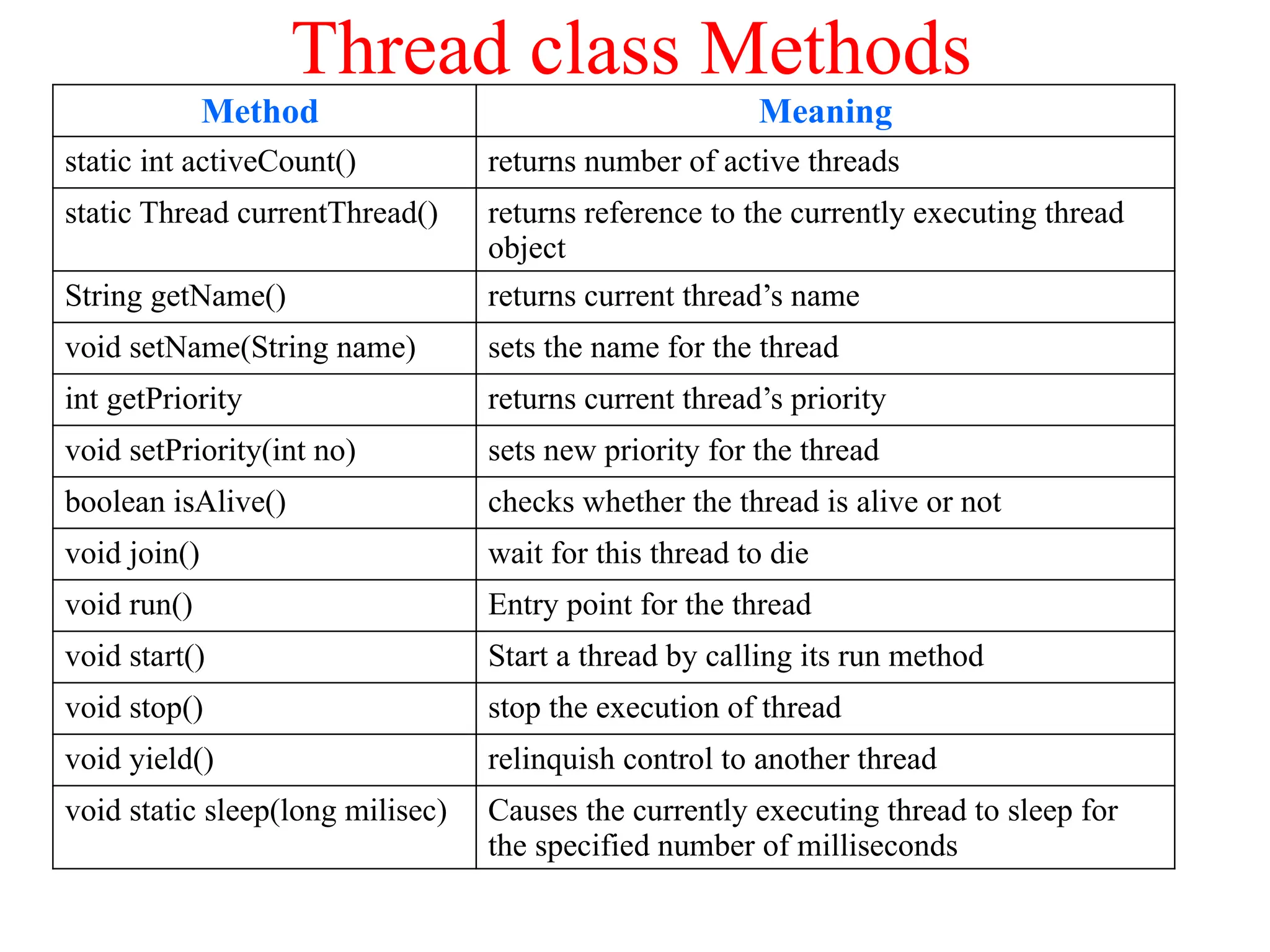
Thread class Methods
Method Meaning
static int activeCount() returns number of active threads
static Thread currentThread() returns reference to the currently executing thread
object
String getName() returns current thread’s name
void setName(String name) sets the name for the thread
int getPriority returns current thread’s priority
void setPriority(int no) sets new priority for the thread
boolean isAlive() checks whether the thread is alive or not
void join() wait for this thread to die
void run() Entry point for the thread
void start() Start a thread by calling its run method
void stop() stop the execution of thread
void yield() relinquish control to another thread
void static sleep(long milisec) Causes the currently executing thread to sleep for
the specified number of milliseconds
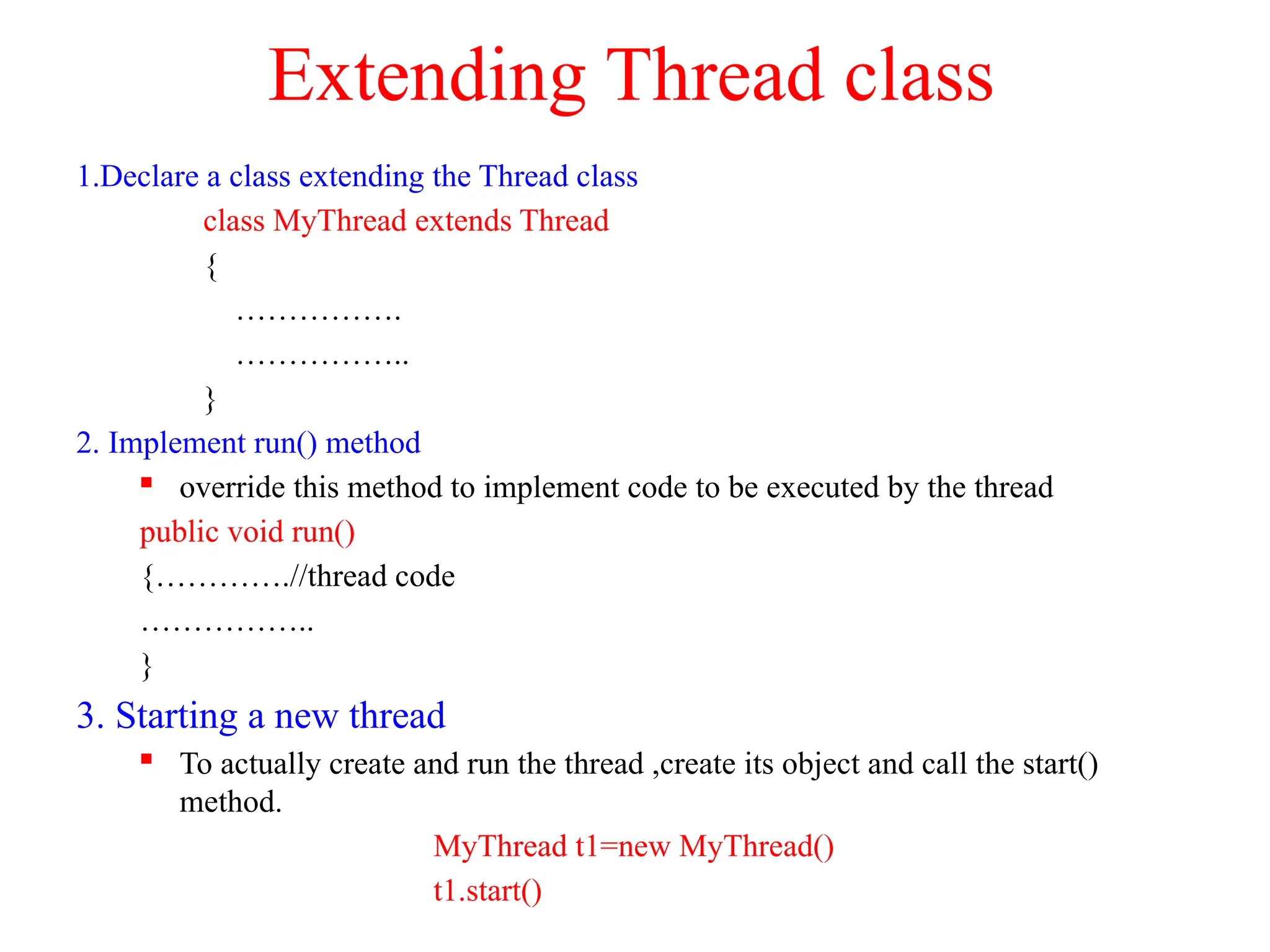
Extending Thread class
1.Declare a class extending the Thread class
class MyThread extends Thread
{
…………….
……………..
}
2. Implement run() method
 override this method to implement code to be executed by the thread
public void run()
{………….//thread code
……………..
}
3. Starting a new thread
 To actually create and run the thread ,create its object and call the start()
method.
MyThread t1=new MyThread()
t1.start()
Example
class A extends Thread
{
public void run()
{
for(int i=1;i<=5;i++)
{
System.out.println("t From Thread A :"+i);
}
System.out.println("Exit from A");
}
}
class B extends Thread
{
public void run()
{
for(int j=1;j<=5;j++)
{
System.out.println("t From Thread B :"+j);
}
System.out.println("Exit from B");
}
}
class ThreadDemo{
public static void main(String args[]){
A a1=new A();
B b1=new B();
a1.start();
b1.start();
}}
OUTPUT 1:
From Thread A :1
From Thread B :1
From Thread A :2
From Thread B :2
From Thread A :3
From Thread B :3
From Thread A :4
From Thread B :4
From Thread A :5
From Thread B :5
Exit from B
Exit from A
OUTPUT 2:
From Thread A :1
From Thread B :1
From Thread B :2
From Thread B :3
From Thread B :4
From Thread B :5
Exit from B
From Thread A :2
From Thread A :3
From Thread A :4
From Thread A :5
Exit from A
The Main Thread
 When a Java program starts up, one thread begins running
immediately ,which is called as the main thread of the program
 The main thread is important for two reasons:
 It is the thread from which other "child" threads will be spawned.
 It must be the last thread to finish execution. When the main thread
stops, the program terminates.
 Although the main thread is created automatically when the program is
started, it can be controlled through a Thread object.
 To do so, obtain a reference to it by calling the method currentThread( )
 This method returns a reference to the thread in which it is called.
Controlling the main Thread
class CurrentThreadDemo {
public static void main(String args[])
{
Thread t = Thread.currentThread();
System.out.println("Current thread: " + t);
// change the name of the thread
t.setName("My Thread");
System.out.println("After name change: " + t);
for(int n = 5; n > 0; n--) {
System.out.println(n);
}
}
}
OUTPUT:
Current thread: Thread[main,5,main]
After name change: Thread[My Thread,5,main]
5
4
3
2
1
//The values in output are:
[Thread name, Priority, Thread Group]
Use of yield(),stop() &sleep()Methods
class A extends Thread{
public void run(){
for(int i=1;i<=5;i++){
if(i==2)
yield();
System.out.println("t From Thread A :"+i);
}
System.out.println("Exit from A");
}}
class B extends Thread{
public void run(){
for(int j=1;j<=5;j++)
{
System.out.println("t From Thread B :"+j);
if(j==3)
stop();
}
System.out.println("Exit from B");
}}
class C extends Thread{
public void run(){
for(int k=1;k<=5;k++)
{
try{
sleep(3000);
System.out.println("t From Thread C :"+k);
}catch(Exception e){}
}
System.out.println("Exit from C");}}
class ThreadDemo
{
public static void main(String args[])
{
A a1=new A();
B b1=new B();
C c1=new C();
a1.start();
b1.start();
c1.start();
}
}
OUTPUT:
From Thread A :1
From Thread B :1
From Thread B :2
From Thread B :3
From Thread A :2
From Thread A :3
From Thread A :4
From Thread A :5
Exit from A
From Thread C :1
From Thread C :2
From Thread C :3
From Thread C :4
From Thread C :5
Exit from C
Use of join() method
 In a multithreaded program, the main thread must be the last
thread to finish running.
 If the main thread finishes before a child thread has
completed ,then the Java run-time system may "hang.“
 To ensure ,that main thread is the last to stop , join() method
is used.
 Syntax:
 final void join( ) throws InterruptedException
 This method waits until the thread on which it is called
terminates
Using isAlive( ) and join( )
class A extends Thread{
public void run(){
for(int i=1;i<=5;i++){
System.out.println("t From Thread A :"+i);
}
System.out.println("Exit from A");
}}
class B extends Thread{
public void run(){
for(int j=1;j<=5;j++){
System.out.println("t From Thread B :"+j);
}
System.out.println("Exit from B");
}}
class ThreadDemo1
{
public static void main(String args[])
{
A a1=new A();
B b1=new B();
a1.start();
System.out.println("Thread A is alive: "+a1.isAlive());
b1.start();
System.out.println("Thread B is alive: "+b1.isAlive());
for(int n = 5; n > 0; n--) {
System.out.println("Main Thread"+n);
}
try{
a1.join();
b1.join();
}catch(Exception e){}
System.out.println("End of Main Thread");
System.out.println("Thread A is alive: "+a1.isAlive());
System.out.println("Thread B is alive: "+b1.isAlive());
}}
Output:
From Thread A :1
Thread A is alive: true
From Thread A :2
From Thread A :3
From Thread A :4
From Thread A :5
Exit from A
From Thread B :1
Thread B is alive: true
Main Thread5
Main Thread4
Main Thread3
Main Thread2
Main Thread1
From Thread B :2
From Thread B :3
From Thread B :4
From Thread B :5
Exit from B
End of Main Thread
Thread A is alive: false
Thread B is alive: false
Thread Priorities
 Thread priorities are used by the thread scheduler to decide when each thread should
be allowed to run.
 The higher-priority threads get more CPU time than lower-priority threads.
 For instance, when a lower-priority thread is running and a higher-priority thread
resumes, it will preempt the lower-priority thread.
 There are 3 predefines values of priorities
 static int MAX_PRIORITY =10
 static int MIN_PRIORITY =1
 static int NORM_PRIORITY = 5
 To set a thread's priority, use the setPriority( ) method.
 final void setPriority(int level)
 The value of level must be in the range 1 to 10.
 To obtain the current priority setting use the getPriority( ) method
 final int getPriority( )
Example
class A extends Thread
{
public void run(){
for(int i=1;i<=5;i++)
{
System.out.println("t From Thread
A :"+i);
}
System.out.println("Exit from A");
}
}
class B extends Thread
{
public void run()
{
for(int j=1;j<=5;j++)
{
System.out.println("t From Thread
B :"+j);
}
System.out.println("Exit from B");
}
}
class ThreadPriority{
public static void main(String args[]){
A a1=new A();
B b1=new B();
a1.setPriority(Thread.MAX_PRIORITY);
b1.setPriority(6);
a1.start();
b1.start();
System.out.println("Priority of Thread A: "+a1.getPriority());
System.out.println("Priority of Thread B: "+b1.getPriority());
System.out.println("End of Main Thread");
}}
OUTPUT:
Priority of Thread A: 10
Priority of Thread B: 6
End of Main Thread
From Thread B :1
From Thread A :1
From Thread A :2
From Thread A :3
Exit from A
From Thread B :2
From Thread B :3
Exit from B
Implementing Runnable interface
1.Declare a class implementing the Runnable interface
class A implements Runnable
{ …………….
}
2. Implement run() method
 override this method to implement code to be executed by the thread
public void run()
{………….//thread code
}
3. Create object of Thread class and pass object of class which implements
Runnable interface to it
 A a1=new A();
 Thread t1=new Thread(a1)
3. Call start() method to run a thread
t1.start()
EXAMPLE
class A implements Runnable
{
public void run()
{
for(int i=1;i<=5;i++)
{
System.out.println("t From Thread A :"+i);
}
System.out.println("Exit from A");
}
}
class RunnableDemo
{
public static void main(String args[])
{
A a1=new A();
Thread t1=new Thread(a1);
t1.start();
System.out.println("End of Main Thread");
}
}
OUTPUT:
From Thread A :1
From Thread A :2
From Thread A :3
From Thread A :4
From Thread A :5
Exit from A
End of Main Thread
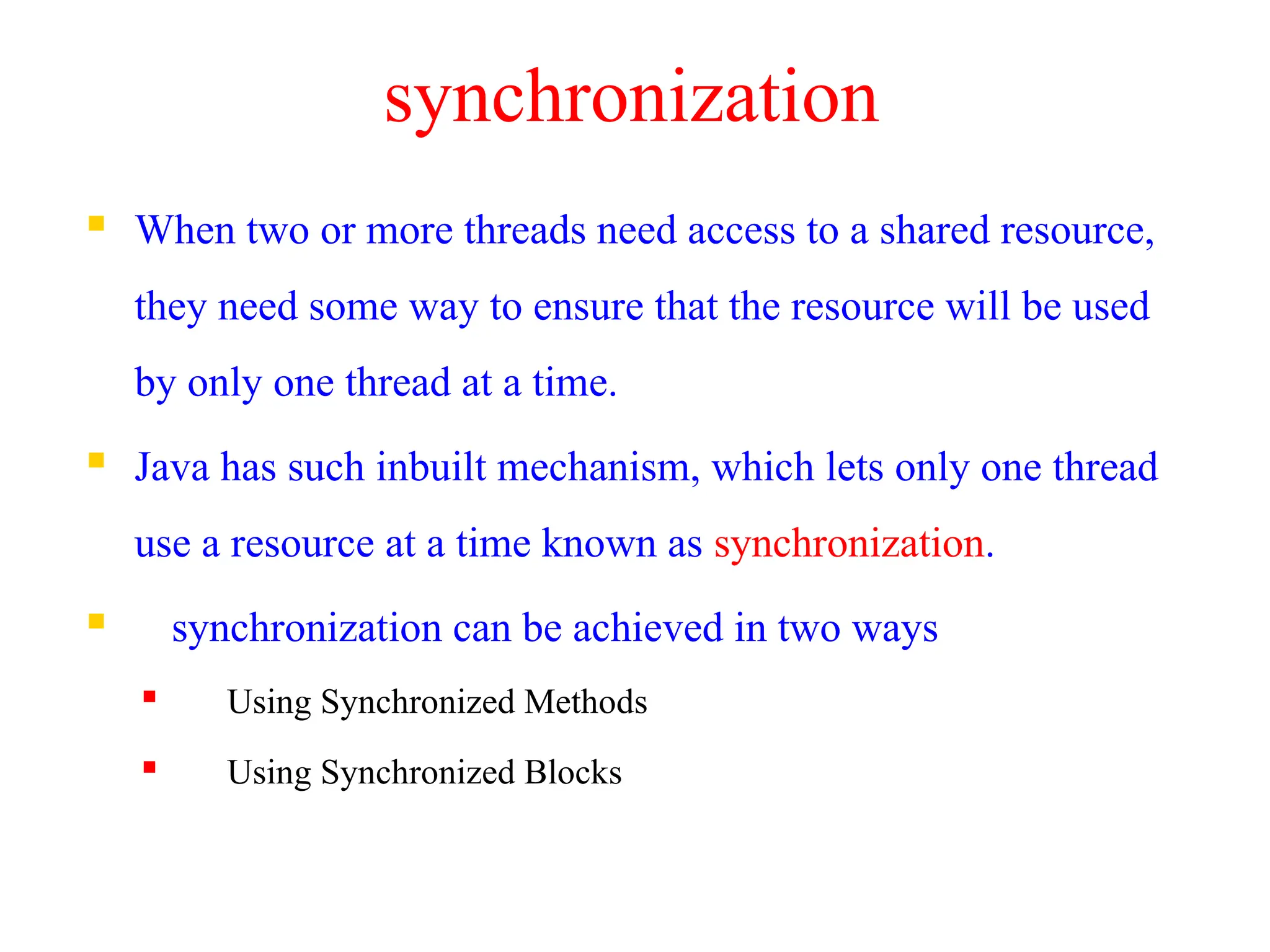
synchronization
 When two or more threads need access to a shared resource,
they need some way to ensure that the resource will be used
by only one thread at a time.
 Java has such inbuilt mechanism, which lets only one thread
use a resource at a time known as synchronization.
 synchronization can be achieved in two ways
 Using Synchronized Methods
 Using Synchronized Blocks
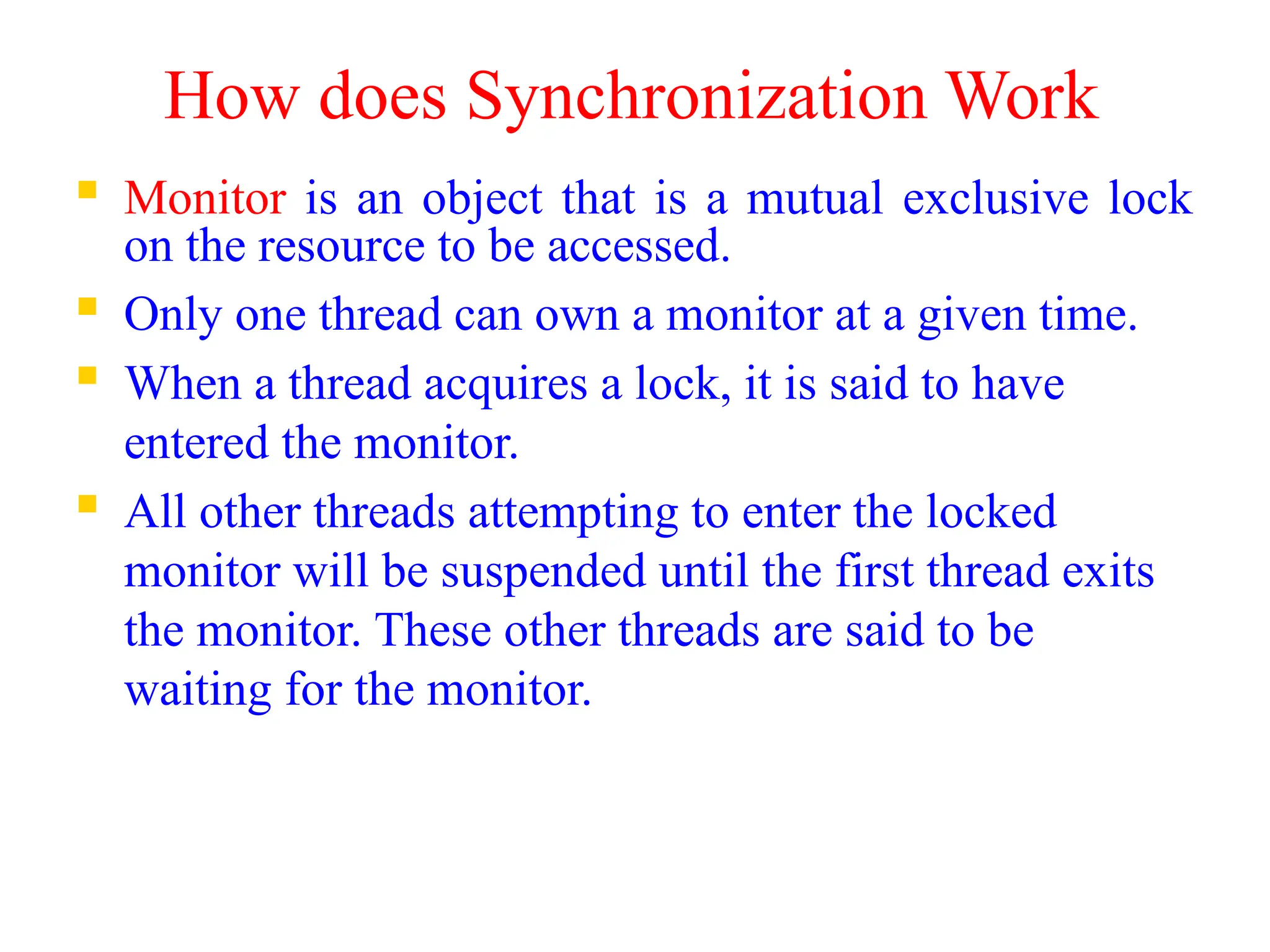
How does Synchronization Work
 Monitor is an object that is a mutual exclusive lock
on the resource to be accessed.
 Only one thread can own a monitor at a given time.
 When a thread acquires a lock, it is said to have
entered the monitor.
 All other threads attempting to enter the locked
monitor will be suspended until the first thread exits
the monitor. These other threads are said to be
waiting for the monitor.
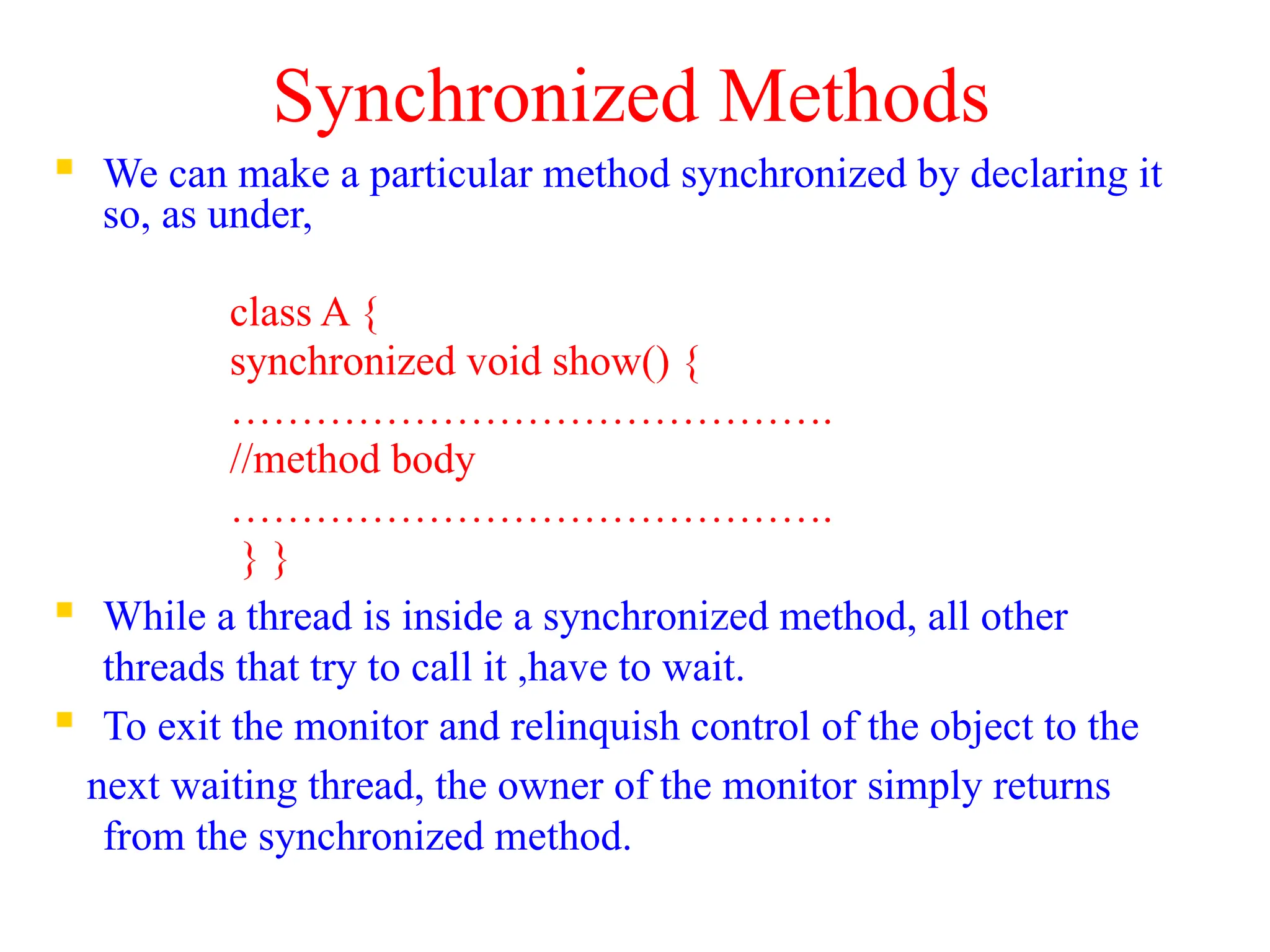
Synchronized Methods
 We can make a particular method synchronized by declaring it
so, as under,
class A {
synchronized void show() {
…………………………………….
//method body
…………………………………….
} }
 While a thread is inside a synchronized method, all other
threads that try to call it ,have to wait.
 To exit the monitor and relinquish control of the object to the
next waiting thread, the owner of the monitor simply returns
from the synchronized method.
need for synchronization
class A {
void call(String msg)
{
System.out.print("[" + msg);
try {
Thread.sleep(1000);
} catch(InterruptedException e) {}
System.out.println("]");
}
}
class B extends Thread {
String msg;
A a1;
public B(String s, A a) {
msg = s;
a1=a;
}
public void run() {
a1.call(msg);
}
}
class Synch {
public static void main(String args[]) {
A a1=new A();
B b1=new B("Hello",a1);
B b2=new B("Synchronized",a1);
B b3=new B("Method",a1);
b1.start();
b2.start();
b3.start();}
}
OUTPUT:
[Hello[Method[Synchronized]
]
]
Expected output is:
[Hello]
[Method]
[Synchronized]
Program with synchronized method
class A {
synchronized void call(String msg)
{
System.out.print("[" + msg);
try {
Thread.sleep(1000);
} catch(InterruptedException e) {}
System.out.println("]");
}
}
class B extends Thread {
String msg;
A a1;
public B(String s, A a) {
msg = s;
a1=a;
}
public void run() {
a1.call(msg);
}
}
class Synch {
public static void main(String args[]) {
A a1=new A();
B b1=new B("Hello“,a1);
B b2=new B("Synchronized“,a1);
B b3=new B("Method“,a1);
b1.start();
b2.start();
b3.start();
}
}
OUTPUT
[Hello]
[Method]
[Synchronized]
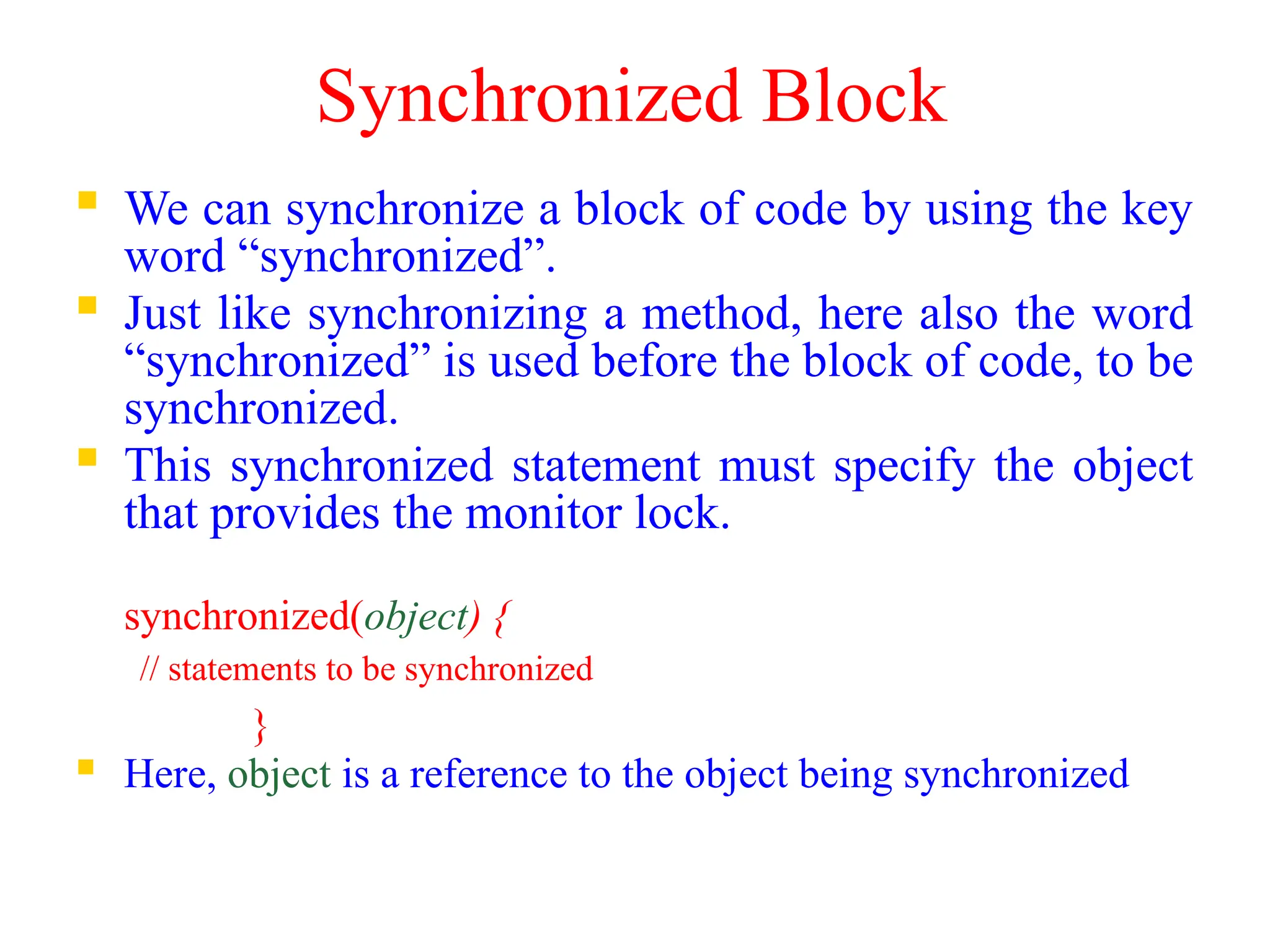
Synchronized Block
 We can synchronize a block of code by using the key
word “synchronized”.
 Just like synchronizing a method, here also the word
“synchronized” is used before the block of code, to be
synchronized.
 This synchronized statement must specify the object
that provides the monitor lock.
synchronized(object) {
// statements to be synchronized
}
 Here, object is a reference to the object being synchronized
Program with synchronized Block
class A {
void call(String msg) {
System.out.print("[" + msg);
System.out.println("]");
}
}
class B extends Thread {
String msg;
A a2;
public B(String s,A ob) {
msg = s;
a2=ob;
}
public void run() {
synchronized(a2){
a2.call(msg);
}
}}
class SynchBlock {
public static void main(String args[]) {
A a1=new A();
B b1=new B("Hello",a1);
B b2=new B("Synchronized",a1);
B b3=new B("Method",a1);
b1.start();
b2.start();
b3.start();
}
}
OUTPUT
[Hello]
[Method]
[Synchronized]
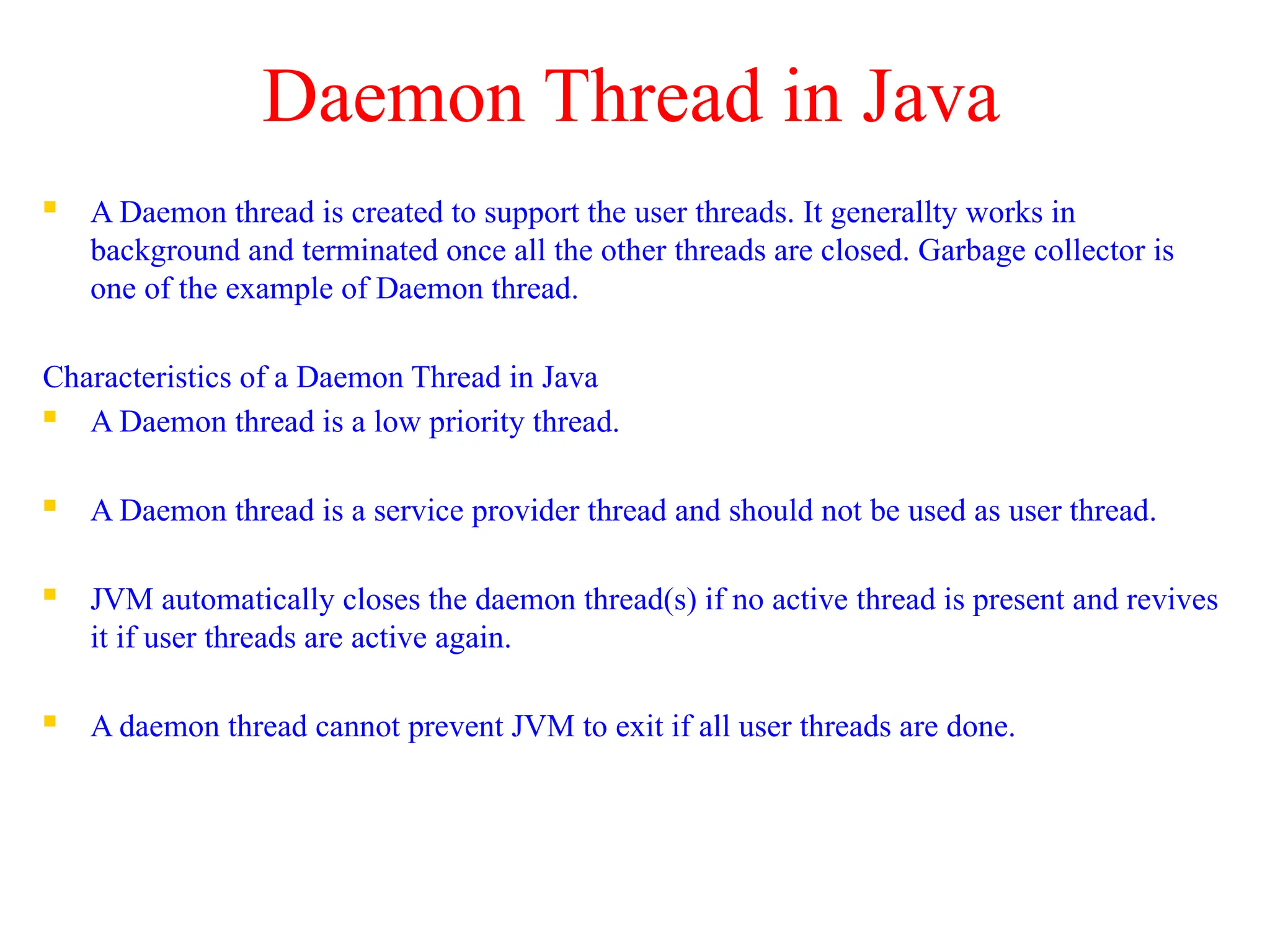
Daemon Thread in Java
 A Daemon thread is created to support the user threads. It generallty works in
background and terminated once all the other threads are closed. Garbage collector is
one of the example of Daemon thread.
Characteristics of a Daemon Thread in Java
 A Daemon thread is a low priority thread.
 A Daemon thread is a service provider thread and should not be used as user thread.
 JVM automatically closes the daemon thread(s) if no active thread is present and revives
it if user threads are active again.
 A daemon thread cannot prevent JVM to exit if all user threads are done.
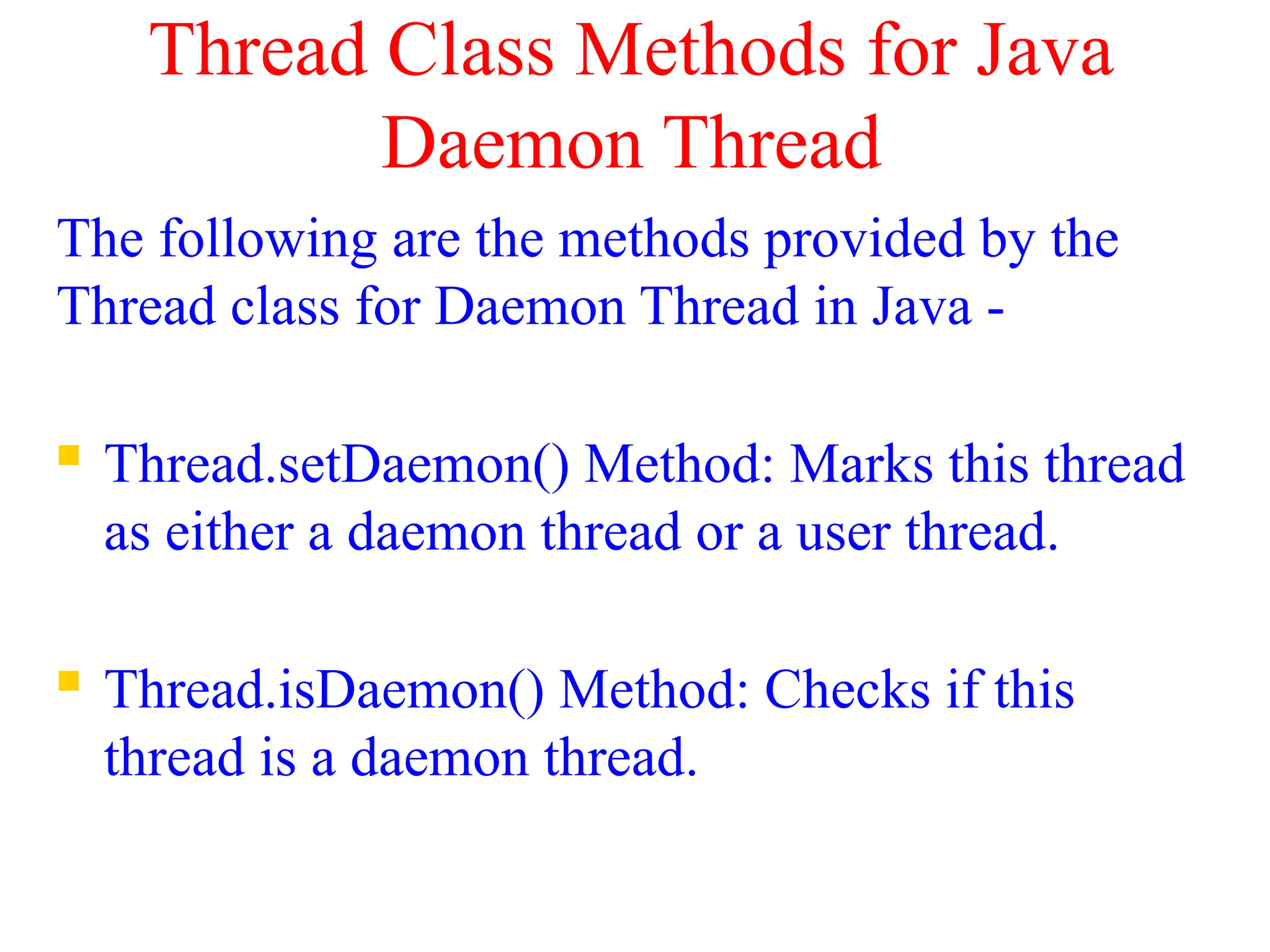
Thread Class Methods for Java
Daemon Thread
The following are the methods provided by the
Thread class for Daemon Thread in Java -
 Thread.setDaemon() Method: Marks this thread
as either a daemon thread or a user thread.
 Thread.isDaemon() Method: Checks if this
thread is a daemon thread.
class ThreadDemo extends Thread {
ThreadDemo( ) {
}
public void run() {
System.out.println("Thread " + Thread.currentThread().getName()
+ ", is Daemon: " + Thread.currentThread().isDaemon());
}
public void start () {
super.start();
}
}
public class TestThread {
public static void main(String args[]) {
ThreadDemo thread1 = new ThreadDemo();
ThreadDemo thread2 = new ThreadDemo();
ThreadDemo thread3 = new ThreadDemo();
thread1.start();
thread2.start();
thread3.start();
}
}
current thread
public class CurrentThreadExp extends Thread
{
public void run()
{
// print currently executing thread
System.out.println(Thread.currentThread().getName());
}
public static void main(String args[])
{
// creating two thread
CurrentThreadExp t1=new CurrentThreadExp();
CurrentThreadExp t2=new CurrentThreadExp();
// this will call the run() method
t1.start();
t2.start();
}
}
public class JavaYieldExp extends Thread
{
public void run()
{
for (int i=0; i<3 ; i++)
System.out.println(Thread.currentThread().getName() + " in control");
}
public static void main(String[]args)
{
JavaYieldExp t1 = new JavaYieldExp();
JavaYieldExp t2 = new JavaYieldExp();
// this will call run() method
t1.start();
t2.start();
for (int i=0; i<3; i++)
{
// Control passes to child thread
t1.yield();
System.out.println(Thread.currentThread().getName() + " in control");
}
}
}
Java Thread join() method
The join() method of thread class waits for a thread to die. It is used when you want one
thread to wait for completion of another. This process is like a relay race where the second
runner waits until the first runner comes and hand over the flag to him.
public class JoinExample1 extends Thread
{
public void run()
{
for(int i=1; i<=4; i++)
{
try
{
Thread.sleep(500);
}catch(Exception e){System.out.println(e);}
System.out.println(i);
}
}
public static void main(String args[])
{
// creating three threads
JoinExample1 t1 = new JoinExample1();
JoinExample1 t2 = new JoinExample1();
JoinExample1 t3 = new JoinExample1();
// thread t1 starts
t1.start();
// starts second thread when first thread t1 is died.
try
{
t1.join();
}catch(Exception e){System.out.println(e);}
// start t2 and t3 thread
t2.start();
t3.start();
}
}

multithreading to be used in java with good programs.pptx

  • 1.
  • 2.
    INTRODUCTION  Multitasking  Computerseems to work on multiple tasks concurrently or simultaneously  Approach  Computer does some work on a particular task  Computer then quickly switch to next task  Tasks managed by operating system (scheduler)  Can improve performance by reducing waiting
  • 3.
     Multitasking canbe  Process based  A process is, a program that is executing.  Run two or more programs concurrently  e.g. running the Java compiler and at the same time using a text editor.  Processes are heavyweight tasks  Thread Based  The thread is the smallest unit of program.  A single program can have multiple threads and can perform multiple tasks simultaneously.  e.g. a text editor can format text at the same time that it is printing a document  Threads are light weight tasks
  • 4.
    Applications  Web basedappln development eg Chrome browser,Gmail,Google drive,Social media networking Gaming Appln development
  • 5.
    The Java ThreadModel  Every java program has at least one thread which is called as main thread which is actually a main method module.  Figure shows java program with 4 threads, one main thread and 3 other threads.  Main thread creates and starts other threads namely A,B,C. switching switching main thread ……………… …………….. ………………… Thread A ……………… …………….. ………………… Thread B ……………… …………….. ………………… Thread C ……………… …………….. …………………
  • 6.
    Life cycle ofthread  During the life time ,thread can be in any one of the following states  Newborn State  Runnable State  Running State  Blocked State  Dead State New Thread start stop Killed Thread Active Thread stop suspend resume sleep notify stop wait Ideal Thread New Born yield Blocked Dead Running Runnable
  • 7.
    Newborn State  Whenwe create a thread object, the thread is born and it is said to be in newborn state  At this state,we can do  schedule it for running using start()  kill it using stop() start stop Newborn state Runnable state Dead state
  • 8.
    Runnable state  Runnablestate means the thread is ready for execution and is waiting for availability of the processor.  Thread joins queue of threads waiting for processor.  If all threads have equal priority then they will execute in first come first serve manner  The thread that relinquish control can join the queue at the end and again wait for it’s turn yield …………. Running Runnable Threads Thread
  • 9.
    Running state  Runningstate means processor has given time to thread for execution.  Thread runs till it relinquish control by its own or preempted by any high priority thread yield() stop() Running Runnable Dead
  • 10.
     The threadcan relinquish control in one of the following situations  suspended using suspend() method. Suspended method can be revived using resume()  put a thread to sleep for particular time period using sleep(time).The thread re-enters the runnable state as soon as this time period is elapsed  Thread has told to wait until some event occurs using wait(). Thread can be scheduled to run again using notify() suspend resume() Running Runnable Suspended sleep(t) after(t) Running Runnable Suspended wait() notify() Running Runnable Suspended
  • 11.
     Blocked state: Thread is said to be blocked when it is prevented from entering into runnable state and subsequently in running state  Blocked thread is considered as ”not runnable” but “not dead” and it is fully qualified to run again  Dead state:  A running thread ends its life when it has completed its execution.  We can kill the thread by calling stop() method
  • 12.
    Creating a Thread Java's multithreading system is built upon the Thread class, its methods, and its companion interface, Runnable  Threads are implemented in form objects that contain run() method.  The run() method is heart and soul of a thread  It makes up entire body of thread and is only method in which thread’s behavior can be implemented  General form: public void run() { …………… }  Java defines two ways for creating new threads  implement the Runnable interface.  extend the Thread class
  • 13.
    Why two ways? class A extends Thread{………..}  It will work fine  class B extends A extends Thread{…..error..}  one class can not extend two classes  class B extends A implements Runnable  This class definition is correct as one class can extend one class and implements an interface.
  • 14.
    Thread class  DataMembers:  static int MAX_PRIORITY : This is the maximum priority (10) that a thread can have  static int MIN_PRIORITY : This is the minimum priority (1)that a thread can have.  static int NORM_PRIORITY : This is the default priority (5) that is assigned to a thread.  Constructors:  Thread t1= new Thread()  Constructs a new Thread.  Thread t1= new Thread(String name)  Constructs a new Thread with the specified name
  • 15.
    Thread class Methods MethodMeaning static int activeCount() returns number of active threads static Thread currentThread() returns reference to the currently executing thread object String getName() returns current thread’s name void setName(String name) sets the name for the thread int getPriority returns current thread’s priority void setPriority(int no) sets new priority for the thread boolean isAlive() checks whether the thread is alive or not void join() wait for this thread to die void run() Entry point for the thread void start() Start a thread by calling its run method void stop() stop the execution of thread void yield() relinquish control to another thread void static sleep(long milisec) Causes the currently executing thread to sleep for the specified number of milliseconds
  • 16.
    Extending Thread class 1.Declarea class extending the Thread class class MyThread extends Thread { ……………. …………….. } 2. Implement run() method  override this method to implement code to be executed by the thread public void run() {………….//thread code …………….. } 3. Starting a new thread  To actually create and run the thread ,create its object and call the start() method. MyThread t1=new MyThread() t1.start()
  • 17.
    Example class A extendsThread { public void run() { for(int i=1;i<=5;i++) { System.out.println("t From Thread A :"+i); } System.out.println("Exit from A"); } } class B extends Thread { public void run() { for(int j=1;j<=5;j++) { System.out.println("t From Thread B :"+j); } System.out.println("Exit from B"); } } class ThreadDemo{ public static void main(String args[]){ A a1=new A(); B b1=new B(); a1.start(); b1.start(); }} OUTPUT 1: From Thread A :1 From Thread B :1 From Thread A :2 From Thread B :2 From Thread A :3 From Thread B :3 From Thread A :4 From Thread B :4 From Thread A :5 From Thread B :5 Exit from B Exit from A OUTPUT 2: From Thread A :1 From Thread B :1 From Thread B :2 From Thread B :3 From Thread B :4 From Thread B :5 Exit from B From Thread A :2 From Thread A :3 From Thread A :4 From Thread A :5 Exit from A
  • 18.
    The Main Thread When a Java program starts up, one thread begins running immediately ,which is called as the main thread of the program  The main thread is important for two reasons:  It is the thread from which other "child" threads will be spawned.  It must be the last thread to finish execution. When the main thread stops, the program terminates.  Although the main thread is created automatically when the program is started, it can be controlled through a Thread object.  To do so, obtain a reference to it by calling the method currentThread( )  This method returns a reference to the thread in which it is called.
  • 19.
    Controlling the mainThread class CurrentThreadDemo { public static void main(String args[]) { Thread t = Thread.currentThread(); System.out.println("Current thread: " + t); // change the name of the thread t.setName("My Thread"); System.out.println("After name change: " + t); for(int n = 5; n > 0; n--) { System.out.println(n); } } } OUTPUT: Current thread: Thread[main,5,main] After name change: Thread[My Thread,5,main] 5 4 3 2 1 //The values in output are: [Thread name, Priority, Thread Group]
  • 20.
    Use of yield(),stop()&sleep()Methods class A extends Thread{ public void run(){ for(int i=1;i<=5;i++){ if(i==2) yield(); System.out.println("t From Thread A :"+i); } System.out.println("Exit from A"); }} class B extends Thread{ public void run(){ for(int j=1;j<=5;j++) { System.out.println("t From Thread B :"+j); if(j==3) stop(); } System.out.println("Exit from B"); }} class C extends Thread{ public void run(){ for(int k=1;k<=5;k++) { try{ sleep(3000); System.out.println("t From Thread C :"+k); }catch(Exception e){} } System.out.println("Exit from C");}} class ThreadDemo { public static void main(String args[]) { A a1=new A(); B b1=new B(); C c1=new C(); a1.start(); b1.start(); c1.start(); } } OUTPUT: From Thread A :1 From Thread B :1 From Thread B :2 From Thread B :3 From Thread A :2 From Thread A :3 From Thread A :4 From Thread A :5 Exit from A From Thread C :1 From Thread C :2 From Thread C :3 From Thread C :4 From Thread C :5 Exit from C
  • 21.
    Use of join()method  In a multithreaded program, the main thread must be the last thread to finish running.  If the main thread finishes before a child thread has completed ,then the Java run-time system may "hang.“  To ensure ,that main thread is the last to stop , join() method is used.  Syntax:  final void join( ) throws InterruptedException  This method waits until the thread on which it is called terminates
  • 22.
    Using isAlive( )and join( ) class A extends Thread{ public void run(){ for(int i=1;i<=5;i++){ System.out.println("t From Thread A :"+i); } System.out.println("Exit from A"); }} class B extends Thread{ public void run(){ for(int j=1;j<=5;j++){ System.out.println("t From Thread B :"+j); } System.out.println("Exit from B"); }} class ThreadDemo1 { public static void main(String args[]) { A a1=new A(); B b1=new B(); a1.start(); System.out.println("Thread A is alive: "+a1.isAlive()); b1.start(); System.out.println("Thread B is alive: "+b1.isAlive()); for(int n = 5; n > 0; n--) { System.out.println("Main Thread"+n); } try{ a1.join(); b1.join(); }catch(Exception e){} System.out.println("End of Main Thread"); System.out.println("Thread A is alive: "+a1.isAlive()); System.out.println("Thread B is alive: "+b1.isAlive()); }} Output: From Thread A :1 Thread A is alive: true From Thread A :2 From Thread A :3 From Thread A :4 From Thread A :5 Exit from A From Thread B :1 Thread B is alive: true Main Thread5 Main Thread4 Main Thread3 Main Thread2 Main Thread1 From Thread B :2 From Thread B :3 From Thread B :4 From Thread B :5 Exit from B End of Main Thread Thread A is alive: false Thread B is alive: false
  • 23.
    Thread Priorities  Threadpriorities are used by the thread scheduler to decide when each thread should be allowed to run.  The higher-priority threads get more CPU time than lower-priority threads.  For instance, when a lower-priority thread is running and a higher-priority thread resumes, it will preempt the lower-priority thread.  There are 3 predefines values of priorities  static int MAX_PRIORITY =10  static int MIN_PRIORITY =1  static int NORM_PRIORITY = 5  To set a thread's priority, use the setPriority( ) method.  final void setPriority(int level)  The value of level must be in the range 1 to 10.  To obtain the current priority setting use the getPriority( ) method  final int getPriority( )
  • 24.
    Example class A extendsThread { public void run(){ for(int i=1;i<=5;i++) { System.out.println("t From Thread A :"+i); } System.out.println("Exit from A"); } } class B extends Thread { public void run() { for(int j=1;j<=5;j++) { System.out.println("t From Thread B :"+j); } System.out.println("Exit from B"); } } class ThreadPriority{ public static void main(String args[]){ A a1=new A(); B b1=new B(); a1.setPriority(Thread.MAX_PRIORITY); b1.setPriority(6); a1.start(); b1.start(); System.out.println("Priority of Thread A: "+a1.getPriority()); System.out.println("Priority of Thread B: "+b1.getPriority()); System.out.println("End of Main Thread"); }} OUTPUT: Priority of Thread A: 10 Priority of Thread B: 6 End of Main Thread From Thread B :1 From Thread A :1 From Thread A :2 From Thread A :3 Exit from A From Thread B :2 From Thread B :3 Exit from B
  • 25.
    Implementing Runnable interface 1.Declarea class implementing the Runnable interface class A implements Runnable { ……………. } 2. Implement run() method  override this method to implement code to be executed by the thread public void run() {………….//thread code } 3. Create object of Thread class and pass object of class which implements Runnable interface to it  A a1=new A();  Thread t1=new Thread(a1) 3. Call start() method to run a thread t1.start()
  • 26.
    EXAMPLE class A implementsRunnable { public void run() { for(int i=1;i<=5;i++) { System.out.println("t From Thread A :"+i); } System.out.println("Exit from A"); } } class RunnableDemo { public static void main(String args[]) { A a1=new A(); Thread t1=new Thread(a1); t1.start(); System.out.println("End of Main Thread"); } } OUTPUT: From Thread A :1 From Thread A :2 From Thread A :3 From Thread A :4 From Thread A :5 Exit from A End of Main Thread
  • 27.
    synchronization  When twoor more threads need access to a shared resource, they need some way to ensure that the resource will be used by only one thread at a time.  Java has such inbuilt mechanism, which lets only one thread use a resource at a time known as synchronization.  synchronization can be achieved in two ways  Using Synchronized Methods  Using Synchronized Blocks
  • 28.
    How does SynchronizationWork  Monitor is an object that is a mutual exclusive lock on the resource to be accessed.  Only one thread can own a monitor at a given time.  When a thread acquires a lock, it is said to have entered the monitor.  All other threads attempting to enter the locked monitor will be suspended until the first thread exits the monitor. These other threads are said to be waiting for the monitor.
  • 29.
    Synchronized Methods  Wecan make a particular method synchronized by declaring it so, as under, class A { synchronized void show() { ……………………………………. //method body ……………………………………. } }  While a thread is inside a synchronized method, all other threads that try to call it ,have to wait.  To exit the monitor and relinquish control of the object to the next waiting thread, the owner of the monitor simply returns from the synchronized method.
  • 30.
    need for synchronization classA { void call(String msg) { System.out.print("[" + msg); try { Thread.sleep(1000); } catch(InterruptedException e) {} System.out.println("]"); } } class B extends Thread { String msg; A a1; public B(String s, A a) { msg = s; a1=a; } public void run() { a1.call(msg); } } class Synch { public static void main(String args[]) { A a1=new A(); B b1=new B("Hello",a1); B b2=new B("Synchronized",a1); B b3=new B("Method",a1); b1.start(); b2.start(); b3.start();} } OUTPUT: [Hello[Method[Synchronized] ] ] Expected output is: [Hello] [Method] [Synchronized]
  • 31.
    Program with synchronizedmethod class A { synchronized void call(String msg) { System.out.print("[" + msg); try { Thread.sleep(1000); } catch(InterruptedException e) {} System.out.println("]"); } } class B extends Thread { String msg; A a1; public B(String s, A a) { msg = s; a1=a; } public void run() { a1.call(msg); } } class Synch { public static void main(String args[]) { A a1=new A(); B b1=new B("Hello“,a1); B b2=new B("Synchronized“,a1); B b3=new B("Method“,a1); b1.start(); b2.start(); b3.start(); } } OUTPUT [Hello] [Method] [Synchronized]
  • 32.
    Synchronized Block  Wecan synchronize a block of code by using the key word “synchronized”.  Just like synchronizing a method, here also the word “synchronized” is used before the block of code, to be synchronized.  This synchronized statement must specify the object that provides the monitor lock. synchronized(object) { // statements to be synchronized }  Here, object is a reference to the object being synchronized
  • 33.
    Program with synchronizedBlock class A { void call(String msg) { System.out.print("[" + msg); System.out.println("]"); } } class B extends Thread { String msg; A a2; public B(String s,A ob) { msg = s; a2=ob; } public void run() { synchronized(a2){ a2.call(msg); } }} class SynchBlock { public static void main(String args[]) { A a1=new A(); B b1=new B("Hello",a1); B b2=new B("Synchronized",a1); B b3=new B("Method",a1); b1.start(); b2.start(); b3.start(); } } OUTPUT [Hello] [Method] [Synchronized]
  • 34.
    Daemon Thread inJava  A Daemon thread is created to support the user threads. It generallty works in background and terminated once all the other threads are closed. Garbage collector is one of the example of Daemon thread. Characteristics of a Daemon Thread in Java  A Daemon thread is a low priority thread.  A Daemon thread is a service provider thread and should not be used as user thread.  JVM automatically closes the daemon thread(s) if no active thread is present and revives it if user threads are active again.  A daemon thread cannot prevent JVM to exit if all user threads are done.
  • 35.
    Thread Class Methodsfor Java Daemon Thread The following are the methods provided by the Thread class for Daemon Thread in Java -  Thread.setDaemon() Method: Marks this thread as either a daemon thread or a user thread.  Thread.isDaemon() Method: Checks if this thread is a daemon thread.
  • 36.
    class ThreadDemo extendsThread { ThreadDemo( ) { } public void run() { System.out.println("Thread " + Thread.currentThread().getName() + ", is Daemon: " + Thread.currentThread().isDaemon()); } public void start () { super.start(); } } public class TestThread { public static void main(String args[]) { ThreadDemo thread1 = new ThreadDemo(); ThreadDemo thread2 = new ThreadDemo(); ThreadDemo thread3 = new ThreadDemo(); thread1.start(); thread2.start(); thread3.start(); } }
  • 37.
    current thread public classCurrentThreadExp extends Thread { public void run() { // print currently executing thread System.out.println(Thread.currentThread().getName()); } public static void main(String args[]) { // creating two thread CurrentThreadExp t1=new CurrentThreadExp(); CurrentThreadExp t2=new CurrentThreadExp(); // this will call the run() method t1.start(); t2.start(); } }
  • 38.
    public class JavaYieldExpextends Thread { public void run() { for (int i=0; i<3 ; i++) System.out.println(Thread.currentThread().getName() + " in control"); } public static void main(String[]args) { JavaYieldExp t1 = new JavaYieldExp(); JavaYieldExp t2 = new JavaYieldExp(); // this will call run() method t1.start(); t2.start(); for (int i=0; i<3; i++) { // Control passes to child thread t1.yield(); System.out.println(Thread.currentThread().getName() + " in control"); } } }
  • 39.
    Java Thread join()method The join() method of thread class waits for a thread to die. It is used when you want one thread to wait for completion of another. This process is like a relay race where the second runner waits until the first runner comes and hand over the flag to him. public class JoinExample1 extends Thread { public void run() { for(int i=1; i<=4; i++) { try { Thread.sleep(500); }catch(Exception e){System.out.println(e);} System.out.println(i); } } public static void main(String args[]) { // creating three threads JoinExample1 t1 = new JoinExample1(); JoinExample1 t2 = new JoinExample1(); JoinExample1 t3 = new JoinExample1(); // thread t1 starts t1.start(); // starts second thread when first thread t1 is died. try { t1.join(); }catch(Exception e){System.out.println(e);} // start t2 and t3 thread t2.start(); t3.start(); } }