PowerPoint Presentation to AccompanyGO! with Microsoft® Access 2010Chapter 1Getting Started with Access Databases
ObjectivesIdentify Good Database DesignCreate a Table and Define Fields in a New Blank DatabaseChange the Structure of Tables and Add a Second TableCreate and Use a Query, Form, and ReportSave and Close a Database
ObjectivesCreate a Database Using a TemplateOrganize Objects in the Navigation PaneCreate a New Table in a Database Created with a TemplatePrint a Report and a Table in a Database Created with a Template
Identify Good Database DesignA database is an organized collection of data—facts about people, events, things, or ideas—related to a specific topic or purpose.Information is data that is organized in a useful manner.
Identify Good Database DesignUse good design techniques when creating a new database.Determine the information you want to keep track of to create a new database.Ask yourself, “What questions should this database be able to answer for me?”The purpose of a database is to store data in a manner that makes it easy for you to get the information you need.
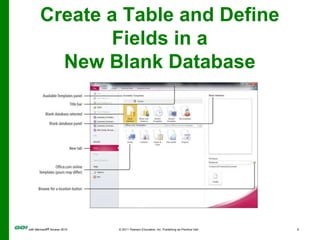
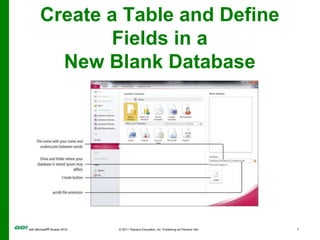
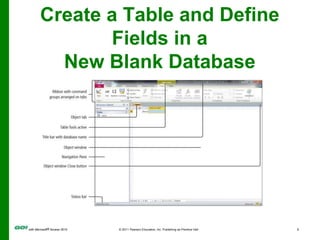
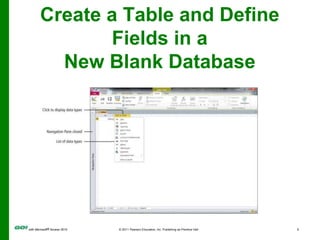
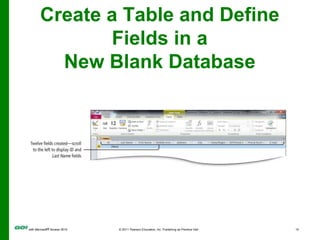
Create a Table and Define Fields in a New Blank Database
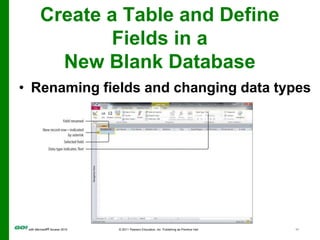
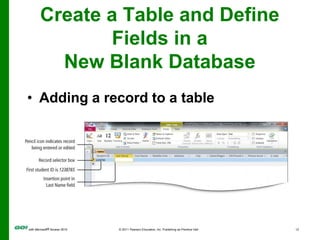
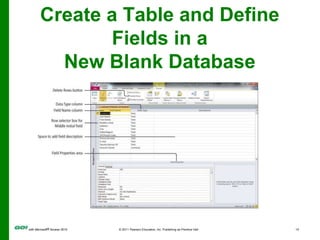
Create a Table and Define Fields in a New Blank DatabaseRenaming fields and changing data typesCreate a Table and Define Fields in a New Blank DatabaseAdding a record to a tableCreate a Table and Define Fields in a New Blank Database
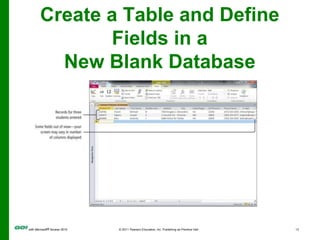
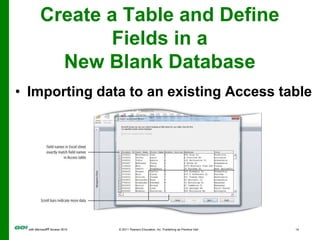
Create a Table and Define Fields in a New Blank DatabaseImporting data to an existing Access tableCreate a Table and Define Fields in a New Blank Database
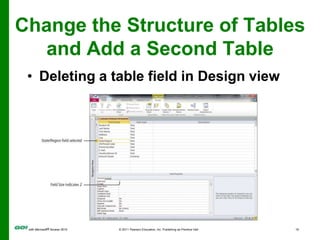
Change the Structure of Tables and Add a Second TableDeleting a table field in Design view
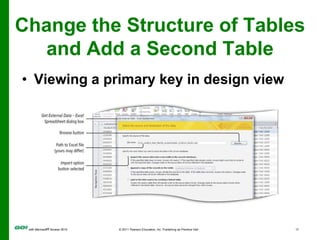
Change the Structure of Tables and Add a Second TableViewing a primary key in design view
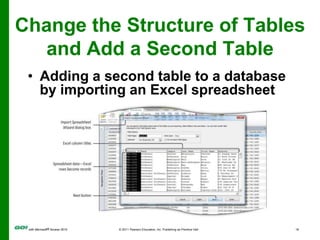
Change the Structure of Tables and Add a Second TableAdding a second table to a database by importing an Excel spreadsheet
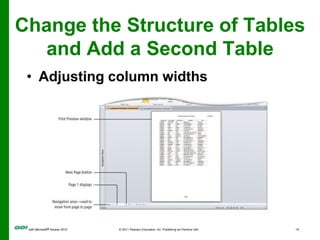
Change the Structure of Tables and Add a Second TableAdjusting column widths
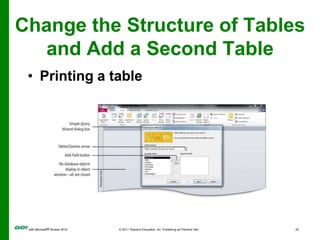
Change the Structure of Tables and Add a Second TablePrinting a table
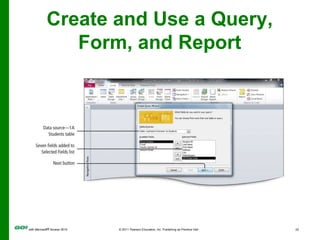
Create and Use a Query, Form, and ReportA query is a database object that retrieves specific data from one or more database objects—either tables of other queries.A  form is an Access object with which you can enter data, edit data, or display data from a table or a query.
Create and Use a Query, Form, and Report
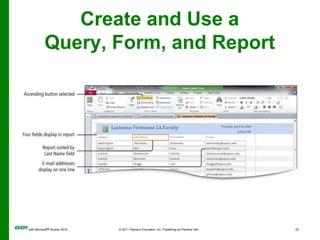
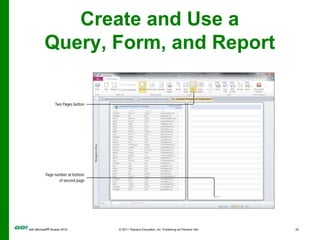
Create and Use a Query, Form, and ReportA  report is a database object that displays the fields and records from a table or a query in an easy-to-read format suitable for printing.
Create and Use a Query, Form, and Report
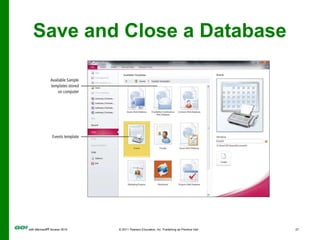
Save and Close a DatabaseWhen you close an Access table, any changes made to the records are saved automatically.You will be prompted to save changes to design of the table or the layout of Datasheet view.
Save and Close a Database
Create a Database Using a TemplateA database template contains pre-built tables, queries, forms, and reports to perform a specific task.You do not have to create the objects.All you need to do is enter your data and modify the pre-built objects to suit your needs.
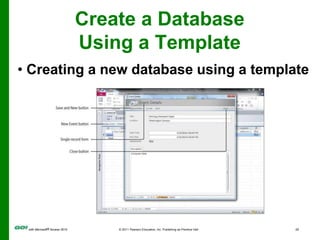
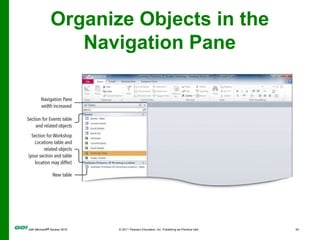
Create a Database Using a Template Creating a new database using a templateOrganize Objects in the Navigation Pane
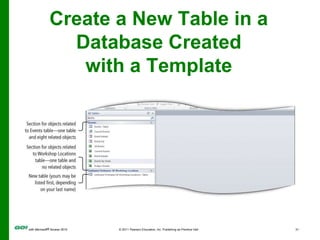
Create a New Table in a Database Created with a Template
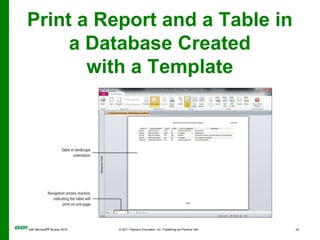
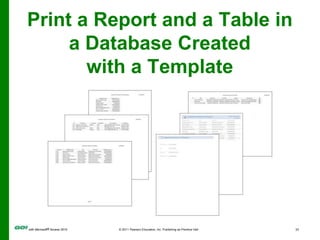
Print a Report and a Table in a Database Created with a Template
Covered ObjectivesIdentify Good Database DesignCreate a Table and Define Fields in a New Blank DatabaseChange the Structure of Tables and Add a Second TableCreate and Use a Query, Form, and ReportSave and Close a Database
Covered ObjectivesCreate a Database Using a TemplateOrganize Objects in the Navigation PaneCreate a New Table in a Database Created with a TemplatePrint a Report and a Table in a Database Created with a Template
All rights reserved. No part of this publication may be reproduced, stored in a retrieval system, or transmitted, in any form or by any means, electronic, mechanical, photocopying, recording, or otherwise, without the prior written permission of the publisher. Printed in the United States of America.Copyright © 2011 Pearson Education, Inc.  Publishing as Prentice Hall
MS Access Ch 1 PPT
MS Access Ch 1 PPT
MS Access Ch 1 PPT
MS Access Ch 1 PPT

MS Access Ch 1 PPT

  • 1.
    PowerPoint Presentation toAccompanyGO! with Microsoft® Access 2010Chapter 1Getting Started with Access Databases
  • 2.
    ObjectivesIdentify Good DatabaseDesignCreate a Table and Define Fields in a New Blank DatabaseChange the Structure of Tables and Add a Second TableCreate and Use a Query, Form, and ReportSave and Close a Database
  • 3.
    ObjectivesCreate a DatabaseUsing a TemplateOrganize Objects in the Navigation PaneCreate a New Table in a Database Created with a TemplatePrint a Report and a Table in a Database Created with a Template
  • 4.
    Identify Good DatabaseDesignA database is an organized collection of data—facts about people, events, things, or ideas—related to a specific topic or purpose.Information is data that is organized in a useful manner.
  • 5.
    Identify Good DatabaseDesignUse good design techniques when creating a new database.Determine the information you want to keep track of to create a new database.Ask yourself, “What questions should this database be able to answer for me?”The purpose of a database is to store data in a manner that makes it easy for you to get the information you need.
  • 6.
    Create a Tableand Define Fields in a New Blank Database
  • 7.
    Create a Tableand Define Fields in a New Blank Database
  • 8.
    Create a Tableand Define Fields in a New Blank Database
  • 9.
    Create a Tableand Define Fields in a New Blank Database
  • 10.
    Create a Tableand Define Fields in a New Blank Database
  • 11.
    Create a Tableand Define Fields in a New Blank DatabaseRenaming fields and changing data typesCreate a Table and Define Fields in a New Blank DatabaseAdding a record to a tableCreate a Table and Define Fields in a New Blank Database
  • 12.
    Create a Tableand Define Fields in a New Blank DatabaseImporting data to an existing Access tableCreate a Table and Define Fields in a New Blank Database
  • 13.
    Change the Structureof Tables and Add a Second TableDeleting a table field in Design view
  • 14.
    Change the Structureof Tables and Add a Second TableViewing a primary key in design view
  • 15.
    Change the Structureof Tables and Add a Second TableAdding a second table to a database by importing an Excel spreadsheet
  • 16.
    Change the Structureof Tables and Add a Second TableAdjusting column widths
  • 17.
    Change the Structureof Tables and Add a Second TablePrinting a table
  • 18.
    Create and Usea Query, Form, and ReportA query is a database object that retrieves specific data from one or more database objects—either tables of other queries.A form is an Access object with which you can enter data, edit data, or display data from a table or a query.
  • 19.
    Create and Usea Query, Form, and Report
  • 20.
    Create and Usea Query, Form, and Report
  • 21.
    Create and Usea Query, Form, and ReportA report is a database object that displays the fields and records from a table or a query in an easy-to-read format suitable for printing.
  • 22.
    Create and Usea Query, Form, and Report
  • 23.
    Save and Closea DatabaseWhen you close an Access table, any changes made to the records are saved automatically.You will be prompted to save changes to design of the table or the layout of Datasheet view.
  • 24.
    Save and Closea Database
  • 25.
    Create a DatabaseUsing a TemplateA database template contains pre-built tables, queries, forms, and reports to perform a specific task.You do not have to create the objects.All you need to do is enter your data and modify the pre-built objects to suit your needs.
  • 26.
    Create a DatabaseUsing a Template Creating a new database using a templateOrganize Objects in the Navigation Pane
  • 27.
    Create a NewTable in a Database Created with a Template
  • 28.
    Print a Reportand a Table in a Database Created with a Template
  • 29.
    Print a Reportand a Table in a Database Created with a Template
  • 30.
    Covered ObjectivesIdentify GoodDatabase DesignCreate a Table and Define Fields in a New Blank DatabaseChange the Structure of Tables and Add a Second TableCreate and Use a Query, Form, and ReportSave and Close a Database
  • 31.
    Covered ObjectivesCreate aDatabase Using a TemplateOrganize Objects in the Navigation PaneCreate a New Table in a Database Created with a TemplatePrint a Report and a Table in a Database Created with a Template
  • 32.
    All rights reserved.No part of this publication may be reproduced, stored in a retrieval system, or transmitted, in any form or by any means, electronic, mechanical, photocopying, recording, or otherwise, without the prior written permission of the publisher. Printed in the United States of America.Copyright © 2011 Pearson Education, Inc.  Publishing as Prentice Hall

Editor's Notes