
MongoDB 102
Session II Topics
• Basic MongoDB administration commands
• CRUD operations in MongoDB
• Data creation in MongoDB
• Reading data in MongoDB
• Updating data in MongoDB
• Removing data in MongoDB
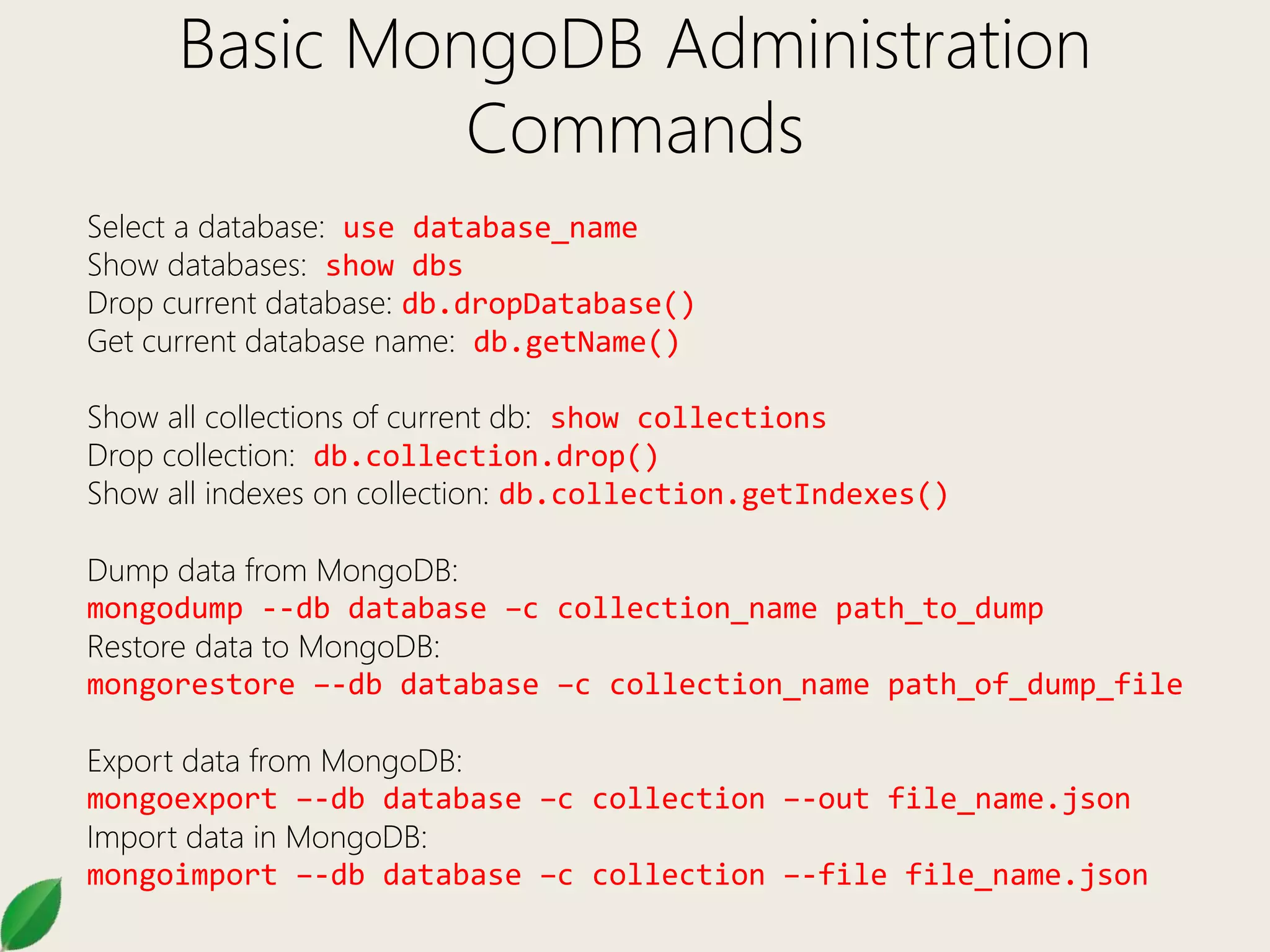
Basic MongoDB Administration
Commands
Select a database: use database_name
Show databases: show dbs
Drop current database: db.dropDatabase()
Get current database name: db.getName()
Show all collections of current db: show collections
Drop collection: db.collection.drop()
Show all indexes on collection: db.collection.getIndexes()
Dump data from MongoDB:
mongodump --db database –c collection_name path_to_dump
Restore data to MongoDB:
mongorestore –-db database –c collection_name path_of_dump_file
Export data from MongoDB:
mongoexport –-db database –c collection –-out file_name.json
Import data in MongoDB:
mongoimport –-db database –c collection –-file file_name.json
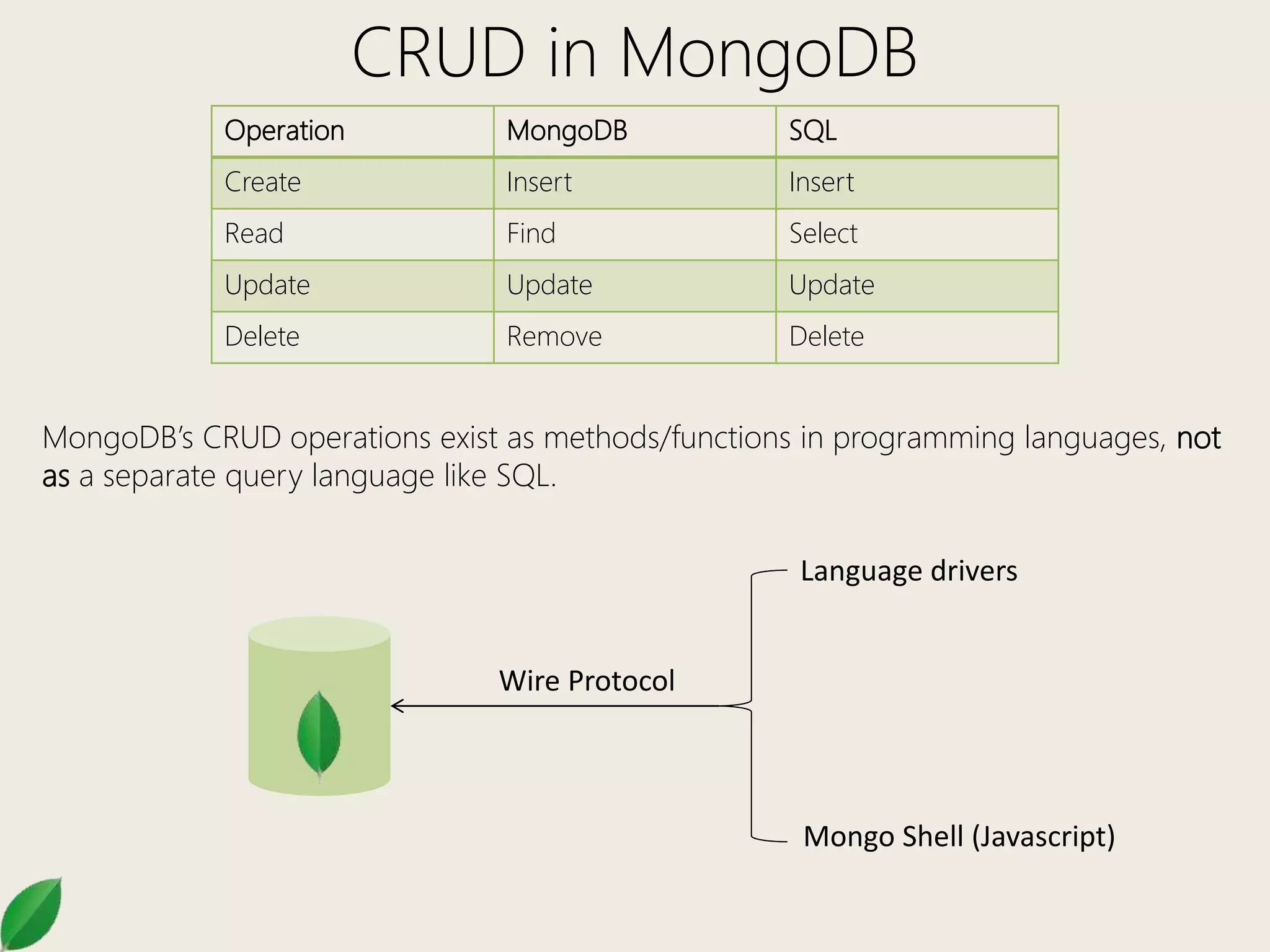
CRUD in MongoDB
Operation MongoDB SQL
Create Insert Insert
Read Find Select
Update Update Update
Delete Remove Delete
MongoDB’s CRUD operations exist as methods/functions in programming languages, not
as a separate query language like SQL.
Language drivers
Mongo Shell (Javascript)
Wire Protocol
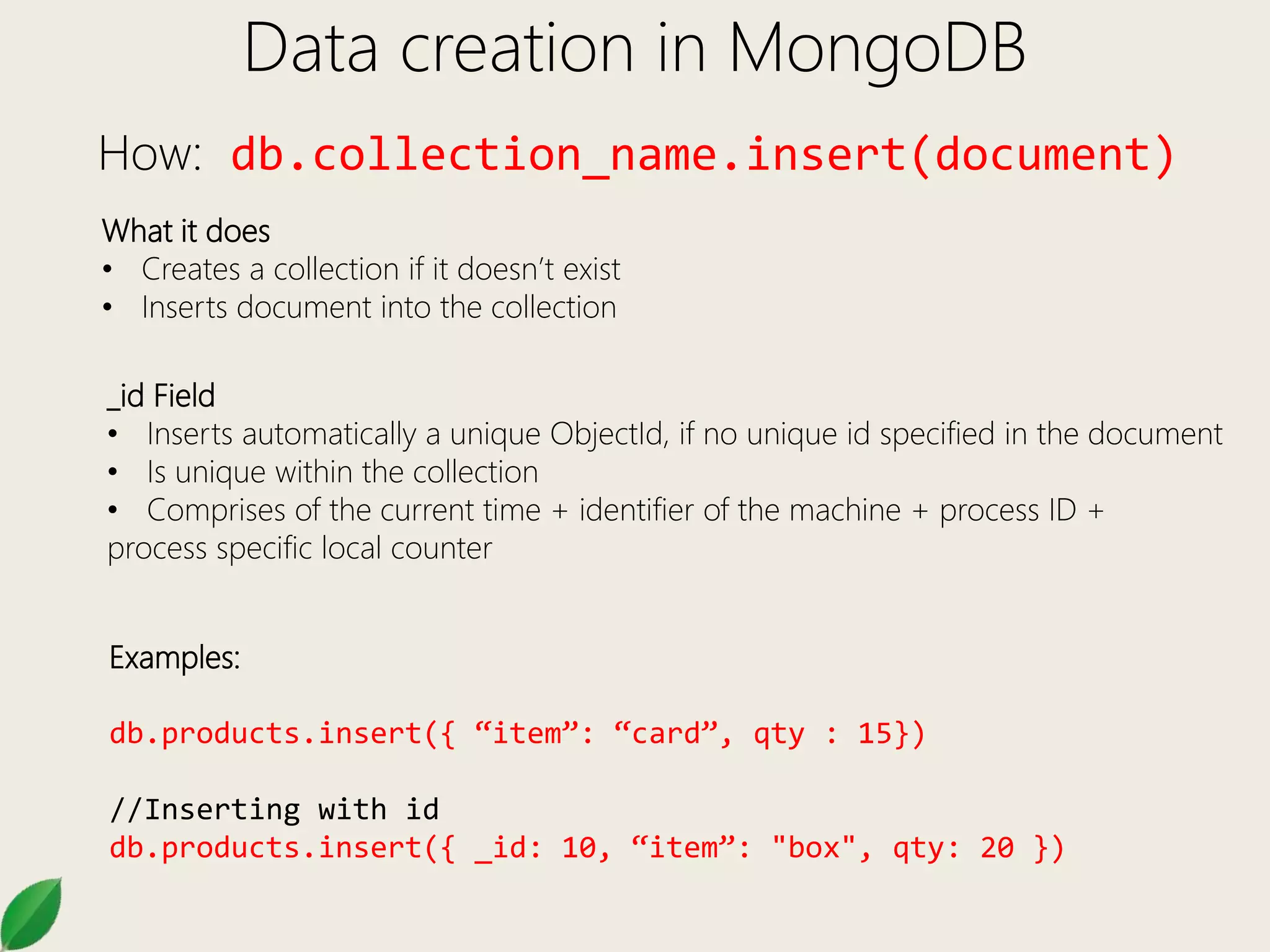
Data creation in MongoDB
How: db.collection_name.insert(document)
What it does
• Creates a collection if it doesn’t exist
• Inserts document into the collection
_id Field
• Inserts automatically a unique ObjectId, if no unique id specified in the document
• Is unique within the collection
• Comprises of the current time + identifier of the machine + process ID +
process specific local counter
Examples:
db.products.insert({ “item”: “card”, qty : 15})
//Inserting with id
db.products.insert({ _id: 10, “item”: "box", qty: 20 })
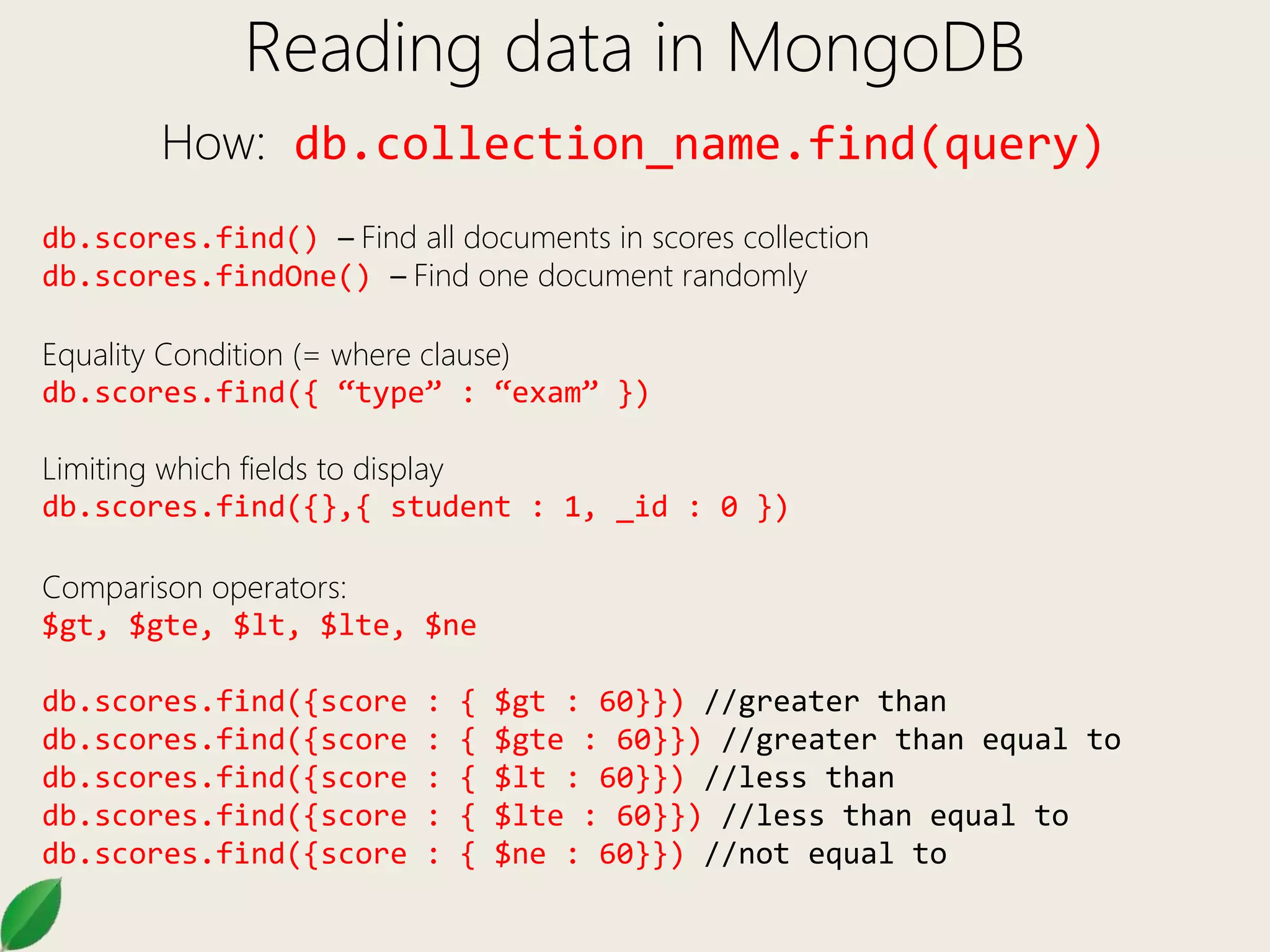
Reading data in MongoDB
How: db.collection_name.find(query)
db.scores.find() – Find all documents in scores collection
db.scores.findOne() – Find one document randomly
Equality Condition (= where clause)
db.scores.find({ “type” : “exam” })
Limiting which fields to display
db.scores.find({},{ student : 1, _id : 0 })
Comparison operators:
$gt, $gte, $lt, $lte, $ne
db.scores.find({score : { $gt : 60}}) //greater than
db.scores.find({score : { $gte : 60}}) //greater than equal to
db.scores.find({score : { $lt : 60}}) //less than
db.scores.find({score : { $lte : 60}}) //less than equal to
db.scores.find({score : { $ne : 60}}) //not equal to
Reading data in MongoDB
How: db.collection_name.find(query)
Logical Operators
AND: db.scores.find({ “type” : “exam”, score : {$gt : 60}})
db.scores.find({ $and : [{ “type” : “exam” },{ score :
$gt : 60}]})
OR: db.scores.find({ $or : [{ “type” : “exam” },{ type : “essay” }]})
NOT: db.scores.find({ score : {$not : { $gt : 60}}})
Reading data in MongoDB
How: db.collection_name.find(query)
Finding inside arrays
{ _id: 5, type: "food", item: "aaa", ratings: [ 5, 8, 9 ] }
{ _id: 6, type: "food", item: "bbb", ratings: [ 5, 9 ] }
{ _id: 7, type: "food", item: "ccc", ratings: [ 9, 5, 4 ] }
db.inventory.find({ratings : [5,8,9]}) //exact match on the array
db.inventory.find( { ratings: 5 } ) //find where array contains 5
db.inventory.find( { 'ratings.0': 5 } ) //find where ratings array
contains 5 as the 1st element
db.inventory.find({ratings : {$all :[5, 8]}}) //find where ratings
array contains 5 and 8 both as necessary elements.
db.inventory.find({ratings : {$in :[9, 4]}}) //find where ratings
array contains 5 or 8
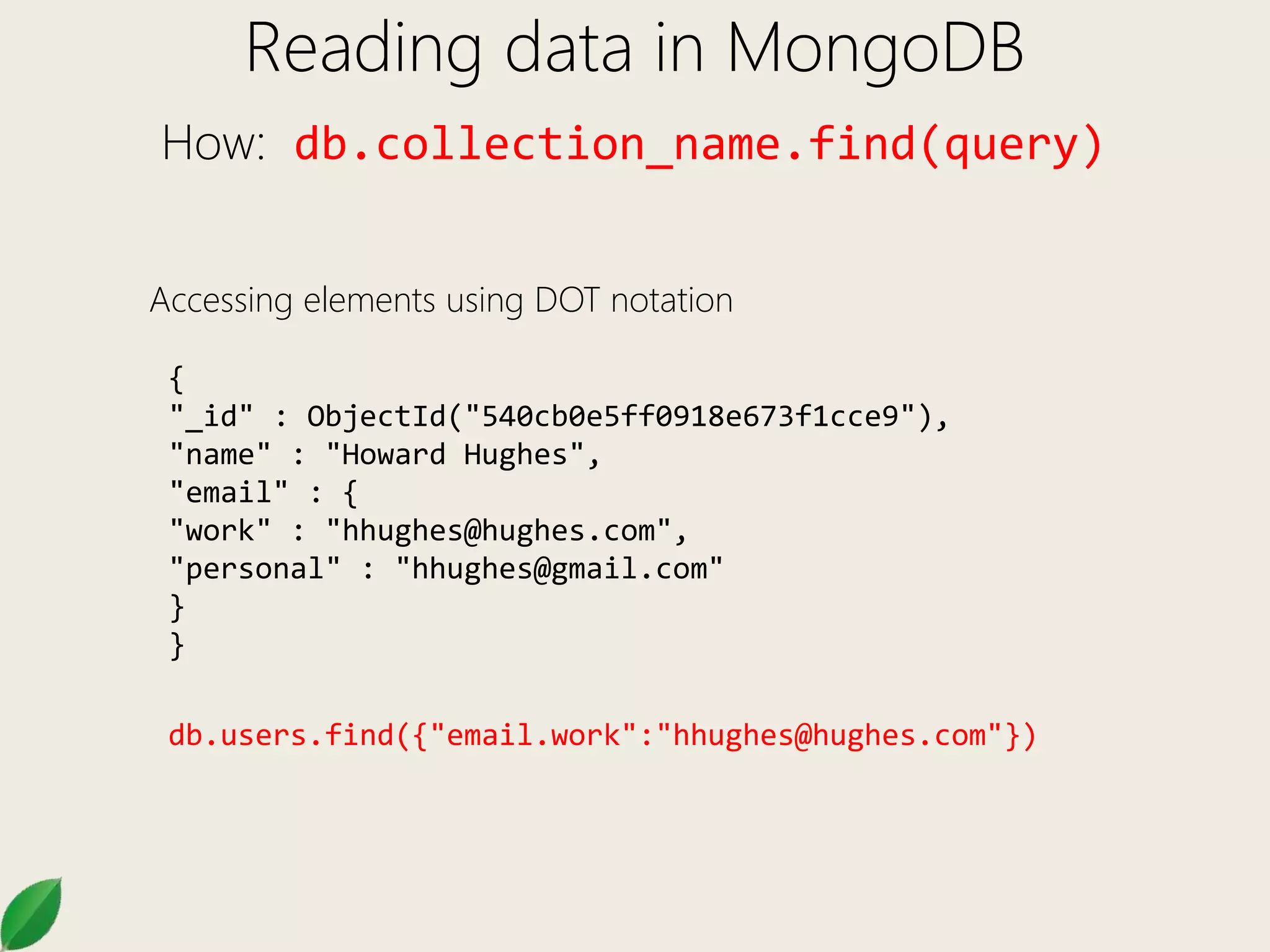
Reading data in MongoDB
How: db.collection_name.find(query)
Accessing elements using DOT notation
{
"_id" : ObjectId("540cb0e5ff0918e673f1cce9"),
"name" : "Howard Hughes",
"email" : {
"work" : "hhughes@hughes.com",
"personal" : "hhughes@gmail.com"
}
}
db.users.find({"email.work":"hhughes@hughes.com"})
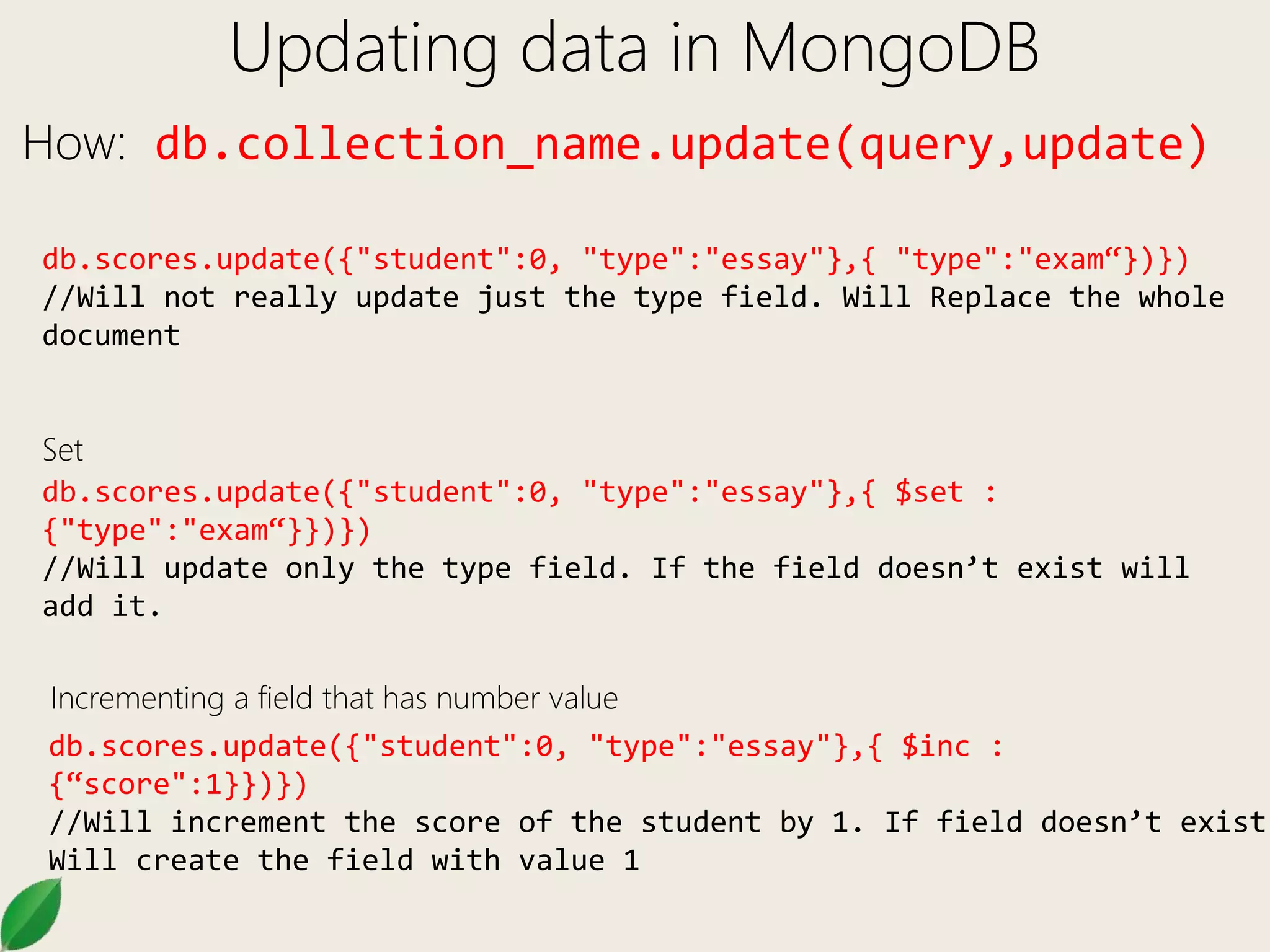
Updating data in MongoDB
How: db.collection_name.update(query,update)
db.scores.update({"student":0, "type":"essay"},{ "type":"exam“})})
//Will not really update just the type field. Will Replace the whole
document
db.scores.update({"student":0, "type":"essay"},{ $set :
{"type":"exam“}})})
//Will update only the type field. If the field doesn’t exist will
add it.
db.scores.update({"student":0, "type":"essay"},{ $inc :
{“score":1}})})
//Will increment the score of the student by 1. If field doesn’t exist
Will create the field with value 1
Incrementing a field that has number value
Set
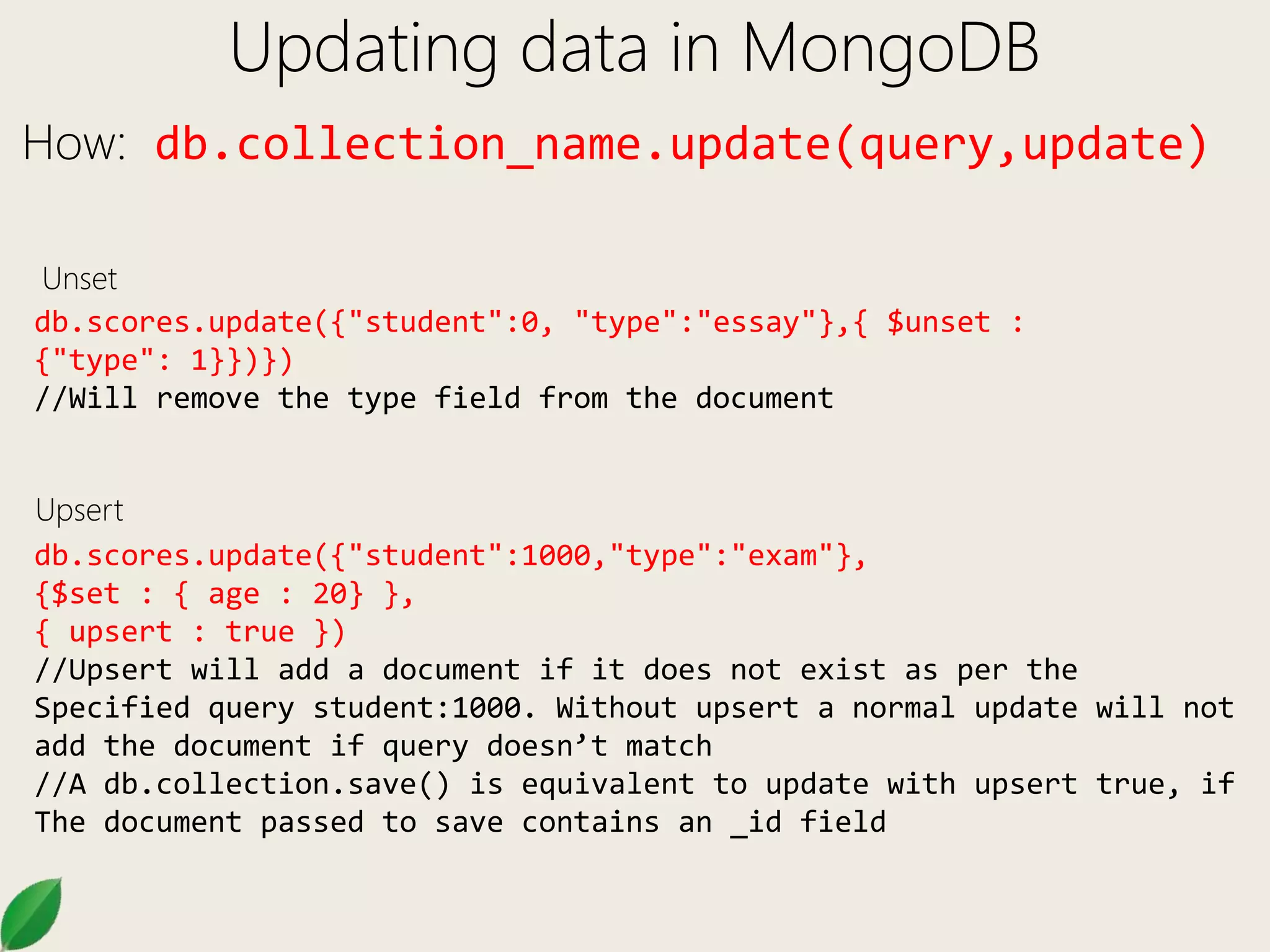
Updating data in MongoDB
How: db.collection_name.update(query,update)
db.scores.update({"student":0, "type":"essay"},{ $unset :
{"type": 1}})})
//Will remove the type field from the document
db.scores.update({"student":1000,"type":"exam"},
{$set : { age : 20} },
{ upsert : true })
//Upsert will add a document if it does not exist as per the
Specified query student:1000. Without upsert a normal update will not
add the document if query doesn’t match
//A db.collection.save() is equivalent to update with upsert true, if
The document passed to save contains an _id field
Upsert
Unset
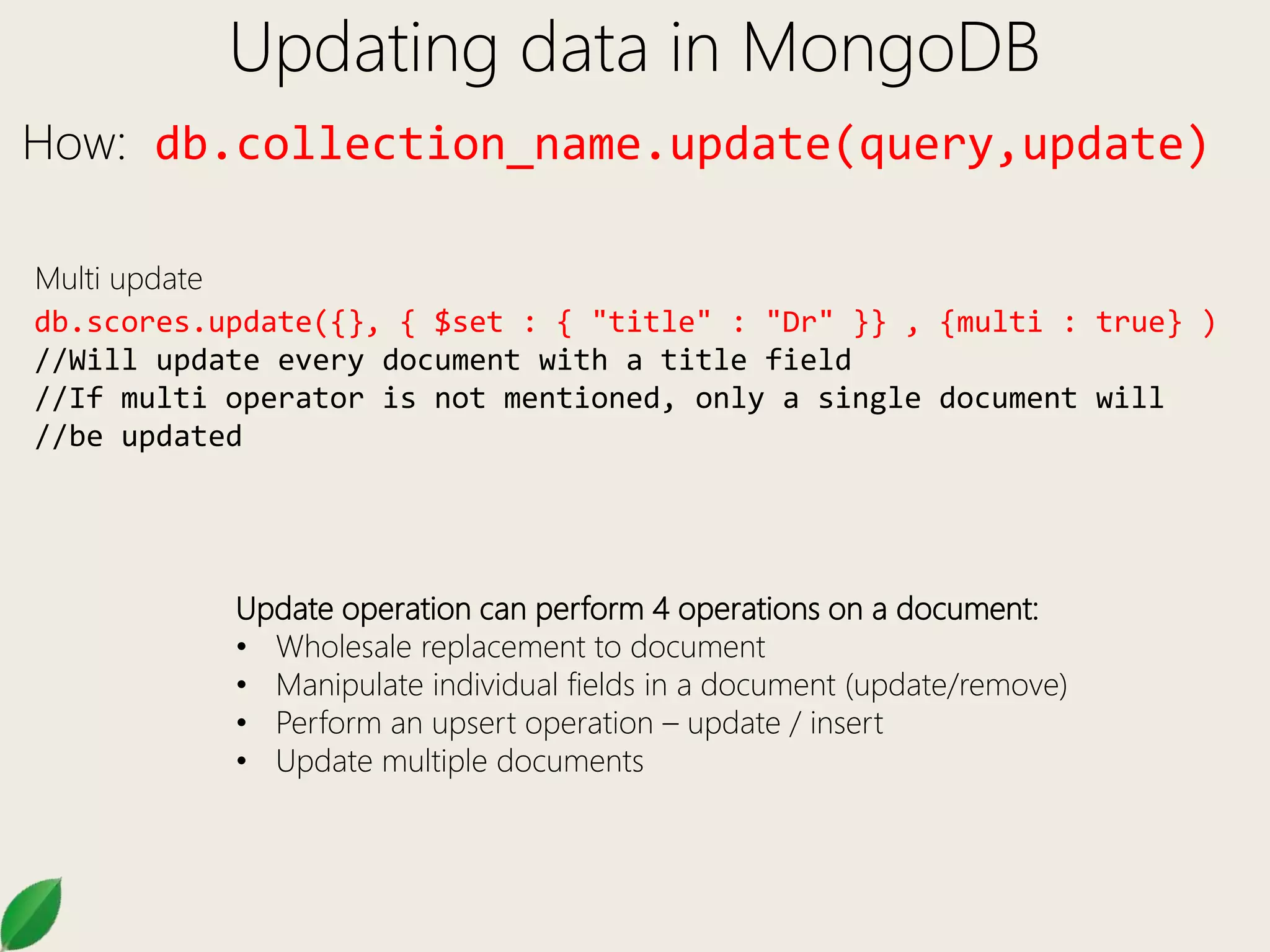
Updating data in MongoDB
How: db.collection_name.update(query,update)
db.scores.update({}, { $set : { "title" : "Dr" }} , {multi : true} )
//Will update every document with a title field
//If multi operator is not mentioned, only a single document will
//be updated
Multi update
Update operation can perform 4 operations on a document:
• Wholesale replacement to document
• Manipulate individual fields in a document (update/remove)
• Perform an upsert operation – update / insert
• Update multiple documents
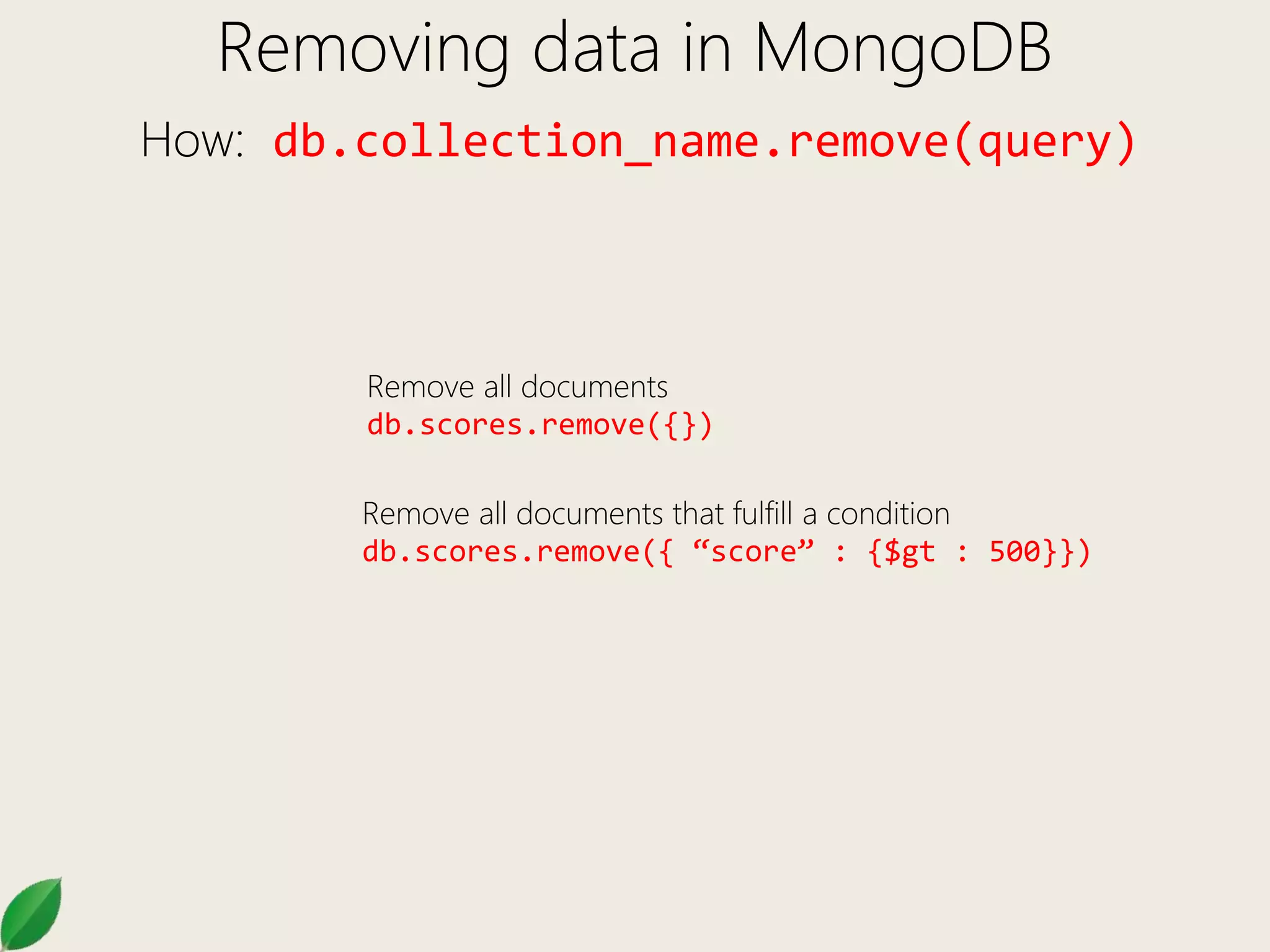
Removing data in MongoDB
How: db.collection_name.remove(query)
Remove all documents
db.scores.remove({})
Remove all documents that fulfill a condition
db.scores.remove({ “score” : {$gt : 500}})

Mongo DB 102

  • 1.
  • 2.
    Session II Topics •Basic MongoDB administration commands • CRUD operations in MongoDB • Data creation in MongoDB • Reading data in MongoDB • Updating data in MongoDB • Removing data in MongoDB
  • 3.
    Basic MongoDB Administration Commands Selecta database: use database_name Show databases: show dbs Drop current database: db.dropDatabase() Get current database name: db.getName() Show all collections of current db: show collections Drop collection: db.collection.drop() Show all indexes on collection: db.collection.getIndexes() Dump data from MongoDB: mongodump --db database –c collection_name path_to_dump Restore data to MongoDB: mongorestore –-db database –c collection_name path_of_dump_file Export data from MongoDB: mongoexport –-db database –c collection –-out file_name.json Import data in MongoDB: mongoimport –-db database –c collection –-file file_name.json
  • 4.
    CRUD in MongoDB OperationMongoDB SQL Create Insert Insert Read Find Select Update Update Update Delete Remove Delete MongoDB’s CRUD operations exist as methods/functions in programming languages, not as a separate query language like SQL. Language drivers Mongo Shell (Javascript) Wire Protocol
  • 5.
    Data creation inMongoDB How: db.collection_name.insert(document) What it does • Creates a collection if it doesn’t exist • Inserts document into the collection _id Field • Inserts automatically a unique ObjectId, if no unique id specified in the document • Is unique within the collection • Comprises of the current time + identifier of the machine + process ID + process specific local counter Examples: db.products.insert({ “item”: “card”, qty : 15}) //Inserting with id db.products.insert({ _id: 10, “item”: "box", qty: 20 })
  • 6.
    Reading data inMongoDB How: db.collection_name.find(query) db.scores.find() – Find all documents in scores collection db.scores.findOne() – Find one document randomly Equality Condition (= where clause) db.scores.find({ “type” : “exam” }) Limiting which fields to display db.scores.find({},{ student : 1, _id : 0 }) Comparison operators: $gt, $gte, $lt, $lte, $ne db.scores.find({score : { $gt : 60}}) //greater than db.scores.find({score : { $gte : 60}}) //greater than equal to db.scores.find({score : { $lt : 60}}) //less than db.scores.find({score : { $lte : 60}}) //less than equal to db.scores.find({score : { $ne : 60}}) //not equal to
  • 7.
    Reading data inMongoDB How: db.collection_name.find(query) Logical Operators AND: db.scores.find({ “type” : “exam”, score : {$gt : 60}}) db.scores.find({ $and : [{ “type” : “exam” },{ score : $gt : 60}]}) OR: db.scores.find({ $or : [{ “type” : “exam” },{ type : “essay” }]}) NOT: db.scores.find({ score : {$not : { $gt : 60}}})
  • 8.
    Reading data inMongoDB How: db.collection_name.find(query) Finding inside arrays { _id: 5, type: "food", item: "aaa", ratings: [ 5, 8, 9 ] } { _id: 6, type: "food", item: "bbb", ratings: [ 5, 9 ] } { _id: 7, type: "food", item: "ccc", ratings: [ 9, 5, 4 ] } db.inventory.find({ratings : [5,8,9]}) //exact match on the array db.inventory.find( { ratings: 5 } ) //find where array contains 5 db.inventory.find( { 'ratings.0': 5 } ) //find where ratings array contains 5 as the 1st element db.inventory.find({ratings : {$all :[5, 8]}}) //find where ratings array contains 5 and 8 both as necessary elements. db.inventory.find({ratings : {$in :[9, 4]}}) //find where ratings array contains 5 or 8
  • 9.
    Reading data inMongoDB How: db.collection_name.find(query) Accessing elements using DOT notation { "_id" : ObjectId("540cb0e5ff0918e673f1cce9"), "name" : "Howard Hughes", "email" : { "work" : "hhughes@hughes.com", "personal" : "hhughes@gmail.com" } } db.users.find({"email.work":"hhughes@hughes.com"})
  • 10.
    Updating data inMongoDB How: db.collection_name.update(query,update) db.scores.update({"student":0, "type":"essay"},{ "type":"exam“})}) //Will not really update just the type field. Will Replace the whole document db.scores.update({"student":0, "type":"essay"},{ $set : {"type":"exam“}})}) //Will update only the type field. If the field doesn’t exist will add it. db.scores.update({"student":0, "type":"essay"},{ $inc : {“score":1}})}) //Will increment the score of the student by 1. If field doesn’t exist Will create the field with value 1 Incrementing a field that has number value Set
  • 11.
    Updating data inMongoDB How: db.collection_name.update(query,update) db.scores.update({"student":0, "type":"essay"},{ $unset : {"type": 1}})}) //Will remove the type field from the document db.scores.update({"student":1000,"type":"exam"}, {$set : { age : 20} }, { upsert : true }) //Upsert will add a document if it does not exist as per the Specified query student:1000. Without upsert a normal update will not add the document if query doesn’t match //A db.collection.save() is equivalent to update with upsert true, if The document passed to save contains an _id field Upsert Unset
  • 12.
    Updating data inMongoDB How: db.collection_name.update(query,update) db.scores.update({}, { $set : { "title" : "Dr" }} , {multi : true} ) //Will update every document with a title field //If multi operator is not mentioned, only a single document will //be updated Multi update Update operation can perform 4 operations on a document: • Wholesale replacement to document • Manipulate individual fields in a document (update/remove) • Perform an upsert operation – update / insert • Update multiple documents
  • 13.
    Removing data inMongoDB How: db.collection_name.remove(query) Remove all documents db.scores.remove({}) Remove all documents that fulfill a condition db.scores.remove({ “score” : {$gt : 500}})