Objectives
In this module,you will learn:
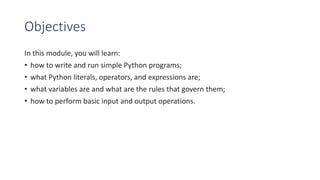
• how to write and run simple Python programs;
• what Python literals, operators, and expressions are;
• what variables are and what are the rules that govern them;
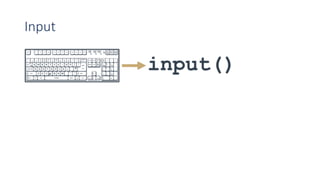
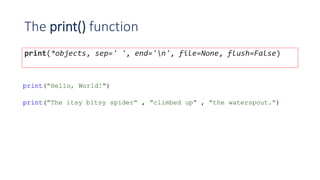
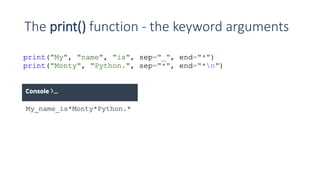
• how to perform basic input and output operations.
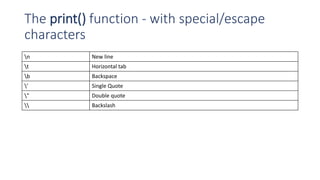
The print() function- with special/escape
characters
n New line
t Horizontal tab
b Backspace
’ Single Quote
" Double quote
Backslash
6.
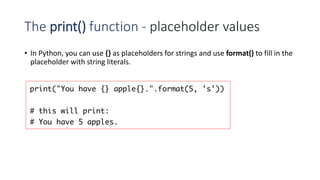
The print() function- placeholder values
• In Python, you can use {} as placeholders for strings and use format() to fill in the
placeholder with string literals.
7.
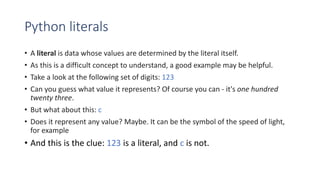
Python literals
• Aliteral is data whose values are determined by the literal itself.
• As this is a difficult concept to understand, a good example may be helpful.
• Take a look at the following set of digits: 123
• Can you guess what value it represents? Of course you can - it's one hundred
twenty three.
• But what about this: c
• Does it represent any value? Maybe. It can be the symbol of the speed of light,
for example
• And this is the clue: 123 is a literal, and c is not.
8.
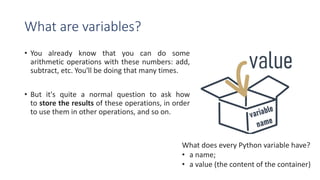
What are variables?
•You already know that you can do some
arithmetic operations with these numbers: add,
subtract, etc. You'll be doing that many times.
• But it's quite a normal question to ask how
to store the results of these operations, in order
to use them in other operations, and so on.
What does every Python variable have?
• a name;
• a value (the content of the container)
9.
Variable Names
If youwant to give a name to a variable, you must follow some strict rules:
the name of the variable must be composed of upper-case or lower-case
letters, digits, and the character _ (underscore)
the name of the variable must begin with a letter;
the underscore character is a letter;
upper- and lower-case letters are treated as different (a little differently
than in the real world - Alice and ALICE are the same first names, but in
Python they are two different variable names, and consequently, two
different variables);
the name of the variable must not be any of Python's reserved words (the
keywords - we'll explain more about this soon).
10.
Keywords
• Take alook at the list of words that play a very special role in every Python
program.
['False', 'None', 'True', 'and', 'as', 'assert', 'break', 'class',
'continue', 'def', 'del', 'elif', 'else', 'except', 'finally', 'for',
'from', 'global', 'if', 'import', 'in', 'is', 'lambda', 'nonlocal', 'not',
'or', 'pass', 'raise', 'return', 'try', 'while', 'with', 'yield']
• They are called keywords or (more precisely) reserved keywords. They are
reserved because you mustn't use them as names: neither for your variables,
nor functions, nor any other named entities you want to create.
• The meaning of the reserved word is predefined, and mustn't be changed in any
way.
11.
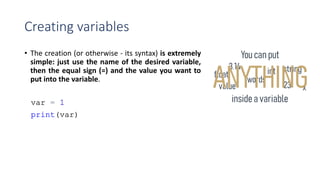
Creating variables
• Thecreation (or otherwise - its syntax) is extremely
simple: just use the name of the desired variable,
then the equal sign (=) and the value you want to
put into the variable.
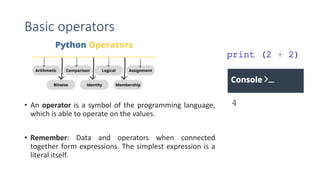
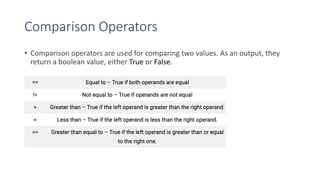
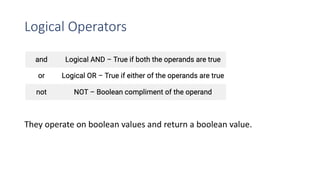
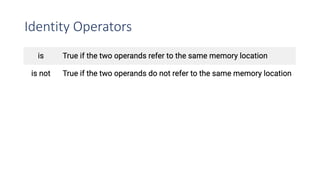
Basic operators
• Anoperator is a symbol of the programming language,
which is able to operate on the values.
• Remember: Data and operators when connected
together form expressions. The simplest expression is a
literal itself.
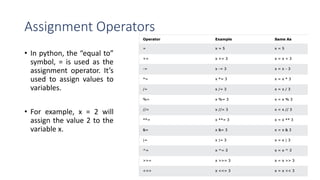
Assignment Operators
• Inpython, the “equal to”
symbol, = is used as the
assignment operator. It’s
used to assign values to
variables.
• For example, x = 2 will
assign the value 2 to the
variable x.
![Keywords
• Take a look at the list of words that play a very special role in every Python
program.
['False', 'None', 'True', 'and', 'as', 'assert', 'break', 'class',
'continue', 'def', 'del', 'elif', 'else', 'except', 'finally', 'for',
'from', 'global', 'if', 'import', 'in', 'is', 'lambda', 'nonlocal', 'not',
'or', 'pass', 'raise', 'return', 'try', 'while', 'with', 'yield']
• They are called keywords or (more precisely) reserved keywords. They are
reserved because you mustn't use them as names: neither for your variables,
nor functions, nor any other named entities you want to create.
• The meaning of the reserved word is predefined, and mustn't be changed in any
way.](https://image.slidesharecdn.com/module2-datatypesvariablesbasicinput-outputoperationsbasicoperators-260104163246-e6bdd363/85/Module-2-Data-types-variables-basic-input-output-operations-basic-operators-pdf-10-320.jpg)