
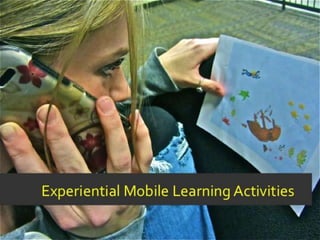


Experiential Mobile Learning Activities
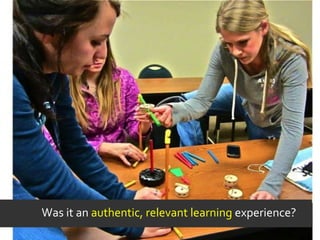
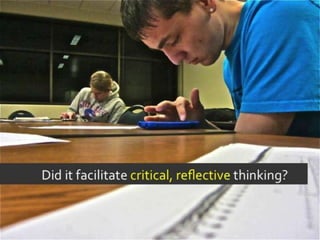
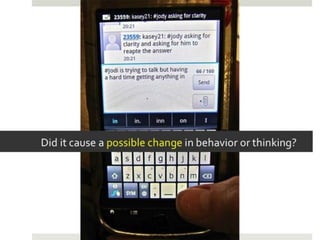
Was it an authentic, relevant learning experience?
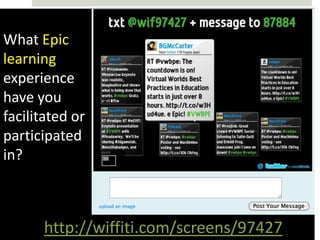
What Epic
learning
experience
have you
facilitated or
participated
in?


      http://wiffiti.com/screens/97427
Students in educational environments with a
strong sense of community are more likely to. . .
Research has shown that functioning in a community
 can enhance the learning that occurs.
Optimal learning outcomes are directly tied to the
 establishment of social networks among participants
 engaged a collaborative learning enterprise.
Such collaboration has been shown to be very important
 in the development of a learning community and in
 achieving the desired learning outcomes.


      Vesely, P., Bloom, L. & Sherlock, J. (2007). Key Elements of Building Online Community: Comparing Faculty and Student
      Perceptions. Journal of Online Learning and Teaching, 3, (3). Retrived from http://jolt.merlot.org/vol3no3/vesely.htm.
Unfortunately . . .

Unfortunately, schools with a strong sense of community are fairly
rare. In fact, most schools that survey students' perceptions of
community wind up with mediocre mean scores. Of further concern
is the fact that low-income students and students of color usually
report a lower level of community in school than do affluent or white
students. Many schools appear to be ill-equipped to provide
community for the students who may need it most.


                                                 Schaps, Battistich, & Solomon, 1997 in Snaps’ Creating a School Community
            http://www.ascd.org/publications/educational-leadership/mar03/vol60/num06/Creating-a-School-Community.aspx
In virtual learning communities . . .
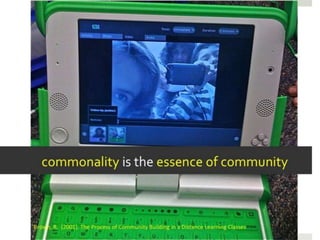
commonality is the essence of community

Getting to “know” each other. Finding out where people lived, what
they did, their experiences, whether or not they had families and the
like was the “X” factor. Participants generally agreed that this should
have been a first step in community-building, but usually it was not
part of the formal coursework.


       Brown, R. (2001). The Process of Community Building in a Distance Learning Classes
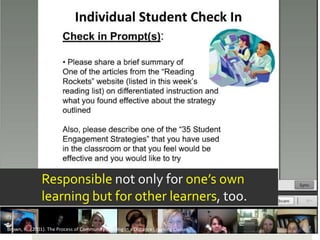
Responsible not only for one’s own
               learning but for other learners, too.

Brown, R. (2001). The Process of Community Building in a Distance Learning Classes
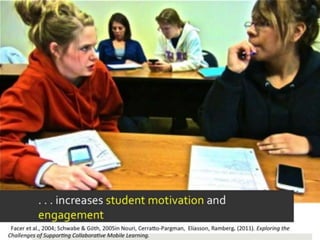
Collaborative mobile learning . . .
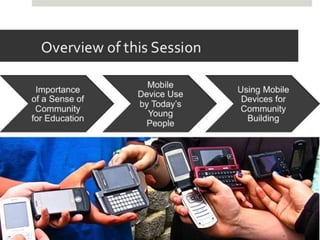
An Overview of Mobile Device Use
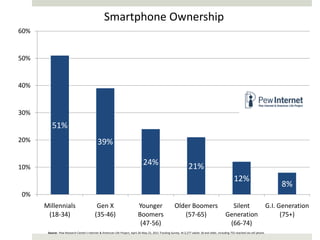
Smartphone Ownership
60%


50%


40%


30%
          51%
20%                                          39%

10%
                                                                                 24%                                21%
                                                                                                                                                       12%
                                                                                                                                                                                        8%
0%
      Millennials                           Gen X                            Younger                     Older Boomers                             Silent                          G.I. Generation
       (18-34)                             (35-46)                           Boomers                        (57-65)                              Generation                              (75+)
                                                                              (47-56)                                                             (66-74)
       Source: Pew Research Center's Internet & American Life Project, April 26-May 22, 2011 Tracking Survey. N=2,277 adults 18 and older, including 755 reached via cell phone.
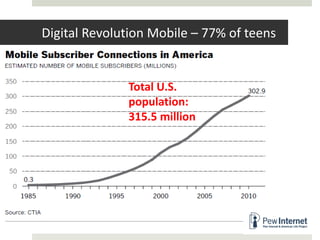
Digital Revolution Mobile – 77% of teens


              Total U.S.
              population:
              315.5 million
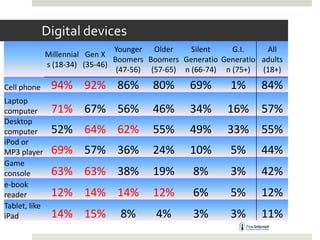
Digital devices
                                 Younger Older      Silent    G.I.    All
               Millennial Gen X
                                 Boomers Boomers Generatio Generatio adults
               s (18-34) (35-46)
                                  (47-56) (57-65) n (66-74) n (75+)  (18+)

Cell phone      94% 92% 86%               80%      69%       1%      84%
Laptop
computer        71% 67% 56%               46%      34%       16%     57%
Desktop
computer        52% 64% 62%               55%      49%       33%     55%
iPod or
MP3 player      69% 57% 36%               24%      10%       5%      44%
Game
console         63% 63% 38%               19%       8%       3%      42%
e-book
reader          12% 14% 14%               12%       6%       5%      12%
Tablet, like
iPad            14% 15%           8%       4%       3%       3%      11%
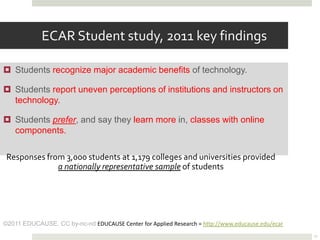
ECAR Student study, 2011 key findings

 Students recognize major academic benefits of technology.

 Students report uneven perceptions of institutions and instructors on
  technology.

 Students prefer, and say they learn more in, classes with online
  components.

 Responses from 3,000 students at 1,179 colleges and universities provided
              a nationally representative sample of students


©2011 EDUCAUSE. CC by-nc-nd EDUCAUSE Center for Applied Research = http://www.educause.edu/ecar
                                                                                                  32
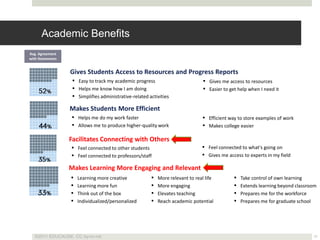
Academic Benefits
Avg. Agreement
with Statements


                  Gives Students Access to Resources and Progress Reports
                    Easy to track my academic progress                           Gives me access to resources
                    Helps me know how I am doing                                 Easier to get help when I need it
                    Simplifies administrative-related activities

                  Makes Students More Efficient
                   Helps me do my work faster                                   Efficient way to store examples of work
                   Allows me to produce higher-quality work                     Makes college easier

                  Facilitates Connecting with Others
                   Feel connected to other students                             Feel connected to what's going on
                   Feel connected to professors/staff                           Gives me access to experts in my field

                  Makes Learning More Engaging and Relevant
                     Learning more creative               More relevant to real life            Take control of own learning
                     Learning more fun                    More engaging                         Extends learning beyond classroom
                     Think out of the box                 Elevates teaching                     Prepares me for the workforce
                     Individualized/personalized          Reach academic potential              Prepares me for graduate school


   ©2011 EDUCAUSE. CC by-nc-nd                                                                                                    33
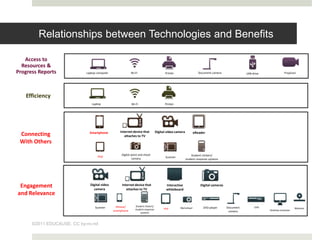
Relationships between Technologies and Benefits

   Access to
  Resources &
Progress Reports            Laptop computer                Wi-Fi                        Printer                    Document camera               USB drive              Projector


   Efficiency
                               Laptop                      Wi-Fi                        Printer


                              Smartphone          Internet device that            Digital video camera          eReader
 Connecting                                          attaches to TV
 With Others
                                                   Digital point and shoot                                   Student clickers/
                                   iPad                                                  Scanner
                                                            camera                                       student response systems


 Engagement                   Digital video
                                camera
                                                   Internet device that
                                                      attaches to TV
                                                                                         Interactive
                                                                                         whiteboard
                                                                                                                    Digital cameras

and Relevance

                                                iPhone/       Student clickers/
                                  Scanner                                              iPad        Mp3 player         DVD player      Document        DVR                       Webcam
                                              smartphone      student response                                                                               Desktop computer
                                                                  systems                                                              camera


      ©2011 EDUCAUSE. CC by-nc-nd
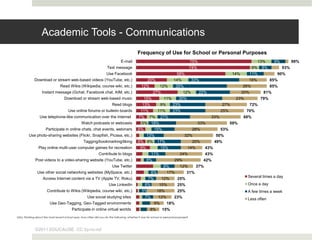
Academic Tools - Communications
                                                                                             Frequency of Use for School or Personal Purposes
                                                                                E-mail                                                 75%                                   13%        9%         99%
                                                                     Text message                                                      74%                                 6%    8%          93%
                                                                     Use Facebook                                          58%                                 14%         11%           90%
             Download or stream web-based videos (YouTube, etc.)                                    20%                 14%            33%                             18%             85%
                                 Read Wikis (Wikipedia, course wiki, etc.)                     12%             12%        35%                                        26%               85%
                   Instant message (Gchat, Facebook chat, AIM, etc.)                                     27%                    12%          22%                     20%          81%
                                    Download or stream web-based music                            15%            11%        30%                                  23%             79%
                                                                         Read blogs             13%            9%       23%                              27%               72%
                                       Use online forums or bulletin boards                    11%          11%         23%                              25%           70%
                 Use telephone-like communication over the Internet                          7%       7%       21%                                 33%               68%
                                                 Watch podcasts or webcasts                     5% 18%                                       33%               59%
                      Participate in online chats, chat events, webinars                     6%           15%                           28%              53%
         Use photo-sharing websites (Flickr, Snapfish, Picasa, etc.)                                13%                          32%                 50%
                                                   Tagging/bookmarking/liking                6% 6%          17%                         20%          49%
                Play online multi-user computer games for recreation                           9%              15%                 14%         43%
                                                               Contribute to blogs                     11%                   24%               43%
              Post videos to a video-sharing website (YouTube, etc.)                                8%                   29%                   42%
                                                                         Use Twitter                            9%           12%         37%
               Use other social networking websites (MySpace, etc.)                                    6%           17%           31%
                   Access Internet content via a TV (Apple TV, Roku)                                                                                                   Several times a day
                                                                                                     7%        12%         25%
                                                                      Use LinkedIn                6%         15%           25%                                         Once a day
                       Contribute to Wikis (Wikipedia, course wiki, etc.)                       5%         18%             25%                                         A few times a week
                                                      Use social studying sites                   7%         12%         23%                                           Less often
                         Use Geo-Tagging, Geo-Tagged environments                                         9%        18%
                                          Participate in online virtual worlds                        8%       15%
Q5a. Thinking about the most recent school year, how often did you do the following, whether it was for school or personal purposes?


              ©2011 EDUCAUSE. CC by-nc-nd
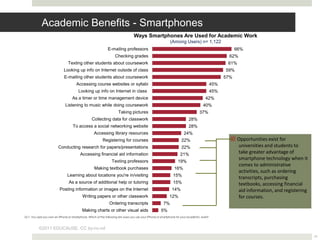
Academic Benefits - Smartphones
                                                                                Ways Smartphones Are Used for Academic Work
                                                                                                           (Among Users) n= 1,122
                                                             E-mailing professors                                                                      66%
                                                                  Checking grades                                                                  62%
                                Texting other students about coursework                                                                           61%
                             Looking up info on Internet outside of class                                                                        59%
                             E-mailing other students about coursework                                                                           57%
                                      Accessing course websites or syllabi                                                                 45%
                                       Looking up info on Internet in class                                                                45%
                                   As a timer or time management device                                                              42%
                              Listening to music while doing coursework                                                            40%
                                                                     Taking pictures                                             37%
                                                 Collecting data for classwork                                           28%
                                   To access a social networking website                                                 28%
                                                   Accessing library resources                                       24%
                                                         Registering for courses                                    22%                                 Opportunities exist for
                        Conducting research for papers/presentations                                                22%                                 universities and students to
                                         Accessing financial aid information                                       21%                                  take greater advantage of
                                                                Texting professors
                                                                                                                                                        smartphone technology when it
                                                                                                                 19%
                                                                                                                                                        comes to administrative
                                                   Making textbook purchases                                  16%
                                                                                                                                                        activities, such as ordering
                               Learning about locations you're in/visiting                                   15%
                                                                                                                                                        transcripts, purchasing
                                As a source of additional help or tutoring                                   15%                                        textbooks, accessing financial
                         Posting information or images on the Internet                                      14%                                         aid information, and registering
                                          Writing papers or other classwork                                12%                                          for courses.
                                                              Ordering transcripts                    7%
                                          Making charts or other visual aids                        5%
Q11. You said you own an iPhone or smartphone. Which of the following are ways you use your iPhone or smartphone for your academic work?


          ©2011 EDUCAUSE. CC by-nc-nd
                                                                                                                                                                                           36
http://thenextweb.com/africa/2011/11/07/mobile-tipped-to-grow-60-in-africa-passing-1-billion-subscriptions-by-2016/
2011 Horizon Report


For most people in the developed world, a mobile is always
close at hand and available with speedy Internet access
whenever it is needed. Mobiles are easy to use for web
browsing; much of the available content seamlessly adjusts for
optimal display on whichever device is used to access it.


                http://wp.nmc.org/horizon2011/sections/mobiles/
Future Workforce Skills


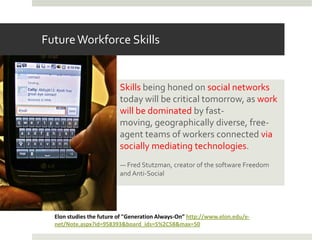
                          Skills being honed on social networks
                          today will be critical tomorrow, as work
                          will be dominated by fast-
                          moving, geographically diverse, free-
                          agent teams of workers connected via
                          socially mediating technologies.
                          — Fred Stutzman, creator of the software Freedom
                          and Anti-Social


  Elon studies the future of "Generation Always-On” http://www.elon.edu/e-
  net/Note.aspx?id=958393&board_ids=5%2C58&max=50
Future Workforce Skills

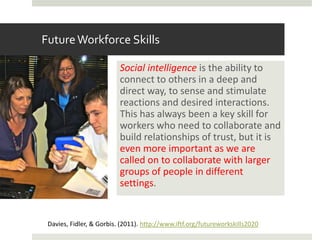
                          Social intelligence is the ability to
                          connect to others in a deep and
                          direct way, to sense and stimulate
                          reactions and desired interactions.
                          This has always been a key skill for
                          workers who need to collaborate and
                          build relationships of trust, but it is
                          even more important as we are
                          called on to collaborate with larger
                          groups of people in different
                          settings.


 Davies, Fidler, & Gorbis. (2011). http://www.iftf.org/futureworkskills2020
Future Workforce Skills
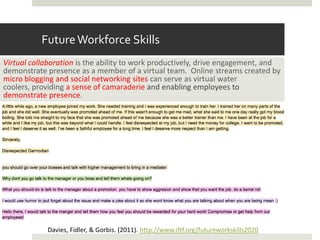
Virtual collaboration is the ability to work productively, drive engagement, and
demonstrate presence as a member of a virtual team. Online streams created by
micro blogging and social networking sites can serve as virtual water
coolers, providing a sense of camaraderie and enabling employees to
demonstrate presence.


            Davies, Fidler, & Gorbis. (2011). http://www.iftf.org/futureworkskills2020
Conclusions . . .
Social Collaboration and Mobile Learning


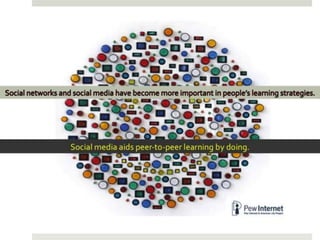
Social collaboration is the key to mobile learning. Social
learning and collaboration are important to successful learning
because the interaction engages and motivates learners.


           http://www.trivantis.com/mlearncon2011-evolution-mobile-learning
Mobile Education Landscape Report


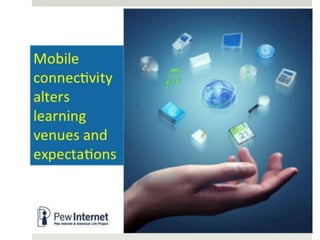
For the Education sector, mobile connectivity provides an
opportunity to offer new ways of teaching and learning that
ultimately will improve performance and results whilst at the same
time open up new markets for mobile operators across the world.
Mobile will increase access to up-to-date materials, will enable
collaboration and strengthen learner engagement.


            http://www.ambientinsight.com/News/Ambient-Insight-highlighted-in-GSMA-reports.aspx
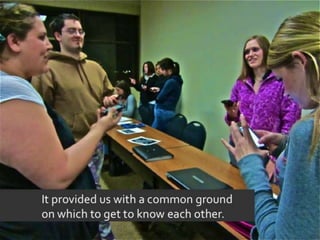
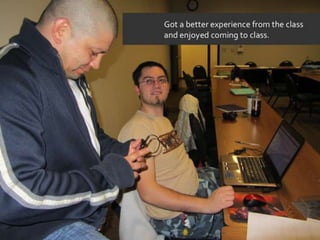
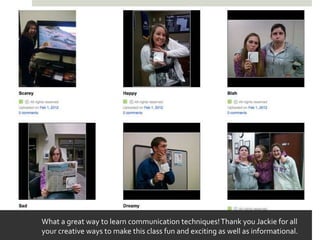
What a great way to learn communication techniques! Thank you Jackie for all
your creative ways to make this class fun and exciting as well as informational.
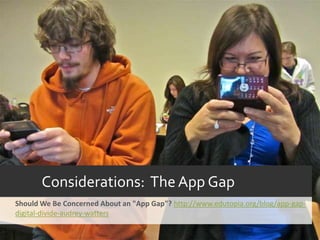
Considerations: The App Gap
Should We Be Concerned About an "App Gap"? http://www.edutopia.org/blog/app-gap-
digital-divide-audrey-watters
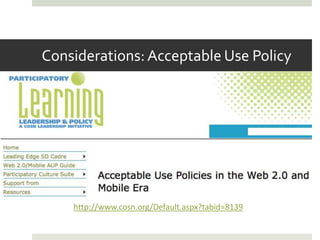
Considerations: Acceptable Use Policy


    http://www.cosn.org/Default.aspx?tabid=8139
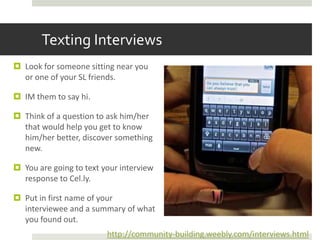
Texting Interviews
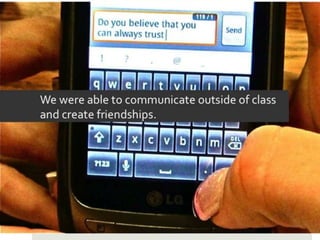
 Look for someone sitting near you
  or one of your SL friends.

 IM them to say hi.

 Think of a question to ask him/her
  that would help you get to know
  him/her better, discover something
  new.

 You are going to text your interview
  response to Cel.ly.

 Put in first name of your
  interviewee and a summary of what
  you found out.
                         http://community-building.weebly.com/interviews.html
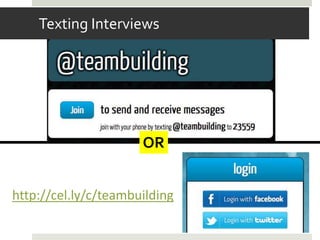
Texting Interviews


                      OR


http://cel.ly/c/teambuilding
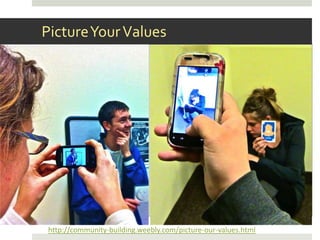
Picture Your Values


http://community-building.weebly.com/picture-our-values.html
What are your values?

 Chose your most important 3 values from http://www.stevepavlina.com/articles/list-of-values.htm

 Find objects in your environment that symbolize these values.

 Take pictures of the objects using your mobile devices and email the photos directly to a Flickr page
  set up for this purpose.

 Write your value in the subject line and a short description in the message.


                        seen98toll@photos.flickr.com
Values Page on Flickr Site


     http://www.flickr.com/photos/57763362@N05/
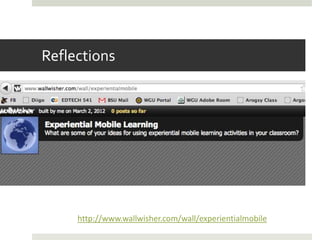
Reflections


     http://www.wallwisher.com/wall/experientialmobile
Mobile & Technology-Enhanced Community Building Activities


http://community-building.weebly.com/index.html
About Me - Portfolio


     http://jackiegerstein.weebly.com/
User-Generated Education Blog


 http://usergeneratededucation.wordpress.com/
Mobile Learning Blog Entries


http://issuu.com/jackiegerstein/docs/mobile_learning

Mobile Learning Presentation - VWBPE

  • 1.
  • 7.
    Was it anauthentic, relevant learning experience?
  • 10.
    What Epic learning experience have you facilitatedor participated in? http://wiffiti.com/screens/97427
  • 12.
    Students in educationalenvironments with a strong sense of community are more likely to. . .
  • 16.
    Research has shownthat functioning in a community can enhance the learning that occurs. Optimal learning outcomes are directly tied to the establishment of social networks among participants engaged a collaborative learning enterprise. Such collaboration has been shown to be very important in the development of a learning community and in achieving the desired learning outcomes. Vesely, P., Bloom, L. & Sherlock, J. (2007). Key Elements of Building Online Community: Comparing Faculty and Student Perceptions. Journal of Online Learning and Teaching, 3, (3). Retrived from http://jolt.merlot.org/vol3no3/vesely.htm.
  • 17.
    Unfortunately . .. Unfortunately, schools with a strong sense of community are fairly rare. In fact, most schools that survey students' perceptions of community wind up with mediocre mean scores. Of further concern is the fact that low-income students and students of color usually report a lower level of community in school than do affluent or white students. Many schools appear to be ill-equipped to provide community for the students who may need it most. Schaps, Battistich, & Solomon, 1997 in Snaps’ Creating a School Community http://www.ascd.org/publications/educational-leadership/mar03/vol60/num06/Creating-a-School-Community.aspx
  • 18.
    In virtual learningcommunities . . .
  • 20.
    commonality is theessence of community Getting to “know” each other. Finding out where people lived, what they did, their experiences, whether or not they had families and the like was the “X” factor. Participants generally agreed that this should have been a first step in community-building, but usually it was not part of the formal coursework. Brown, R. (2001). The Process of Community Building in a Distance Learning Classes
  • 21.
    Responsible not onlyfor one’s own learning but for other learners, too. Brown, R. (2001). The Process of Community Building in a Distance Learning Classes
  • 22.
  • 25.
    An Overview ofMobile Device Use
  • 26.
    Smartphone Ownership 60% 50% 40% 30% 51% 20% 39% 10% 24% 21% 12% 8% 0% Millennials Gen X Younger Older Boomers Silent G.I. Generation (18-34) (35-46) Boomers (57-65) Generation (75+) (47-56) (66-74) Source: Pew Research Center's Internet & American Life Project, April 26-May 22, 2011 Tracking Survey. N=2,277 adults 18 and older, including 755 reached via cell phone.
  • 28.
    Digital Revolution Mobile– 77% of teens Total U.S. population: 315.5 million
  • 29.
    Digital devices Younger Older Silent G.I. All Millennial Gen X Boomers Boomers Generatio Generatio adults s (18-34) (35-46) (47-56) (57-65) n (66-74) n (75+) (18+) Cell phone 94% 92% 86% 80% 69% 1% 84% Laptop computer 71% 67% 56% 46% 34% 16% 57% Desktop computer 52% 64% 62% 55% 49% 33% 55% iPod or MP3 player 69% 57% 36% 24% 10% 5% 44% Game console 63% 63% 38% 19% 8% 3% 42% e-book reader 12% 14% 14% 12% 6% 5% 12% Tablet, like iPad 14% 15% 8% 4% 3% 3% 11%
  • 32.
    ECAR Student study,2011 key findings  Students recognize major academic benefits of technology.  Students report uneven perceptions of institutions and instructors on technology.  Students prefer, and say they learn more in, classes with online components. Responses from 3,000 students at 1,179 colleges and universities provided a nationally representative sample of students ©2011 EDUCAUSE. CC by-nc-nd EDUCAUSE Center for Applied Research = http://www.educause.edu/ecar 32
  • 33.
    Academic Benefits Avg. Agreement withStatements Gives Students Access to Resources and Progress Reports  Easy to track my academic progress  Gives me access to resources  Helps me know how I am doing  Easier to get help when I need it  Simplifies administrative-related activities Makes Students More Efficient  Helps me do my work faster  Efficient way to store examples of work  Allows me to produce higher-quality work  Makes college easier Facilitates Connecting with Others  Feel connected to other students  Feel connected to what's going on  Feel connected to professors/staff  Gives me access to experts in my field Makes Learning More Engaging and Relevant  Learning more creative  More relevant to real life  Take control of own learning  Learning more fun  More engaging  Extends learning beyond classroom  Think out of the box  Elevates teaching  Prepares me for the workforce  Individualized/personalized  Reach academic potential  Prepares me for graduate school ©2011 EDUCAUSE. CC by-nc-nd 33
  • 34.
    Relationships between Technologiesand Benefits Access to Resources & Progress Reports Laptop computer Wi-Fi Printer Document camera USB drive Projector Efficiency Laptop Wi-Fi Printer Smartphone Internet device that Digital video camera eReader Connecting attaches to TV With Others Digital point and shoot Student clickers/ iPad Scanner camera student response systems Engagement Digital video camera Internet device that attaches to TV Interactive whiteboard Digital cameras and Relevance iPhone/ Student clickers/ Scanner iPad Mp3 player DVD player Document DVR Webcam smartphone student response Desktop computer systems camera ©2011 EDUCAUSE. CC by-nc-nd
  • 35.
    Academic Tools -Communications Frequency of Use for School or Personal Purposes E-mail 75% 13% 9% 99% Text message 74% 6% 8% 93% Use Facebook 58% 14% 11% 90% Download or stream web-based videos (YouTube, etc.) 20% 14% 33% 18% 85% Read Wikis (Wikipedia, course wiki, etc.) 12% 12% 35% 26% 85% Instant message (Gchat, Facebook chat, AIM, etc.) 27% 12% 22% 20% 81% Download or stream web-based music 15% 11% 30% 23% 79% Read blogs 13% 9% 23% 27% 72% Use online forums or bulletin boards 11% 11% 23% 25% 70% Use telephone-like communication over the Internet 7% 7% 21% 33% 68% Watch podcasts or webcasts 5% 18% 33% 59% Participate in online chats, chat events, webinars 6% 15% 28% 53% Use photo-sharing websites (Flickr, Snapfish, Picasa, etc.) 13% 32% 50% Tagging/bookmarking/liking 6% 6% 17% 20% 49% Play online multi-user computer games for recreation 9% 15% 14% 43% Contribute to blogs 11% 24% 43% Post videos to a video-sharing website (YouTube, etc.) 8% 29% 42% Use Twitter 9% 12% 37% Use other social networking websites (MySpace, etc.) 6% 17% 31% Access Internet content via a TV (Apple TV, Roku) Several times a day 7% 12% 25% Use LinkedIn 6% 15% 25% Once a day Contribute to Wikis (Wikipedia, course wiki, etc.) 5% 18% 25% A few times a week Use social studying sites 7% 12% 23% Less often Use Geo-Tagging, Geo-Tagged environments 9% 18% Participate in online virtual worlds 8% 15% Q5a. Thinking about the most recent school year, how often did you do the following, whether it was for school or personal purposes? ©2011 EDUCAUSE. CC by-nc-nd
  • 36.
    Academic Benefits -Smartphones Ways Smartphones Are Used for Academic Work (Among Users) n= 1,122 E-mailing professors 66% Checking grades 62% Texting other students about coursework 61% Looking up info on Internet outside of class 59% E-mailing other students about coursework 57% Accessing course websites or syllabi 45% Looking up info on Internet in class 45% As a timer or time management device 42% Listening to music while doing coursework 40% Taking pictures 37% Collecting data for classwork 28% To access a social networking website 28% Accessing library resources 24% Registering for courses 22% Opportunities exist for Conducting research for papers/presentations 22% universities and students to Accessing financial aid information 21% take greater advantage of Texting professors smartphone technology when it 19% comes to administrative Making textbook purchases 16% activities, such as ordering Learning about locations you're in/visiting 15% transcripts, purchasing As a source of additional help or tutoring 15% textbooks, accessing financial Posting information or images on the Internet 14% aid information, and registering Writing papers or other classwork 12% for courses. Ordering transcripts 7% Making charts or other visual aids 5% Q11. You said you own an iPhone or smartphone. Which of the following are ways you use your iPhone or smartphone for your academic work? ©2011 EDUCAUSE. CC by-nc-nd 36
  • 37.
  • 38.
    2011 Horizon Report Formost people in the developed world, a mobile is always close at hand and available with speedy Internet access whenever it is needed. Mobiles are easy to use for web browsing; much of the available content seamlessly adjusts for optimal display on whichever device is used to access it. http://wp.nmc.org/horizon2011/sections/mobiles/
  • 39.
    Future Workforce Skills Skills being honed on social networks today will be critical tomorrow, as work will be dominated by fast- moving, geographically diverse, free- agent teams of workers connected via socially mediating technologies. — Fred Stutzman, creator of the software Freedom and Anti-Social Elon studies the future of "Generation Always-On” http://www.elon.edu/e- net/Note.aspx?id=958393&board_ids=5%2C58&max=50
  • 40.
    Future Workforce Skills Social intelligence is the ability to connect to others in a deep and direct way, to sense and stimulate reactions and desired interactions. This has always been a key skill for workers who need to collaborate and build relationships of trust, but it is even more important as we are called on to collaborate with larger groups of people in different settings. Davies, Fidler, & Gorbis. (2011). http://www.iftf.org/futureworkskills2020
  • 41.
    Future Workforce Skills Virtualcollaboration is the ability to work productively, drive engagement, and demonstrate presence as a member of a virtual team. Online streams created by micro blogging and social networking sites can serve as virtual water coolers, providing a sense of camaraderie and enabling employees to demonstrate presence. Davies, Fidler, & Gorbis. (2011). http://www.iftf.org/futureworkskills2020
  • 42.
  • 45.
    Social Collaboration andMobile Learning Social collaboration is the key to mobile learning. Social learning and collaboration are important to successful learning because the interaction engages and motivates learners. http://www.trivantis.com/mlearncon2011-evolution-mobile-learning
  • 48.
    Mobile Education LandscapeReport For the Education sector, mobile connectivity provides an opportunity to offer new ways of teaching and learning that ultimately will improve performance and results whilst at the same time open up new markets for mobile operators across the world. Mobile will increase access to up-to-date materials, will enable collaboration and strengthen learner engagement. http://www.ambientinsight.com/News/Ambient-Insight-highlighted-in-GSMA-reports.aspx
  • 53.
    What a greatway to learn communication techniques! Thank you Jackie for all your creative ways to make this class fun and exciting as well as informational.
  • 54.
    Considerations: The AppGap Should We Be Concerned About an "App Gap"? http://www.edutopia.org/blog/app-gap- digital-divide-audrey-watters
  • 56.
    Considerations: Acceptable UsePolicy http://www.cosn.org/Default.aspx?tabid=8139
  • 59.
    Texting Interviews  Lookfor someone sitting near you or one of your SL friends.  IM them to say hi.  Think of a question to ask him/her that would help you get to know him/her better, discover something new.  You are going to text your interview response to Cel.ly.  Put in first name of your interviewee and a summary of what you found out. http://community-building.weebly.com/interviews.html
  • 60.
    Texting Interviews OR http://cel.ly/c/teambuilding
  • 61.
  • 62.
    What are yourvalues?  Chose your most important 3 values from http://www.stevepavlina.com/articles/list-of-values.htm  Find objects in your environment that symbolize these values.  Take pictures of the objects using your mobile devices and email the photos directly to a Flickr page set up for this purpose.  Write your value in the subject line and a short description in the message. seen98toll@photos.flickr.com
  • 63.
    Values Page onFlickr Site http://www.flickr.com/photos/57763362@N05/
  • 64.
    Reflections http://www.wallwisher.com/wall/experientialmobile
  • 65.
    Mobile & Technology-EnhancedCommunity Building Activities http://community-building.weebly.com/index.html
  • 66.
    About Me -Portfolio http://jackiegerstein.weebly.com/
  • 67.
    User-Generated Education Blog http://usergeneratededucation.wordpress.com/
  • 68.
    Mobile Learning BlogEntries http://issuu.com/jackiegerstein/docs/mobile_learning

Editor's Notes

  • #34 Explaining how factor analysis was used to identify benefits of technology in academic success:A statistical technique used to reduce a large number of attributes into a smaller set of “factors” based on response patterns.A factor consists of a number of attributes that are rated in a similar way.Factor analysis is extremely useful when dealing with a very large number of attributes that would be cumbersome to analyze individually.The names of the factors are subjective and are intended to describe the common theme shared by all of the attributes within that factor.
  • #35 Continuing with the factor analysis, there are relationships between selected technologies and certain benefits.
  • #36 Overall, the average student spends at least some time engaging in about 21 different kinds of software applications and activities out of 40 they were asked about. Students use a variety of communication tools, but the most common ones have reached mass adoption.
  • #37 Smartphones have a variety of academic uses, not just communication. More than one in three students (37%) have used an iPhone or another smartphone in one or more courses or academic activities in the past year. Forty-five percent of smartphone users have used these devices to look up information on the Internet in class.