

Office Delve – for Office 365
Konstantin Loginov
About me
• 7 years in Mobile development:
 Windows Mobile
 webOS
 Windows Phone 7/8
 iOS (native/Xamarin)
 Android
Current Position: Software Engineer in Microsoft
LinkedIn / email
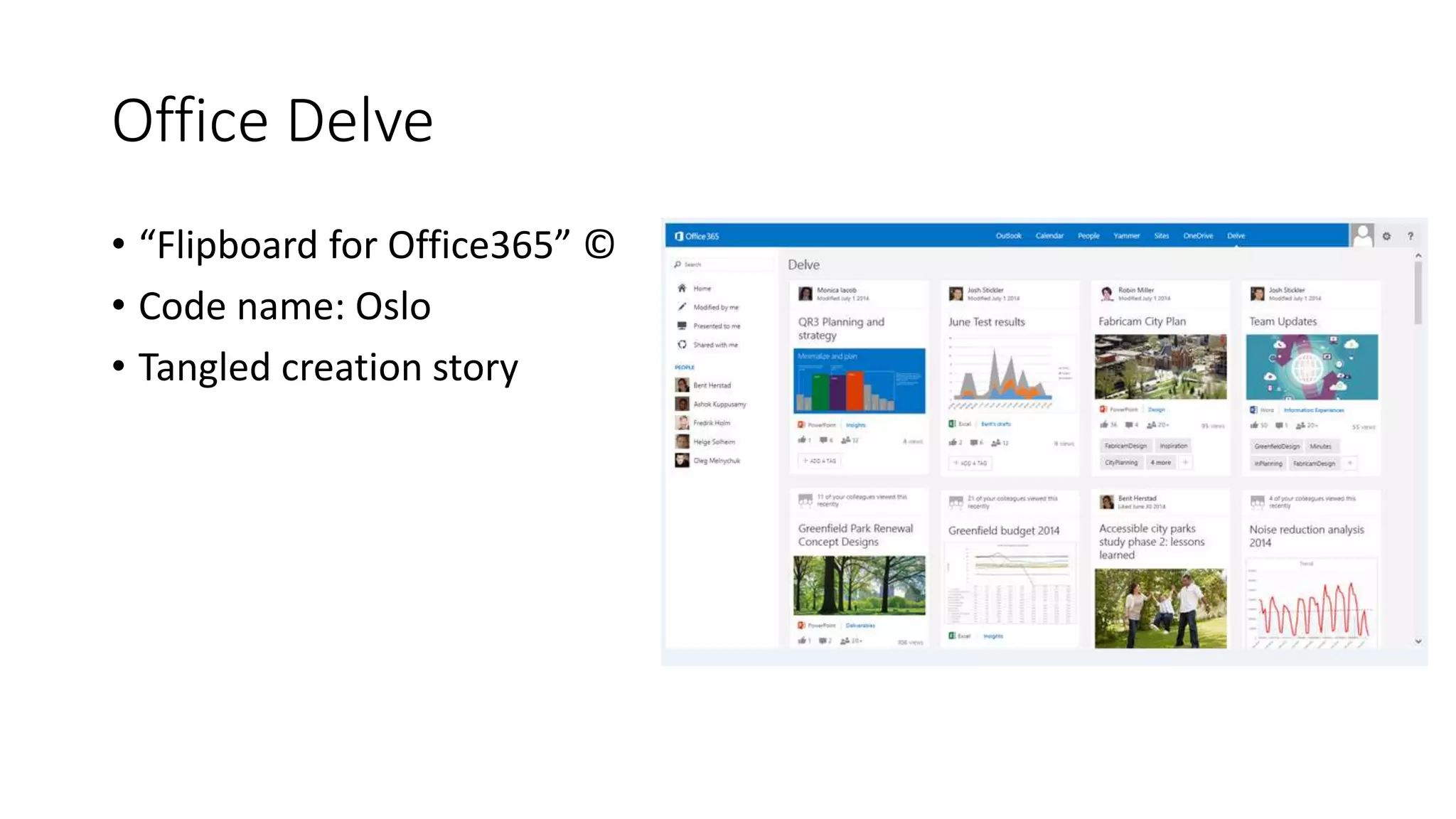
Office Delve
• “Flipboard for Office365” ©
• Code name: Oslo
• Tangled creation story
Steps towards Delve Mobile
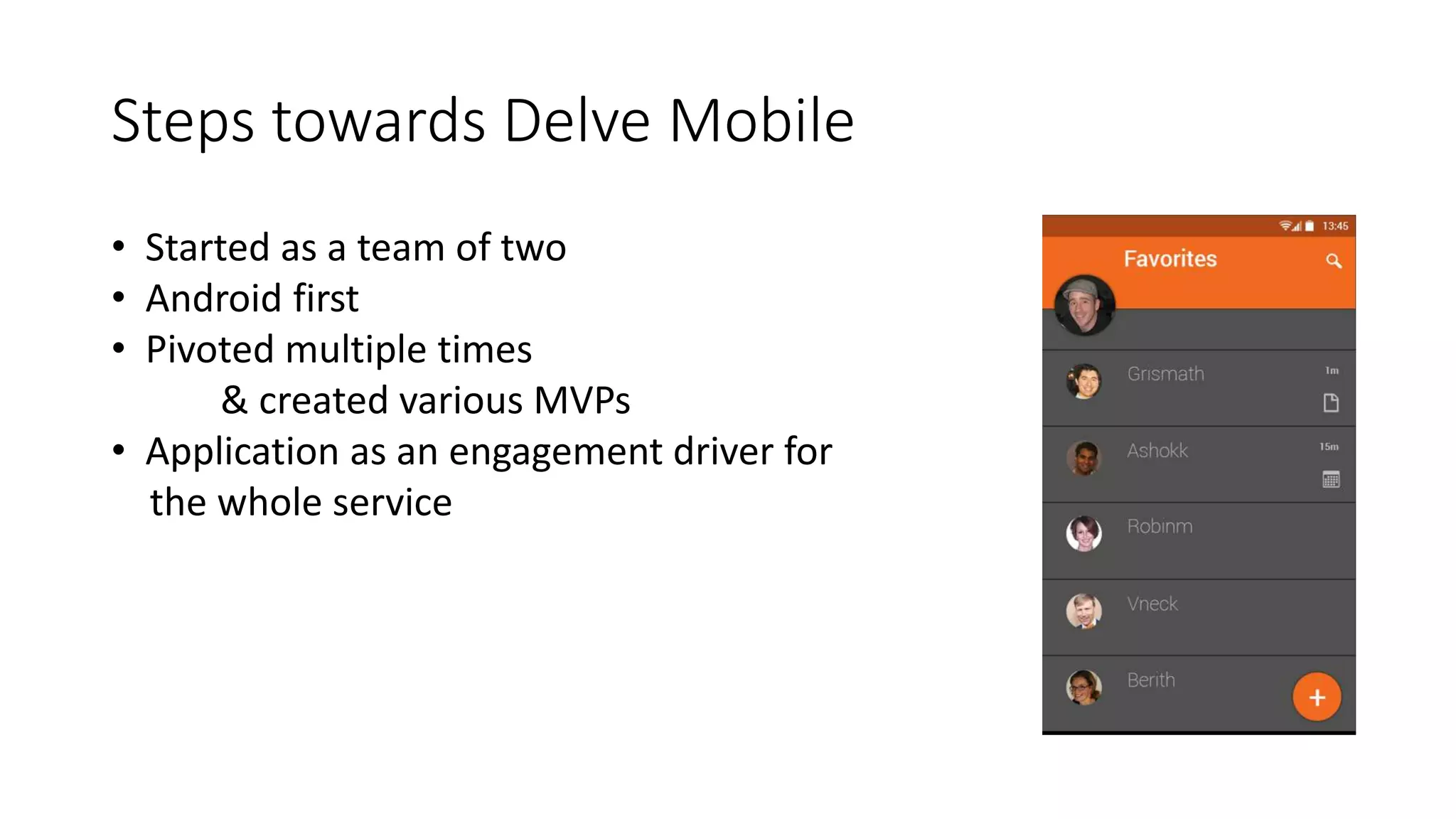
• Started as a team of two
• Android first
• Pivoted multiple times
& created various MVPs
• Application as an engagement driver for
the whole service
Development
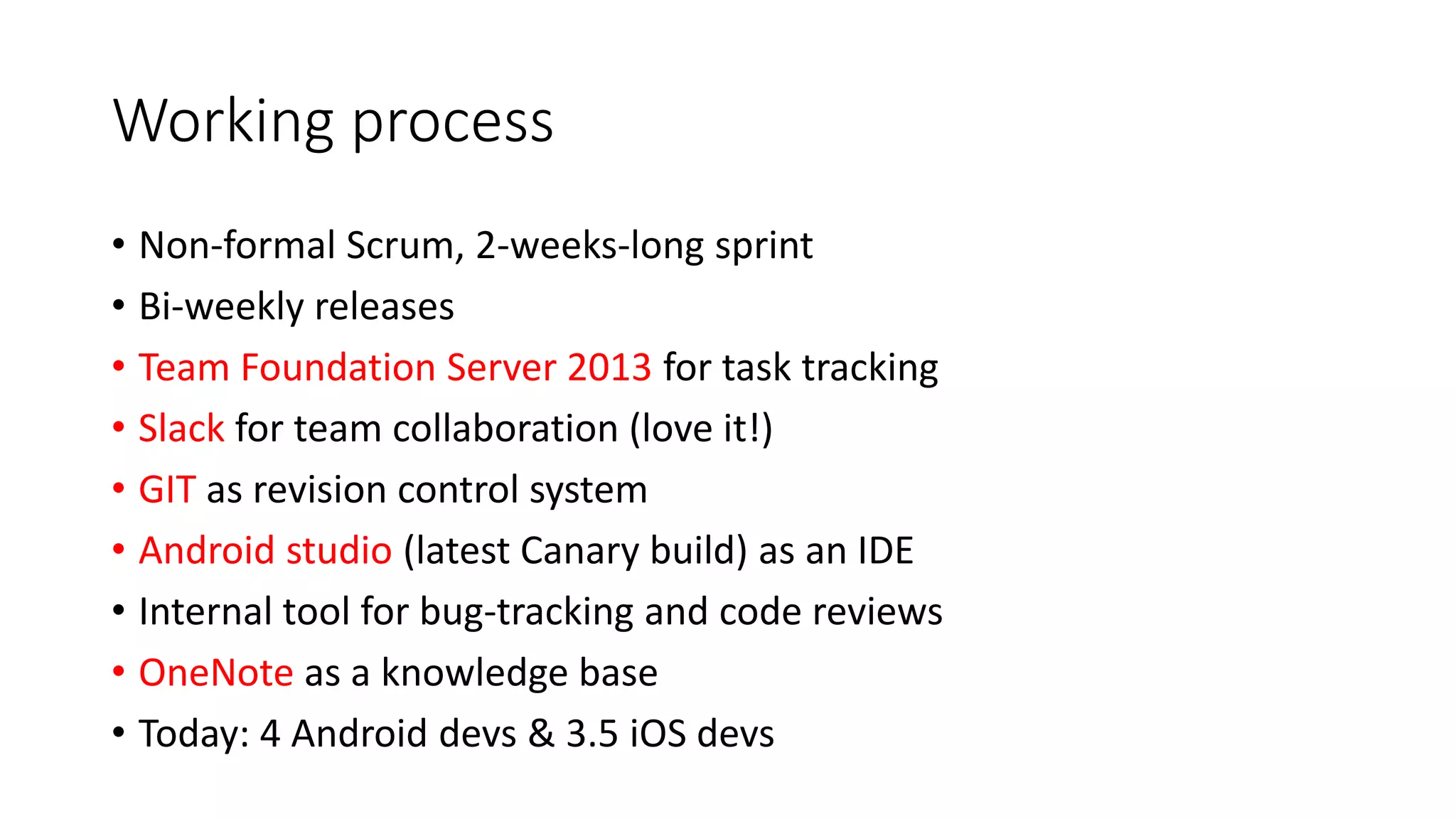
Working process
• Non-formal Scrum, 2-weeks-long sprint
• Bi-weekly releases
• Team Foundation Server 2013 for task tracking
• Slack for team collaboration (love it!)
• GIT as revision control system
• Android studio (latest Canary build) as an IDE
• Internal tool for bug-tracking and code reviews
• OneNote as a knowledge base
• Today: 4 Android devs & 3.5 iOS devs
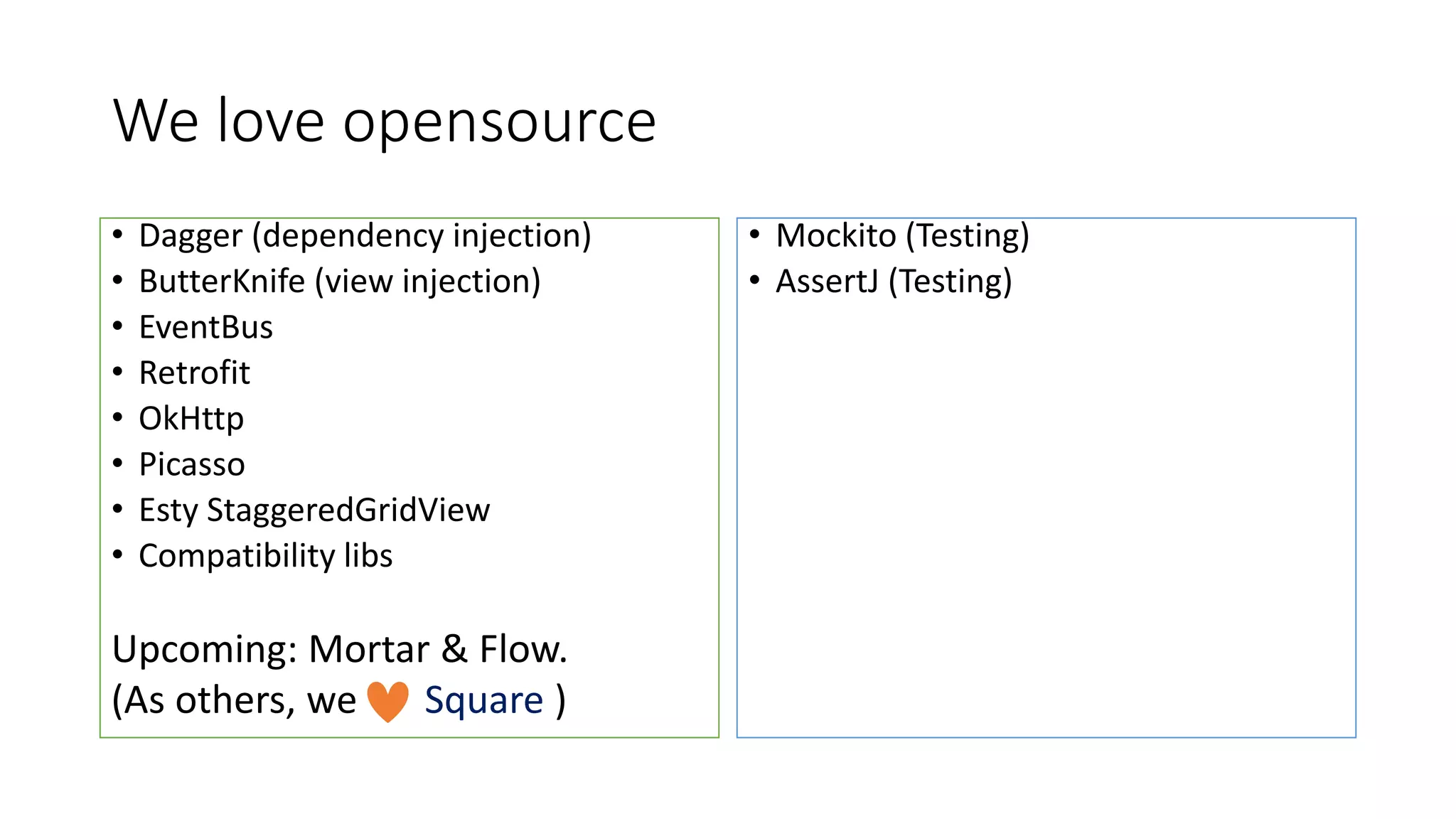
We love opensource
• Dagger (dependency injection)
• ButterKnife (view injection)
• EventBus
• Retrofit
• OkHttp
• Picasso
• Esty StaggeredGridView
• Compatibility libs
Upcoming: Mortar & Flow.
(As others, we Square )
• Mockito (Testing)
• AssertJ (Testing)
Design patterns we use
• Dependency injection
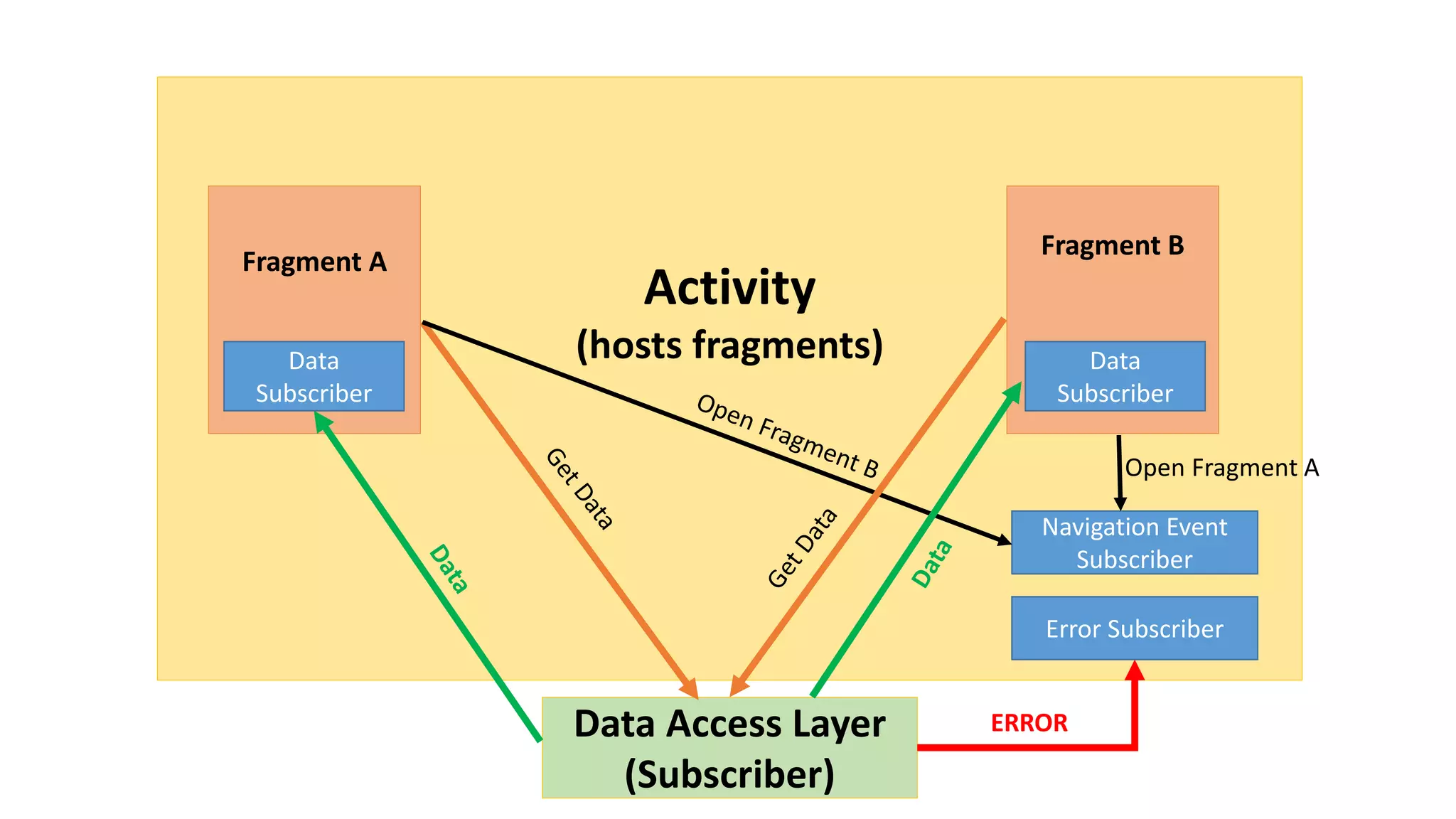
• Publish–subscribe pattern
• Data Access Object
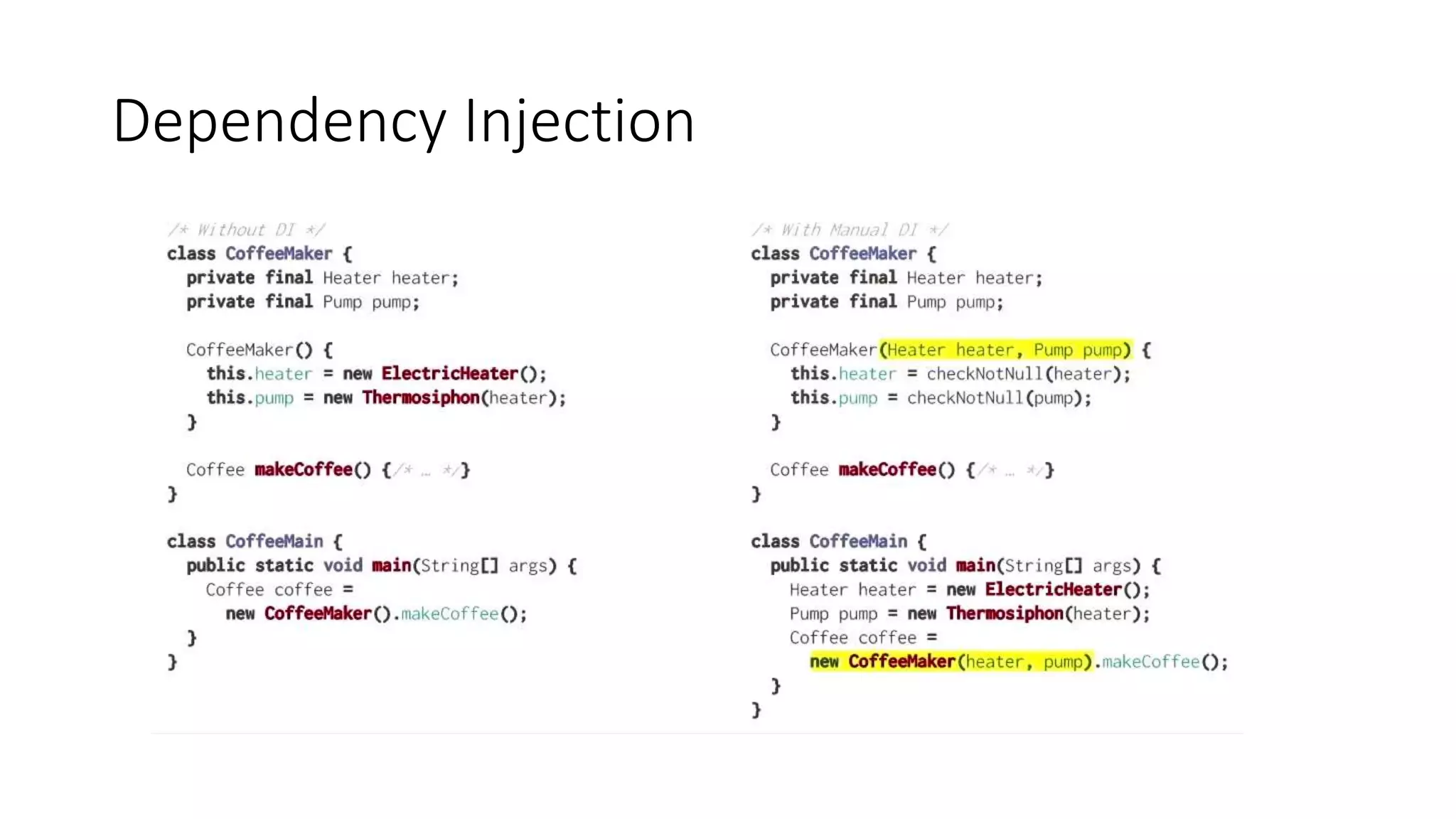
Dependency Injection
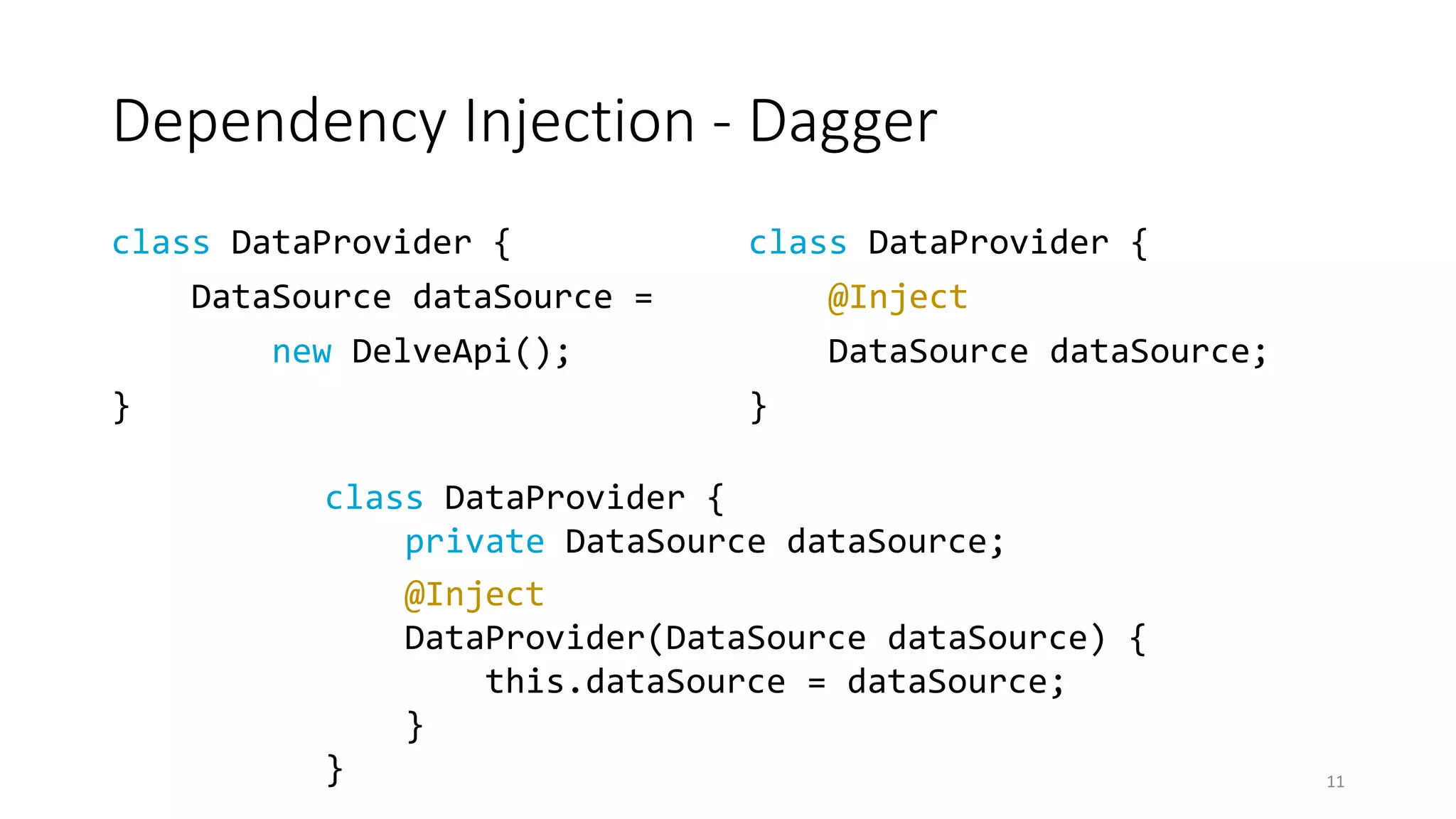
Dependency Injection - Dagger
class DataProvider {
DataSource dataSource =
new DelveApi();
}
class DataProvider {
@Inject
DataSource dataSource;
}
11
class DataProvider {
private DataSource dataSource;
@Inject
DataProvider(DataSource dataSource) {
this.dataSource = dataSource;
}
}
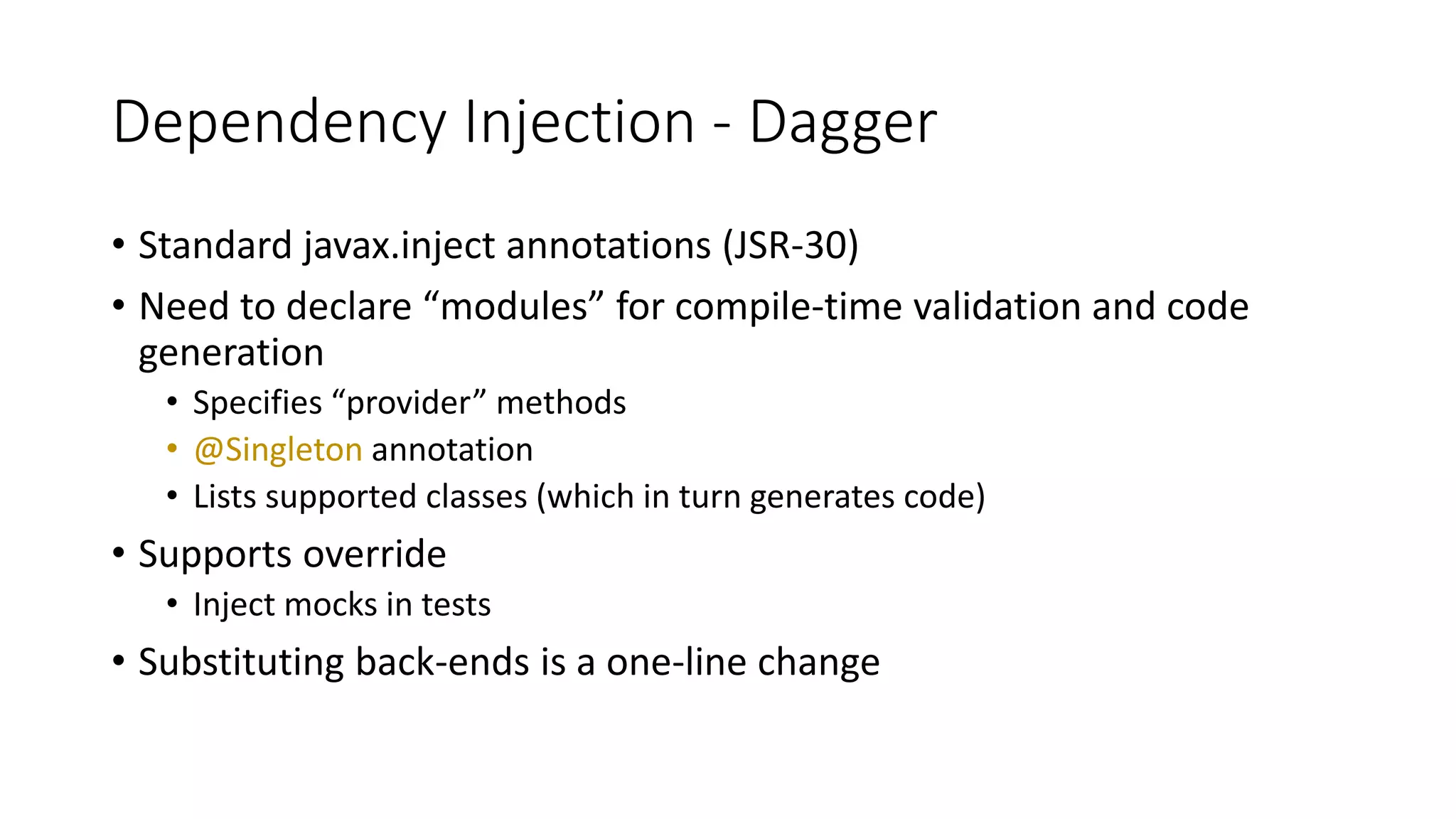
Dependency Injection - Dagger
• Standard javax.inject annotations (JSR-30)
• Need to declare “modules” for compile-time validation and code
generation
• Specifies “provider” methods
• @Singleton annotation
• Lists supported classes (which in turn generates code)
• Supports override
• Inject mocks in tests
• Substituting back-ends is a one-line change
Dependency Injection - Dagger 2
• Just released
• No reflection, no ObjectGraph/Injector, @Component interface
• We’re planning to switch to it soon
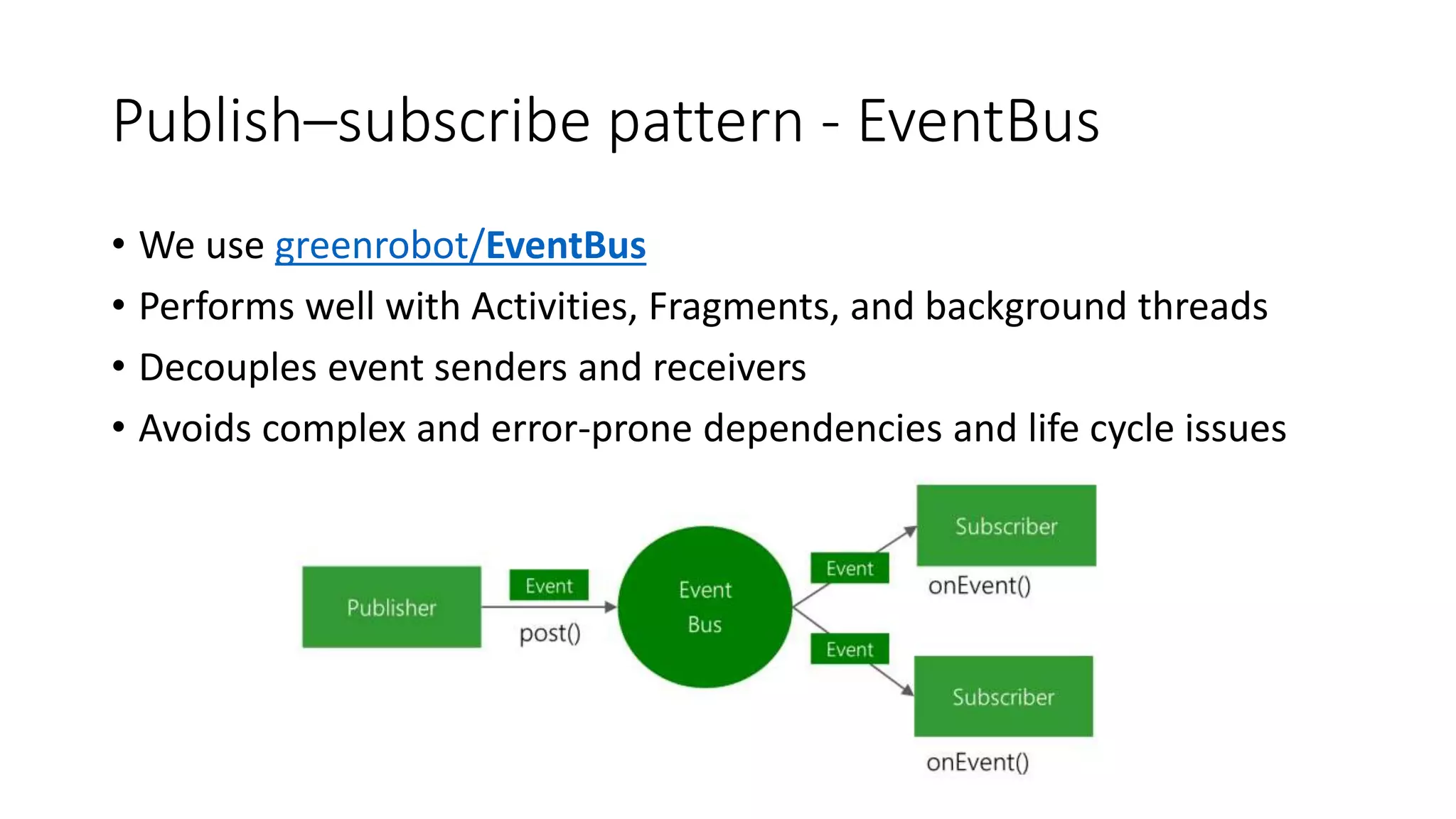
Publish–subscribe pattern - EventBus
• We use greenrobot/EventBus
• Performs well with Activities, Fragments, and background threads
• Decouples event senders and receivers
• Avoids complex and error-prone dependencies and life cycle issues
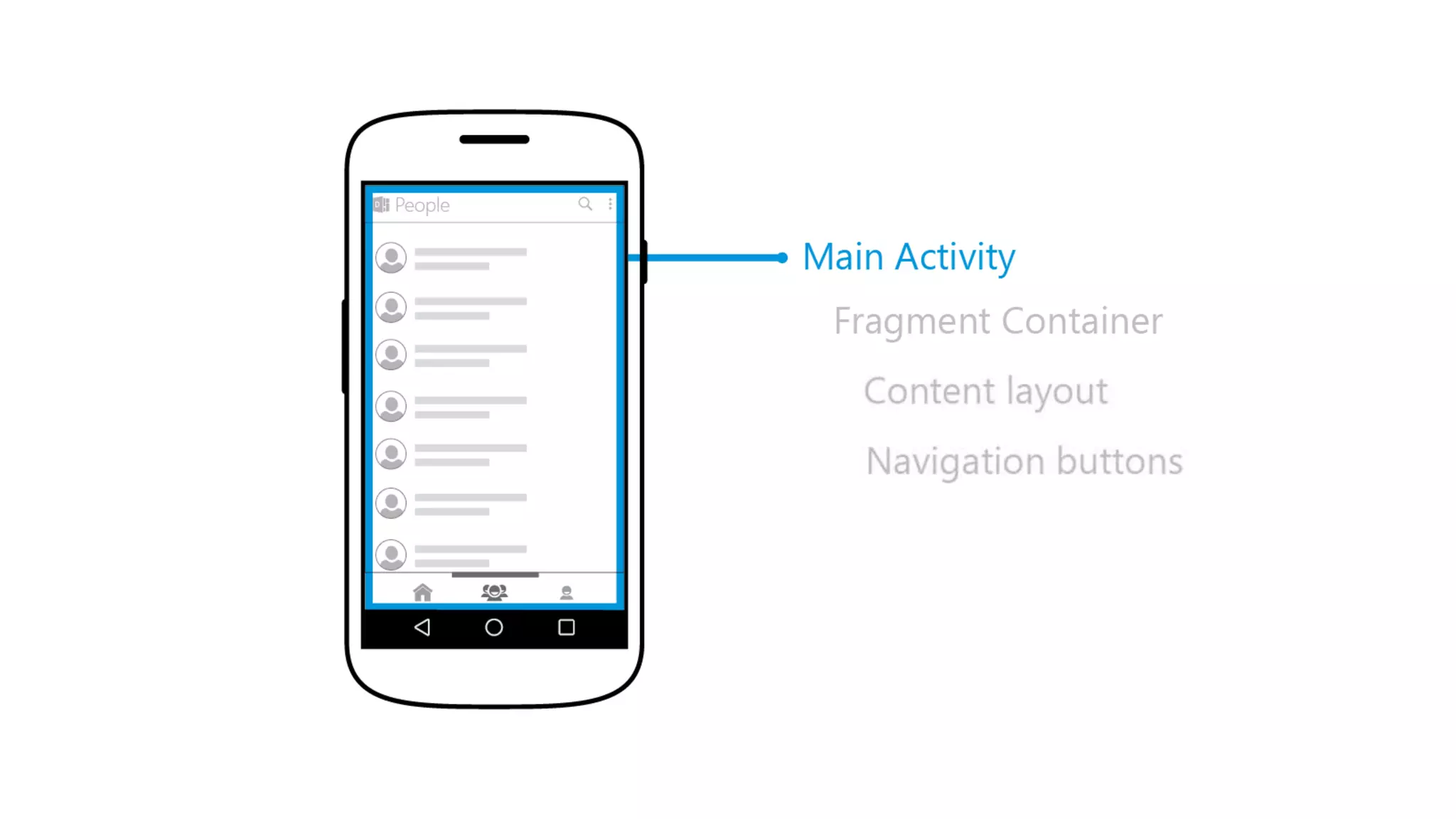
Activity
(hosts fragments)
Data Access Layer
(Subscriber)
Fragment A
Fragment B
Data
Subscriber
Error Subscriber
ERROR
Navigation Event
Subscriber
Data
Subscriber
Open Fragment A
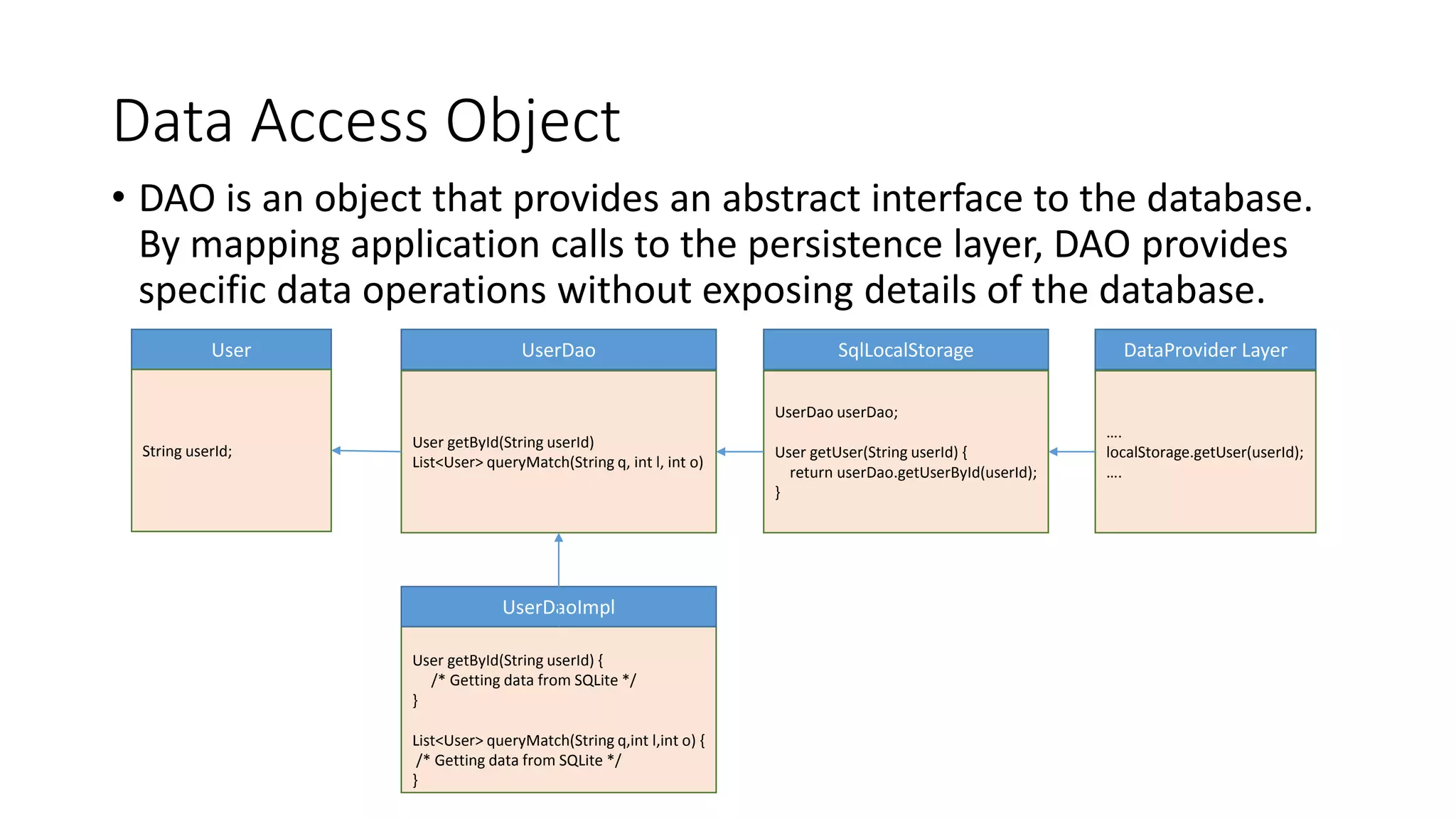
Data Access Object
• DAO is an object that provides an abstract interface to the database.
By mapping application calls to the persistence layer, DAO provides
specific data operations without exposing details of the database.
User
User getById(String userId)
List<User> queryMatch(String q, int l, int o)
SqlLocalStorageUserDao
User getById(String userId) {
/* Getting data from SQLite */
}
List<User> queryMatch(String q,int l,int o) {
/* Getting data from SQLite */
}
UserDaoImpl
DataProvider Layer
….
localStorage.getUser(userId);
….
UserDao userDao;
User getUser(String userId) {
return userDao.getUserById(userId);
}
String userId;
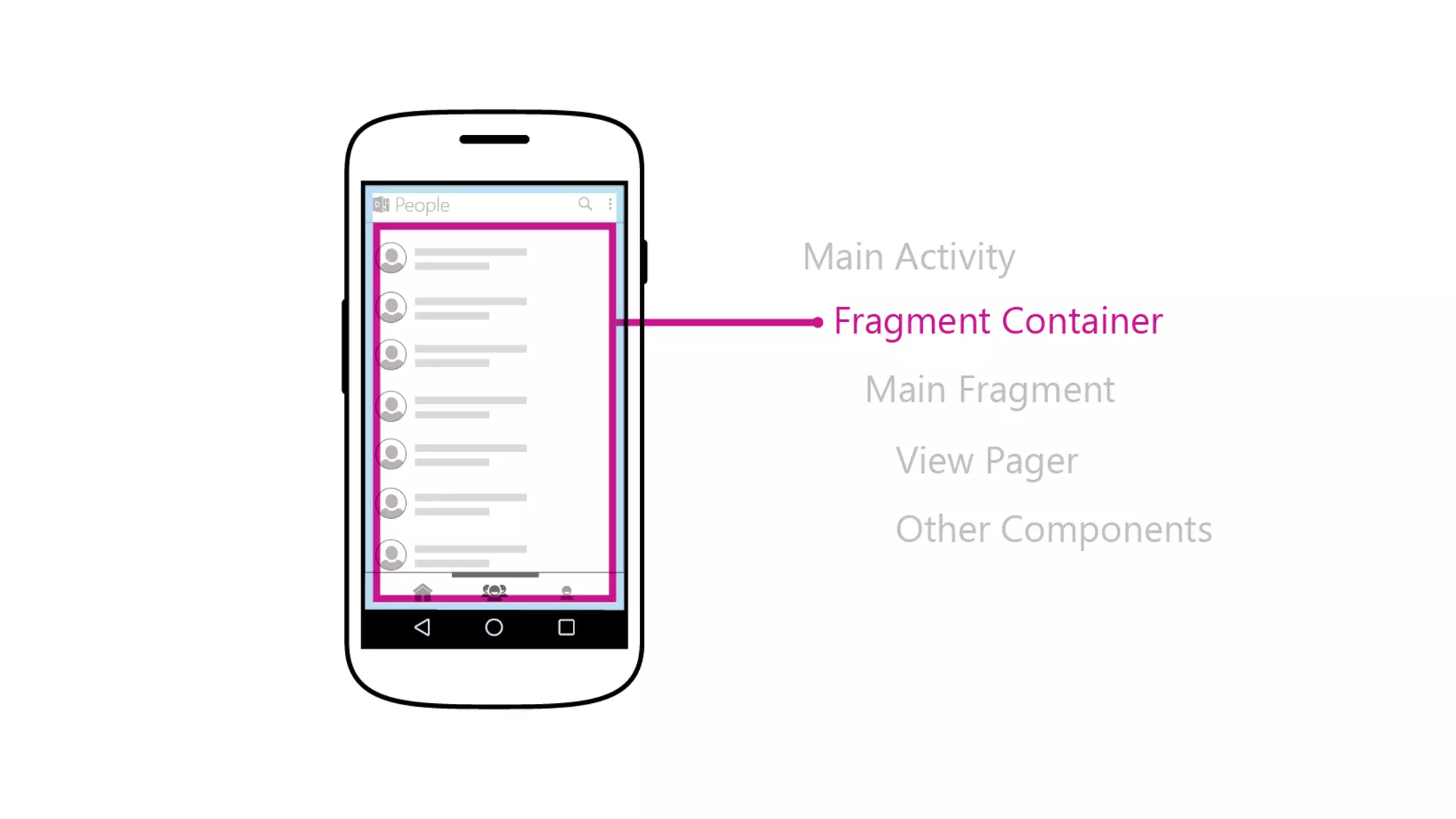
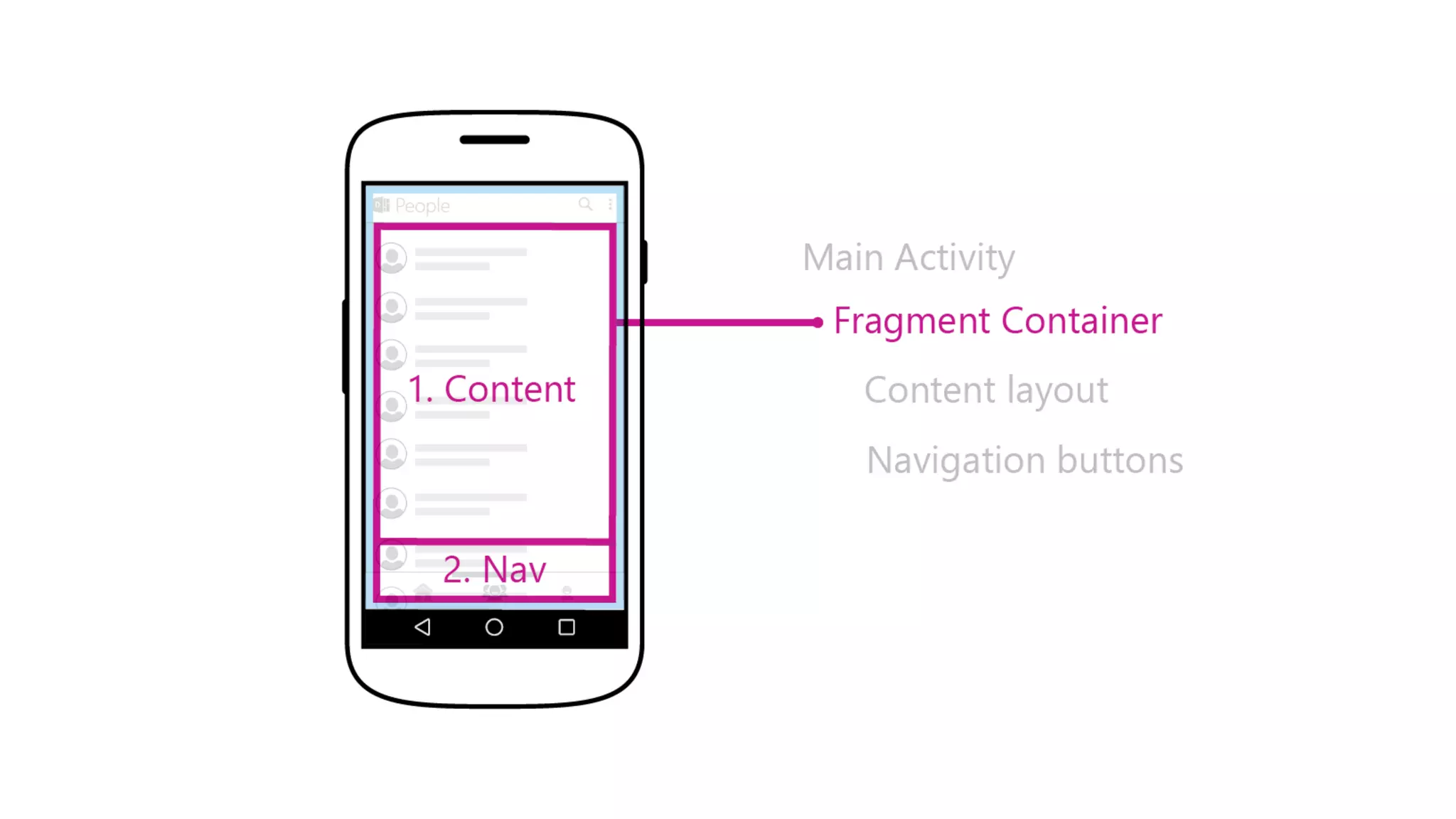
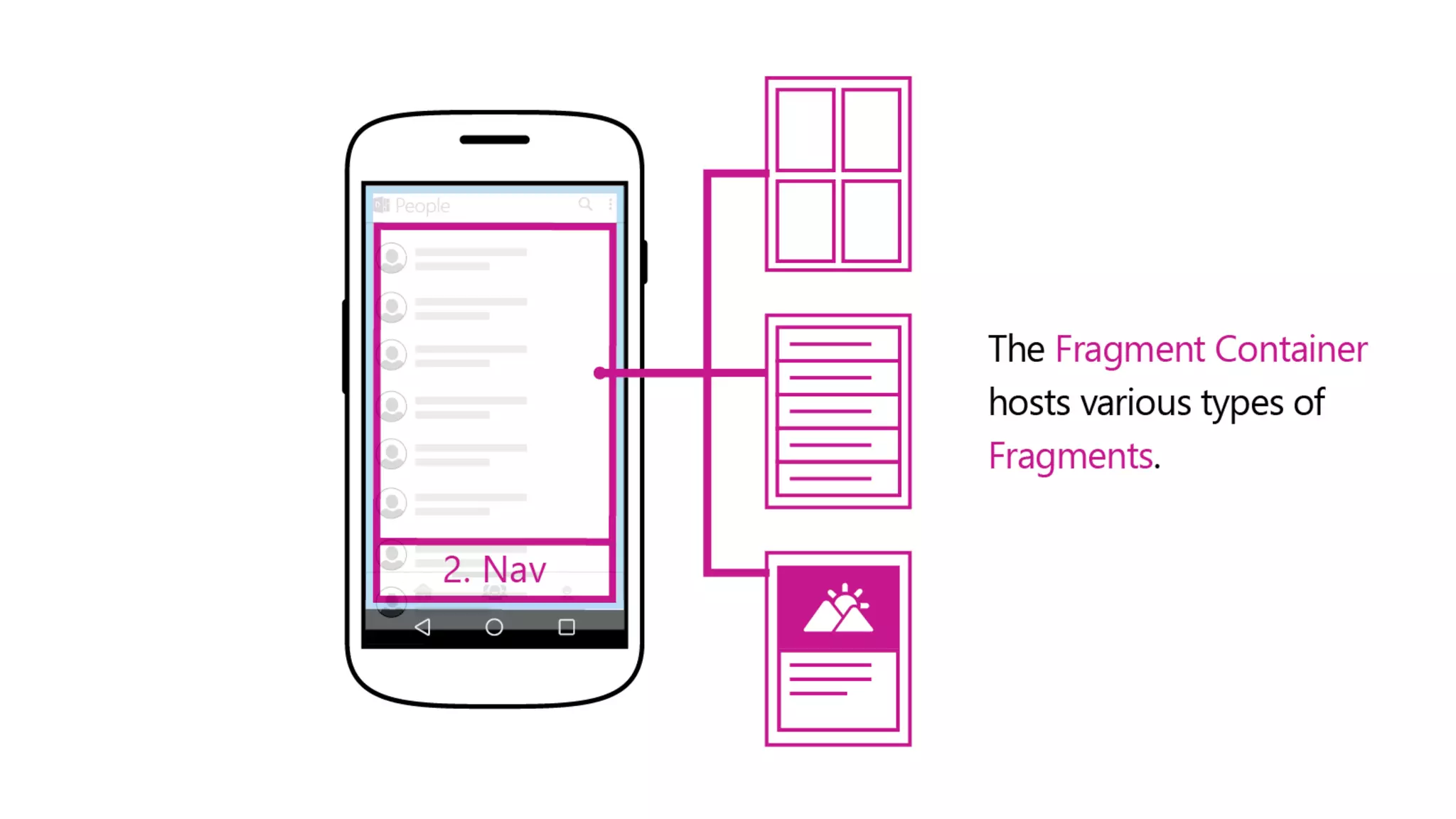
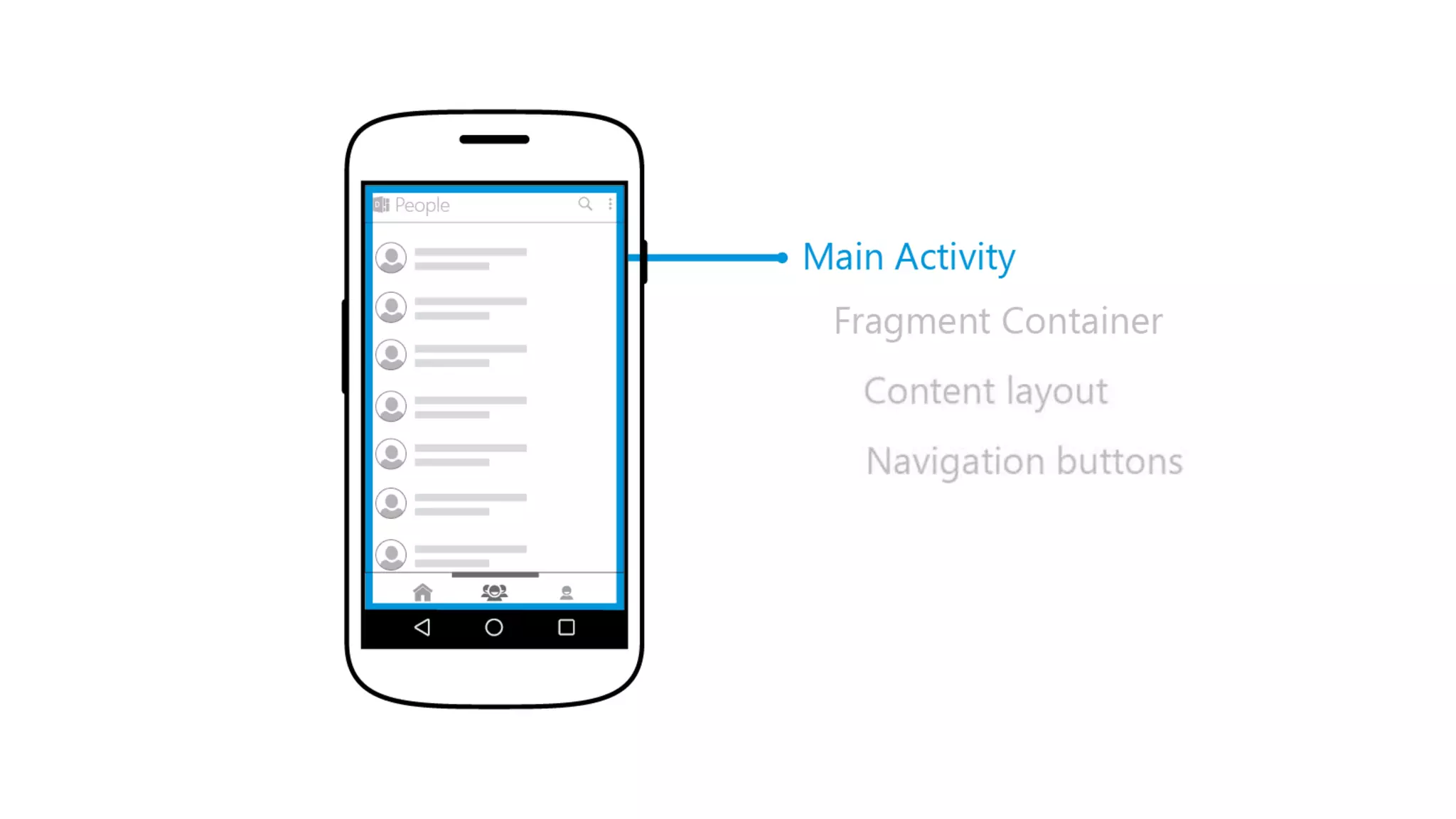
Pinterest-style navigation model
• V1
Pros:
• Gestures between tabs
• Easy to implement
Cons:
• 3 «heavy» pages in ViewPager
• No Tab-switching-buttons in Profile/Document pages
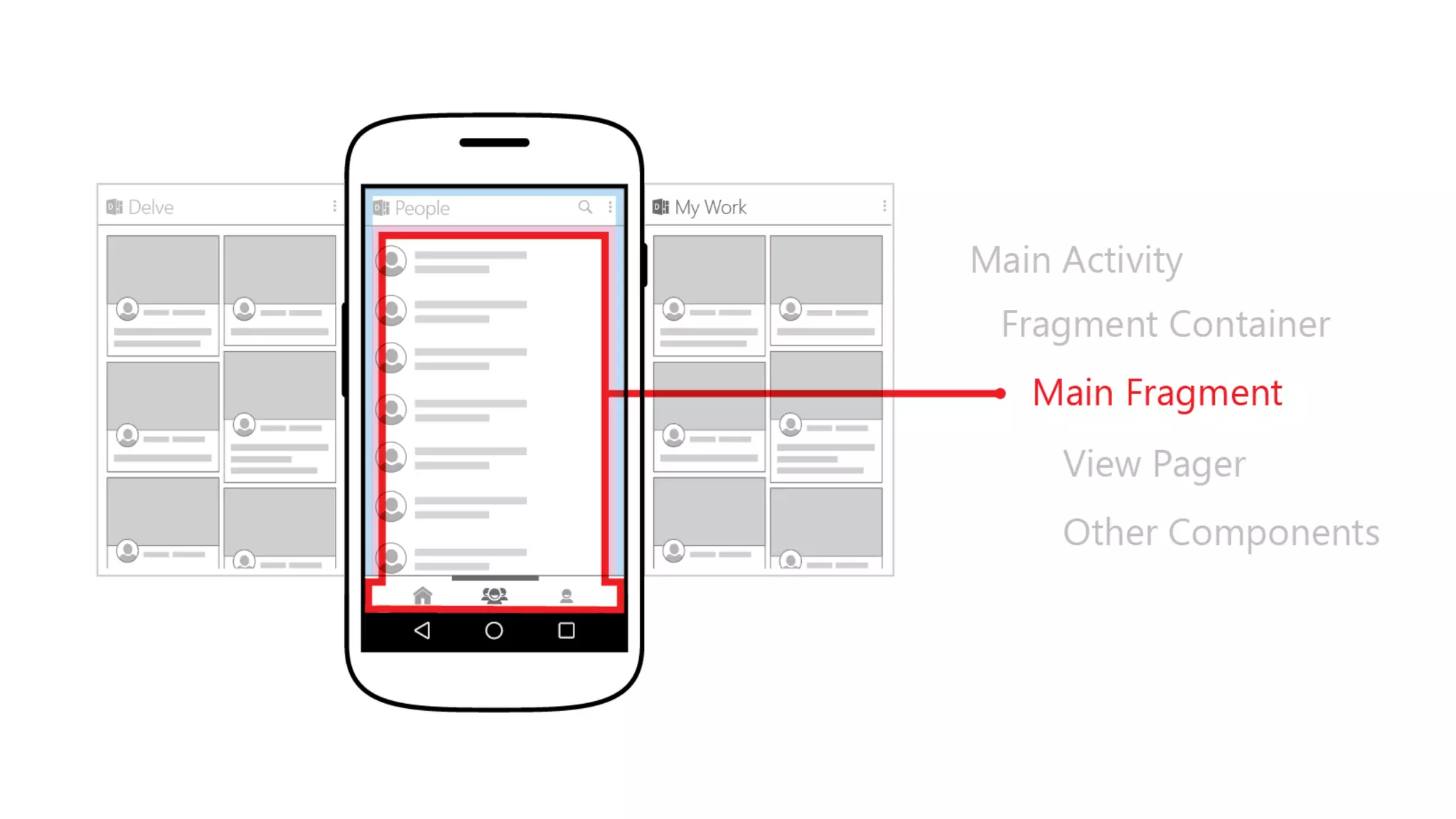
Pinterest-style navigation model
• V2
Pros:
• Still easy to implement
• Pretty effective
• Tab-buttons everywhere
Cons:
• No gestures
• Not keeping state of not-selected tab-fragments
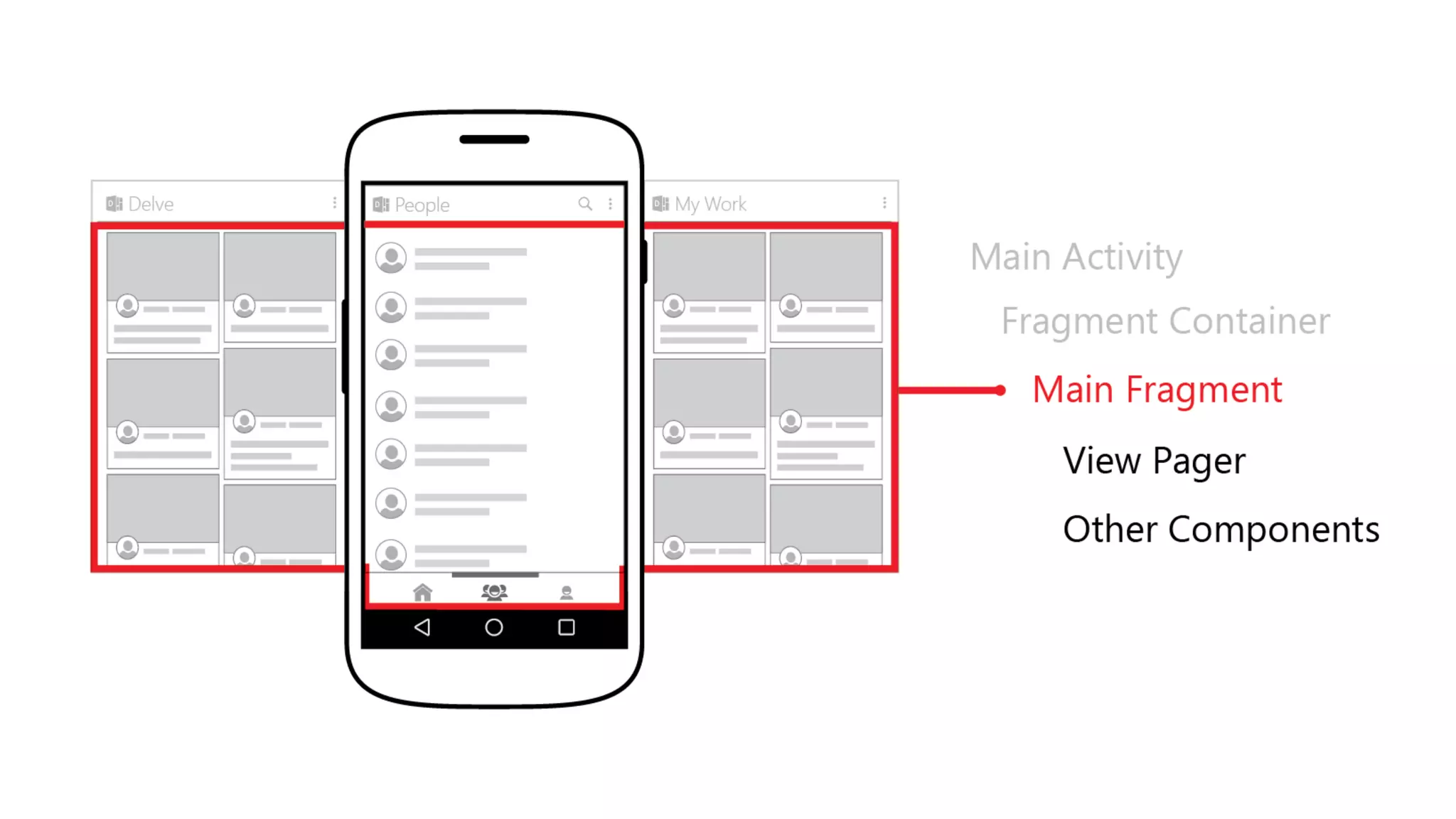
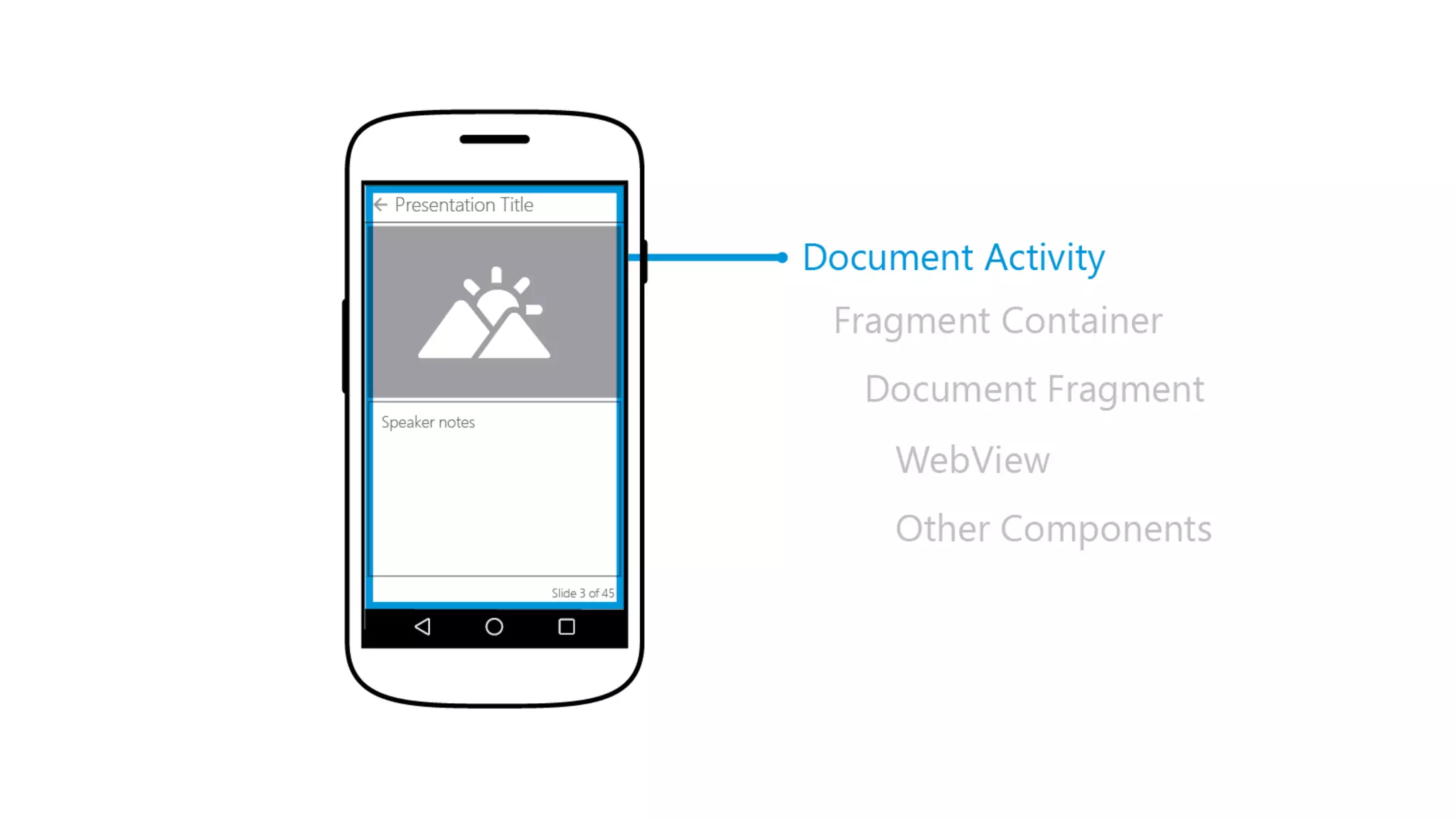
Pinterest-style navigation model
• V3 (current)
Pros:
• Should be familiar for instagram users
Cons:
• Ugly in implementation
• Breaking OS design-guidelines
Pinterest-style navigation model – Going forward
• V4 (future)
Yeah! We like changes in Navigation model 
• Side nav as the way of switching between pivots
• Material design
Testing
Testing
• Manual testing
• Alpha & Beta programs
• Unit tests (Test Coverage 75+%)
 Mockito
 AssertJ
• Monkey testing
( adb shell monkey -p com.microsoft.delvemobile -v 10000 )
• Memory profiling
Mockito
• Mocks made easy
• Don’t “expect” before the fact; query object afterwards
• Simple to use
• Stages of a test
• Setup (as necessary)
• Test
• Verification
38
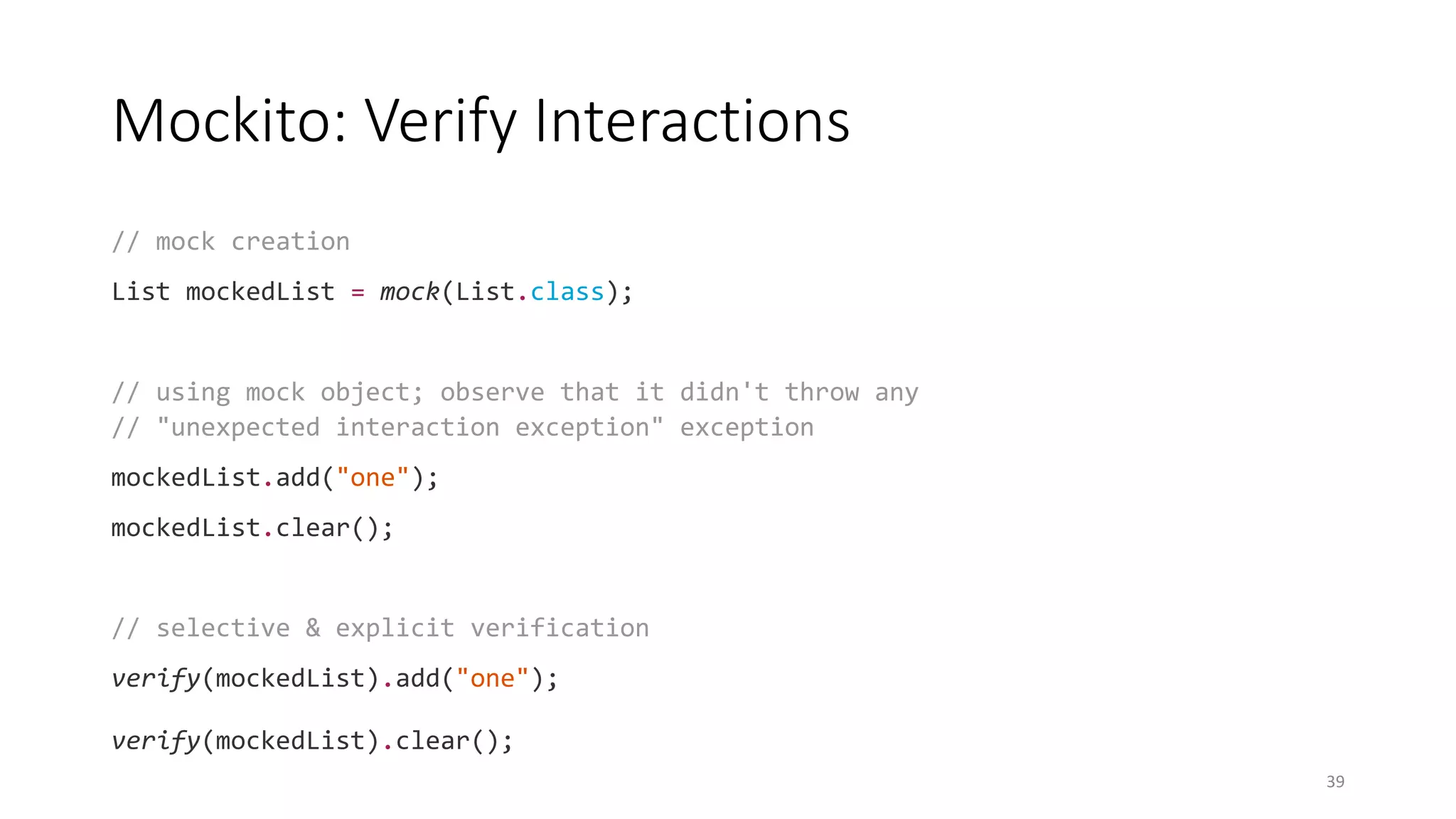
Mockito: Verify Interactions
// mock creation
List mockedList = mock(List.class);
// using mock object; observe that it didn't throw any
// "unexpected interaction exception" exception
mockedList.add("one");
mockedList.clear();
// selective & explicit verification
verify(mockedList).add("one");
verify(mockedList).clear();
39
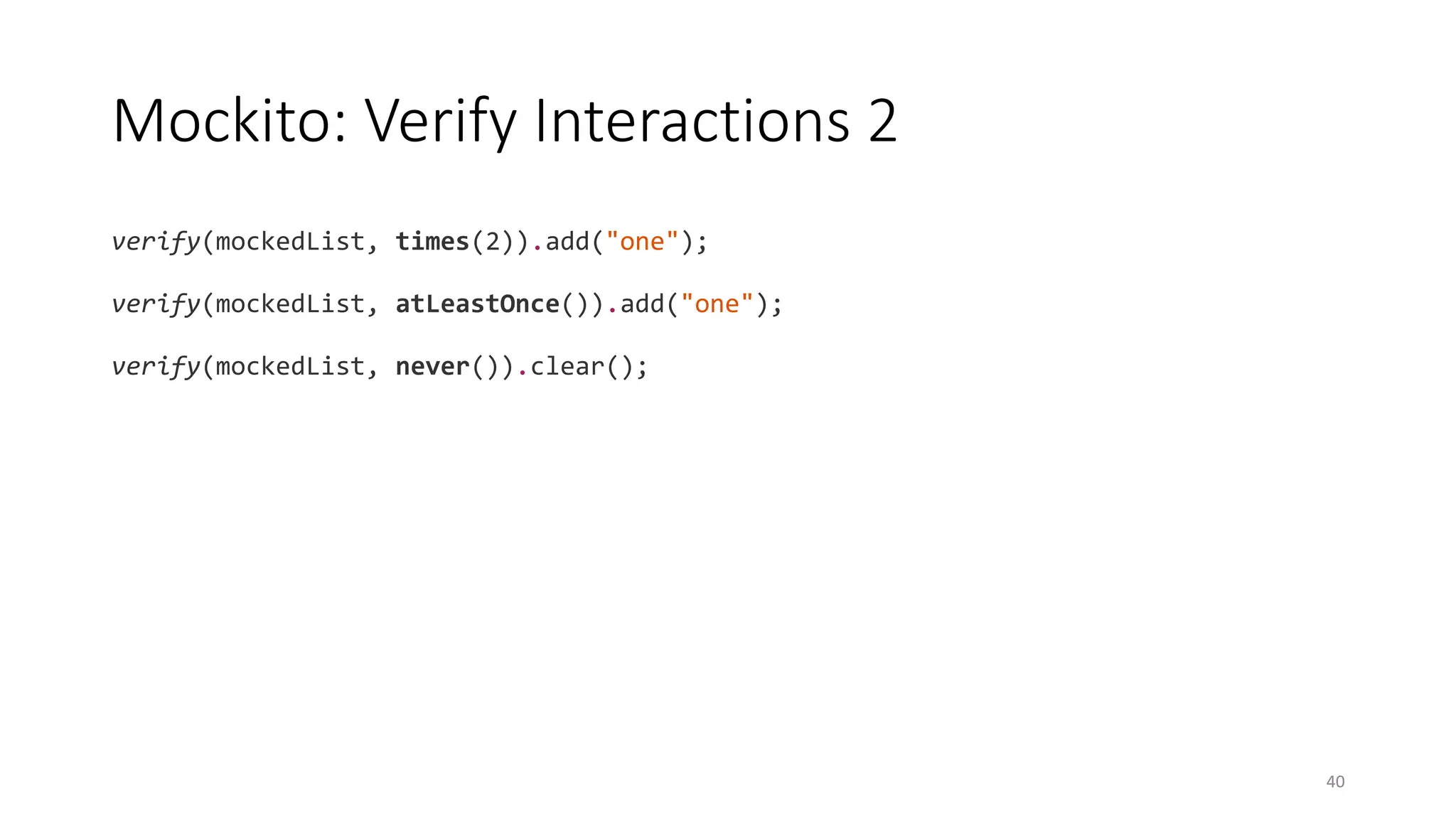
Mockito: Verify Interactions 2
verify(mockedList, times(2)).add("one");
verify(mockedList, atLeastOnce()).add("one");
verify(mockedList, never()).clear();
40
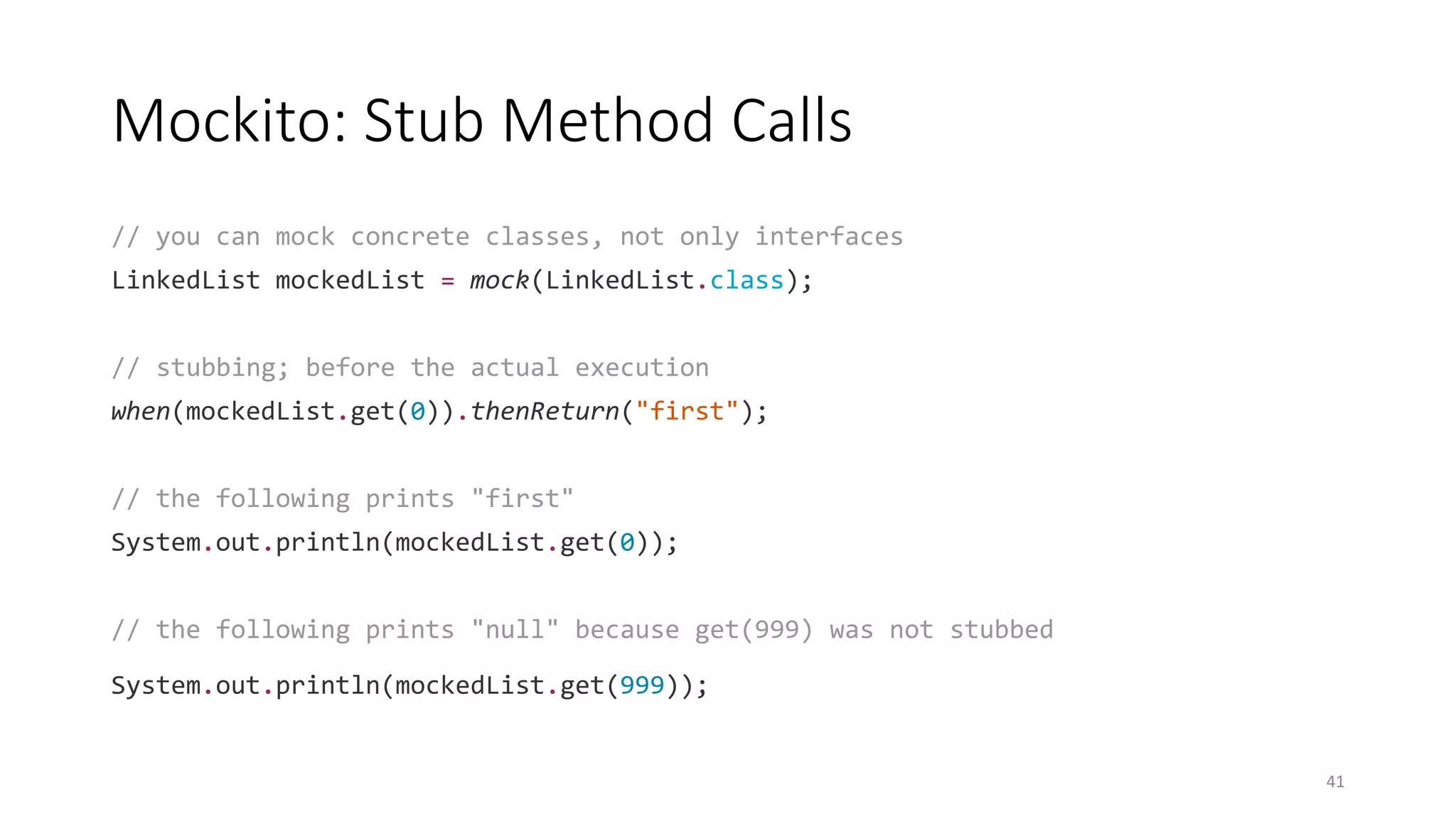
Mockito: Stub Method Calls
// you can mock concrete classes, not only interfaces
LinkedList mockedList = mock(LinkedList.class);
// stubbing; before the actual execution
when(mockedList.get(0)).thenReturn("first");
// the following prints "first"
System.out.println(mockedList.get(0));
// the following prints "null" because get(999) was not stubbed
System.out.println(mockedList.get(999));
41
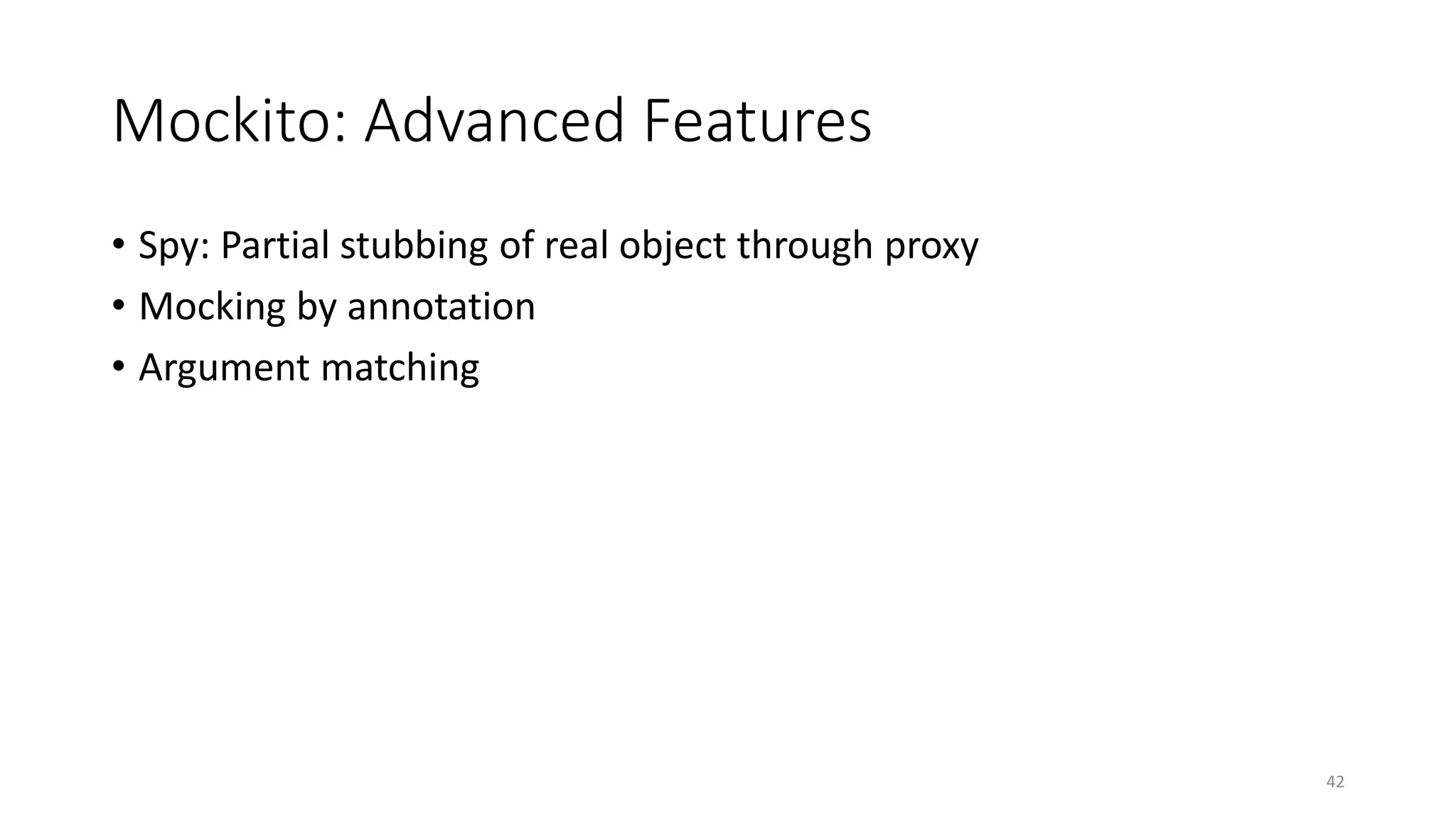
Mockito: Advanced Features
• Spy: Partial stubbing of real object through proxy
• Mocking by annotation
• Argument matching
42
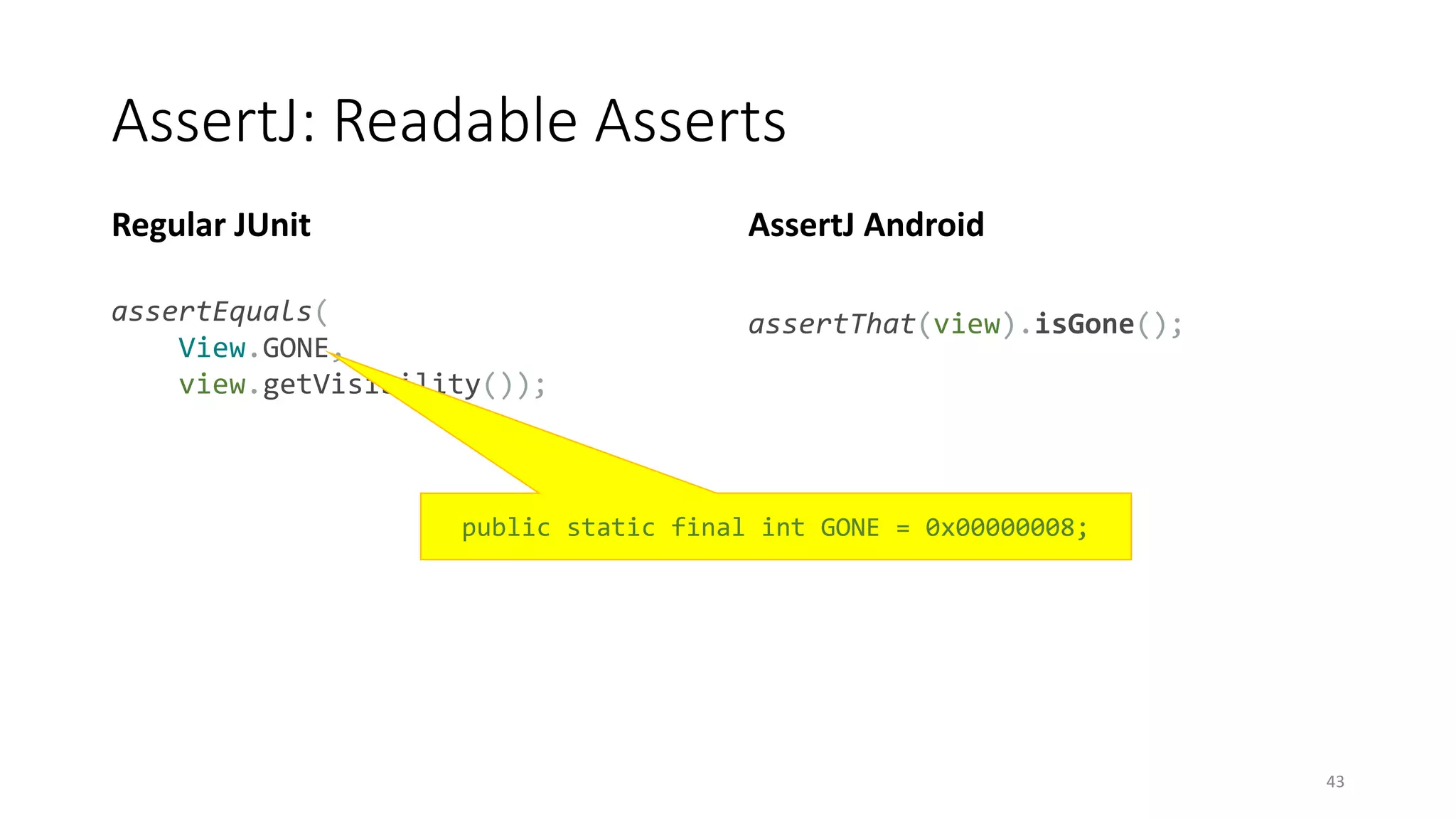
AssertJ: Readable Asserts
Regular JUnit
assertEquals(
View.GONE,
view.getVisibility());
AssertJ Android
assertThat(view).isGone();
43
public static final int GONE = 0x00000008;
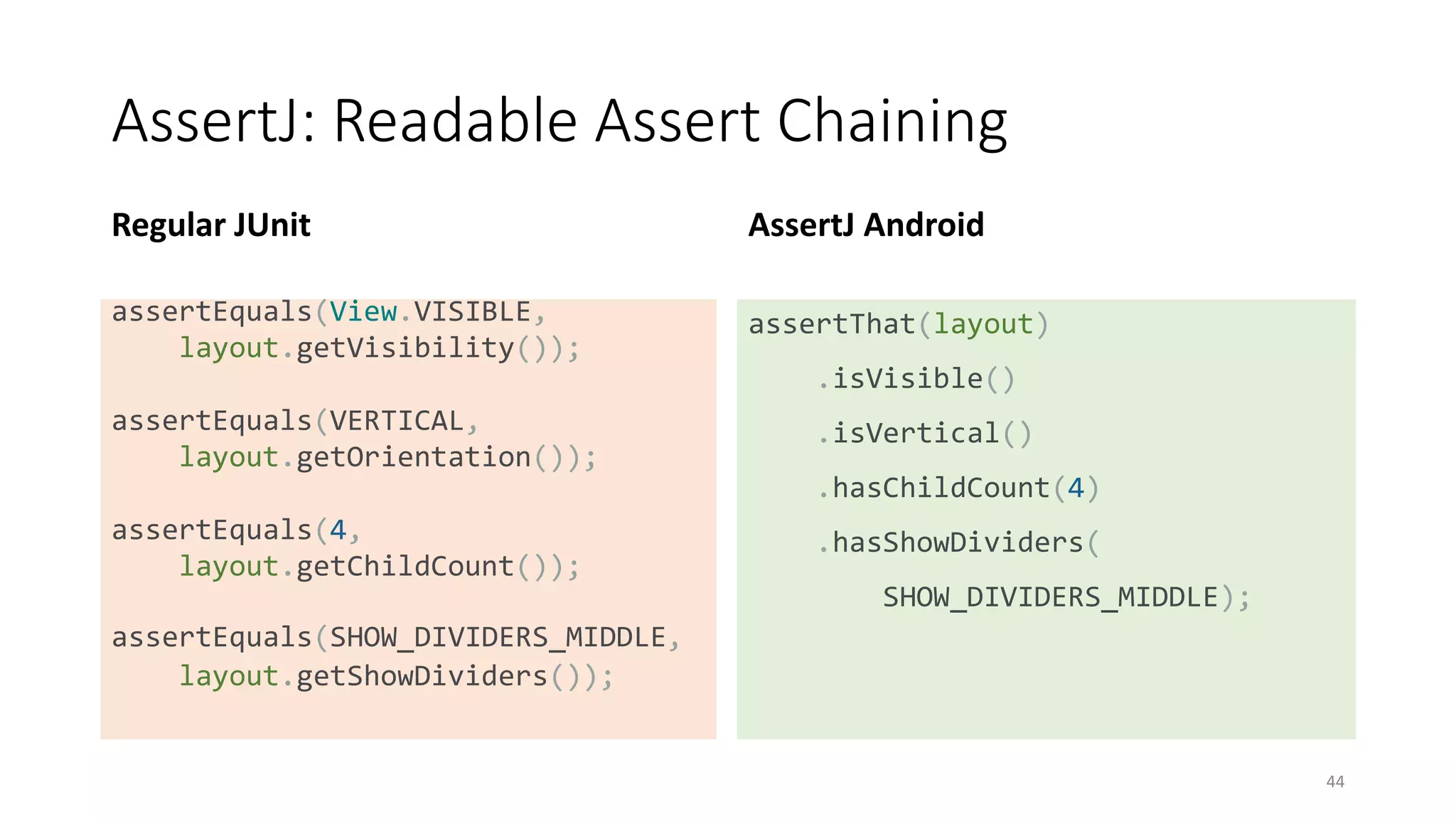
AssertJ: Readable Assert Chaining
Regular JUnit
assertEquals(View.VISIBLE,
layout.getVisibility());
assertEquals(VERTICAL,
layout.getOrientation());
assertEquals(4,
layout.getChildCount());
assertEquals(SHOW_DIVIDERS_MIDDLE,
layout.getShowDividers());
AssertJ Android
assertThat(layout)
.isVisible()
.isVertical()
.hasChildCount(4)
.hasShowDividers(
SHOW_DIVIDERS_MIDDLE);
44
Analytics & Crashalitics
We use (on both platforms):
• Crittercism (http://www.crittercism.com/)
• MixPanel (https://mixpanel.com/)
• AppFigures (https://appfigures.com/)
Data reviewed daily
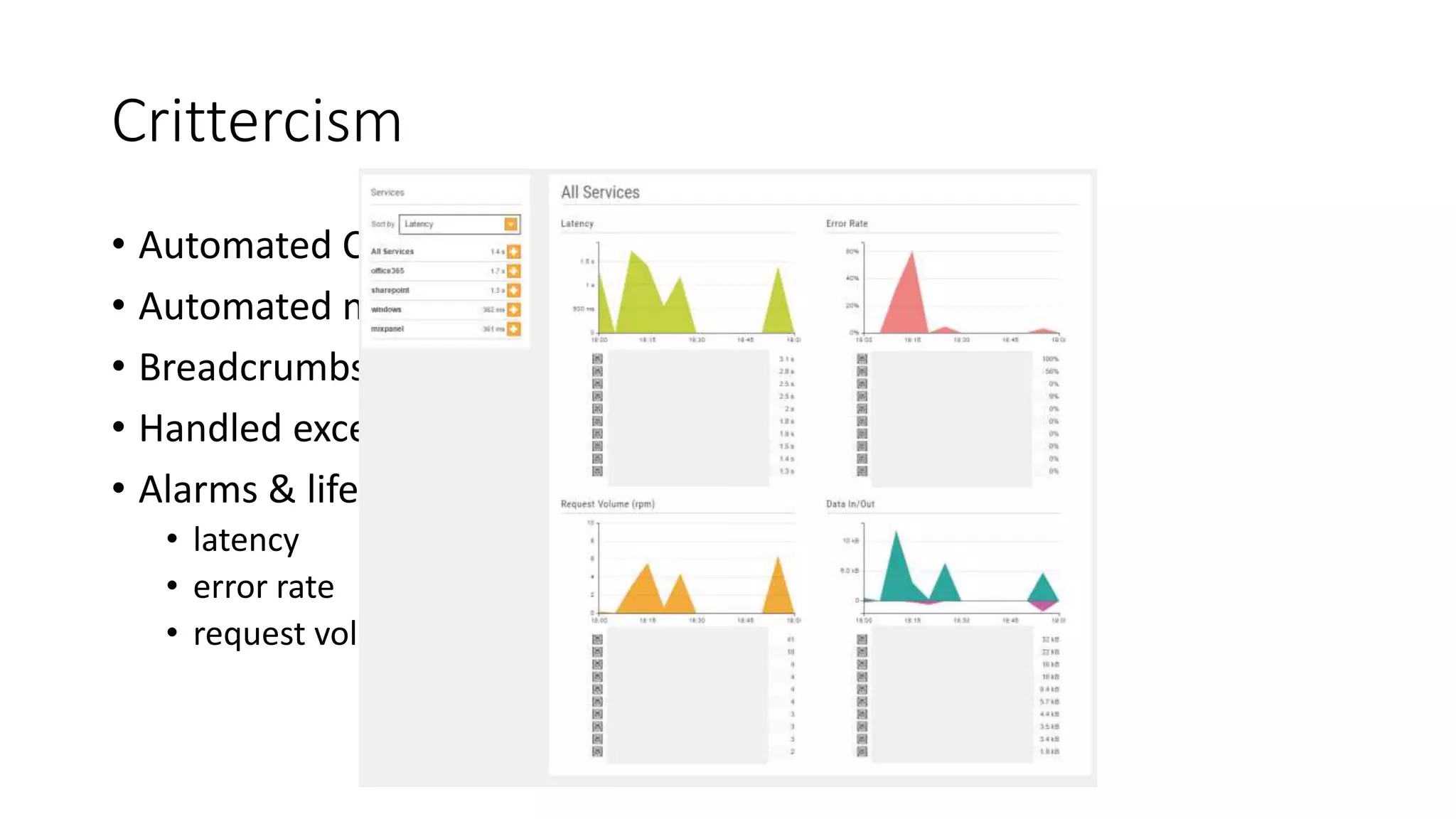
Crittercism
• Automated Crash logging
• Automated network request logging
• Breadcrumbs
• Handled exceptions logging
• Alarms & lifetime dashboard
• latency
• error rate
• request volume
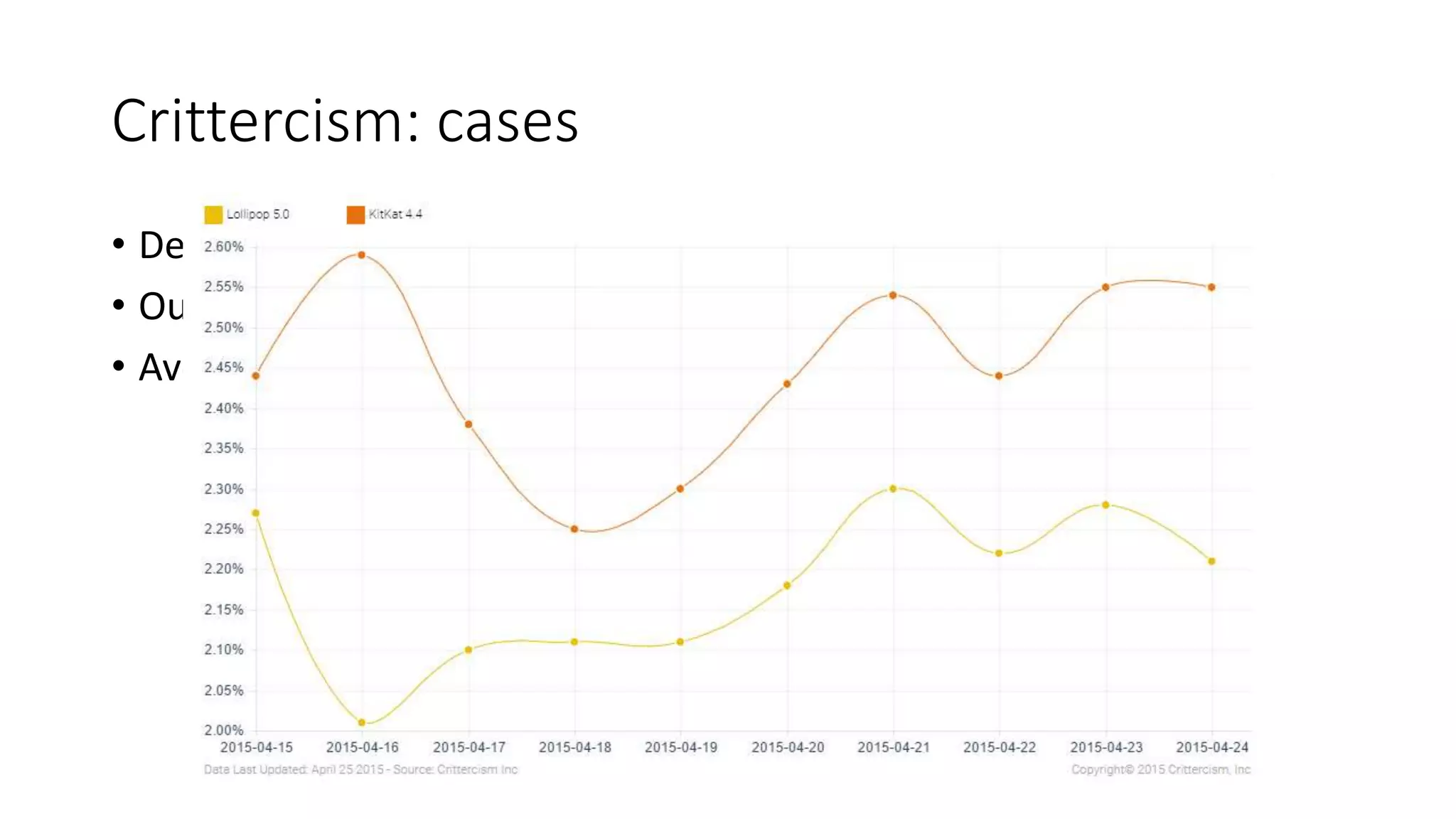
Crittercism: cases
• Delve Mobile crashed 44 times (14-26 April)
• Our crash rate:
• Average crash rate:
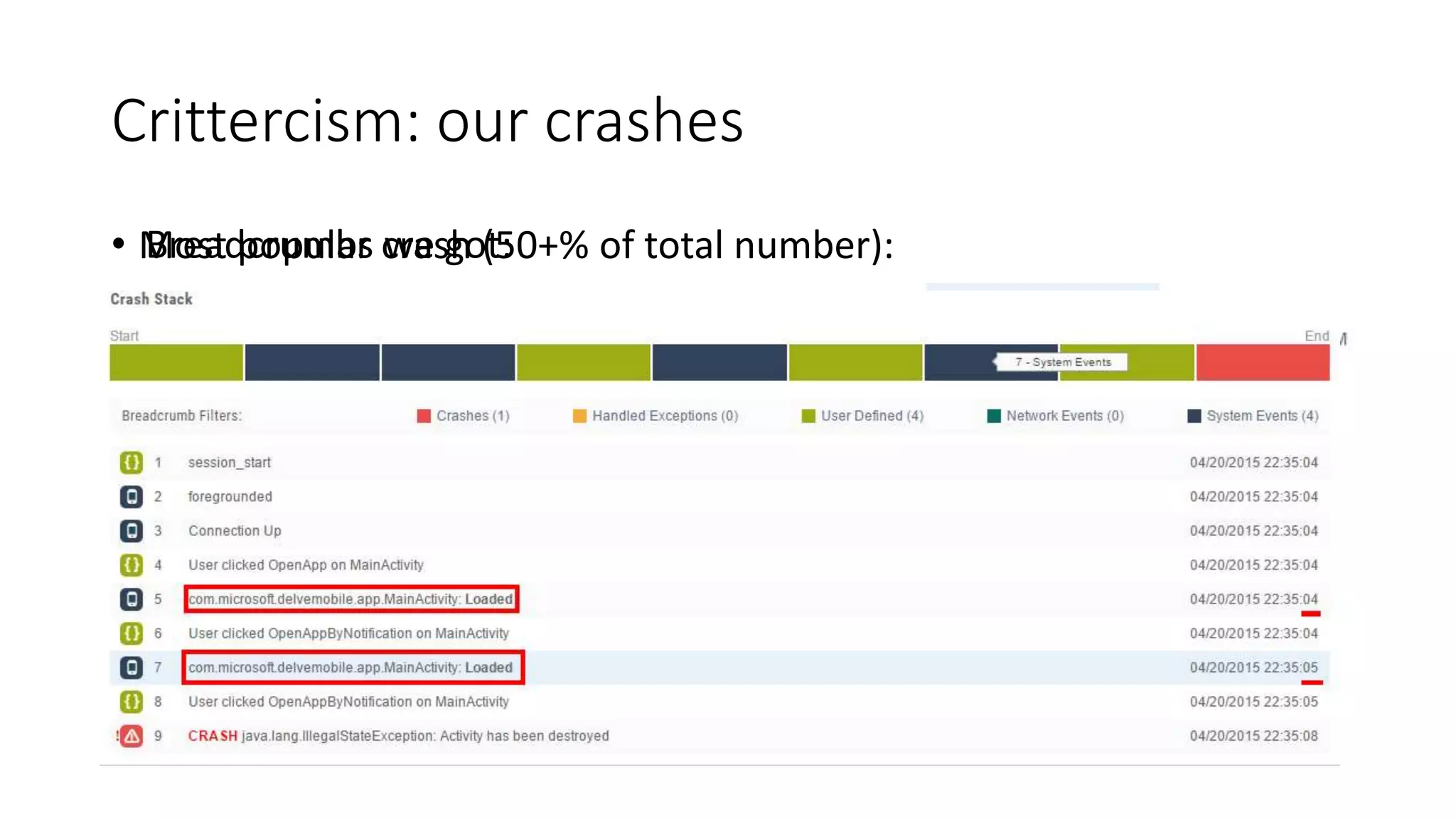
Crittercism: our crashes
• Most popular crash (50+% of total number):• Breadcrumbs we got:
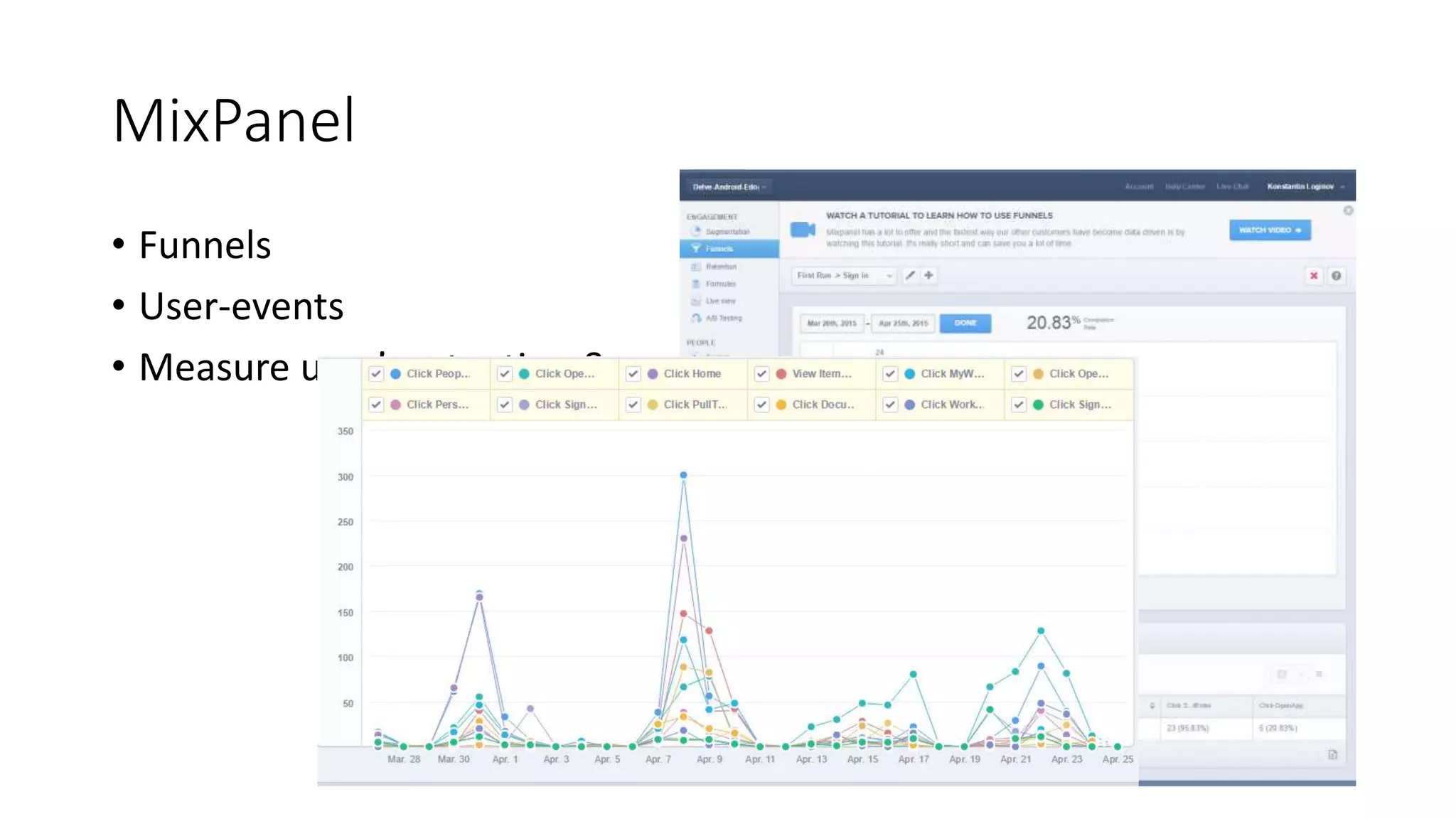
MixPanel
• Funnels
• User-events
• Measure user’s retention & engagement
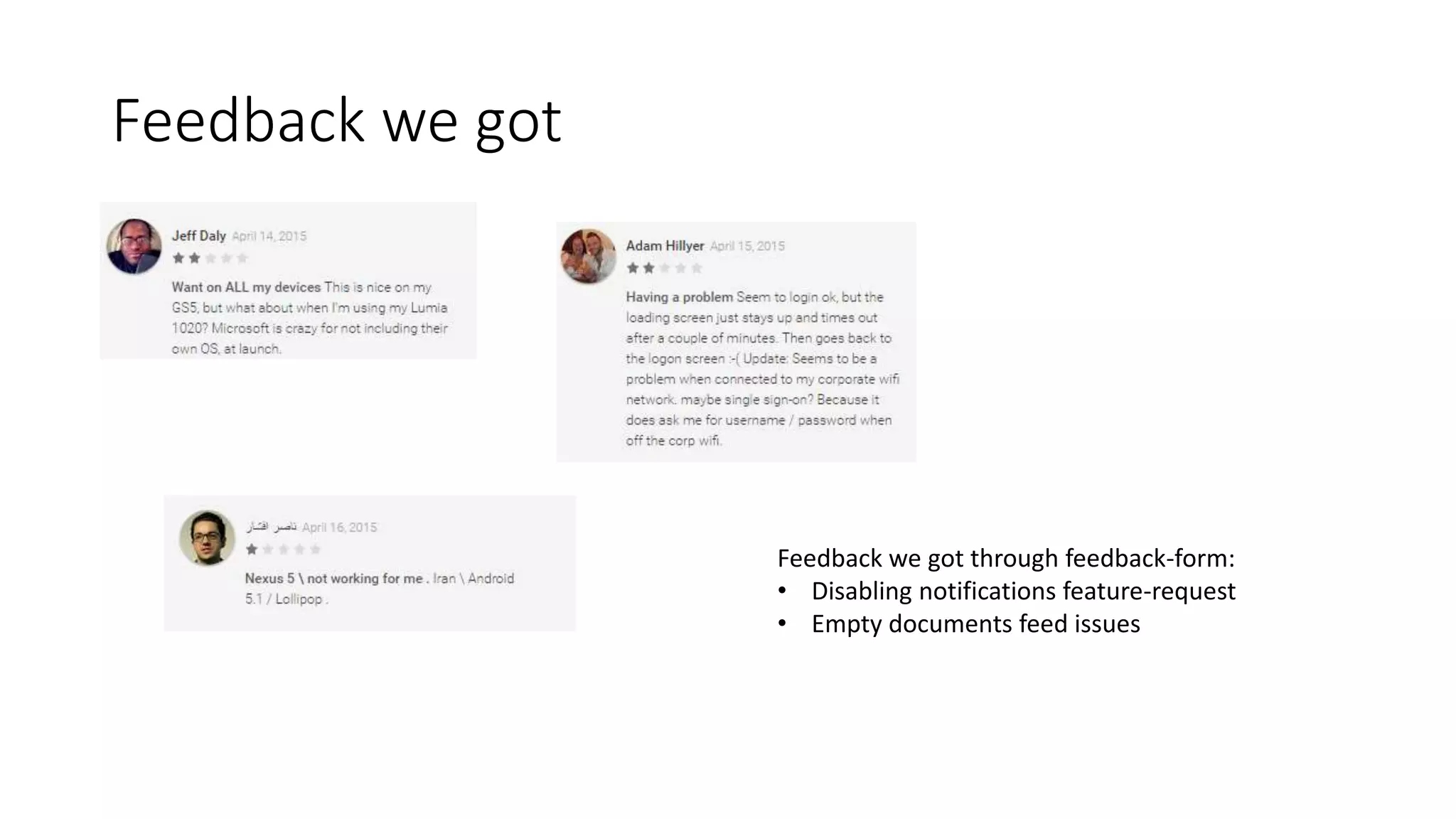
Feedback we got
Feedback we got through feedback-form:
• Disabling notifications feature-request
• Empty documents feed issues
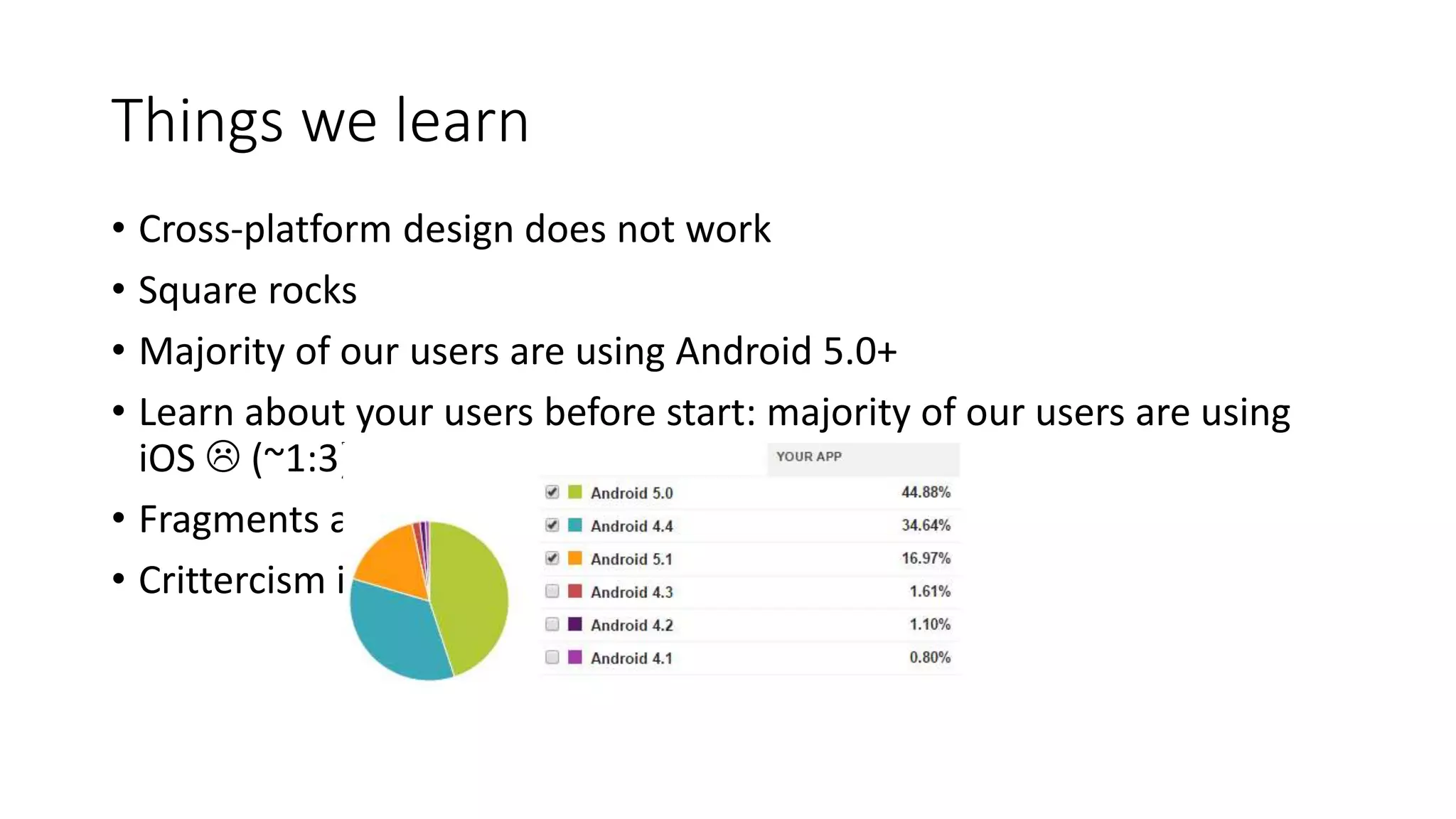
Things we learn
• Cross-platform design does not work
• Square rocks
• Majority of our users are using Android 5.0+
• Learn about your users before start: majority of our users are using
iOS  (~1:3)
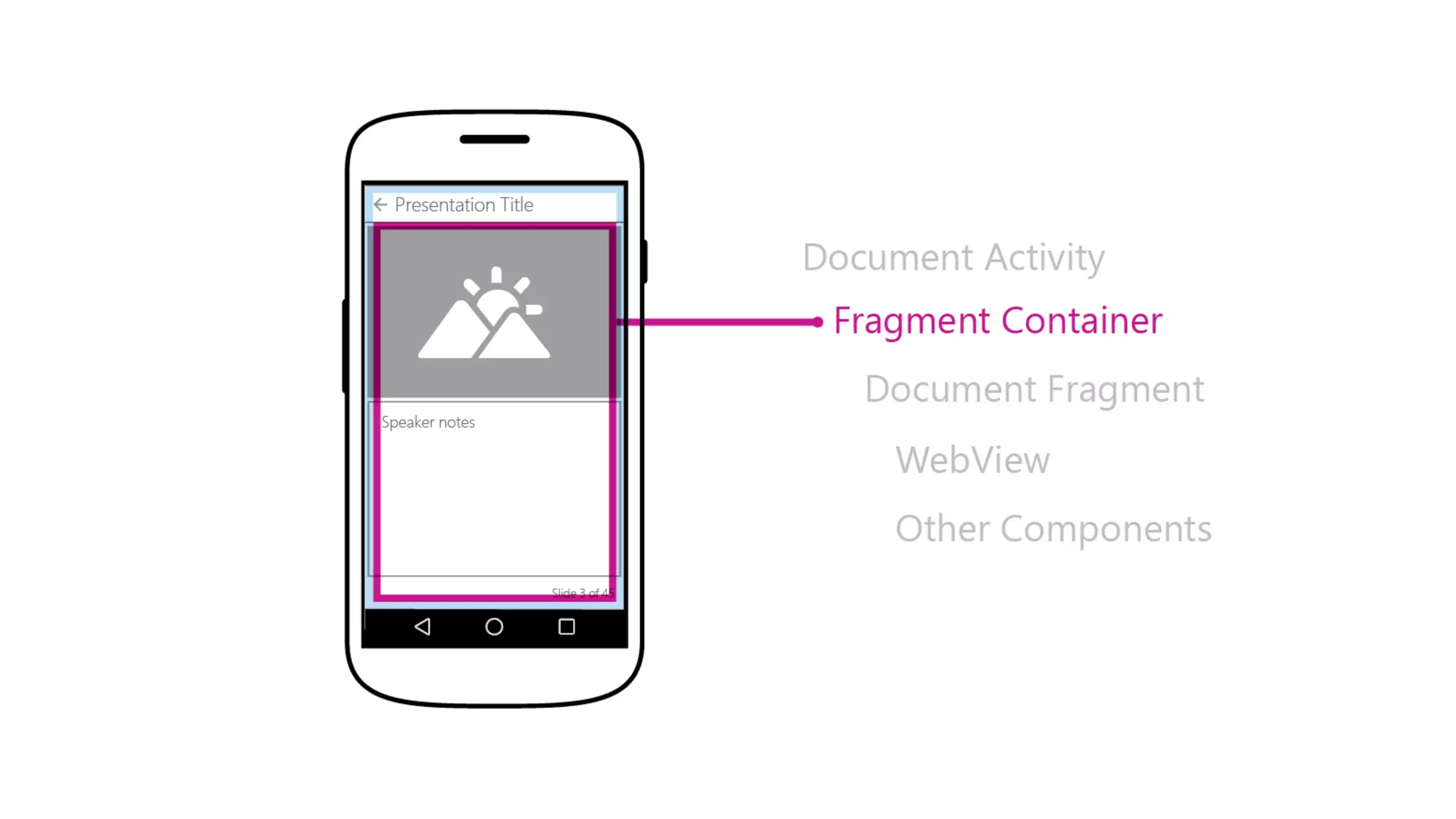
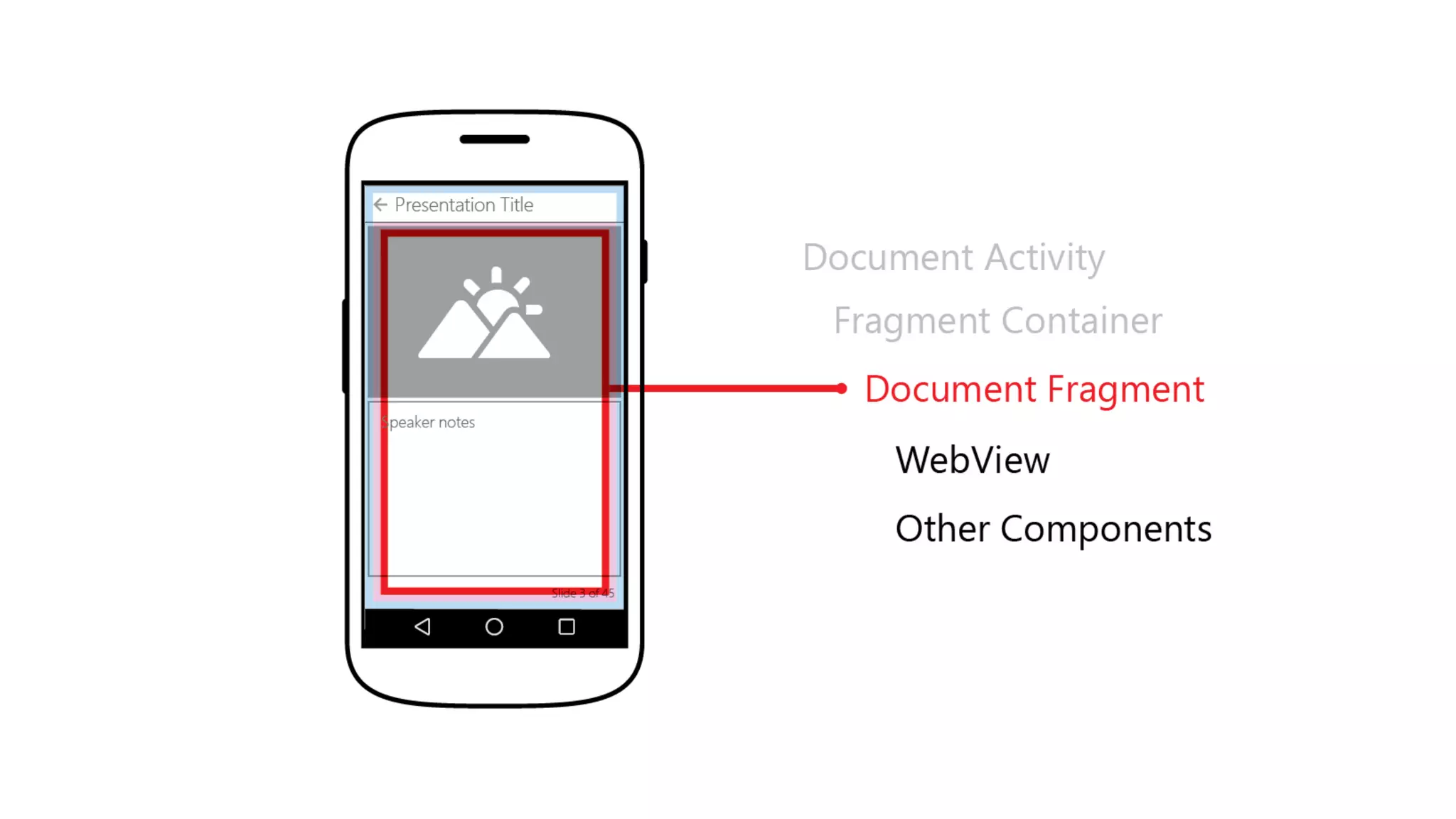
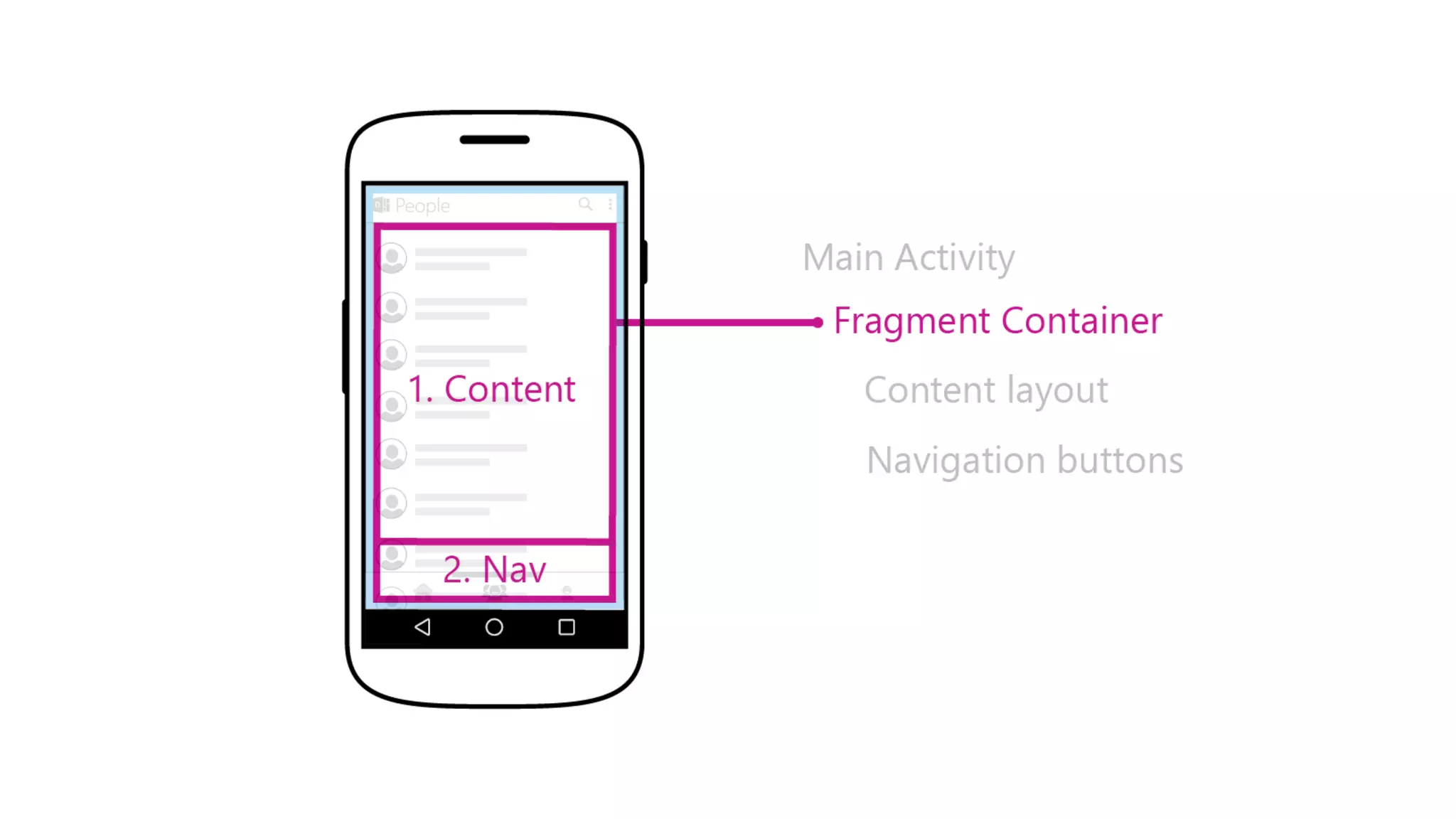
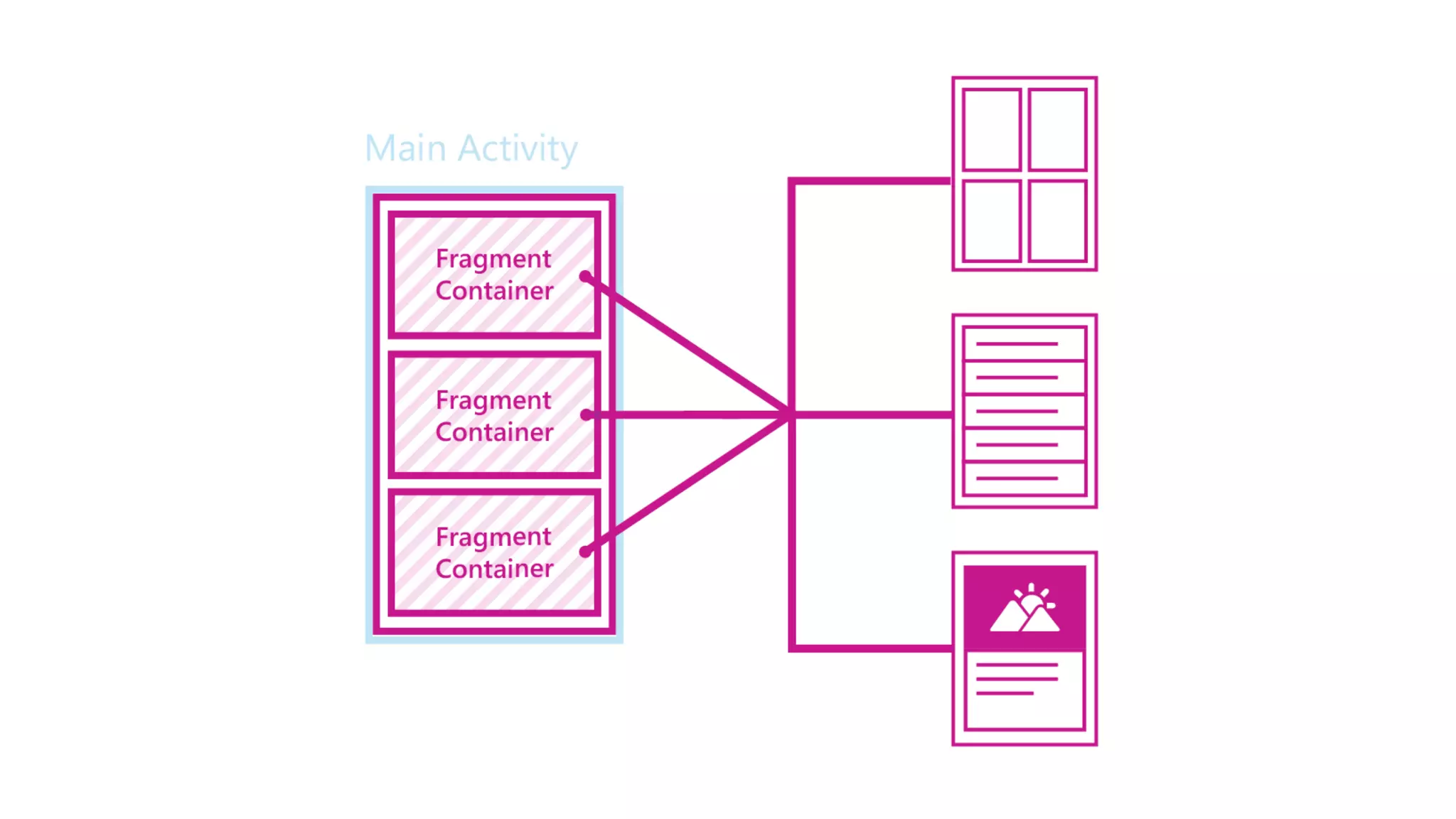
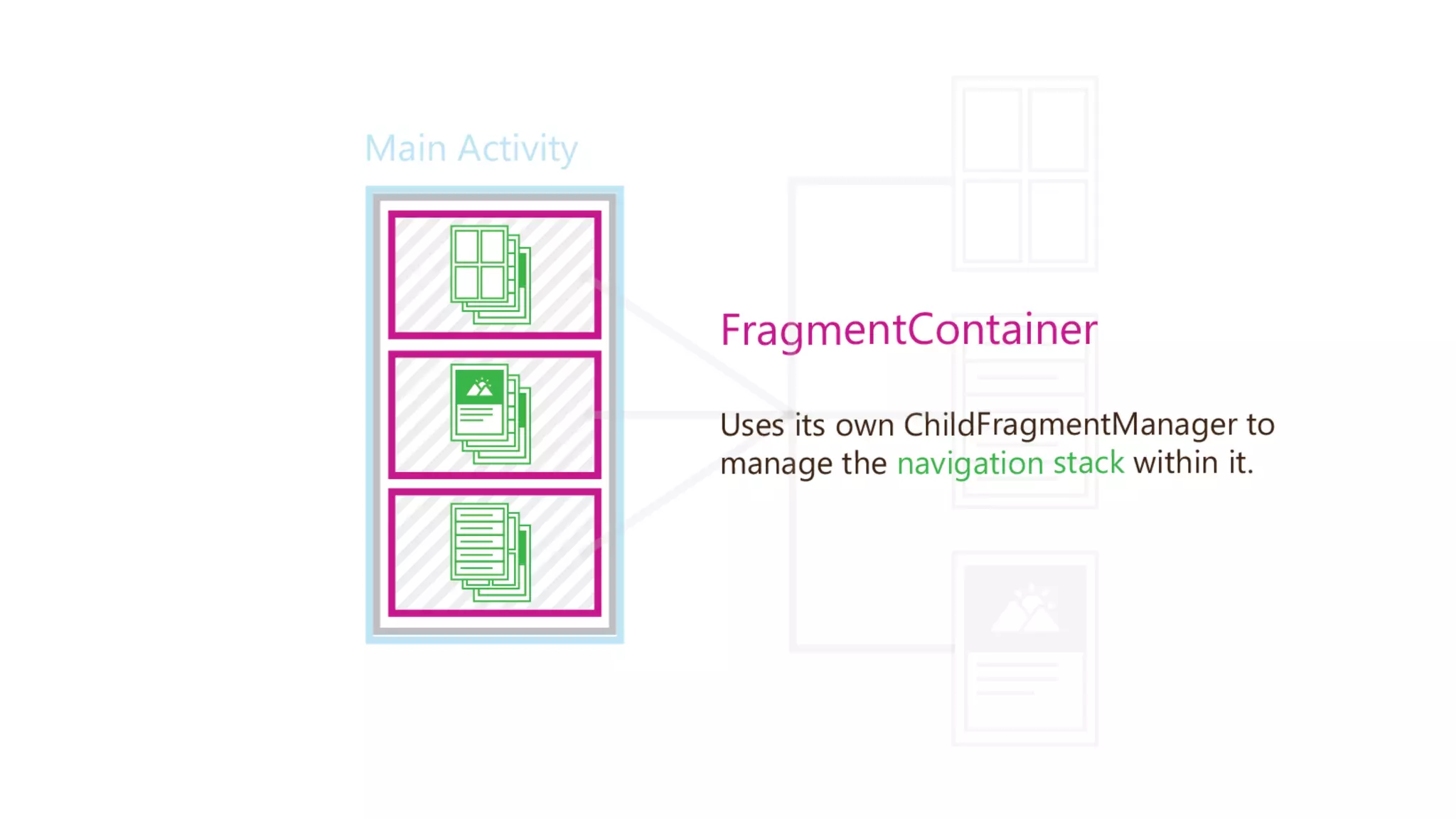
• Fragments are bad
• Crittercism is amazing
Mobile Developers Talks: Delve Mobile

Mobile Developers Talks: Delve Mobile

  • 1.
    Office Delve –for Office 365 Konstantin Loginov
  • 2.
    About me • 7years in Mobile development:  Windows Mobile  webOS  Windows Phone 7/8  iOS (native/Xamarin)  Android Current Position: Software Engineer in Microsoft LinkedIn / email
  • 3.
    Office Delve • “Flipboardfor Office365” © • Code name: Oslo • Tangled creation story
  • 4.
  • 5.
    Steps towards DelveMobile • Started as a team of two • Android first • Pivoted multiple times & created various MVPs • Application as an engagement driver for the whole service
  • 6.
  • 7.
    Working process • Non-formalScrum, 2-weeks-long sprint • Bi-weekly releases • Team Foundation Server 2013 for task tracking • Slack for team collaboration (love it!) • GIT as revision control system • Android studio (latest Canary build) as an IDE • Internal tool for bug-tracking and code reviews • OneNote as a knowledge base • Today: 4 Android devs & 3.5 iOS devs
  • 8.
    We love opensource •Dagger (dependency injection) • ButterKnife (view injection) • EventBus • Retrofit • OkHttp • Picasso • Esty StaggeredGridView • Compatibility libs Upcoming: Mortar & Flow. (As others, we Square ) • Mockito (Testing) • AssertJ (Testing)
  • 9.
    Design patterns weuse • Dependency injection • Publish–subscribe pattern • Data Access Object
  • 10.
  • 11.
    Dependency Injection -Dagger class DataProvider { DataSource dataSource = new DelveApi(); } class DataProvider { @Inject DataSource dataSource; } 11 class DataProvider { private DataSource dataSource; @Inject DataProvider(DataSource dataSource) { this.dataSource = dataSource; } }
  • 12.
    Dependency Injection -Dagger • Standard javax.inject annotations (JSR-30) • Need to declare “modules” for compile-time validation and code generation • Specifies “provider” methods • @Singleton annotation • Lists supported classes (which in turn generates code) • Supports override • Inject mocks in tests • Substituting back-ends is a one-line change
  • 13.
    Dependency Injection -Dagger 2 • Just released • No reflection, no ObjectGraph/Injector, @Component interface • We’re planning to switch to it soon
  • 14.
    Publish–subscribe pattern -EventBus • We use greenrobot/EventBus • Performs well with Activities, Fragments, and background threads • Decouples event senders and receivers • Avoids complex and error-prone dependencies and life cycle issues
  • 15.
    Activity (hosts fragments) Data AccessLayer (Subscriber) Fragment A Fragment B Data Subscriber Error Subscriber ERROR Navigation Event Subscriber Data Subscriber Open Fragment A
  • 16.
    Data Access Object •DAO is an object that provides an abstract interface to the database. By mapping application calls to the persistence layer, DAO provides specific data operations without exposing details of the database. User User getById(String userId) List<User> queryMatch(String q, int l, int o) SqlLocalStorageUserDao User getById(String userId) { /* Getting data from SQLite */ } List<User> queryMatch(String q,int l,int o) { /* Getting data from SQLite */ } UserDaoImpl DataProvider Layer …. localStorage.getUser(userId); …. UserDao userDao; User getUser(String userId) { return userDao.getUserById(userId); } String userId;
  • 25.
    Pinterest-style navigation model •V1 Pros: • Gestures between tabs • Easy to implement Cons: • 3 «heavy» pages in ViewPager • No Tab-switching-buttons in Profile/Document pages
  • 29.
    Pinterest-style navigation model •V2 Pros: • Still easy to implement • Pretty effective • Tab-buttons everywhere Cons: • No gestures • Not keeping state of not-selected tab-fragments
  • 34.
    Pinterest-style navigation model •V3 (current) Pros: • Should be familiar for instagram users Cons: • Ugly in implementation • Breaking OS design-guidelines
  • 35.
    Pinterest-style navigation model– Going forward • V4 (future) Yeah! We like changes in Navigation model  • Side nav as the way of switching between pivots • Material design
  • 36.
  • 37.
    Testing • Manual testing •Alpha & Beta programs • Unit tests (Test Coverage 75+%)  Mockito  AssertJ • Monkey testing ( adb shell monkey -p com.microsoft.delvemobile -v 10000 ) • Memory profiling
  • 38.
    Mockito • Mocks madeeasy • Don’t “expect” before the fact; query object afterwards • Simple to use • Stages of a test • Setup (as necessary) • Test • Verification 38
  • 39.
    Mockito: Verify Interactions //mock creation List mockedList = mock(List.class); // using mock object; observe that it didn't throw any // "unexpected interaction exception" exception mockedList.add("one"); mockedList.clear(); // selective & explicit verification verify(mockedList).add("one"); verify(mockedList).clear(); 39
  • 40.
    Mockito: Verify Interactions2 verify(mockedList, times(2)).add("one"); verify(mockedList, atLeastOnce()).add("one"); verify(mockedList, never()).clear(); 40
  • 41.
    Mockito: Stub MethodCalls // you can mock concrete classes, not only interfaces LinkedList mockedList = mock(LinkedList.class); // stubbing; before the actual execution when(mockedList.get(0)).thenReturn("first"); // the following prints "first" System.out.println(mockedList.get(0)); // the following prints "null" because get(999) was not stubbed System.out.println(mockedList.get(999)); 41
  • 42.
    Mockito: Advanced Features •Spy: Partial stubbing of real object through proxy • Mocking by annotation • Argument matching 42
  • 43.
    AssertJ: Readable Asserts RegularJUnit assertEquals( View.GONE, view.getVisibility()); AssertJ Android assertThat(view).isGone(); 43 public static final int GONE = 0x00000008;
  • 44.
    AssertJ: Readable AssertChaining Regular JUnit assertEquals(View.VISIBLE, layout.getVisibility()); assertEquals(VERTICAL, layout.getOrientation()); assertEquals(4, layout.getChildCount()); assertEquals(SHOW_DIVIDERS_MIDDLE, layout.getShowDividers()); AssertJ Android assertThat(layout) .isVisible() .isVertical() .hasChildCount(4) .hasShowDividers( SHOW_DIVIDERS_MIDDLE); 44
  • 45.
    Analytics & Crashalitics Weuse (on both platforms): • Crittercism (http://www.crittercism.com/) • MixPanel (https://mixpanel.com/) • AppFigures (https://appfigures.com/) Data reviewed daily
  • 46.
    Crittercism • Automated Crashlogging • Automated network request logging • Breadcrumbs • Handled exceptions logging • Alarms & lifetime dashboard • latency • error rate • request volume
  • 47.
    Crittercism: cases • DelveMobile crashed 44 times (14-26 April) • Our crash rate: • Average crash rate:
  • 48.
    Crittercism: our crashes •Most popular crash (50+% of total number):• Breadcrumbs we got:
  • 49.
    MixPanel • Funnels • User-events •Measure user’s retention & engagement
  • 50.
    Feedback we got Feedbackwe got through feedback-form: • Disabling notifications feature-request • Empty documents feed issues
  • 51.
    Things we learn •Cross-platform design does not work • Square rocks • Majority of our users are using Android 5.0+ • Learn about your users before start: majority of our users are using iOS  (~1:3) • Fragments are bad • Crittercism is amazing