Android Applications
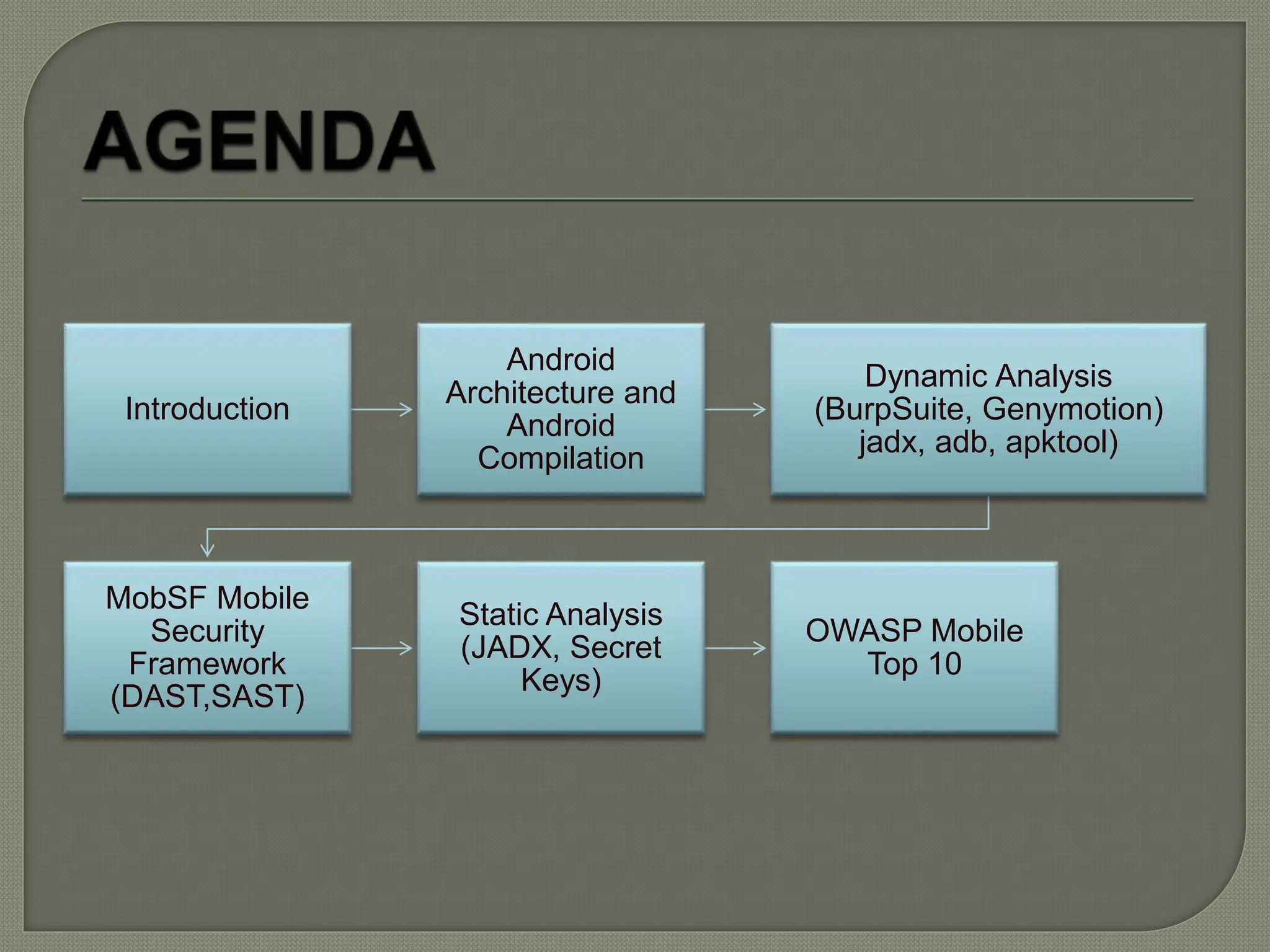
Introduction
Android
Architecture and
Android
Compilation
Dynamic Analysis
(BurpSuite, Genymotion)
jadx, adb, apktool)
MobSF Mobile
Security
Framework
(DAST,SAST)
Static Analysis
(JADX, Secret
Keys)
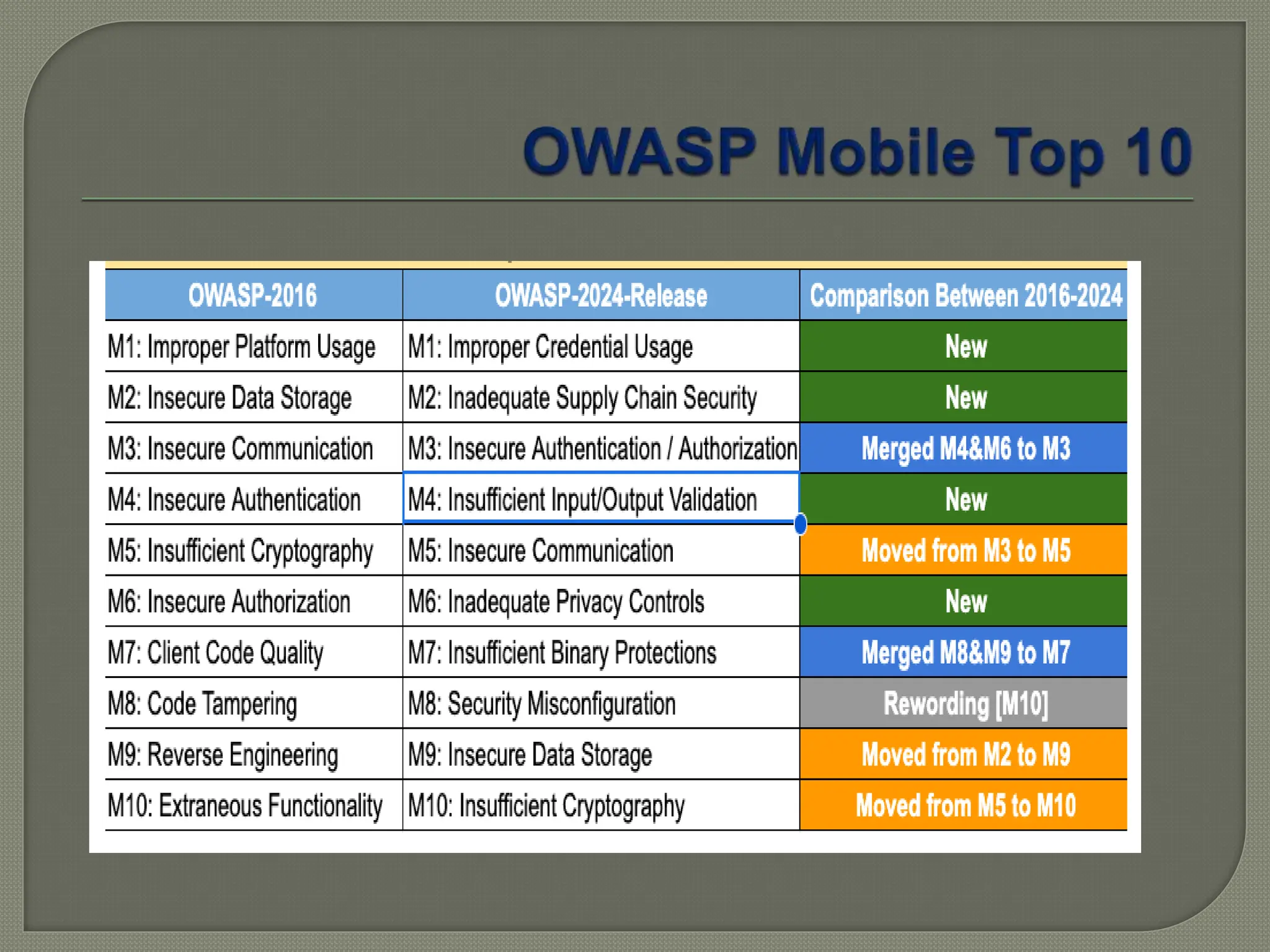
OWASP Mobile
Top 10
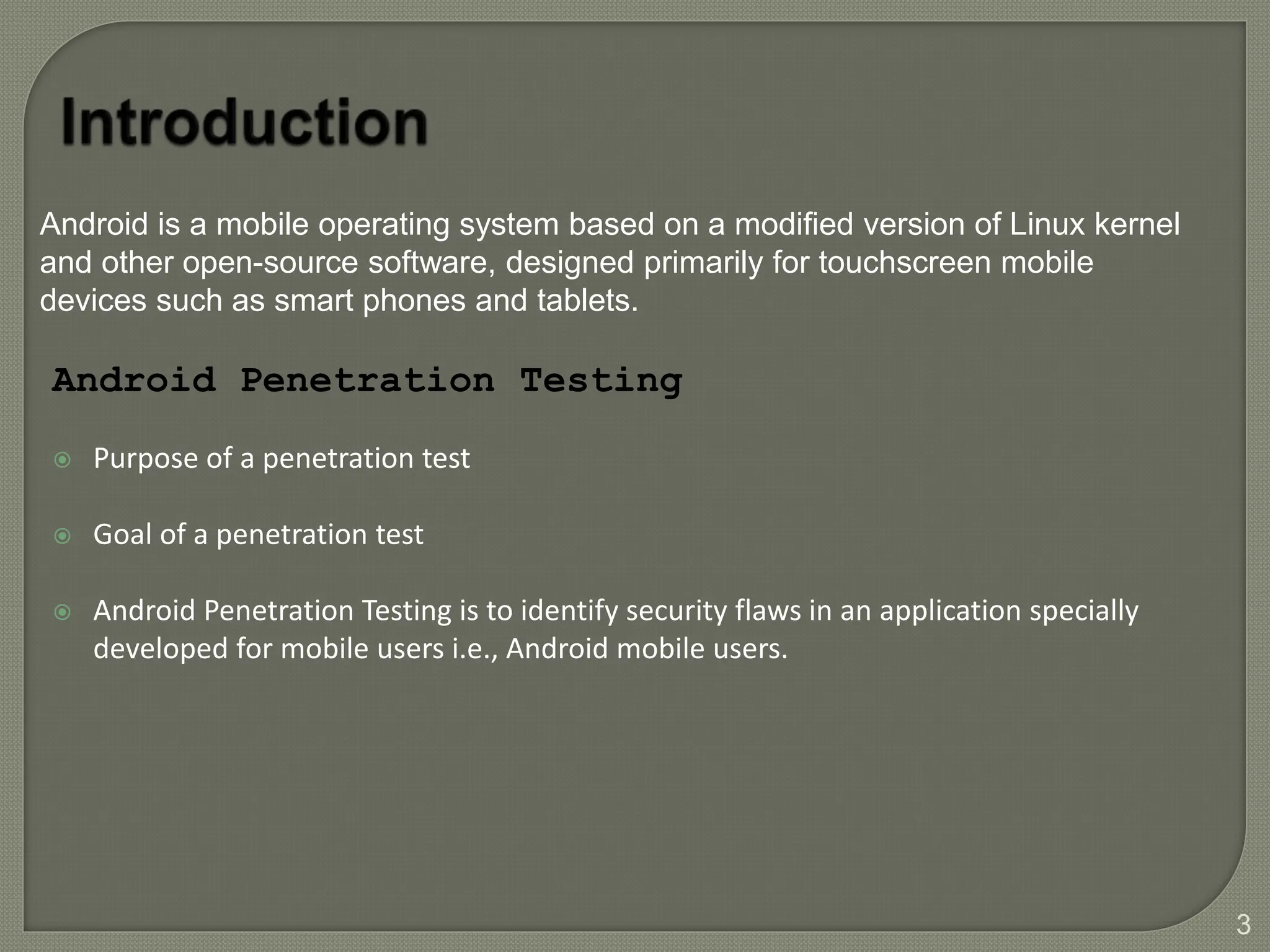
 Purpose of a penetration test
 Goal of a penetration test
 Android Penetration Testing is to identify security flaws in an application specially
developed for mobile users i.e., Android mobile users.
Android Penetration Testing
3
Android is a mobile operating system based on a modified version of Linux kernel
and other open-source software, designed primarily for touchscreen mobile
devices such as smart phones and tablets.
4
5
Android Compilation
6
7
8
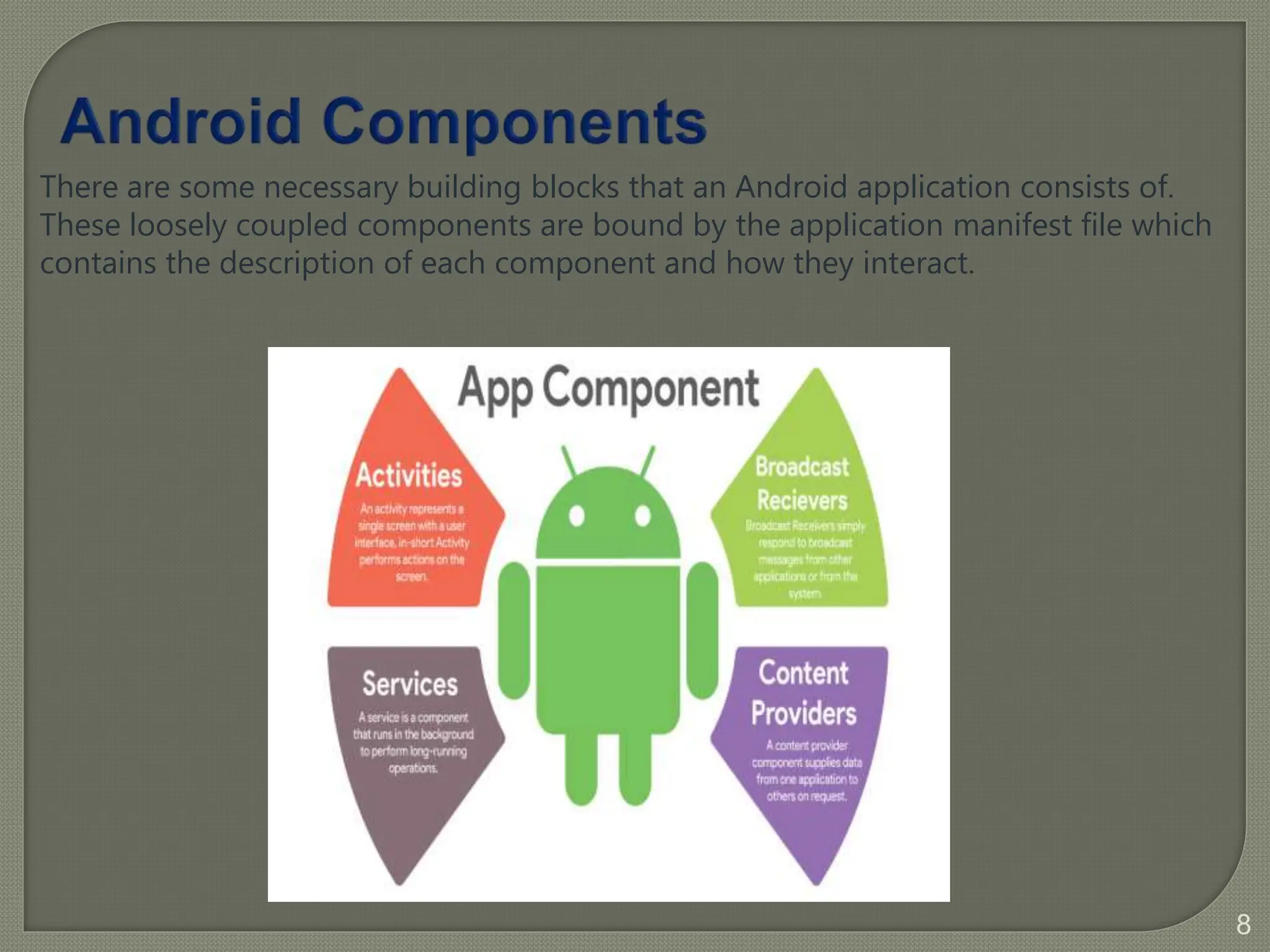
There are some necessary building blocks that an Android application consists of.
These loosely coupled components are bound by the application manifest file which
contains the description of each component and how they interact.
9
 Intents
 Widgets
 Notifications
 Manifest
 Fragment
 View
 Layout
 Resources
Android Additional Components
10
• APK stands for Android Package Kit also known as Android
Application Package.
• APK is a zip file or archive file that contains assembled java code or
resources and metadata about them.
• APK contains programs code such as dex files (.dex), resources
(.arsc), certificates, manifest file.
Below is the list of prominent files and folders:
 META-INF/
 Assests/
 AndroidManifest.x
ml
 lib/
 res/
 Classes.dex
 Resources.arsc
11
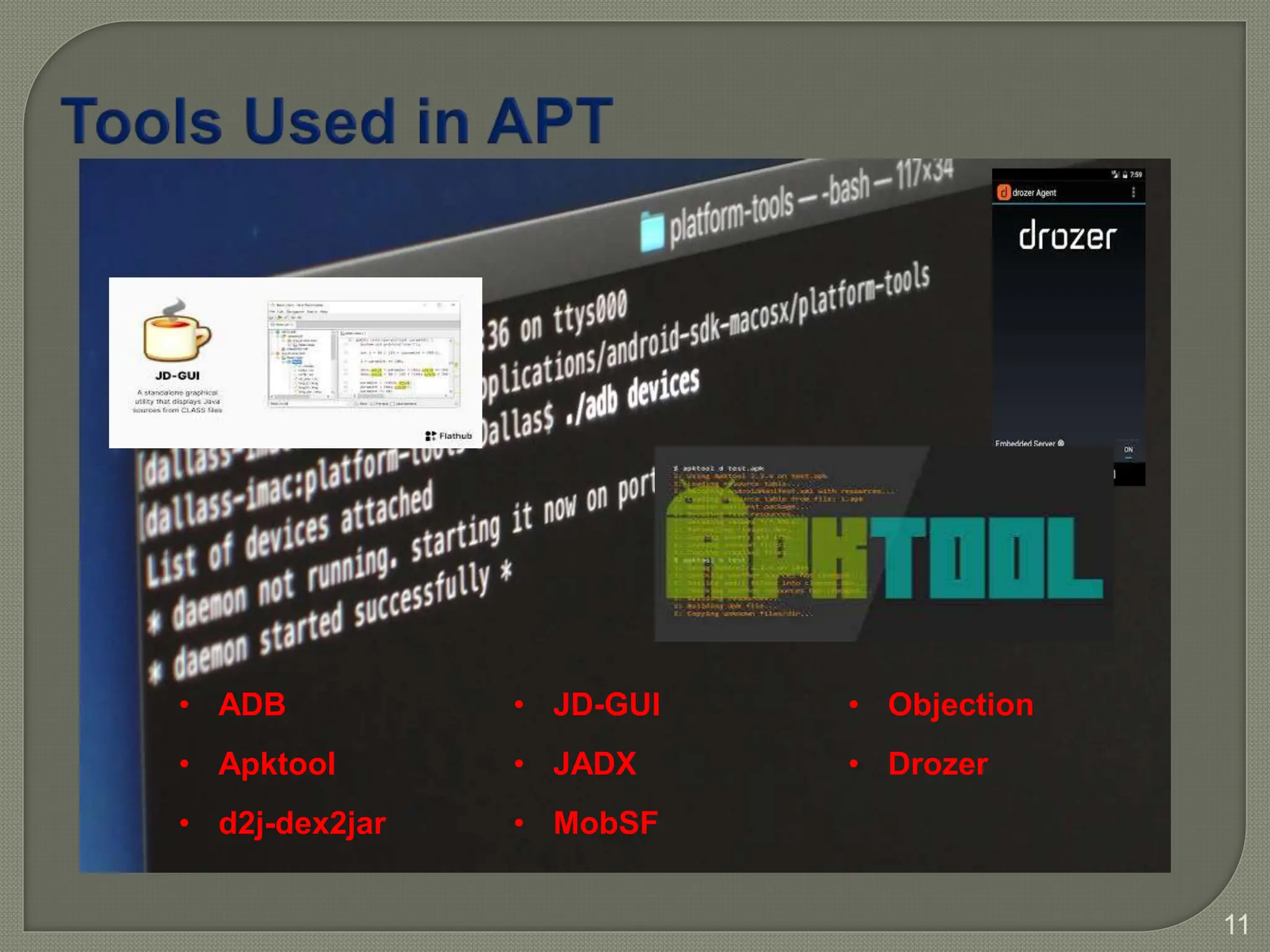
• ADB
• Apktool
• d2j-dex2jar
• JD-GUI
• JADX
• MobSF
• Objection
• Drozer
12
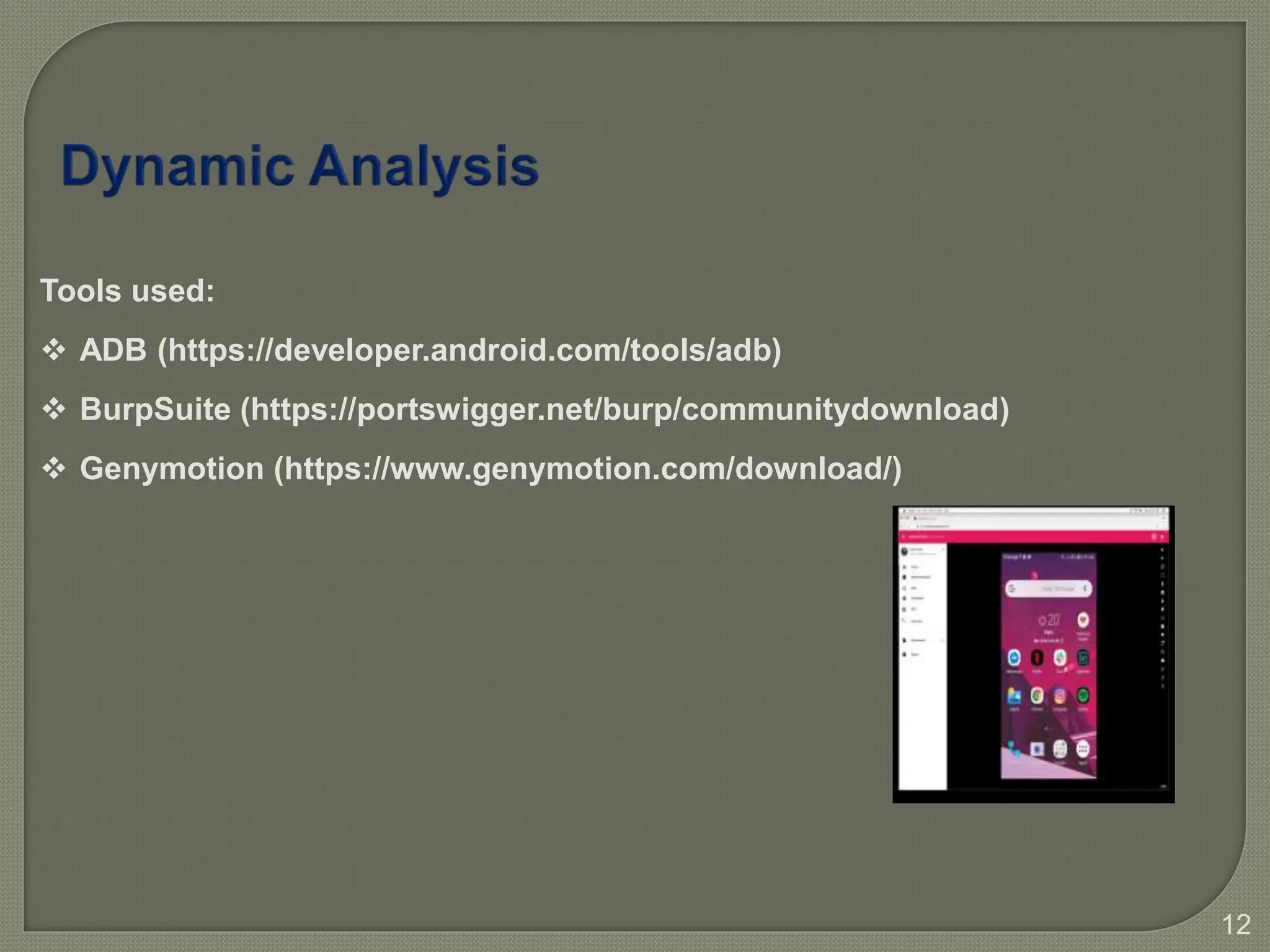
Tools used:
 ADB (https://developer.android.com/tools/adb)
 BurpSuite (https://portswigger.net/burp/communitydownload)
 Genymotion (https://www.genymotion.com/download/)
13
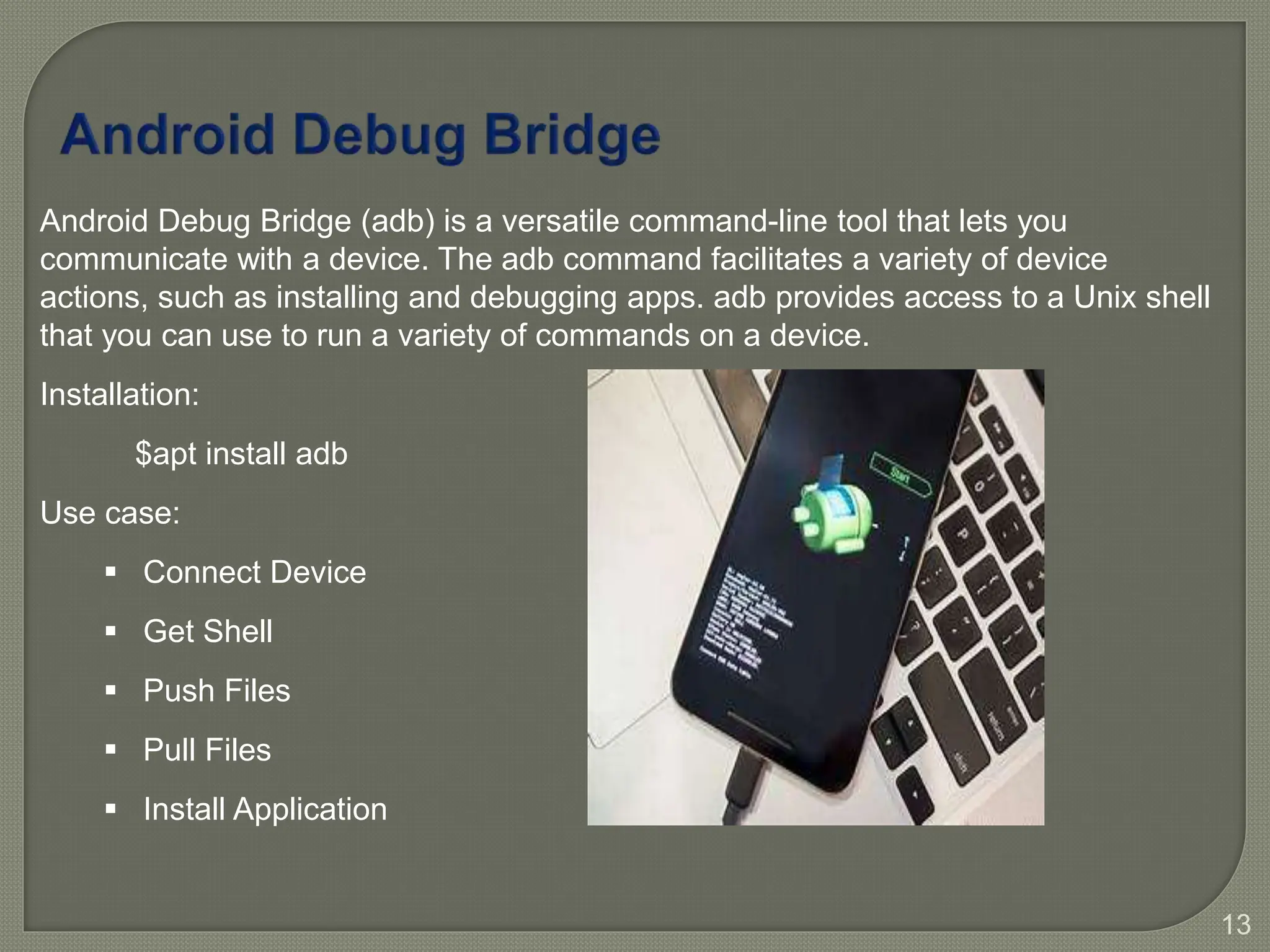
Android Debug Bridge (adb) is a versatile command-line tool that lets you
communicate with a device. The adb command facilitates a variety of device
actions, such as installing and debugging apps. adb provides access to a Unix shell
that you can use to run a variety of commands on a device.
Installation:
$apt install adb
Use case:
 Connect Device
 Get Shell
 Push Files
 Pull Files
 Install Application
14
APK Tool
#apt install apktool
#apktool d <apkfile.apk>
Dex2jar & JD-GUI
#apt install dex2jar
#apt install jd-GUI
JADX
#apt install jadx
15
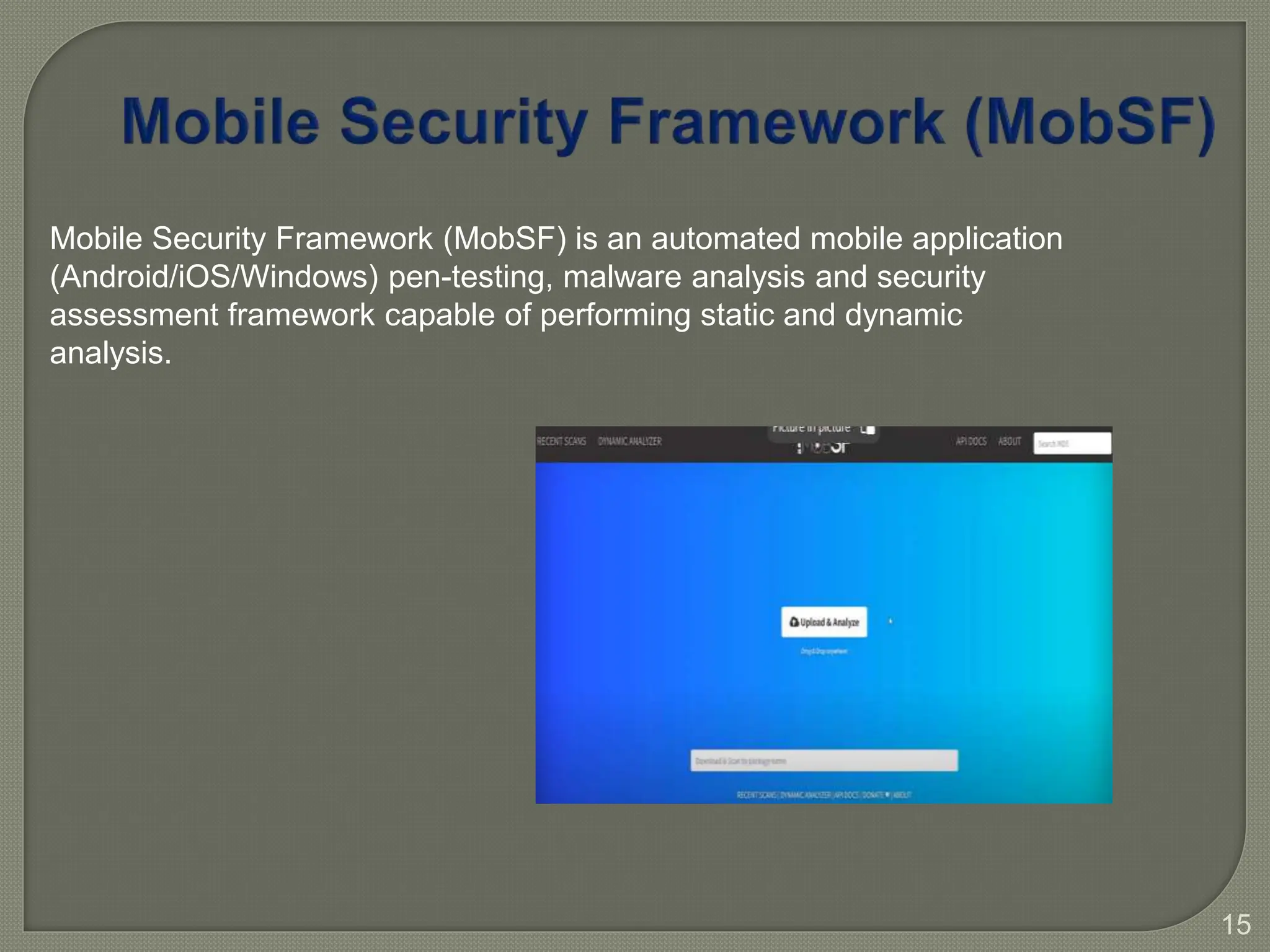
Mobile Security Framework (MobSF) is an automated mobile application
(Android/iOS/Windows) pen-testing, malware analysis and security
assessment framework capable of performing static and dynamic
analysis.
16
Mobile Application Penetration Testing - Android

Mobile Application Penetration Testing - Android

  • 1.
  • 2.
    Introduction Android Architecture and Android Compilation Dynamic Analysis (BurpSuite,Genymotion) jadx, adb, apktool) MobSF Mobile Security Framework (DAST,SAST) Static Analysis (JADX, Secret Keys) OWASP Mobile Top 10
  • 3.
     Purpose ofa penetration test  Goal of a penetration test  Android Penetration Testing is to identify security flaws in an application specially developed for mobile users i.e., Android mobile users. Android Penetration Testing 3 Android is a mobile operating system based on a modified version of Linux kernel and other open-source software, designed primarily for touchscreen mobile devices such as smart phones and tablets.
  • 4.
  • 5.
  • 6.
  • 7.
  • 8.
    8 There are somenecessary building blocks that an Android application consists of. These loosely coupled components are bound by the application manifest file which contains the description of each component and how they interact.
  • 9.
    9  Intents  Widgets Notifications  Manifest  Fragment  View  Layout  Resources Android Additional Components
  • 10.
    10 • APK standsfor Android Package Kit also known as Android Application Package. • APK is a zip file or archive file that contains assembled java code or resources and metadata about them. • APK contains programs code such as dex files (.dex), resources (.arsc), certificates, manifest file. Below is the list of prominent files and folders:  META-INF/  Assests/  AndroidManifest.x ml  lib/  res/  Classes.dex  Resources.arsc
  • 11.
    11 • ADB • Apktool •d2j-dex2jar • JD-GUI • JADX • MobSF • Objection • Drozer
  • 12.
    12 Tools used:  ADB(https://developer.android.com/tools/adb)  BurpSuite (https://portswigger.net/burp/communitydownload)  Genymotion (https://www.genymotion.com/download/)
  • 13.
    13 Android Debug Bridge(adb) is a versatile command-line tool that lets you communicate with a device. The adb command facilitates a variety of device actions, such as installing and debugging apps. adb provides access to a Unix shell that you can use to run a variety of commands on a device. Installation: $apt install adb Use case:  Connect Device  Get Shell  Push Files  Pull Files  Install Application
  • 14.
    14 APK Tool #apt installapktool #apktool d <apkfile.apk> Dex2jar & JD-GUI #apt install dex2jar #apt install jd-GUI JADX #apt install jadx
  • 15.
    15 Mobile Security Framework(MobSF) is an automated mobile application (Android/iOS/Windows) pen-testing, malware analysis and security assessment framework capable of performing static and dynamic analysis.
  • 16.

Editor's Notes

  • #4 is to identify vulnerabilities in the application that an attacker could exploit and to evaluate the effectiveness of the system’s security controls. is not to cause harm to the system but to identify and help fix security weaknesses before they can be exploited by malicious actors.
  • #5 Few Standards we follow during testing: OWASP: Open Web Application Security Project NIST: National Institute of Standard & Technology PTES: Penetration Testing Execution Standard OSSTMM: Open Source Security Testing Methodology Manual
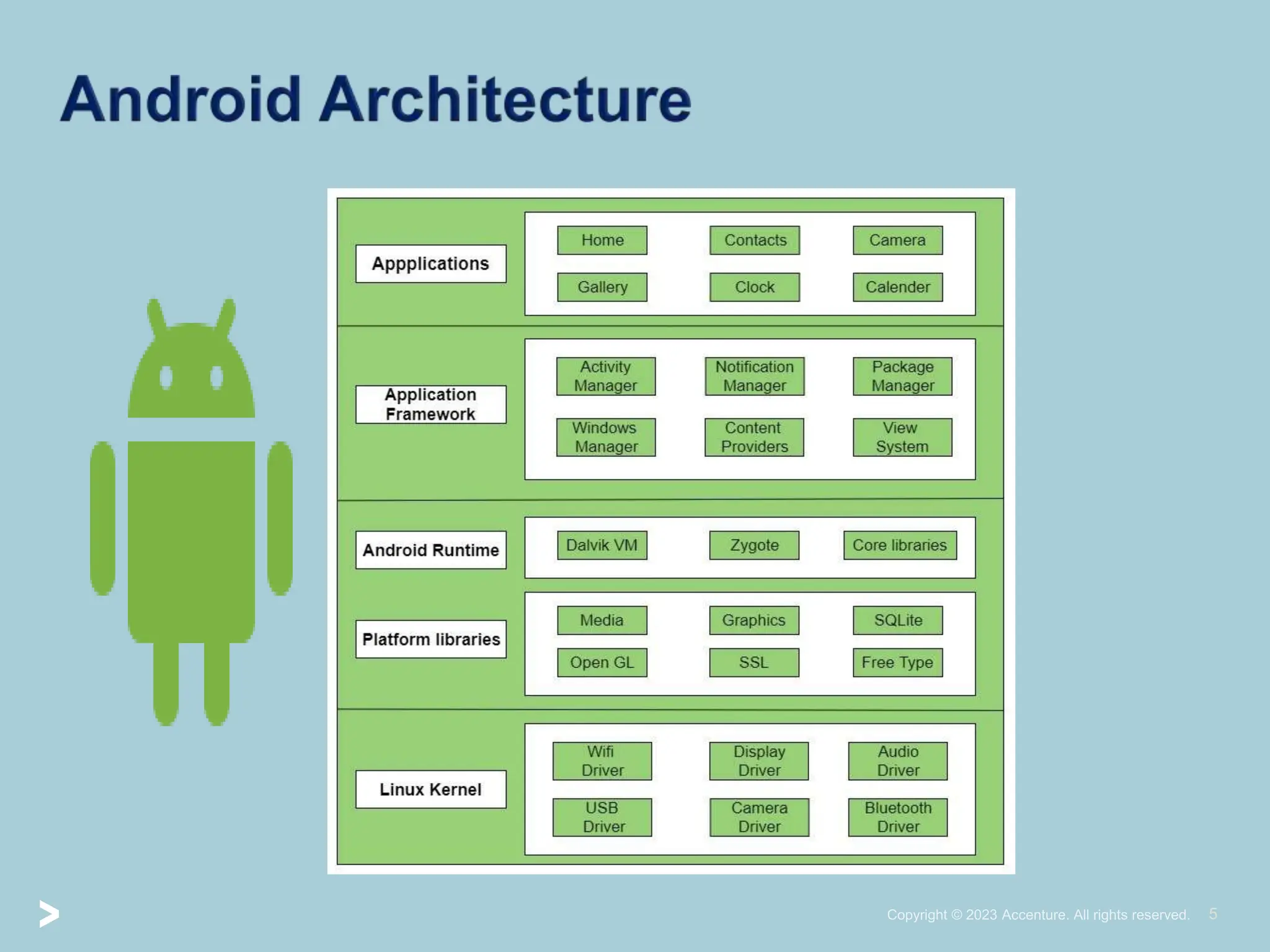
  • #6 Linux Kernel- Heart of the android is bottom layer connected with the hardware.(Memory management, device management, power management etc are responsibility of Linux kernel).All drivers are managed by kernel during run time. It is the abstraction layer between device hardware and remainder of the stack. Hardware Abstraction Layer is hardware specific implementation and provideds the interface between the system service (Camera software) and drivers (camera drivers). Platform Libraries/NativeC/C++ libraries has core libraries present in OS. Like database library is contained into the SQLite, security is managed by SSL. HTML content is displayed based on Webkit as it a open source browser engine used to build the browsers.It allows the application developer to render the web component in the view system using web view.It enables to integrate the web component to the web functionality.Media framework : audio video formats.Graphics: image OpenGL- 2D, 3D , pixels are managed by these libraries to view in the sstem. ART is used to execute app code. Then preceded by DVM which will compile the code to Dalvik exe file which is dex file. This is a run time translation to machine code which is computed to android framework to deliver the android functionality. APP framework: present on top of NL/ART. This API is used by developer to perform certain tasks. Content provided: shares data between apps like contact, calendar. View System: image, buttons , visual component through which user interact. Activity manager: user interacts with the app like stop, start, launch etc.Location manager: location permissions. Package manager: tracking Android app installation, uninstallation , utilizing resource. Notification manager: to notify android user about an event is the responsibility of notification manager. Resource manager: resources required to end users like audio files, text files..Window manager: display on screen, single window or multiple window are managed by windowmanager. Application: System apps can be 3rd party apps like browser, calendar used on top of android to utilize the resource.
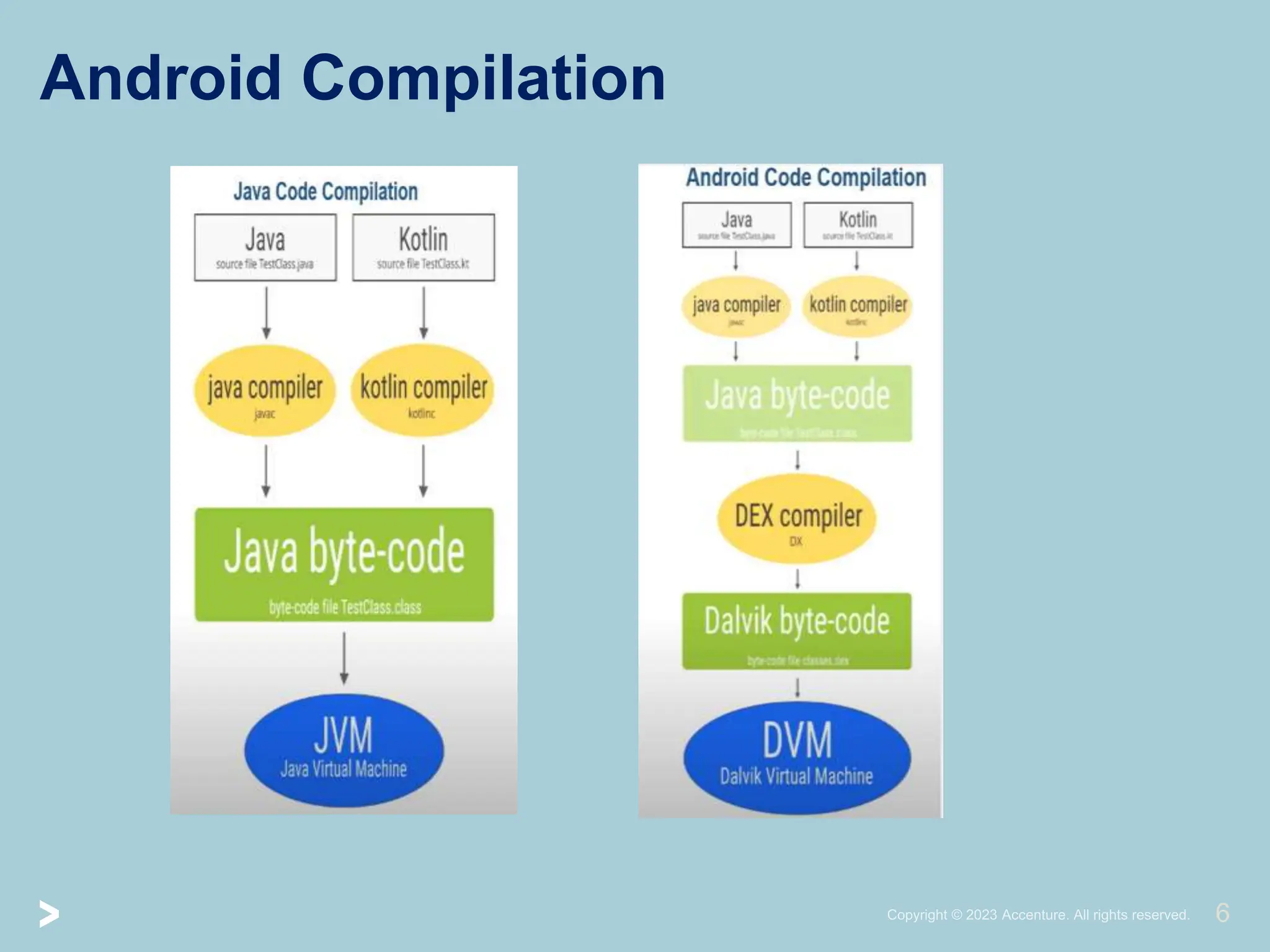
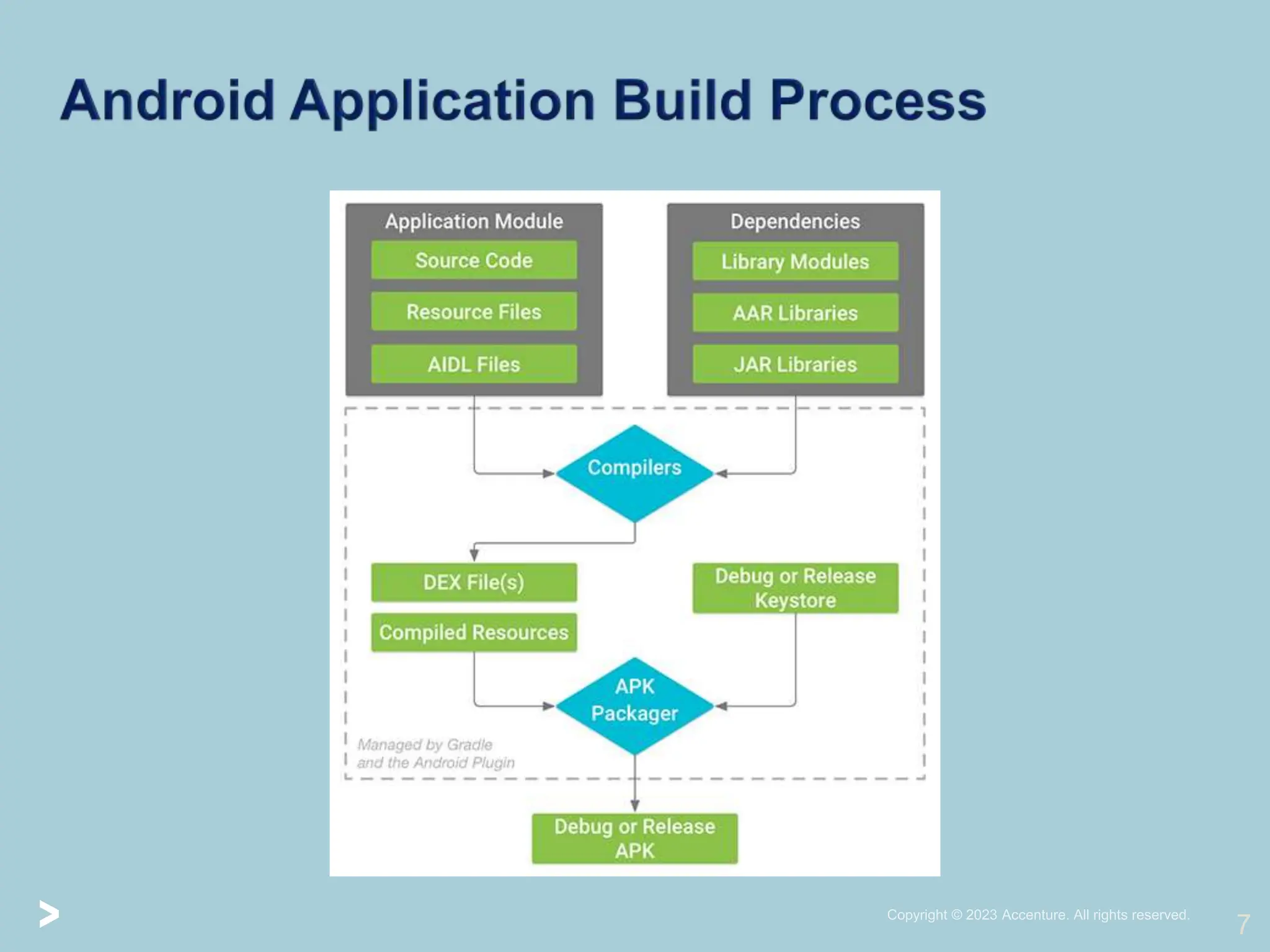
  • #7 In Java, the java code is compiled by compiler to java byte code which allocates the byte code to run on JVM.\ In Android, the java code is compiled to java byte code by the compiler and then it is converted to dex file or dex byte code by dex compiler. And then it is run on a DVM Dalvik Virtual Machine. DVM only understands dex files or dex byte code is now executable on the virtual machine in the Android operating system known as Android Runtime(or Dalvik Virtual Machine(DVM) for android version. Further, the compiled resource unit along with the classes.dex file is compressed by the apkbuilder tool and a zip-like file is created that is termed as Android Package(.apk file). The generated .apk file contains all necessary data to run the Android application. The .apk file generated in the previous step is a ready-to-use application package and developers can use this file for the purpose of app distribution.
  • #9 Activities are said to be the presentation layer of our applications. The UI of our application is built around one or more extensions of the Activity class. By using Fragments and Views, activities set the layout and display the output and also respond to the user’s actions. An activity is implemented as a subclass of class Activity. In short, Activity can be termed as a page where the developer do the designing stuff to handle user interactions. It has 2 layers frontend or backend where xml is used in frontend and java/kotlin in backend. Services are like invisible workers of our app. These components run at the backend, updating your data sources and Activities, triggering Notification, and also broadcast Intents. It doesnot have any user interface. They also perform some tasks when applications are not active. A service can be used as a subclass of class Service. Eg: music player running in the background. CP: It is used to manage and persist the application data also typically interacts with the SQLite database,file system or webserver. They are also responsible for sharing the data beyond the application boundaries. The Content Providers of a particular application can be configured to allow access from other applications, and the Content Providers exposed by other applications can also be configured.  BR:They are known to be intent listeners as they enable your application to listen to the Intents that satisfy the matching criteria specified by us. Broadcast Receivers make our application react to any received Intent thereby making them perfect for creating event-driven applications. App can send and receive broadcast messages from other apps or android system which sends broadcast automatically when various event occurs.Eg: charging the device or receiving the SMS the android system sends a broadcast on that particular event. All 4 components should be registered/binded in the manifest.
  • #10 Manifest: Manifest holds the configuration of an app. Whatever component is developed as part of the application should be declared in androidmanifest.xml file Fragment: Fragment is a part of an activity and using it we can design UI more structural. It has own lifecycle. View: Any UI element drawn on the screen such as buttons, images,forms , lists etc .These are views. Layout: layouts are basically used to construct the design in which views could be fit in. Intents:It is a powerful inter-application message-passing framework. They are extensively used throughout Android. Intents can be used to start and stop Activities and Services, to broadcast messages system-wide or to an explicit Activity, Service or Broadcast Receiver or to request action be performed on a particular piece of data.Eg: opening a activity from another activity, starting a service from an activity. Resources: these are external elements such as strings, colors, constraitns, drawable images and so on. We should always externalize app resources so that we can minimize them independently. Widgets:These are the small visual application components that you can find on the home screen of the devices. They are a special variation of Broadcast Receivers that allow us to create dynamic, interactive application components for users to embed on their Home Screen. Notifications:Notifications are the application alerts that are used to draw the user’s attention to some particular app event without stealing focus or interrupting the current activity of the user. They are generally used to grab user’s attention when the application is not visible or active, particularly from within a Service or Broadcast Receiver. Examples: E-mail popups, Messenger popups, etc. To sum up application components are the necessary building blocks that an android app consists of. All components are bound by app manifest file . App manifest file also contains app meta data.
  • #11 An APK file contains all of a program's code (such as . dex files), resources, assets, certificates, and manifest file. As is the case with many file formats, APK files can have any name needed, but it may be required that the file name ends in the .APK file extension for all that elements that an app need to run properly. META-INF contains manifest file, cert.sh. Lib contains compiled code that are platform dependent. ARM, X86,x64 Res the directory containing resources not compiled into resources.arsc (see below). Assests a directory containing applications assets, which can be retrieved by AssetManager. AndroidManifest.xml file describes the application such as name of the app, version number, access rights, reference libraries used in app. This contains Binary xml of the android and can be converted to human readable. Classes.dex – compiled in dex format. This is executed by ART Resources.arsc- contains precompiled resources such as binary xml.
  • #13 Download Genymotion & Burpsuite community edition. Select appropriate Android API (7.1 API 25) and appropriate android device (Google nexus6). In the next step , name it and then select network type as NAT or bridge as per your environment. Now configure ProxyListener, Proxy->options->add proxy (port & all interface).hit OK Start AVD Export certificate: proxy Listeners->export certificate->cert in der format->select file/folder -> save Now, put the exported cert in mobile device. Drag and drop the cert to mobile device.It will be in downloads folder. In mobile, all the certificate should be in crt format.rename it to .crt Install it from settings if it is low versions, more than 9 version doubt tap. Security->install from sdcard->downloads->double tap->name it->chose the lock if asked. Check the ip of the host hosting burpsuite. Go to AVD, select wifi->modify network wifissid->advanced options->proxy to manual->add host ip->proxy listener port->save (verify by going to browser and check burp capture). Now we need to do the analysis of the application i.e apk file. But as we download the apk file , install we see the mobile app is unable to connect to the app server. Also burp is unable to intercept the traffic.This is due to implementation of SSL library inside the apk. The library authenticates the client with the server. So there are lot of ways to bypass the SSL using Frida, objection or apk mitm tool. We will use universal script called Frida . To setup Frida we need to install Frida server first. Go to Frida releases in browser,->github link->search server->server based on architecture (x86,x64 or ARM). Once downloaded we will push it to android using adb shell. Install adb first. Then in cmd prompt Path>Adb push Frida_server /data/local/tmp Path>Adb shell chmod 777 /data/local/tmp/frida_server Now we need is frida universal script. Universal frida SSL bypass script is the javacode used to bypass ssl of any app.(90% app will be bypassed). Search for frida universal ssl pinning bypass in google.(https://codeshare.frida.re) Copy paste the code and create a javascript locally in the system., You have to make sure that you will put a certificate ( from the code) in the adb shell in this format. Path>adb push cert.der /data/local/tmp/(fromthecode)cert-der.crt Go and check if its there Adb shell Su Cd /local/daa/tmp You need to make sure you have installed frida tools. Go to google search for frida tools. https://Frida.re. install it if you have python3.1 and pip installed.then pip install frida-tools command is enough. Since I am familiar with linux, will use in linux. >>Adb connect ip:port now that we will be bypassing SSL we need to know the package name of the application apk. >>Adb shell ps ( for running apps so run once to check properly) Whenever we had to bypass SSL pinning, we need to start frida server inside adb shell. Now from windows cmd ,as we have frida server so we need to go to Adb shell ./frida_server ( it will start) As we saw initially it was not getting connected to app server, now we will bypass and see how it will react. In linux, Frida –u –f com.duolingo –l frida.js –no-paus Now we can see that the app is communicating to the server and traffic is captured in burp suite.
  • #14 Adb devices Adb connect ip:port Adb shell ( to get the shell of the android once connected) #whoami #cd /data/data #ls –l (lists package and unique userid i.e sandboxing) #exit #pm list packages #exit $echo “text” >apt.txt $adb push apt.txt /data/local/tmp $adb shell #cat /data/local/tmp/apt.txt #exit $adb pull /data/local/tmp/apt.txt $ls $adb install name.apk
  • #15 Reversing Android Apps ApkTool is a java-based tool that allows you to recompile, compile, and decompile APK files1. It is used for reverse engineering 3rd party, closed, binary Android apps. ApkTool can decode resources to nearly original form and rebuild them after making modifications, making it possible to debug smali code step by step. 1. APK tool to decompile the android apk file. 2. In dex2jar, we convert APK file to jar file or we can dex to jar file. Then to JAVA. In order to convert from DEX to JAR , we use dex2jar tool which has d2j-dex2jar utility. Using this utility, we can then use our jar archive file to open in jd-gui. $d2j-dex2jar <name.apk> : will convert apk file to jar file $jd-gui 3. In Jadx, this will directly convert APK to JAVA $apt install JADX Output is best
  • #16 Mobsf is used for both Static analysis as well as Dynamic analysis. Easy Installation using Docker: $sudo apt install docker.io $sudo docker pull opensecurity/mobile-security-framework-mobsf $sudo docker image ls –a $sudo docker run –d –p 8000:8000 <image_id> $sudo docker container ls –a Now we can access using browser Localhost:8000 It will take some time based on the usage of apk file size because in the backend Mobsf will unpack the apk and mob controller will visit each and every page and every code in folder structure. It will try to find sensitive things or strings which is why it takes some amount of time. It will make the structure so as to make the user friendly.
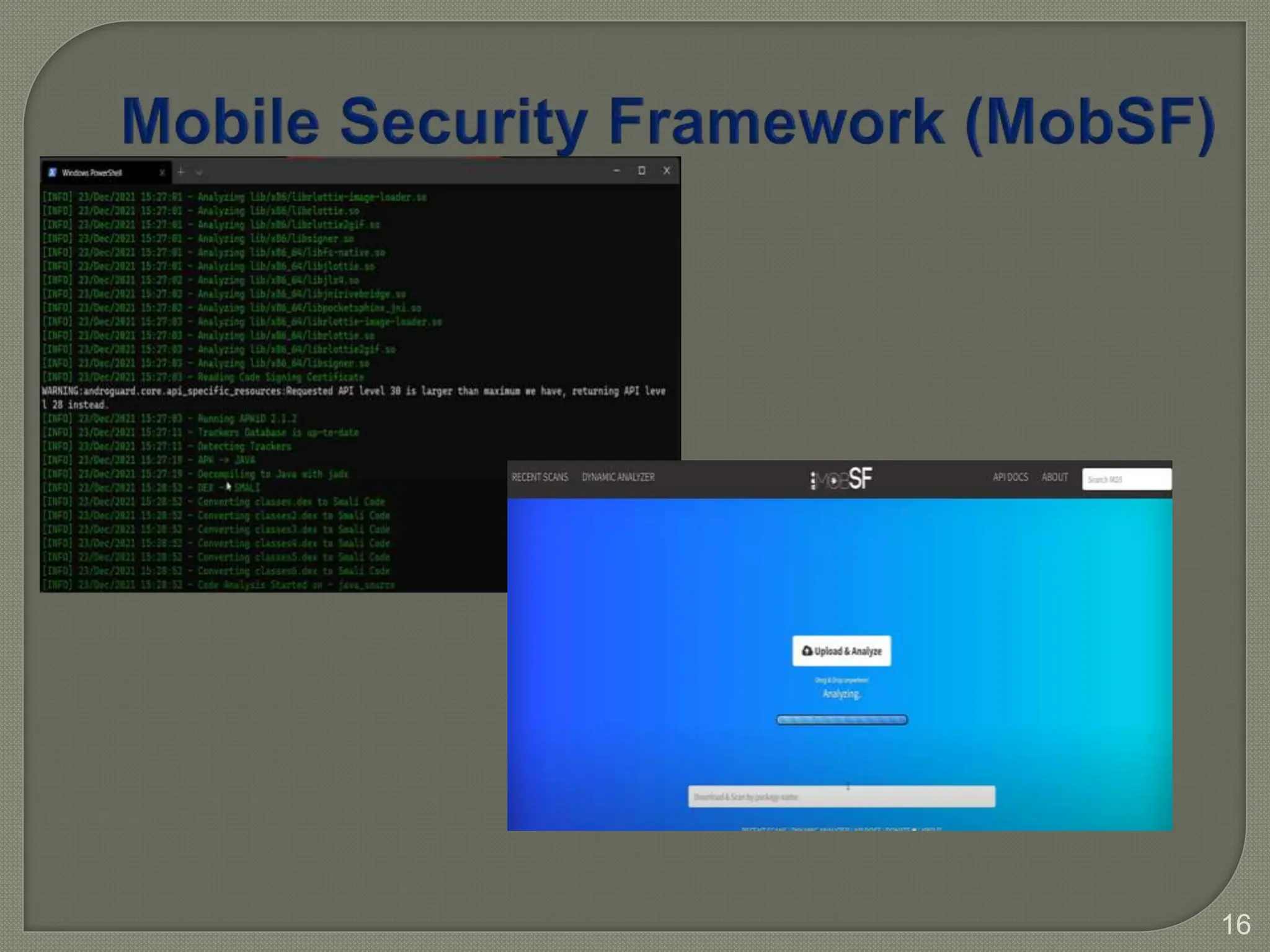
  • #17 In the backend APK is extracted,then the manifest data is extracted from manifest file. It will analyze the library files , shared object files (.so). Decompiling JAVA with JADX that is inbuilt.Converting DEX files to smali files code.Analyze the code which is why it takes time analyzing. Another good tool is Expose installer widely used. MobSF is the tool having great features and I will be using it for this session.
  • #18 Improper Credential Usage’ Insecure credential management can occur when mobile apps use hardcoded credentials or when credentials are misused. Here are some indicators that your mobile app may be vulnerable: Hardcoded Credentials - If the mobile app contains hardcoded credentials within the app’s source code or any configuration files, this is a clear indicator of vulnerability. Insecure Credential Transmission - If credentials are transmitted without encryption or through insecure channels, this could indicate a vulnerability. Insecure Credential Storage - If the mobile app stores user credentials on the device in an insecure manner, this could represent a vulnerability. Weak User Authentication - If user authentication relies on weak protocols or allows for easy bypassing, this could be a sign of vulnerability. Authentication and authorization are fundamental pillars of any secure system, including mobile applications. Authentication verifies the identity of users, ensuring that they are who they claim to be, while authorization determines the level of access and actions users are allowed to perform within the system. inadequate supply chain vulnerability It is possible that you are vulnerable to inadequate supply chain vulnerability, particularly if you use mobile applications that are developed by third-party developers or rely on third-party libraries and components. The vulnerability can arise due to a variety of reasons, such as: Lack of Security in Third-Party Components: Third-party components, such as libraries or frameworks, can contain vulnerabilities that can be exploited by attackers. If the mobile application developer does not vet the third-party components properly or keep them updated, the application can be vulnerable to attacks. Malicious Insider Threats: Malicious insiders, such as a rogue developer or a supplier, can introduce vulnerabilities into the mobile application intentionally. This can occur if the developer does not implement adequate security controls and monitoring of the supply chain process. Inadequate Testing and Validation: If the mobile application developer does not test the application thoroughly, it can be vulnerable to attacks. The developer may also fail to validate the security of the supply chain process, leading to vulnerabilities in the application. Lack of Security Awareness: If the mobile application developer does not have adequate security awareness, they may not implement the necessary security controls to prevent supply chain attacks. Insecure authentication and authorization can lead to a multitude of risks, including unauthorized access, data breaches, and compromised user accounts. Attackers exploit these vulnerabilities to gain unauthorized entry, manipulate sensitive information, and compromise the integrity of the entire application. Insufficient input/output validation vulnerability occurs when an application fails to properly check and sanitize user input or validate and sanitize output data. Insecure Communication: While modern applications can sometimes have flaws in their implementations like: Using deprecated protocols and/or bad configuration settings; Accepting bad ssl certificates (self-signed, revoked, expired, wrong host…); or Inconsistency (having SSL/TLS only on select workflows such as authentication). Inadequate Privacy Controls Privacy controls are concerned with protecting Personally Identifiable Information (PII), e.g., names and addresses, credit card information, e-mail and IP addresses, information about health, religion, sexuality and political opinions. Insufficient Binary Protection Attackers who target app binaries are motivated by various reasons. The binary could contain valuable secrets, such as commercial API keys or hardcoded cryptographic secrets that an attacker could misuse. In addition, the code in the binary could be valuable on its own, for example, because it contains critical business logic or pre-trained AI models. Some attackers might also not target the app itself but use it to explore potential weaknesses of the corresponding backend to prepare for an attack. Security misconfiguration in mobile apps refers to the improper configuration of security settings, permissions, and controls that can lead to vulnerabilities and unauthorized access. Threat agents who can exploit security misconfigurations are attackers aiming to gain unauthorized access to sensitive data or perform malicious actions. Insecure data storage in a mobile application can attract various threat actors to exploit the vulnerabilities and gain unauthorised access to sensitive information. These threat actprs target mobile apps to extract valuable data, malicious insiders within the organisation or app development team who misuse their privileges, state-sponsored actors conducting cyber espionage, cybercriminals seeking financial gain through data theft or ransom, script kiddies utilising pre-built tools for simple attacks, data brokers looking to exploit insecure storage for selling personal information, competitors and industrial spies aiming to gain a competitive advantage, and activists or hacktivists with ideological motives. Threat agents who exploit insecure cryptography in mobile applications can effect or undermine the confidentiality, integrity, and authenticity of sensitive information. These attackers target cryptographic algorithms or implementations to decrypt sensitive data, malicious insiders who manipulate cryptographic processes or leak encryption keys, state-sponsored actors engaged in cryptanalysis for intelligence purposes, cybercriminals who exploit weak encryption to steal valuable data or conduct financial fraud, and attackers who leverage vulnerabilities in cryptographic protocols or libraries.