Boris A. Velikovich
July 11, 2013
 Boris A. Velikovich – Software Architect
 Email: boris.velikovich@exostar.com
 LinkedIn: www.linkedin.com/in/bvelikovich/
 Blog: http://kiwiboris.blogspot.com
 Twitter: @BVelikovich
 Since 2007, I have been working for Exostar
 Involved in A&D and Big Pharma projects
 Leading provider of secure collaboration
solutions and business process integration
throughout the extended value chain.
 Exostar’s ForumPass is a cloud-based, enterprise-
class, complete B2B project collaboration service
offering.
 ForumPass executes within Exostar’s Community
Cloud, a connect-once environment anchored by
Exostar’s Identity Hub that brings companies and
their customers, partners, and suppliers together.
 One of the ForumPass site collections is 8 TB
 This is twice as large as the recommended maximum
 More than 30,000 users
 Migrating the farm to SharePoint 2010
 The huge site collection needs to be split
 For this reason, this kind of migration cannot be
done using the conventional methods, such as in-
place migration or database attach
 At least 99% of data should be preserved during the
migration
 We chose Metalogix Content Matrix as our
migration software
 Allows read-only direct connection to the source
database - important for performance reasons
 Metalogix allows scripting migration activities
 Provides PowerShell cmdlets
 Allows running several migration activities
simultaneously, thus speeding up the process
 Allows full and incremental copies
 Important because incremental copies take less time
than full copies
 Each script can take parameters
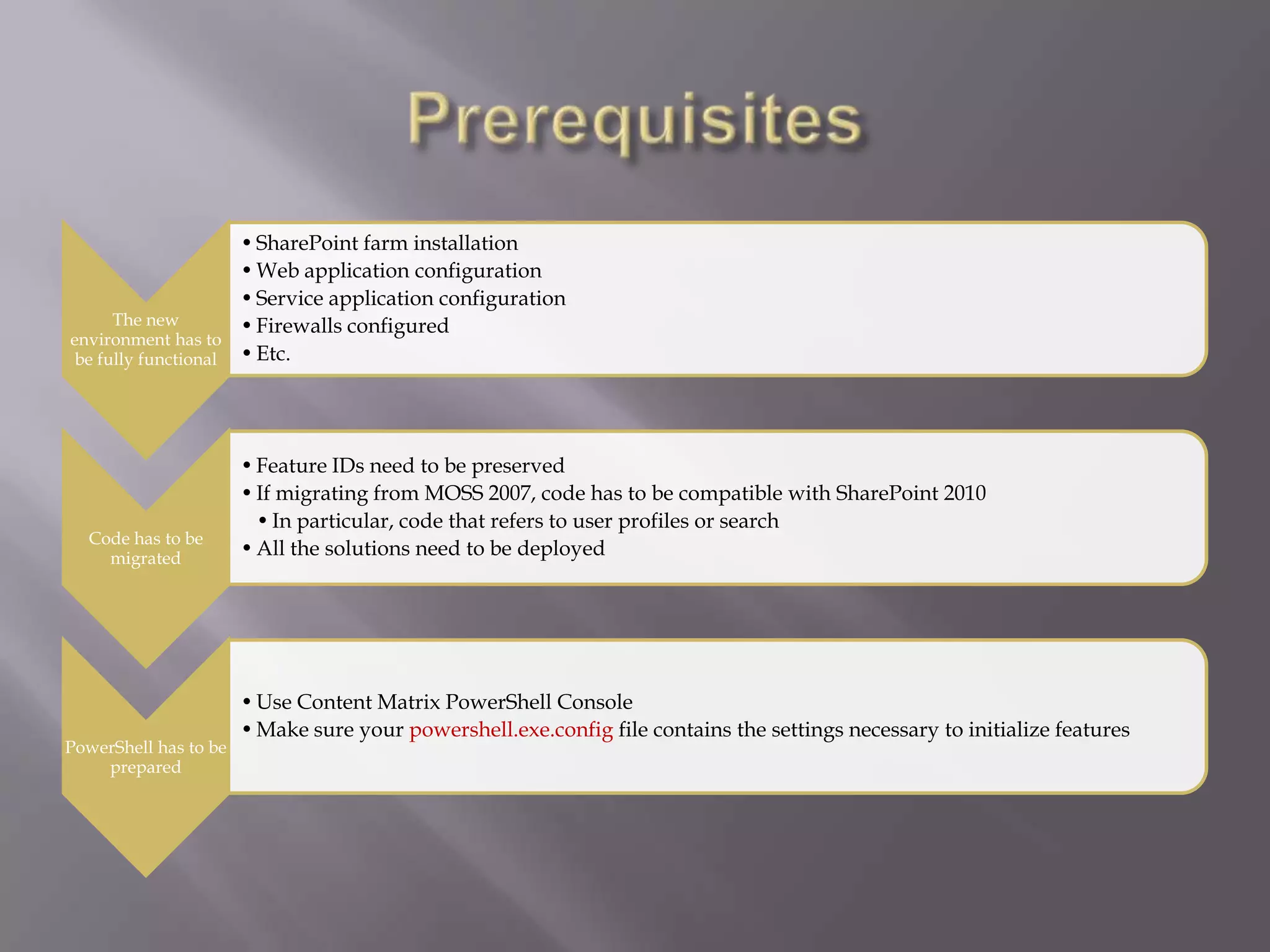
The new
environment has to
be fully functional
•SharePoint farm installation
•Web application configuration
•Service application configuration
•Firewalls configured
•Etc.
Code has to be
migrated
•Feature IDs need to be preserved
•If migrating from MOSS 2007, code has to be compatible with SharePoint 2010
•In particular, code that refers to user profiles or search
•All the solutions need to be deployed
PowerShell has to be
prepared
•Use Content Matrix PowerShell Console
•Make sure your powershell.exe.config file contains the settings necessary to initialize features
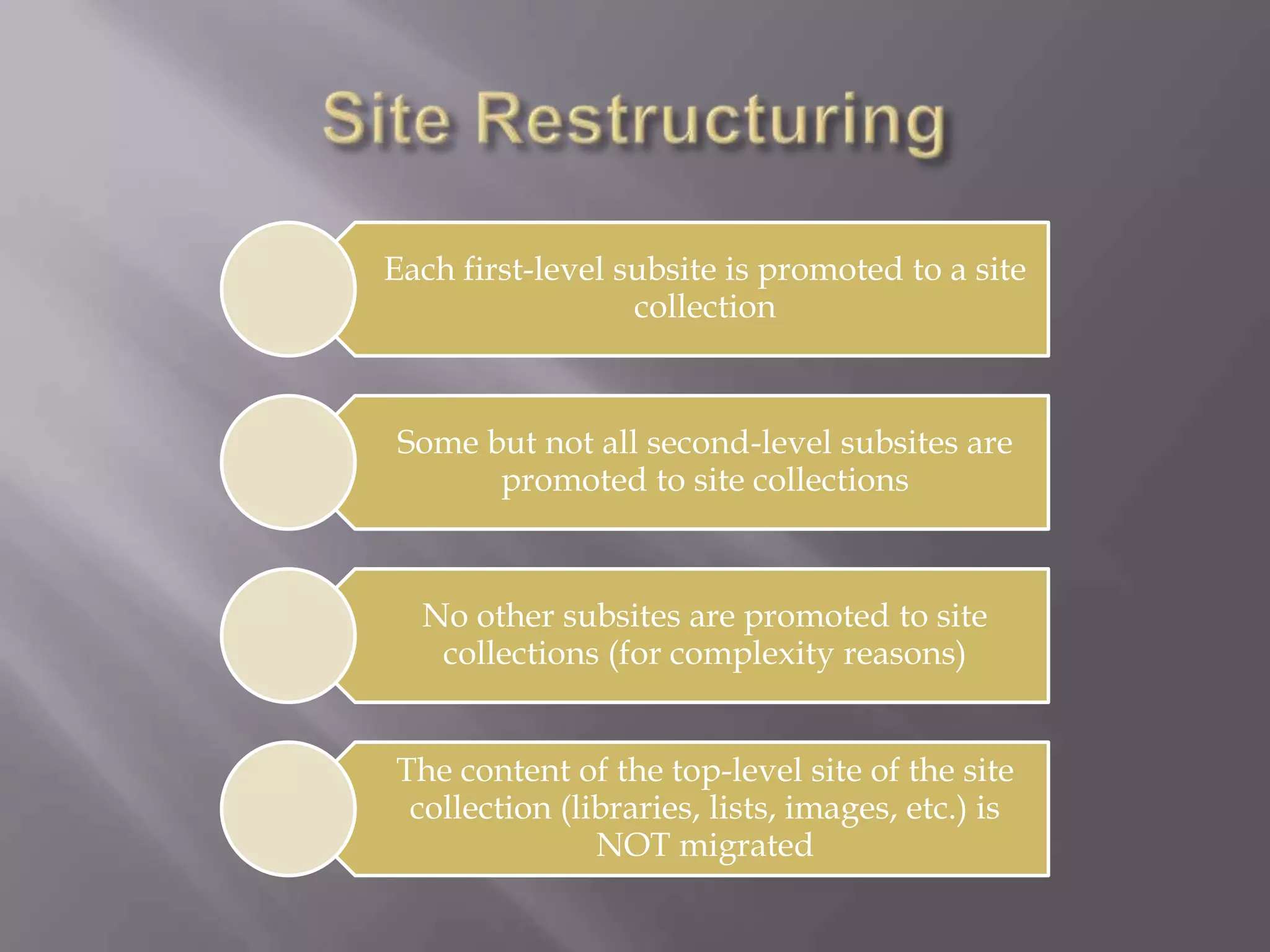
Each first-level subsite is promoted to a site
collection
Some but not all second-level subsites are
promoted to site collections
No other subsites are promoted to site
collections (for complexity reasons)
The content of the top-level site of the site
collection (libraries, lists, images, etc.) is
NOT migrated
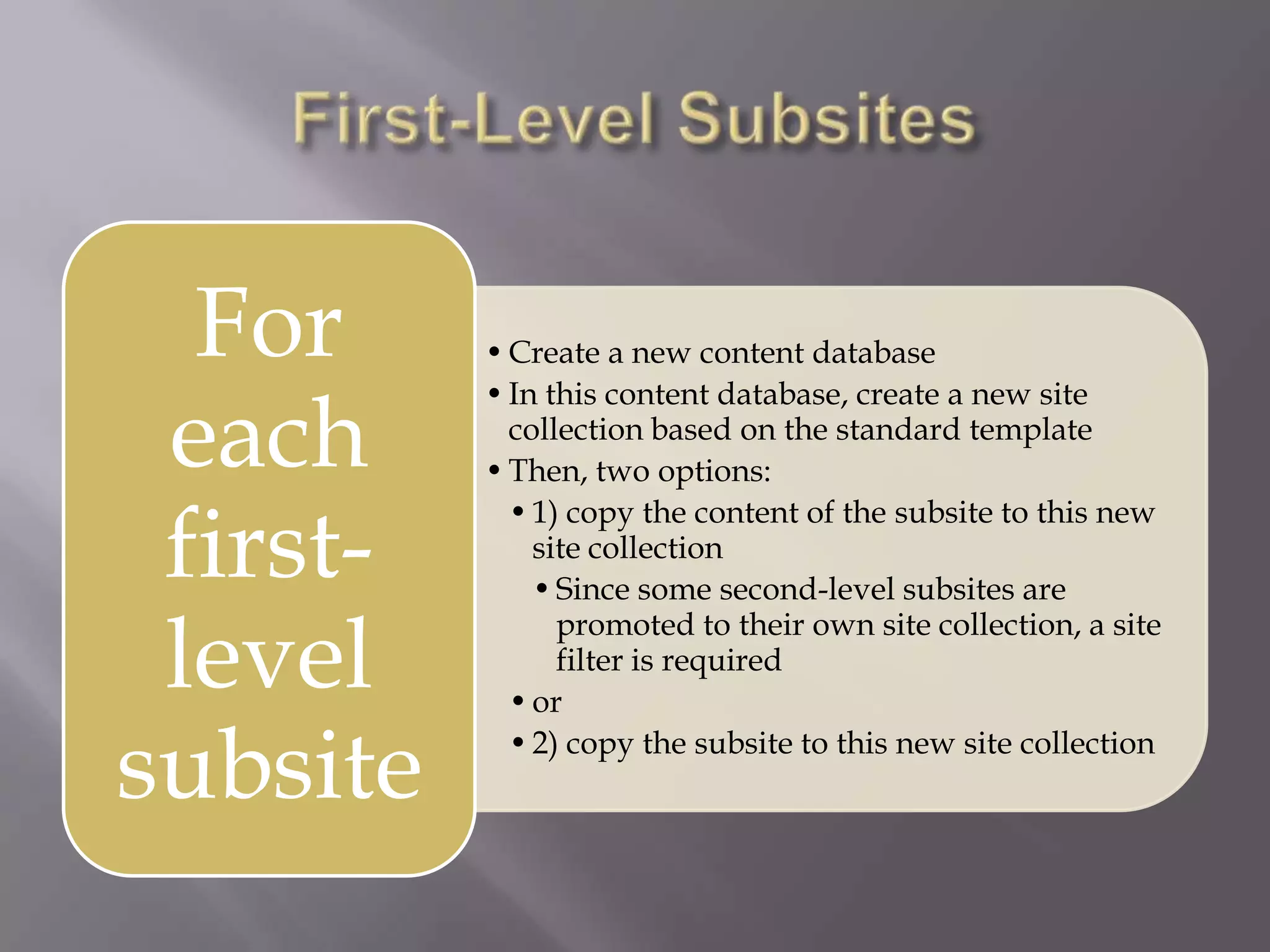
•Create a new content database
•In this content database, create a new site
collection based on the standard template
•Then, two options:
•1) copy the content of the subsite to this new
site collection
•Since some second-level subsites are
promoted to their own site collection, a site
filter is required
•or
•2) copy the subsite to this new site collection
For
each
first-
level
subsite
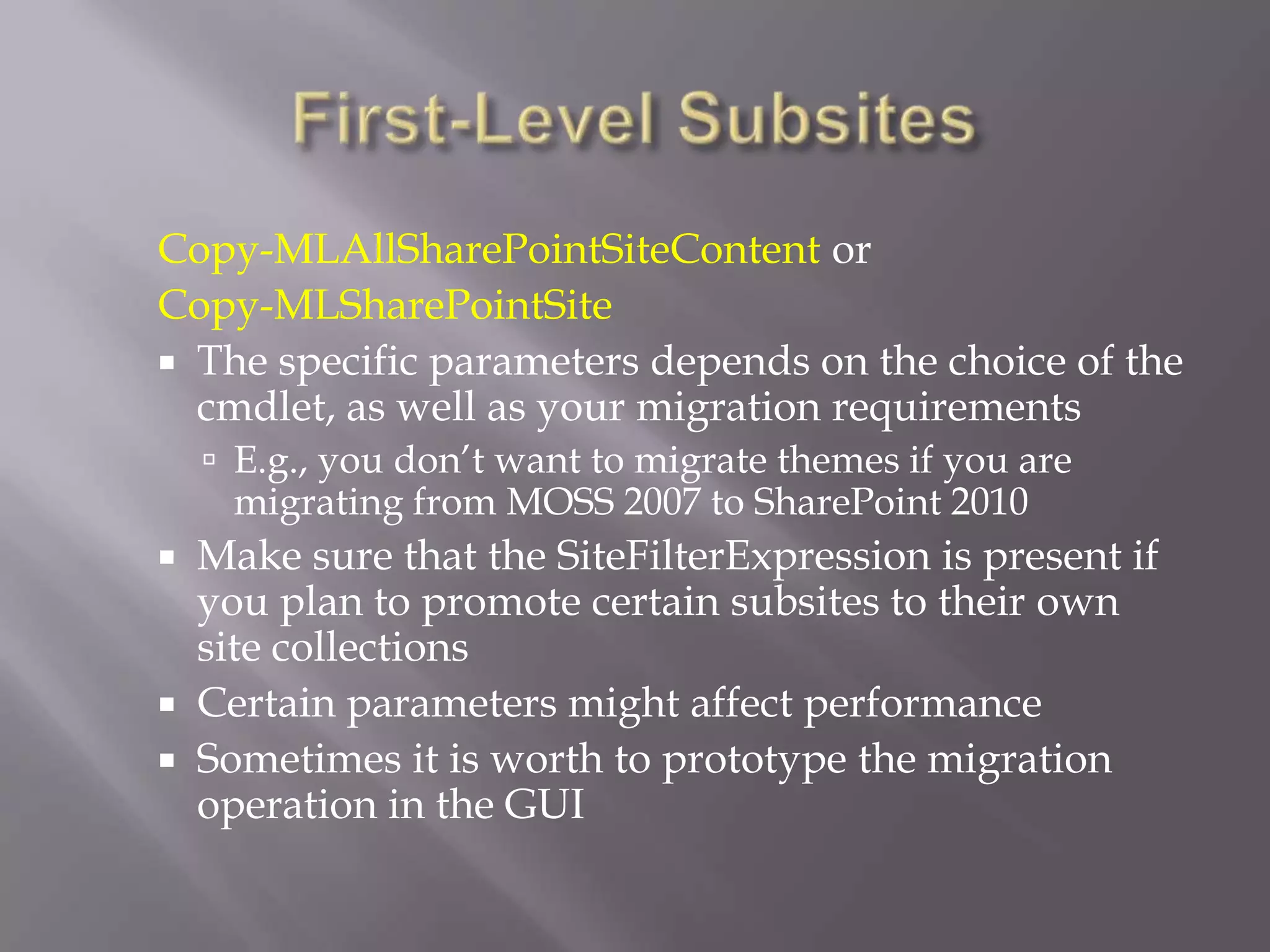
Copy-MLAllSharePointSiteContent or
Copy-MLSharePointSite
 The specific parameters depends on the choice of the
cmdlet, as well as your migration requirements
 E.g., you don’t want to migrate themes if you are
migrating from MOSS 2007 to SharePoint 2010
 Make sure that the SiteFilterExpression is present if
you plan to promote certain subsites to their own
site collections
 Certain parameters might affect performance
 Sometimes it is worth to prototype the migration
operation in the GUI
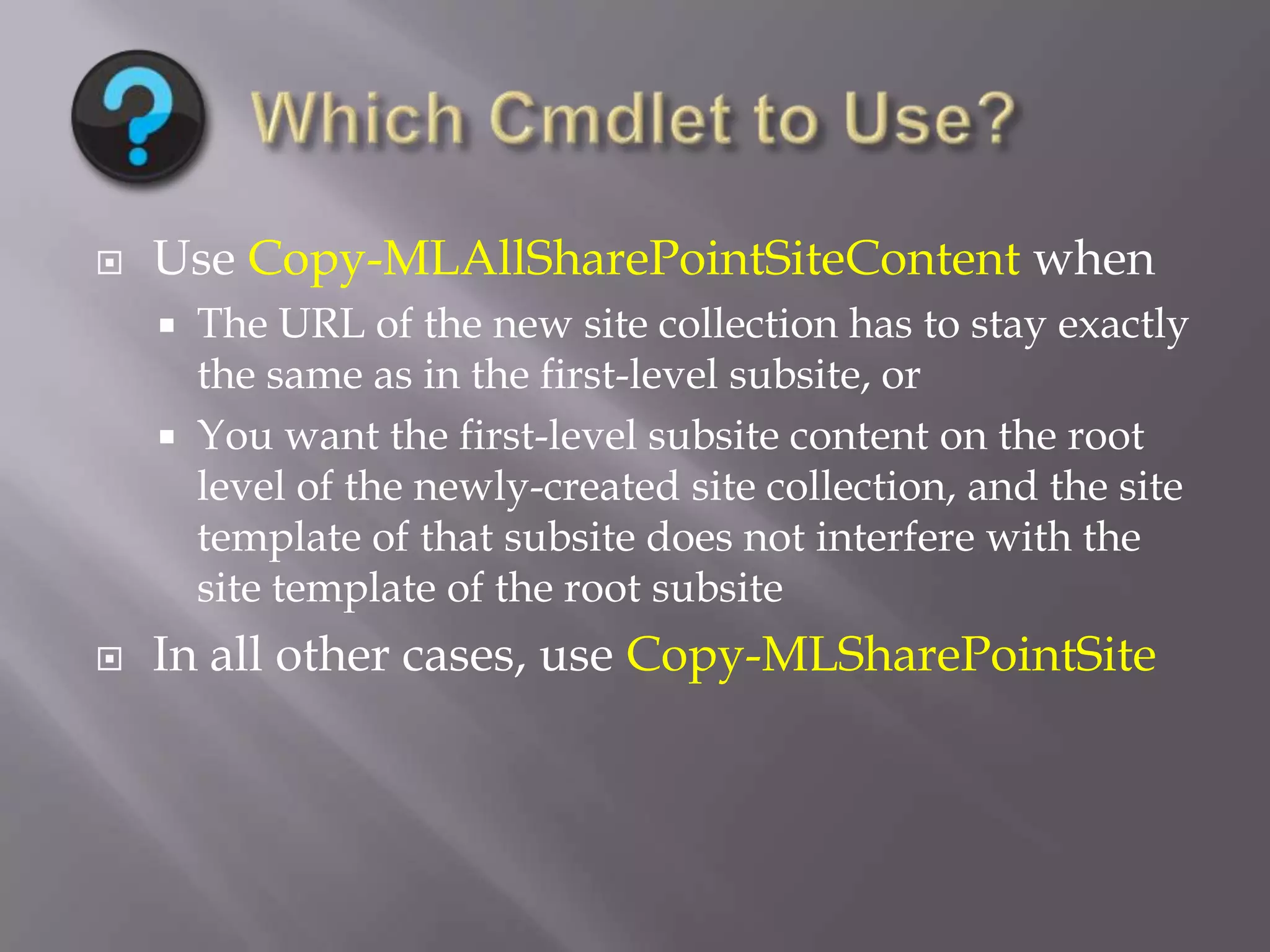
 Use Copy-MLAllSharePointSiteContent when
 The URL of the new site collection has to stay exactly
the same as in the first-level subsite, or
 You want the first-level subsite content on the root
level of the newly-created site collection, and the site
template of that subsite does not interfere with the
site template of the root subsite
 In all other cases, use Copy-MLSharePointSite
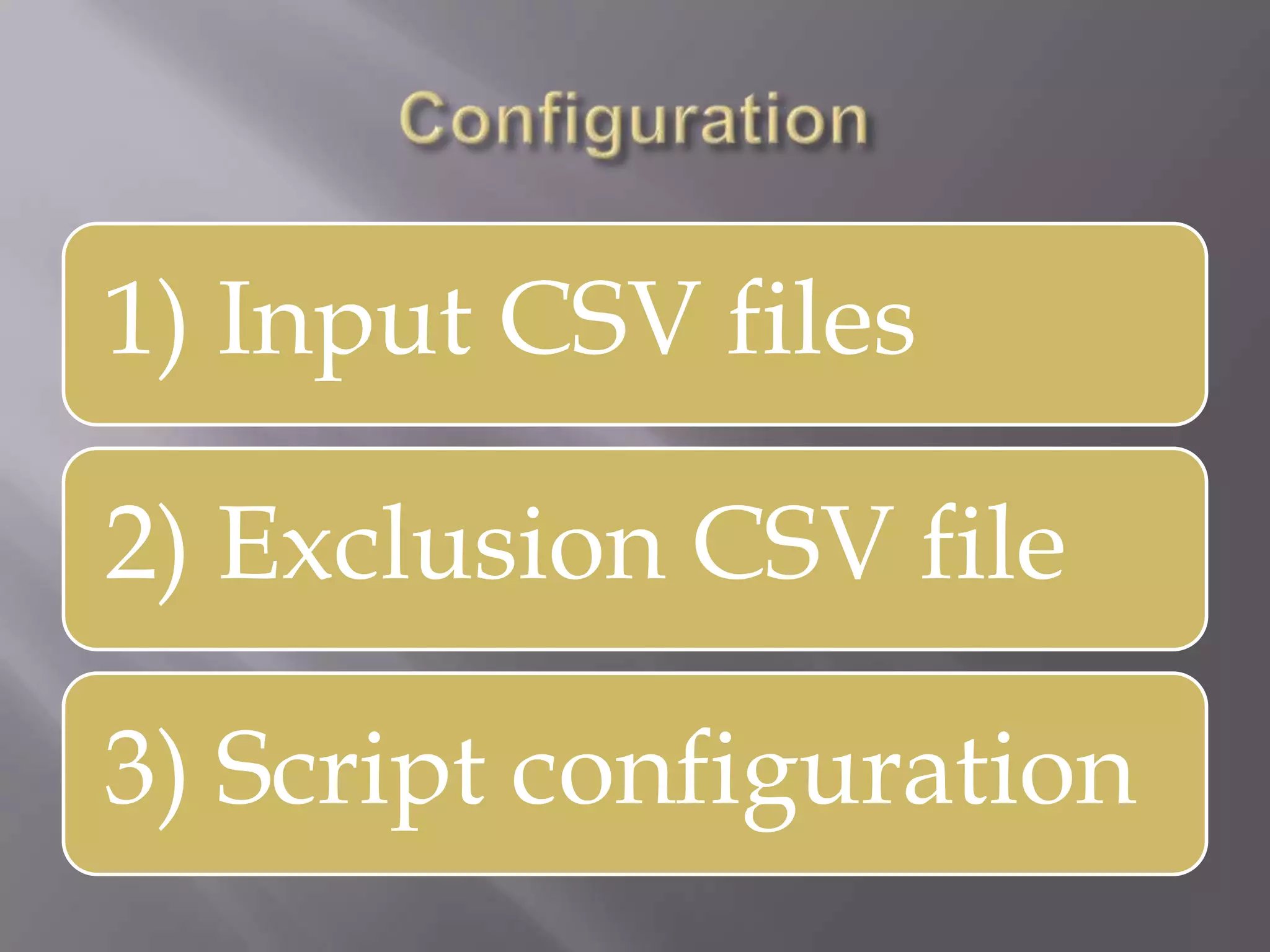
1) Input CSV files
2) Exclusion CSV file
3) Script configuration
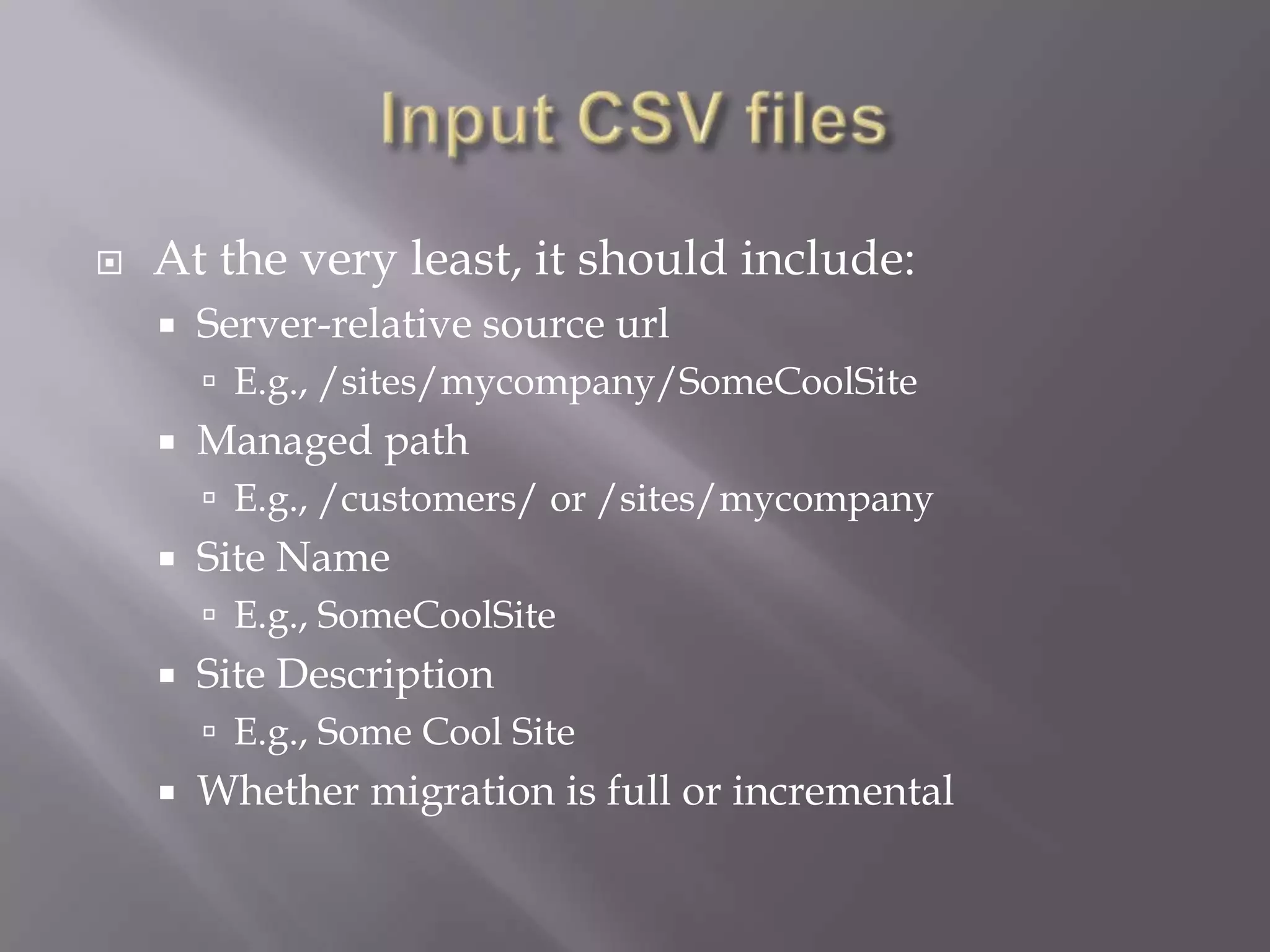
 At the very least, it should include:
 Server-relative source url
 E.g., /sites/mycompany/SomeCoolSite
 Managed path
 E.g., /customers/ or /sites/mycompany
 Site Name
 E.g., SomeCoolSite
 Site Description
 E.g., Some Cool Site
 Whether migration is full or incremental
 At the very least, it should contain the site-
collection-relative URLs of excluded subsites
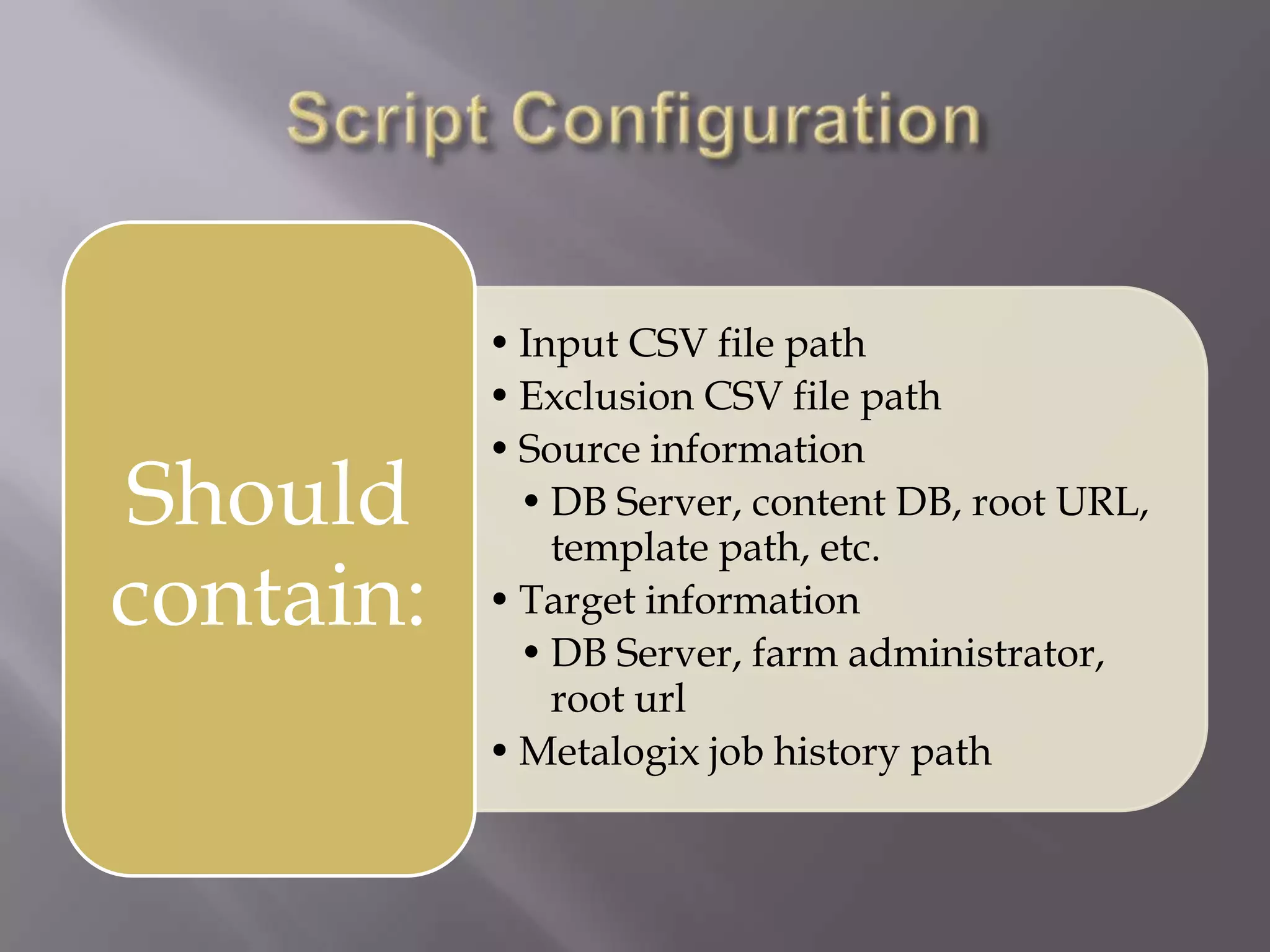
• Input CSV file path
• Exclusion CSV file path
• Source information
• DB Server, content DB, root URL,
template path, etc.
• Target information
• DB Server, farm administrator,
root url
• Metalogix job history path
Should
contain:
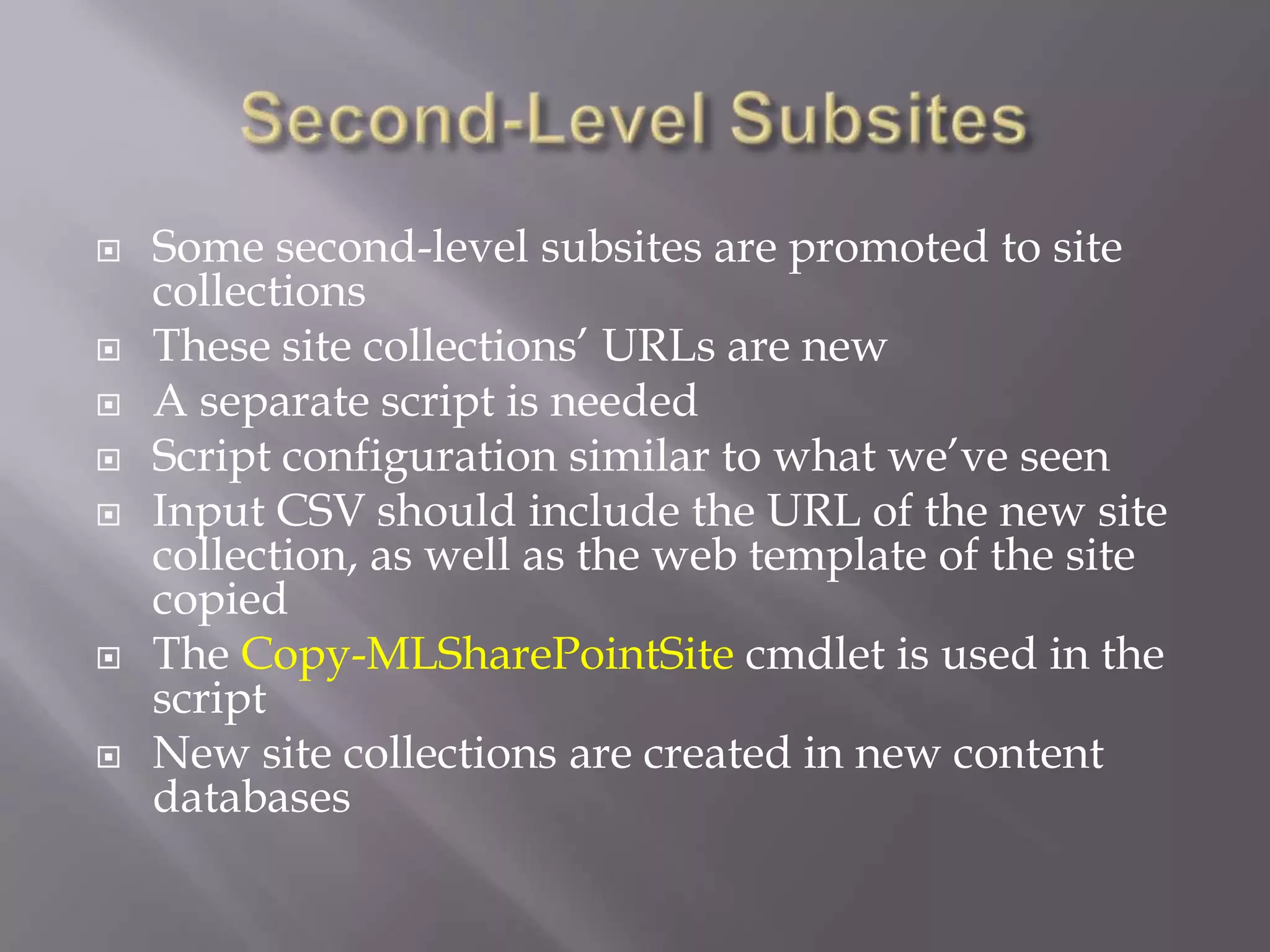
 Some second-level subsites are promoted to site
collections
 These site collections’ URLs are new
 A separate script is needed
 Script configuration similar to what we’ve seen
 Input CSV should include the URL of the new site
collection, as well as the web template of the site
copied
 The Copy-MLSharePointSite cmdlet is used in the
script
 New site collections are created in new content
databases
 Be careful with Team Sites
 -MergeSiteFeatures parameter
 If it is true and you migrate from MOSS 2007 to
SharePoint 2010, then the web parts from
default.aspx will move to SitePages/Home.aspx and
default.aspx will be empty - causes great confusion
for users
 If it is false and you used the Copy-
MLAllSharePointContent cmdlet, you need to make
sure that all necessary site collection features are
activated
 Full copy: Workflow associations are copied, workflow
instances are NOT
 Possible to copy Nintex or SharePoint Designer workflow
associations
 Incremental copy: Workflow associations are NOT
copied
 Thus, the users should NOT create new workflow
associations after the full copy ran
 LegacyWorkflows feature needs to be activated on
newly-created site collections
 Make sure you add site collection admins to
the newly-created site collections
 Involve users (CFT)
 Their feedback will identify the problem areas
 Run incremental migrations as needed
 Metalogix allows comparison reports to verify
completeness of the migration job
 Also, Metalogix provides logs for each job
 When your testers identify a migration issue,
the reports and logs will help you troubleshoot
 Sometimes, an additional incremental copy might be
needed
 The hardest thing to troubleshoot
 Migrating a 8 TB site collection may well take more than 1024
times than migrating a 8 GB site collection
 Migration rate can go down with time
 C:UsersSomeUserAppDataRoamingMetalogix
Content Matrix Console – SharePoint
EditionApplicationSettings.xml
 PerActionResourceUse - Controls how many migration
activities are run in parallel
 Trade-off - Higher value means more parallelism but less
predictability
 Since parallelism is available where possible, the variance of
load within a job is less predictable).
 SQLQueryTimeoutTime – You can also lose data if the timeout
time is too low
 Disable verbose logging
 Migrating a very large site collection:
 Typically involves splits, which means that a third-
party product such as Metalogix Content Matrix will
be needed
 Can be scripted, with scripts running in parallel
 Requires comparison reports to ensure completeness
 Presents performance challenges as the migration
rate tends to go down
Migrating very large site collections

Migrating very large site collections

  • 1.
  • 2.
     Boris A.Velikovich – Software Architect  Email: boris.velikovich@exostar.com  LinkedIn: www.linkedin.com/in/bvelikovich/  Blog: http://kiwiboris.blogspot.com  Twitter: @BVelikovich  Since 2007, I have been working for Exostar  Involved in A&D and Big Pharma projects
  • 3.
     Leading providerof secure collaboration solutions and business process integration throughout the extended value chain.  Exostar’s ForumPass is a cloud-based, enterprise- class, complete B2B project collaboration service offering.  ForumPass executes within Exostar’s Community Cloud, a connect-once environment anchored by Exostar’s Identity Hub that brings companies and their customers, partners, and suppliers together.
  • 4.
     One ofthe ForumPass site collections is 8 TB  This is twice as large as the recommended maximum  More than 30,000 users  Migrating the farm to SharePoint 2010  The huge site collection needs to be split  For this reason, this kind of migration cannot be done using the conventional methods, such as in- place migration or database attach  At least 99% of data should be preserved during the migration
  • 5.
     We choseMetalogix Content Matrix as our migration software  Allows read-only direct connection to the source database - important for performance reasons  Metalogix allows scripting migration activities  Provides PowerShell cmdlets  Allows running several migration activities simultaneously, thus speeding up the process  Allows full and incremental copies  Important because incremental copies take less time than full copies  Each script can take parameters
  • 6.
    The new environment hasto be fully functional •SharePoint farm installation •Web application configuration •Service application configuration •Firewalls configured •Etc. Code has to be migrated •Feature IDs need to be preserved •If migrating from MOSS 2007, code has to be compatible with SharePoint 2010 •In particular, code that refers to user profiles or search •All the solutions need to be deployed PowerShell has to be prepared •Use Content Matrix PowerShell Console •Make sure your powershell.exe.config file contains the settings necessary to initialize features
  • 7.
    Each first-level subsiteis promoted to a site collection Some but not all second-level subsites are promoted to site collections No other subsites are promoted to site collections (for complexity reasons) The content of the top-level site of the site collection (libraries, lists, images, etc.) is NOT migrated
  • 8.
    •Create a newcontent database •In this content database, create a new site collection based on the standard template •Then, two options: •1) copy the content of the subsite to this new site collection •Since some second-level subsites are promoted to their own site collection, a site filter is required •or •2) copy the subsite to this new site collection For each first- level subsite
  • 9.
    Copy-MLAllSharePointSiteContent or Copy-MLSharePointSite  Thespecific parameters depends on the choice of the cmdlet, as well as your migration requirements  E.g., you don’t want to migrate themes if you are migrating from MOSS 2007 to SharePoint 2010  Make sure that the SiteFilterExpression is present if you plan to promote certain subsites to their own site collections  Certain parameters might affect performance  Sometimes it is worth to prototype the migration operation in the GUI
  • 10.
     Use Copy-MLAllSharePointSiteContentwhen  The URL of the new site collection has to stay exactly the same as in the first-level subsite, or  You want the first-level subsite content on the root level of the newly-created site collection, and the site template of that subsite does not interfere with the site template of the root subsite  In all other cases, use Copy-MLSharePointSite
  • 11.
    1) Input CSVfiles 2) Exclusion CSV file 3) Script configuration
  • 12.
     At thevery least, it should include:  Server-relative source url  E.g., /sites/mycompany/SomeCoolSite  Managed path  E.g., /customers/ or /sites/mycompany  Site Name  E.g., SomeCoolSite  Site Description  E.g., Some Cool Site  Whether migration is full or incremental
  • 13.
     At thevery least, it should contain the site- collection-relative URLs of excluded subsites
  • 14.
    • Input CSVfile path • Exclusion CSV file path • Source information • DB Server, content DB, root URL, template path, etc. • Target information • DB Server, farm administrator, root url • Metalogix job history path Should contain:
  • 16.
     Some second-levelsubsites are promoted to site collections  These site collections’ URLs are new  A separate script is needed  Script configuration similar to what we’ve seen  Input CSV should include the URL of the new site collection, as well as the web template of the site copied  The Copy-MLSharePointSite cmdlet is used in the script  New site collections are created in new content databases
  • 18.
     Be carefulwith Team Sites  -MergeSiteFeatures parameter  If it is true and you migrate from MOSS 2007 to SharePoint 2010, then the web parts from default.aspx will move to SitePages/Home.aspx and default.aspx will be empty - causes great confusion for users  If it is false and you used the Copy- MLAllSharePointContent cmdlet, you need to make sure that all necessary site collection features are activated
  • 19.
     Full copy:Workflow associations are copied, workflow instances are NOT  Possible to copy Nintex or SharePoint Designer workflow associations  Incremental copy: Workflow associations are NOT copied  Thus, the users should NOT create new workflow associations after the full copy ran  LegacyWorkflows feature needs to be activated on newly-created site collections
  • 20.
     Make sureyou add site collection admins to the newly-created site collections  Involve users (CFT)  Their feedback will identify the problem areas  Run incremental migrations as needed
  • 21.
     Metalogix allowscomparison reports to verify completeness of the migration job  Also, Metalogix provides logs for each job  When your testers identify a migration issue, the reports and logs will help you troubleshoot  Sometimes, an additional incremental copy might be needed
  • 22.
     The hardestthing to troubleshoot  Migrating a 8 TB site collection may well take more than 1024 times than migrating a 8 GB site collection  Migration rate can go down with time  C:UsersSomeUserAppDataRoamingMetalogix Content Matrix Console – SharePoint EditionApplicationSettings.xml  PerActionResourceUse - Controls how many migration activities are run in parallel  Trade-off - Higher value means more parallelism but less predictability  Since parallelism is available where possible, the variance of load within a job is less predictable).  SQLQueryTimeoutTime – You can also lose data if the timeout time is too low  Disable verbose logging
  • 23.
     Migrating avery large site collection:  Typically involves splits, which means that a third- party product such as Metalogix Content Matrix will be needed  Can be scripted, with scripts running in parallel  Requires comparison reports to ensure completeness  Presents performance challenges as the migration rate tends to go down