Documentum Training Evaluation
Date: April 16-17, 2015 DCA 3:15 PM
Name:AngelaMicah Ortega Bandillo(sp0402)
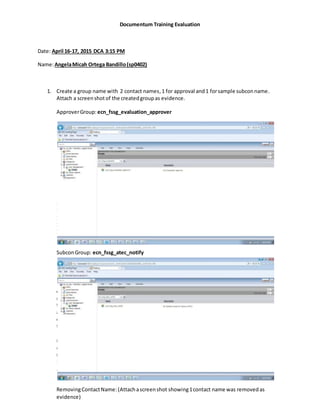
1. Create a group name with 2 contact names,1 for approval and1 forsample subconname.
Attach a screenshotof the createdgroupas evidence.
ApproverGroup: ecn_fssg_evaluation_approver
1.1 R
e
m
o
v
e
1
c
1.2
1.3
1.4
1.5
1.6
1.7
SubconGroup: ecn_fssg_atec_notify
o
n
t
a
c
t
n
a
m
1
.
1
RemovingContactName: (Attachascreenshot showing1contact name was removedas
evidence)
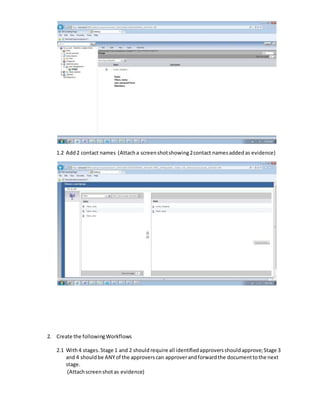
1.2 Add2 contact names (Attacha screenshotshowing2contact namesaddedas evidence)
2. Create the followingWorkflows
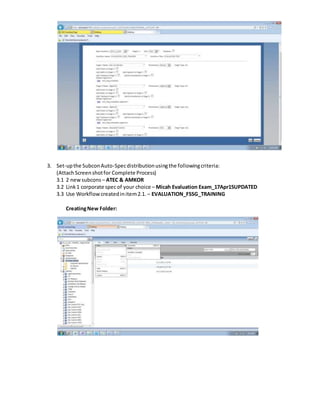
2.1 With4 stages.Stage 1 and 2 should require all identifiedapproversshouldapprove;Stage 3
and 4 shouldbe ANYof the approverscan approverandforwardthe documenttothe next
stage.
(Attachscreenshotas evidence)
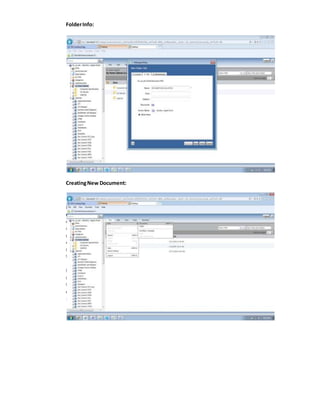
3. Set-upthe SubconAuto-Specdistributionusingthe followingcriteria:
(AttachScreenshotfor Complete Process)
3.1 2 newsubcons – ATEC & AMKOR
3.2 Link1 corporate specof your choice – Micah Evaluation Exam_17Apr15UPDATED
3.3 Use Workflowcreatedinitem2.1.– EVALUATION_FSSG_TRAINING
CreatingNew Folder:
FolderInfo:
CreatingNew Document:
D
o
c
u
m
e
n
t
I
n
f
o
:
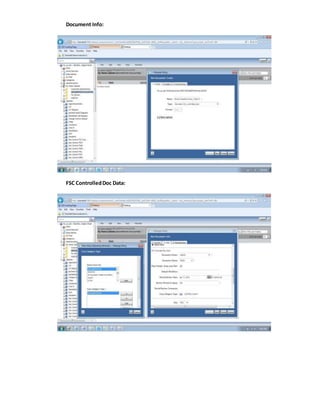
Document Info:
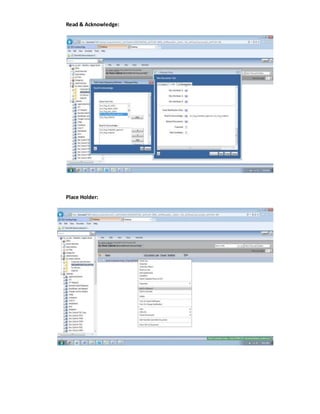
FSC ControlledDoc Data:
Read & Acknowledge:
Place Holder:
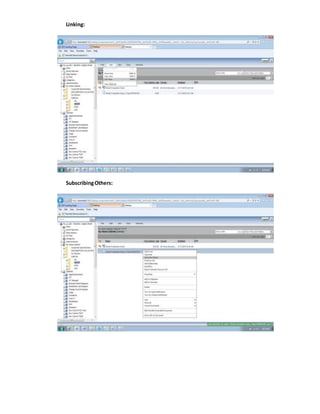
Linking:
SubscribingOthers:
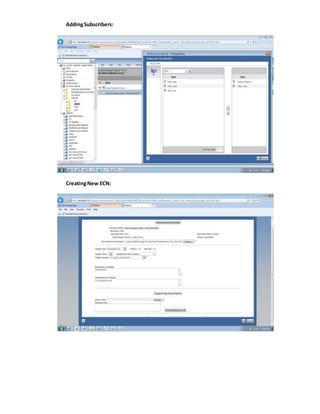
AddingSubscribers:
CreatingNew ECN:
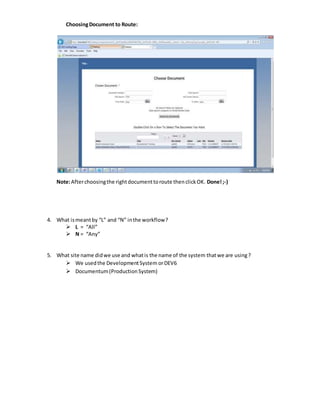
ChoosingDocument to Route:
Note:Afterchoosingthe rightdocumenttoroute thenclickOK. Done!;-)
4. What ismeantby “L” and “N” inthe workflow?
 L = “All”
 N = “Any”
5. What site name didwe use and whatis the name of the system thatwe are using?
 We usedthe DevelopmentSystem orDEV6
 Documentum(ProductionSystem)

Micah Evaluation Exam_REVISED_17Apr15

  • 1.
    Documentum Training Evaluation Date:April 16-17, 2015 DCA 3:15 PM Name:AngelaMicah Ortega Bandillo(sp0402) 1. Create a group name with 2 contact names,1 for approval and1 forsample subconname. Attach a screenshotof the createdgroupas evidence. ApproverGroup: ecn_fssg_evaluation_approver 1.1 R e m o v e 1 c 1.2 1.3 1.4 1.5 1.6 1.7 SubconGroup: ecn_fssg_atec_notify o n t a c t n a m 1 . 1 RemovingContactName: (Attachascreenshot showing1contact name was removedas evidence)
  • 2.
    1.2 Add2 contactnames (Attacha screenshotshowing2contact namesaddedas evidence) 2. Create the followingWorkflows 2.1 With4 stages.Stage 1 and 2 should require all identifiedapproversshouldapprove;Stage 3 and 4 shouldbe ANYof the approverscan approverandforwardthe documenttothe next stage. (Attachscreenshotas evidence)
  • 3.
    3. Set-upthe SubconAuto-Specdistributionusingthefollowingcriteria: (AttachScreenshotfor Complete Process) 3.1 2 newsubcons – ATEC & AMKOR 3.2 Link1 corporate specof your choice – Micah Evaluation Exam_17Apr15UPDATED 3.3 Use Workflowcreatedinitem2.1.– EVALUATION_FSSG_TRAINING CreatingNew Folder:
  • 4.
  • 5.
  • 6.
  • 7.
  • 8.
  • 9.
    ChoosingDocument to Route: Note:Afterchoosingtherightdocumenttoroute thenclickOK. Done!;-) 4. What ismeantby “L” and “N” inthe workflow?  L = “All”  N = “Any” 5. What site name didwe use and whatis the name of the system thatwe are using?  We usedthe DevelopmentSystem orDEV6  Documentum(ProductionSystem)