







an introduction to


    for designers
    The Open Melody Software Group
             Byrne Reese
what’dya gonna talk about?

• Why Melody?
• Templating Language
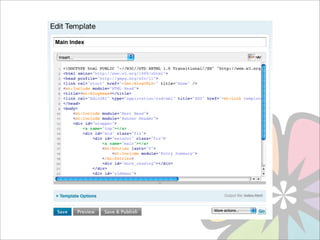
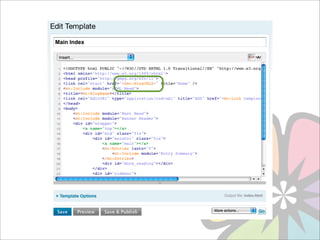
• Templates and Themes
• Theme Options & Config Bundles
• Great Tools & Plugins for Designers
about melody

Melody is an open source CMS
  built by professional service
providers for people who share
  a passion for community and
creating great web sites.
why melody?
•   Easy to use with no knowledge of a
    programming language required.

•   Highly extensible with tons of plugins to
    choose from.

•   Build powerful, secure and reliable web
    sites with no additional plugins or software
    needed.

•   Create feature rich, social-media aware
    web sites for customers.
why designers like melody

•   Simple, semantic and intuitive templating language.

•   Easy to build web sites quickly.

•   Focus on features that allow for supportable and
    maintainable themes and code.

•   Upgrade without breaking everything.
getting started:
templating language
The Melody Templating Language is a
    mark-up language
             just like:
The Melody Templating Language is a
    mark-up language
             just like:


HTML
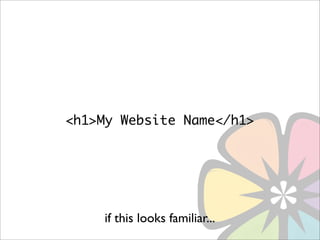
<h1>My Website Name</h1>


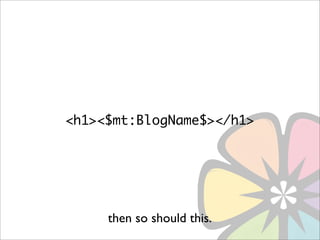
    if this looks familiar...
<h1><$mt:BlogName$></h1>


     then so should this.
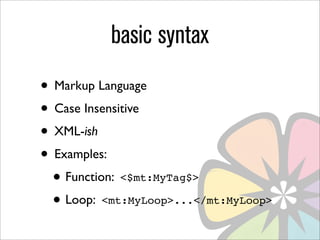
basic syntax
• Markup Language
• Case Insensitive
• XML-ish
• Examples:
 • Function: <$mt:MyTag$>
 • Loop: <mt:MyLoop>...</mt:MyLoop>
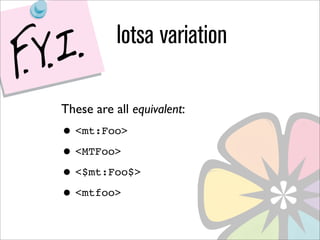
lotsa variation

These are all equivalent:
• <mt:Foo>
• <MTFoo>
• <$mt:Foo$>
• <mtfoo>
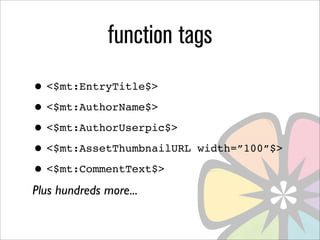
function tags
• <$mt:EntryTitle$>
• <$mt:AuthorName$>
• <$mt:AuthorUserpic$>
• <$mt:AssetThumbnailURL   width=”100”$>

• <$mt:CommentText$>
Plus hundreds more...
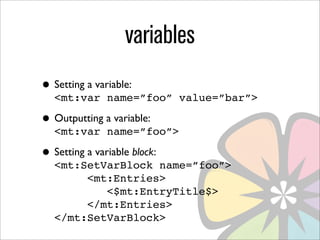
variables
• Setting a variable:
   <mt:var name=”foo” value=”bar”>

• Outputting a variable:
   <mt:var name=”foo”>

• Setting a variable block:
   <mt:SetVarBlock name=”foo”>
        <mt:Entries>
           <$mt:EntryTitle$>
        </mt:Entries>
   </mt:SetVarBlock>
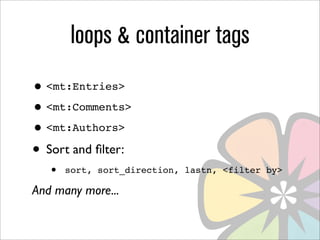
loops & container tags
• <mt:Entries>
• <mt:Comments>
• <mt:Authors>
• Sort and filter:
   •   sort, sort_direction, lastn, <filter by>

And many more...
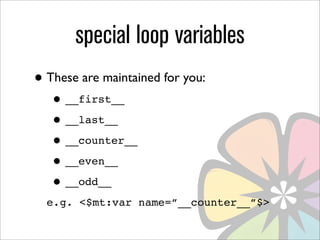
special loop variables
• These are maintained for you:
   • __first__
   • __last__
   • __counter__
   • __even__
   • __odd__
  e.g. <$mt:var name=”__counter__”$>
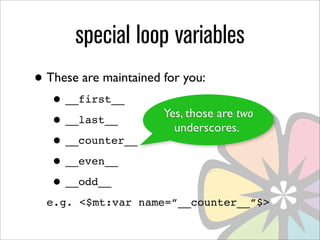
special loop variables
• These are maintained for you:
   • __first__
                       Yes, those are two
   • __last__            underscores.
   • __counter__
   • __even__
   • __odd__
  e.g. <$mt:var name=”__counter__”$>
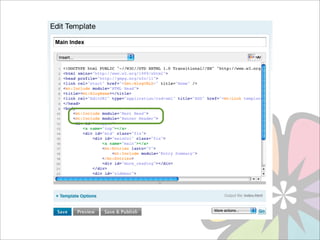
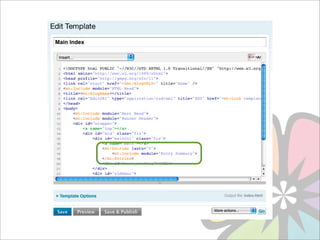
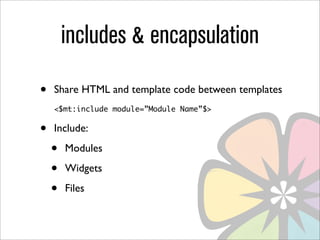
includes & encapsulation
•   Share HTML and template code between templates
    <$mt:include module=”Module Name”$>


•   Include:

    •   Modules

    •   Widgets

    •   Files
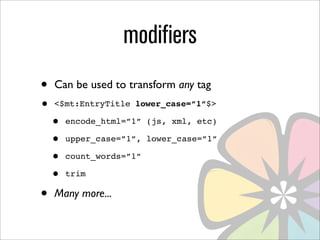
modifiers
•   Can be used to transform any tag
•   <$mt:EntryTitle lower_case=”1”$>

    •   encode_html=”1” (js, xml, etc)

    •   upper_case=”1”, lower_case=”1”

    •   count_words=”1”

    •   trim

•   Many more...
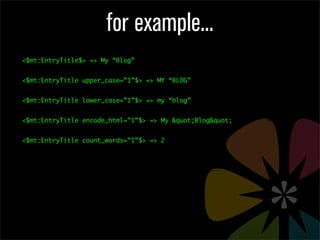
for example...
<$mt:EntryTitle$> => My “Blog”


<$mt:EntryTitle upper_case=”1”$> => MY “BLOG”


<$mt:EntryTitle lower_case=”1”$> => my “blog”


<$mt:EntryTitle encode_html=”1”$> => My &quot;Blog&quot;


<$mt:EntryTitle count_words=”1”$> => 2
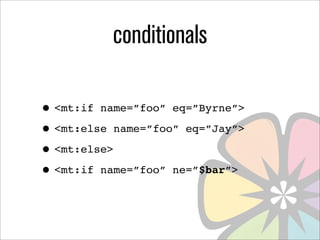
conditionals

• <mt:if name=”foo” eq=”Byrne”>
• <mt:else name=”foo” eq=”Jay”>
• <mt:else>
• <mt:if name=”foo” ne=”$bar”>
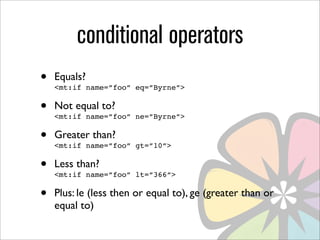
conditional operators
•   Equals?
    <mt:if name=”foo” eq=”Byrne”>

•   Not equal to?
    <mt:if name=”foo” ne=”Byrne”>

•   Greater than?
    <mt:if name=”foo” gt=”10”>

•   Less than?
    <mt:if name=”foo” lt=”366”>

•   Plus: le (less then or equal to), ge (greater than or
    equal to)
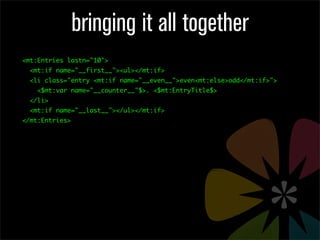
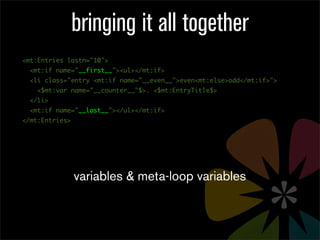
bringing it all together
<mt:Entries lastn="10">
  <mt:if name="__first__"><ul></mt:if>
  <li class="entry <mt:if name="__even__">even<mt:else>odd</mt:if>">
    <$mt:var name="__counter__"$>. <$mt:EntryTitle$>
  </li>
  <mt:if name="__last__"></ul></mt:if>
</mt:Entries>
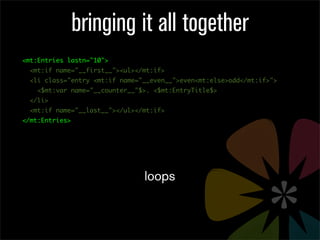
bringing it all together
<mt:Entries lastn="10">
  <mt:if name="__first__"><ul></mt:if>
  <li class="entry <mt:if name="__even__">even<mt:else>odd</mt:if>">
    <$mt:var name="__counter__"$>. <$mt:EntryTitle$>
  </li>
  <mt:if name="__last__"></ul></mt:if>
</mt:Entries>


                                loops
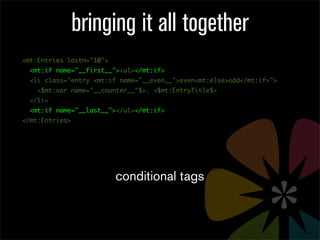
bringing it all together
<mt:Entries lastn="10">
  <mt:if name="__first__"><ul></mt:if>
  <li class="entry <mt:if name="__even__">even<mt:else>odd</mt:if>">
    <$mt:var name="__counter__"$>. <$mt:EntryTitle$>
  </li>
  <mt:if name="__last__"></ul></mt:if>
</mt:Entries>


                          conditional tags
bringing it all together
<mt:Entries lastn="10">
  <mt:if name="__first__"><ul></mt:if>
  <li class="entry <mt:if name="__even__">even<mt:else>odd</mt:if>">
    <$mt:var name="__counter__"$>. <$mt:EntryTitle$>
  </li>
  <mt:if name="__last__"></ul></mt:if>
</mt:Entries>


                variables & meta-loop variables
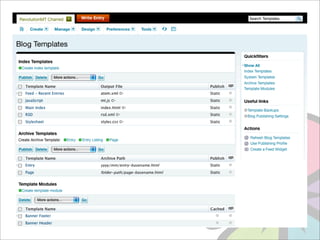
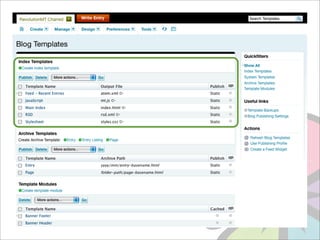
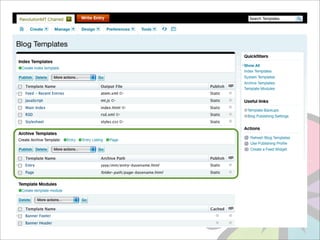
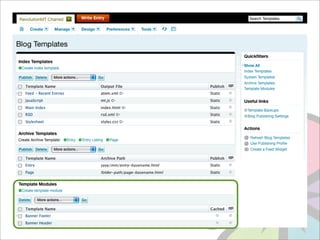
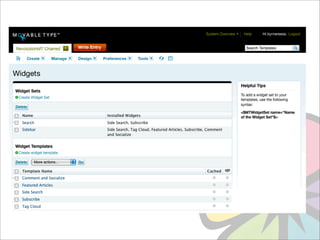
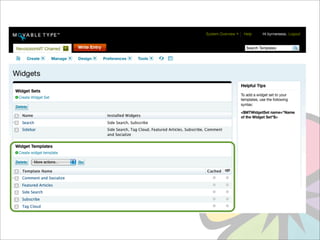
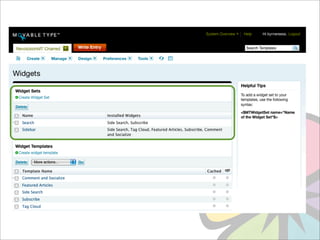
templates
packaging
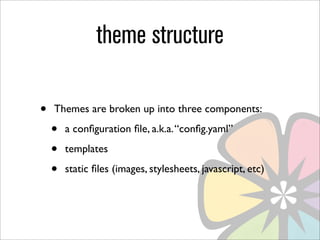
theme structure

•   Themes are broken up into three components:

    •   a configuration file, a.k.a. “config.yaml”

    •   templates

    •   static files (images, stylesheets, javascript, etc)
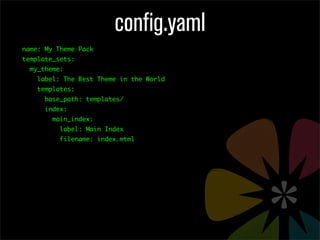
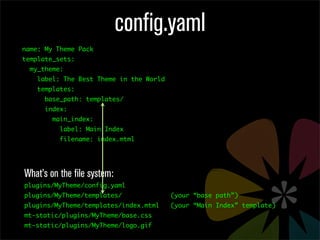
config.yaml
name: My Theme Pack
template_sets:
  my_theme:
    label: The Best Theme in the World
    templates:
      base_path: templates/
      index:
        main_index:
          label: Main Index
          filename: index.mtml
config.yaml
name: My Theme Pack
template_sets:
  my_theme:
    label: The Best Theme in the World
    templates:
      base_path: templates/
      index:
        main_index:
          label: Main Index
          filename: index.mtml


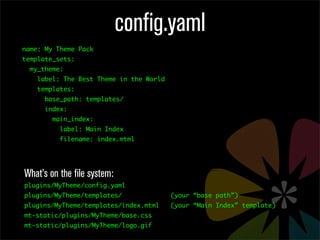
What’s on the file system:
plugins/MyTheme/config.yaml
plugins/MyTheme/templates/               (your “base path”)
plugins/MyTheme/templates/index.mtml     (your “Main Index” template)
mt-static/plugins/MyTheme/base.css
mt-static/plugins/MyTheme/logo.gif
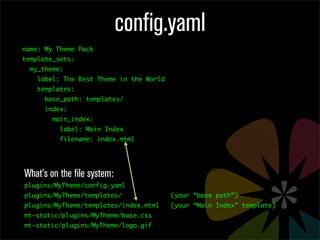
config.yaml
name: My Theme Pack
template_sets:
  my_theme:
    label: The Best Theme in the World
    templates:
      base_path: templates/
      index:
        main_index:
          label: Main Index
          filename: index.mtml


What’s on the file system:
plugins/MyTheme/config.yaml
plugins/MyTheme/templates/               (your “base path”)
plugins/MyTheme/templates/index.mtml     (your “Main Index” template)
mt-static/plugins/MyTheme/base.css
mt-static/plugins/MyTheme/logo.gif
config.yaml
name: My Theme Pack
template_sets:
  my_theme:
    label: The Best Theme in the World
    templates:
      base_path: templates/
      index:
        main_index:
          label: Main Index
          filename: index.mtml


What’s on the file system:
plugins/MyTheme/config.yaml
plugins/MyTheme/templates/               (your “base path”)
plugins/MyTheme/templates/index.mtml     (your “Main Index” template)
mt-static/plugins/MyTheme/base.css
mt-static/plugins/MyTheme/logo.gif
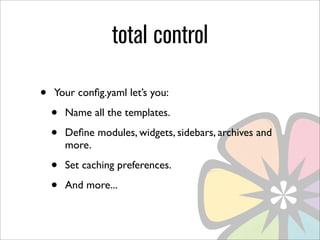
total control

•   Your config.yaml let’s you:

    •   Name all the templates.

    •   Define modules, widgets, sidebars, archives and
        more.

    •   Set caching preferences.

    •   And more...
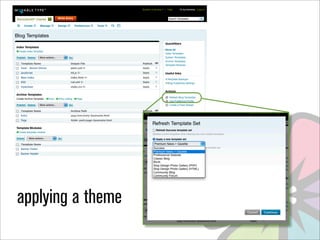
applying a theme
theme options
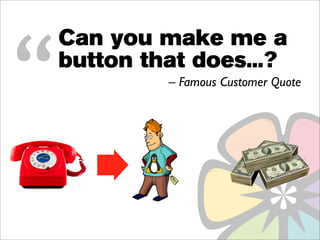
“
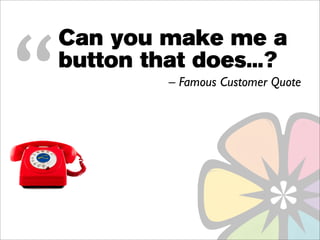
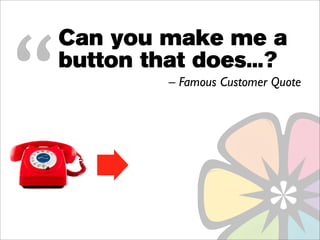
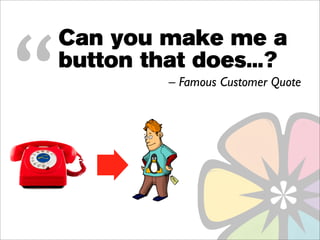
    Can you make me a
    button that does...?
             – Famous Customer Quote
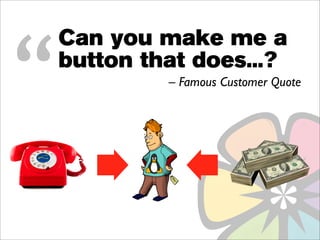
“
    Can you make me a
    button that does...?
             – Famous Customer Quote
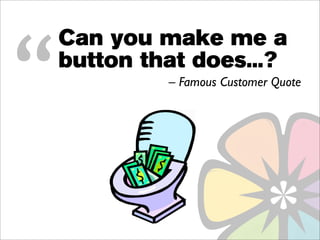
“
    Can you make me a
    button that does...?
             – Famous Customer Quote
“
    Can you make me a
    button that does...?
             – Famous Customer Quote
“
    Can you make me a
    button that does...?
             – Famous Customer Quote
“
    Can you make me a
    button that does...?
             – Famous Customer Quote
“
    Can you make me a
    button that does...?
             – Famous Customer Quote
• Give customers the controls they need.
• Prevent your users from hanging
  themselves.

• Extend Melody in seconds.
• Say “goodbye” to PHP and Perl.
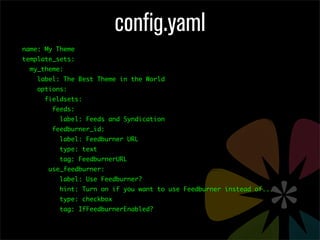
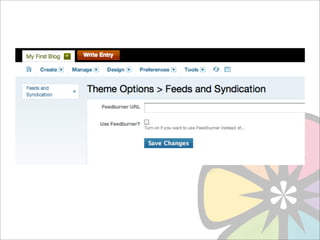
config.yaml
name: My Theme
template_sets:
  my_theme:
    label: The Best Theme in the World
    options:
      fieldsets:
        feeds:
          label: Feeds and Syndication
        feedburner_id:
          label: Feedburner URL
          type: text
          tag: FeedburnerURL
       use_feedburner:
          label: Use Feedburner?
          hint: Turn on if you want to use Feedburner instead of...
          type: checkbox
          tag: IfFeedburnerEnabled?
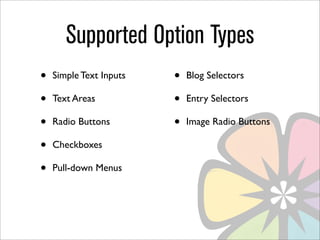
Supported Option Types
•   Simple Text Inputs   •   Blog Selectors

•   Text Areas           •   Entry Selectors

•   Radio Buttons        •   Image Radio Buttons

•   Checkboxes

•   Pull-down Menus
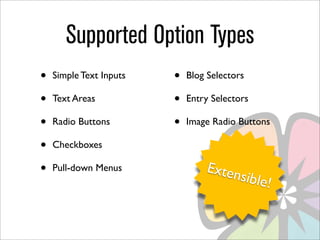
Supported Option Types
•   Simple Text Inputs   •   Blog Selectors

•   Text Areas           •   Entry Selectors

•   Radio Buttons        •   Image Radio Buttons

•   Checkboxes

•   Pull-down Menus              Exten
                                       sible!
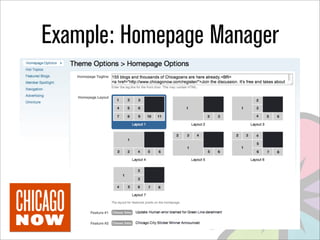
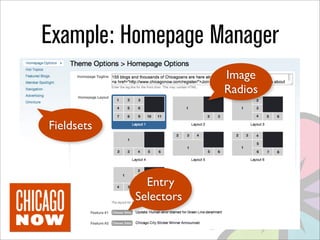
Example: Homepage Manager
                        Image
                        Radios

Fieldsets


              Entry
            Selectors
configuration bundles
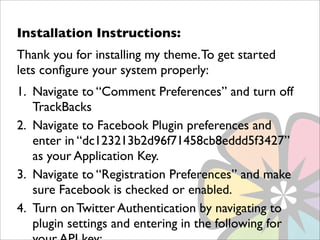
Installation Instructions:
Thank you for installing my theme. To get started
lets configure your system properly:
1. Navigate to “Comment Preferences” and turn off
   TrackBacks
2. Navigate to Facebook Plugin preferences and
   enter in “dc123213b2d96f71458cb8eddd5f3427”
   as your Application Key.
3. Navigate to “Registration Preferences” and make
   sure Facebook is checked or enabled.
4. Turn on Twitter Authentication by navigating to
   plugin settings and entering in the following for
Installation Instructions:
Thank you for installing my theme. To get started
lets configure your system properly:
1. Navigate to “Comment Preferences” and turn off
   TrackBacks
2. Navigate to Facebook Plugin preferences and
   enter in “dc123213b2d96f71458cb8eddd5f3427”
   as your Application Key.
3. Navigate to “Registration Preferences” and make
   sure Facebook is checked or enabled.
4. Turn on Twitter Authentication by navigating to
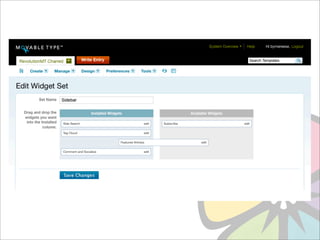
   plugin settings and entering in the following for
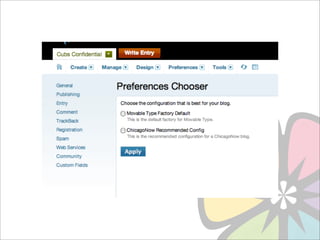
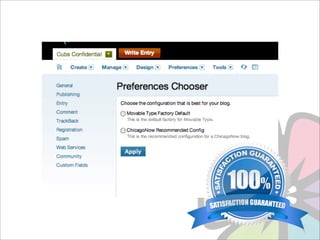
• Make it easy for your clients to configure
  their system.

• Give them multiple, pre-approved and
  supported configuration options.

• Pre-configure Melody and plugins.
• Create bundles quickly just by editing a
  config file.
great tools & plugins
      for designers
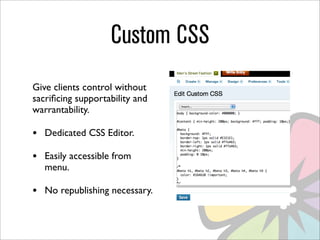
Custom CSS
Give clients control without
sacrificing supportability and
warrantability.

•   Dedicated CSS Editor.

•   Easily accessible from
    menu.

•   No republishing necessary.
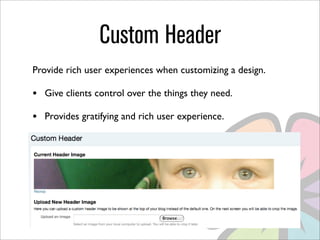
Custom Header
Provide rich user experiences when customizing a design.

•   Give clients control over the things they need.

•   Provides gratifying and rich user experience.
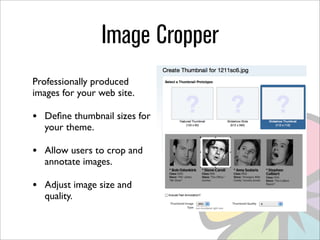
Image Cropper
Professionally produced
images for your web site.

•   Define thumbnail sizes for
    your theme.

•   Allow users to crop and
    annotate images.

•   Adjust image size and
    quality.
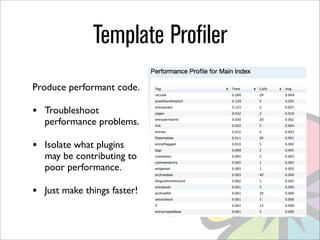
Template Profiler
Produce performant code.

•   Troubleshoot
    performance problems.

•   Isolate what plugins
    may be contributing to
    poor performance.

•   Just make things faster!
for later study...
Advanced Topics

• Template Functions
• Global Templates
• Module Caching
• Template Performance Profiling
• Website
  http://openmelody.org/

• Documentation
  http://docs.openmelody.org/

• Download
  http://openmelody.org/code/downloads

• Mailing List
  http://groups.google.com/group/openmelody
Thank you.

Melody Designer Training

  • 1.
    an introduction to for designers The Open Melody Software Group Byrne Reese
  • 2.
    what’dya gonna talkabout? • Why Melody? • Templating Language • Templates and Themes • Theme Options & Config Bundles • Great Tools & Plugins for Designers
  • 3.
    about melody Melody isan open source CMS built by professional service providers for people who share a passion for community and creating great web sites.
  • 4.
    why melody? • Easy to use with no knowledge of a programming language required. • Highly extensible with tons of plugins to choose from. • Build powerful, secure and reliable web sites with no additional plugins or software needed. • Create feature rich, social-media aware web sites for customers.
  • 5.
    why designers likemelody • Simple, semantic and intuitive templating language. • Easy to build web sites quickly. • Focus on features that allow for supportable and maintainable themes and code. • Upgrade without breaking everything.
  • 6.
  • 7.
    The Melody TemplatingLanguage is a mark-up language just like:
  • 8.
    The Melody TemplatingLanguage is a mark-up language just like: HTML
  • 9.
    <h1>My Website Name</h1> if this looks familiar...
  • 10.
    <h1><$mt:BlogName$></h1> then so should this.
  • 11.
    basic syntax • MarkupLanguage • Case Insensitive • XML-ish • Examples: • Function: <$mt:MyTag$> • Loop: <mt:MyLoop>...</mt:MyLoop>
  • 16.
    lotsa variation These areall equivalent: • <mt:Foo> • <MTFoo> • <$mt:Foo$> • <mtfoo>
  • 17.
    function tags • <$mt:EntryTitle$> •<$mt:AuthorName$> • <$mt:AuthorUserpic$> • <$mt:AssetThumbnailURL width=”100”$> • <$mt:CommentText$> Plus hundreds more...
  • 18.
    variables • Setting avariable: <mt:var name=”foo” value=”bar”> • Outputting a variable: <mt:var name=”foo”> • Setting a variable block: <mt:SetVarBlock name=”foo”> <mt:Entries> <$mt:EntryTitle$> </mt:Entries> </mt:SetVarBlock>
  • 19.
    loops & containertags • <mt:Entries> • <mt:Comments> • <mt:Authors> • Sort and filter: • sort, sort_direction, lastn, <filter by> And many more...
  • 20.
    special loop variables •These are maintained for you: • __first__ • __last__ • __counter__ • __even__ • __odd__ e.g. <$mt:var name=”__counter__”$>
  • 21.
    special loop variables •These are maintained for you: • __first__ Yes, those are two • __last__ underscores. • __counter__ • __even__ • __odd__ e.g. <$mt:var name=”__counter__”$>
  • 22.
    includes & encapsulation • Share HTML and template code between templates <$mt:include module=”Module Name”$> • Include: • Modules • Widgets • Files
  • 23.
    modifiers • Can be used to transform any tag • <$mt:EntryTitle lower_case=”1”$> • encode_html=”1” (js, xml, etc) • upper_case=”1”, lower_case=”1” • count_words=”1” • trim • Many more...
  • 24.
    for example... <$mt:EntryTitle$> =>My “Blog” <$mt:EntryTitle upper_case=”1”$> => MY “BLOG” <$mt:EntryTitle lower_case=”1”$> => my “blog” <$mt:EntryTitle encode_html=”1”$> => My &quot;Blog&quot; <$mt:EntryTitle count_words=”1”$> => 2
  • 25.
    conditionals • <mt:if name=”foo”eq=”Byrne”> • <mt:else name=”foo” eq=”Jay”> • <mt:else> • <mt:if name=”foo” ne=”$bar”>
  • 26.
    conditional operators • Equals? <mt:if name=”foo” eq=”Byrne”> • Not equal to? <mt:if name=”foo” ne=”Byrne”> • Greater than? <mt:if name=”foo” gt=”10”> • Less than? <mt:if name=”foo” lt=”366”> • Plus: le (less then or equal to), ge (greater than or equal to)
  • 27.
    bringing it alltogether <mt:Entries lastn="10"> <mt:if name="__first__"><ul></mt:if> <li class="entry <mt:if name="__even__">even<mt:else>odd</mt:if>"> <$mt:var name="__counter__"$>. <$mt:EntryTitle$> </li> <mt:if name="__last__"></ul></mt:if> </mt:Entries>
  • 28.
    bringing it alltogether <mt:Entries lastn="10"> <mt:if name="__first__"><ul></mt:if> <li class="entry <mt:if name="__even__">even<mt:else>odd</mt:if>"> <$mt:var name="__counter__"$>. <$mt:EntryTitle$> </li> <mt:if name="__last__"></ul></mt:if> </mt:Entries> loops
  • 29.
    bringing it alltogether <mt:Entries lastn="10"> <mt:if name="__first__"><ul></mt:if> <li class="entry <mt:if name="__even__">even<mt:else>odd</mt:if>"> <$mt:var name="__counter__"$>. <$mt:EntryTitle$> </li> <mt:if name="__last__"></ul></mt:if> </mt:Entries> conditional tags
  • 30.
    bringing it alltogether <mt:Entries lastn="10"> <mt:if name="__first__"><ul></mt:if> <li class="entry <mt:if name="__even__">even<mt:else>odd</mt:if>"> <$mt:var name="__counter__"$>. <$mt:EntryTitle$> </li> <mt:if name="__last__"></ul></mt:if> </mt:Entries> variables & meta-loop variables
  • 31.
  • 40.
  • 41.
    theme structure • Themes are broken up into three components: • a configuration file, a.k.a. “config.yaml” • templates • static files (images, stylesheets, javascript, etc)
  • 42.
    config.yaml name: My ThemePack template_sets: my_theme: label: The Best Theme in the World templates: base_path: templates/ index: main_index: label: Main Index filename: index.mtml
  • 43.
    config.yaml name: My ThemePack template_sets: my_theme: label: The Best Theme in the World templates: base_path: templates/ index: main_index: label: Main Index filename: index.mtml What’s on the file system: plugins/MyTheme/config.yaml plugins/MyTheme/templates/ (your “base path”) plugins/MyTheme/templates/index.mtml (your “Main Index” template) mt-static/plugins/MyTheme/base.css mt-static/plugins/MyTheme/logo.gif
  • 44.
    config.yaml name: My ThemePack template_sets: my_theme: label: The Best Theme in the World templates: base_path: templates/ index: main_index: label: Main Index filename: index.mtml What’s on the file system: plugins/MyTheme/config.yaml plugins/MyTheme/templates/ (your “base path”) plugins/MyTheme/templates/index.mtml (your “Main Index” template) mt-static/plugins/MyTheme/base.css mt-static/plugins/MyTheme/logo.gif
  • 45.
    config.yaml name: My ThemePack template_sets: my_theme: label: The Best Theme in the World templates: base_path: templates/ index: main_index: label: Main Index filename: index.mtml What’s on the file system: plugins/MyTheme/config.yaml plugins/MyTheme/templates/ (your “base path”) plugins/MyTheme/templates/index.mtml (your “Main Index” template) mt-static/plugins/MyTheme/base.css mt-static/plugins/MyTheme/logo.gif
  • 46.
    total control • Your config.yaml let’s you: • Name all the templates. • Define modules, widgets, sidebars, archives and more. • Set caching preferences. • And more...
  • 47.
  • 48.
  • 49.
    Can you make me a button that does...? – Famous Customer Quote
  • 50.
    Can you make me a button that does...? – Famous Customer Quote
  • 51.
    Can you make me a button that does...? – Famous Customer Quote
  • 52.
    Can you make me a button that does...? – Famous Customer Quote
  • 53.
    Can you make me a button that does...? – Famous Customer Quote
  • 54.
    Can you make me a button that does...? – Famous Customer Quote
  • 55.
    Can you make me a button that does...? – Famous Customer Quote
  • 56.
    • Give customersthe controls they need. • Prevent your users from hanging themselves. • Extend Melody in seconds. • Say “goodbye” to PHP and Perl.
  • 57.
    config.yaml name: My Theme template_sets: my_theme: label: The Best Theme in the World options: fieldsets: feeds: label: Feeds and Syndication feedburner_id: label: Feedburner URL type: text tag: FeedburnerURL use_feedburner: label: Use Feedburner? hint: Turn on if you want to use Feedburner instead of... type: checkbox tag: IfFeedburnerEnabled?
  • 59.
    Supported Option Types • Simple Text Inputs • Blog Selectors • Text Areas • Entry Selectors • Radio Buttons • Image Radio Buttons • Checkboxes • Pull-down Menus
  • 60.
    Supported Option Types • Simple Text Inputs • Blog Selectors • Text Areas • Entry Selectors • Radio Buttons • Image Radio Buttons • Checkboxes • Pull-down Menus Exten sible!
  • 61.
  • 62.
    Example: Homepage Manager Image Radios Fieldsets Entry Selectors
  • 63.
  • 64.
    Installation Instructions: Thank youfor installing my theme. To get started lets configure your system properly: 1. Navigate to “Comment Preferences” and turn off TrackBacks 2. Navigate to Facebook Plugin preferences and enter in “dc123213b2d96f71458cb8eddd5f3427” as your Application Key. 3. Navigate to “Registration Preferences” and make sure Facebook is checked or enabled. 4. Turn on Twitter Authentication by navigating to plugin settings and entering in the following for
  • 65.
    Installation Instructions: Thank youfor installing my theme. To get started lets configure your system properly: 1. Navigate to “Comment Preferences” and turn off TrackBacks 2. Navigate to Facebook Plugin preferences and enter in “dc123213b2d96f71458cb8eddd5f3427” as your Application Key. 3. Navigate to “Registration Preferences” and make sure Facebook is checked or enabled. 4. Turn on Twitter Authentication by navigating to plugin settings and entering in the following for
  • 66.
    • Make iteasy for your clients to configure their system. • Give them multiple, pre-approved and supported configuration options. • Pre-configure Melody and plugins. • Create bundles quickly just by editing a config file.
  • 69.
    great tools &plugins for designers
  • 70.
    Custom CSS Give clientscontrol without sacrificing supportability and warrantability. • Dedicated CSS Editor. • Easily accessible from menu. • No republishing necessary.
  • 71.
    Custom Header Provide richuser experiences when customizing a design. • Give clients control over the things they need. • Provides gratifying and rich user experience.
  • 72.
    Image Cropper Professionally produced imagesfor your web site. • Define thumbnail sizes for your theme. • Allow users to crop and annotate images. • Adjust image size and quality.
  • 73.
    Template Profiler Produce performantcode. • Troubleshoot performance problems. • Isolate what plugins may be contributing to poor performance. • Just make things faster!
  • 74.
  • 75.
    Advanced Topics • TemplateFunctions • Global Templates • Module Caching • Template Performance Profiling
  • 76.
    • Website http://openmelody.org/ • Documentation http://docs.openmelody.org/ • Download http://openmelody.org/code/downloads • Mailing List http://groups.google.com/group/openmelody
  • 77.