#MM18PL#MM18PL
A11y workshop
Ania Karoń
@anqa_ka
anna.karon@snow.dog
#MM18PL#MM18PL
https://github.com/SnowdogApps/a11y-aliens
How we proceed…
• Automatic testing
• Keyboard testing
• Screen reader testing
#MM18PL#MM18PL
Automatic testing tools
yarn global add lighthouse
lighthouse http://localhost:8080/ --only-categories accessibility --view
DevTools - accessibility tree
aXe - Chrome plugins: aXe-Coconut, aXe
Wave - Chrome plugin: Wave Evaluation Tool
Lighthouse - in Chrome DevTools or node
#MM18PL#MM18PL
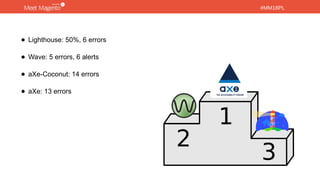
• Lighthouse: 50%, 6 errors
• Wave: 5 errors, 6 alerts
• aXe-Coconut: 14 errors
• aXe: 13 errors
#MM18PL#MM18PL
Checklists
• WebAIM’s WCAG 2 Checklist
• A11y Project - Web Accessibility Checklist
• A11y Audit Template
#MM18PL#MM18PL
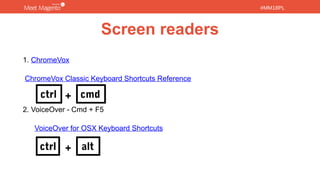
Screen readers
1. ChromeVox
ChromeVox Classic Keyboard Shortcuts Reference
2. VoiceOver - Cmd + F5
VoiceOver for OSX Keyboard Shortcuts
ctrl cmd
ctrl alt
+
+
#MM18PL#MM18PL
Code & repair
Check repaired code on: https://github.com/SnowdogApps/a11y-aliens/tree/mmpl18
#MM18PL
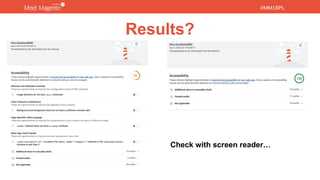
Results?
Check with screen reader…
#MM18PL
Thank you
@anqa_ka
anna.karon@snow.dog
#MM18PL
Thank you
@anqa_ka
anna.karon@snow.dog

Meet Magento Poland 2018 - a11y workshop

Editor's Notes

  • #2 5-10min - introduction 15min - automatic tools in browser, testing 5-10min - template 15min - screen readers 10min - show code and check updated website
  • #3 Among my private repos I found this Share in public on Snowdog Goal - to show the tools and to let you play with it How to proceed technically - who wants check on aliens repo, you can check also another websites with not installing this, everybody who has Chrome installed can participate.
  • #5 Axe-Coconut: - wcagAAA (landmarks) - winner Wave: - Contrast - No Styles - Outline - Code - Scanning - not see: landmarks, hidden, zooming (viewport) Lighhouse: - Yes: zooming (viewport) - No: landmarks, heading order, empty or redundant links
  • #7 Scan through heading & links VoiceOver – Crt+Alt + H and widonw with options