LOGO
LOGO Tech propulsion Labs
Android Webdriver
Test automation - Selenium 2
Masud Parvez
Email:niloy.cit1@gmail.com
All copyright is reserved by Tech propulsion labs
Contents
What is Selenium ?1
Selenium Versions2
Life of Web story3
Impact of JS4
Contents
Mobile application testing5
Android and Selenium 26
WebDriver7
Why Webdriver ?8
Contents
Android Test architecture9
Setup selenium for Android10
How are we doing?11
Limitations12
Contents
Demo13
Guide line for python14
Way to walk in the future with us15
16 Questions and Answers
What is selenium ?
 Selenium is a suite of tools to automate web app(!!!!)
testing across many platforms. Selenium runs in
many browsers and operating systems.
 Free wear
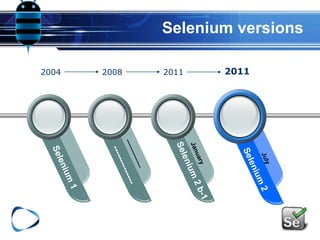
Selenium versions
2004 2008 2011 2011
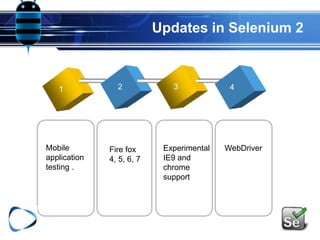
Updates in Selenium 2
1 2 3 4
Mobile
application
testing .
Fire fox
4, 5, 6, 7
Experimental
IE9 and
chrome
support
WebDriver
Why do we need Selenium?
?
?
?
?
Selenium
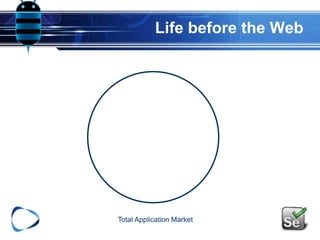
Life before the Web
Total Application Market
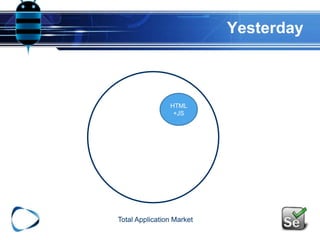
Yesterday
Total Application Market
HTML
+JS
Data
Total Application Market
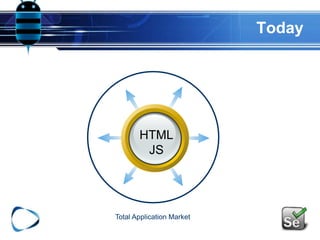
Today
HTML
JS
Total Application Market
Tomorrow
HTML
JS
Total Application Market
Today
HTML
JS
Total Application Market
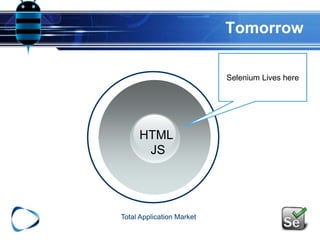
Selenium Lives here
Tomorrow
HTML
JS
Total Application Market
Selenium Lives here
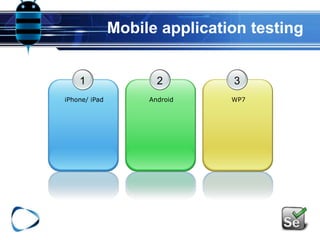
Mobile application testing
1
iPhone/ iPad
2
Android
3
WP7
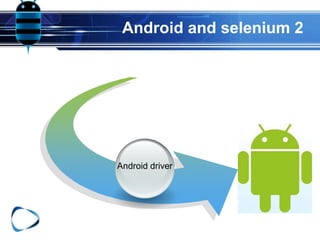
Android and selenium 2
Android driver
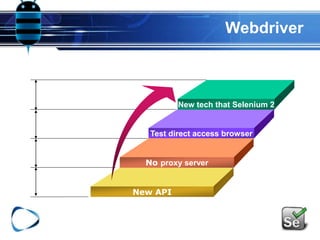
Webdriver
New tech that Selenium 2
Test direct access browser
No proxy server
New API
Why Webdriver ?
 WebElement.findElement is universal - all UIs are
trees
 Web has DOM (elements)
 Windows has HWND
 Android has Views
Why Webdriver ?
 Many operations are universal between all UIs
Matching:
clear
click
findElement(By.id)
Why Webdriver ?
 Extensible API
 WebDriver API extensions, such as Rotatable,
 RenderedWebElement, are implemented by a subset of
drivers.
 Creating a new API for every platform is cumbersome
instead:
 Emphasize the similarities with the core WebDriver API
 Supply simple platform-specific extensions as needed.
 Facilitate piece-wise code re-usage
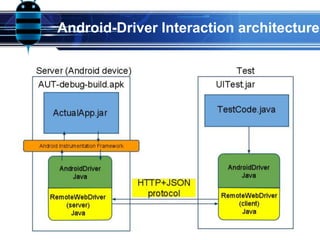
Android-Driver Interaction architecture
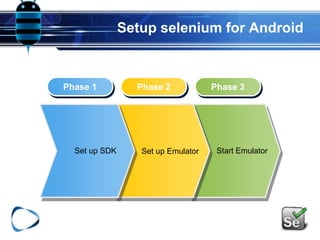
Setup selenium for Android
Phase 1 Phase 2 Phase 3
Set up EmulatorSet up SDK Start Emulator
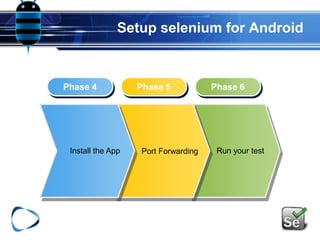
Setup selenium for Android
Phase 4 Phase 5 Phase 6
Port ForwardingInstall the App Run your test
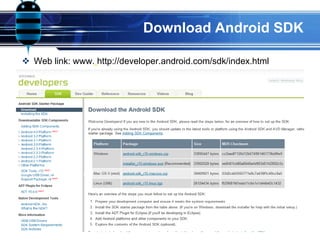
Download Android SDK
 Web link: www. http://developer.android.com/sdk/index.html
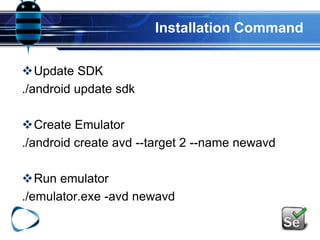
Installation Command
Update SDK
./android update sdk
Create Emulator
./android create avd --target 2 --name newavd
Run emulator
./emulator.exe -avd newavd
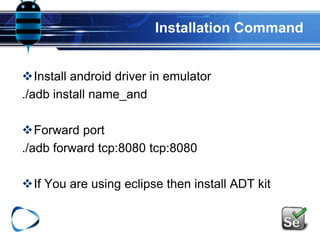
Installation Command
Install android driver in emulator
./adb install name_and
Forward port
./adb forward tcp:8080 tcp:8080
If You are using eclipse then install ADT kit
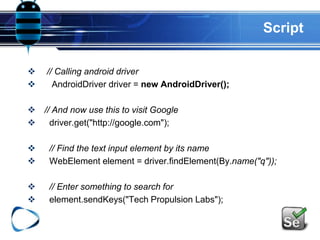
Script
 // Calling android driver
 AndroidDriver driver = new AndroidDriver();
 // And now use this to visit Google
 driver.get("http://google.com");
 // Find the text input element by its name
 WebElement element = driver.findElement(By.name("q"));
 // Enter something to search for
 element.sendKeys("Tech Propulsion Labs");
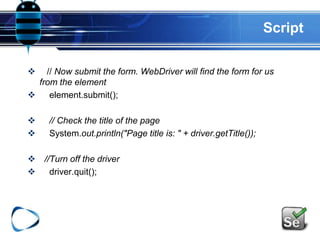
Script
 // Now submit the form. WebDriver will find the form for us
from the element
 element.submit();
 // Check the title of the page
 System.out.println("Page title is: " + driver.getTitle());
 //Turn off the driver
 driver.quit();
Limitations
 Slower than Headless WebKit Driver
 Support for SDK versions 2.2 and prior, has been
deprecated
 Does not work on emulators running 2.3 because of
an emulator bug that should be fixed soon by
Android. However it works on Devices running 2.3
and higher
DEMO
QUESTION
By python
 To install the Python client library:
# pip install -U selenium
 # Import the Selenium 2 namespace (aka "webdriver")
from selenium import webdriver
 iPhone
driver = webdriver.Remote(browser_name="iphone",
command_executor='http://172.24.101.36:3001/hub')
 Android
driver = webdriver.Remote(browser_name="android",
command_executor='http://127.0.0.1:8080/hub')
 Google Chrome
driver = webdriver.Chrome()
 Firefox
driver = webdriver.Firefox()
Way to walk in the future with us
 Blog: www.masudparvez.weebly.com/blog
 Post in blog regarding this topic
http://masudparvez.weebly.com/1/post/2011/08/an
driod-webdriver-want-to-test.html
Way to walk in the future with us
 Android .apk Automation Test
link:
http://www.youtube.com/watch?v=yi6Z3l0ci1o&fe
ature=mfu_in_order&list=UL
 Selenium automation framework
Link:
http://www.youtube.com/watch?v=wpudDb3ECPA
&feature=mfu_in_order&list=UL
tech propulsion labs
Copyright 2011 Tech Propulsion Labs, Inc.
Masud Parvez
SQA Architect
Email: masud@techpropulsionlabs.com

MDC2011 Android_ Webdriver Automation Test