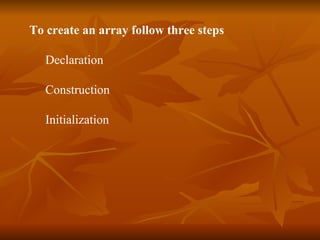
![Declaration Declaration tell the array’s name and what type its element will be. int[]ints; //declare array of primitive types double[] dubs; Dimension[] dims; //declare array of object reference Float[][]twodee; //declare a two dimensional array](https://image.slidesharecdn.com/md05arrays-111206065648-phpapp01/85/Md05-arrays-5-320.jpg)
![Construction Notice the declaration doesnot specify the size of array, size is specified at runtime when array is allocated via new keyword . int[] ints; ints=new int[25]; Use the new keyword to create an array object.](https://image.slidesharecdn.com/md05arrays-111206065648-phpapp01/85/Md05-arrays-6-320.jpg)
![Declaration and construction performed in single line as int[] ints=new int[25];](https://image.slidesharecdn.com/md05arrays-111206065648-phpapp01/85/Md05-arrays-7-320.jpg)
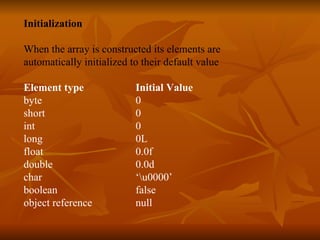
![T o initialize an array to values other than above combine declaration,construction and initialization into single step . Implicit assigning of values boolean[] answers = { true, false, true, true, false }; float[]diameters={1.1f,2.2f,3.3f,4.4f,5.5f}; Explicit assigning of values long[] squares; squares=new long[6000]; for(int i=0;i<6000;i++){ squares[i]=i*i; }](https://image.slidesharecdn.com/md05arrays-111206065648-phpapp01/85/Md05-arrays-9-320.jpg)
![Accessing an Array Element for (int i = 0; i < anArray.length; i++) { anArray[i] = i; System.out.print(anArray[i] + " "); } Note: Java array’s index always start at 0.](https://image.slidesharecdn.com/md05arrays-111206065648-phpapp01/85/Md05-arrays-10-320.jpg)
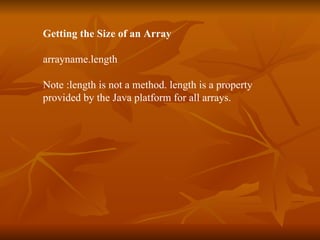
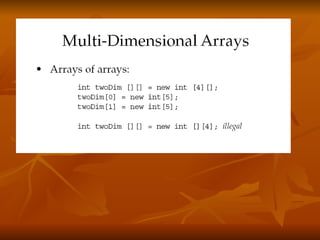
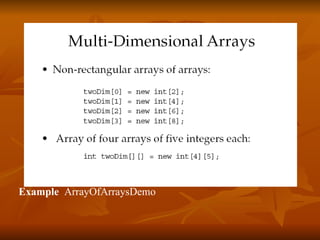
![Array Bounds All array subscripts begin at 0: int list[] = new int [10]; for (int i = 0; i < list.length; i++) { System.out.println(list[i]); }](https://image.slidesharecdn.com/md05arrays-111206065648-phpapp01/85/Md05-arrays-14-320.jpg)
![Array Resizing • Cannot resize an array • Can use the same reference variable to refer to an entirely new array: int elements[] = new int[6]; elements = new int[10]; Example ArrayDemo.java](https://image.slidesharecdn.com/md05arrays-111206065648-phpapp01/85/Md05-arrays-15-320.jpg)
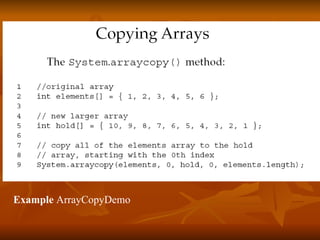

The document discusses Java arrays, including how to declare, construct, initialize, access elements of, and get the size of arrays. It explains that arrays are ordered collections of primitive types or object references that hold multiple values of the same type. The document also covers array bounds, resizing arrays, and provides examples of using arrays.


