What is a Programming Language? 
PS — Introduction © O. Nierstrasz 
1 
• A formal language for describing computation? 
• A “user interface” to a computer? 
• Syntax + semantics? 
• Compiler, or interpreter, or translator? 
• A tool to support a programming paradigm? 
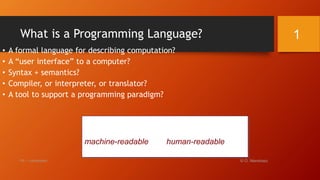
A programming language is a notational 
system for describing computation in a 
machine-readable and human-readable form. 
— Louden
2 
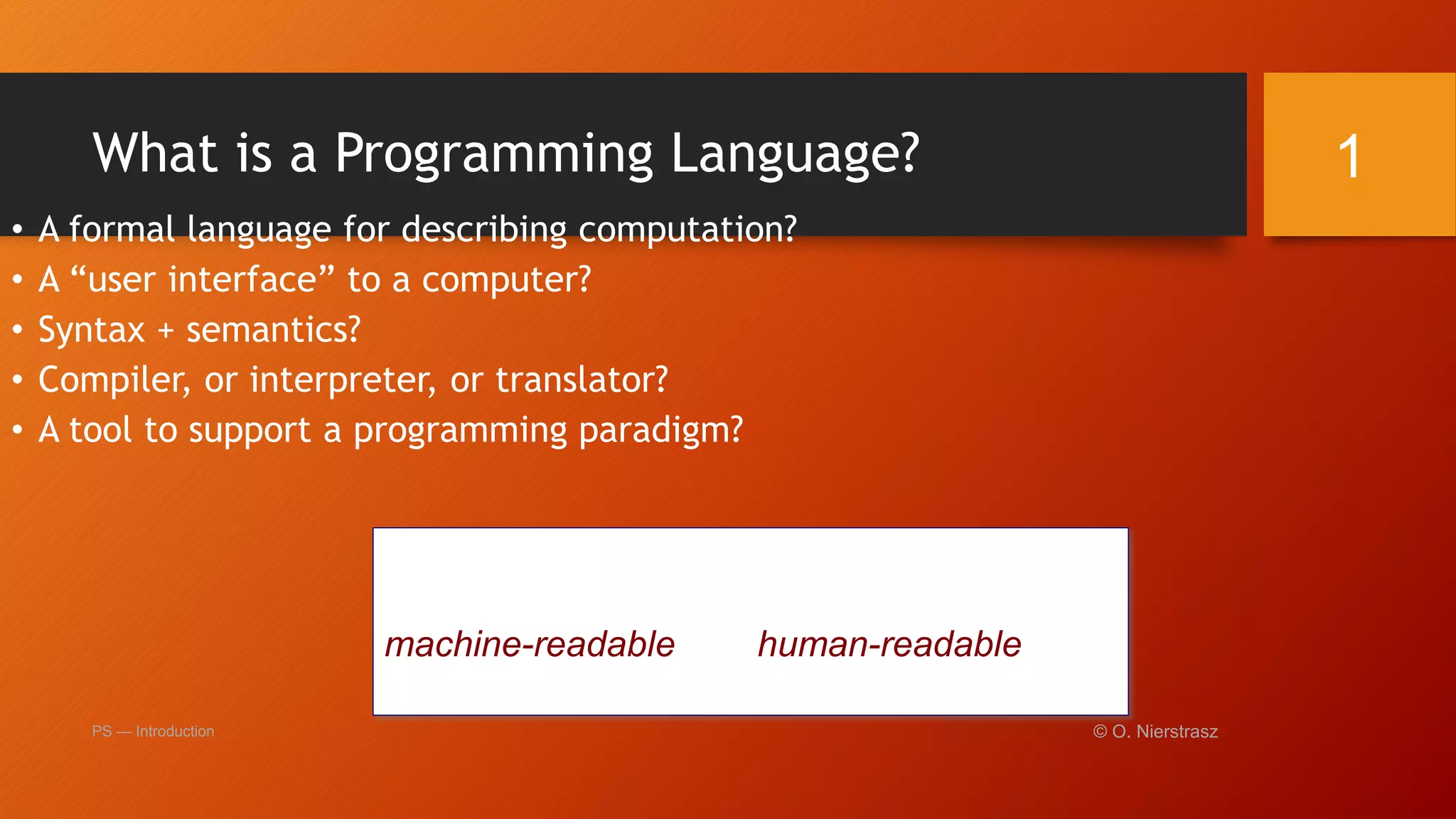
Figure 9.2 Categories of programming languages
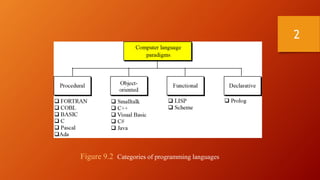
Generations of Programming Languages 
1GL: machine codes 
2GL: symbolic assemblers 
3GL: (machine-independent) imperative languages (FORTRAN, 
Pascal, C ...) 
4GL: domain specific application generators 
5GL: AI languages … ( Prolog, OPS5, and Mercury are examples of 
fifth-generation languages.) 
Each generation is at a higher level of abstraction 
PS — Introduction © O. Nierstrasz 
3
CSC141 Introduction to Computer Programming 
Machine language (1GL) 
• The lowest level of language. 
• The language used to program the first-generation 
computers. 
• The instructions in 1GL are made of binary 
numbers, represented by 1s and 0s. 
• 1s and 0s correspond to the on and off states of 
electrical switches. 
• Suitable for the understanding of the machine 
but very much difficult to interpret and learn by 
the human programmer.
Machine Language(contd) 
• is not portable 
• runs only on specific type of computer 
• is made up of binary-coded instructions (strings of 0s 
and 1s) 
• is the language that can be directly used by the 
computer 
5
CSC141 Introduction to Computer Programming 
Assembly language (2GL) 
• Low-level language that allows a programmer to use 
abbreviations or easily remembered words instead of 
numbers. 
• These Observations are called Mnemonics. These 
Mnemonic are Opcode and Operands 
For Example: ADD AX, BX 
MOV CX, AX 
INC CX 
Op-code; ADD, MOV, INC 
Operands AX, BX,CX
CSC141 Introduction to Computer Programming 
Assembly language (2GL) (contd) 
• Programmer can write instructions faster but it is still not 
an easy language to learn. 
• Drawback: The language is specific to a particular 
processor family and environment. (Machine Dependent 
Language) 
• Assembler – A program that translates the assembly 
language program into machine language.
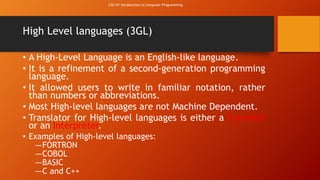
High Level languages (3GL) 
• A High-Level Language is an English-like language. 
• It is a refinement of a second-generation programming 
language. 
• It allowed users to write in familiar notation, rather 
than numbers or abbreviations. 
• Most High-level languages are not Machine Dependent. 
• Translator for High-level languages is either a Compiler 
or an Interpreter. 
• Examples of High-level languages: 
―FORTRON 
―COBOL 
―BASIC 
―C and C++ 
CSC141 Introduction to Computer Programming
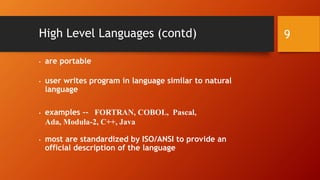
High Level Languages (contd) 
• are portable 
• user writes program in language similar to natural 
language 
• examples -- FORTRAN, COBOL, Pascal, 
Ada, Modula-2, C++, Java 
• most are standardized by ISO/ANSI to provide an 
official description of the language 
9
CSC141 Introduction to Computer Programming 
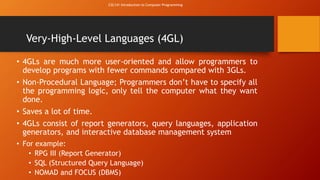
Very-High-Level Languages (4GL) 
• 4GLs are much more user-oriented and allow programmers to 
develop programs with fewer commands compared with 3GLs. 
• Non-Procedural Language; Programmers don’t have to specify all 
the programming logic, only tell the computer what they want 
done. 
• Saves a lot of time. 
• 4GLs consist of report generators, query languages, application 
generators, and interactive database management system 
• For example: 
• RPG III (Report Generator) 
• SQL (Structured Query Language) 
• NOMAD and FOCUS (DBMS)
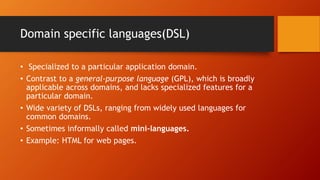
Domain specific languages(DSL) 
• Specialized to a particular application domain. 
• Contrast to a general-purpose language (GPL), which is broadly 
applicable across domains, and lacks specialized features for a 
particular domain. 
• Wide variety of DSLs, ranging from widely used languages for 
common domains. 
• Sometimes informally called mini-languages. 
• Example: HTML for web pages.
CSC141 Introduction to Computer Programming 
Natural Languages (5GL) 
• Two types 
• Ordinary Human Languages; like English. 
• Programming language that use human language to give 
people a more natural connection with computers. 
• 5GLs are designed to make the computer solve a given 
problem without the programmer. 
• Natural languages are part of the field of study known as 
Artificial Intelligence. 
• Develop machines to emulate human-like qualities such 
as learning, reasoning, communicating, seeing and 
hearing.
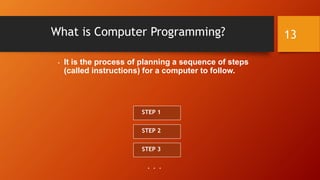
What is Computer Programming? 
• It is the process of planning a sequence of steps 
(called instructions) for a computer to follow. 
13 
STEP 1 
STEP 2 
STEP 3 
. . .
Problem Solving 
How do you solve problems? 
Understand the problem 
Devise a plan 
Carry out the plan 
Look back 
14
Strategies 
Ask questions! 
• What do I know about the problem? 
• What is the information that I have to process in order the find the 
solution? 
• What does the solution look like? 
• What sort of special cases exist? 
• How will I recognize that I have found 
the solution? 
15
Strategies 
Ask questions! Never reinvent the wheel! 
Similar problems come up again and again in different guises 
A good programmer recognizes a task or subtask that has been 
solved before and plugs in the solution 
Can you think of two similar problems? 
16
Strategies 
Divide and Conquer! 
Break up a large problem into smaller units and solve each smaller 
problem 
• Applies the concept of abstraction 
• The divide-and-conquer approach can be applied over and over again until 
each subtask is manageable 
17
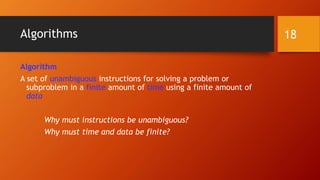
Algorithms 
Algorithm 
A set of unambiguous instructions for solving a problem or 
subproblem in a finite amount of time using a finite amount of 
data 
Why must instructions be unambiguous? 
Why must time and data be finite? 
18
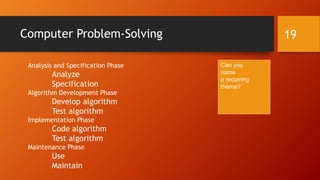
Computer Problem-Solving 19 
Analysis and Specification Phase 
Analyze 
Specification 
Algorithm Development Phase 
Develop algorithm 
Test algorithm 
Implementation Phase 
Code algorithm 
Test algorithm 
Maintenance Phase 
Use 
Maintain 
Can you 
name 
a recurring 
theme?
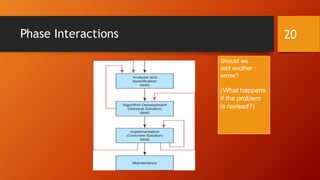
Phase Interactions 20 
Should we 
add another 
arrow? 
(What happens 
if the problem 
is revised?)
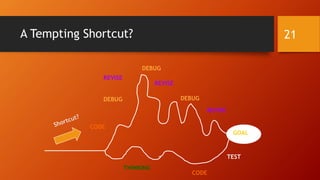
A Tempting Shortcut? 21 
GOAL 
THINKING 
CODE 
REVISE 
REVISE 
REVISE 
DEBUG 
DEBUG 
DEBUG 
TEST 
CODE
Developing an Algorithm 
Two methodologies used to develop computer solutions to a problem 
• Top-down design focuses on the tasks to be done 
• Object-oriented design focuses on the data involved in the solution 
But first, let's look at a way to express algorithms: pseudocode 
22
An Algorithm is . . . 
• a step-by-step procedure for solving a problem in 
a finite amount of time. 
23
Pseudocode 
Pseudocode 
A way of expressing algorithms that uses a mixture of English 
phrases and indention to make the steps in the solution explicit 
There are no grammar rules in pseudocode 
Pseudocode is not case sensitive 
24
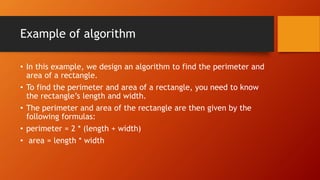
Example of algorithm 
• In this example, we design an algorithm to find the perimeter and 
area of a rectangle. 
• To find the perimeter and area of a rectangle, you need to know 
the rectangle’s length and width. 
• The perimeter and area of the rectangle are then given by the 
following formulas: 
• perimeter = 2 * (length + width) 
• area = length * width
The algorithm to find the perimeter and area of 
the rectangle is: 
1. Get the length of the rectangle. 
2. Get the width of the rectangle. 
3. Find the perimeter using the following equation: 
perimeter = 2 * (length + width) 
4. Find the area using the following equation: 
area = length * width
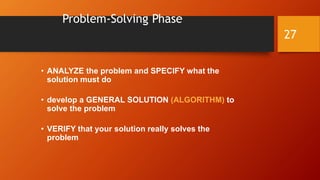
Problem-Solving Phase 
• ANALYZE the problem and SPECIFY what the 
solution must do 
• develop a GENERAL SOLUTION (ALGORITHM) to 
solve the problem 
• VERIFY that your solution really solves the 
problem 
27
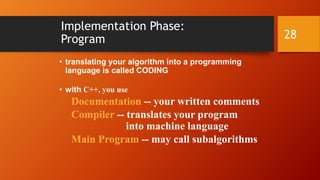
Implementation Phase: 
Program 
• translating your algorithm into a programming 
language is called CODING 
• with C++, you use 
Documentation -- your written comments 
Compiler -- translates your program 
into machine language 
Main Program -- may call subalgorithms 
28
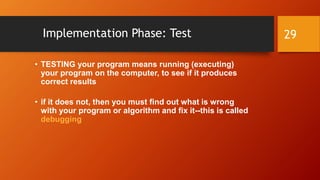
Implementation Phase: Test 
• TESTING your program means running (executing) 
your program on the computer, to see if it produces 
correct results 
• if it does not, then you must find out what is wrong 
with your program or algorithm and fix it--this is called 
debugging 
29
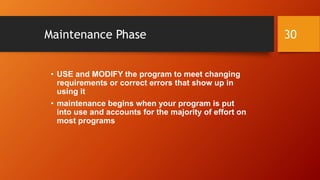
Maintenance Phase 
• USE and MODIFY the program to meet changing 
requirements or correct errors that show up in 
using it 
• maintenance begins when your program is put 
into use and accounts for the majority of effort on 
most programs 
30
Some C++ History 
• 1972 : Dennis Ritchie at Bell Labs designs C and 90% of UNIX is 
then written in C 
• Late 70’s : OOP becomes popular 
• Bjarne Stroustrup at Bell Labs adds features to C to form “C 
with Classes” 
• 1983 : Name C++ first used 
• 1998 : ISO/ANSI standardization of C++ 
31
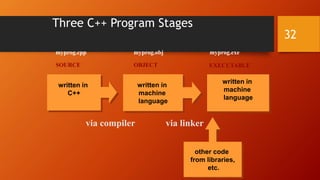
Three C++ Program Stages 
32 
myprog.cpp myprog.obj myprog.exe 
SOURCE OBJECT EXECUTABLE 
other code 
from libraries, 
etc. 
written in 
machine 
language 
written in 
machine 
language 
written in 
C++ 
via compiler via linker
Basic Control Structures 
• a sequence is a series of statements that execute 
one after another 
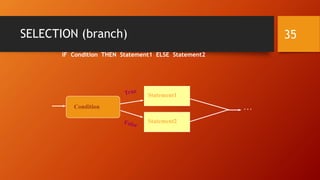
• selection (branch) is used to execute different 
statements depending on certain conditions 
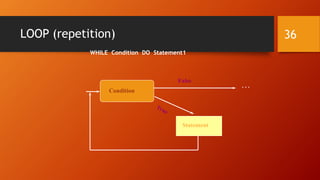
• Looping (repetition) is used to repeat statements 
while certain conditions are met. 
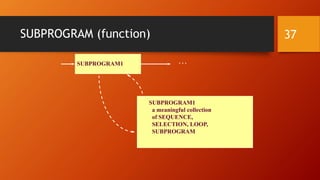
• a subprogram is used to break the program into 
smaller units 
33
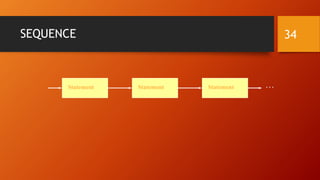
SEQUENCE 34 
Statement Statement Statement . . .
SELECTION (branch) 35 
IF Condition THEN Statement1 ELSE Statement2 
Statement1 
Statement 
Condition . . . 
Statement2
LOOP (repetition) 36 
WHILE Condition DO Statement1 
Statement 
Condition 
. . . 
False
SUBPROGRAM (function) 37 
SUBPROGRAM1 . . . 
SUBPROGRAM1 
a meaningful collection 
of SEQUENCE, 
SELECTION, LOOP, 
SUBPROGRAM
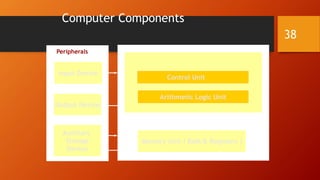
Computer Components 
Central Processing Unit ( CPU ) 
38 
Control Unit 
Arithmetic Logic Unit 
Peripherals 
Auxiliary 
Storage 
Device 
Memory Unit ( RAM & Registers ) 
Input Device 
Output Device
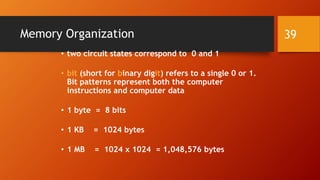
Memory Organization 
• two circuit states correspond to 0 and 1 
• bit (short for binary digit) refers to a single 0 or 1. 
Bit patterns represent both the computer 
instructions and computer data 
• 1 byte = 8 bits 
• 1 KB = 1024 bytes 
• 1 MB = 1024 x 1024 = 1,048,576 bytes 
39
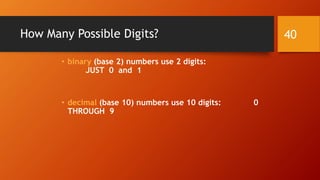
How Many Possible Digits? 
• binary (base 2) numbers use 2 digits: 
JUST 0 and 1 
• decimal (base 10) numbers use 10 digits: 0 
THROUGH 9 
40

Mcs lec2

  • 1.
    What is aProgramming Language? PS — Introduction © O. Nierstrasz 1 • A formal language for describing computation? • A “user interface” to a computer? • Syntax + semantics? • Compiler, or interpreter, or translator? • A tool to support a programming paradigm? A programming language is a notational system for describing computation in a machine-readable and human-readable form. — Louden
  • 2.
    2 Figure 9.2Categories of programming languages
  • 3.
    Generations of ProgrammingLanguages 1GL: machine codes 2GL: symbolic assemblers 3GL: (machine-independent) imperative languages (FORTRAN, Pascal, C ...) 4GL: domain specific application generators 5GL: AI languages … ( Prolog, OPS5, and Mercury are examples of fifth-generation languages.) Each generation is at a higher level of abstraction PS — Introduction © O. Nierstrasz 3
  • 4.
    CSC141 Introduction toComputer Programming Machine language (1GL) • The lowest level of language. • The language used to program the first-generation computers. • The instructions in 1GL are made of binary numbers, represented by 1s and 0s. • 1s and 0s correspond to the on and off states of electrical switches. • Suitable for the understanding of the machine but very much difficult to interpret and learn by the human programmer.
  • 5.
    Machine Language(contd) •is not portable • runs only on specific type of computer • is made up of binary-coded instructions (strings of 0s and 1s) • is the language that can be directly used by the computer 5
  • 6.
    CSC141 Introduction toComputer Programming Assembly language (2GL) • Low-level language that allows a programmer to use abbreviations or easily remembered words instead of numbers. • These Observations are called Mnemonics. These Mnemonic are Opcode and Operands For Example: ADD AX, BX MOV CX, AX INC CX Op-code; ADD, MOV, INC Operands AX, BX,CX
  • 7.
    CSC141 Introduction toComputer Programming Assembly language (2GL) (contd) • Programmer can write instructions faster but it is still not an easy language to learn. • Drawback: The language is specific to a particular processor family and environment. (Machine Dependent Language) • Assembler – A program that translates the assembly language program into machine language.
  • 8.
    High Level languages(3GL) • A High-Level Language is an English-like language. • It is a refinement of a second-generation programming language. • It allowed users to write in familiar notation, rather than numbers or abbreviations. • Most High-level languages are not Machine Dependent. • Translator for High-level languages is either a Compiler or an Interpreter. • Examples of High-level languages: ―FORTRON ―COBOL ―BASIC ―C and C++ CSC141 Introduction to Computer Programming
  • 9.
    High Level Languages(contd) • are portable • user writes program in language similar to natural language • examples -- FORTRAN, COBOL, Pascal, Ada, Modula-2, C++, Java • most are standardized by ISO/ANSI to provide an official description of the language 9
  • 10.
    CSC141 Introduction toComputer Programming Very-High-Level Languages (4GL) • 4GLs are much more user-oriented and allow programmers to develop programs with fewer commands compared with 3GLs. • Non-Procedural Language; Programmers don’t have to specify all the programming logic, only tell the computer what they want done. • Saves a lot of time. • 4GLs consist of report generators, query languages, application generators, and interactive database management system • For example: • RPG III (Report Generator) • SQL (Structured Query Language) • NOMAD and FOCUS (DBMS)
  • 11.
    Domain specific languages(DSL) • Specialized to a particular application domain. • Contrast to a general-purpose language (GPL), which is broadly applicable across domains, and lacks specialized features for a particular domain. • Wide variety of DSLs, ranging from widely used languages for common domains. • Sometimes informally called mini-languages. • Example: HTML for web pages.
  • 12.
    CSC141 Introduction toComputer Programming Natural Languages (5GL) • Two types • Ordinary Human Languages; like English. • Programming language that use human language to give people a more natural connection with computers. • 5GLs are designed to make the computer solve a given problem without the programmer. • Natural languages are part of the field of study known as Artificial Intelligence. • Develop machines to emulate human-like qualities such as learning, reasoning, communicating, seeing and hearing.
  • 13.
    What is ComputerProgramming? • It is the process of planning a sequence of steps (called instructions) for a computer to follow. 13 STEP 1 STEP 2 STEP 3 . . .
  • 14.
    Problem Solving Howdo you solve problems? Understand the problem Devise a plan Carry out the plan Look back 14
  • 15.
    Strategies Ask questions! • What do I know about the problem? • What is the information that I have to process in order the find the solution? • What does the solution look like? • What sort of special cases exist? • How will I recognize that I have found the solution? 15
  • 16.
    Strategies Ask questions!Never reinvent the wheel! Similar problems come up again and again in different guises A good programmer recognizes a task or subtask that has been solved before and plugs in the solution Can you think of two similar problems? 16
  • 17.
    Strategies Divide andConquer! Break up a large problem into smaller units and solve each smaller problem • Applies the concept of abstraction • The divide-and-conquer approach can be applied over and over again until each subtask is manageable 17
  • 18.
    Algorithms Algorithm Aset of unambiguous instructions for solving a problem or subproblem in a finite amount of time using a finite amount of data Why must instructions be unambiguous? Why must time and data be finite? 18
  • 19.
    Computer Problem-Solving 19 Analysis and Specification Phase Analyze Specification Algorithm Development Phase Develop algorithm Test algorithm Implementation Phase Code algorithm Test algorithm Maintenance Phase Use Maintain Can you name a recurring theme?
  • 20.
    Phase Interactions 20 Should we add another arrow? (What happens if the problem is revised?)
  • 21.
    A Tempting Shortcut?21 GOAL THINKING CODE REVISE REVISE REVISE DEBUG DEBUG DEBUG TEST CODE
  • 22.
    Developing an Algorithm Two methodologies used to develop computer solutions to a problem • Top-down design focuses on the tasks to be done • Object-oriented design focuses on the data involved in the solution But first, let's look at a way to express algorithms: pseudocode 22
  • 23.
    An Algorithm is. . . • a step-by-step procedure for solving a problem in a finite amount of time. 23
  • 24.
    Pseudocode Pseudocode Away of expressing algorithms that uses a mixture of English phrases and indention to make the steps in the solution explicit There are no grammar rules in pseudocode Pseudocode is not case sensitive 24
  • 25.
    Example of algorithm • In this example, we design an algorithm to find the perimeter and area of a rectangle. • To find the perimeter and area of a rectangle, you need to know the rectangle’s length and width. • The perimeter and area of the rectangle are then given by the following formulas: • perimeter = 2 * (length + width) • area = length * width
  • 26.
    The algorithm tofind the perimeter and area of the rectangle is: 1. Get the length of the rectangle. 2. Get the width of the rectangle. 3. Find the perimeter using the following equation: perimeter = 2 * (length + width) 4. Find the area using the following equation: area = length * width
  • 27.
    Problem-Solving Phase •ANALYZE the problem and SPECIFY what the solution must do • develop a GENERAL SOLUTION (ALGORITHM) to solve the problem • VERIFY that your solution really solves the problem 27
  • 28.
    Implementation Phase: Program • translating your algorithm into a programming language is called CODING • with C++, you use Documentation -- your written comments Compiler -- translates your program into machine language Main Program -- may call subalgorithms 28
  • 29.
    Implementation Phase: Test • TESTING your program means running (executing) your program on the computer, to see if it produces correct results • if it does not, then you must find out what is wrong with your program or algorithm and fix it--this is called debugging 29
  • 30.
    Maintenance Phase •USE and MODIFY the program to meet changing requirements or correct errors that show up in using it • maintenance begins when your program is put into use and accounts for the majority of effort on most programs 30
  • 31.
    Some C++ History • 1972 : Dennis Ritchie at Bell Labs designs C and 90% of UNIX is then written in C • Late 70’s : OOP becomes popular • Bjarne Stroustrup at Bell Labs adds features to C to form “C with Classes” • 1983 : Name C++ first used • 1998 : ISO/ANSI standardization of C++ 31
  • 32.
    Three C++ ProgramStages 32 myprog.cpp myprog.obj myprog.exe SOURCE OBJECT EXECUTABLE other code from libraries, etc. written in machine language written in machine language written in C++ via compiler via linker
  • 33.
    Basic Control Structures • a sequence is a series of statements that execute one after another • selection (branch) is used to execute different statements depending on certain conditions • Looping (repetition) is used to repeat statements while certain conditions are met. • a subprogram is used to break the program into smaller units 33
  • 34.
    SEQUENCE 34 StatementStatement Statement . . .
  • 35.
    SELECTION (branch) 35 IF Condition THEN Statement1 ELSE Statement2 Statement1 Statement Condition . . . Statement2
  • 36.
    LOOP (repetition) 36 WHILE Condition DO Statement1 Statement Condition . . . False
  • 37.
    SUBPROGRAM (function) 37 SUBPROGRAM1 . . . SUBPROGRAM1 a meaningful collection of SEQUENCE, SELECTION, LOOP, SUBPROGRAM
  • 38.
    Computer Components CentralProcessing Unit ( CPU ) 38 Control Unit Arithmetic Logic Unit Peripherals Auxiliary Storage Device Memory Unit ( RAM & Registers ) Input Device Output Device
  • 39.
    Memory Organization •two circuit states correspond to 0 and 1 • bit (short for binary digit) refers to a single 0 or 1. Bit patterns represent both the computer instructions and computer data • 1 byte = 8 bits • 1 KB = 1024 bytes • 1 MB = 1024 x 1024 = 1,048,576 bytes 39
  • 40.
    How Many PossibleDigits? • binary (base 2) numbers use 2 digits: JUST 0 and 1 • decimal (base 10) numbers use 10 digits: 0 THROUGH 9 40