Mastering WordPress
        Vol.1


          2012.08.23 - wokamoto
Introduce Myself
I’m a member of WordPress Plugins/
JSeries, and making WordPress plugins.


   Head Cleaner - Cleaning tags from your
   WordPress header and footer.

   OAuth Provider - A plugin to allow WordPress
   to use an OAuth authenticator.


    http://profiles.wordpress.org/wokamoto
I’ve just released AMI which is
performance tuned for
WordPress .

     http://megumi-cloud.com/
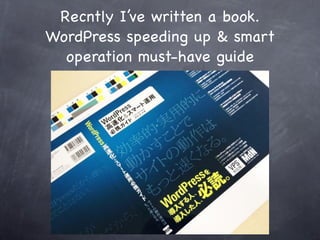
Recntly I’ve written a book.
WordPress speeding up & smart
  operation must-have guide
Outline
About improving performance of a
site using WordPress

  Identifying bottlenecks

  Improvement with plugins

  Improvement on the server side
Identifying bottlenecks
The reasons of slowness


 PHP processing is slow
 MySQL processing is slow
 Problem of Internet line
PHP processing is slow


Plugins or themes are inefficient

WordPress runs futilely

Too many access to process
MySQL processing is slow


  Too many plugins cause too many queries

  Queries are not properly optimized

  MySQL is not properly optimized
Problem of Internet line


 Many big files such as images

 Loads many CSS, JS files

 JS loaded from outside is slow
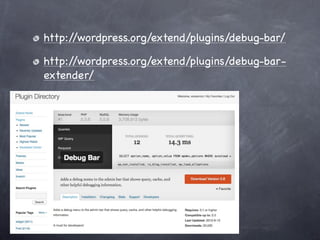
Debug Bar and
Debug Bar Extendar
http://wordpress.org/extend/plugins/debug-bar/

http://wordpress.org/extend/plugins/debug-bar-
extender/
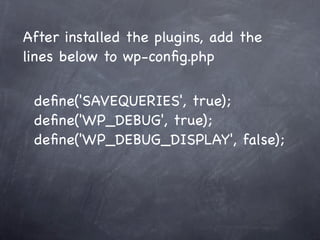
After installed the plugins, add the
lines below to wp-config.php

 define('SAVEQUERIES', true);
 define('WP_DEBUG', true);
 define('WP_DEBUG_DISPLAY', false);
Identifying bottlenecks
    with Debug Bar
Add check point to the Profile
   tab of Debug Bar to show

<?php
if ( function_exists("dbgx_checkpoint") )
     dbgx_checkpoint( $note="Note" );
?>
Try not to run
WordPress as few as
     possible
Accessing to non-existent
 files makes WordPress run
# BEGIN WordPress
<IfModule mod_rewrite.c>
RewriteEngine On
RewriteBase /
RewriteCond %{REQUEST_FILENAME} !-f
RewriteCond %{REQUEST_FILENAME} !-d
RewriteRule . /index.php [L]
</IfModule>

# END WordPress
Files that browser crawlers
 check for the presence of

  /favicon.ico
  /apple-touch-icon.png
  /robots.txt
  /crossdomain.xml
# BEGIN WordPress
<IfModule mod_rewrite.c>
RewriteEngine On
RewriteBase /
RewriteCond %{REQUEST_FILENAME}
! !.(html?|xml|txt|xsl|js|css|jpe?g|png|gif|ico)$
RewriteCond %{REQUEST_FILENAME} !-f
RewriteCond %{REQUEST_FILENAME} !-d
RewriteRule . /index.php [L]
</IfModule>

# END WordPress
Avoid duplication of
    JavaScript
<?php wp_enqueue_script('jquery'); ?>
Using only jQuery on its’
   Google AJAX Libraries
<?php
wp_deregister_script('jquery');
wp_enqueue_script(
  'jquery',
  'http:/ /ajax.googleapis.com/ajax/libs/
jquery/1.7.2/jquery.min.js',
  array(),
  '1.7.2');
?>
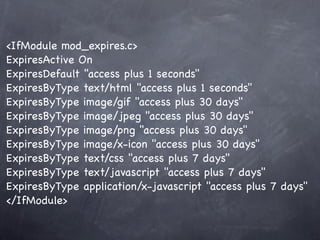
Setting periods of
validity for static files
<IfModule mod_expires.c>
ExpiresActive On
ExpiresDefault "access plus 1 seconds"
ExpiresByType text/html "access plus 1 seconds"
ExpiresByType image/gif "access plus 30 days"
ExpiresByType image/jpeg "access plus 30 days"
ExpiresByType image/png "access plus 30 days"
ExpiresByType image/x-icon "access plus 30 days"
ExpiresByType text/css "access plus 7 days"
ExpiresByType text/javascript "access plus 7 days"
ExpiresByType application/x-javascript "access plus 7 days"
</IfModule>
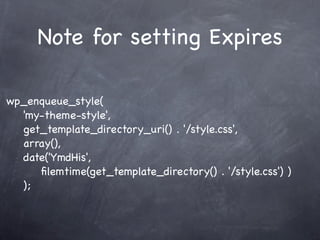
Note for setting Expires

wp_enqueue_style(
  'my-theme-style',
  get_template_directory_uri() . '/style.css',
  array(),
  date('YmdHis',
     filemtime(get_template_directory() . '/style.css') )
  );
Sending text files with
   gzip compressed
<IfModule mod_deflate.c>
SetOutputFilter DEFLATE
BrowserMatch ^Mozilla/4 gzip-only-text/html
BrowserMatch ^Mozilla/4.0[678] no-gzip
BrowserMatch bMSIE/[1-6] !no-gzip !gzip-only-text/html
SetEnvIfNoCase Request_URI .(?:gif|jpe?g|png|ico|pdf)$
no-gzip dont-vary
SetEnvIfNoCase Request_URI _.utxt$ no-gzip
DeflateCompressionLevel 4
AddOutputFilterByType DEFLATE text/plain
AddOutputFilterByType DEFLATE text/html
AddOutputFilterByType DEFLATE text/xml
AddOutputFilterByType DEFLATE text/css
AddOutputFilterByType DEFLATE application/x-javascript
AddOutputFilterByType DEFLATE application/x-httpd-php
</IfModule>
Try to avoid
using .htaccess
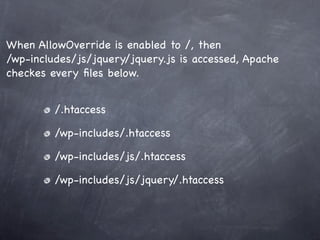
When AllowOverride is enabled to /, then
/wp-includes/js/jquery/jquery.js is accessed, Apache
checkes every files below.


         /.htaccess

         /wp-includes/.htaccess

         /wp-includes/js/.htaccess

         /wp-includes/js/jquery/.htaccess
Optimizing image files
http://wordpress.org/extend/plugins/wp-smushit/
Dividing sources into
   several servers
http://wordpress.org/extend/plugins/wp-flickr-press/
http://wordpress.org/extend/plugins/tantan-s3/
Distributing contents
      using CDN
http://wordpress.org/extend/plugins/wpbooster-cdn-
client/
Optimizing CSS and JS
http://wordpress.org/extend/plugins/head-cleaner/
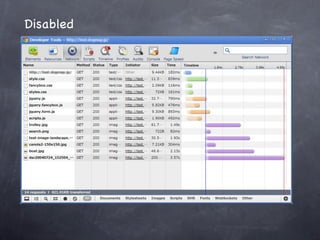
Disabled
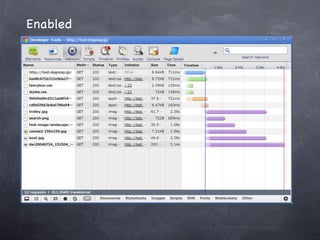
Enabled
Cache outputs of
   WordPress
Object Cache
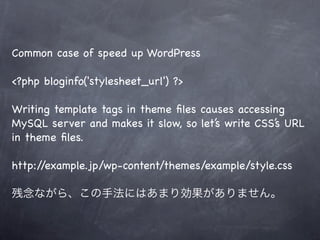
Common case of speed up WordPress

<?php bloginfo('stylesheet_url') ?>

Writing template tags in theme files causes accessing
MySQL server and makes it slow, so let’s write CSS’s URL
in theme files.

http://example.jp/wp-content/themes/example/style.css

残念ながら、この手法にはあまり効果がありません。
wp_cache_add( $key, $data, $group )

wp_cache_replace( $key, $data, $group )

wp_cache_set( $key, $data, $group )

wp_cache_get( $key, $group )

wp_cache_delete( $key, $group )

wp_cache_flush()
Object cached data are usually discarded
              every time.
Plugins to use persistently
    object cached data.


http://wordpress.org/extend/plugins/wp-file-cache/

http://wordpress.org/extend/plugins/apc/

http://wordpress.org/extend/plugins/memcached/
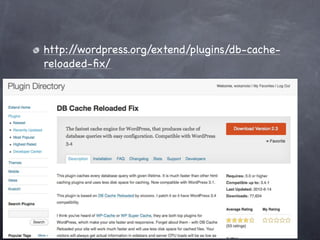
Caching the result of DB
        queries.
http://wordpress.org/extend/plugins/db-cache-
reloaded-fix/
Cache the whole of
WordPress’s outputs.
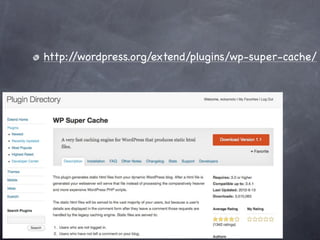
http://wordpress.org/extend/plugins/wp-super-cache/
http://wordpress.org/extend/plugins/nginx-champuru/
Tuning up MySQL
$ wget mysqltuner.pl
$ chmod +x mysqltuner.pl
$ ./mysqltuner.pl
Twitter : @wokamoto

Mastering WordPress Vol.1