

Magento                    ++
     a gentle introduction to e­commerce and PHP


  Alessandro Nadalin
    May, 13th 2010
Bio

 ✔
   php developer
 ✔
   SEO consultant
 ✔
   OSS enthusiast
 ✔
   GrUSP member
 ✔
   Joomla! Bug Squad 
   member
 ✔
   tweet­addicted
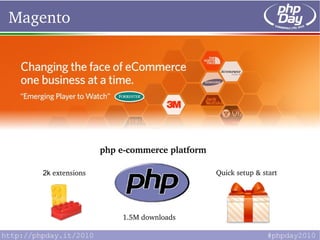
Magento


  Huge e-commerce platform


                     php e­commerce platform

     2k extensions                             Quick setup & start


                             1.5M downloads
What's behind Magento?


          22,5M 
         capital 
        injection        th
            on March 15  
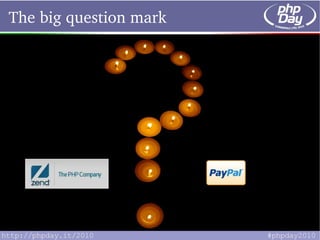
The big question mark
What's behind Magento? (2)


              possibility to directly work with ZF API

 ZF components like Zend_Lucene always available

 part of Magento's core is  enterprise­php­compliant
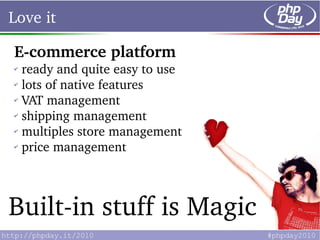
Love it

E­commerce platform
✔
  ready and quite easy to use
✔
  lots of native features
✔
  VAT management
✔
  shipping management
✔
  multiples store management
✔
  price management


Built­in stuff is Magic
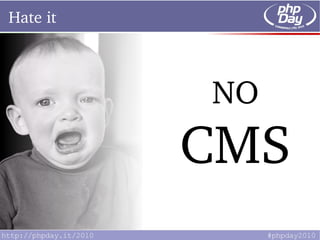
Hate it


          NO
          CMS
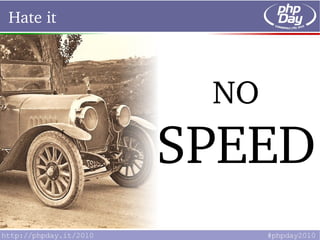
Hate it


               NO
              SPEED
          r
Hate it


          POOR
          DOC
Hate it


          EAV
          Yes, someone hates it
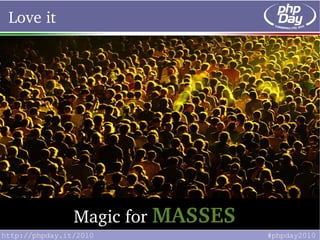
Love it


          Magic for MASSES
Hate it


          Less magic for DEVS
Let's go developers, let's go!


Let's see what we 
        got
                   and later


    Let's extend it
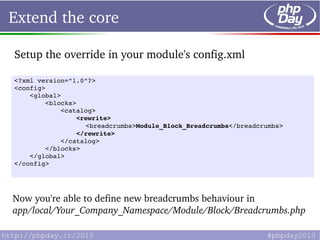
Extend the core

Setup the override in your module's config.xml

<?xml version="1.0"?>
<config>
    <global>
        <blocks>
            <catalog>
                <rewrite>
                  <breadcrumbs>Module_Block_Breadcrumbs</breadcrumbs>
                </rewrite>
            </catalog>
        </blocks>
    </global>
</config>


Now you're able to define new breadcrumbs behaviour in
app/local/Your_Company_Namespace/Module/Block/Breadcrumbs.php
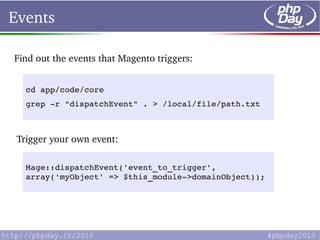
Events

Find out the events that Magento triggers:


   cd app/code/core
   grep ­r "dispatchEvent" . > /local/file/path.txt


 Trigger your own event:

   Mage::dispatchEvent('event_to_trigger', 
   array('myObject' => $this_module­>domainObject));
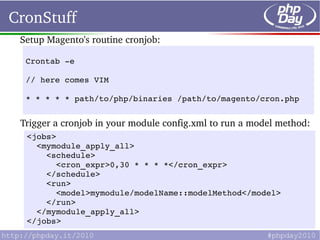
CronStuff
 Setup Magento's routine cronjob:

  Crontab ­e

  // here comes VIM

  * * * * * path/to/php/binaries /path/to/magento/cron.php


 Trigger a cronjob in your module config.xml to run a model method:
  <jobs>
    <mymodule_apply_all>
      <schedule>
        <cron_expr>0,30 * * * *</cron_expr>
      </schedule>
      <run>
        <model>mymodule/modelName::modelMethod</model>
      </run>
    </mymodule_apply_all>
  </jobs>
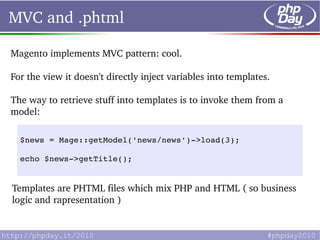
MVC and .phtml

Magento implements MVC pattern: cool.

For the view it doesn't directly inject variables into templates.

The way to retrieve stuff into templates is to invoke them from a 
model:

  $news = Mage::getModel('news/news')­>load(3);

  echo $news­>getTitle();


Templates are PHTML files which mix PHP and HTML ( so business 
logic and rapresentation )
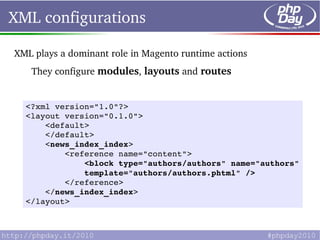
XML configurations

XML plays a dominant role in Magento runtime actions
   They configure modules, layouts and routes


  <?xml version="1.0"?>
  <layout version="0.1.0">
      <default>
      </default>
      <news_index_index>
          <reference name="content">
              <block type="authors/authors" name="authors" 
              template="authors/authors.phtml" />
          </reference>
      </news_index_index>
  </layout> 
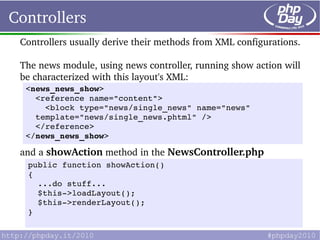
Controllers
 Controllers usually derive their methods from XML configurations.

 The news module, using news controller, running show action will 
 be characterized with this layout's XML:
  <news_news_show>
    <reference name="content">
      <block type="news/single_news" name="news"           
    template="news/single_news.phtml" />
    </reference>
  </news_news_show> 

 and a showAction method in the NewsController.php
  public function showAction()
  {
    ...do stuff...
    $this­>loadLayout();
    $this­>renderLayout();
  }
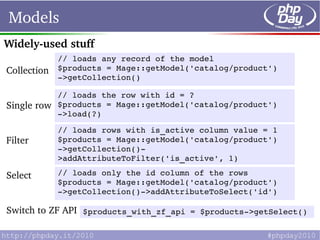
Models
Widely­used stuff
             // loads any record of the model 
Collection   $products = Mage::getModel('catalog/product')
             ­>getCollection()

             // loads the row with id = ? 
Single row   $products = Mage::getModel('catalog/product')
             ­>load(?)

             // loads rows with is_active column value = 1 
Filter       $products = Mage::getModel('catalog/product')
             ­>getCollection()­
             >addAttributeToFilter('is_active', 1)

Select       // loads only the id column of the rows
             $products = Mage::getModel('catalog/product')
             ­>getCollection()­>addAttributeToSelect('id')

Switch to ZF API $products_with_zf_api = $products­>getSelect()
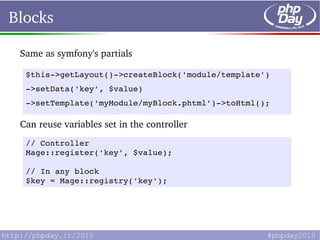
Blocks

 Same as symfony's partials

  $this­>getLayout()­>createBlock('module/template')
  ­>setData('key', $value)
  ­>setTemplate('myModule/myBlock.phtml')­>toHtml();

 Can reuse variables set in the controller
  // Controller
  Mage::register('key', $value);

  // In any block
  $key = Mage::registry('key');
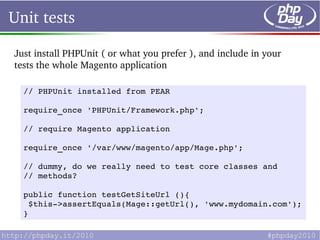
Unit tests

Just install PHPUnit ( or what you prefer ), and include in your 
tests the whole Magento application

  // PHPUnit installed from PEAR

  require_once 'PHPUnit/Framework.php';

  // require Magento application

  require_once '/var/www/magento/app/Mage.php';

  // dummy, do we really need to test core classes and  
  // methods?

  public function testGetSiteUrl (){
   $this­>assertEquals(Mage::getUrl(), 'www.mydomain.com');
  }
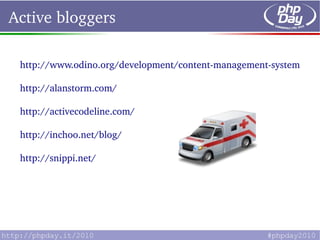
Active bloggers

 http://www.odino.org/development/content­management­systems/ma

 http://alanstorm.com/

 http://activecodeline.com/

 http://inchoo.net/blog/

 http://snippi.net/
Question­time

Alessandro Nadalin

alessandro.nadalin@gmail.com

www.odino.org

http://twitter.com/_odino_

http://www.linkedin.com/in/alessandronadalin
Photocredits


 ✔
    http://www.flickr.com/photos/aaronvandike/3221087856/
 ✔
    http://www.icondrawer.com/free.php
 ✔
    http://www.flickr.com/photos/andreanna/2812118063/
 ✔
    http://www.flickr.com/photos/chernobylbob/4390576988/
 ✔
    http://www.flickr.com/photos/red_jelly/298644360/
 ✔
    http://www.flickr.com/photos/cgoulao/393046424/
 ✔
    http://www.flickr.com/photos/98469445@N00/327471676/
 ✔
    http://www.flickr.com/photos/twose/887903401/
 ✔
    http://www.flickr.com/photos/tochis/1169807846/

Magento++