

MAC STORY
 PiTechnologies
   AhmedYossef
MAC DREAM
INSTALLING MAC ON WINDOWS/LINUX MACHINE
MAC DREAM


You might need to install Mac OS on your non apple
machine for one of the following:

  To develop iOS/Mac OS apps

  To Use the exciting Mac OS
HOW ?


Install Mac

Install the developer tools
INSTALLING THE MAC
IATKOS


Many version are out there

You can download them
WHAT IS NEEDED
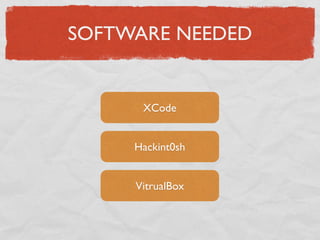
SOFTWARE NEEDED


      XCode


     Hackint0sh


     VitrualBox
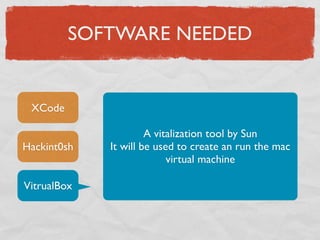
SOFTWARE NEEDED


 XCode

                      A vitalization tool by Sun
Hackint0sh   It will be used to create an run the mac
                           virtual machine

VitrualBox
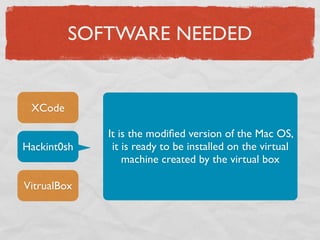
SOFTWARE NEEDED


 XCode

             It is the modified version of the Mac OS,
Hackint0sh    it is ready to be installed on the virtual
                 machine created by the virtual box

VitrualBox
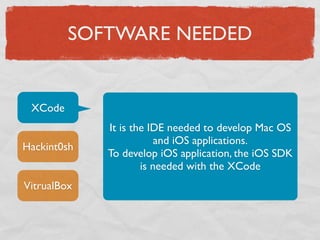
SOFTWARE NEEDED


 XCode
             It is the IDE needed to develop Mac OS
                         and iOS applications.
Hackint0sh
             To develop iOS application, the iOS SDK
                     is needed with the XCode
VitrualBox
CLEAR STEPS
VIRTUAL BOX


                             1
Download the
Virualbox from the
official sun/oracle
website

Install the virtualbox, it
is straight forward
HACKINT0SH


                          2
It is the hardest part,
search for one of the
hackint0sh versions on
some torrent websites

iAtkos, Hazard are the
most known types of
hackint0sh
CREATE VIRTUAL MACHINE


Creating a virtual
machine on the system

Installation Steps
follows

                        3
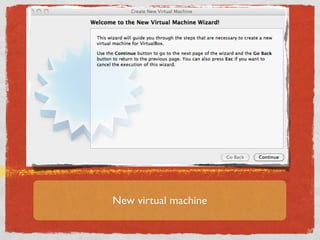
New virtual machine
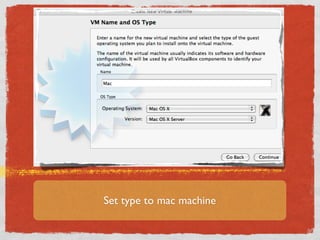
Set type to mac machine
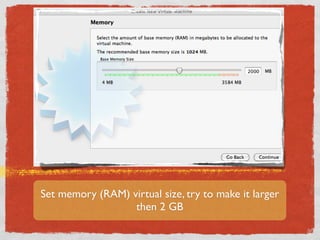
Set memory (RAM) virtual size, try to make it larger
                  then 2 GB
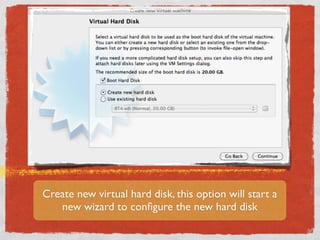
Create new virtual hard disk, this option will start a
   new wizard to configure the new hard disk
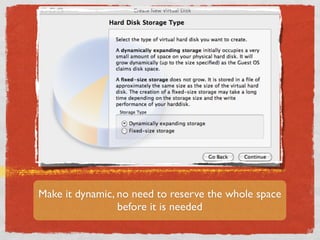
Make it dynamic, no need to reserve the whole space
                 before it is needed
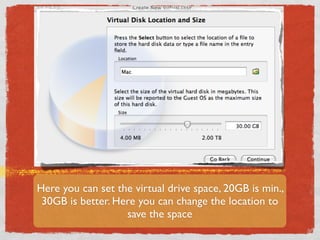
Here you can set the virtual drive space, 20GB is min.,
 30GB is better. Here you can change the location to
                   save the space
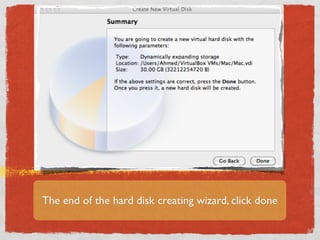
The end of the hard disk creating wizard, click done
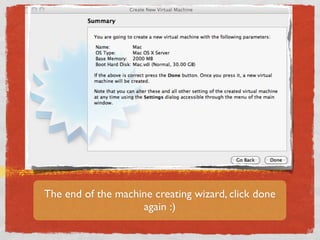
The end of the machine creating wizard, click done
                    again :)
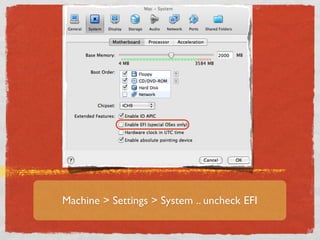
Machine > Settings > System .. uncheck EFI
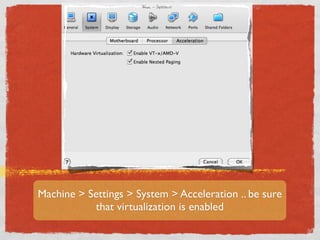
Machine > Settings > System > Acceleration .. be sure
           that virtualization is enabled
VIRTUALIZATION

If you did not see the
acceleration tab


                           !
enabled, so your PC
has no hardware
virtualization or it is
disabled.

Solution will be
discussed in the
common issues section
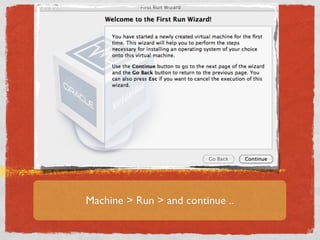
Machine > Run > and continue ..
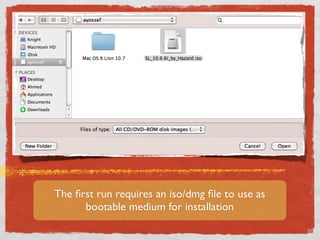
The first run requires an iso/dmg file to use as
      bootable medium for installation
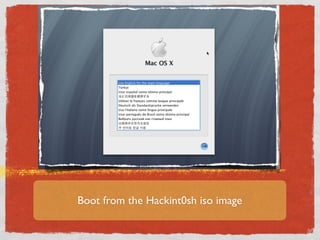
Boot from the Hackint0sh iso image
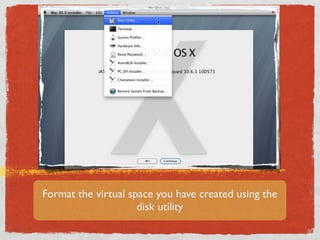
Format the virtual space you have created using the
                     disk utility
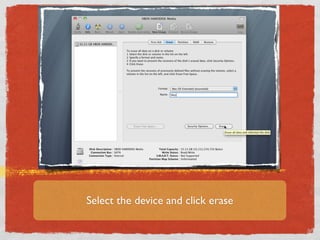
Select the device and click erase
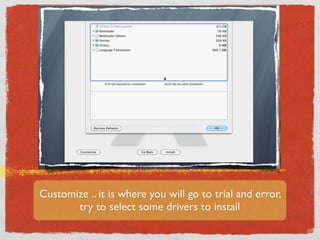
Customize .. it is where you will go to trial and error,
       try to select some drivers to install
DRIVERS

Drivers are critical issue, you need to select
some drivers that you think they match
your HW, and check it.

If your choice was not correct reinstall and
select other drivers

Sometimes you might need only the basic
system and it works fine without installing
any drivers, it is recommended for first time

The idea of “select all”, may fail because of
drivers conflict, it is not recommended
CONGRATULATIONS :)


Expect that your machine will boot
   with your new mac machine

 You will start to configure your
 machine, create user account, ..
XCODE


                                   4
Download and install the
XCode with the iOS SDK no
problem with this step

Compatibility with Mac
versions are listed in the known
issues section
KNOWN ISSUES
XCode versions
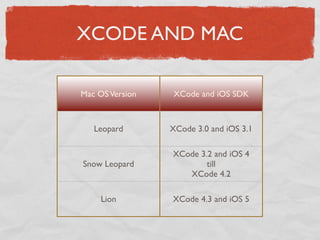
XCODE AND MAC

Mac OS Version   XCode and iOS SDK


   Leopard       XCode 3.0 and iOS 3.1

                 XCode 3.2 and iOS 4
Snow Leopard             till
                    XCode 4.2

     Lion        XCode 4.3 and iOS 5
Virtualization issue
VIRTUALIZATION/
          ACCELERATION
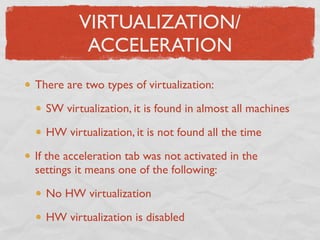
There are two types of virtualization:

  SW virtualization, it is found in almost all machines

  HW virtualization, it is not found all the time

If the acceleration tab was not activated in the
settings it means one of the following:

  No HW virtualization

  HW virtualization is disabled
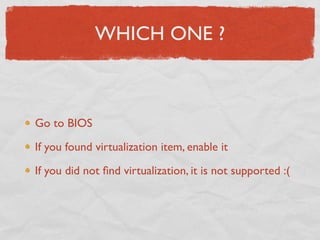
WHICH ONE ?


Go to BIOS

If you found virtualization item, enable it

If you did not find virtualization, it is not supported :(
NO HW VIRTUALIZATION

If it was your case you can install only leopard version
  Mac OS X versions: Lion, Snow leopard and leopard
So you will need to search for hackint0sh version which
contains leopard
google example: iAtkos leopard
If you downloaded the iAtkos leopard, continue as the
same, but you will need old XCode version supported on
leopard
HAPPY MAC :)

Mac story

  • 1.
  • 2.
    MAC DREAM INSTALLING MACON WINDOWS/LINUX MACHINE
  • 3.
    MAC DREAM You mightneed to install Mac OS on your non apple machine for one of the following: To develop iOS/Mac OS apps To Use the exciting Mac OS
  • 4.
    HOW ? Install Mac Installthe developer tools
  • 5.
  • 6.
    IATKOS Many version areout there You can download them
  • 7.
  • 8.
    SOFTWARE NEEDED XCode Hackint0sh VitrualBox
  • 9.
    SOFTWARE NEEDED XCode A vitalization tool by Sun Hackint0sh It will be used to create an run the mac virtual machine VitrualBox
  • 10.
    SOFTWARE NEEDED XCode It is the modified version of the Mac OS, Hackint0sh it is ready to be installed on the virtual machine created by the virtual box VitrualBox
  • 11.
    SOFTWARE NEEDED XCode It is the IDE needed to develop Mac OS and iOS applications. Hackint0sh To develop iOS application, the iOS SDK is needed with the XCode VitrualBox
  • 12.
  • 13.
    VIRTUAL BOX 1 Download the Virualbox from the official sun/oracle website Install the virtualbox, it is straight forward
  • 14.
    HACKINT0SH 2 It is the hardest part, search for one of the hackint0sh versions on some torrent websites iAtkos, Hazard are the most known types of hackint0sh
  • 15.
    CREATE VIRTUAL MACHINE Creatinga virtual machine on the system Installation Steps follows 3
  • 16.
  • 17.
    Set type tomac machine
  • 18.
    Set memory (RAM)virtual size, try to make it larger then 2 GB
  • 19.
    Create new virtualhard disk, this option will start a new wizard to configure the new hard disk
  • 20.
    Make it dynamic,no need to reserve the whole space before it is needed
  • 21.
    Here you canset the virtual drive space, 20GB is min., 30GB is better. Here you can change the location to save the space
  • 22.
    The end ofthe hard disk creating wizard, click done
  • 23.
    The end ofthe machine creating wizard, click done again :)
  • 24.
    Machine > Settings> System .. uncheck EFI
  • 25.
    Machine > Settings> System > Acceleration .. be sure that virtualization is enabled
  • 26.
    VIRTUALIZATION If you didnot see the acceleration tab ! enabled, so your PC has no hardware virtualization or it is disabled. Solution will be discussed in the common issues section
  • 27.
    Machine > Run> and continue ..
  • 28.
    The first runrequires an iso/dmg file to use as bootable medium for installation
  • 29.
    Boot from theHackint0sh iso image
  • 30.
    Format the virtualspace you have created using the disk utility
  • 31.
    Select the deviceand click erase
  • 32.
    Customize .. itis where you will go to trial and error, try to select some drivers to install
  • 33.
    DRIVERS Drivers are criticalissue, you need to select some drivers that you think they match your HW, and check it. If your choice was not correct reinstall and select other drivers Sometimes you might need only the basic system and it works fine without installing any drivers, it is recommended for first time The idea of “select all”, may fail because of drivers conflict, it is not recommended
  • 34.
    CONGRATULATIONS :) Expect thatyour machine will boot with your new mac machine You will start to configure your machine, create user account, ..
  • 35.
    XCODE 4 Download and install the XCode with the iOS SDK no problem with this step Compatibility with Mac versions are listed in the known issues section
  • 36.
  • 37.
  • 38.
    XCODE AND MAC MacOS Version XCode and iOS SDK Leopard XCode 3.0 and iOS 3.1 XCode 3.2 and iOS 4 Snow Leopard till XCode 4.2 Lion XCode 4.3 and iOS 5
  • 39.
  • 40.
    VIRTUALIZATION/ ACCELERATION There are two types of virtualization: SW virtualization, it is found in almost all machines HW virtualization, it is not found all the time If the acceleration tab was not activated in the settings it means one of the following: No HW virtualization HW virtualization is disabled
  • 41.
    WHICH ONE ? Goto BIOS If you found virtualization item, enable it If you did not find virtualization, it is not supported :(
  • 42.
    NO HW VIRTUALIZATION Ifit was your case you can install only leopard version Mac OS X versions: Lion, Snow leopard and leopard So you will need to search for hackint0sh version which contains leopard google example: iAtkos leopard If you downloaded the iAtkos leopard, continue as the same, but you will need old XCode version supported on leopard
  • 43.