LINUX PRESENTATION BY,  Nikhil v jain
What Is Linux? The most commonly used Operating System for this purpose is Linux - it's Open Source too,  It's based on Unix which was and is an operating systems designed from the ground up for a multiuser environment. What Is Linux? The most commonly used Operating System for this purpose is Linux - it's Open Source too,  It's based on Unix which was and is an operating systems designed from the ground up for a multiuser environment. What Is Linux? The most commonly used Operating System for this purpose the Linux is Open Source too,  It's based on Unix which was and is an operating systems designed from the ground up for a multiuser environment.


Linux Basic and Advance Commands
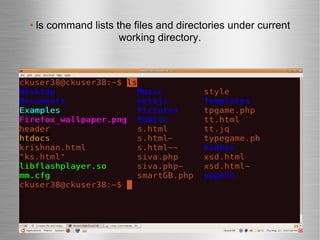
ls command lists the files and directories under current working directory.
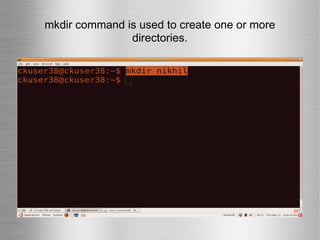
mkdir command is used to create one or more directories.
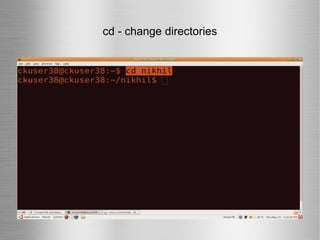
cd - change directories
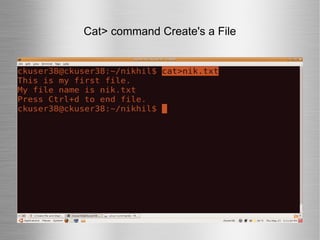
Cat> command Create's a File
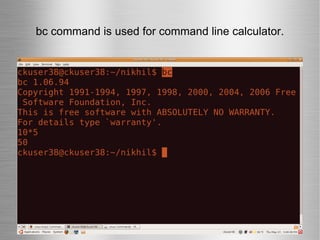
bc command is used for command line calculator.
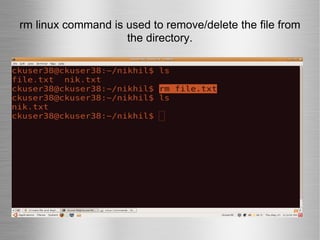
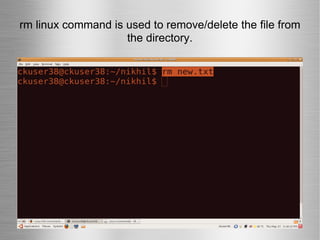
rm linux command is used to remove/delete the file from the directory.
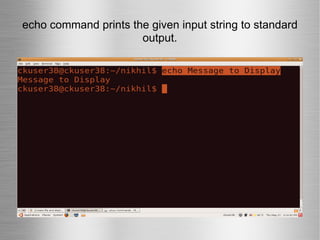
echo command prints the given input string to standard output.
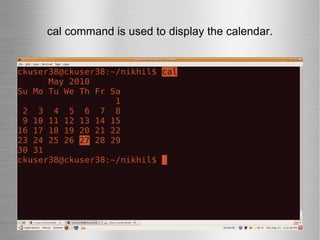
cal command is used to display the calendar.
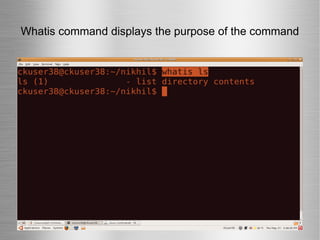
Whatis command displays the purpose of the command
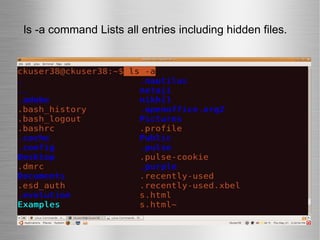
ls -a command Lists all entries including hidden files.
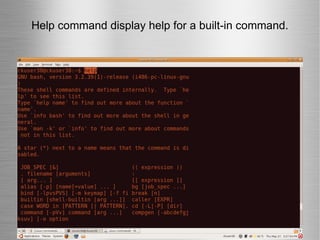
Help command display help for a built-in command.
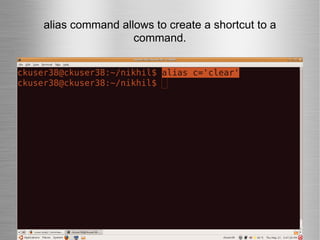
alias command allows to create a shortcut to a command.
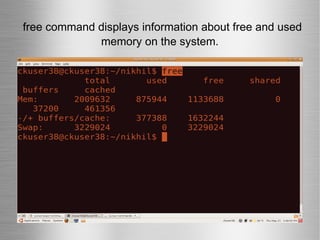
free command displays information about free and used memory on the system.
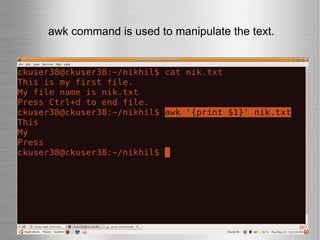
awk command is used to manipulate the text.
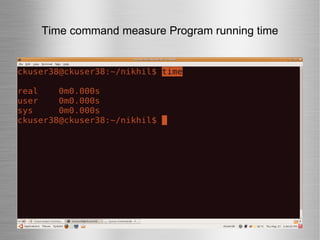
Time command measure Program running time
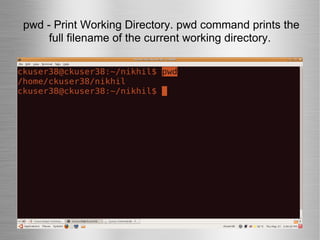
pwd - Print Working Directory. pwd command prints the full filename of the current working directory.
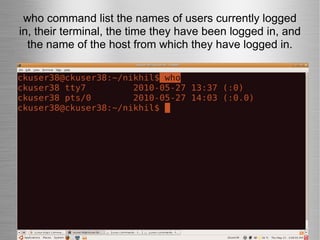
who command list the names of users currently logged in, their terminal, the time they have been logged in, and the name of the host from which they have logged in.
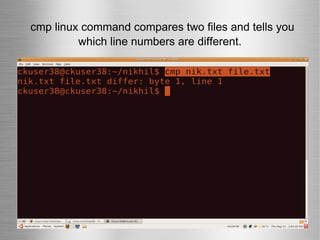
cmp linux command compares two files and tells you which line numbers are different.
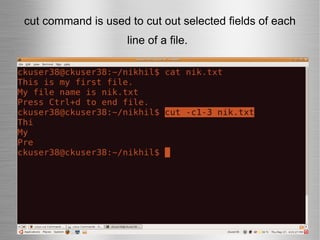
cut command is used to cut out selected fields of each line of a file.
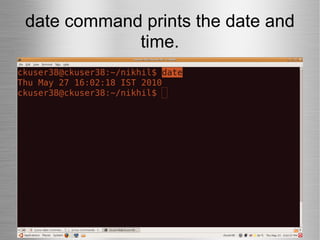
date command prints the date and time.
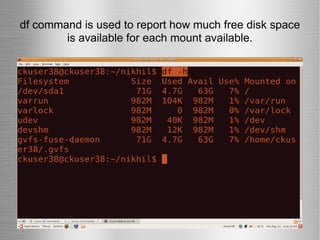
df command is used to report how much free disk space is available for each mount available.
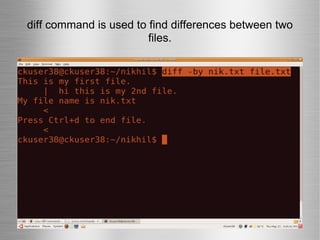
diff command is used to find differences between two files.
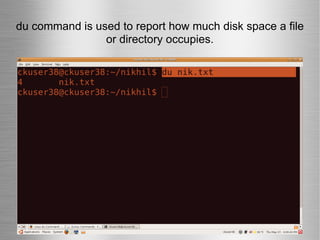
du command is used to report how much disk space a file or directory occupies.
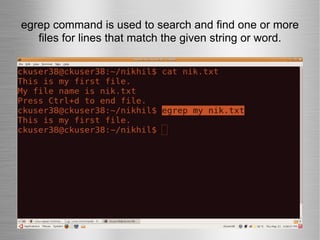
egrep command is used to search and find one or more files for lines that match the given string or word.
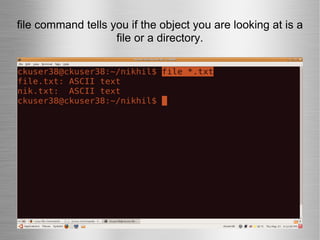
file command tells you if the object you are looking at is a file or a directory.
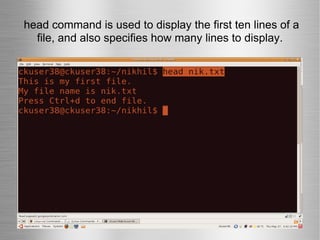
head command is used to display the first ten lines of a file, and also specifies how many lines to display.
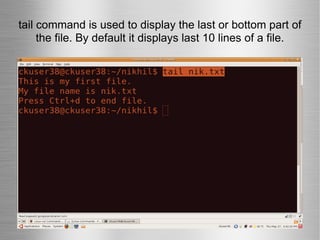
tail command is used to display the last or bottom part of the file. By default it displays last 10 lines of a file.
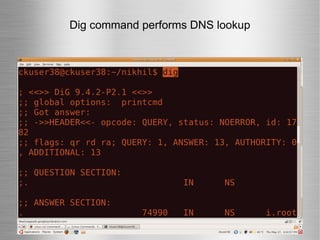
Dig command performs DNS lookup
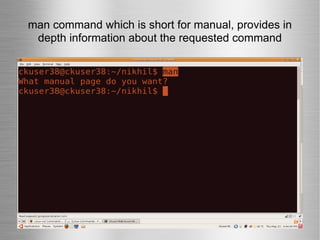
man command which is short for manual, provides in depth information about the requested command
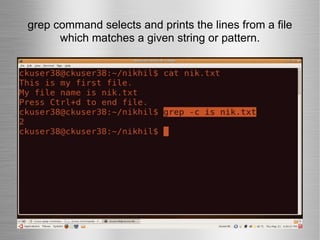
grep command selects and prints the lines from a file which matches a given string or pattern.
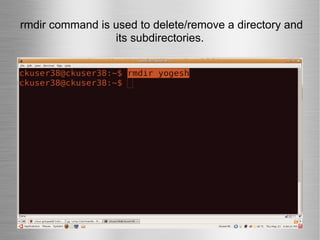
rmdir command is used to delete/remove a directory and its subdirectories.
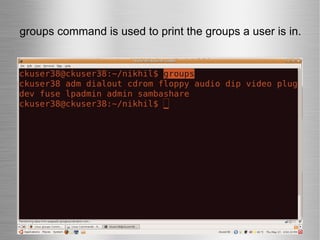
groups command is used to print the groups a user is in.
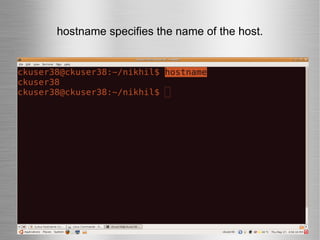
hostname specifies the name of the host.
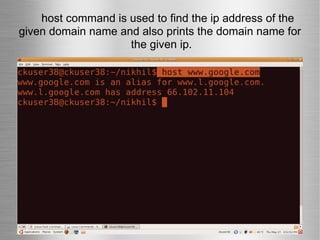
host command is used to find the ip address of the given domain name and also prints the domain name for  the given ip.
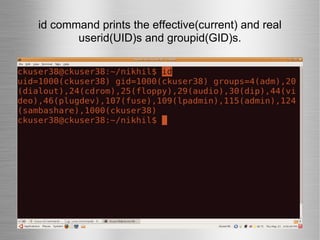
id command prints the effective(current) and real userid(UID)s and groupid(GID)s.
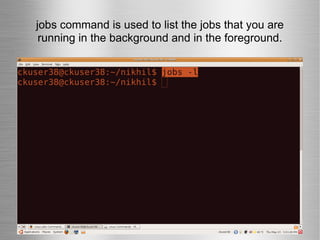
jobs command is used to list the jobs that you are running in the background and in the foreground.
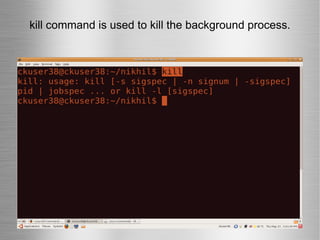
kill command is used to kill the background process.
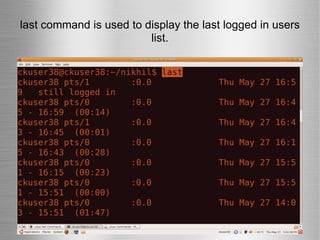
last command is used to display the last logged in users list.
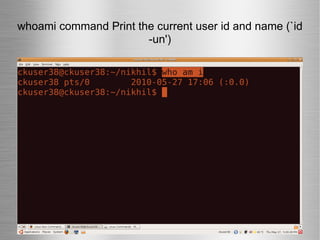
whoami command Print the current user id and name (`id -un')
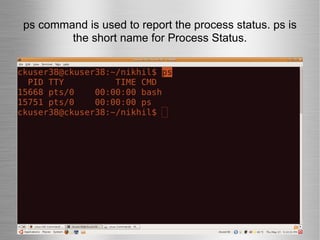
ps command is used to report the process status. ps is the short name for Process Status.
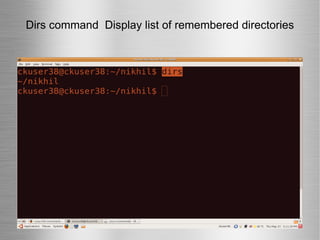
Dirs command  Display list of remembered directories
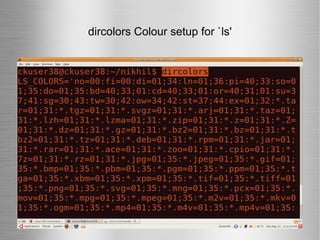
dircolors Colour setup for `ls'
rm linux command is used to remove/delete the file from the directory.
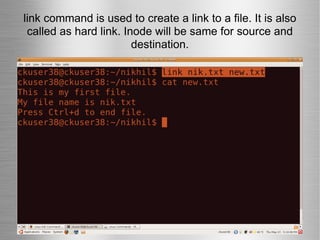
link command is used to create a link to a file. It is also called as hard link. Inode will be same for source and destination.
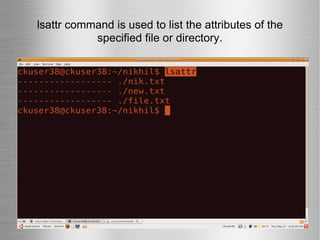
lsattr command is used to list the attributes of the specified file or directory.
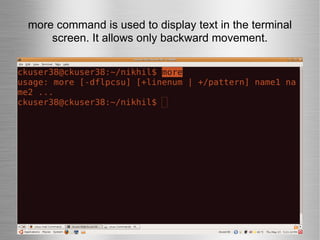
more command is used to display text in the terminal screen. It allows only backward movement.
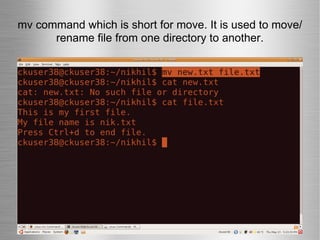
mv command which is short for move. It is used to move/rename file from one directory to another.
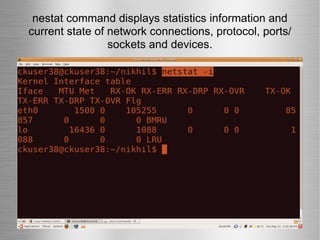
nestat command displays statistics information and current state of network connections, protocol, ports/ sockets and devices.
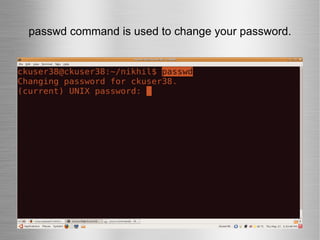
passwd command is used to change your password.
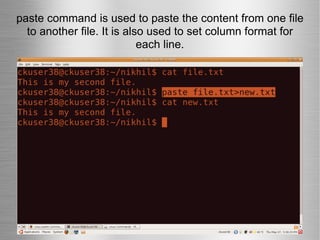
paste command is used to paste the content from one file to another file. It is also used to set column format for each line.
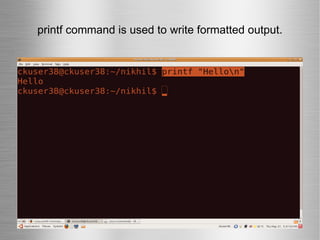
printf command is used to write formatted output.
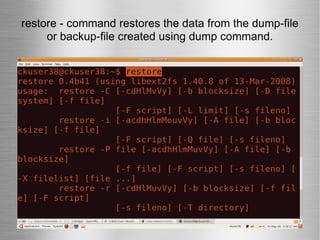
restore - command restores the data from the dump-file or backup-file created using dump command.
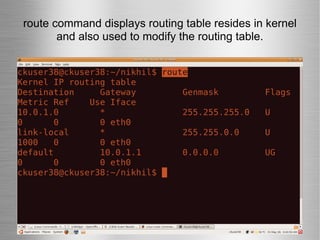
route command displays routing table resides in kernel and also used to modify the routing table.
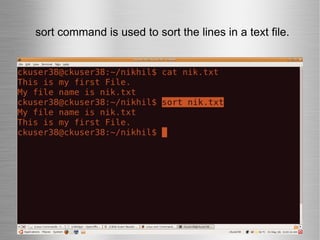
sort command is used to sort the lines in a text file.
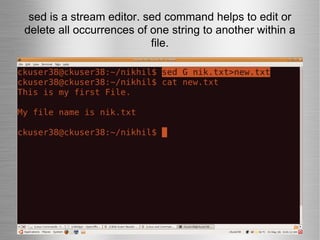
sed is a stream editor. sed command helps to edit or delete all occurrences of one string to another within a file.
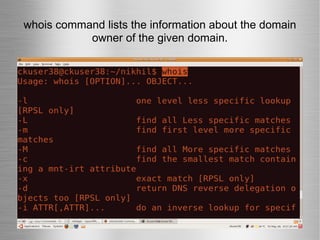
whois command lists the information about the domain owner of the given domain.
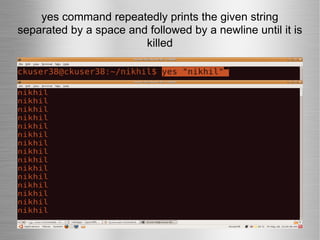
yes command repeatedly prints the given string separated by a space and followed by a newline until it is killed
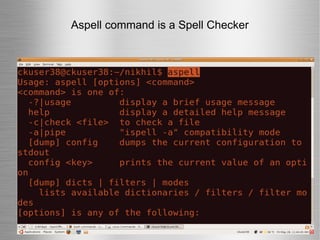
Aspell command is a Spell Checker
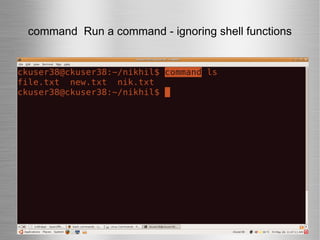
command  Run a command - ignoring shell functions
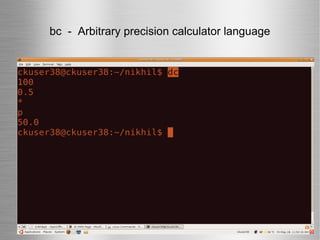
bc  -  Arbitrary precision calculator language
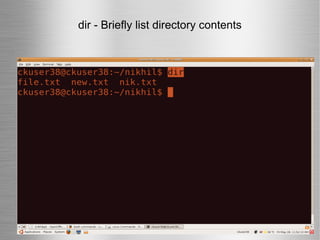
dir - Briefly list directory contents
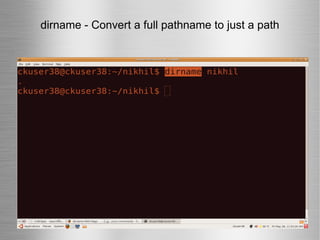
dirname - Convert a full pathname to just a path
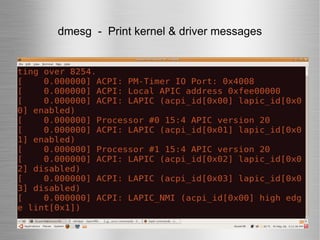
dmesg  -  Print kernel & driver messages
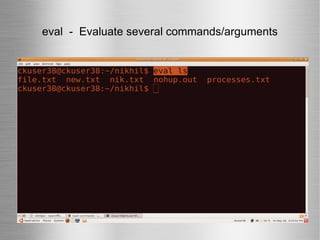
eval  -  Evaluate several commands/arguments
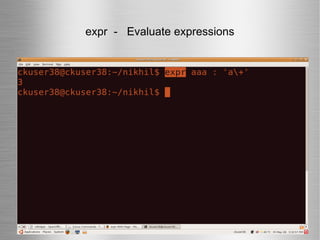
expr  -  Evaluate expressions
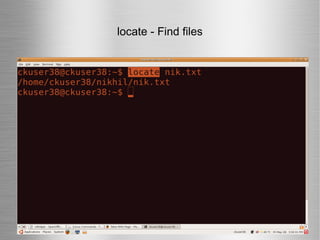
locate - Find files
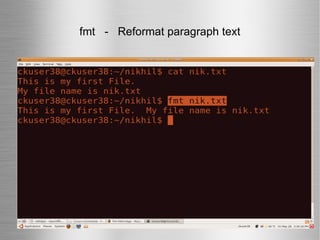
fmt  -  Reformat paragraph text
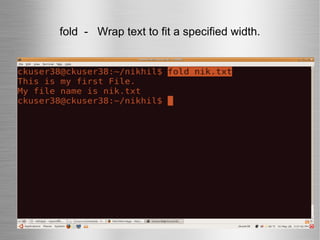
fold  -  Wrap text to fit a specified width.
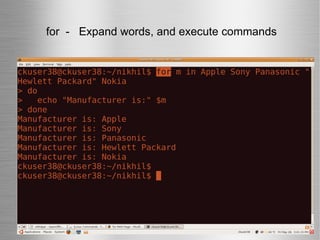
  for  -  Expand words, and execute commands
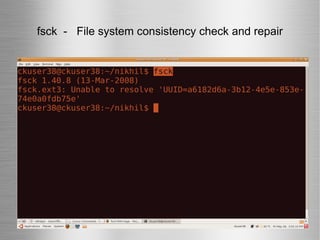
fsck  -  File system consistency check and repair
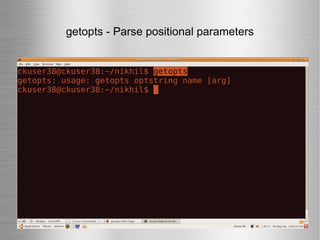
getopts - Parse positional parameters
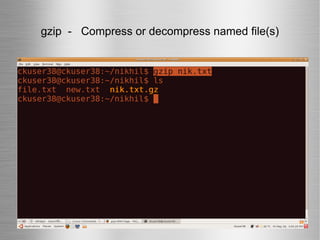
gzip  -  Compress or decompress named file(s)‏
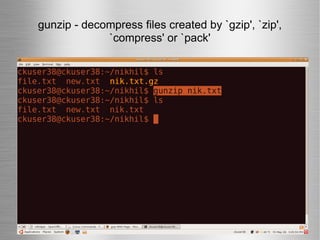
gunzip - decompress files created by `gzip', `zip', `compress' or `pack'
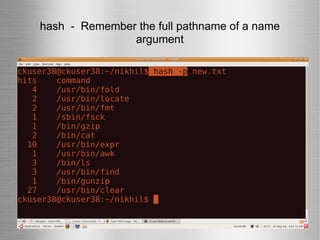
hash  -  Remember the full pathname of a name argument
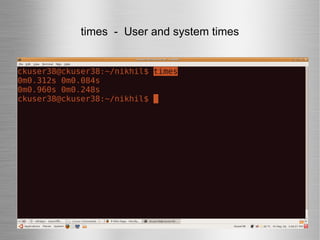
times  -  User and system times
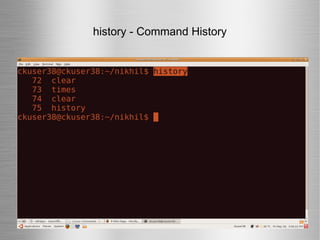
history - Command History
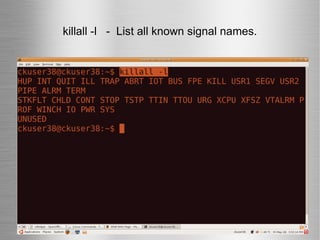
killall -l  -  List all known signal names.
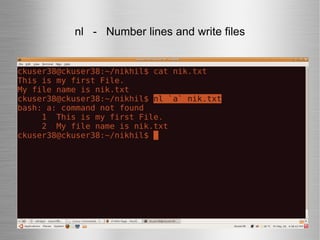
nl  -  Number lines and write files
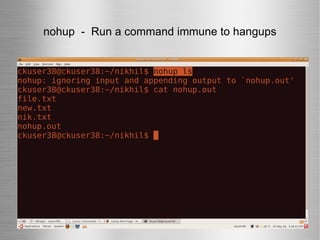
nohup  -  Run a command immune to hangups
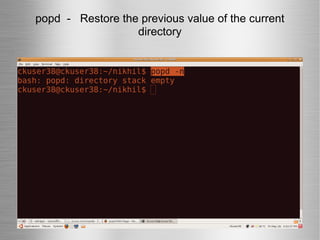
popd  -  Restore the previous value of the current directory
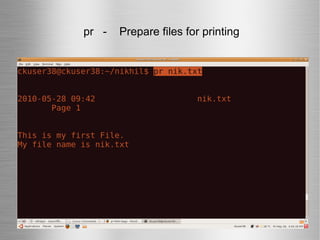
  pr  -  Prepare files for printing
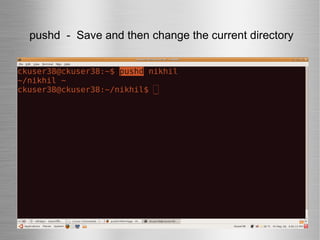
  pushd  -  Save and then change the current directory
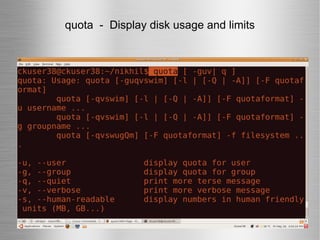
quota  -  Display disk usage and limits
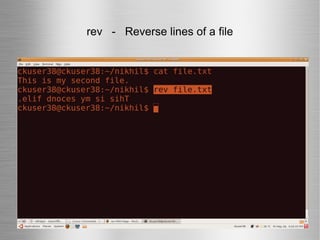
rev  -  Reverse lines of a file
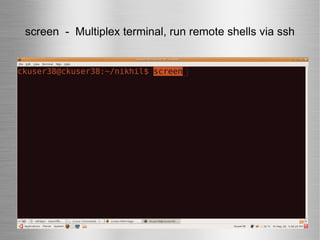
screen  -  Multiplex terminal, run remote shells via ssh
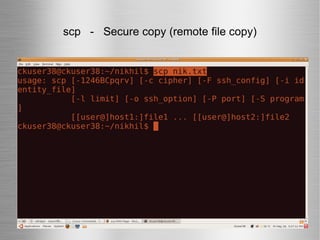
scp  -  Secure copy (remote file copy)
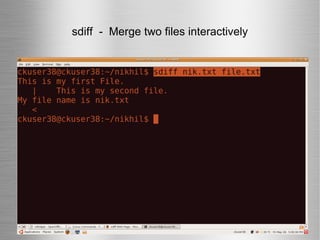
sdiff  -  Merge two files interactively
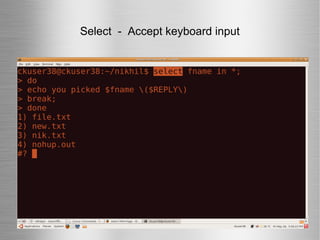
Select  -  Accept keyboard input
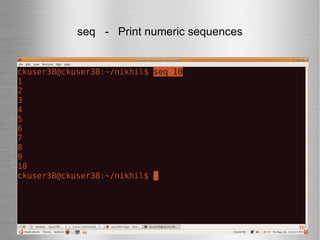
seq  -  Print numeric sequences
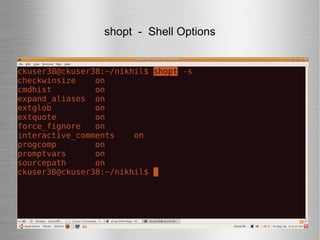
shopt  -  Shell Options
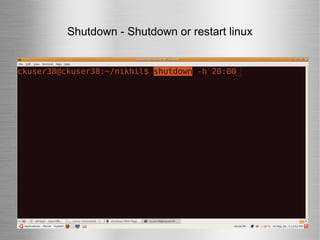
Shutdown - Shutdown or restart linux
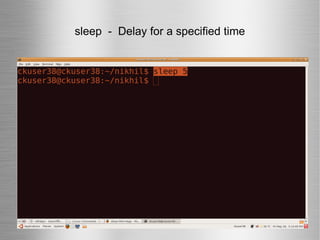
sleep  -  Delay for a specified time
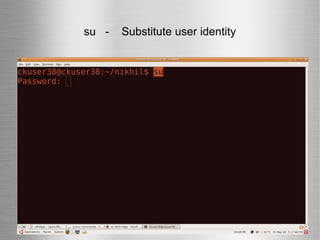
su  -  Substitute user identity
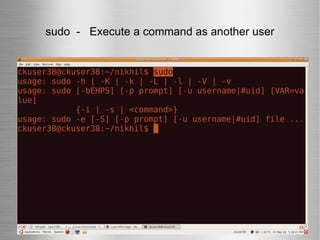
sudo  -  Execute a command as another user
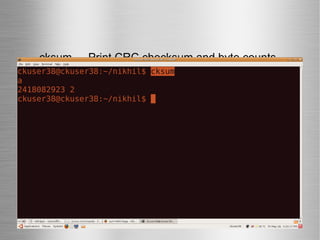
cksum  -  Print CRC checksum and byte counts
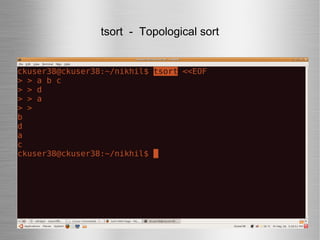
tsort  -  Topological sort
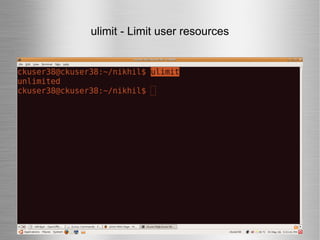
ulimit - Limit user resources
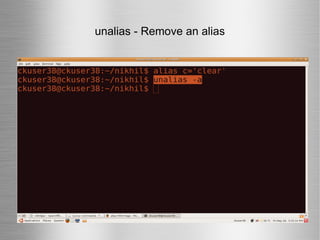
unalias - Remove an alias
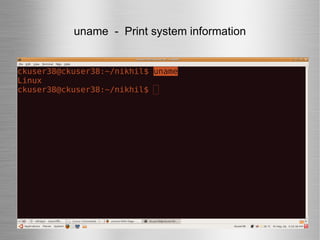
uname  -  Print system information
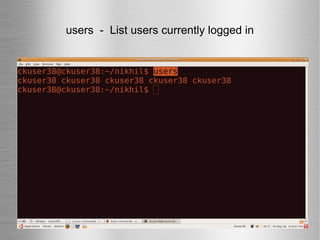
users  -  List users currently logged in

Linux presentation

  • 1.
    LINUX PRESENTATION BY, Nikhil v jain
  • 2.
    What Is Linux?The most commonly used Operating System for this purpose is Linux - it's Open Source too, It's based on Unix which was and is an operating systems designed from the ground up for a multiuser environment. What Is Linux? The most commonly used Operating System for this purpose is Linux - it's Open Source too, It's based on Unix which was and is an operating systems designed from the ground up for a multiuser environment. What Is Linux? The most commonly used Operating System for this purpose the Linux is Open Source too, It's based on Unix which was and is an operating systems designed from the ground up for a multiuser environment.
  • 3.
  • 4.
  • 5.
  • 6.
  • 7.
  • 8.
  • 9.
    Linux Basic andAdvance Commands
  • 10.
    ls command liststhe files and directories under current working directory.
  • 11.
    mkdir command isused to create one or more directories.
  • 12.
    cd - changedirectories
  • 13.
  • 14.
    bc command isused for command line calculator.
  • 15.
    rm linux commandis used to remove/delete the file from the directory.
  • 16.
    echo command printsthe given input string to standard output.
  • 17.
    cal command isused to display the calendar.
  • 18.
    Whatis command displaysthe purpose of the command
  • 19.
    ls -a commandLists all entries including hidden files.
  • 20.
    Help command displayhelp for a built-in command.
  • 21.
    alias command allowsto create a shortcut to a command.
  • 22.
    free command displaysinformation about free and used memory on the system.
  • 23.
    awk command isused to manipulate the text.
  • 24.
    Time command measureProgram running time
  • 25.
    pwd - PrintWorking Directory. pwd command prints the full filename of the current working directory.
  • 26.
    who command listthe names of users currently logged in, their terminal, the time they have been logged in, and the name of the host from which they have logged in.
  • 27.
    cmp linux commandcompares two files and tells you which line numbers are different.
  • 28.
    cut command isused to cut out selected fields of each line of a file.
  • 29.
    date command printsthe date and time.
  • 30.
    df command isused to report how much free disk space is available for each mount available.
  • 31.
    diff command isused to find differences between two files.
  • 32.
    du command isused to report how much disk space a file or directory occupies.
  • 33.
    egrep command isused to search and find one or more files for lines that match the given string or word.
  • 34.
    file command tellsyou if the object you are looking at is a file or a directory.
  • 35.
    head command isused to display the first ten lines of a file, and also specifies how many lines to display.
  • 36.
    tail command isused to display the last or bottom part of the file. By default it displays last 10 lines of a file.
  • 37.
  • 38.
    man command whichis short for manual, provides in depth information about the requested command
  • 39.
    grep command selectsand prints the lines from a file which matches a given string or pattern.
  • 40.
    rmdir command isused to delete/remove a directory and its subdirectories.
  • 41.
    groups command isused to print the groups a user is in.
  • 42.
    hostname specifies thename of the host.
  • 43.
    host command isused to find the ip address of the given domain name and also prints the domain name for the given ip.
  • 44.
    id command printsthe effective(current) and real userid(UID)s and groupid(GID)s.
  • 45.
    jobs command isused to list the jobs that you are running in the background and in the foreground.
  • 46.
    kill command isused to kill the background process.
  • 47.
    last command isused to display the last logged in users list.
  • 48.
    whoami command Printthe current user id and name (`id -un')
  • 49.
    ps command isused to report the process status. ps is the short name for Process Status.
  • 50.
    Dirs command Display list of remembered directories
  • 51.
  • 52.
    rm linux commandis used to remove/delete the file from the directory.
  • 53.
    link command isused to create a link to a file. It is also called as hard link. Inode will be same for source and destination.
  • 54.
    lsattr command isused to list the attributes of the specified file or directory.
  • 55.
    more command isused to display text in the terminal screen. It allows only backward movement.
  • 56.
    mv command whichis short for move. It is used to move/rename file from one directory to another.
  • 57.
    nestat command displaysstatistics information and current state of network connections, protocol, ports/ sockets and devices.
  • 58.
    passwd command isused to change your password.
  • 59.
    paste command isused to paste the content from one file to another file. It is also used to set column format for each line.
  • 60.
    printf command isused to write formatted output.
  • 61.
    restore - commandrestores the data from the dump-file or backup-file created using dump command.
  • 62.
    route command displaysrouting table resides in kernel and also used to modify the routing table.
  • 63.
    sort command isused to sort the lines in a text file.
  • 64.
    sed is astream editor. sed command helps to edit or delete all occurrences of one string to another within a file.
  • 65.
    whois command liststhe information about the domain owner of the given domain.
  • 66.
    yes command repeatedlyprints the given string separated by a space and followed by a newline until it is killed
  • 67.
    Aspell command isa Spell Checker
  • 68.
    command Runa command - ignoring shell functions
  • 69.
    bc - Arbitrary precision calculator language
  • 70.
    dir - Brieflylist directory contents
  • 71.
    dirname - Converta full pathname to just a path
  • 72.
    dmesg - Print kernel & driver messages
  • 73.
    eval - Evaluate several commands/arguments
  • 74.
    expr - Evaluate expressions
  • 75.
  • 76.
    fmt - Reformat paragraph text
  • 77.
    fold - Wrap text to fit a specified width.
  • 78.
    for - Expand words, and execute commands
  • 79.
    fsck - File system consistency check and repair
  • 80.
    getopts - Parsepositional parameters
  • 81.
    gzip - Compress or decompress named file(s)‏
  • 82.
    gunzip - decompressfiles created by `gzip', `zip', `compress' or `pack'
  • 83.
    hash - Remember the full pathname of a name argument
  • 84.
    times - User and system times
  • 85.
  • 86.
    killall -l - List all known signal names.
  • 87.
    nl - Number lines and write files
  • 88.
    nohup - Run a command immune to hangups
  • 89.
    popd - Restore the previous value of the current directory
  • 90.
    pr - Prepare files for printing
  • 91.
    pushd - Save and then change the current directory
  • 92.
    quota - Display disk usage and limits
  • 93.
    rev - Reverse lines of a file
  • 94.
    screen - Multiplex terminal, run remote shells via ssh
  • 95.
    scp - Secure copy (remote file copy)
  • 96.
    sdiff - Merge two files interactively
  • 97.
    Select - Accept keyboard input
  • 98.
    seq - Print numeric sequences
  • 99.
    shopt - Shell Options
  • 100.
    Shutdown - Shutdownor restart linux
  • 101.
    sleep - Delay for a specified time
  • 102.
    su - Substitute user identity
  • 103.
    sudo - Execute a command as another user
  • 104.
    cksum - Print CRC checksum and byte counts
  • 105.
    tsort - Topological sort
  • 106.
    ulimit - Limituser resources
  • 107.
  • 108.
    uname - Print system information
  • 109.
    users - List users currently logged in