LinkedIn

                101
Page 1
4/20/2011
(c)1993-2010
aWEBthatWORKS
Agenda
                1.   LinkedIn basics
                2.   Personal basics
                3.   Business basics


Page 2
4/20/2011
(c)1993-2008
aWEBthatWORKS
About LinkedIn
                 •   Demographics
                 •   Popular uses
                 •   Free or Paid?


Page 3
4/20/2011
(c)1993-2010
aWEBthatWORKS
Linked In
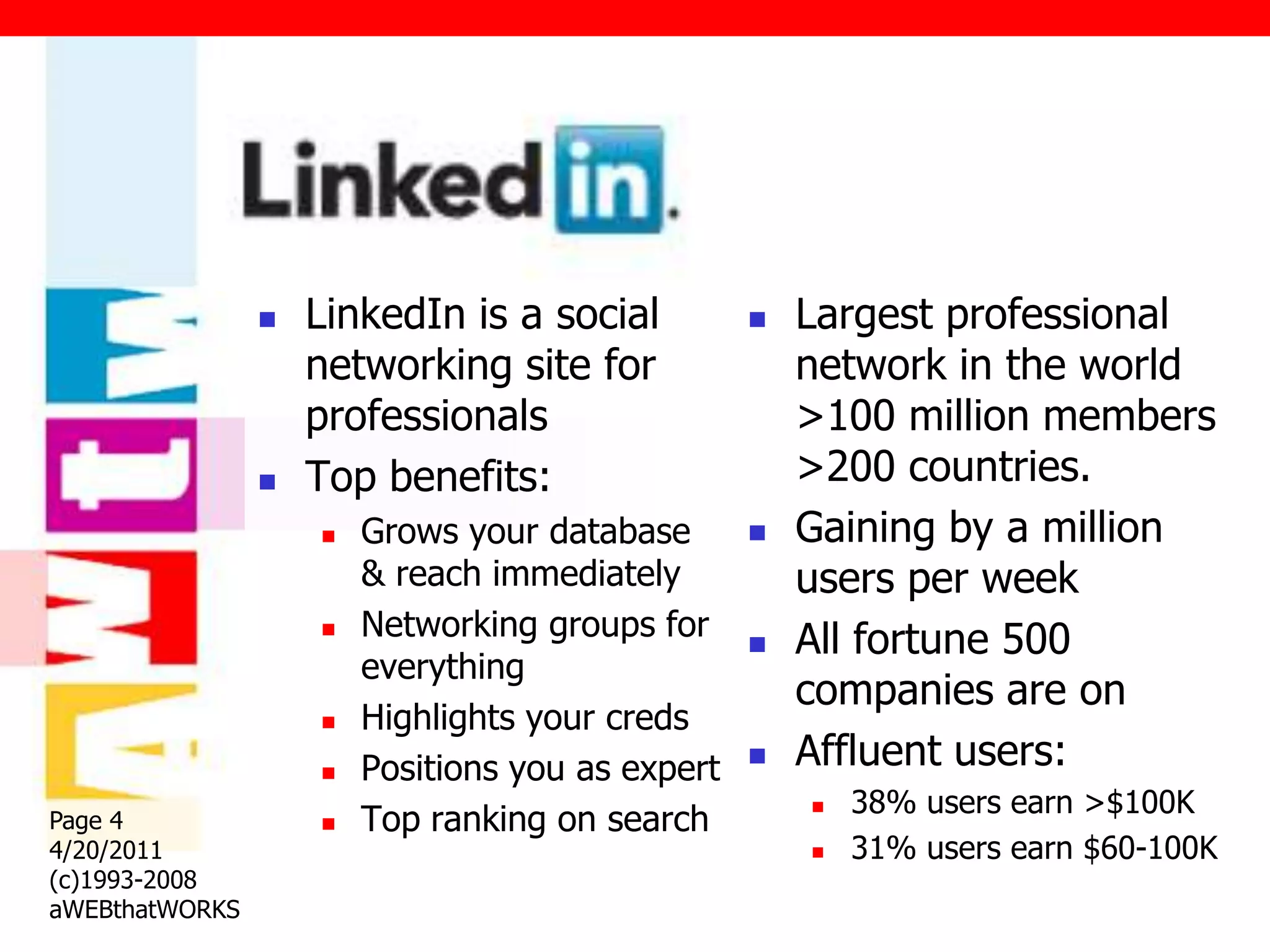
                   LinkedIn is a social             Largest professional
                    networking site for               network in the world
                    professionals                     >100 million members
                   Top benefits:                     >200 countries.
                       Grows your database          Gaining by a million
                        & reach immediately           users per week
                       Networking groups for        All fortune 500
                        everything
                                                      companies are on
                       Highlights your creds
                       Positions you as expert      Affluent users:
                                                          38% users earn >$100K
                        Top ranking on search
                                                      
Page 4              
4/20/2011                                                31% users earn $60-100K
(c)1993-2008
aWEBthatWORKS
LINKEDIN:
                Why you need it
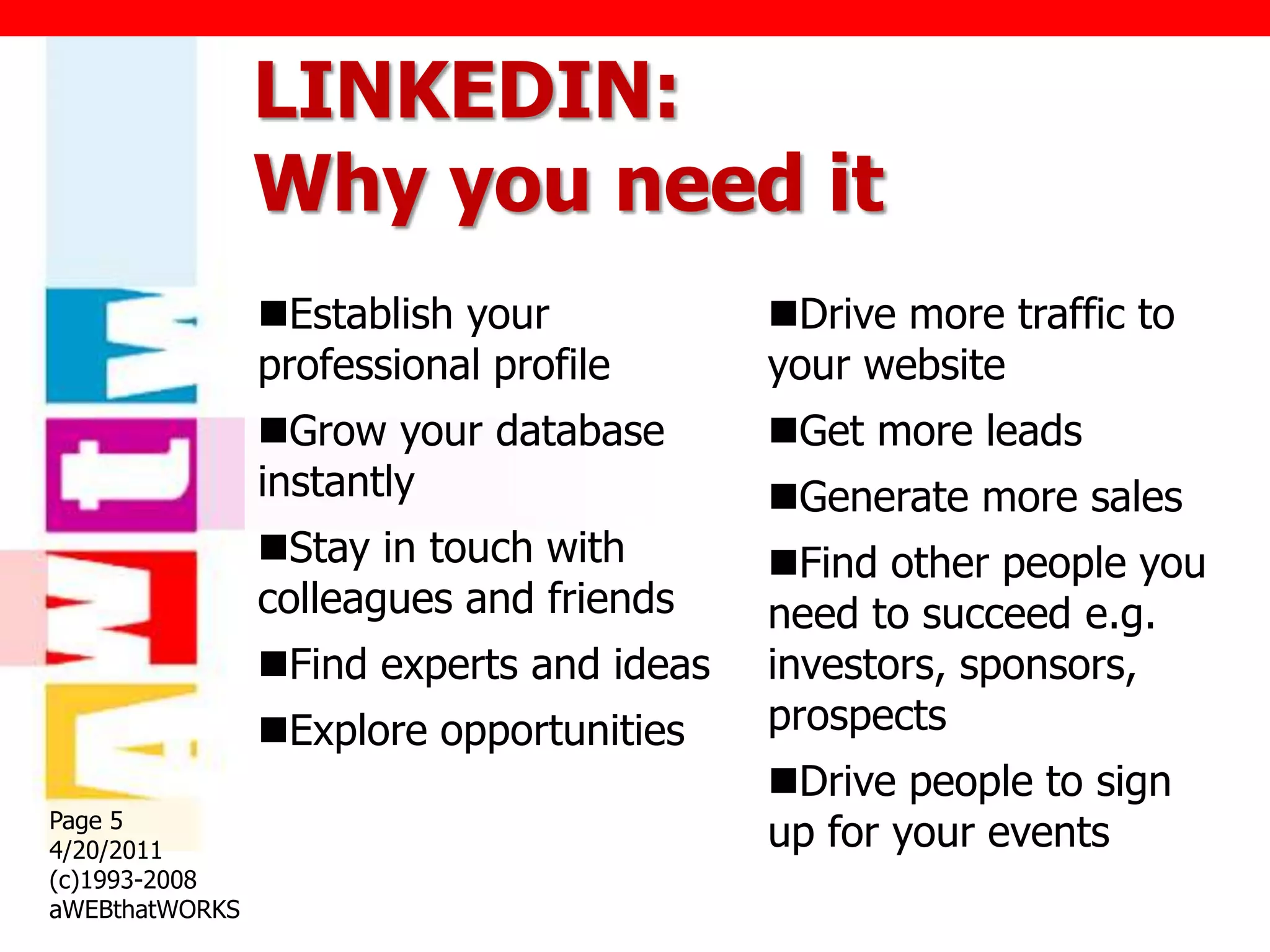
                Establish your           Drive more traffic to
                professional profile      your website
                Grow your database       Get more leads
                instantly                 Generate more sales
                Stay in touch with       Find other people you
                colleagues and friends    need to succeed e.g.
                Find experts and ideas   investors, sponsors,
                Explore opportunities    prospects
                                          Drive people to sign
Page 5
4/20/2011                                 up for your events
(c)1993-2008
aWEBthatWORKS
LINKEDIN:
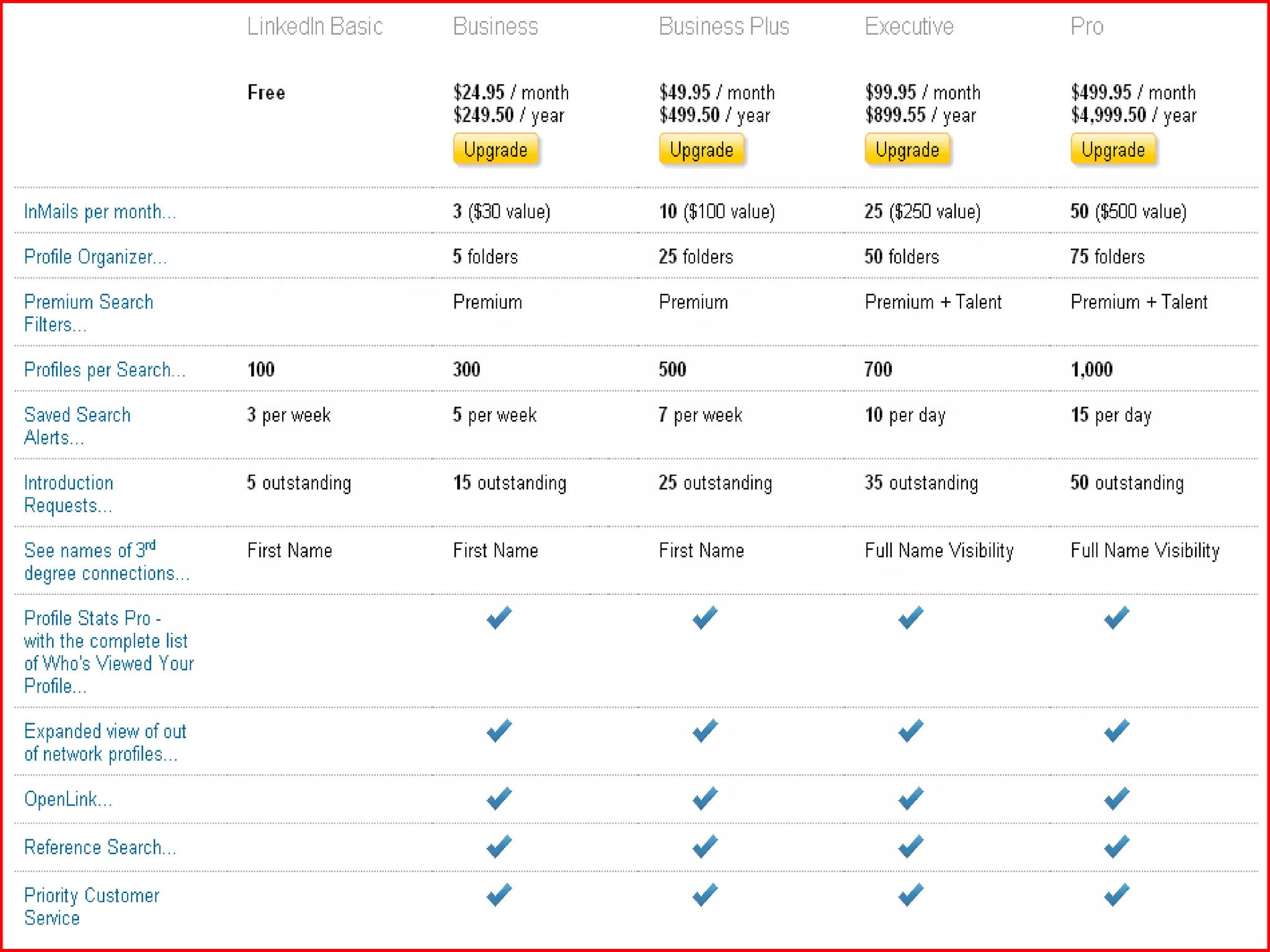
                Free or Paid


Page 6
4/20/2011
(c)1993-2008
aWEBthatWORKS
LinkedIn:
                Getting Started
                 •   Privacy/Security settings
                 •   Optimizing your personal
                     profile
                 •   Applications
Page 7
4/20/2011
(c)1993-2010
aWEBthatWORKS
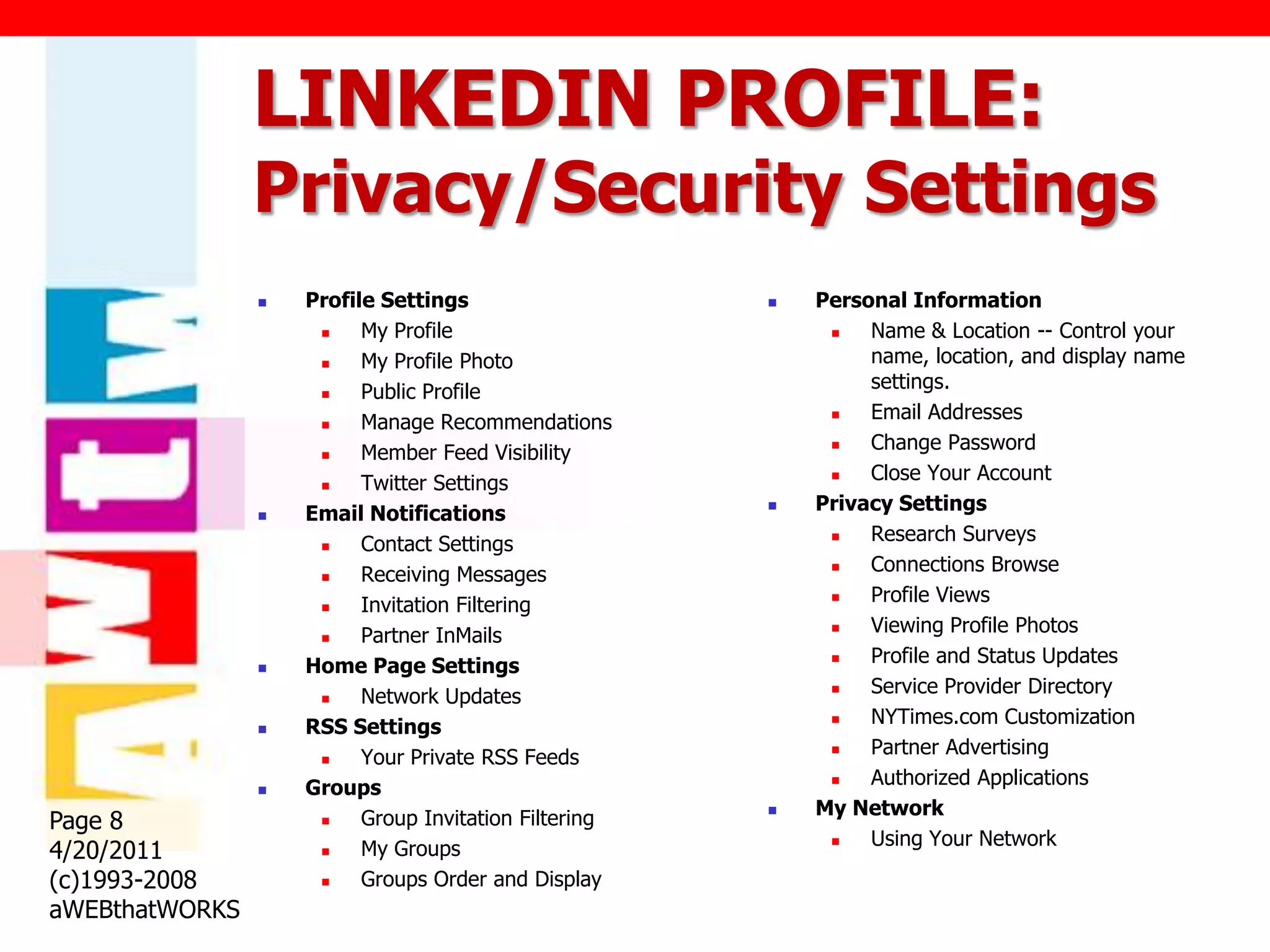
LINKEDIN PROFILE:
                Privacy/Security Settings
                   Profile Settings                      Personal Information
                         My Profile                           Name & Location -- Control your
                         My Profile Photo                      name, location, and display name
                         Public Profile                        settings.
                         Manage Recommendations               Email Addresses
                         Member Feed Visibility               Change Password
                         Twitter Settings                     Close Your Account
                   Email Notifications                   Privacy Settings
                         Contact Settings                     Research Surveys
                         Receiving Messages                   Connections Browse
                         Invitation Filtering                 Profile Views
                         Partner InMails                      Viewing Profile Photos
                   Home Page Settings                         Profile and Status Updates
                         Network Updates                      Service Provider Directory
                   RSS Settings                               NYTimes.com Customization
                         Your Private RSS Feeds               Partner Advertising
                   Groups                                     Authorized Applications
                          Group Invitation Filtering      My Network
Page 8               
                                                                Using Your Network
4/20/2011                 My Groups                         
                     

(c)1993-2008             Groups Order and Display
aWEBthatWORKS
LINKEDIN: Optimizing
                your personal profile
                   Upload your             Five (5) Places to
                    picture                    add keywords
                   Fill in the               1)   Headline
                    blanks                    2)   Current work
                       Summary paragraph          experience
                       Current & past        3)   Past work
                        positions                  experience
                        Education
                    
                                              4)   Summary
                   Custom URL                5)   Specialties
Page 9
4/20/2011
(c)1993-2008
aWEBthatWORKS
LINKEDIN PROFILE:
                Add applications
                 Benefits
                   Enrich your profile
                   Share & collaborate with your network
                   Get insights that help you be more effective


                 Application Directory
                 http://www.linkedin.com/static?key=application
                 _directory&trk=hb_side_apps

Page 10
4/20/2011
(c)1993-2008
aWEBthatWORKS
LINKEDIN PROFILE:
                Management Tips/Tricks
                    Back up your contacts
                     http://www.linkedin.com/addressBookExport

                    See who‟s viewed your profile
                     http://help.linkedin.com/app/answers/detail/a_id/42

                    How many times are you coming up in
                     search?

                    Network Statistics
Page 11              http://www.linkedin.com/answers
4/20/2011
(c)1993-2008
aWEBthatWORKS
LinkedIn:
                Business Basics
                 •   Company Page
                 •   Inviting friends
                 •   Groups
                 •   Answer questions
                 •   Recommendations
Page 12
4/20/2011
(c)1993-2010
aWEBthatWORKS
LINKEDIN BUSINESS:
                Company Page
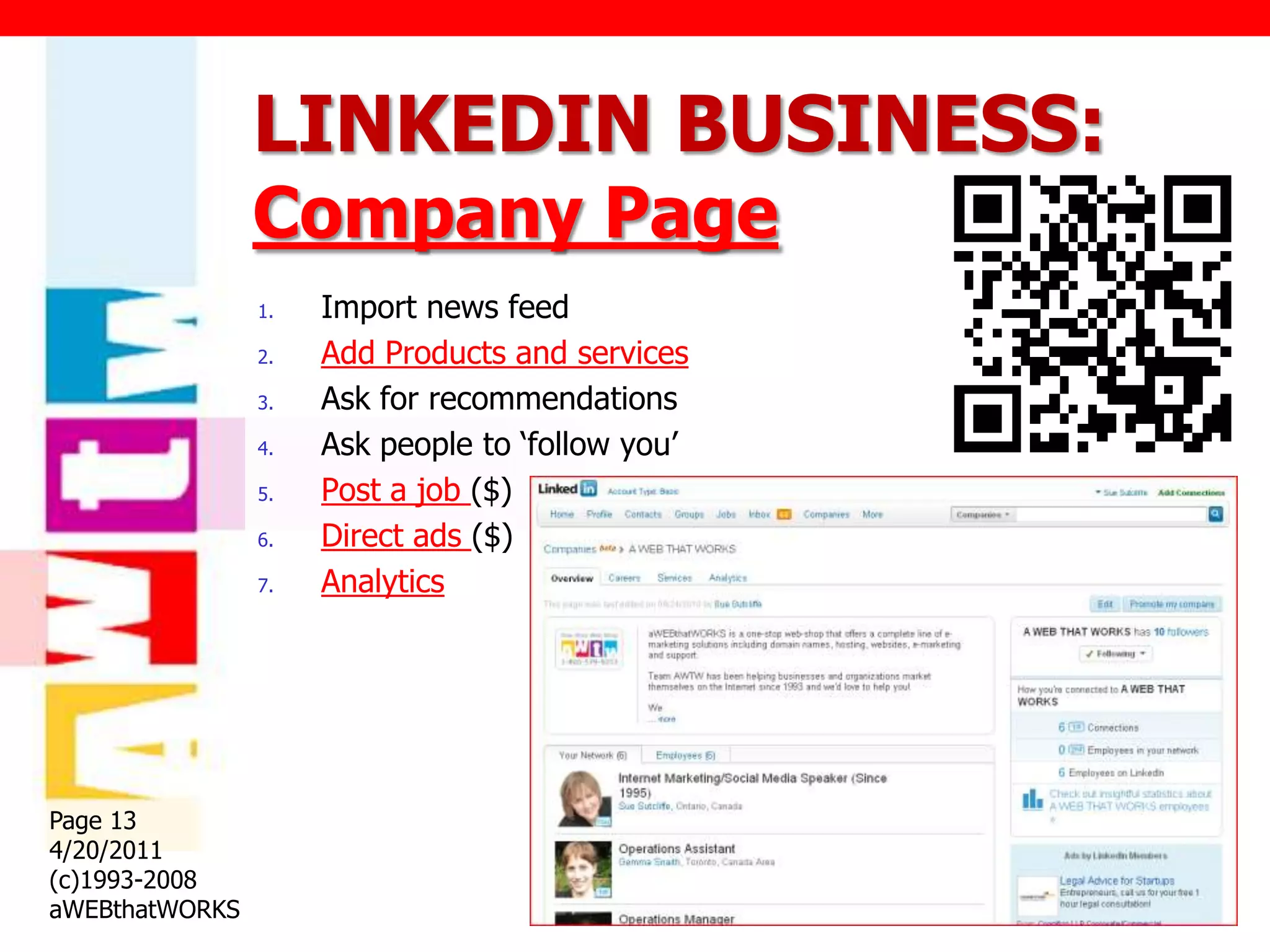
                1.   Import news feed
                2.   Add Products and services
                3.   Ask for recommendations
                4.   Ask people to „follow you‟
                5.   Post a job ($)
                6.   Direct ads ($)
                7.   Analytics


Page 13
4/20/2011
(c)1993-2008
aWEBthatWORKS
LINKEDIN BUSINESS:
                Invite Friends
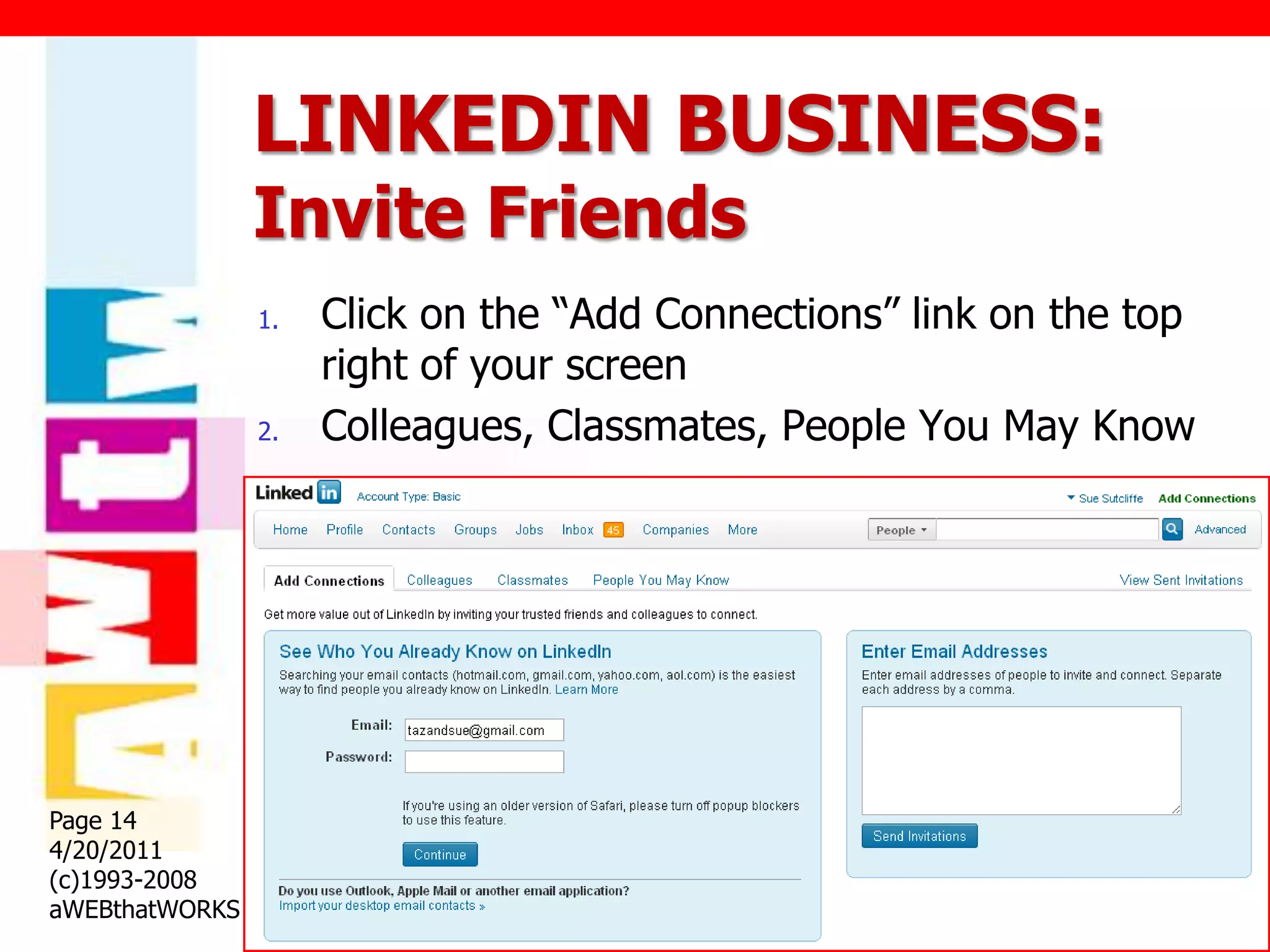
                1.   Click on the “Add Connections” link on the top
                     right of your screen
                2.   Colleagues, Classmates, People You May Know


Page 14
4/20/2011
(c)1993-2008
aWEBthatWORKS
LINKEDIN BUSINESS:
                Groups
                FIND/JOIN GROUPS                CREATE GROUPS
                1.   http://www.linkedin.com    1.   Limit 20
                     /groupsDirectory           2.   Send messages once a
                2.   Limit 50                        week to members
                3.   Increase your reach        3.   Link to your website
                                                4.   Create welcome
                WHICH GROUPS?                        messages
                                                5.   Shows your name
                    Who do you need?
                                                     (credibility)
                    Where do they hang out?
                                                6.   Create subgroups
                    Industry specific groups
Page 15
                                                7.   Create events
4/20/2011
(c)1993-2008
aWEBthatWORKS
LINKEDIN BUSINESS:
                Answer Questions
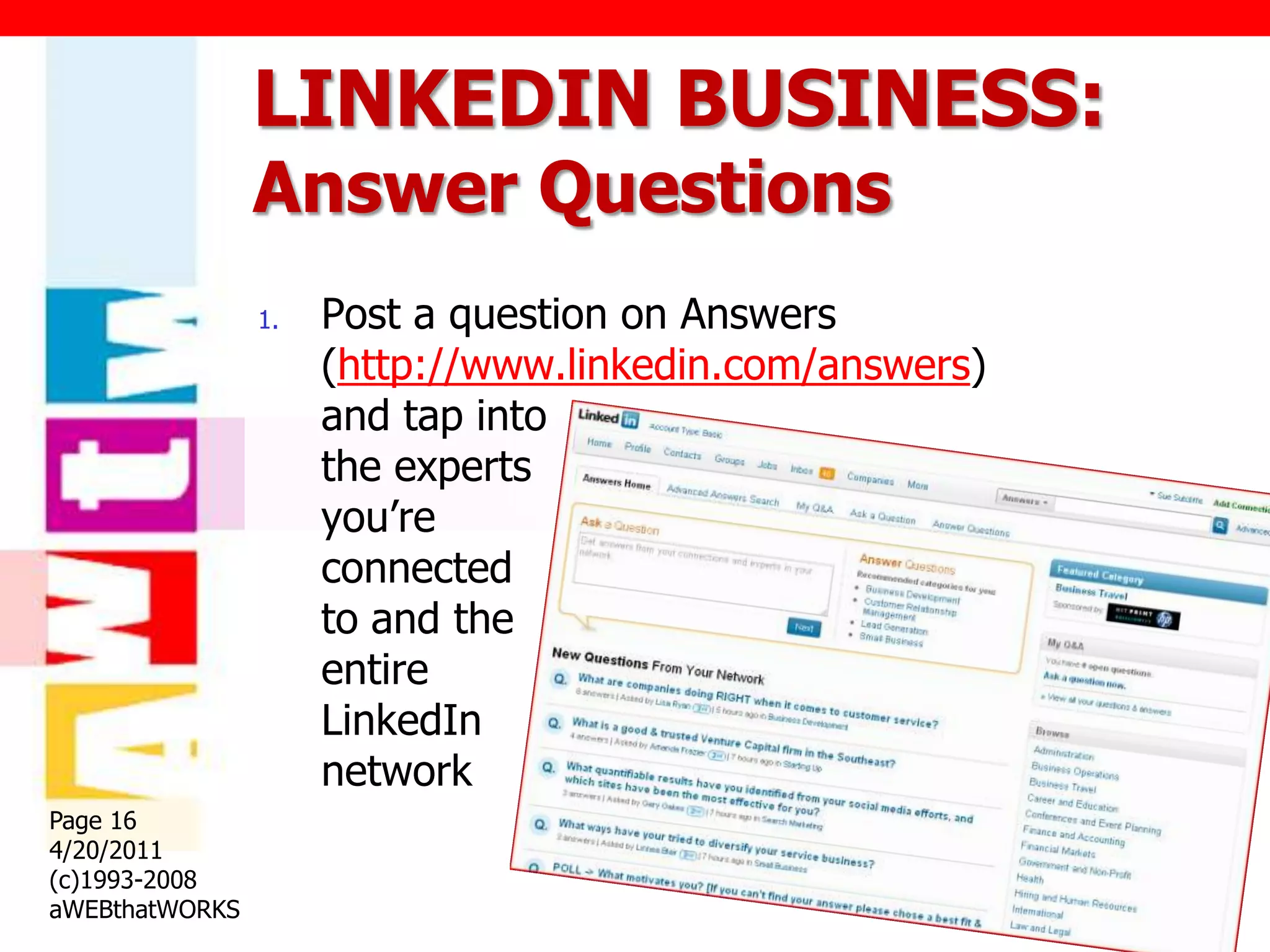
                1.   Post a question on Answers
                     (http://www.linkedin.com/answers)
                     and tap into
                     the experts
                     you‟re
                     connected
                     to and the
                     entire
                     LinkedIn
                     network
Page 16
4/20/2011
(c)1993-2008
aWEBthatWORKS
LINKEDIN BUSINESS:
                Recommendations
                   HOW TO GIVE A                        HOW TO ASK FOR A
                    RECOMMENDATION                        RECOMMENDATION
                       Go to their profile                  Click on „profile‟
                       Click on link called…                Click on ‟recommendation‟
                        „recommend this person‟              Click „Ask to be endorsed‟
                        (top right)                          Select the person you‟d like
                       Select colleague, service             a recommendation from,
                        provider, business partner,           write note and hit „send‟
                        student, then „go‟ button             button
                       Fill in the blanks

                    It is better to give than
                          receive.
Page 17
4/20/2011
(c)1993-2008
aWEBthatWORKS
Sue Sutcliffe
                  www.TheWebCoach.ca
                sue@aWEBthatWORKS.com
                  1 (800) 579-9253
Page 18
4/20/2011
(c)1993-2008
aWEBthatWORKS
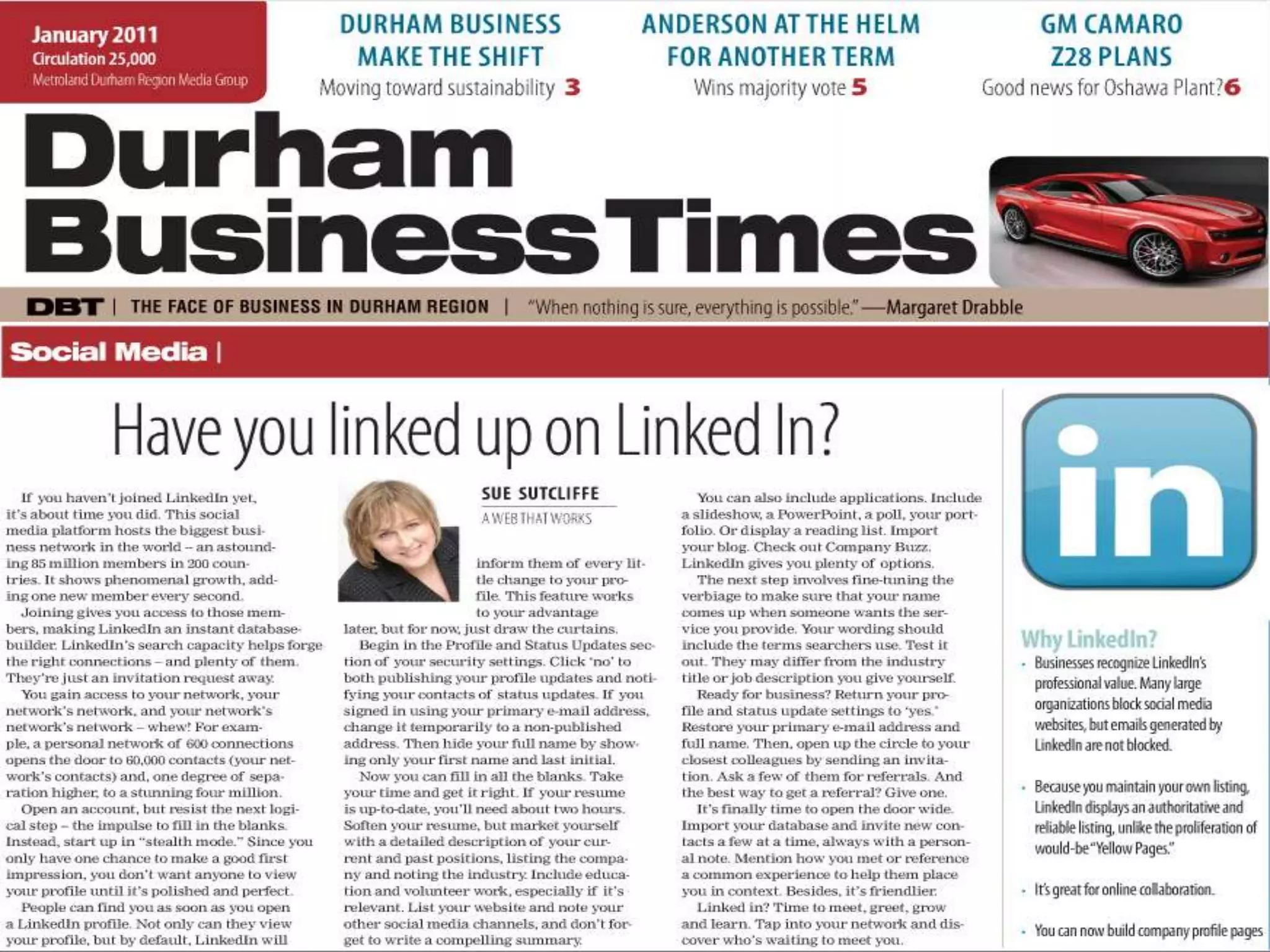
LINKEDIN: Handout
                Column in DBT


Page 19
4/20/2011
(c)1993-2008
aWEBthatWORKS
LinkedIn Resources
                1.   LinkedIn
                     1.   Learning Centre
                          http://learn.linkedin.com
                     2.   Blog
                          http://blog.linkedin.com/category/tips-tricks
                     3.   Weekly webinars
                          http://learn.linkedin.com/training/
                2.   Sue‟s blog
                     http://www.suesutcliffe.com/blog/10-most-
                     popular-questions-about-linkedin/
Page 20
4/20/2011
(c)1993-2008
aWEBthatWORKS

Linked In 101

  • 1.
    LinkedIn 101 Page 1 4/20/2011 (c)1993-2010 aWEBthatWORKS
  • 2.
    Agenda 1. LinkedIn basics 2. Personal basics 3. Business basics Page 2 4/20/2011 (c)1993-2008 aWEBthatWORKS
  • 3.
    About LinkedIn • Demographics • Popular uses • Free or Paid? Page 3 4/20/2011 (c)1993-2010 aWEBthatWORKS
  • 4.
    Linked In  LinkedIn is a social  Largest professional networking site for network in the world professionals >100 million members  Top benefits: >200 countries.  Grows your database  Gaining by a million & reach immediately users per week  Networking groups for  All fortune 500 everything companies are on  Highlights your creds  Positions you as expert  Affluent users: 38% users earn >$100K Top ranking on search  Page 4  4/20/2011  31% users earn $60-100K (c)1993-2008 aWEBthatWORKS
  • 5.
    LINKEDIN: Why you need it Establish your Drive more traffic to professional profile your website Grow your database Get more leads instantly Generate more sales Stay in touch with Find other people you colleagues and friends need to succeed e.g. Find experts and ideas investors, sponsors, Explore opportunities prospects Drive people to sign Page 5 4/20/2011 up for your events (c)1993-2008 aWEBthatWORKS
  • 6.
    LINKEDIN: Free or Paid Page 6 4/20/2011 (c)1993-2008 aWEBthatWORKS
  • 7.
    LinkedIn: Getting Started • Privacy/Security settings • Optimizing your personal profile • Applications Page 7 4/20/2011 (c)1993-2010 aWEBthatWORKS
  • 8.
    LINKEDIN PROFILE: Privacy/Security Settings  Profile Settings  Personal Information  My Profile  Name & Location -- Control your  My Profile Photo name, location, and display name  Public Profile settings.  Manage Recommendations  Email Addresses  Member Feed Visibility  Change Password  Twitter Settings  Close Your Account  Email Notifications  Privacy Settings  Contact Settings  Research Surveys  Receiving Messages  Connections Browse  Invitation Filtering  Profile Views  Partner InMails  Viewing Profile Photos  Home Page Settings  Profile and Status Updates  Network Updates  Service Provider Directory  RSS Settings  NYTimes.com Customization  Your Private RSS Feeds  Partner Advertising  Groups  Authorized Applications Group Invitation Filtering  My Network Page 8  Using Your Network 4/20/2011 My Groups   (c)1993-2008  Groups Order and Display aWEBthatWORKS
  • 9.
    LINKEDIN: Optimizing your personal profile  Upload your Five (5) Places to picture add keywords  Fill in the 1) Headline blanks 2) Current work  Summary paragraph experience  Current & past 3) Past work positions experience Education  4) Summary  Custom URL 5) Specialties Page 9 4/20/2011 (c)1993-2008 aWEBthatWORKS
  • 10.
    LINKEDIN PROFILE: Add applications Benefits Enrich your profile Share & collaborate with your network Get insights that help you be more effective Application Directory http://www.linkedin.com/static?key=application _directory&trk=hb_side_apps Page 10 4/20/2011 (c)1993-2008 aWEBthatWORKS
  • 11.
    LINKEDIN PROFILE: Management Tips/Tricks  Back up your contacts http://www.linkedin.com/addressBookExport  See who‟s viewed your profile http://help.linkedin.com/app/answers/detail/a_id/42  How many times are you coming up in search?  Network Statistics Page 11 http://www.linkedin.com/answers 4/20/2011 (c)1993-2008 aWEBthatWORKS
  • 12.
    LinkedIn: Business Basics • Company Page • Inviting friends • Groups • Answer questions • Recommendations Page 12 4/20/2011 (c)1993-2010 aWEBthatWORKS
  • 13.
    LINKEDIN BUSINESS: Company Page 1. Import news feed 2. Add Products and services 3. Ask for recommendations 4. Ask people to „follow you‟ 5. Post a job ($) 6. Direct ads ($) 7. Analytics Page 13 4/20/2011 (c)1993-2008 aWEBthatWORKS
  • 14.
    LINKEDIN BUSINESS: Invite Friends 1. Click on the “Add Connections” link on the top right of your screen 2. Colleagues, Classmates, People You May Know Page 14 4/20/2011 (c)1993-2008 aWEBthatWORKS
  • 15.
    LINKEDIN BUSINESS: Groups FIND/JOIN GROUPS CREATE GROUPS 1. http://www.linkedin.com 1. Limit 20 /groupsDirectory 2. Send messages once a 2. Limit 50 week to members 3. Increase your reach 3. Link to your website 4. Create welcome WHICH GROUPS? messages 5. Shows your name  Who do you need? (credibility)  Where do they hang out? 6. Create subgroups  Industry specific groups Page 15 7. Create events 4/20/2011 (c)1993-2008 aWEBthatWORKS
  • 16.
    LINKEDIN BUSINESS: Answer Questions 1. Post a question on Answers (http://www.linkedin.com/answers) and tap into the experts you‟re connected to and the entire LinkedIn network Page 16 4/20/2011 (c)1993-2008 aWEBthatWORKS
  • 17.
    LINKEDIN BUSINESS: Recommendations  HOW TO GIVE A  HOW TO ASK FOR A RECOMMENDATION RECOMMENDATION  Go to their profile  Click on „profile‟  Click on link called…  Click on ‟recommendation‟ „recommend this person‟  Click „Ask to be endorsed‟ (top right)  Select the person you‟d like  Select colleague, service a recommendation from, provider, business partner, write note and hit „send‟ student, then „go‟ button button  Fill in the blanks It is better to give than receive. Page 17 4/20/2011 (c)1993-2008 aWEBthatWORKS
  • 18.
    Sue Sutcliffe www.TheWebCoach.ca sue@aWEBthatWORKS.com 1 (800) 579-9253 Page 18 4/20/2011 (c)1993-2008 aWEBthatWORKS
  • 19.
    LINKEDIN: Handout Column in DBT Page 19 4/20/2011 (c)1993-2008 aWEBthatWORKS
  • 20.
    LinkedIn Resources 1. LinkedIn 1. Learning Centre http://learn.linkedin.com 2. Blog http://blog.linkedin.com/category/tips-tricks 3. Weekly webinars http://learn.linkedin.com/training/ 2. Sue‟s blog http://www.suesutcliffe.com/blog/10-most- popular-questions-about-linkedin/ Page 20 4/20/2011 (c)1993-2008 aWEBthatWORKS

Editor's Notes

  • #2 The world’s largest professional network, helping people find and share opportunities every day.
  • #3 LEARNING CENTRE http://learn.linkedin.com/PROFILE http://learn.linkedin.com/profilesJOB FINDING http://learn.linkedin.com/jobs/GROUPShttp://learn.linkedin.com/groups/Marketers can connect with this audience by establishing their own community, by leveraging rich profile-based targeting, and employing a wide range of innovative and engaging advertising products.
  • #4 Launched: May 5, 2003 with 4,500 membershttp://press.linkedin.com/about/
  • #5 Grow your database instantly Increase your visibilityBy adding connections, you increase the likelihood that people will see your profile first when they’re searching for someone to hire or do business with. Fill out your profile like it’s an executive bio – allows your contacts to see all of your credentialsImprove your Google PageRankIn addition to your name, you can also promote your blog or website to search engines like Google and Yahoo! Your LinkedIn profile allows you to publicize websites. There are a few pre-selected categories like “My Website,” “My Company,” etc.LinkedIn connects you to your trusted contacts and helps you exchange knowledge, ideas, and opportunities with a broader network of professionals. By connecting on LinkedIn, your address book will never go out of date. Your contacts update their profiles, keeping you current with their latest jobs, projects and contact info.  LinkedIn connects you to jobs, sales leads and ideal business partners. LinkedIn has a powerful search engine, discussion groups, company research tools and a jobs board that shows who you know at listed companies.Add yourself to Groups on LinkedIn in the related industry, topics of industry or charitable work. Allows you to connect with people on a different levelList Building – access to referrals and people that you might not have a direct connection with (all done professionally)To develop the status that you and a Leader and expert in your field of business
  • #6 http://press.linkedin.com/success-stories/
  • #7 https://www.linkedin.com/secure/settings?key=compare_account_types&fun=general&trk=acct_set_compare
  • #9 http://learn.linkedin.com/settings/
  • #10 http://learn.linkedin.com/profilesDon’t‘ cut and paste your resumeDon’t write 3rd personWrite a personal tagline
  • #11 http://learn.linkedin.com/profiles
  • #12 http://learn.linkedin.com/profiles
  • #14 Company Page help…http://marketing.linkedin.com/solutions/company-pages/
  • #15 Use webmail import to see, in seconds, all the people you know who are already on LinkedIn. You can then select who you wish to invite to join your trusted network.Upload a contacts file from Outlook, Palm, ACT!, or Mac AddressView our list of your colleagues and classmates that are already on LinkedIn.
  • #21 LEARNING CENTRE http://learn.linkedin.com/PROFILE http://learn.linkedin.com/profilesJOB FINDING http://learn.linkedin.com/jobs/GROUPShttp://learn.linkedin.com/groups/WEEKLY WEBINARShttp://fedex.linkedincreatives.com/