
libGDX:	
  Screens,	
  Fonts	
  and	
  Pref	
  
Jussi	
  Pohjolainen	
  
Tampere	
  University	
  of	
  Applied	
  Sciences	
  
SCREENS	
  
Screen	
  and	
  Game	
  
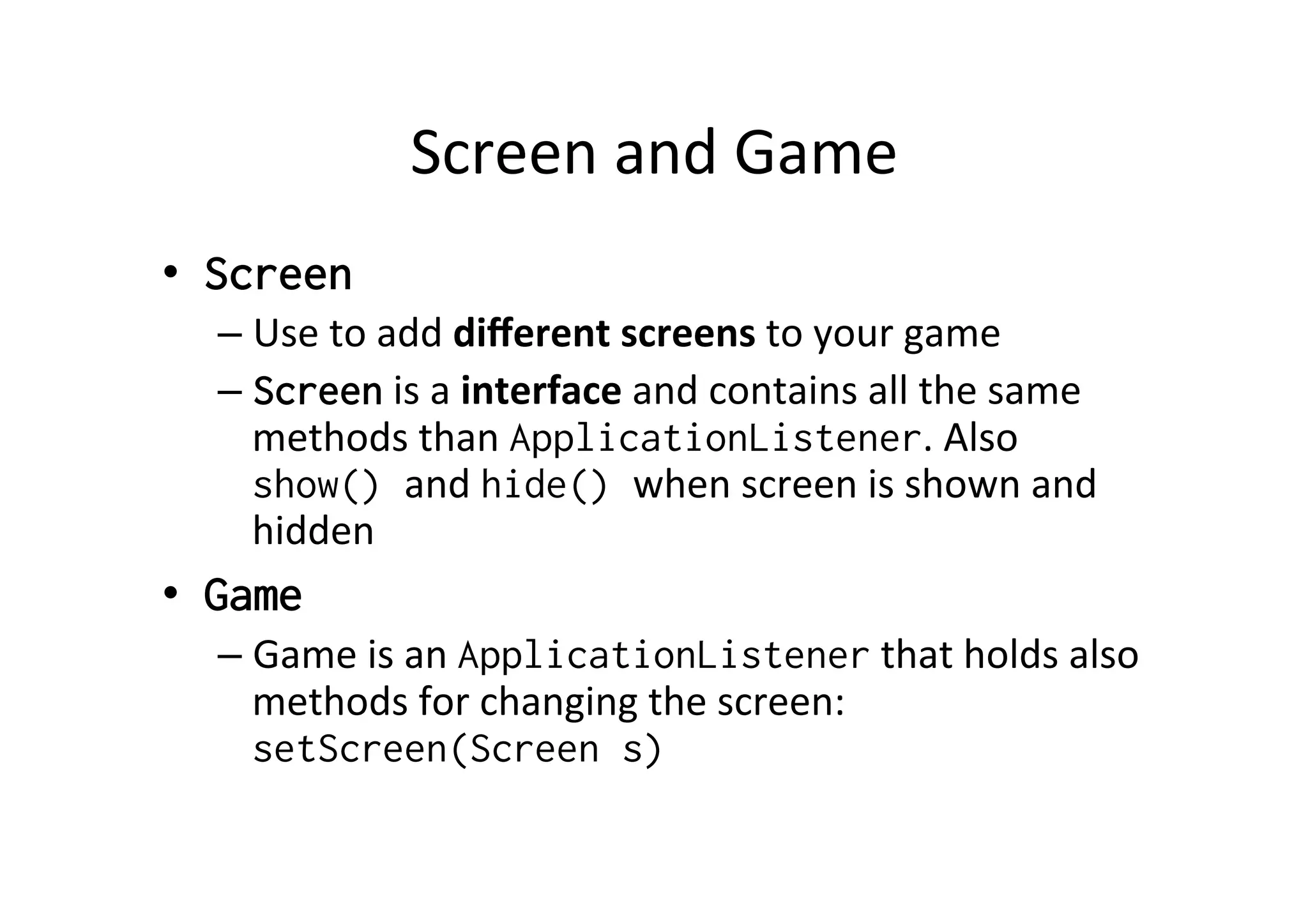
•  Screen
– Use	
  to	
  add	
  different	
  screens	
  to	
  your	
  game	
  
– Screen	
  is	
  a	
  interface	
  and	
  contains	
  all	
  the	
  same	
  
methods	
  than	
  ApplicationListener.	
  Also	
  
show() and	
  hide() when	
  screen	
  is	
  shown	
  and	
  
hidden	
  
•  Game
– Game	
  is	
  an	
  ApplicationListener	
  that	
  holds	
  also	
  
methods	
  for	
  changing	
  the	
  screen:	
  
setScreen(Screen s)	
  
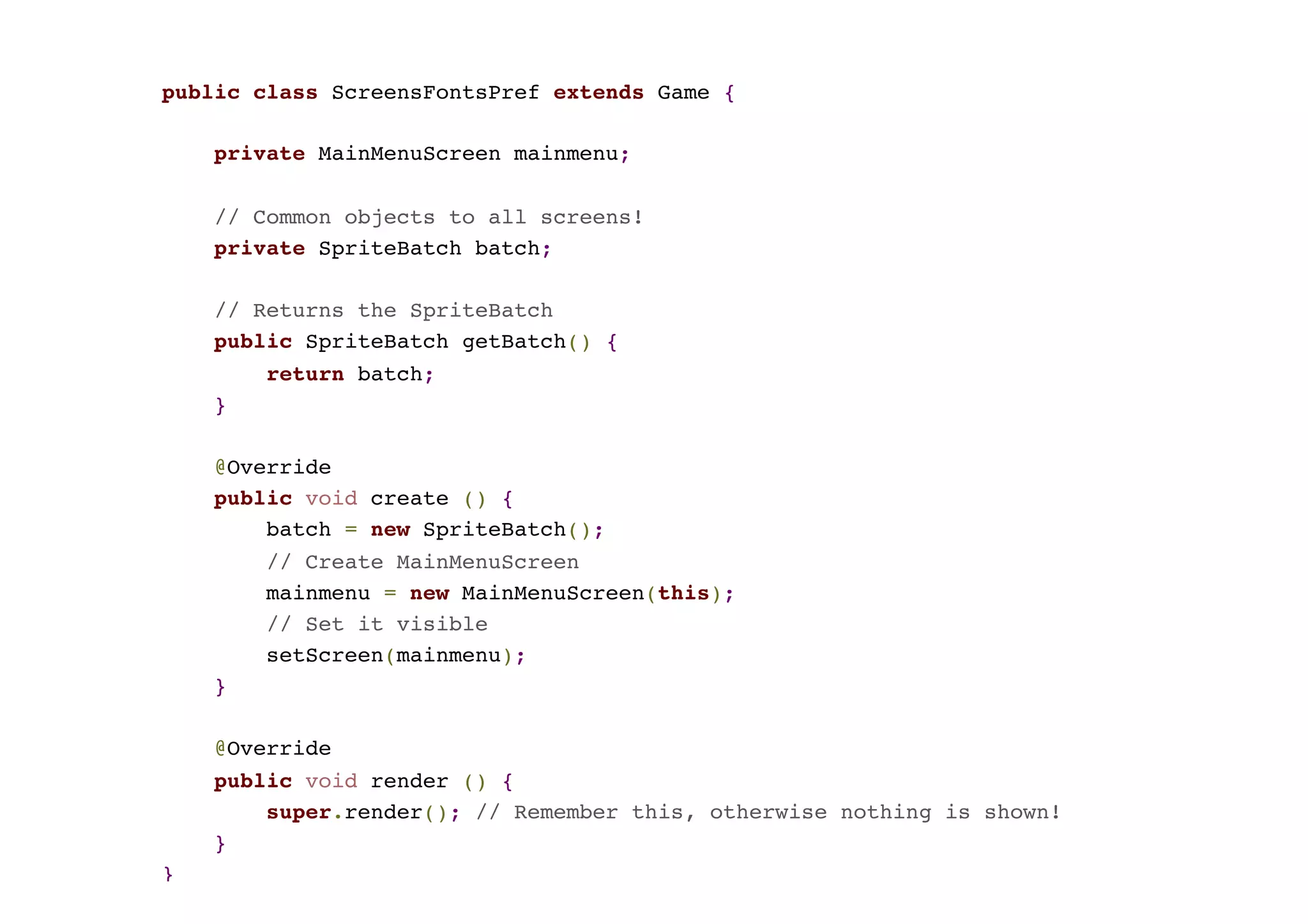
public class ScreensFontsPref extends Game {
private MainMenuScreen mainmenu;
// Common objects to all screens!
private SpriteBatch batch;
// Returns the SpriteBatch
public SpriteBatch getBatch() {
return batch;
}
@Override
public void create () {
batch = new SpriteBatch();
// Create MainMenuScreen
mainmenu = new MainMenuScreen(this);
// Set it visible
setScreen(mainmenu);
}
@Override
public void render () {
super.render(); // Remember this, otherwise nothing is shown!
}
}	
  
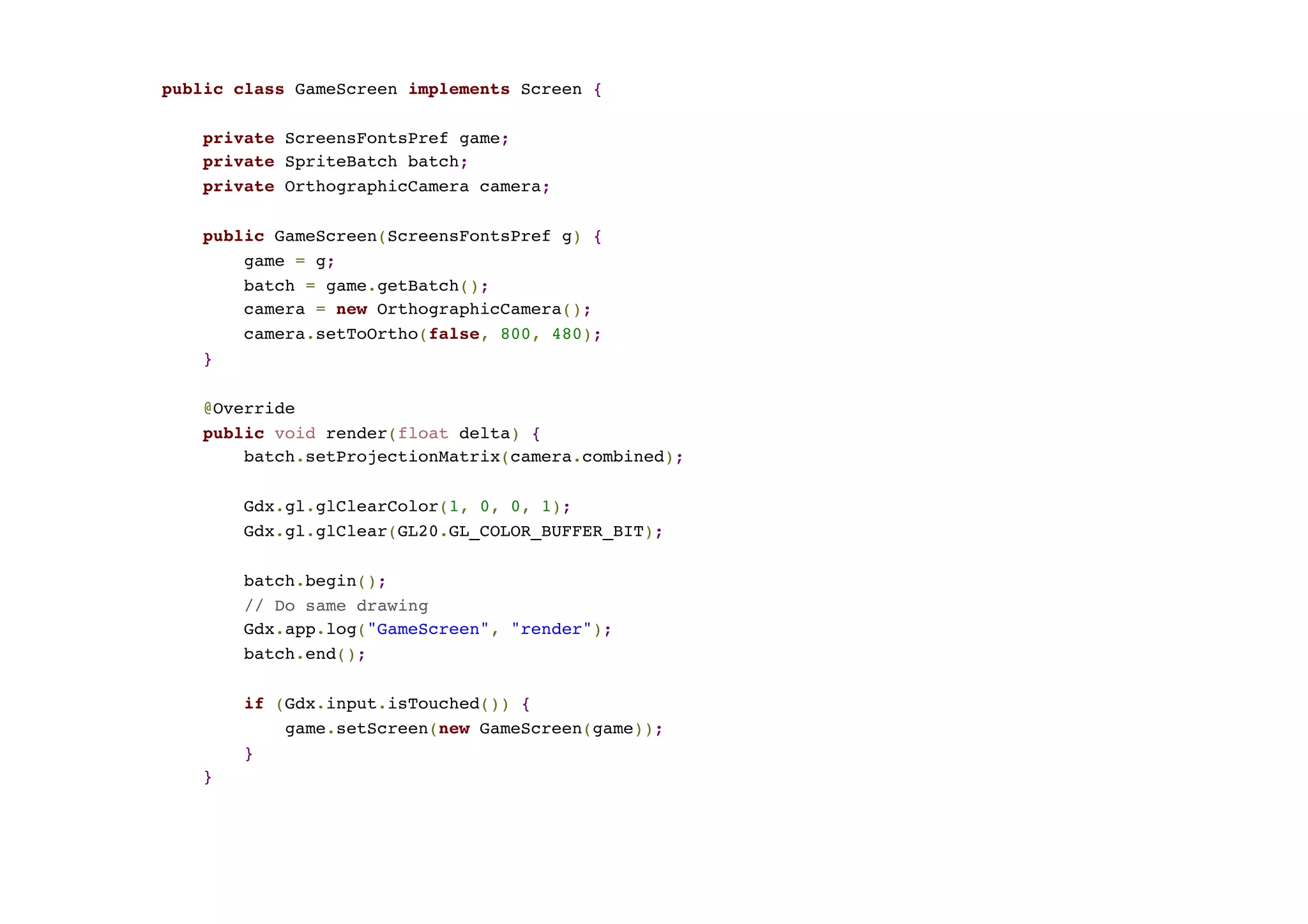
public class GameScreen implements Screen {
private ScreensFontsPref game;
private SpriteBatch batch;
private OrthographicCamera camera;
public GameScreen(ScreensFontsPref g) {
game = g;
batch = game.getBatch();
camera = new OrthographicCamera();
camera.setToOrtho(false, 800, 480);
}
@Override
public void render(float delta) {
batch.setProjectionMatrix(camera.combined);
Gdx.gl.glClearColor(1, 0, 0, 1);
Gdx.gl.glClear(GL20.GL_COLOR_BUFFER_BIT);
batch.begin();
// Do same drawing
Gdx.app.log("GameScreen", "render");
batch.end();
if (Gdx.input.isTouched()) {
game.setScreen(new GameScreen(game));
}
}	
  
FONTS	
  
About	
  Fonts	
  
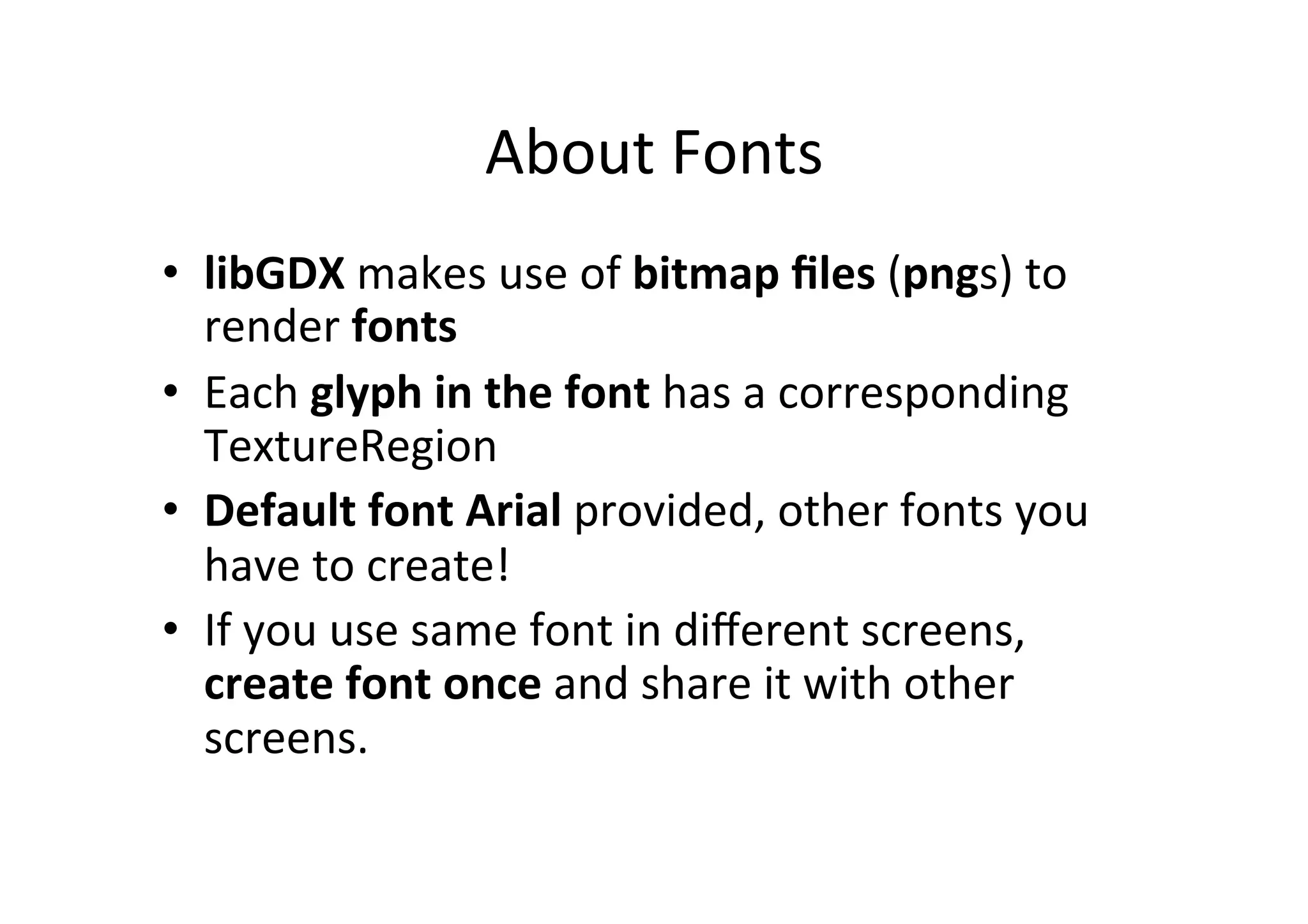
•  libGDX	
  does	
  not	
  support	
  TrueType	
  Fonts	
  (TTF)	
  
–  Rendering	
  vector	
  graphics	
  is	
  costly	
  	
  
•  libGDX	
  makes	
  use	
  of	
  bitmap	
  files	
  (pngs)	
  to	
  render	
  
fonts	
  
•  Use	
  external	
  tool	
  to	
  convert	
  TTF	
  to	
  PNG!	
  
•  Each	
  glyph	
  in	
  the	
  font	
  has	
  a	
  corresponding	
  
TextureRegion	
  
•  Default	
  font	
  Arial	
  provided,	
  other	
  fonts	
  you	
  have	
  to	
  
create!	
  
•  If	
  you	
  use	
  same	
  font	
  in	
  different	
  screens,	
  create	
  font	
  
once	
  and	
  share	
  it	
  with	
  other	
  screens.	
  
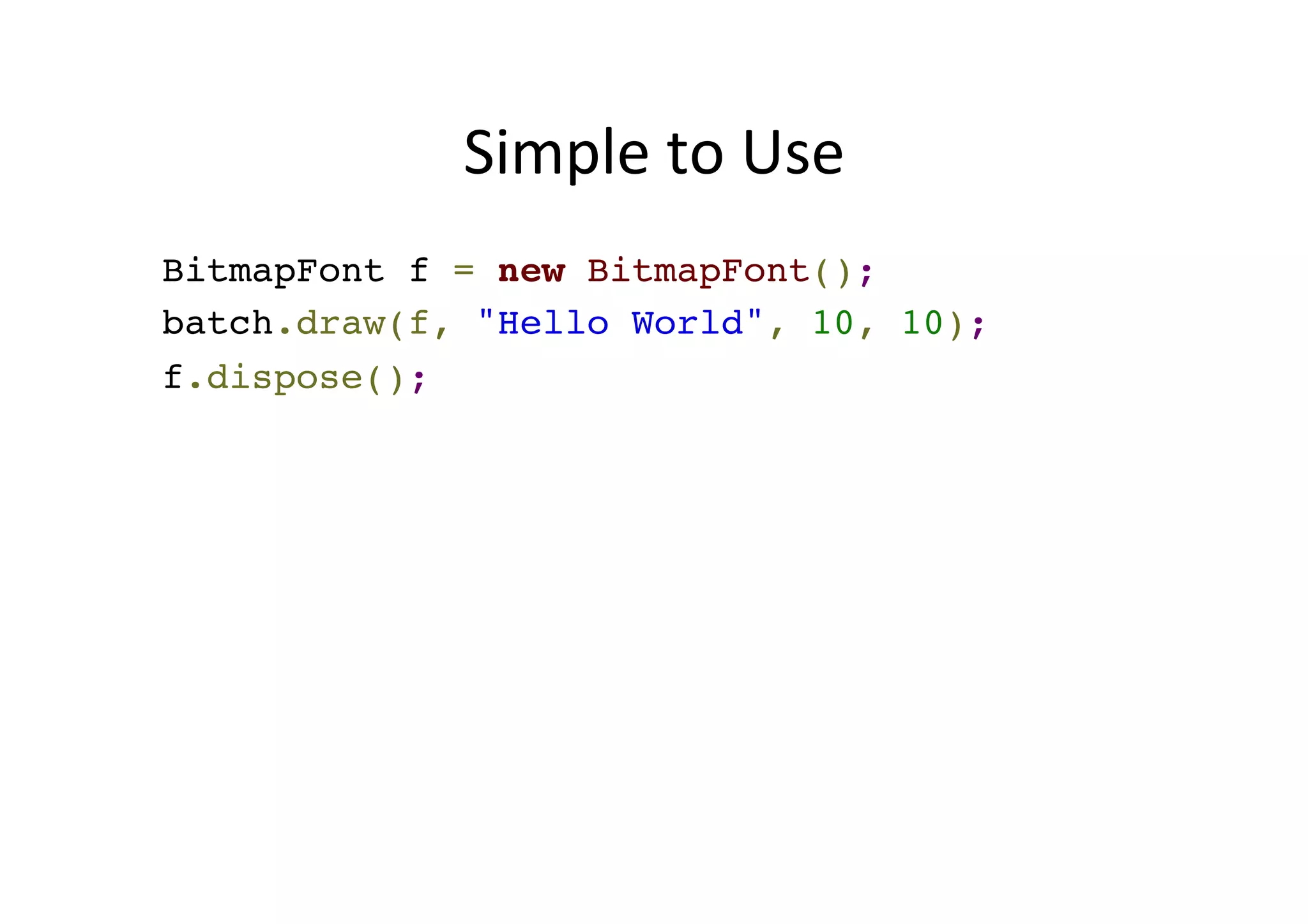
Simple	
  to	
  Use	
  
BitmapFont f = new BitmapFont();
f.draw(batch, "Hello World", 10, 10);
f.dispose();
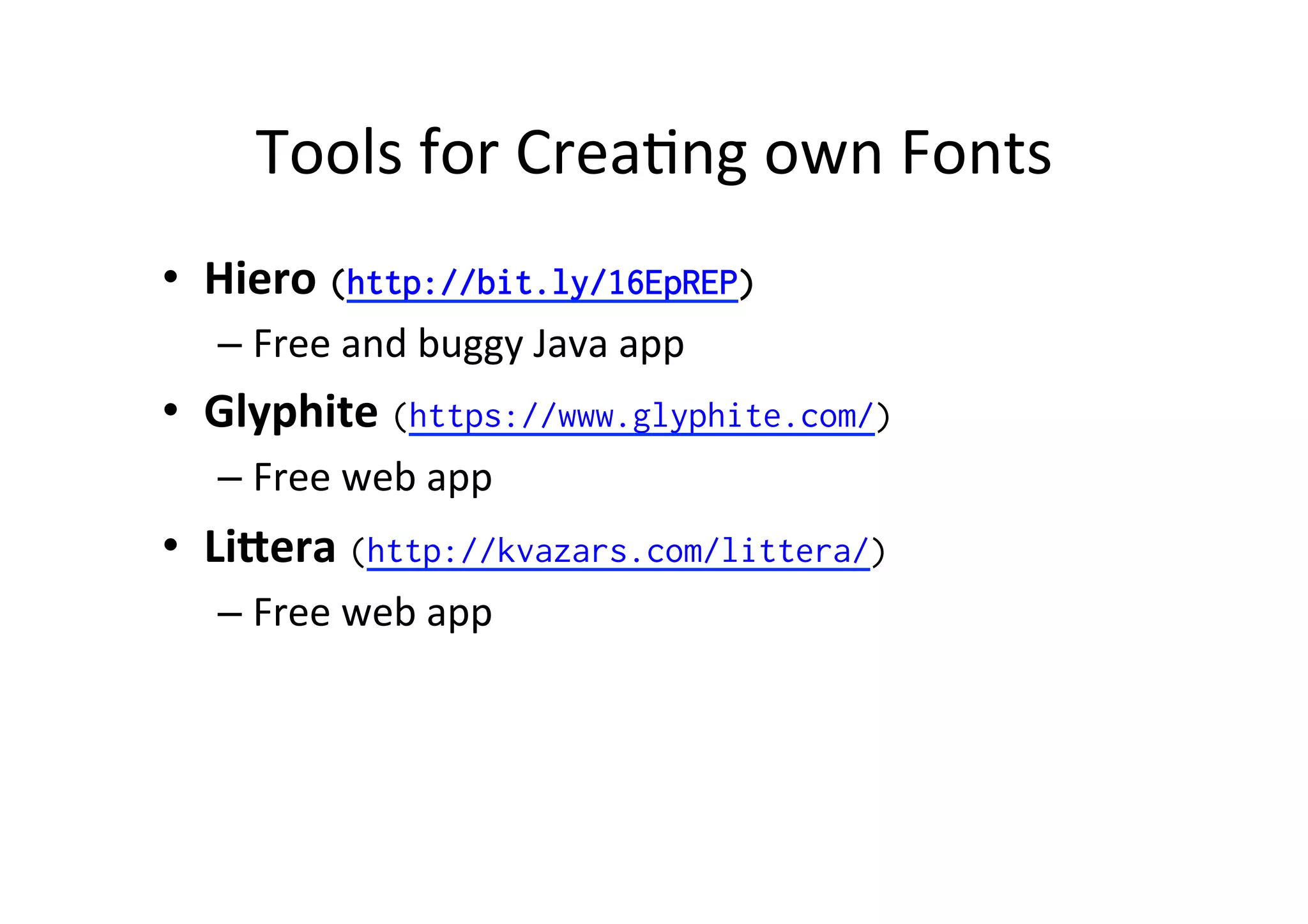
Tools	
  for	
  CreaPng	
  own	
  Fonts	
  
•  Hiero	
  (http://bit.ly/16EpREP)
– Free	
  and	
  buggy?	
  Java	
  app	
  
•  Glyphite	
  (https://www.glyphite.com/)	
  
– Free	
  web	
  app	
  
•  LiFera	
  (http://kvazars.com/littera/)
– Free	
  web	
  app	
  	
  
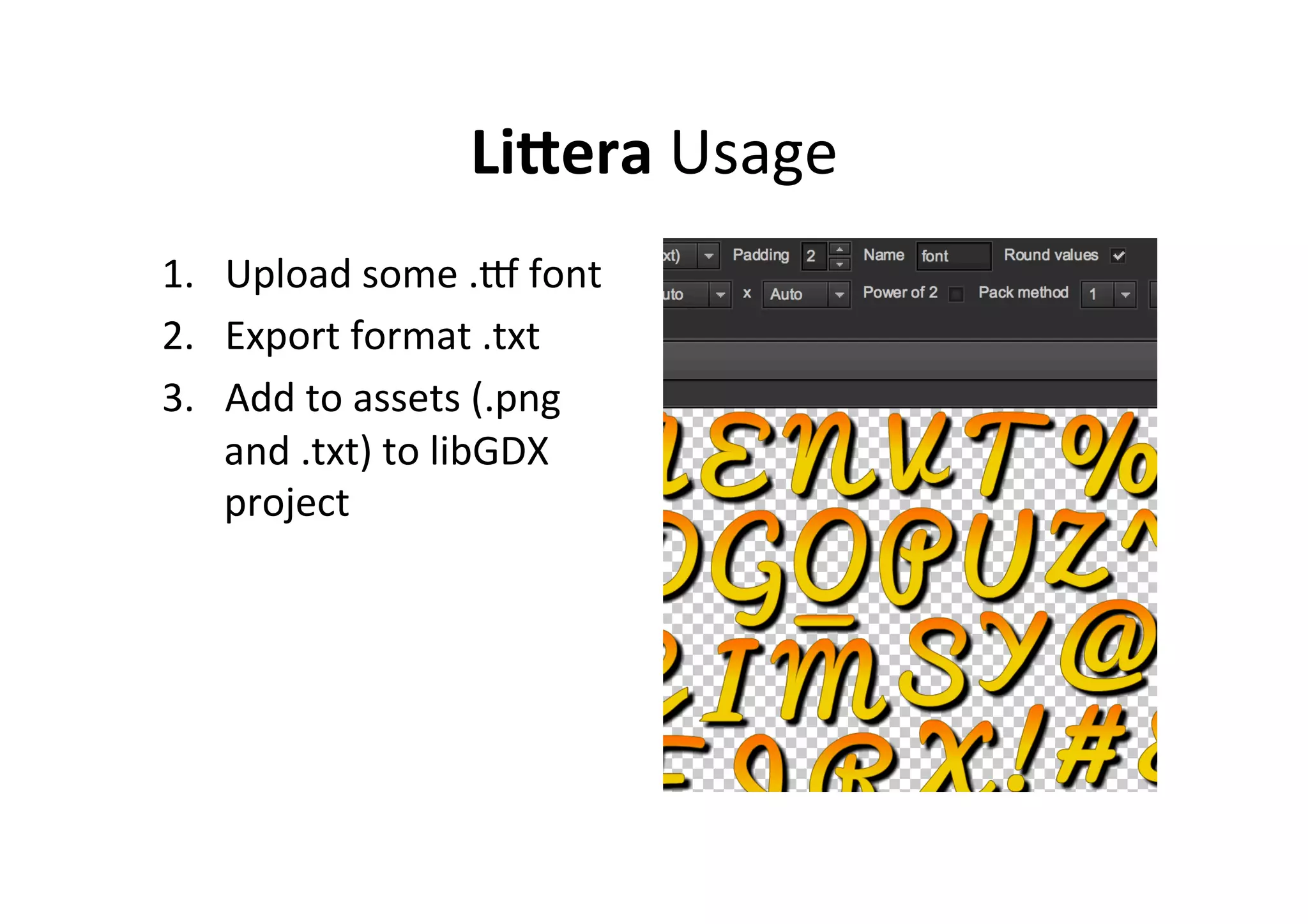
LiFera	
  Usage	
  
1.  Upload	
  some	
  .S	
  font	
  
2.  Export	
  format	
  .txt	
  
3.  Add	
  to	
  assets	
  (.png	
  
and	
  .txt)	
  to	
  libGDX	
  
project	
  
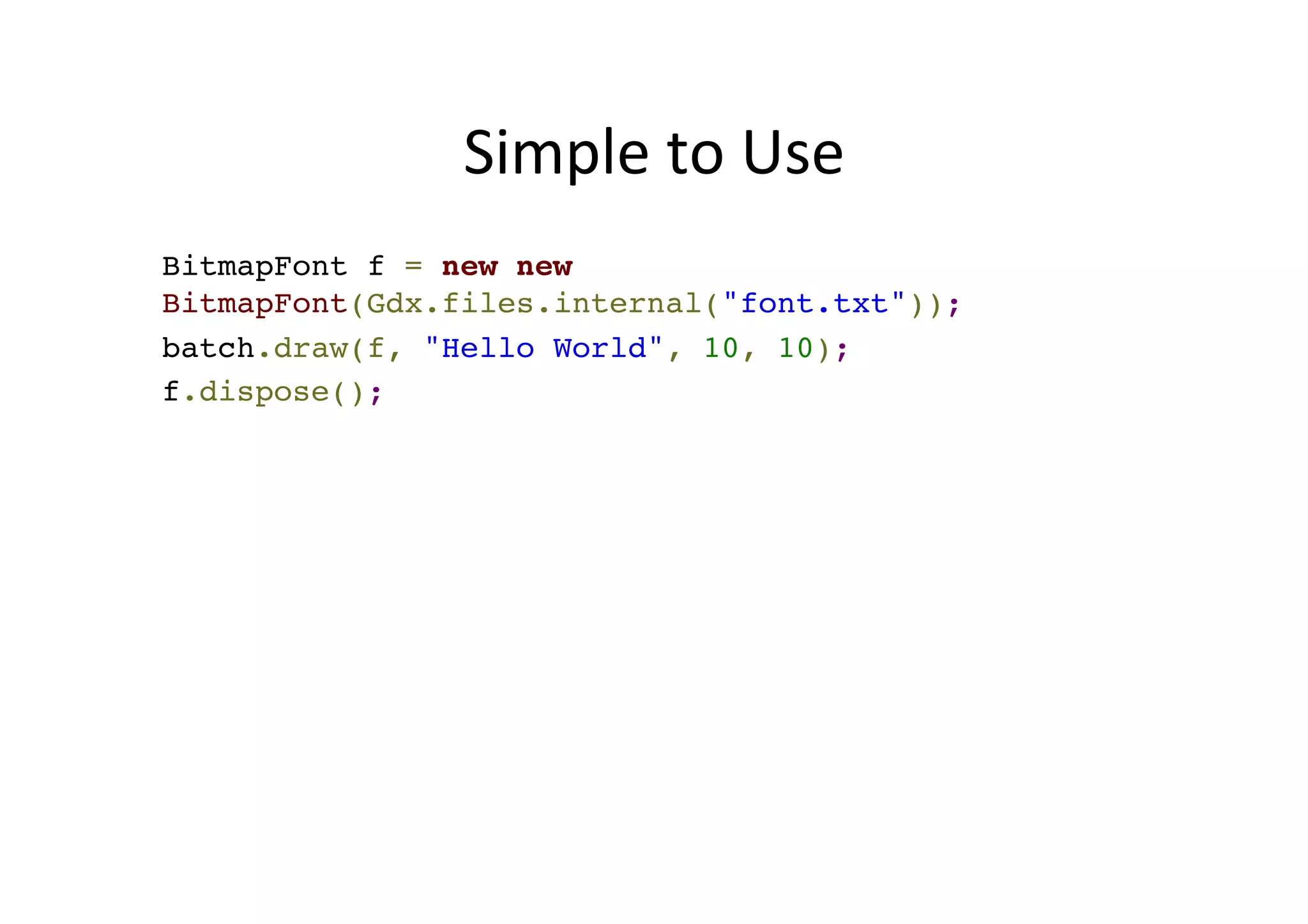
Simple	
  to	
  Use	
  
BitmapFont f = new new
BitmapFont(Gdx.files.internal("font.txt"));
f.draw(batch, "Hello World", 10, 10);
f.dispose();
Calculate	
  PosiPon	
  
Libgdx	
  
getAscent()	
  
getDescent()	
  
getLineHeight()	
  
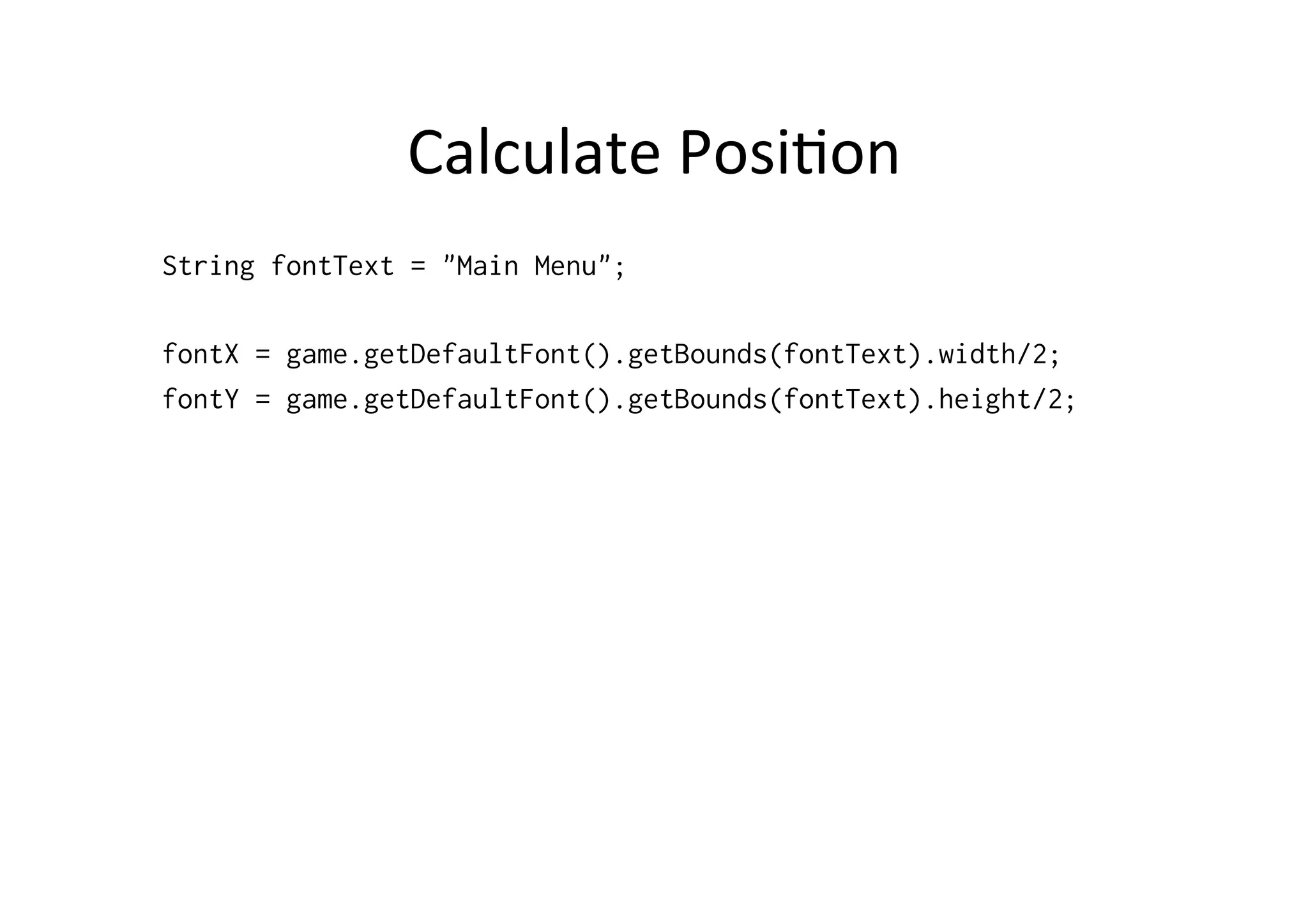
Calculate	
  PosiPon	
  
String fontText = "Main Menu";
float fontX = game.getDefaultFont().getBounds(fontText).width;
float fontY = game.getDefaultFont().getBounds(fontText).height;
PREF	
  
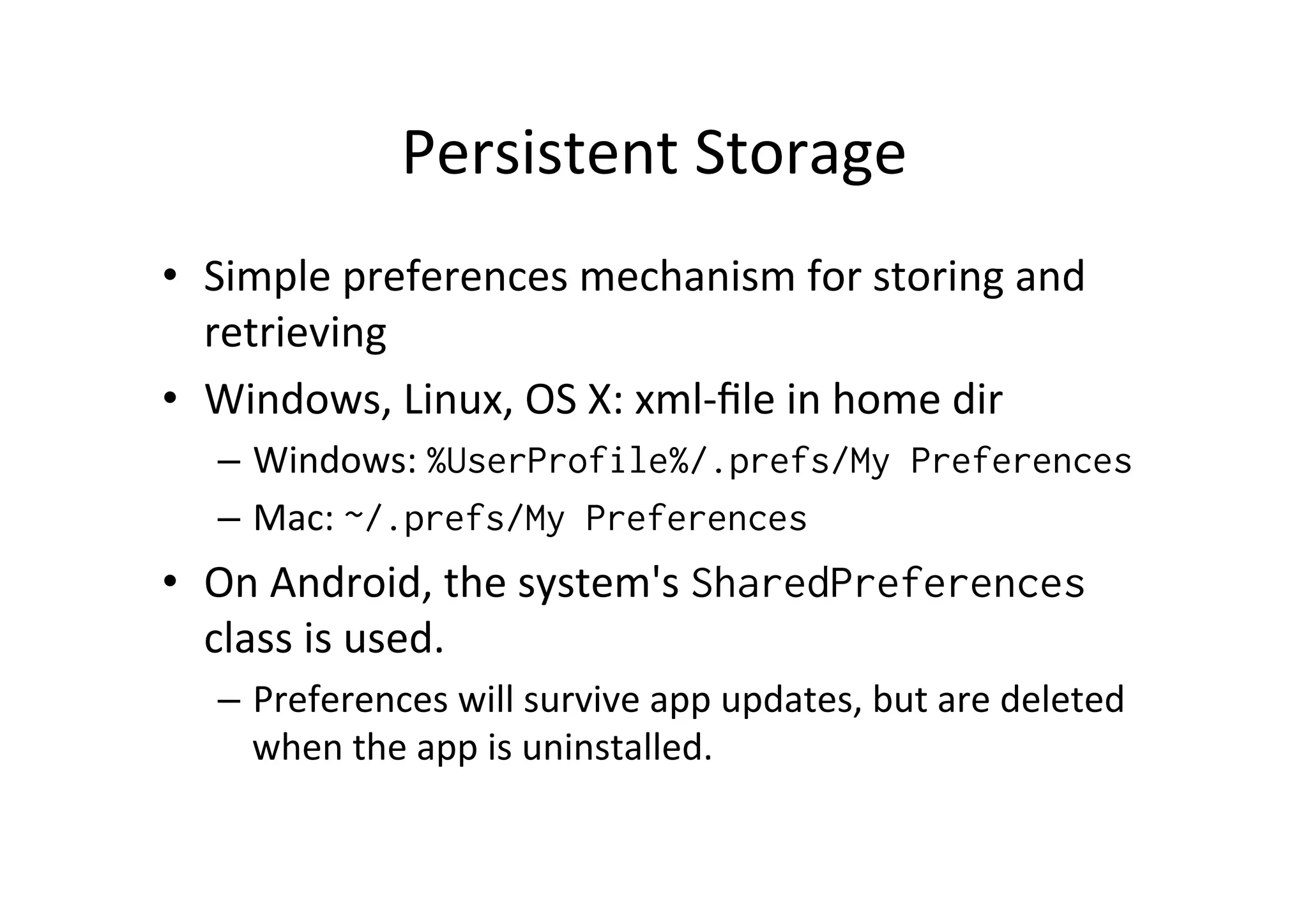
Persistent	
  Storage	
  
•  Simple	
  preferences	
  mechanism	
  for	
  storing	
  and	
  
retrieving	
  
•  Windows,	
  Linux,	
  OS	
  X:	
  xml-­‐file	
  in	
  home	
  dir	
  
–  Windows:	
  %UserProfile%/.prefs/My Preferences
–  Mac:	
  ~/.prefs/My Preferences
•  On	
  Android,	
  the	
  system's	
  SharedPreferences	
  
class	
  is	
  used.	
  	
  
–  Preferences	
  will	
  survive	
  app	
  updates,	
  but	
  are	
  deleted	
  
when	
  the	
  app	
  is	
  uninstalled.
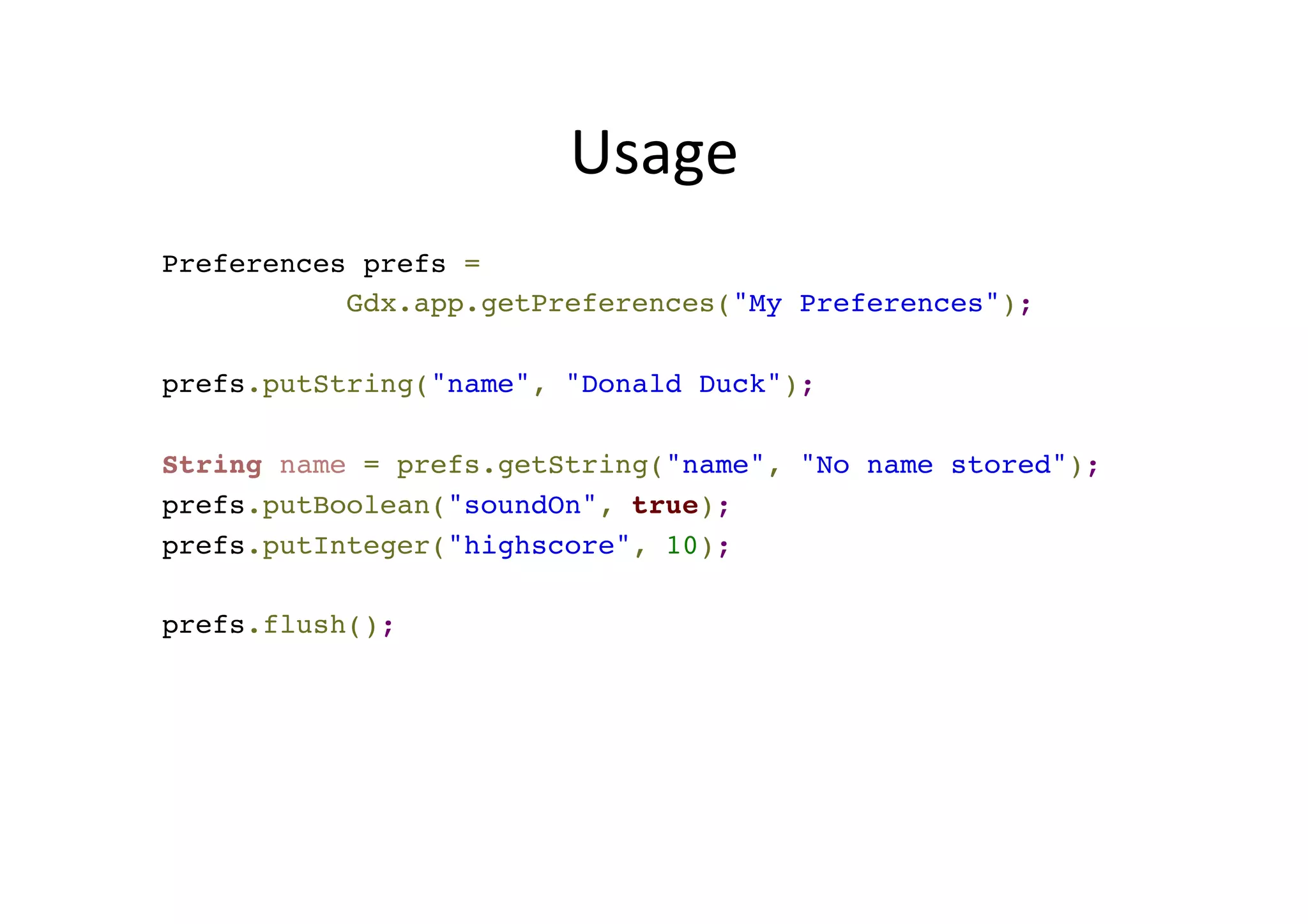
Usage	
  
Preferences prefs =
Gdx.app.getPreferences("MyPreferences");
prefs.putString("name", "Donald Duck");
String name = prefs.getString("name", "No name stored");
prefs.putBoolean("soundOn", true);
prefs.putInteger("highscore", 10);
prefs.flush();
file	
  
<?xml version="1.0" encoding="UTF-8"
standalone="no"?>
<!DOCTYPE properties SYSTEM "http://java.sun.com/
dtd/properties.dtd">
<properties>
<entry key="score">221</entry>
</properties>

libGDX: Screens, Fonts and Preferences

  • 1.
    libGDX:  Screens,  Fonts  and  Pref   Jussi  Pohjolainen   Tampere  University  of  Applied  Sciences  
  • 2.
  • 3.
    Screen  and  Game   •  Screen – Use  to  add  different  screens  to  your  game   – Screen  is  a  interface  and  contains  all  the  same   methods  than  ApplicationListener.  Also   show() and  hide() when  screen  is  shown  and   hidden   •  Game – Game  is  an  ApplicationListener  that  holds  also   methods  for  changing  the  screen:   setScreen(Screen s)  
  • 4.
    public class ScreensFontsPrefextends Game { private MainMenuScreen mainmenu; // Common objects to all screens! private SpriteBatch batch; // Returns the SpriteBatch public SpriteBatch getBatch() { return batch; } @Override public void create () { batch = new SpriteBatch(); // Create MainMenuScreen mainmenu = new MainMenuScreen(this); // Set it visible setScreen(mainmenu); } @Override public void render () { super.render(); // Remember this, otherwise nothing is shown! } }  
  • 5.
    public class GameScreenimplements Screen { private ScreensFontsPref game; private SpriteBatch batch; private OrthographicCamera camera; public GameScreen(ScreensFontsPref g) { game = g; batch = game.getBatch(); camera = new OrthographicCamera(); camera.setToOrtho(false, 800, 480); } @Override public void render(float delta) { batch.setProjectionMatrix(camera.combined); Gdx.gl.glClearColor(1, 0, 0, 1); Gdx.gl.glClear(GL20.GL_COLOR_BUFFER_BIT); batch.begin(); // Do same drawing Gdx.app.log("GameScreen", "render"); batch.end(); if (Gdx.input.isTouched()) { game.setScreen(new GameScreen(game)); } }  
  • 6.
  • 7.
    About  Fonts   • libGDX  does  not  support  TrueType  Fonts  (TTF)   –  Rendering  vector  graphics  is  costly     •  libGDX  makes  use  of  bitmap  files  (pngs)  to  render   fonts   •  Use  external  tool  to  convert  TTF  to  PNG!   •  Each  glyph  in  the  font  has  a  corresponding   TextureRegion   •  Default  font  Arial  provided,  other  fonts  you  have  to   create!   •  If  you  use  same  font  in  different  screens,  create  font   once  and  share  it  with  other  screens.  
  • 8.
    Simple  to  Use   BitmapFont f = new BitmapFont(); f.draw(batch, "Hello World", 10, 10); f.dispose();
  • 9.
    Tools  for  CreaPng  own  Fonts   •  Hiero  (http://bit.ly/16EpREP) – Free  and  buggy?  Java  app   •  Glyphite  (https://www.glyphite.com/)   – Free  web  app   •  LiFera  (http://kvazars.com/littera/) – Free  web  app    
  • 10.
    LiFera  Usage   1. Upload  some  .S  font   2.  Export  format  .txt   3.  Add  to  assets  (.png   and  .txt)  to  libGDX   project  
  • 11.
    Simple  to  Use   BitmapFont f = new new BitmapFont(Gdx.files.internal("font.txt")); f.draw(batch, "Hello World", 10, 10); f.dispose();
  • 12.
    Calculate  PosiPon   Libgdx   getAscent()   getDescent()   getLineHeight()  
  • 13.
    Calculate  PosiPon   StringfontText = "Main Menu"; float fontX = game.getDefaultFont().getBounds(fontText).width; float fontY = game.getDefaultFont().getBounds(fontText).height;
  • 14.
  • 15.
    Persistent  Storage   • Simple  preferences  mechanism  for  storing  and   retrieving   •  Windows,  Linux,  OS  X:  xml-­‐file  in  home  dir   –  Windows:  %UserProfile%/.prefs/My Preferences –  Mac:  ~/.prefs/My Preferences •  On  Android,  the  system's  SharedPreferences   class  is  used.     –  Preferences  will  survive  app  updates,  but  are  deleted   when  the  app  is  uninstalled.
  • 16.
    Usage   Preferences prefs= Gdx.app.getPreferences("MyPreferences"); prefs.putString("name", "Donald Duck"); String name = prefs.getString("name", "No name stored"); prefs.putBoolean("soundOn", true); prefs.putInteger("highscore", 10); prefs.flush();
  • 17.
    file   <?xml version="1.0"encoding="UTF-8" standalone="no"?> <!DOCTYPE properties SYSTEM "http://java.sun.com/ dtd/properties.dtd"> <properties> <entry key="score">221</entry> </properties>