INTRODUCTION TOCOMPUTER SCIENCE
CSC 1302
LECTURE 5
Department of Maths and Computer-
Science
Faculty of Natural and Applied Science
BY
UMAR DANJUMA MAIWADA
OBJECTIVES
 Solving problem with computer
 Algorithm
 Flow chart
2
SOLVING PROBLEMS WITH COMPUTER
 Computer works by obeying a sequence of
instructions, which constitutes a program.
 To solve a problem with computer, there
must be a program to solve it.
 A program needs careful planning, good
organization.
 A problem can be solved by writing a
program in one of many programming
languages, such as C++, Java, Pascal, and
Python.
3
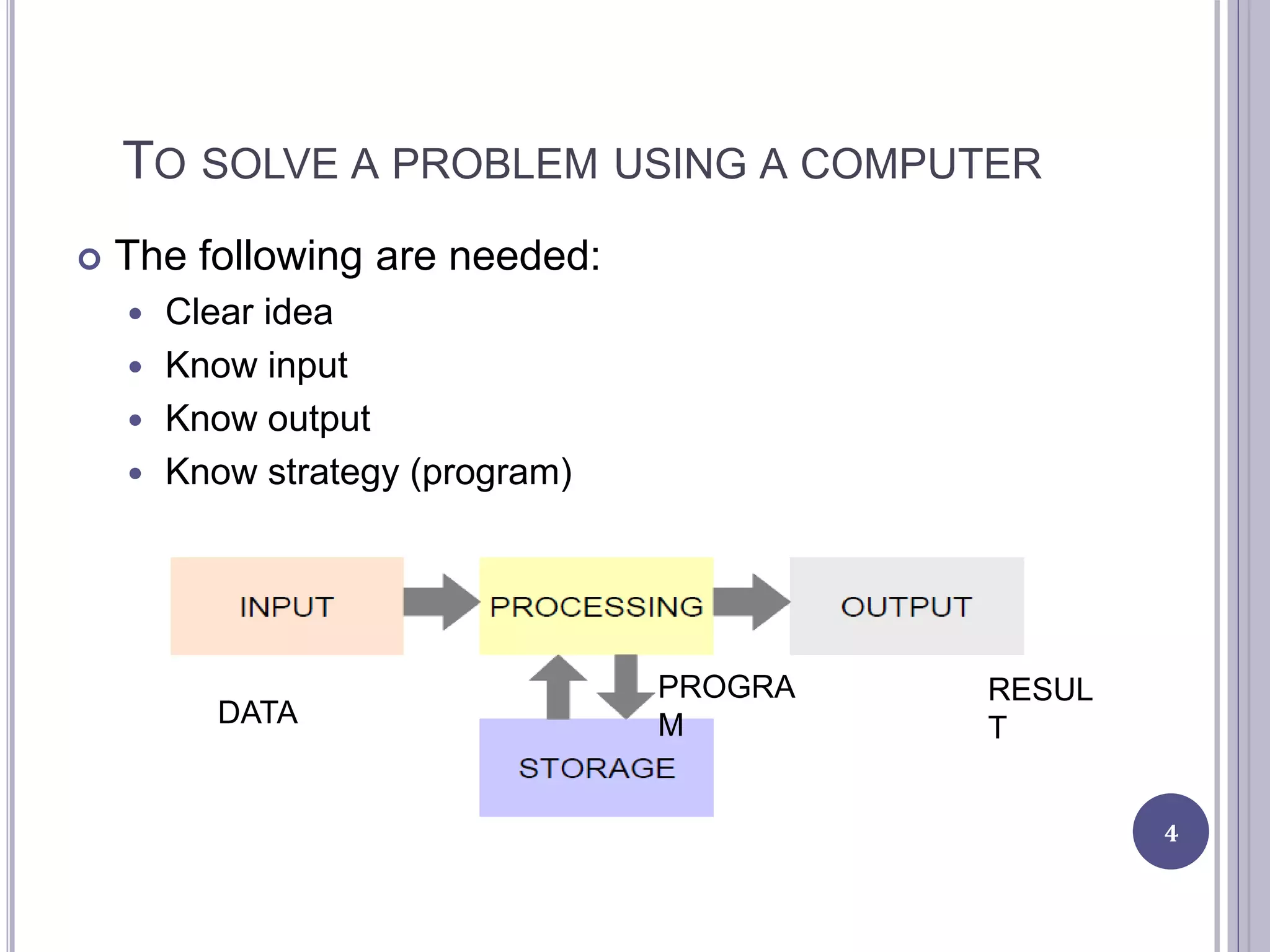
TO SOLVE A PROBLEM USING A COMPUTER
 The following are needed:
 Clear idea
 Know input
 Know output
 Know strategy (program)
4
DATA
PROGRA
M
RESUL
T
STEPS INVOLVED IN SOLVING A PROBLEM
 Understand the problem.
 Breaking the problem into manageable pieces.
 Designing a solution.
 Considering alternatives to the solution and refining
the solution.
 Implementing the solution.
 Testing the solution and fixing any problems that
exist.
5
PROGRAM DEVELOPMENT CYCLE
 Analyse: Define the problem - Have a clear idea of
what data (or input) are given and the relationship
between the input and the desired output.
 Design: Plan the solution to the problem - logical
sequence of precise steps that solve the problem.
Such a sequence of steps is called an algorithm.
 Choose the interface: Select the objects - how the
input will be obtained and how the output will be
displayed. Then create objects to receive the input
and display the output.
 Code: Translate the algorithm into a programming
language - Coding is the technical word for writing
the program. During this stage, the program is written
in programming language of choice and entered into
6
7
o Test and debug: Locate and remove any errors
in the program - Testing is the process of finding
errors in a program, and debugging is the
process of correcting errors that are found.
many errors occurring due to typing mistakes,
flaws in the algorithm, or incorrect usages of the
programming language rules only can be
uncovered and corrected by careful detective
work.
o Complete the documentation: Organize all the
material that describes the program -
Documentation is intended to allow another
person or the programmer at a later date, to
understand the program. Internal documentation
consists of statements in the program that are
not executed, but point out the purposes of
various parts of the program.
ALGORITHMS
 Algorithm is a set of instructions which is taken in
order to lead to a solution.
 Algorithm consist of a sequence of operation for the
particular solution of the stated problem.
 It does not have to be written in computer
language.
 Algorithms have a definite beginning and a definite
end, and a finite number of steps.
PROPERTIES OF ALGORITHM
 Must be able to determine after a finite number of
steps e.g listing all counting numbers is not an
algorithm
 The steps must be clearly stated
 The input (Data) must be clear and well defined
 Given correct input, the algorithm must give correct
output (GIGO).
 An algorithm must be efficient in terms of time
consumption and computer memory space.
9
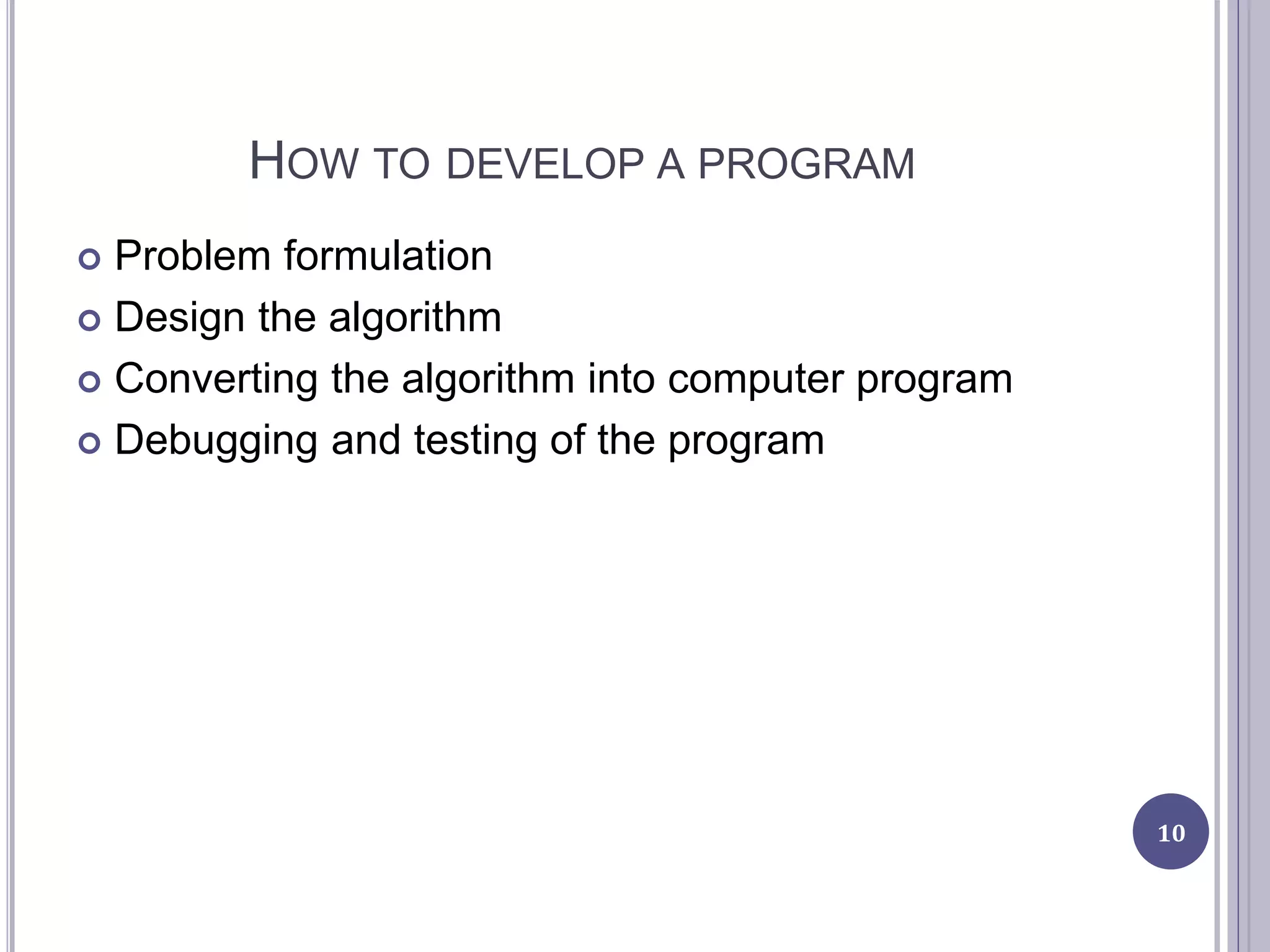
HOW TO DEVELOP A PROGRAM
 Problem formulation
 Design the algorithm
 Converting the algorithm into computer program
 Debugging and testing of the program
10
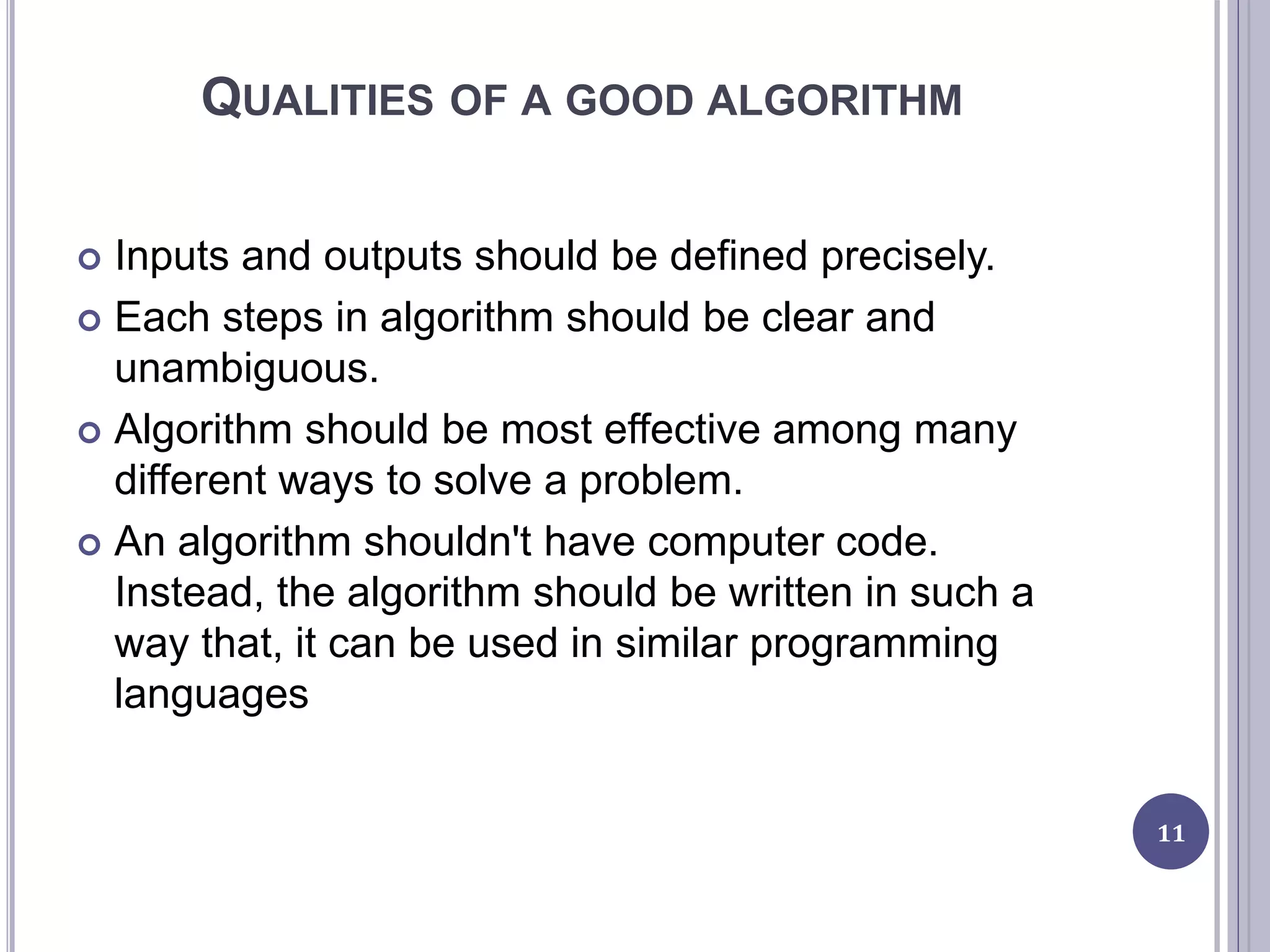
QUALITIES OF A GOOD ALGORITHM
 Inputs and outputs should be defined precisely.
 Each steps in algorithm should be clear and
unambiguous.
 Algorithm should be most effective among many
different ways to solve a problem.
 An algorithm shouldn't have computer code.
Instead, the algorithm should be written in such a
way that, it can be used in similar programming
languages
11
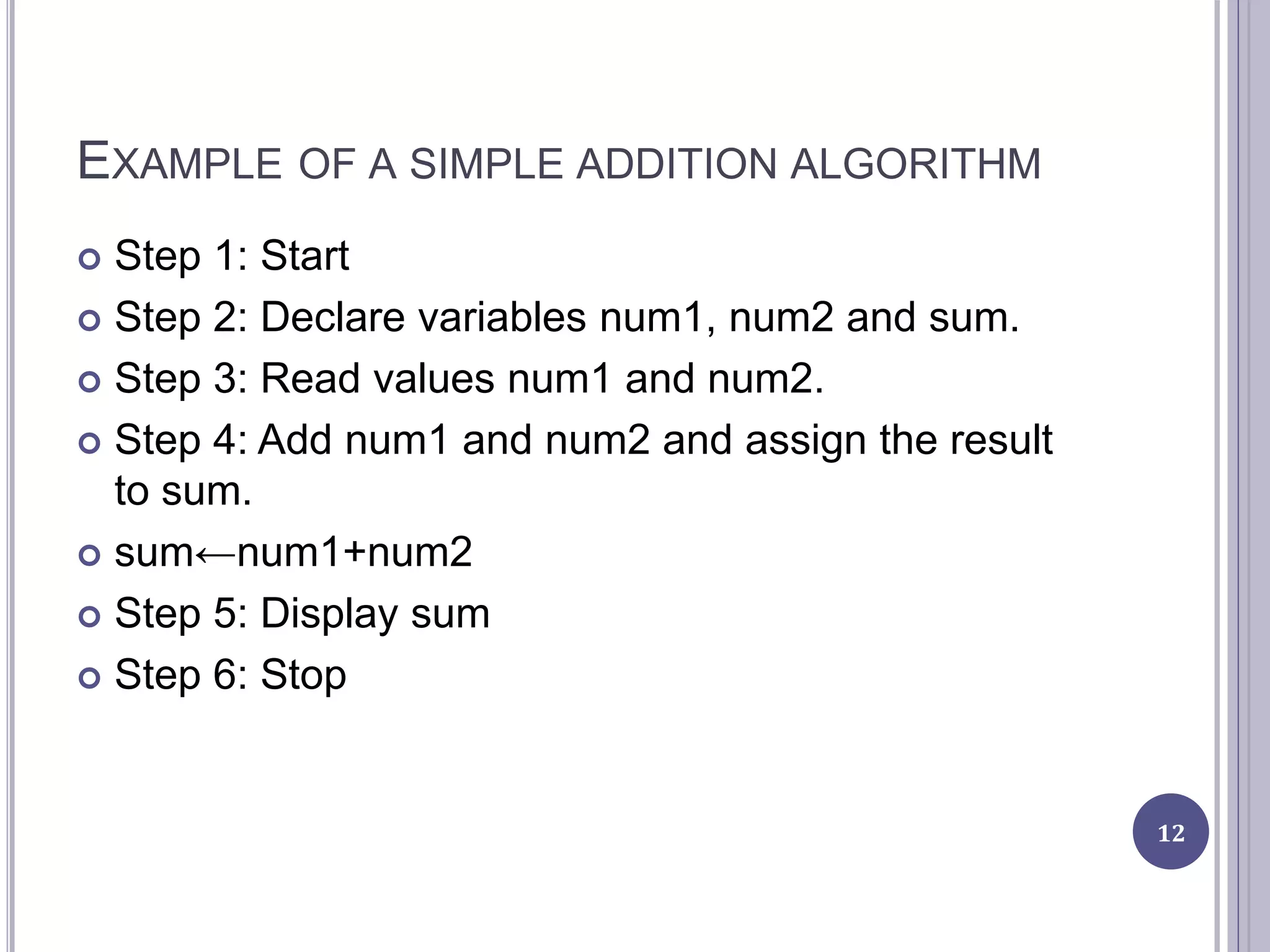
EXAMPLE OF A SIMPLE ADDITION ALGORITHM
 Step 1: Start
 Step 2: Declare variables num1, num2 and sum.
 Step 3: Read values num1 and num2.
 Step 4: Add num1 and num2 and assign the result
to sum.
 sum←num1+num2
 Step 5: Display sum
 Step 6: Stop
12
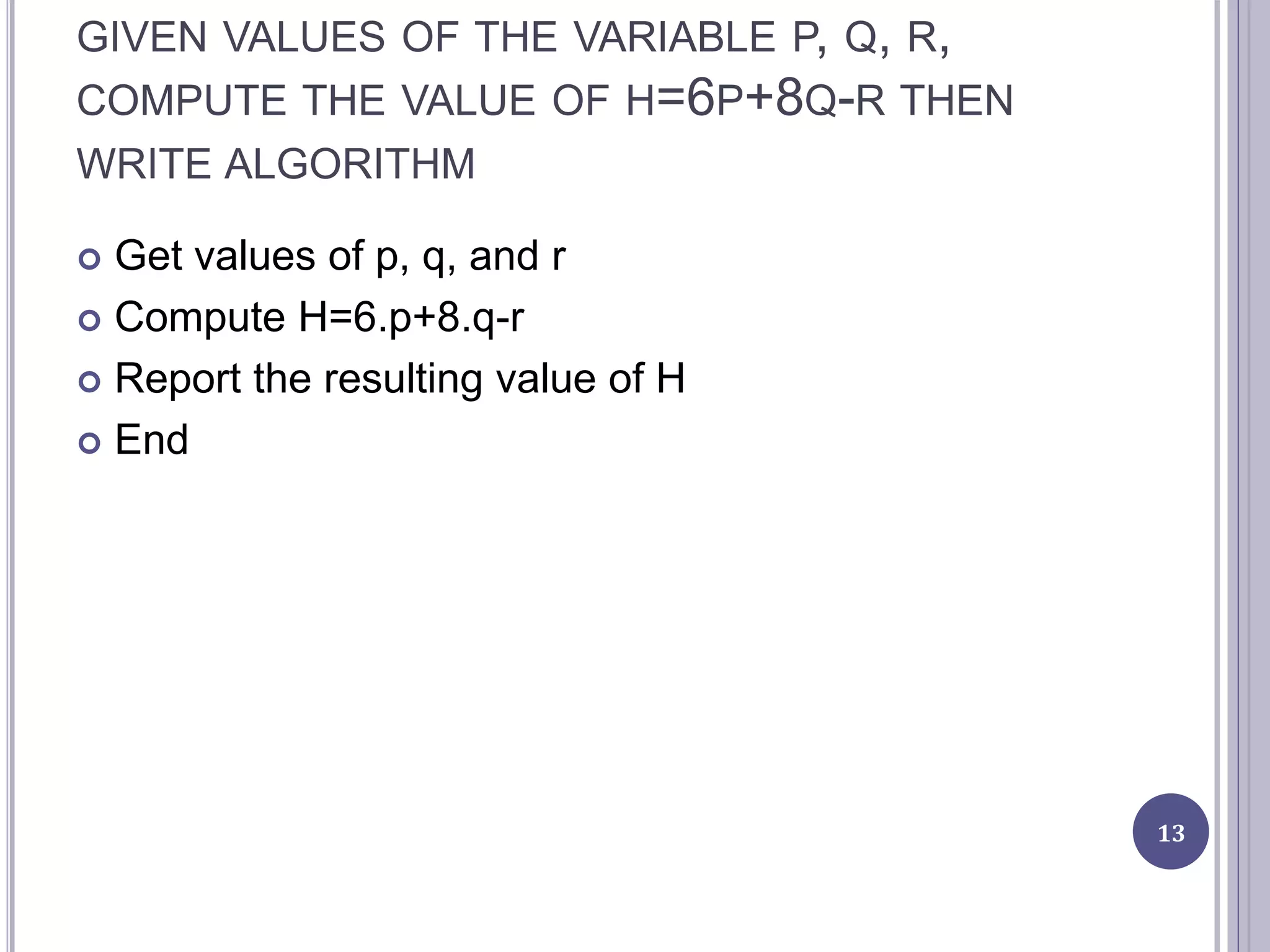
GIVEN VALUES OF THE VARIABLE P, Q, R,
COMPUTE THE VALUE OF H=6P+8Q-R THEN
WRITE ALGORITHM
 Get values of p, q, and r
 Compute H=6.p+8.q-r
 Report the resulting value of H
 End
13
WRITE THE ALGORITHM FOR THE PROGRAM WHEN TAKES IN VALUES
OF A, B, C, D, E AND Y AND COMPUTE X= A.Y.Y.Y.Y + B.Y.Y.Y +
C.Y.Y.D.Y+E
 Get values of A, B, C, D, E, Y
 Compute X=A.Y.Y.Y.Y+B.Y.Y.Y+C.Y.Y-D.Y+E
 Report the resulting value of X
 End
14
FLOW CHART
 Flow chart is a diagrammatic representation of an
algorithm or a program.
 A flow chart is a type of diagram representing a
process using different symbols containing
information about steps or a sequence of events.
 Flowcharts are helpful for:
 Aiding understanding of relationships among different
process steps
 Collecting data about a particular process
 Helping with decision making
 Measuring the performance of a process
 Depicting the structure of a process
 Tracking the process flow
 Highlighting important steps and eliminating the
unnecessary steps
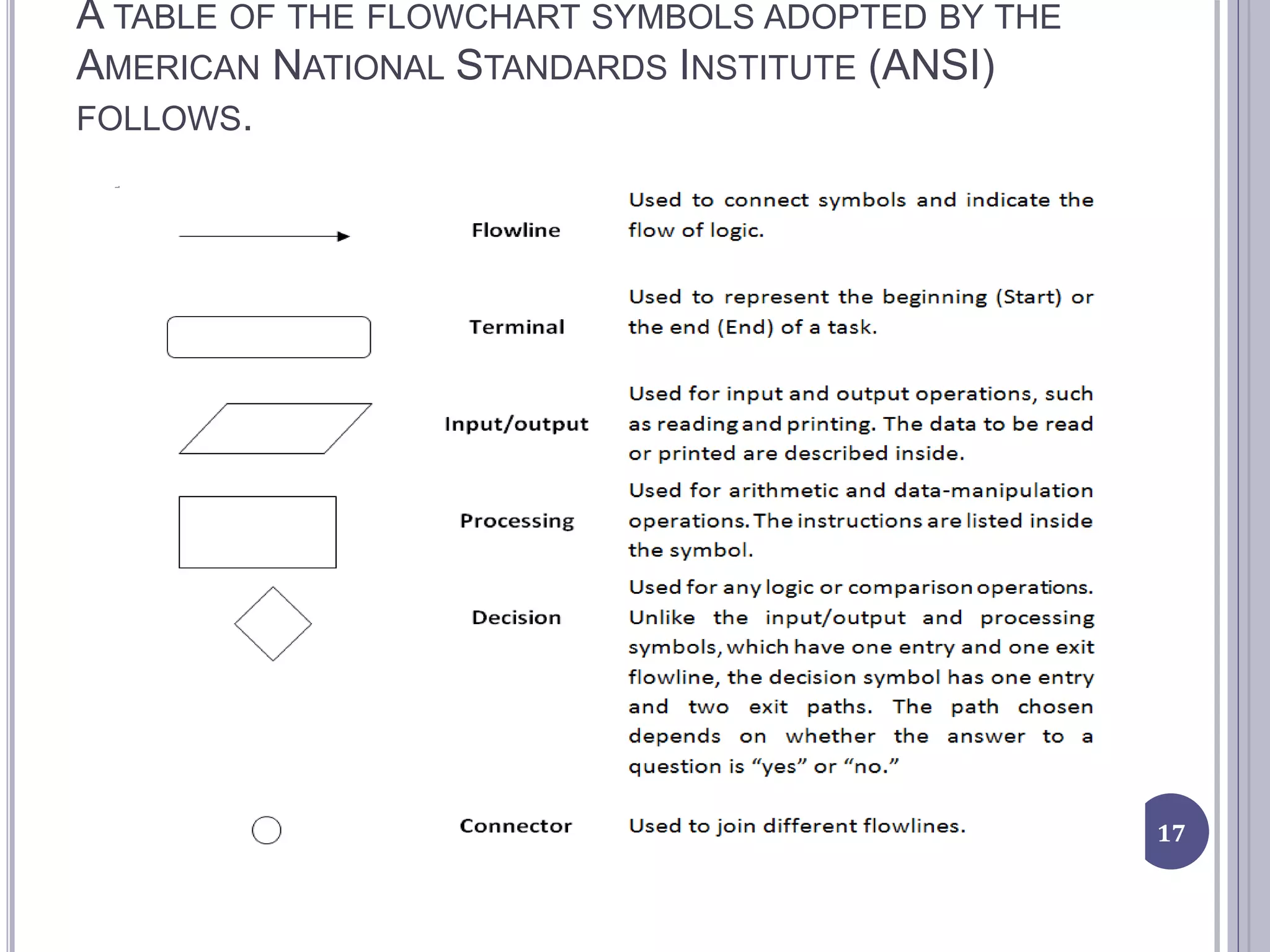
 A flowchart consists of special geometric symbols
15
16
The main advantage of using a flowchart
to plan a task is that it provides a pictorial
representation of the task, which makes
the logic easier to follow. We can clearly
see every step and how each step is
connected to the next.
The major disadvantage with flowcharts
is that when a program is very large, the
flowcharts may continue for many pages,
making them difficult to follow and modify.
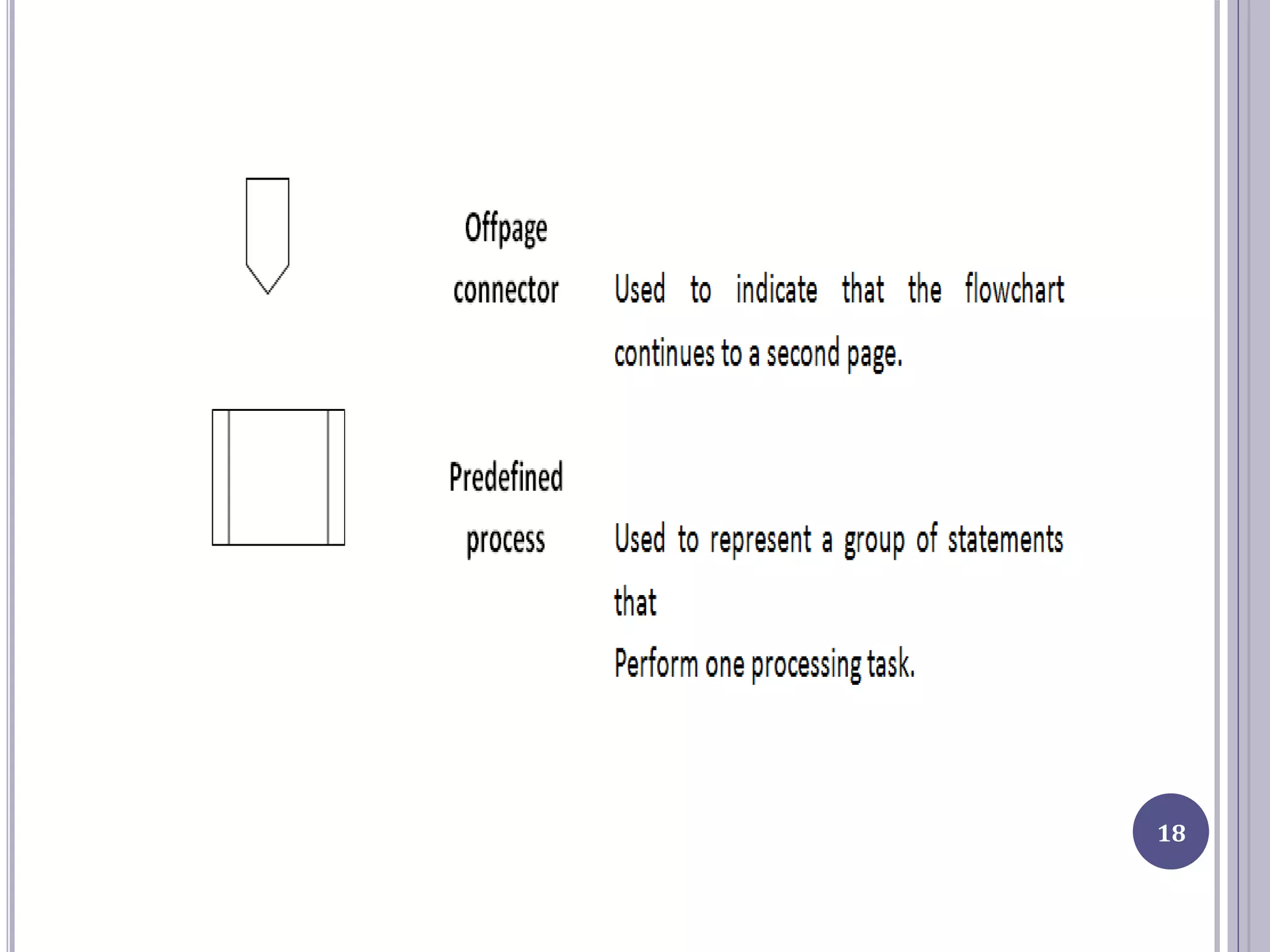
A TABLE OF THE FLOWCHART SYMBOLS ADOPTED BY THE
AMERICAN NATIONAL STANDARDS INSTITUTE (ANSI)
FOLLOWS.
17
18
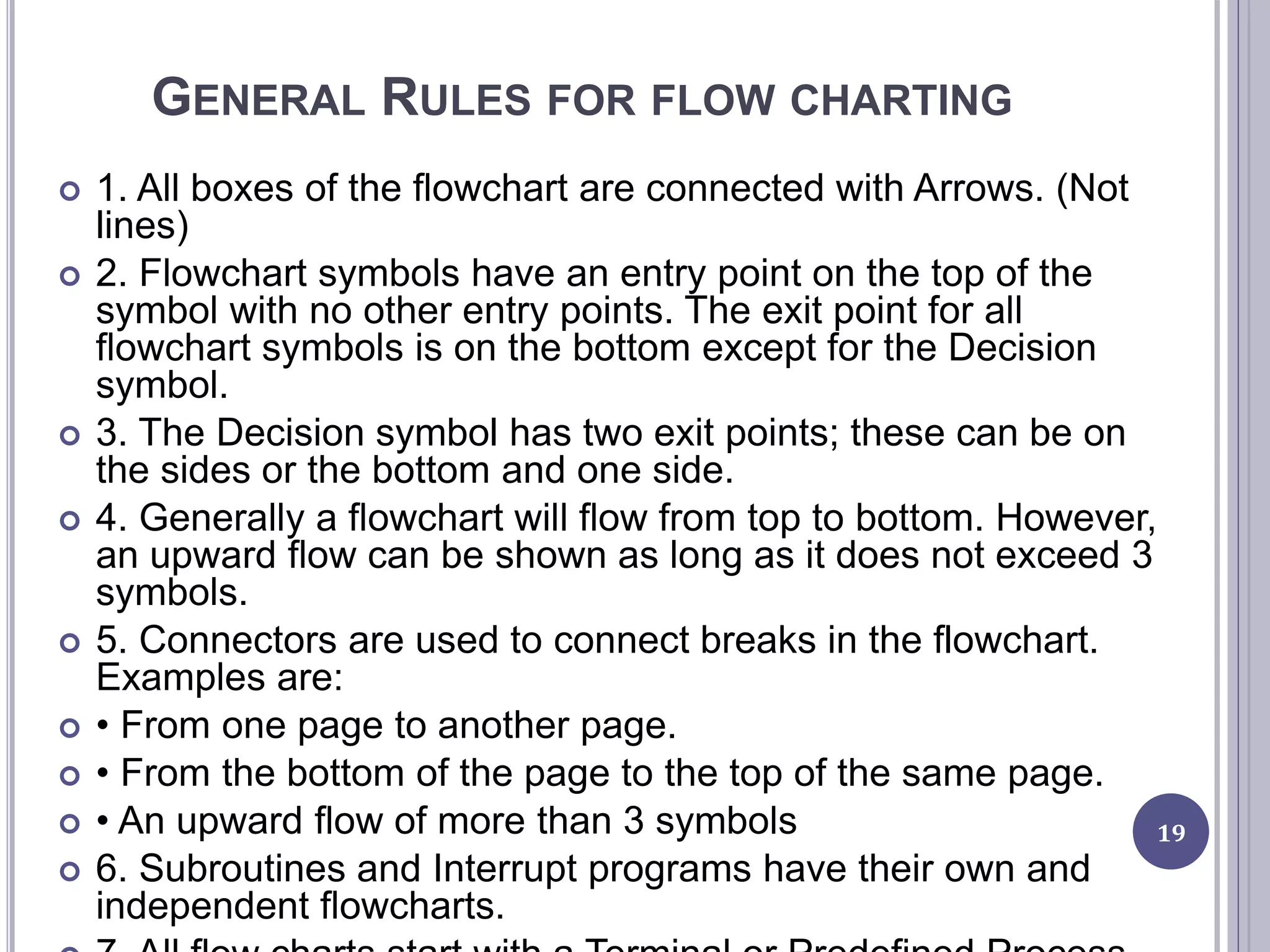
GENERAL RULES FOR FLOW CHARTING
 1. All boxes of the flowchart are connected with Arrows. (Not
lines)
 2. Flowchart symbols have an entry point on the top of the
symbol with no other entry points. The exit point for all
flowchart symbols is on the bottom except for the Decision
symbol.
 3. The Decision symbol has two exit points; these can be on
the sides or the bottom and one side.
 4. Generally a flowchart will flow from top to bottom. However,
an upward flow can be shown as long as it does not exceed 3
symbols.
 5. Connectors are used to connect breaks in the flowchart.
Examples are:
 • From one page to another page.
 • From the bottom of the page to the top of the same page.
 • An upward flow of more than 3 symbols
 6. Subroutines and Interrupt programs have their own and
independent flowcharts.
19
EXAMPLES
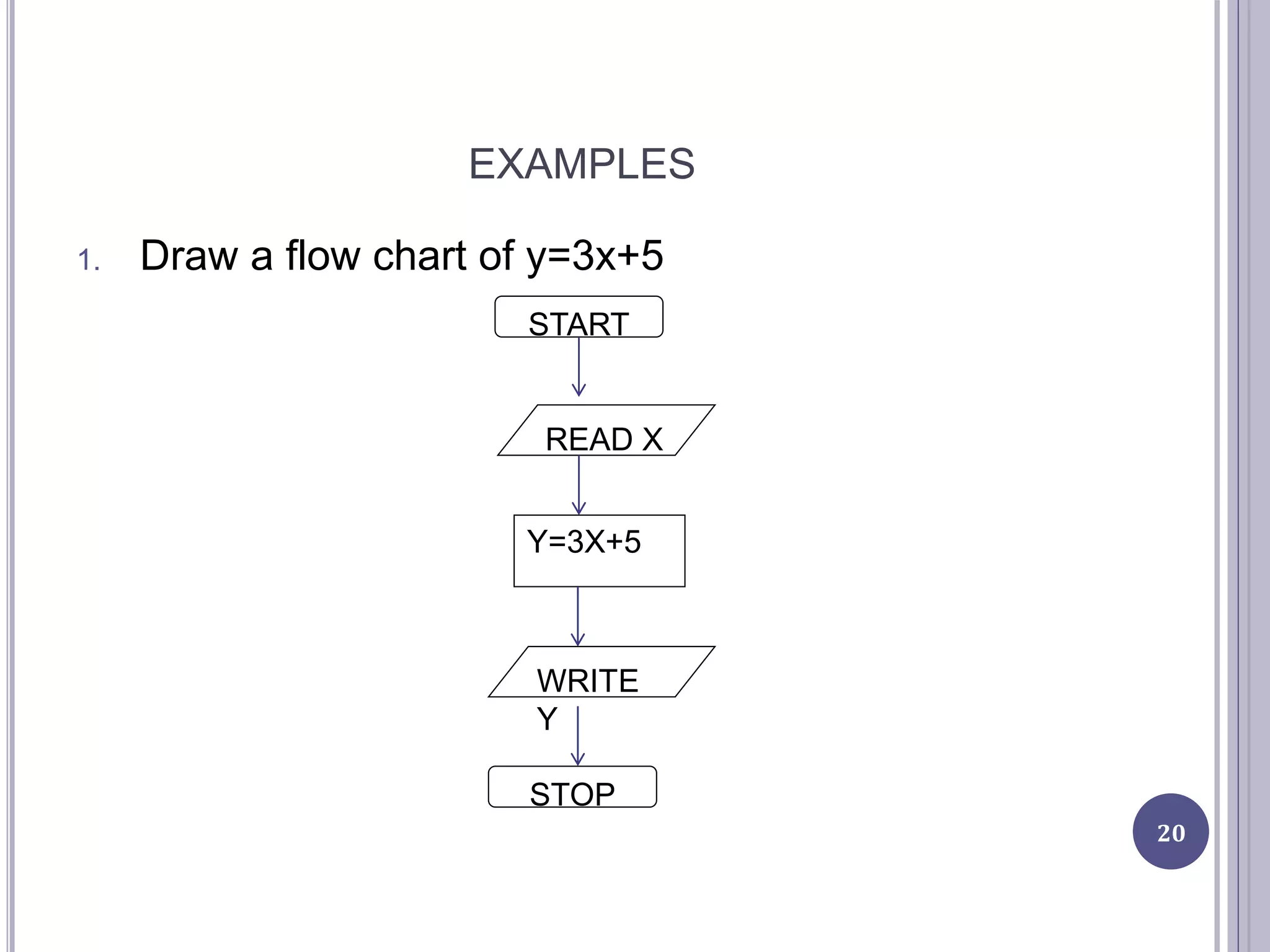
1. Draw a flow chart of y=3x+5
20
START
READ X
Y=3X+5
WRITE
Y
STOP
21
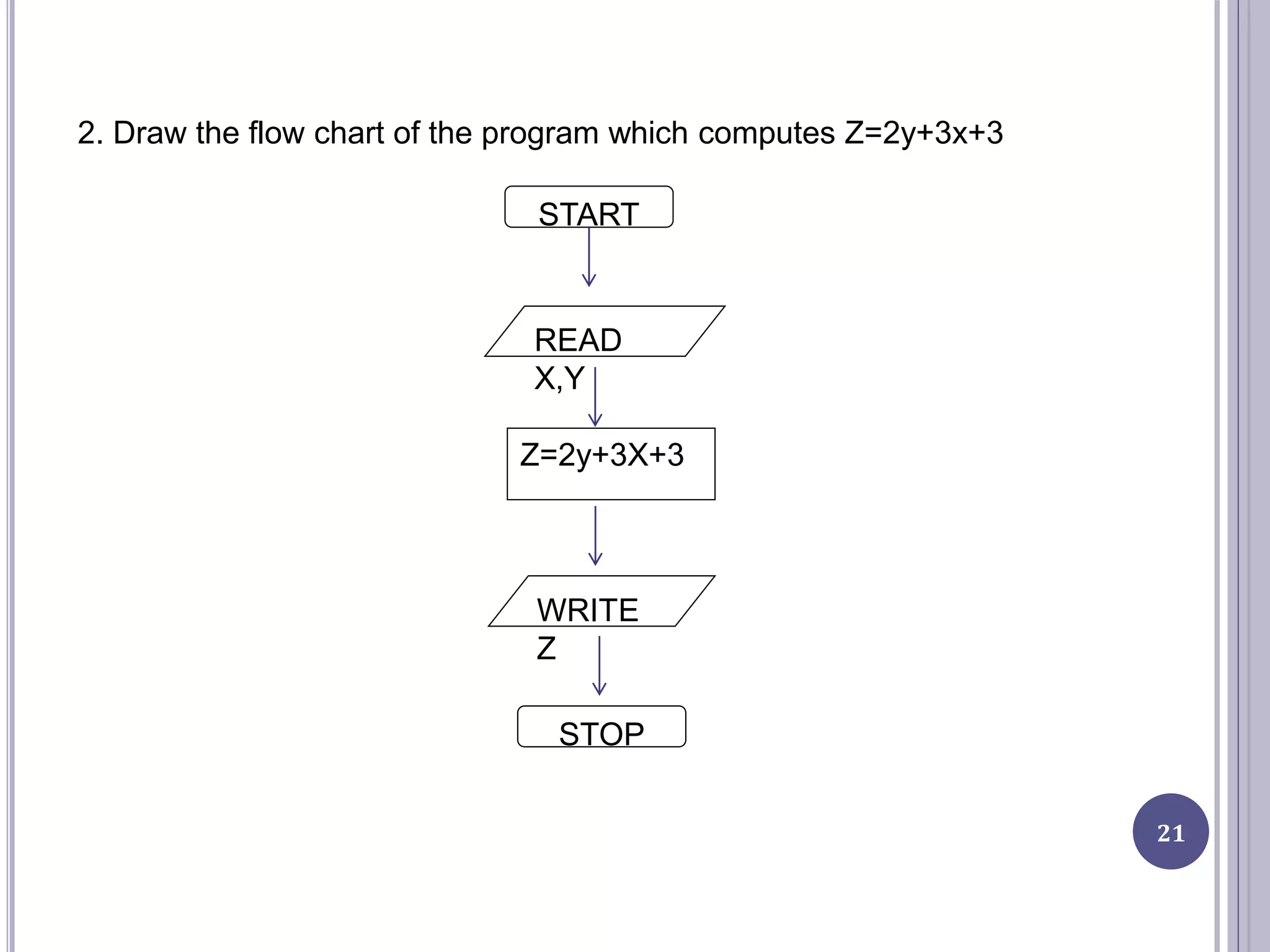
2. Draw the flow chart of the program which computes Z=2y+3x+3
START
READ
X,Y
Z=2y+3X+3
WRITE
Z
STOP
22
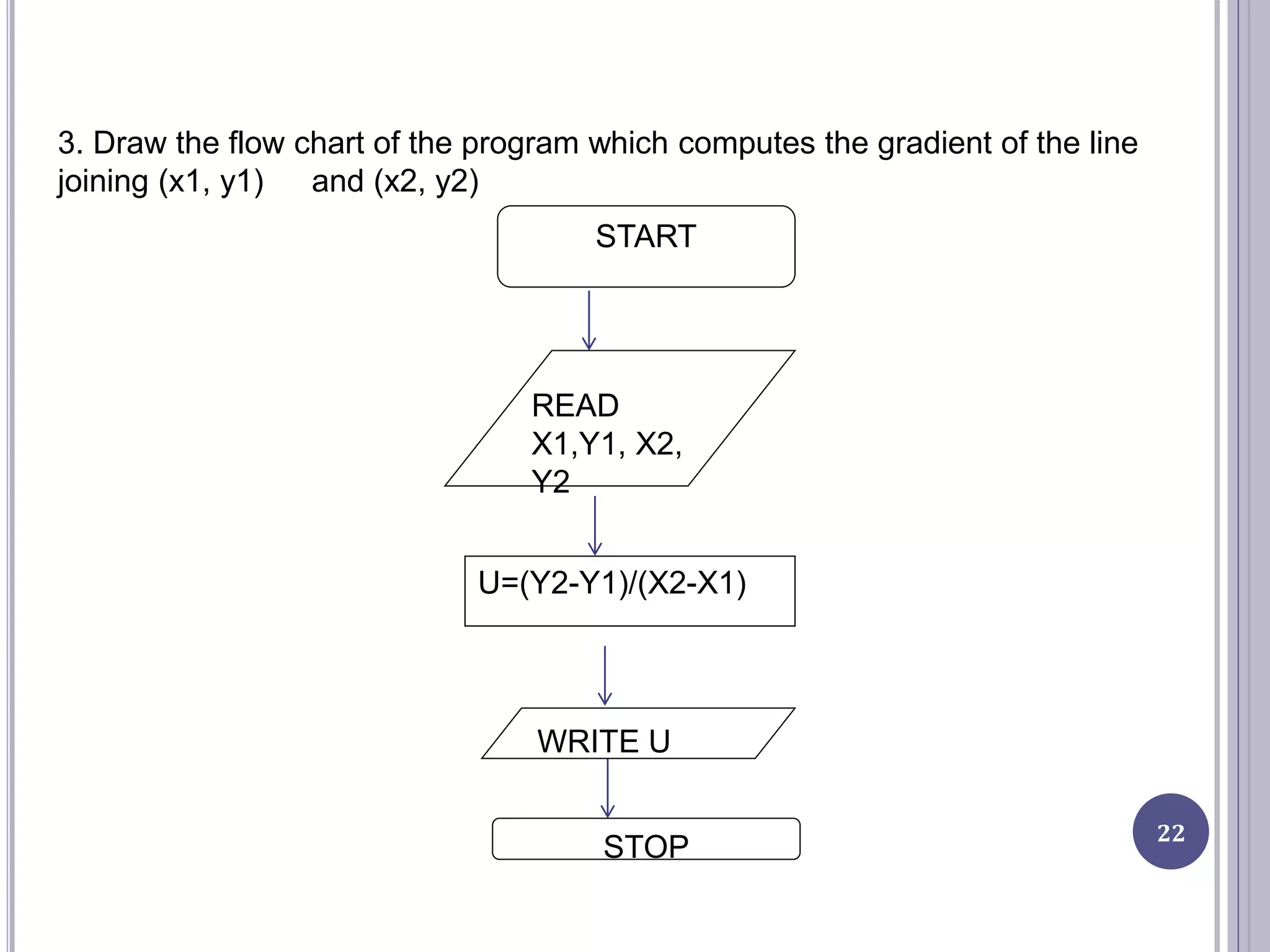
3. Draw the flow chart of the program which computes the gradient of the line
joining (x1, y1) and (x2, y2)
START
READ
X1,Y1, X2,
Y2
U=(Y2-Y1)/(X2-X1)
WRITE U
STOP
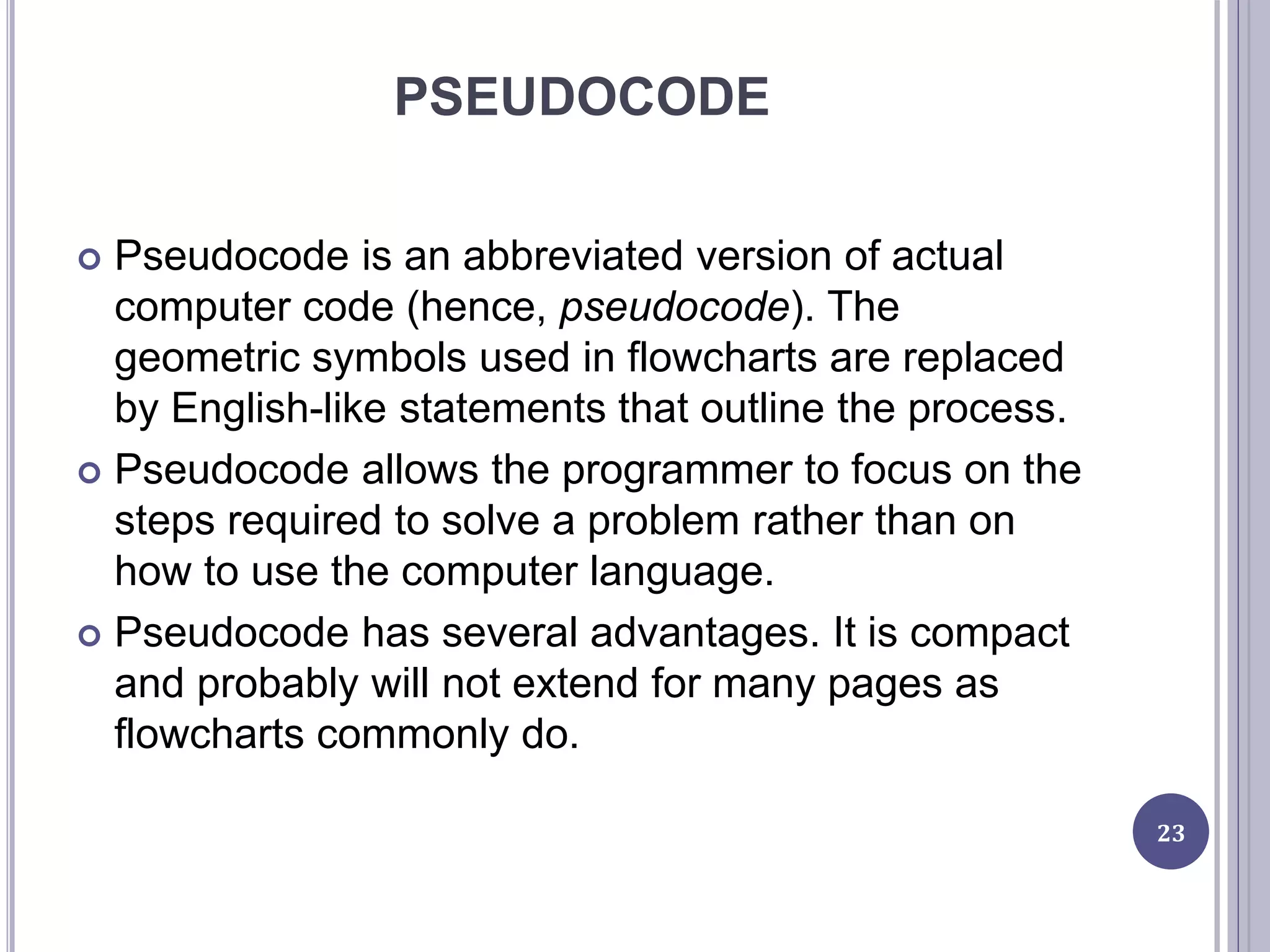
PSEUDOCODE
 Pseudocode is an abbreviated version of actual
computer code (hence, pseudocode). The
geometric symbols used in flowcharts are replaced
by English-like statements that outline the process.
 Pseudocode allows the programmer to focus on the
steps required to solve a problem rather than on
how to use the computer language.
 Pseudocode has several advantages. It is compact
and probably will not extend for many pages as
flowcharts commonly do.
23
PROGRAMMING TOOLS
 A programming tool may be any software program
or utility that aids software developers or
programmers in creating, editing, debugging,
maintaining and/or performing any programming or
development-specific task.
 Programming tools were initially designed to
support or complement programming languages by
providing the functionality and features these
languages did not have.
 Compilers, linkers, assemblers, disassemblers,
load testers, performance analysts, GUI
development tools and code editors are also all
forms of programming tools.
24
QUESTIONS???
THANK YOU FOR YOUR ATTENTION
25

lecture 5

  • 1.
    INTRODUCTION TOCOMPUTER SCIENCE CSC1302 LECTURE 5 Department of Maths and Computer- Science Faculty of Natural and Applied Science BY UMAR DANJUMA MAIWADA
  • 2.
    OBJECTIVES  Solving problemwith computer  Algorithm  Flow chart 2
  • 3.
    SOLVING PROBLEMS WITHCOMPUTER  Computer works by obeying a sequence of instructions, which constitutes a program.  To solve a problem with computer, there must be a program to solve it.  A program needs careful planning, good organization.  A problem can be solved by writing a program in one of many programming languages, such as C++, Java, Pascal, and Python. 3
  • 4.
    TO SOLVE APROBLEM USING A COMPUTER  The following are needed:  Clear idea  Know input  Know output  Know strategy (program) 4 DATA PROGRA M RESUL T
  • 5.
    STEPS INVOLVED INSOLVING A PROBLEM  Understand the problem.  Breaking the problem into manageable pieces.  Designing a solution.  Considering alternatives to the solution and refining the solution.  Implementing the solution.  Testing the solution and fixing any problems that exist. 5
  • 6.
    PROGRAM DEVELOPMENT CYCLE Analyse: Define the problem - Have a clear idea of what data (or input) are given and the relationship between the input and the desired output.  Design: Plan the solution to the problem - logical sequence of precise steps that solve the problem. Such a sequence of steps is called an algorithm.  Choose the interface: Select the objects - how the input will be obtained and how the output will be displayed. Then create objects to receive the input and display the output.  Code: Translate the algorithm into a programming language - Coding is the technical word for writing the program. During this stage, the program is written in programming language of choice and entered into 6
  • 7.
    7 o Test anddebug: Locate and remove any errors in the program - Testing is the process of finding errors in a program, and debugging is the process of correcting errors that are found. many errors occurring due to typing mistakes, flaws in the algorithm, or incorrect usages of the programming language rules only can be uncovered and corrected by careful detective work. o Complete the documentation: Organize all the material that describes the program - Documentation is intended to allow another person or the programmer at a later date, to understand the program. Internal documentation consists of statements in the program that are not executed, but point out the purposes of various parts of the program.
  • 8.
    ALGORITHMS  Algorithm isa set of instructions which is taken in order to lead to a solution.  Algorithm consist of a sequence of operation for the particular solution of the stated problem.  It does not have to be written in computer language.  Algorithms have a definite beginning and a definite end, and a finite number of steps.
  • 9.
    PROPERTIES OF ALGORITHM Must be able to determine after a finite number of steps e.g listing all counting numbers is not an algorithm  The steps must be clearly stated  The input (Data) must be clear and well defined  Given correct input, the algorithm must give correct output (GIGO).  An algorithm must be efficient in terms of time consumption and computer memory space. 9
  • 10.
    HOW TO DEVELOPA PROGRAM  Problem formulation  Design the algorithm  Converting the algorithm into computer program  Debugging and testing of the program 10
  • 11.
    QUALITIES OF AGOOD ALGORITHM  Inputs and outputs should be defined precisely.  Each steps in algorithm should be clear and unambiguous.  Algorithm should be most effective among many different ways to solve a problem.  An algorithm shouldn't have computer code. Instead, the algorithm should be written in such a way that, it can be used in similar programming languages 11
  • 12.
    EXAMPLE OF ASIMPLE ADDITION ALGORITHM  Step 1: Start  Step 2: Declare variables num1, num2 and sum.  Step 3: Read values num1 and num2.  Step 4: Add num1 and num2 and assign the result to sum.  sum←num1+num2  Step 5: Display sum  Step 6: Stop 12
  • 13.
    GIVEN VALUES OFTHE VARIABLE P, Q, R, COMPUTE THE VALUE OF H=6P+8Q-R THEN WRITE ALGORITHM  Get values of p, q, and r  Compute H=6.p+8.q-r  Report the resulting value of H  End 13
  • 14.
    WRITE THE ALGORITHMFOR THE PROGRAM WHEN TAKES IN VALUES OF A, B, C, D, E AND Y AND COMPUTE X= A.Y.Y.Y.Y + B.Y.Y.Y + C.Y.Y.D.Y+E  Get values of A, B, C, D, E, Y  Compute X=A.Y.Y.Y.Y+B.Y.Y.Y+C.Y.Y-D.Y+E  Report the resulting value of X  End 14
  • 15.
    FLOW CHART  Flowchart is a diagrammatic representation of an algorithm or a program.  A flow chart is a type of diagram representing a process using different symbols containing information about steps or a sequence of events.  Flowcharts are helpful for:  Aiding understanding of relationships among different process steps  Collecting data about a particular process  Helping with decision making  Measuring the performance of a process  Depicting the structure of a process  Tracking the process flow  Highlighting important steps and eliminating the unnecessary steps  A flowchart consists of special geometric symbols 15
  • 16.
    16 The main advantageof using a flowchart to plan a task is that it provides a pictorial representation of the task, which makes the logic easier to follow. We can clearly see every step and how each step is connected to the next. The major disadvantage with flowcharts is that when a program is very large, the flowcharts may continue for many pages, making them difficult to follow and modify.
  • 17.
    A TABLE OFTHE FLOWCHART SYMBOLS ADOPTED BY THE AMERICAN NATIONAL STANDARDS INSTITUTE (ANSI) FOLLOWS. 17
  • 18.
  • 19.
    GENERAL RULES FORFLOW CHARTING  1. All boxes of the flowchart are connected with Arrows. (Not lines)  2. Flowchart symbols have an entry point on the top of the symbol with no other entry points. The exit point for all flowchart symbols is on the bottom except for the Decision symbol.  3. The Decision symbol has two exit points; these can be on the sides or the bottom and one side.  4. Generally a flowchart will flow from top to bottom. However, an upward flow can be shown as long as it does not exceed 3 symbols.  5. Connectors are used to connect breaks in the flowchart. Examples are:  • From one page to another page.  • From the bottom of the page to the top of the same page.  • An upward flow of more than 3 symbols  6. Subroutines and Interrupt programs have their own and independent flowcharts. 19
  • 20.
    EXAMPLES 1. Draw aflow chart of y=3x+5 20 START READ X Y=3X+5 WRITE Y STOP
  • 21.
    21 2. Draw theflow chart of the program which computes Z=2y+3x+3 START READ X,Y Z=2y+3X+3 WRITE Z STOP
  • 22.
    22 3. Draw theflow chart of the program which computes the gradient of the line joining (x1, y1) and (x2, y2) START READ X1,Y1, X2, Y2 U=(Y2-Y1)/(X2-X1) WRITE U STOP
  • 23.
    PSEUDOCODE  Pseudocode isan abbreviated version of actual computer code (hence, pseudocode). The geometric symbols used in flowcharts are replaced by English-like statements that outline the process.  Pseudocode allows the programmer to focus on the steps required to solve a problem rather than on how to use the computer language.  Pseudocode has several advantages. It is compact and probably will not extend for many pages as flowcharts commonly do. 23
  • 24.
    PROGRAMMING TOOLS  Aprogramming tool may be any software program or utility that aids software developers or programmers in creating, editing, debugging, maintaining and/or performing any programming or development-specific task.  Programming tools were initially designed to support or complement programming languages by providing the functionality and features these languages did not have.  Compilers, linkers, assemblers, disassemblers, load testers, performance analysts, GUI development tools and code editors are also all forms of programming tools. 24
  • 25.
    QUESTIONS??? THANK YOU FORYOUR ATTENTION 25

Editor's Notes

  • #6 Scalability of handover framework to handle increased handovers without compromising latency performance Flexibility to support various 4G deployments