LECTURE 2: UNDERSTANDING NETWORKS
Network Terminology Network Components Operating Systems on the Network The OSI Model and Networking Addressing on a Network How Data Travels on the Network: an Example
Network Adapter   Usually an expansion card called NIC (Network Interface Card) Network Protocol  A set of rules for network communications. Examples: OS protocols: TCP/IP, NetBEUI  Hardware protocols: Ethernet, Token Ring Segments, Packets, Datagrams  Small “chunks” of data that travel on network In the network media, the packets travel in  frames , which carry each data packet with a header and trailer to identify each packet
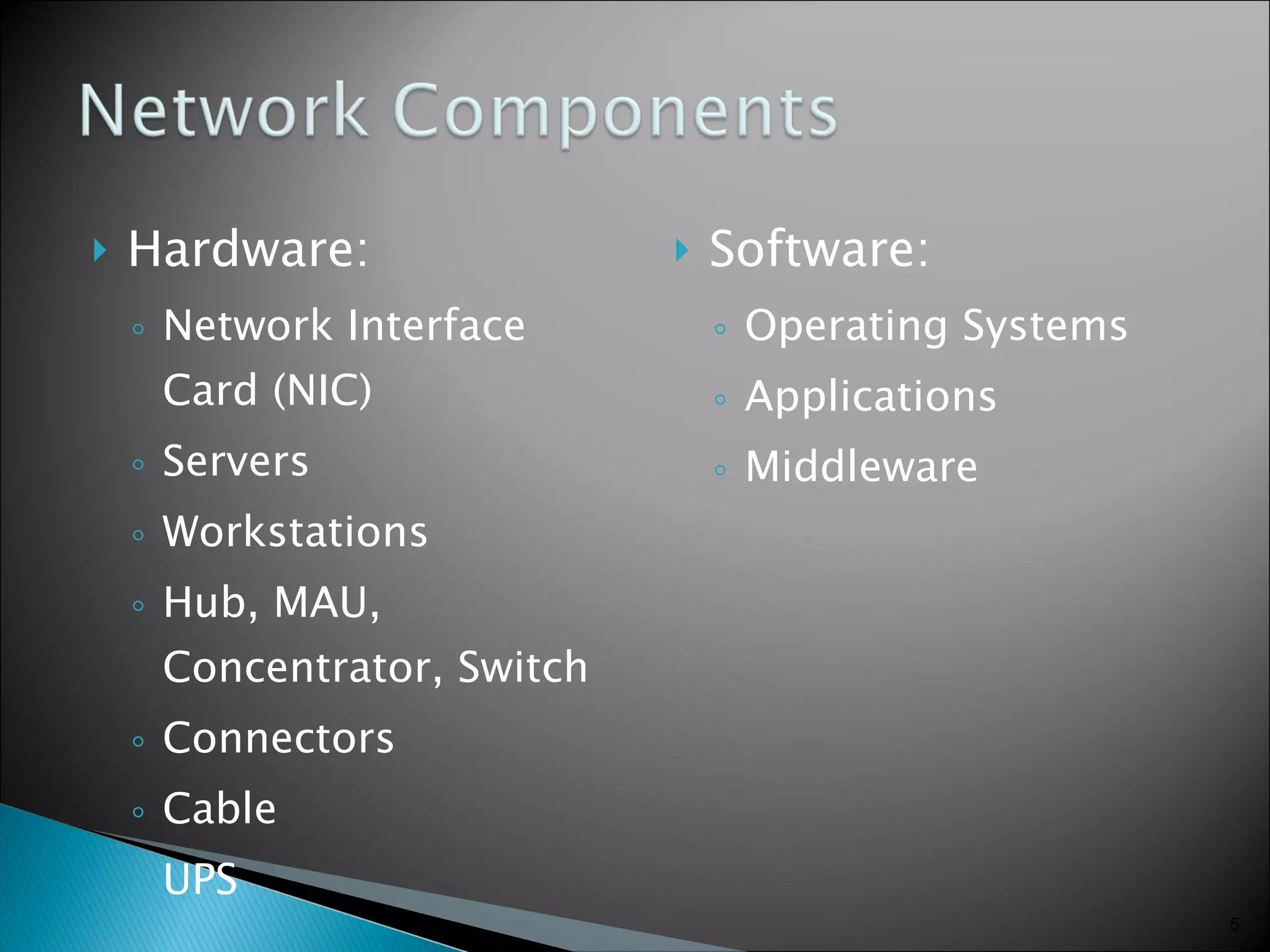
Hardware: Network Interface Card (NIC)  Servers Workstations Hub, MAU, Concentrator, Switch Connectors Cable UPS Software: Operating Systems Applications Middleware
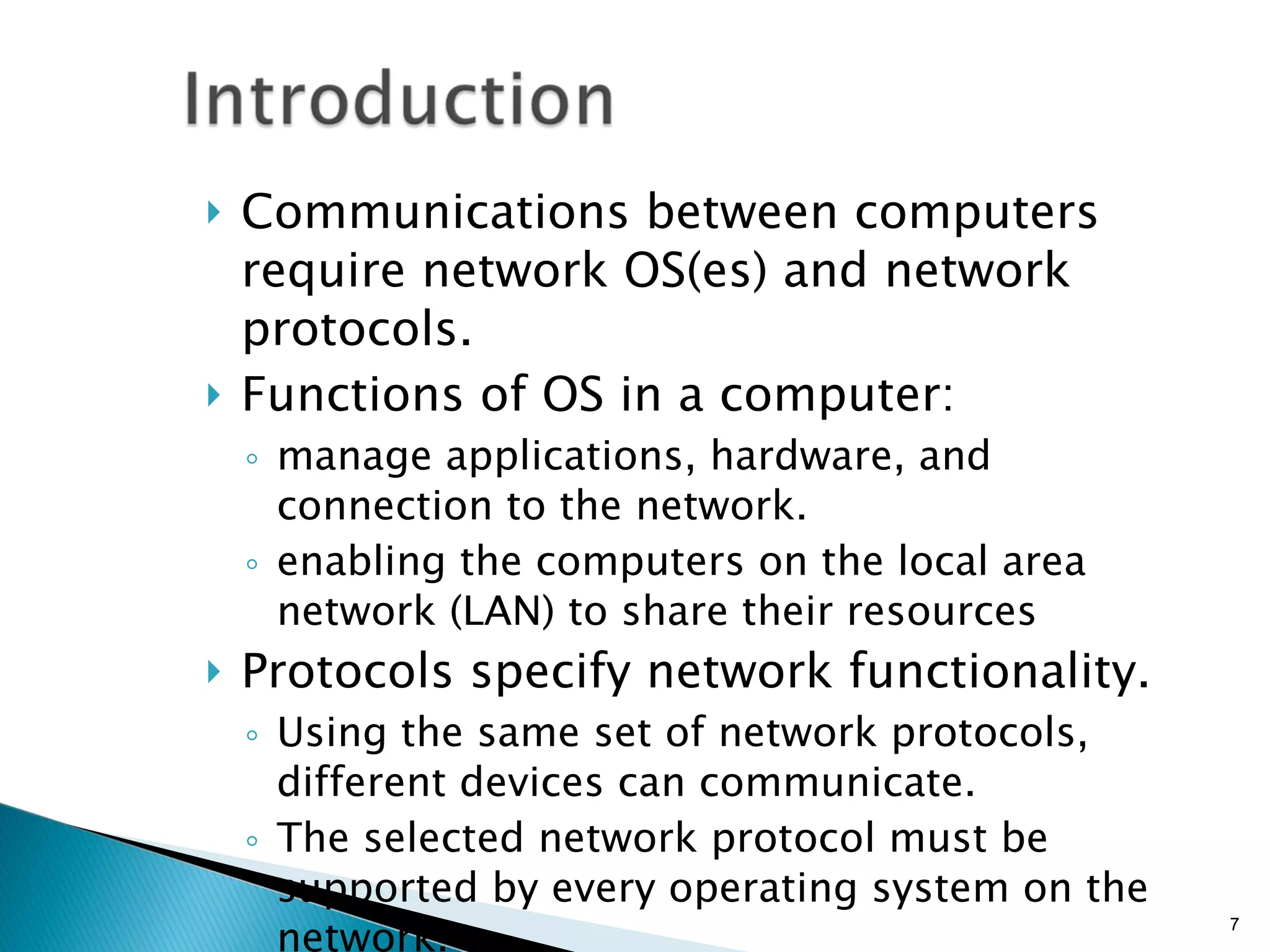
Communications between computers require network OS(es) and network protocols. Functions of OS in a computer:  manage applications, hardware, and connection to the network. enabling the computers on the local area network (LAN) to share their resources Protocols specify network functionality. Using the same set of network protocols, different devices can communicate. The selected network protocol must be supported by every operating system on the network.
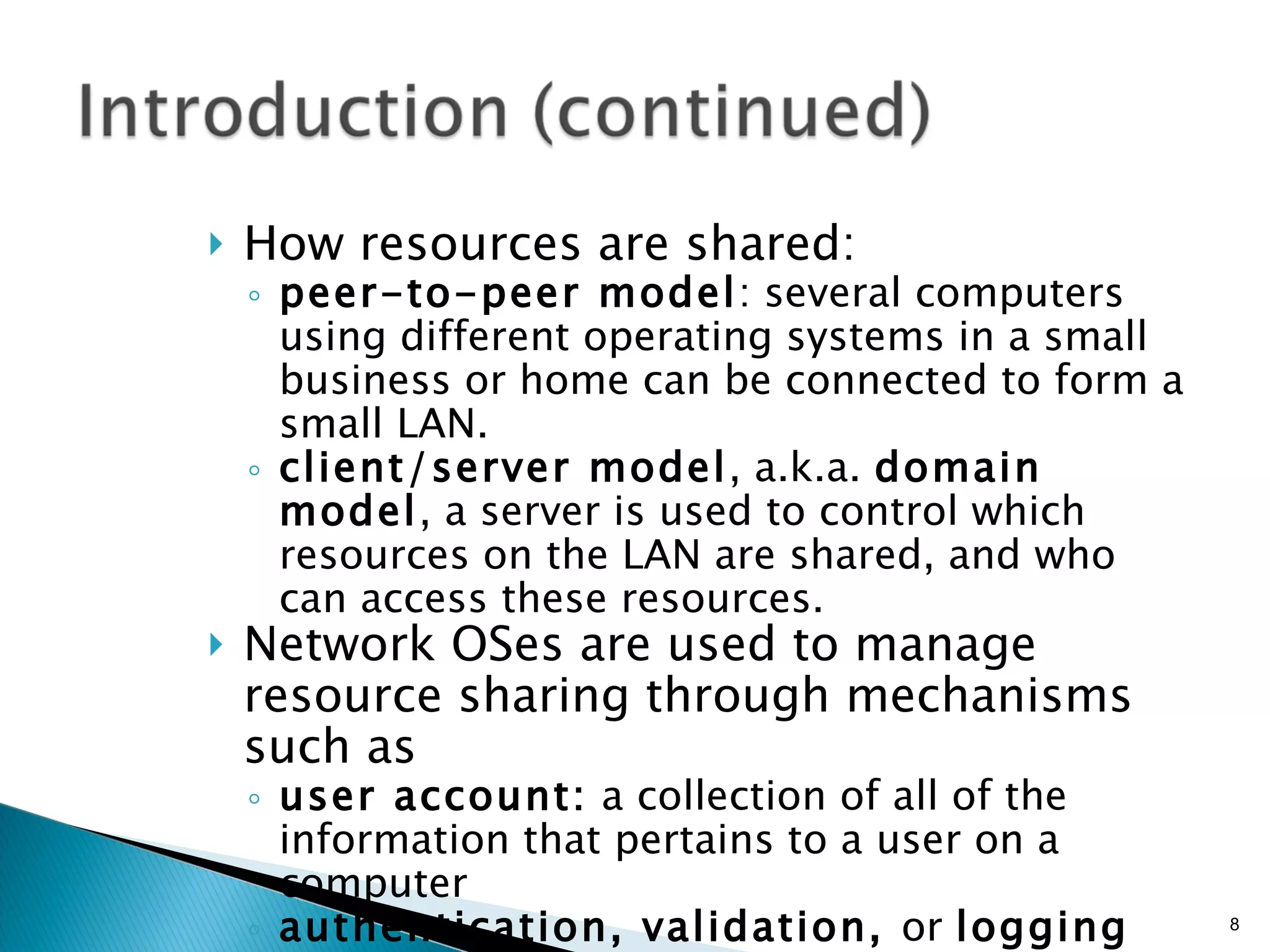
How resources are shared: peer-to-peer model : several computers using different operating systems in a small business or home can be connected to form a small LAN. client/server model , a.k.a.  domain model , a server is used to control which resources on the LAN are shared, and who can access these resources. Network OSes are used to manage resource sharing through mechanisms such as user account:  a collection of all of the information that pertains to a user on a computer authentication, validation,  or  logging on:  The process of entering a correct user ID and password to gain access to a computer
Windows 98 and Windows Me Windows NT Workstation, Windows 2000 Professional, Windows XP Linux Macintosh OSes e.g. Mac OS X
can be installed on a server and used to manage network resources, including user accounts, printers, and file sharing across the LAN. Windows NT Server, Windows NT Enterprise Server  Windows 2000 Windows Server 2003 Novell NetWare UNIX, Linux
Some criteria to consider when selecting a NOS are as follows: Reliability Performance Adaptability Affordability Security Scalability Ease of use and ease of installation
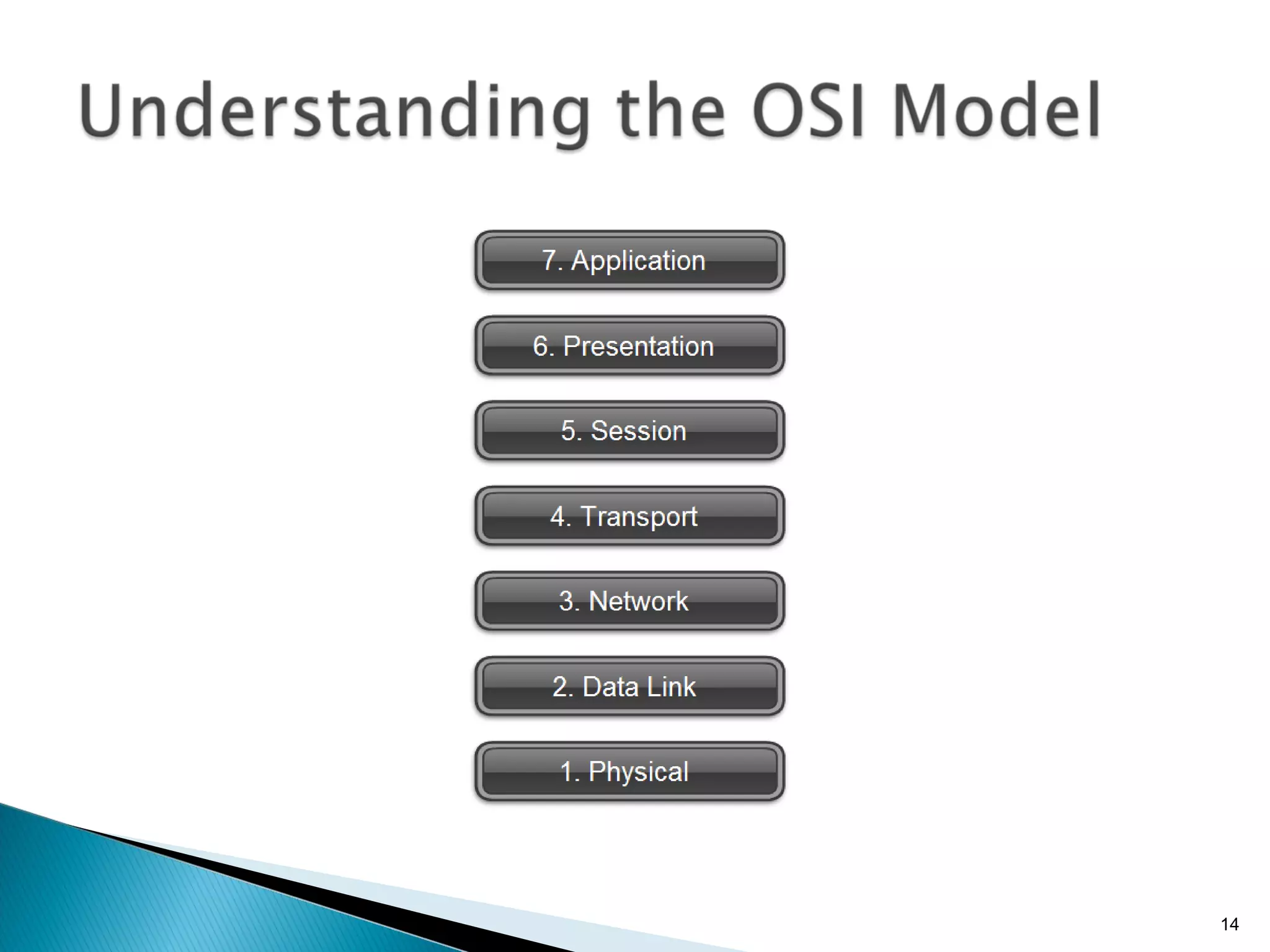
In an effort to identify and standardize all the levels of communication needed in networking, ISO developed a networking model called the  Open Systems Interconnection (OSI) reference model . The OSI reference model provides a universally accepted reference illustrating how data is transmitted on a network or between two or more networked devices.
Physical Layer Physical layer  is responsible for:  Passing data packets on to the cabling or wireless media  (whether the media be cabling or wireless). Data Link Layer Data Link layer  is responsible for:  Receiving packets of data from the Network layer and presenting them to the Physical layer  for transport. E.g: NIC (with firmware) When software is permanently embedded on a hardware device, it is called  firmware .
Network Layer Network layer  is responsible for:  Dividing a block of data into segments  that are small enough to travel over a network. Segments of data are called packets, data packets, or datagrams and contain data, along with special identifying information in headers and trailers at the beginning and end of the packet.
Transport Layer Transport layer  is responsible for:  Error checking  and  requests retransmission  of data if it detects errors. The Transport layer might or might not guarantee successful delivery of data (depends on the transport protocol used). Session Layer Session layer  is responsible for:  Establishing and maintaining a session between two networked stations or hosts. A  host  is any computer or other device on a network that has been assigned an IP address.
Presentation Layer Presentation layer  is responsible for:  receiving requests for files from the Application layer, and presents the requests to the Session layer. The Presentation layer  reformats, compresses, or encrypts data  as necessary. Application Layer The  Application layer  of the OSI model is responsible for interfacing with application software, such as Web browsers or Web servers.
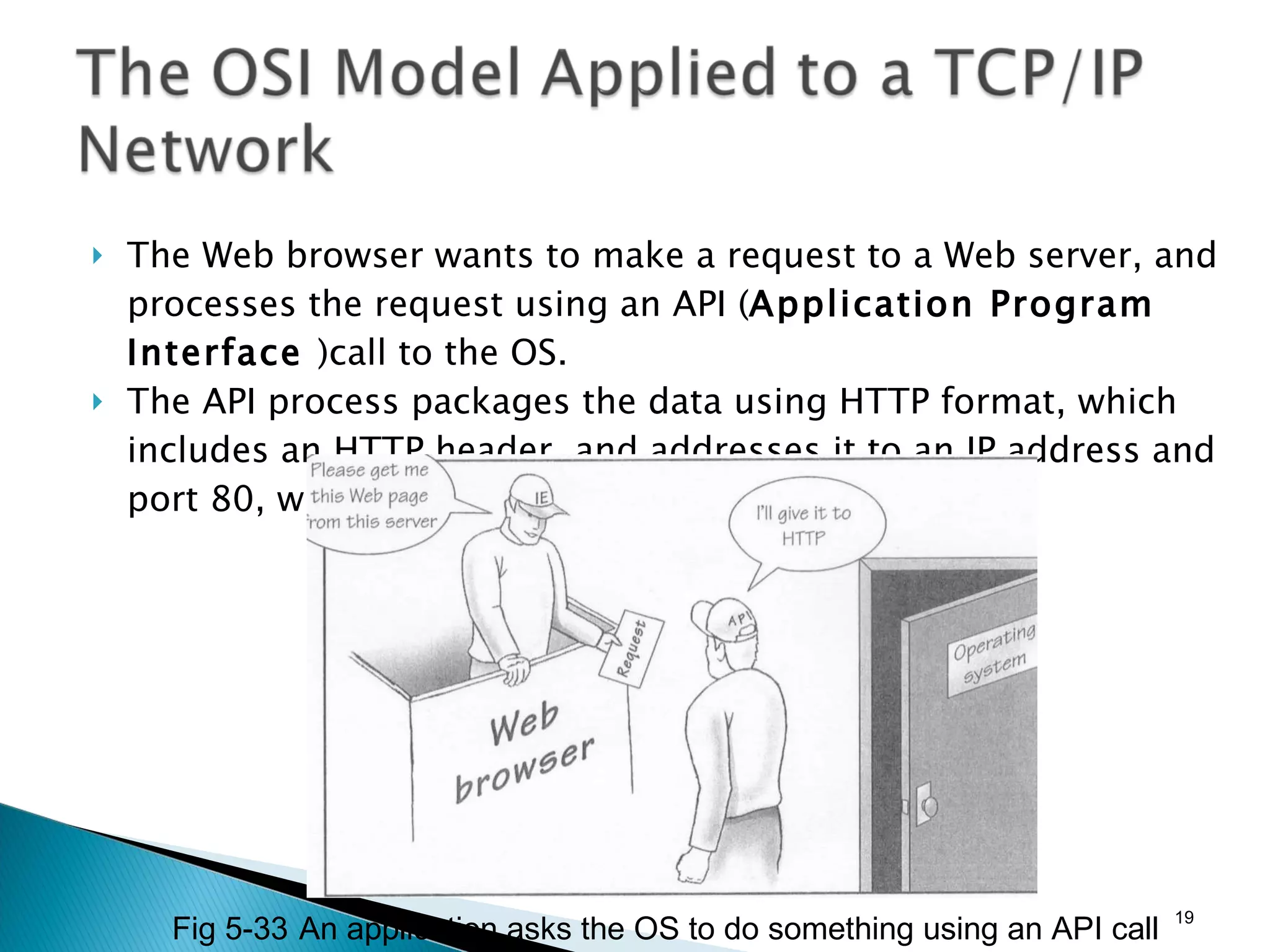
The Web browser wants to make a request to a Web server, and processes the request using an API ( Application Program Interface  )call to the OS. The API process packages the data using HTTP format, which includes an HTTP header, and addresses it to an IP address and port 80, which is the default port for a Web server. Fig 5-33 An application asks the OS to do something using an API call
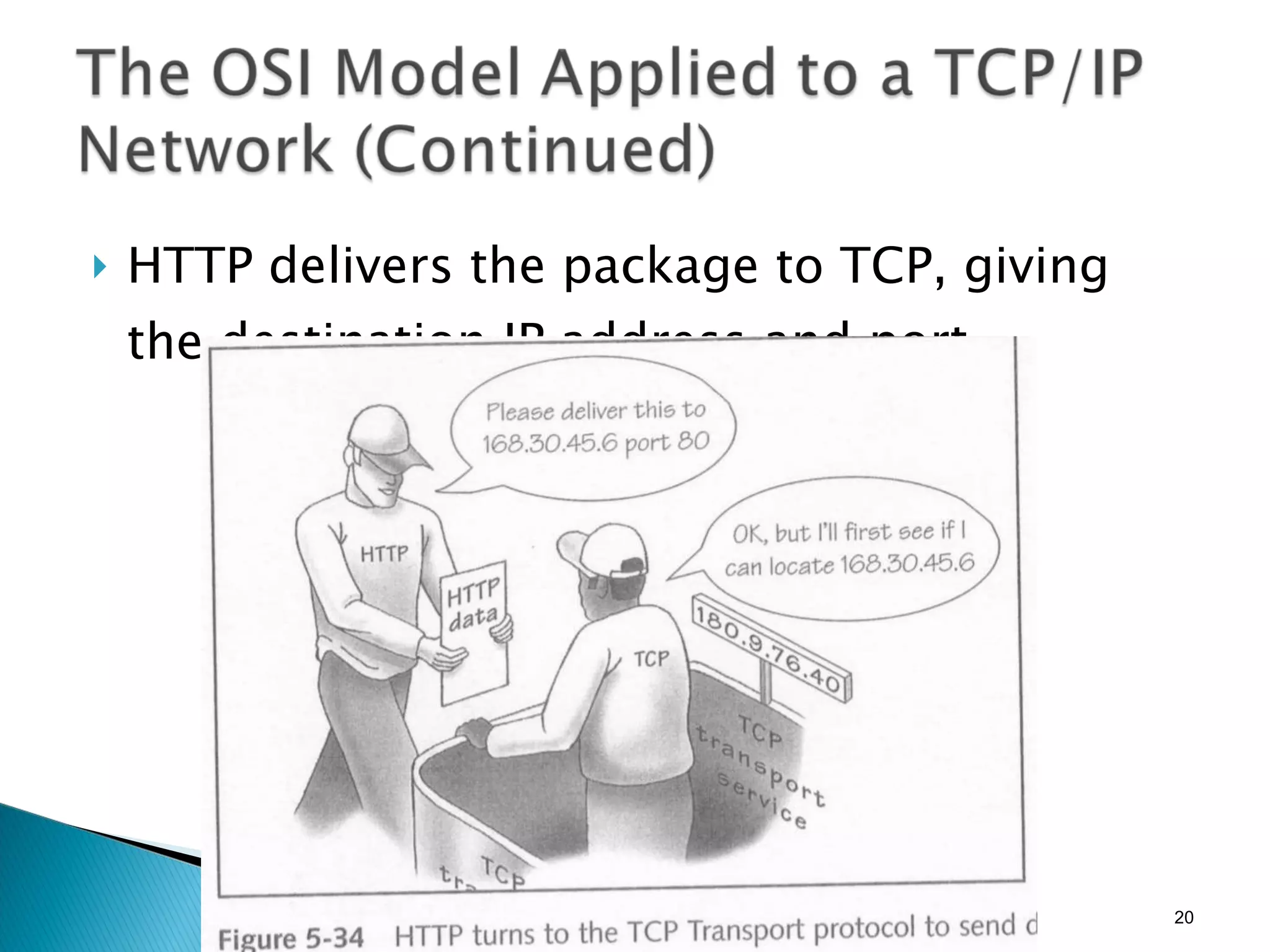
HTTP delivers the package to TCP, giving the destination IP address and port.
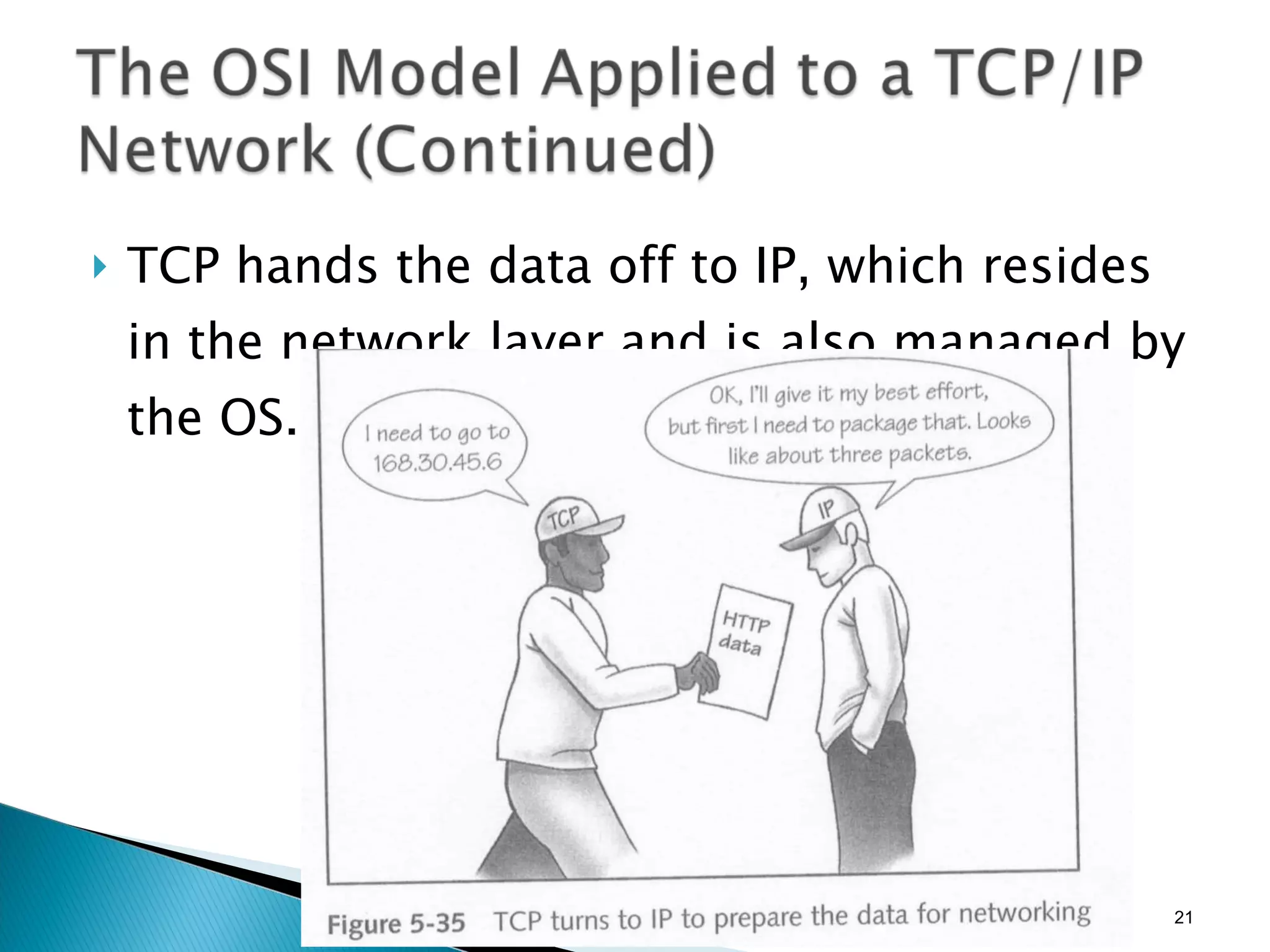
TCP hands the data off to IP, which resides in the network layer and is also managed by the OS.
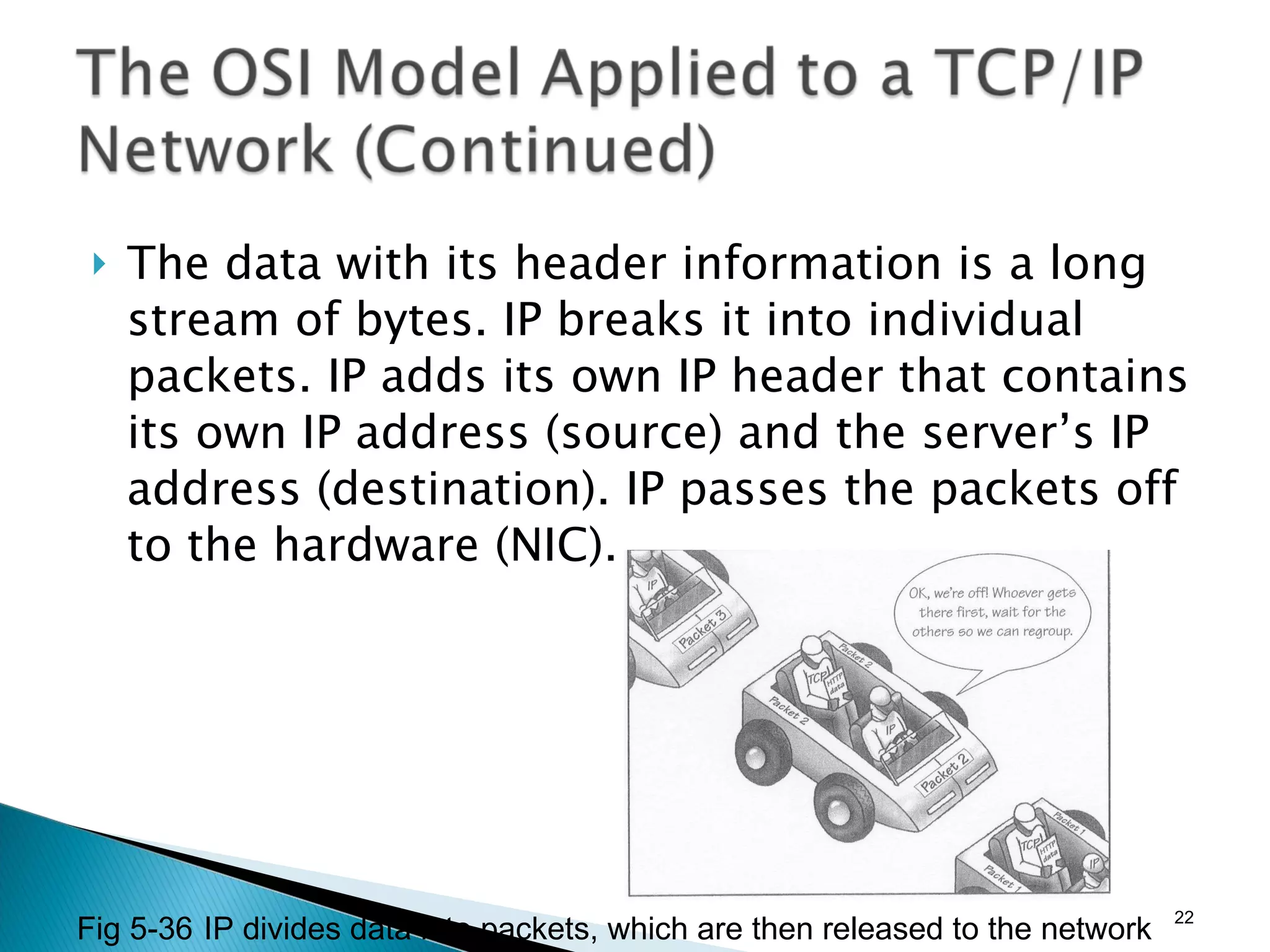
The data with its header information is a long stream of bytes. IP breaks it into individual packets. IP adds its own IP header that contains its own IP address (source) and the server’s IP address (destination). IP passes the packets off to the hardware (NIC). Fig 5-36 IP divides data into packets, which are then released to the network
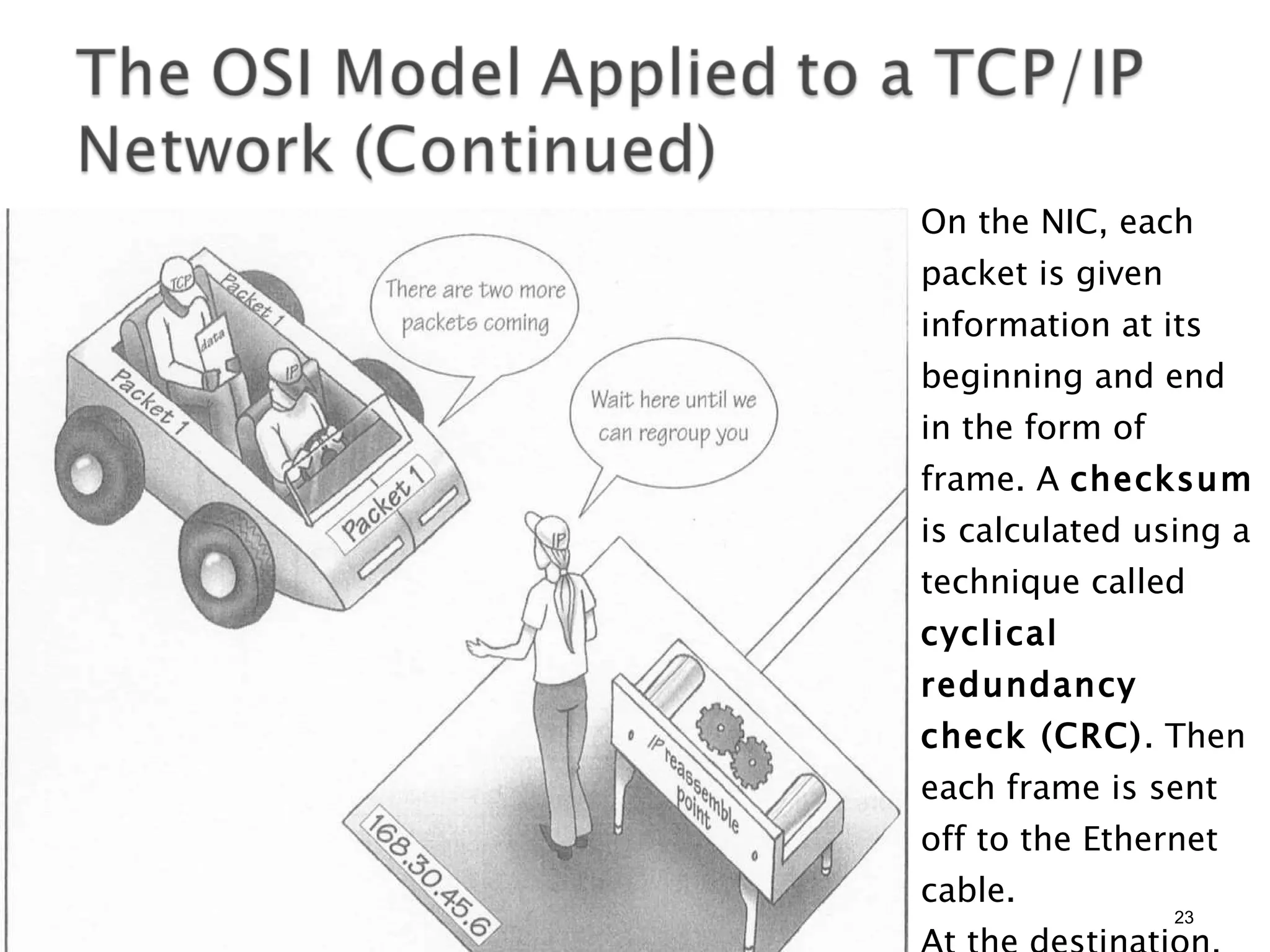
On the NIC, each packet is given information at its beginning and end in the form of frame. A  checksum  is calculated using a technique called  cyclical redundancy check (CRC) . Then each frame is sent off to the Ethernet cable. At the destination, the checksum is verified and passed to the IP layer to be regrouped.
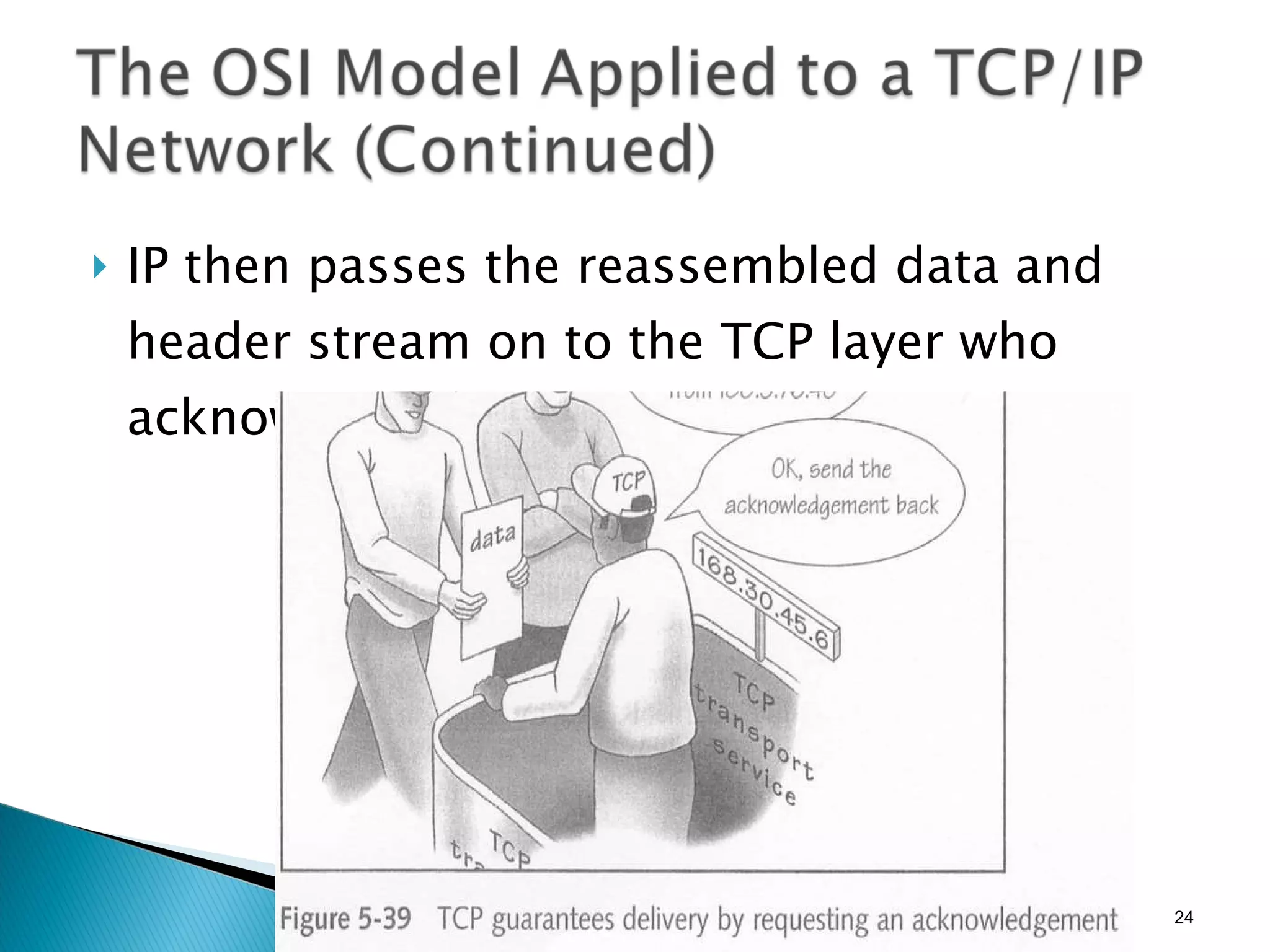
IP then passes the reassembled data and header stream on to the TCP layer who acknowledges the TCP layer on the client.
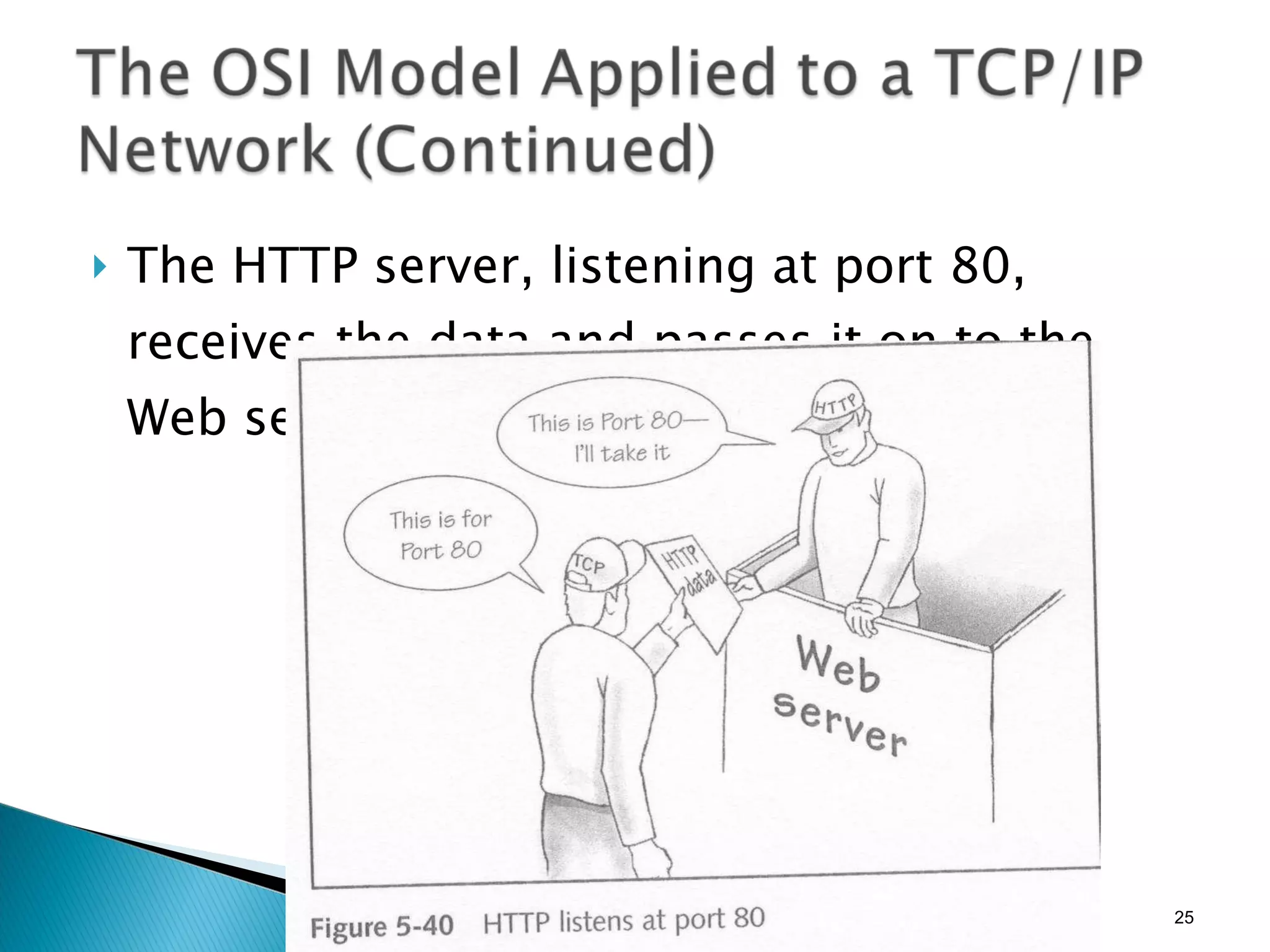
The HTTP server, listening at port 80, receives the data and passes it on to the Web server.
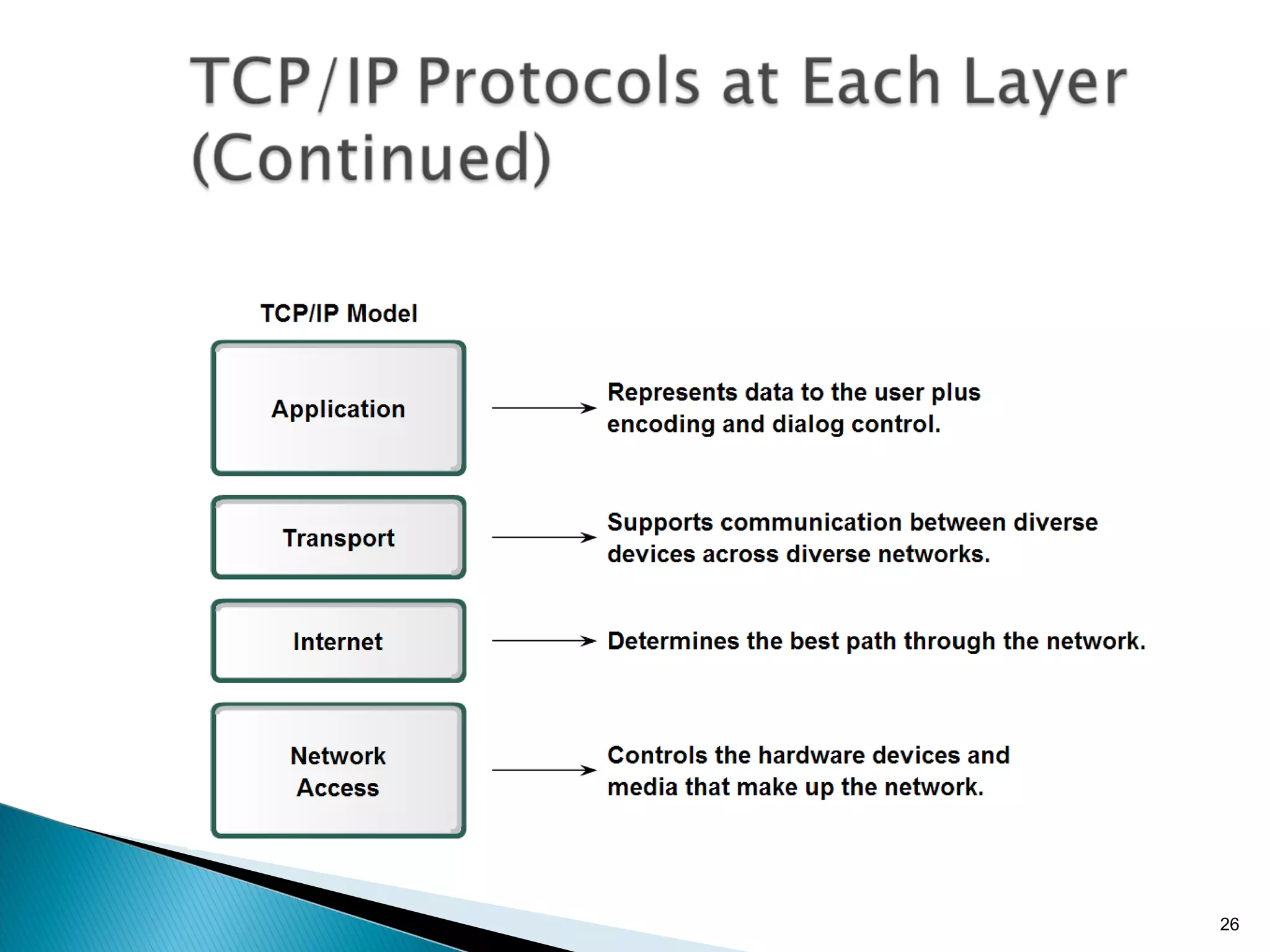
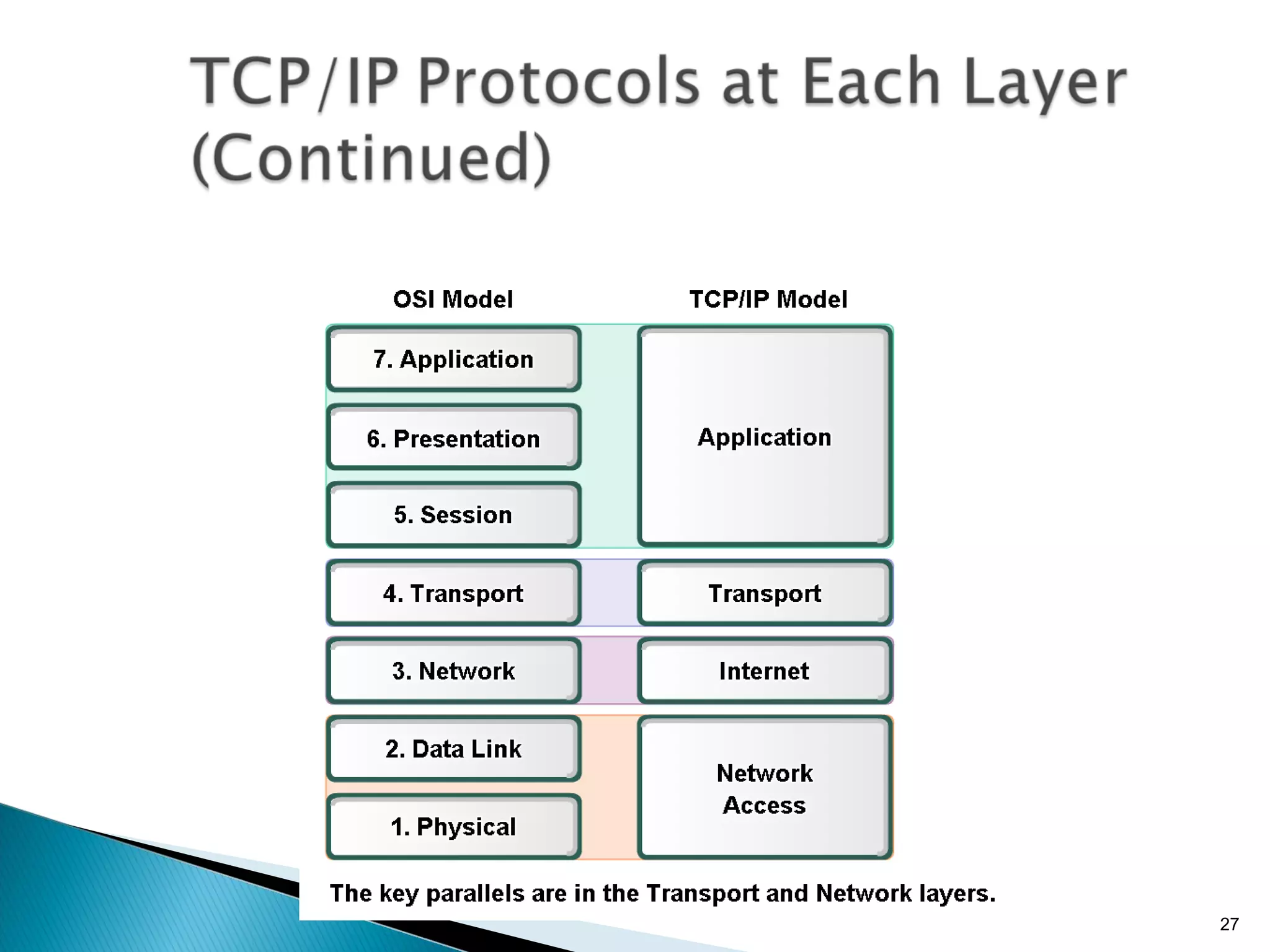
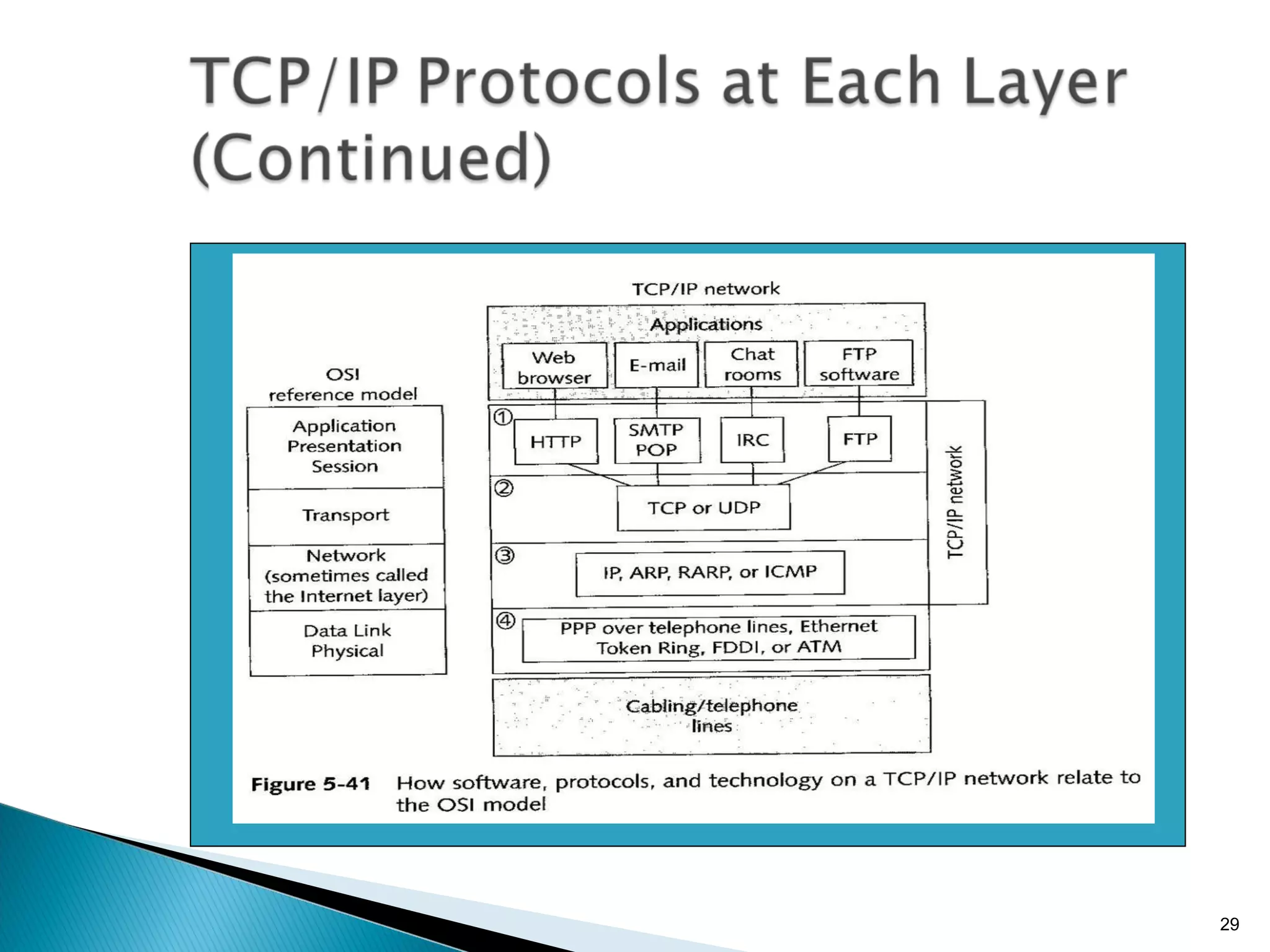
TCP/IP covers the first five layers of the OSI model, and is included in an operating system as a group of utilities called the TCP/IP stack. Figure 5-41 shows the four major groupings of the OSI model as applied to TCP/IP networks.
The first three layers of the OSI model are handled by the protocol specific to the application using it and are best treated as a single group rather than unique layers. The language or protocol each of these applications uses is listed at the Application, Presentation, and Session layers.
A TCP/IP network has two protocols that work at the Transport layer; one protocol guarantees delivery and the other does not. With TCP/IP, the protocol that guarantees delivery is TCP and the protocol that does not is  UDP (User Datagram Protocol) . TCP is used for client and server requests and responses.
Because TCP establishes a connection, it is called a  connection-oriented protocol . UDP is a protocol that sends data without caring about whether the data is received. It does not establish a connection first; thus, it is called a  connectionless  protocol.
TCP and UDP communicate with the Network layer, which is sometimes called the Internet layer. Some of the other supporting protocols include  ARP (Address Resolution Protocol) , responsible for locating a host on a LAN;  RARP (Reverse Address Resolution Protocol) , responsible for discovering the Internet address of a host on a LAN; and  ICMP (Internet Control Message Protocol) , responsible for communicating problems with transmission to devices that need to know about these problems.
PPP (Point-to-Point Protocol)  is used over telephone lines, and allows a computer to connect to a network using a modem. PPP is the most popular protocol for managing network transmission from one modem to another.
MAC addresses function at the lowest (Data Link) networking level. If a host does not know the MAC address of another host on a local area network, it uses the operating system to discover the MAC address.
All the protocols of the TCP/IP suite identify a device on the Internet or an intranet by its IP address. An IP address is 32 bits long, made up of 4 bytes separated by periods. Within an IP address, each of the four numbers separated by periods is called an  octet . The first part of an IP address identifies the network, and the last part identifies the host.
IP addresses that can be used by companies and individuals are divided into three classes: Class A, Class B, and Class C, based on the number of possible IP addresses in each network within each class. The group of IP addresses assigned to an organization are unique to all other IP addresses on the Internet and are available for use on the Internet. The IP addresses available to the Internet are called  public IP addresses .
Private IP addresses  are IP addresses that are assigned by a network administrator for use on private intranets that are isolated from the Internet. The RFC 1918 recommends that the following IP addresses be used for private networks: 10.0.0.0 through 10.255.255.255 172.16.0.0 through 172.31.255.255 192.168.0.0 through 192. 168. 255.255
Instead of IP addresses permanently being assigned to computers (called  static IP addresses ), an IP address is assigned for the current session only (called a  dynamic IP address ). Internet service providers (ISPs)  are organizations through which individuals and businesses connect to the Internet.
If the hosts on a network using private IP addresses need to access the Internet, a problem arises because the private IP addresses are not allowed on the Internet. The solution is to use  NAT (Network Address Translation) , which uses a single public IP address to access the Internet on behalf of all hosts on the network using other IP addresses.
Because of an impending shortage of IP addresses, as well as some limitations in the current standards for IP, a new scheme of IP addresses called the  IPv6 (IP version 6)  standard is currently being developed and implemented.  Current IP addresses using the current IPv4 (IP version 4) have 32 bits with eight bits in each of four octets.
With the new system, each address segment can have 32 bits, for a total of 128 bits for the entire address. A disadvantage of IPv6 is the fact that so much software used on the Internet would become outdated because current software is designed to hold 32-bit IP addresses and, with the new system, this number would no longer be sufficient.
A port is a number used to address software or services running on a computer. A host computer might have several services running on it. Each server running on the host is assigned a port. The port is written at the end of the IP address, separated from the IP address with a colon—like this: 169.49.209.19:80

Lecture 2 -_understanding_networks_with_presenter_notes

  • 1.
  • 2.
    Network Terminology NetworkComponents Operating Systems on the Network The OSI Model and Networking Addressing on a Network How Data Travels on the Network: an Example
  • 3.
    Network Adapter Usually an expansion card called NIC (Network Interface Card) Network Protocol A set of rules for network communications. Examples: OS protocols: TCP/IP, NetBEUI Hardware protocols: Ethernet, Token Ring Segments, Packets, Datagrams Small “chunks” of data that travel on network In the network media, the packets travel in frames , which carry each data packet with a header and trailer to identify each packet
  • 5.
    Hardware: Network InterfaceCard (NIC) Servers Workstations Hub, MAU, Concentrator, Switch Connectors Cable UPS Software: Operating Systems Applications Middleware
  • 7.
    Communications between computersrequire network OS(es) and network protocols. Functions of OS in a computer: manage applications, hardware, and connection to the network. enabling the computers on the local area network (LAN) to share their resources Protocols specify network functionality. Using the same set of network protocols, different devices can communicate. The selected network protocol must be supported by every operating system on the network.
  • 8.
    How resources areshared: peer-to-peer model : several computers using different operating systems in a small business or home can be connected to form a small LAN. client/server model , a.k.a. domain model , a server is used to control which resources on the LAN are shared, and who can access these resources. Network OSes are used to manage resource sharing through mechanisms such as user account: a collection of all of the information that pertains to a user on a computer authentication, validation, or logging on: The process of entering a correct user ID and password to gain access to a computer
  • 9.
    Windows 98 andWindows Me Windows NT Workstation, Windows 2000 Professional, Windows XP Linux Macintosh OSes e.g. Mac OS X
  • 10.
    can be installedon a server and used to manage network resources, including user accounts, printers, and file sharing across the LAN. Windows NT Server, Windows NT Enterprise Server Windows 2000 Windows Server 2003 Novell NetWare UNIX, Linux
  • 11.
    Some criteria toconsider when selecting a NOS are as follows: Reliability Performance Adaptability Affordability Security Scalability Ease of use and ease of installation
  • 13.
    In an effortto identify and standardize all the levels of communication needed in networking, ISO developed a networking model called the Open Systems Interconnection (OSI) reference model . The OSI reference model provides a universally accepted reference illustrating how data is transmitted on a network or between two or more networked devices.
  • 15.
    Physical Layer Physicallayer is responsible for: Passing data packets on to the cabling or wireless media (whether the media be cabling or wireless). Data Link Layer Data Link layer is responsible for: Receiving packets of data from the Network layer and presenting them to the Physical layer for transport. E.g: NIC (with firmware) When software is permanently embedded on a hardware device, it is called firmware .
  • 16.
    Network Layer Networklayer is responsible for: Dividing a block of data into segments that are small enough to travel over a network. Segments of data are called packets, data packets, or datagrams and contain data, along with special identifying information in headers and trailers at the beginning and end of the packet.
  • 17.
    Transport Layer Transportlayer is responsible for: Error checking and requests retransmission of data if it detects errors. The Transport layer might or might not guarantee successful delivery of data (depends on the transport protocol used). Session Layer Session layer is responsible for: Establishing and maintaining a session between two networked stations or hosts. A host is any computer or other device on a network that has been assigned an IP address.
  • 18.
    Presentation Layer Presentationlayer is responsible for: receiving requests for files from the Application layer, and presents the requests to the Session layer. The Presentation layer reformats, compresses, or encrypts data as necessary. Application Layer The Application layer of the OSI model is responsible for interfacing with application software, such as Web browsers or Web servers.
  • 19.
    The Web browserwants to make a request to a Web server, and processes the request using an API ( Application Program Interface )call to the OS. The API process packages the data using HTTP format, which includes an HTTP header, and addresses it to an IP address and port 80, which is the default port for a Web server. Fig 5-33 An application asks the OS to do something using an API call
  • 20.
    HTTP delivers thepackage to TCP, giving the destination IP address and port.
  • 21.
    TCP hands thedata off to IP, which resides in the network layer and is also managed by the OS.
  • 22.
    The data withits header information is a long stream of bytes. IP breaks it into individual packets. IP adds its own IP header that contains its own IP address (source) and the server’s IP address (destination). IP passes the packets off to the hardware (NIC). Fig 5-36 IP divides data into packets, which are then released to the network
  • 23.
    On the NIC,each packet is given information at its beginning and end in the form of frame. A checksum is calculated using a technique called cyclical redundancy check (CRC) . Then each frame is sent off to the Ethernet cable. At the destination, the checksum is verified and passed to the IP layer to be regrouped.
  • 24.
    IP then passesthe reassembled data and header stream on to the TCP layer who acknowledges the TCP layer on the client.
  • 25.
    The HTTP server,listening at port 80, receives the data and passes it on to the Web server.
  • 28.
    TCP/IP covers thefirst five layers of the OSI model, and is included in an operating system as a group of utilities called the TCP/IP stack. Figure 5-41 shows the four major groupings of the OSI model as applied to TCP/IP networks.
  • 30.
    The first threelayers of the OSI model are handled by the protocol specific to the application using it and are best treated as a single group rather than unique layers. The language or protocol each of these applications uses is listed at the Application, Presentation, and Session layers.
  • 31.
    A TCP/IP networkhas two protocols that work at the Transport layer; one protocol guarantees delivery and the other does not. With TCP/IP, the protocol that guarantees delivery is TCP and the protocol that does not is UDP (User Datagram Protocol) . TCP is used for client and server requests and responses.
  • 32.
    Because TCP establishesa connection, it is called a connection-oriented protocol . UDP is a protocol that sends data without caring about whether the data is received. It does not establish a connection first; thus, it is called a connectionless protocol.
  • 33.
    TCP and UDPcommunicate with the Network layer, which is sometimes called the Internet layer. Some of the other supporting protocols include ARP (Address Resolution Protocol) , responsible for locating a host on a LAN; RARP (Reverse Address Resolution Protocol) , responsible for discovering the Internet address of a host on a LAN; and ICMP (Internet Control Message Protocol) , responsible for communicating problems with transmission to devices that need to know about these problems.
  • 34.
    PPP (Point-to-Point Protocol) is used over telephone lines, and allows a computer to connect to a network using a modem. PPP is the most popular protocol for managing network transmission from one modem to another.
  • 36.
    MAC addresses functionat the lowest (Data Link) networking level. If a host does not know the MAC address of another host on a local area network, it uses the operating system to discover the MAC address.
  • 37.
    All the protocolsof the TCP/IP suite identify a device on the Internet or an intranet by its IP address. An IP address is 32 bits long, made up of 4 bytes separated by periods. Within an IP address, each of the four numbers separated by periods is called an octet . The first part of an IP address identifies the network, and the last part identifies the host.
  • 38.
    IP addresses thatcan be used by companies and individuals are divided into three classes: Class A, Class B, and Class C, based on the number of possible IP addresses in each network within each class. The group of IP addresses assigned to an organization are unique to all other IP addresses on the Internet and are available for use on the Internet. The IP addresses available to the Internet are called public IP addresses .
  • 39.
    Private IP addresses are IP addresses that are assigned by a network administrator for use on private intranets that are isolated from the Internet. The RFC 1918 recommends that the following IP addresses be used for private networks: 10.0.0.0 through 10.255.255.255 172.16.0.0 through 172.31.255.255 192.168.0.0 through 192. 168. 255.255
  • 40.
    Instead of IPaddresses permanently being assigned to computers (called static IP addresses ), an IP address is assigned for the current session only (called a dynamic IP address ). Internet service providers (ISPs) are organizations through which individuals and businesses connect to the Internet.
  • 41.
    If the hostson a network using private IP addresses need to access the Internet, a problem arises because the private IP addresses are not allowed on the Internet. The solution is to use NAT (Network Address Translation) , which uses a single public IP address to access the Internet on behalf of all hosts on the network using other IP addresses.
  • 42.
    Because of animpending shortage of IP addresses, as well as some limitations in the current standards for IP, a new scheme of IP addresses called the IPv6 (IP version 6) standard is currently being developed and implemented. Current IP addresses using the current IPv4 (IP version 4) have 32 bits with eight bits in each of four octets.
  • 43.
    With the newsystem, each address segment can have 32 bits, for a total of 128 bits for the entire address. A disadvantage of IPv6 is the fact that so much software used on the Internet would become outdated because current software is designed to hold 32-bit IP addresses and, with the new system, this number would no longer be sufficient.
  • 44.
    A port isa number used to address software or services running on a computer. A host computer might have several services running on it. Each server running on the host is assigned a port. The port is written at the end of the IP address, separated from the IP address with a colon—like this: 169.49.209.19:80

Editor's Notes

  • #4 Application : Data Presentation : Data Session : Data Transport : Segment Network : Packet Data Link : Frame Physical : Bit
  • #8 Different protocols offer different format/ service. Example: Server 10.1.1.1 Use HTTP to access Web Use FTP to access File Sharing
  • #12 Reliability | Ketahanan : The ability of the OS to stably perform in any condition. Recover from any failures Performance| Prestasi : The ability of the OS to serve the clients in a seamless way. Adaptability | Kebolehsuaian: The ability of the OS to adapt to the request of different platforms Security | Keselamatan : The hardness/ ability of the OS to eliminate and repel threats. Scalability | :  The ability of the OS to continue to function well when it is changed in size or volume in order to meet a user need/ migrate to other network technologies.
  • #14 There are a lot of OS platforms/ network device developers that uses the Internet: Apple OS X, Windows, Linux, Unix, Sun Cisco, 3Com, Huawei There must be a standard so that these OSs/devices can communicate.