1
Kong API Gateway
Chris Mague / Shokunin
04/12/2017
2
Today's Talk

The Problems

The Solution

The Technical Solution

The Caveats

The Improvements
3
The Problems
We need to get an handle on the API consumers
4
The Problems
We need to stop bad consumers from DOSing our API
5
The Problems
We need to better visibility into API usage
6
The Problems
We need real time information
7
Solution
Add a proxy in front of our APIs
8
Technical Solution
9
Features - Authentication
- Basic Auth
- KeyAuth
- Oauth/Oauth2
- LDAP
- JWT
10
Features - Security
- ACLs
- CORS
- Dynamic SSL
- IP Blacklists
- Bot Detection
11
Features - Control
- Rate Limiting
- Response Rate Limiting
- Request size limiting
12
Features - Transforms
- Request Transformer
- Response Transformer
- Correlation ID
13
Features - Visibility
- Logs over TCP/UDP/HTTP
- Syslog
- StatsD
- DataDog
- Runscope (Perf/Mon)
- Galileo (BI for API)
14
Considerations
- Open source
- Built on trusted technology
- Easy to extend
- No licensing costs
- Clusters
- Caches
- Easy to automate
15
Architecture
16
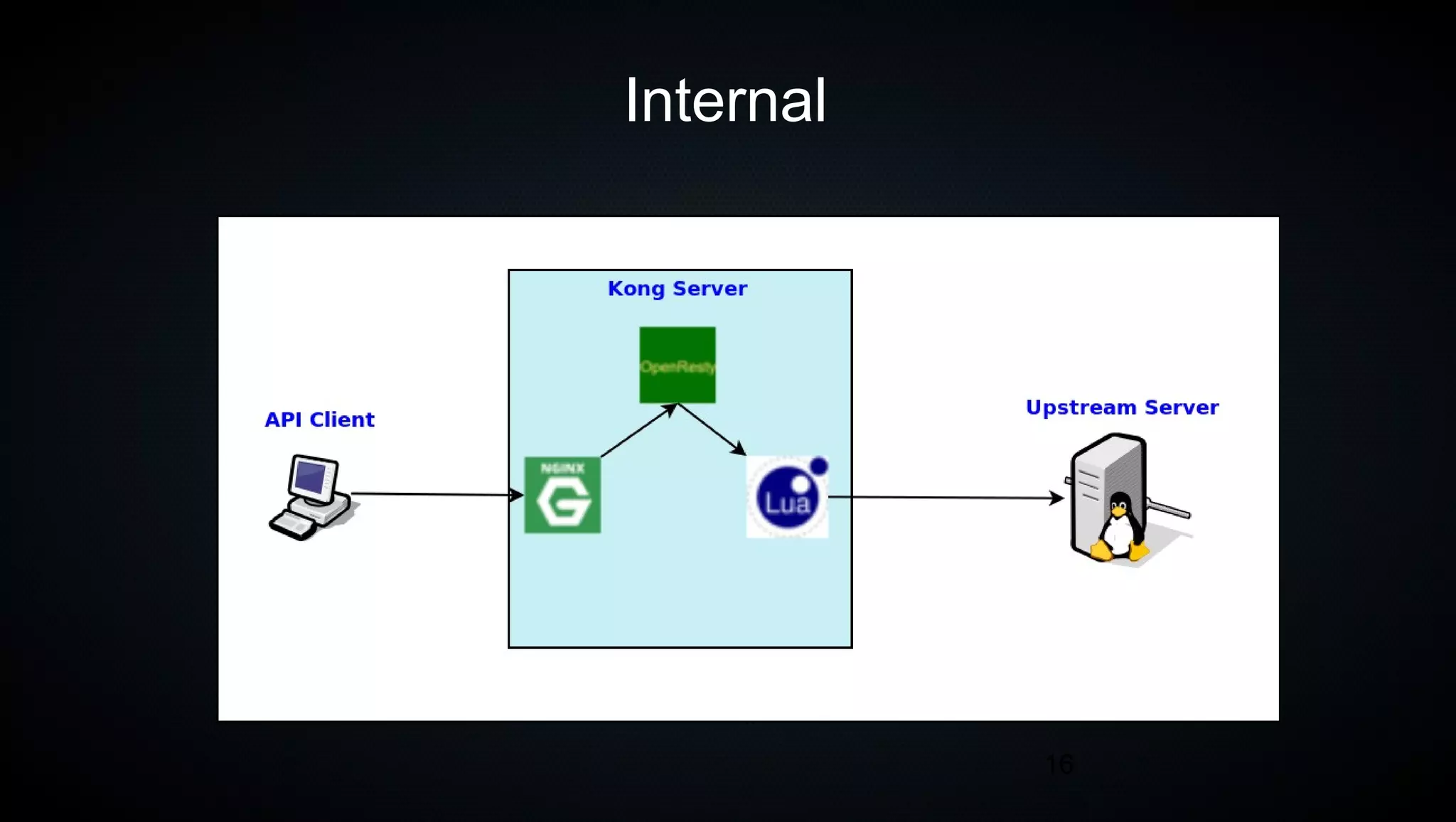
Internal
17
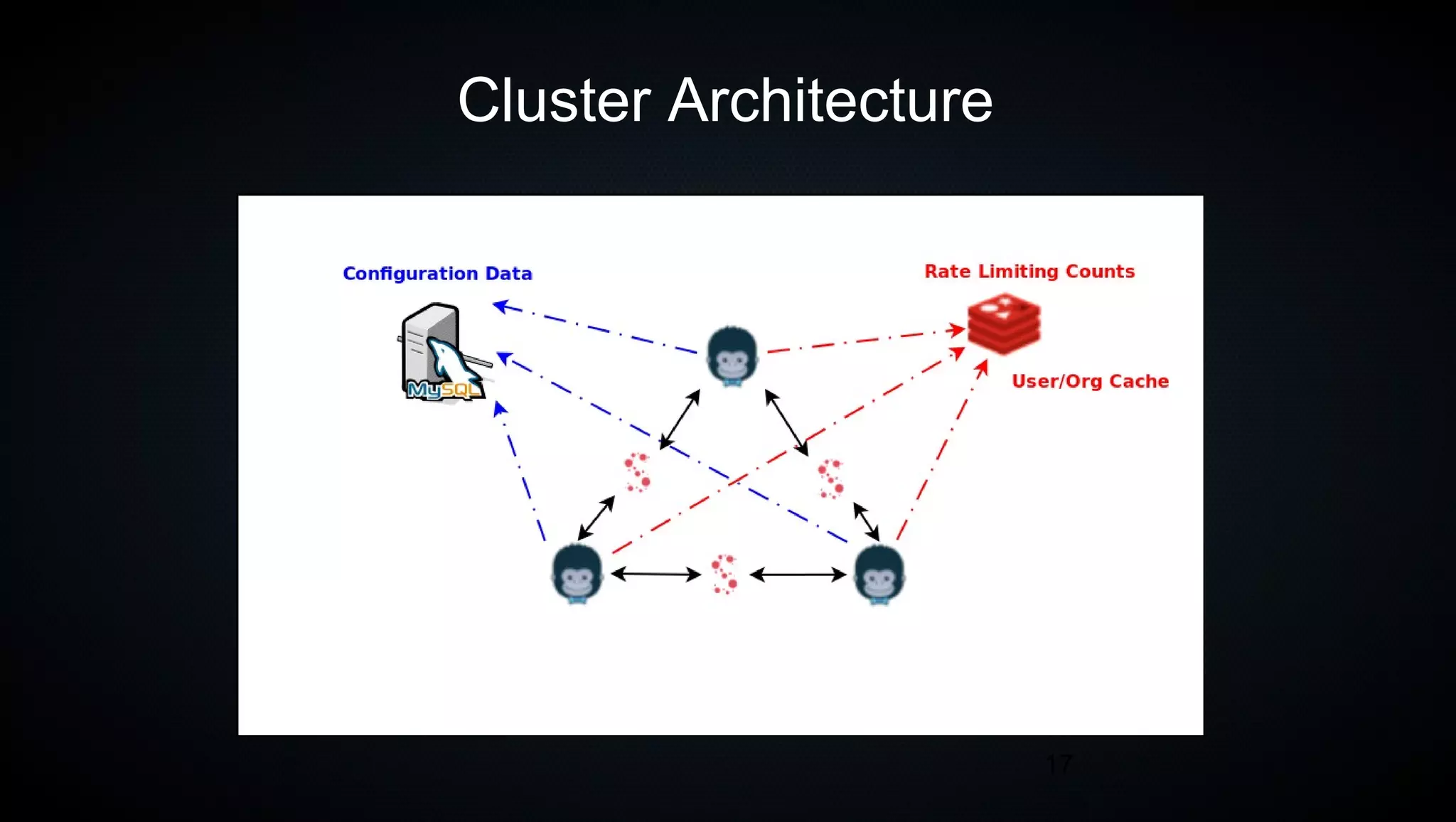
Cluster Architecture
18
Let’s Get Started
19
Spin Up testing environment
git clone https://github.com/shokunin/postgres-kong.git
20
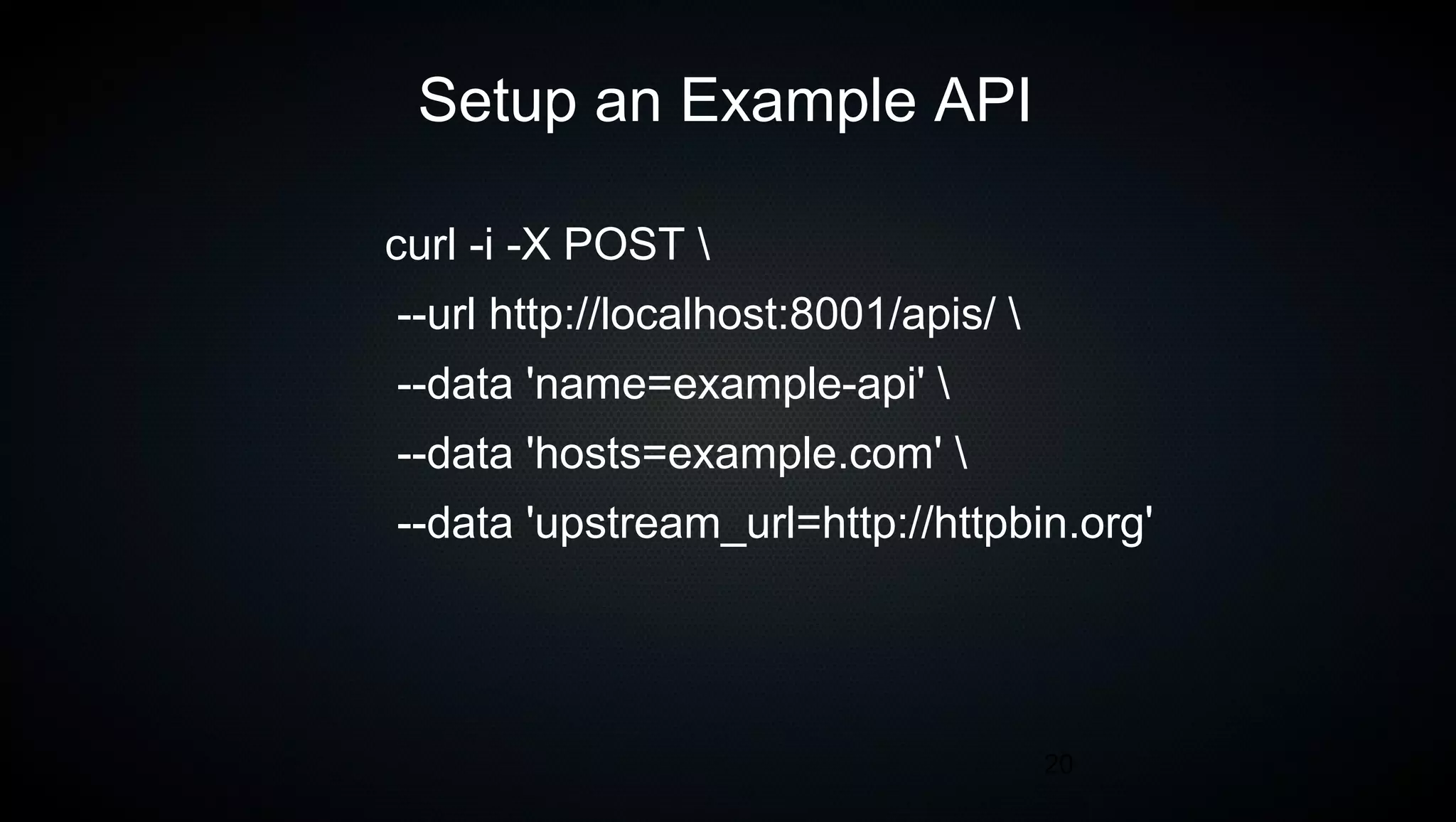
Setup an Example API
curl -i -X POST 
--url http://localhost:8001/apis/ 
--data 'name=example-api' 
--data 'hosts=example.com' 
--data 'upstream_url=http://httpbin.org'
21
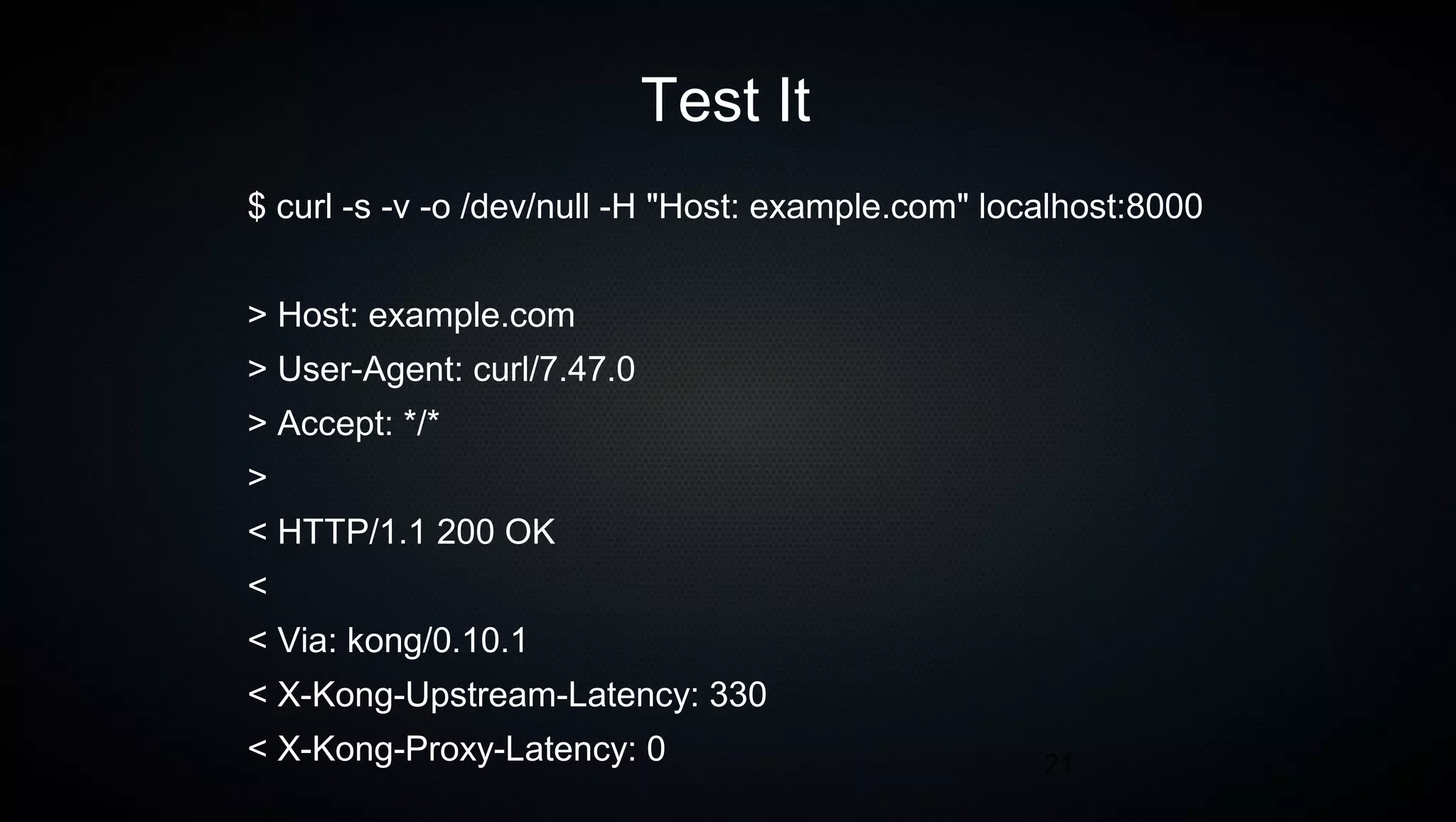
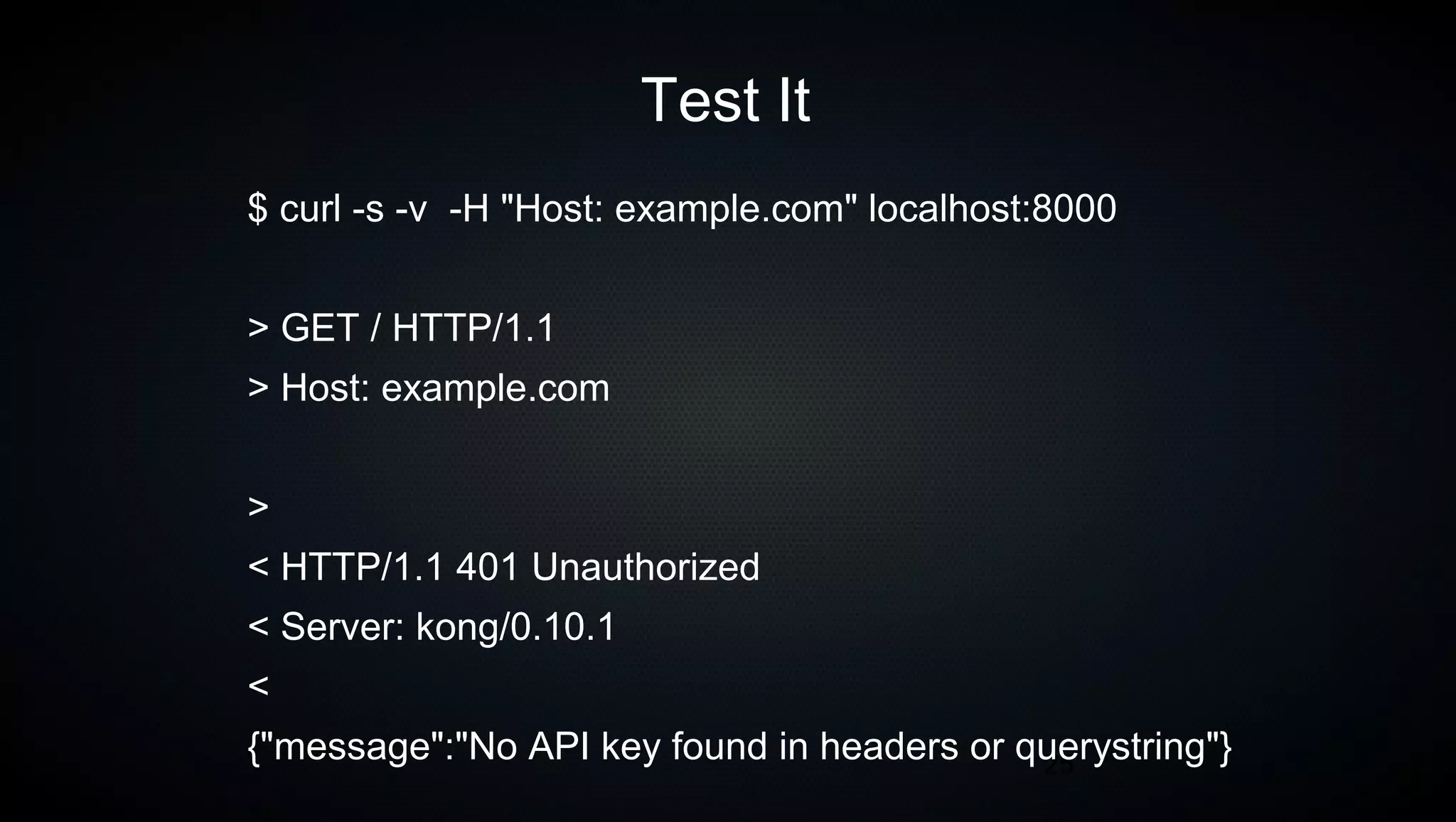
Test It
$ curl -s -v -o /dev/null -H "Host: example.com" localhost:8000
> Host: example.com
> User-Agent: curl/7.47.0
> Accept: */*
>
< HTTP/1.1 200 OK
<
< Via: kong/0.10.1
< X-Kong-Upstream-Latency: 330
< X-Kong-Proxy-Latency: 0
22
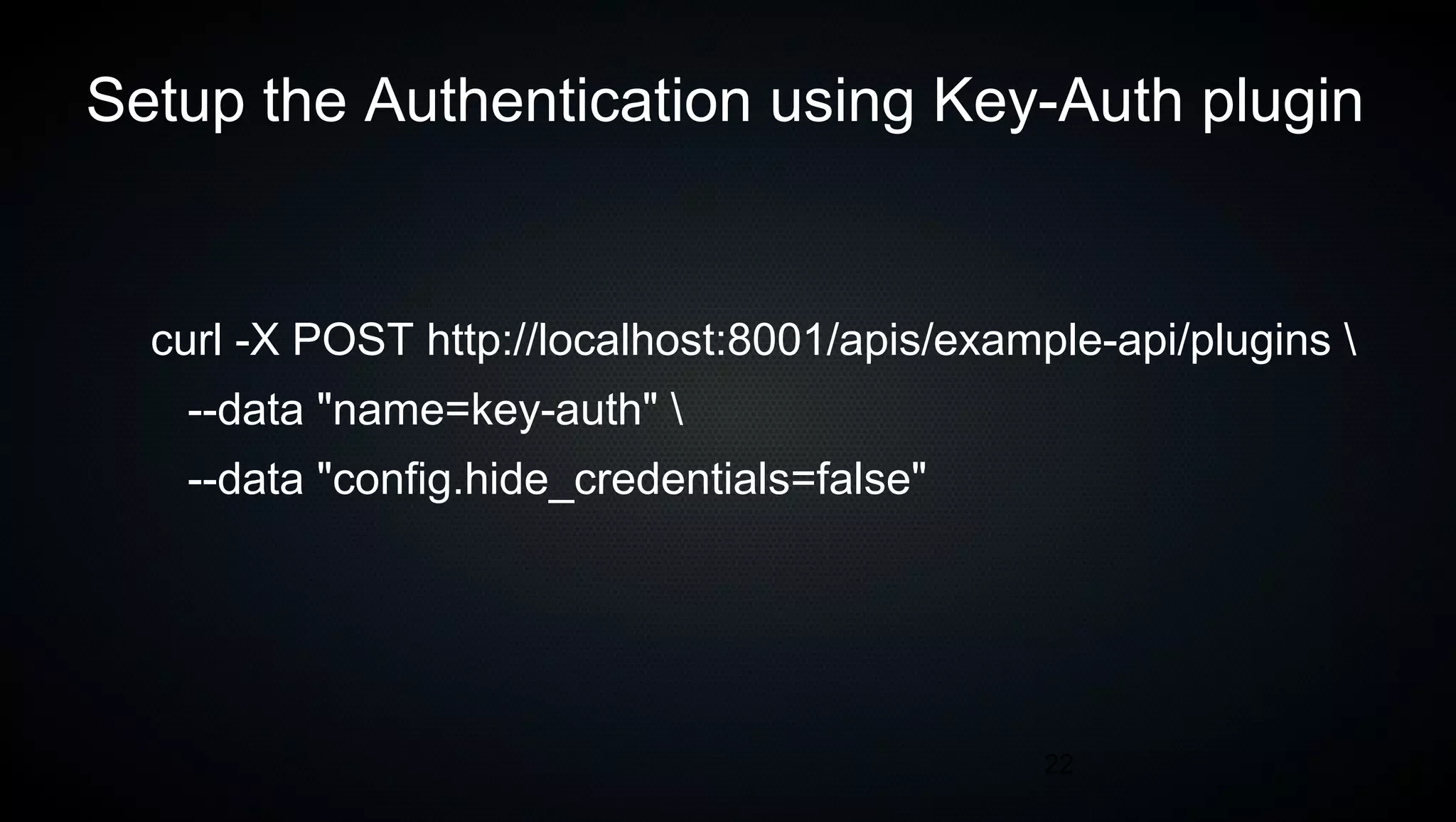
Setup the Authentication using Key-Auth plugin
curl -X POST http://localhost:8001/apis/example-api/plugins 
--data "name=key-auth" 
--data "config.hide_credentials=false"
23
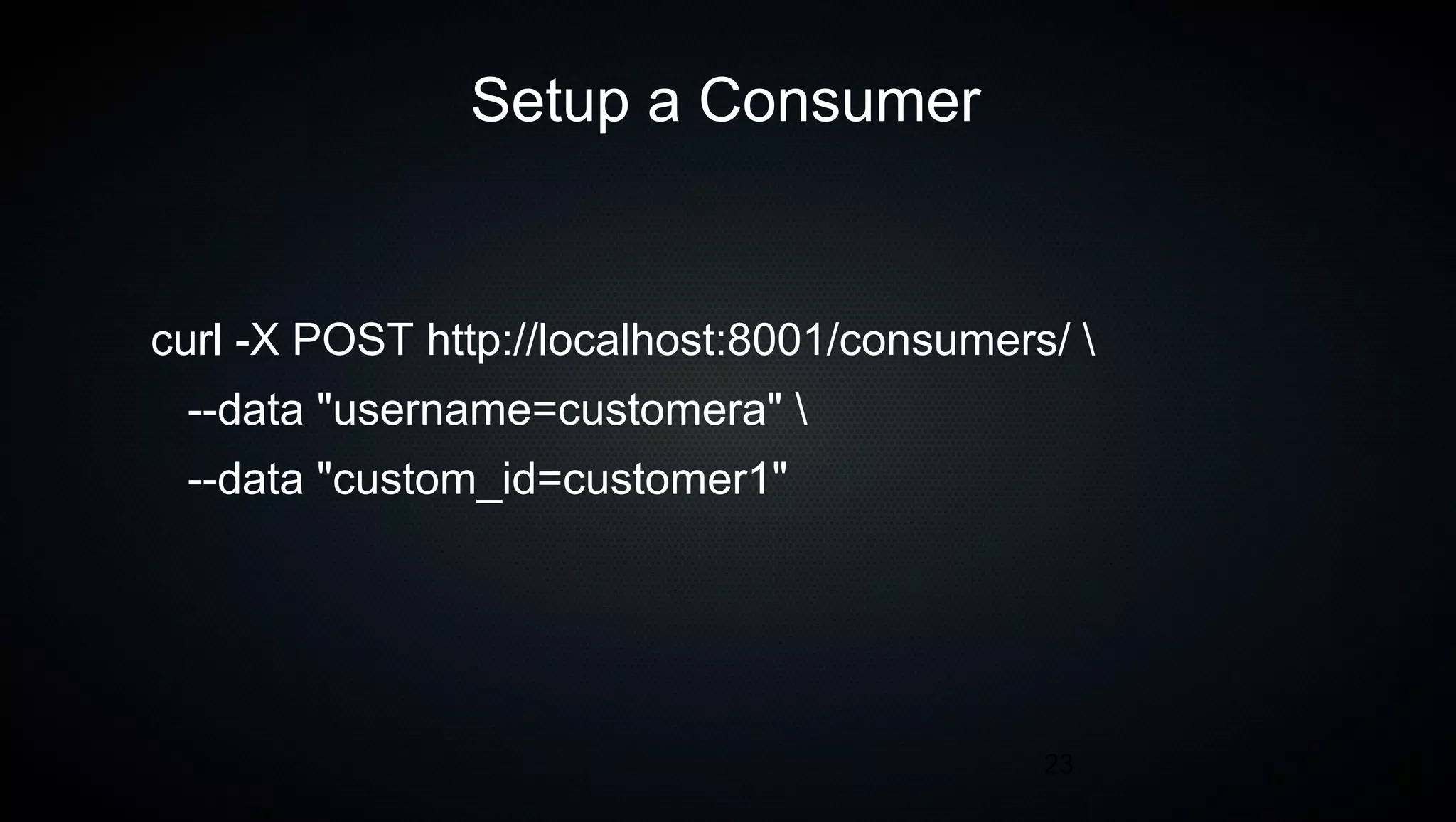
Setup a Consumer
curl -X POST http://localhost:8001/consumers/ 
--data "username=customera" 
--data "custom_id=customer1"
24
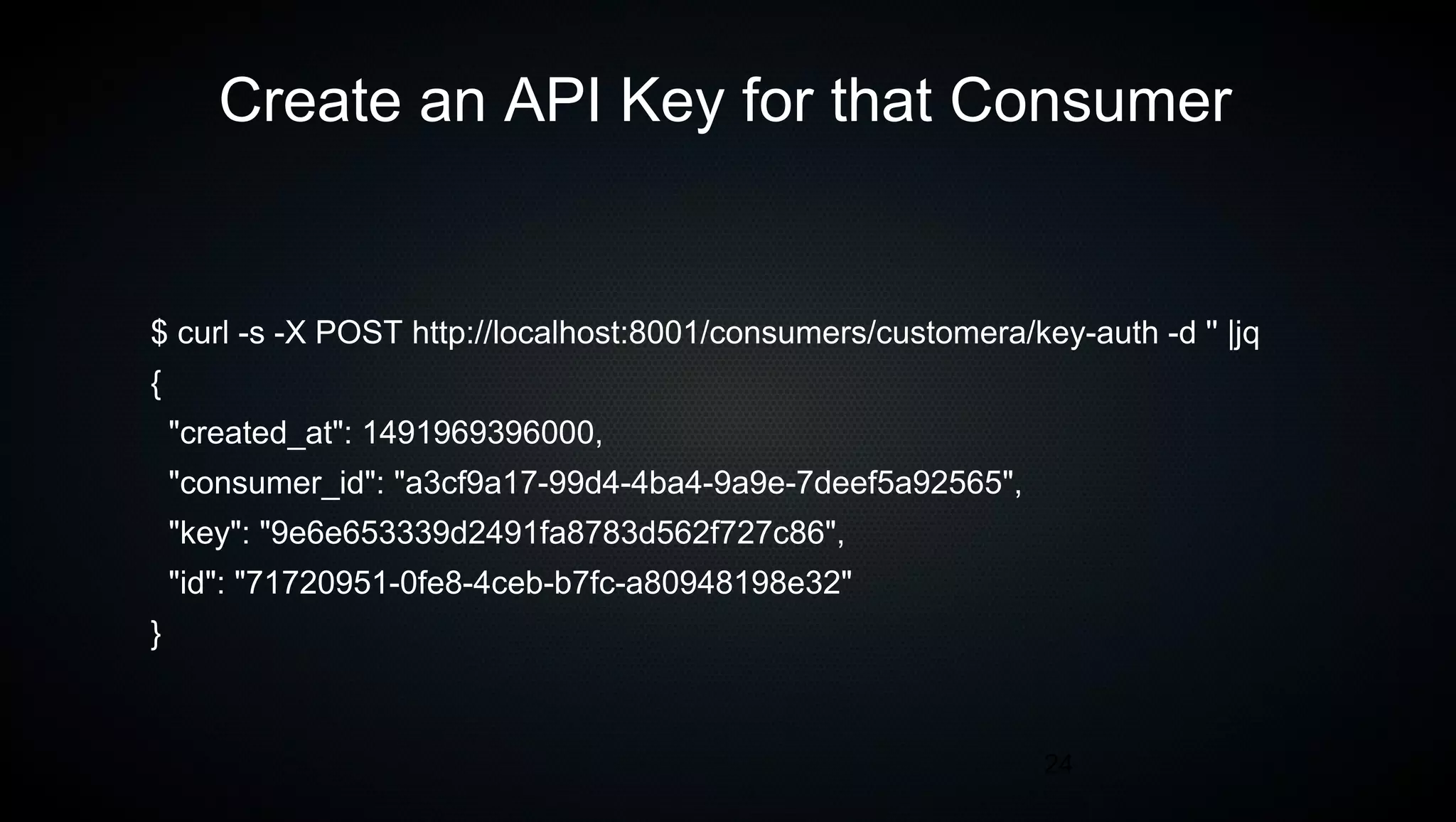
Create an API Key for that Consumer
$ curl -s -X POST http://localhost:8001/consumers/customera/key-auth -d '' |jq
{
"created_at": 1491969396000,
"consumer_id": "a3cf9a17-99d4-4ba4-9a9e-7deef5a92565",
"key": "9e6e653339d2491fa8783d562f727c86",
"id": "71720951-0fe8-4ceb-b7fc-a80948198e32"
}
25
Test It
$ curl -s -v -H "Host: example.com" localhost:8000
> GET / HTTP/1.1
> Host: example.com
>
< HTTP/1.1 401 Unauthorized
< Server: kong/0.10.1
<
{"message":"No API key found in headers or querystring"}
26
Our API now requires a key
27
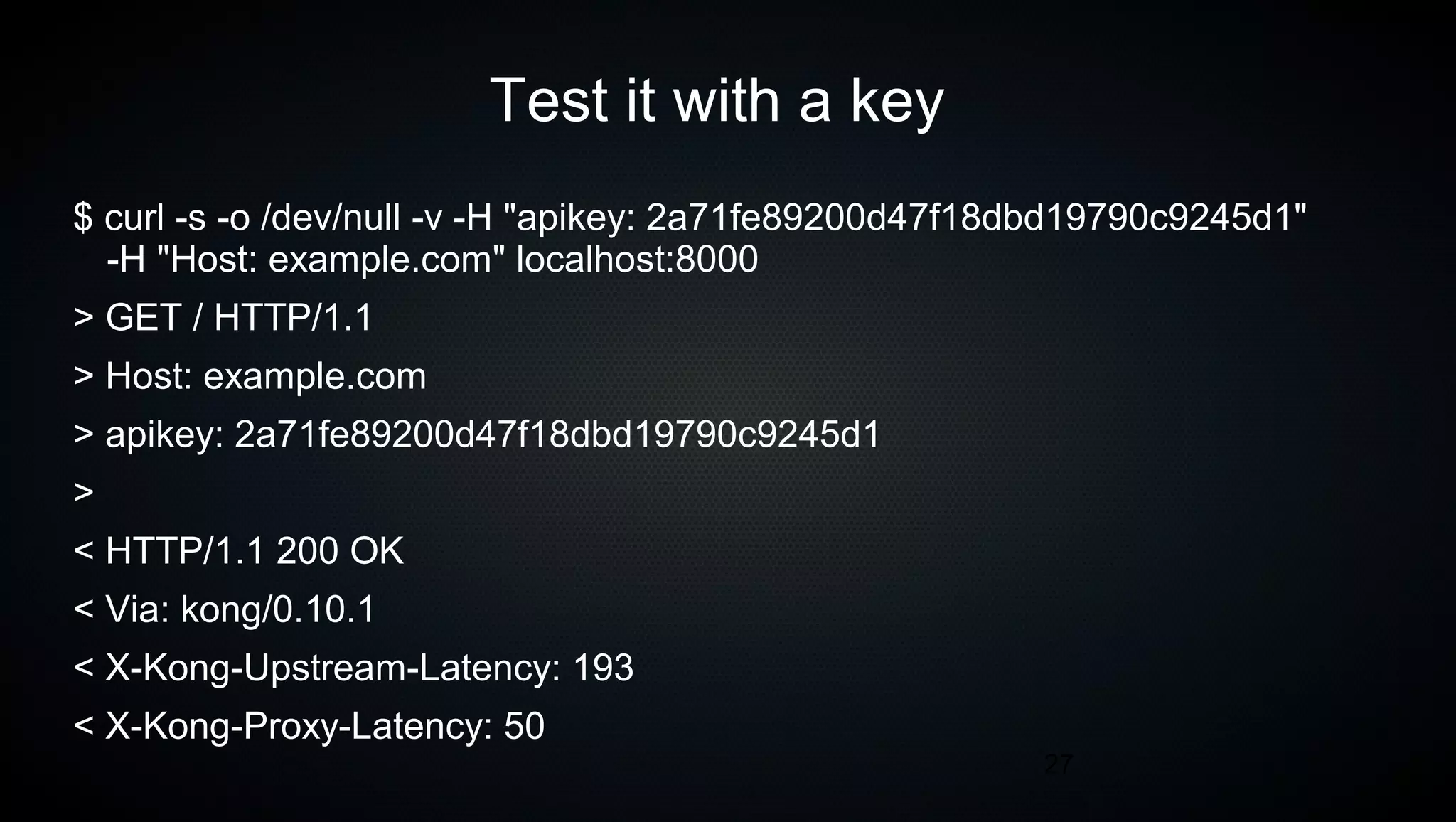
Test it with a key
$ curl -s -o /dev/null -v -H "apikey: 2a71fe89200d47f18dbd19790c9245d1"
-H "Host: example.com" localhost:8000
> GET / HTTP/1.1
> Host: example.com
> apikey: 2a71fe89200d47f18dbd19790c9245d1
>
< HTTP/1.1 200 OK
< Via: kong/0.10.1
< X-Kong-Upstream-Latency: 193
< X-Kong-Proxy-Latency: 50
28
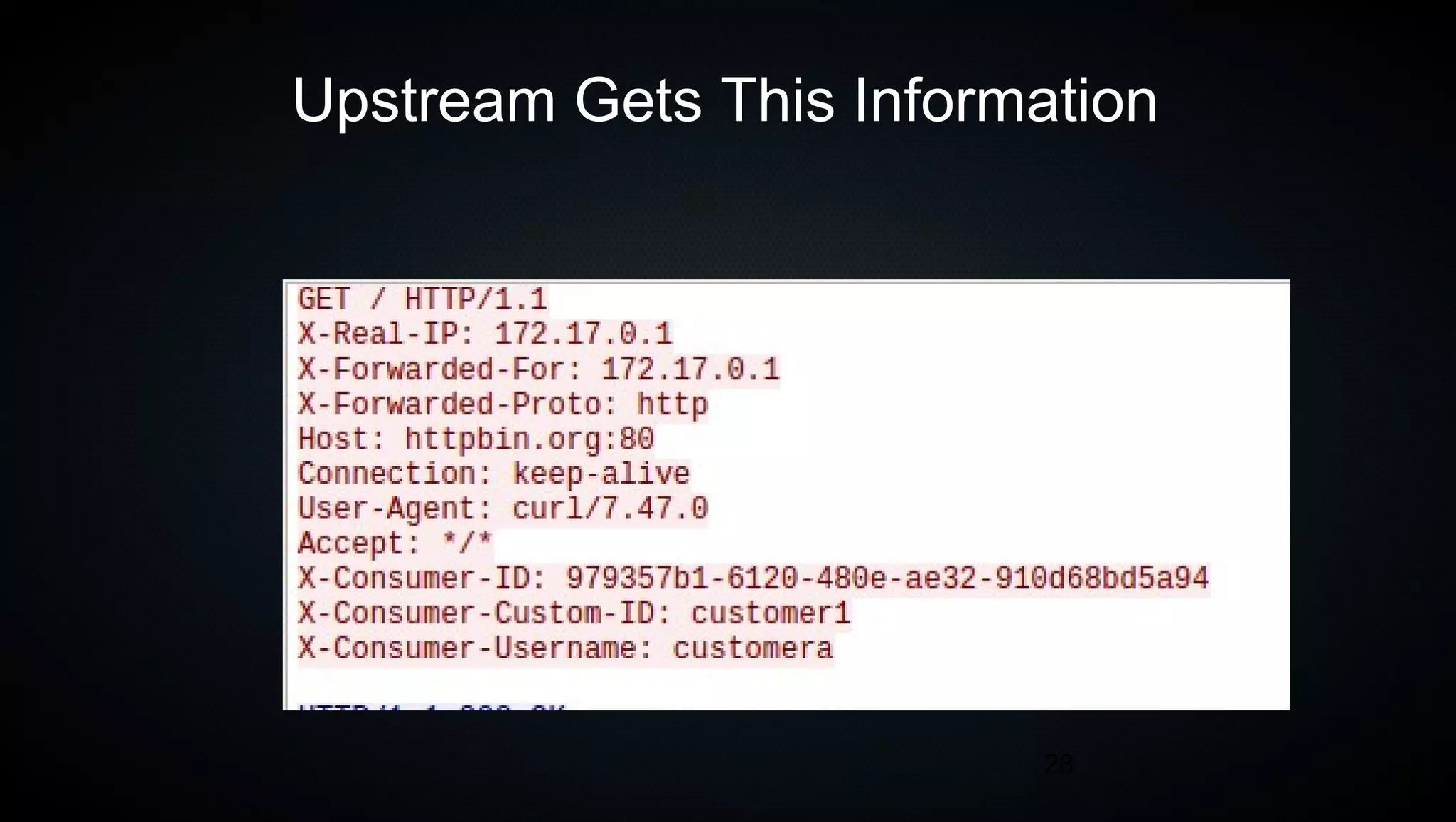
Upstream Gets This Information
29
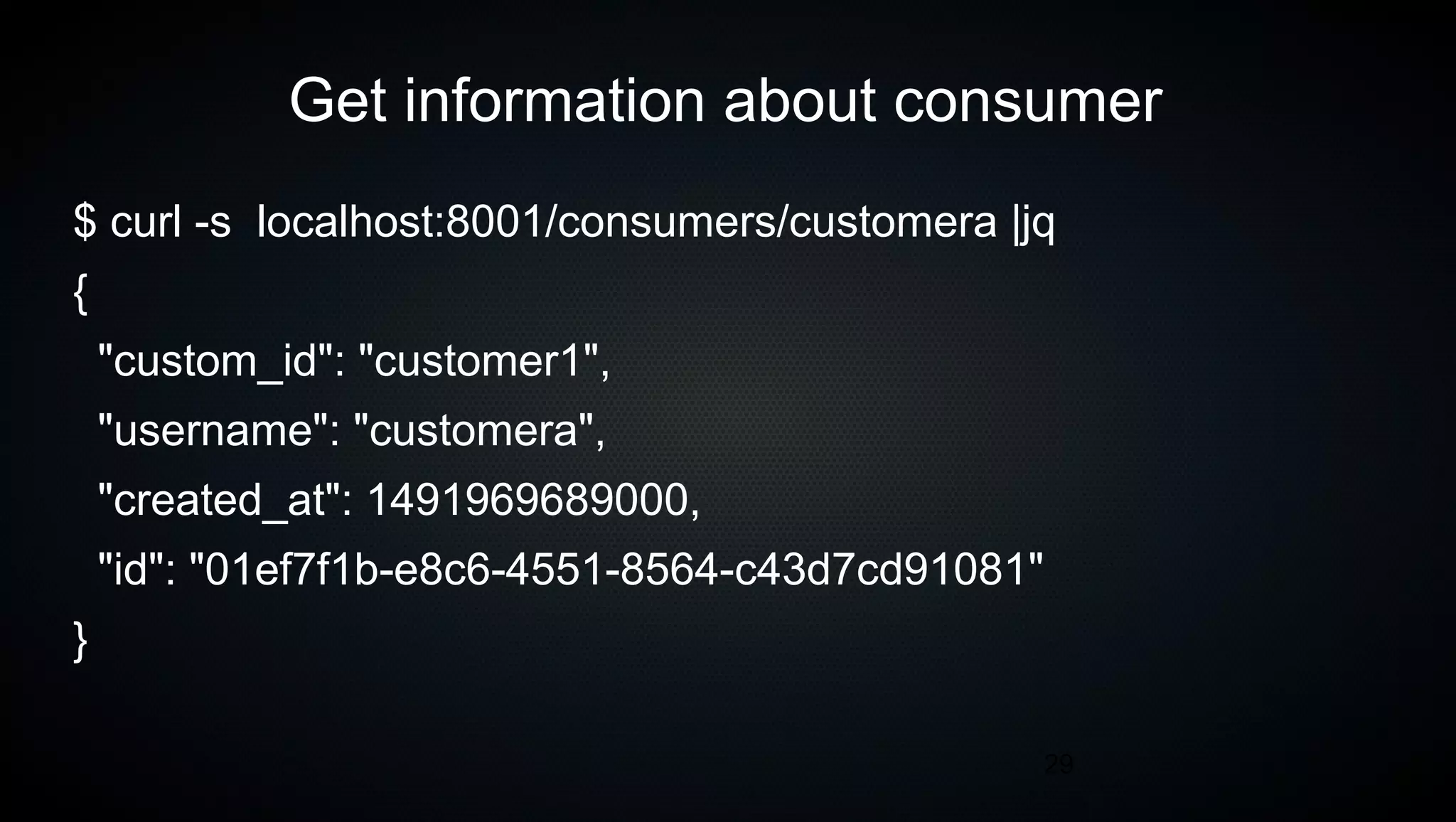
Get information about consumer
$ curl -s localhost:8001/consumers/customera |jq
{
"custom_id": "customer1",
"username": "customera",
"created_at": 1491969689000,
"id": "01ef7f1b-e8c6-4551-8564-c43d7cd91081"
}
30
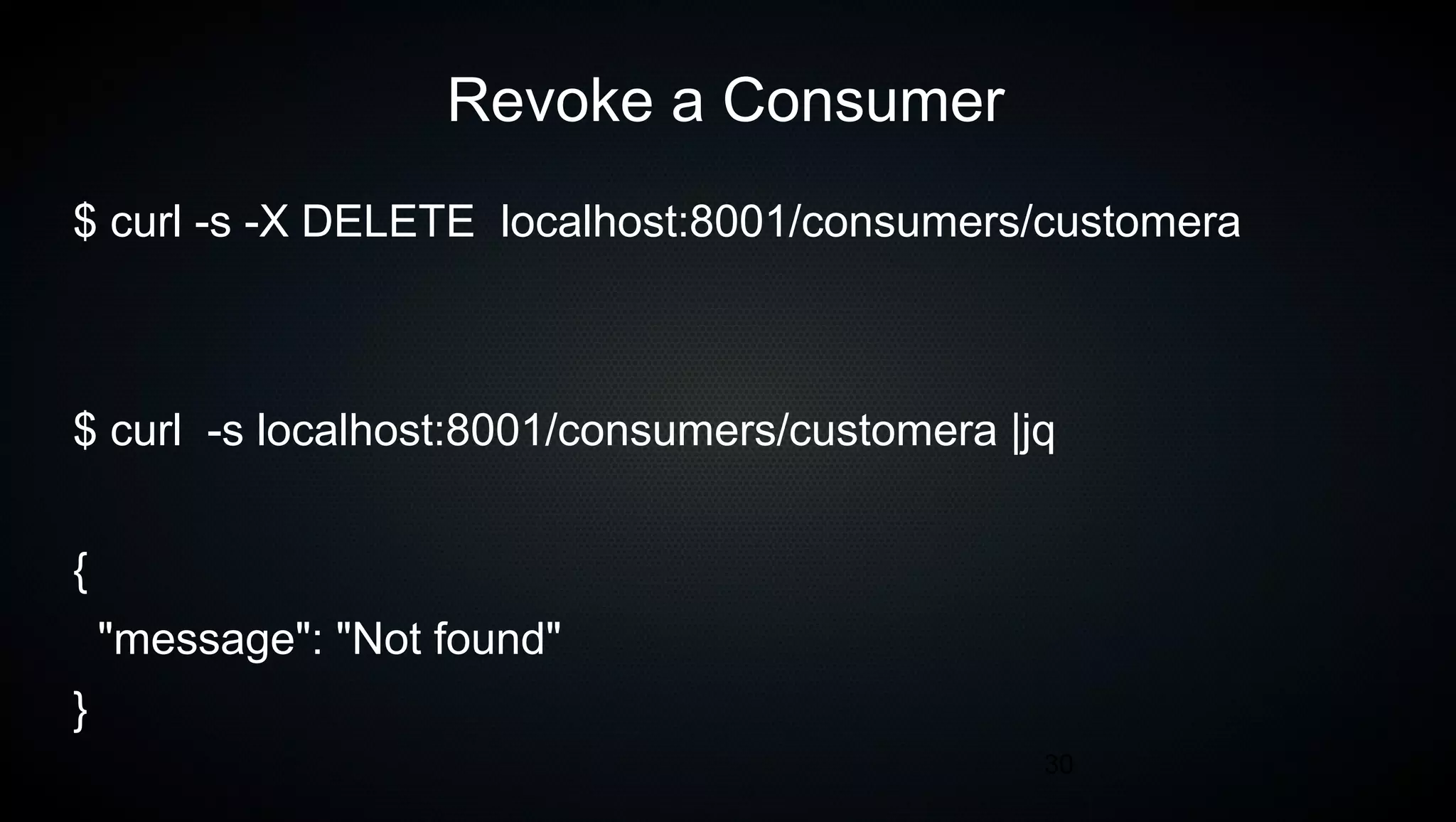
Revoke a Consumer
$ curl -s -X DELETE localhost:8001/consumers/customera
$ curl -s localhost:8001/consumers/customera |jq
{
"message": "Not found"
}
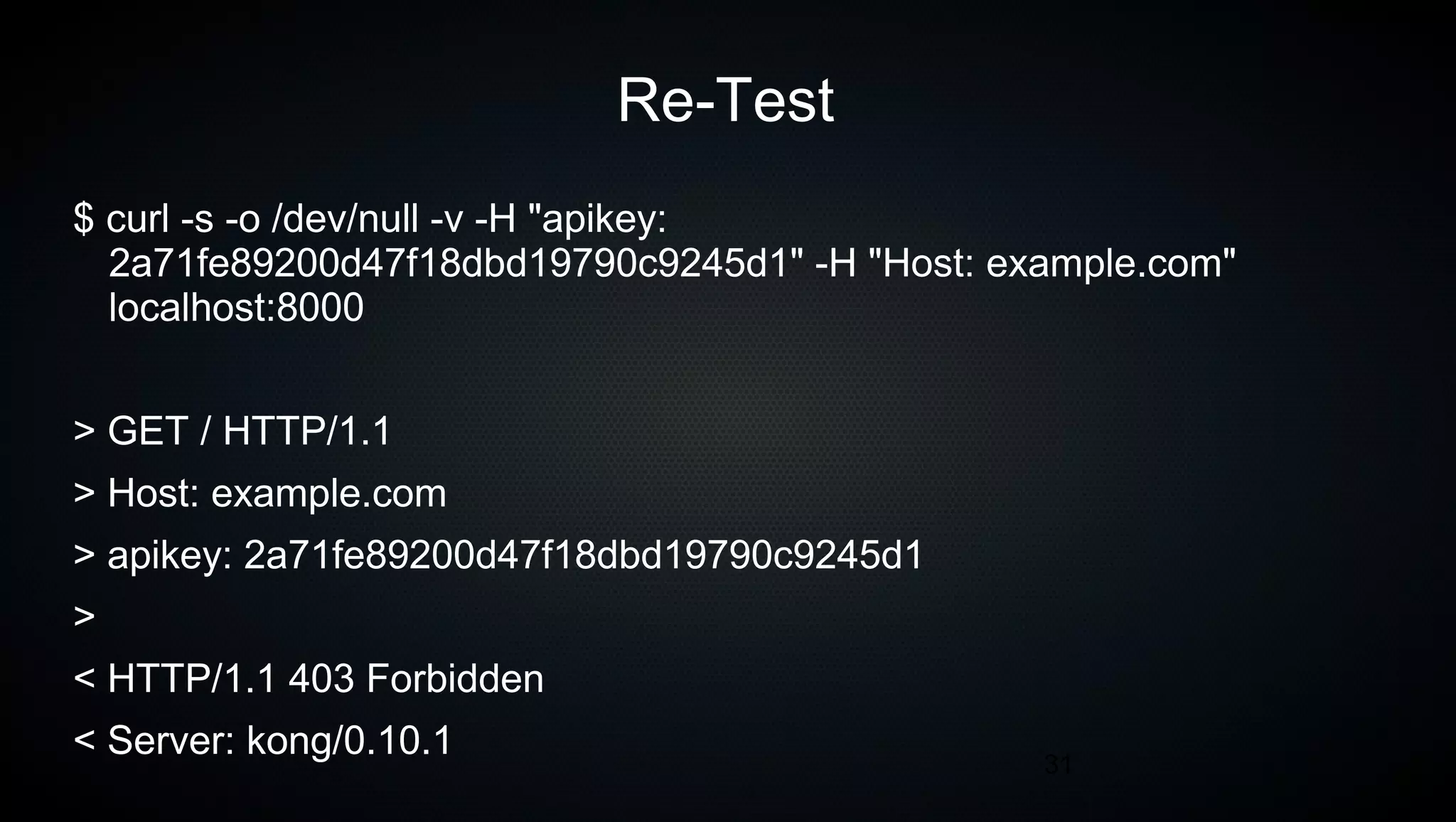
31
Re-Test
$ curl -s -o /dev/null -v -H "apikey:
2a71fe89200d47f18dbd19790c9245d1" -H "Host: example.com"
localhost:8000
> GET / HTTP/1.1
> Host: example.com
> apikey: 2a71fe89200d47f18dbd19790c9245d1
>
< HTTP/1.1 403 Forbidden
< Server: kong/0.10.1
32
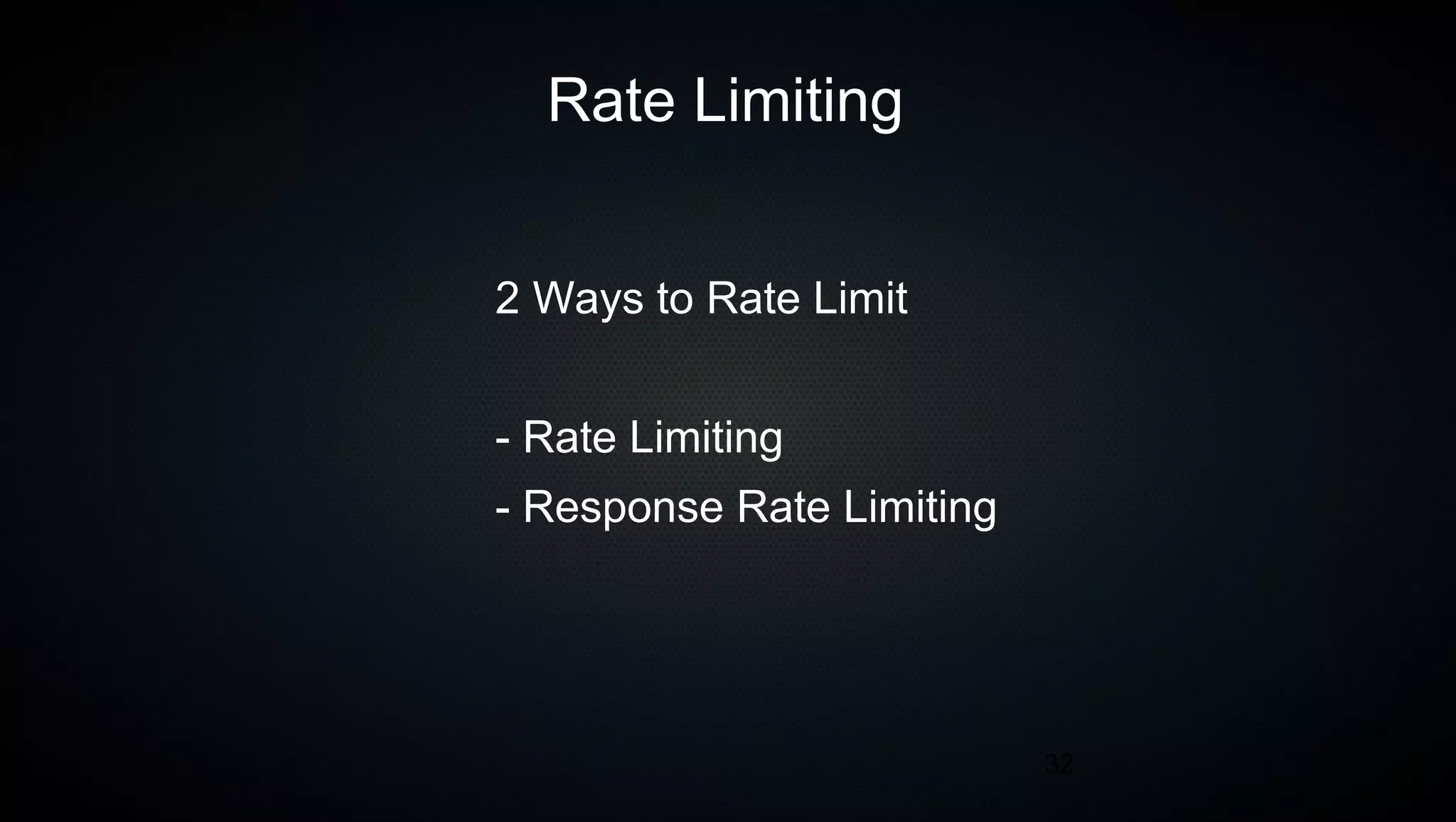
Rate Limiting
2 Ways to Rate Limit
- Rate Limiting
- Response Rate Limiting
33
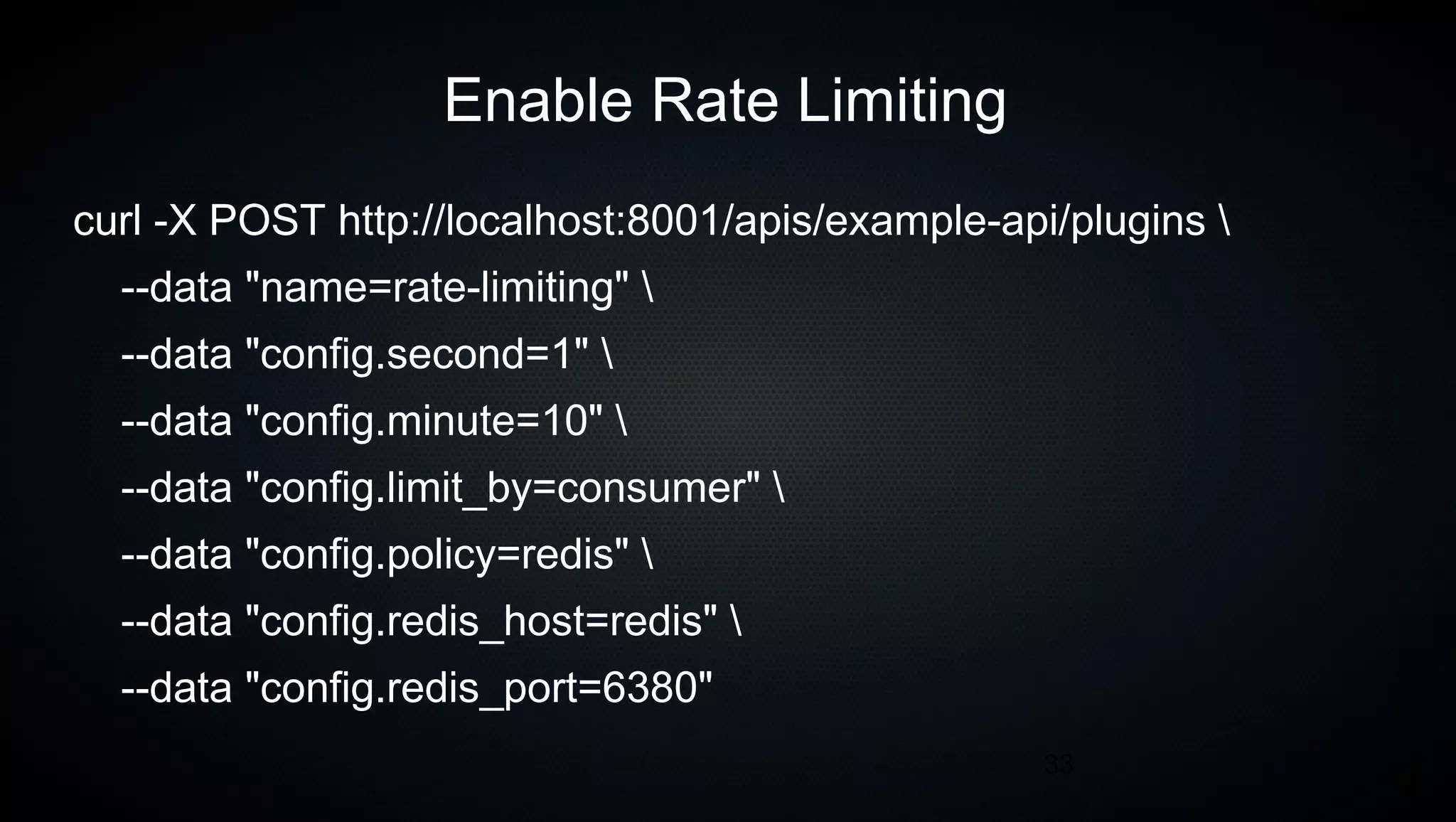
Enable Rate Limiting
curl -X POST http://localhost:8001/apis/example-api/plugins 
--data "name=rate-limiting" 
--data "config.second=1" 
--data "config.minute=10" 
--data "config.limit_by=consumer" 
--data "config.policy=redis" 
--data "config.redis_host=redis" 
--data "config.redis_port=6380"
34
Rate Limiting
If the limit_by cannot be determined
Kong falls back to the IP address
WARNING
35
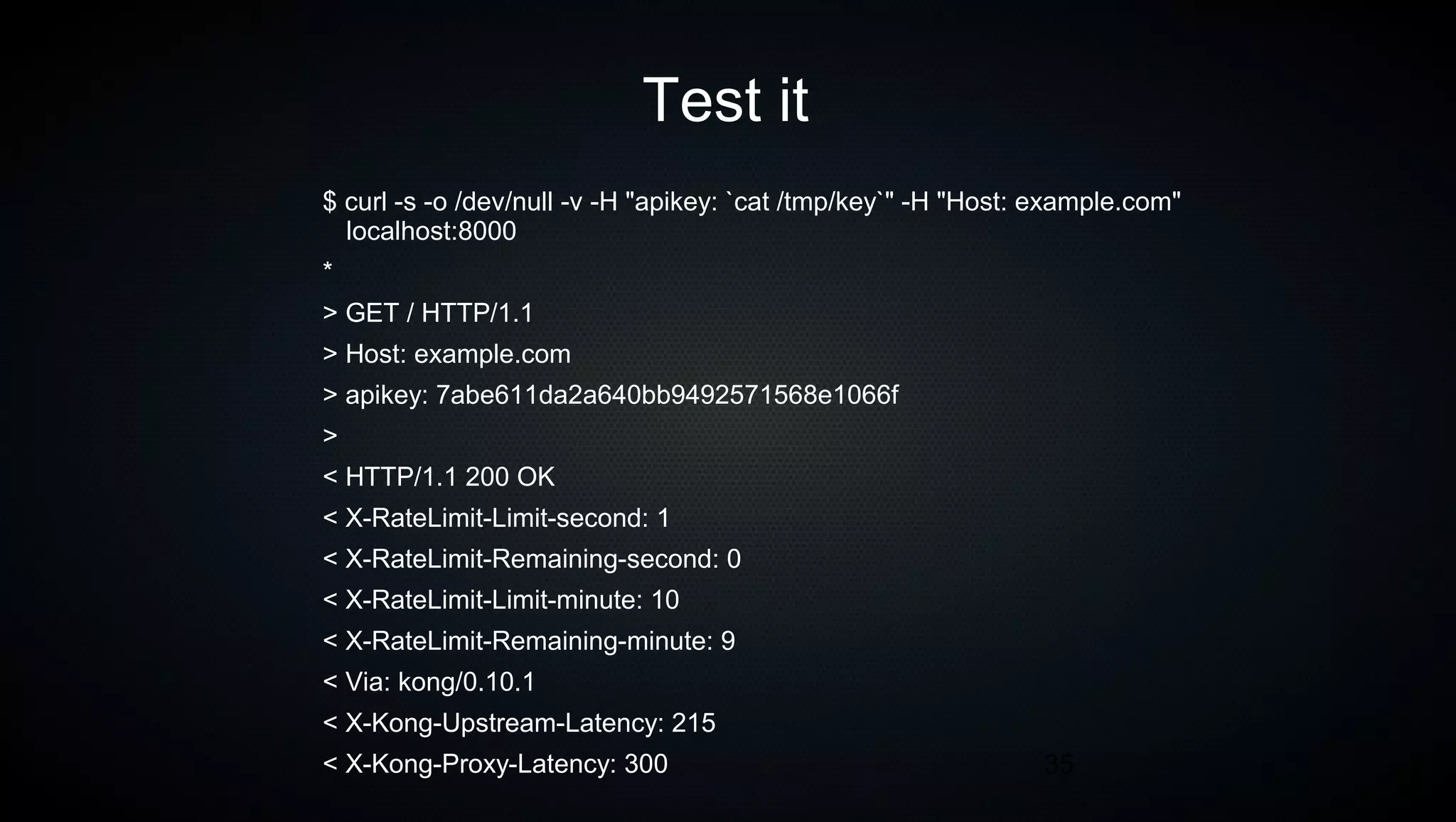
Test it
$ curl -s -o /dev/null -v -H "apikey: `cat /tmp/key`" -H "Host: example.com"
localhost:8000
*
> GET / HTTP/1.1
> Host: example.com
> apikey: 7abe611da2a640bb9492571568e1066f
>
< HTTP/1.1 200 OK
< X-RateLimit-Limit-second: 1
< X-RateLimit-Remaining-second: 0
< X-RateLimit-Limit-minute: 10
< X-RateLimit-Remaining-minute: 9
< Via: kong/0.10.1
< X-Kong-Upstream-Latency: 215
< X-Kong-Proxy-Latency: 300
36
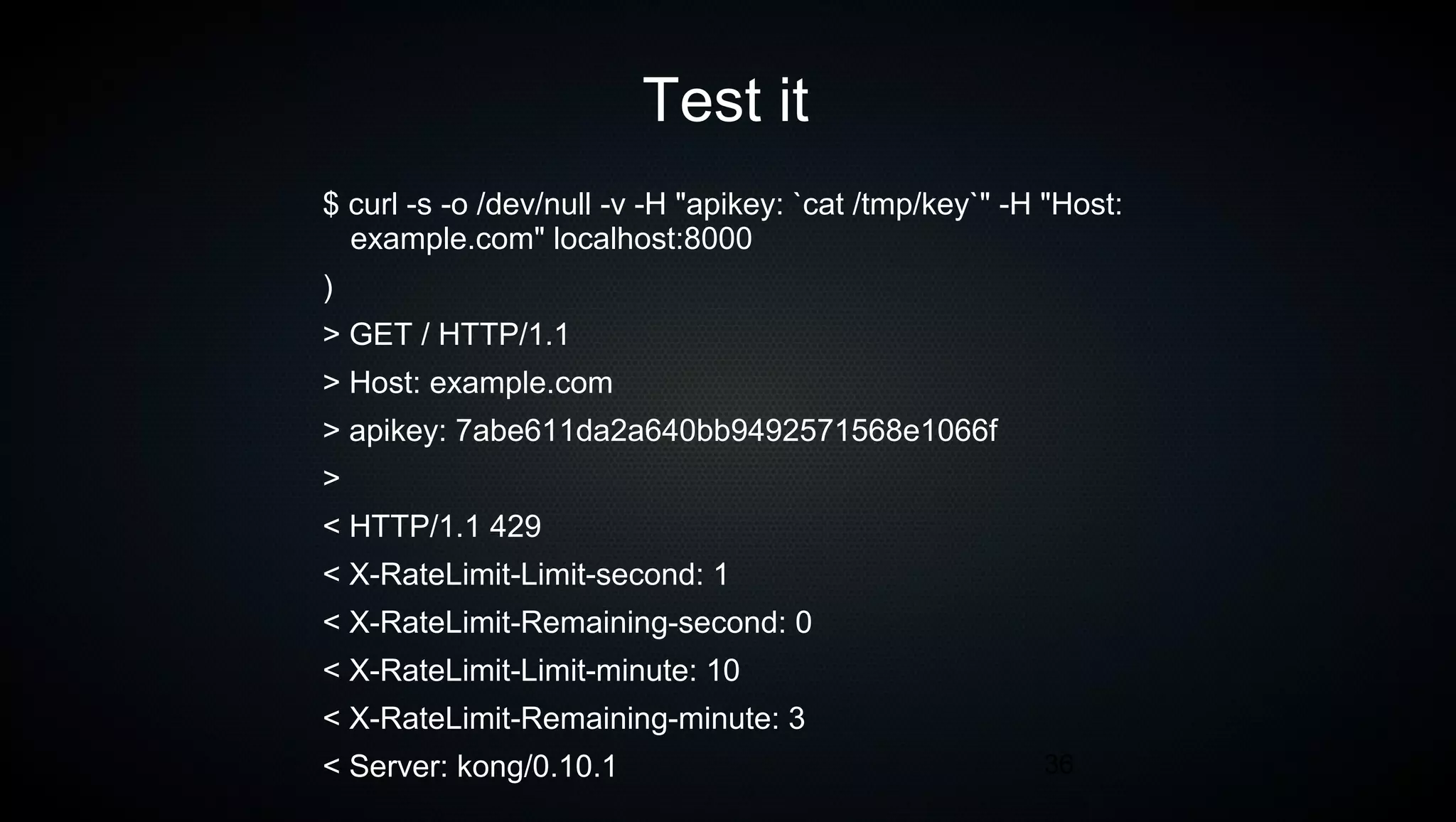
Test it
$ curl -s -o /dev/null -v -H "apikey: `cat /tmp/key`" -H "Host:
example.com" localhost:8000
)
> GET / HTTP/1.1
> Host: example.com
> apikey: 7abe611da2a640bb9492571568e1066f
>
< HTTP/1.1 429
< X-RateLimit-Limit-second: 1
< X-RateLimit-Remaining-second: 0
< X-RateLimit-Limit-minute: 10
< X-RateLimit-Remaining-minute: 3
< Server: kong/0.10.1
37
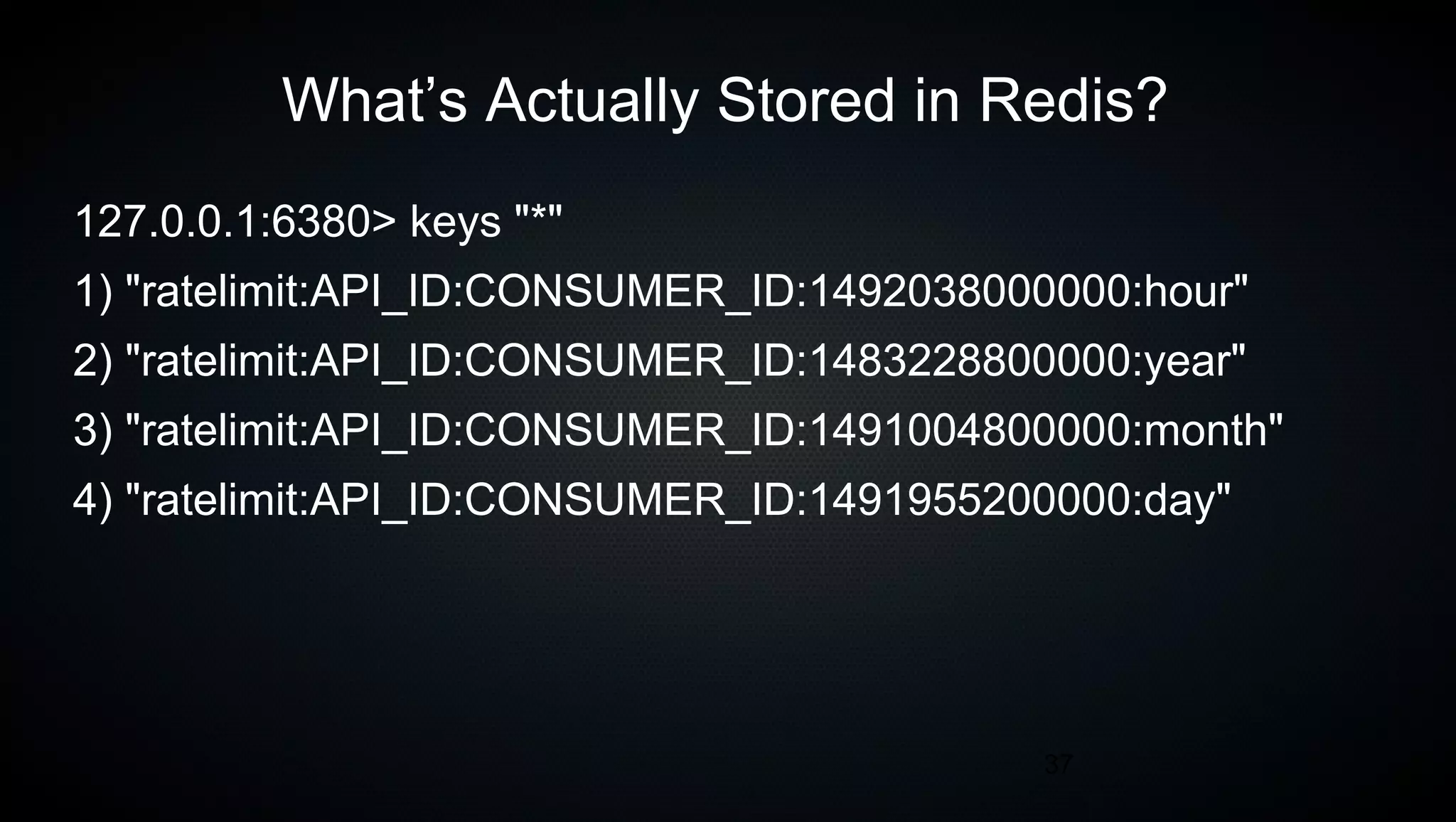
What’s Actually Stored in Redis?
127.0.0.1:6380> keys "*"
1) "ratelimit:API_ID:CONSUMER_ID:1492038000000:hour"
2) "ratelimit:API_ID:CONSUMER_ID:1483228800000:year"
3) "ratelimit:API_ID:CONSUMER_ID:1491004800000:month"
4) "ratelimit:API_ID:CONSUMER_ID:1491955200000:day"
38
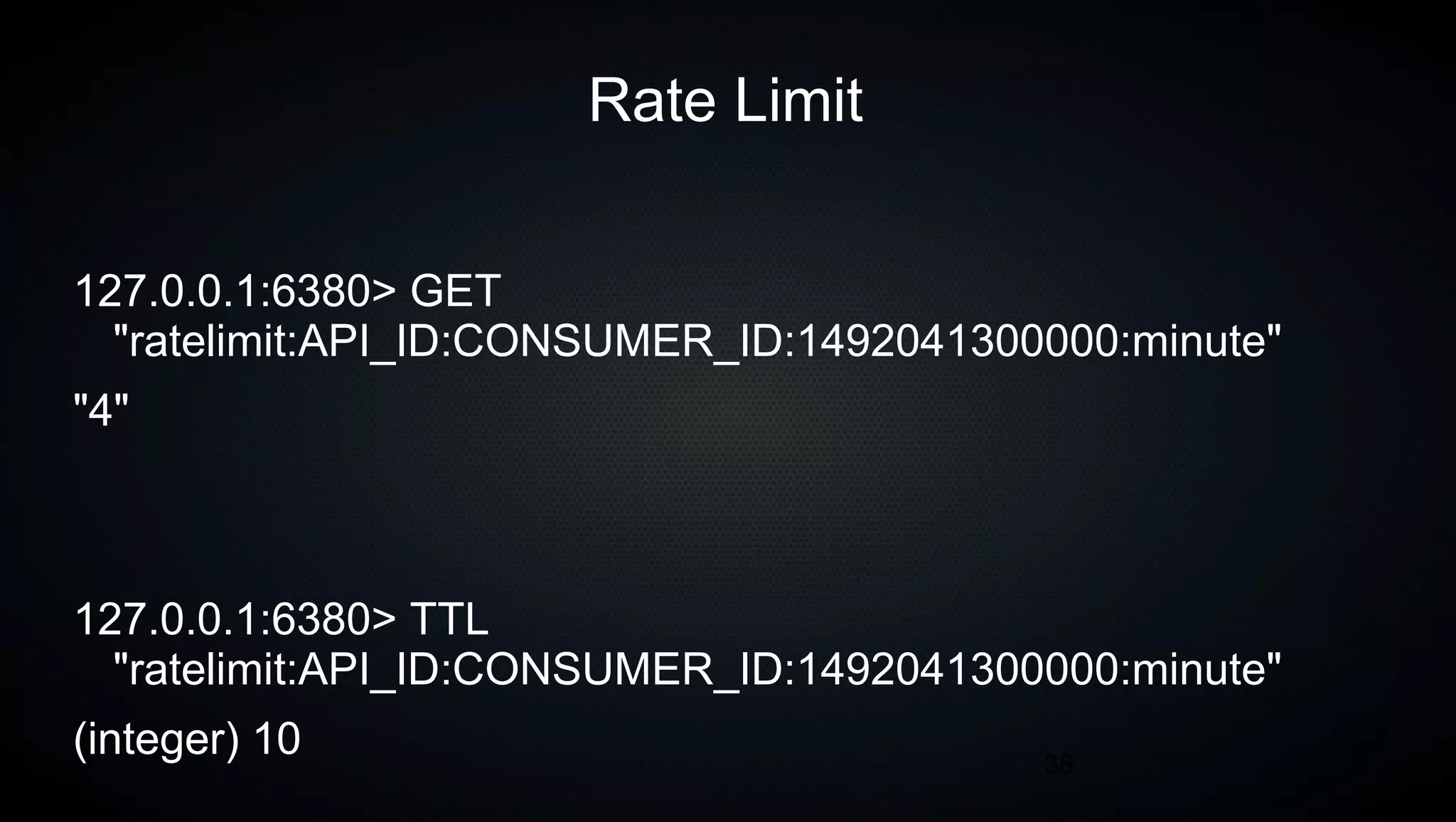
Rate Limit
127.0.0.1:6380> GET
"ratelimit:API_ID:CONSUMER_ID:1492041300000:minute"
"4"
127.0.0.1:6380> TTL
"ratelimit:API_ID:CONSUMER_ID:1492041300000:minute"
(integer) 10
39
Visibility
Who is doing what on my API?
40
Kong Feature – Custom NGINX config
41
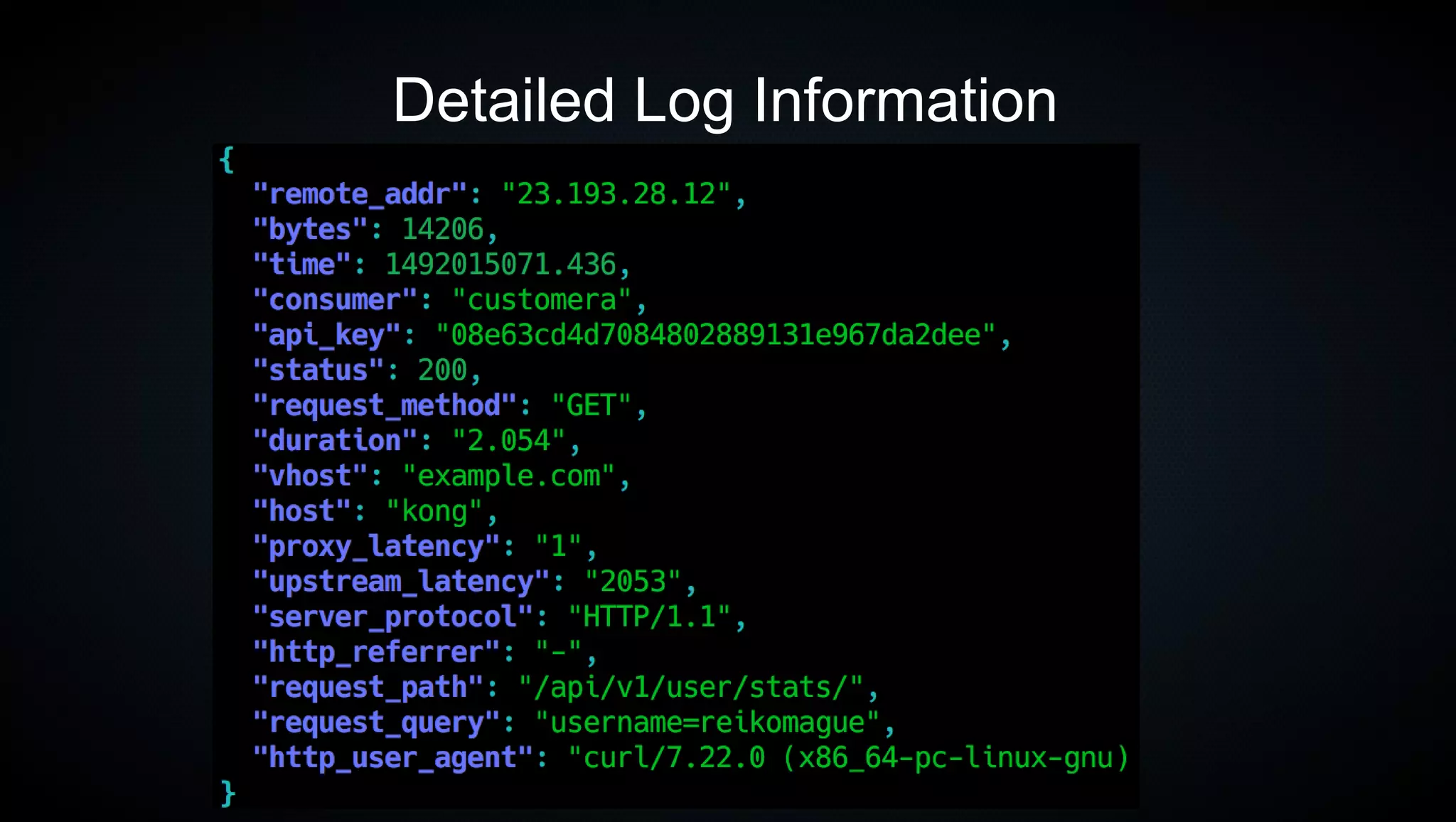
Detailed Log Information
42
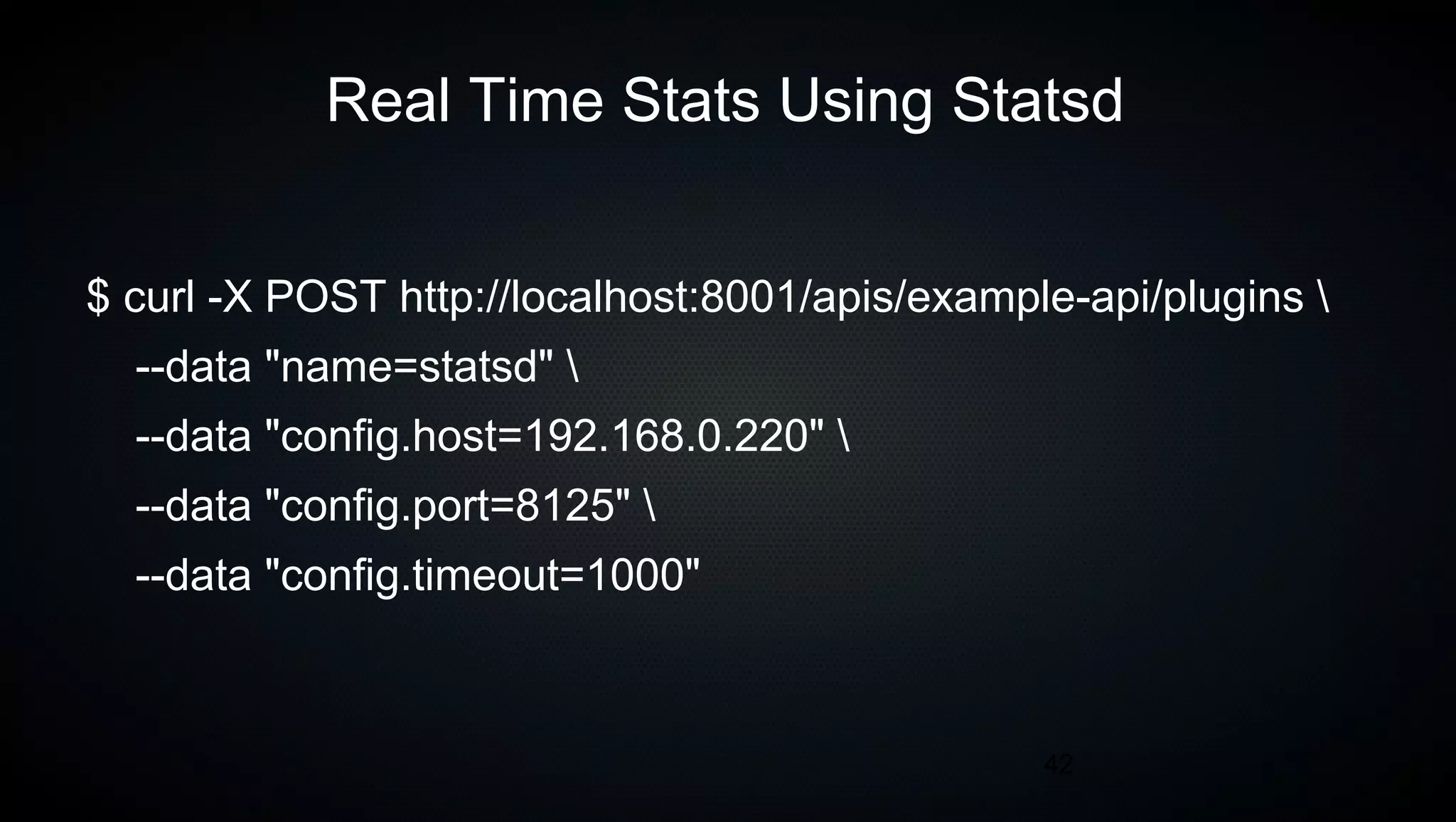
Real Time Stats Using Statsd
$ curl -X POST http://localhost:8001/apis/example-api/plugins 
--data "name=statsd" 
--data "config.host=192.168.0.220" 
--data "config.port=8125" 
--data "config.timeout=1000"
43
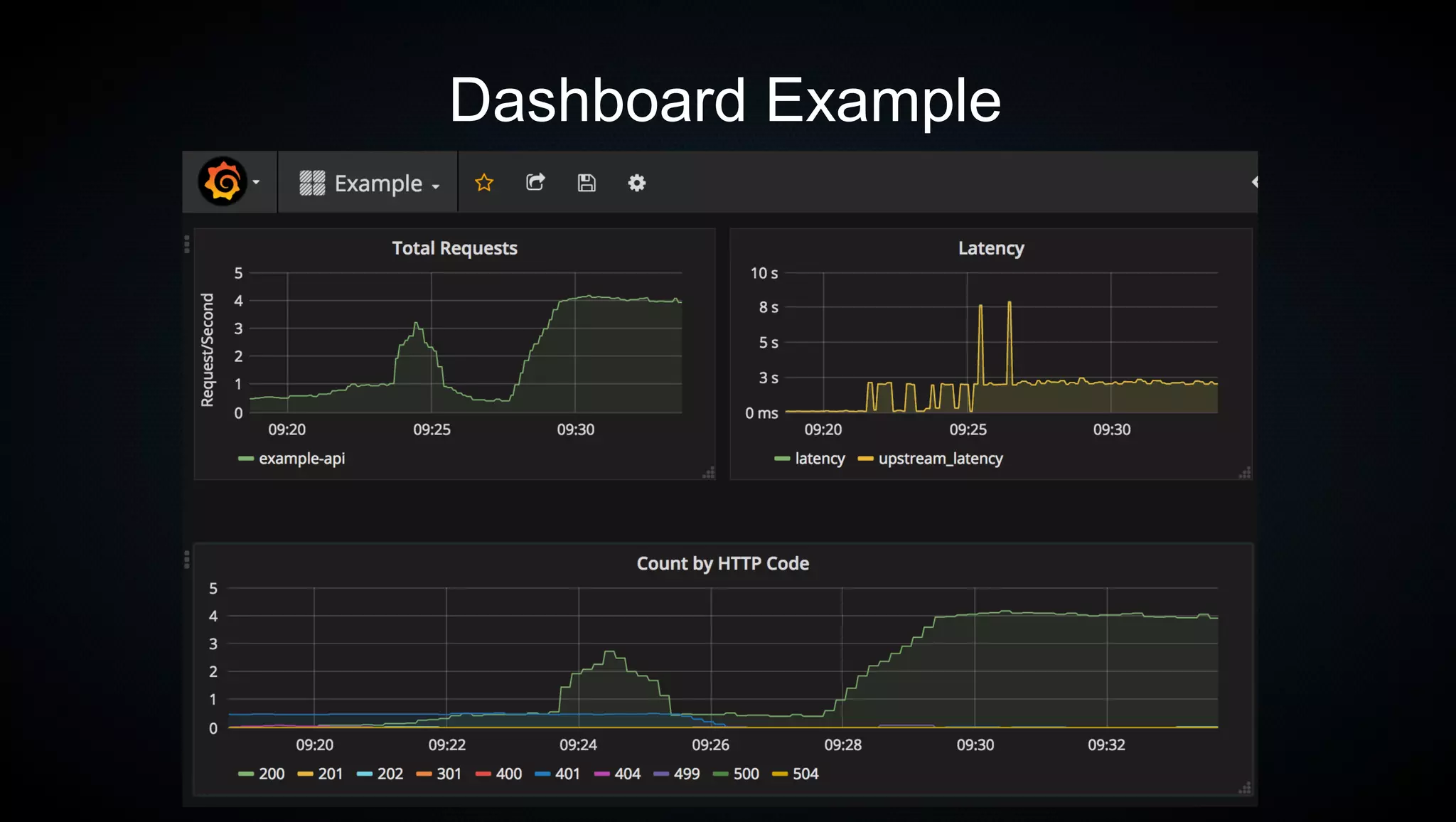
Dashboard Example
44
45
The Caveats
- Extra moving parts
- Learning Lua is a good idea
- Extra latency
- GUIs available but need work
46
The Improvements
- More custom plugins for better visibility
- Better monitoring (latency spikes/DB usage/Redis Usage)
- Move more to Response Rate Limiting
47
Thanks
- Mashape, Inc
- Zillow Group
- Jason Smith
- Zane Williamson

Kong API Gateway

  • 1.

    1 Kong API Gateway ChrisMague / Shokunin 04/12/2017
  • 2.
    2 Today's Talk  The Problems  TheSolution  The Technical Solution  The Caveats  The Improvements
  • 3.
    3 The Problems We needto get an handle on the API consumers
  • 4.
    4 The Problems We needto stop bad consumers from DOSing our API
  • 5.
    5 The Problems We needto better visibility into API usage
  • 6.
    6 The Problems We needreal time information
  • 7.
    7 Solution Add a proxyin front of our APIs
  • 8.
  • 9.
    9 Features - Authentication -Basic Auth - KeyAuth - Oauth/Oauth2 - LDAP - JWT
  • 10.
    10 Features - Security -ACLs - CORS - Dynamic SSL - IP Blacklists - Bot Detection
  • 11.
    11 Features - Control -Rate Limiting - Response Rate Limiting - Request size limiting
  • 12.
    12 Features - Transforms -Request Transformer - Response Transformer - Correlation ID
  • 13.
    13 Features - Visibility -Logs over TCP/UDP/HTTP - Syslog - StatsD - DataDog - Runscope (Perf/Mon) - Galileo (BI for API)
  • 14.
    14 Considerations - Open source -Built on trusted technology - Easy to extend - No licensing costs - Clusters - Caches - Easy to automate
  • 15.
  • 16.
  • 17.
  • 18.
  • 19.
    19 Spin Up testingenvironment git clone https://github.com/shokunin/postgres-kong.git
  • 20.
    20 Setup an ExampleAPI curl -i -X POST --url http://localhost:8001/apis/ --data 'name=example-api' --data 'hosts=example.com' --data 'upstream_url=http://httpbin.org'
  • 21.
    21 Test It $ curl-s -v -o /dev/null -H "Host: example.com" localhost:8000 > Host: example.com > User-Agent: curl/7.47.0 > Accept: */* > < HTTP/1.1 200 OK < < Via: kong/0.10.1 < X-Kong-Upstream-Latency: 330 < X-Kong-Proxy-Latency: 0
  • 22.
    22 Setup the Authenticationusing Key-Auth plugin curl -X POST http://localhost:8001/apis/example-api/plugins --data "name=key-auth" --data "config.hide_credentials=false"
  • 23.
    23 Setup a Consumer curl-X POST http://localhost:8001/consumers/ --data "username=customera" --data "custom_id=customer1"
  • 24.
    24 Create an APIKey for that Consumer $ curl -s -X POST http://localhost:8001/consumers/customera/key-auth -d '' |jq { "created_at": 1491969396000, "consumer_id": "a3cf9a17-99d4-4ba4-9a9e-7deef5a92565", "key": "9e6e653339d2491fa8783d562f727c86", "id": "71720951-0fe8-4ceb-b7fc-a80948198e32" }
  • 25.
    25 Test It $ curl-s -v -H "Host: example.com" localhost:8000 > GET / HTTP/1.1 > Host: example.com > < HTTP/1.1 401 Unauthorized < Server: kong/0.10.1 < {"message":"No API key found in headers or querystring"}
  • 26.
    26 Our API nowrequires a key
  • 27.
    27 Test it witha key $ curl -s -o /dev/null -v -H "apikey: 2a71fe89200d47f18dbd19790c9245d1" -H "Host: example.com" localhost:8000 > GET / HTTP/1.1 > Host: example.com > apikey: 2a71fe89200d47f18dbd19790c9245d1 > < HTTP/1.1 200 OK < Via: kong/0.10.1 < X-Kong-Upstream-Latency: 193 < X-Kong-Proxy-Latency: 50
  • 28.
  • 29.
    29 Get information aboutconsumer $ curl -s localhost:8001/consumers/customera |jq { "custom_id": "customer1", "username": "customera", "created_at": 1491969689000, "id": "01ef7f1b-e8c6-4551-8564-c43d7cd91081" }
  • 30.
    30 Revoke a Consumer $curl -s -X DELETE localhost:8001/consumers/customera $ curl -s localhost:8001/consumers/customera |jq { "message": "Not found" }
  • 31.
    31 Re-Test $ curl -s-o /dev/null -v -H "apikey: 2a71fe89200d47f18dbd19790c9245d1" -H "Host: example.com" localhost:8000 > GET / HTTP/1.1 > Host: example.com > apikey: 2a71fe89200d47f18dbd19790c9245d1 > < HTTP/1.1 403 Forbidden < Server: kong/0.10.1
  • 32.
    32 Rate Limiting 2 Waysto Rate Limit - Rate Limiting - Response Rate Limiting
  • 33.
    33 Enable Rate Limiting curl-X POST http://localhost:8001/apis/example-api/plugins --data "name=rate-limiting" --data "config.second=1" --data "config.minute=10" --data "config.limit_by=consumer" --data "config.policy=redis" --data "config.redis_host=redis" --data "config.redis_port=6380"
  • 34.
    34 Rate Limiting If thelimit_by cannot be determined Kong falls back to the IP address WARNING
  • 35.
    35 Test it $ curl-s -o /dev/null -v -H "apikey: `cat /tmp/key`" -H "Host: example.com" localhost:8000 * > GET / HTTP/1.1 > Host: example.com > apikey: 7abe611da2a640bb9492571568e1066f > < HTTP/1.1 200 OK < X-RateLimit-Limit-second: 1 < X-RateLimit-Remaining-second: 0 < X-RateLimit-Limit-minute: 10 < X-RateLimit-Remaining-minute: 9 < Via: kong/0.10.1 < X-Kong-Upstream-Latency: 215 < X-Kong-Proxy-Latency: 300
  • 36.
    36 Test it $ curl-s -o /dev/null -v -H "apikey: `cat /tmp/key`" -H "Host: example.com" localhost:8000 ) > GET / HTTP/1.1 > Host: example.com > apikey: 7abe611da2a640bb9492571568e1066f > < HTTP/1.1 429 < X-RateLimit-Limit-second: 1 < X-RateLimit-Remaining-second: 0 < X-RateLimit-Limit-minute: 10 < X-RateLimit-Remaining-minute: 3 < Server: kong/0.10.1
  • 37.
    37 What’s Actually Storedin Redis? 127.0.0.1:6380> keys "*" 1) "ratelimit:API_ID:CONSUMER_ID:1492038000000:hour" 2) "ratelimit:API_ID:CONSUMER_ID:1483228800000:year" 3) "ratelimit:API_ID:CONSUMER_ID:1491004800000:month" 4) "ratelimit:API_ID:CONSUMER_ID:1491955200000:day"
  • 38.
  • 39.
  • 40.
    40 Kong Feature –Custom NGINX config
  • 41.
  • 42.
    42 Real Time StatsUsing Statsd $ curl -X POST http://localhost:8001/apis/example-api/plugins --data "name=statsd" --data "config.host=192.168.0.220" --data "config.port=8125" --data "config.timeout=1000"
  • 43.
  • 44.
  • 45.
    45 The Caveats - Extramoving parts - Learning Lua is a good idea - Extra latency - GUIs available but need work
  • 46.
    46 The Improvements - Morecustom plugins for better visibility - Better monitoring (latency spikes/DB usage/Redis Usage) - Move more to Response Rate Limiting
  • 47.
    47 Thanks - Mashape, Inc -Zillow Group - Jason Smith - Zane Williamson