

Helping to keep your children safe online
About Childnet “ Helping to make the internet  a great and safe place for children” Promoting the positive   Responding to the negative
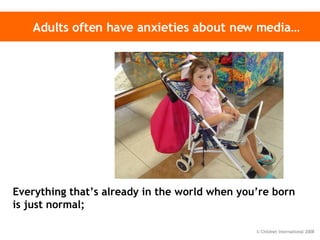
Adults often have anxieties about new media… Everything that’s already in the world when you’re born is just normal;
Anything that gets invented between then and before you turn thirty is incredibly exciting and creative and with any luck you can make a career out of it;
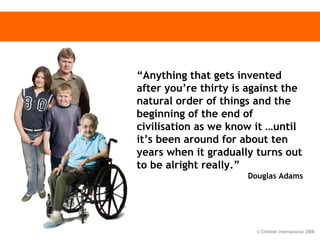
“ Anything that gets invented after you’re thirty is against the natural order of things and the beginning of the end of civilisation as we know it …until it’s been around for about ten years when it gradually turns out to be alright really.”  Douglas Adams
This presentation Why is internet safety important? What about mobiles? What are the risks?   Why is the internet so great?  Know IT All - what can parents do?
Why is internet safety important?   PART 1
Statistics 93% of children use a computer and phone  8 out of 10 teenagers have a home computer, mobile phone and games console 1,400,000 UK pupils have their own web space There are over 200 million registered users of MySpace There are over 2.7 billion searches on Google each month The number of text messages sent every day exceeds the total population of the planet
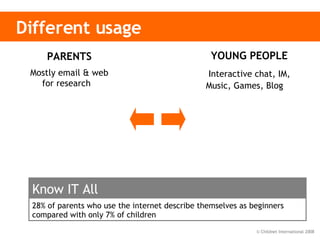
Different usage YOUNG PEOPLE Interactive chat, IM, Music, Games, Blog   PARENTS Mostly email & web for research  28% of parents who use the internet describe themselves as beginners compared with only 7% of children Know IT All
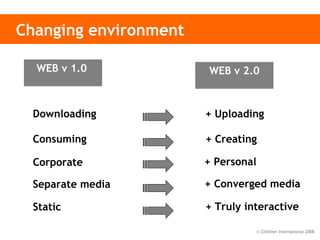
Changing environment Downloading + Uploading Consuming + Creating Corporate + Personal Separate media  + Converged media Static + Truly interactive WEB v 1.0   WEB v 2.0
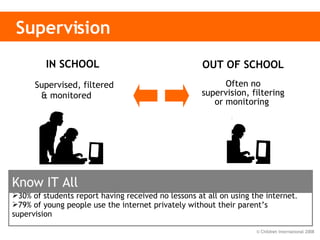
Supervision IN SCHOOL  Supervised, filtered & monitored   OUT OF SCHOOL Often no supervision, filtering or monitoring   30% of students report having received no lessons at all on using the internet . 79% of young people use the internet privately without their parent’s supervision Know IT All
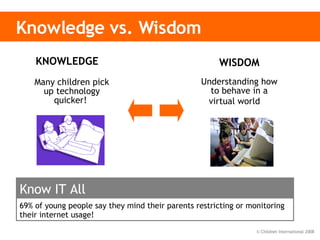
Knowledge vs. Wisdom WISDOM Understanding how to behave in a virtual world   KNOWLEDGE  Many children pick up technology quicker!  69% of young people say they mind their parents restricting or monitoring their internet usage!  Know IT All
Why is the internet so great?
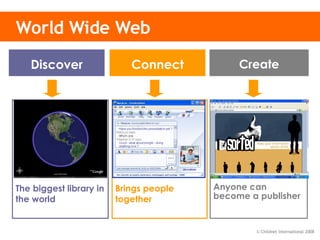
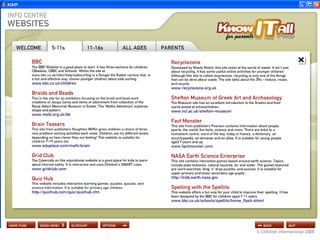
World Wide Web Search engines  Homework Projects Personal interest Amazing facts The biggest library in the world Blogs (web log) Vlogs (video log) Web sites Text  & pictures Music/photo/video Anyone can become a publisher Email/chat VoIP - Skype  Instant Messenger Multi-user games Social networks Brings people together Connect Create Discover
Discover: educational resources www.froguts.com
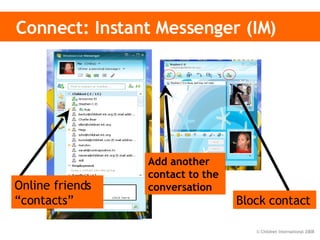
Connect: Instant Messenger (IM) Block contact Add another contact to the conversation Online friends “contacts”
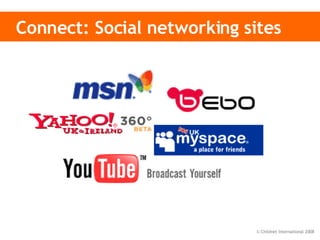
Connect: Social networking sites
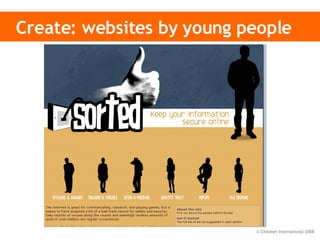
Create: websites by young people
What are the risks?
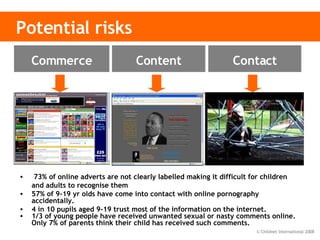
Potential risks 73% of online adverts are not clearly labelled making it difficult for children and adults to recognise them 57% of 9-19 yr olds have come into contact with online pornography accidentally. 4 in 10 pupils aged 9-19 trust most of the information on the internet. 1/3 of young people have received unwanted sexual or nasty comments online. Only 7% of parents think their child has received such comments. Inaccurate and    harmful Adult content  Illegal content Inappropriate    contact Cyberbullying Sex offenders Privacy Advertising &   information Invasive software Content Contact Commerce
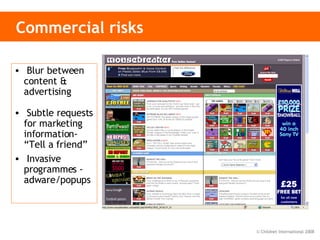
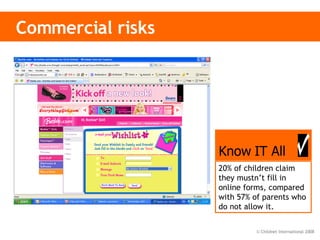
Commercial risks Blur between content & advertising Subtle requests for marketing information- “Tell a friend” Invasive programmes -  adware/popups
Commercial risks 20% of children claim they mustn’t fill in online forms, compared with 57% of parents who do not allow it. Know IT All
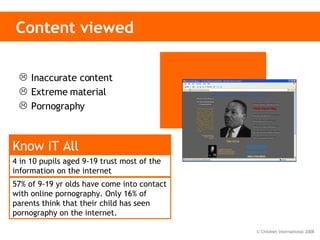
Content viewed Inaccurate content Extreme material Pornography 4 in 10 pupils aged 9-19 trust most of the information on the internet   Know IT All 57% of 9-19 yr olds have come into contact with online pornography. Only 16% of parents think that their child has seen pornography on the internet.
Contact risks Social networking sites  Instant messaging (eg MSN) P2P (filesharing) Multi-user online games Chat rooms 49% of kids say that they have given out personal information 5% of parents think their child has given out such information  Know IT All
Over to you… What do YOU think is the biggest risk to children online?
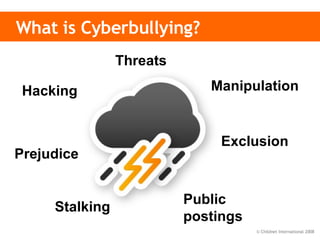
What is Cyberbullying? Threats Hacking Manipulation Stalking Public postings Exclusion Prejudice
Cyberbullying Threats and intimidation  Threats sent to people by mobile phone, email, or online.  Harassment or stalking Repeated, prolonged, unwanted contact or monitoring of another person. Vilification / defamation / prejudice-based bullying  These may be general insults or racist, homophobic or sexist bullying.   Ostracising / peer rejection / exclusion  Set up of a closed group refusing to acknowledge one user on purpose. Identity theft, unauthorised access and impersonation ‘Hacking’ by finding out or guessing a username and password. Publicly posting, sending or forwarding information or images Disclosing information on a website.  Manipulation May involve getting people to act or talk in a provocative way.   Safe to Learn: Embedding Anti-bullying Work in Schools. DCSF 2007
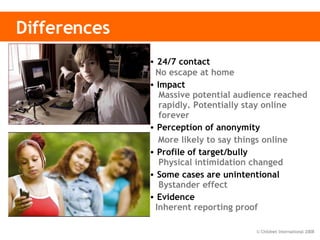
Differences 24/7 contact   No escape at home Impact    Massive potential audience reached   rapidly. Potentially stay online     forever Perception of anonymity    More likely to say things online Profile of target/bully   Physical intimidation changed Some cases are unintentional   Bystander effect   Evidence  Inherent reporting proof
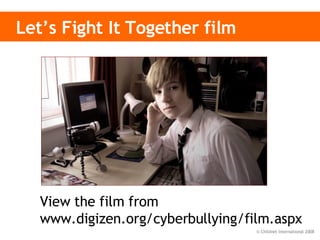
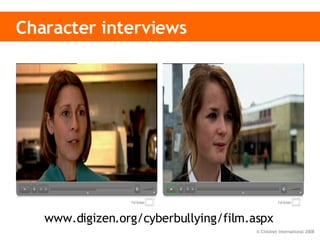
Let’s Fight It Together film View the film from  www.digizen.org/cyberbullying/film.aspx
Character interviews www.digizen.org/cyberbullying/film.aspx
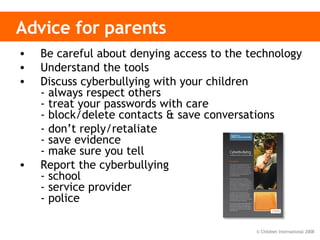
Advice for parents Be careful about denying access to the technology Understand the tools Discuss cyberbullying with your children - always respect others - treat your passwords with care - block/delete contacts & save conversations - don’t reply/retaliate - save evidence - make sure you tell Report the cyberbullying - school - service provider - police
What about mobiles?
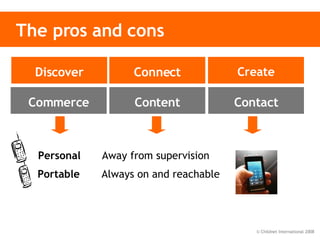
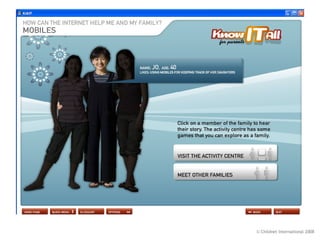
The pros and cons Content Contact Commerce Discover Connect Create Portable  Always on and reachable  Personal  Away from supervision
Mobile phone advice Know  how your child’s phone works (e.g.  Bluetooth, Internet access)  Agree  the  type of content that you would be happy for them to download, knowingly receive or send on to others   Save  any abusive messages/inappropriate images for evidence purposes Decide together  what are acceptable bills Encourage  balanced use – switching off at mealtimes, bedtime.
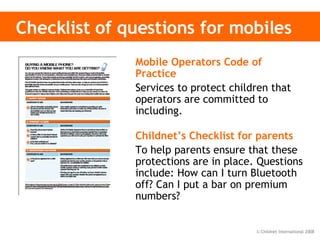
Checklist of questions for mobiles Mobile Operators Code of Practice   Services to protect children that operators are committed to including. Childnet’s Checklist for parents   To help parents ensure that these protections are in place. Questions include: How can I turn Bluetooth off? Can I put a bar on premium numbers?
What can parents do?   PART 1
What you can do… Install software to protect your   computer’s security Be careful   which sites the rest of the family visit Use a   family email address   for shopping and online forms Use the   free technology:  pop-up blockers & SPAM filters; and your good judgement: don’t reply to SPAM! Check sites for extra   security   (padlock/http s) Commerce
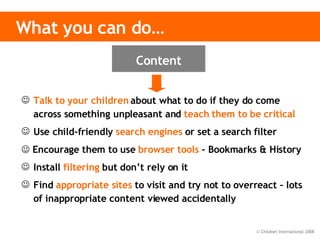
Talk to your children  about what to do if they do come across something unpleasant and  teach them to be critical Use child-friendly  search engines  or set a search filter    Encourage them to use  browser tools  – Bookmarks & History Install  filtering  but don’t rely on it Find  appropriate sites  to visit and try not to overreact – lots of inappropriate content viewed accidentally What you can do… Content
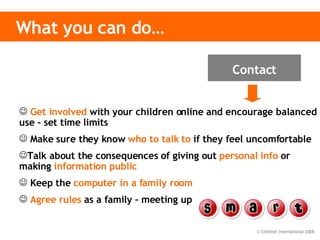
What you can do… Get involved   with your children online and encourage balanced use – set time limits Make sure they know   who to talk to   if they feel uncomfortable  Talk about the consequences of giving out   personal info  or making  information public Keep the   computer in a family room Agree rules   as a family – meeting up Contact
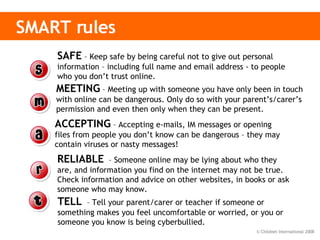
SMART rules   SAFE  – Keep safe by being careful not to give out personal information – including full name and email address - to people who you don’t trust online. MEETING  – Meeting up with someone you have only been in touch with online can be dangerous. Only do so with your parent’s/carer’s permission and even then only when they can be present.  ACCEPTING  – Accepting e-mails, IM messages or opening files from people you don’t know can be dangerous – they may contain viruses or nasty messages! RELIABLE   – Someone online may be lying about who they are, and information you find on the internet may not be true. Check information and advice on other websites, in books or ask someone who may know.  TELL   – Tell your parent/carer or teacher if someone or something makes you feel uncomfortable or worried, or you or someone you know is being cyberbullied.
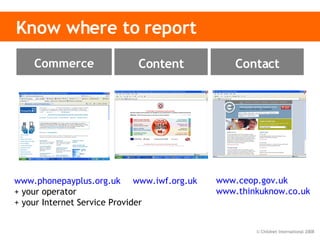
Know where to report www.phonepayplus.org.uk   + your operator + your Internet Service Provider www.iwf.org.uk   www.ceop.gov.uk www.thinkuknow.co.uk   Content Contact Commerce
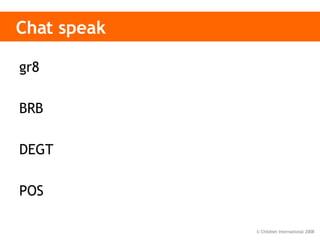
Chat speak gr8 BRB DEGT POS


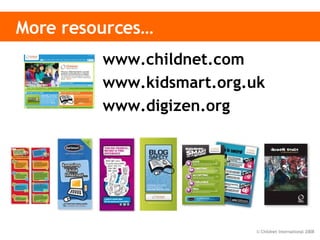
More resources… www.childnet.com www.kidsmart.org.uk www.digizen.org

Kia Parents Presentation

  • 1.
    Helping to keepyour children safe online
  • 2.
    About Childnet “Helping to make the internet a great and safe place for children” Promoting the positive Responding to the negative
  • 3.
    Adults often haveanxieties about new media… Everything that’s already in the world when you’re born is just normal;
  • 4.
    Anything that getsinvented between then and before you turn thirty is incredibly exciting and creative and with any luck you can make a career out of it;
  • 5.
    “ Anything thatgets invented after you’re thirty is against the natural order of things and the beginning of the end of civilisation as we know it …until it’s been around for about ten years when it gradually turns out to be alright really.” Douglas Adams
  • 6.
    This presentation Whyis internet safety important? What about mobiles? What are the risks? Why is the internet so great? Know IT All - what can parents do?
  • 7.
    Why is internetsafety important? PART 1
  • 8.
    Statistics 93% ofchildren use a computer and phone 8 out of 10 teenagers have a home computer, mobile phone and games console 1,400,000 UK pupils have their own web space There are over 200 million registered users of MySpace There are over 2.7 billion searches on Google each month The number of text messages sent every day exceeds the total population of the planet
  • 9.
    Different usage YOUNGPEOPLE Interactive chat, IM, Music, Games, Blog PARENTS Mostly email & web for research 28% of parents who use the internet describe themselves as beginners compared with only 7% of children Know IT All
  • 10.
    Changing environment Downloading+ Uploading Consuming + Creating Corporate + Personal Separate media + Converged media Static + Truly interactive WEB v 1.0 WEB v 2.0
  • 11.
    Supervision IN SCHOOL Supervised, filtered & monitored OUT OF SCHOOL Often no supervision, filtering or monitoring 30% of students report having received no lessons at all on using the internet . 79% of young people use the internet privately without their parent’s supervision Know IT All
  • 12.
    Knowledge vs. WisdomWISDOM Understanding how to behave in a virtual world KNOWLEDGE Many children pick up technology quicker! 69% of young people say they mind their parents restricting or monitoring their internet usage! Know IT All
  • 13.
    Why is theinternet so great?
  • 14.
    World Wide WebSearch engines Homework Projects Personal interest Amazing facts The biggest library in the world Blogs (web log) Vlogs (video log) Web sites Text & pictures Music/photo/video Anyone can become a publisher Email/chat VoIP - Skype Instant Messenger Multi-user games Social networks Brings people together Connect Create Discover
  • 15.
  • 16.
    Connect: Instant Messenger(IM) Block contact Add another contact to the conversation Online friends “contacts”
  • 17.
  • 18.
    Create: websites byyoung people
  • 19.
  • 20.
    Potential risks 73%of online adverts are not clearly labelled making it difficult for children and adults to recognise them 57% of 9-19 yr olds have come into contact with online pornography accidentally. 4 in 10 pupils aged 9-19 trust most of the information on the internet. 1/3 of young people have received unwanted sexual or nasty comments online. Only 7% of parents think their child has received such comments. Inaccurate and harmful Adult content Illegal content Inappropriate contact Cyberbullying Sex offenders Privacy Advertising & information Invasive software Content Contact Commerce
  • 21.
    Commercial risks Blurbetween content & advertising Subtle requests for marketing information- “Tell a friend” Invasive programmes - adware/popups
  • 22.
    Commercial risks 20%of children claim they mustn’t fill in online forms, compared with 57% of parents who do not allow it. Know IT All
  • 23.
    Content viewed Inaccuratecontent Extreme material Pornography 4 in 10 pupils aged 9-19 trust most of the information on the internet Know IT All 57% of 9-19 yr olds have come into contact with online pornography. Only 16% of parents think that their child has seen pornography on the internet.
  • 24.
    Contact risks Socialnetworking sites Instant messaging (eg MSN) P2P (filesharing) Multi-user online games Chat rooms 49% of kids say that they have given out personal information 5% of parents think their child has given out such information Know IT All
  • 25.
    Over to you…What do YOU think is the biggest risk to children online?
  • 26.
    What is Cyberbullying?Threats Hacking Manipulation Stalking Public postings Exclusion Prejudice
  • 27.
    Cyberbullying Threats andintimidation Threats sent to people by mobile phone, email, or online. Harassment or stalking Repeated, prolonged, unwanted contact or monitoring of another person. Vilification / defamation / prejudice-based bullying These may be general insults or racist, homophobic or sexist bullying. Ostracising / peer rejection / exclusion Set up of a closed group refusing to acknowledge one user on purpose. Identity theft, unauthorised access and impersonation ‘Hacking’ by finding out or guessing a username and password. Publicly posting, sending or forwarding information or images Disclosing information on a website. Manipulation May involve getting people to act or talk in a provocative way. Safe to Learn: Embedding Anti-bullying Work in Schools. DCSF 2007
  • 28.
    Differences 24/7 contact No escape at home Impact Massive potential audience reached rapidly. Potentially stay online forever Perception of anonymity More likely to say things online Profile of target/bully Physical intimidation changed Some cases are unintentional Bystander effect Evidence Inherent reporting proof
  • 29.
    Let’s Fight ItTogether film View the film from www.digizen.org/cyberbullying/film.aspx
  • 30.
  • 31.
    Advice for parentsBe careful about denying access to the technology Understand the tools Discuss cyberbullying with your children - always respect others - treat your passwords with care - block/delete contacts & save conversations - don’t reply/retaliate - save evidence - make sure you tell Report the cyberbullying - school - service provider - police
  • 32.
  • 33.
    The pros andcons Content Contact Commerce Discover Connect Create Portable Always on and reachable Personal Away from supervision
  • 34.
    Mobile phone adviceKnow how your child’s phone works (e.g. Bluetooth, Internet access)  Agree the type of content that you would be happy for them to download, knowingly receive or send on to others Save any abusive messages/inappropriate images for evidence purposes Decide together what are acceptable bills Encourage balanced use – switching off at mealtimes, bedtime.
  • 35.
    Checklist of questionsfor mobiles Mobile Operators Code of Practice Services to protect children that operators are committed to including. Childnet’s Checklist for parents To help parents ensure that these protections are in place. Questions include: How can I turn Bluetooth off? Can I put a bar on premium numbers?
  • 36.
    What can parentsdo? PART 1
  • 37.
    What you cando… Install software to protect your computer’s security Be careful which sites the rest of the family visit Use a family email address for shopping and online forms Use the free technology: pop-up blockers & SPAM filters; and your good judgement: don’t reply to SPAM! Check sites for extra security (padlock/http s) Commerce
  • 38.
    Talk to yourchildren about what to do if they do come across something unpleasant and teach them to be critical Use child-friendly search engines or set a search filter  Encourage them to use browser tools – Bookmarks & History Install filtering but don’t rely on it Find appropriate sites to visit and try not to overreact – lots of inappropriate content viewed accidentally What you can do… Content
  • 39.
    What you cando… Get involved with your children online and encourage balanced use – set time limits Make sure they know who to talk to if they feel uncomfortable Talk about the consequences of giving out personal info or making information public Keep the computer in a family room Agree rules as a family – meeting up Contact
  • 40.
    SMART rules SAFE – Keep safe by being careful not to give out personal information – including full name and email address - to people who you don’t trust online. MEETING – Meeting up with someone you have only been in touch with online can be dangerous. Only do so with your parent’s/carer’s permission and even then only when they can be present. ACCEPTING – Accepting e-mails, IM messages or opening files from people you don’t know can be dangerous – they may contain viruses or nasty messages! RELIABLE – Someone online may be lying about who they are, and information you find on the internet may not be true. Check information and advice on other websites, in books or ask someone who may know. TELL – Tell your parent/carer or teacher if someone or something makes you feel uncomfortable or worried, or you or someone you know is being cyberbullied.
  • 41.
    Know where toreport www.phonepayplus.org.uk + your operator + your Internet Service Provider www.iwf.org.uk www.ceop.gov.uk www.thinkuknow.co.uk Content Contact Commerce
  • 42.
    Chat speak gr8BRB DEGT POS
  • 43.
  • 44.
  • 45.
  • 46.
  • 47.
  • 48.
  • 49.
  • 50.
  • 51.
    More resources… www.childnet.comwww.kidsmart.org.uk www.digizen.org

Editor's Notes

  • #2 This presentation is called Know IT All - for Parents . Note: the word “parent” is used throughout the presentation and includes anyone who has a parent like relationship with a child. It has been designed for you to use in order to educate other adults about issues surrounding internet safety. Guidance for presenters has, where appropriate, been provided in the form of notes at the bottom of the screen in NORMAL VIEW. You are able to print these notes, if you wish, by selecting PRINT, then in the PRINT WHAT box select NOTES PAGE. We do recommend that presenters go through the presentation before delivering to an audience as some of the slides are animated and contain more information than may appear on the normal view screen. The presentation includes an interactive simulation and a film that you may want to show your audience. These resources can be accessed from these websites: Froguts www.froguts.com Cyberbullying film – “Let’s Fight It Together”: www.digizen.org It also contains reference to a film called Jenny’s Story that can be ordered from the Childnet website: www.childnet.com/order Information about Jenny’s Story can be found on www.childnet.com/jenny