Activities and Resources
Activities:
 Assignments
 Quizzes
 Discussions
Resources:
 PDF’s
 Videos
Activity and Resource links
Click the Title of the Activity or Resource to view it.
An activity is something that requires interaction.
A resource is informational and does not require interaction.
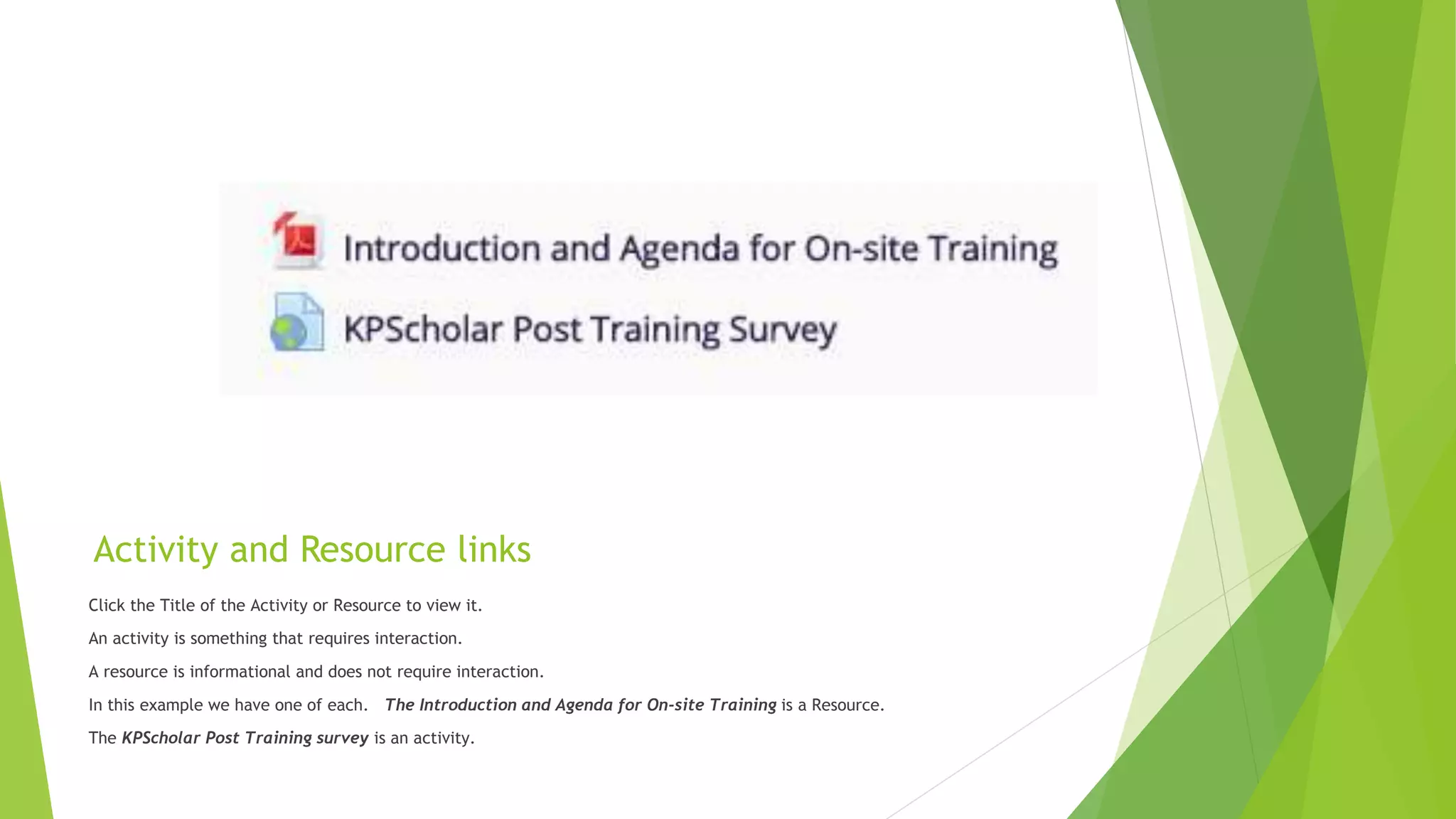
In this example we have one of each. The Introduction and Agenda for On-site Training is a Resource.
The KPScholar Post Training survey is an activity.
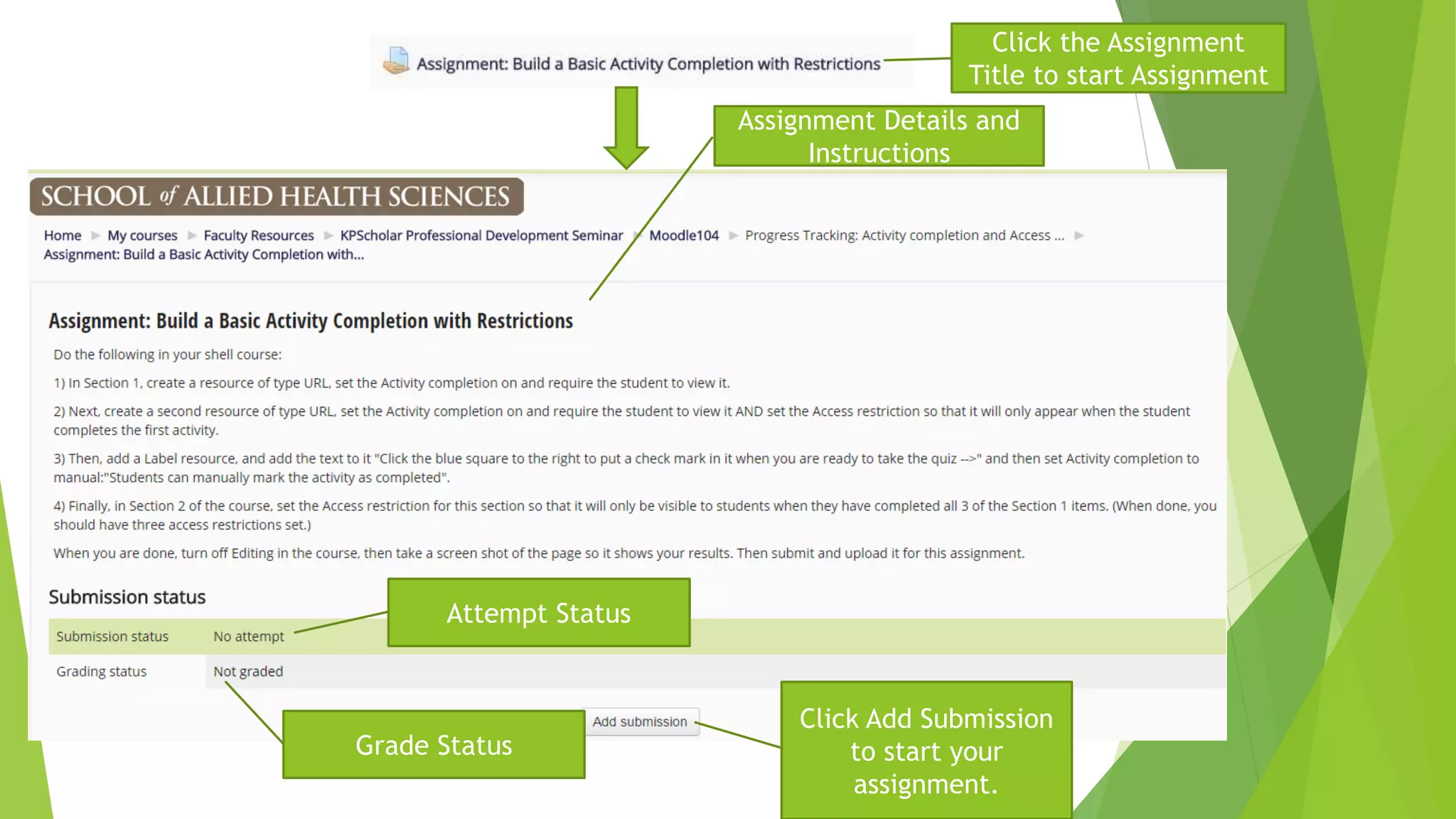
Click Add Submission
to start your
assignment.
Click the Assignment
Title to start Assignment
Assignment Details and
Instructions
Attempt Status
Grade Status
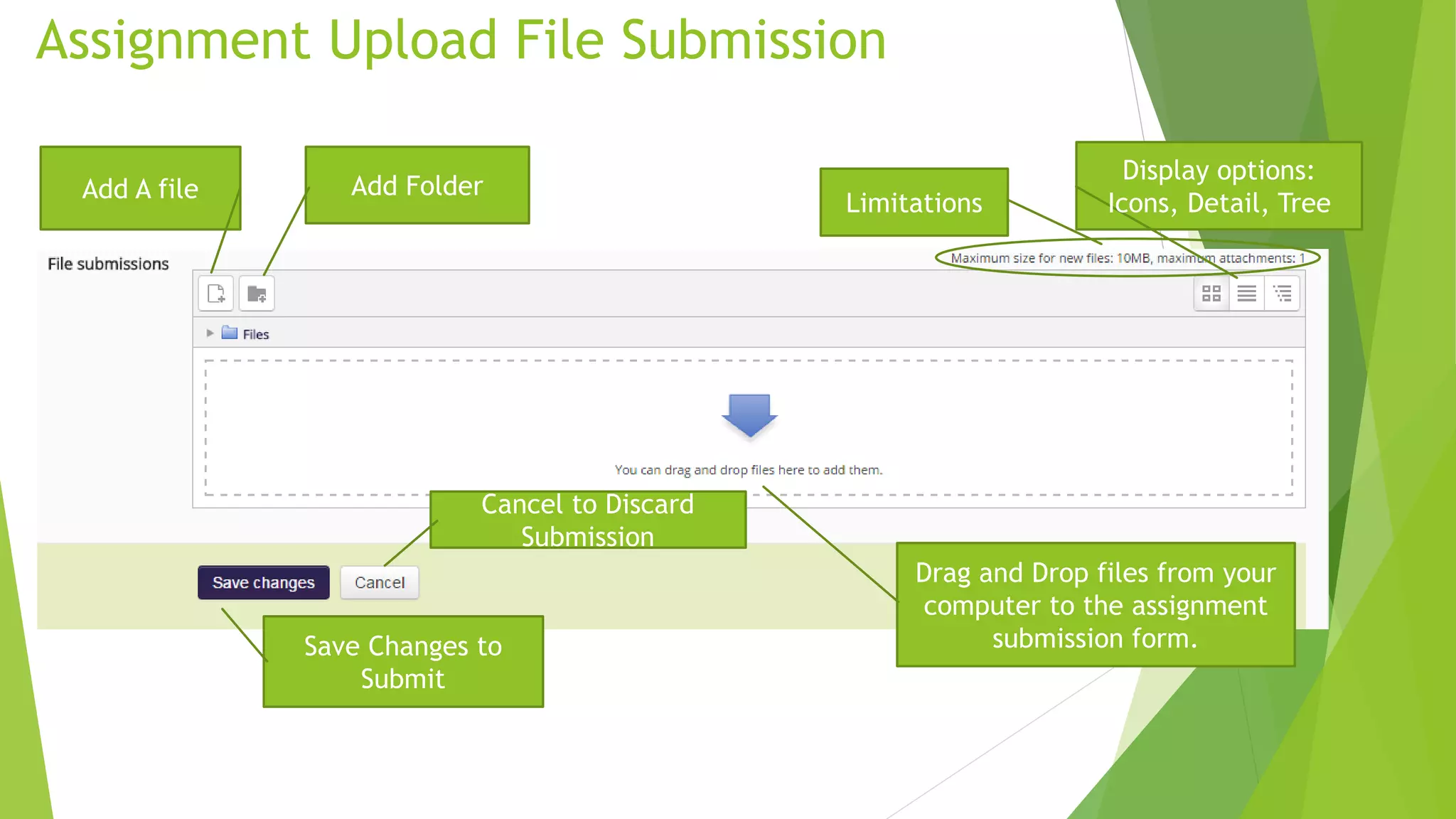
Add A file Add Folder
Display options:
Icons, Detail, TreeLimitations
Drag and Drop files from your
computer to the assignment
submission form.Save Changes to
Submit
Cancel to Discard
Submission
Assignment Upload File Submission
Assignment Upload File Submission Continued.
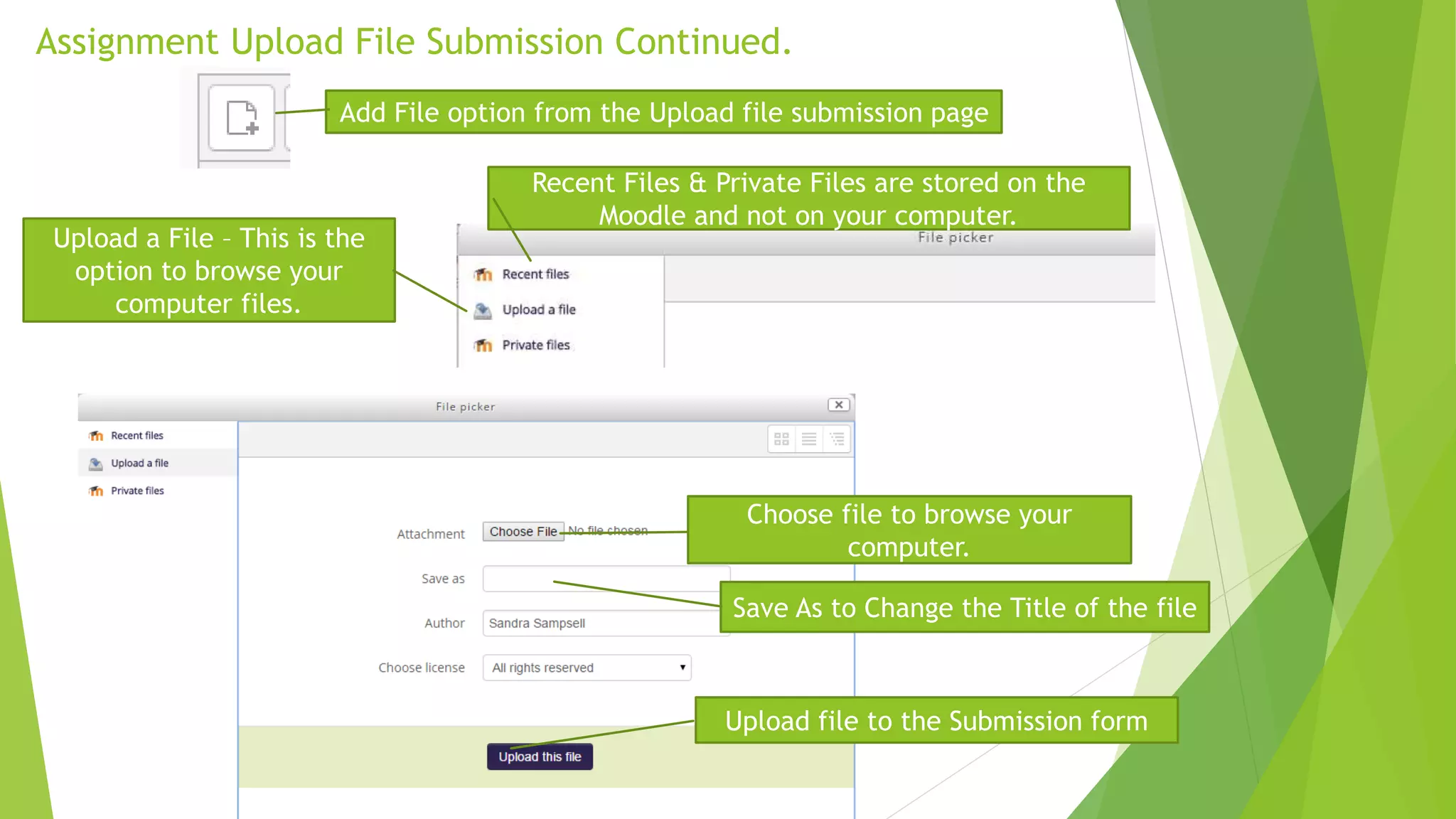
Recent Files & Private Files are stored on the
Moodle and not on your computer.
Upload a File – This is the
option to browse your
computer files.
Choose file to browse your
computer.
Save As to Change the Title of the file
Upload file to the Submission form
Add File option from the Upload file submission page

Kaiser participant orientation - activity & resources

  • 1.
  • 2.
    Activities:  Assignments  Quizzes Discussions Resources:  PDF’s  Videos
  • 3.
    Activity and Resourcelinks Click the Title of the Activity or Resource to view it. An activity is something that requires interaction. A resource is informational and does not require interaction. In this example we have one of each. The Introduction and Agenda for On-site Training is a Resource. The KPScholar Post Training survey is an activity.
  • 4.
    Click Add Submission tostart your assignment. Click the Assignment Title to start Assignment Assignment Details and Instructions Attempt Status Grade Status
  • 5.
    Add A fileAdd Folder Display options: Icons, Detail, TreeLimitations Drag and Drop files from your computer to the assignment submission form.Save Changes to Submit Cancel to Discard Submission Assignment Upload File Submission
  • 6.
    Assignment Upload FileSubmission Continued. Recent Files & Private Files are stored on the Moodle and not on your computer. Upload a File – This is the option to browse your computer files. Choose file to browse your computer. Save As to Change the Title of the file Upload file to the Submission form Add File option from the Upload file submission page