Copyright © 2017, Oracle and/or its affiliates. All rights reserved. |
JSON And
The Oracle Database
1
Maria Colgan
Master Product Manager
Oracle Database Server Technologies
June 2018
JEFF
@SQLMaria
Copyright © 2017, Oracle and/or its affiliates. All rights reserved. |
What is JSON?
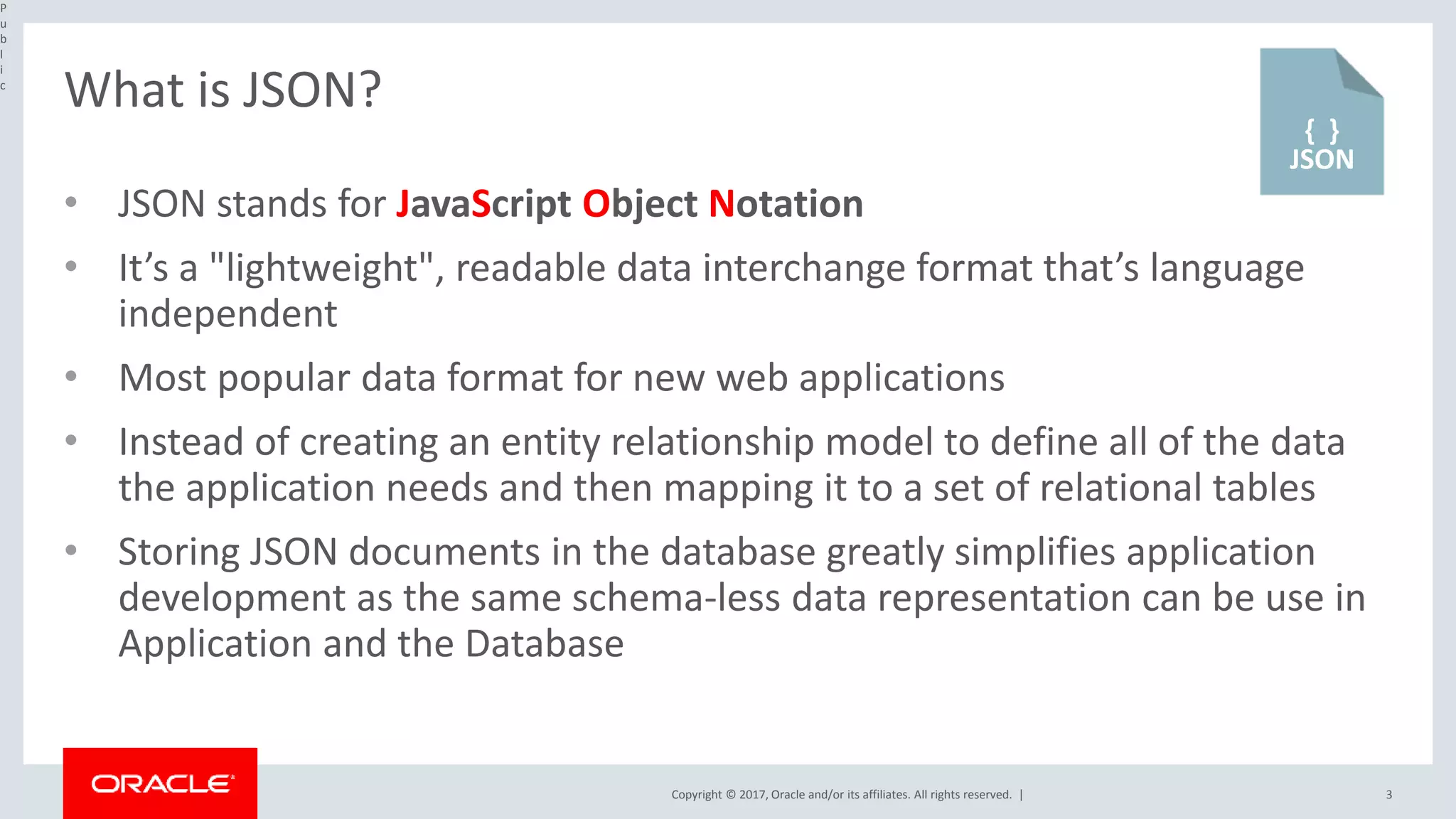
• JSON stands for JavaScript Object Notation
• It’s a "lightweight", readable data interchange format that’s language
independent
• Most popular data format for new web applications
• Instead of creating an entity relationship model to define all of the data
the application needs and then mapping it to a set of relational tables
• Storing JSON documents in the database greatly simplifies application
development as the same schema-less data representation can be use in
Application and the Database
P
u
b
l
i
c
3
{}
JSON
Copyright © 2017, Oracle and/or its affiliates. All rights reserved. | 4
What is JSON?
{"id":1,
"name":"Century 16",
"location":{"street":"Main St",
"city":"Redwood",
"zipCode":"94607",
"state":"CA",
"phoneNumber":null
},
"ticketPrice":{"adultPrice":14.95,
"childPrice":9.95,
"seniorPrice":9.95
}
}
Public
• A data format that consists of one or more
name value pairs enclosed in curly brackets
• The name is always a string and is separated
from the value by a colon
• A value can be a number, string, true, false
null, an object or array
• E.g. location is an object as it has random set of
name value pairs nested inside , enclosed in { }
• An array is an ordered list of related items which
could be JSON objects and is enclosed in [ ]
• Each pair is separated by a comma
Copyright © 2017, Oracle and/or its affiliates. All rights reserved. | 5
Storing JSON in the Oracle Database
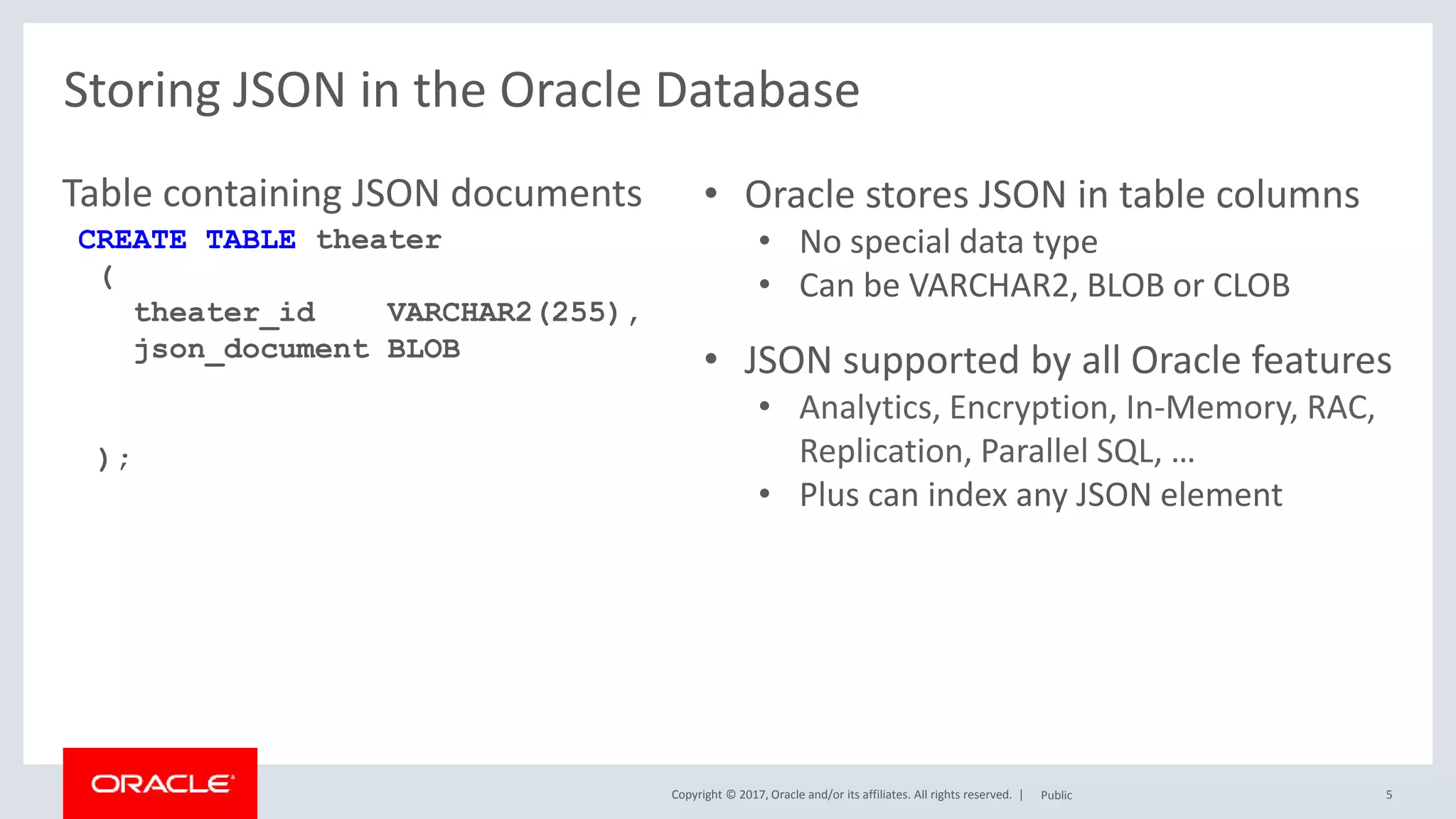
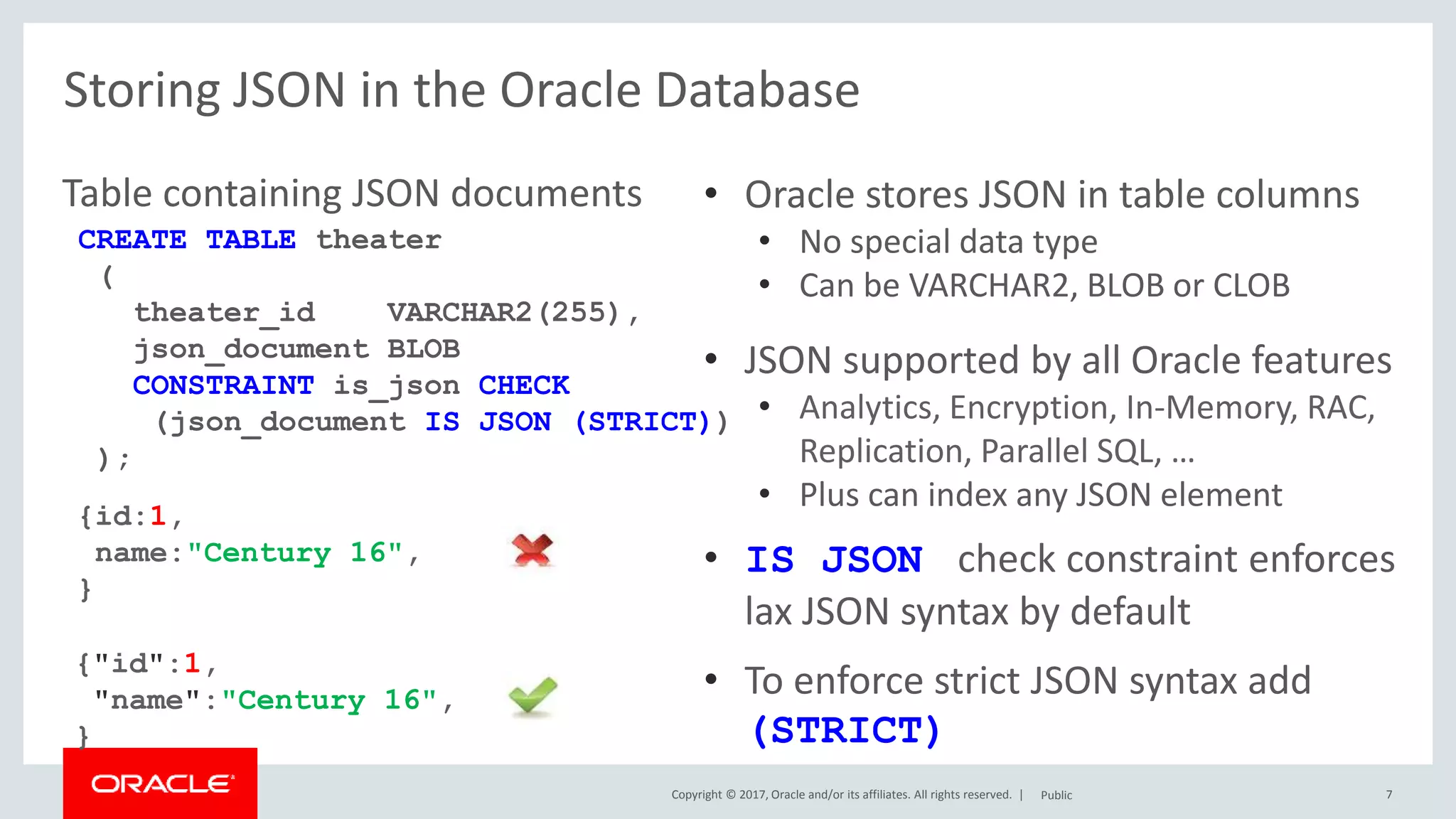
Table containing JSON documents
Public
• Oracle stores JSON in table columns
• No special data type
• Can be VARCHAR2, BLOB or CLOB
• JSON supported by all Oracle features
• Analytics, Encryption, In-Memory, RAC,
Replication, Parallel SQL, …
• Plus can index any JSON element
CREATE TABLE theater
(
theater_id VARCHAR2(255),
json_document BLOB
);
Copyright © 2017, Oracle and/or its affiliates. All rights reserved. | 6
Storing JSON in the Oracle Database
Table containing JSON documents
Public
• Oracle stores JSON in table columns
• No special data type
• Can be VARCHAR2, BLOB or CLOB
• JSON supported by all Oracle features
• Analytics, Encryption, In-Memory, RAC,
Replication, Parallel SQL, …
• Plus can index any JSON element
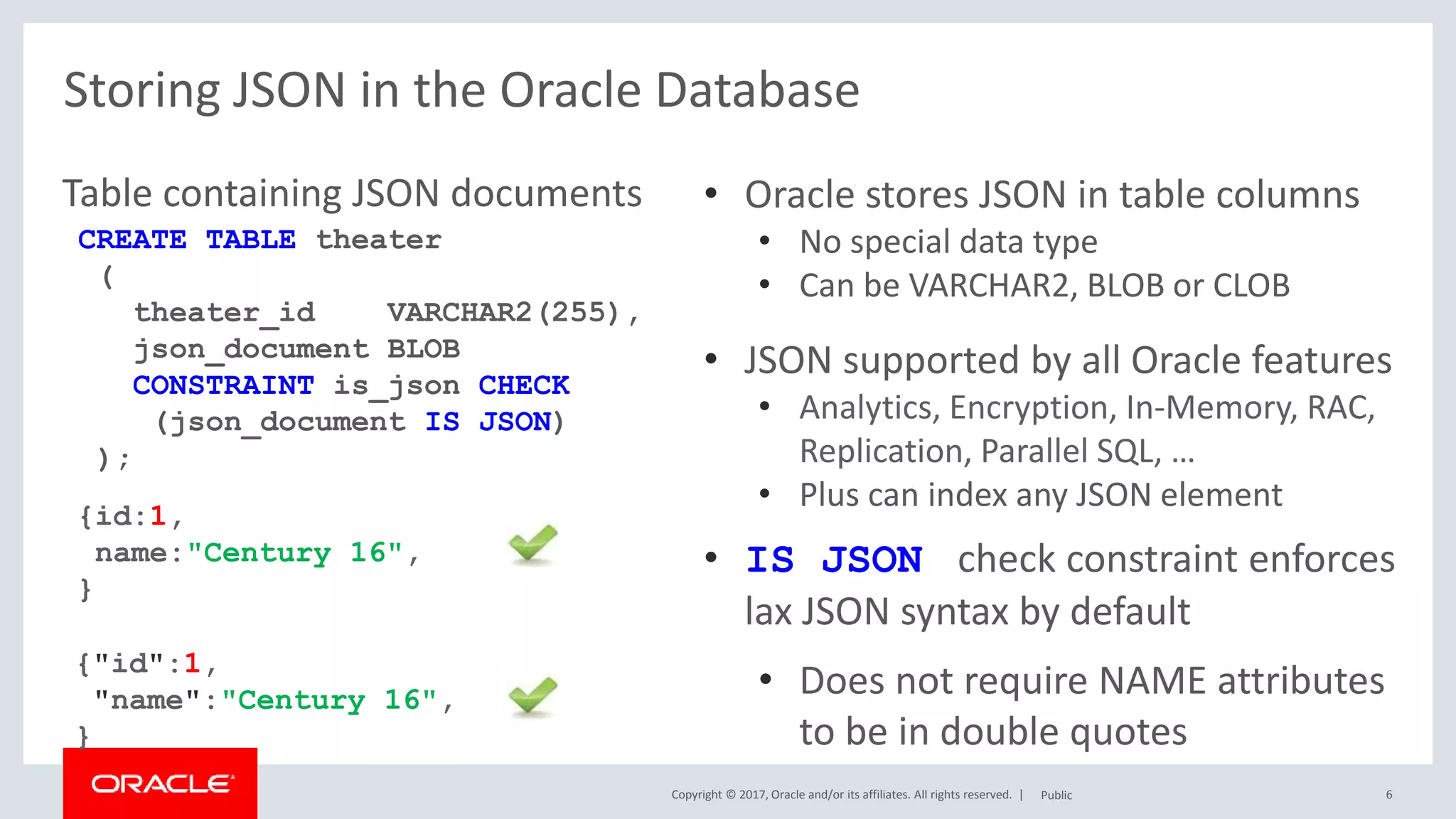
• IS JSON check constraint enforces
lax JSON syntax by default
• Does not require NAME attributes
to be in double quotes
CREATE TABLE theater
(
theater_id VARCHAR2(255),
json_document BLOB
CONSTRAINT is_json CHECK
(json_document IS JSON)
);
{"id":1,
"name":"Century 16",
}
{id:1,
name:"Century 16",
}
Copyright © 2017, Oracle and/or its affiliates. All rights reserved. | 7
Storing JSON in the Oracle Database
Table containing JSON documents
Public
• Oracle stores JSON in table columns
• No special data type
• Can be VARCHAR2, BLOB or CLOB
• JSON supported by all Oracle features
• Analytics, Encryption, In-Memory, RAC,
Replication, Parallel SQL, …
• Plus can index any JSON element
• IS JSON check constraint enforces
lax JSON syntax by default
• To enforce strict JSON syntax add
(STRICT)
CREATE TABLE theater
(
theater_id VARCHAR2(255),
json_document BLOB
CONSTRAINT is_json CHECK
(json_document IS JSON (STRICT))
);
{"id":1,
"name":"Century 16",
}
{id:1,
name:"Century 16",
}
Copyright © 2017, Oracle and/or its affiliates. All rights reserved. |
Storing JSON in the Oracle Database
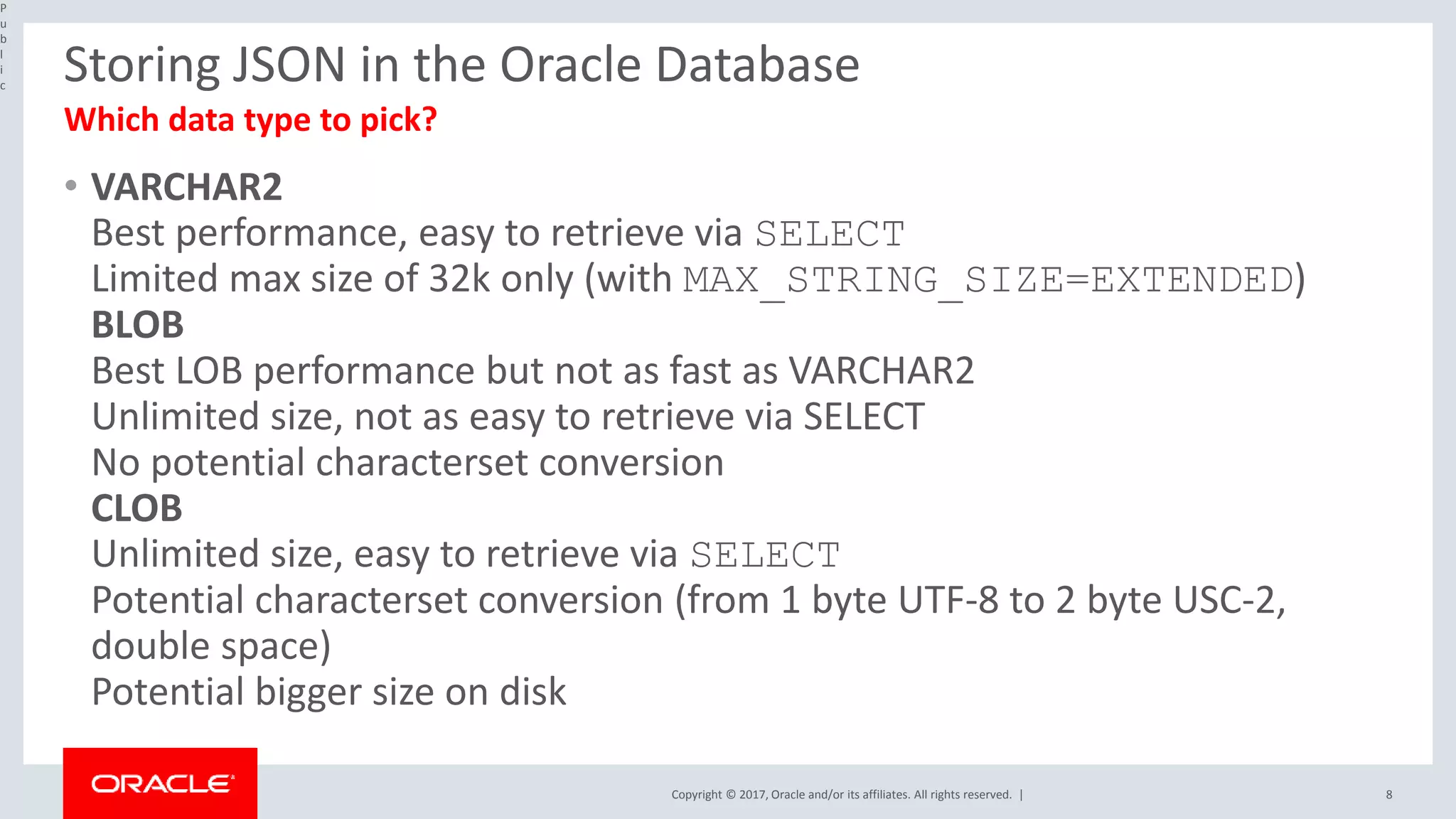
• VARCHAR2
Best performance, easy to retrieve via SELECT
Limited max size of 32k only (with MAX_STRING_SIZE=EXTENDED)
BLOB
Best LOB performance but not as fast as VARCHAR2
Unlimited size, not as easy to retrieve via SELECT
No potential characterset conversion
CLOB
Unlimited size, easy to retrieve via SELECT
Potential characterset conversion (from 1 byte UTF-8 to 2 byte USC-2,
double space)
Potential bigger size on disk
P
u
b
l
i
c
8
Which data type to pick?
Copyright © 2017, Oracle and/or its affiliates. All rights reserved. |
Inserting JSON in the Oracle Database
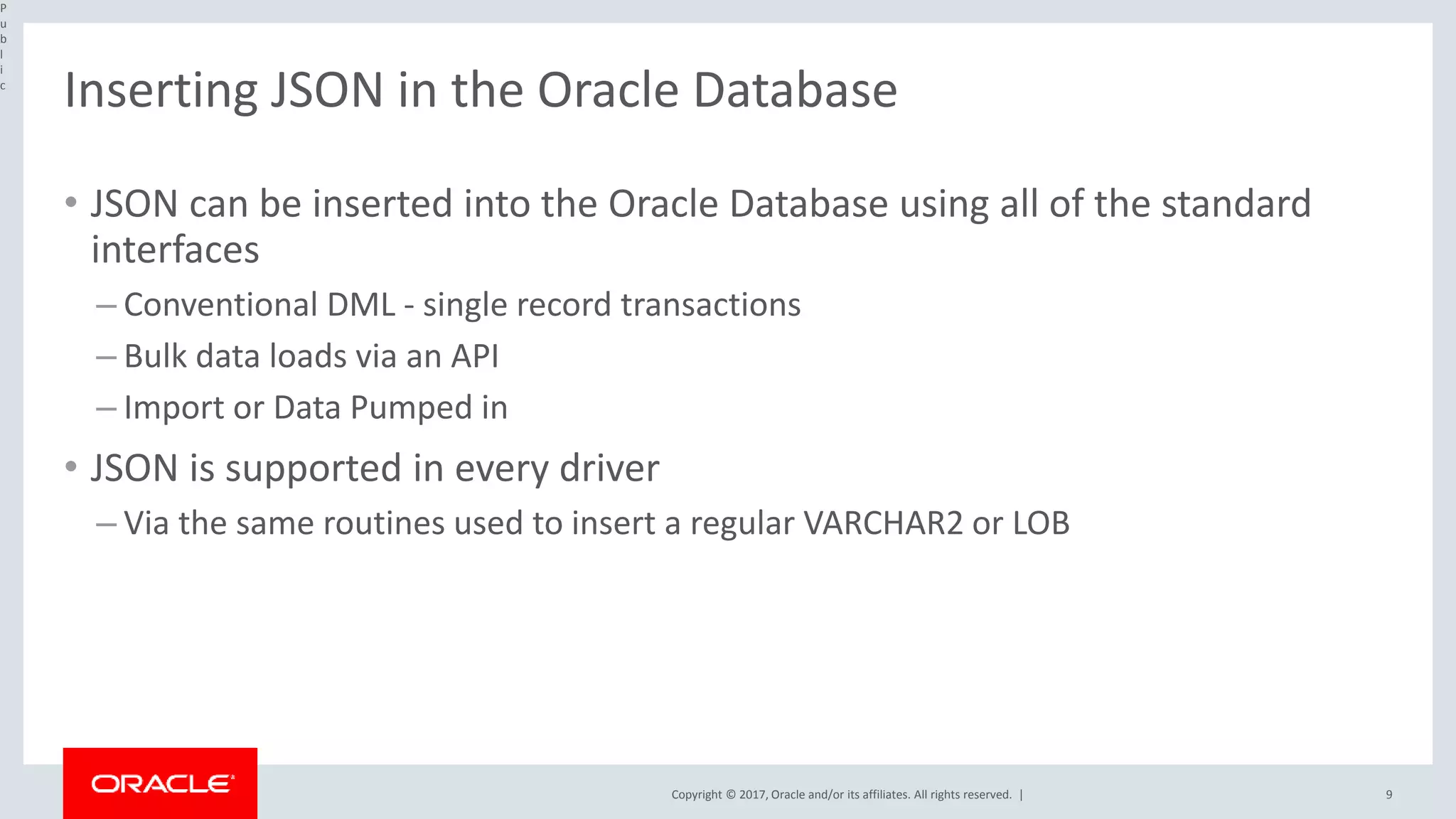
• JSON can be inserted into the Oracle Database using all of the standard
interfaces
– Conventional DML - single record transactions
– Bulk data loads via an API
– Import or Data Pumped in
• JSON is supported in every driver
– Via the same routines used to insert a regular VARCHAR2 or LOB
P
u
b
l
i
c
9
Copyright © 2017, Oracle and/or its affiliates. All rights reserved. |
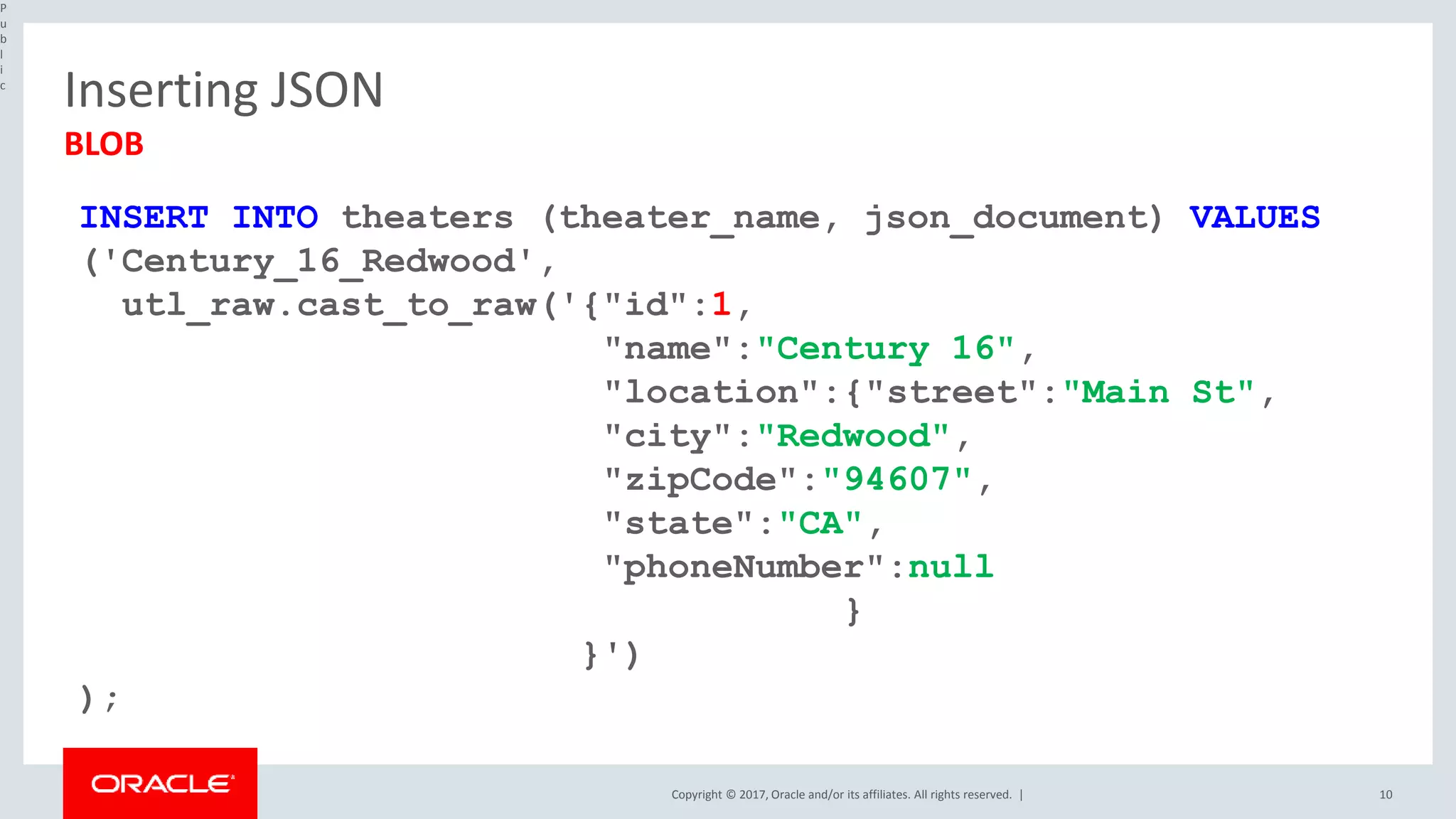
Inserting JSON
P
u
b
l
i
c
10
BLOB
INSERT INTO theaters (theater_name, json_document) VALUES
('Century_16_Redwood',
utl_raw.cast_to_raw('{"id":1,
"name":"Century 16",
"location":{"street":"Main St",
"city":"Redwood",
"zipCode":"94607",
"state":"CA",
"phoneNumber":null
}
}')
);
Copyright © 2017, Oracle and/or its affiliates. All rights reserved. |
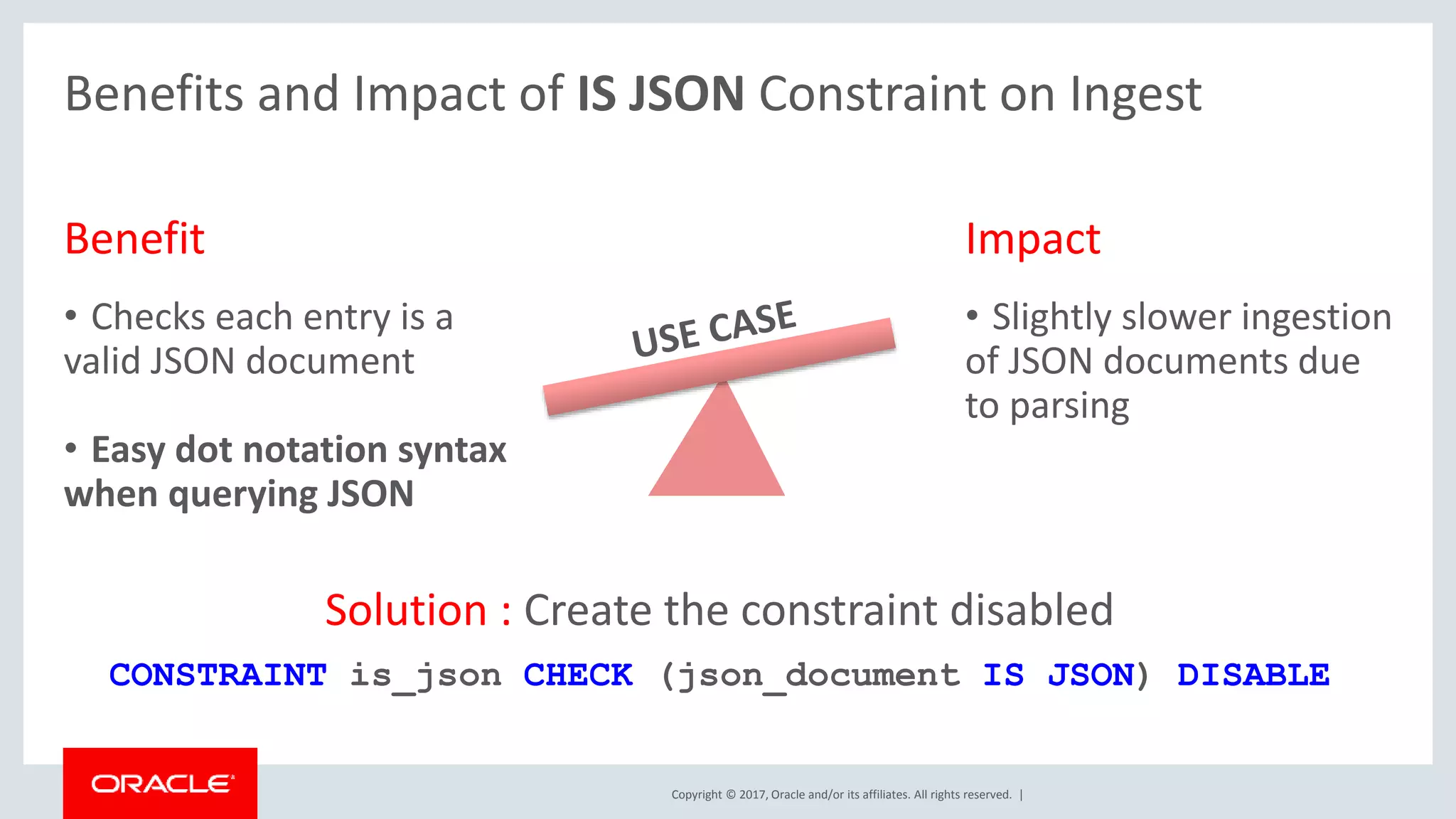
Benefit
• Checks each entry is a
valid JSON document
• Easy dot notation syntax
when querying JSON
Impact
• Slightly slower ingestion
of JSON documents due
to parsing
Solution : Create the constraint disabled
CONSTRAINT is_json CHECK (json_document IS JSON) DISABLE
Benefits and Impact of IS JSON Constraint on Ingest
Copyright © 2017, Oracle and/or its affiliates. All rights reserved. | 12
Native SQL Support for JSON
12.2 JSON
Public
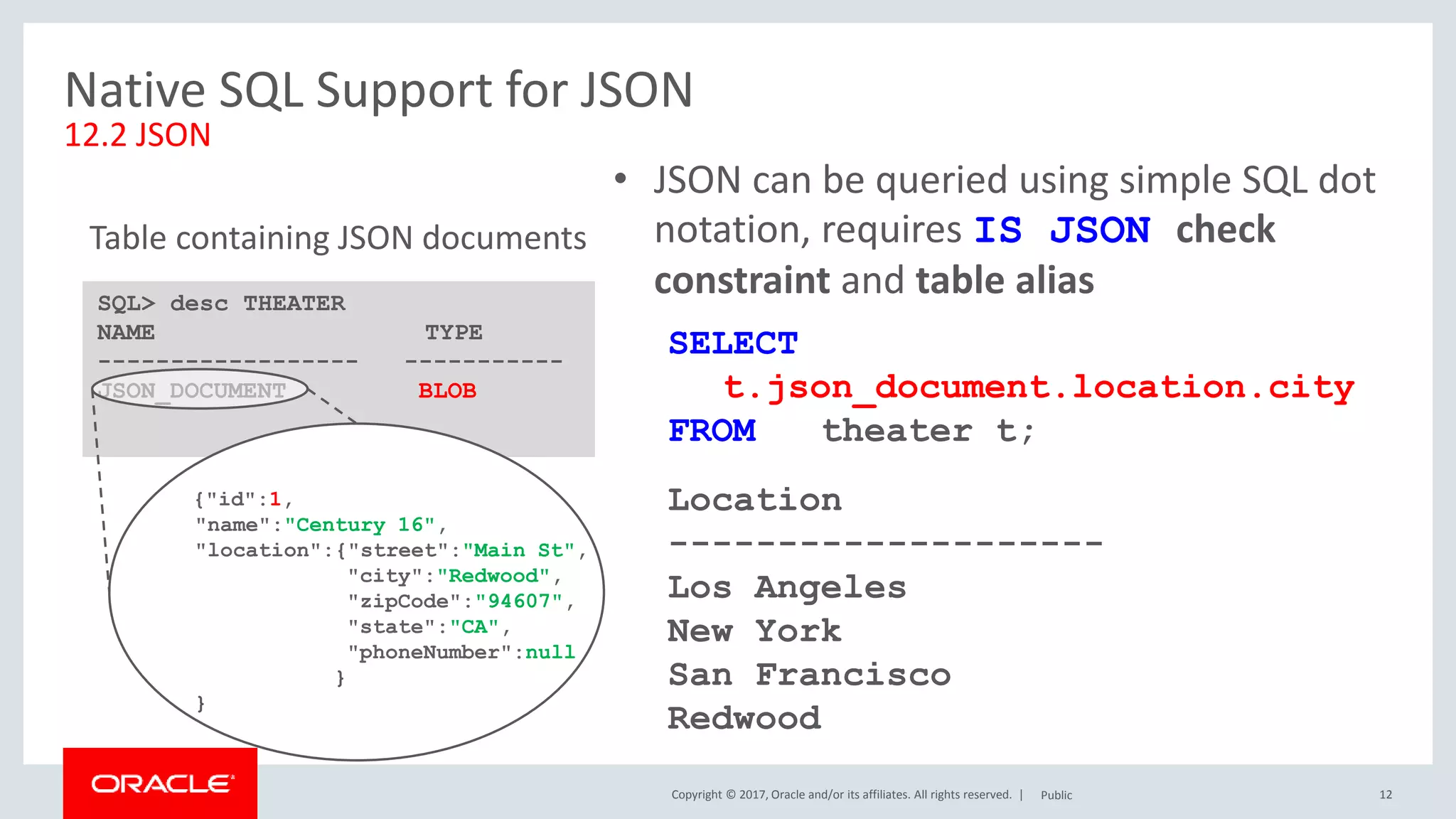
SELECT
t.json_document.location.city
FROM theater t;
Location
--------------------
Los Angeles
New York
San Francisco
Redwood
SQL> desc THEATER
NAME TYPE
------------------ -----------
JSON_DOCUMENT BLOB
Table containing JSON documents
{"id":1,
"name":"Century 16",
"location":{"street":"Main St",
"city":"Redwood",
"zipCode":"94607",
"state":"CA",
"phoneNumber":null
}
}
• JSON can be queried using simple SQL dot
notation, requires IS JSON check
constraint and table alias
Copyright © 2017, Oracle and/or its affiliates. All rights reserved. | 13
Alternative Mechanisms for Querying JSON
Public
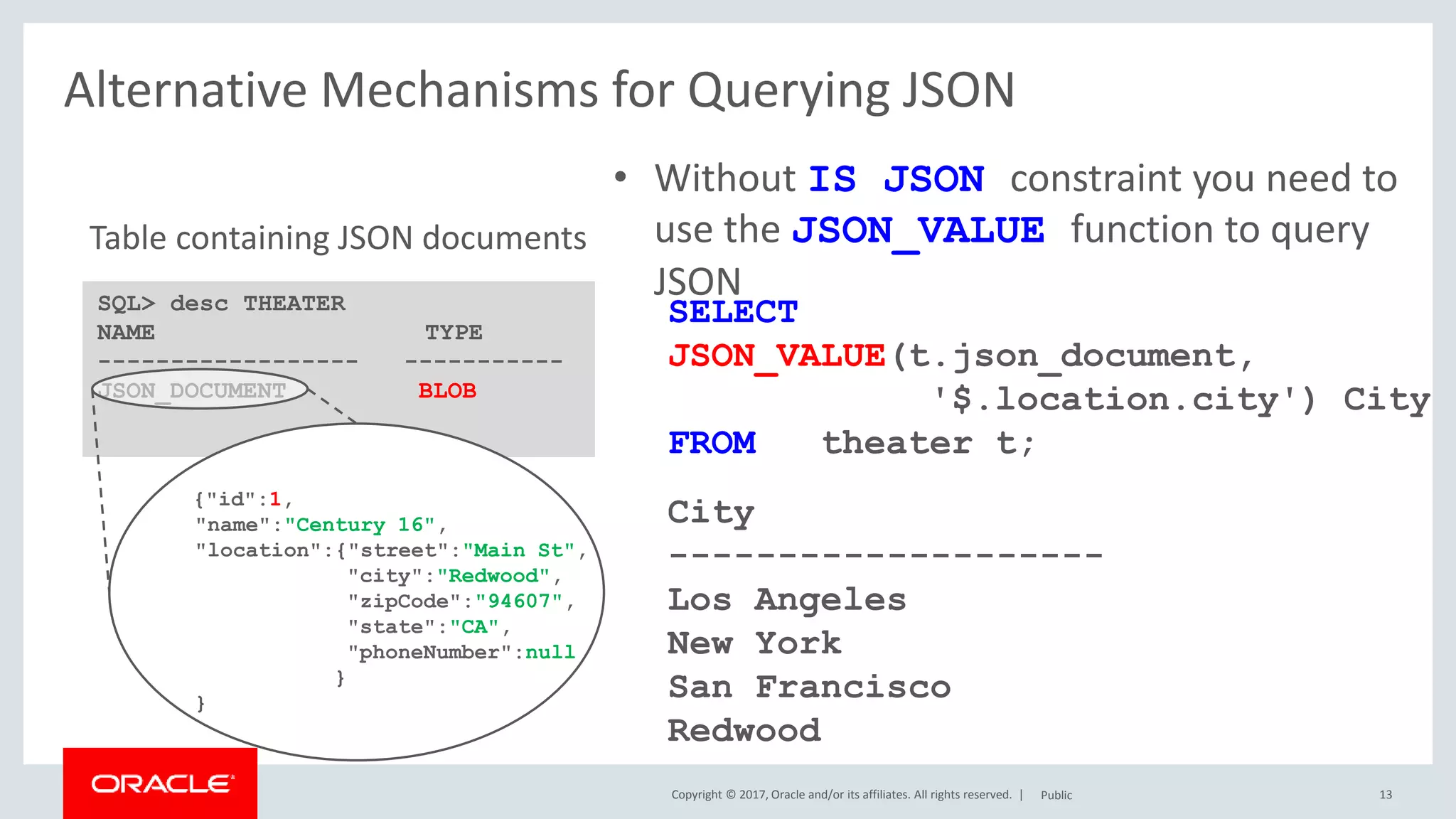
SELECT
JSON_VALUE(t.json_document,
'$.location.city') City
FROM theater t;
City
--------------------
Los Angeles
New York
San Francisco
Redwood
SQL> desc THEATER
NAME TYPE
------------------ -----------
JSON_DOCUMENT BLOB
Table containing JSON documents
• Without IS JSON constraint you need to
use the JSON_VALUE function to query
JSON
{"id":1,
"name":"Century 16",
"location":{"street":"Main St",
"city":"Redwood",
"zipCode":"94607",
"state":"CA",
"phoneNumber":null
}
}
Copyright © 2017, Oracle and/or its affiliates. All rights reserved. |
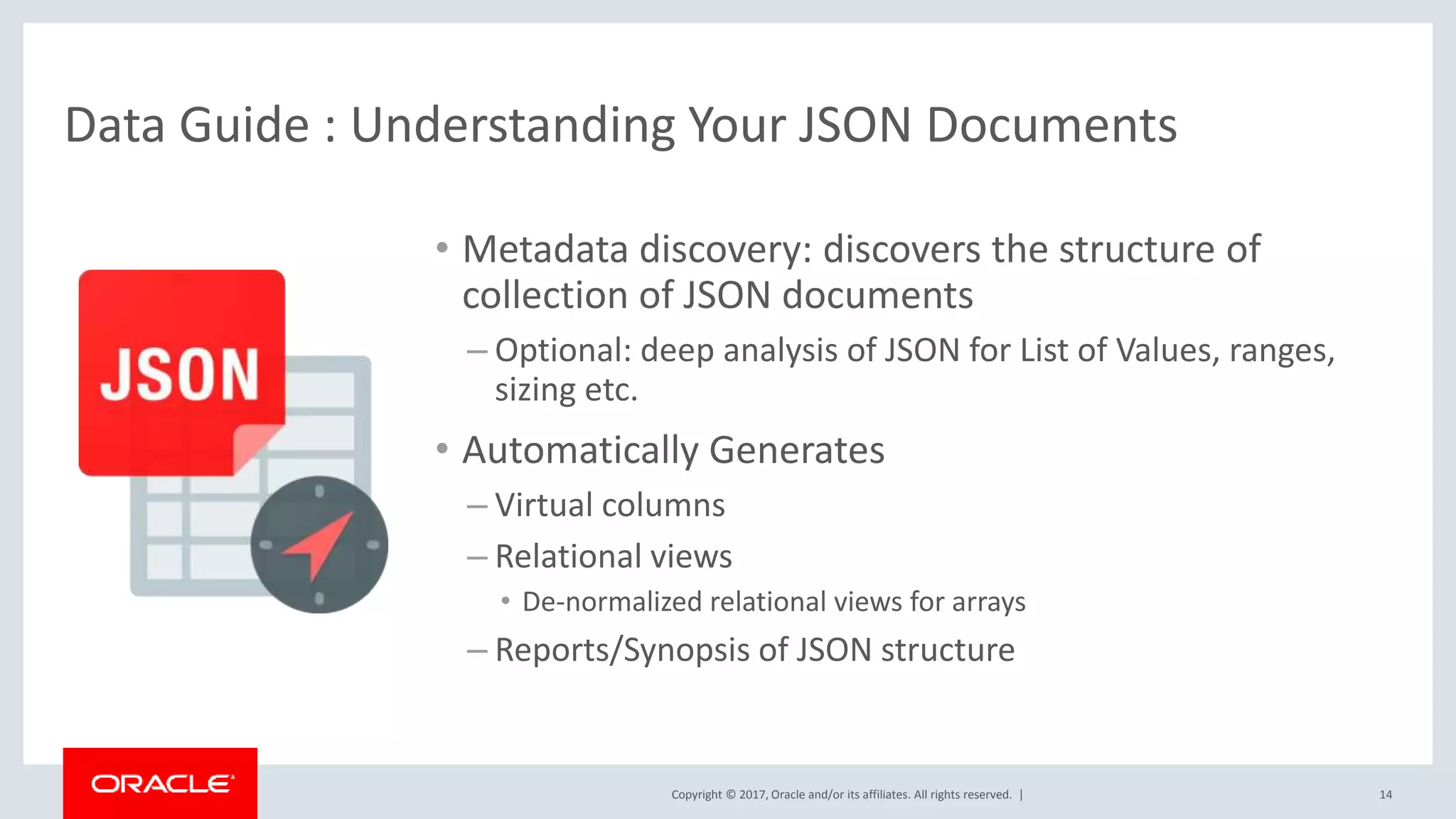
Data Guide : Understanding Your JSON Documents
• Metadata discovery: discovers the structure of
collection of JSON documents
– Optional: deep analysis of JSON for List of Values, ranges,
sizing etc.
• Automatically Generates
– Virtual columns
– Relational views
• De-normalized relational views for arrays
– Reports/Synopsis of JSON structure
14
Copyright © 2017, Oracle and/or its affiliates. All rights reserved. | 15
SQL> SELECT JSON_DATAGUIDE(t.json_documents)
FROM theater t;
JSON_DATAGUIDE(T.JSON_DOCUMENTS)
----------------------------------------------------------------------
[ {"o:path": "$.Id", "type": ”number", "o:length": 132},
{"o:path": "$.Name", "type": "string", "o:length": 256},
{"o:path": "$.Location", "type": ”object", "o:length": 64 },
{"o:path": "$.Location.Street", "type": ”number", "o:length": 132},
....
{"o:path": "$.Tickets", "type": ”object", "o:length": 64 },
{"o:path": "$.Tickets. AdultPrice","type": ”number", "o:length": 5 },
....
]
Data Guide : Understanding Your JSON Documents
Copyright © 2017, Oracle and/or its affiliates. All rights reserved. | 16
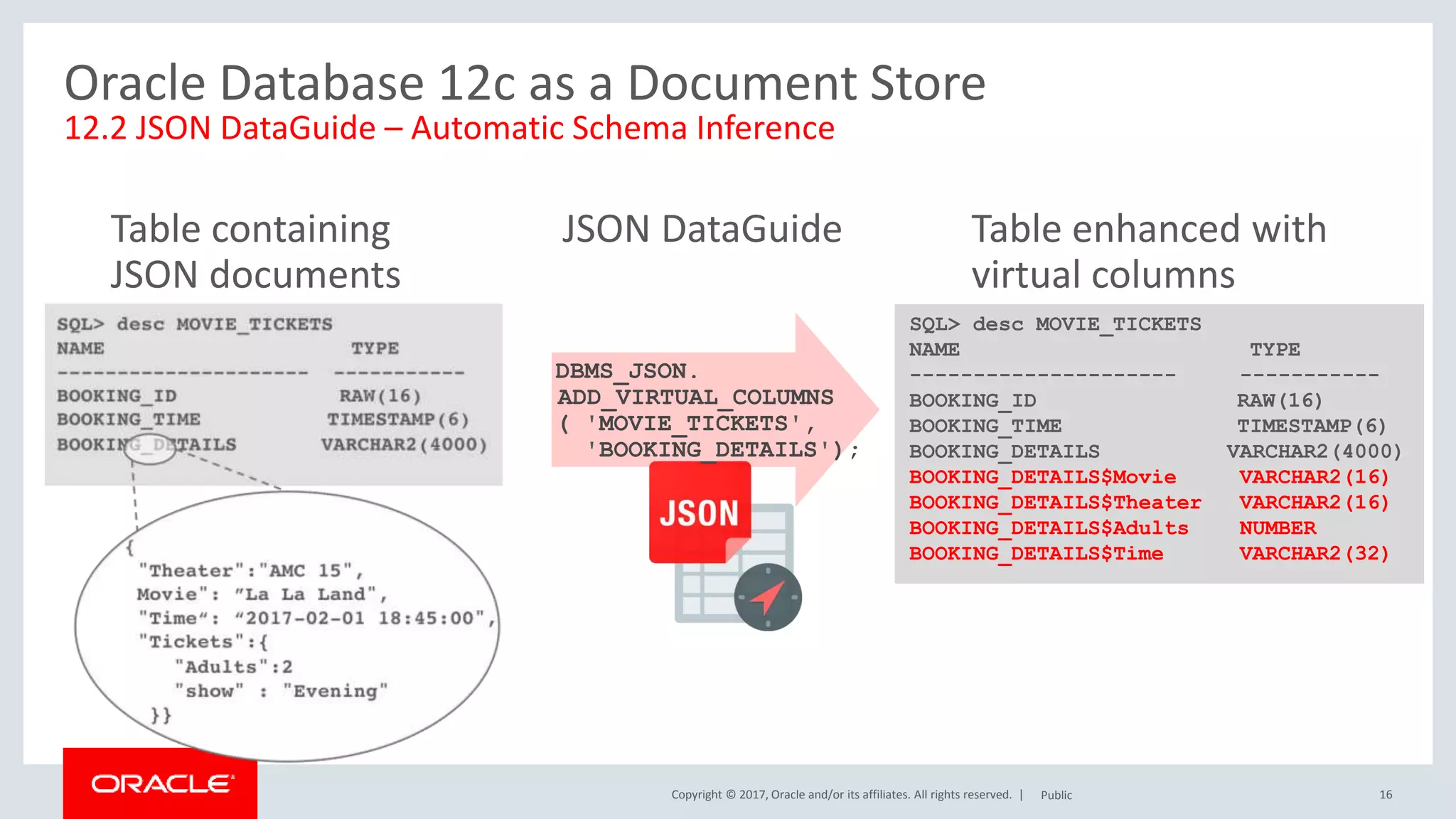
Oracle Database 12c as a Document Store
12.2 JSON DataGuide – Automatic Schema Inference
Table containing
JSON documents
JSON DataGuide Table enhanced with
virtual columns
SQL> desc MOVIE_TICKETS
NAME TYPE
--------------------- -----------
BOOKING_ID RAW(16)
BOOKING_TIME TIMESTAMP(6)
BOOKING_DETAILS VARCHAR2(4000)
BOOKING_DETAILS$Movie VARCHAR2(16)
BOOKING_DETAILS$Theater VARCHAR2(16)
BOOKING_DETAILS$Adults NUMBER
BOOKING_DETAILS$Time VARCHAR2(32)
DBMS_JSON.
ADD_VIRTUAL_COLUMNS
( 'MOVIE_TICKETS',
'BOOKING_DETAILS');
Public
Copyright © 2017, Oracle and/or its affiliates. All rights reserved. |
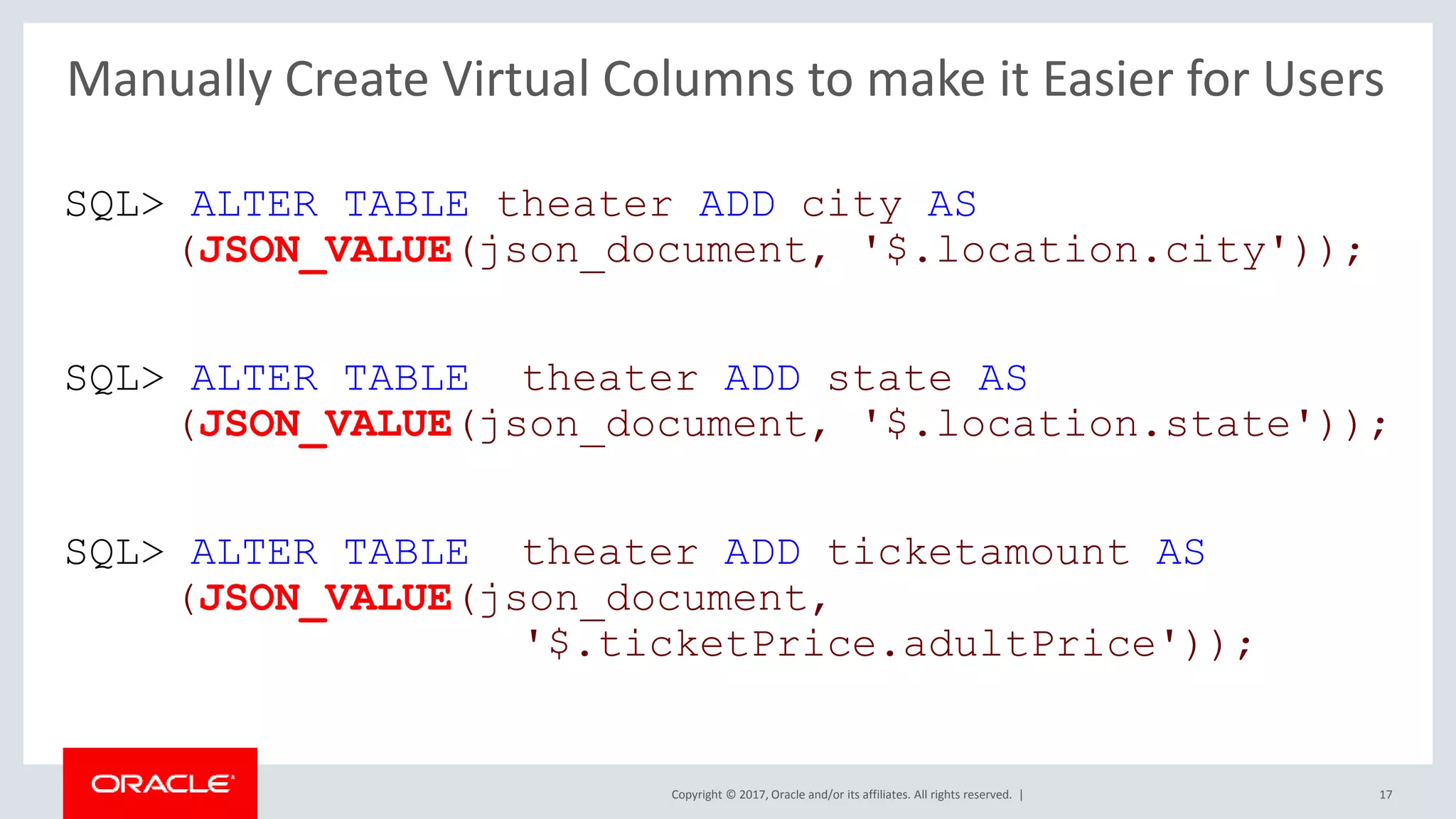
SQL> ALTER TABLE theater ADD city AS
(JSON_VALUE(json_document, '$.location.city'));
SQL> ALTER TABLE theater ADD state AS
(JSON_VALUE(json_document, '$.location.state'));
SQL> ALTER TABLE theater ADD ticketamount AS
(JSON_VALUE(json_document,
'$.ticketPrice.adultPrice'));
17
Manually Create Virtual Columns to make it Easier for Users
Copyright © 2017, Oracle and/or its affiliates. All rights reserved. |
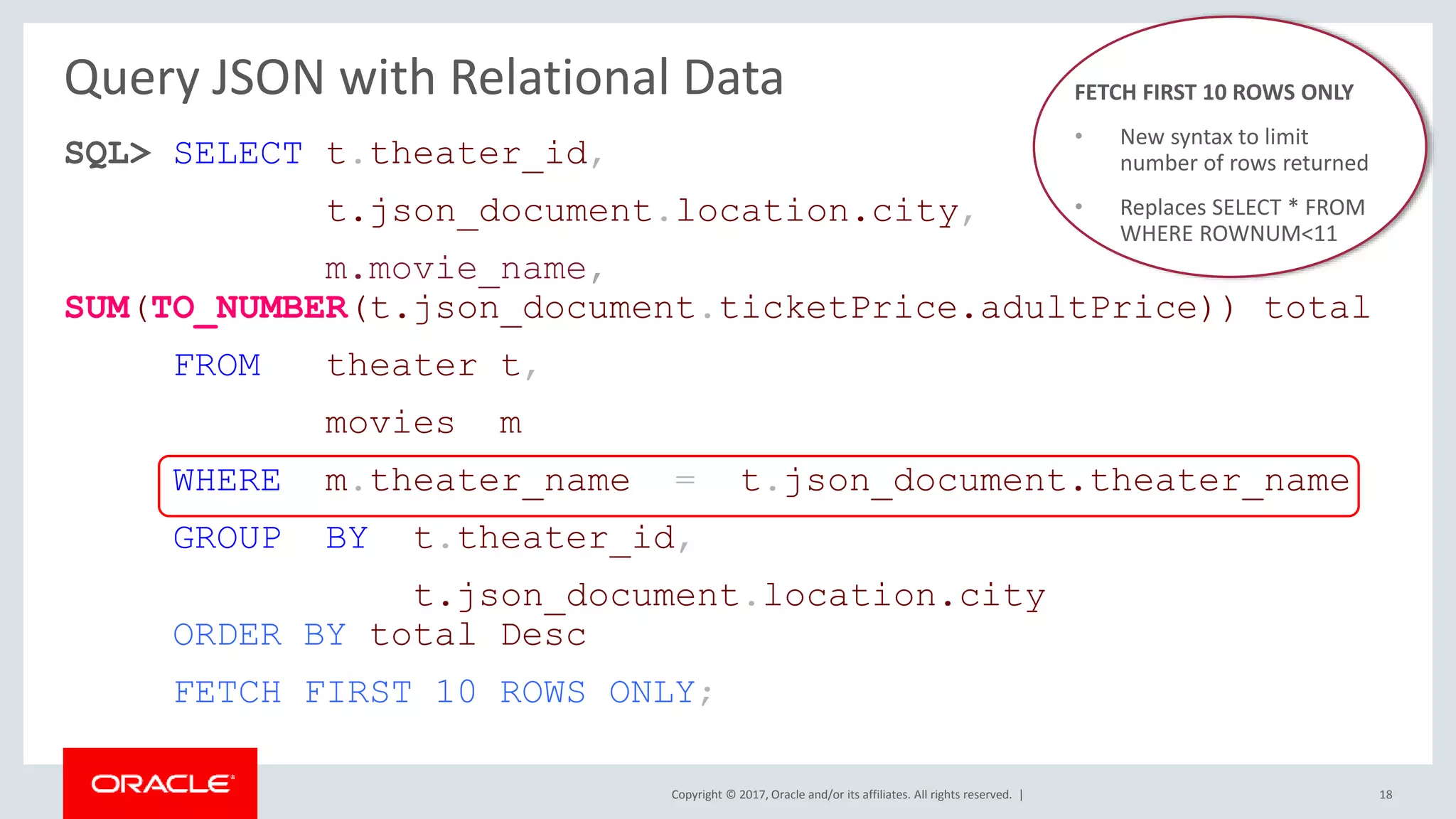
Query JSON with Relational Data
SQL> SELECT t.theater_id,
t.json_document.location.city,
m.movie_name,
SUM(TO_NUMBER(t.json_document.ticketPrice.adultPrice)) total
FROM theater t,
movies m
WHERE m.theater_name = t.json_document.theater_name
GROUP BY t.theater_id,
t.json_document.location.city
ORDER BY total Desc
FETCH FIRST 10 ROWS ONLY;
18
FETCH FIRST 10 ROWS ONLY
• New syntax to limit
number of rows returned
• Replaces SELECT * FROM
WHERE ROWNUM<11
Copyright © 2017, Oracle and/or its affiliates. All rights reserved. |
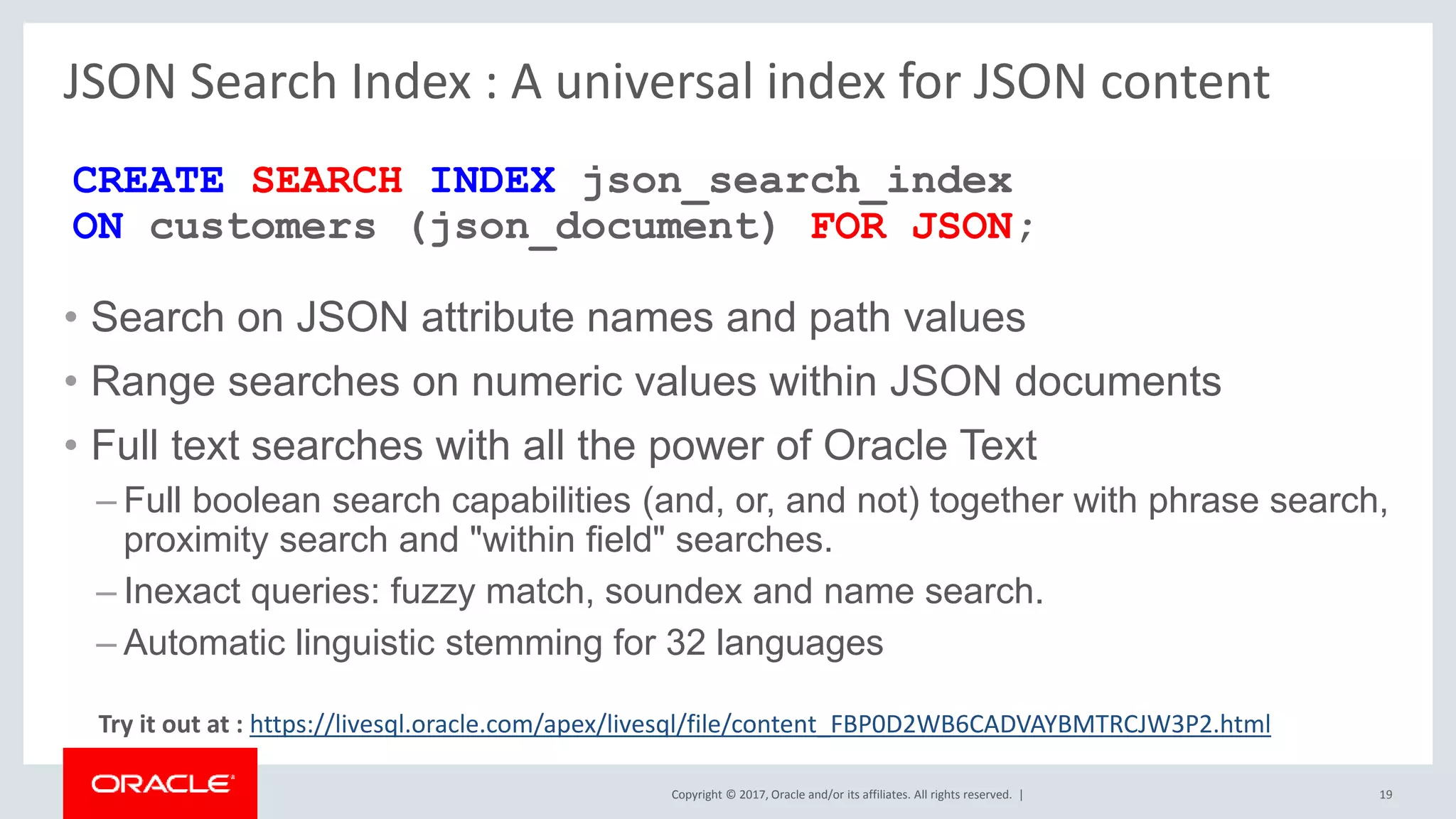
JSON Search Index : A universal index for JSON content
• Search on JSON attribute names and path values
• Range searches on numeric values within JSON documents
• Full text searches with all the power of Oracle Text
– Full boolean search capabilities (and, or, and not) together with phrase search,
proximity search and "within field" searches.
– Inexact queries: fuzzy match, soundex and name search.
– Automatic linguistic stemming for 32 languages
19
CREATE SEARCH INDEX json_search_index
ON customers (json_document) FOR JSON;
Try it out at : https://livesql.oracle.com/apex/livesql/file/content_FBP0D2WB6CADVAYBMTRCJW3P2.html
Copyright © 2017, Oracle and/or its affiliates. All rights reserved. |
Don’t be afraid of JSON ….
20
…. After all it’s really only a varchar

JSON and the Oracle Database

  • 1.
    Copyright © 2017,Oracle and/or its affiliates. All rights reserved. | JSON And The Oracle Database 1 Maria Colgan Master Product Manager Oracle Database Server Technologies June 2018 JEFF @SQLMaria
  • 2.
    Copyright © 2017,Oracle and/or its affiliates. All rights reserved. | What is JSON? • JSON stands for JavaScript Object Notation • It’s a "lightweight", readable data interchange format that’s language independent • Most popular data format for new web applications • Instead of creating an entity relationship model to define all of the data the application needs and then mapping it to a set of relational tables • Storing JSON documents in the database greatly simplifies application development as the same schema-less data representation can be use in Application and the Database P u b l i c 3 {} JSON
  • 3.
    Copyright © 2017,Oracle and/or its affiliates. All rights reserved. | 4 What is JSON? {"id":1, "name":"Century 16", "location":{"street":"Main St", "city":"Redwood", "zipCode":"94607", "state":"CA", "phoneNumber":null }, "ticketPrice":{"adultPrice":14.95, "childPrice":9.95, "seniorPrice":9.95 } } Public • A data format that consists of one or more name value pairs enclosed in curly brackets • The name is always a string and is separated from the value by a colon • A value can be a number, string, true, false null, an object or array • E.g. location is an object as it has random set of name value pairs nested inside , enclosed in { } • An array is an ordered list of related items which could be JSON objects and is enclosed in [ ] • Each pair is separated by a comma
  • 4.
    Copyright © 2017,Oracle and/or its affiliates. All rights reserved. | 5 Storing JSON in the Oracle Database Table containing JSON documents Public • Oracle stores JSON in table columns • No special data type • Can be VARCHAR2, BLOB or CLOB • JSON supported by all Oracle features • Analytics, Encryption, In-Memory, RAC, Replication, Parallel SQL, … • Plus can index any JSON element CREATE TABLE theater ( theater_id VARCHAR2(255), json_document BLOB );
  • 5.
    Copyright © 2017,Oracle and/or its affiliates. All rights reserved. | 6 Storing JSON in the Oracle Database Table containing JSON documents Public • Oracle stores JSON in table columns • No special data type • Can be VARCHAR2, BLOB or CLOB • JSON supported by all Oracle features • Analytics, Encryption, In-Memory, RAC, Replication, Parallel SQL, … • Plus can index any JSON element • IS JSON check constraint enforces lax JSON syntax by default • Does not require NAME attributes to be in double quotes CREATE TABLE theater ( theater_id VARCHAR2(255), json_document BLOB CONSTRAINT is_json CHECK (json_document IS JSON) ); {"id":1, "name":"Century 16", } {id:1, name:"Century 16", }
  • 6.
    Copyright © 2017,Oracle and/or its affiliates. All rights reserved. | 7 Storing JSON in the Oracle Database Table containing JSON documents Public • Oracle stores JSON in table columns • No special data type • Can be VARCHAR2, BLOB or CLOB • JSON supported by all Oracle features • Analytics, Encryption, In-Memory, RAC, Replication, Parallel SQL, … • Plus can index any JSON element • IS JSON check constraint enforces lax JSON syntax by default • To enforce strict JSON syntax add (STRICT) CREATE TABLE theater ( theater_id VARCHAR2(255), json_document BLOB CONSTRAINT is_json CHECK (json_document IS JSON (STRICT)) ); {"id":1, "name":"Century 16", } {id:1, name:"Century 16", }
  • 7.
    Copyright © 2017,Oracle and/or its affiliates. All rights reserved. | Storing JSON in the Oracle Database • VARCHAR2 Best performance, easy to retrieve via SELECT Limited max size of 32k only (with MAX_STRING_SIZE=EXTENDED) BLOB Best LOB performance but not as fast as VARCHAR2 Unlimited size, not as easy to retrieve via SELECT No potential characterset conversion CLOB Unlimited size, easy to retrieve via SELECT Potential characterset conversion (from 1 byte UTF-8 to 2 byte USC-2, double space) Potential bigger size on disk P u b l i c 8 Which data type to pick?
  • 8.
    Copyright © 2017,Oracle and/or its affiliates. All rights reserved. | Inserting JSON in the Oracle Database • JSON can be inserted into the Oracle Database using all of the standard interfaces – Conventional DML - single record transactions – Bulk data loads via an API – Import or Data Pumped in • JSON is supported in every driver – Via the same routines used to insert a regular VARCHAR2 or LOB P u b l i c 9
  • 9.
    Copyright © 2017,Oracle and/or its affiliates. All rights reserved. | Inserting JSON P u b l i c 10 BLOB INSERT INTO theaters (theater_name, json_document) VALUES ('Century_16_Redwood', utl_raw.cast_to_raw('{"id":1, "name":"Century 16", "location":{"street":"Main St", "city":"Redwood", "zipCode":"94607", "state":"CA", "phoneNumber":null } }') );
  • 10.
    Copyright © 2017,Oracle and/or its affiliates. All rights reserved. | Benefit • Checks each entry is a valid JSON document • Easy dot notation syntax when querying JSON Impact • Slightly slower ingestion of JSON documents due to parsing Solution : Create the constraint disabled CONSTRAINT is_json CHECK (json_document IS JSON) DISABLE Benefits and Impact of IS JSON Constraint on Ingest
  • 11.
    Copyright © 2017,Oracle and/or its affiliates. All rights reserved. | 12 Native SQL Support for JSON 12.2 JSON Public SELECT t.json_document.location.city FROM theater t; Location -------------------- Los Angeles New York San Francisco Redwood SQL> desc THEATER NAME TYPE ------------------ ----------- JSON_DOCUMENT BLOB Table containing JSON documents {"id":1, "name":"Century 16", "location":{"street":"Main St", "city":"Redwood", "zipCode":"94607", "state":"CA", "phoneNumber":null } } • JSON can be queried using simple SQL dot notation, requires IS JSON check constraint and table alias
  • 12.
    Copyright © 2017,Oracle and/or its affiliates. All rights reserved. | 13 Alternative Mechanisms for Querying JSON Public SELECT JSON_VALUE(t.json_document, '$.location.city') City FROM theater t; City -------------------- Los Angeles New York San Francisco Redwood SQL> desc THEATER NAME TYPE ------------------ ----------- JSON_DOCUMENT BLOB Table containing JSON documents • Without IS JSON constraint you need to use the JSON_VALUE function to query JSON {"id":1, "name":"Century 16", "location":{"street":"Main St", "city":"Redwood", "zipCode":"94607", "state":"CA", "phoneNumber":null } }
  • 13.
    Copyright © 2017,Oracle and/or its affiliates. All rights reserved. | Data Guide : Understanding Your JSON Documents • Metadata discovery: discovers the structure of collection of JSON documents – Optional: deep analysis of JSON for List of Values, ranges, sizing etc. • Automatically Generates – Virtual columns – Relational views • De-normalized relational views for arrays – Reports/Synopsis of JSON structure 14
  • 14.
    Copyright © 2017,Oracle and/or its affiliates. All rights reserved. | 15 SQL> SELECT JSON_DATAGUIDE(t.json_documents) FROM theater t; JSON_DATAGUIDE(T.JSON_DOCUMENTS) ---------------------------------------------------------------------- [ {"o:path": "$.Id", "type": ”number", "o:length": 132}, {"o:path": "$.Name", "type": "string", "o:length": 256}, {"o:path": "$.Location", "type": ”object", "o:length": 64 }, {"o:path": "$.Location.Street", "type": ”number", "o:length": 132}, .... {"o:path": "$.Tickets", "type": ”object", "o:length": 64 }, {"o:path": "$.Tickets. AdultPrice","type": ”number", "o:length": 5 }, .... ] Data Guide : Understanding Your JSON Documents
  • 15.
    Copyright © 2017,Oracle and/or its affiliates. All rights reserved. | 16 Oracle Database 12c as a Document Store 12.2 JSON DataGuide – Automatic Schema Inference Table containing JSON documents JSON DataGuide Table enhanced with virtual columns SQL> desc MOVIE_TICKETS NAME TYPE --------------------- ----------- BOOKING_ID RAW(16) BOOKING_TIME TIMESTAMP(6) BOOKING_DETAILS VARCHAR2(4000) BOOKING_DETAILS$Movie VARCHAR2(16) BOOKING_DETAILS$Theater VARCHAR2(16) BOOKING_DETAILS$Adults NUMBER BOOKING_DETAILS$Time VARCHAR2(32) DBMS_JSON. ADD_VIRTUAL_COLUMNS ( 'MOVIE_TICKETS', 'BOOKING_DETAILS'); Public
  • 16.
    Copyright © 2017,Oracle and/or its affiliates. All rights reserved. | SQL> ALTER TABLE theater ADD city AS (JSON_VALUE(json_document, '$.location.city')); SQL> ALTER TABLE theater ADD state AS (JSON_VALUE(json_document, '$.location.state')); SQL> ALTER TABLE theater ADD ticketamount AS (JSON_VALUE(json_document, '$.ticketPrice.adultPrice')); 17 Manually Create Virtual Columns to make it Easier for Users
  • 17.
    Copyright © 2017,Oracle and/or its affiliates. All rights reserved. | Query JSON with Relational Data SQL> SELECT t.theater_id, t.json_document.location.city, m.movie_name, SUM(TO_NUMBER(t.json_document.ticketPrice.adultPrice)) total FROM theater t, movies m WHERE m.theater_name = t.json_document.theater_name GROUP BY t.theater_id, t.json_document.location.city ORDER BY total Desc FETCH FIRST 10 ROWS ONLY; 18 FETCH FIRST 10 ROWS ONLY • New syntax to limit number of rows returned • Replaces SELECT * FROM WHERE ROWNUM<11
  • 18.
    Copyright © 2017,Oracle and/or its affiliates. All rights reserved. | JSON Search Index : A universal index for JSON content • Search on JSON attribute names and path values • Range searches on numeric values within JSON documents • Full text searches with all the power of Oracle Text – Full boolean search capabilities (and, or, and not) together with phrase search, proximity search and "within field" searches. – Inexact queries: fuzzy match, soundex and name search. – Automatic linguistic stemming for 32 languages 19 CREATE SEARCH INDEX json_search_index ON customers (json_document) FOR JSON; Try it out at : https://livesql.oracle.com/apex/livesql/file/content_FBP0D2WB6CADVAYBMTRCJW3P2.html
  • 19.
    Copyright © 2017,Oracle and/or its affiliates. All rights reserved. | Don’t be afraid of JSON …. 20 …. After all it’s really only a varchar

Editor's Notes

  • #11 utl_raw.cast_to_raw is used to convert the string into a BLOB.
  • #13 table alias (mandatory) followed by a dot, the name of a JSON column, and then the . json_field or . json_field followed by array_step