JSON (JavaScript Object Notation)


                                    1
What is JSON?


 Light weight data-interchange format.
 Subset of JavaScript.

 Language independent.

 Text based.

 Easy to parse .


                                          2
Why JSON?


JSON is recognized natively by JavaScript. No need for parsing an
XML document to extract the data.


                                                                    3
JSON is Not…


 JSON is not a document format.

 JSON is not a markup language.


                                   4
Properties of JSON


 Human and machine readable format.

 No support for Unicode.

 Self-documenting format that describes structure and field names.

 Strict syntax and parsing requirements.

 Represents the most general computer science data structures like
records, lists and trees.


                                                                      5
Where can JSON be used?


 Can be used for transferring medium amounts of data.

 Used in Java Script and then rendered on HTML pages.

 AJAX has many applications for JSON.

 Use JSON for applications that are browser based.


                                                         6
JSON Data Types


 Strings -Control Characters

 Number-Integer, Real and Floating

 Boolean-True and False

 Null


                                      7
JSON Data Types (Cont…)


String

Strings must be delimited by the double quote characters.

Example: ”Address”, "444 Colombia"


Boolean

In JSON “True" and “False" are pre-defined keywords.

Example: “Active":True


                                                            8
Data types (Cont…)


Number

JSON includes positive integers and Negative integers.

Example: “Total points” -123


Null

Null string, also known as an empty string, is a string of zero length.

Example: “Email":null


                                                                          9
Simple Example of a JSON File


{ "menu": "File",
 "commands": [ { "title": "New“, "action":"CreateDoc” },
 { "title": "Open", "action": "OpenDoc” },
 { "title": "Close“, "action": "CloseDoc” } ] }


                                                           10
JSON Object


JSON Object Notation

 JSON object is an unordered set of name/value pairs and ordered
list of values.

 Object begins with { (left brace) and ends with } (right brace).

 Each name is followed by (colon).

 Name/value pairs are separated by , (comma).


                                                                     11
JSON Representation of an Object


    Var HomeAddress =
    {
    "Address" : “Srini",
    "City"   : “Bangalore",
    "PostalCode" : 580006
    };


                                   12
JSON Functions


 JSON_decode — Decodes a JSON string.

 JSON_encode — Returns the JSON representation of a value.

 JSON_last_error — Returns the last error occurred.


                                                              13
JSON Decode


Decode parses the strings as a JSON-syntax string and returns the
generic JSON object representation.

json_decode()

mixed json_decode ( string $json , bool $assoc)

         Takes a JSON encoded string and converts it into a PHP value.

$json
         The JSON string being decoded
$assoc
         False ----Return the value as an object
         True ----Return the value as an associative array


                                                                         14
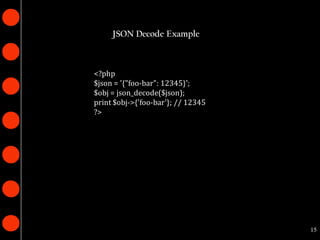
JSON Decode Example


<?php
$json = '{"foo-bar": 12345}';
$obj = json_decode($json);
print $obj->{'foo-bar'}; // 12345
?>


                                    15
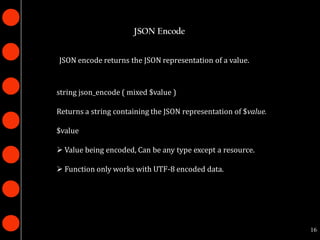
JSON Encode


JSON encode returns the JSON representation of a value.


string json_encode ( mixed $value )

Returns a string containing the JSON representation of $value.

$value

 Value being encoded, Can be any type except a resource.

 Function only works with UTF-8 encoded data.


                                                                 16
JSON Encode Example

<?php
$arr = array ('a'=>1,'b'=>2,'c'=>3,'d'=>4,'e'=>5);
echo json_encode($arr);
// Output {"a":1,"b":2,"c":3,"d":4,"e":5}
$arr = array ( 1, 2, 3, 4, 5 );
echo json_encode($arr);
// Output [1,2,3,4,5]
$arr['x'] = 10;
echo json_encode($arr);
// Output {"0":1,"1":2,"2":3,"3":4,"4":5,"x":10}
echo json_encode(54321);
// Output 54321
?>


                                                     17
JSON in JavaScript


JavaScript Object Notation is a lightweight data-interchange
format that is completely language independent text format
which is fast and easy to understand.


                                                               18
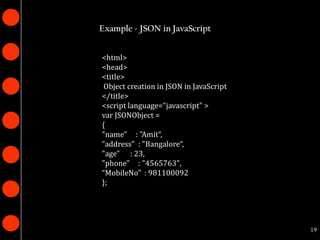
Example - JSON in JavaScript


<html>
<head>
<title>
 Object creation in JSON in JavaScript
</title>
<script language="javascript" >
var JSONObject =
{
"name" : "Amit“,
“address" : "Bangalore“,
"age" : 23,
"phone" : "4565763",
“MobileNo" : 981100092
};


                                         19
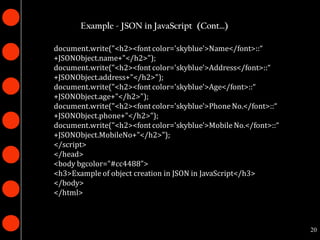
Example - JSON in JavaScript (Cont…)

document.write("<h2><font color='skyblue'>Name</font>::“
+JSONObject.name+"</h2>");
document.write("<h2><font color='skyblue'>Address</font>::“
+JSONObject.address+"</h2>");
document.write("<h2><font color='skyblue'>Age</font>::“
+JSONObject.age+"</h2>");
document.write("<h2><font color='skyblue'>Phone No.</font>::“
+JSONObject.phone+"</h2>");
document.write("<h2><font color='skyblue'>Mobile No.</font>::“
+JSONObject.MobileNo+"</h2>");
</script>
</head>
<body bgcolor="#cc4488">
<h3>Example of object creation in JSON in JavaScript</h3>
</body>
</html>


                                                                 20
AJAX with JSON


Both XML and JSON use structured approaches to mark up data.

 More and more web services are supporting JSON.

Example

Yahoo's various search services, travel planners, and highway
traffic services.


                                                                21
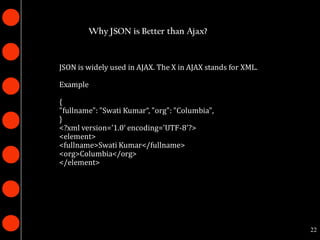
Why JSON is Better than Ajax?


JSON is widely used in AJAX. The X in AJAX stands for XML.

Example

{
"fullname": "Swati Kumar“, "org": "Columbia",
}
<?xml version='1.0‘ encoding='UTF-8'?>
<element>
<fullname>Swati Kumar</fullname>
<org>Columbia</org>
</element>


                                                             22
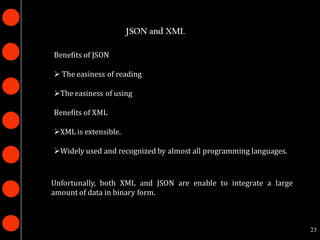
JSON and XML

Benefits of JSON

 The easiness of reading

The easiness of using

Benefits of XML

XML is extensible.

Widely used and recognized by almost all programming languages.


Unfortunally, both XML and JSON are enable to integrate a large
amount of data in binary form.


                                                                   23
Example

{
 "firstName": “Sahana",
 "lastName": "Saniya",
 "age": 25,
 "address": {
 "streetAddress": “2nd Street",
 "city": “Bangalore",
 "state": “India",
 },
 "phoneNumber": [
 { "type": "home", "number": “234243" },
 { "type": "fax", "number": “645654" }
 ],
 "newSubscription": false,
 "companyName": null
 }


                                           24
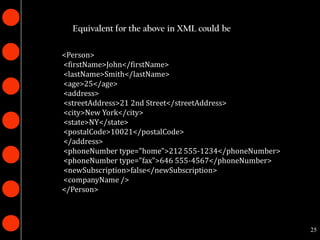
Equivalent for the above in XML could be

<Person>
<firstName>John</firstName>
<lastName>Smith</lastName>
<age>25</age>
<address>
<streetAddress>21 2nd Street</streetAddress>
<city>New York</city>
<state>NY</state>
<postalCode>10021</postalCode>
</address>
<phoneNumber type="home">212 555-1234</phoneNumber>
<phoneNumber type="fax">646 555-4567</phoneNumber>
<newSubscription>false</newSubscription>
<companyName />
</Person>


                                                      25
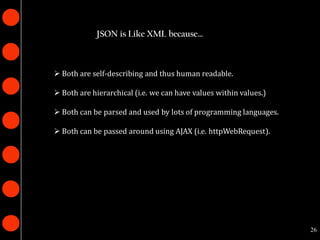
JSON is Like XML because…


 Both are self-describing and thus human readable.

 Both are hierarchical (i.e. we can have values within values.)

 Both can be parsed and used by lots of programming languages.

 Both can be passed around using AJAX (i.e. httpWebRequest).


                                                                   26
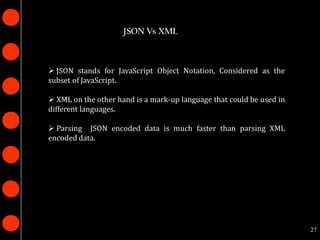
JSON Vs XML


 JSON stands for JavaScript Object Notation, Considered as the
subset of JavaScript.

 XML on the other hand is a mark-up language that could be used in
different languages.

 Parsing JSON encoded data is much faster than parsing XML
encoded data.


                                                                      27
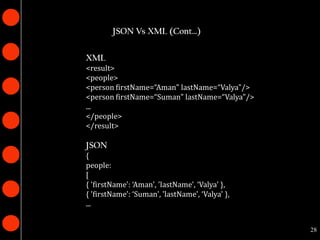
JSON Vs XML (Cont…)

XML
<result>
<people>
<person firstName=“Aman" lastName=“Valya"/>
<person firstName=“Suman" lastName=“Valya"/>
...
</people>
</result>

JSON
{
people:
[
{ 'firstName': ‘Aman', 'lastName', ‘Valya' },
{ 'firstName': ‘Suman', 'lastName', ‘Valya' },
...


                                                 28
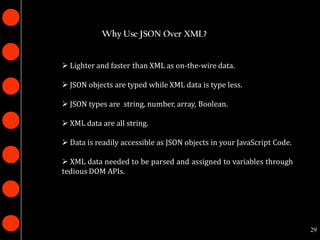
Why Use JSON Over XML?


 Lighter and faster than XML as on-the-wire data.

 JSON objects are typed while XML data is type less.

 JSON types are string, number, array, Boolean.

 XML data are all string.

 Data is readily accessible as JSON objects in your JavaScript Code.

 XML data needed to be parsed and assigned to variables through
tedious DOM APIs.


                                                                        29
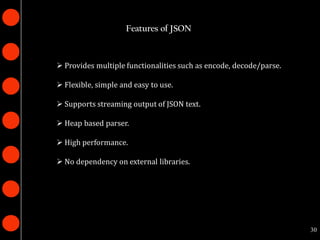
Features of JSON


 Provides multiple functionalities such as encode, decode/parse.

 Flexible, simple and easy to use.

 Supports streaming output of JSON text.

 Heap based parser.

 High performance.

 No dependency on external libraries.


                                                                    30
JSON Data Interchange


 JSON is a simple, common representation of data.

 Communication between servers and browser clients.

 Communication between peers.

 Language independent data interchange.


                                                       31
Thank you


            32

Json

  • 1.
  • 2.
    What is JSON? Light weight data-interchange format.  Subset of JavaScript.  Language independent.  Text based.  Easy to parse . 2
  • 3.
    Why JSON? JSON isrecognized natively by JavaScript. No need for parsing an XML document to extract the data. 3
  • 4.
    JSON is Not… JSON is not a document format.  JSON is not a markup language. 4
  • 5.
    Properties of JSON Human and machine readable format.  No support for Unicode.  Self-documenting format that describes structure and field names.  Strict syntax and parsing requirements.  Represents the most general computer science data structures like records, lists and trees. 5
  • 6.
    Where can JSONbe used?  Can be used for transferring medium amounts of data.  Used in Java Script and then rendered on HTML pages.  AJAX has many applications for JSON.  Use JSON for applications that are browser based. 6
  • 7.
    JSON Data Types Strings -Control Characters  Number-Integer, Real and Floating  Boolean-True and False  Null 7
  • 8.
    JSON Data Types(Cont…) String Strings must be delimited by the double quote characters. Example: ”Address”, "444 Colombia" Boolean In JSON “True" and “False" are pre-defined keywords. Example: “Active":True 8
  • 9.
    Data types (Cont…) Number JSONincludes positive integers and Negative integers. Example: “Total points” -123 Null Null string, also known as an empty string, is a string of zero length. Example: “Email":null 9
  • 10.
    Simple Example ofa JSON File { "menu": "File", "commands": [ { "title": "New“, "action":"CreateDoc” }, { "title": "Open", "action": "OpenDoc” }, { "title": "Close“, "action": "CloseDoc” } ] } 10
  • 11.
    JSON Object JSON ObjectNotation  JSON object is an unordered set of name/value pairs and ordered list of values.  Object begins with { (left brace) and ends with } (right brace).  Each name is followed by (colon).  Name/value pairs are separated by , (comma). 11
  • 12.
    JSON Representation ofan Object Var HomeAddress = { "Address" : “Srini", "City" : “Bangalore", "PostalCode" : 580006 }; 12
  • 13.
    JSON Functions  JSON_decode— Decodes a JSON string.  JSON_encode — Returns the JSON representation of a value.  JSON_last_error — Returns the last error occurred. 13
  • 14.
    JSON Decode Decode parsesthe strings as a JSON-syntax string and returns the generic JSON object representation. json_decode() mixed json_decode ( string $json , bool $assoc) Takes a JSON encoded string and converts it into a PHP value. $json The JSON string being decoded $assoc False ----Return the value as an object True ----Return the value as an associative array 14
  • 15.
    JSON Decode Example <?php $json= '{"foo-bar": 12345}'; $obj = json_decode($json); print $obj->{'foo-bar'}; // 12345 ?> 15
  • 16.
    JSON Encode JSON encodereturns the JSON representation of a value. string json_encode ( mixed $value ) Returns a string containing the JSON representation of $value. $value  Value being encoded, Can be any type except a resource.  Function only works with UTF-8 encoded data. 16
  • 17.
    JSON Encode Example <?php $arr= array ('a'=>1,'b'=>2,'c'=>3,'d'=>4,'e'=>5); echo json_encode($arr); // Output {"a":1,"b":2,"c":3,"d":4,"e":5} $arr = array ( 1, 2, 3, 4, 5 ); echo json_encode($arr); // Output [1,2,3,4,5] $arr['x'] = 10; echo json_encode($arr); // Output {"0":1,"1":2,"2":3,"3":4,"4":5,"x":10} echo json_encode(54321); // Output 54321 ?> 17
  • 18.
    JSON in JavaScript JavaScriptObject Notation is a lightweight data-interchange format that is completely language independent text format which is fast and easy to understand. 18
  • 19.
    Example - JSONin JavaScript <html> <head> <title> Object creation in JSON in JavaScript </title> <script language="javascript" > var JSONObject = { "name" : "Amit“, “address" : "Bangalore“, "age" : 23, "phone" : "4565763", “MobileNo" : 981100092 }; 19
  • 20.
    Example - JSONin JavaScript (Cont…) document.write("<h2><font color='skyblue'>Name</font>::“ +JSONObject.name+"</h2>"); document.write("<h2><font color='skyblue'>Address</font>::“ +JSONObject.address+"</h2>"); document.write("<h2><font color='skyblue'>Age</font>::“ +JSONObject.age+"</h2>"); document.write("<h2><font color='skyblue'>Phone No.</font>::“ +JSONObject.phone+"</h2>"); document.write("<h2><font color='skyblue'>Mobile No.</font>::“ +JSONObject.MobileNo+"</h2>"); </script> </head> <body bgcolor="#cc4488"> <h3>Example of object creation in JSON in JavaScript</h3> </body> </html> 20
  • 21.
    AJAX with JSON BothXML and JSON use structured approaches to mark up data.  More and more web services are supporting JSON. Example Yahoo's various search services, travel planners, and highway traffic services. 21
  • 22.
    Why JSON isBetter than Ajax? JSON is widely used in AJAX. The X in AJAX stands for XML. Example { "fullname": "Swati Kumar“, "org": "Columbia", } <?xml version='1.0‘ encoding='UTF-8'?> <element> <fullname>Swati Kumar</fullname> <org>Columbia</org> </element> 22
  • 23.
    JSON and XML Benefitsof JSON  The easiness of reading The easiness of using Benefits of XML XML is extensible. Widely used and recognized by almost all programming languages. Unfortunally, both XML and JSON are enable to integrate a large amount of data in binary form. 23
  • 24.
    Example { "firstName": “Sahana", "lastName": "Saniya", "age": 25, "address": { "streetAddress": “2nd Street", "city": “Bangalore", "state": “India", }, "phoneNumber": [ { "type": "home", "number": “234243" }, { "type": "fax", "number": “645654" } ], "newSubscription": false, "companyName": null } 24
  • 25.
    Equivalent for theabove in XML could be <Person> <firstName>John</firstName> <lastName>Smith</lastName> <age>25</age> <address> <streetAddress>21 2nd Street</streetAddress> <city>New York</city> <state>NY</state> <postalCode>10021</postalCode> </address> <phoneNumber type="home">212 555-1234</phoneNumber> <phoneNumber type="fax">646 555-4567</phoneNumber> <newSubscription>false</newSubscription> <companyName /> </Person> 25
  • 26.
    JSON is LikeXML because…  Both are self-describing and thus human readable.  Both are hierarchical (i.e. we can have values within values.)  Both can be parsed and used by lots of programming languages.  Both can be passed around using AJAX (i.e. httpWebRequest). 26
  • 27.
    JSON Vs XML JSON stands for JavaScript Object Notation, Considered as the subset of JavaScript.  XML on the other hand is a mark-up language that could be used in different languages.  Parsing JSON encoded data is much faster than parsing XML encoded data. 27
  • 28.
    JSON Vs XML(Cont…) XML <result> <people> <person firstName=“Aman" lastName=“Valya"/> <person firstName=“Suman" lastName=“Valya"/> ... </people> </result> JSON { people: [ { 'firstName': ‘Aman', 'lastName', ‘Valya' }, { 'firstName': ‘Suman', 'lastName', ‘Valya' }, ... 28
  • 29.
    Why Use JSONOver XML?  Lighter and faster than XML as on-the-wire data.  JSON objects are typed while XML data is type less.  JSON types are string, number, array, Boolean.  XML data are all string.  Data is readily accessible as JSON objects in your JavaScript Code.  XML data needed to be parsed and assigned to variables through tedious DOM APIs. 29
  • 30.
    Features of JSON Provides multiple functionalities such as encode, decode/parse.  Flexible, simple and easy to use.  Supports streaming output of JSON text.  Heap based parser.  High performance.  No dependency on external libraries. 30
  • 31.
    JSON Data Interchange JSON is a simple, common representation of data.  Communication between servers and browser clients.  Communication between peers.  Language independent data interchange. 31
  • 32.