JS	
  AND	
  OO	
  
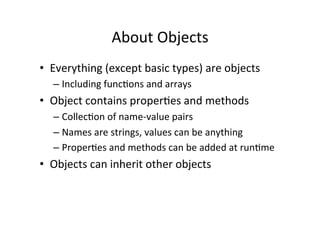
About	
  Objects	
  
•  Everything	
  (except	
  basic	
  types)	
  are	
  objects	
  
– Including	
  func=ons	
  and	
  arrays	
  
•  Object	
  contains	
  proper=es	
  and	
  methods	
  
– Collec=on	
  of	
  name-­‐value	
  pairs	
  
– Names	
  are	
  strings,	
  values	
  can	
  be	
  anything	
  
– Proper=es	
  and	
  methods	
  can	
  be	
  added	
  at	
  run=me	
  
•  Objects	
  can	
  inherit	
  other	
  objects	
  
Object	
  Literal	
  
var mystring = “hello!”;
var myarray = [“element1”, “element2”];
var circle1 = {radius: 9, getArea : someFunction };
var circle2 = {
radius: 9,
getRadius: function() {
return this.radius;
}
}
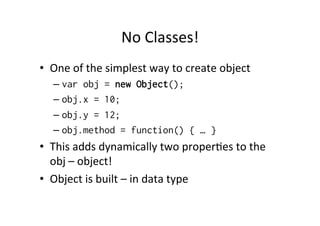
No	
  Classes!	
  
•  One	
  of	
  the	
  simplest	
  way	
  to	
  create	
  object	
  
– var obj = new Object();
– obj.x = 10;
– obj.y = 12;
– obj.method = function() { … }
•  This	
  adds	
  dynamically	
  two	
  proper=es	
  to	
  the	
  
obj	
  –	
  object!	
  
•  Object	
  is	
  built	
  –	
  in	
  data	
  type	
  
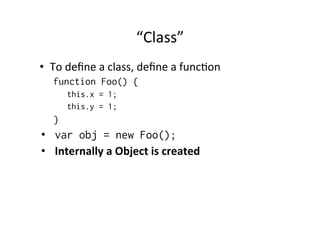
“Class”	
  
•  To	
  define	
  a	
  class,	
  define	
  a	
  func=on	
  
function Foo() {
this.x = 1;
this.y = 1;
}
•  var obj = new Foo();
•  Internally	
  a	
  Object	
  is	
  created	
  
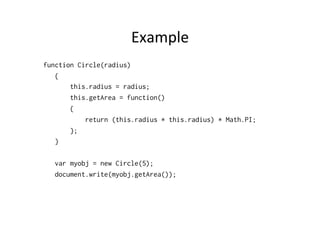
Example	
  
function Circle(radius)
{
this.radius = radius;
this.getArea = function()
{
return (this.radius * this.radius) * Math.PI;
};
}
var myobj = new Circle(5);
document.write(myobj.getArea());
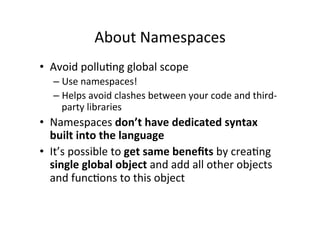
About	
  Namespaces	
  
•  Avoid	
  pollu=ng	
  global	
  scope	
  
– Use	
  namespaces!	
  
– Helps	
  avoid	
  clashes	
  between	
  your	
  code	
  and	
  third-­‐
party	
  libraries	
  
•  Namespaces	
  don’t	
  have	
  dedicated	
  syntax	
  
built	
  into	
  the	
  language	
  
•  It’s	
  possible	
  to	
  get	
  same	
  benefits	
  by	
  crea=ng	
  
single	
  global	
  object	
  and	
  add	
  all	
  other	
  objects	
  
and	
  func=ons	
  to	
  this	
  object	
  
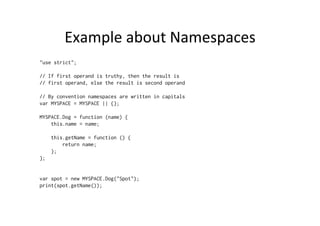
Example	
  about	
  Namespaces	
  
"use strict";
// If first operand is truthy, then the result is
// first operand, else the result is second operand
// By convention namespaces are written in capitals
var MYSPACE = MYSPACE || {};
MYSPACE.Dog = function (name) {
this.name = name;
this.getName = function () {
return name;
};
};
var spot = new MYSPACE.Dog("Spot");
print(spot.getName());
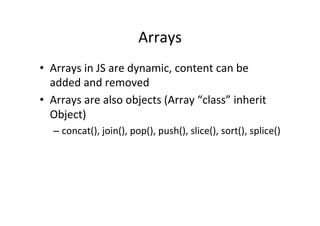
Arrays	
  
•  Arrays	
  in	
  JS	
  are	
  dynamic,	
  content	
  can	
  be	
  
added	
  and	
  removed	
  
•  Arrays	
  are	
  also	
  objects	
  (Array	
  “class”	
  inherit	
  
Object)	
  
– concat(),	
  join(),	
  pop(),	
  push(),	
  slice(),	
  sort(),	
  splice()	
  
Example	
  
"use strict";
var array1 = []; // or new Array()
var array2 = ['a', 'b', 'c'];
print(array2.length);
delete array2[1];
for(var i = 0; i<array2.length; i++) {
print(array2[i]);
}
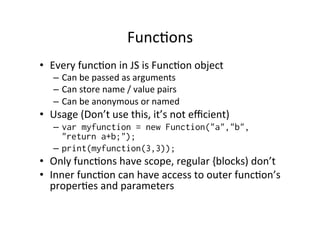
Func=ons	
  
•  Every	
  func=on	
  in	
  JS	
  is	
  Func=on	
  object	
  
–  Can	
  be	
  passed	
  as	
  arguments	
  
–  Can	
  store	
  name	
  /	
  value	
  pairs	
  
–  Can	
  be	
  anonymous	
  or	
  named	
  
•  Usage	
  (Don’t	
  use	
  this,	
  it’s	
  not	
  efficient)	
  
–  var myfunction = new Function("a","b",
"return a+b;");
–  print(myfunction(3,3));
•  Only	
  func=ons	
  have	
  scope,	
  regular	
  {blocks)	
  don’t	
  
•  Inner	
  func=on	
  can	
  have	
  access	
  to	
  outer	
  func=on’s	
  
proper=es	
  and	
  parameters	
  
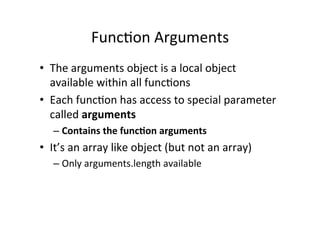
Func=on	
  Arguments	
  
•  The	
  arguments	
  object	
  is	
  a	
  local	
  object	
  
available	
  within	
  all	
  func=ons	
  
•  Each	
  func=on	
  has	
  access	
  to	
  special	
  parameter	
  
called	
  arguments	
  
– Contains	
  the	
  funcAon	
  arguments	
  
•  It’s	
  an	
  array	
  like	
  object	
  (but	
  not	
  an	
  array)	
  
– Only	
  arguments.length	
  available	
  
Example	
  
"use strict";
function myConcat(separator) {
var result = "";
// iterate through non-separator arguments
for (var i = 1; i < arguments.length; i++) {
result += arguments[i] + separator;
}
return result;
}
// returns "red, orange, blue, "
print(myConcat(", ", "red", "orange", "blue"));
// returns "elephant; giraffe; lion; cheetah; "
print(myConcat("; ", "elephant", "giraffe", "lion", "cheetah"));
// returns "sage. basil. oregano. pepper. parsley. "
print(myConcat(". ", "sage", "basil", "oregano", "pepper", "parsley"));
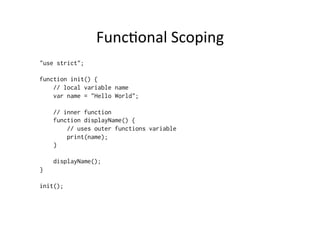
Func=onal	
  Scoping	
  
"use strict";
function init() {
// local variable name
var name = "Hello World";
// inner function
function displayName() {
// uses outer functions variable
print(name);
}
displayName();
}
init();
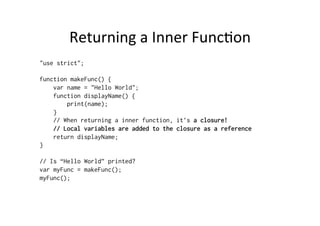
Returning	
  a	
  Inner	
  Func=on	
  
"use strict";
function makeFunc() {
var name = "Hello World";
function displayName() {
print(name);
}
// When returning a inner function, it’s a closure!
// Local variables are added to the closure as a reference
return displayName;
}
// Is “Hello World” printed?
var myFunc = makeFunc();
myFunc();
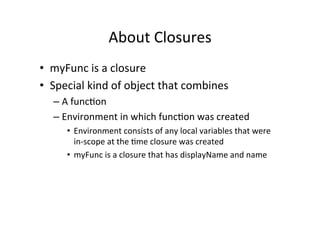
About	
  Closures	
  
•  myFunc	
  is	
  a	
  closure	
  
•  Special	
  kind	
  of	
  object	
  that	
  combines	
  
– A	
  func=on	
  
– Environment	
  in	
  which	
  func=on	
  was	
  created	
  
•  Environment	
  consists	
  of	
  any	
  local	
  variables	
  that	
  were	
  
in-­‐scope	
  at	
  the	
  =me	
  closure	
  was	
  created	
  
•  myFunc	
  is	
  a	
  closure	
  that	
  has	
  displayName	
  and	
  name	
  
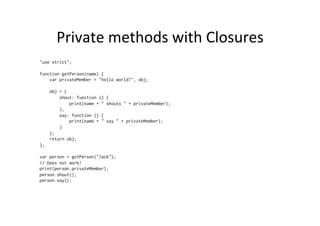
Private	
  methods	
  with	
  Closures	
  
"use strict";
function getPerson(name) {
var privateMember = "hello world!", obj;
obj = {
shout: function () {
print(name + " shouts " + privateMember);
},
say: function () {
print(name + " say " + privateMember);
}
};
return obj;
};
var person = getPerson("Jack");
// Does not work!
print(person.privateMember);
person.shout();
person.say();
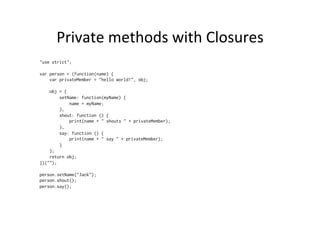
Private	
  methods	
  with	
  Closures	
  
"use strict";
var person = (function(name) {
var privateMember = "hello world!", obj;
obj = {
setName: function(myName) {
name = myName;
},
shout: function () {
print(name + " shouts " + privateMember);
},
say: function () {
print(name + " say " + privateMember);
}
};
return obj;
})("");
person.setName("Jack");
person.shout();
person.say();
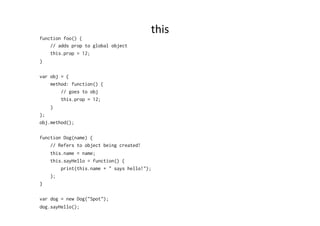
this	
  
function foo() {
// adds prop to global object
this.prop = 12;
}
var obj = {
method: function() {
// goes to obj
this.prop = 12;
}
};
obj.method();
function Dog(name) {
// Refers to object being created!
this.name = name;
this.sayHello = function() {
print(this.name + " says hello!");
};
}
var dog = new Dog("Spot");
dog.sayHello();

JS OO and Closures

  • 1.
  • 2.
    About  Objects   • Everything  (except  basic  types)  are  objects   – Including  func=ons  and  arrays   •  Object  contains  proper=es  and  methods   – Collec=on  of  name-­‐value  pairs   – Names  are  strings,  values  can  be  anything   – Proper=es  and  methods  can  be  added  at  run=me   •  Objects  can  inherit  other  objects  
  • 3.
    Object  Literal   varmystring = “hello!”; var myarray = [“element1”, “element2”]; var circle1 = {radius: 9, getArea : someFunction }; var circle2 = { radius: 9, getRadius: function() { return this.radius; } }
  • 4.
    No  Classes!   • One  of  the  simplest  way  to  create  object   – var obj = new Object(); – obj.x = 10; – obj.y = 12; – obj.method = function() { … } •  This  adds  dynamically  two  proper=es  to  the   obj  –  object!   •  Object  is  built  –  in  data  type  
  • 5.
    “Class”   •  To  define  a  class,  define  a  func=on   function Foo() { this.x = 1; this.y = 1; } •  var obj = new Foo(); •  Internally  a  Object  is  created  
  • 6.
    Example   function Circle(radius) { this.radius= radius; this.getArea = function() { return (this.radius * this.radius) * Math.PI; }; } var myobj = new Circle(5); document.write(myobj.getArea());
  • 7.
    About  Namespaces   • Avoid  pollu=ng  global  scope   – Use  namespaces!   – Helps  avoid  clashes  between  your  code  and  third-­‐ party  libraries   •  Namespaces  don’t  have  dedicated  syntax   built  into  the  language   •  It’s  possible  to  get  same  benefits  by  crea=ng   single  global  object  and  add  all  other  objects   and  func=ons  to  this  object  
  • 8.
    Example  about  Namespaces   "use strict"; // If first operand is truthy, then the result is // first operand, else the result is second operand // By convention namespaces are written in capitals var MYSPACE = MYSPACE || {}; MYSPACE.Dog = function (name) { this.name = name; this.getName = function () { return name; }; }; var spot = new MYSPACE.Dog("Spot"); print(spot.getName());
  • 9.
    Arrays   •  Arrays  in  JS  are  dynamic,  content  can  be   added  and  removed   •  Arrays  are  also  objects  (Array  “class”  inherit   Object)   – concat(),  join(),  pop(),  push(),  slice(),  sort(),  splice()  
  • 10.
    Example   "use strict"; vararray1 = []; // or new Array() var array2 = ['a', 'b', 'c']; print(array2.length); delete array2[1]; for(var i = 0; i<array2.length; i++) { print(array2[i]); }
  • 11.
    Func=ons   •  Every  func=on  in  JS  is  Func=on  object   –  Can  be  passed  as  arguments   –  Can  store  name  /  value  pairs   –  Can  be  anonymous  or  named   •  Usage  (Don’t  use  this,  it’s  not  efficient)   –  var myfunction = new Function("a","b", "return a+b;"); –  print(myfunction(3,3)); •  Only  func=ons  have  scope,  regular  {blocks)  don’t   •  Inner  func=on  can  have  access  to  outer  func=on’s   proper=es  and  parameters  
  • 12.
    Func=on  Arguments   • The  arguments  object  is  a  local  object   available  within  all  func=ons   •  Each  func=on  has  access  to  special  parameter   called  arguments   – Contains  the  funcAon  arguments   •  It’s  an  array  like  object  (but  not  an  array)   – Only  arguments.length  available  
  • 13.
    Example   "use strict"; functionmyConcat(separator) { var result = ""; // iterate through non-separator arguments for (var i = 1; i < arguments.length; i++) { result += arguments[i] + separator; } return result; } // returns "red, orange, blue, " print(myConcat(", ", "red", "orange", "blue")); // returns "elephant; giraffe; lion; cheetah; " print(myConcat("; ", "elephant", "giraffe", "lion", "cheetah")); // returns "sage. basil. oregano. pepper. parsley. " print(myConcat(". ", "sage", "basil", "oregano", "pepper", "parsley"));
  • 14.
    Func=onal  Scoping   "usestrict"; function init() { // local variable name var name = "Hello World"; // inner function function displayName() { // uses outer functions variable print(name); } displayName(); } init();
  • 15.
    Returning  a  Inner  Func=on   "use strict"; function makeFunc() { var name = "Hello World"; function displayName() { print(name); } // When returning a inner function, it’s a closure! // Local variables are added to the closure as a reference return displayName; } // Is “Hello World” printed? var myFunc = makeFunc(); myFunc();
  • 16.
    About  Closures   • myFunc  is  a  closure   •  Special  kind  of  object  that  combines   – A  func=on   – Environment  in  which  func=on  was  created   •  Environment  consists  of  any  local  variables  that  were   in-­‐scope  at  the  =me  closure  was  created   •  myFunc  is  a  closure  that  has  displayName  and  name  
  • 17.
    Private  methods  with  Closures   "use strict"; function getPerson(name) { var privateMember = "hello world!", obj; obj = { shout: function () { print(name + " shouts " + privateMember); }, say: function () { print(name + " say " + privateMember); } }; return obj; }; var person = getPerson("Jack"); // Does not work! print(person.privateMember); person.shout(); person.say();
  • 18.
    Private  methods  with  Closures   "use strict"; var person = (function(name) { var privateMember = "hello world!", obj; obj = { setName: function(myName) { name = myName; }, shout: function () { print(name + " shouts " + privateMember); }, say: function () { print(name + " say " + privateMember); } }; return obj; })(""); person.setName("Jack"); person.shout(); person.say();
  • 19.
    this   function foo(){ // adds prop to global object this.prop = 12; } var obj = { method: function() { // goes to obj this.prop = 12; } }; obj.method(); function Dog(name) { // Refers to object being created! this.name = name; this.sayHello = function() { print(this.name + " says hello!"); }; } var dog = new Dog("Spot"); dog.sayHello();