jQuery BrownbagRod Johnson
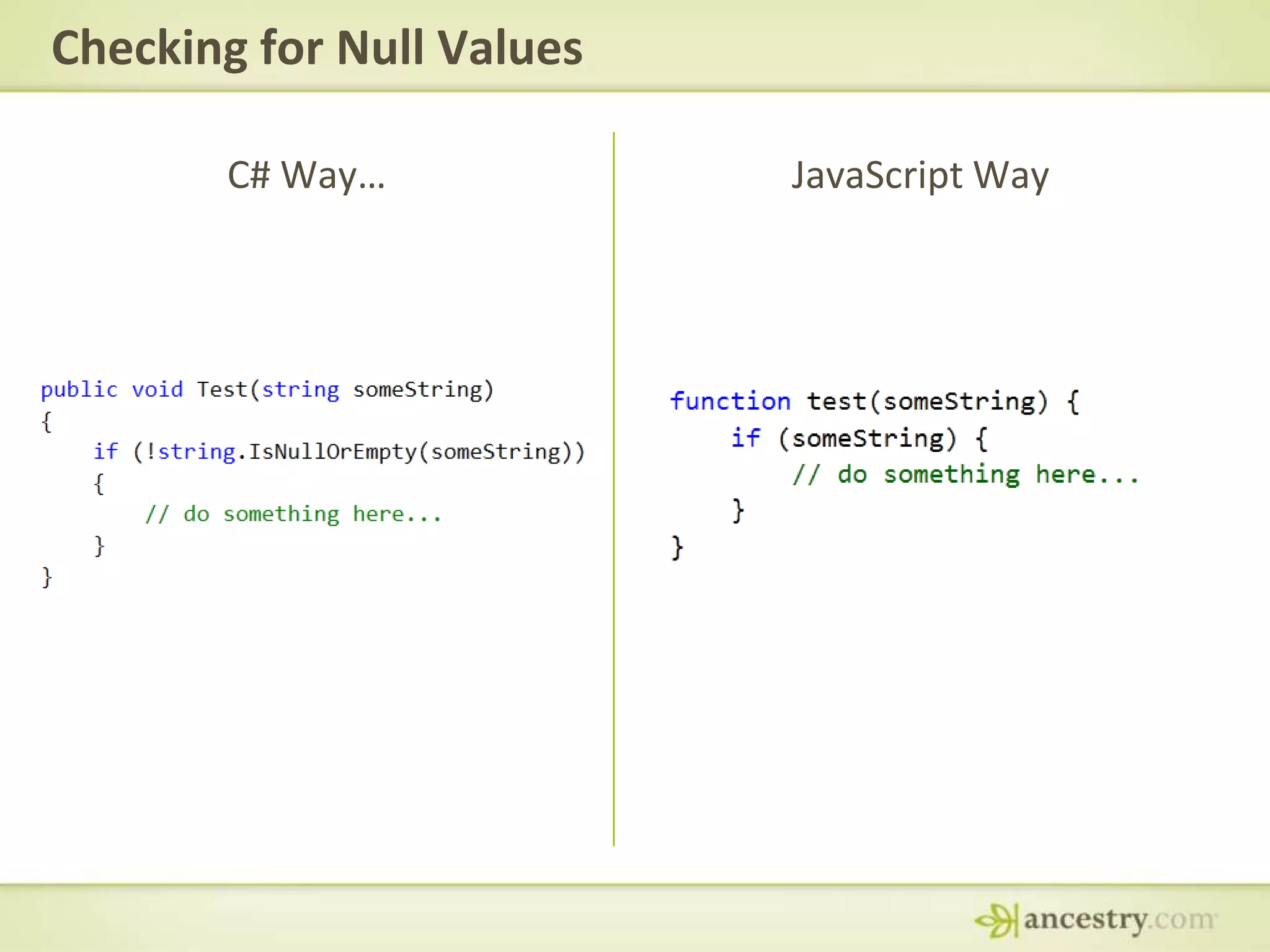
Checking for Null ValuesC# Way…JavaScript Way
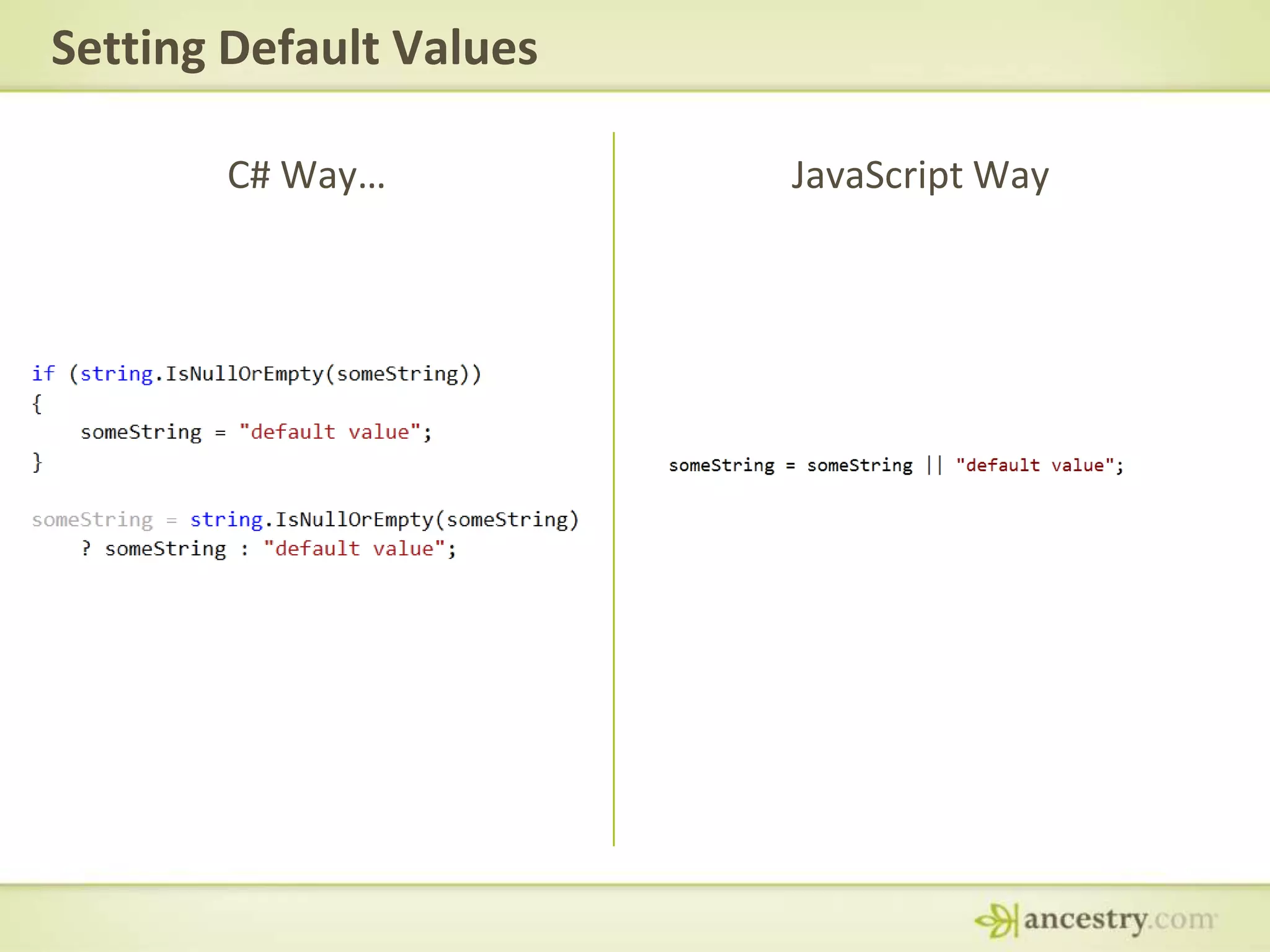
Setting Default ValuesC# Way…JavaScript Way
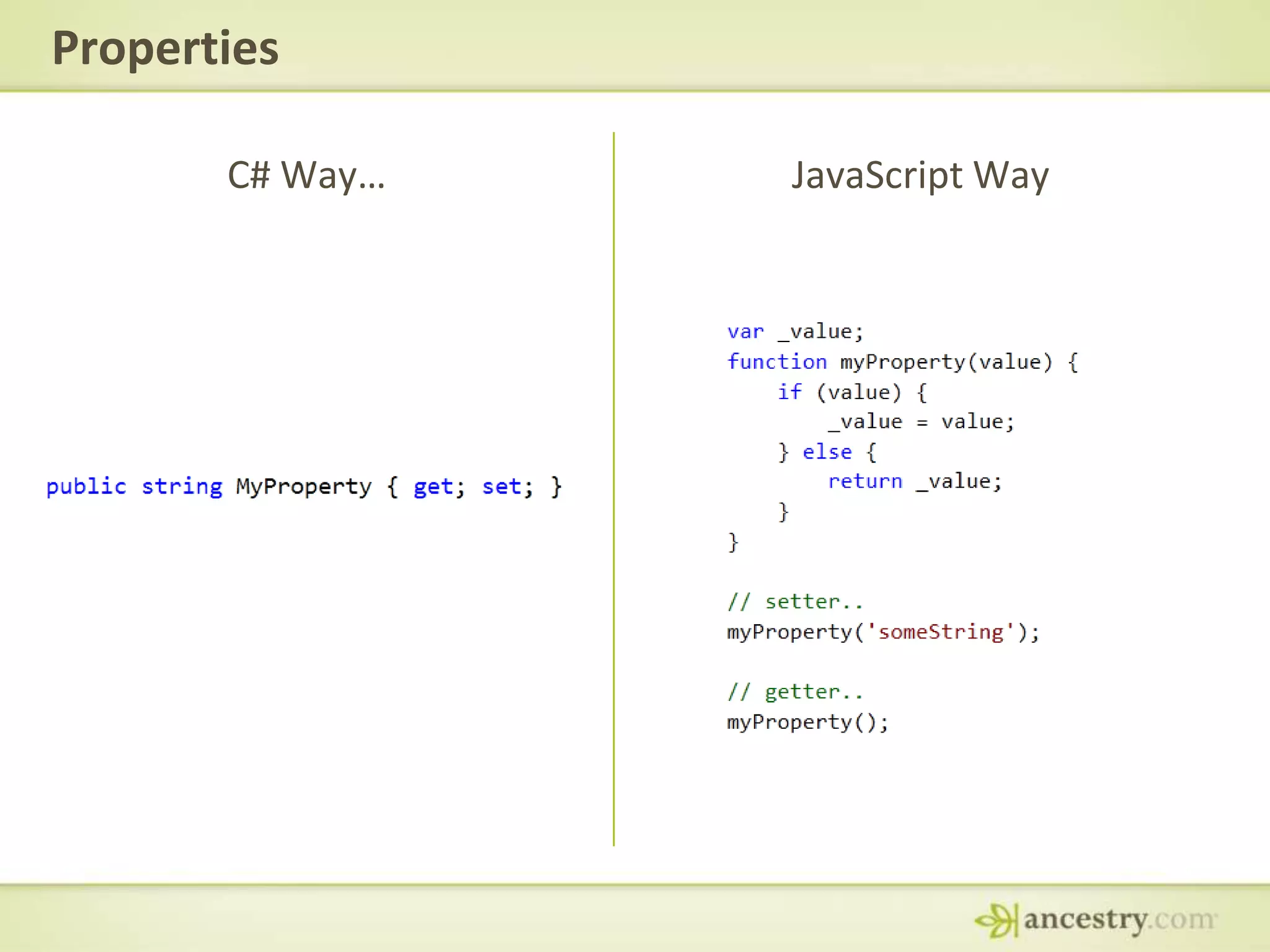
PropertiesC# Way…JavaScript Way
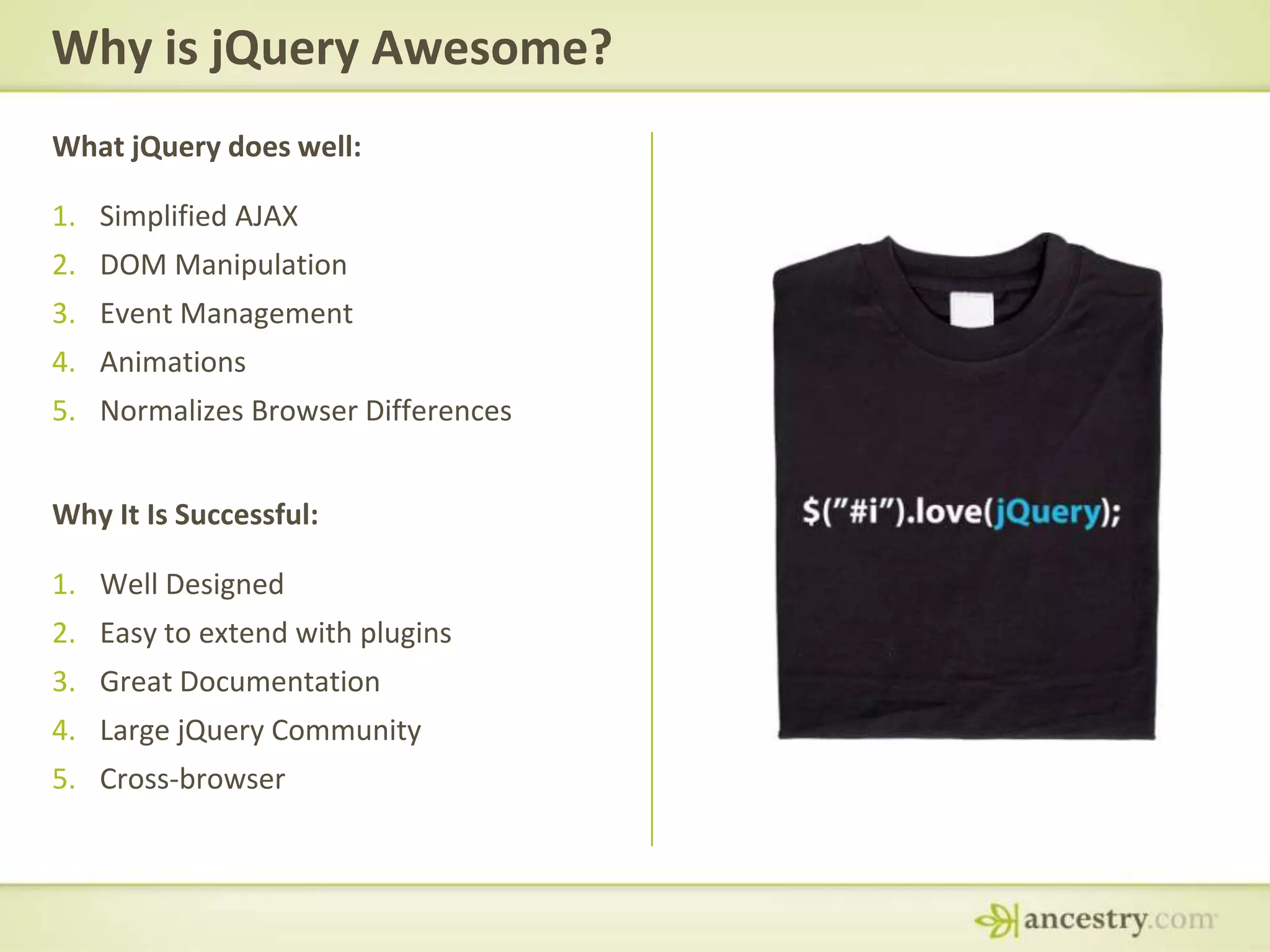
Why is jQuery Awesome?What jQuery does well:Simplified AJAXDOM ManipulationEvent ManagementAnimationsNormalizes Browser DifferencesWhy It Is Successful:Well DesignedEasy to extend with pluginsGreat DocumentationLarge jQuery CommunityCross-browser
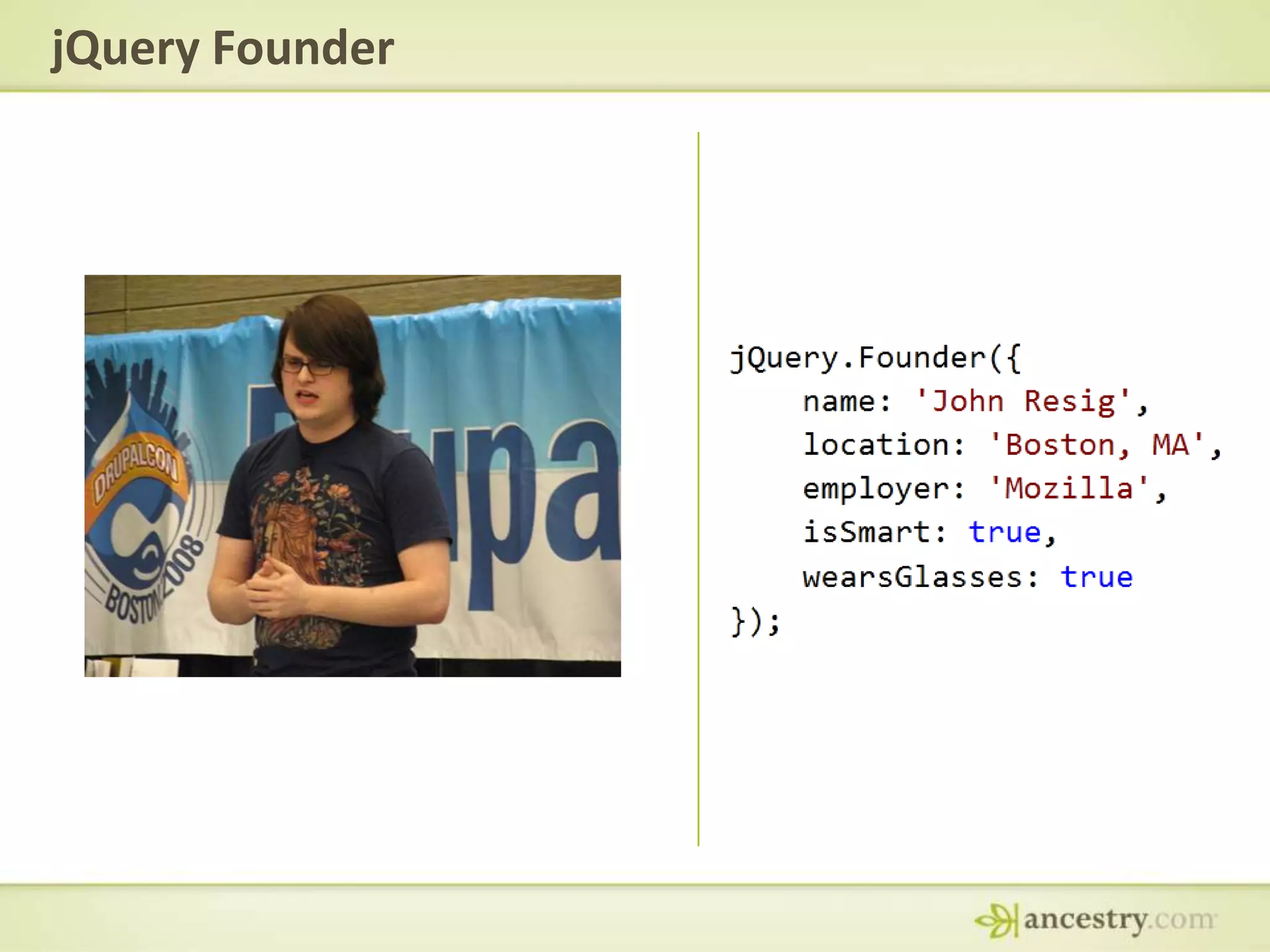
jQuery Founder
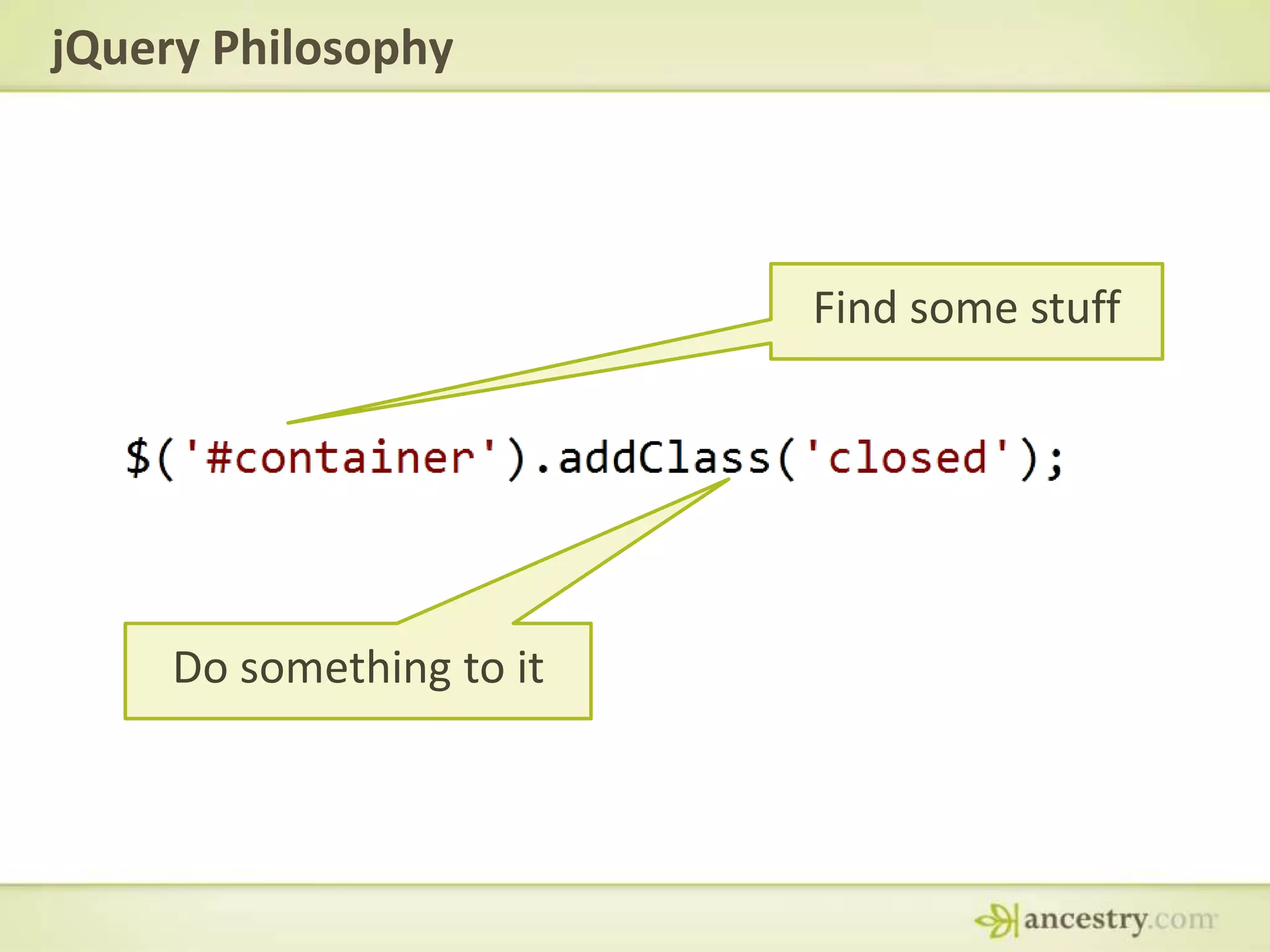
jQuery PhilosophyFind some stuffDo something to it
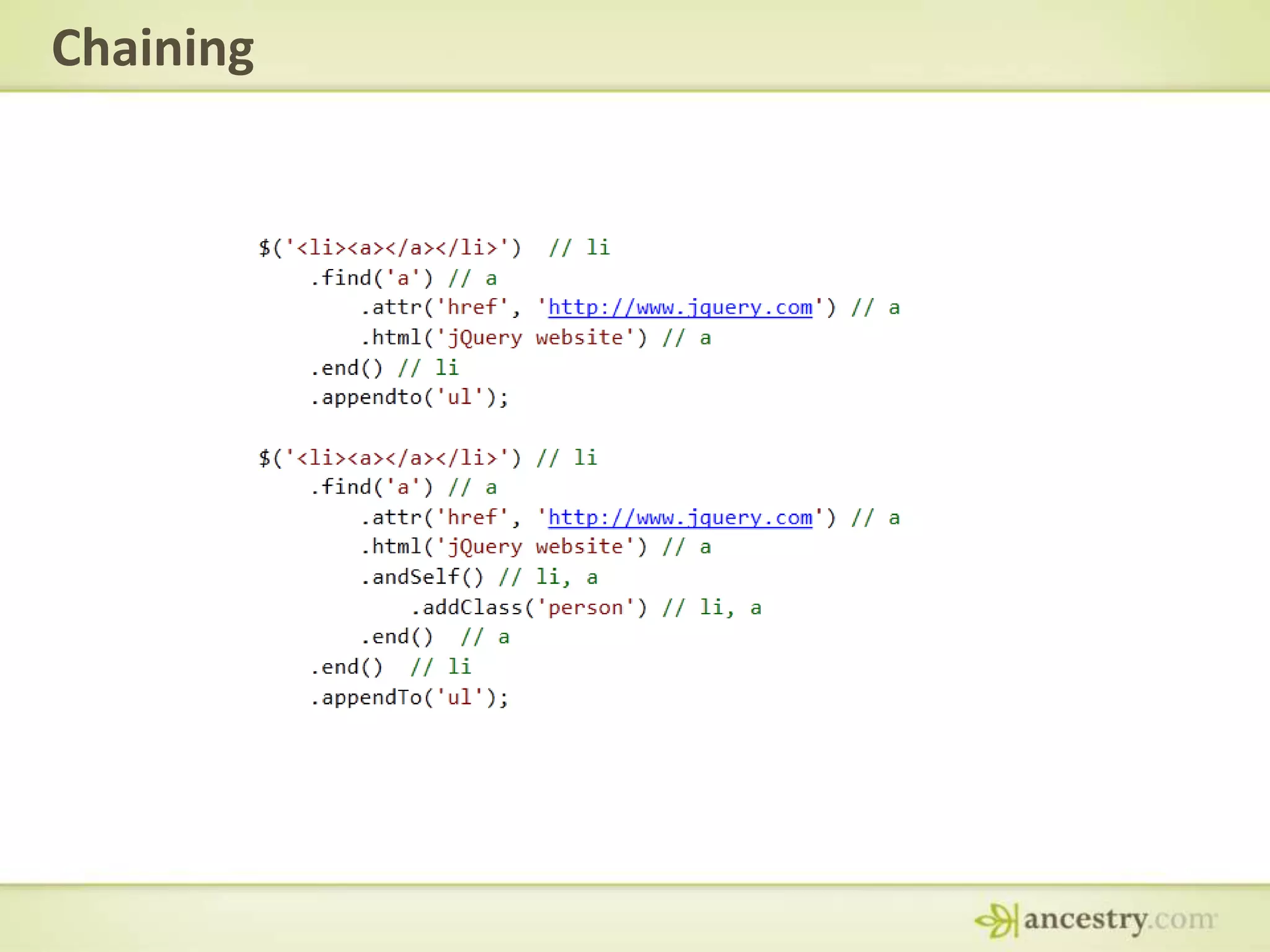
Chaining
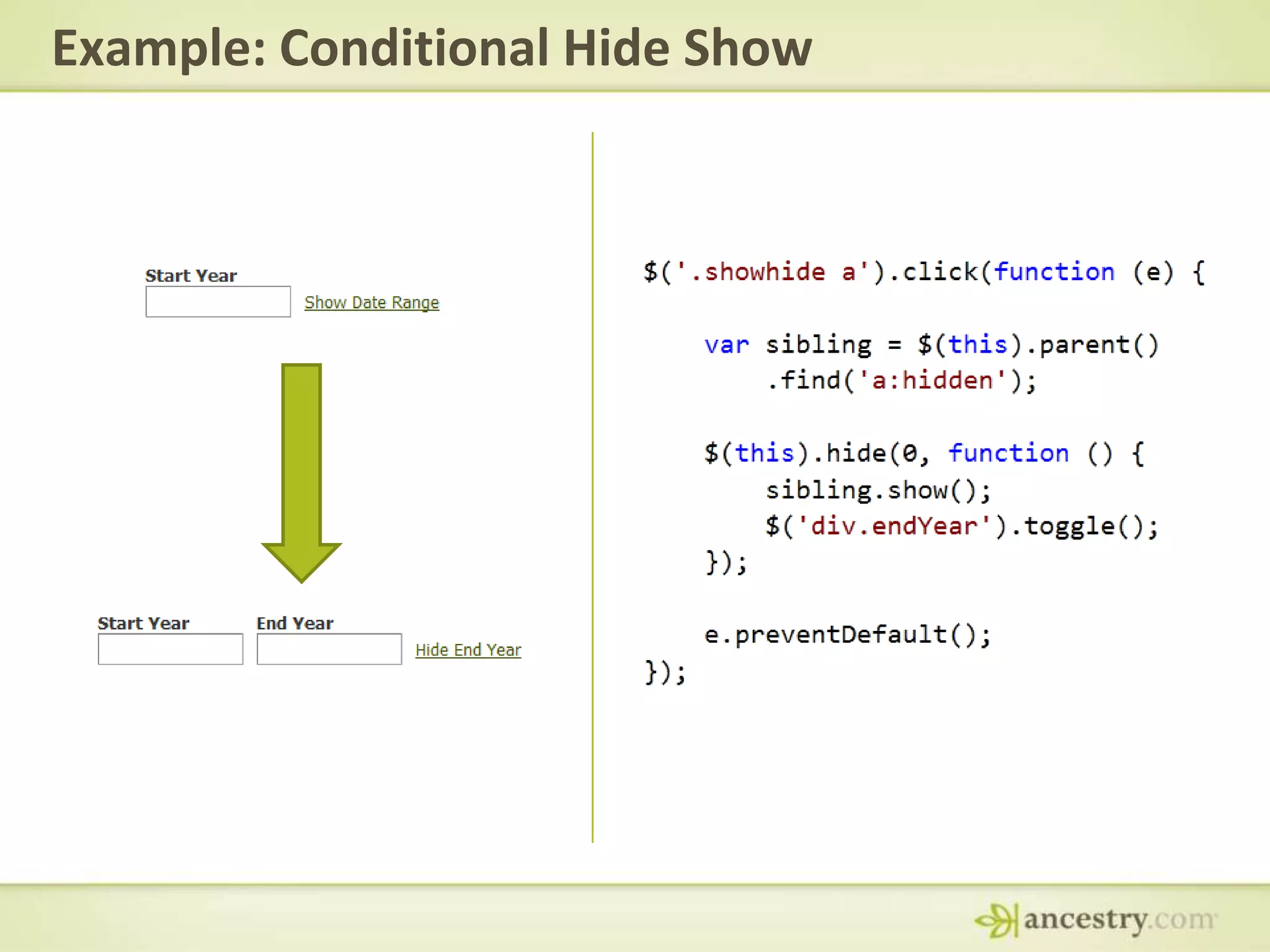
Example: Conditional Hide Show
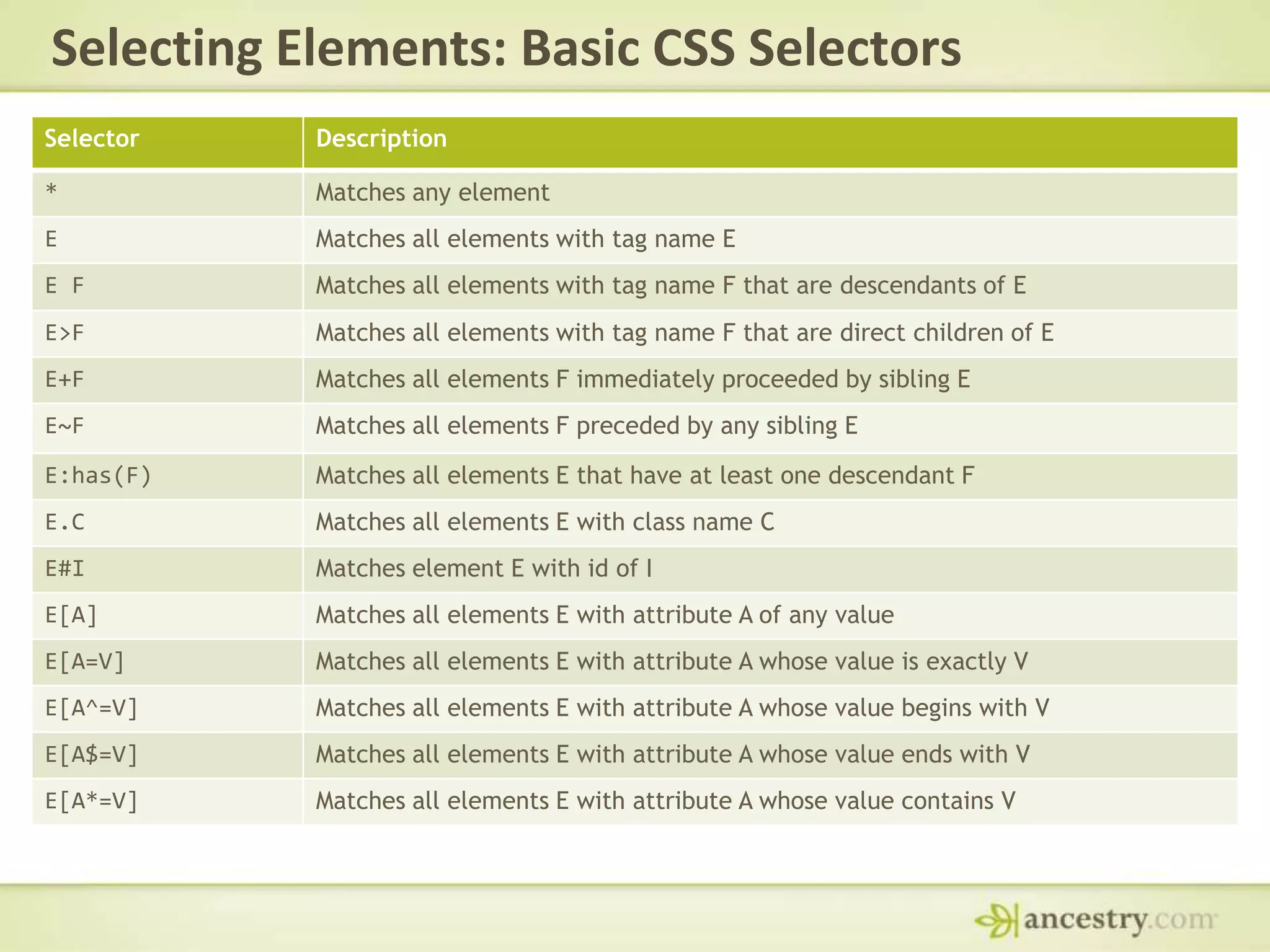
Selecting Elements: Basic CSS Selectors
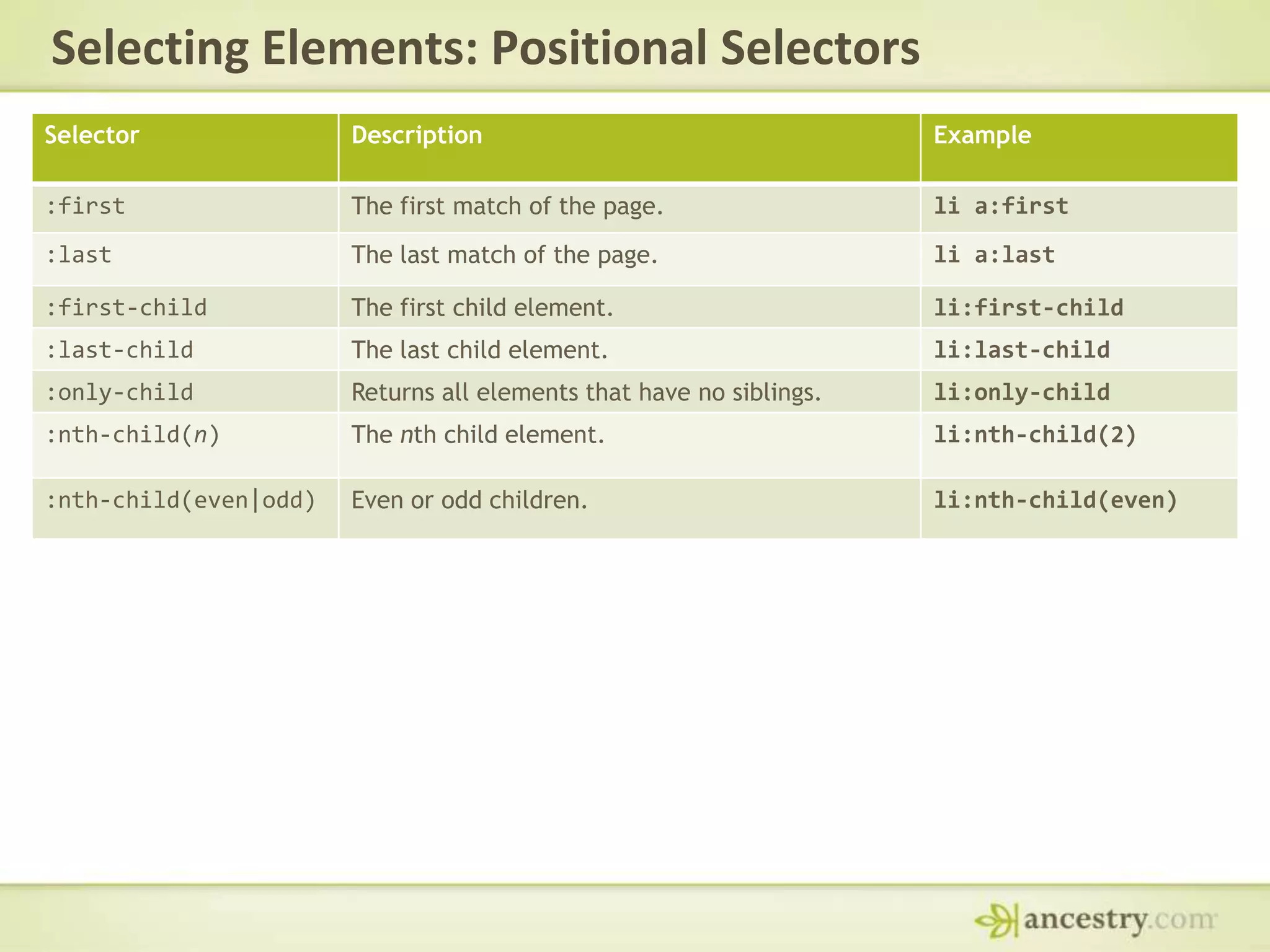
Selecting Elements: Positional Selectors
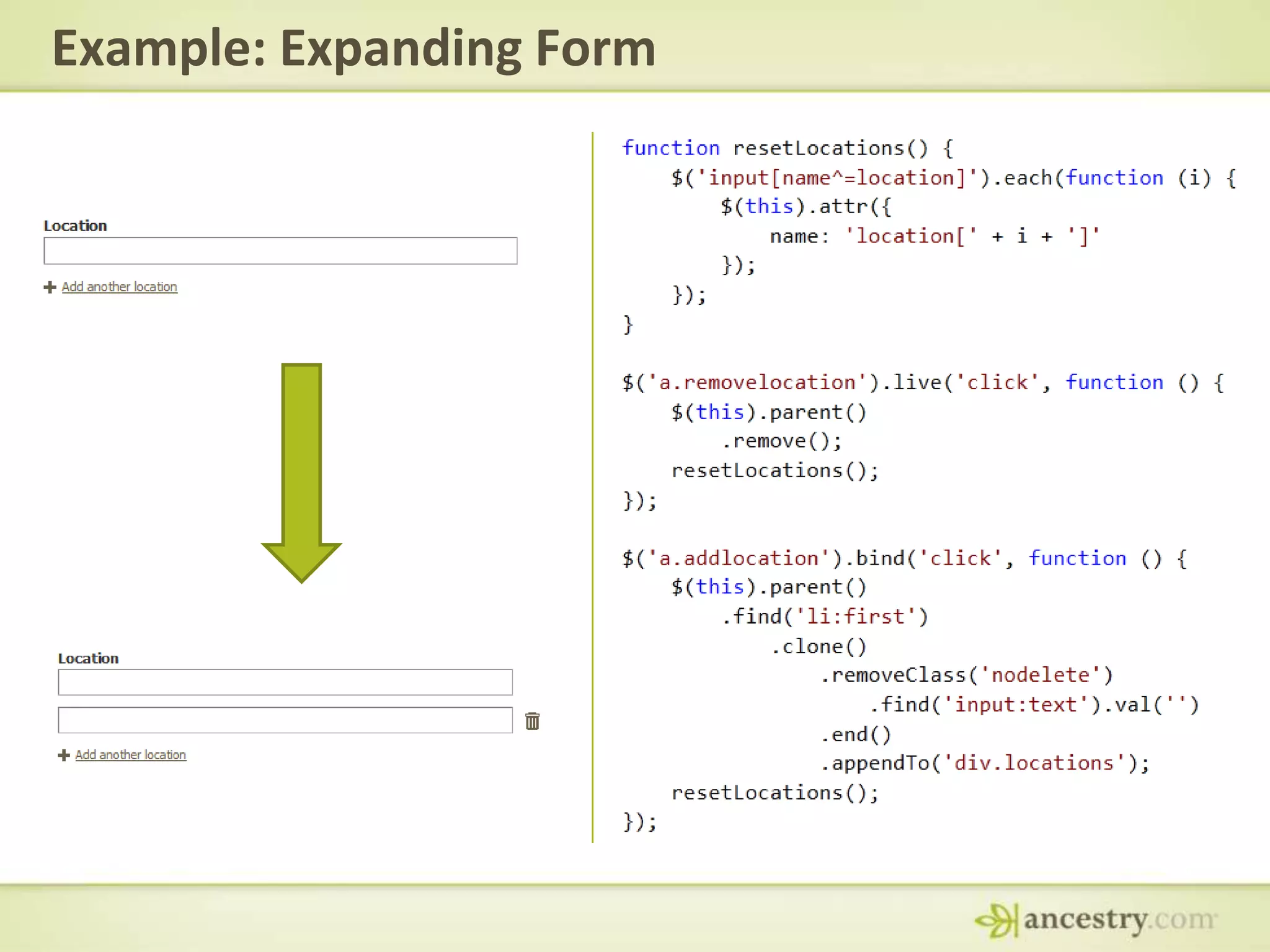
Example: Expanding Form
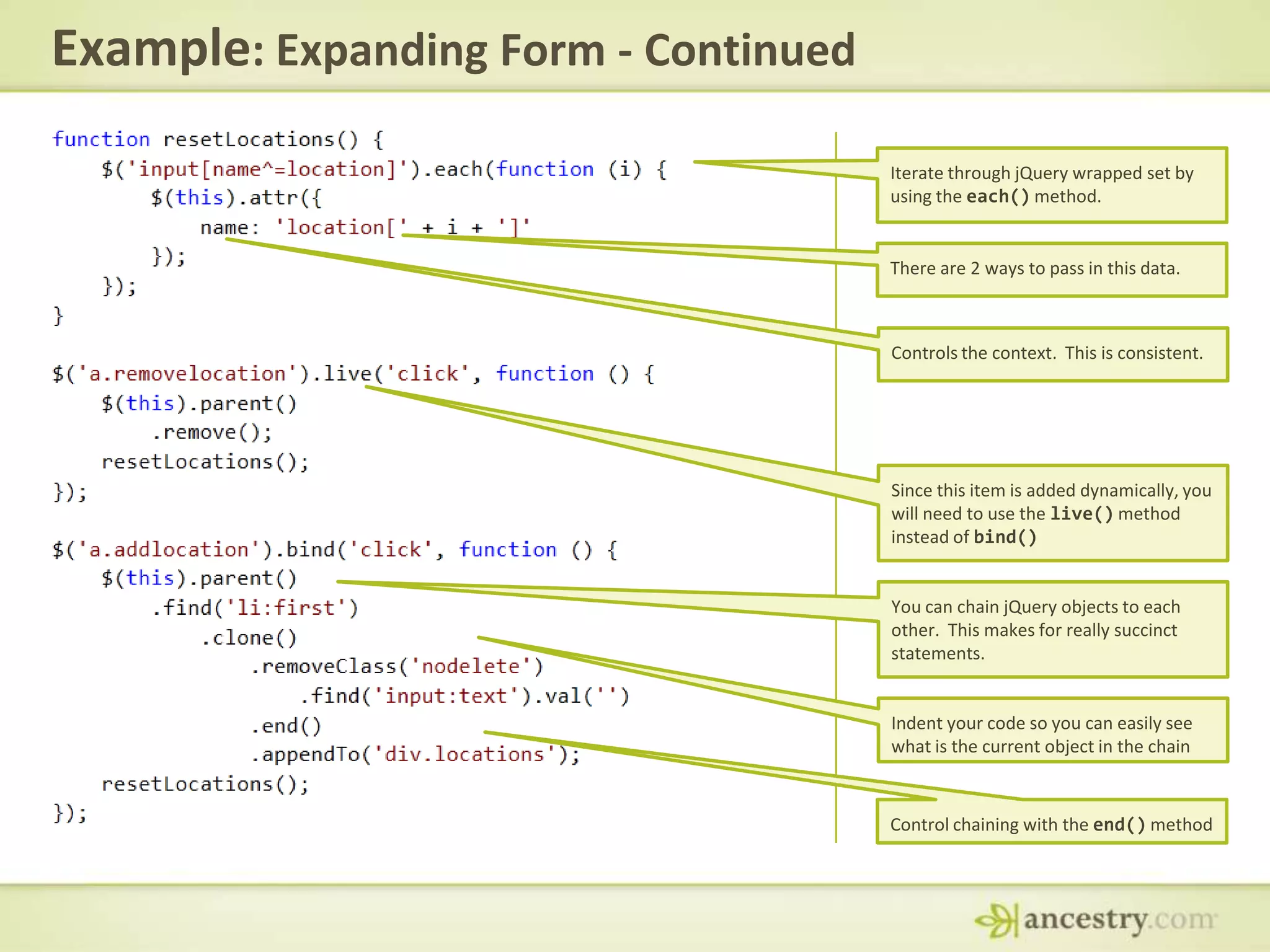
Example: Expanding Form - ContinuedIterate through jQuery wrapped set by using the each() method.There are 2 ways to pass in this data.Controls the context.  This is consistent.Since this item is added dynamically, you will need to use the live() method instead of bind()You can chain jQuery objects to each other.  This makes for really succinct statements.Indent your code so you can easily see what is the current object in the chainControl chaining with the end() method
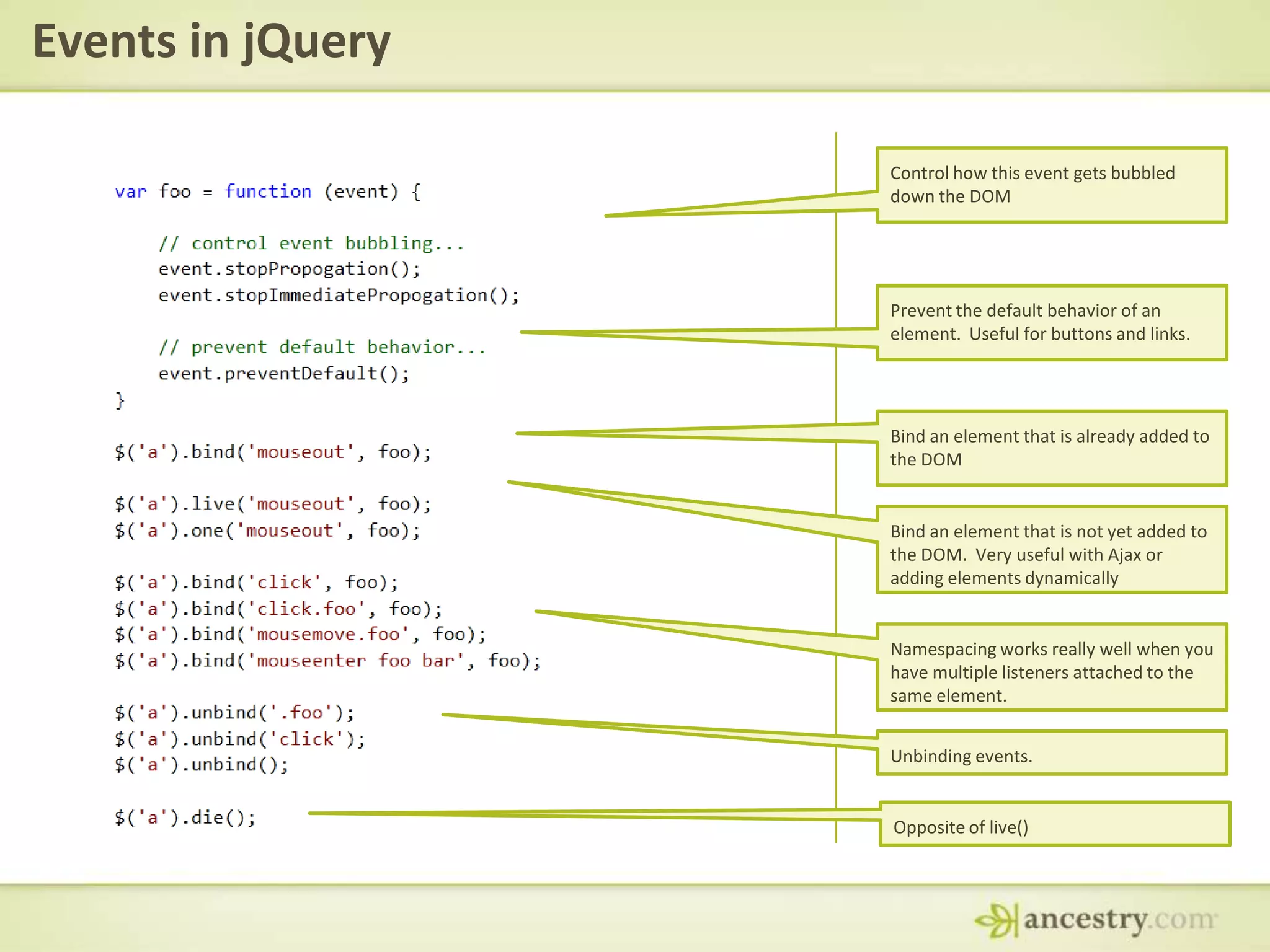
Events in jQueryControl how this event gets bubbled down the DOMPrevent the default behavior of an element.  Useful for buttons and links.Bind an element that is already added to the DOMBind an element that is not yet added to the DOM.  Very useful with Ajax or adding elements dynamicallyNamespacing works really well when you have multiple listeners attached to the same element.Unbinding events.Opposite of live()
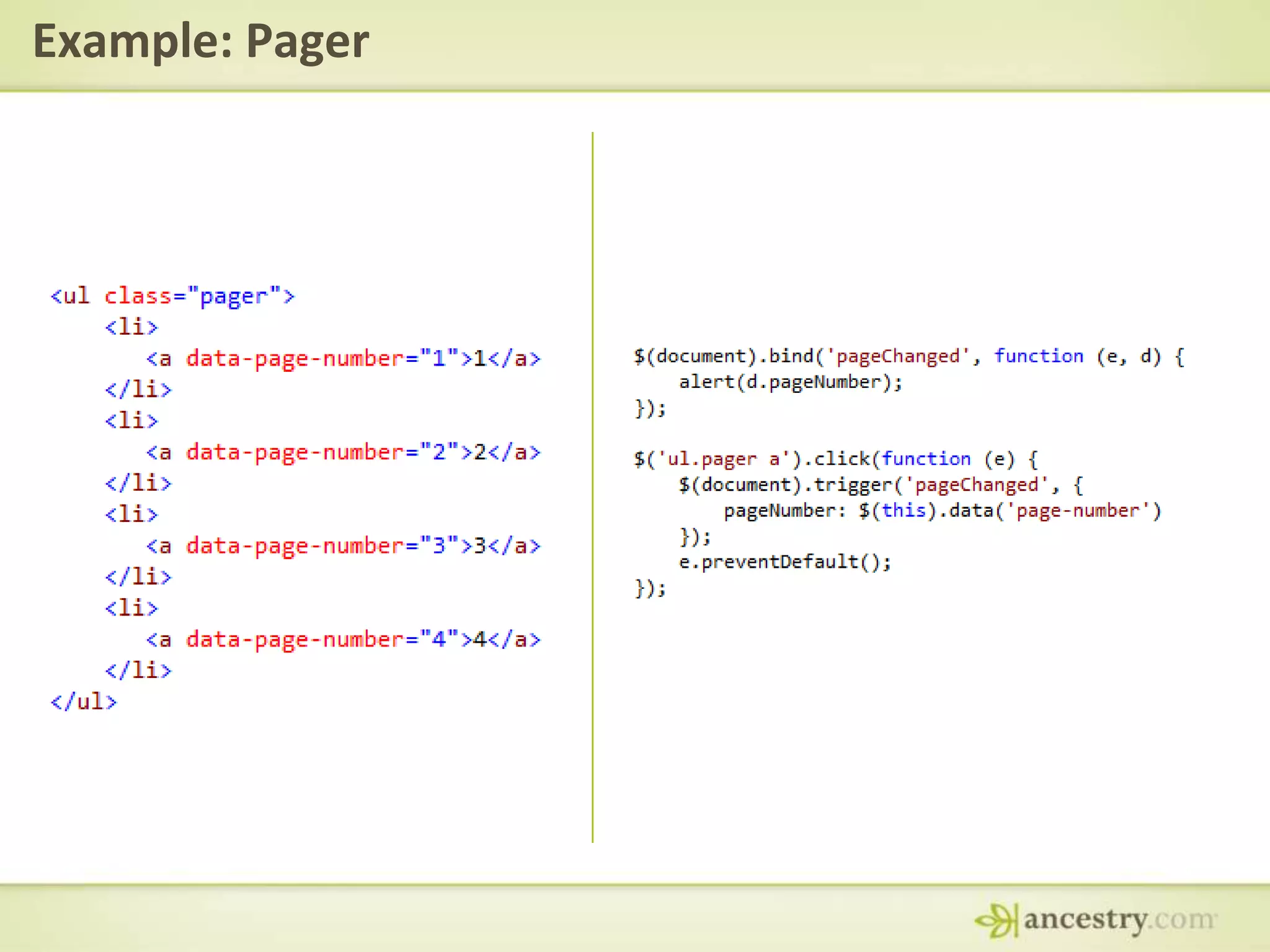
Example: Pager
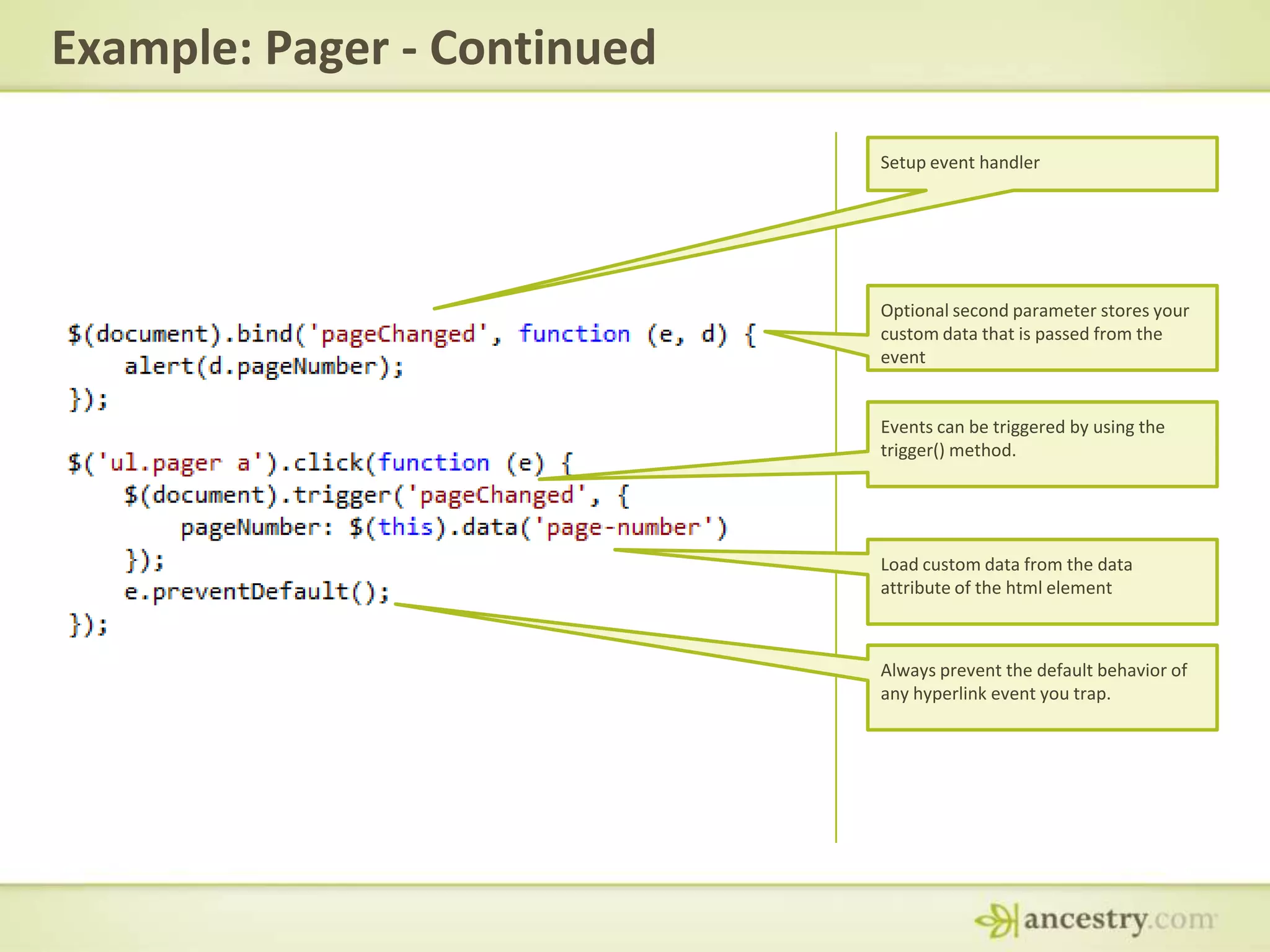
Example: Pager - ContinuedSetup event handlerOptional second parameter stores your custom data that is passed from the eventEvents can be triggered by using the trigger() method.Load custom data from the data attribute of the html elementAlways prevent the default behavior of any hyperlink event you trap.
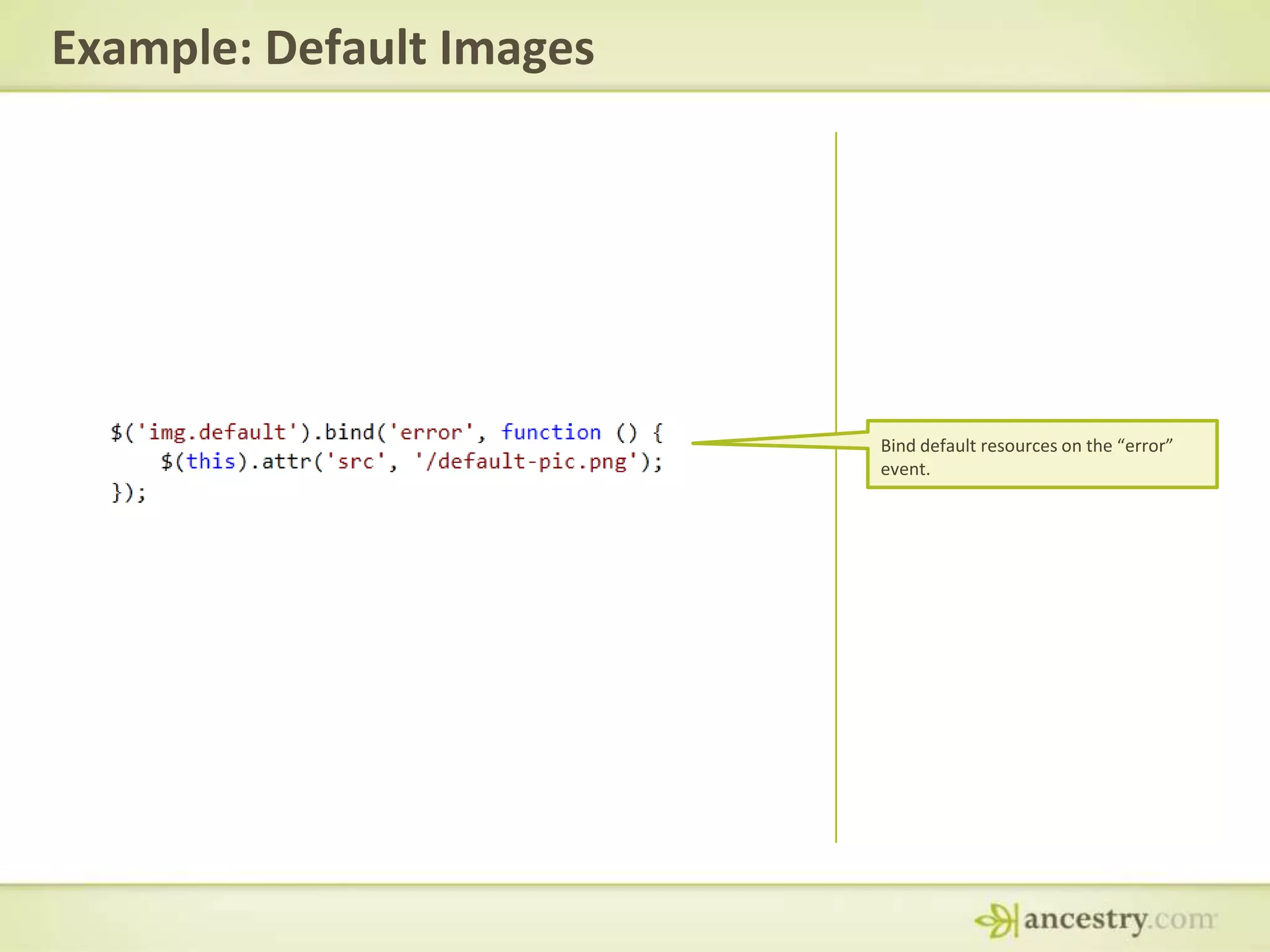
Example: Default ImagesBind default resources on the “error” event.
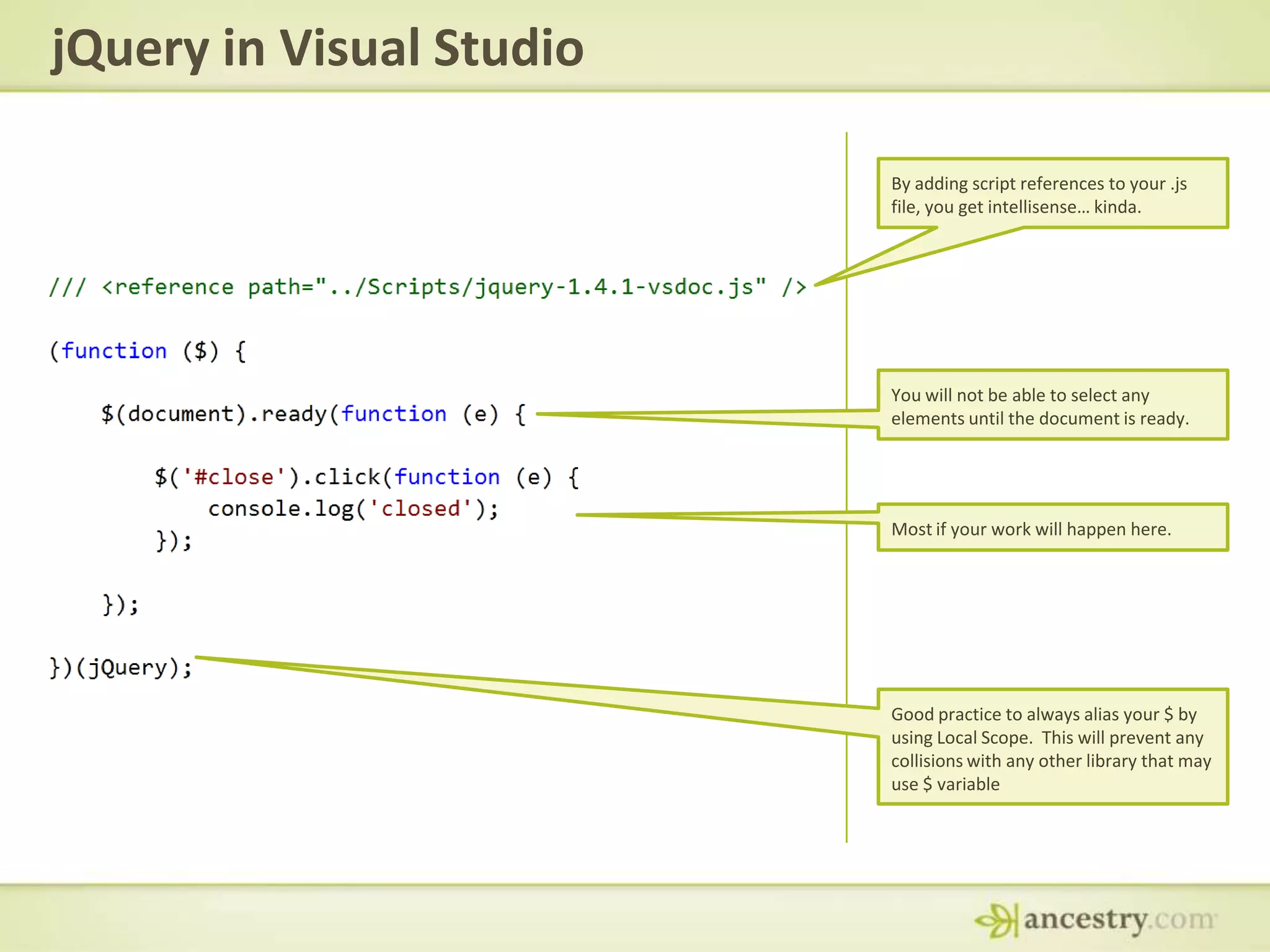
jQuery in Visual StudioBy adding script references to your .js file, you get intellisense… kinda.You will not be able to select any elements until the document is ready.Most if your work will happen here.Good practice to always alias your $ by using Local Scope.  This will prevent any collisions with any other library that may use $ variable
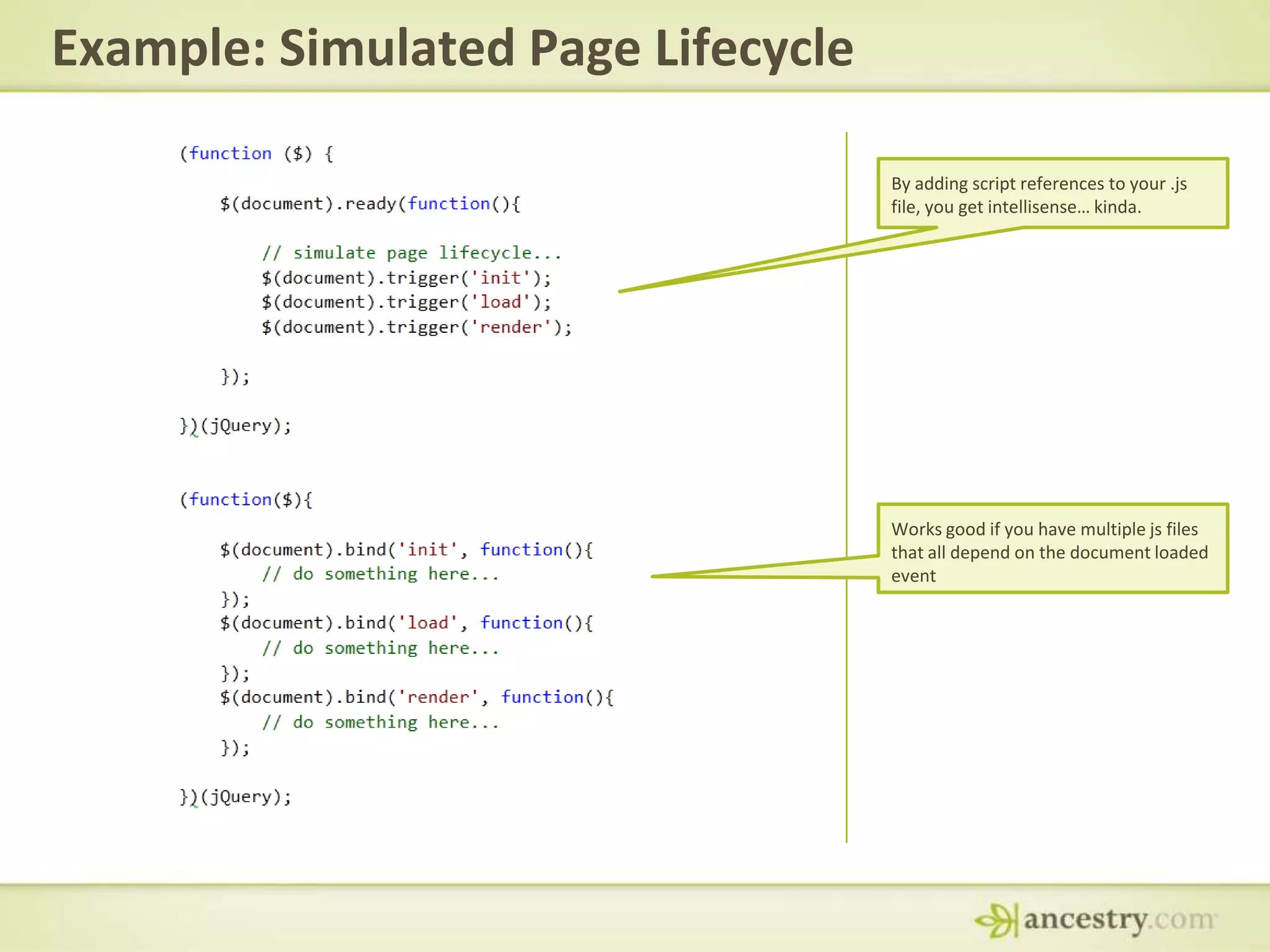
Example: Simulated Page LifecycleBy adding script references to your .js file, you get intellisense… kinda.Works good if you have multiple js files that all depend on the document loaded event
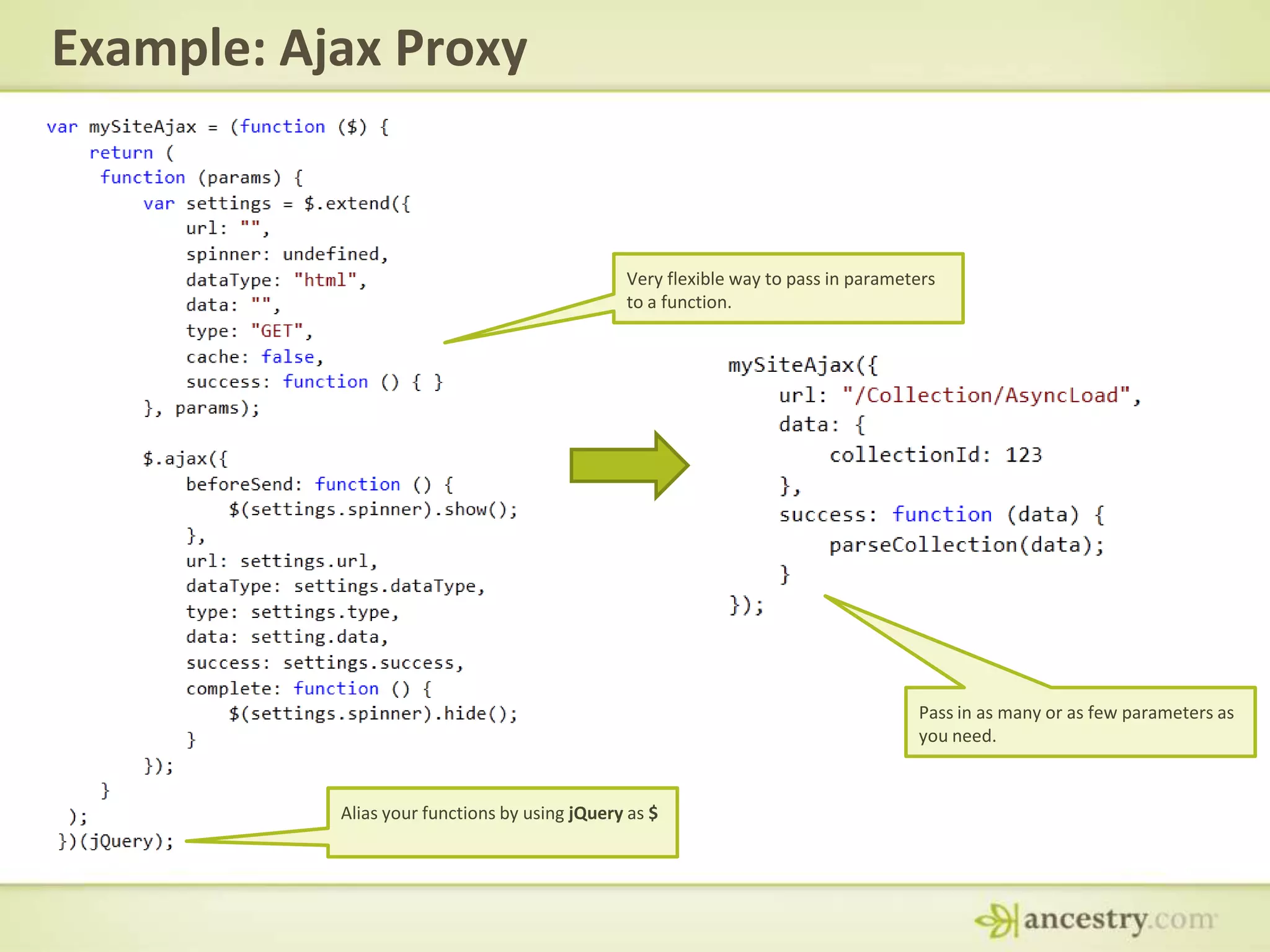
Example: Ajax ProxyVery flexible way to pass in parameters to a function.Pass in as many or as few parameters as you need.Alias your functions by using jQuery as $
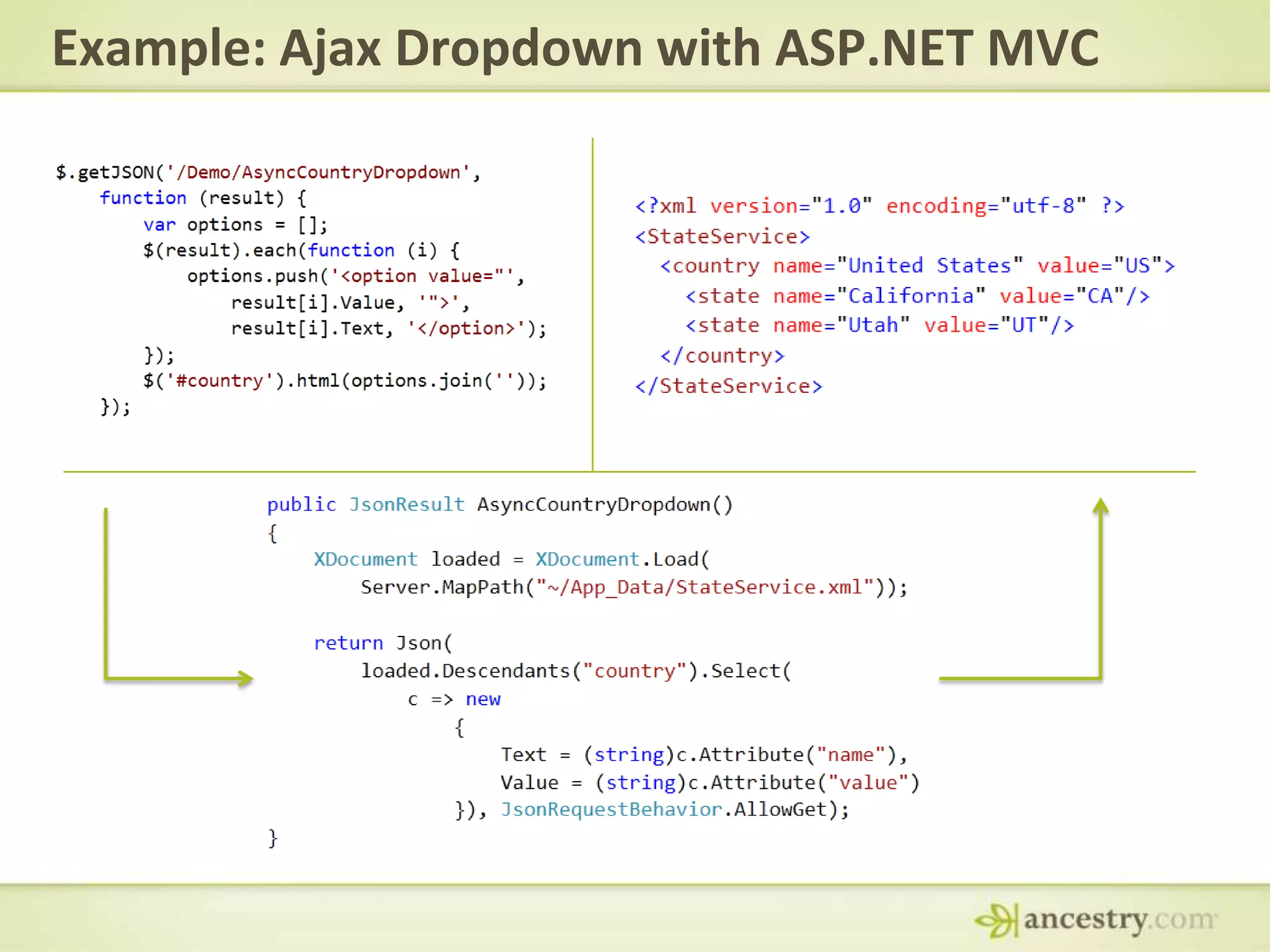
Example: Ajax Dropdown with ASP.NET MVC
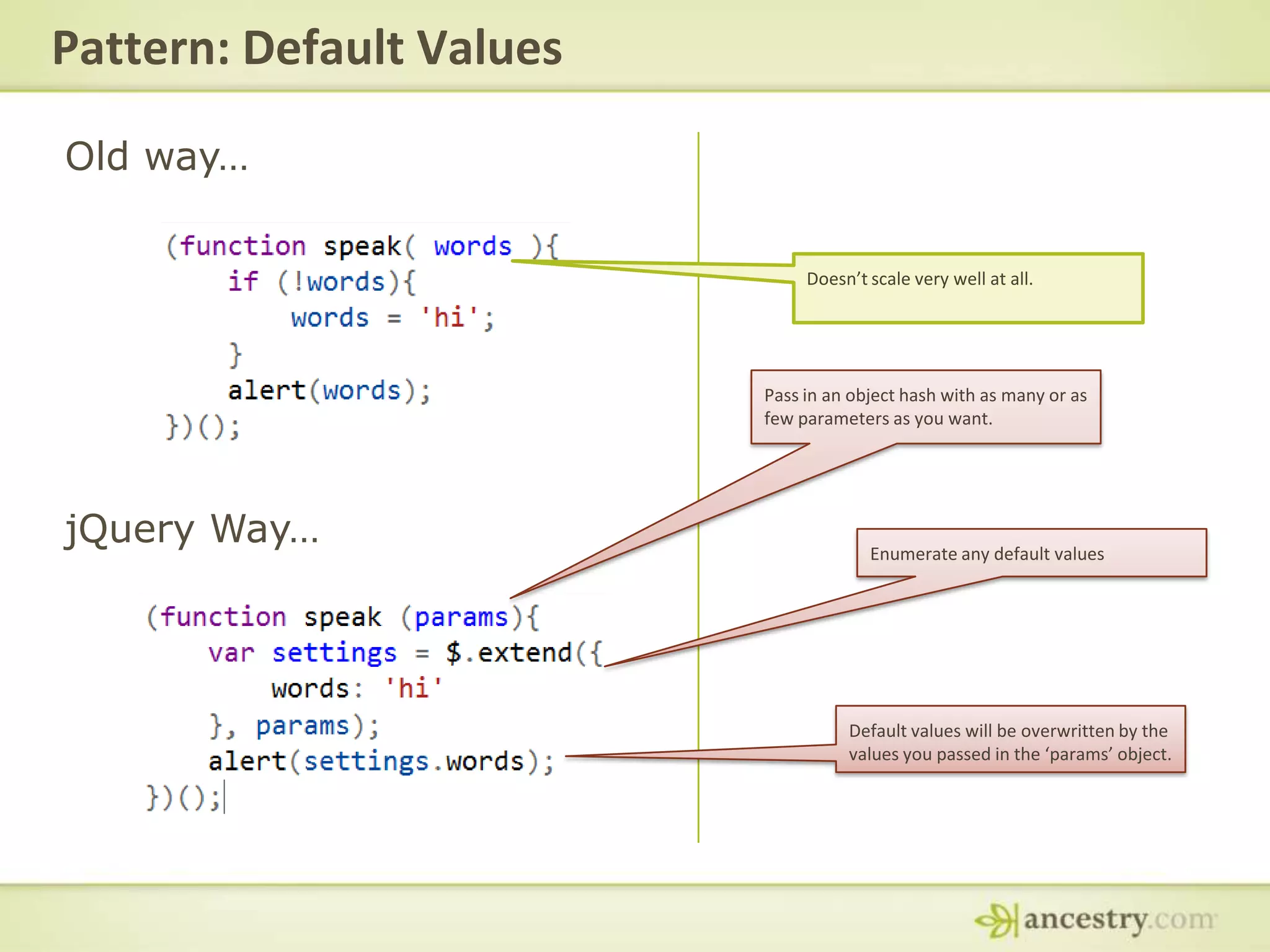
Pattern: Default ValuesOld way… Doesn’t scale very well at all.Pass in an object hash with as many or as few parameters as you want.jQuery Way…Enumerate any default valuesDefault values will be overwritten by the values you passed in the ‘params’ object.
jQuery Plugins
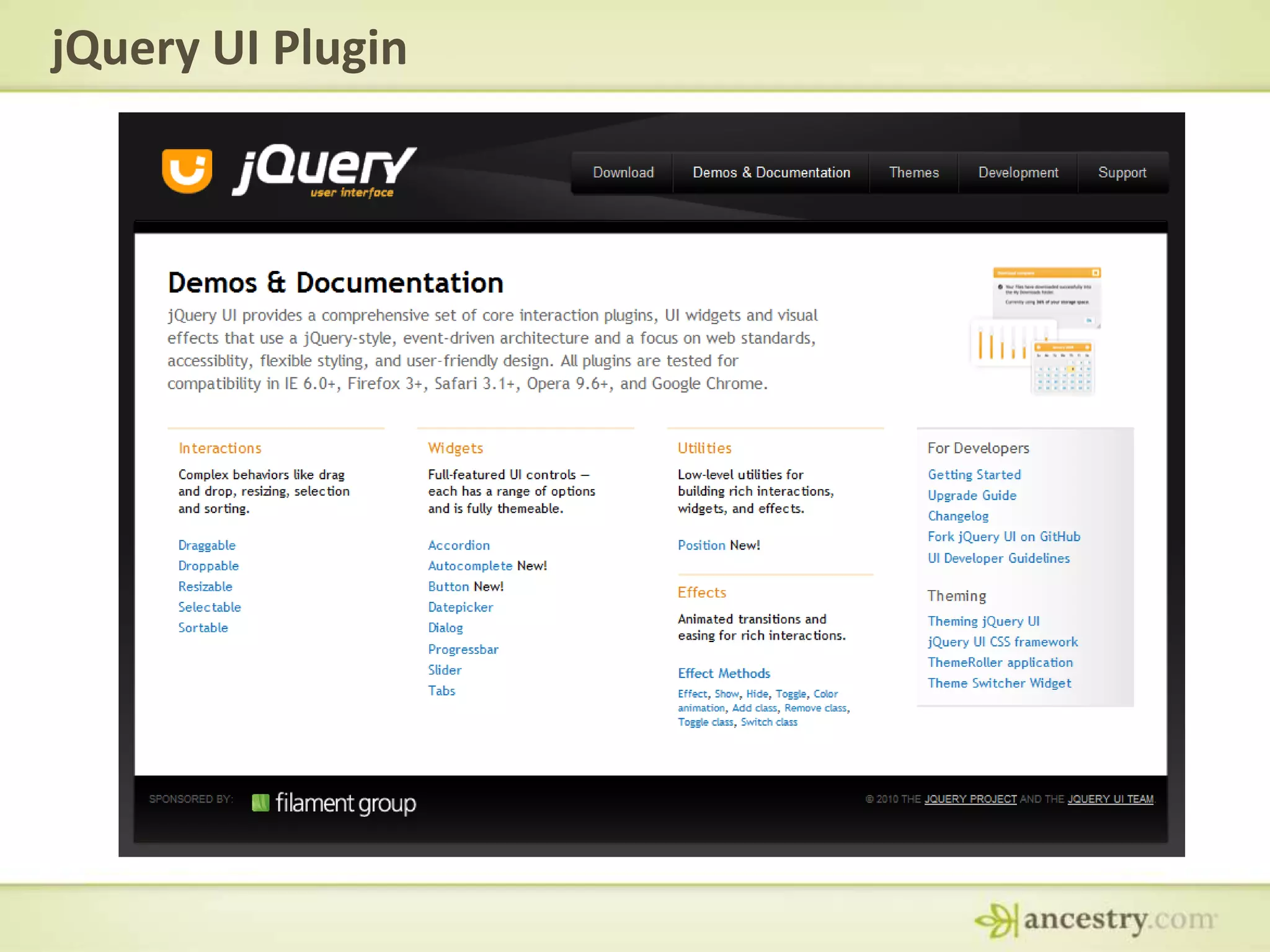
jQuery UI Plugin
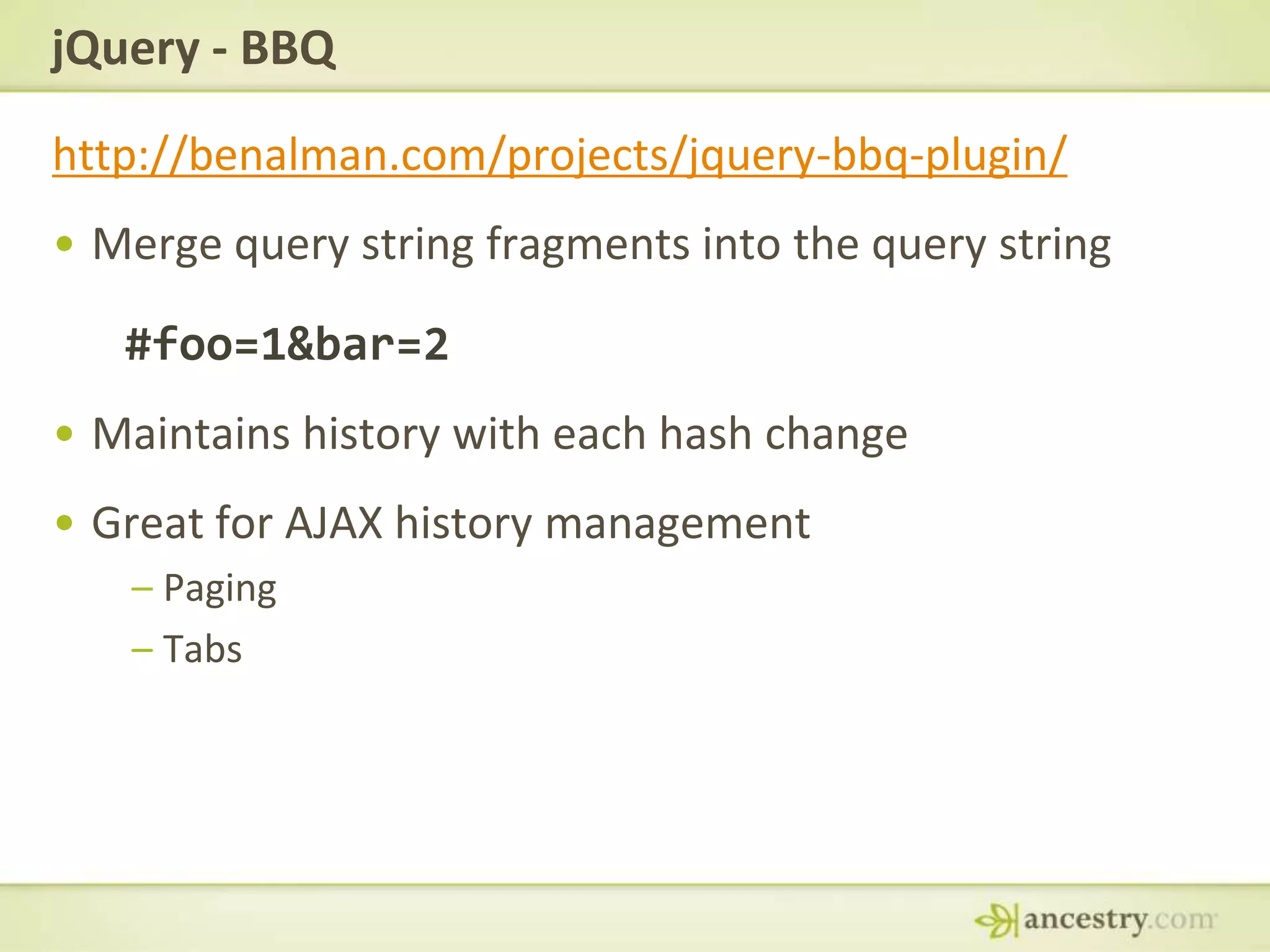
jQuery - BBQhttp://benalman.com/projects/jquery-bbq-plugin/Merge query string fragments into the query string#foo=1&bar=2Maintains history with each hash changeGreat for AJAX history managementPagingTabs
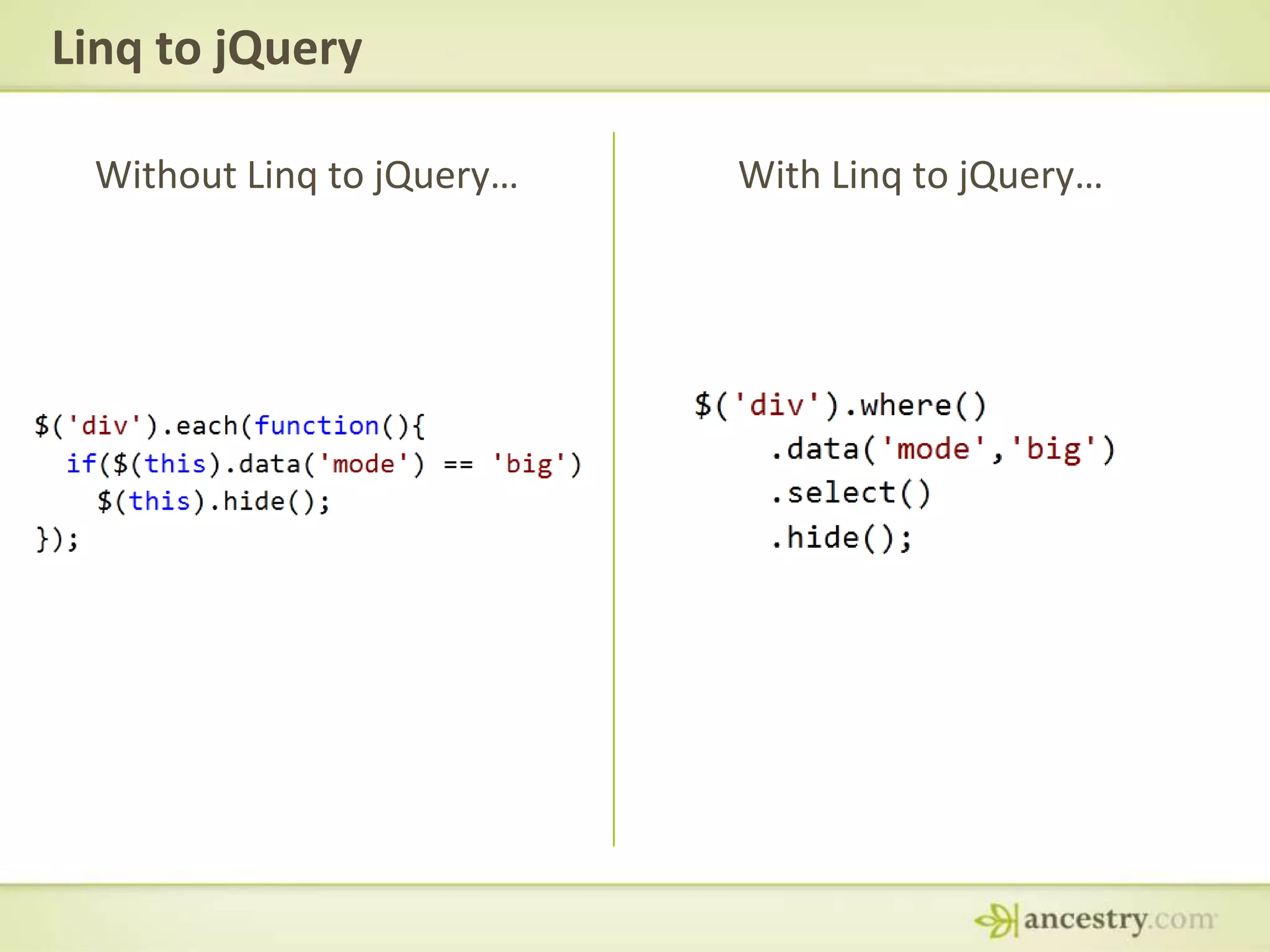
Linq to jQueryWithout Linq to jQuery…With Linq to jQuery…
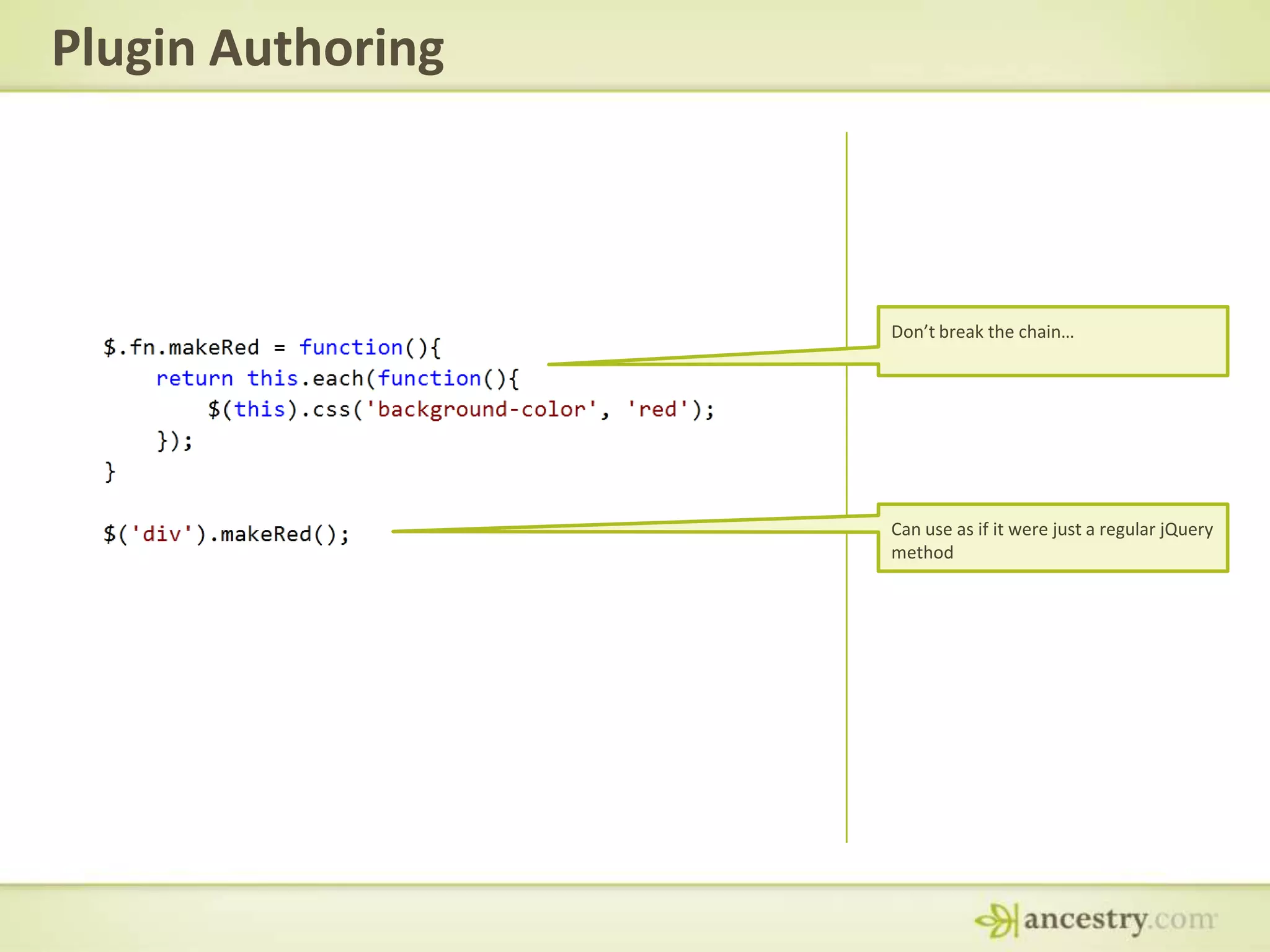
Plugin AuthoringDon’t break the chain…Can use as if it were just a regular jQuery method
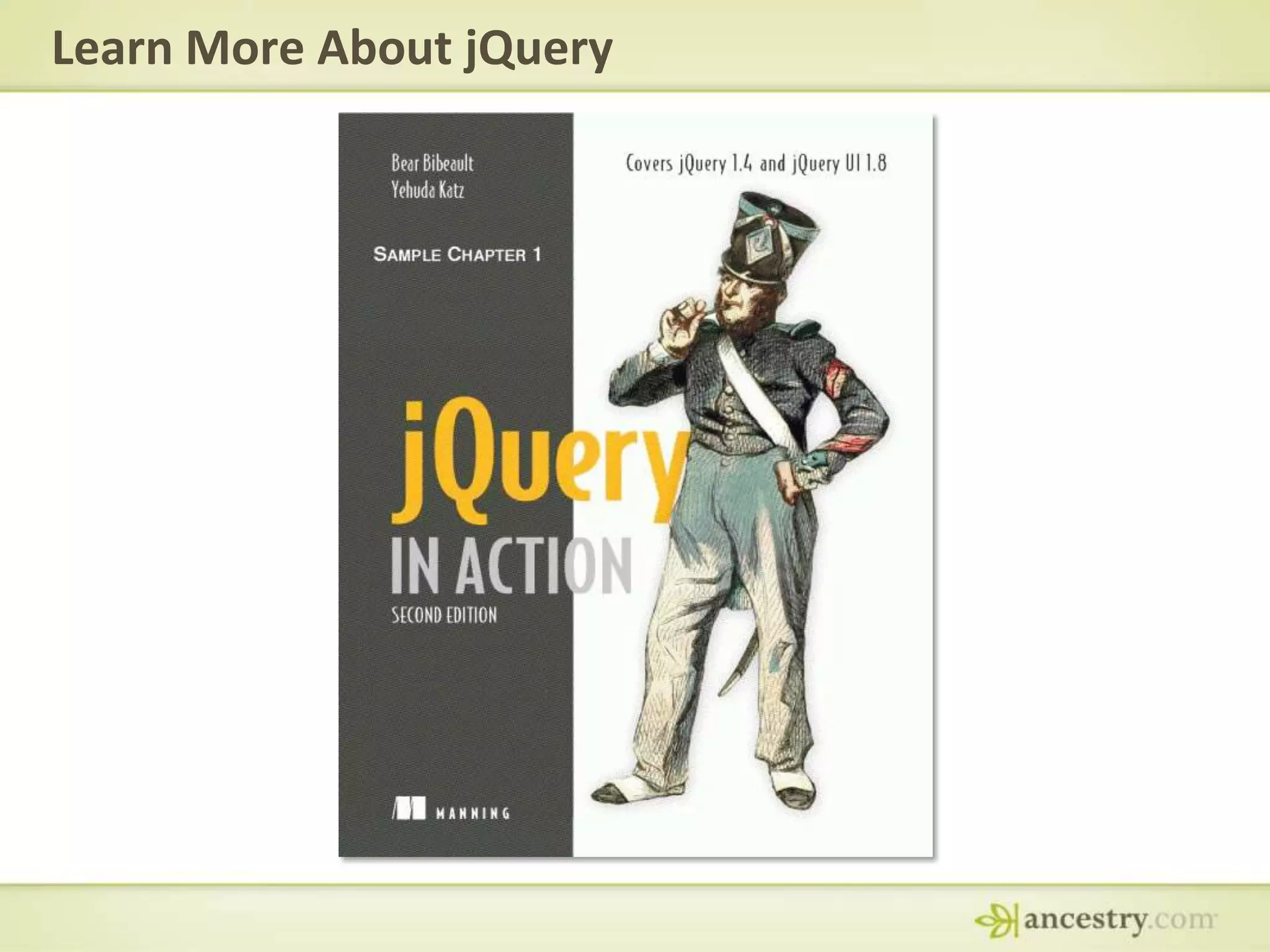
Learn More About jQuery
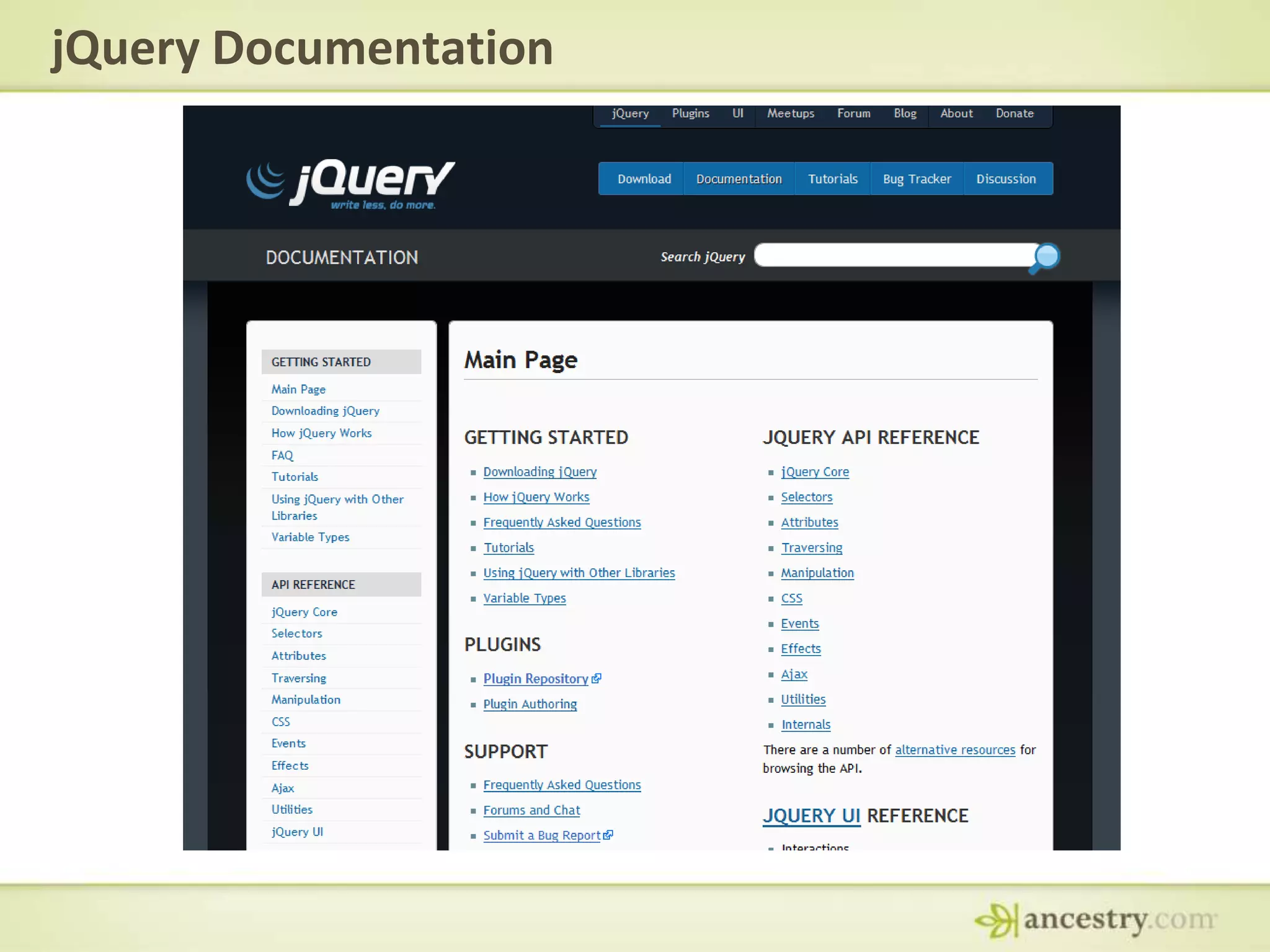
jQuery Documentation
Learn Morehttp://jquerylist.com/http://enterprisejquery.comhttp://jquery.com

jQuery Presentation

Editor's Notes

  • #2 Talk a little about JavaScriptHow well do you know JavaScript?Do we really understand it?How many have done advanced stuff with javascript?Used in different platformsPdfPhotoshopFireworks
  • #6 Unobtrusive JavaScriptLess code
  • #8 Unobtrusive JavaScriptLess code
  • #9 Best practice to indent your code
  • #11 Does not rely on the browser to match the elementsGood for webforms that does the weird ID thing
  • #12 Cross browser up until ie 6
  • #13 Functions are omnipresent
  • #17 Conducive tothe way web pages work.Events are useful, but rediculously hard to implmeent
  • #18 Conducive tothe way web pages work.Events are useful, but rediculously hard to implmeent