Download free for 30 days
Sign in
Upload
Language (EN)
Support
Business
Mobile
Social Media
Marketing
Technology
Art & Photos
Career
Design
Education
Presentations & Public Speaking
Government & Nonprofit
Healthcare
Internet
Law
Leadership & Management
Automotive
Engineering
Software
Recruiting & HR
Retail
Sales
Services
Science
Small Business & Entrepreneurship
Food
Environment
Economy & Finance
Data & Analytics
Investor Relations
Sports
Spiritual
News & Politics
Travel
Self Improvement
Real Estate
Entertainment & Humor
Health & Medicine
Devices & Hardware
Lifestyle
Change Language
Language
English
Español
Português
Français
Deutsche
Cancel
Save
Submit search
EN
Uploaded by
Takashi Nojima
PDF, PPTX
2,556 views
jQuery プラグイン作成入門
2010年10月30日に行われたCSS Nite MIYAZAKIで発表させていただいたときのスライドです。
Technology
◦
Read more
11
Save
Share
Embed
Embed presentation
Download
Download as PDF, PPTX
1
/ 107
2
/ 107
3
/ 107
4
/ 107
5
/ 107
6
/ 107
7
/ 107
8
/ 107
9
/ 107
10
/ 107
11
/ 107
12
/ 107
13
/ 107
14
/ 107
15
/ 107
16
/ 107
17
/ 107
18
/ 107
19
/ 107
20
/ 107
21
/ 107
22
/ 107
23
/ 107
24
/ 107
25
/ 107
26
/ 107
27
/ 107
28
/ 107
29
/ 107
30
/ 107
31
/ 107
32
/ 107
33
/ 107
34
/ 107
35
/ 107
36
/ 107
37
/ 107
38
/ 107
39
/ 107
40
/ 107
41
/ 107
42
/ 107
43
/ 107
44
/ 107
45
/ 107
46
/ 107
47
/ 107
48
/ 107
49
/ 107
50
/ 107
51
/ 107
52
/ 107
53
/ 107
54
/ 107
55
/ 107
56
/ 107
57
/ 107
58
/ 107
59
/ 107
60
/ 107
61
/ 107
62
/ 107
63
/ 107
64
/ 107
65
/ 107
66
/ 107
67
/ 107
68
/ 107
69
/ 107
70
/ 107
71
/ 107
72
/ 107
73
/ 107
74
/ 107
75
/ 107
76
/ 107
77
/ 107
78
/ 107
79
/ 107
80
/ 107
81
/ 107
82
/ 107
83
/ 107
84
/ 107
85
/ 107
86
/ 107
87
/ 107
88
/ 107
89
/ 107
90
/ 107
91
/ 107
92
/ 107
93
/ 107
94
/ 107
95
/ 107
96
/ 107
97
/ 107
98
/ 107
99
/ 107
100
/ 107
101
/ 107
102
/ 107
103
/ 107
104
/ 107
105
/ 107
106
/ 107
107
/ 107
More Related Content
PDF
jQuery for beginners
by
Arulmurugan Rajaraman
PDF
Jquery Framework
by
Luiz Carlos Chaves
PPT
Jquerymobile ppt
by
Willy Aguirre
PPTX
Concevoir un thème pour Wordpress
by
Jean-Luc Houedanou
PDF
Macdom html preprocesor
by
Vladimír Macháček
KEY
jQuery入門
by
Tomo Fujita
KEY
Javascript4
by
mozks
PDF
Intro to jQuery UI
by
appendTo
jQuery for beginners
by
Arulmurugan Rajaraman
Jquery Framework
by
Luiz Carlos Chaves
Jquerymobile ppt
by
Willy Aguirre
Concevoir un thème pour Wordpress
by
Jean-Luc Houedanou
Macdom html preprocesor
by
Vladimír Macháček
jQuery入門
by
Tomo Fujita
Javascript4
by
mozks
Intro to jQuery UI
by
appendTo
What's hot
PDF
jQuery Mobileではじめるモバイルサイト/アプリ制作
by
yoshikawa_t
PPTX
Jquery Introduction Hebrew
by
Alex Ivy
PDF
20110128 HTML5 Markup My Blog
by
Rimpei Ogawa
PPTX
Tjejer kodar 100 - Dag 2 - HTML & CSS
by
Emil Stenström
PDF
tmn - Introdução ao DOM
by
Claudio Gamboa
KEY
Selectors & Traversing
by
swainet
PPTX
10 Programación Web con .NET y C#
by
guidotic
PPTX
Asp .net Jquery
by
umesh patil
PDF
Javascript and jQuery for Mobile
by
Ivano Malavolta
PDF
Краткий обзор библиотеки YUI
by
Andrew Shitov
PDF
Lesson 01
by
Andrii Trybynenko
jQuery Mobileではじめるモバイルサイト/アプリ制作
by
yoshikawa_t
Jquery Introduction Hebrew
by
Alex Ivy
20110128 HTML5 Markup My Blog
by
Rimpei Ogawa
Tjejer kodar 100 - Dag 2 - HTML & CSS
by
Emil Stenström
tmn - Introdução ao DOM
by
Claudio Gamboa
Selectors & Traversing
by
swainet
10 Programación Web con .NET y C#
by
guidotic
Asp .net Jquery
by
umesh patil
Javascript and jQuery for Mobile
by
Ivano Malavolta
Краткий обзор библиотеки YUI
by
Andrew Shitov
Lesson 01
by
Andrii Trybynenko
Viewers also liked
PDF
Composerはじめました
by
Takashi Nojima
PDF
PHPTAL with CakePHP
by
Takashi Nojima
ODP
Cake php4designers
by
Seiji Ogawa
PDF
Plugin for CakePHP2.0
by
Takashi Nojima
PDF
CakePHP SessionAcl Component
by
Takashi Nojima
PDF
MVCのVを極めしWebデザイナーになる - CakePHP勉強会
by
Kazuhiro Hara
Composerはじめました
by
Takashi Nojima
PHPTAL with CakePHP
by
Takashi Nojima
Cake php4designers
by
Seiji Ogawa
Plugin for CakePHP2.0
by
Takashi Nojima
CakePHP SessionAcl Component
by
Takashi Nojima
MVCのVを極めしWebデザイナーになる - CakePHP勉強会
by
Kazuhiro Hara
jQuery プラグイン作成入門
1.
jQuery
2.
: • • •
etc..
3.
: • • •
etc.. jQuery OK!!
4.
“jQuery” HTML/CSS
JavaScript Web
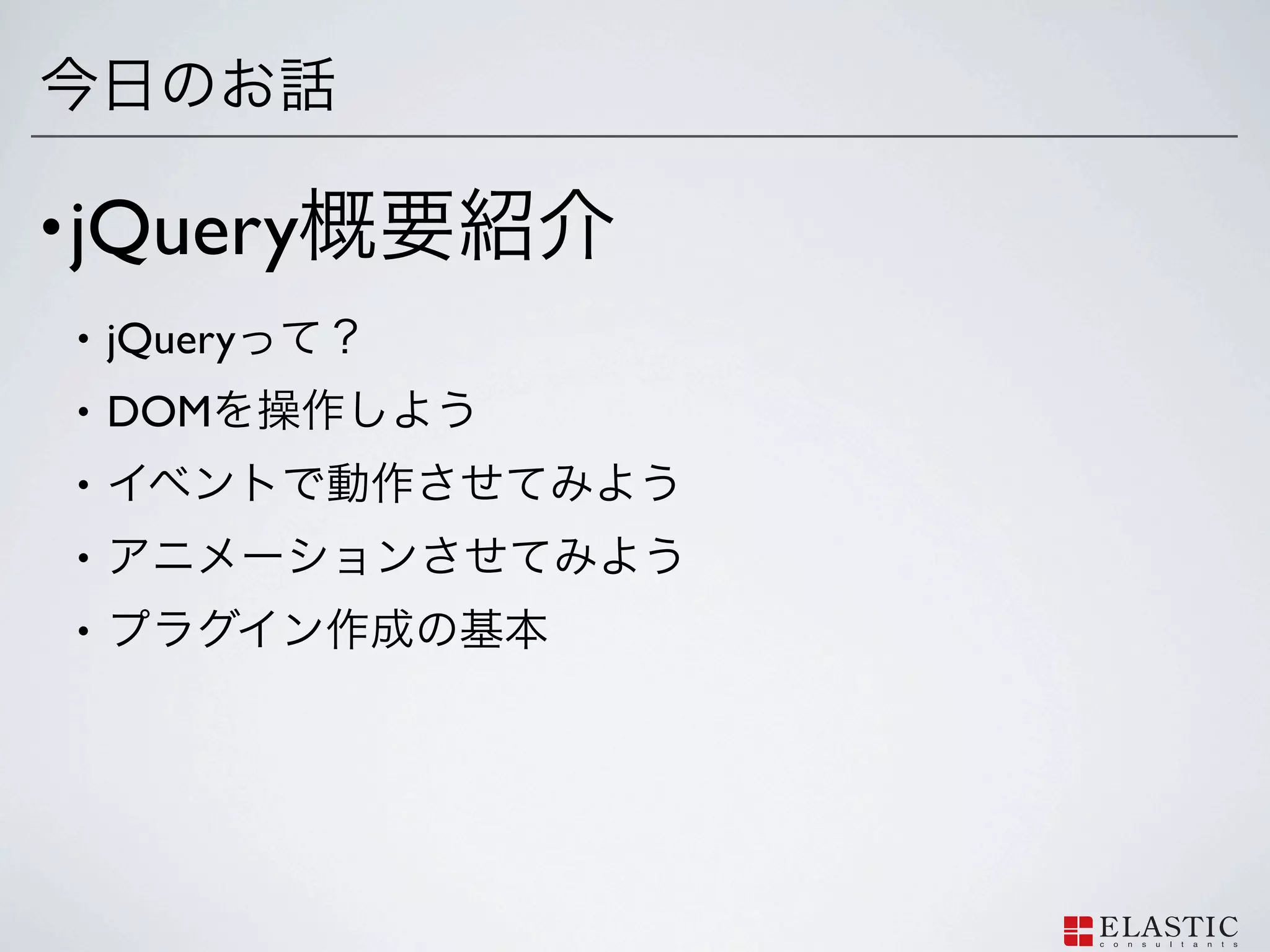
5.
• jQuery •
jQuery • DOM • • •
6.
•
7.
About Me • WEB
Developer / PHP / CakePHP / HTML / CSS / jQuery / PostgreSQL / MySQL / iPhone / / / / / / / / no more • BLOG: http://php-tips.com/ • TWITTER: @nojimage • FACEBOOK: http://www.facebook.com/nojimage
8.
About
?
9.
?
10.
About jQuery
HTML/CSS JavaScript
11.
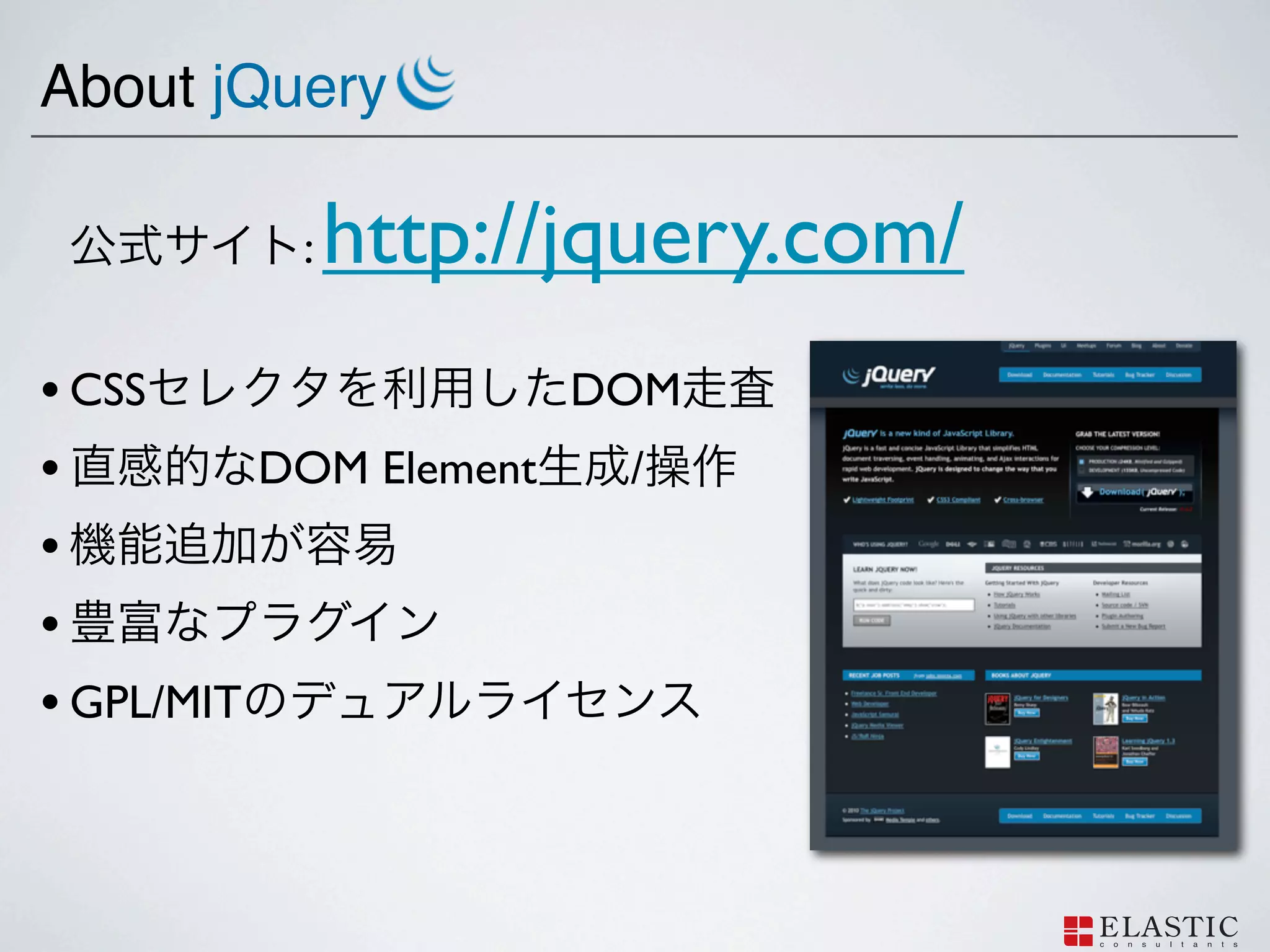
About jQuery
: http://jquery.com/ • CSS DOM • DOM Element / • • • GPL/MIT
12.
Getting started with
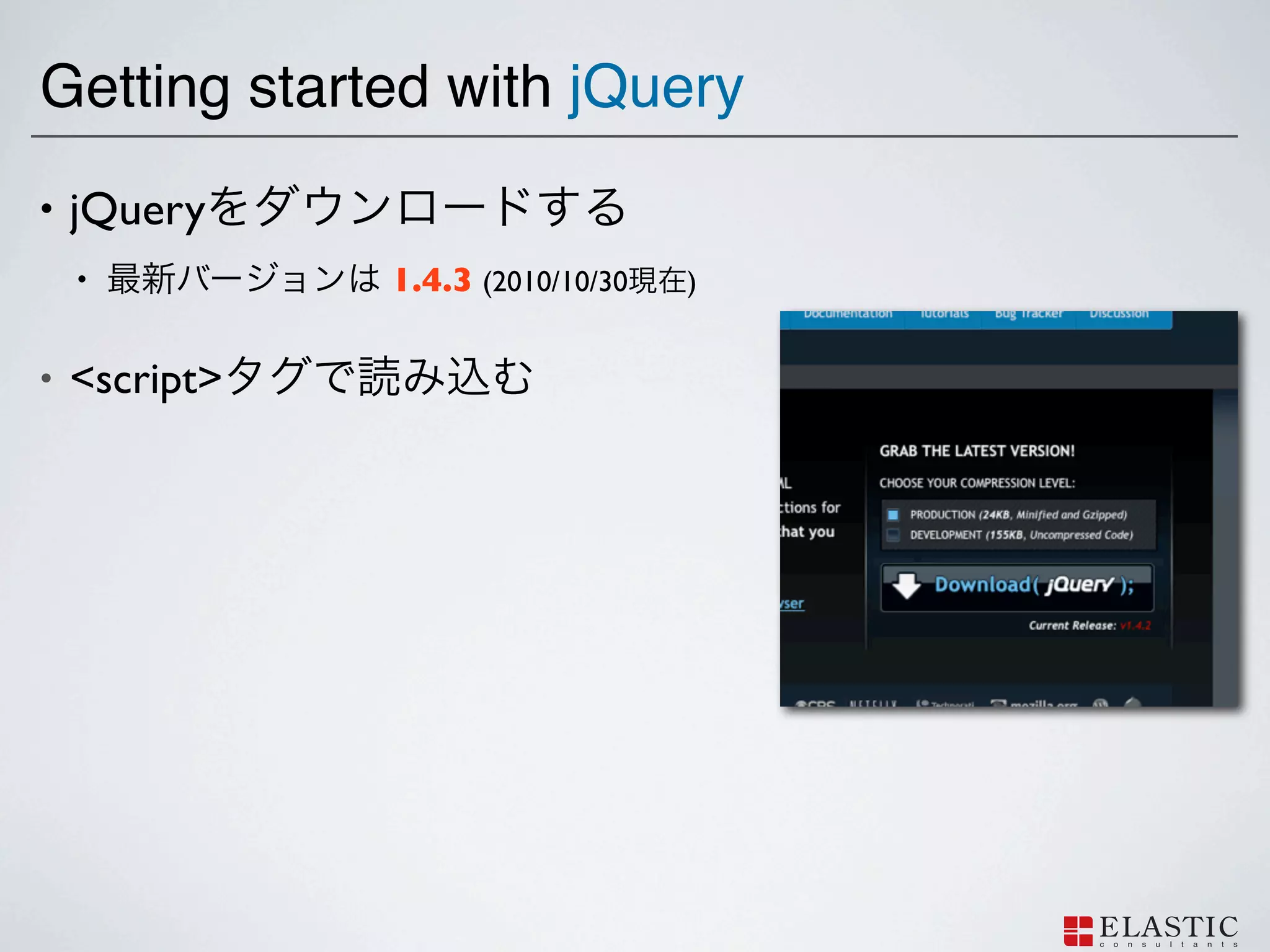
jQuery • jQuery • 1.4.3 (2010/10/30 ) • <script>
13.
Getting started with
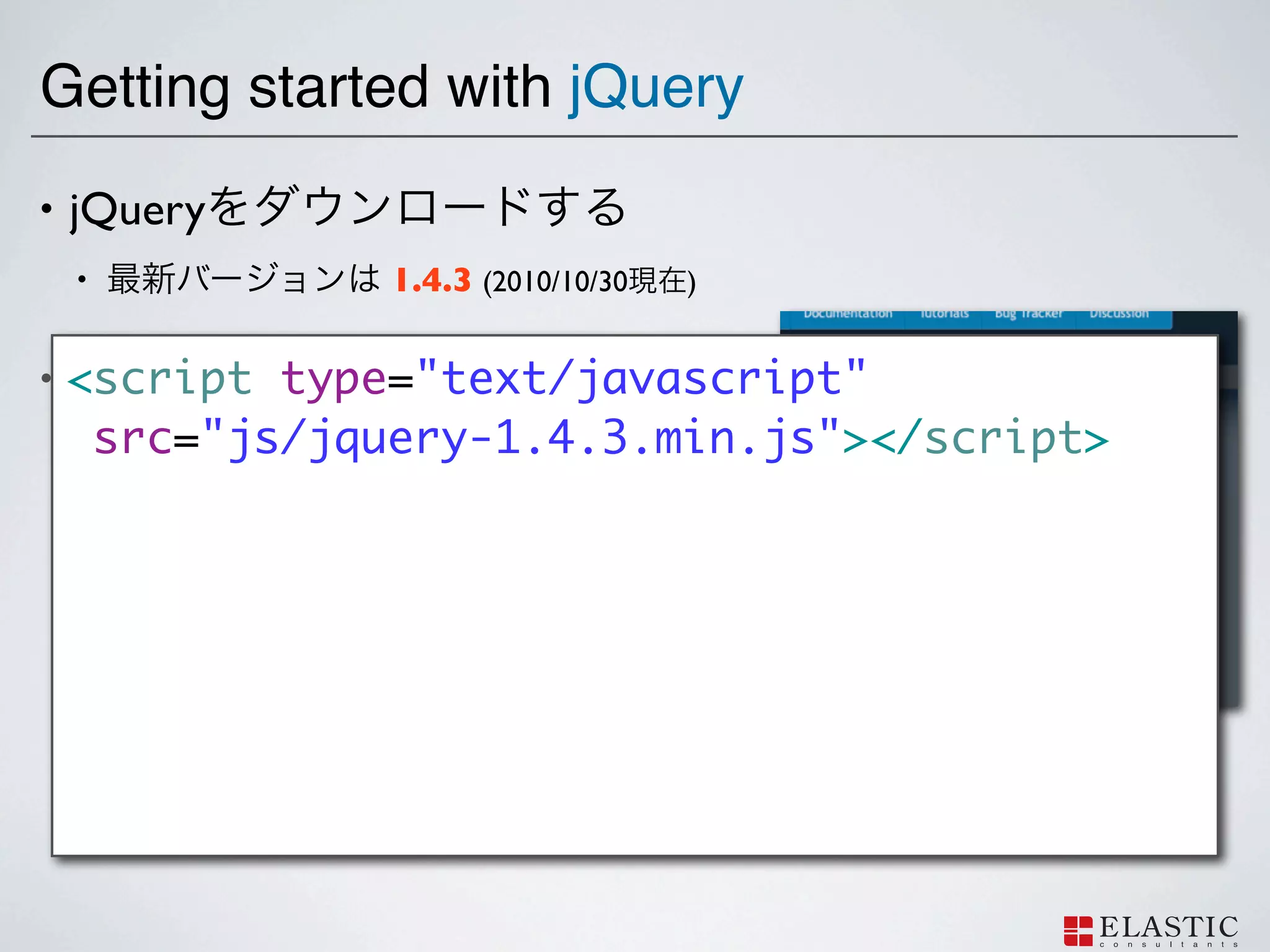
jQuery • jQuery • 1.4.3 (2010/10/30 ) • <script type="text/javascript" <script> src="js/jquery-1.4.3.min.js"></script>
14.
Getting started with
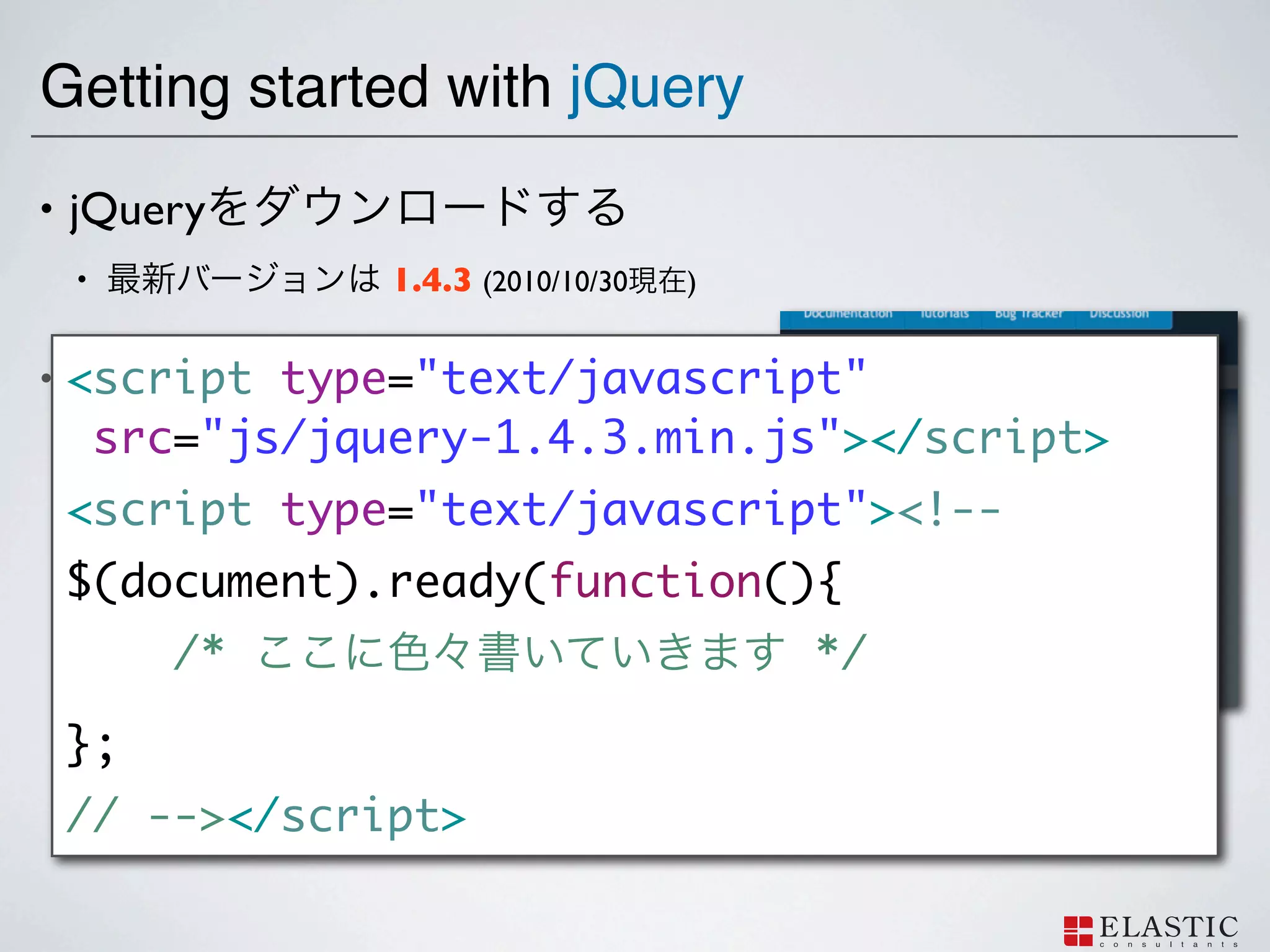
jQuery • jQuery • 1.4.3 (2010/10/30 ) • <script type="text/javascript" <script> src="js/jquery-1.4.3.min.js"></script> <script type="text/javascript"><!-- $(document).ready(function(){ /* */ }; // --></script>
15.
Manipulate DOM
16.
DOM
17.
DOM =
18.
DOM = Document
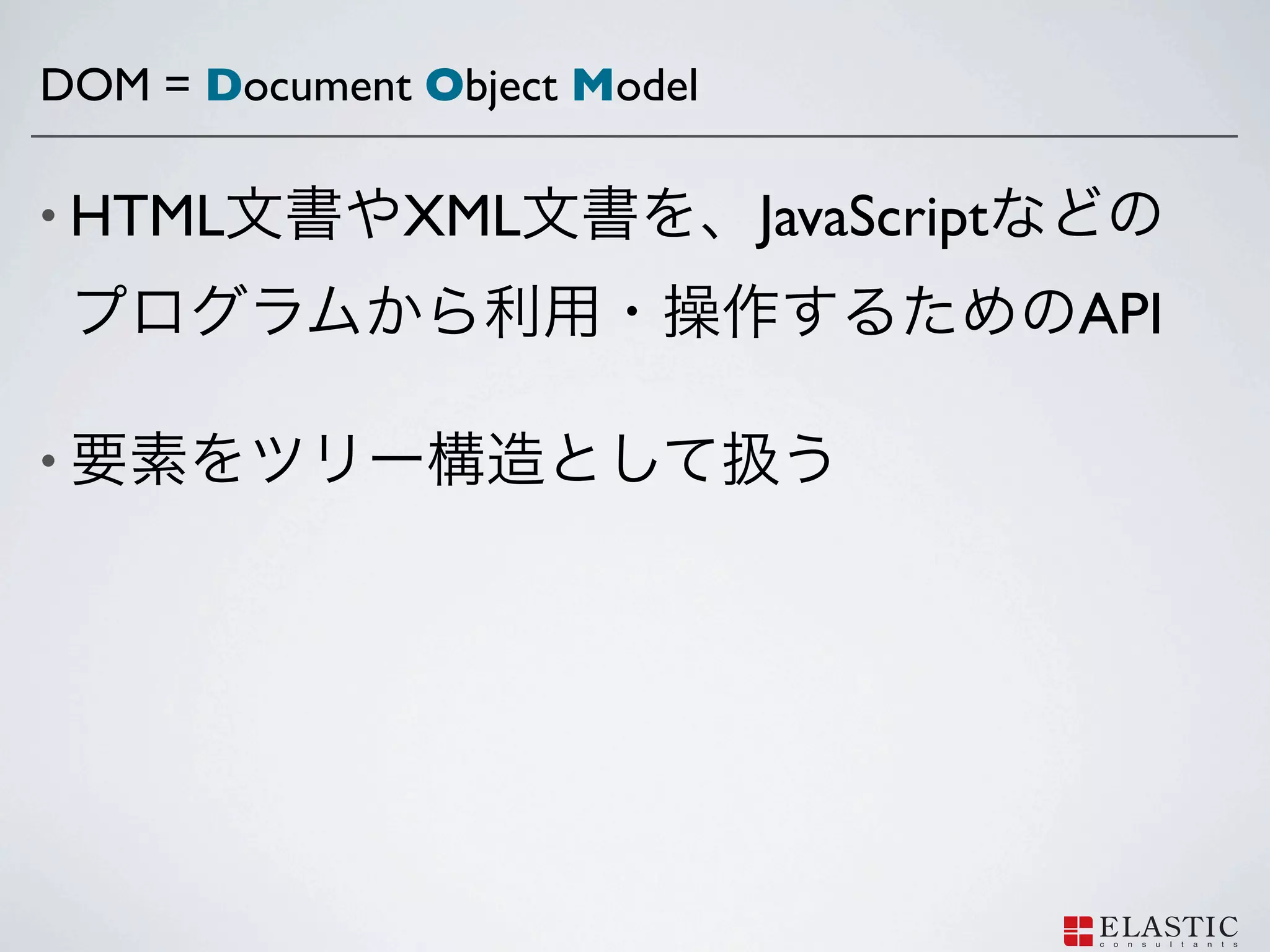
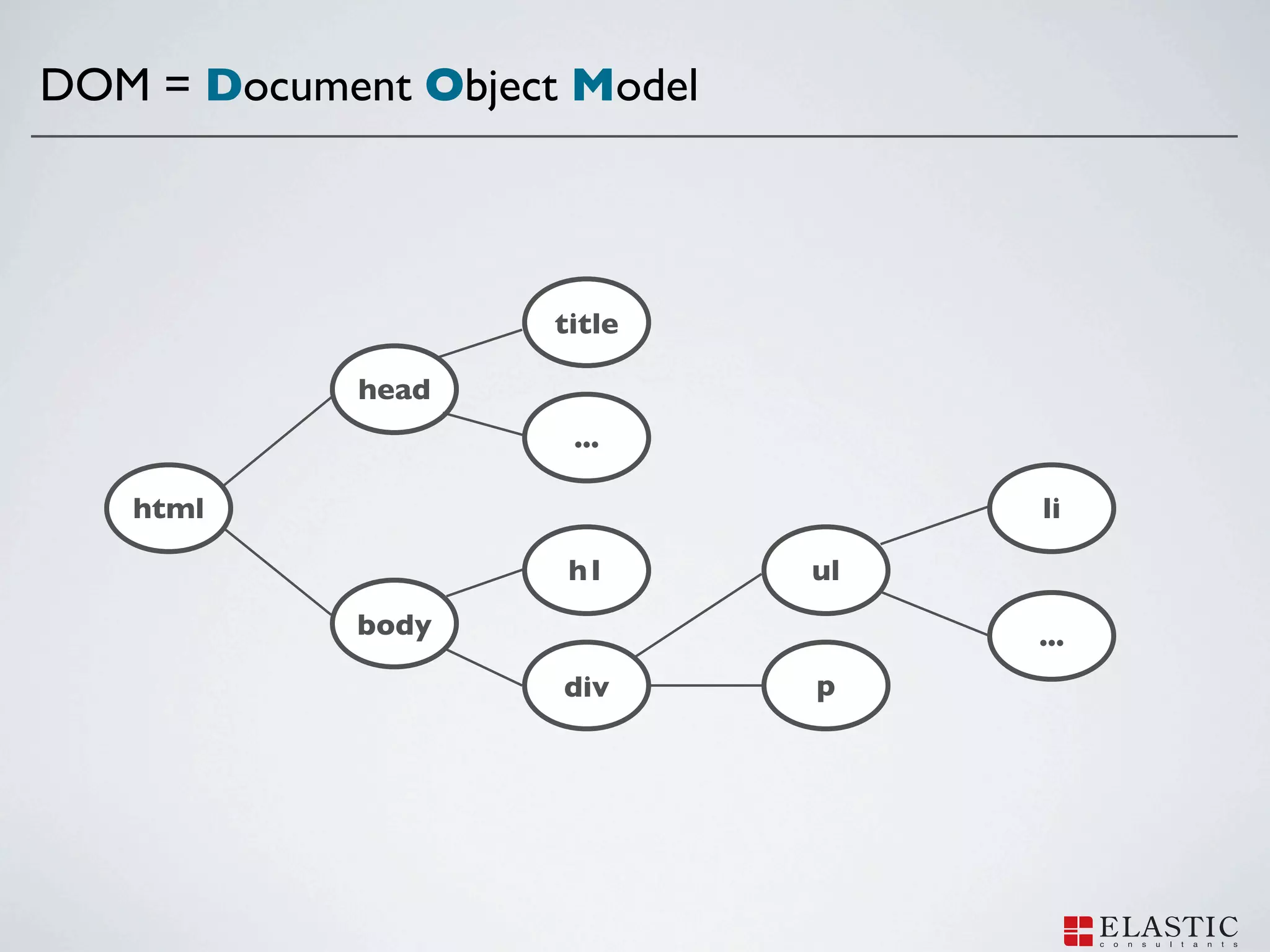
Object Model
19.
DOM = Document
Object Model • HTML XML JavaScript API •
20.
DOM = Document
Object Model title head ... html li h1 ul body ... div p
21.
How to select
DOM Elements with jQuery
22.
jQuery
CSS DOM
23.
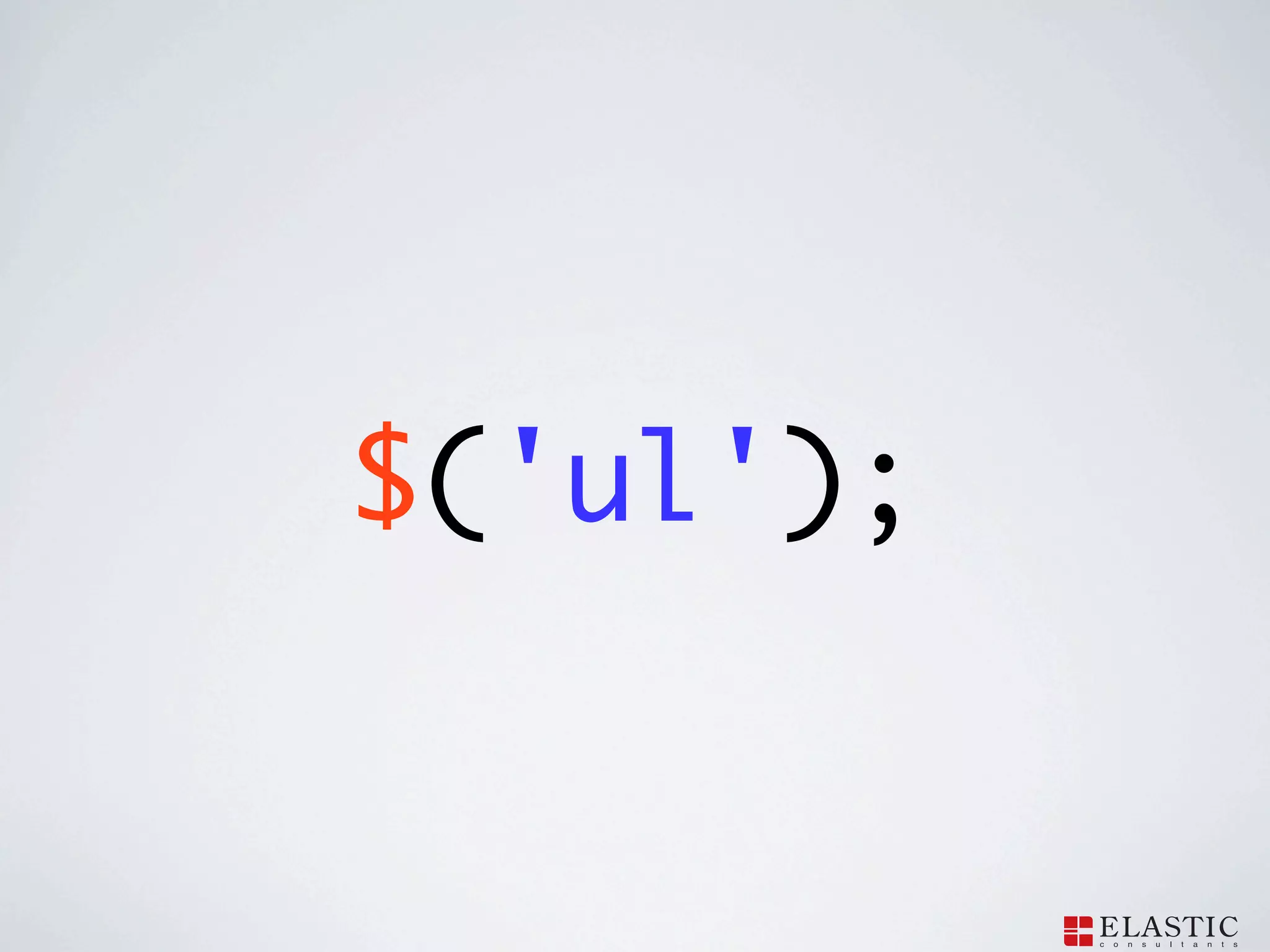
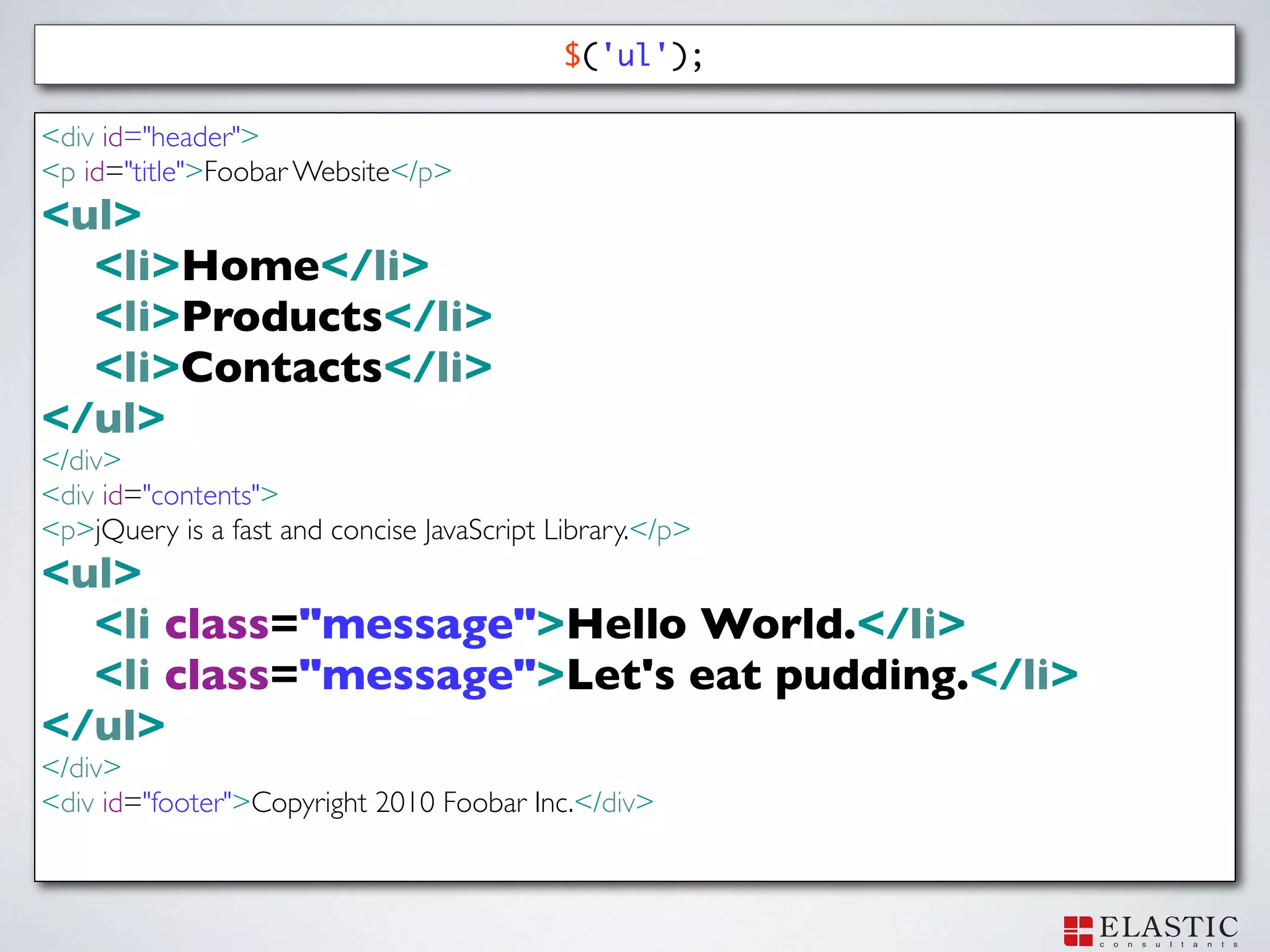
$('ul');
24.
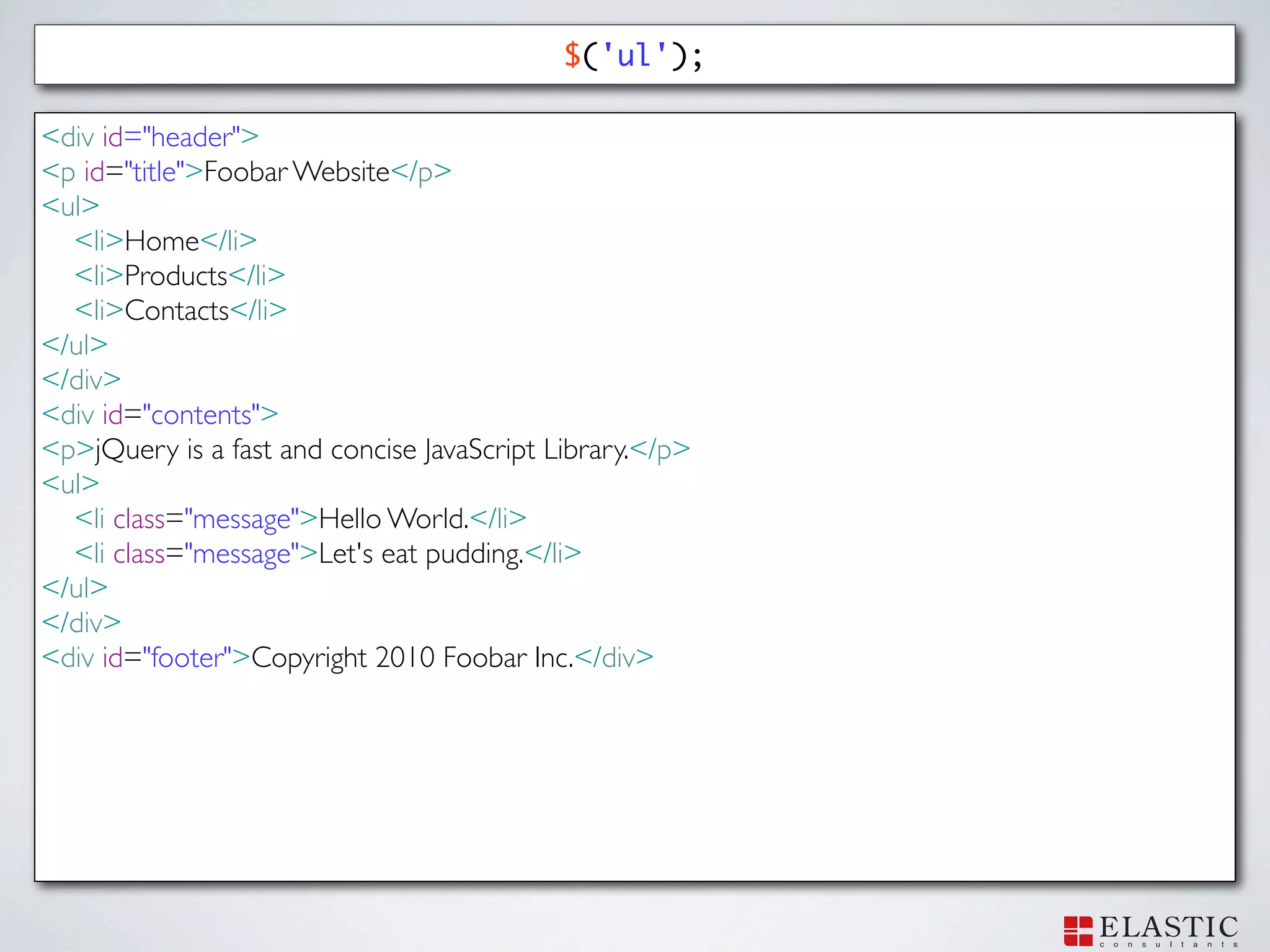
$('ul'); <div id="header"> <p id="title">Foobar
Website</p> <ul> <li>Home</li> <li>Products</li> <li>Contacts</li> </ul> </div> <div id="contents"> <p>jQuery is a fast and concise JavaScript Library.</p> <ul> <li class="message">Hello World.</li> <li class="message">Let's eat pudding.</li> </ul> </div> <div id="footer">Copyright 2010 Foobar Inc.</div>
25.
$('ul'); <div id="header"> <p id="title">Foobar
Website</p> <ul> <li>Home</li> <li>Products</li> <li>Contacts</li> </ul> </div> <div id="contents"> <p>jQuery is a fast and concise JavaScript Library.</p> <ul> <li class="message">Hello World.</li> <li class="message">Let's eat pudding.</li> </ul> </div> <div id="footer">Copyright 2010 Foobar Inc.</div>
26.
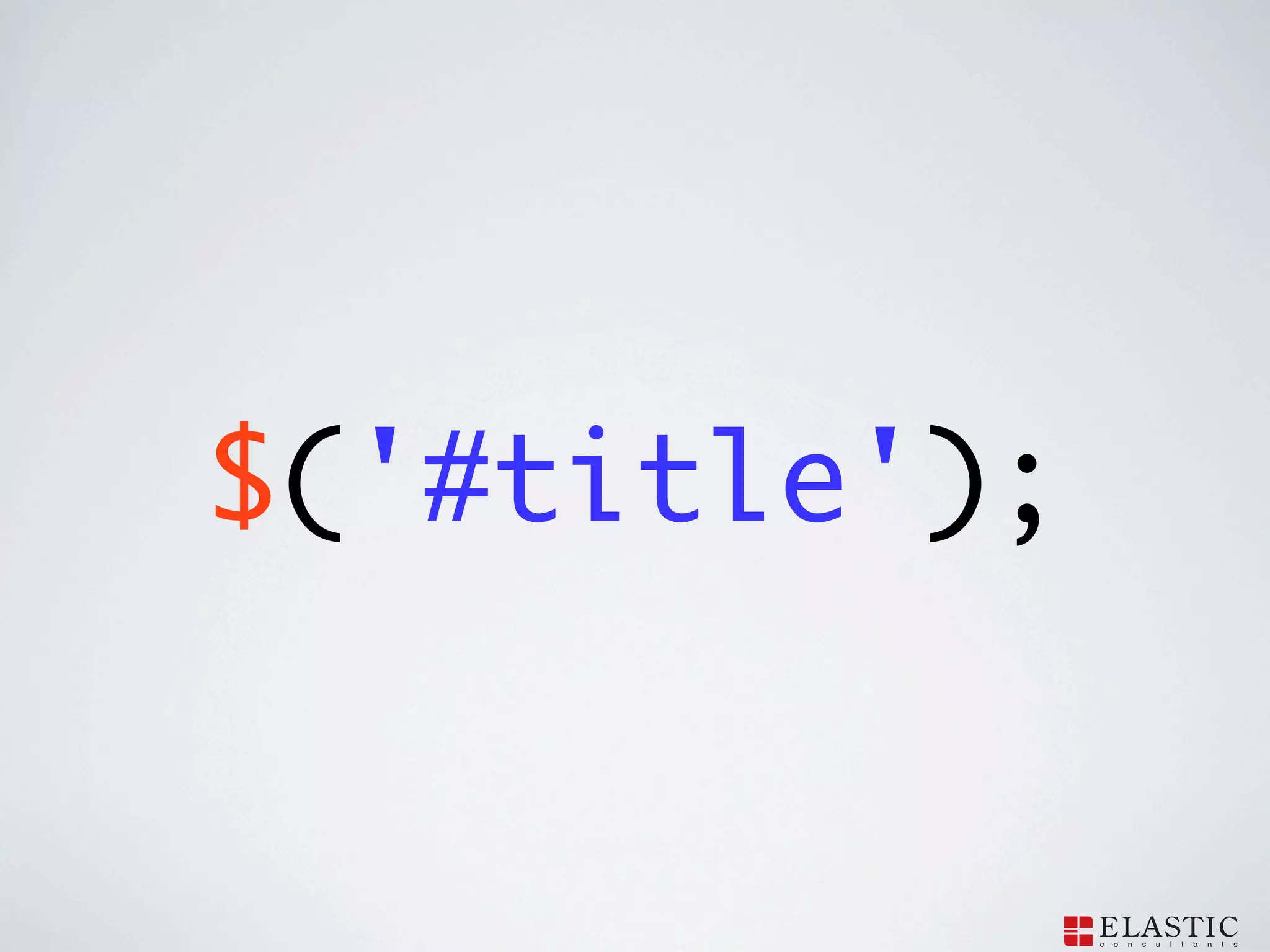
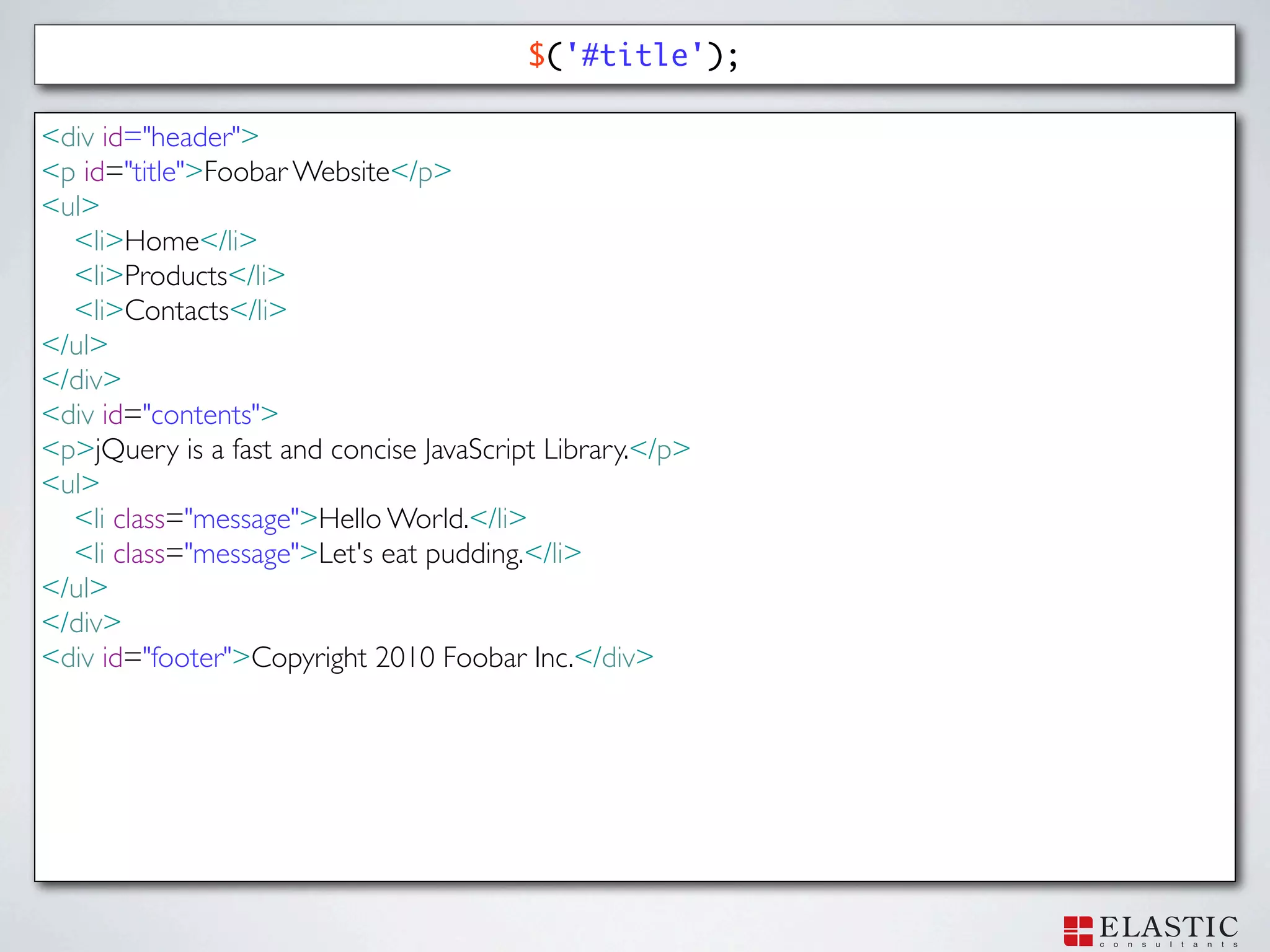
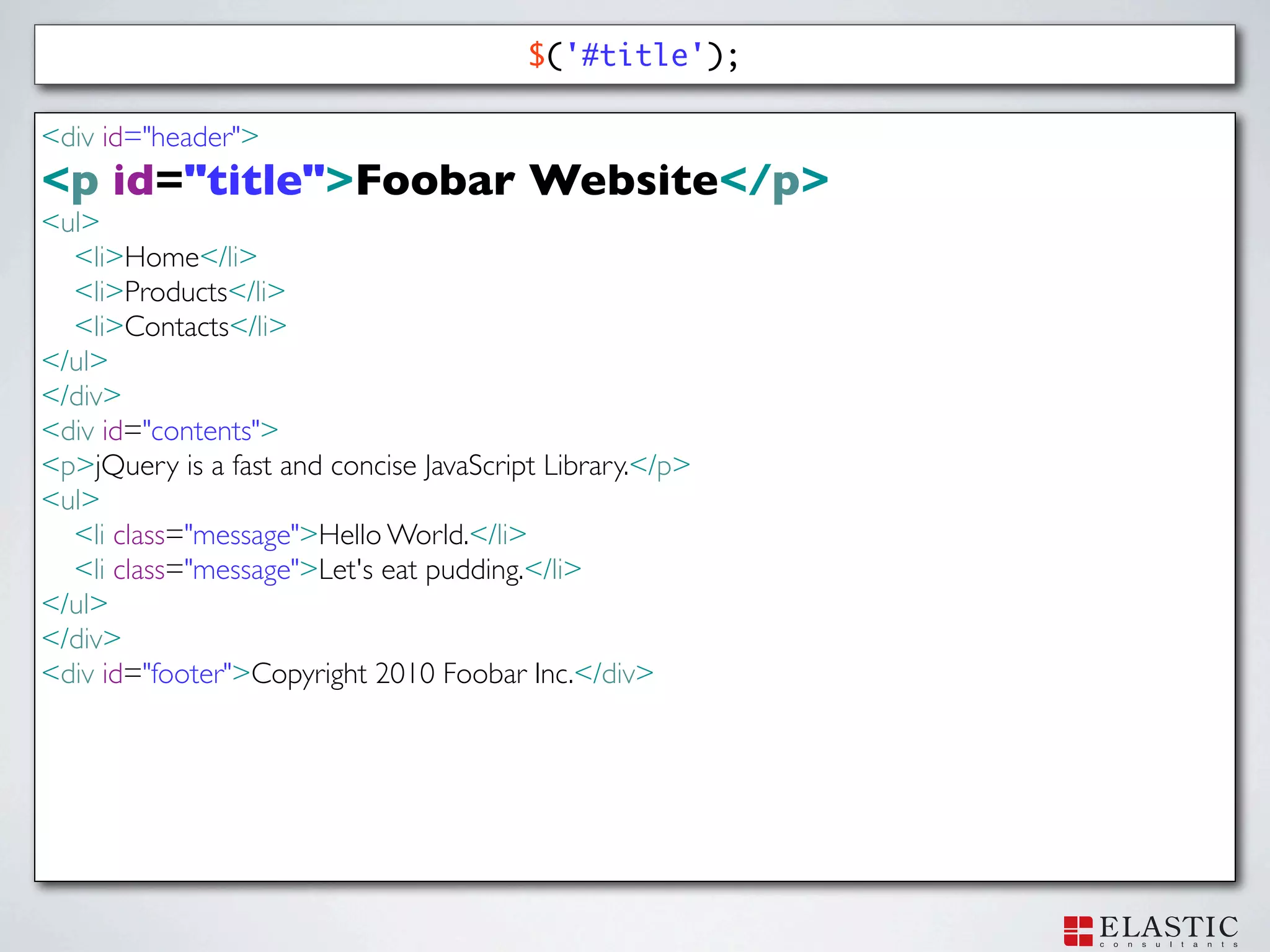
$('#title');
27.
$('#title'); <div id="header"> <p id="title">Foobar
Website</p> <ul> <li>Home</li> <li>Products</li> <li>Contacts</li> </ul> </div> <div id="contents"> <p>jQuery is a fast and concise JavaScript Library.</p> <ul> <li class="message">Hello World.</li> <li class="message">Let's eat pudding.</li> </ul> </div> <div id="footer">Copyright 2010 Foobar Inc.</div>
28.
$('#title'); <div id="header"> <p id="title">Foobar
Website</p> <ul> <li>Home</li> <li>Products</li> <li>Contacts</li> </ul> </div> <div id="contents"> <p>jQuery is a fast and concise JavaScript Library.</p> <ul> <li class="message">Hello World.</li> <li class="message">Let's eat pudding.</li> </ul> </div> <div id="footer">Copyright 2010 Foobar Inc.</div>
29.
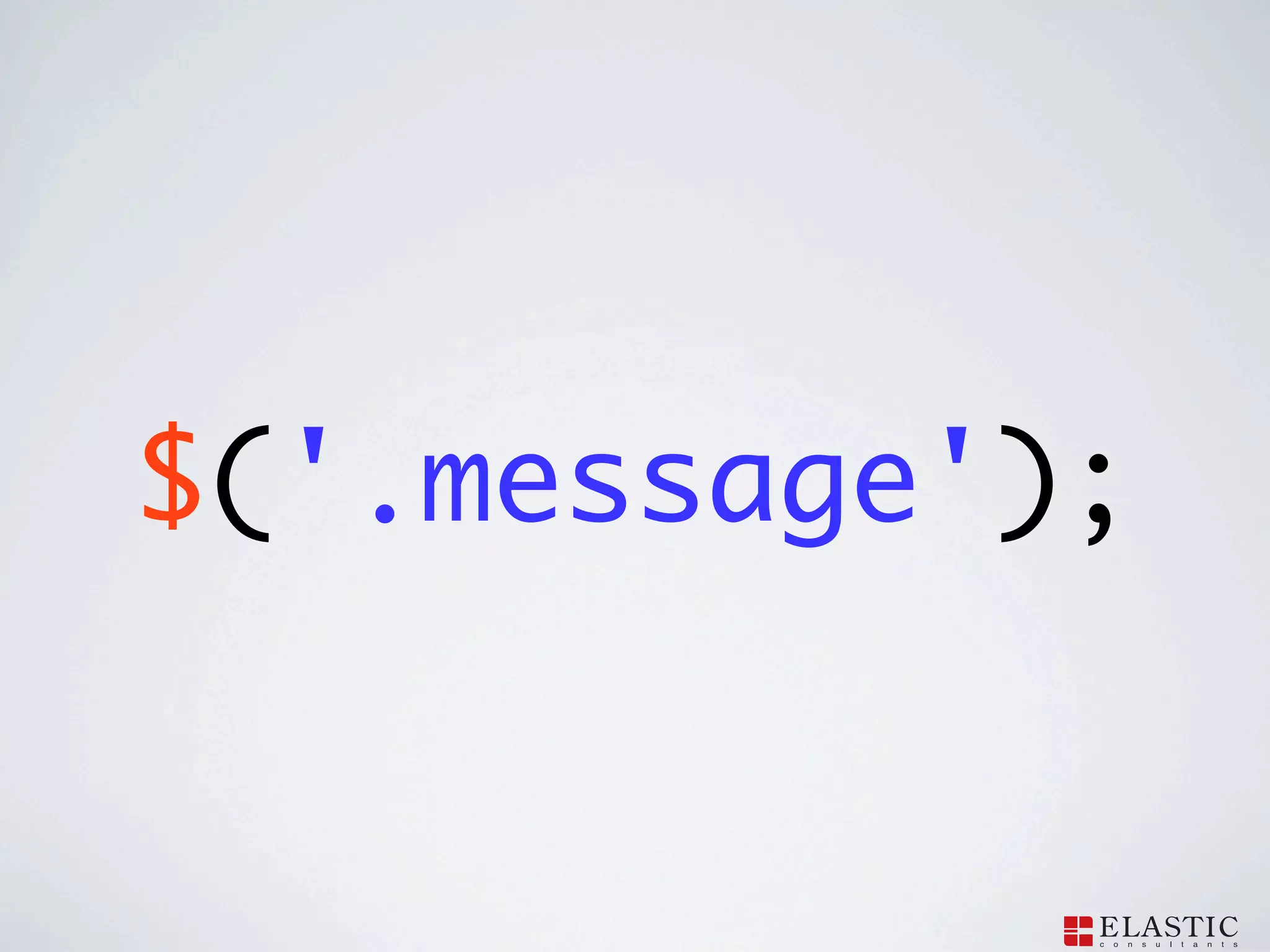
$('.message');
30.
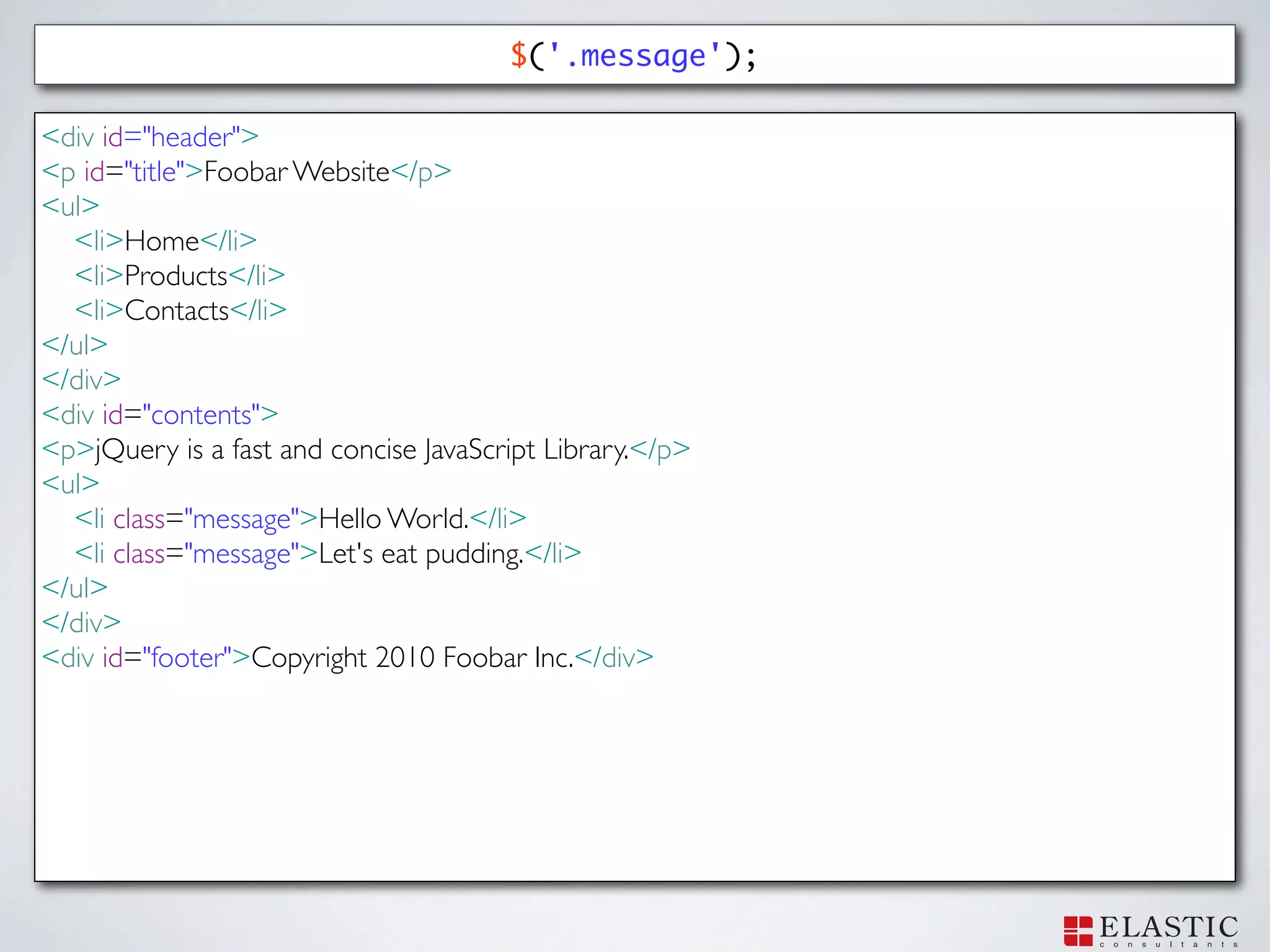
$('.message'); <div id="header"> <p id="title">Foobar
Website</p> <ul> <li>Home</li> <li>Products</li> <li>Contacts</li> </ul> </div> <div id="contents"> <p>jQuery is a fast and concise JavaScript Library.</p> <ul> <li class="message">Hello World.</li> <li class="message">Let's eat pudding.</li> </ul> </div> <div id="footer">Copyright 2010 Foobar Inc.</div>
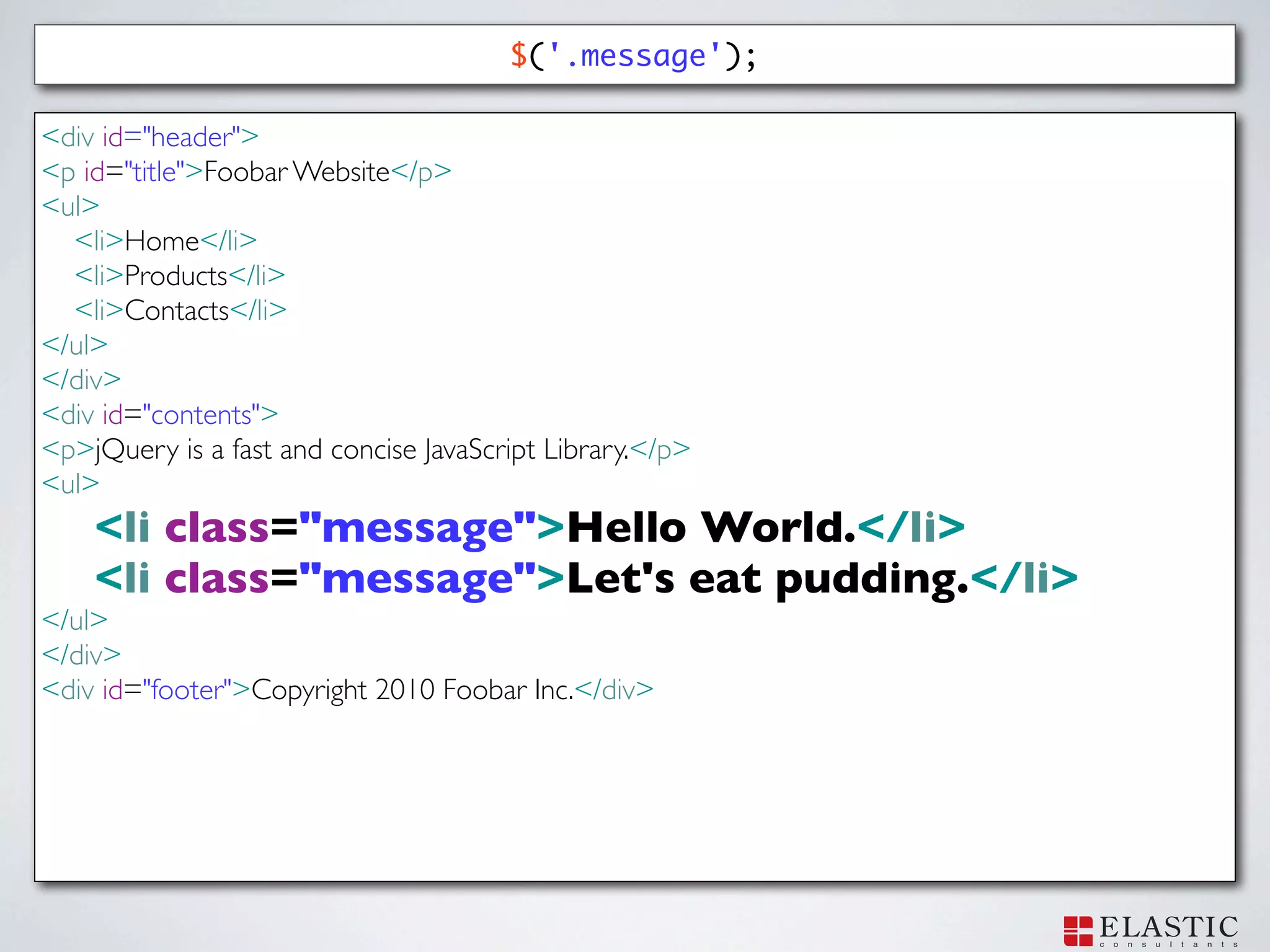
31.
$('.message'); <div id="header"> <p id="title">Foobar
Website</p> <ul> <li>Home</li> <li>Products</li> <li>Contacts</li> </ul> </div> <div id="contents"> <p>jQuery is a fast and concise JavaScript Library.</p> <ul> <li class="message">Hello World.</li> <li class="message">Let's eat pudding.</li> </ul> </div> <div id="footer">Copyright 2010 Foobar Inc.</div>
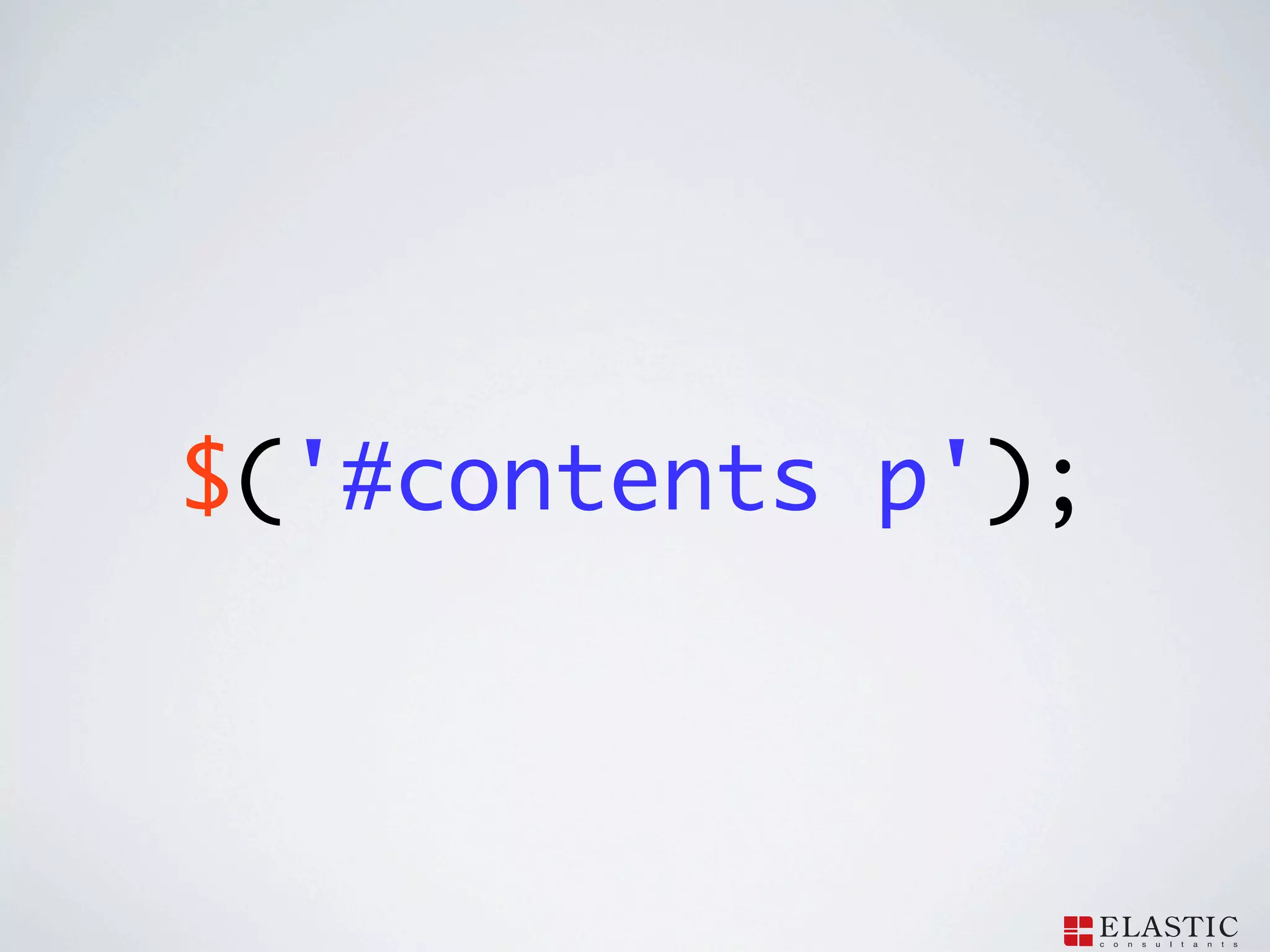
32.
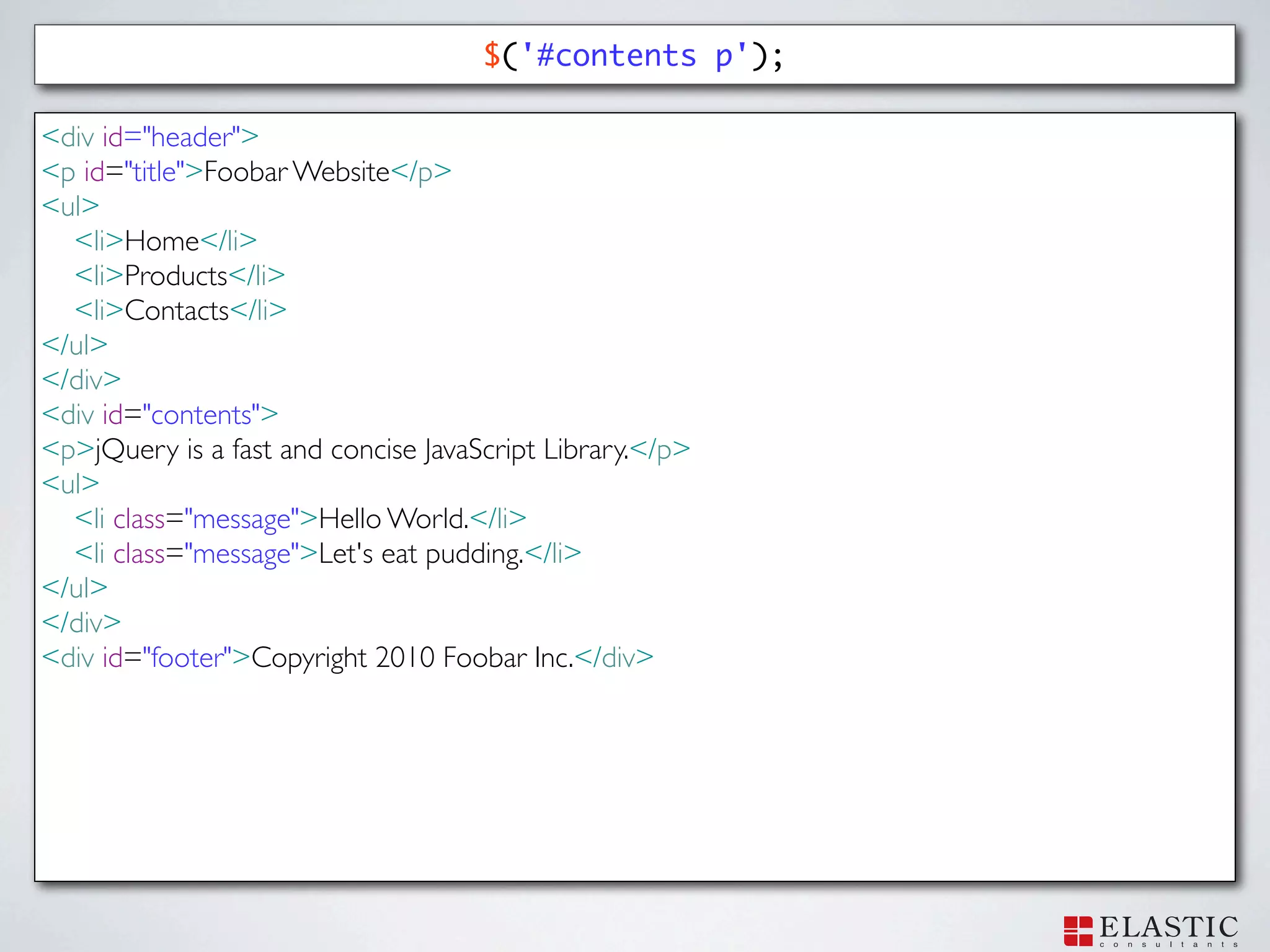
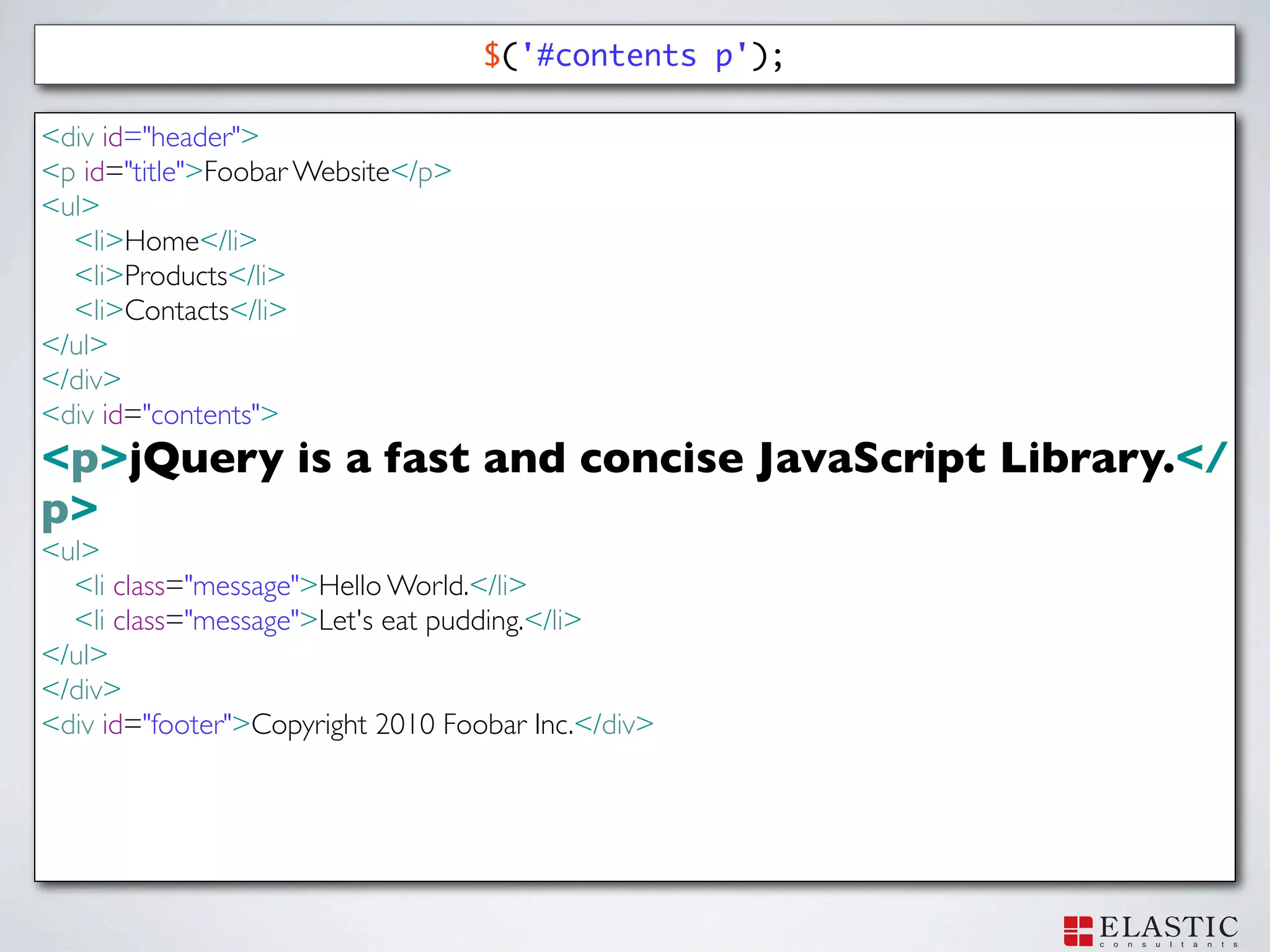
$('#contents p');
33.
$('#contents p'); <div id="header"> <p
id="title">Foobar Website</p> <ul> <li>Home</li> <li>Products</li> <li>Contacts</li> </ul> </div> <div id="contents"> <p>jQuery is a fast and concise JavaScript Library.</p> <ul> <li class="message">Hello World.</li> <li class="message">Let's eat pudding.</li> </ul> </div> <div id="footer">Copyright 2010 Foobar Inc.</div>
34.
$('#contents p'); <div id="header"> <p
id="title">Foobar Website</p> <ul> <li>Home</li> <li>Products</li> <li>Contacts</li> </ul> </div> <div id="contents"> <p>jQuery is a fast and concise JavaScript Library.</ p> <ul> <li class="message">Hello World.</li> <li class="message">Let's eat pudding.</li> </ul> </div> <div id="footer">Copyright 2010 Foobar Inc.</div>
35.
DOM Traversing
DOM
36.
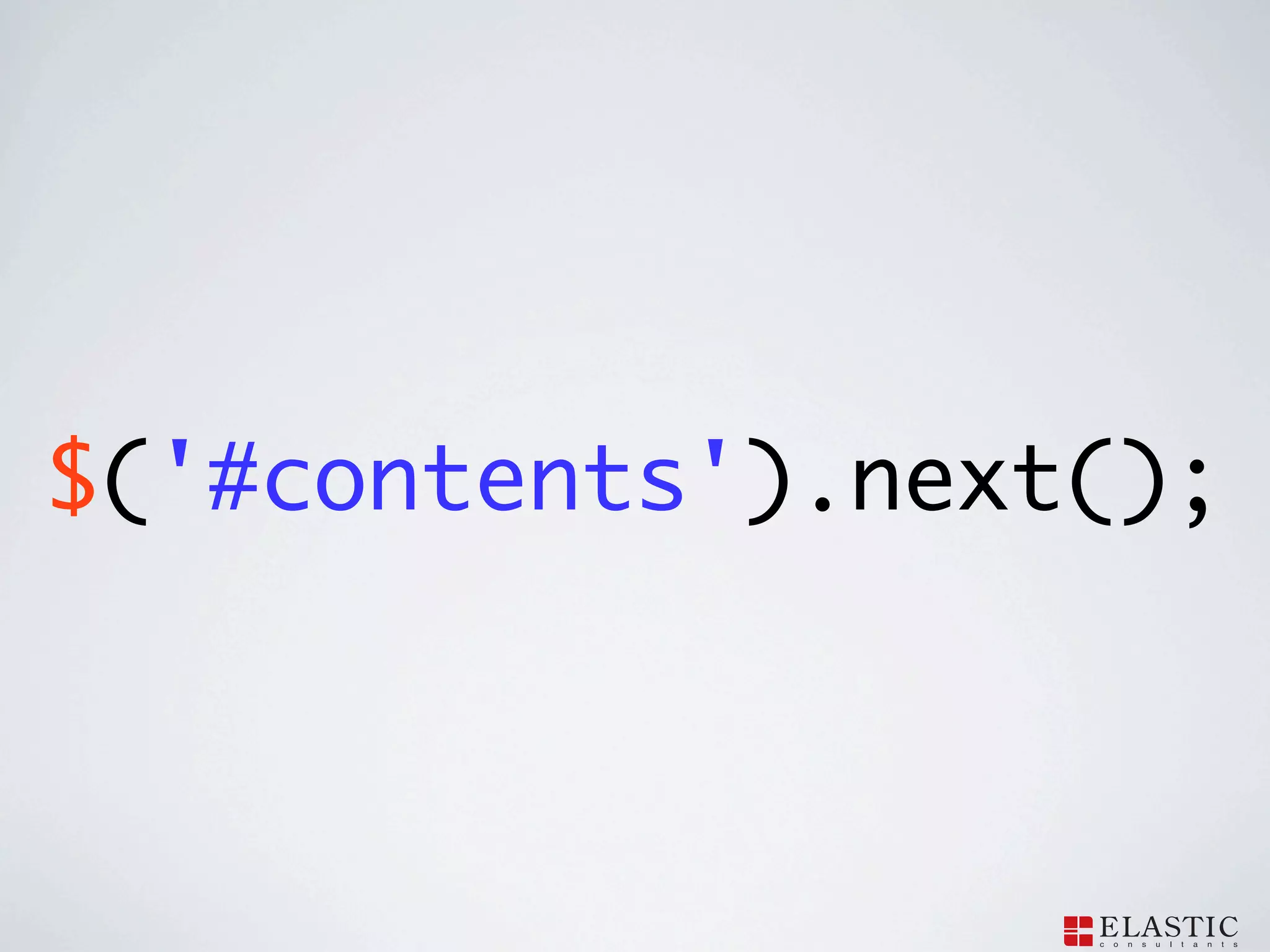
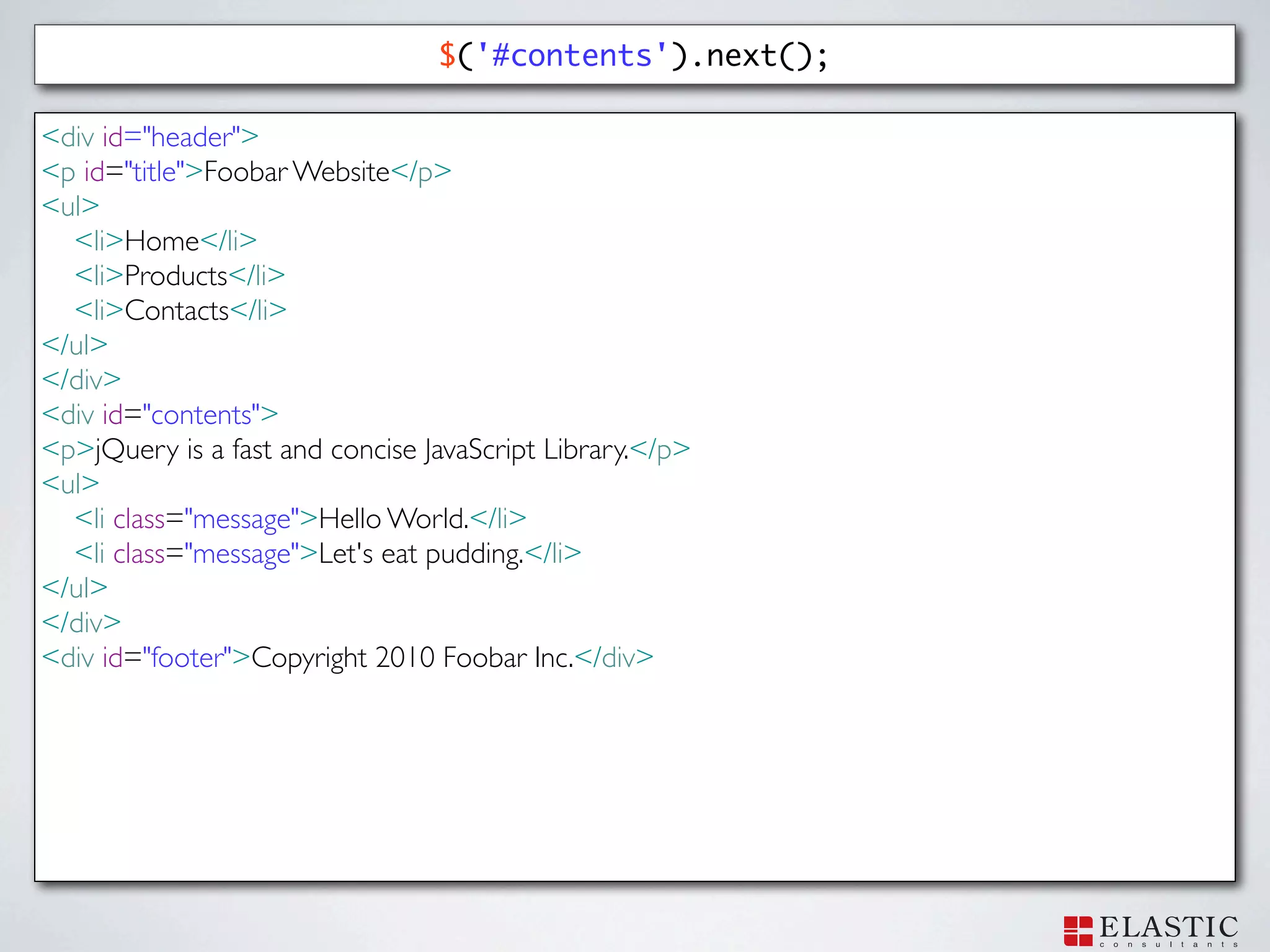
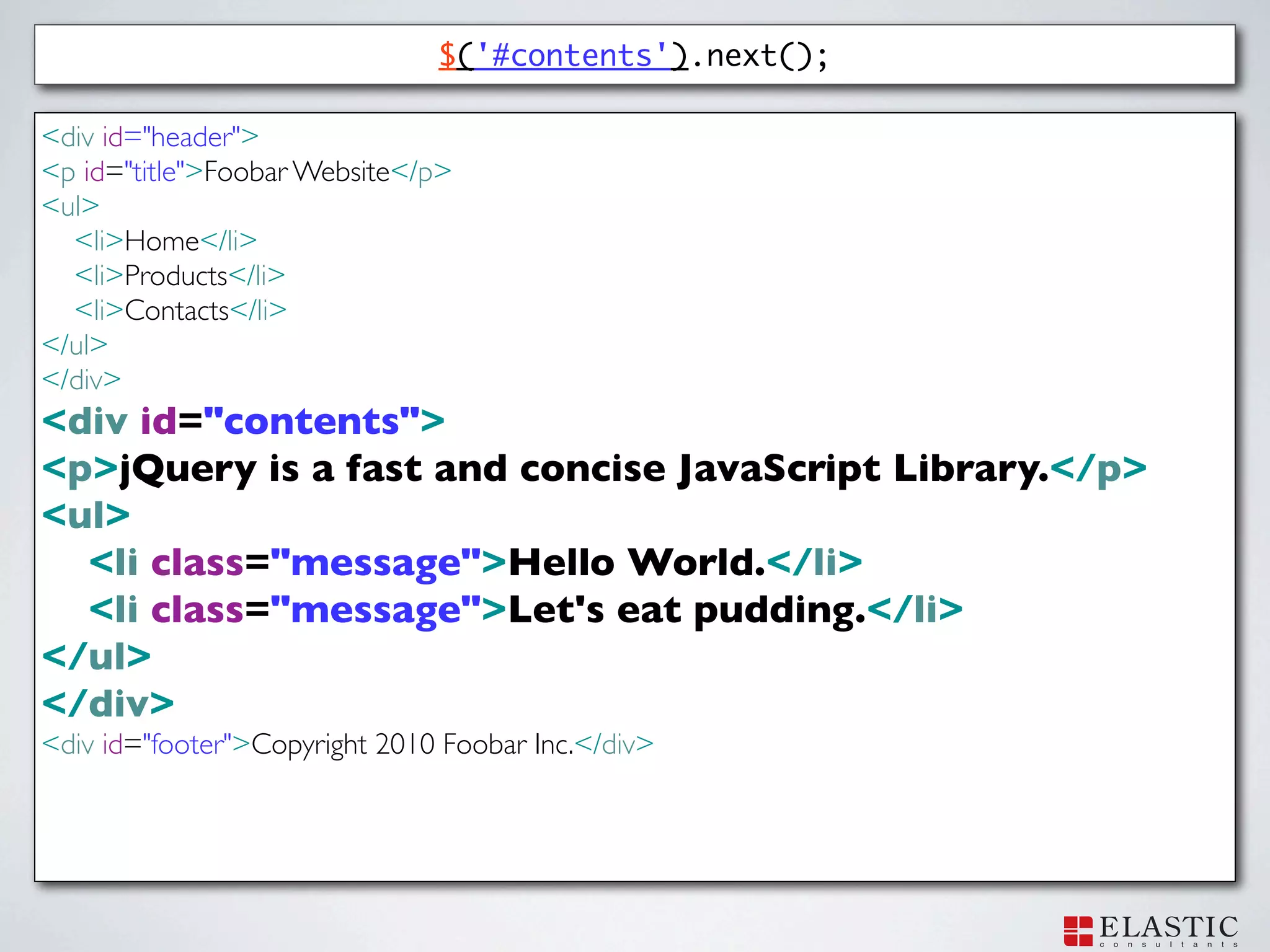
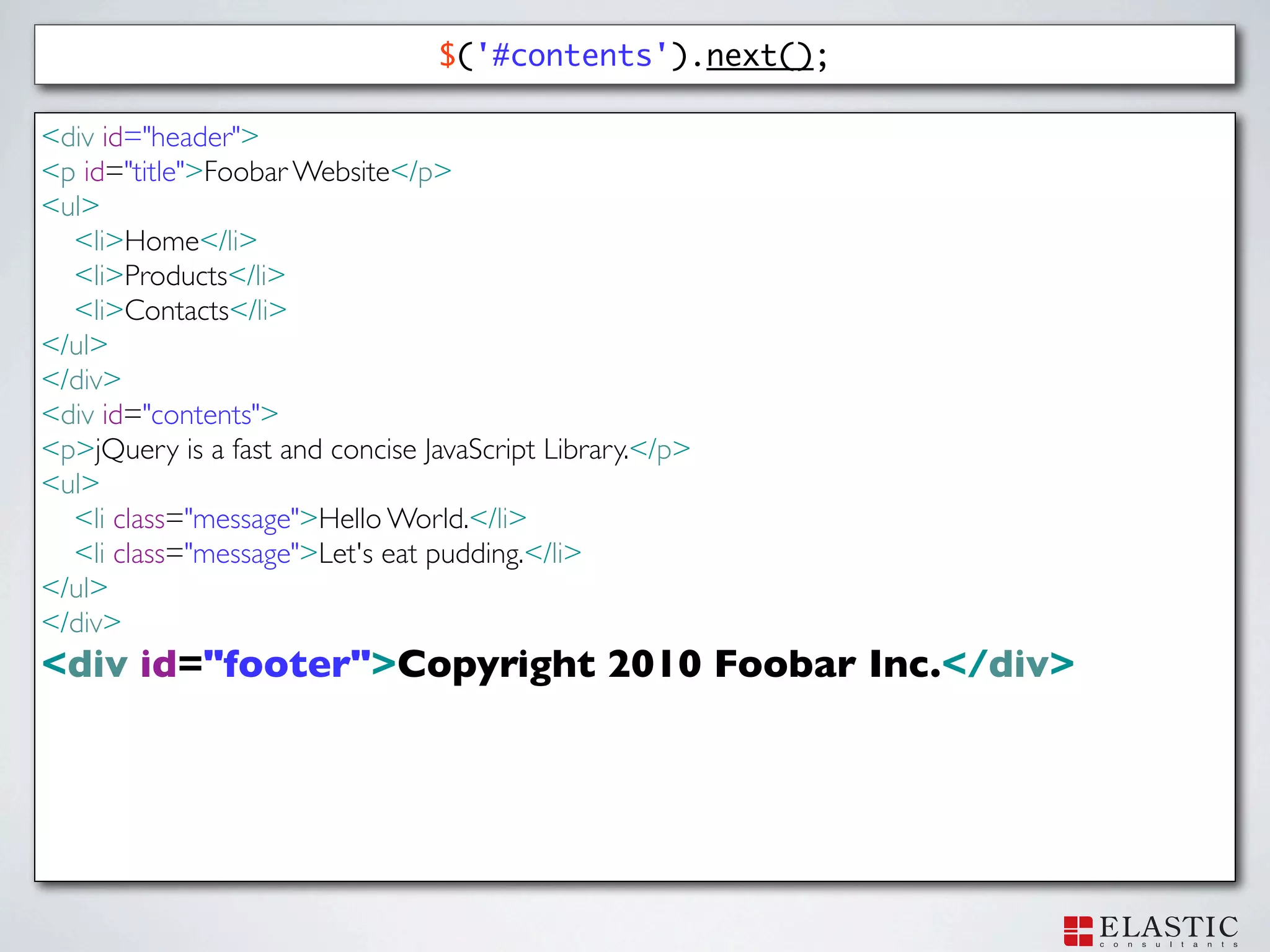
$('#contents').next();
37.
$('#contents').next(); <div id="header"> <p id="title">Foobar
Website</p> <ul> <li>Home</li> <li>Products</li> <li>Contacts</li> </ul> </div> <div id="contents"> <p>jQuery is a fast and concise JavaScript Library.</p> <ul> <li class="message">Hello World.</li> <li class="message">Let's eat pudding.</li> </ul> </div> <div id="footer">Copyright 2010 Foobar Inc.</div>
38.
$('#contents').next(); <div id="header"> <p id="title">Foobar
Website</p> <ul> <li>Home</li> <li>Products</li> <li>Contacts</li> </ul> </div> <div id="contents"> <p>jQuery is a fast and concise JavaScript Library.</p> <ul> <li class="message">Hello World.</li> <li class="message">Let's eat pudding.</li> </ul> </div> <div id="footer">Copyright 2010 Foobar Inc.</div>
39.
$('#contents').next(); <div id="header"> <p id="title">Foobar
Website</p> <ul> <li>Home</li> <li>Products</li> <li>Contacts</li> </ul> </div> <div id="contents"> <p>jQuery is a fast and concise JavaScript Library.</p> <ul> <li class="message">Hello World.</li> <li class="message">Let's eat pudding.</li> </ul> </div> <div id="footer">Copyright 2010 Foobar Inc.</div>
40.
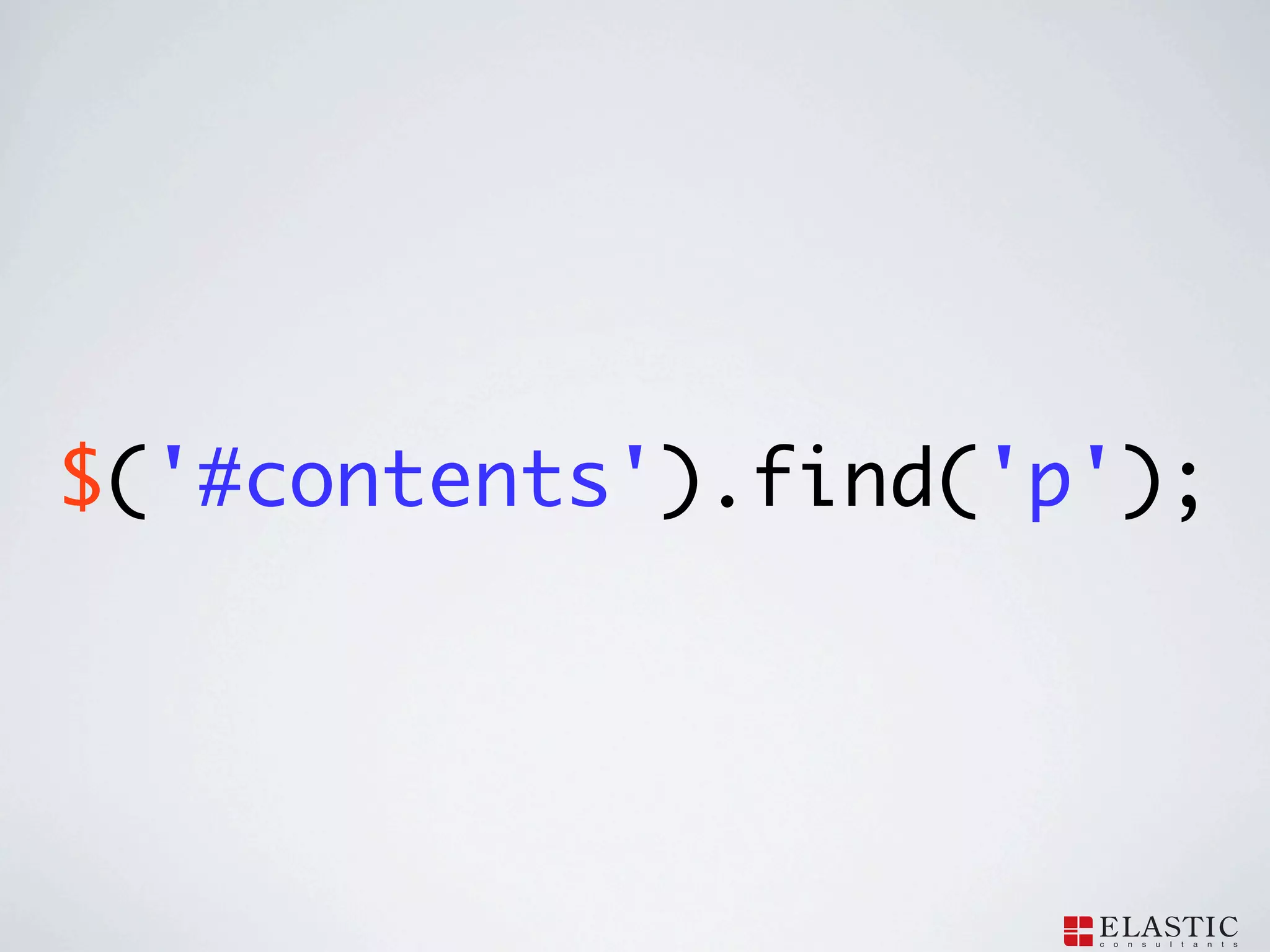
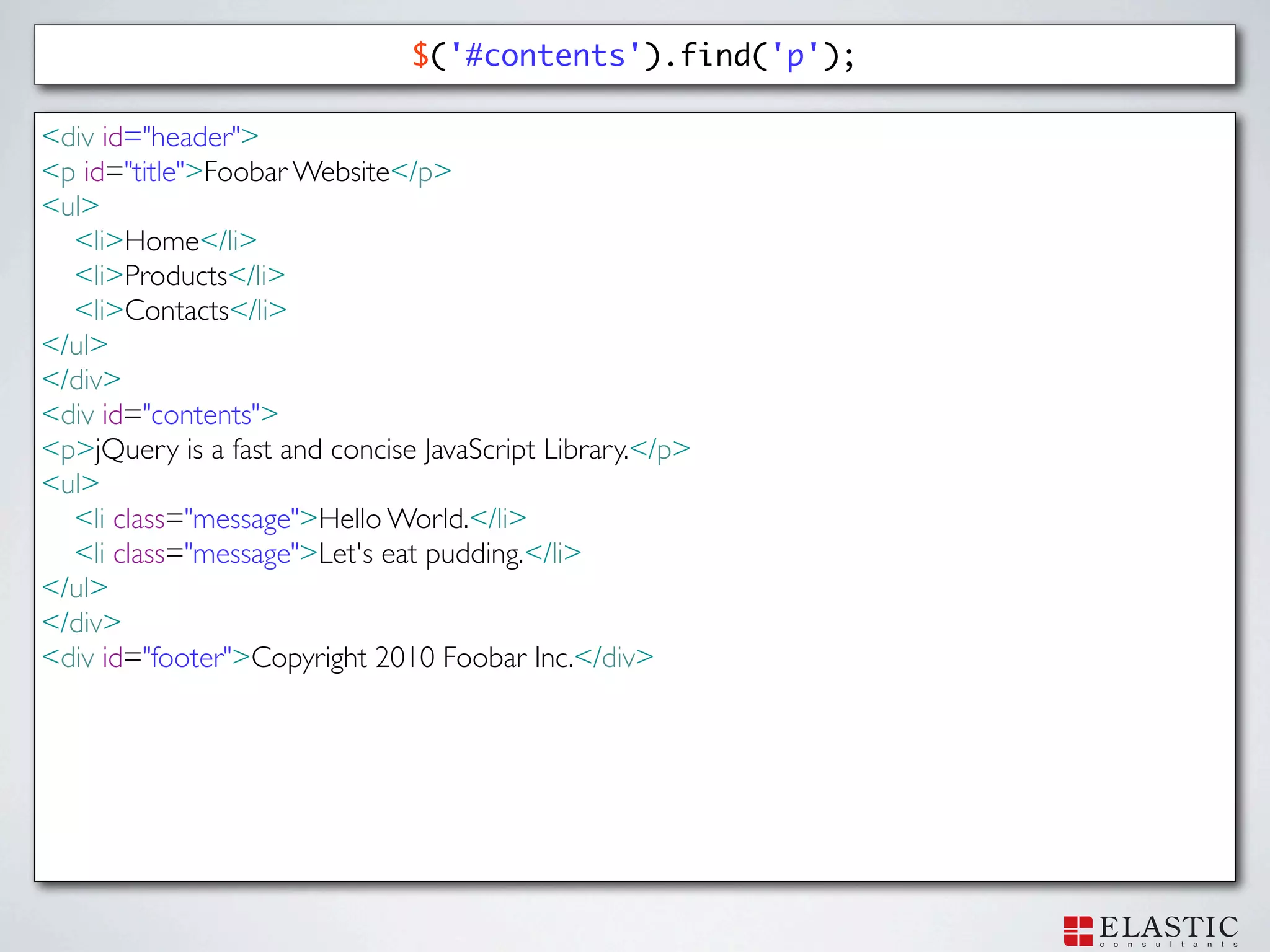
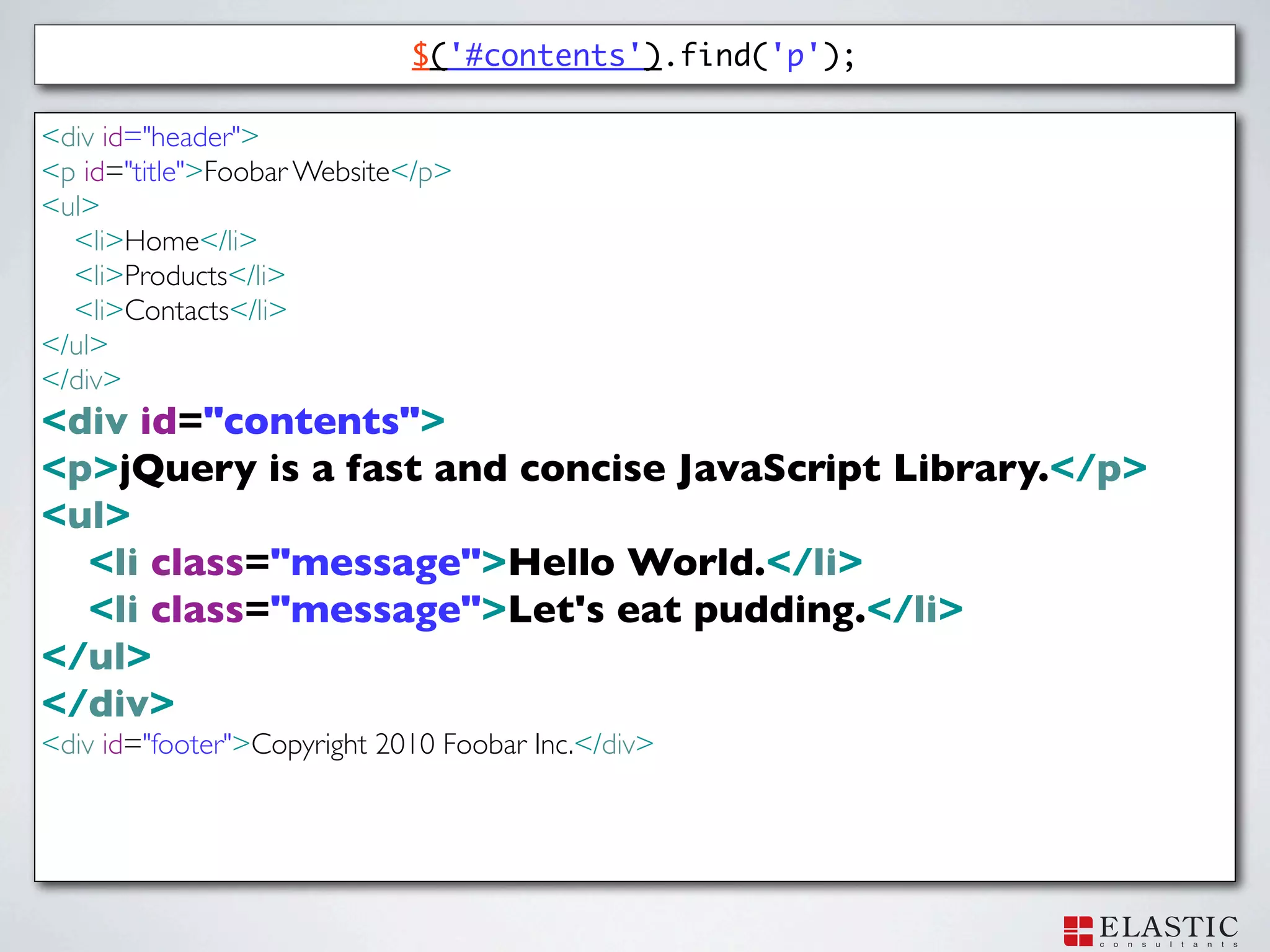
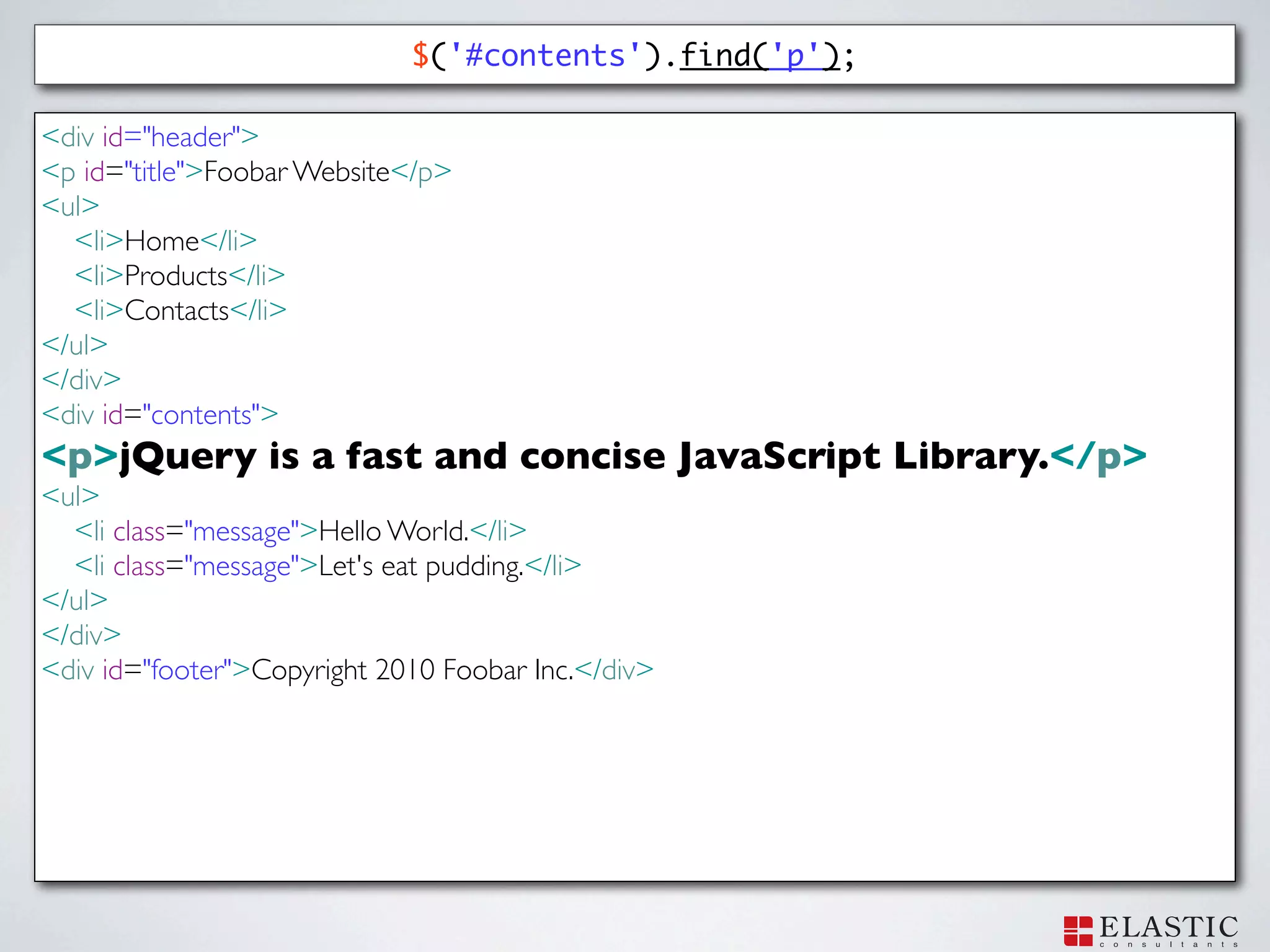
$('#contents').find('p');
41.
$('#contents').find('p'); <div id="header"> <p id="title">Foobar
Website</p> <ul> <li>Home</li> <li>Products</li> <li>Contacts</li> </ul> </div> <div id="contents"> <p>jQuery is a fast and concise JavaScript Library.</p> <ul> <li class="message">Hello World.</li> <li class="message">Let's eat pudding.</li> </ul> </div> <div id="footer">Copyright 2010 Foobar Inc.</div>
42.
$('#contents').find('p'); <div id="header"> <p id="title">Foobar
Website</p> <ul> <li>Home</li> <li>Products</li> <li>Contacts</li> </ul> </div> <div id="contents"> <p>jQuery is a fast and concise JavaScript Library.</p> <ul> <li class="message">Hello World.</li> <li class="message">Let's eat pudding.</li> </ul> </div> <div id="footer">Copyright 2010 Foobar Inc.</div>
43.
$('#contents').find('p'); <div id="header"> <p id="title">Foobar
Website</p> <ul> <li>Home</li> <li>Products</li> <li>Contacts</li> </ul> </div> <div id="contents"> <p>jQuery is a fast and concise JavaScript Library.</p> <ul> <li class="message">Hello World.</li> <li class="message">Let's eat pudding.</li> </ul> </div> <div id="footer">Copyright 2010 Foobar Inc.</div>
44.
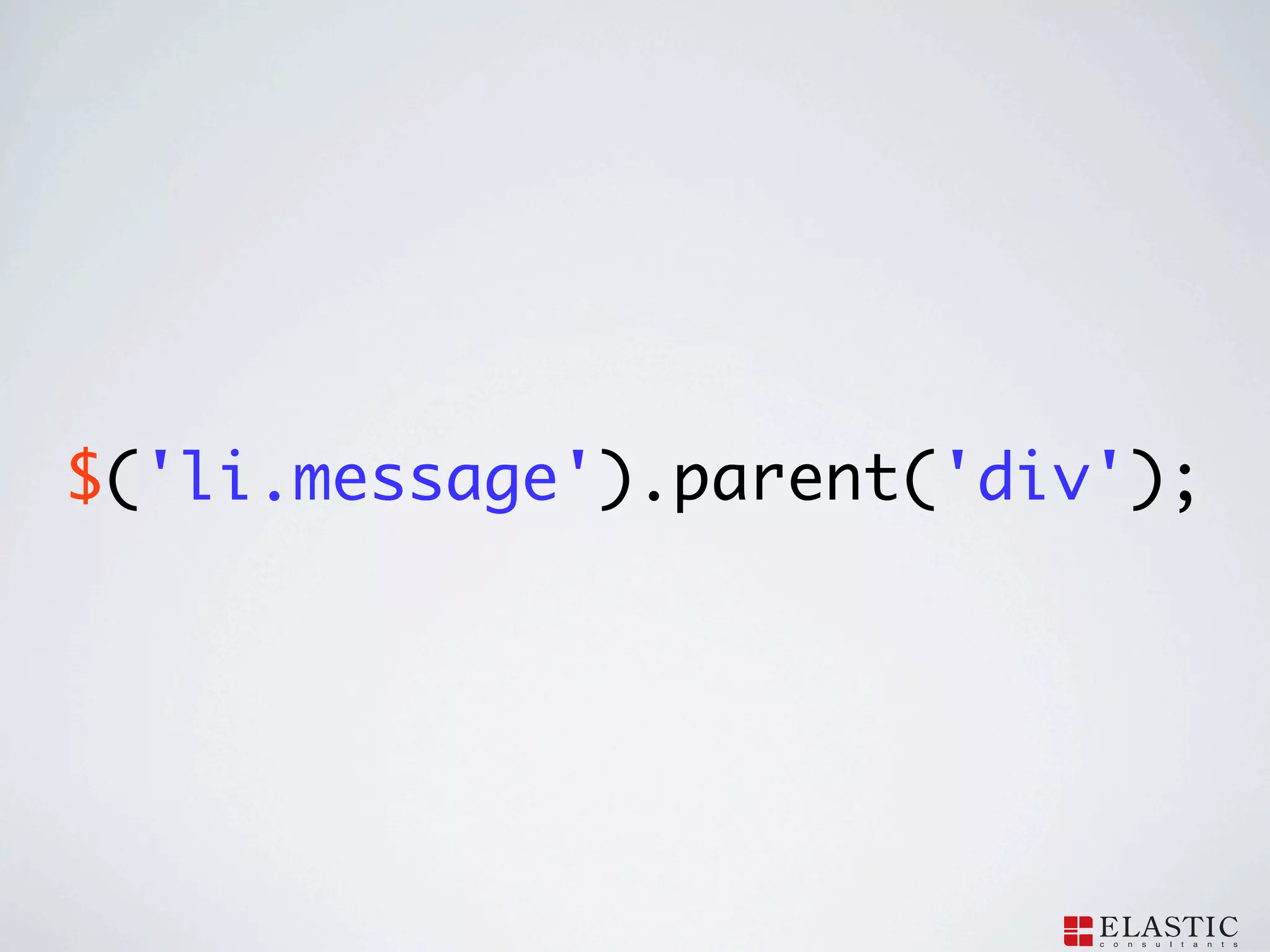
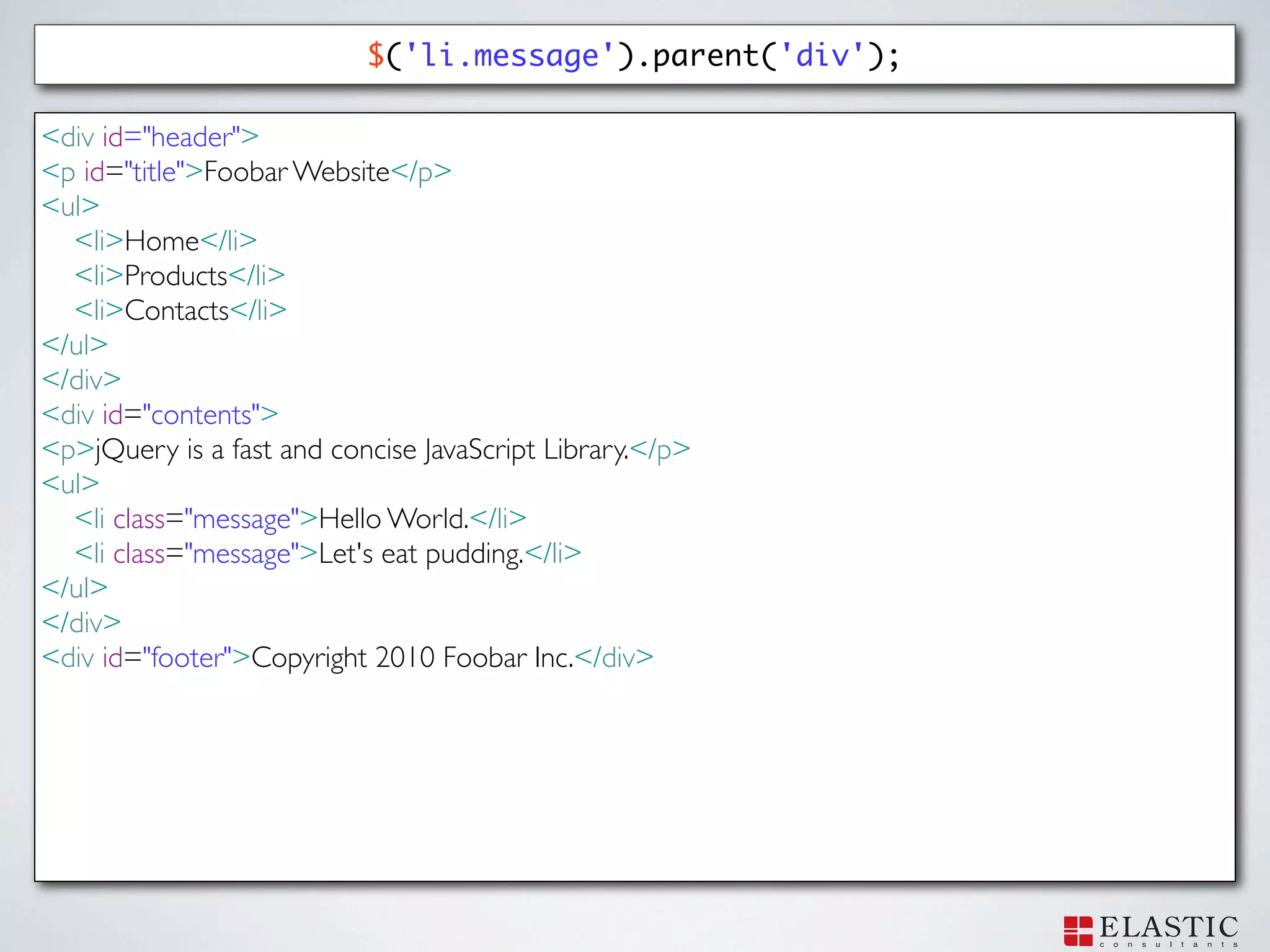
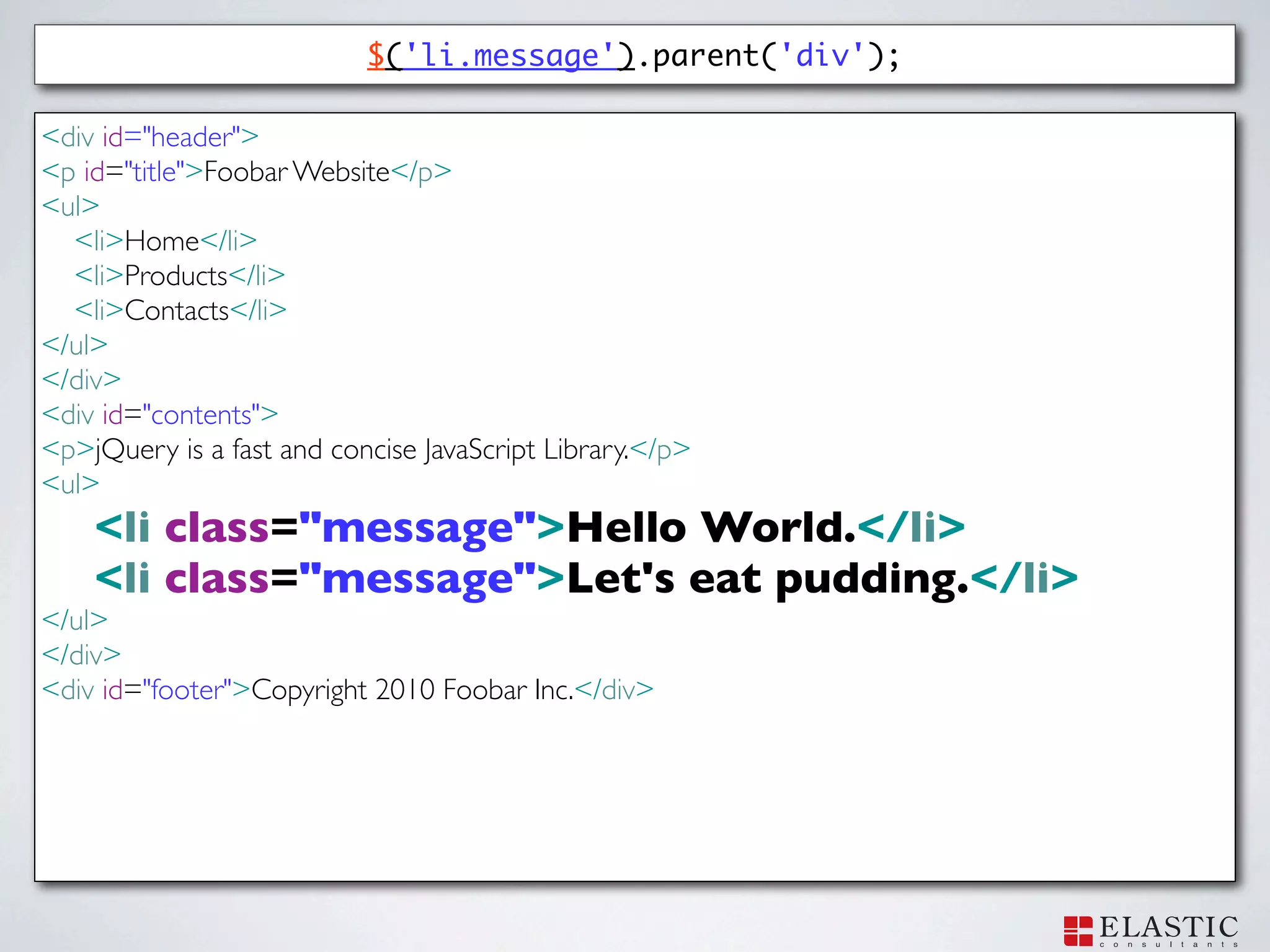
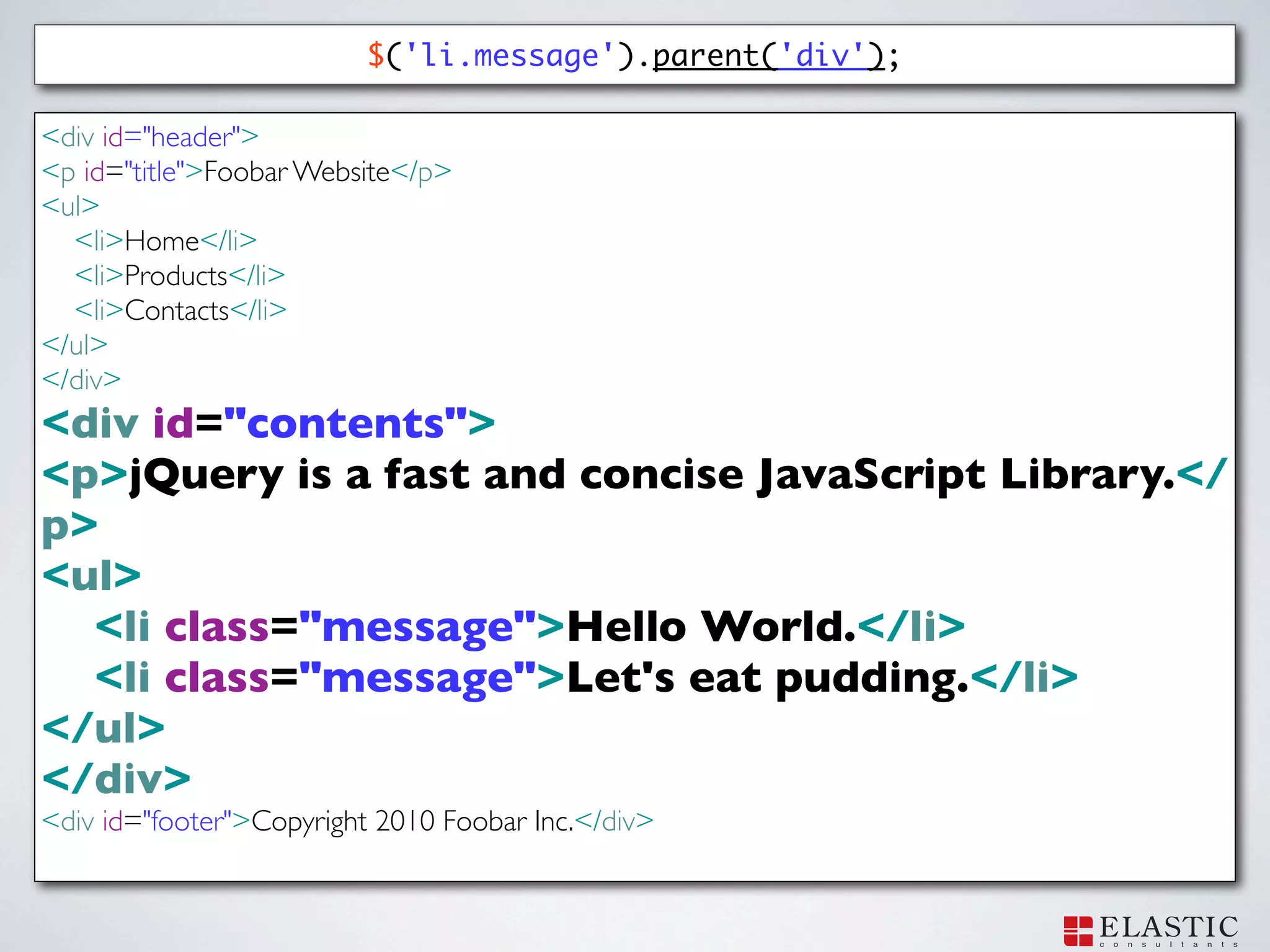
$('li.message').parent('div');
45.
$('li.message').parent('div'); <div id="header"> <p id="title">Foobar
Website</p> <ul> <li>Home</li> <li>Products</li> <li>Contacts</li> </ul> </div> <div id="contents"> <p>jQuery is a fast and concise JavaScript Library.</p> <ul> <li class="message">Hello World.</li> <li class="message">Let's eat pudding.</li> </ul> </div> <div id="footer">Copyright 2010 Foobar Inc.</div>
46.
$('li.message').parent('div'); <div id="header"> <p id="title">Foobar
Website</p> <ul> <li>Home</li> <li>Products</li> <li>Contacts</li> </ul> </div> <div id="contents"> <p>jQuery is a fast and concise JavaScript Library.</p> <ul> <li class="message">Hello World.</li> <li class="message">Let's eat pudding.</li> </ul> </div> <div id="footer">Copyright 2010 Foobar Inc.</div>
47.
$('li.message').parent('div'); <div id="header"> <p id="title">Foobar
Website</p> <ul> <li>Home</li> <li>Products</li> <li>Contacts</li> </ul> </div> <div id="contents"> <p>jQuery is a fast and concise JavaScript Library.</ p> <ul> <li class="message">Hello World.</li> <li class="message">Let's eat pudding.</li> </ul> </div> <div id="footer">Copyright 2010 Foobar Inc.</div>
48.
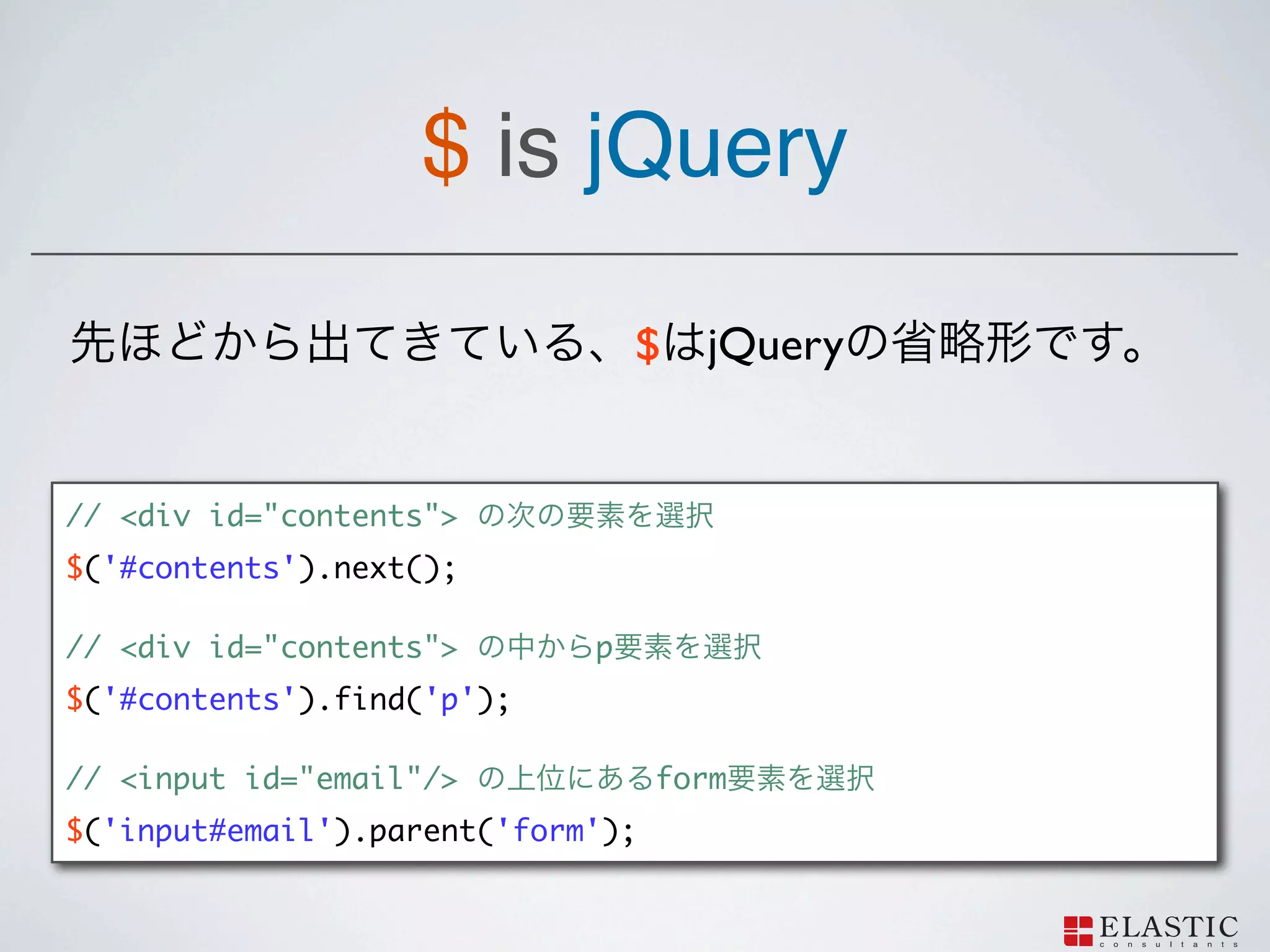
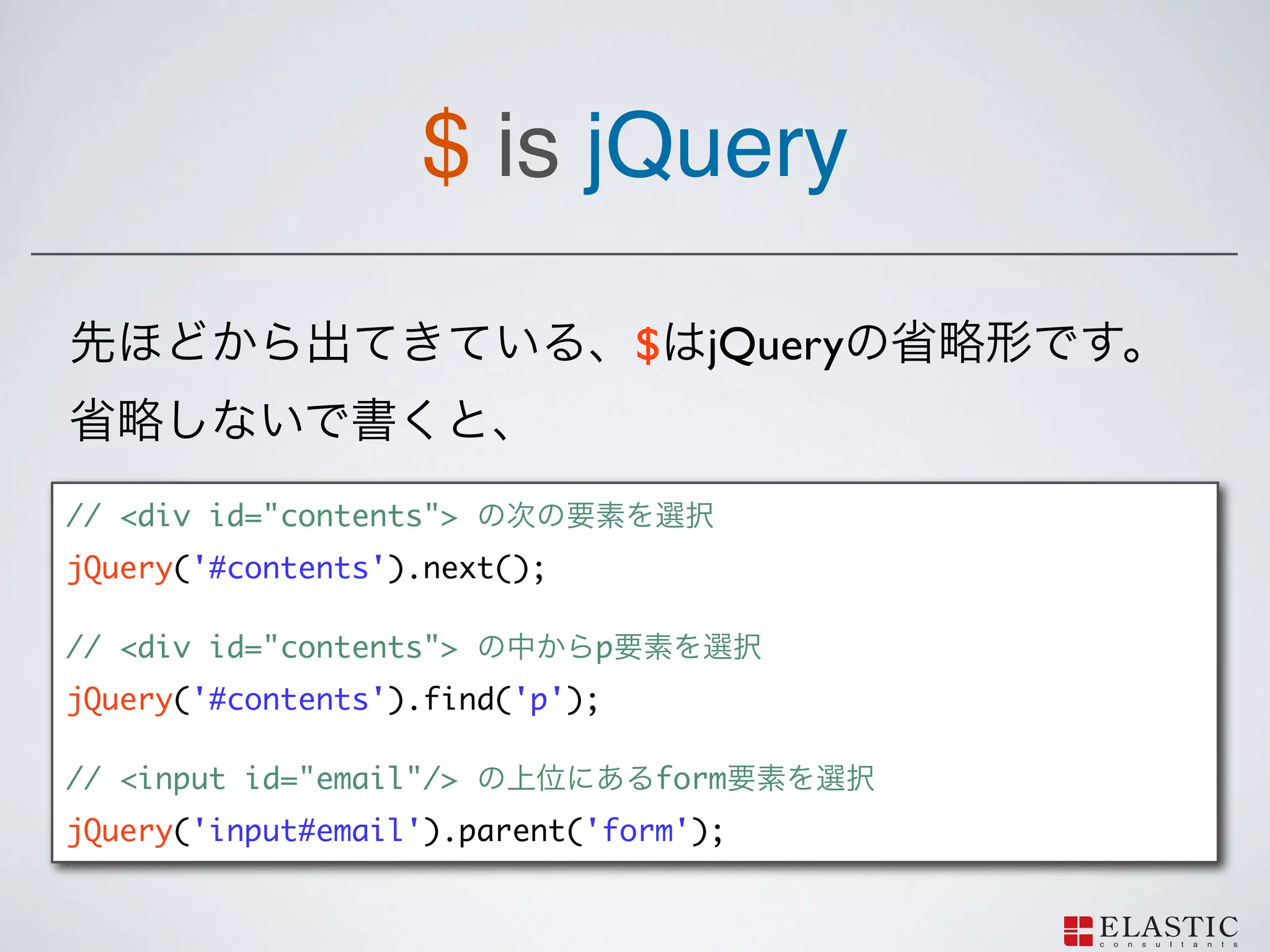
$ ?
49.
$ is jQuery
$ jQuery // <div id="contents"> $('#contents').next(); // <div id="contents"> p $('#contents').find('p'); // <input id="email"/> form $('input#email').parent('form');
50.
$ is jQuery
$ jQuery // <div id="contents"> jQuery('#contents').next(); // <div id="contents"> p jQuery('#contents').find('p'); // <input id="email"/> form jQuery('input#email').parent('form');
51.
Manipulate DOM elements jQuery
DOM
52.
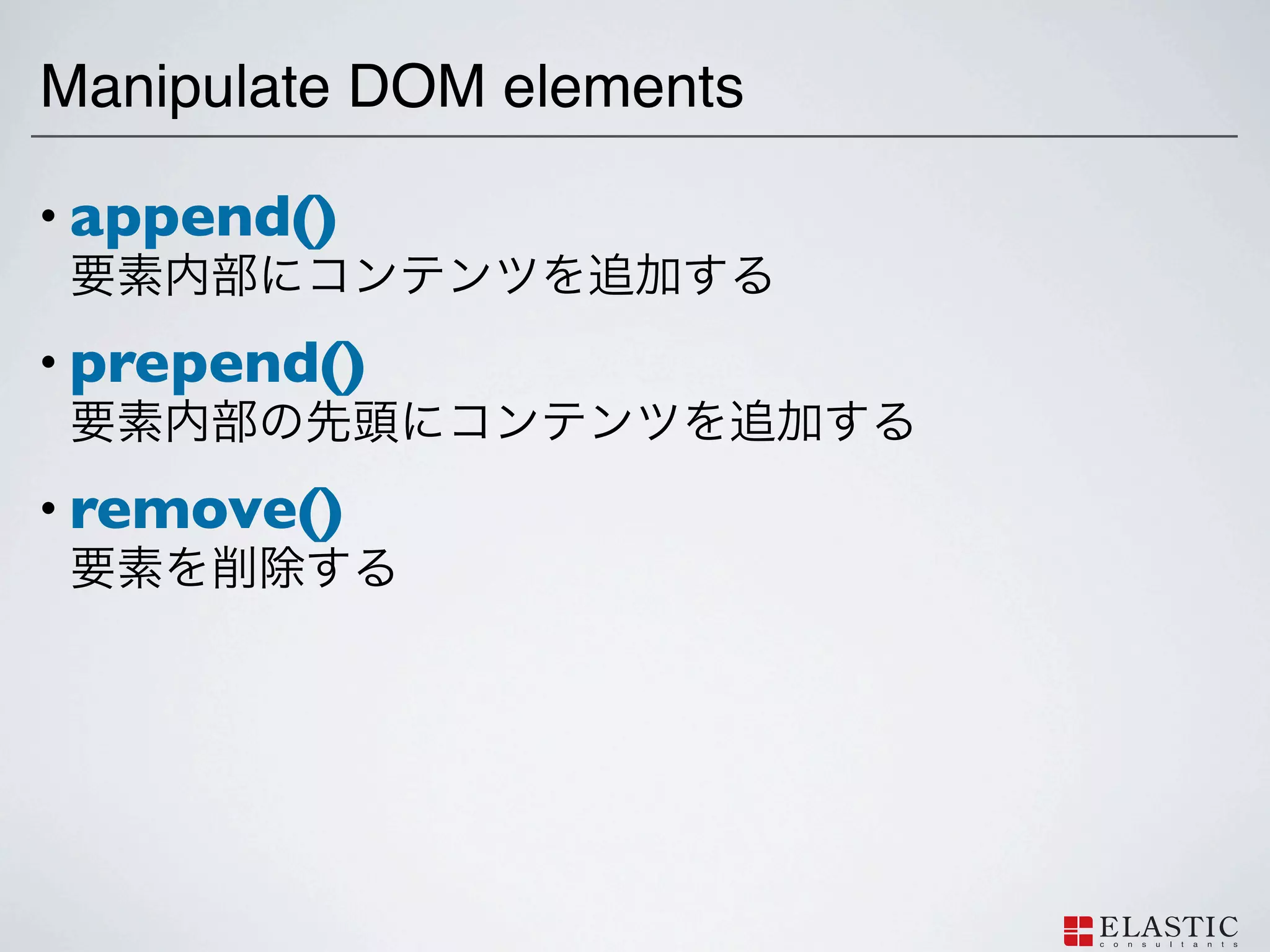
Manipulate DOM elements •
append() • prepend() • remove()
53.
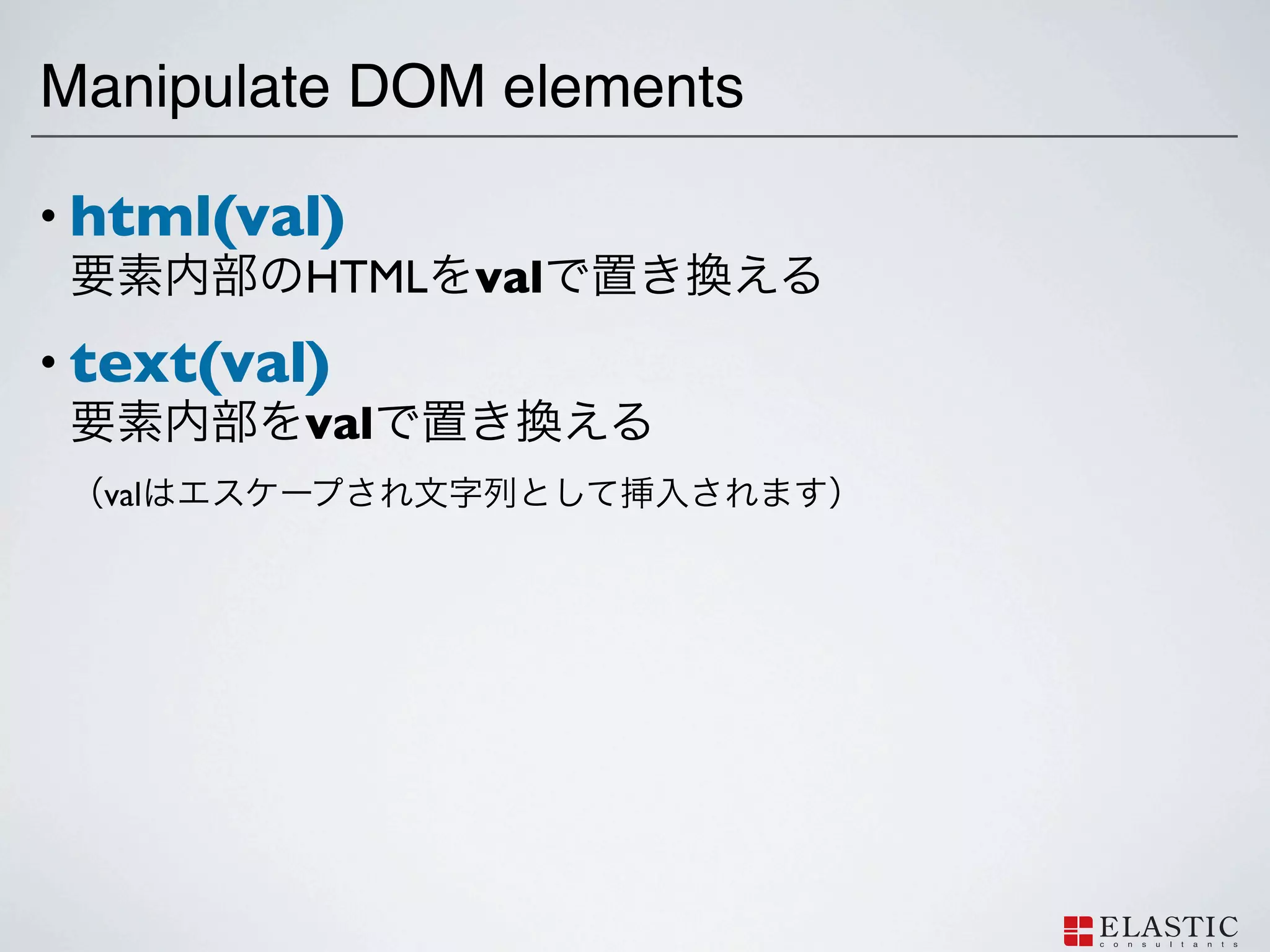
Manipulate DOM elements •
html(val) HTML val • text(val) val val
54.
Manipulate DOM elements •
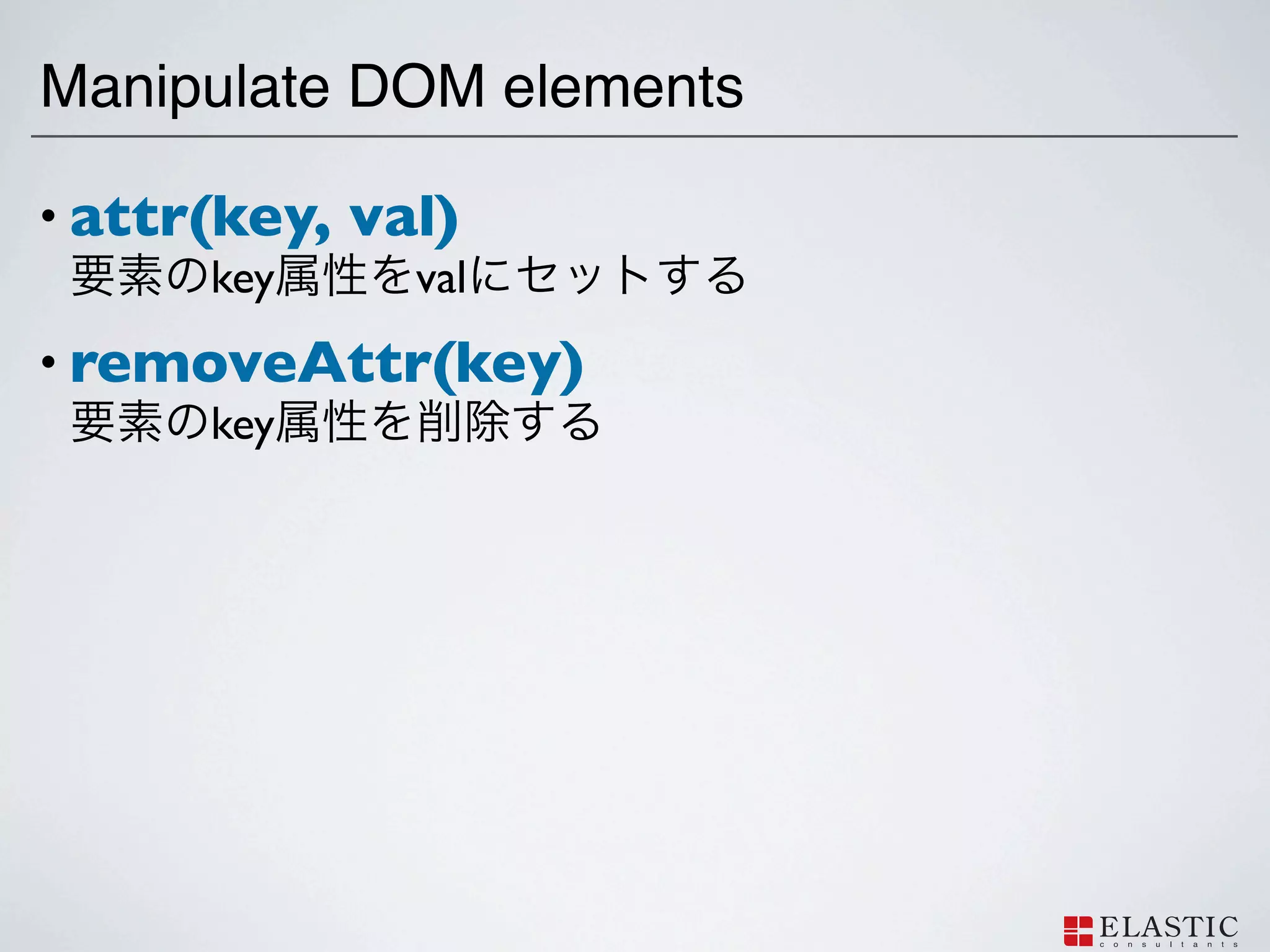
attr(key, val) key val • removeAttr(key) key
55.
Manipulate DOM elements •
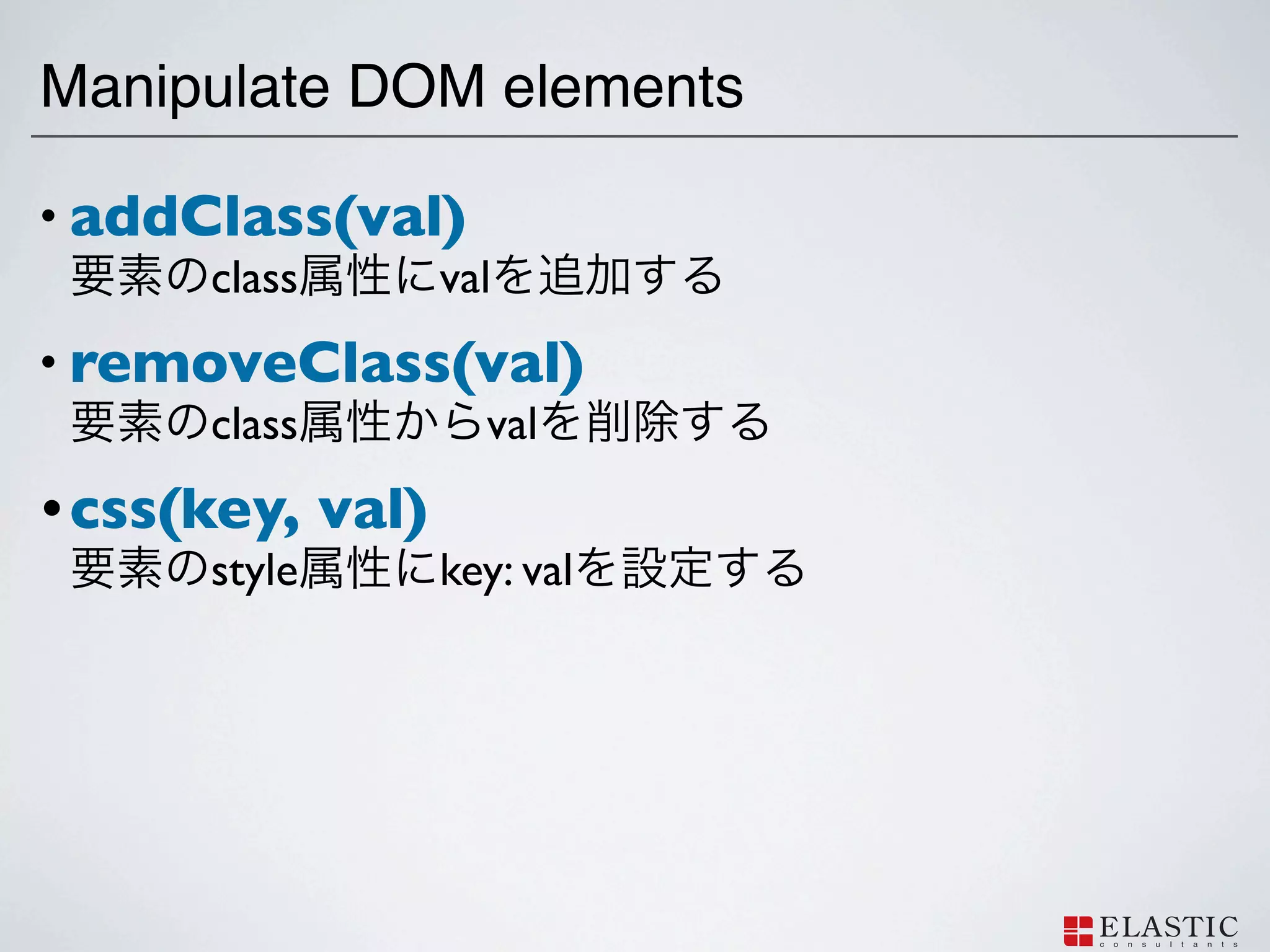
addClass(val) class val • removeClass(val) class val • css(key, val) style key: val
56.
Demo
57.
Event Handler
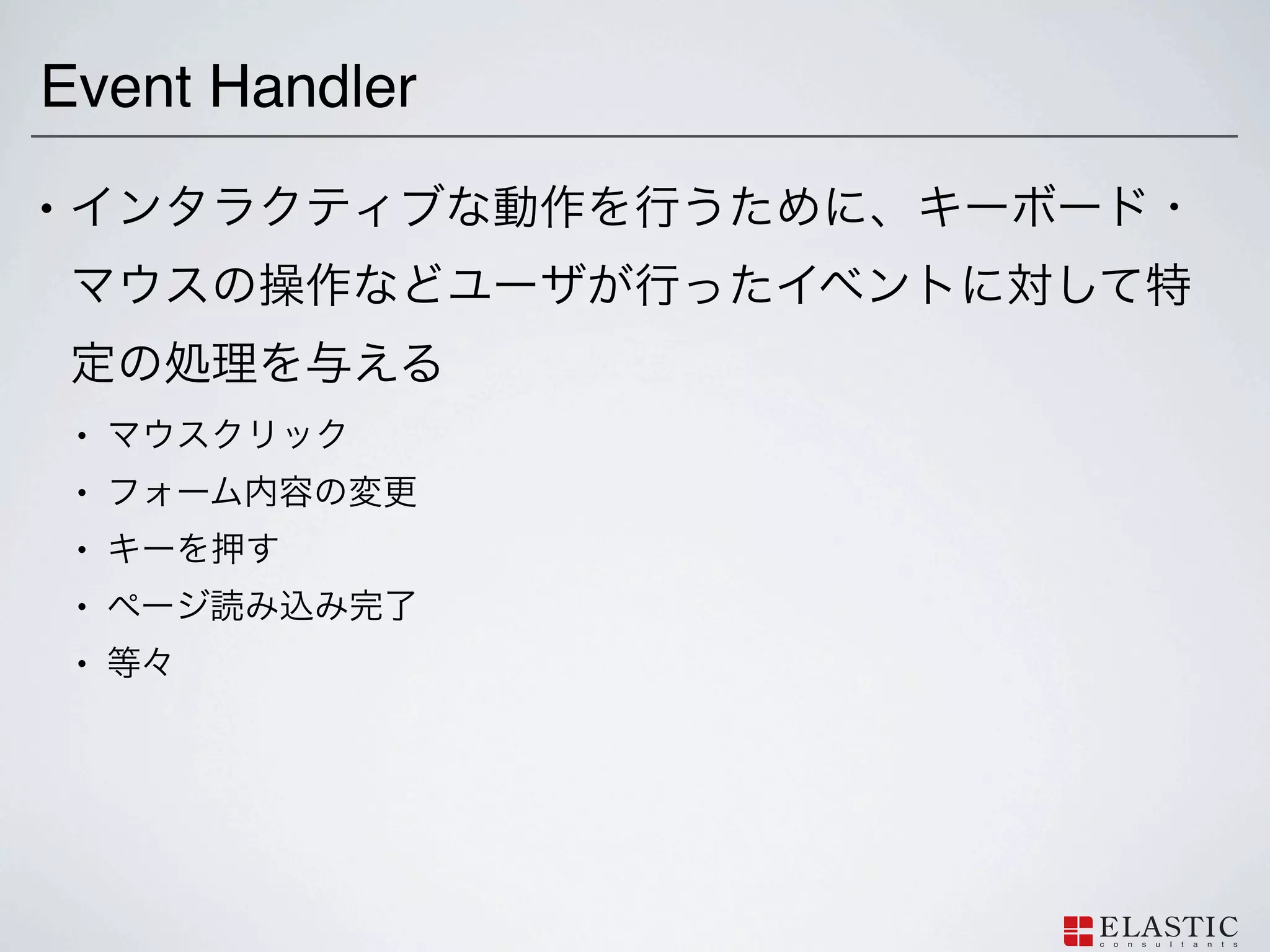
59.
Event Handler •
• • • • •
60.
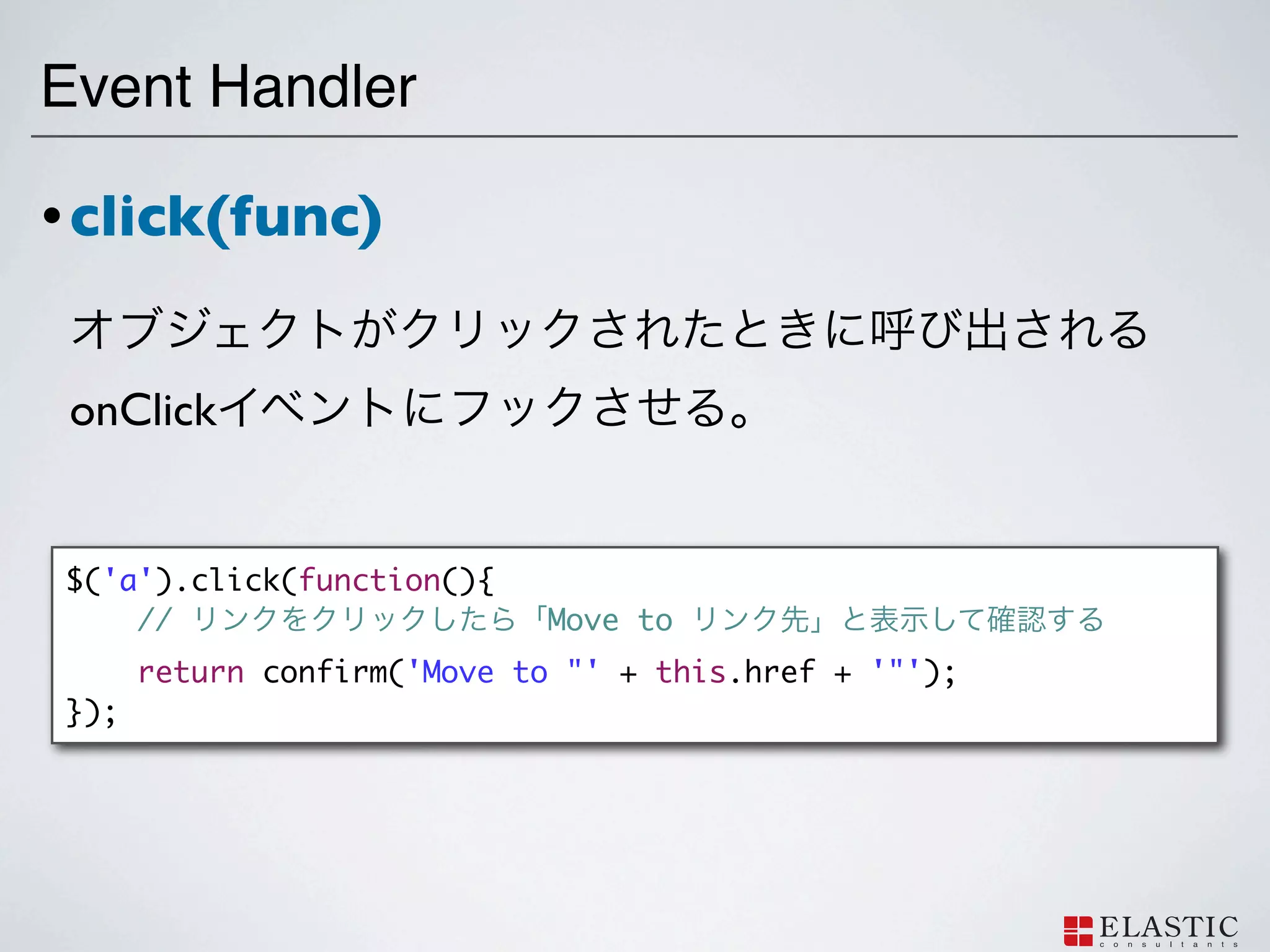
Event Handler • click(func)
onClick $('a').click(function(){ // Move to return confirm('Move to "' + this.href + '"'); });
61.
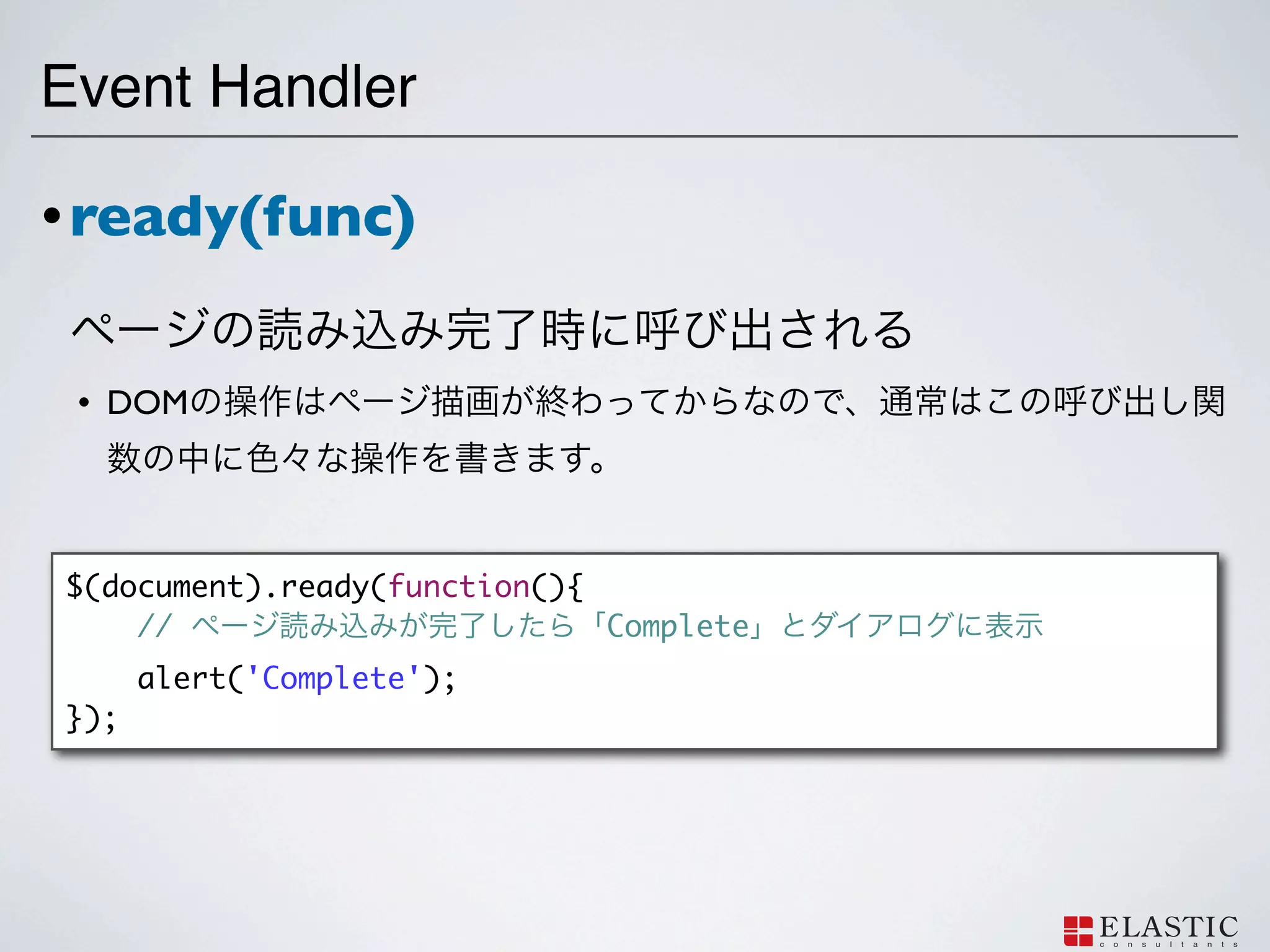
Event Handler • ready(func)
• DOM $(document).ready(function(){ // Complete alert('Complete'); });
62.
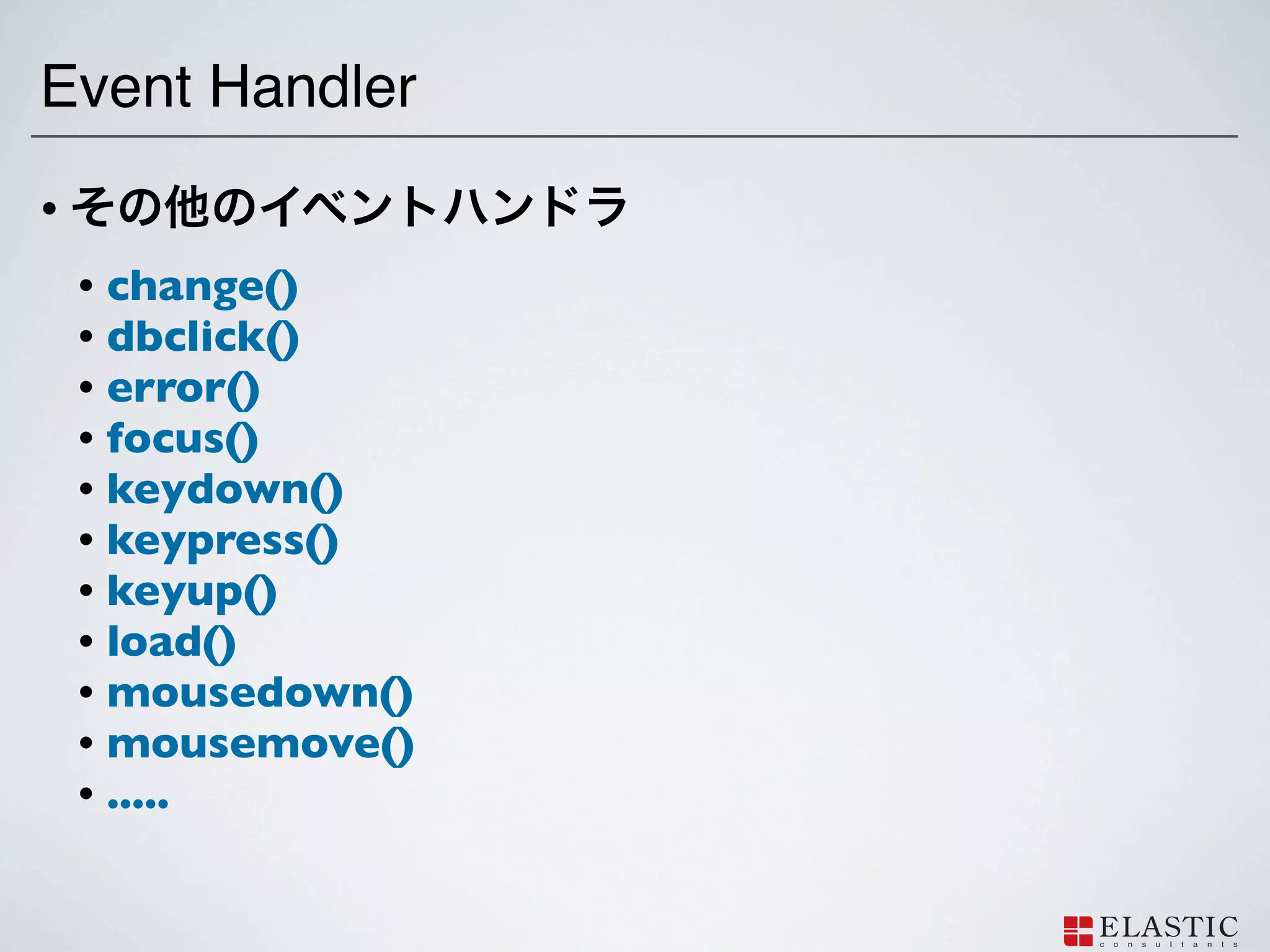
Event Handler •
• change() • dbclick() • error() • focus() • keydown() • keypress() • keyup() • load() • mousedown() • mousemove() • .....
63.
Animation with jQuery
64.
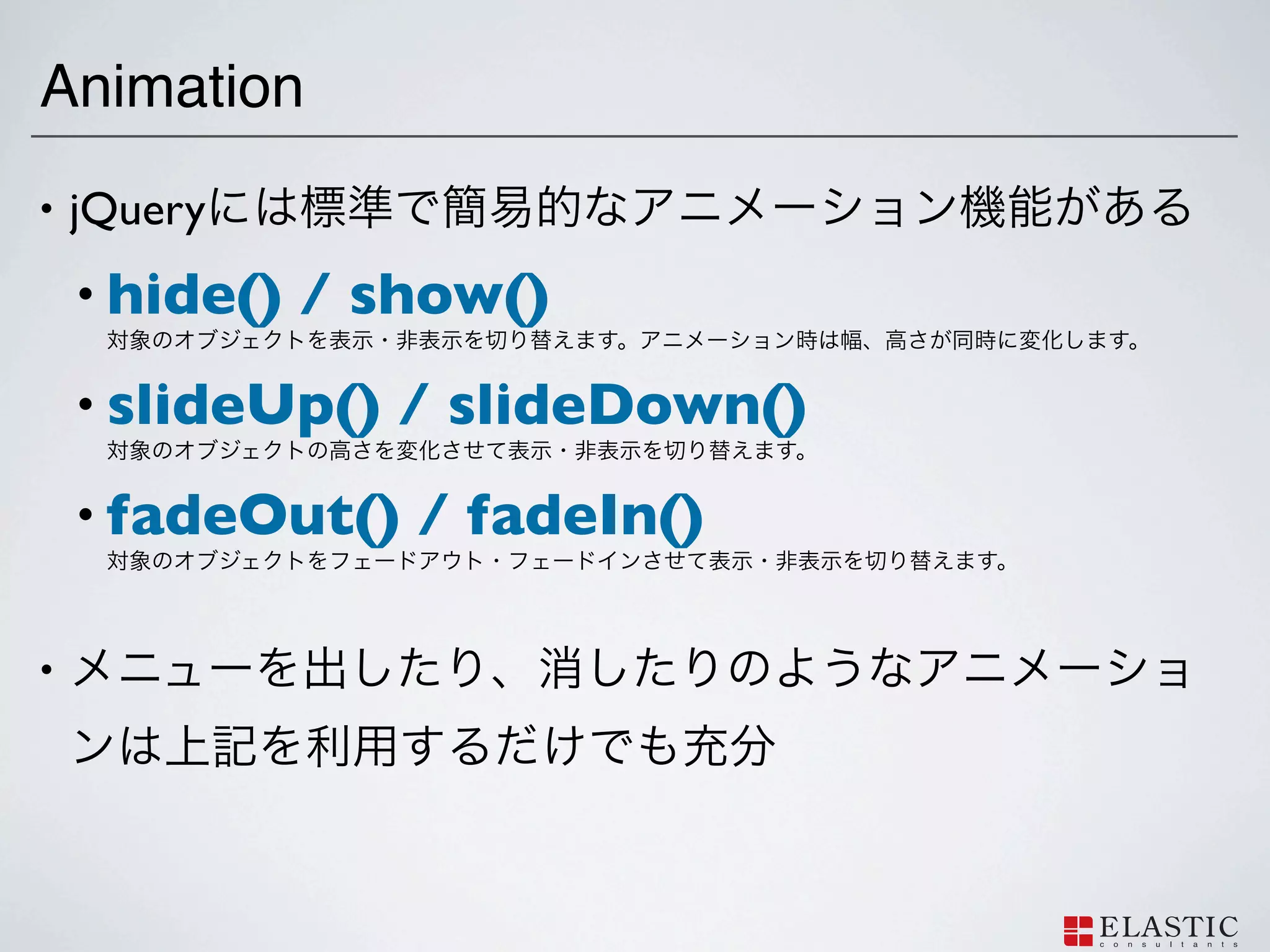
jQuery
65.
Animation •
jQuery • hide() / show() • slideUp() / slideDown() • fadeOut() / fadeIn() •
66.
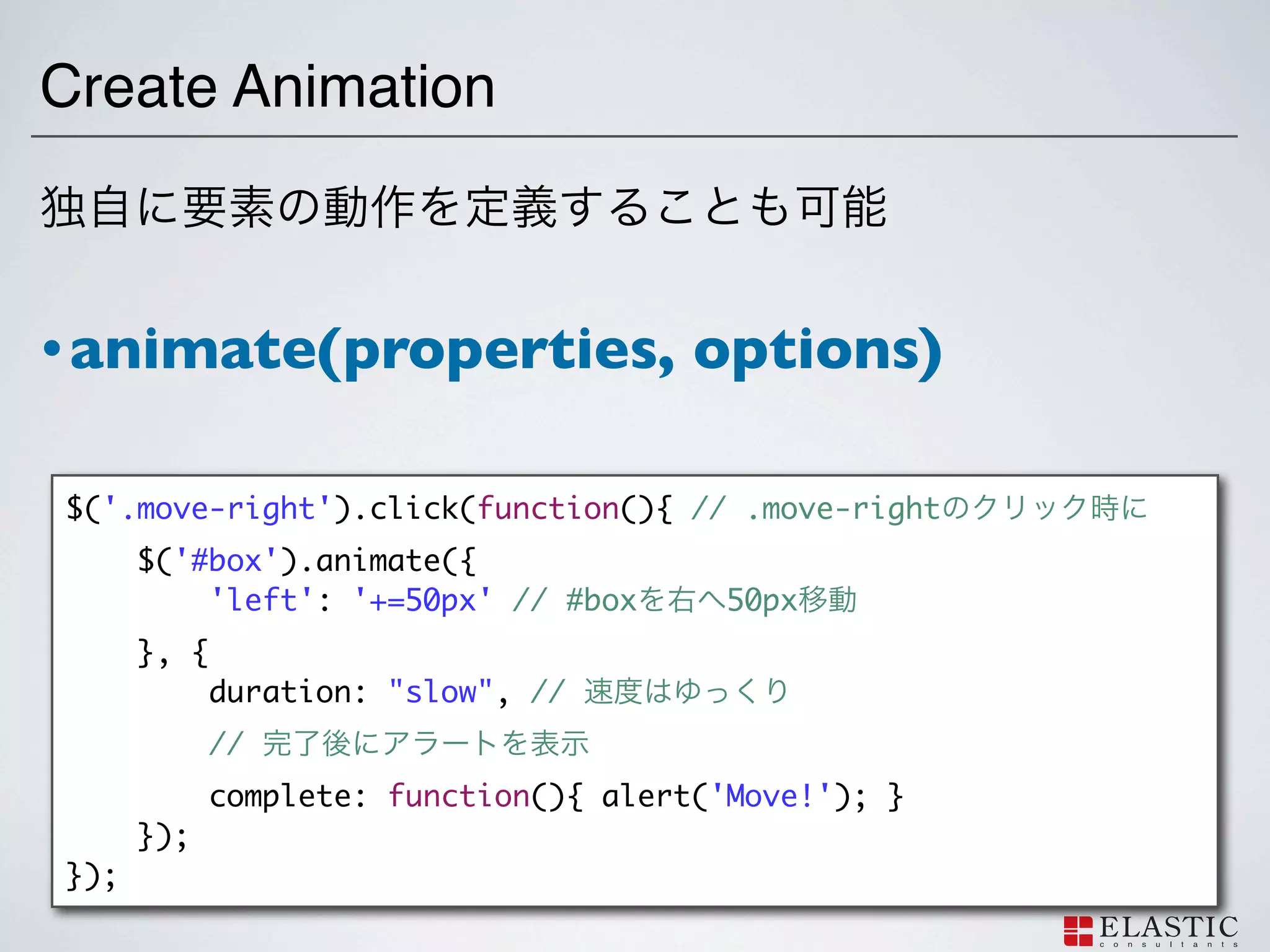
Create Animation • animate(properties,
options) $('.move-right').click(function(){ // .move-right $('#box').animate({ 'left': '+=50px' // #box 50px }, { duration: "slow", // // complete: function(){ alert('Move!'); } }); });
67.
Letʼs create jQuery
Plugin!
68.
jQuery
!
69.
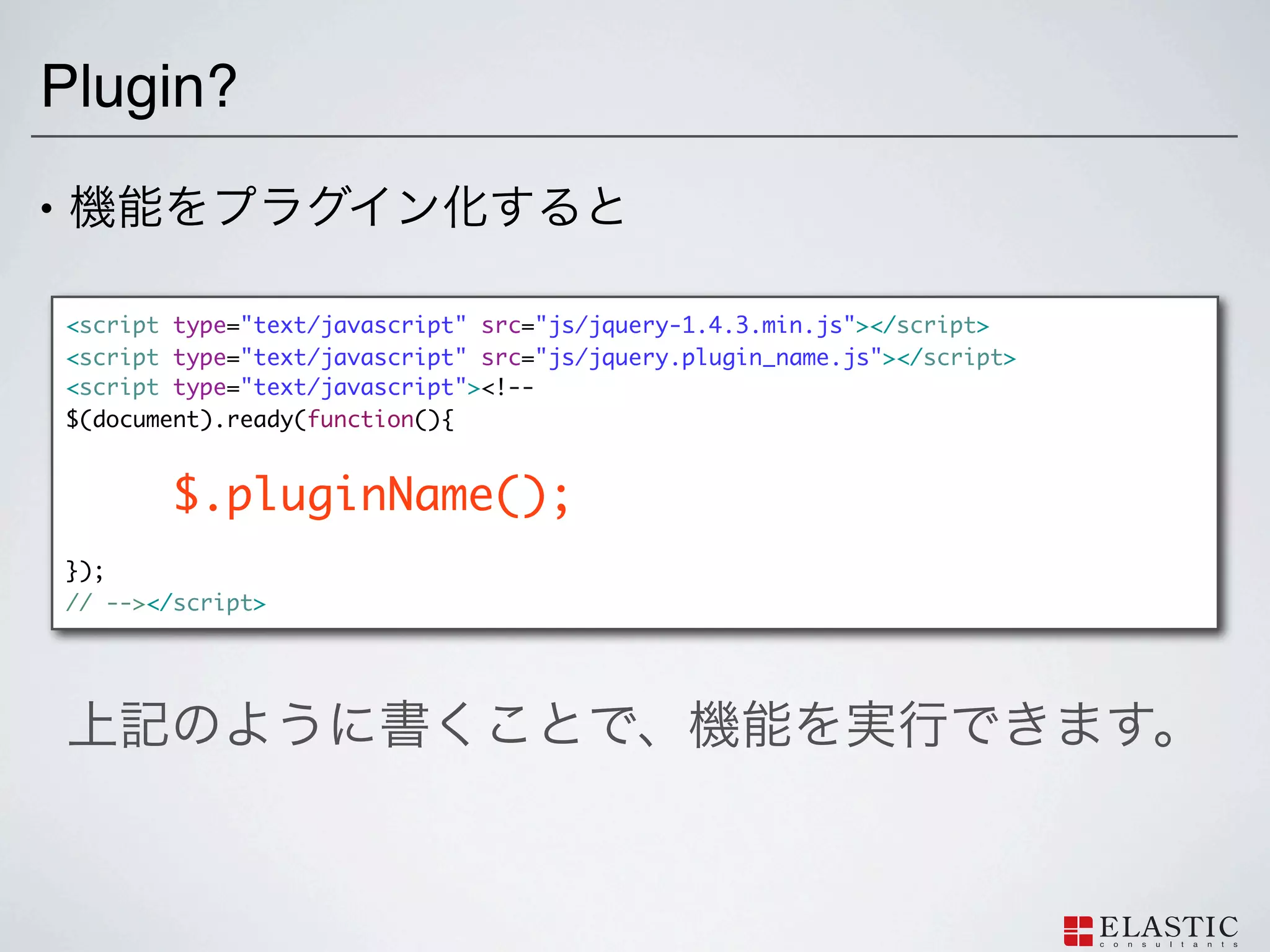
Plugin? •
<script type="text/javascript" src="js/jquery-1.4.3.min.js"></script> <script type="text/javascript" src="js/jquery.plugin_name.js"></script> <script type="text/javascript"><!-- $(document).ready(function(){ $.pluginName(); }); // --></script>
70.
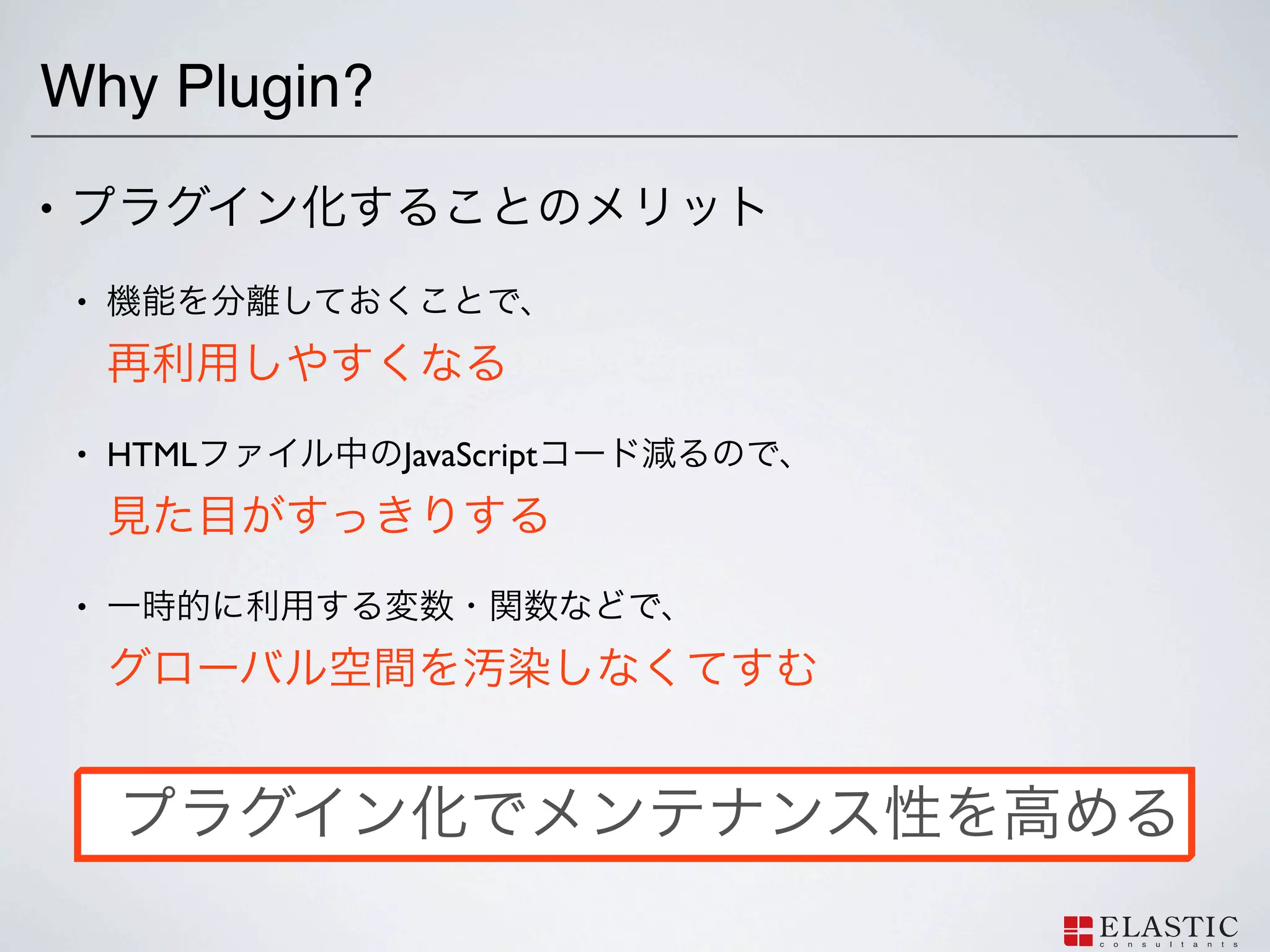
Why Plugin? •
• • HTML JavaScript •
71.
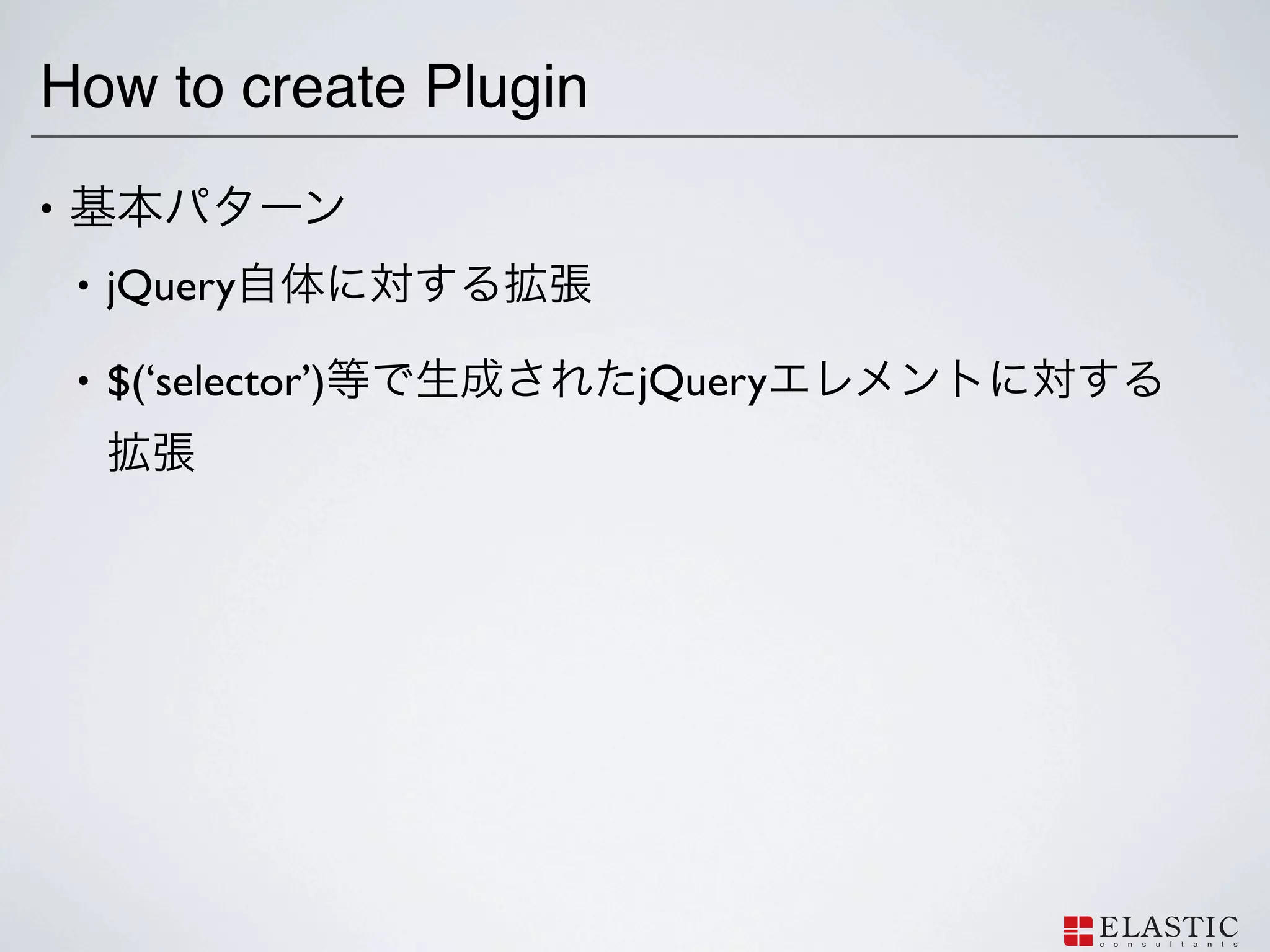
How to create
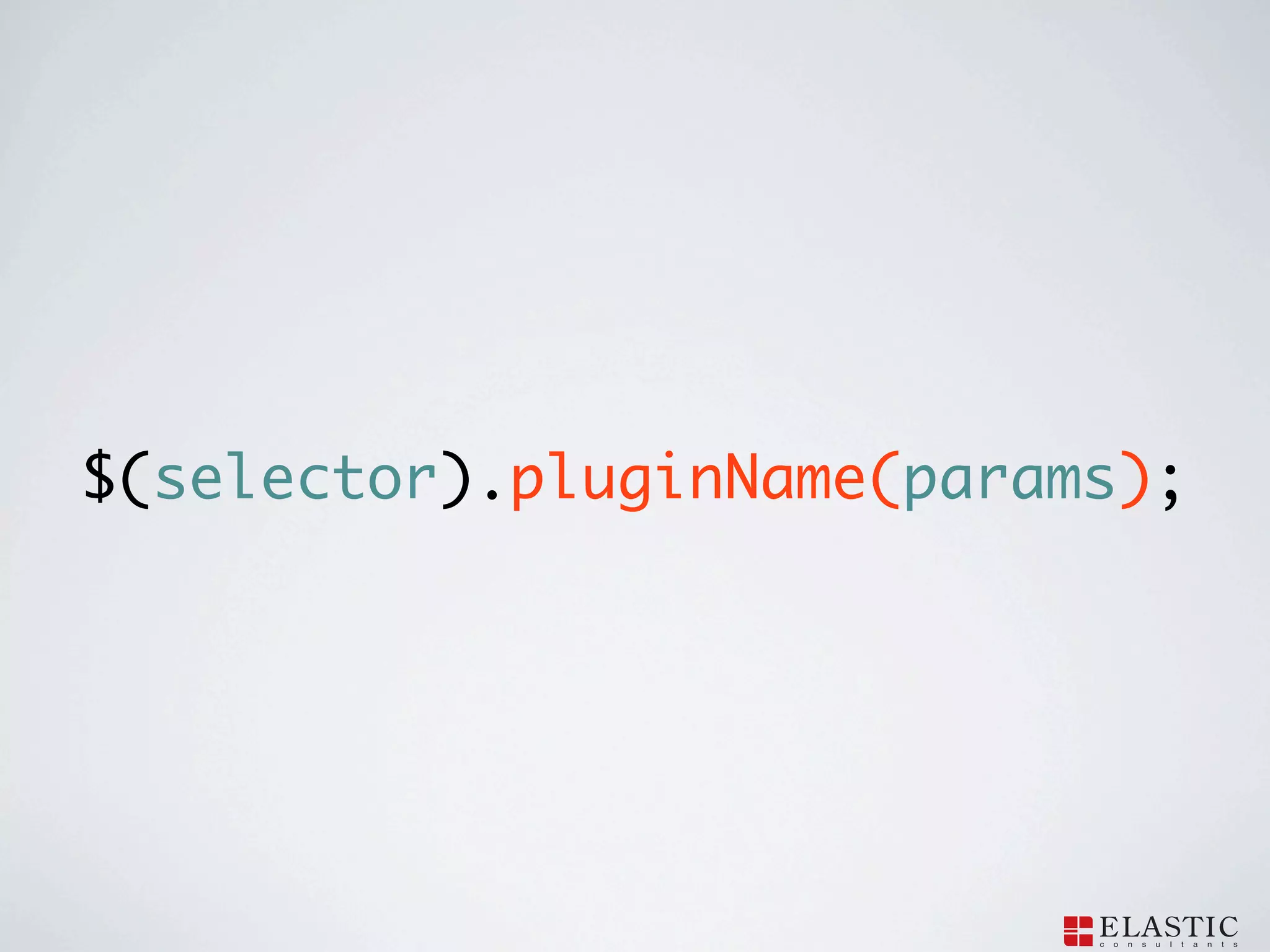
Plugin • • jQuery • $(‘selector’) jQuery
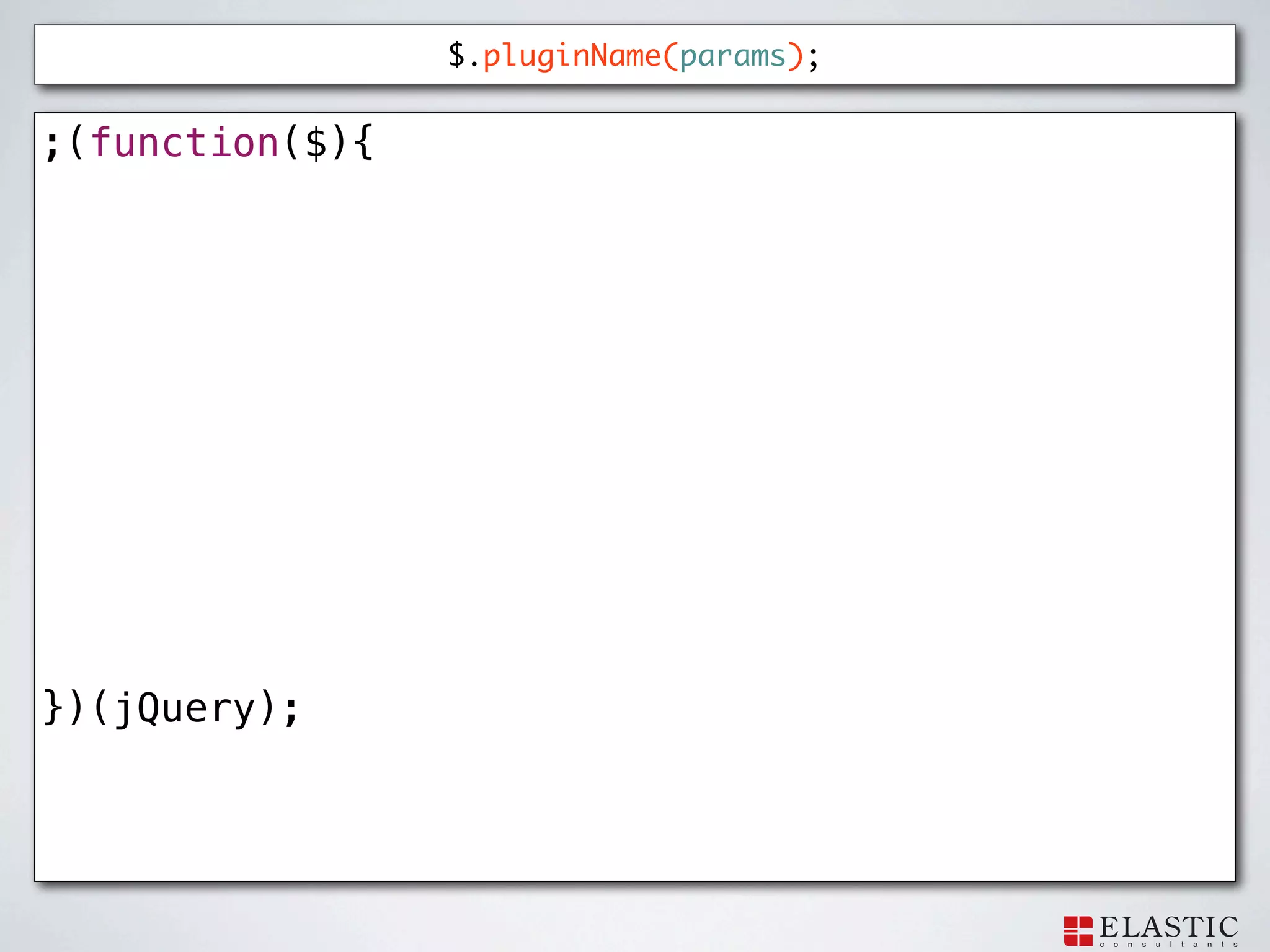
72.
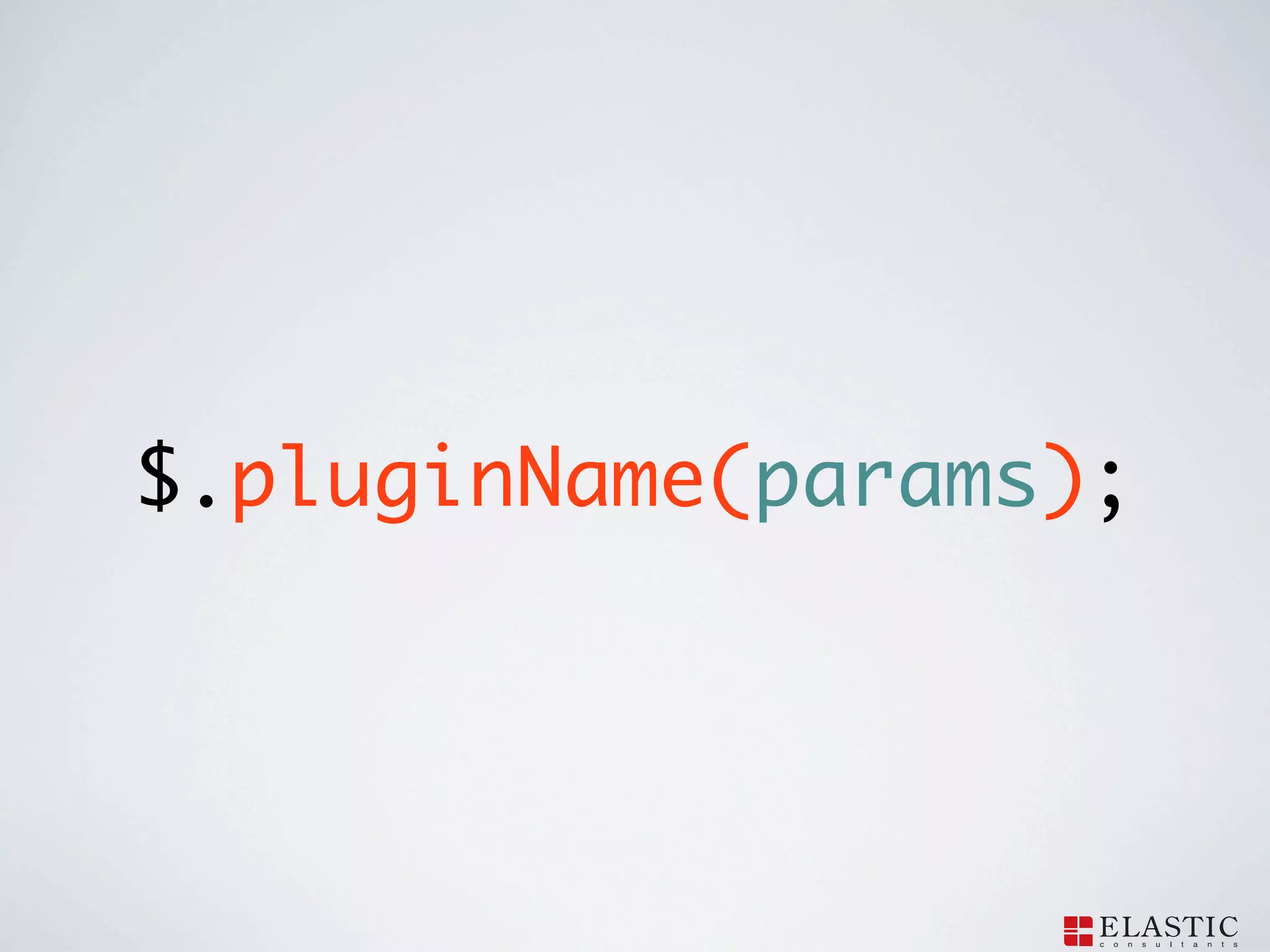
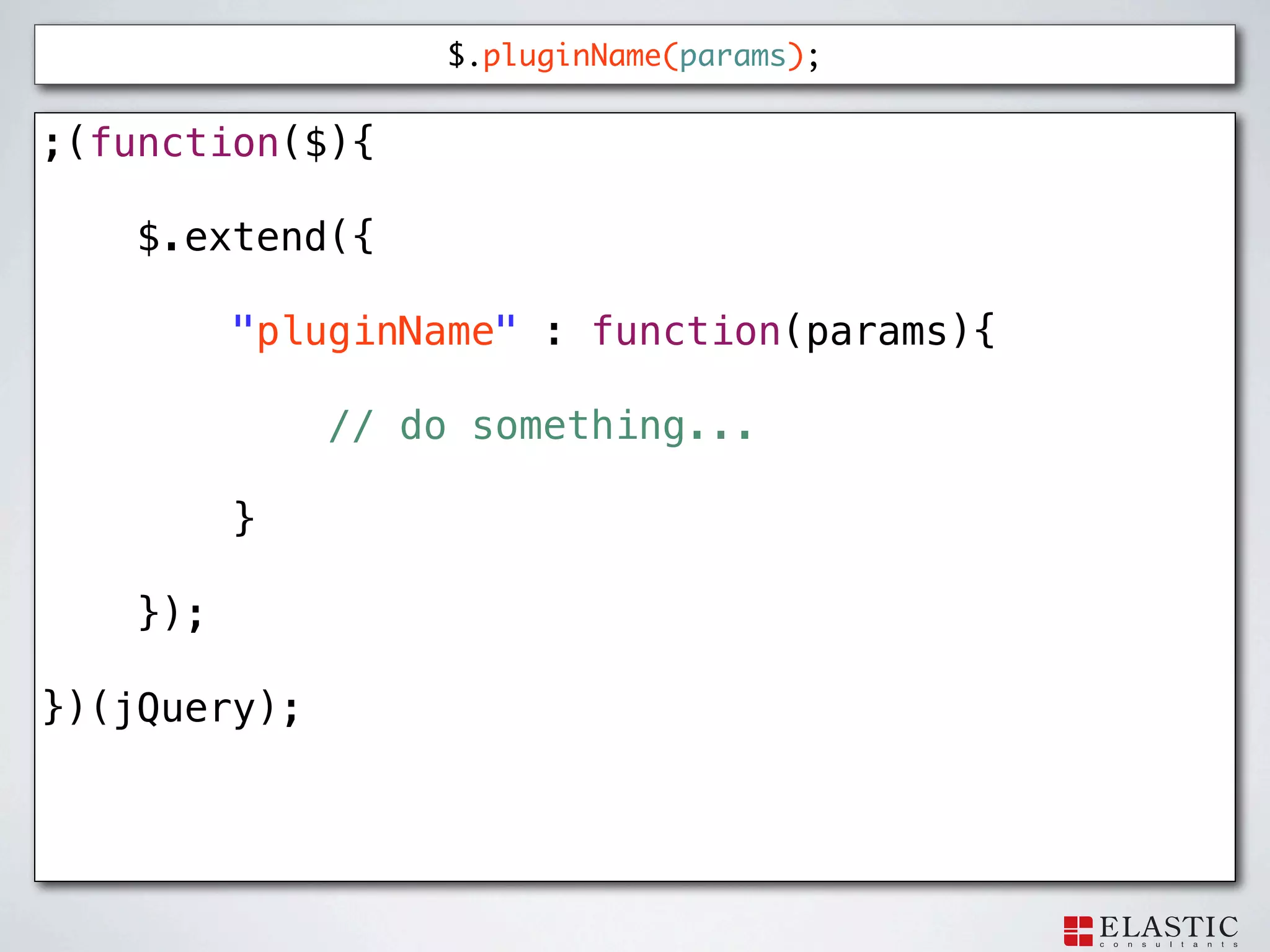
$.pluginName(params);
73.
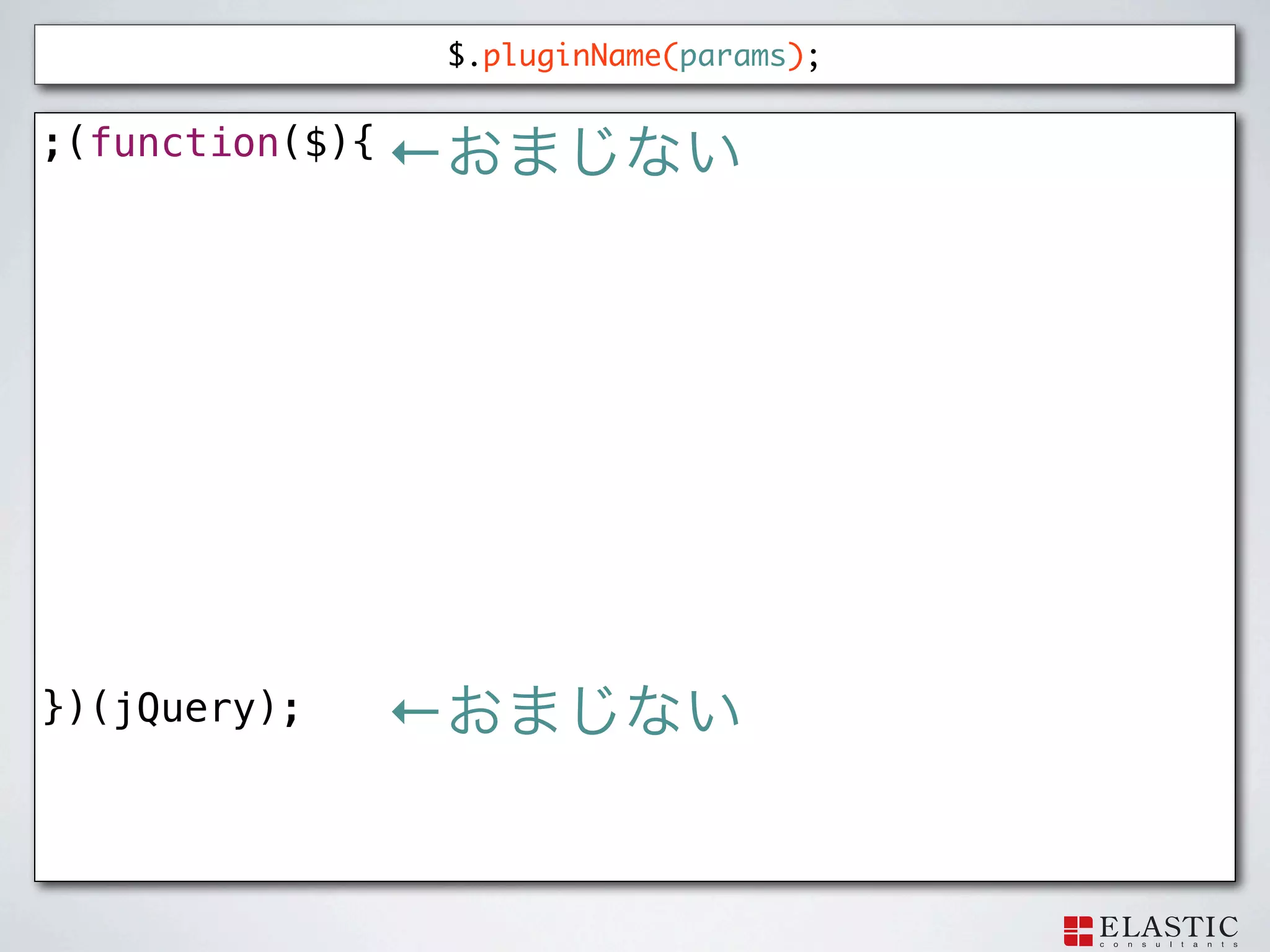
$.pluginName(params); ;(function($){ })(jQuery);
74.
$.pluginName(params); ;(function($){ ← })(jQuery);
←
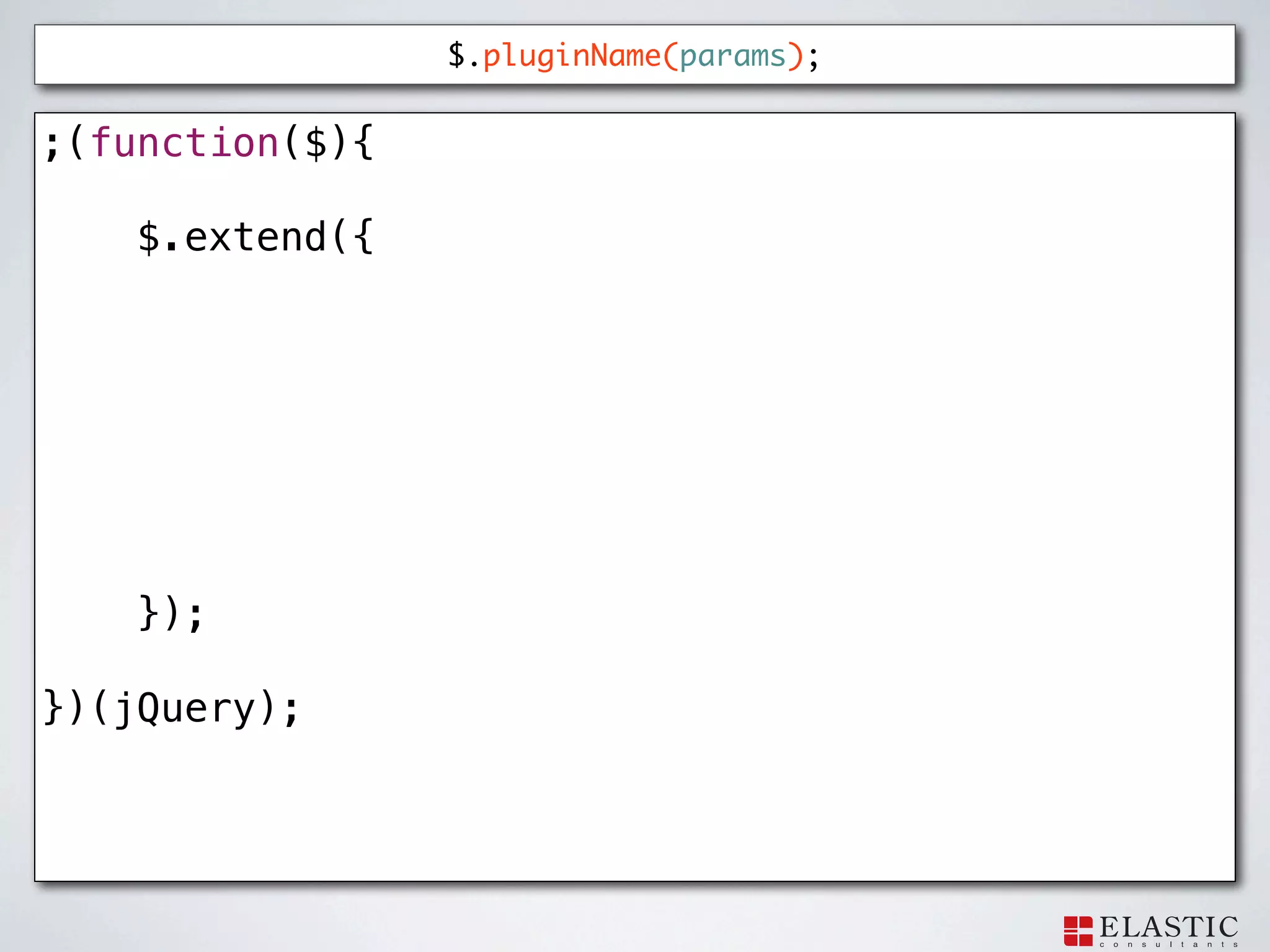
75.
$.pluginName(params); ;(function($){
$.extend({ }); })(jQuery);
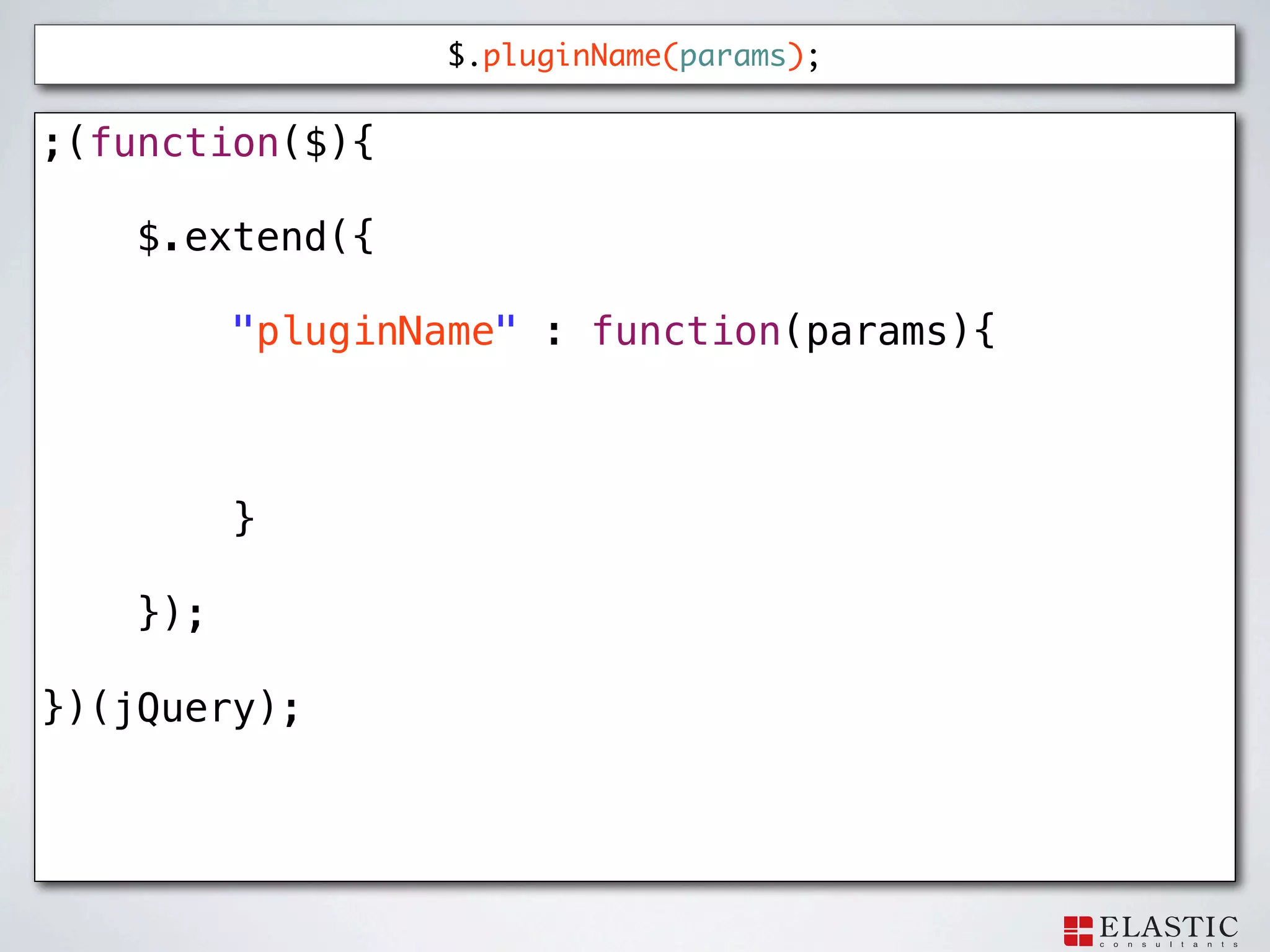
76.
$.pluginName(params); ;(function($){
$.extend({ "pluginName" : function(params){ } }); })(jQuery);
77.
$.pluginName(params); ;(function($){
$.extend({ "pluginName" : function(params){ // do something... } }); })(jQuery);
78.
$(selector).pluginName(params);
79.
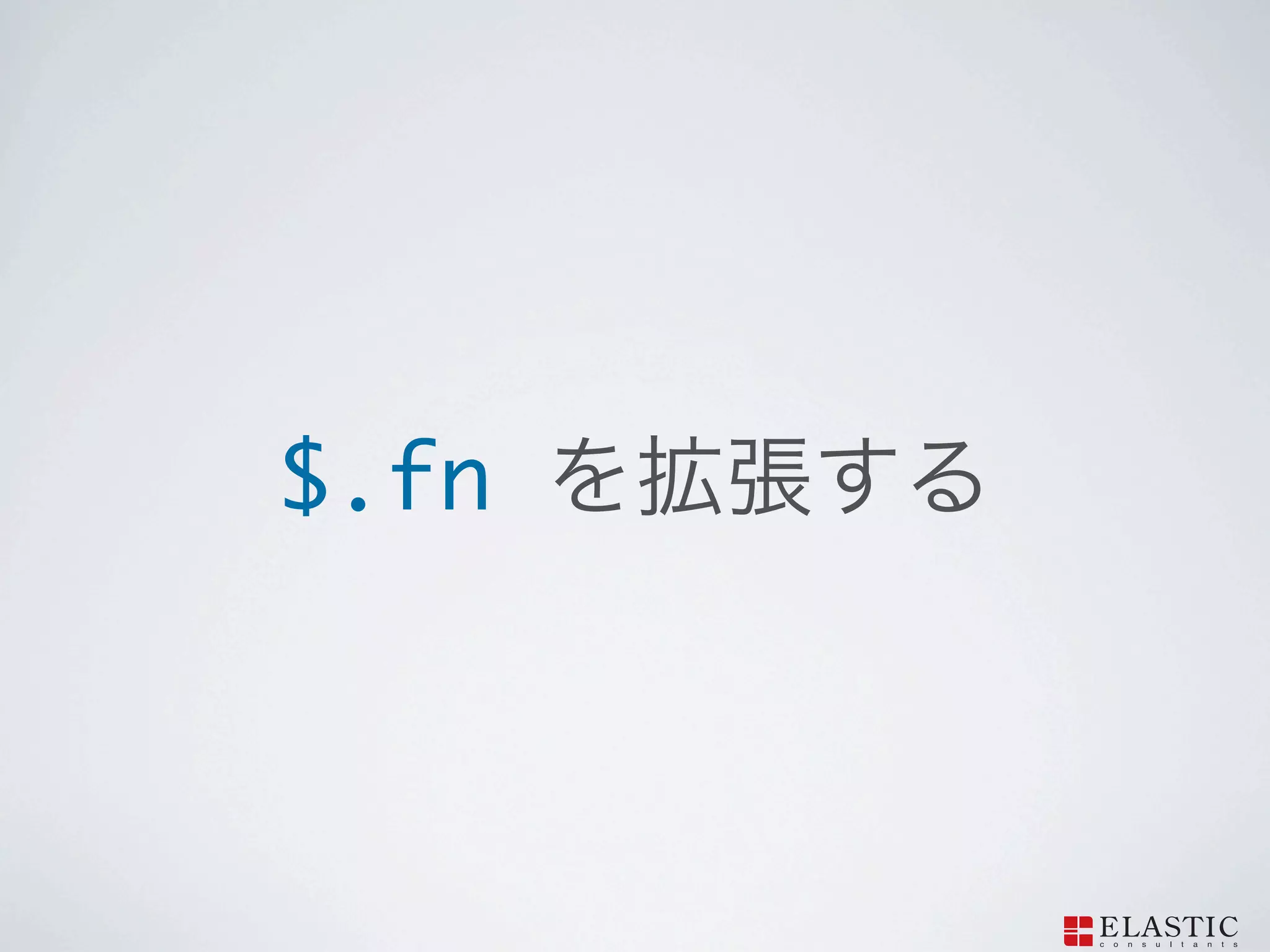
$.fn
80.
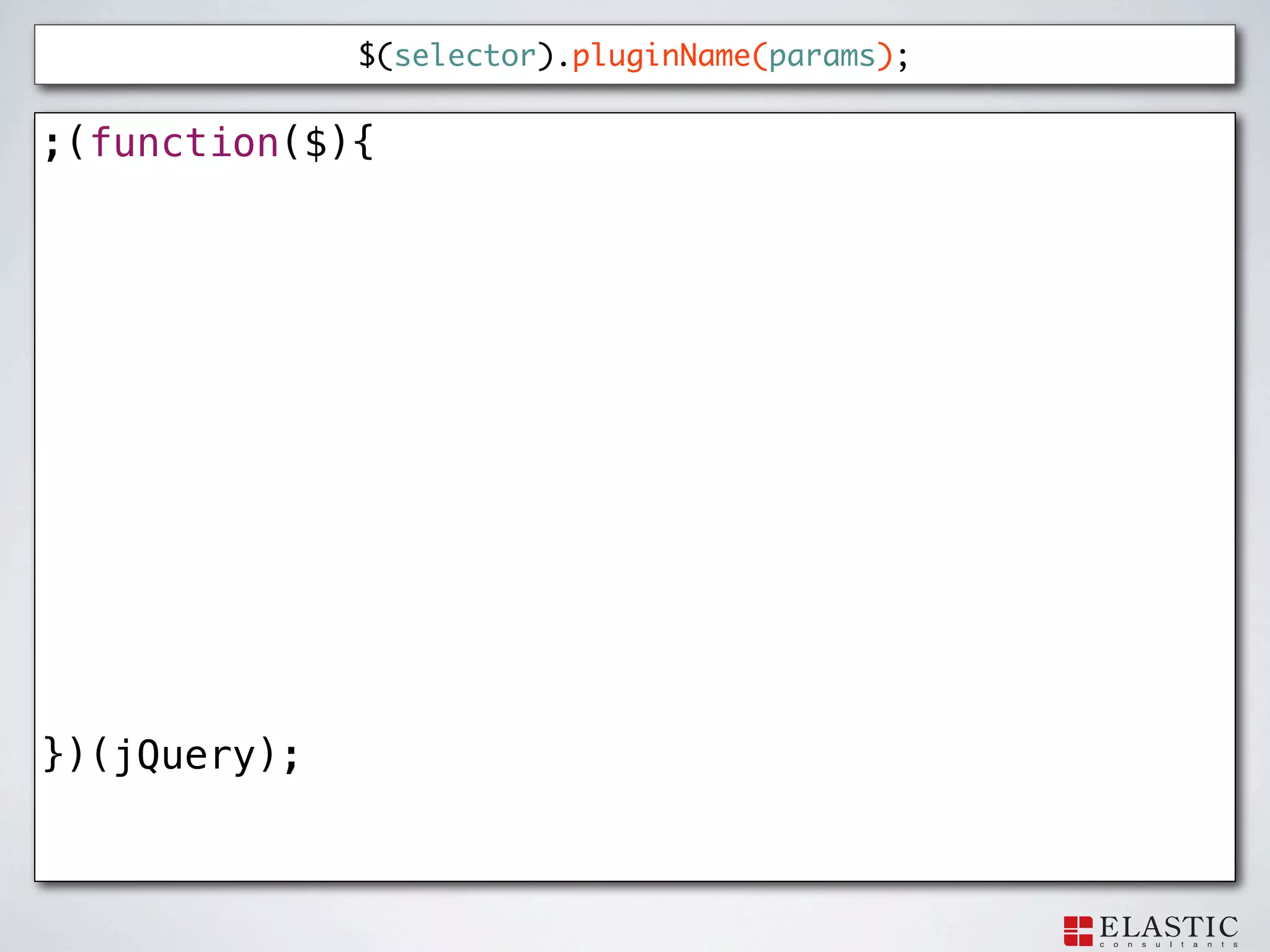
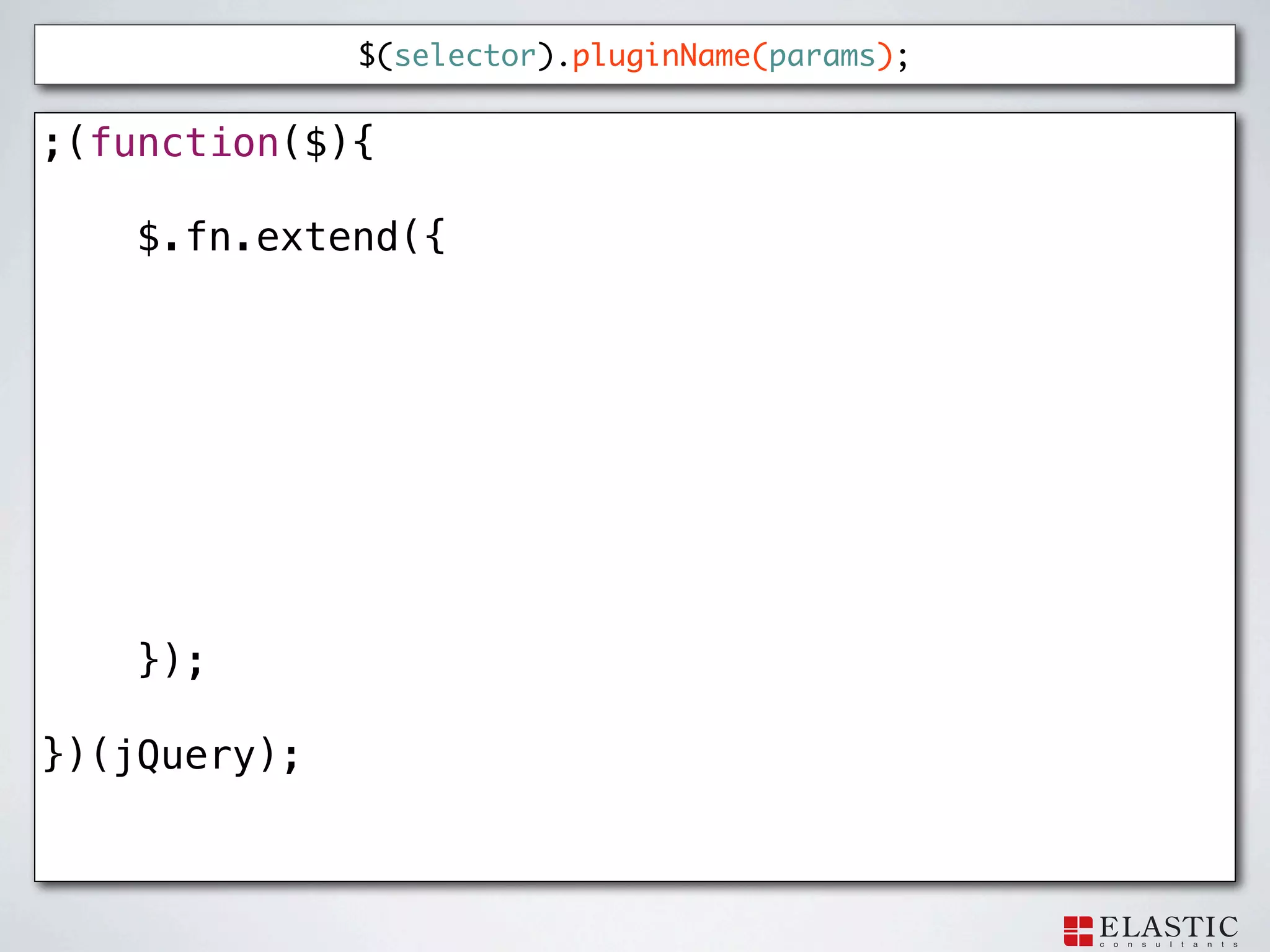
$(selector).pluginName(params); ;(function($){ })(jQuery);
81.
$(selector).pluginName(params); ;(function($){
$.fn.extend({ }); })(jQuery);
82.
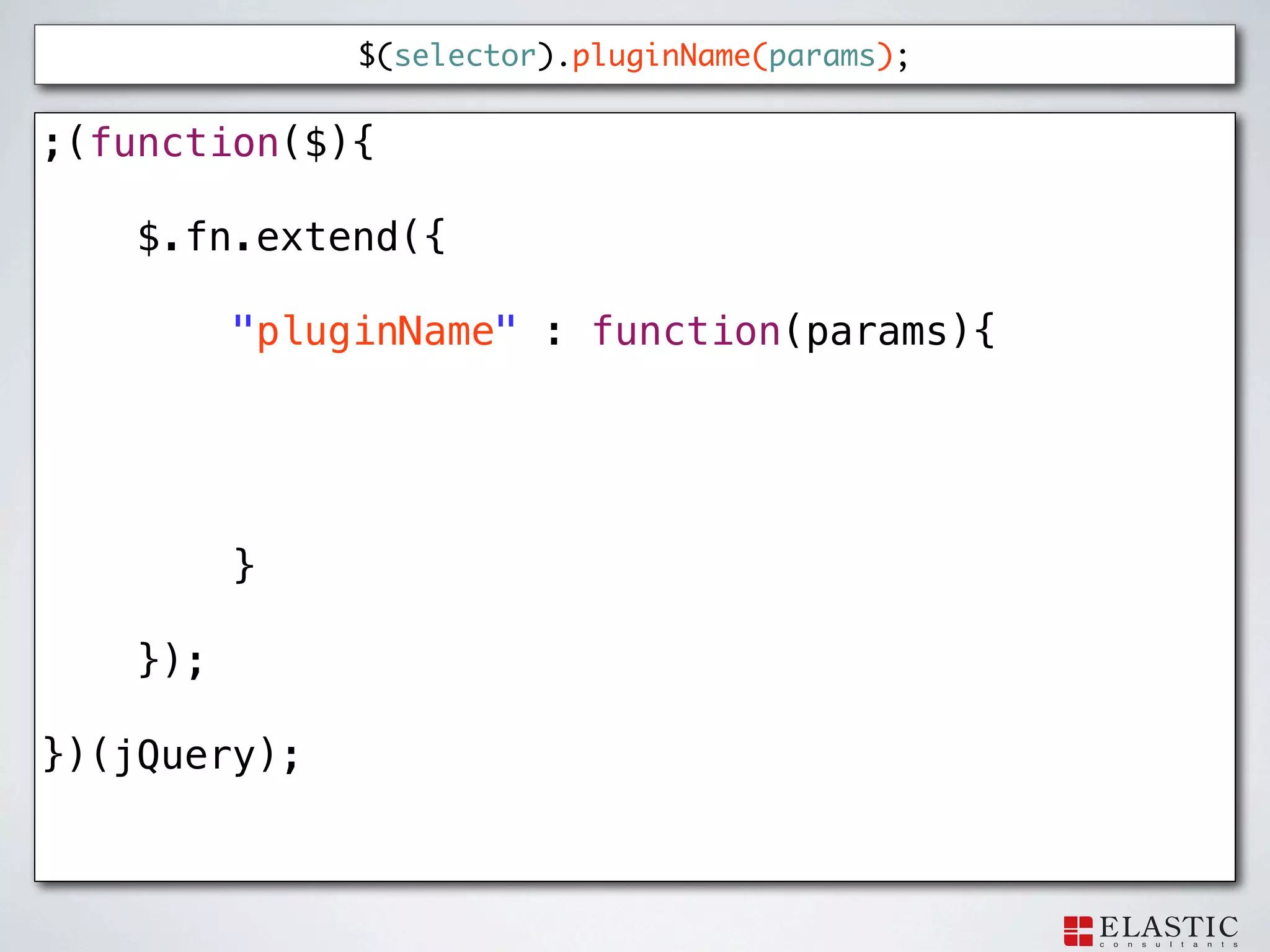
$(selector).pluginName(params); ;(function($){
$.fn.extend({ "pluginName" : function(params){ } }); })(jQuery);
83.
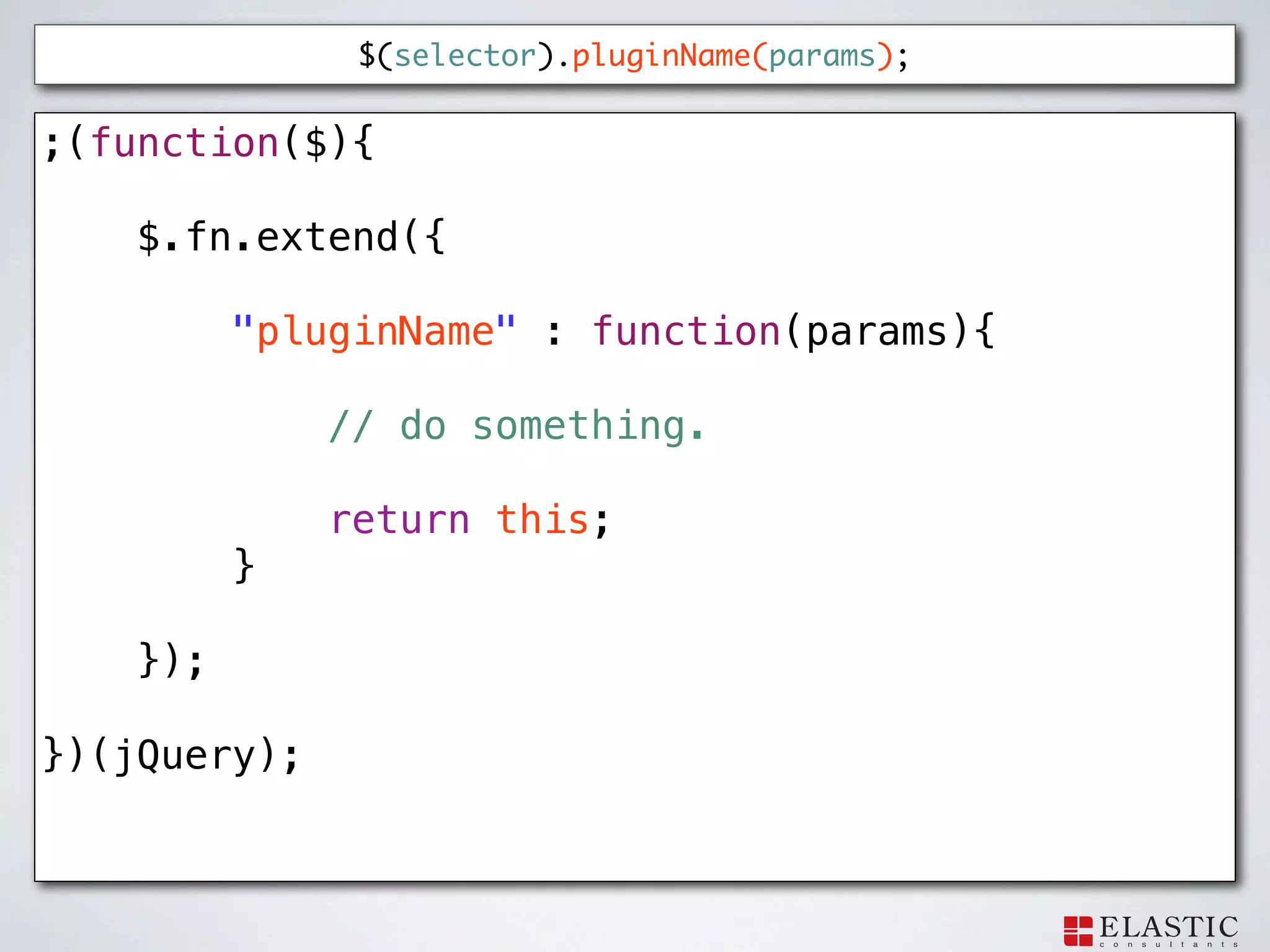
$(selector).pluginName(params); ;(function($){
$.fn.extend({ "pluginName" : function(params){ // do something. return this; } }); })(jQuery);
84.
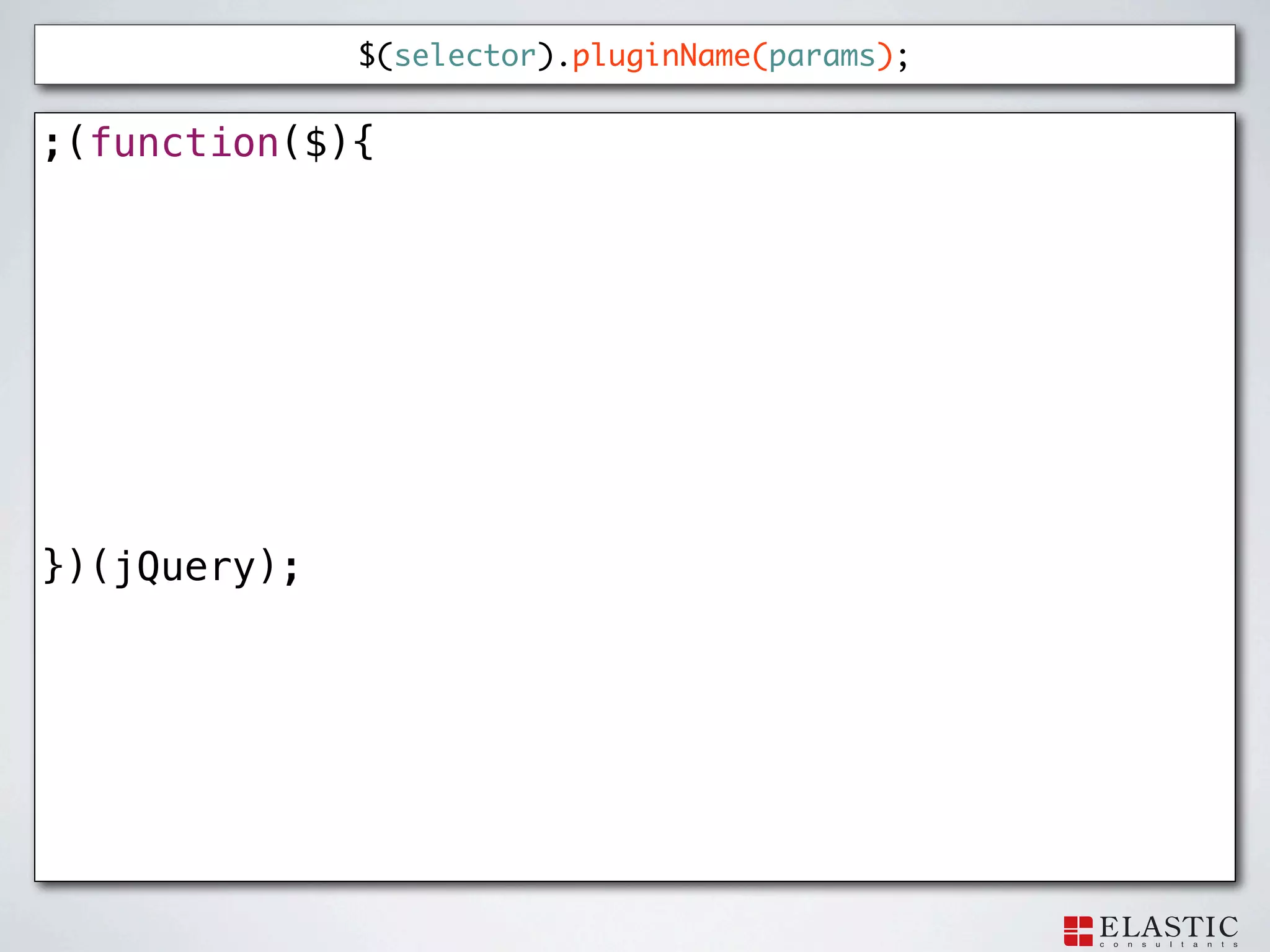
$(selector).pluginName(params); ;(function($){ })(jQuery);
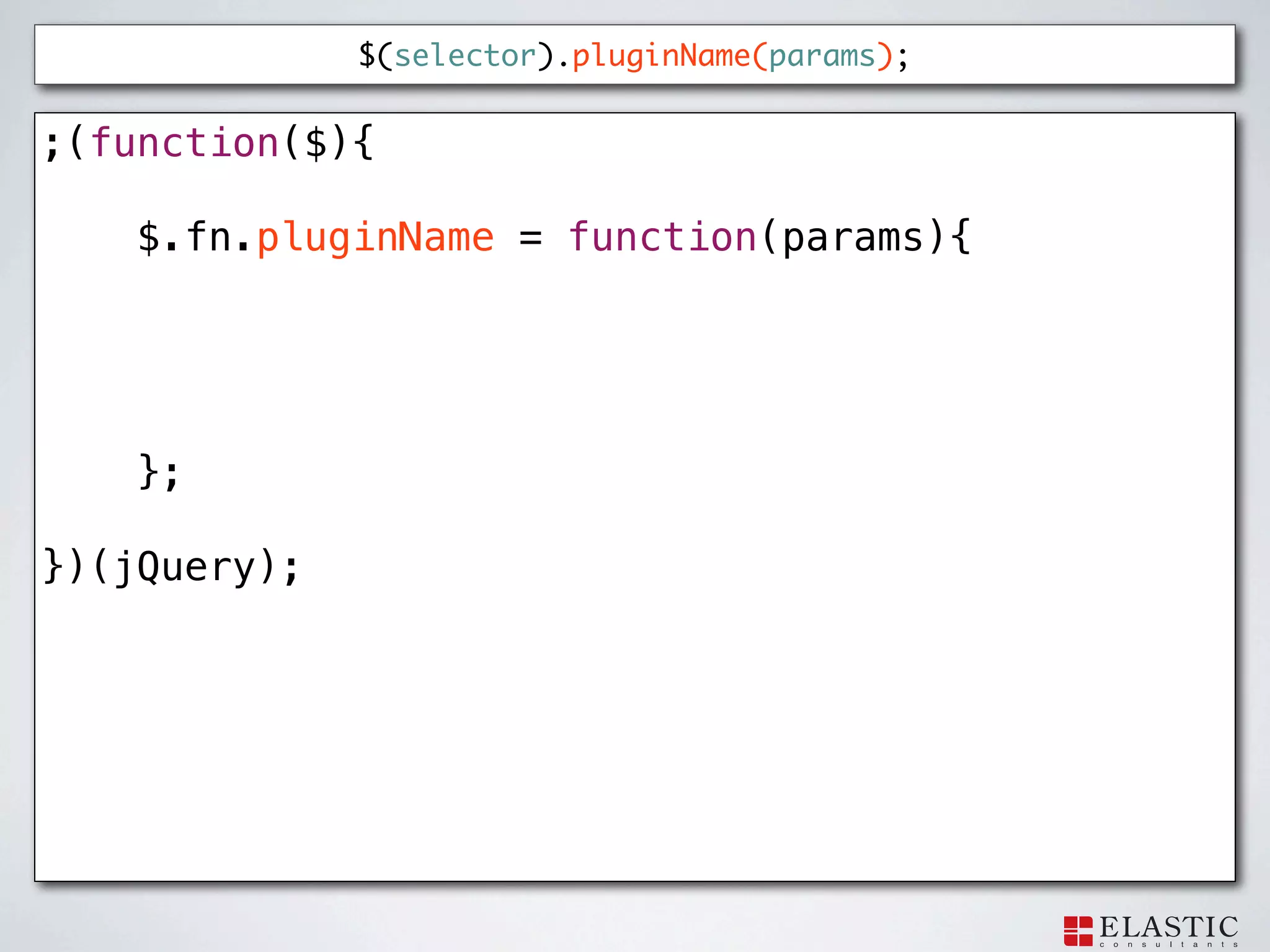
85.
$(selector).pluginName(params); ;(function($){
$.fn.pluginName = function(params){ }; })(jQuery);
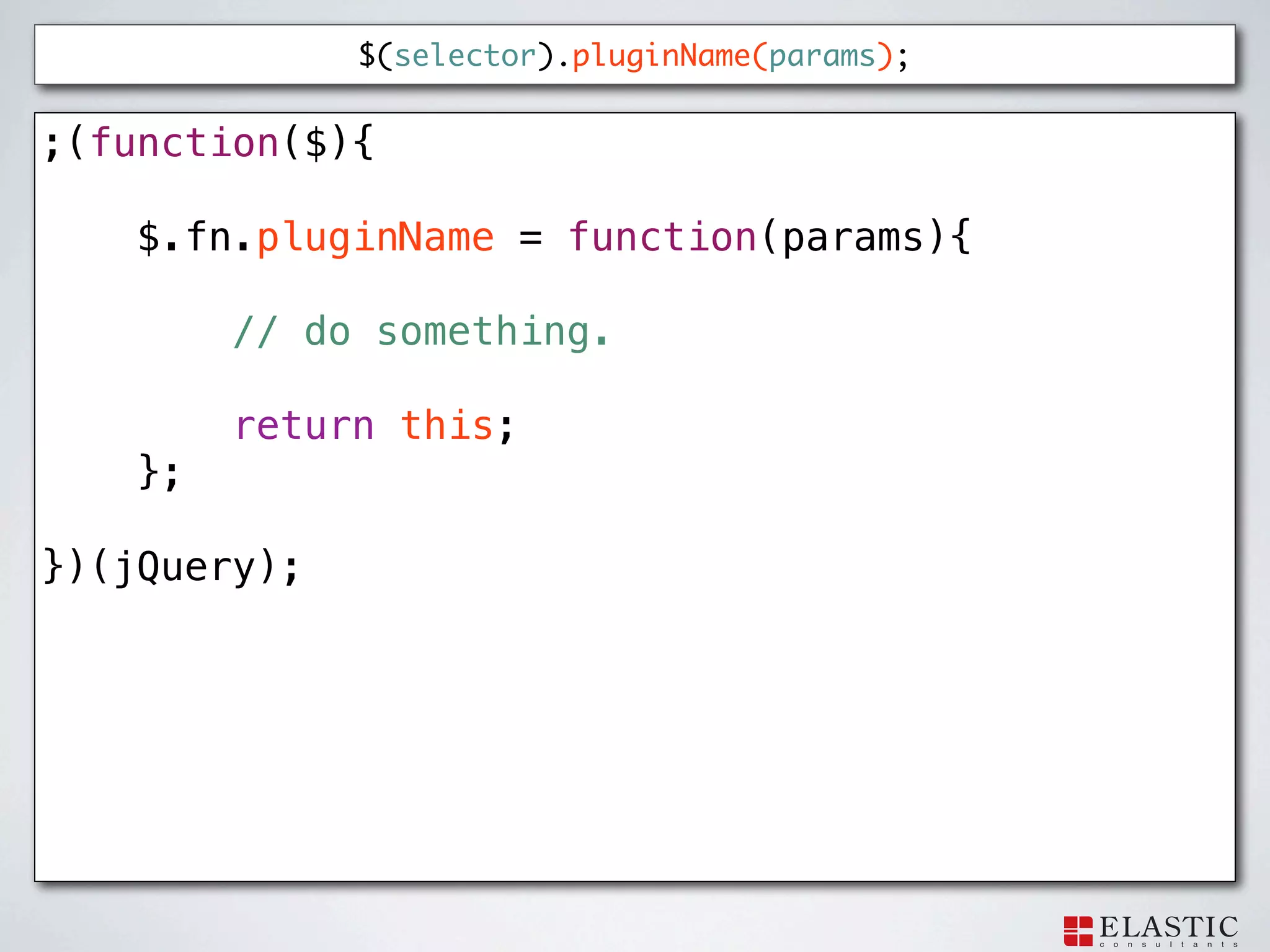
86.
$(selector).pluginName(params); ;(function($){
$.fn.pluginName = function(params){ // do something. return this; }; })(jQuery);
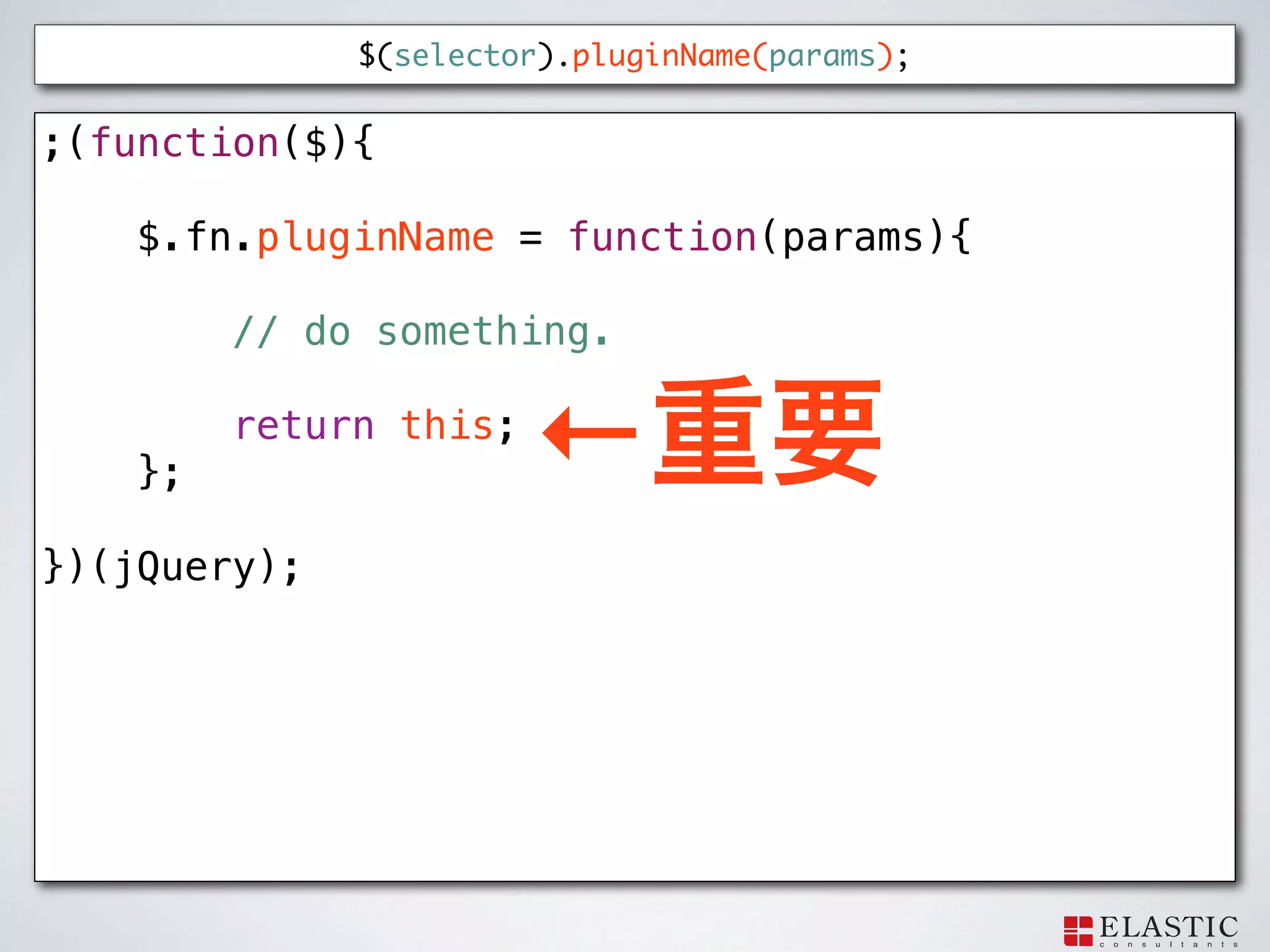
87.
$(selector).pluginName(params); ;(function($){
$.fn.pluginName = function(params){ // do something. }; return this; ← })(jQuery);
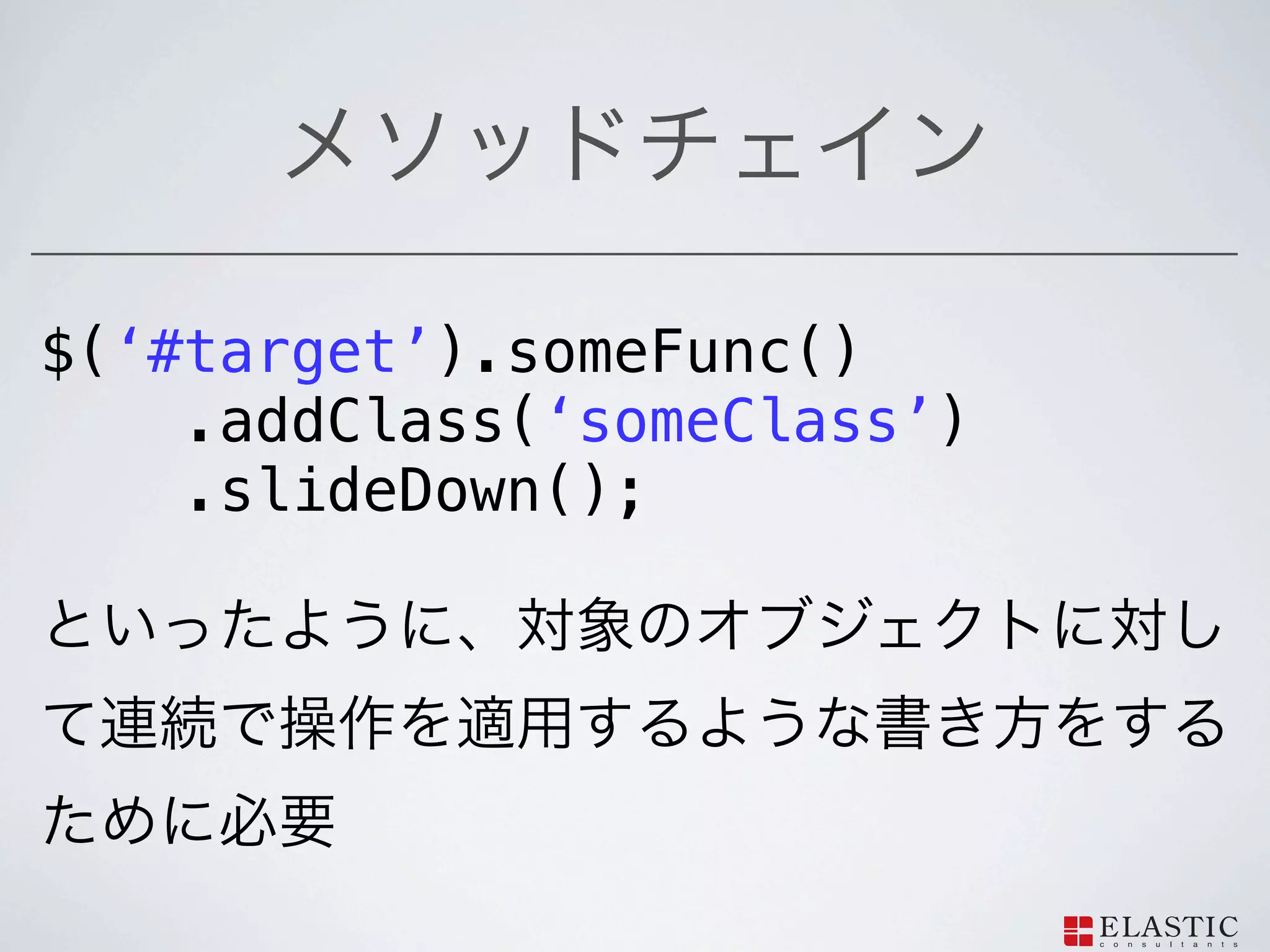
88.
$(‘#target’).someFunc()
.addClass(‘someClass’) .slideDown();
89.
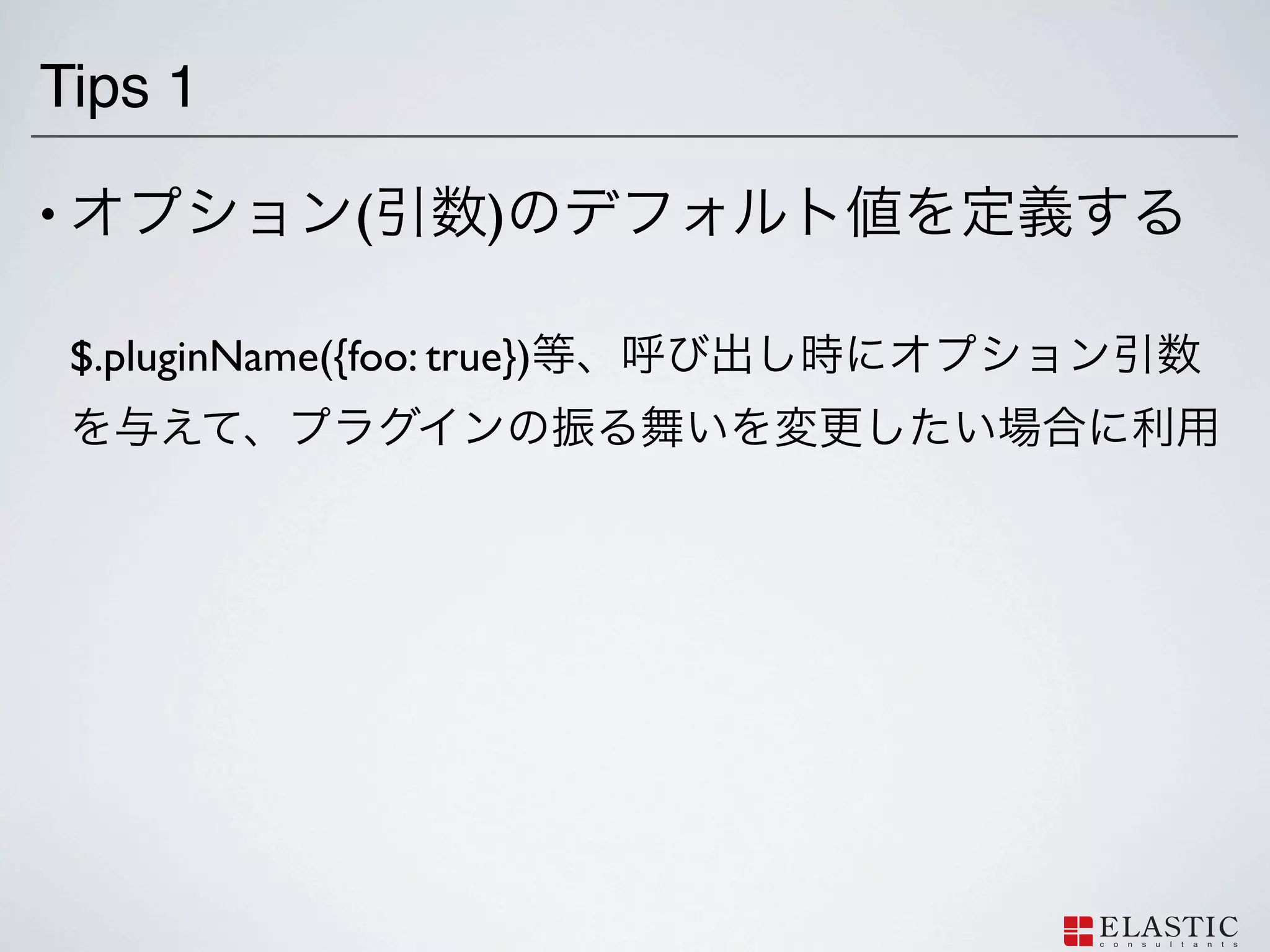
Tips 1 •
( ) $.pluginName({foo: true})
90.
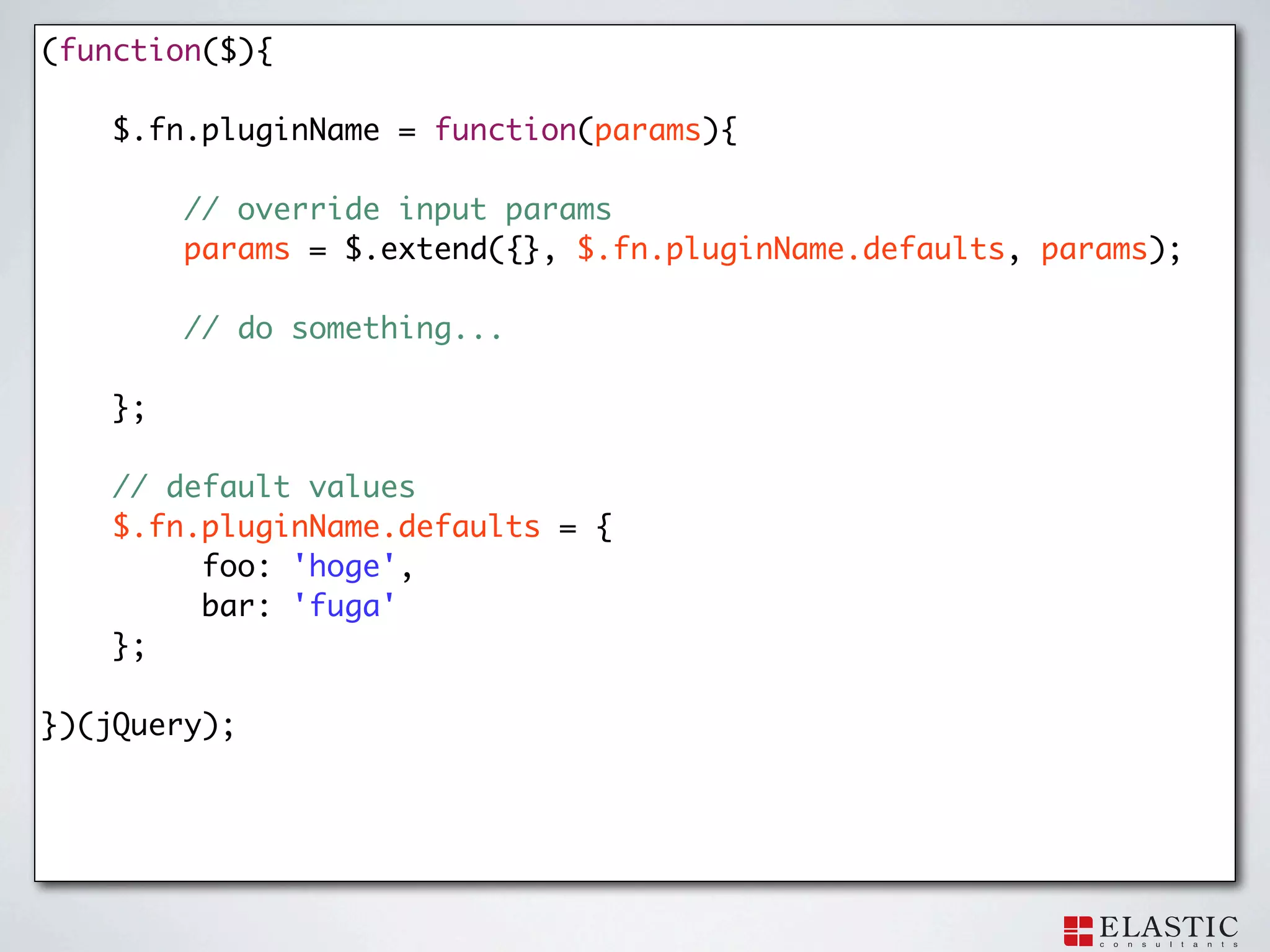
(function($){
$.fn.pluginName = function(params){ // override input params params = $.extend({}, $.fn.pluginName.defaults, params); // do something... }; // default values $.fn.pluginName.defaults = { foo: 'hoge', bar: 'fuga' }; })(jQuery);
91.
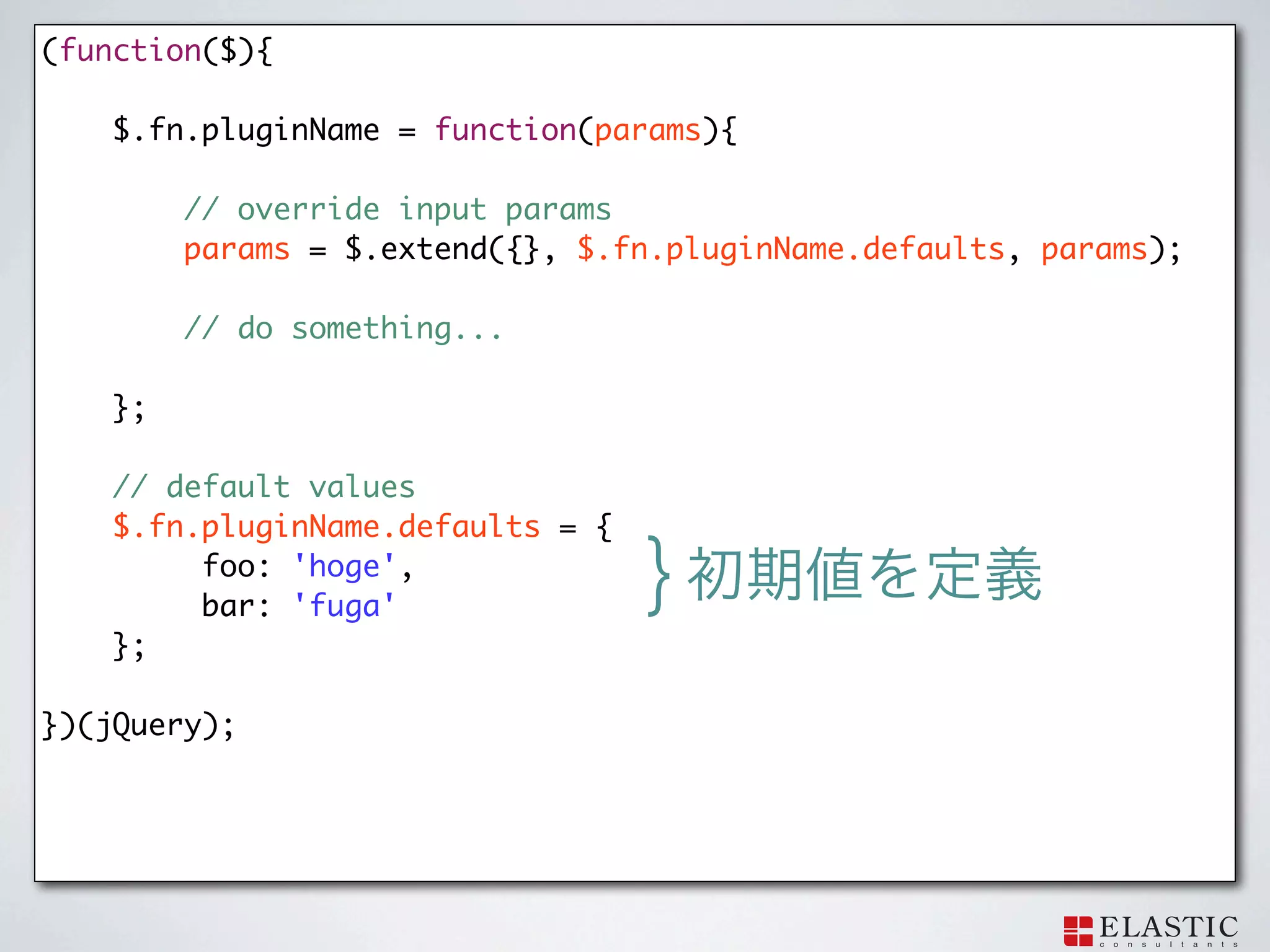
(function($){
$.fn.pluginName = function(params){ // override input params params = $.extend({}, $.fn.pluginName.defaults, params); // do something... }; // default values $.fn.pluginName.defaults = { foo: 'hoge', bar: 'fuga' } }; })(jQuery);
92.
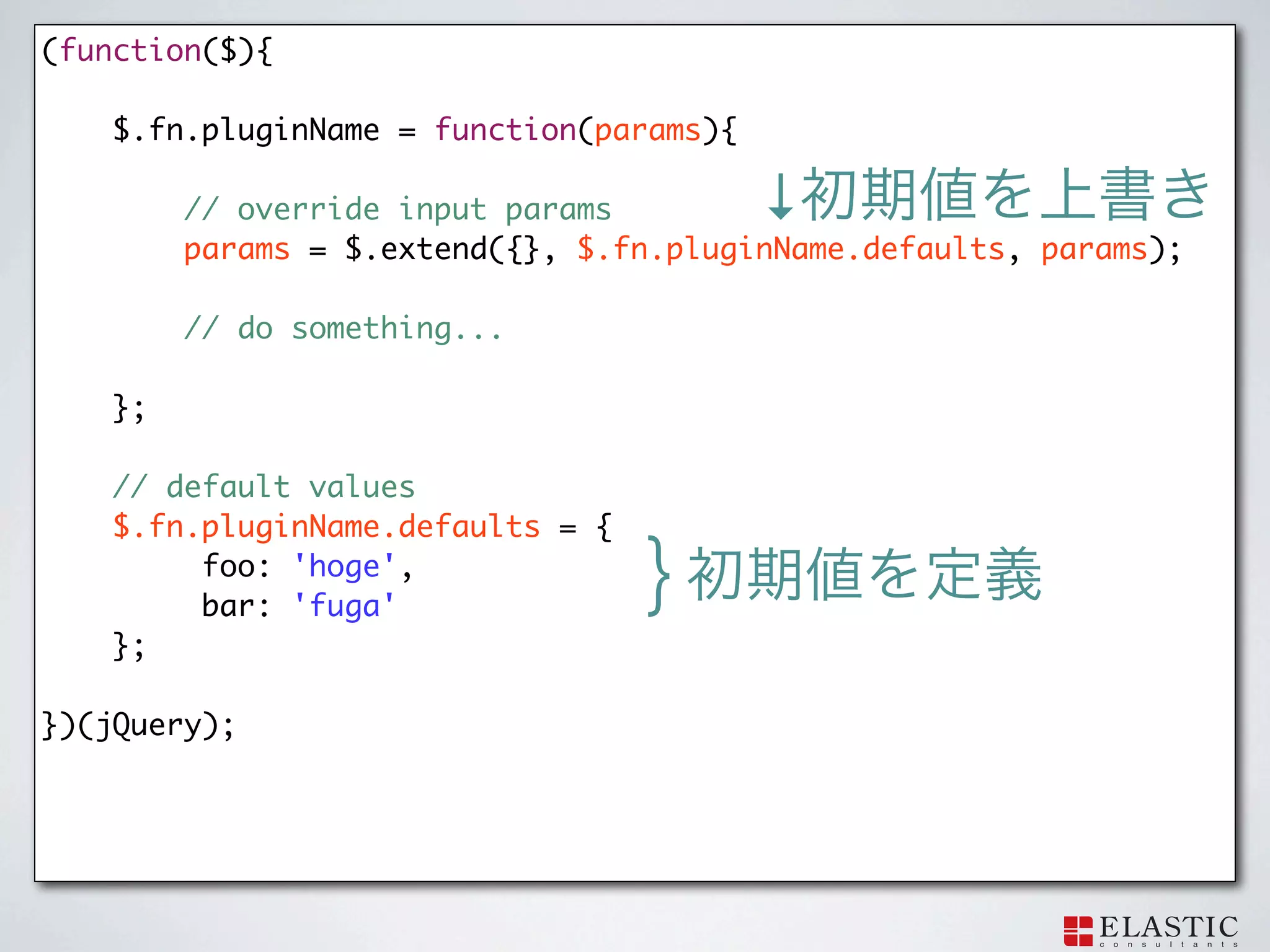
(function($){
$.fn.pluginName = function(params){ // override input params ↓ params = $.extend({}, $.fn.pluginName.defaults, params); // do something... }; // default values $.fn.pluginName.defaults = { foo: 'hoge', bar: 'fuga' } }; })(jQuery);
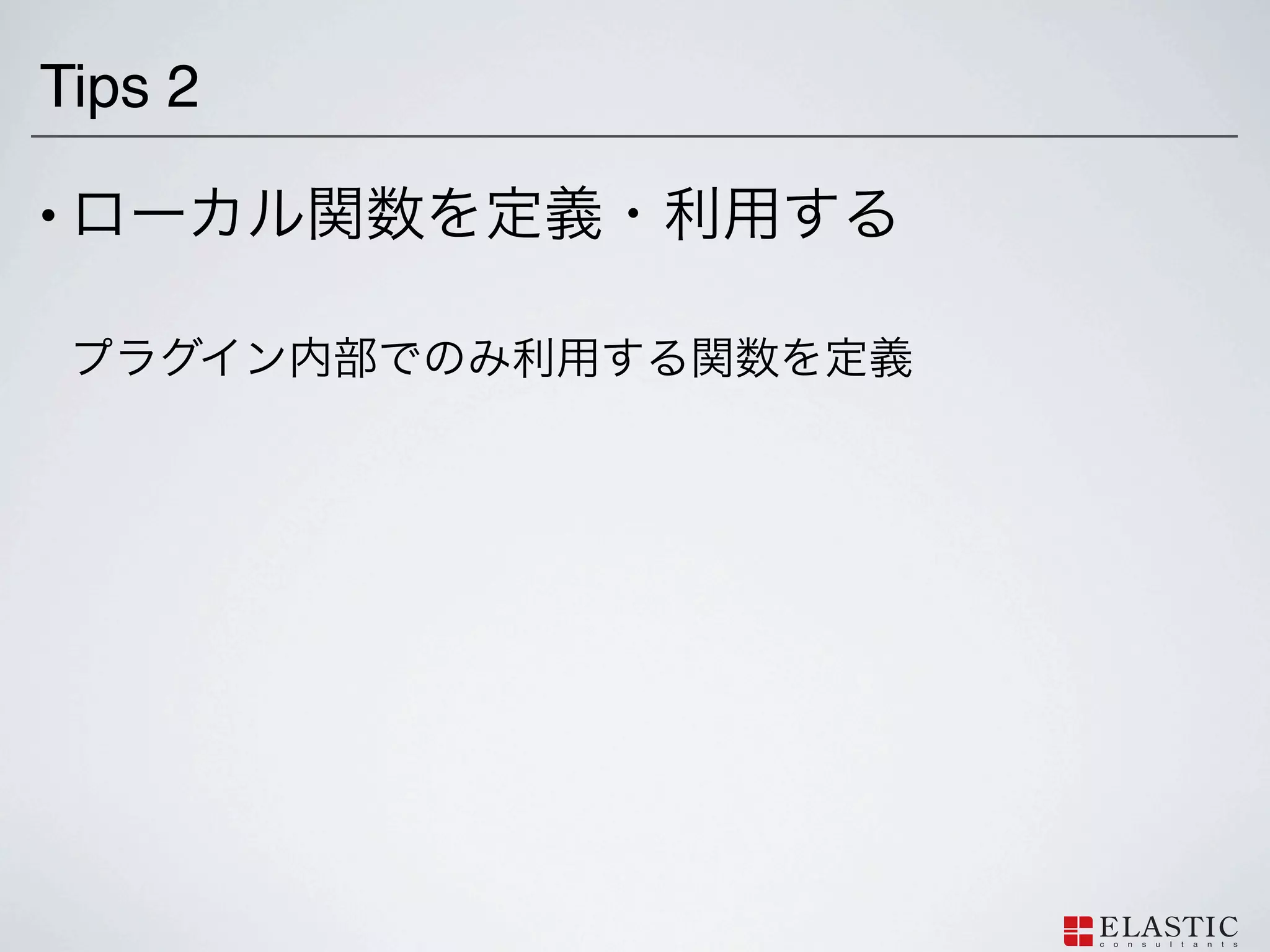
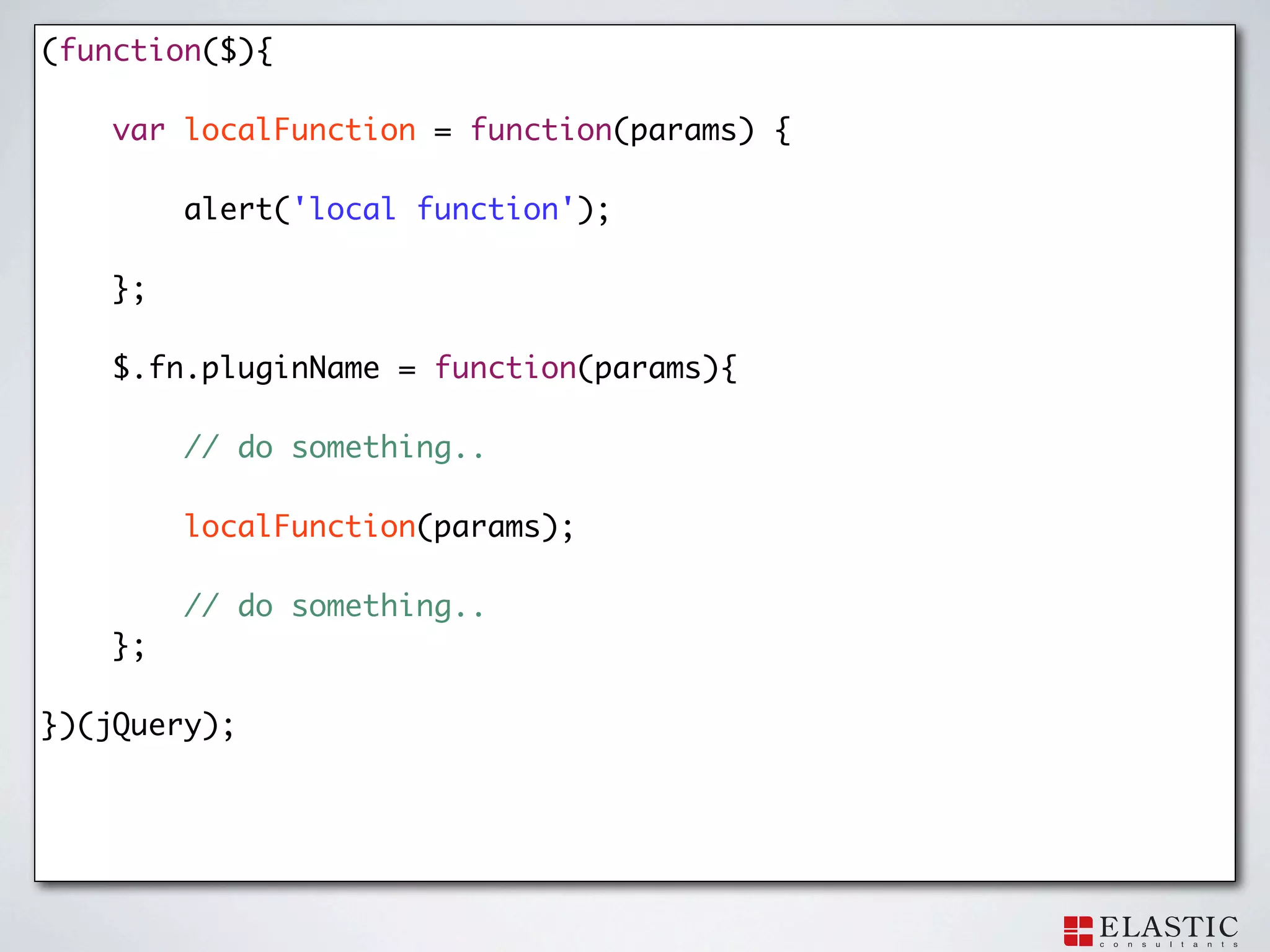
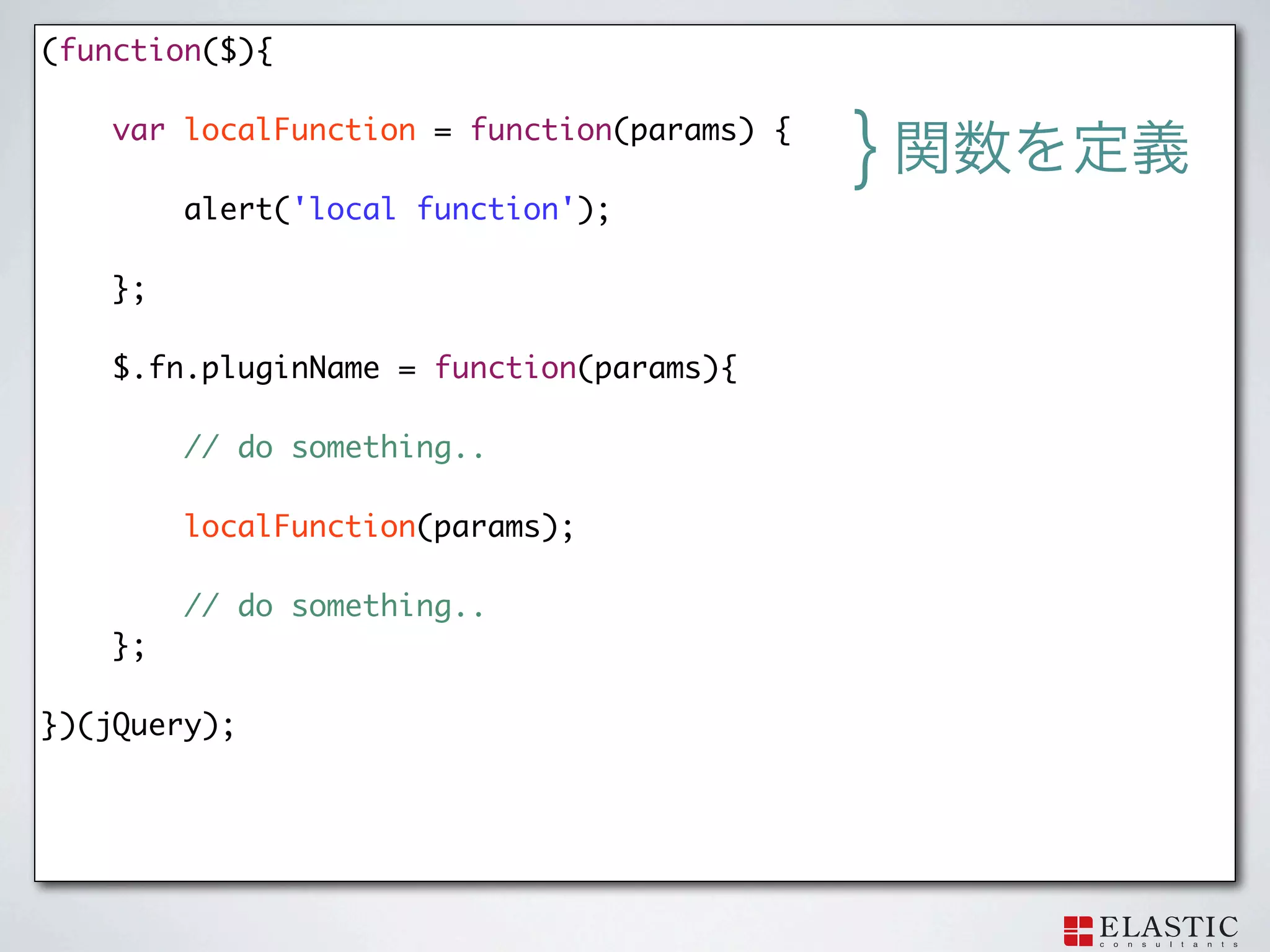
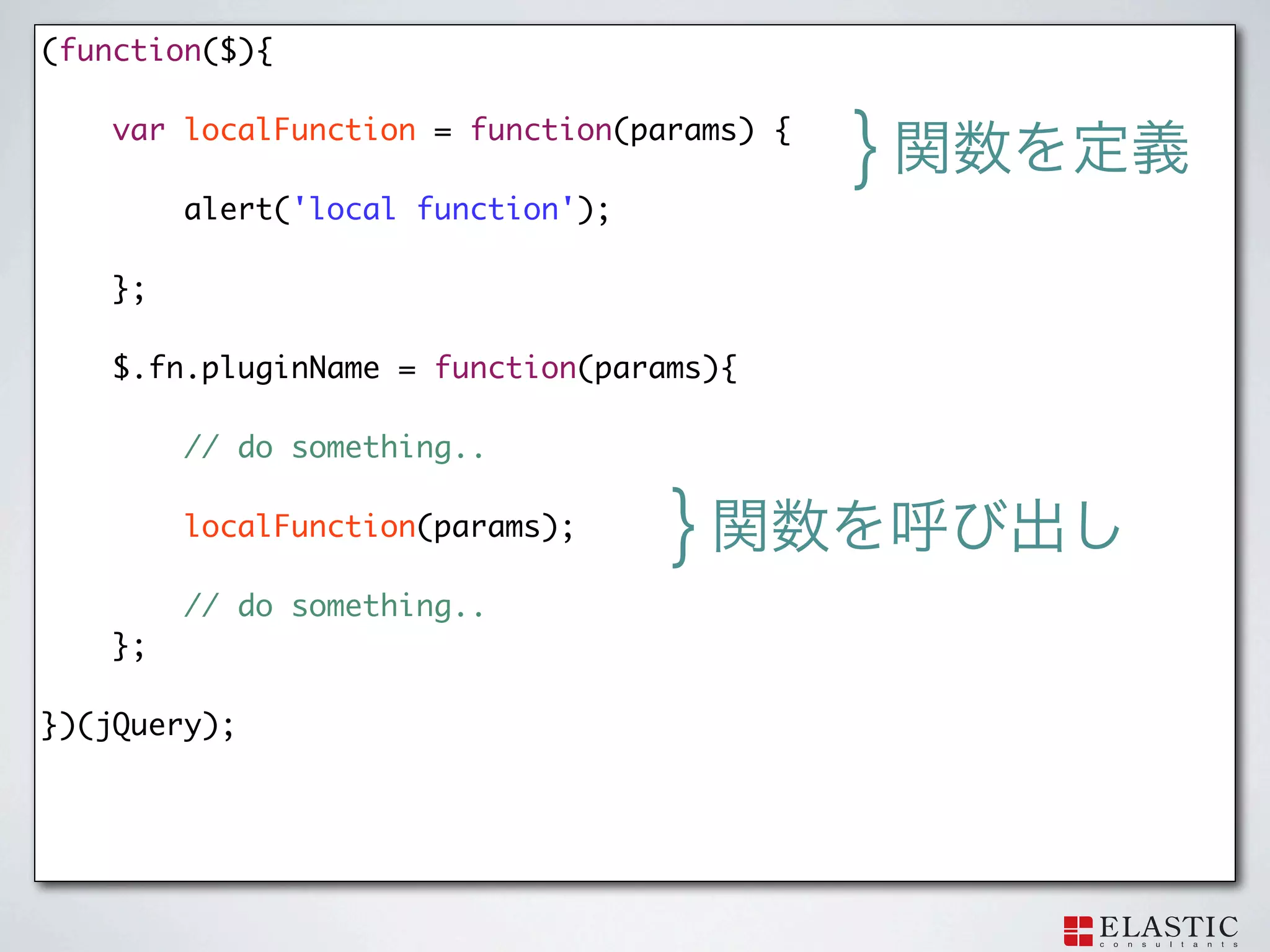
93.
Tips 2 •
94.
(function($){
var localFunction = function(params) { alert('local function'); }; $.fn.pluginName = function(params){ // do something.. localFunction(params); // do something.. }; })(jQuery);
95.
(function($){
var localFunction = function(params) { } alert('local function'); }; $.fn.pluginName = function(params){ // do something.. localFunction(params); // do something.. }; })(jQuery);
96.
(function($){
var localFunction = function(params) { } alert('local function'); }; $.fn.pluginName = function(params){ // do something.. localFunction(params); } // do something.. }; })(jQuery);
97.
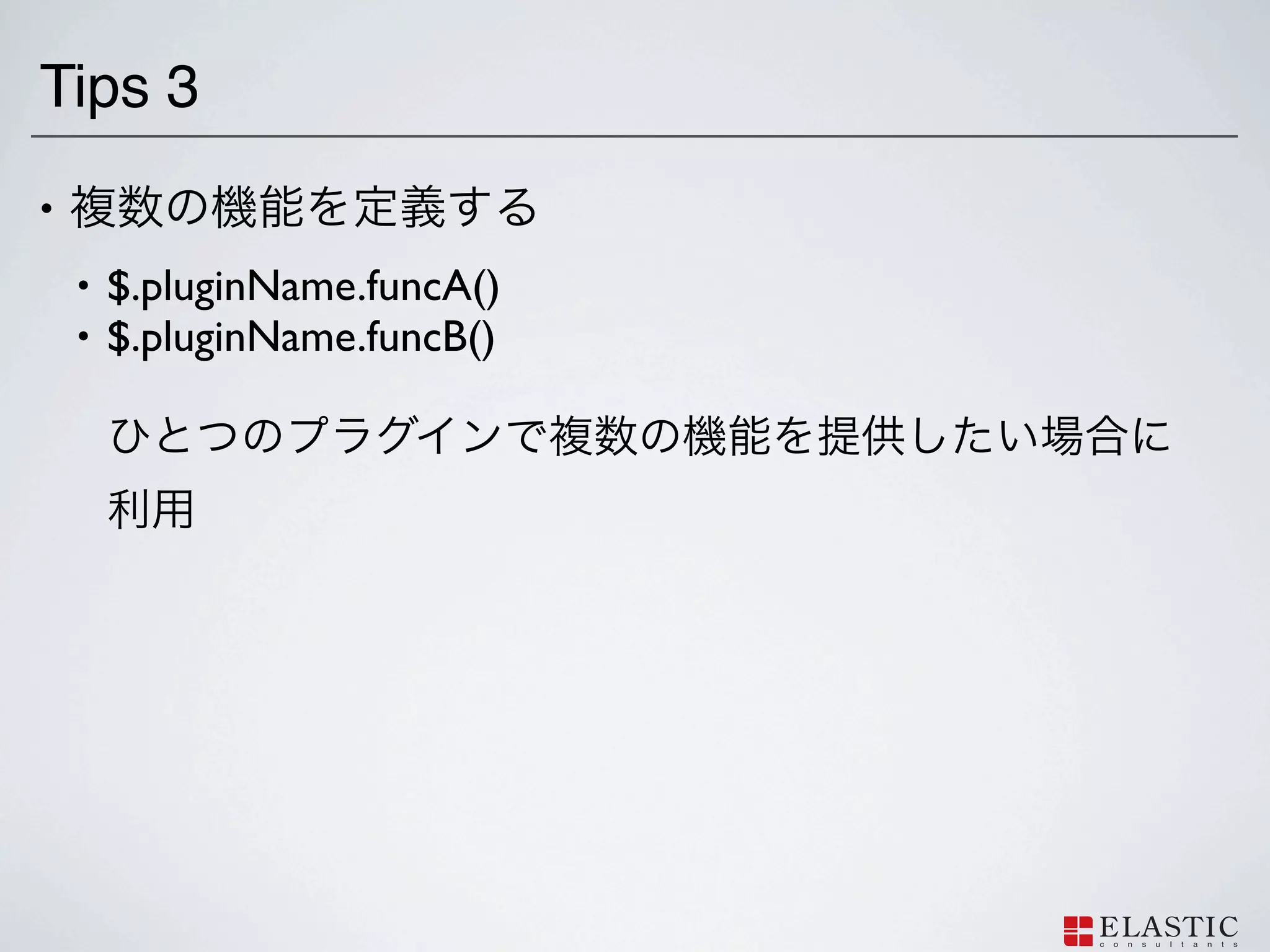
Tips 3 •
• $.pluginName.funcA() • $.pluginName.funcB()
98.
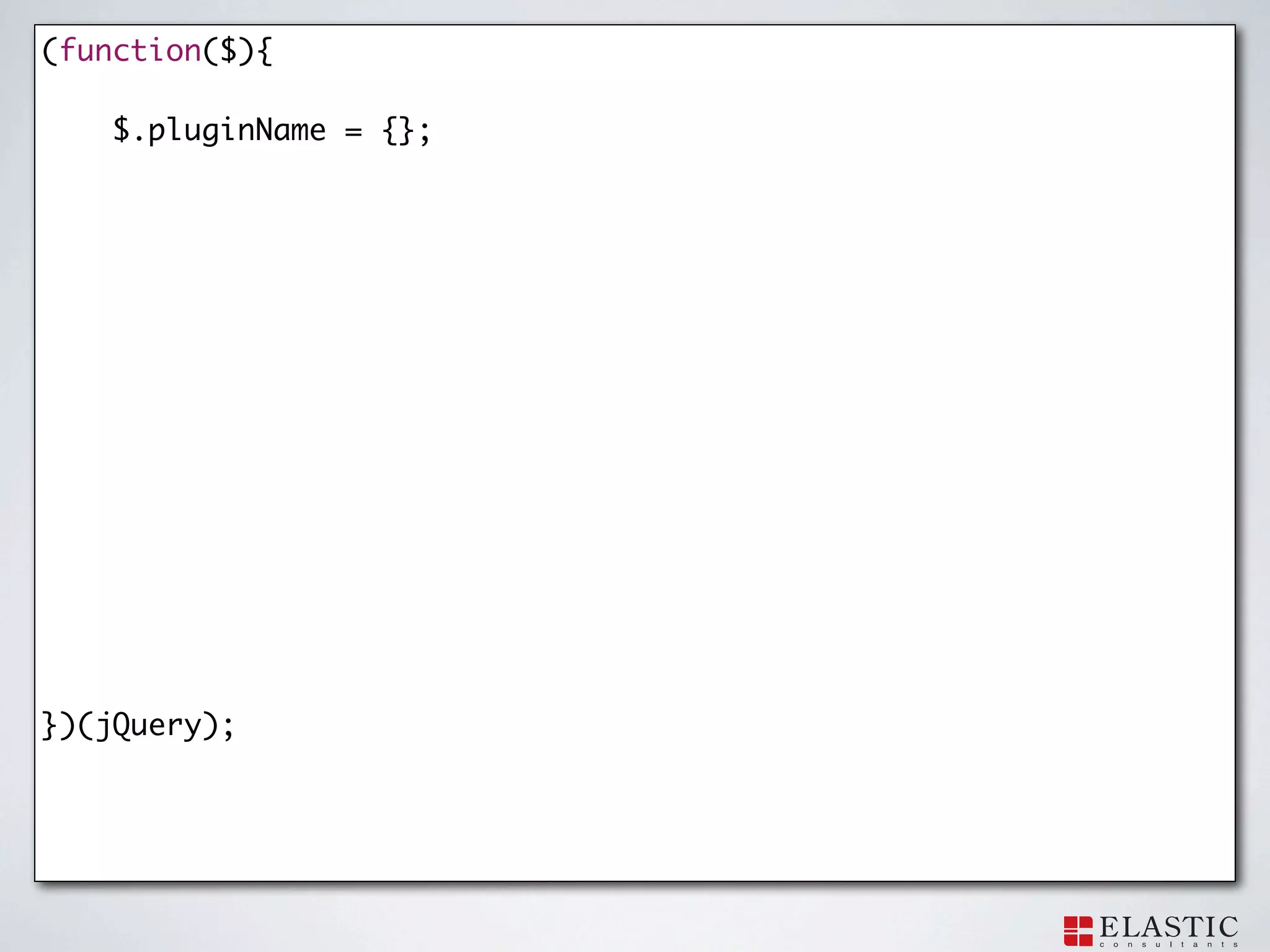
(function($){
$.pluginName = {}; })(jQuery);
99.
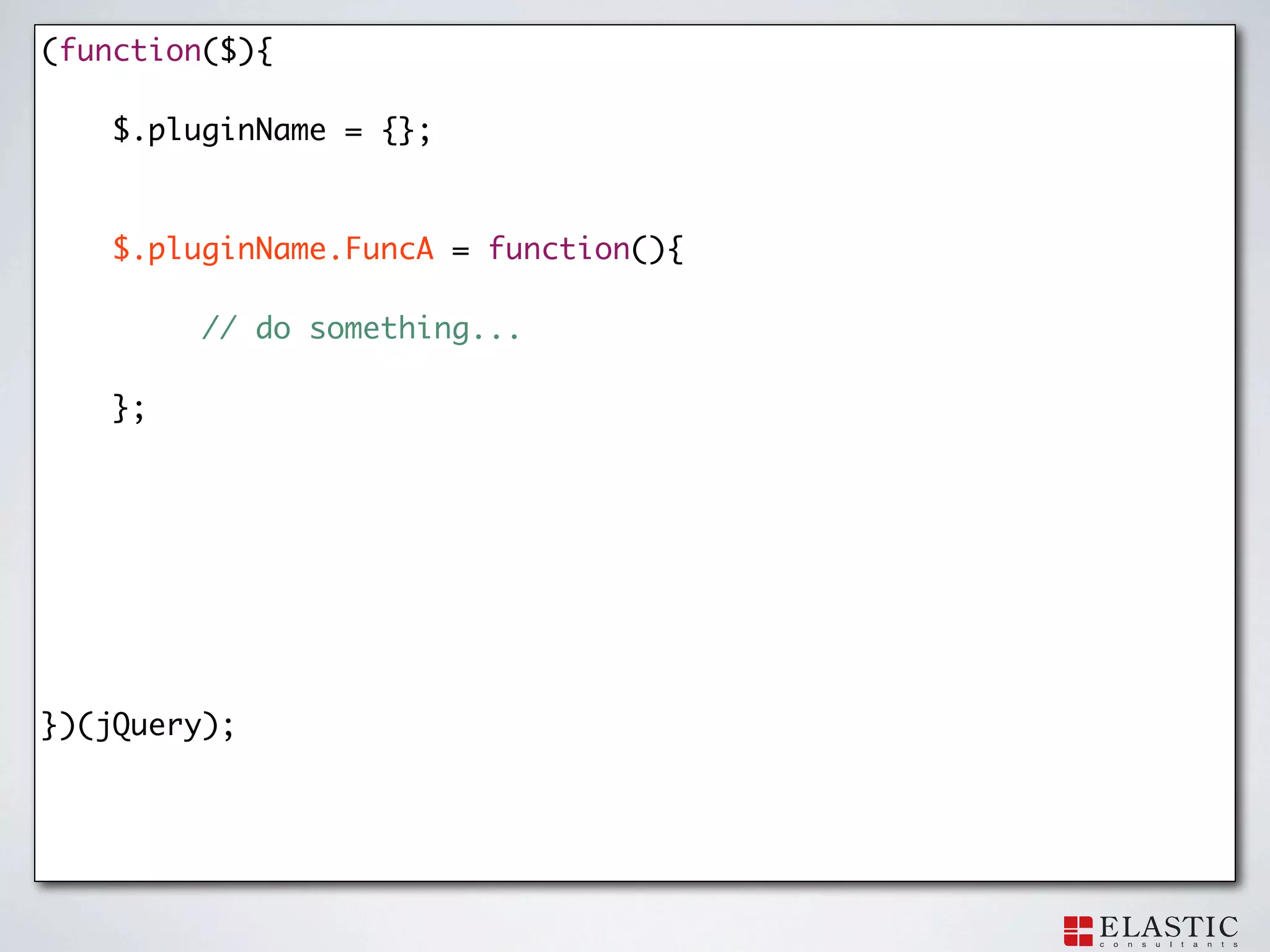
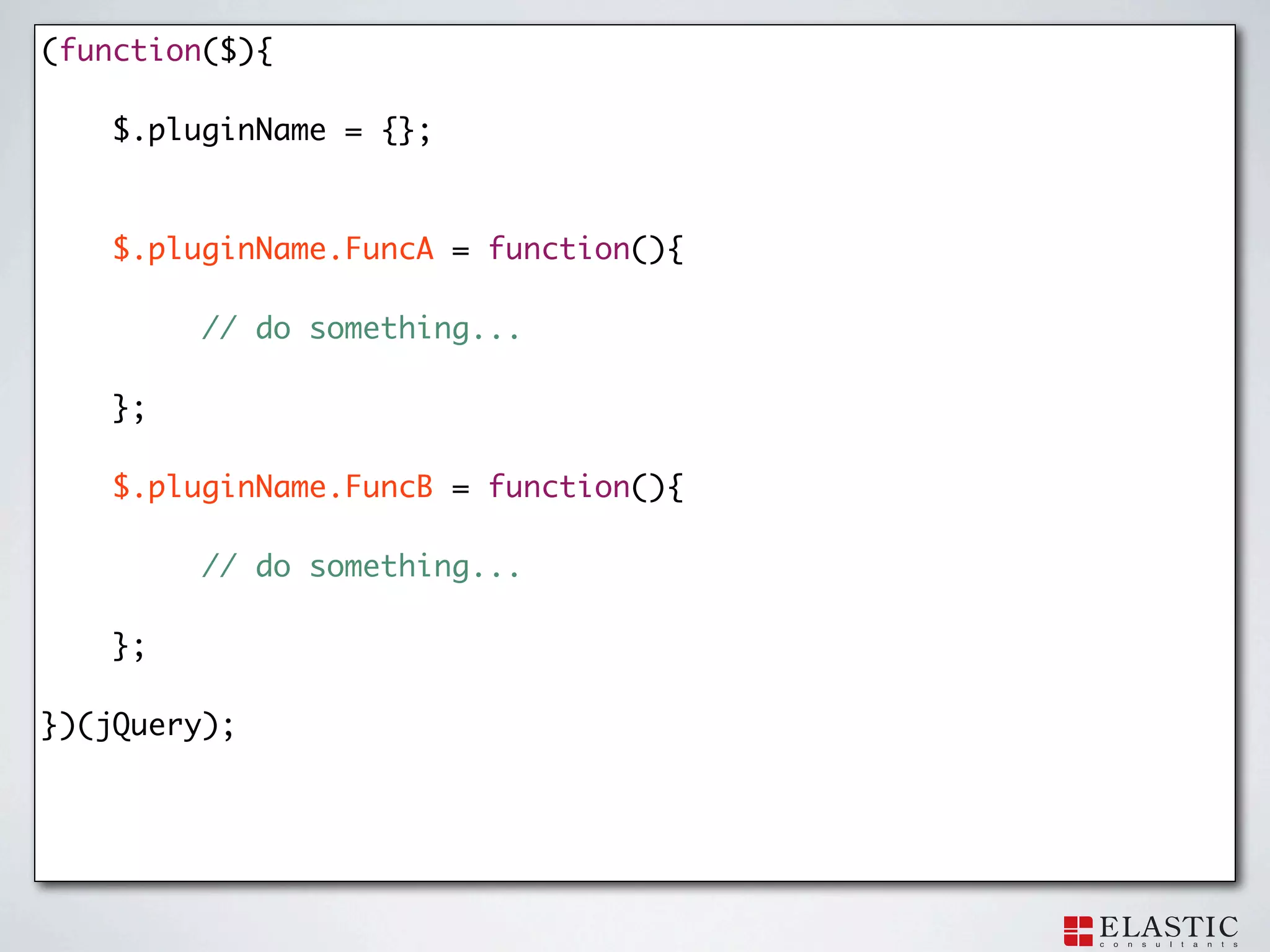
(function($){
$.pluginName = {}; $.pluginName.FuncA = function(){ // do something... }; })(jQuery);
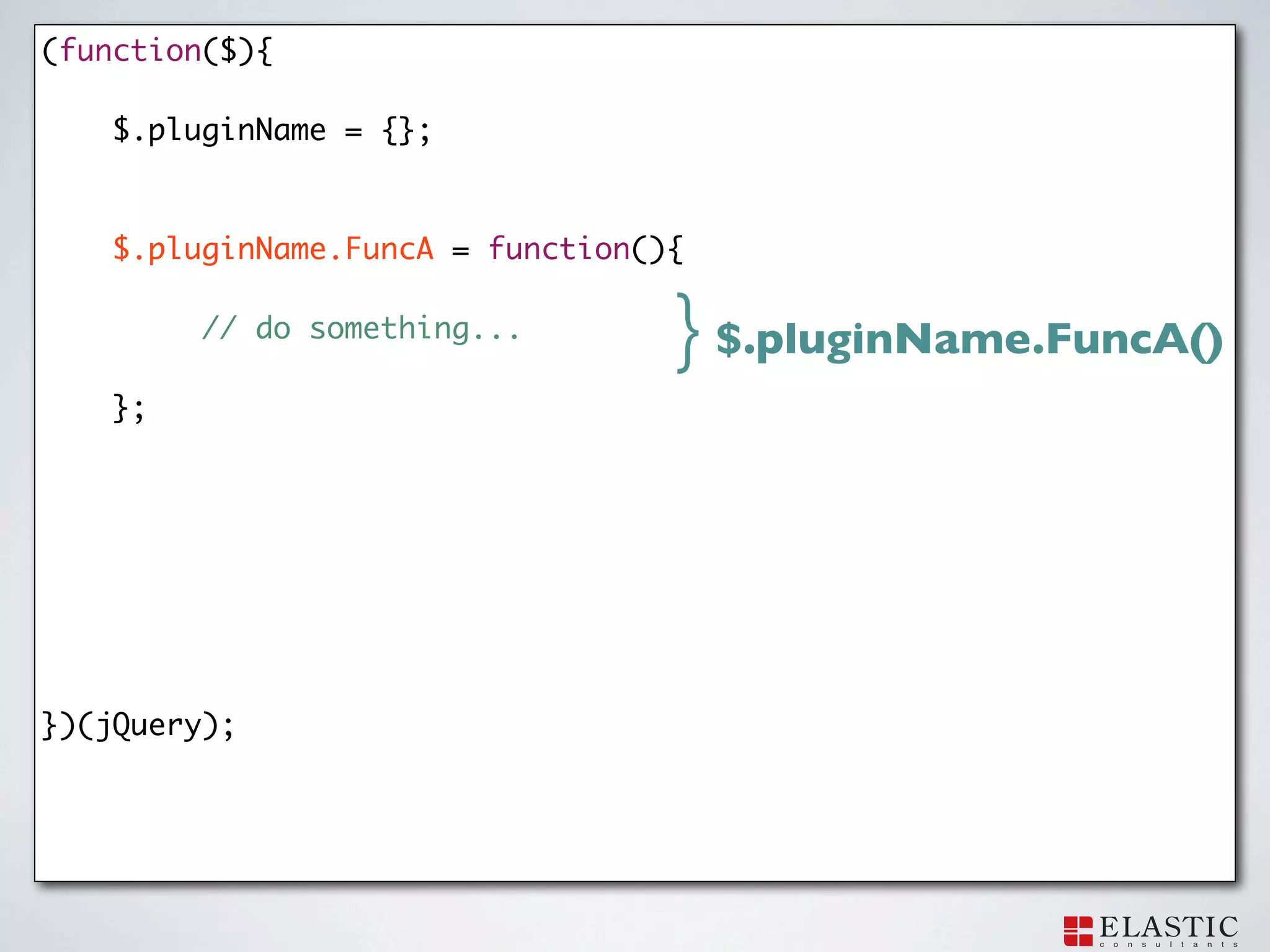
100.
(function($){
$.pluginName = {}; $.pluginName.FuncA = function(){ // do something... } $.pluginName.FuncA() }; })(jQuery);
101.
(function($){
$.pluginName = {}; $.pluginName.FuncA = function(){ // do something... }; $.pluginName.FuncB = function(){ // do something... }; })(jQuery);
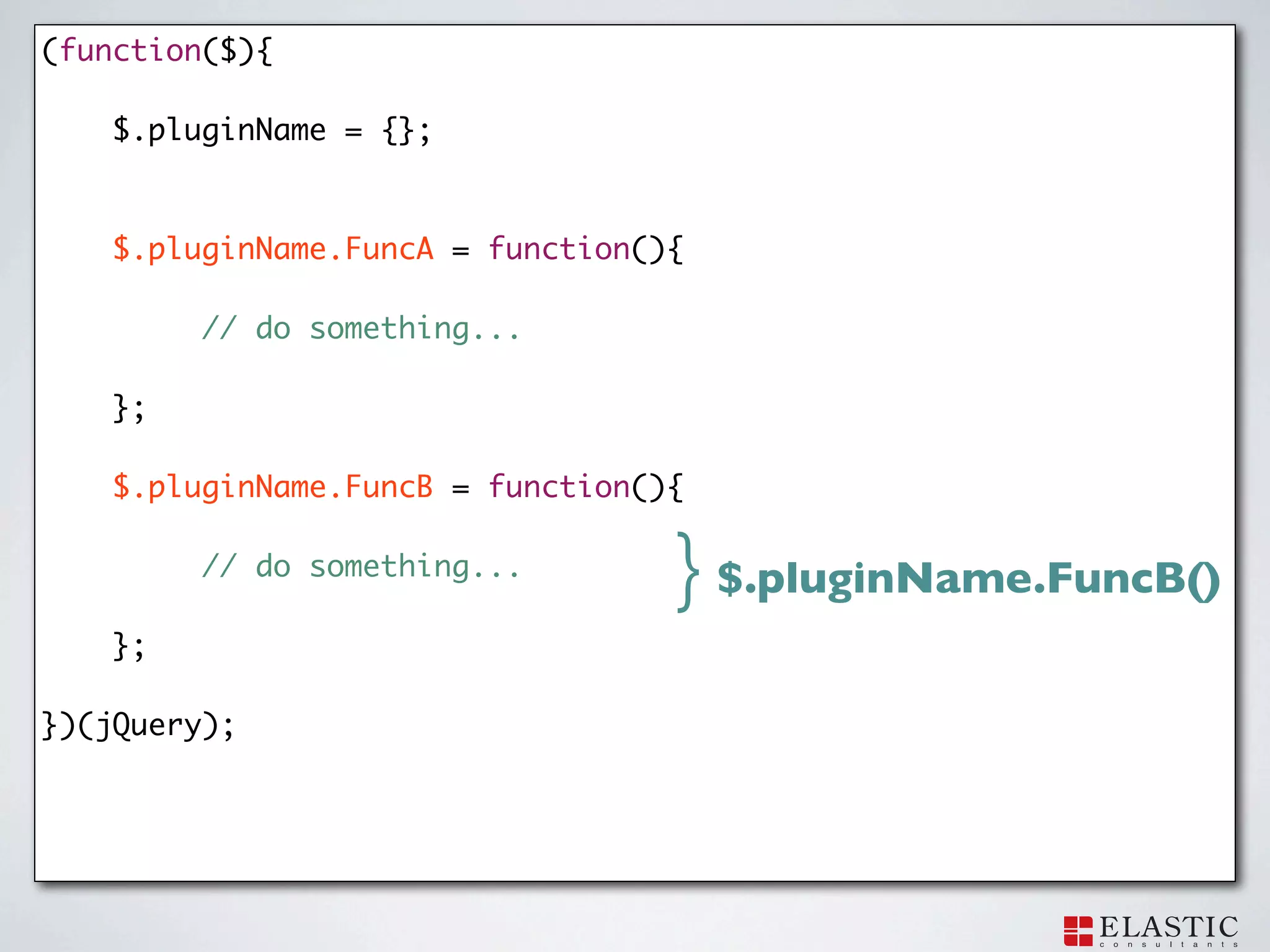
102.
(function($){
$.pluginName = {}; $.pluginName.FuncA = function(){ // do something... }; $.pluginName.FuncB = function(){ // do something... } $.pluginName.FuncB() }; })(jQuery);
103.
Example.
104.
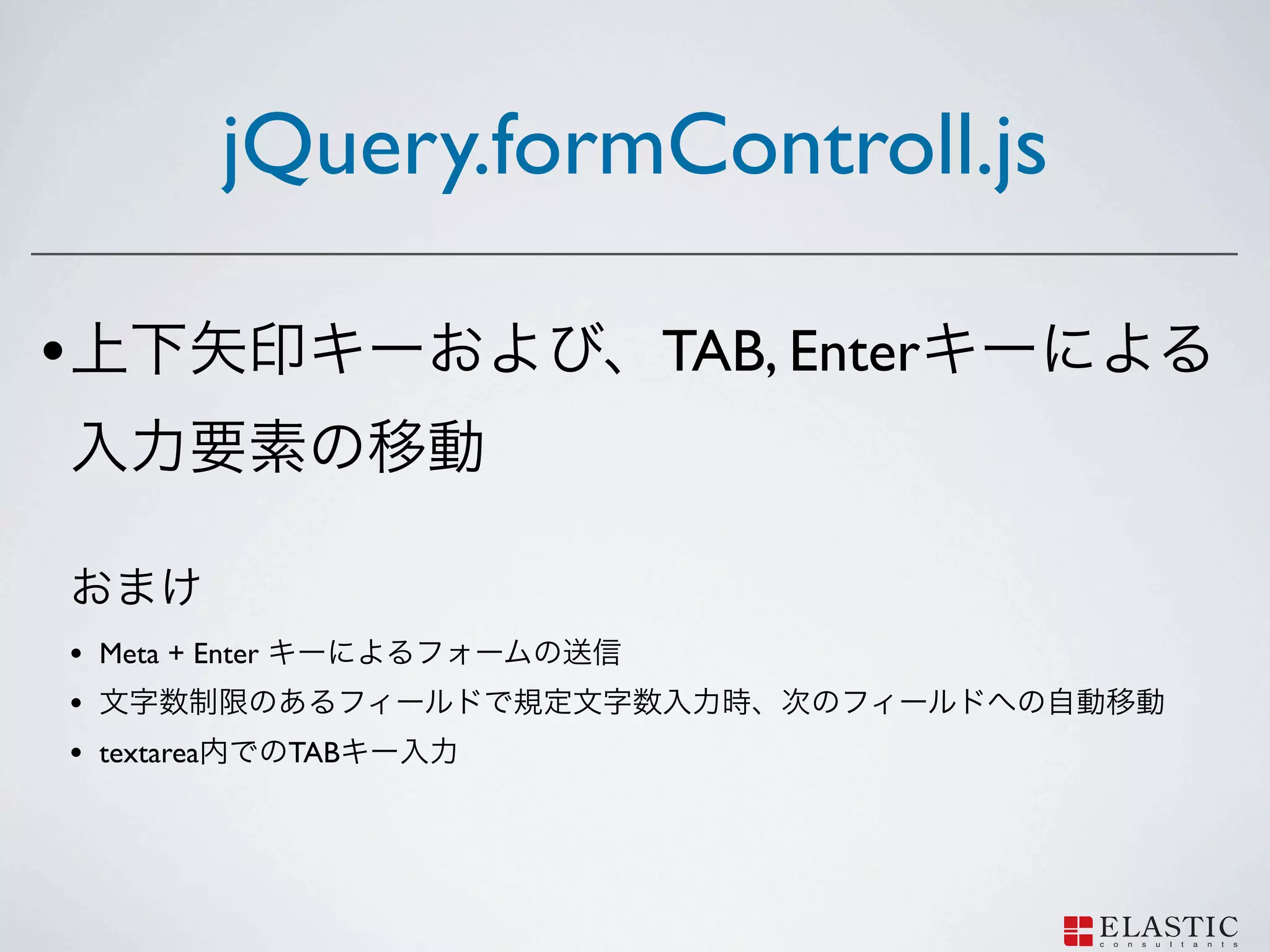
jQuery.formControll.js
105.
jQuery.formControll.js •
TAB, Enter • Meta + Enter • • textarea TAB
106.
Demo
107.
Thank you for
your listening!!
Download