JNDI 
Shobana .P 
III MCA 
Ethiraj college for Women 
20/10/2014
JNDI 
The Java Naming and Directory Interface 
(JNDI) is a Java API for a directory service 
that allows Java software clients to discover 
and look up data and objects via a name.
JNDI Naming 
 In a distributed application, components need to 
access other components and resources such as 
databases. 
 For example, a servlet might invoke remote 
methods on an enterprise bean that retrieves 
information from a database. 
 The Java Naming and Directory Interface 
(JNDI) naming service enables components to 
locate other components and resources.
JNDI Naming 
 To locate a JDBC resource, for example, an 
enterprise bean invokes the JNDI lookup 
method. 
 The JNDI naming service maintains a set of 
bindings that relate names to objects. 
 The lookup method passes a JNDI name 
parameter and returns the related object.
Naming Service 
 A naming service is an entity that 
i. associates names with objects. 
We call this binding names to objects. 
This is similar to a telephone company ’s 
associating a person ’s name with a 
specific residence ’s telephone number
Naming Service 
ii. provides a facility to find an object based 
on a name. 
We call this looking up or searching 
for an object. 
This is similar to a telephone operator 
finding a person ’s telephone number 
based on that person ’s name and 
connecting the two people.
Naming Service
Directory Service 
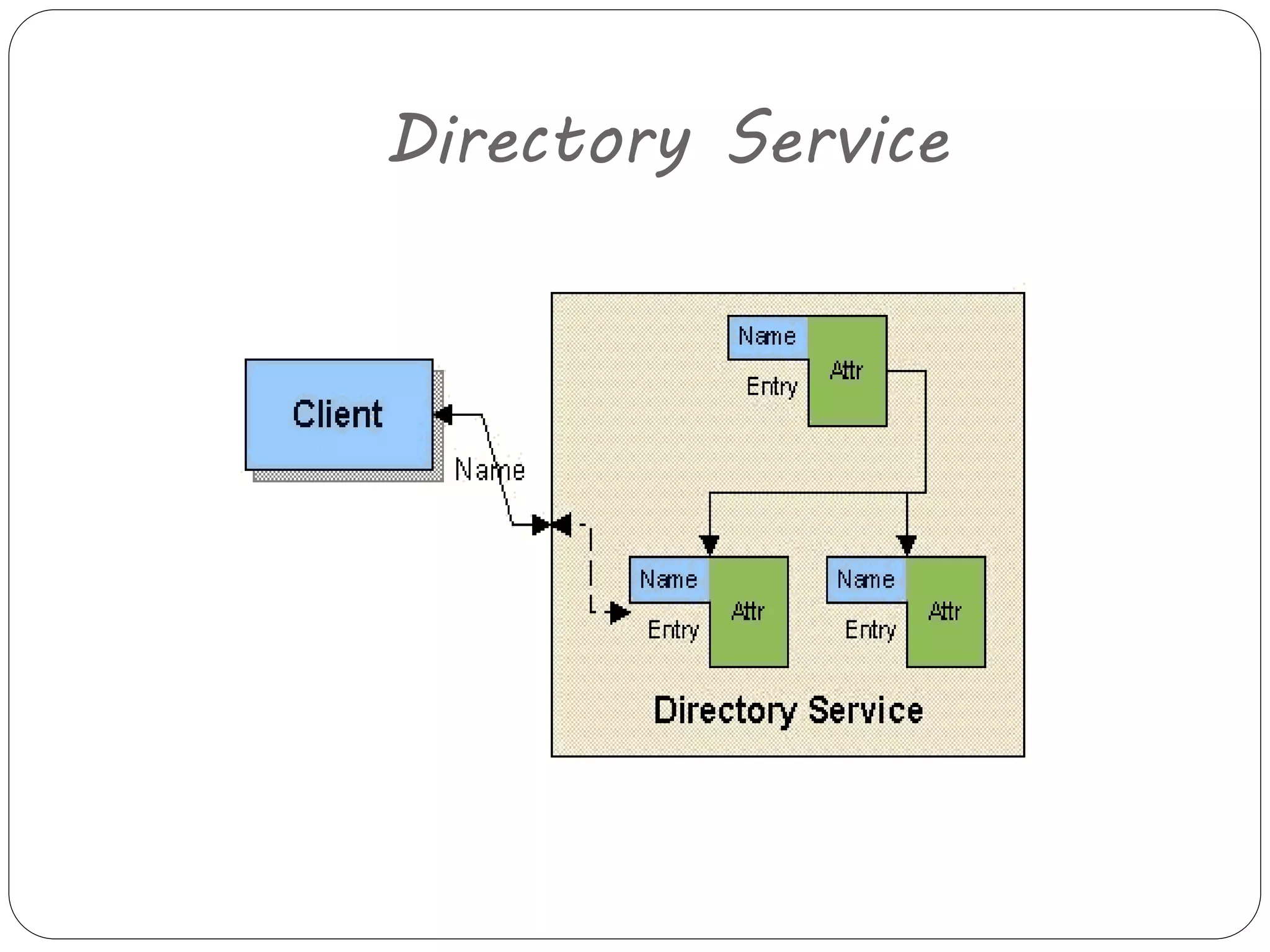
 A directory object differs from a generic 
object because we can store attributes 
with directory objects. 
For example,we can use a directory object 
to represent a user in your company.we 
can store information about that user,like 
the user ’s password,as attributes in the 
directory object.
Directory Service 
 A directory service is a naming service 
that has been extended and enhanced to 
provide directory object operations for 
manipulating attributes. 
 A directory is a system of directory 
objects that are all connected. Some 
examples of directory products are 
Netscape Directory Server and Microsoft 
’s Active Directory.
Directory Service
Directory Service 
 Directories are similar to DataBases, 
except that they typically are organized in 
a hierarchical tree-like structure.
Directory Service
Directory Service 
 Examples of Directory Service 
1. Netscape Directory Server 
2. Microsoft ’s Active Directory 
3. Lotus Notes (IBM) 
4. NIS (Network Information System) by Sun 
5. NDS (Network Directory Service) by Novell 
6. LDAP (Lightweight Directory Access Protocol) most 
commonly used
LDAP 
 LDAP stands for Lightweight Directory Access 
Protocol. 
 It is a lightweight client-server protocol for 
accessing directory services, specifically 
X.500-based (electronic)directory services. 
 LDAP runs over TCP/IP or other connection 
oriented transfer services.
LDAP 
 A directory is similar to a database, but 
tends to contain more descriptive, attribute-based 
information. 
 give quick-response to high-volume lookup or 
search operations 
 They may have the ability to replicate 
information widely in order to increase 
availability and reliability, while reducing 
response time.
JNDI Architecture
JNDI Packages 
javax.naming 
Accesses simple naming services. 
javax.naming.directory 
Accesses directory services. 
javax.naming.event 
Handles event notification when 
dealing with naming and directory 
services.
JNDI Packages 
javax.naming.ldap 
Deals with LDAP v3 controls and 
extended operations. 
javax.naming.spi 
Consists of the Service Provider 
Interface (SPI) classes and interfaces used by 
LDAP service implementers to provide access 
to a specific type of naming or directory 
service.
Naming Operations 
 Adding, Replacing, and Removing a Binding 
The Context interface contains methods for 
adding, replacing, and removing a binding in a 
context (collection of bindings is a context).
Naming Operations 
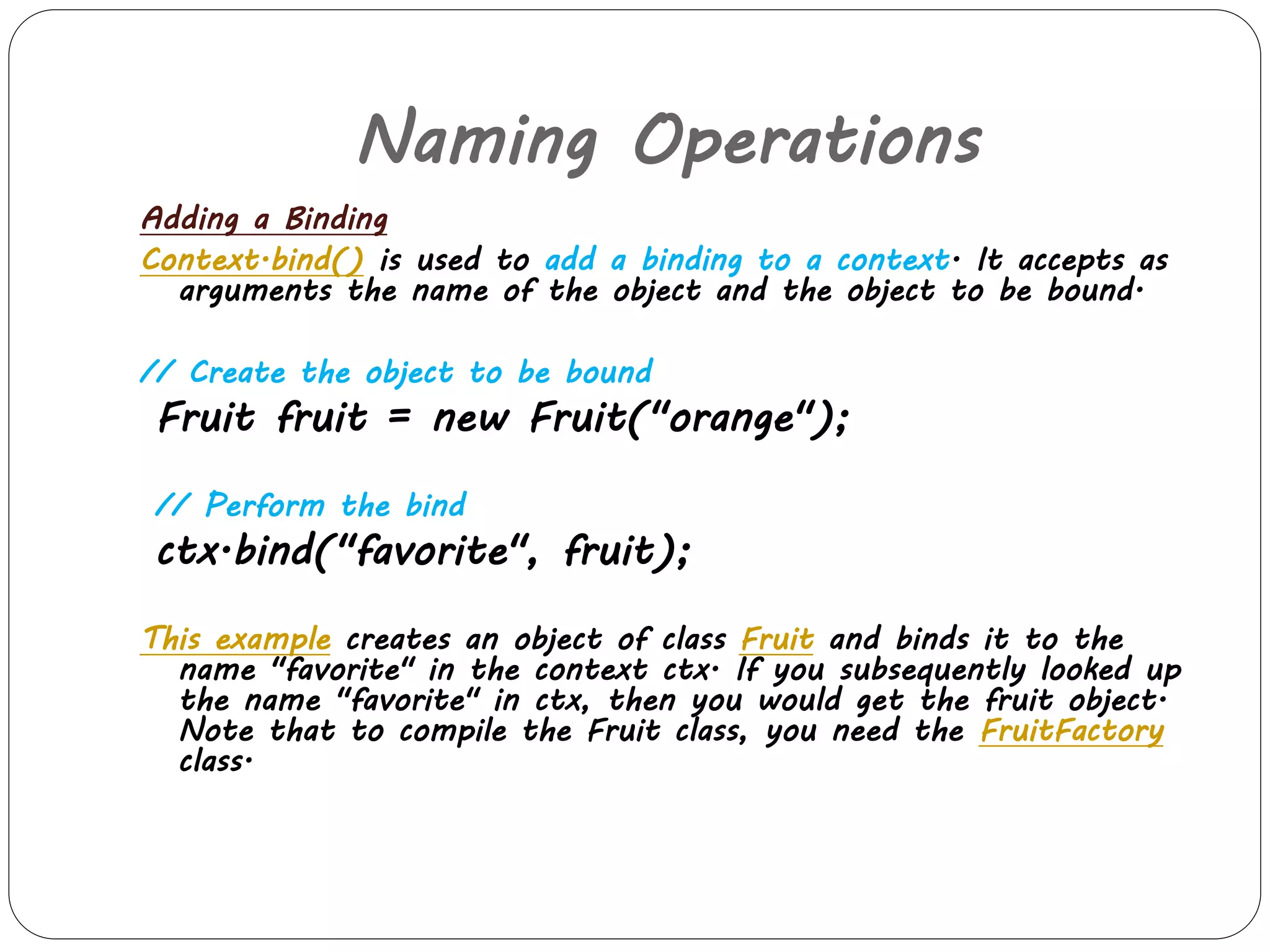
Adding a Binding 
Context.bind() is used to add a binding to a context. It accepts as 
arguments the name of the object and the object to be bound. 
// Create the object to be bound 
Fruit fruit = new Fruit("orange"); 
// Perform the bind 
ctx.bind("favorite", fruit); 
This example creates an object of class Fruit and binds it to the 
name "favorite" in the context ctx. If you subsequently looked up 
the name "favorite" in ctx, then you would get the fruit object. 
Note that to compile the Fruit class, you need the FruitFactory 
class.
Naming Operations 
Adding or Replacing a Binding 
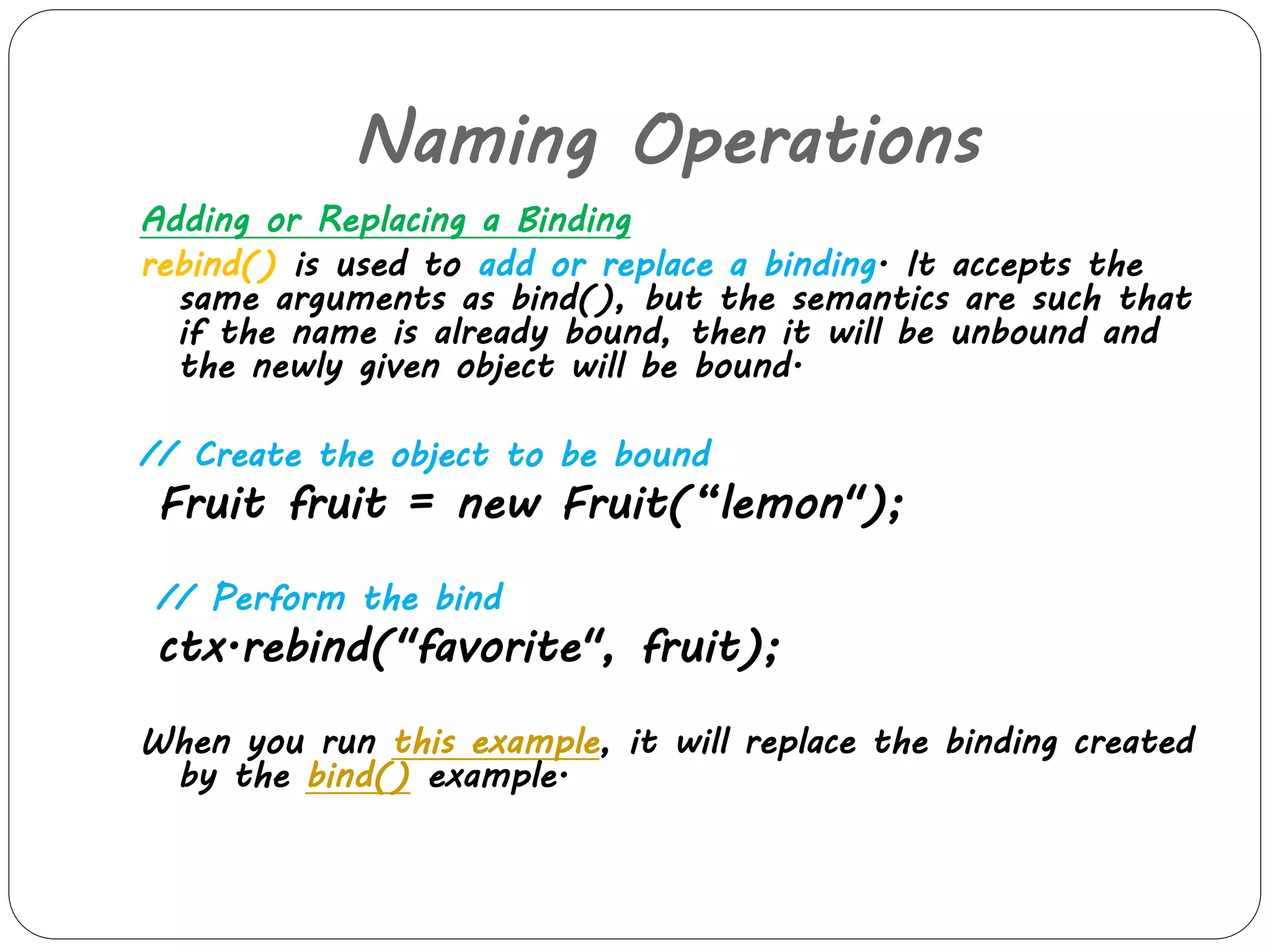
rebind() is used to add or replace a binding. It accepts the 
same arguments as bind(), but the semantics are such that 
if the name is already bound, then it will be unbound and 
the newly given object will be bound. 
// Create the object to be bound 
Fruit fruit = new Fruit(“lemon"); 
// Perform the bind 
ctx.rebind("favorite", fruit); 
When you run this example, it will replace the binding created 
by the bind() example.
Naming Operations 
Removing a Binding 
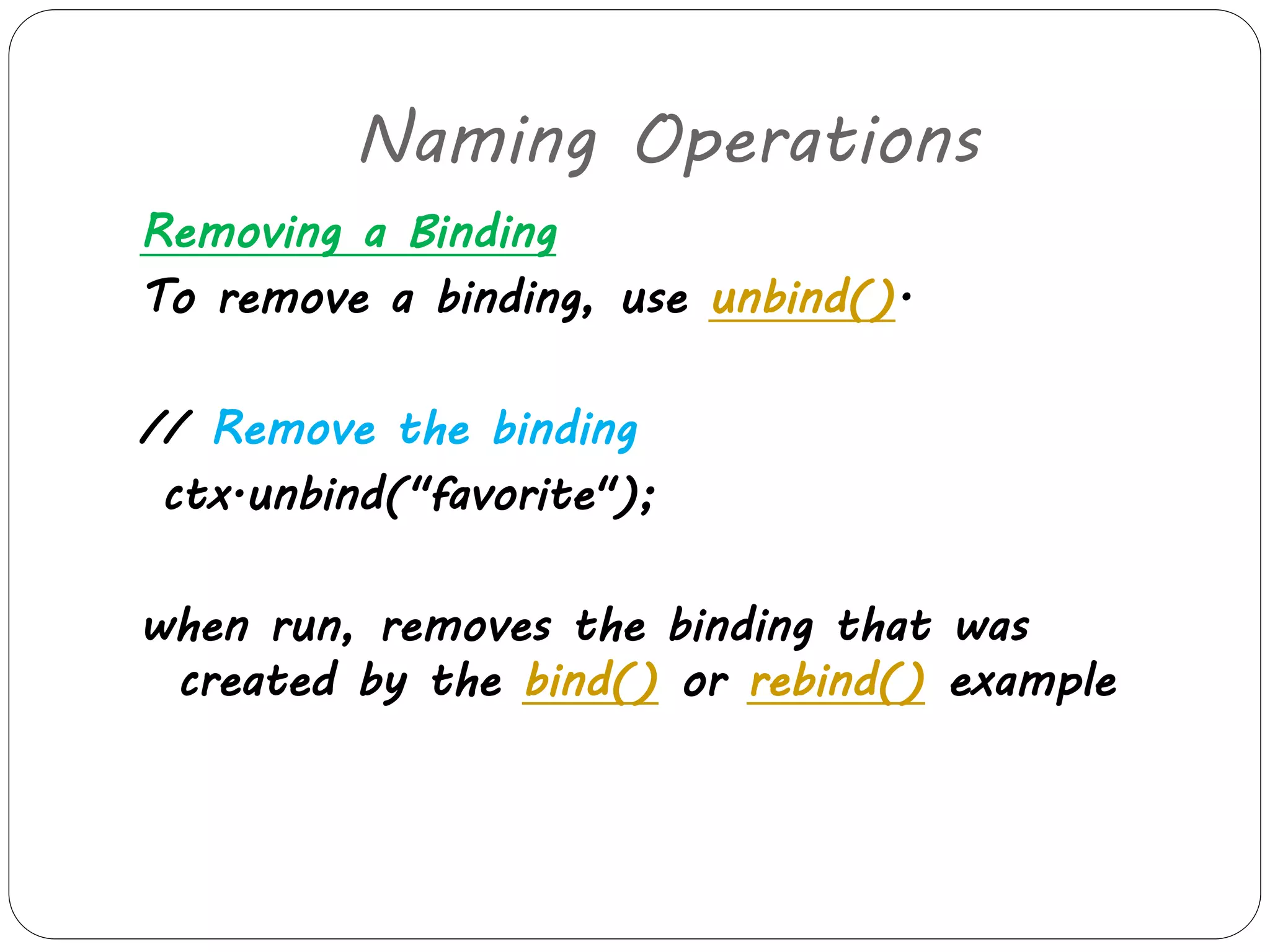
To remove a binding, use unbind(). 
// Remove the binding 
ctx.unbind("favorite"); 
when run, removes the binding that was 
created by the bind() or rebind() example
Naming Operations 
Renaming an Object 
rename an object in a context by using Context.rename(). 
// Rename to old_report.txt 
ctx.rename("report.txt", "old_report.txt"); 
This example renames the object that was bound to 
"report.txt" to "old_report.txt". 
After verifying that the object got renamed, the program 
renames it to its original name ("report.txt"), as follows. 
// Rename back to report.txt 
ctx.rename("old_report.txt", "report.txt");
Naming Operations 
Looking up an object 
To look up an object from the naming service, 
use Context.lookup() and pass it the name of 
the object that you want to retrieve. 
Suppose that there is an object in the 
naming service with the name "report.txt". 
To retrieve the object, use 
//look up for report.txt 
Object obj = ctx.lookup("report.txt");
Naming Operations 
Listing a Context 
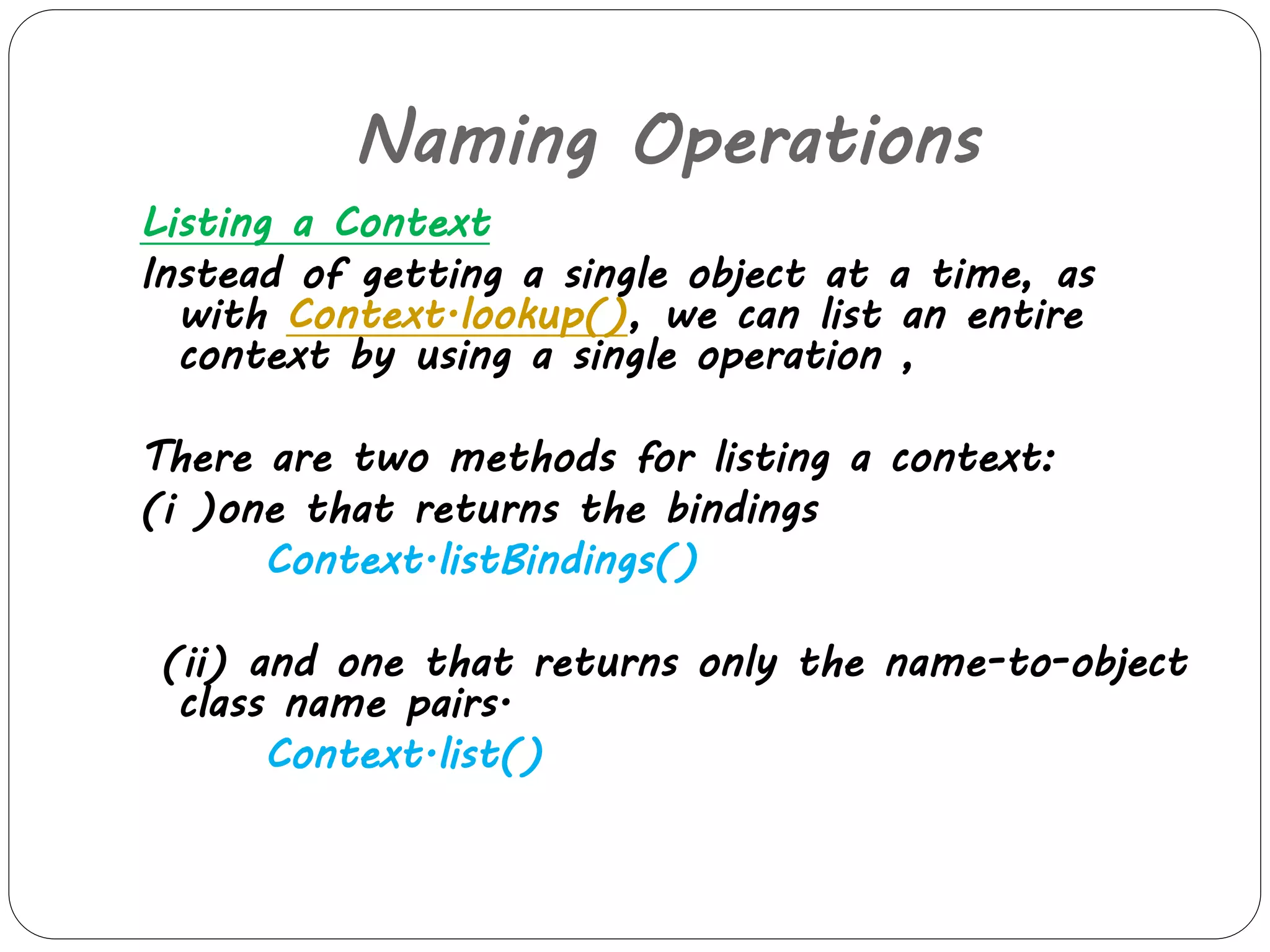
Instead of getting a single object at a time, as 
with Context.lookup(), we can list an entire 
context by using a single operation , 
There are two methods for listing a context: 
(i )one that returns the bindings 
Context.listBindings() 
(ii) and one that returns only the name-to-object 
class name pairs. 
Context.list()
Naming Operations 
Creating and Destroying a Context 
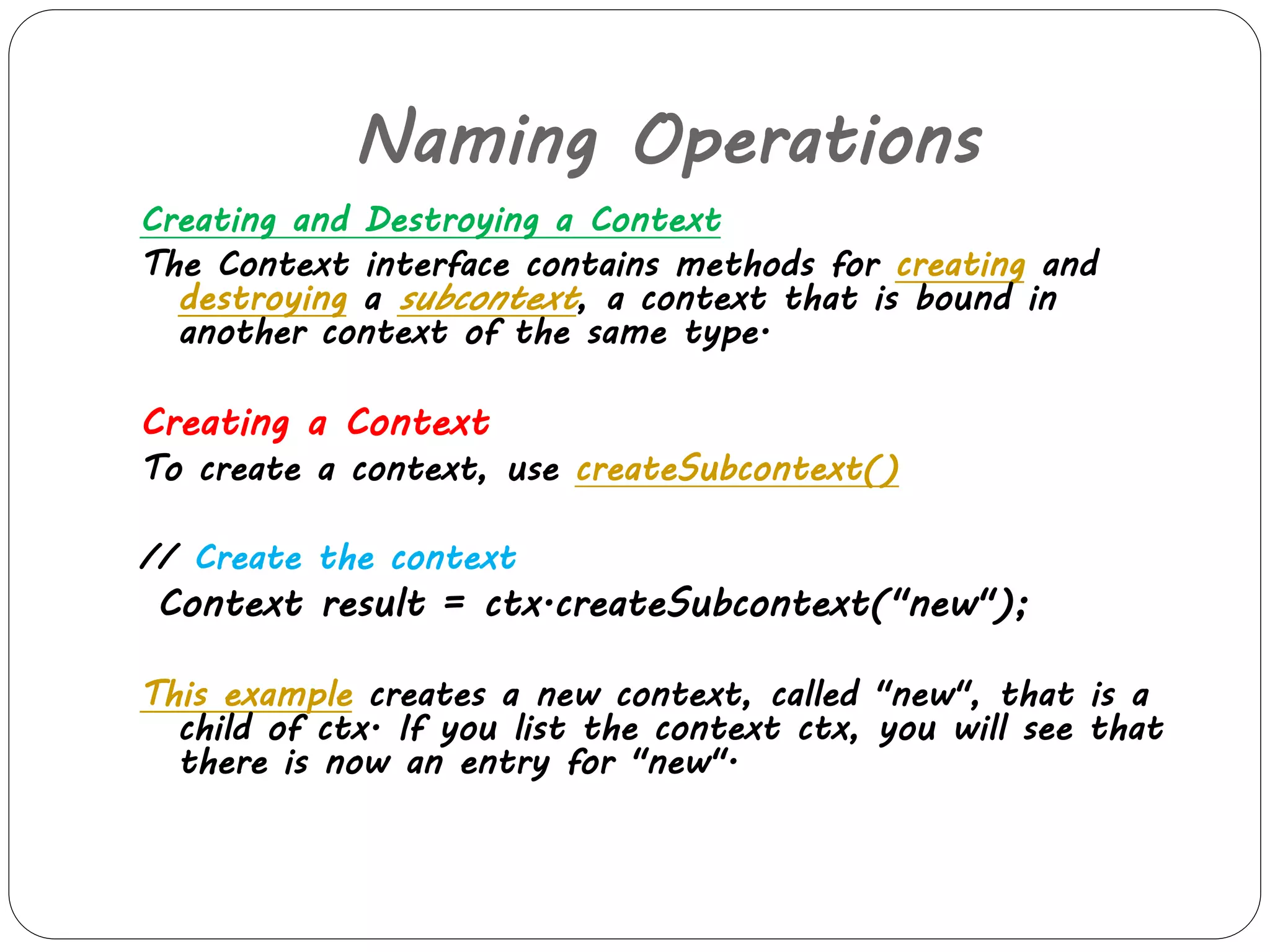
The Context interface contains methods for creating and 
destroying a subcontext, a context that is bound in 
another context of the same type. 
Creating a Context 
To create a context, use createSubcontext() 
// Create the context 
Context result = ctx.createSubcontext("new"); 
This example creates a new context, called "new", that is a 
child of ctx. If you list the context ctx, you will see that 
there is now an entry for "new".
Naming Operations 
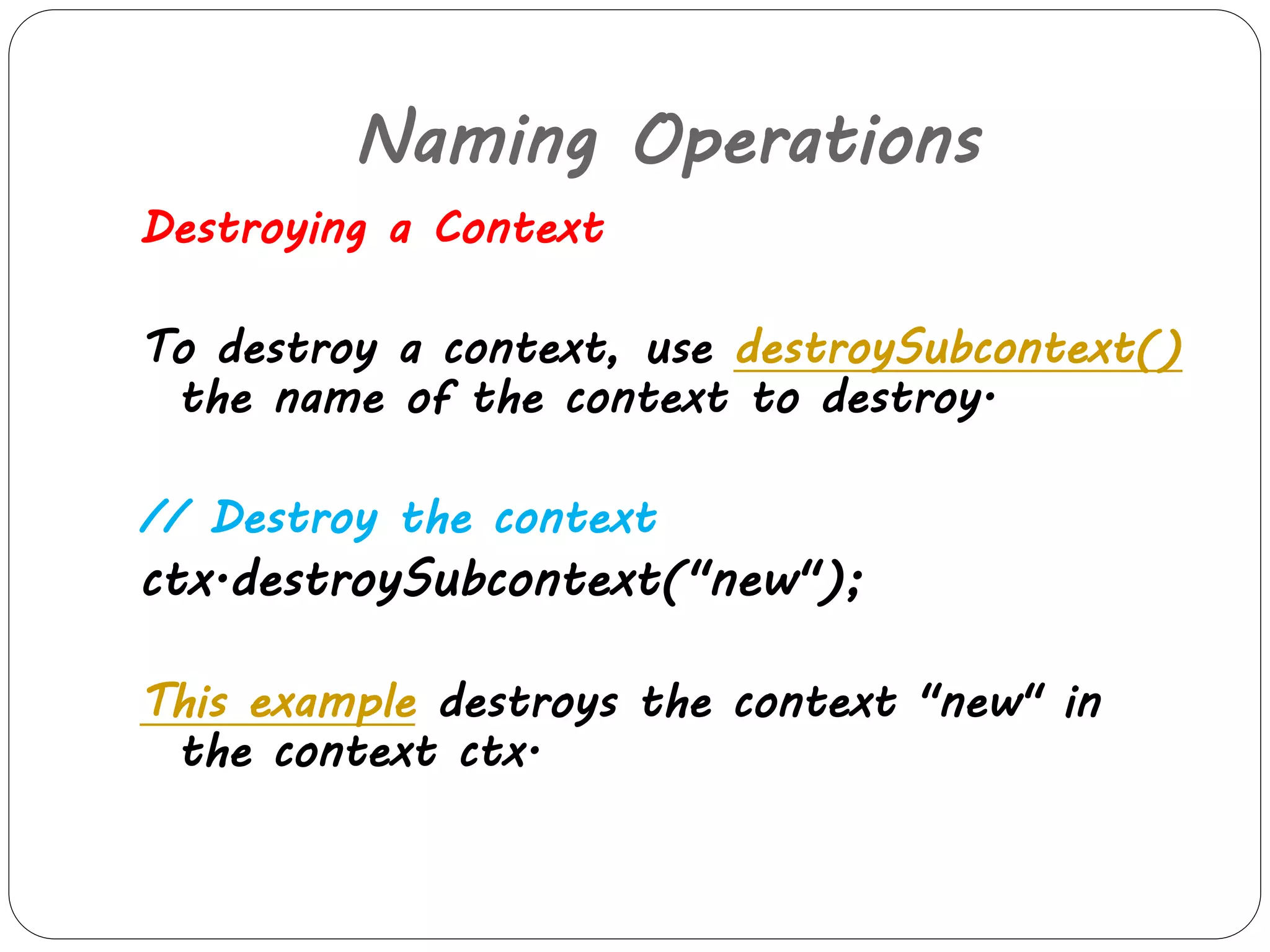
Destroying a Context 
To destroy a context, use destroySubcontext() 
the name of the context to destroy. 
// Destroy the context 
ctx.destroySubcontext("new"); 
This example destroys the context "new" in 
the context ctx.
JNDI Example 
Student.java 
import java.io.Serializable; 
//The interface itself has no methods defined in it. So any class can easily implement 
this interface by simply implementing it: 
public class Student implements Serializable 
{ 
public Student(int id, String name) 
{ 
this.id = id; 
this.name = name; 
} 
private static final long serialVersionUID = 1L; 
private int id; 
private String name; 
public int getId() 
{ 
return id; 
}
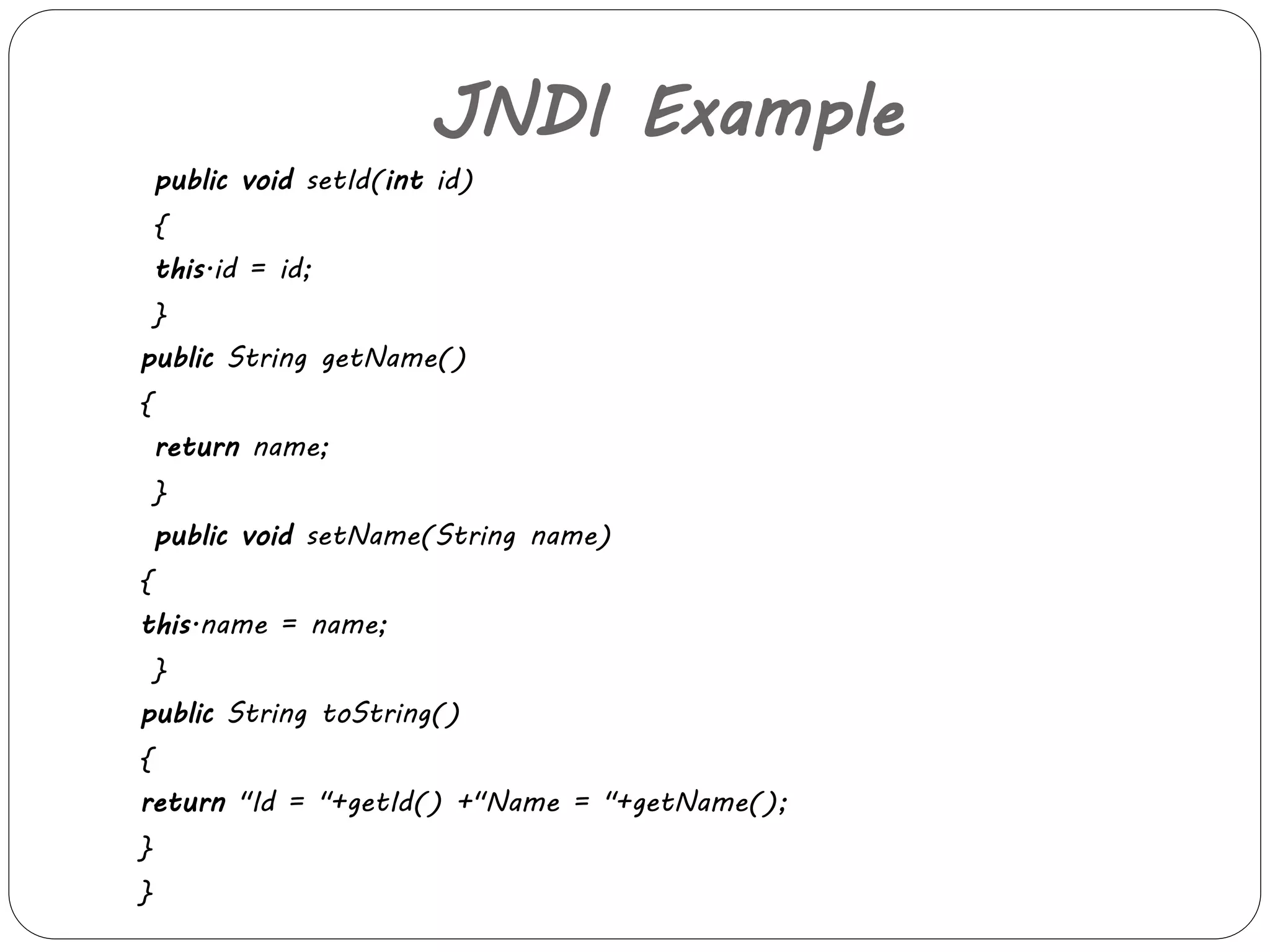
JNDI Example 
public void setId(int id) 
{ 
this.id = id; 
} 
public String getName() 
{ 
return name; 
} 
public void setName(String name) 
{ 
this.name = name; 
} 
public String toString() 
{ 
return "Id = "+getId() +"Name = "+getName(); 
} 
}
JNDI Example 
Now let us see how to bind a student object 
using naming service. The FirstApp.java is a 
stand alone application which binds a Student 
object. 
FirstApp.java 
import java.util.Properties; 
import javax.naming.Context; 
import javax.naming.InitialContext; 
import javax.naming.NamingException;
JNDI Example 
public class FirstApp 
{ 
public void bindObject() 
{ 
Student student = new Student(1, "Bijoy"); 
Properties initialProperties = new Properties(); 
initialProperties.put(InitialContext.INITIAL_CONTEXT_FA 
CTORY, "org.jnp.interfaces.NamingContextFactory"); 
initialProperties.put(InitialContext.PROVIDER_URL,"jn 
p://localhost:1099"); 
initialProperties.put(InitialContext.URL_PKG_PREFIXES," 
org.jboss.naming:org.jnp.interfaces");
JNDI Example 
Try 
{ 
Context context = new 
InitialContext(initialProperties); 
context.bind("student", student); 
System.out.println("Bound object = "+student); 
} 
catch (NamingException e) 
{ 
e.printStackTrace(); 
} 
}
JNDI Example 
public static void main(String[] args) 
{ 
new FirstApp().bindObject(); 
} 
} 
 The bindObject() method creates a Context object 
and a Student object is binding to the specified 
context . The initialProperties has the details for 
initializing the context.It is desirable to give these 
properties through jndi.properties in src folder , if we 
need these things in a generic way. 
 Now lets see the SecondApp.java. It simply receovers 
the already bound Student object.
JNDI Example 
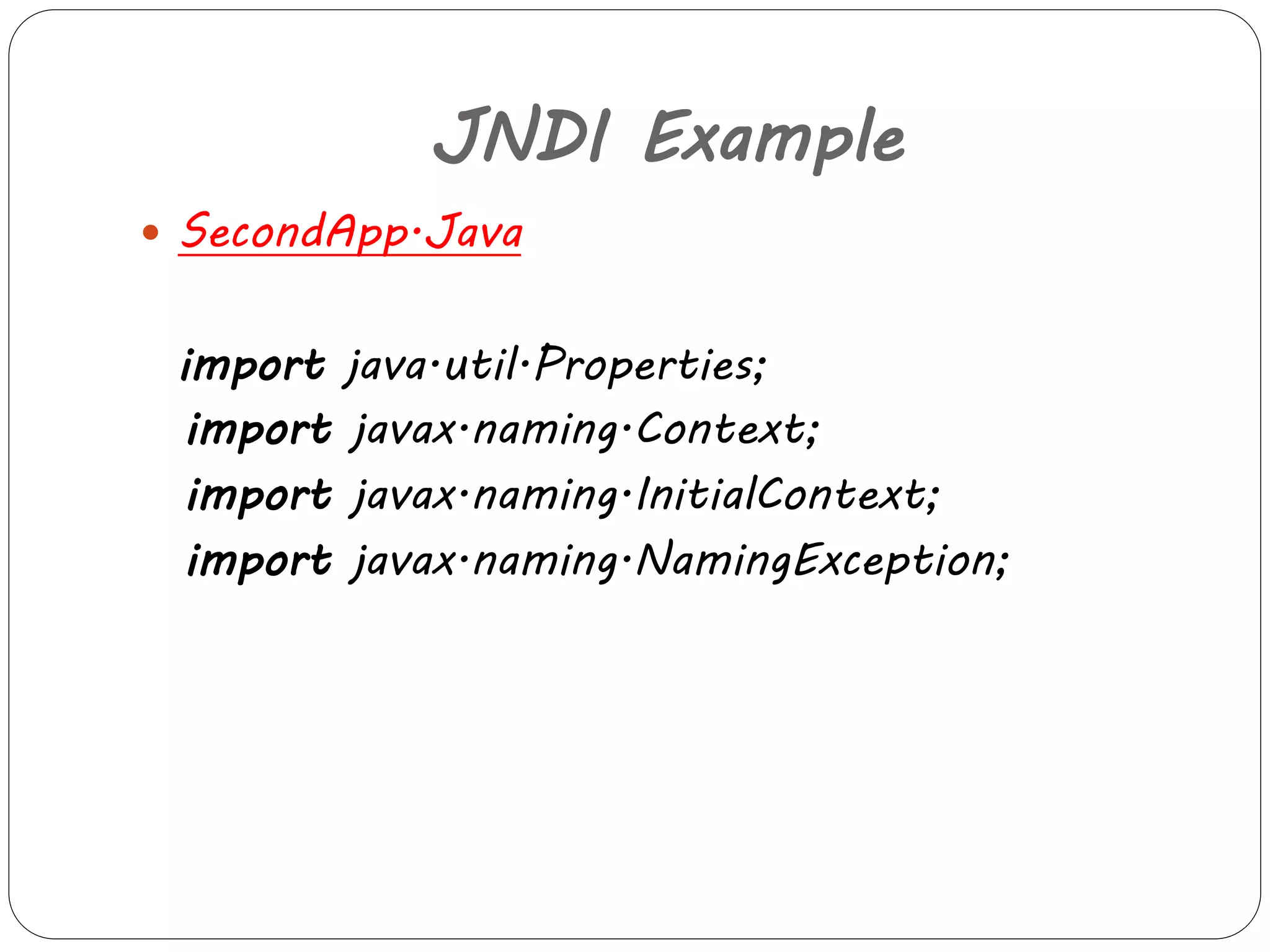
 SecondApp.Java 
import java.util.Properties; 
import javax.naming.Context; 
import javax.naming.InitialContext; 
import javax.naming.NamingException;
JNDI Example 
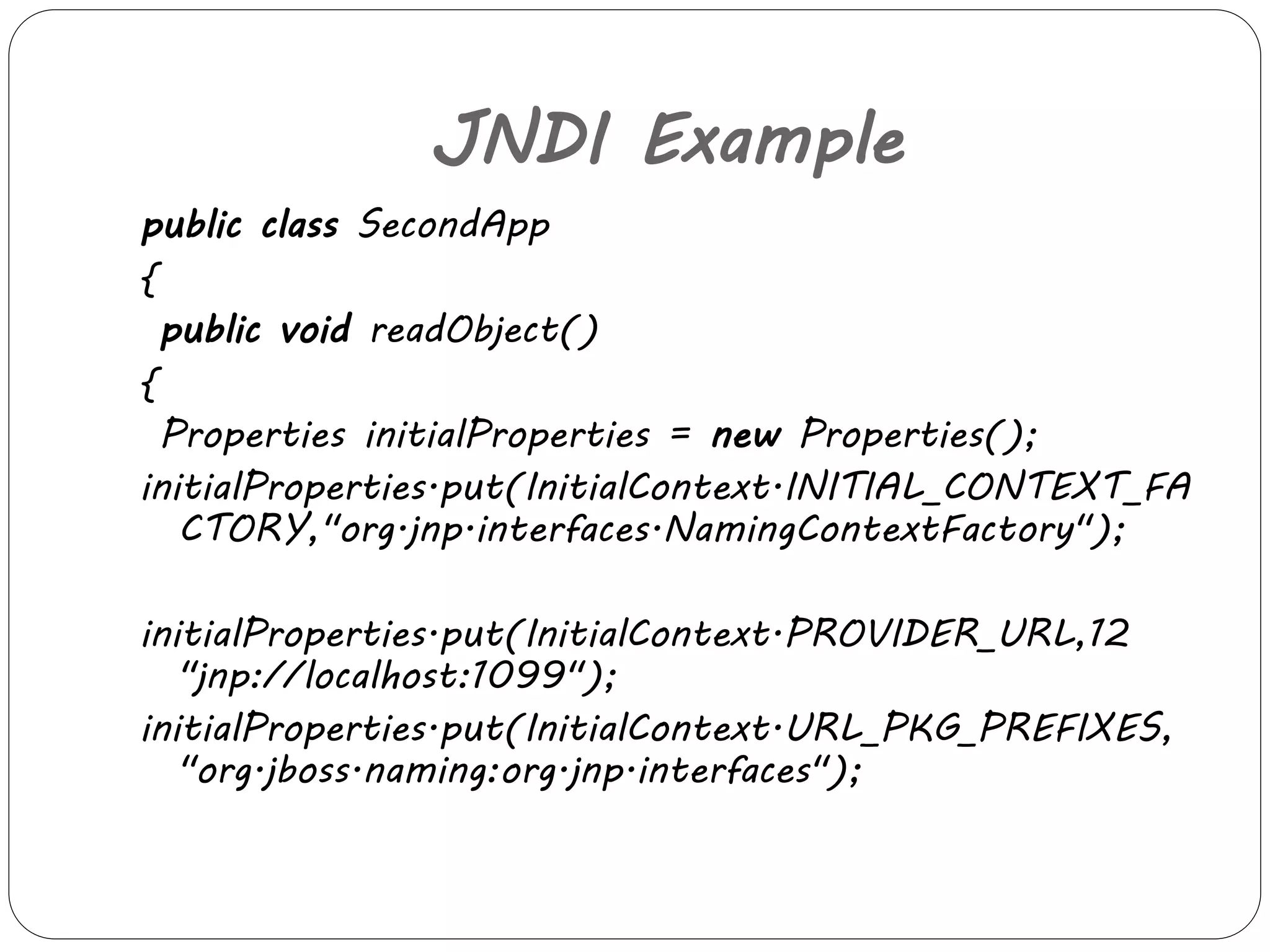
public class SecondApp 
{ 
public void readObject() 
{ 
Properties initialProperties = new Properties(); 
initialProperties.put(InitialContext.INITIAL_CONTEXT_FA 
CTORY,"org.jnp.interfaces.NamingContextFactory"); 
initialProperties.put(InitialContext.PROVIDER_URL,12 
"jnp://localhost:1099"); 
initialProperties.put(InitialContext.URL_PKG_PREFIXES, 
"org.jboss.naming:org.jnp.interfaces");
JNDI Example 
Try 
{ 
Context context = new 
InitialContext(initialProperties); 
Student student = (Student) 
context.lookup("student"); 
System.out.println("Object received from context = 
"+student); 
} 
catch (NamingException e) 
{ 
e.printStackTrace(); 
} 
}
JNDI Example 
public static void main(String[] args) 
{ 
new SecondApp().readObject(); 
} 
}
JNDI Example 
 Output: 
Output of FirstApp.Java 
Bound object = Id = 1Name = Bijoy 
Now run SecondApp.java as java application. 
Output of SecondApp.Java 
Object received from context = Id = 1Name = 
Bijoy
JNDI Uses 
 connecting a Java application to an external 
directory service (such as an address database 
or an LDAP server) 
 allowing a Java Servlet to look up 
configuration information provided by the 
hosting web container 
 JNDI allows distributed applications to look 
up services in an abstract, resource-independent 
way.
Thank you

JNDI

  • 1.
    JNDI Shobana .P III MCA Ethiraj college for Women 20/10/2014
  • 2.
    JNDI The JavaNaming and Directory Interface (JNDI) is a Java API for a directory service that allows Java software clients to discover and look up data and objects via a name.
  • 3.
    JNDI Naming In a distributed application, components need to access other components and resources such as databases.  For example, a servlet might invoke remote methods on an enterprise bean that retrieves information from a database.  The Java Naming and Directory Interface (JNDI) naming service enables components to locate other components and resources.
  • 4.
    JNDI Naming To locate a JDBC resource, for example, an enterprise bean invokes the JNDI lookup method.  The JNDI naming service maintains a set of bindings that relate names to objects.  The lookup method passes a JNDI name parameter and returns the related object.
  • 5.
    Naming Service A naming service is an entity that i. associates names with objects. We call this binding names to objects. This is similar to a telephone company ’s associating a person ’s name with a specific residence ’s telephone number
  • 6.
    Naming Service ii.provides a facility to find an object based on a name. We call this looking up or searching for an object. This is similar to a telephone operator finding a person ’s telephone number based on that person ’s name and connecting the two people.
  • 7.
  • 8.
    Directory Service A directory object differs from a generic object because we can store attributes with directory objects. For example,we can use a directory object to represent a user in your company.we can store information about that user,like the user ’s password,as attributes in the directory object.
  • 9.
    Directory Service A directory service is a naming service that has been extended and enhanced to provide directory object operations for manipulating attributes.  A directory is a system of directory objects that are all connected. Some examples of directory products are Netscape Directory Server and Microsoft ’s Active Directory.
  • 10.
  • 11.
    Directory Service Directories are similar to DataBases, except that they typically are organized in a hierarchical tree-like structure.
  • 12.
  • 13.
    Directory Service Examples of Directory Service 1. Netscape Directory Server 2. Microsoft ’s Active Directory 3. Lotus Notes (IBM) 4. NIS (Network Information System) by Sun 5. NDS (Network Directory Service) by Novell 6. LDAP (Lightweight Directory Access Protocol) most commonly used
  • 14.
    LDAP  LDAPstands for Lightweight Directory Access Protocol.  It is a lightweight client-server protocol for accessing directory services, specifically X.500-based (electronic)directory services.  LDAP runs over TCP/IP or other connection oriented transfer services.
  • 15.
    LDAP  Adirectory is similar to a database, but tends to contain more descriptive, attribute-based information.  give quick-response to high-volume lookup or search operations  They may have the ability to replicate information widely in order to increase availability and reliability, while reducing response time.
  • 16.
  • 17.
    JNDI Packages javax.naming Accesses simple naming services. javax.naming.directory Accesses directory services. javax.naming.event Handles event notification when dealing with naming and directory services.
  • 18.
    JNDI Packages javax.naming.ldap Deals with LDAP v3 controls and extended operations. javax.naming.spi Consists of the Service Provider Interface (SPI) classes and interfaces used by LDAP service implementers to provide access to a specific type of naming or directory service.
  • 19.
    Naming Operations Adding, Replacing, and Removing a Binding The Context interface contains methods for adding, replacing, and removing a binding in a context (collection of bindings is a context).
  • 20.
    Naming Operations Addinga Binding Context.bind() is used to add a binding to a context. It accepts as arguments the name of the object and the object to be bound. // Create the object to be bound Fruit fruit = new Fruit("orange"); // Perform the bind ctx.bind("favorite", fruit); This example creates an object of class Fruit and binds it to the name "favorite" in the context ctx. If you subsequently looked up the name "favorite" in ctx, then you would get the fruit object. Note that to compile the Fruit class, you need the FruitFactory class.
  • 21.
    Naming Operations Addingor Replacing a Binding rebind() is used to add or replace a binding. It accepts the same arguments as bind(), but the semantics are such that if the name is already bound, then it will be unbound and the newly given object will be bound. // Create the object to be bound Fruit fruit = new Fruit(“lemon"); // Perform the bind ctx.rebind("favorite", fruit); When you run this example, it will replace the binding created by the bind() example.
  • 22.
    Naming Operations Removinga Binding To remove a binding, use unbind(). // Remove the binding ctx.unbind("favorite"); when run, removes the binding that was created by the bind() or rebind() example
  • 23.
    Naming Operations Renamingan Object rename an object in a context by using Context.rename(). // Rename to old_report.txt ctx.rename("report.txt", "old_report.txt"); This example renames the object that was bound to "report.txt" to "old_report.txt". After verifying that the object got renamed, the program renames it to its original name ("report.txt"), as follows. // Rename back to report.txt ctx.rename("old_report.txt", "report.txt");
  • 24.
    Naming Operations Lookingup an object To look up an object from the naming service, use Context.lookup() and pass it the name of the object that you want to retrieve. Suppose that there is an object in the naming service with the name "report.txt". To retrieve the object, use //look up for report.txt Object obj = ctx.lookup("report.txt");
  • 25.
    Naming Operations Listinga Context Instead of getting a single object at a time, as with Context.lookup(), we can list an entire context by using a single operation , There are two methods for listing a context: (i )one that returns the bindings Context.listBindings() (ii) and one that returns only the name-to-object class name pairs. Context.list()
  • 26.
    Naming Operations Creatingand Destroying a Context The Context interface contains methods for creating and destroying a subcontext, a context that is bound in another context of the same type. Creating a Context To create a context, use createSubcontext() // Create the context Context result = ctx.createSubcontext("new"); This example creates a new context, called "new", that is a child of ctx. If you list the context ctx, you will see that there is now an entry for "new".
  • 27.
    Naming Operations Destroyinga Context To destroy a context, use destroySubcontext() the name of the context to destroy. // Destroy the context ctx.destroySubcontext("new"); This example destroys the context "new" in the context ctx.
  • 28.
    JNDI Example Student.java import java.io.Serializable; //The interface itself has no methods defined in it. So any class can easily implement this interface by simply implementing it: public class Student implements Serializable { public Student(int id, String name) { this.id = id; this.name = name; } private static final long serialVersionUID = 1L; private int id; private String name; public int getId() { return id; }
  • 29.
    JNDI Example publicvoid setId(int id) { this.id = id; } public String getName() { return name; } public void setName(String name) { this.name = name; } public String toString() { return "Id = "+getId() +"Name = "+getName(); } }
  • 30.
    JNDI Example Nowlet us see how to bind a student object using naming service. The FirstApp.java is a stand alone application which binds a Student object. FirstApp.java import java.util.Properties; import javax.naming.Context; import javax.naming.InitialContext; import javax.naming.NamingException;
  • 31.
    JNDI Example publicclass FirstApp { public void bindObject() { Student student = new Student(1, "Bijoy"); Properties initialProperties = new Properties(); initialProperties.put(InitialContext.INITIAL_CONTEXT_FA CTORY, "org.jnp.interfaces.NamingContextFactory"); initialProperties.put(InitialContext.PROVIDER_URL,"jn p://localhost:1099"); initialProperties.put(InitialContext.URL_PKG_PREFIXES," org.jboss.naming:org.jnp.interfaces");
  • 32.
    JNDI Example Try { Context context = new InitialContext(initialProperties); context.bind("student", student); System.out.println("Bound object = "+student); } catch (NamingException e) { e.printStackTrace(); } }
  • 33.
    JNDI Example publicstatic void main(String[] args) { new FirstApp().bindObject(); } }  The bindObject() method creates a Context object and a Student object is binding to the specified context . The initialProperties has the details for initializing the context.It is desirable to give these properties through jndi.properties in src folder , if we need these things in a generic way.  Now lets see the SecondApp.java. It simply receovers the already bound Student object.
  • 34.
    JNDI Example SecondApp.Java import java.util.Properties; import javax.naming.Context; import javax.naming.InitialContext; import javax.naming.NamingException;
  • 35.
    JNDI Example publicclass SecondApp { public void readObject() { Properties initialProperties = new Properties(); initialProperties.put(InitialContext.INITIAL_CONTEXT_FA CTORY,"org.jnp.interfaces.NamingContextFactory"); initialProperties.put(InitialContext.PROVIDER_URL,12 "jnp://localhost:1099"); initialProperties.put(InitialContext.URL_PKG_PREFIXES, "org.jboss.naming:org.jnp.interfaces");
  • 36.
    JNDI Example Try { Context context = new InitialContext(initialProperties); Student student = (Student) context.lookup("student"); System.out.println("Object received from context = "+student); } catch (NamingException e) { e.printStackTrace(); } }
  • 37.
    JNDI Example publicstatic void main(String[] args) { new SecondApp().readObject(); } }
  • 38.
    JNDI Example Output: Output of FirstApp.Java Bound object = Id = 1Name = Bijoy Now run SecondApp.java as java application. Output of SecondApp.Java Object received from context = Id = 1Name = Bijoy
  • 39.
    JNDI Uses connecting a Java application to an external directory service (such as an address database or an LDAP server)  allowing a Java Servlet to look up configuration information provided by the hosting web container  JNDI allows distributed applications to look up services in an abstract, resource-independent way.
  • 40.