JavaScript
Green Apple
Computer Learning
*
*
*Javascript is a dynamic computer programming
language.
*It is lightweight and most commonly used as a
part of web pages, whose implementations
allow client-side script to interact with the
user and make dynamic pages.
11/20/20162
*
*It is an interpreted programming language
*It object-based language
11/20/20163
*JavaScript was first known as LiveScript, but
Netscape changed its name to JavaScript,
possibly because of the excitement being
generated by Java.
*JavaScript made its first appearance in
Netscape 2.0 in 1995 with the name
LiveScript.
11/20/20164
*
*JavaScript is a lightweight, interpreted
programming language.
*Designed for creating network-centric
applications.
*Complementary to and integrated with Java.
*Complementary to and integrated with HTML.
*Open and cross-platform
11/20/20165
*
*Client-side JavaScript is the most common
form of the language.
*The script should be included in or referenced
by an HTML document for the code to be
interpreted by the browser.
11/20/20166
*
*It means that a web page need not be a static
HTML, but can include programs that interact with
the user, control the browser, and dynamically
create HTML content.
*The JavaScript client-side mechanism provides
many advantages over traditional CGI server-side
scripts. For example, you might use JavaScript to
check if the user has entered a valid e-mail address
in a form field.
*The JavaScript code is executed when the user
submits the form, and only if all the entries are
valid, they would be submitted to the Web Server.
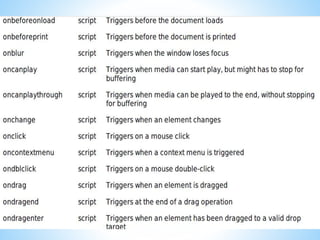
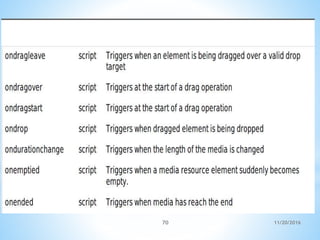
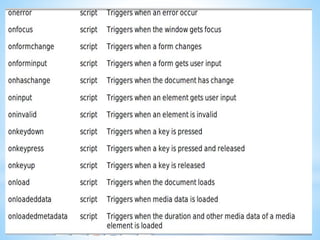
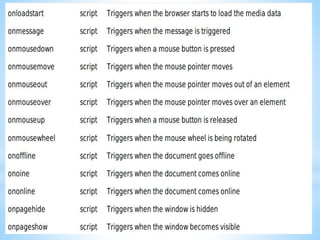
*JavaScript can be used to trap user-initiated events
such as button clicks, link navigation, and other
actions that the user initiates explicitly or
implicitly.
11/20/20167
*
*Less server interaction
*Immediate feedback to the visitors
*Increased interactivity
*Richer interfaces
11/20/20168
*
*You can validate user input before sending the
page off to the server. This saves server traffic,
which means less load on your server.
11/20/20169
*
*They don't have to wait for a page reload to
see if they have forgotten to enter something.
11/20/201610
*
*You can create interfaces that react when the
user hovers over them with a mouse or
activates them via the keyboard.
11/20/201611
*
*You can use JavaScript to include such items as
drag-and-drop components and sliders to give a
Rich Interface to your site visitors.
11/20/201612
*
*Client-side JavaScript does not allow the
reading or writing of files. This has been kept
for security reason.
*JavaScript cannot be used for networking
applications because there is no such support
available.
*JavaScript doesn't have any multithreading or
multiprocessor capabilities.
11/20/201613
*
*Microsoft FrontPage
*Macromedia Dreamweaver MX
*Macromedia HomeSite 5
11/20/201614
*
*Microsoft has developed a popular HTML editor
called FrontPage.
*FrontPage also provides web developers with a
number of JavaScript tools to assist in the
creation of interactive websites.
11/20/201615
*
*Macromedia Dreamweaver MX is a very popular
HTML and JavaScript editor in the professional
web development crowd.
*It provides several handy prebuilt JavaScript
components, integrates well with databases,
and conforms to new standards such as XHTML
and XML.
11/20/201616
*
*HomeSite 5 is a well-liked HTML and JavaScript
editor from Macromedia that can be used to
manage personal websites effectively.
11/20/201617
*
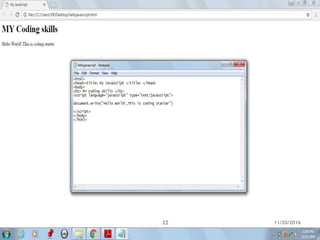
*The <script> tag alerts the browser program to
start interpreting all the text between these
tags as a script.
11/20/201618
*
*Language
*Type
11/20/201619
*
*This attribute specifies what scripting language
you are using. Typically, its value will be
javascript. Although recent versions of HTML
andXHTML, itssuccessor have phased out the
use of this attribute.
11/20/201620
*
*This attribute is what is now recommended to
indicate the scripting language in use and its
value should be set to "text/javascript".
11/20/201621
11/20/201622
*
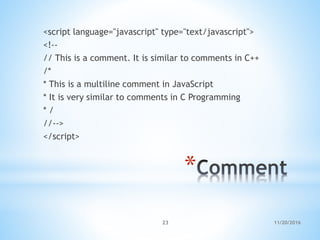
<script language="javascript" type="text/javascript">
<!--
// This is a comment. It is similar to comments in C++
/*
* This is a multiline comment in JavaScript
* It is very similar to comments in C Programming
* /
//-->
</script>
11/20/201623
11/20/201624
11/20/201625
11/20/201626
11/20/201627
*
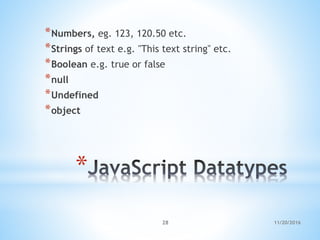
*Numbers, eg. 123, 120.50 etc.
*Strings of text e.g. "This text string" etc.
*Boolean e.g. true or false
*null
*Undefined
*object
11/20/201628
*
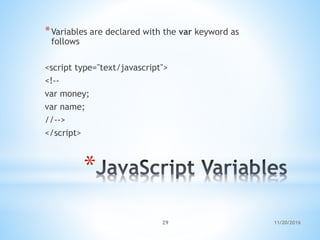
*Variables are declared with the var keyword as
follows
<script type="text/javascript">
<!--
var money;
var name;
//-->
</script>
11/20/201629
*
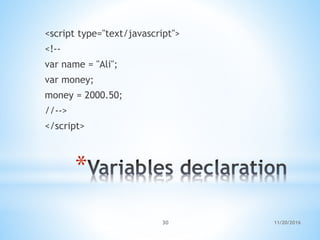
<script type="text/javascript">
<!--
var name = "Ali";
var money;
money = 2000.50;
//-->
</script>
11/20/201630
*
*JavaScript is untyped language. This means
that a JavaScript variable can hold a value of
any data type.
11/20/201631
*
*Global Variables
*Local Variable
11/20/201632
*
*A global variable has global scope which means
it can be defined anywhere in your JavaScript
code.
11/20/201633
*
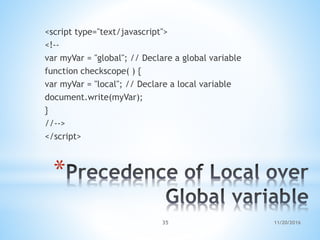
*A local variable will be visible only within a
function where it is defined. Function
parameters are always local to that function.
11/20/201634
*
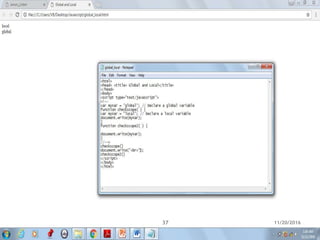
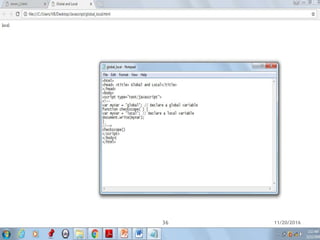
<script type="text/javascript">
<!--
var myVar = "global"; // Declare a global variable
function checkscope( ) {
var myVar = "local"; // Declare a local variable
document.write(myVar);
}
//-->
</script>
11/20/201635
11/20/201636
11/20/201637
*
11/20/201638
* 11/20/201639
11/20/201640
*
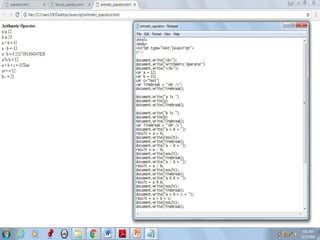
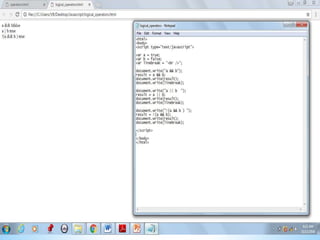
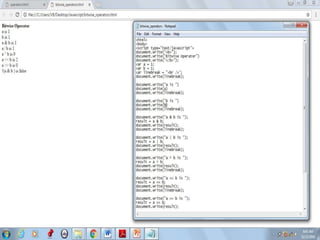
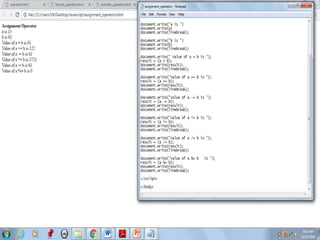
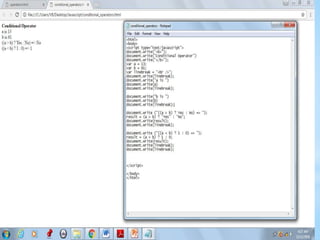
*Arithmetic Operators
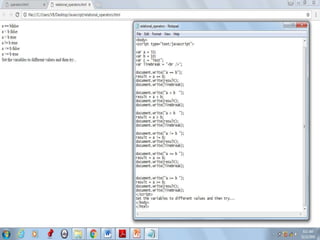
*Comparision Operators
*Logical orRelational Operators
*Assignment Operators
*Conditional orternary Operators
11/20/201641
11/20/201642
11/20/201643
11/20/201644
11/20/201645
11/20/201646
11/20/201647
*
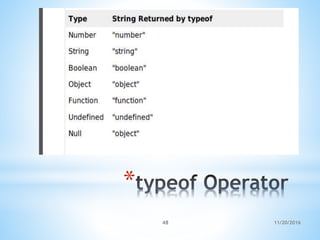
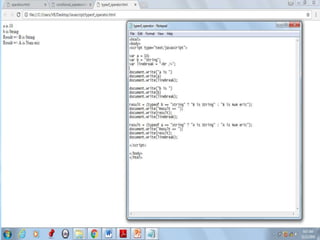
*The typeof operator is a unary operator that is
placed before its single operand, which can be
of any type. Its value is a string indicating the
data type of the operand.
11/20/201648
*
11/20/201649
11/20/201650
11/20/201651
11/20/201652
11/20/201653
11/20/201654
11/20/201655
11/20/201656
11/20/201657
11/20/201658
11/20/201659
11/20/201660
11/20/201661
11/20/201662
11/20/201663
11/20/201664
11/20/201665
11/20/201666
11/20/201667
11/20/201668
11/20/201669
11/20/201670
11/20/201671
11/20/201672
11/20/201673
11/20/201674
11/20/201675
*
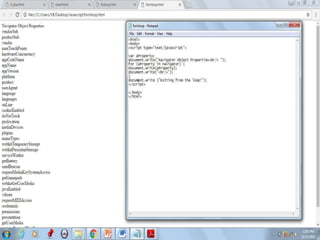
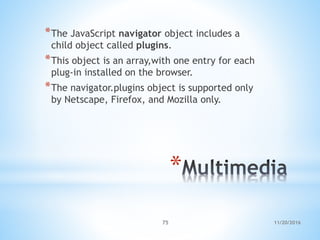
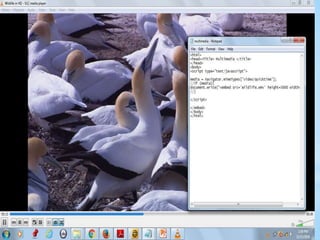
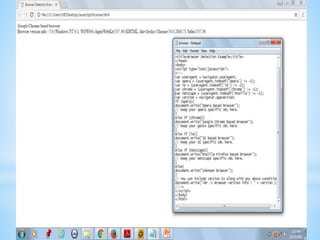
*The JavaScript navigator object includes a
child object called plugins.
*This object is an array,with one entry for each
plug-in installed on the browser.
*The navigator.plugins object is supported only
by Netscape, Firefox, and Mozilla only.
11/20/201676
11/20/201677
11/20/201678
11/20/201679
11/20/201680
*
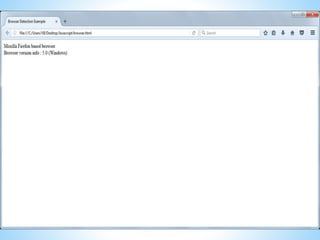
*To get information about the browser your
webpage is currently running in, use the built-
in navigator object
11/20/201681
*
*appCodeName
*appVersion
*Language
*mimTypes[]
*platform[]
*plugins[]
*userAgent[]
11/20/201682
*
*This property is a string that contains the code
name of the browser, Netscape for Netscape
and Microsoft Internet Explorer for Internet
Explorer.
11/20/201683
*
*This property is a string that contains the
version of the browser as well as other useful
information such as its language and
compatibility.
11/20/201684
*
*This property contains the two-letter
abbreviation for the language that is used by
the
*browser. Netscape only.
11/20/201685
*
*This property is an array that contains all MIME
types supported by the client. Netscape only.
11/20/201686
*
*This property is a string that contains the
platform for which the browser was
compiled."Win32" for 32-bit Windows operating
systems.
11/20/201687
*
*This property is an array containing all the
plug-ins that have been installed on the client.
Netscape only.
11/20/201688
*
*This property is a string that contains the code
name and version of the browser.
*This value is sent to the originating server to
identify the client.
11/20/201689
*
*javaEnabled()
*plugings.refresh
*preference(name,value)
*taintEnabled()
11/20/201690
*
*This method determines if JavaScript is
enabled in the client. If JavaScript is enabled,
this method returns true; otherwise, it returns
false.
11/20/201691
*
*This method makes newly installed plug-ins
available and populates the plugins array with
all new plug-in names. Netscape only.
11/20/201692
*
*This method allows a signed script to get and
set some Netscape preferences. If the second
parameter is omitted, this method will return
the value of the specified preference;
otherwise, it sets the value. Netscape only.
11/20/201693
*
*This method returns true if data tainting is
enabled; false otherwise.
11/20/201694
11/20/201695
*THANK YOU
11/20/201696

Javascript