JAVASCRIPT 101
    YOGEV AHUVIA


                   www.netcraft.co.il
Prototype
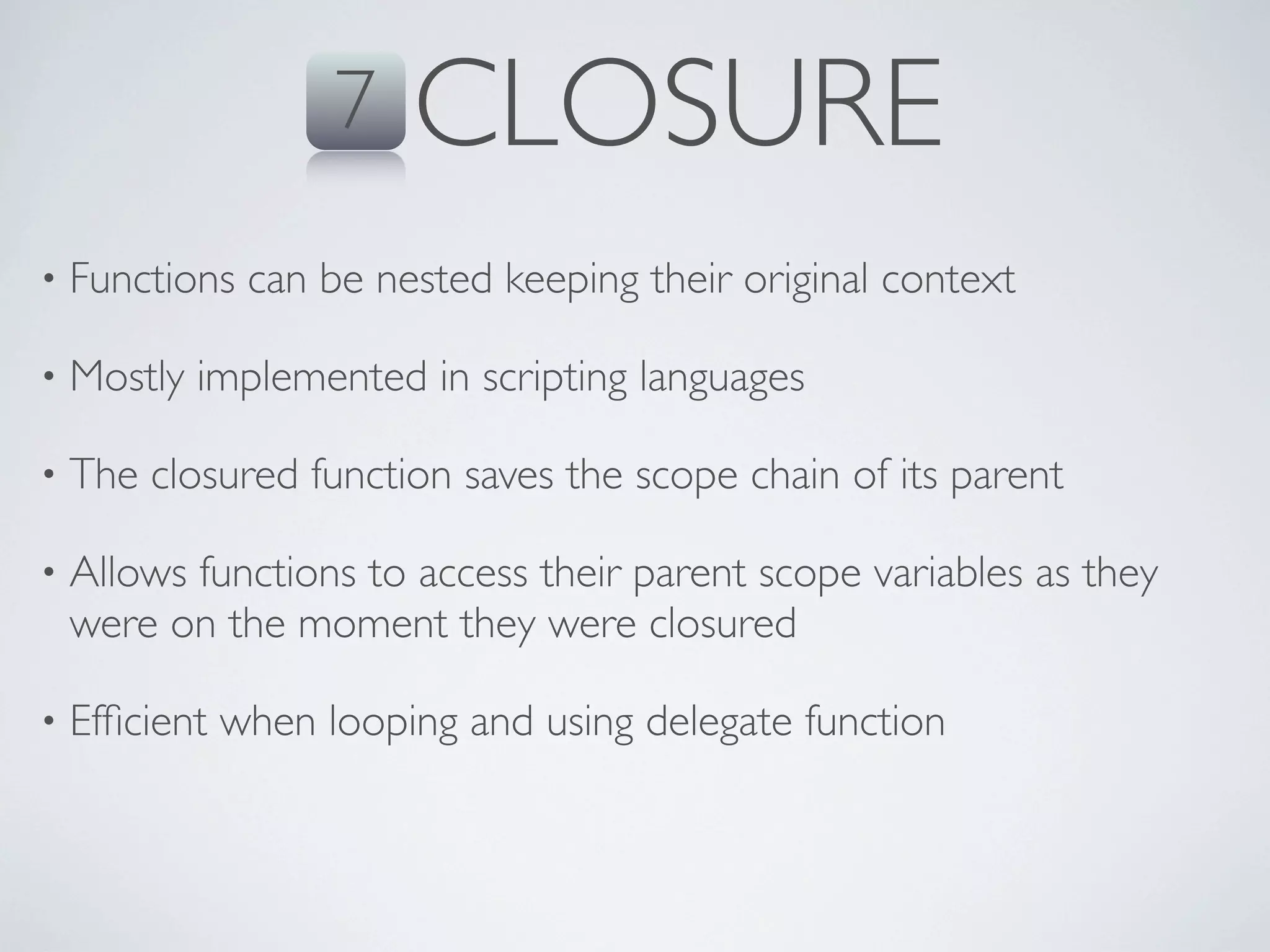
                                                                                                           Closure
                                                                                      DOM
    JavaScript                                             Interactivity
                                    Performance
                                                                                            Validations

Events
                           1995                            HTML
                                                                                 Security
            Ajax
                                    Browser
                                                                  jQuery

                                                                                                 Effects
                                              Animations
                 Dynamic                                                   Netscape


                                  OVERVIEW
                              let’s talk about the roots
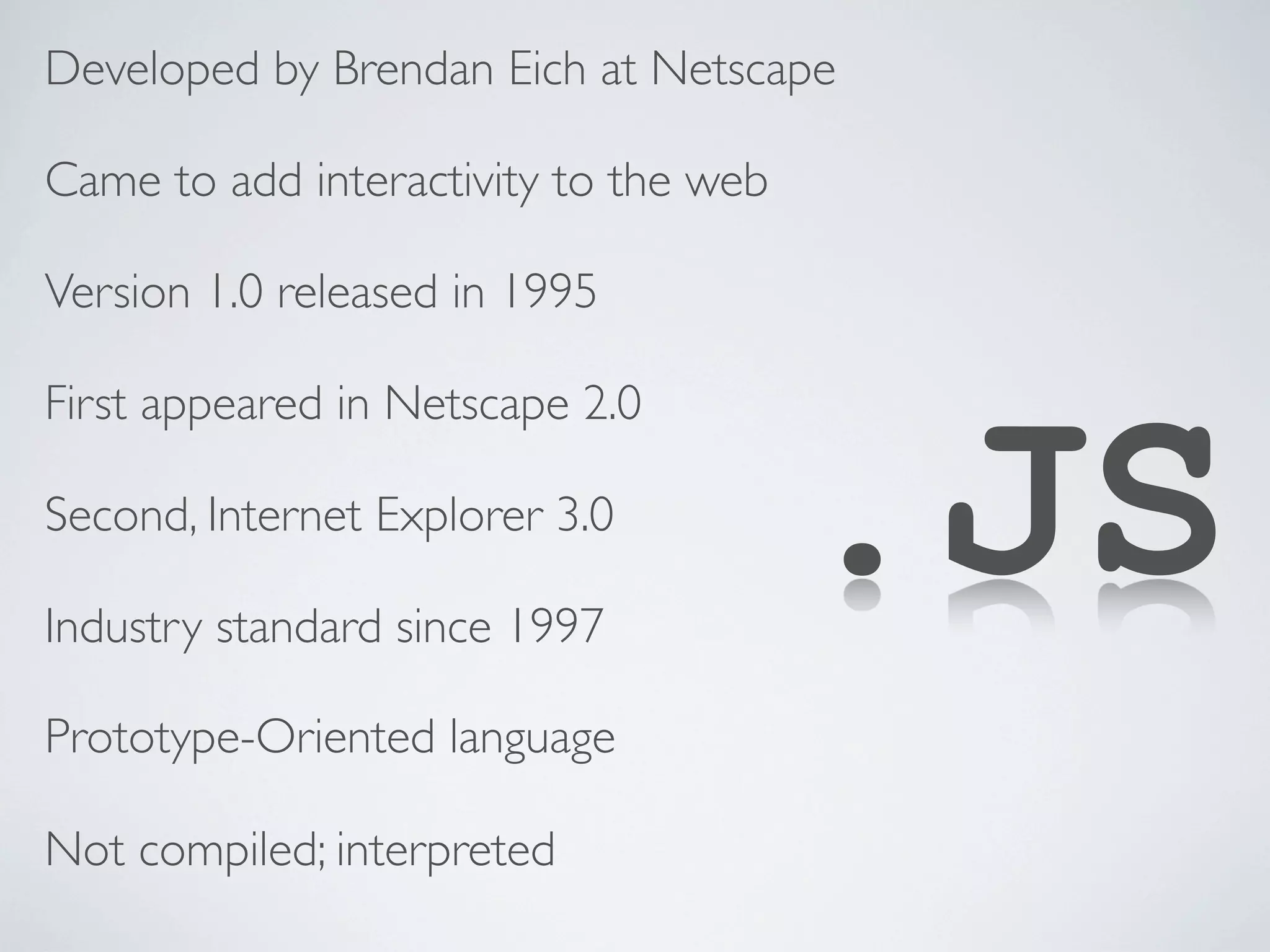
Developed by Brendan Eich at Netscape

Came to add interactivity to the web

Version 1.0 released in 1995


                                       .JS
First appeared in Netscape 2.0

Second, Internet Explorer 3.0

Industry standard since 1997

Prototype-Oriented language

Not compiled; interpreted
6                      OVERVIEW
 7   1 var myString = ‘javascript’;


                                                            Code Example
     2 var myArray = [1, 2.5, ’3’, [myString, ‘ rules’]];

 8   3 for (var i = 0; i < myArray.length; i++) {
         var arrayElement = myArray[i];
         console.log(myArray[i]);

 9     }
                       >
                       >
                           1
                           2.5


10
                       >   3
                       >   javascript, rules


11
12
13
14
6                      OVERVIEW
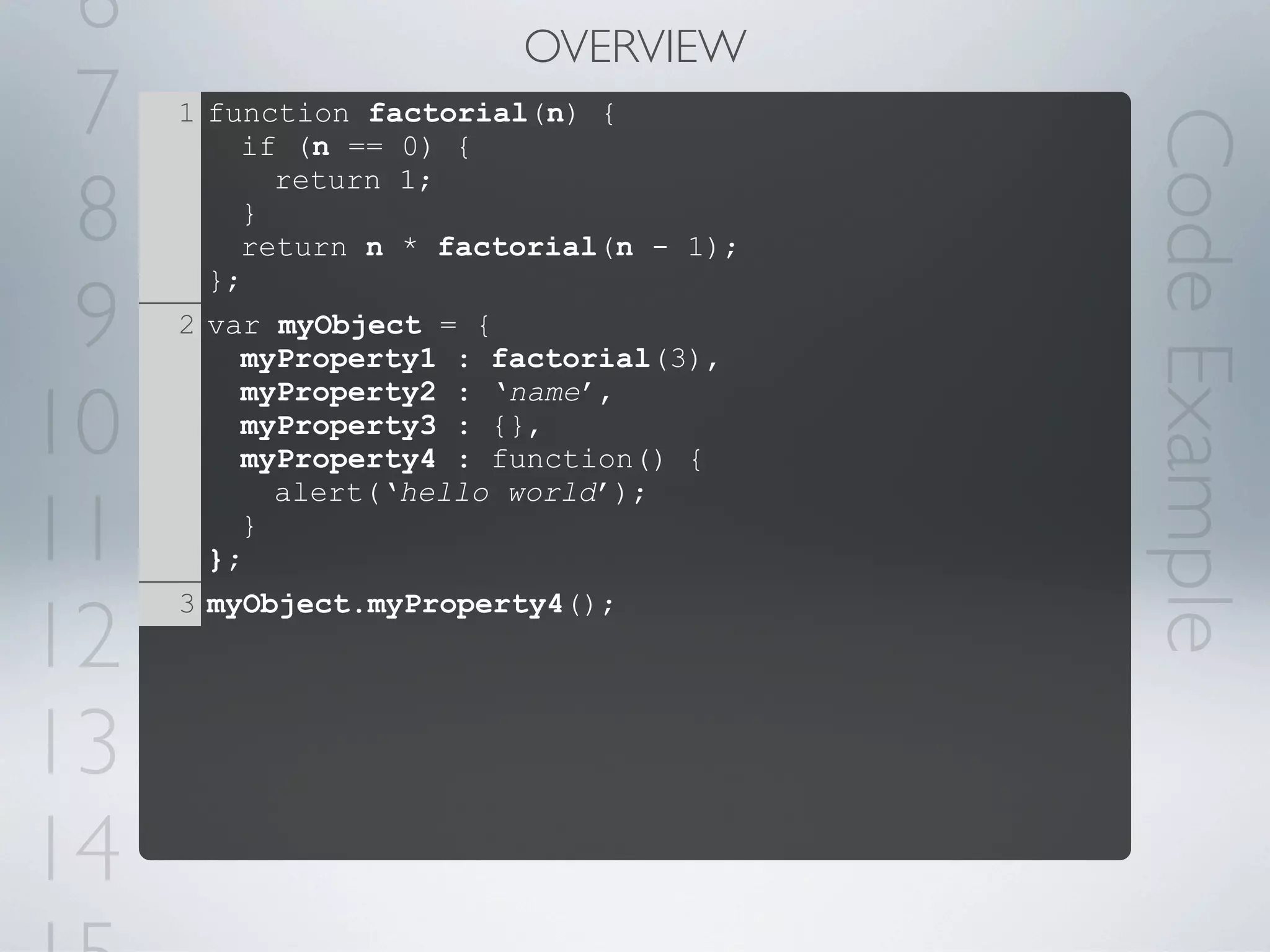
 7   1 function factorial(n) {


                                        Code Example
         if (n == 0) {

 8
           return 1;
         }
         return n * factorial(n - 1);


 9
       };
     2 var myObject = {
         myProperty1 : factorial(3),

10
         myProperty2 : ‘name’,
         myProperty3 : {},
         myProperty4 : function() {


11
           alert(‘hello world’);
         }
       };


12
     3 myObject.myProperty4();


13
14
CORE CONCEPTS
   what does it offer?
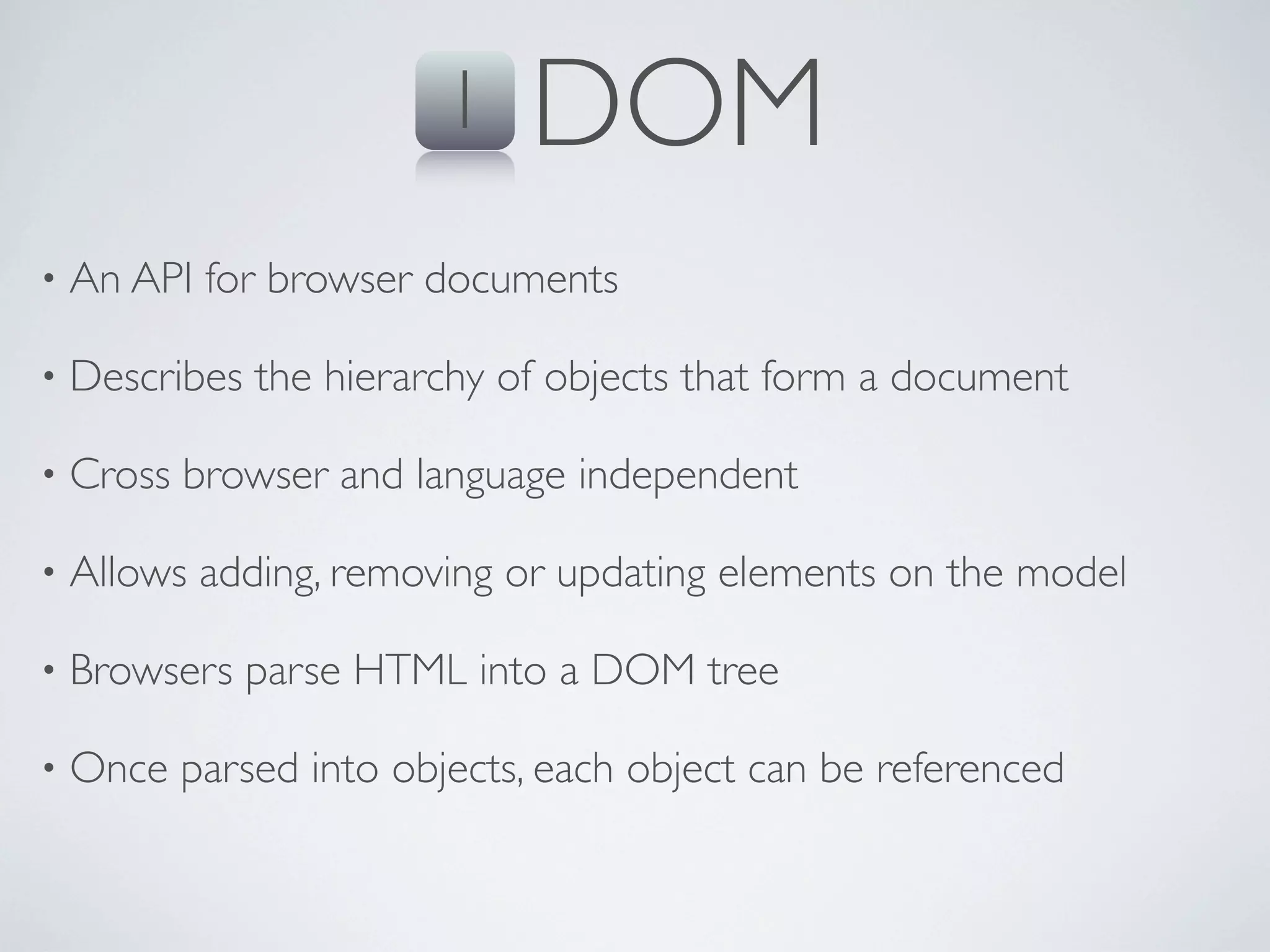
1    DOM
•   An API for browser documents

•   Describes the hierarchy of objects that form a document

•   Cross browser and language independent

•   Allows adding, removing or updating elements on the model

•   Browsers parse HTML into a DOM tree

•   Once parsed into objects, each object can be referenced
1     DOM
                document


                 <html>


 <head>                              <body>


 <title>    [href]           <a>                <h1>


“My Page”                  “Click”            “Header”
6                                                  1   DOM
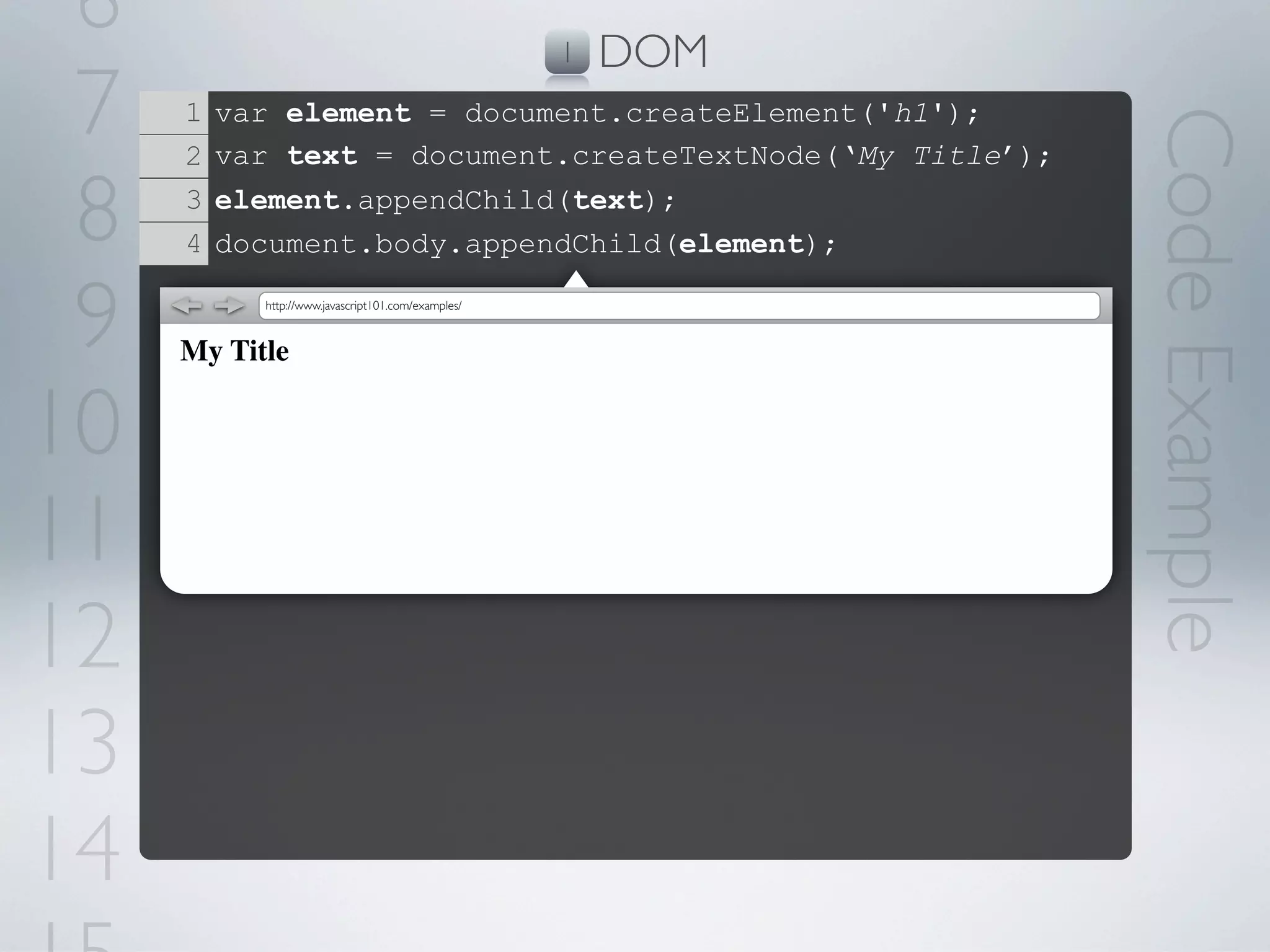
 7   1   var element = document.createElement('h1');


                                                              Code Example
     2   var text = document.createTextNode(‘My Title’);

 8   3
     4
         element.appendChild(text);
         document.body.appendChild(element);


 9         http://www.javascript101.com/examples/


     My Title


10
11
12
13
14
2    OBJECTS
•   Similar to classes in Object-Oriented programming

•   Collection of properties (similar to associative array)

•   Objects are being cloned, not initialized

•   Every object has a (single) prototype
2      OBJECTS
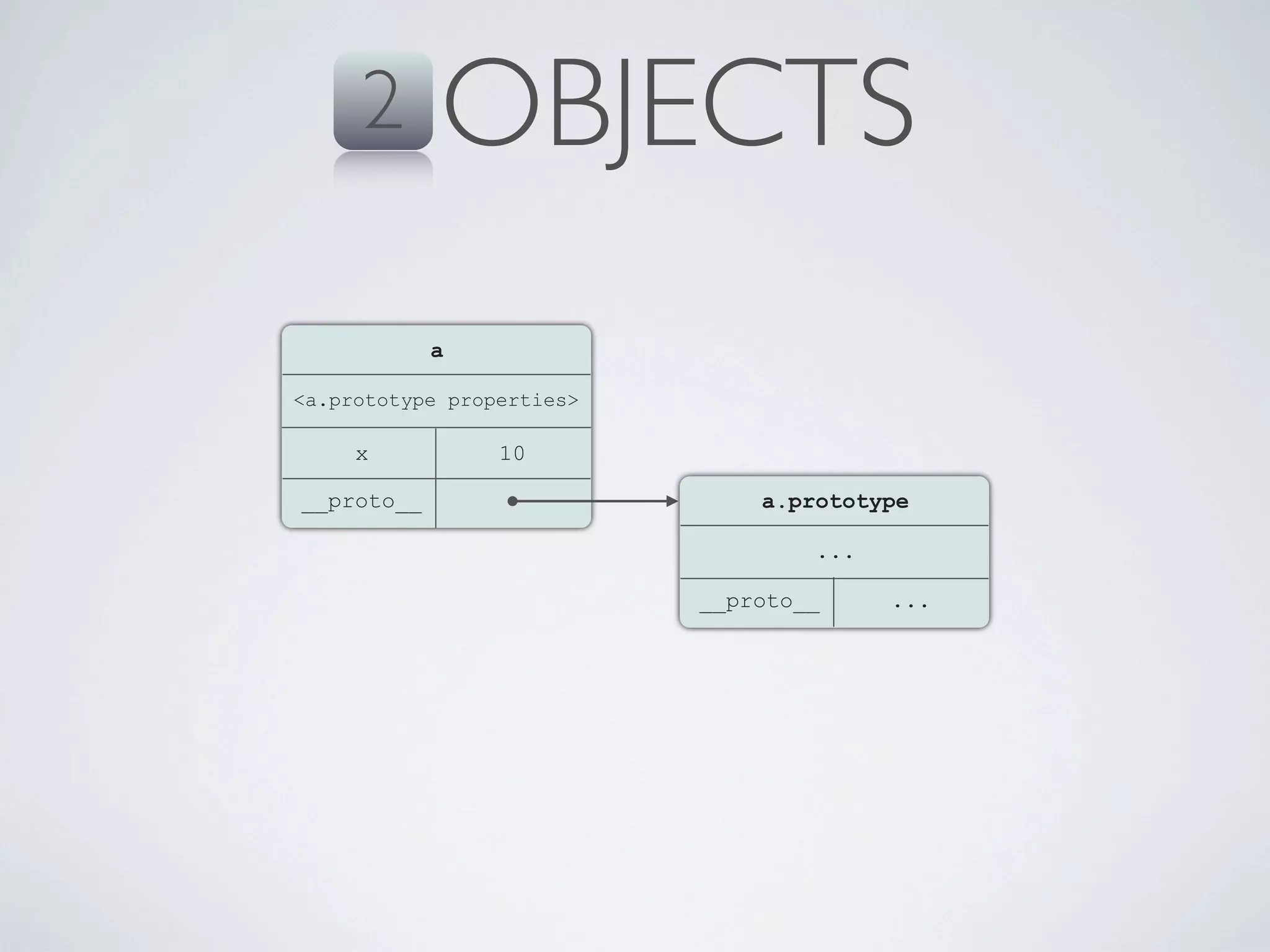
            a

<a.prototype properties>

     x           10

__proto__                      a.prototype

                                   ...

                           __proto__     ...
6                        2   OBJECTS
 7   1 var a = {


                                               Code Example
         x: 10

 8
       };
     2 a.x += 5;
     3 a[‘x’];   =15

 9   4 a.__proto__;     =Prototype of Object
     5 a.__proto__.__proto__;     =null


10
11
12
13
14
3    PROTOTYPE-ORIENTED
•   Simplified concept of Object-Oriented programming

•   Mostly always based on dynamically-typed languages

•   Objects are created on run-time either from scratch or by cloning

•   Variables are not of a certain type, but the values that are stored
    in them are
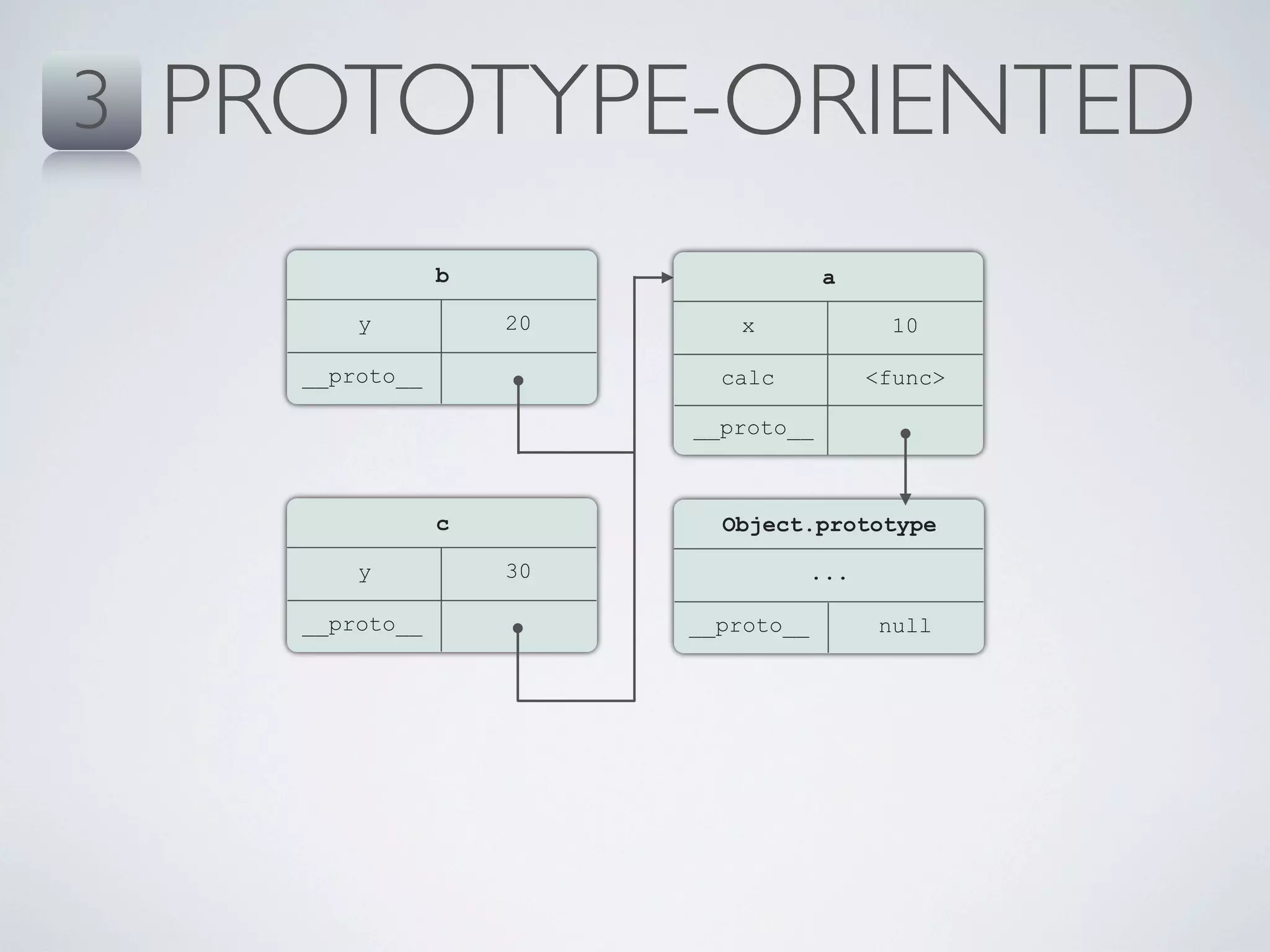
3   PROTOTYPE-ORIENTED
                  b                    a

          y           20      x                10

      __proto__              calc            <func>

                           __proto__


                  c          Object.prototype

          y           30               ...

      __proto__            __proto__          null
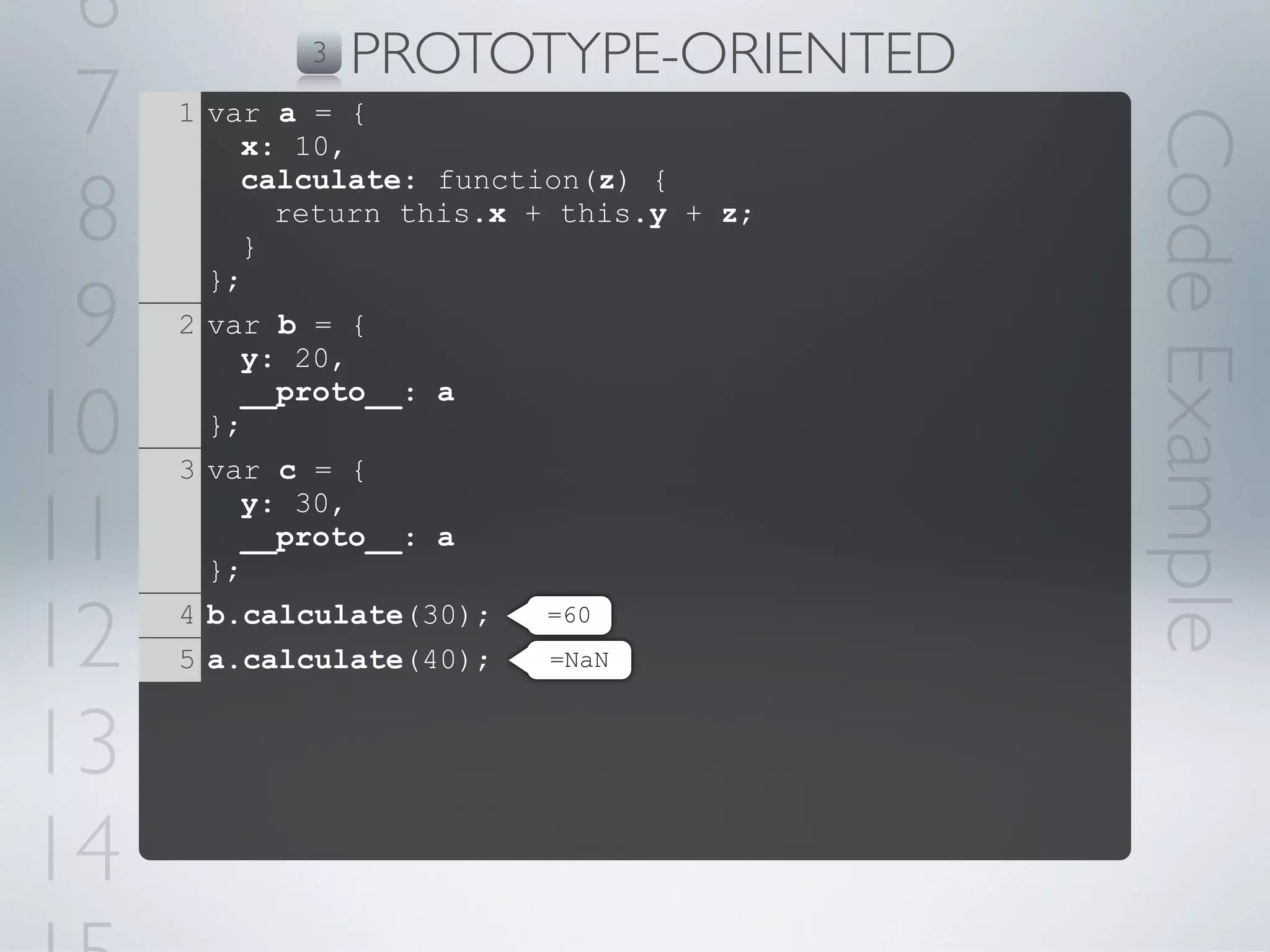
6          3   PROTOTYPE-ORIENTED
 7   1 var a = {


                                         Code Example
         x: 10,

 8
         calculate: function(z) {
           return this.x + this.y + z;
         }


 9
       };
     2 var b = {
         y: 20,

10
         __proto__: a
       };
     3 var c = {

11
         y: 30,
         __proto__: a
       };

12   4 b.calculate(30);
     5 a.calculate(40);
                          =60
                          =NaN


13
14
4    FUNCTIONS
•   In JavaScript, functions are first class objects, like any other object

•   They have properties (as objects)

•   Can be assigned, passed as arguments, returned and manipulated

•   Reference to a function can be invoked using the () operator

•   Can be nested in other functions

•   Implements Closure
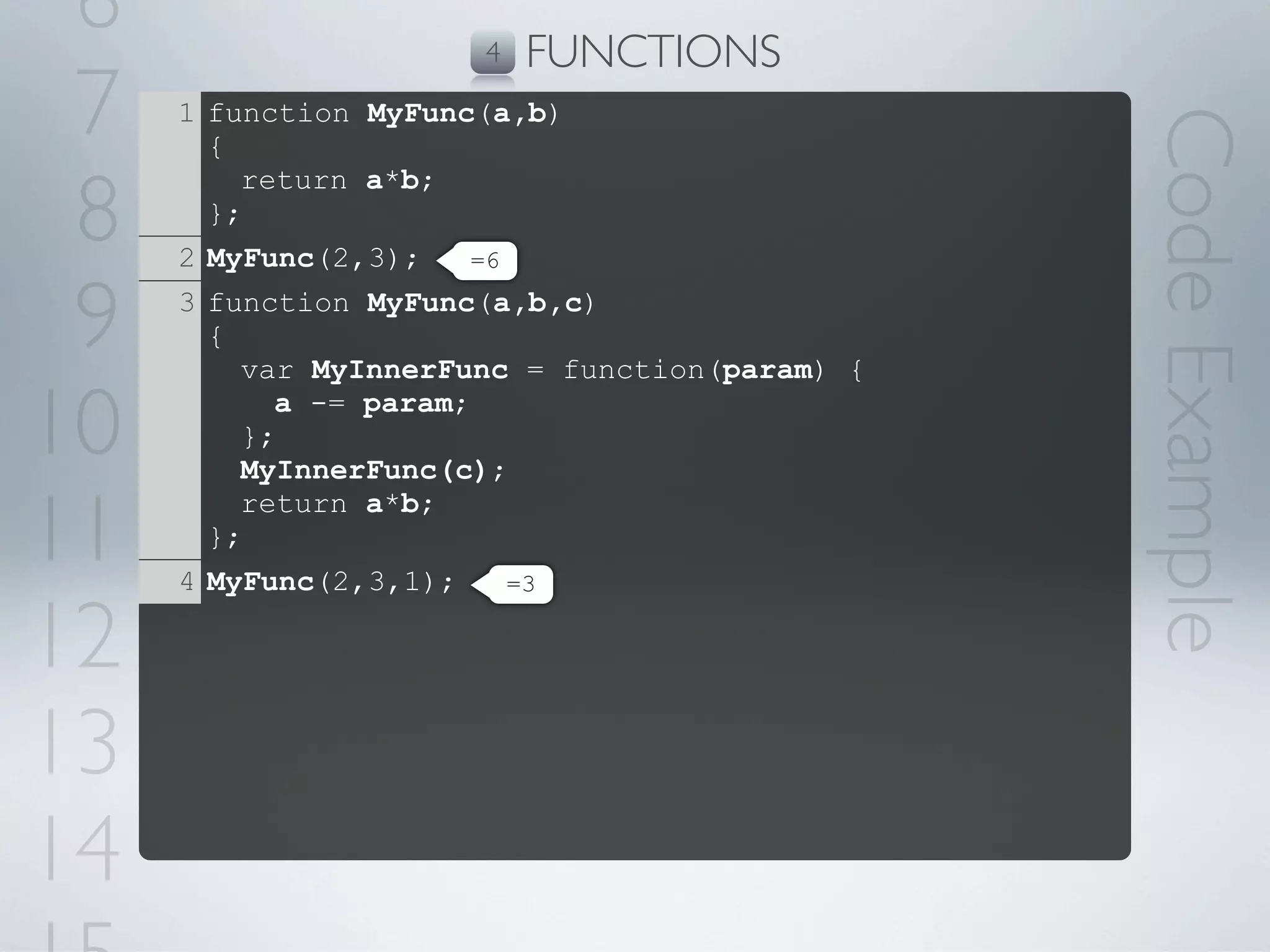
6                    4   FUNCTIONS
 7   1 function MyFunc(a,b)


                                               Code Example
       {

 8
         return a*b;
       };
     2 MyFunc(2,3);   =6


 9   3 function MyFunc(a,b,c)
       {
         var MyInnerFunc = function(param) {

10       };
           a -= param;

         MyInnerFunc(c);

11
         return a*b;
       };
     4 MyFunc(2,3,1);    =3


12
13
14
5   TIMING EVENTS
•   Execute code after specified amount of time

•   Time with a reference to a function or anonymous function inline

•   Can canceling the timer before time end

•   Used for animations, load balancing, validations and timeouts

•   Breaks code execution top-down order
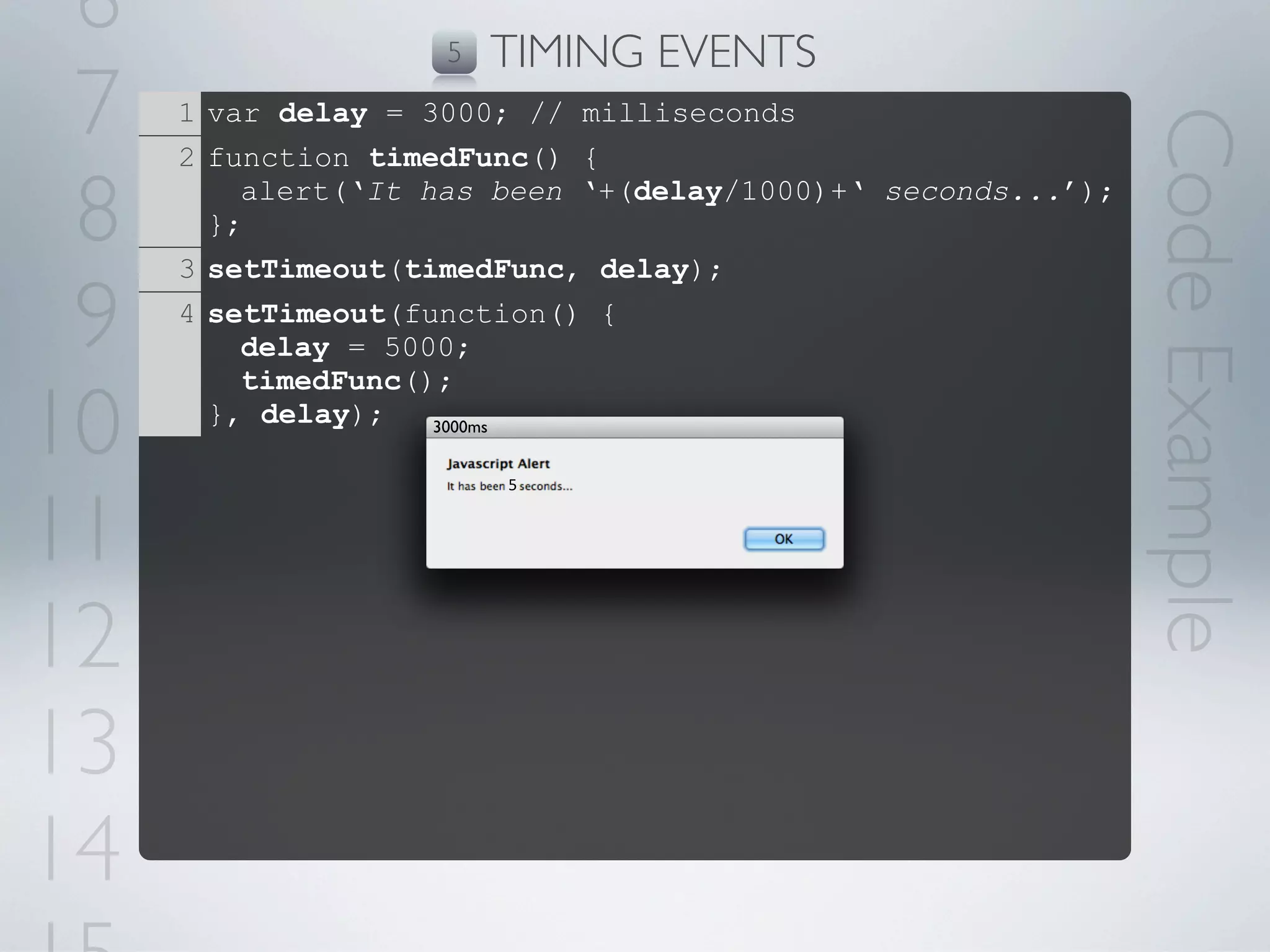
6                  5   TIMING EVENTS
 7   1 var delay = 3000; // milliseconds


                                                             Code Example
     2 function timedFunc() {

 8     };
         alert(‘It has been ‘+(delay/1000)+‘ seconds...’);

     3 setTimeout(timedFunc, delay);

 9   4 setTimeout(function() {
         delay = 5000;
         timedFunc();

10     }, delay);   3000ms


                        5


11
12
13
14
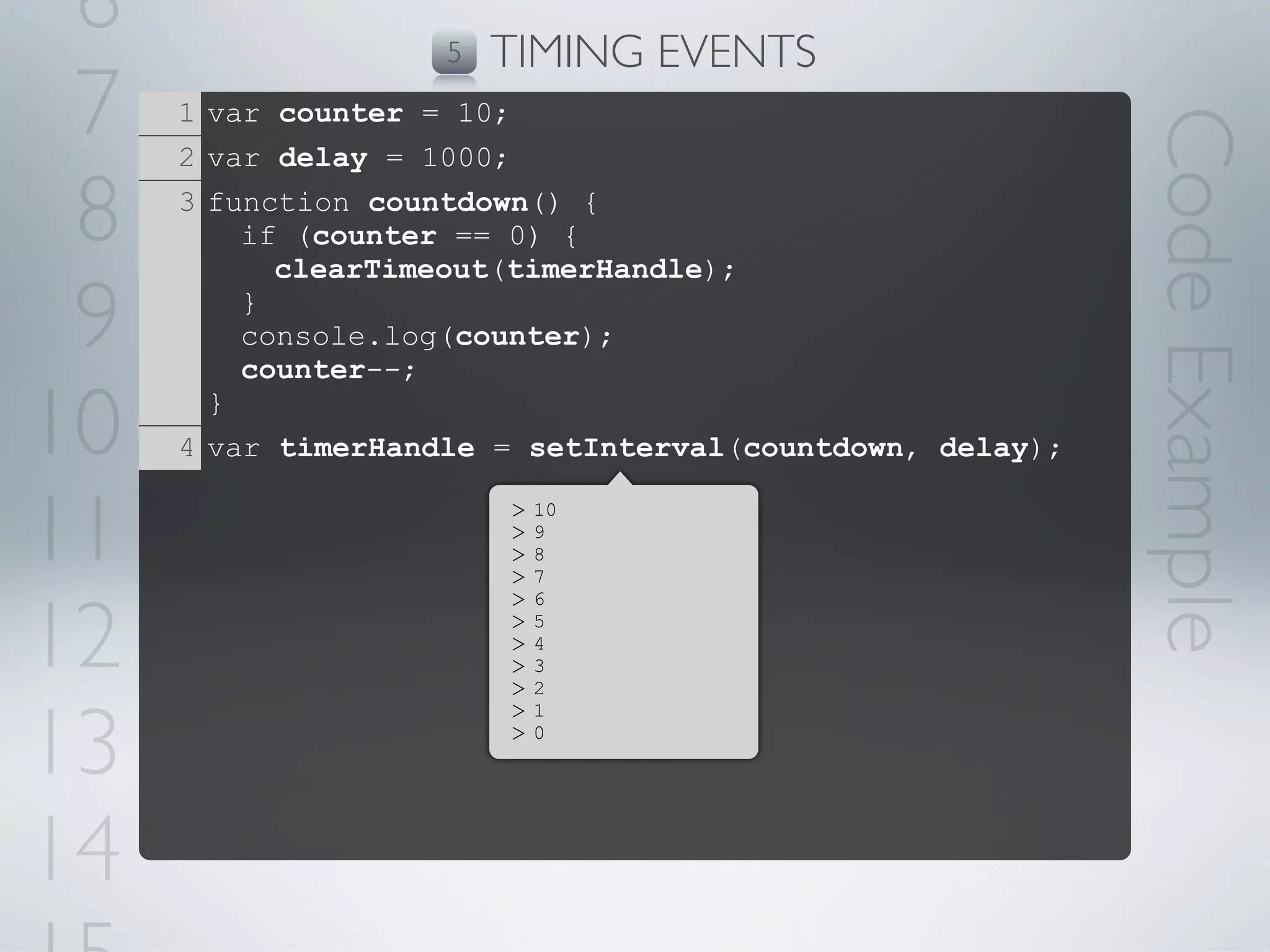
6                  5   TIMING EVENTS
 7   1 var counter = 10;


                                                          Code Example
     2 var delay = 1000;

 8   3 function countdown() {
         if (counter == 0) {
           clearTimeout(timerHandle);

 9       }
         console.log(counter);
         counter--;

10     }
     4 var timerHandle = setInterval(countdown, delay);


11                      >
                        >
                        >
                        >
                            10
                            9
                            8
                            7


12
                        >   6
                        >   5
                        >   4
                        >   3
                        >   2


13
                        >   1
                        >   0


14
6    SCOPES
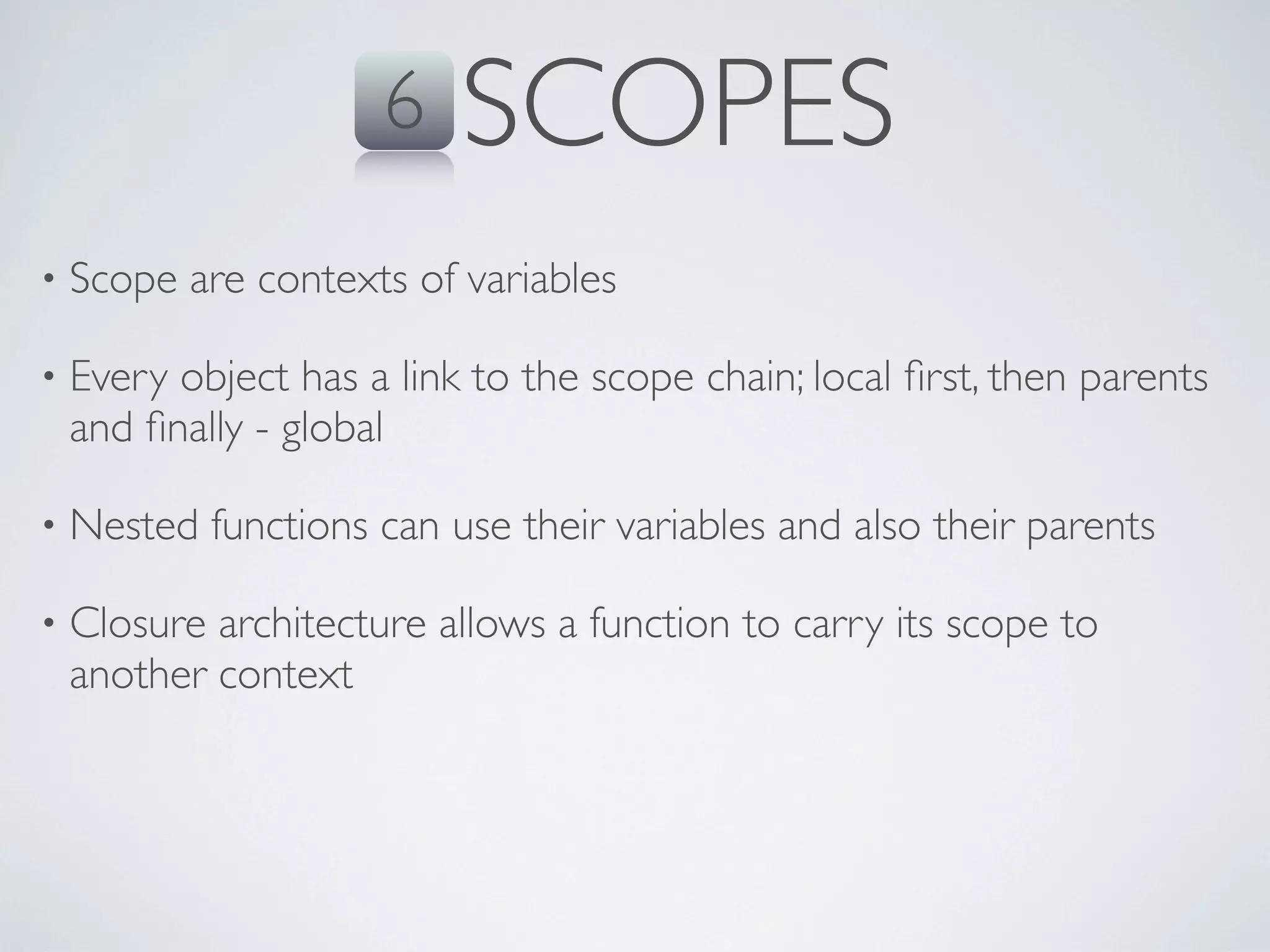
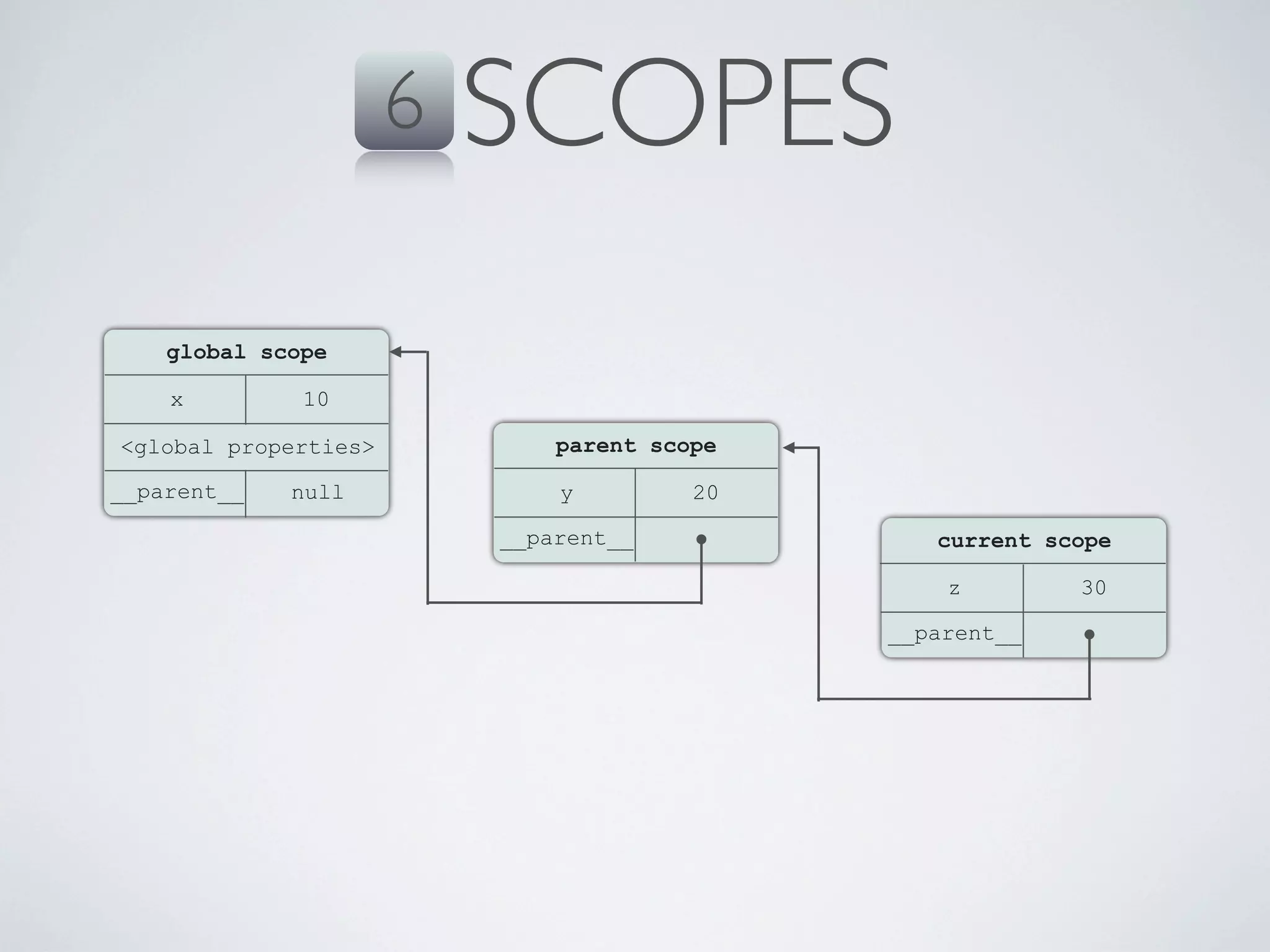
•   Scope are contexts of variables

•   Every object has a link to the scope chain; local first, then parents
    and finally - global

•   Nested functions can use their variables and also their parents

•   Closure architecture allows a function to carry its scope to
    another context
6   SCOPES
    global scope

    x         10

<global properties>           parent scope

__parent__   null             y         20

                          __parent__            current scope

                                                 z        30

                                             __parent__
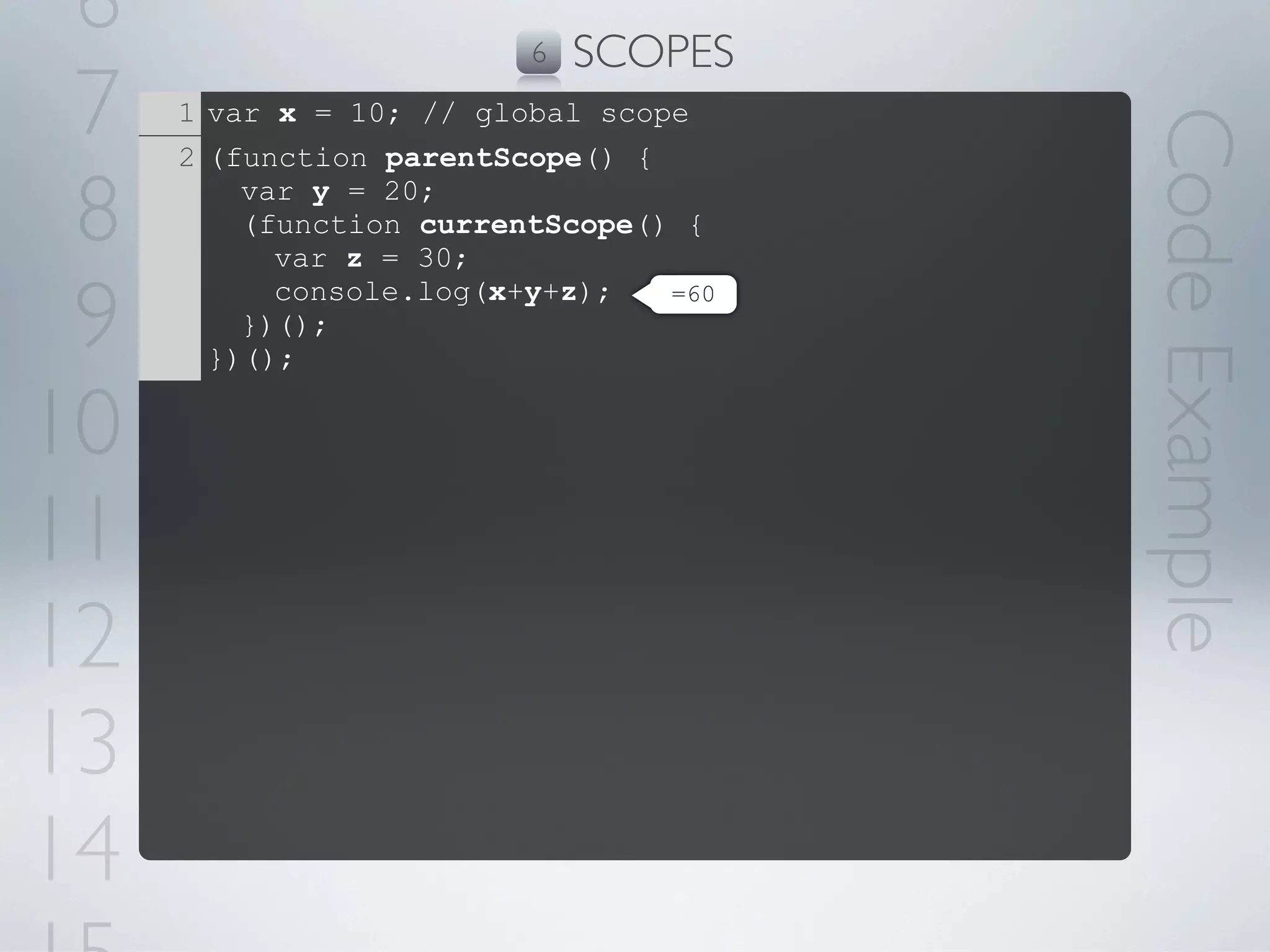
6                       6   SCOPES
 7   1 var x = 10; // global scope


                                       Code Example
     2 (function parentScope() {

 8       var y = 20;
         (function currentScope() {
           var z = 30;

 9         console.log(x+y+z);   =60
         })();
       })();

10
11
12
13
14
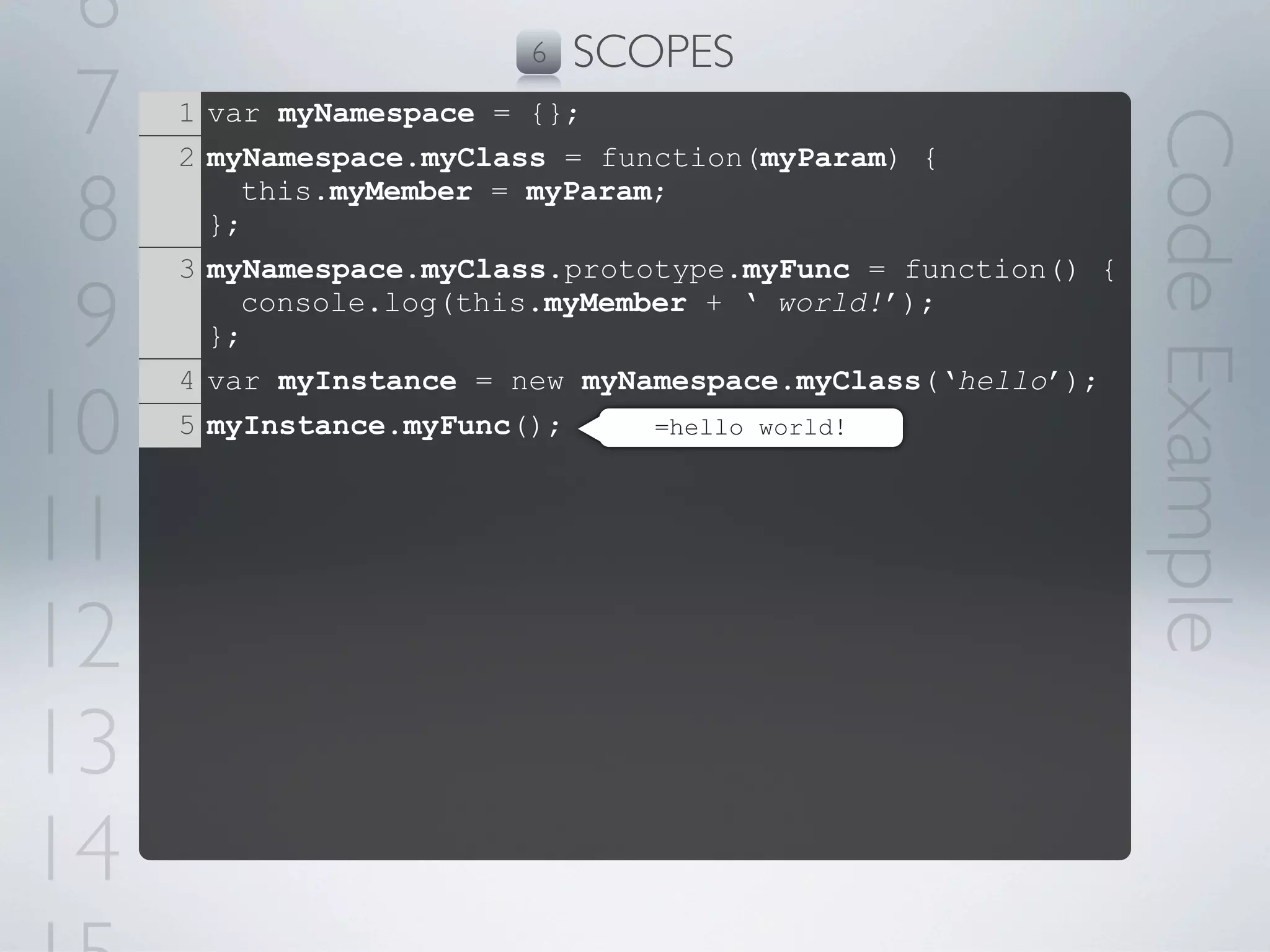
6                      6   SCOPES
 7   1 var myNamespace = {};


                                                             Code Example
     2 myNamespace.myClass = function(myParam) {

 8     };
         this.myMember = myParam;

     3 myNamespace.myClass.prototype.myFunc = function() {

 9     };
         console.log(this.myMember + ‘ world!’);

     4 var myInstance = new myNamespace.myClass(‘hello’);

10   5 myInstance.myFunc();     =hello world!


11
12
13
14
7   CLOSURE
•   Functions can be nested keeping their original context

•   Mostly implemented in scripting languages

•   The closured function saves the scope chain of its parent

•   Allows functions to access their parent scope variables as they
    were on the moment they were closured

•   Efficient when looping and using delegate function
7     CLOSURE
    function scope
     y         30
__parent__
[context].x    20
               10                    20


     global scope
     x         10          parent scope
 <global properties>       x         20
__parent__    null     __parent__
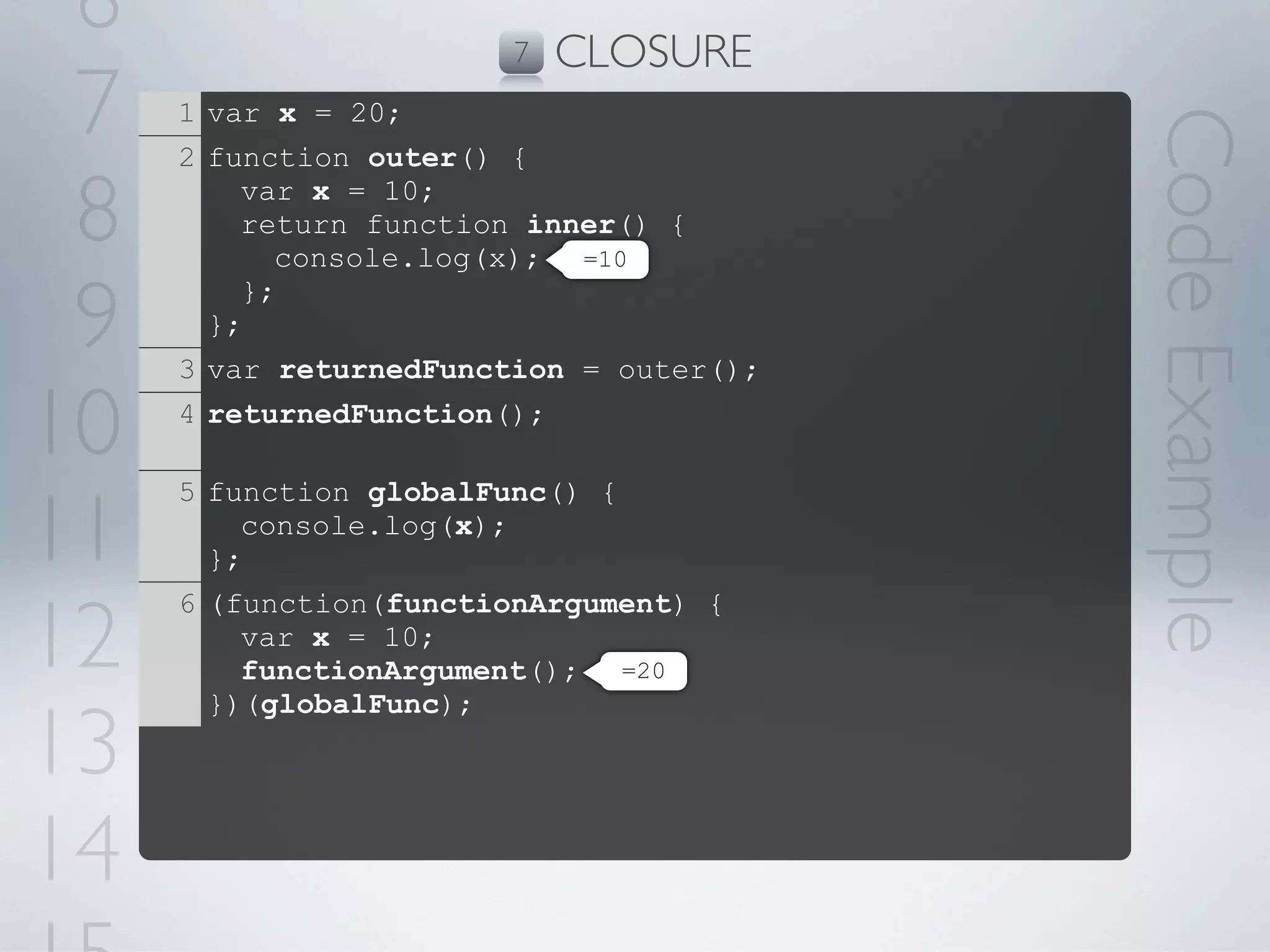
6                      7   CLOSURE
 7   1 var x = 20;


                                         Code Example
     2 function outer() {

 8       var x = 10;
         return function inner() {
           console.log(x); =10

 9       };
       };
     3 var returnedFunction = outer();

10   4 returnedFunction();


11
     5 function globalFunc() {
         console.log(x);
       };


12
     6 (function(functionArgument) {
         var x = 10;
         functionArgument(); =20
       })(globalFunc);

13
14
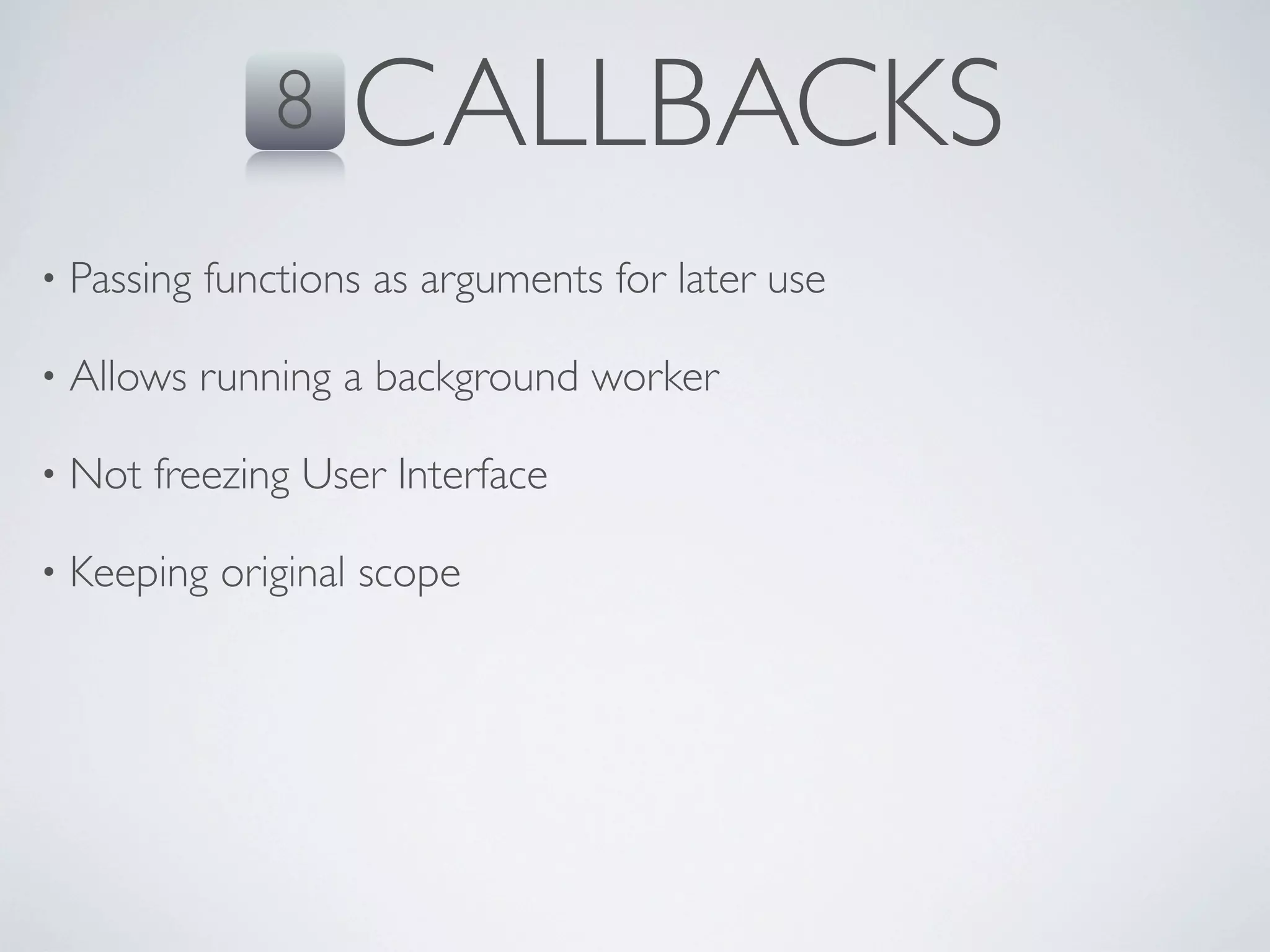
8    CALLBACKS
•   Passing functions as arguments for later use

•   Allows running a background worker

•   Not freezing User Interface

•   Keeping original scope
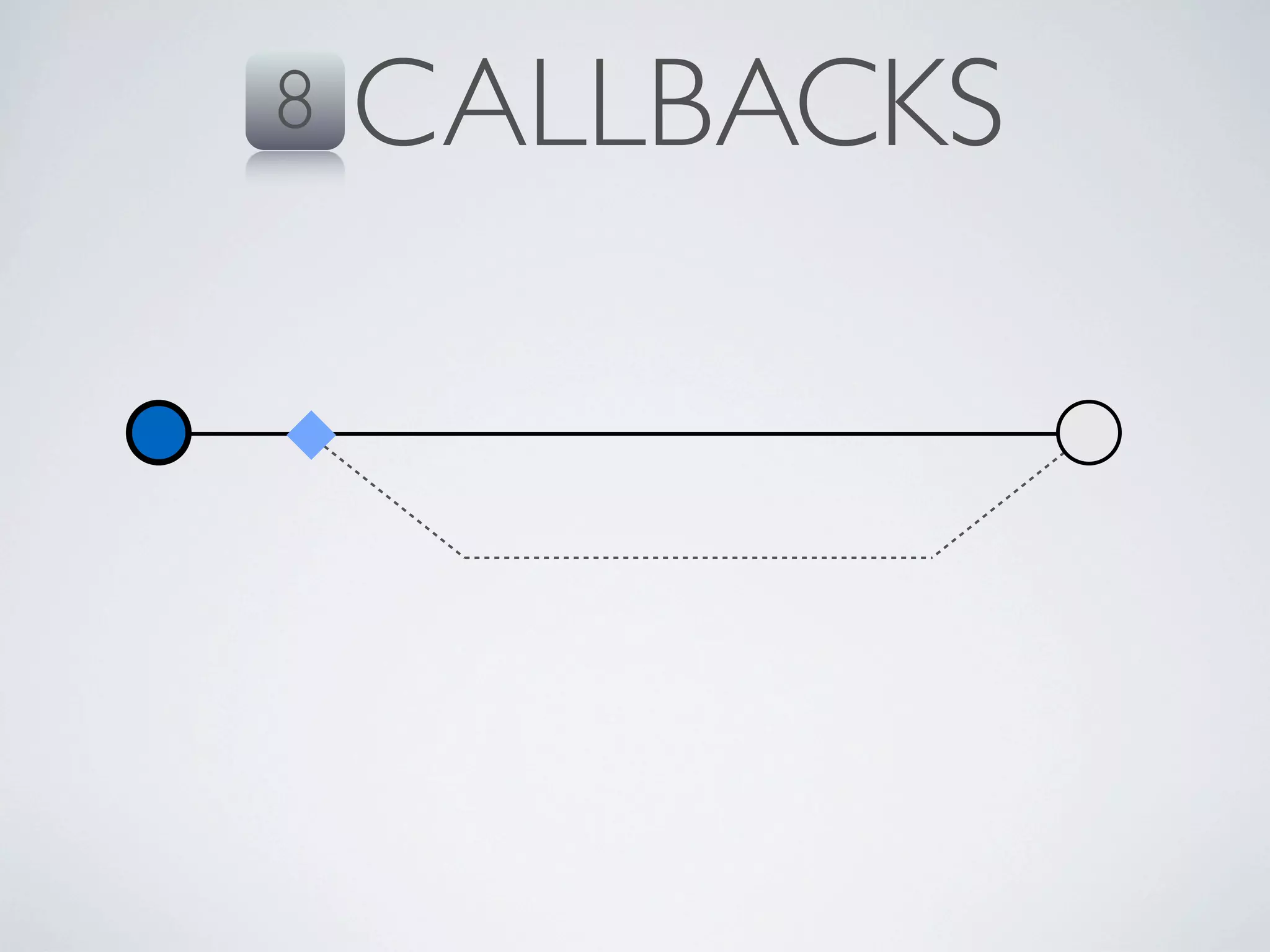
8   CALLBACKS
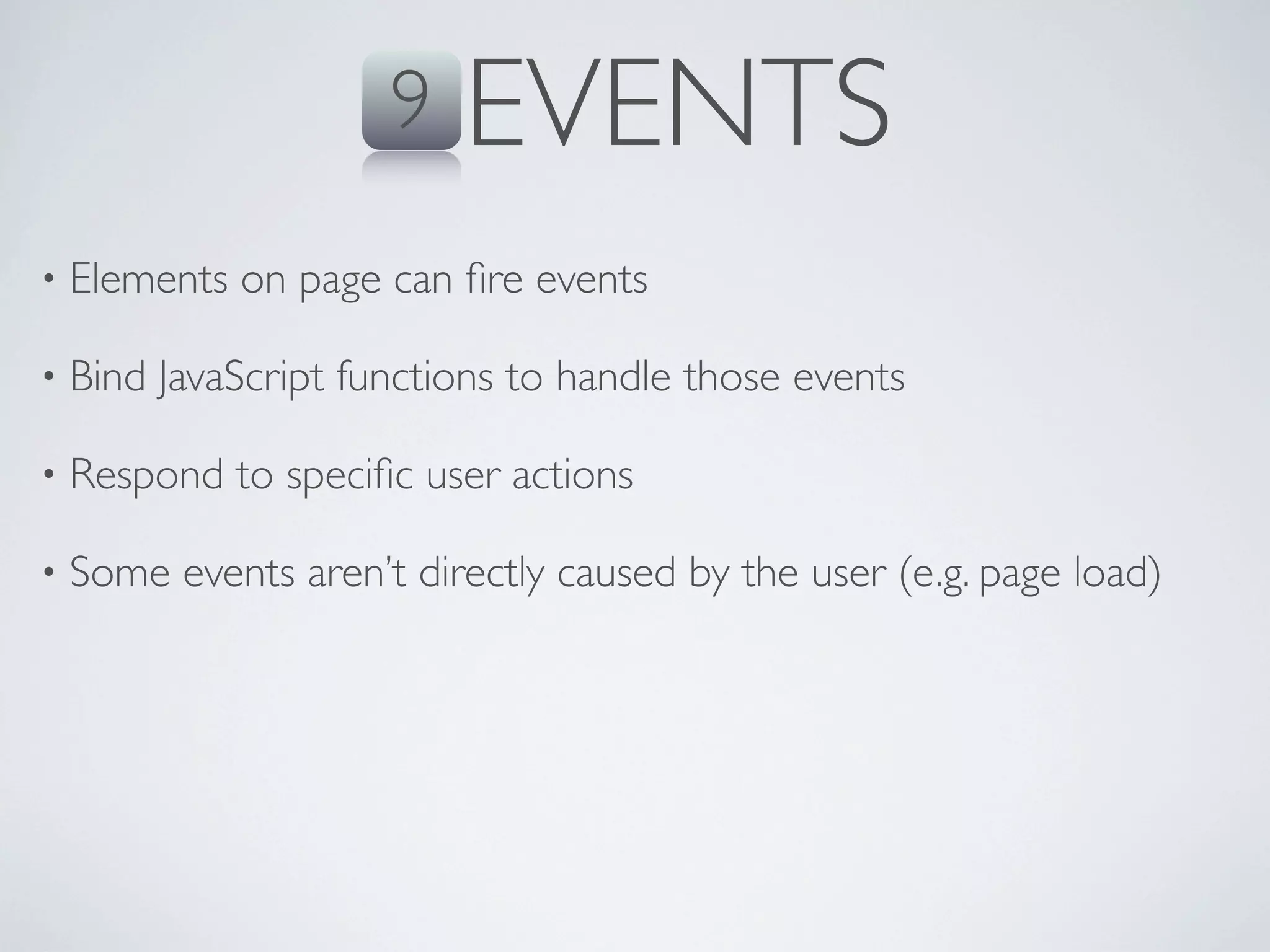
9   EVENTS
•   Elements on page can fire events

•   Bind JavaScript functions to handle those events

•   Respond to specific user actions

•   Some events aren’t directly caused by the user (e.g. page load)
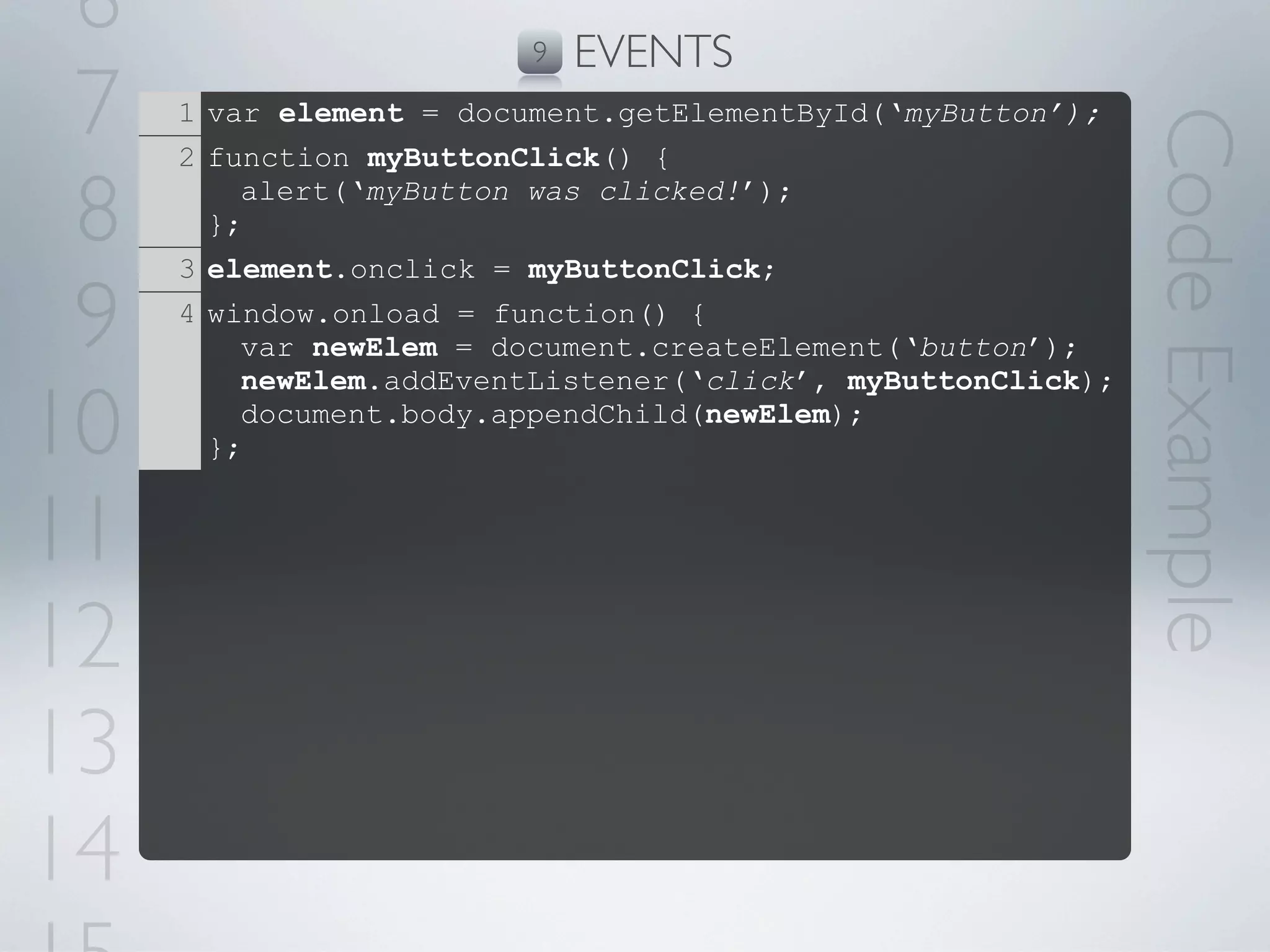
6                       9   EVENTS
 7   1 var element = document.getElementById(‘myButton’);


                                                             Code Example
     2 function myButtonClick() {

 8     };
         alert(‘myButton was clicked!’);

     3 element.onclick = myButtonClick;

 9   4 window.onload = function() {
         var newElem = document.createElement(‘button’);
         newElem.addEventListener(‘click’, myButtonClick);

10     };
         document.body.appendChild(newElem);


11
12
13
14
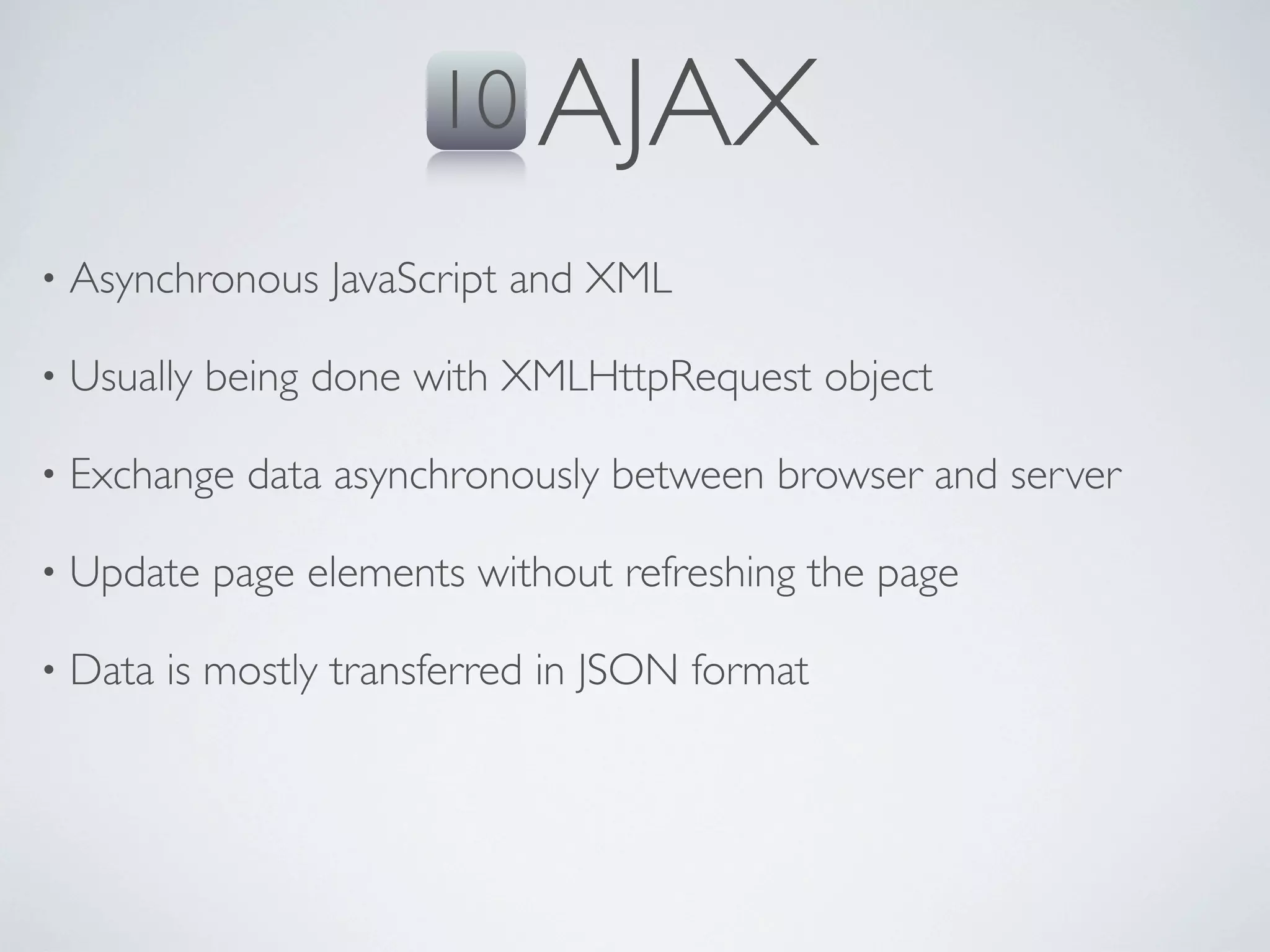
10 AJAX
•   Asynchronous JavaScript and XML

•   Usually being done with XMLHttpRequest object

•   Exchange data asynchronously between browser and server

•   Update page elements without refreshing the page

•   Data is mostly transferred in JSON format
10 AJAX
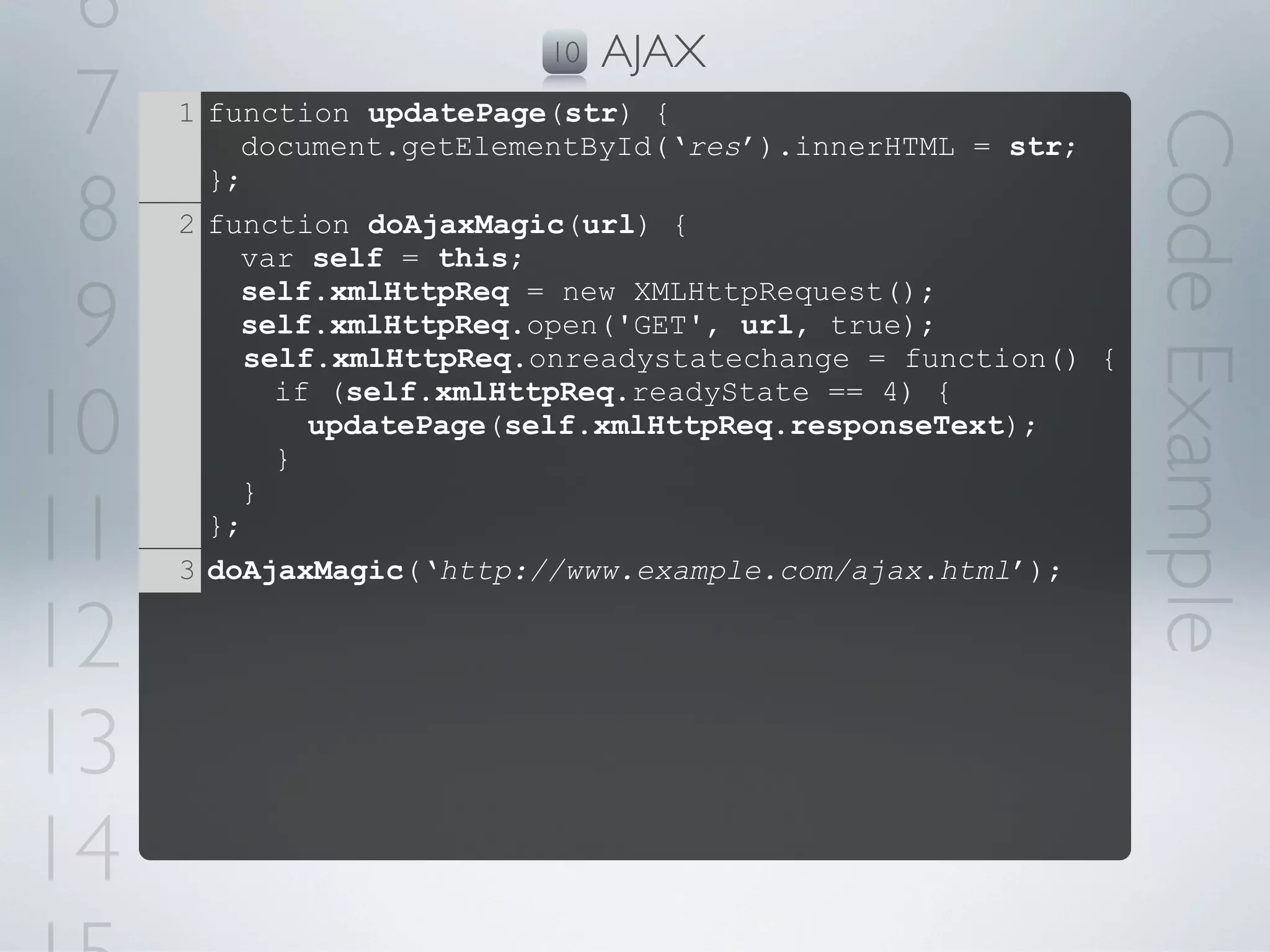
6                        10   AJAX
 7   1 function updatePage(str) {


                                                              Code Example
         document.getElementById(‘res’).innerHTML = str;

 8
       };
     2 function doAjaxMagic(url) {
         var self = this;

 9       self.xmlHttpReq = new XMLHttpRequest();
         self.xmlHttpReq.open('GET', url, true);
          self.xmlHttpReq.onreadystatechange = function() {

10
            if (self.xmlHttpReq.readyState == 4) {
              updatePage(self.xmlHttpReq.responseText);
            }


11
         }
       };
     3 doAjaxMagic(‘http://www.example.com/ajax.html’);

12
13
14
THE ENGINE BEHIND
  let’s showcase the environment
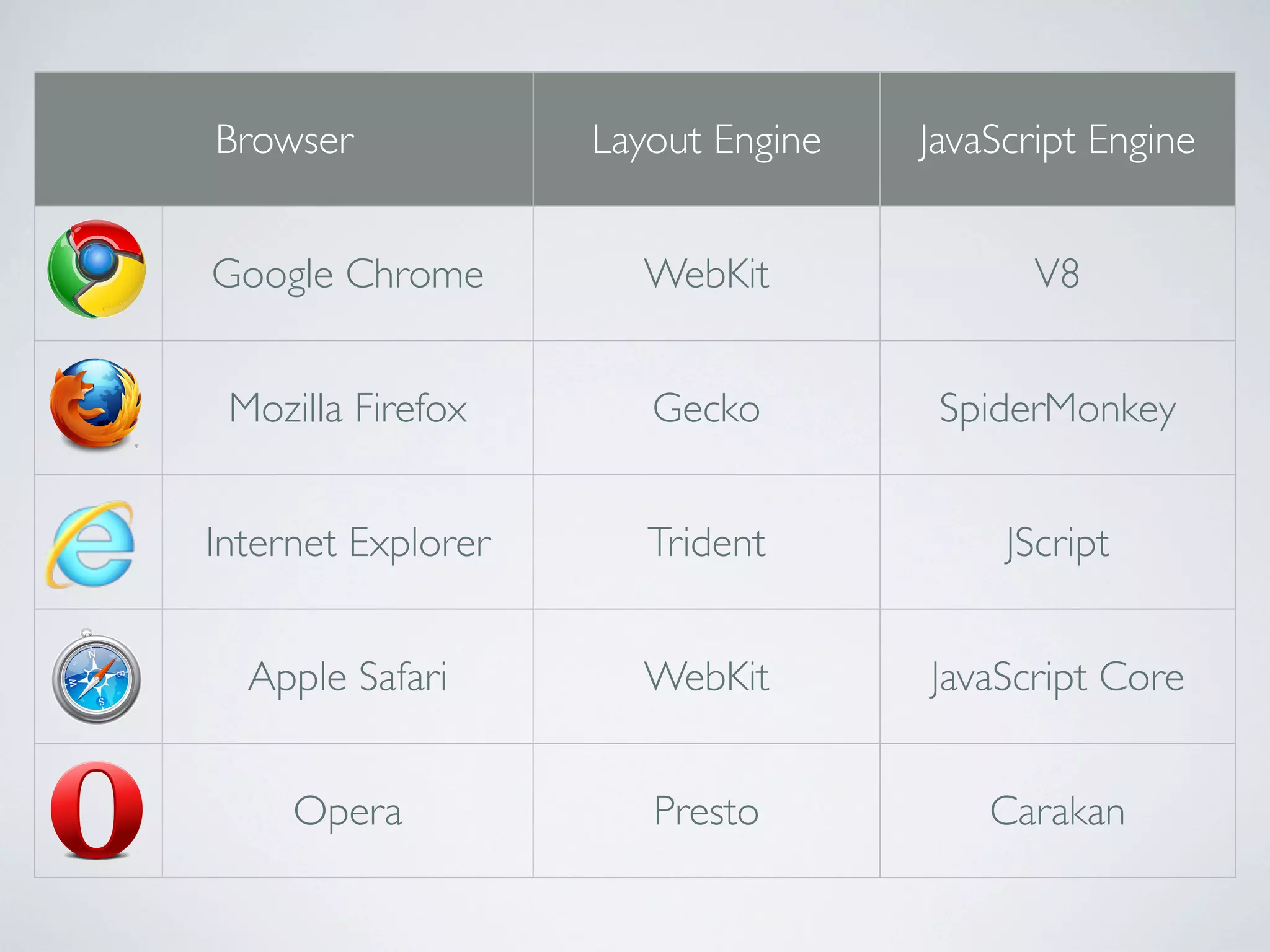
Browser             Layout Engine   JavaScript Engine


Google Chrome         WebKit               V8


 Mozilla Firefox       Gecko         SpiderMonkey


Internet Explorer      Trident           JScript


  Apple Safari        WebKit        JavaScript Core


     Opera             Presto           Carakan
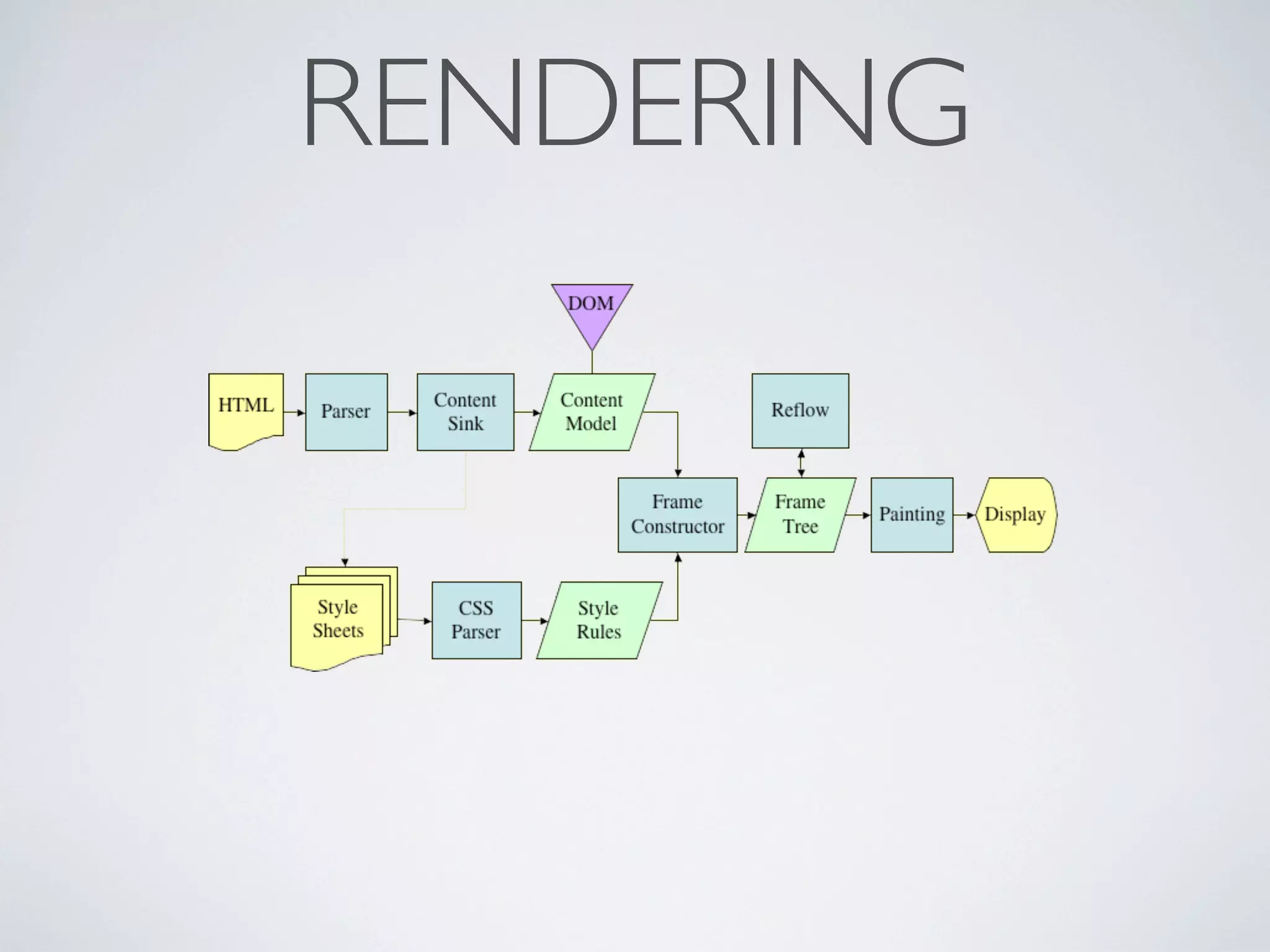
RENDERING
INTERPRETING
•   Browsers treat each <script> tag is a separate program

•   JavaScript program is parsed and interpreted at run-time

•   Modern browsers compile parts of the scripts for performance

•   Interpreting can happen on-load or on-demand

•   JavaScript engine is contained in the browser layout engine
SECURITY
•   Cannot read or write files on the machine (except cookies)

•   Cannot interact with frames of a different domain

•   Cannot read the user’s history

•   Cannot detect user interaction outside the top frame

•   JavaScript code cannot be hidden or encrypted

•   Minification and Obfuscation
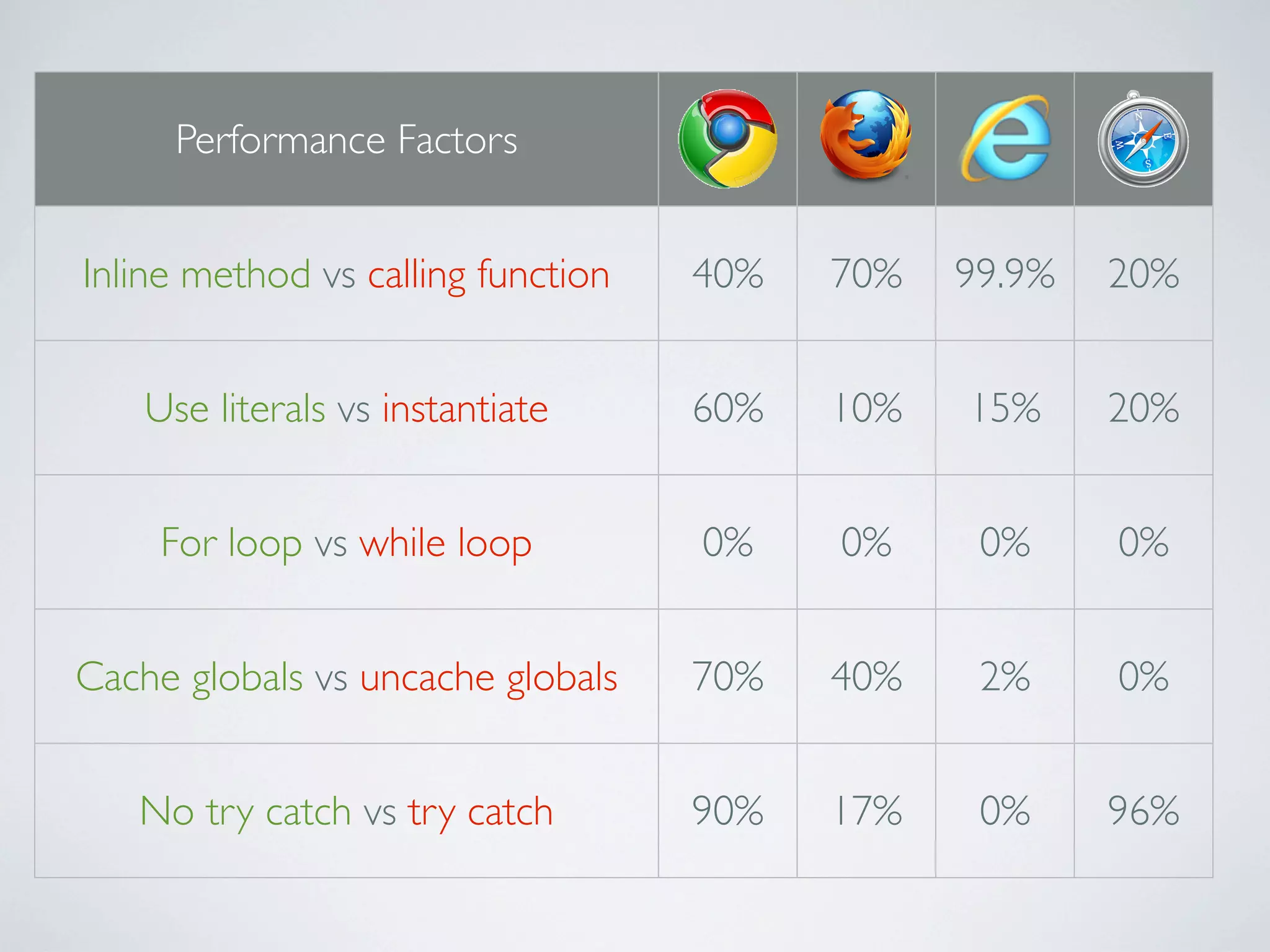
Performance Factors


Inline method vs calling function   40%   70%   99.9%   20%


    Use literals vs instantiate     60%   10%   15%     20%


     For loop vs while loop         0%    0%     0%     0%


Cache globals vs uncache globals    70%   40%    2%     0%


   No try catch vs try catch        90%   17%    0%     96%
EXTENSION LIBRARIES
   wrappers and implementations
JQUERY
simplify cross-browser scripting of html
NODE.JS
highly scalable web-servers
HEAVY APPLICATIONS
    javascript mvc frameworks
MOBILE LIBRARIES
touch-optimized web frameworks
USER INTERFACE
interaction, animations and effects
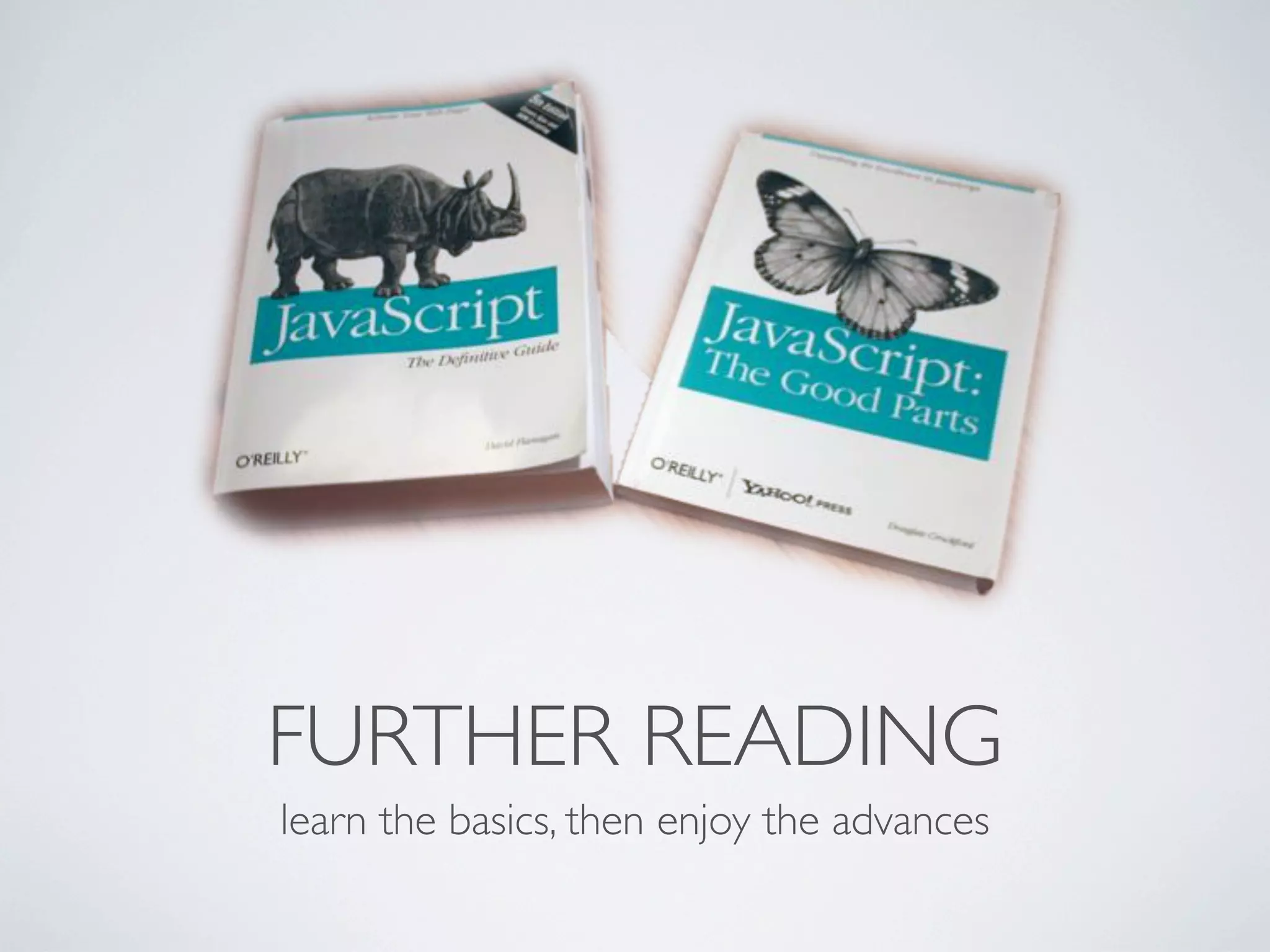
FURTHER READING
learn the basics, then enjoy the advances
THANK YOU
  JAVASCRIPT 101

JavaScript 101

  • 1.
    JAVASCRIPT 101 YOGEV AHUVIA www.netcraft.co.il
  • 2.
    Prototype Closure DOM JavaScript Interactivity Performance Validations Events 1995 HTML Security Ajax Browser jQuery Effects Animations Dynamic Netscape OVERVIEW let’s talk about the roots
  • 3.
    Developed by BrendanEich at Netscape Came to add interactivity to the web Version 1.0 released in 1995 .JS First appeared in Netscape 2.0 Second, Internet Explorer 3.0 Industry standard since 1997 Prototype-Oriented language Not compiled; interpreted
  • 4.
    6 OVERVIEW 7 1 var myString = ‘javascript’; Code Example 2 var myArray = [1, 2.5, ’3’, [myString, ‘ rules’]]; 8 3 for (var i = 0; i < myArray.length; i++) { var arrayElement = myArray[i]; console.log(myArray[i]); 9 } > > 1 2.5 10 > 3 > javascript, rules 11 12 13 14
  • 5.
    6 OVERVIEW 7 1 function factorial(n) { Code Example if (n == 0) { 8 return 1; } return n * factorial(n - 1); 9 }; 2 var myObject = { myProperty1 : factorial(3), 10 myProperty2 : ‘name’, myProperty3 : {}, myProperty4 : function() { 11 alert(‘hello world’); } }; 12 3 myObject.myProperty4(); 13 14
  • 6.
    CORE CONCEPTS what does it offer?
  • 7.
    1 DOM • An API for browser documents • Describes the hierarchy of objects that form a document • Cross browser and language independent • Allows adding, removing or updating elements on the model • Browsers parse HTML into a DOM tree • Once parsed into objects, each object can be referenced
  • 8.
    1 DOM document <html> <head> <body> <title> [href] <a> <h1> “My Page” “Click” “Header”
  • 9.
    6 1 DOM 7 1 var element = document.createElement('h1'); Code Example 2 var text = document.createTextNode(‘My Title’); 8 3 4 element.appendChild(text); document.body.appendChild(element); 9 http://www.javascript101.com/examples/ My Title 10 11 12 13 14
  • 10.
    2 OBJECTS • Similar to classes in Object-Oriented programming • Collection of properties (similar to associative array) • Objects are being cloned, not initialized • Every object has a (single) prototype
  • 11.
    2 OBJECTS a <a.prototype properties> x 10 __proto__ a.prototype ... __proto__ ...
  • 12.
    6 2 OBJECTS 7 1 var a = { Code Example x: 10 8 }; 2 a.x += 5; 3 a[‘x’]; =15 9 4 a.__proto__; =Prototype of Object 5 a.__proto__.__proto__; =null 10 11 12 13 14
  • 13.
    3 PROTOTYPE-ORIENTED • Simplified concept of Object-Oriented programming • Mostly always based on dynamically-typed languages • Objects are created on run-time either from scratch or by cloning • Variables are not of a certain type, but the values that are stored in them are
  • 14.
    3 PROTOTYPE-ORIENTED b a y 20 x 10 __proto__ calc <func> __proto__ c Object.prototype y 30 ... __proto__ __proto__ null
  • 15.
    6 3 PROTOTYPE-ORIENTED 7 1 var a = { Code Example x: 10, 8 calculate: function(z) { return this.x + this.y + z; } 9 }; 2 var b = { y: 20, 10 __proto__: a }; 3 var c = { 11 y: 30, __proto__: a }; 12 4 b.calculate(30); 5 a.calculate(40); =60 =NaN 13 14
  • 16.
    4 FUNCTIONS • In JavaScript, functions are first class objects, like any other object • They have properties (as objects) • Can be assigned, passed as arguments, returned and manipulated • Reference to a function can be invoked using the () operator • Can be nested in other functions • Implements Closure
  • 17.
    6 4 FUNCTIONS 7 1 function MyFunc(a,b) Code Example { 8 return a*b; }; 2 MyFunc(2,3); =6 9 3 function MyFunc(a,b,c) { var MyInnerFunc = function(param) { 10 }; a -= param; MyInnerFunc(c); 11 return a*b; }; 4 MyFunc(2,3,1); =3 12 13 14
  • 18.
    5 TIMING EVENTS • Execute code after specified amount of time • Time with a reference to a function or anonymous function inline • Can canceling the timer before time end • Used for animations, load balancing, validations and timeouts • Breaks code execution top-down order
  • 19.
    6 5 TIMING EVENTS 7 1 var delay = 3000; // milliseconds Code Example 2 function timedFunc() { 8 }; alert(‘It has been ‘+(delay/1000)+‘ seconds...’); 3 setTimeout(timedFunc, delay); 9 4 setTimeout(function() { delay = 5000; timedFunc(); 10 }, delay); 3000ms 5 11 12 13 14
  • 20.
    6 5 TIMING EVENTS 7 1 var counter = 10; Code Example 2 var delay = 1000; 8 3 function countdown() { if (counter == 0) { clearTimeout(timerHandle); 9 } console.log(counter); counter--; 10 } 4 var timerHandle = setInterval(countdown, delay); 11 > > > > 10 9 8 7 12 > 6 > 5 > 4 > 3 > 2 13 > 1 > 0 14
  • 21.
    6 SCOPES • Scope are contexts of variables • Every object has a link to the scope chain; local first, then parents and finally - global • Nested functions can use their variables and also their parents • Closure architecture allows a function to carry its scope to another context
  • 22.
    6 SCOPES global scope x 10 <global properties> parent scope __parent__ null y 20 __parent__ current scope z 30 __parent__
  • 23.
    6 6 SCOPES 7 1 var x = 10; // global scope Code Example 2 (function parentScope() { 8 var y = 20; (function currentScope() { var z = 30; 9 console.log(x+y+z); =60 })(); })(); 10 11 12 13 14
  • 24.
    6 6 SCOPES 7 1 var myNamespace = {}; Code Example 2 myNamespace.myClass = function(myParam) { 8 }; this.myMember = myParam; 3 myNamespace.myClass.prototype.myFunc = function() { 9 }; console.log(this.myMember + ‘ world!’); 4 var myInstance = new myNamespace.myClass(‘hello’); 10 5 myInstance.myFunc(); =hello world! 11 12 13 14
  • 25.
    7 CLOSURE • Functions can be nested keeping their original context • Mostly implemented in scripting languages • The closured function saves the scope chain of its parent • Allows functions to access their parent scope variables as they were on the moment they were closured • Efficient when looping and using delegate function
  • 26.
    7 CLOSURE function scope y 30 __parent__ [context].x 20 10 20 global scope x 10 parent scope <global properties> x 20 __parent__ null __parent__
  • 27.
    6 7 CLOSURE 7 1 var x = 20; Code Example 2 function outer() { 8 var x = 10; return function inner() { console.log(x); =10 9 }; }; 3 var returnedFunction = outer(); 10 4 returnedFunction(); 11 5 function globalFunc() { console.log(x); }; 12 6 (function(functionArgument) { var x = 10; functionArgument(); =20 })(globalFunc); 13 14
  • 28.
    8 CALLBACKS • Passing functions as arguments for later use • Allows running a background worker • Not freezing User Interface • Keeping original scope
  • 29.
    8 CALLBACKS
  • 30.
    9 EVENTS • Elements on page can fire events • Bind JavaScript functions to handle those events • Respond to specific user actions • Some events aren’t directly caused by the user (e.g. page load)
  • 31.
    6 9 EVENTS 7 1 var element = document.getElementById(‘myButton’); Code Example 2 function myButtonClick() { 8 }; alert(‘myButton was clicked!’); 3 element.onclick = myButtonClick; 9 4 window.onload = function() { var newElem = document.createElement(‘button’); newElem.addEventListener(‘click’, myButtonClick); 10 }; document.body.appendChild(newElem); 11 12 13 14
  • 32.
    10 AJAX • Asynchronous JavaScript and XML • Usually being done with XMLHttpRequest object • Exchange data asynchronously between browser and server • Update page elements without refreshing the page • Data is mostly transferred in JSON format
  • 33.
  • 34.
    6 10 AJAX 7 1 function updatePage(str) { Code Example document.getElementById(‘res’).innerHTML = str; 8 }; 2 function doAjaxMagic(url) { var self = this; 9 self.xmlHttpReq = new XMLHttpRequest(); self.xmlHttpReq.open('GET', url, true); self.xmlHttpReq.onreadystatechange = function() { 10 if (self.xmlHttpReq.readyState == 4) { updatePage(self.xmlHttpReq.responseText); } 11 } }; 3 doAjaxMagic(‘http://www.example.com/ajax.html’); 12 13 14
  • 35.
    THE ENGINE BEHIND let’s showcase the environment
  • 36.
    Browser Layout Engine JavaScript Engine Google Chrome WebKit V8 Mozilla Firefox Gecko SpiderMonkey Internet Explorer Trident JScript Apple Safari WebKit JavaScript Core Opera Presto Carakan
  • 37.
  • 38.
    INTERPRETING • Browsers treat each <script> tag is a separate program • JavaScript program is parsed and interpreted at run-time • Modern browsers compile parts of the scripts for performance • Interpreting can happen on-load or on-demand • JavaScript engine is contained in the browser layout engine
  • 39.
    SECURITY • Cannot read or write files on the machine (except cookies) • Cannot interact with frames of a different domain • Cannot read the user’s history • Cannot detect user interaction outside the top frame • JavaScript code cannot be hidden or encrypted • Minification and Obfuscation
  • 40.
    Performance Factors Inline methodvs calling function 40% 70% 99.9% 20% Use literals vs instantiate 60% 10% 15% 20% For loop vs while loop 0% 0% 0% 0% Cache globals vs uncache globals 70% 40% 2% 0% No try catch vs try catch 90% 17% 0% 96%
  • 41.
    EXTENSION LIBRARIES wrappers and implementations
  • 42.
  • 43.
  • 44.
    HEAVY APPLICATIONS javascript mvc frameworks
  • 45.
  • 46.
  • 47.
    FURTHER READING learn thebasics, then enjoy the advances
  • 48.
    THANK YOU JAVASCRIPT 101