Java Tutorial
BY AKASH PANDEY
read only
Java - General
• Java is:
• platform independent programming language and Technology.
• similar to C++ in syntax
• Developed by James Gosling of Sun Microsystem now acquired
by Oracle Corp.
Java - General
• Java has some interesting features:
• automatic type checking,
• automatic garbage collection,
• simplifies pointers; no directly accessible pointer to memory,
• simplified network access,
• multi-threading!
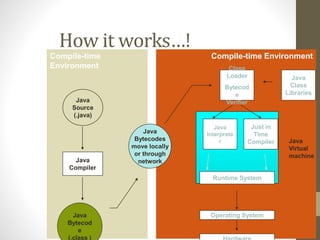
Compile-time EnvironmentCompile-time
Environment
Java
Bytecodes
move locally
or through
network
Java
Source
(.java)
Java
Compiler
Java
Bytecod
e
(.class )
Java
Interprete
r
Just in
Time
Compiler
Runtime System
Class
Loader
Bytecod
e
Verifier
Java
Class
Libraries
Operating System
Java
Virtual
machine
How it works…!
How it works…!
• Only depends on the Java Virtual Machine (JVM)
• Code is compiled to bytecode, which is interpreted
by the resident JVM
• JIT (just in time) compilers attempt to increase
speed.
Java - Security
• Pointer denial - reduces chances of virulent programs
corrupting host.
• Applets even more restricted.
Object-Oriented
• Java supports OOP
• Polymorphism
• Inheritance
• Encapsulation
• Java programs contain nothing but definitions and
instantiations of classes
• Everything is encapsulated in a class!
Java Advantages
• Portable - Write Once, Run Anywhere
• Security has been well thought through
• Robust memory management
• Designed for network programming
• Multi-threaded (multiple simultaneous tasks)
Primitive Types and Variables
• boolean, char, byte, short, int, long, float, double etc.
• These basic (or primitive) types are the only types that are
not objects (due to performance issues).
• This means that you don’t use the new operator to create
a primitive variable.
• Declaring primitive variables:
float initVal;
int retVal, index = 2;// declaration with initialization
boolean valueOk = false;
But in Android:Image name must contain only a-z & 0-9 & _ (Capitals
not allowed)
Initialisation
• Java sets primitive variables to default values
zero or false or null if not initialized.
• All object references are initially set to null
• An array of anything is an object
• Set to null on declaration
• Elements to zero false or null on creation
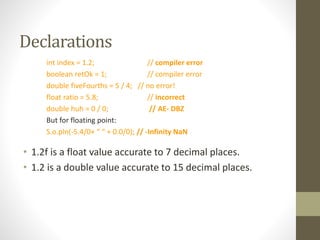
Declarations
int index = 1.2; // compiler error
boolean retOk = 1; // compiler error
double fiveFourths = 5 / 4; // no error!
float ratio = 5.8; // incorrect
double huh = 0 / 0; // AE- DBZ
But for floating point:
S.o.pln(-5.4/0+ “ “ + 0.0/0); // -Infinity NaN
• 1.2f is a float value accurate to 7 decimal places.
• 1.2 is a double value accurate to 15 decimal places.
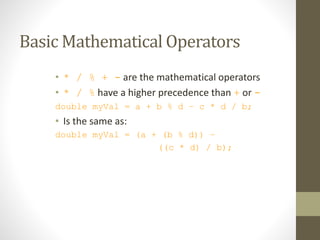
Basic Mathematical Operators
• * / % + - are the mathematical operators
• * / % have a higher precedence than + or -
double myVal = a + b % d – c * d / b;
• Is the same as:
double myVal = (a + (b % d)) –
((c * d) / b);
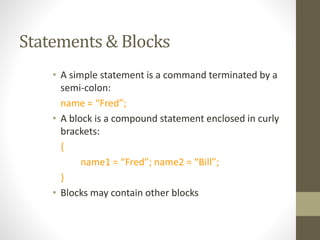
Statements & Blocks
• A simple statement is a command terminated by a
semi-colon:
name = “Fred”;
• A block is a compound statement enclosed in curly
brackets:
{
name1 = “Fred”; name2 = “Bill”;
}
• Blocks may contain other blocks
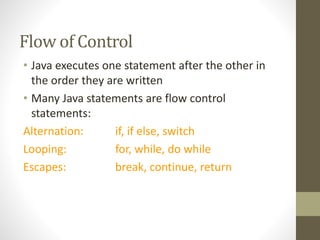
Flow of Control
• Java executes one statement after the other in
the order they are written
• Many Java statements are flow control
statements:
Alternation: if, if else, switch
Looping: for, while, do while
Escapes: break, continue, return
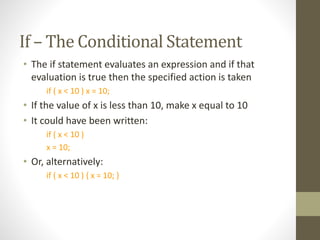
If – The Conditional Statement
• The if statement evaluates an expression and if that
evaluation is true then the specified action is taken
if ( x < 10 ) x = 10;
• If the value of x is less than 10, make x equal to 10
• It could have been written:
if ( x < 10 )
x = 10;
• Or, alternatively:
if ( x < 10 ) { x = 10; }
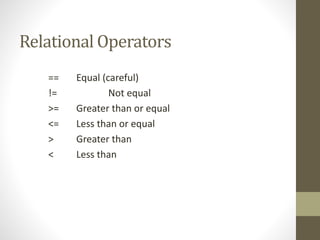
Relational Operators
== Equal (careful)
!= Not equal
>= Greater than or equal
<= Less than or equal
> Greater than
< Less than
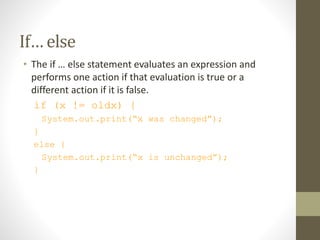
If… else
• The if … else statement evaluates an expression and
performs one action if that evaluation is true or a
different action if it is false.
if (x != oldx) {
System.out.print(“x was changed”);
}
else {
System.out.print(“x is unchanged”);
}
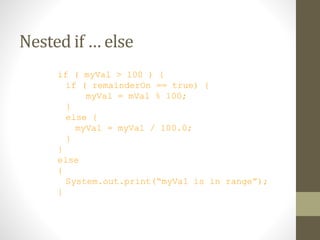
Nested if … else
if ( myVal > 100 ) {
if ( remainderOn == true) {
myVal = mVal % 100;
}
else {
myVal = myVal / 100.0;
}
}
else
{
System.out.print(“myVal is in range”);
}
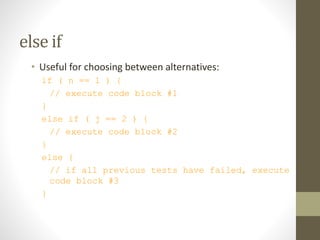
else if
• Useful for choosing between alternatives:
if ( n == 1 ) {
// execute code block #1
}
else if ( j == 2 ) {
// execute code block #2
}
else {
// if all previous tests have failed, execute
code block #3
}
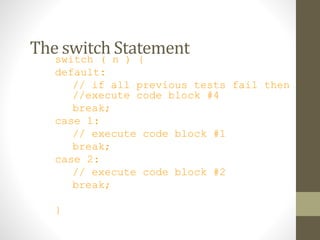
The switch Statementswitch ( n ) {
default:
// if all previous tests fail then
//execute code block #4
break;
case 1:
// execute code block #1
break;
case 2:
// execute code block #2
break;
}
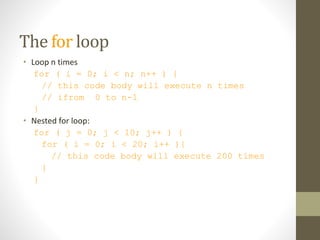
The for loop
• Loop n times
for ( i = 0; i < n; n++ ) {
// this code body will execute n times
// ifrom 0 to n-1
}
• Nested for loop:
for ( j = 0; j < 10; j++ ) {
for ( i = 0; i < 20; i++ ){
// this code body will execute 200 times
}
}
while loops
while(response == 1) {
System.out.print( “ID =” + userID[n]);
n++;
response = readInt( “Enter “);
}
What is the minimum number of times the loop
is executed?
What is the maximum number of times?
do {… } while loops
do {
System.out.print( “ID =” + userID[n] );
n++;
response = readInt( “Enter ” );
}while (response == 1);
What is the minimum number of times the loop
is executed?
What is the maximum number of times?
Break
• A break statement causes an exit from the
innermost containing while, do, for or switch
statement.
for ( int i = 0; i < maxID, i++ ) {
while ( userID[i] == targetID ) {
index = i;
break;
}
}// program jumps here after break
Continue
• Can only be used with while, do or for.
• The continue statement causes the innermost loop to
start the next iteration immediately
for ( int i = 0; i < maxID; i++ ) {
if ( userID[i] != -1 ) continue;
System.out.print( “UserID ” + i + “ :” +
userID);
}
Arrays
• Am array is a list of similar things sharing a common
name in between in a contagious fashion.
• An Array is an object, in fact everything in java!
• An array has a fixed:
• name
• type
• length
• These must be declared when the array is created.
• Arrays sizes cannot be changed during the execution of
the code
myArray has room for 8 elements
 the elements are accessed by their index
 array indices start at 0
3 6 3 1 6 3 4 1myArray =
[0] [1] 2 3 4 5 6 [7]
int myArray[] = {3, 6, 3, 1, 6, 3, 4, 1};
Declaring Arrays
int arr[]; or int []arr; or int[] arr;
declares arr to be an array of integers
arr = new int[8];// array definition
sets up 8 integer-sized spaces in memory, labelled arr[0] to arr[7]
int arr[] = new int[8];
combines the two statements in one line
Assigning Values
• refer to the array elements by index to store values in
them.
myArray[0] = 3;
myArray[1] = 6;
myArray[2] = 3; ...
• can create and initialise in one step:
int myArray[] = {3, 6, 3, 1, 6, 3, 4, 1};
Iterating Through Arrays
• for loops are useful when dealing with arrays:
for (int i = 0; i < arr.length; i++) {
arr[i] = getsomevalue();
}
// diff b/w length & length()
Arrays of Objects
• So far we have looked at an array of primitive types.
• integers
• could also use doubles, floats, characters…
• Often want to have an array of objects
• Students, Books, Loans ……
• Need to follow 3 steps.
Declaring the Array
1. Declare the array
private Student studentList[];
• this declares studentList
2 .Create the array
studentList = new Student[10];
• this sets up 10 spaces in memory that can hold
references to Student objects
3. Create Student objects and add them to the array:
studentList[0] = new Student("Cathy",
"Computing");
Java Methods & Classes
Classes ARE Object Definitions
• OOPS - object oriented programming
Structure, ie code built from objects
• Class is the template or blueprint having related data and
relevant methods & Object is the instance of that class.
• Name of the file must match the public class name
containing main().
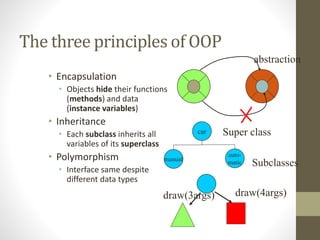
The three principles of OOP
• Encapsulation
• Objects hide their functions
(methods) and data
(instance variables)
• Inheritance
• Each subclass inherits all
variables of its superclass
• Polymorphism
• Interface same despite
different data types
car
auto-
matic
manual
Super class
Subclasses
draw(3args) draw(4args)
abstraction
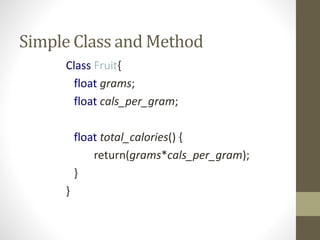
Simple Class and Method
Class Fruit{
float grams;
float cals_per_gram;
float total_calories() {
return(grams*cals_per_gram);
}
}
Methods
• A method is a named sequence of code with parenthesis
at the end that can be invoked by other Java code.
• A method takes some parameters, performs some
computations and then optionally returns a value (or
object).
• Methods can be used as part of an expression statement.
public float convertCelsius(float tempC) {
return( ((tempC * 9.0f) / 5.0f) + 32.0 );
}
Method Signature & Prototype
• A method signature specifies:
• The name of the method.
• The type and name of each parameter.
Prototype= Signature + return type.
• The type of the value (or object) returned by the method.
• The checked exceptions thrown by the method. modifiers type
name ( parameter list ) [throws exceptions ]
public boolean setUserInfo ( int i, int j, String name ) throws
IndexOutOfBoundsException {}
Access Specifiers:
• Methods/data may be declared public or
private or protected meaning they may or
may not be accessed by code in other
classes … java has a default (package or
friendly ) access as well.
• Good practice:
• keep data private
• keep methods public
Using objects
• Here, code in one class creates an instance of
another class and does something with it.
Fruit plum=new Fruit();
int cals;
cals = plum.total_calories();
• Dot operator allows you to access (public)
data/methods inside Fruit class
Constructors
• The line
plum = new Fruit();
• invokes a constructor with which you can set the
initial data of an object
• You may choose several different type of
constructor with different argument lists
eg Fruit(), Fruit(a) ...
Overloading
• Can have several versions of a method in class with different
types, numbers or order of arguments
Fruit() {int grams=50;}
Fruit(int a,int b) { grams=a; cals_per_gram=b;}
• By looking at arguments Java decides which one to use
Overriding
• Prototype is same but the method is in the subclass (child
class).
Eg:
class Water{p v weight() {grams=50;}}
class Milk extends Water{p v weight() {grams=5;}}
Package:• Collection of classes, interfaces, enumerations, and sub
packages.
Eg: package pack1;
it must be the first statement of your java program if package is
there.
(Android package must contain at least one sub package ex:
package abc.def;
Don’t write your packageName as package)
Package
• When you create a class in a package, the generated class file
must reside in a subdirectory of a directory listed in CLASSPATH
or in the same subdirectory of a JAR (or ZIP) file that resides in
a directory named in the CLASSPATH.
Importing
• To import and use the predefined classes, interfaces.
Default:
Import java.lang.*;
Inner class:
• A (nested) class within another class.
• Types:
• Static Inner Classes
• Local Inner Classes
• Anonymous Inner Classes
• A non final variable cant be referred (called) inside a different
method of inner class.
differencebetweenconstructionofanewobject,and
constructionofanewinnerclassextendingaclass:
• Person queen=new Person(“Mary”); //Person Object
created.
//An object of an inner class extending Person
Person demon= new Person(“Dracula”){ //class code
here};

Java Tutorial

  • 1.
    Java Tutorial BY AKASHPANDEY read only
  • 2.
    Java - General •Java is: • platform independent programming language and Technology. • similar to C++ in syntax • Developed by James Gosling of Sun Microsystem now acquired by Oracle Corp.
  • 3.
    Java - General •Java has some interesting features: • automatic type checking, • automatic garbage collection, • simplifies pointers; no directly accessible pointer to memory, • simplified network access, • multi-threading!
  • 4.
    Compile-time EnvironmentCompile-time Environment Java Bytecodes move locally orthrough network Java Source (.java) Java Compiler Java Bytecod e (.class ) Java Interprete r Just in Time Compiler Runtime System Class Loader Bytecod e Verifier Java Class Libraries Operating System Java Virtual machine How it works…!
  • 5.
    How it works…! •Only depends on the Java Virtual Machine (JVM) • Code is compiled to bytecode, which is interpreted by the resident JVM • JIT (just in time) compilers attempt to increase speed.
  • 6.
    Java - Security •Pointer denial - reduces chances of virulent programs corrupting host. • Applets even more restricted.
  • 7.
    Object-Oriented • Java supportsOOP • Polymorphism • Inheritance • Encapsulation • Java programs contain nothing but definitions and instantiations of classes • Everything is encapsulated in a class!
  • 8.
    Java Advantages • Portable- Write Once, Run Anywhere • Security has been well thought through • Robust memory management • Designed for network programming • Multi-threaded (multiple simultaneous tasks)
  • 9.
    Primitive Types andVariables • boolean, char, byte, short, int, long, float, double etc. • These basic (or primitive) types are the only types that are not objects (due to performance issues). • This means that you don’t use the new operator to create a primitive variable. • Declaring primitive variables: float initVal; int retVal, index = 2;// declaration with initialization boolean valueOk = false; But in Android:Image name must contain only a-z & 0-9 & _ (Capitals not allowed)
  • 10.
    Initialisation • Java setsprimitive variables to default values zero or false or null if not initialized. • All object references are initially set to null • An array of anything is an object • Set to null on declaration • Elements to zero false or null on creation
  • 11.
    Declarations int index =1.2; // compiler error boolean retOk = 1; // compiler error double fiveFourths = 5 / 4; // no error! float ratio = 5.8; // incorrect double huh = 0 / 0; // AE- DBZ But for floating point: S.o.pln(-5.4/0+ “ “ + 0.0/0); // -Infinity NaN • 1.2f is a float value accurate to 7 decimal places. • 1.2 is a double value accurate to 15 decimal places.
  • 12.
    Basic Mathematical Operators •* / % + - are the mathematical operators • * / % have a higher precedence than + or - double myVal = a + b % d – c * d / b; • Is the same as: double myVal = (a + (b % d)) – ((c * d) / b);
  • 13.
    Statements & Blocks •A simple statement is a command terminated by a semi-colon: name = “Fred”; • A block is a compound statement enclosed in curly brackets: { name1 = “Fred”; name2 = “Bill”; } • Blocks may contain other blocks
  • 14.
    Flow of Control •Java executes one statement after the other in the order they are written • Many Java statements are flow control statements: Alternation: if, if else, switch Looping: for, while, do while Escapes: break, continue, return
  • 15.
    If – TheConditional Statement • The if statement evaluates an expression and if that evaluation is true then the specified action is taken if ( x < 10 ) x = 10; • If the value of x is less than 10, make x equal to 10 • It could have been written: if ( x < 10 ) x = 10; • Or, alternatively: if ( x < 10 ) { x = 10; }
  • 16.
    Relational Operators == Equal(careful) != Not equal >= Greater than or equal <= Less than or equal > Greater than < Less than
  • 17.
    If… else • Theif … else statement evaluates an expression and performs one action if that evaluation is true or a different action if it is false. if (x != oldx) { System.out.print(“x was changed”); } else { System.out.print(“x is unchanged”); }
  • 18.
    Nested if …else if ( myVal > 100 ) { if ( remainderOn == true) { myVal = mVal % 100; } else { myVal = myVal / 100.0; } } else { System.out.print(“myVal is in range”); }
  • 19.
    else if • Usefulfor choosing between alternatives: if ( n == 1 ) { // execute code block #1 } else if ( j == 2 ) { // execute code block #2 } else { // if all previous tests have failed, execute code block #3 }
  • 20.
    The switch Statementswitch( n ) { default: // if all previous tests fail then //execute code block #4 break; case 1: // execute code block #1 break; case 2: // execute code block #2 break; }
  • 21.
    The for loop •Loop n times for ( i = 0; i < n; n++ ) { // this code body will execute n times // ifrom 0 to n-1 } • Nested for loop: for ( j = 0; j < 10; j++ ) { for ( i = 0; i < 20; i++ ){ // this code body will execute 200 times } }
  • 22.
    while loops while(response ==1) { System.out.print( “ID =” + userID[n]); n++; response = readInt( “Enter “); } What is the minimum number of times the loop is executed? What is the maximum number of times?
  • 23.
    do {… }while loops do { System.out.print( “ID =” + userID[n] ); n++; response = readInt( “Enter ” ); }while (response == 1); What is the minimum number of times the loop is executed? What is the maximum number of times?
  • 24.
    Break • A breakstatement causes an exit from the innermost containing while, do, for or switch statement. for ( int i = 0; i < maxID, i++ ) { while ( userID[i] == targetID ) { index = i; break; } }// program jumps here after break
  • 25.
    Continue • Can onlybe used with while, do or for. • The continue statement causes the innermost loop to start the next iteration immediately for ( int i = 0; i < maxID; i++ ) { if ( userID[i] != -1 ) continue; System.out.print( “UserID ” + i + “ :” + userID); }
  • 26.
    Arrays • Am arrayis a list of similar things sharing a common name in between in a contagious fashion. • An Array is an object, in fact everything in java! • An array has a fixed: • name • type • length • These must be declared when the array is created. • Arrays sizes cannot be changed during the execution of the code
  • 27.
    myArray has roomfor 8 elements  the elements are accessed by their index  array indices start at 0 3 6 3 1 6 3 4 1myArray = [0] [1] 2 3 4 5 6 [7] int myArray[] = {3, 6, 3, 1, 6, 3, 4, 1};
  • 28.
    Declaring Arrays int arr[];or int []arr; or int[] arr; declares arr to be an array of integers arr = new int[8];// array definition sets up 8 integer-sized spaces in memory, labelled arr[0] to arr[7] int arr[] = new int[8]; combines the two statements in one line
  • 29.
    Assigning Values • referto the array elements by index to store values in them. myArray[0] = 3; myArray[1] = 6; myArray[2] = 3; ... • can create and initialise in one step: int myArray[] = {3, 6, 3, 1, 6, 3, 4, 1};
  • 30.
    Iterating Through Arrays •for loops are useful when dealing with arrays: for (int i = 0; i < arr.length; i++) { arr[i] = getsomevalue(); } // diff b/w length & length()
  • 31.
    Arrays of Objects •So far we have looked at an array of primitive types. • integers • could also use doubles, floats, characters… • Often want to have an array of objects • Students, Books, Loans …… • Need to follow 3 steps.
  • 32.
    Declaring the Array 1.Declare the array private Student studentList[]; • this declares studentList 2 .Create the array studentList = new Student[10]; • this sets up 10 spaces in memory that can hold references to Student objects 3. Create Student objects and add them to the array: studentList[0] = new Student("Cathy", "Computing");
  • 33.
  • 34.
    Classes ARE ObjectDefinitions • OOPS - object oriented programming Structure, ie code built from objects • Class is the template or blueprint having related data and relevant methods & Object is the instance of that class. • Name of the file must match the public class name containing main().
  • 35.
    The three principlesof OOP • Encapsulation • Objects hide their functions (methods) and data (instance variables) • Inheritance • Each subclass inherits all variables of its superclass • Polymorphism • Interface same despite different data types car auto- matic manual Super class Subclasses draw(3args) draw(4args) abstraction
  • 36.
    Simple Class andMethod Class Fruit{ float grams; float cals_per_gram; float total_calories() { return(grams*cals_per_gram); } }
  • 37.
    Methods • A methodis a named sequence of code with parenthesis at the end that can be invoked by other Java code. • A method takes some parameters, performs some computations and then optionally returns a value (or object). • Methods can be used as part of an expression statement. public float convertCelsius(float tempC) { return( ((tempC * 9.0f) / 5.0f) + 32.0 ); }
  • 38.
    Method Signature &Prototype • A method signature specifies: • The name of the method. • The type and name of each parameter. Prototype= Signature + return type. • The type of the value (or object) returned by the method. • The checked exceptions thrown by the method. modifiers type name ( parameter list ) [throws exceptions ] public boolean setUserInfo ( int i, int j, String name ) throws IndexOutOfBoundsException {}
  • 39.
    Access Specifiers: • Methods/datamay be declared public or private or protected meaning they may or may not be accessed by code in other classes … java has a default (package or friendly ) access as well. • Good practice: • keep data private • keep methods public
  • 40.
    Using objects • Here,code in one class creates an instance of another class and does something with it. Fruit plum=new Fruit(); int cals; cals = plum.total_calories(); • Dot operator allows you to access (public) data/methods inside Fruit class
  • 41.
    Constructors • The line plum= new Fruit(); • invokes a constructor with which you can set the initial data of an object • You may choose several different type of constructor with different argument lists eg Fruit(), Fruit(a) ...
  • 42.
    Overloading • Can haveseveral versions of a method in class with different types, numbers or order of arguments Fruit() {int grams=50;} Fruit(int a,int b) { grams=a; cals_per_gram=b;} • By looking at arguments Java decides which one to use
  • 43.
    Overriding • Prototype issame but the method is in the subclass (child class). Eg: class Water{p v weight() {grams=50;}} class Milk extends Water{p v weight() {grams=5;}}
  • 44.
    Package:• Collection ofclasses, interfaces, enumerations, and sub packages. Eg: package pack1; it must be the first statement of your java program if package is there. (Android package must contain at least one sub package ex: package abc.def; Don’t write your packageName as package)
  • 45.
    Package • When youcreate a class in a package, the generated class file must reside in a subdirectory of a directory listed in CLASSPATH or in the same subdirectory of a JAR (or ZIP) file that resides in a directory named in the CLASSPATH.
  • 46.
    Importing • To importand use the predefined classes, interfaces. Default: Import java.lang.*;
  • 47.
    Inner class: • A(nested) class within another class. • Types: • Static Inner Classes • Local Inner Classes • Anonymous Inner Classes • A non final variable cant be referred (called) inside a different method of inner class.
  • 48.
    differencebetweenconstructionofanewobject,and constructionofanewinnerclassextendingaclass: • Person queen=newPerson(“Mary”); //Person Object created. //An object of an inner class extending Person Person demon= new Person(“Dracula”){ //class code here};