Java Script Object Notation(JSON)
Uses of JSON
 It is used when writing JavaScript based application which
includes browser extension and websites.
 This is primarily used to transmit data between server and web
application.
 Web Services and API.s use JSON format to provide public data.
Characteristics of JSON
 Easy to read and write JSON
 Lightweight text based interchange format
 Language independent.
1
JSON syntax
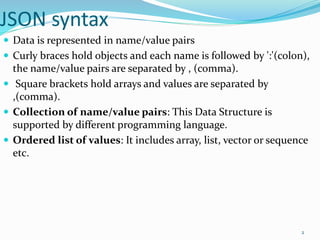
 Data is represented in name/value pairs
 Curly braces hold objects and each name is followed by ':'(colon),
the name/value pairs are separated by , (comma).
 Square brackets hold arrays and values are separated by
,(comma).
 Collection of name/value pairs: This Data Structure is
supported by different programming language.
 Ordered list of values: It includes array, list, vector or sequence
etc.
2
JSON Data types
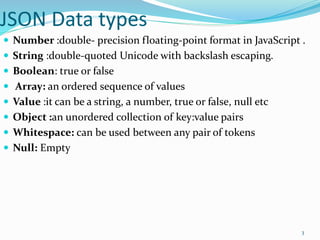
 Number :double- precision floating-point format in JavaScript .
 String :double-quoted Unicode with backslash escaping.
 Boolean: true or false
 Array: an ordered sequence of values
 Value :it can be a string, a number, true or false, null etc
 Object :an unordered collection of key:value pairs
 Whitespace: can be used between any pair of tokens
 Null: Empty
3
Array
 The values are separated by ,(comma).
 Arrays should be used when the key names are sequential
integers.
Ex:
{
"books": [
{ "language":"Java" , "edition":"second" },
{ "language":"C++" , "lastName":"fifth" },
{ "language":"C" , "lastName":"third" }
]
}
4

Java script object notation(json)

  • 1.
    Java Script ObjectNotation(JSON) Uses of JSON  It is used when writing JavaScript based application which includes browser extension and websites.  This is primarily used to transmit data between server and web application.  Web Services and API.s use JSON format to provide public data. Characteristics of JSON  Easy to read and write JSON  Lightweight text based interchange format  Language independent. 1
  • 2.
    JSON syntax  Datais represented in name/value pairs  Curly braces hold objects and each name is followed by ':'(colon), the name/value pairs are separated by , (comma).  Square brackets hold arrays and values are separated by ,(comma).  Collection of name/value pairs: This Data Structure is supported by different programming language.  Ordered list of values: It includes array, list, vector or sequence etc. 2
  • 3.
    JSON Data types Number :double- precision floating-point format in JavaScript .  String :double-quoted Unicode with backslash escaping.  Boolean: true or false  Array: an ordered sequence of values  Value :it can be a string, a number, true or false, null etc  Object :an unordered collection of key:value pairs  Whitespace: can be used between any pair of tokens  Null: Empty 3
  • 4.
    Array  The valuesare separated by ,(comma).  Arrays should be used when the key names are sequential integers. Ex: { "books": [ { "language":"Java" , "edition":"second" }, { "language":"C++" , "lastName":"fifth" }, { "language":"C" , "lastName":"third" } ] } 4