Java Programming Skills
By Mr. P. Nagaraju
Programming your passion
14/5/2020
1 Java Programming Skills
Content
⚫Data types
⚫Variables
⚫Operators
⚫Java example programs
⚫Assignment Questions
*
2 Java Programming Skills
Data types
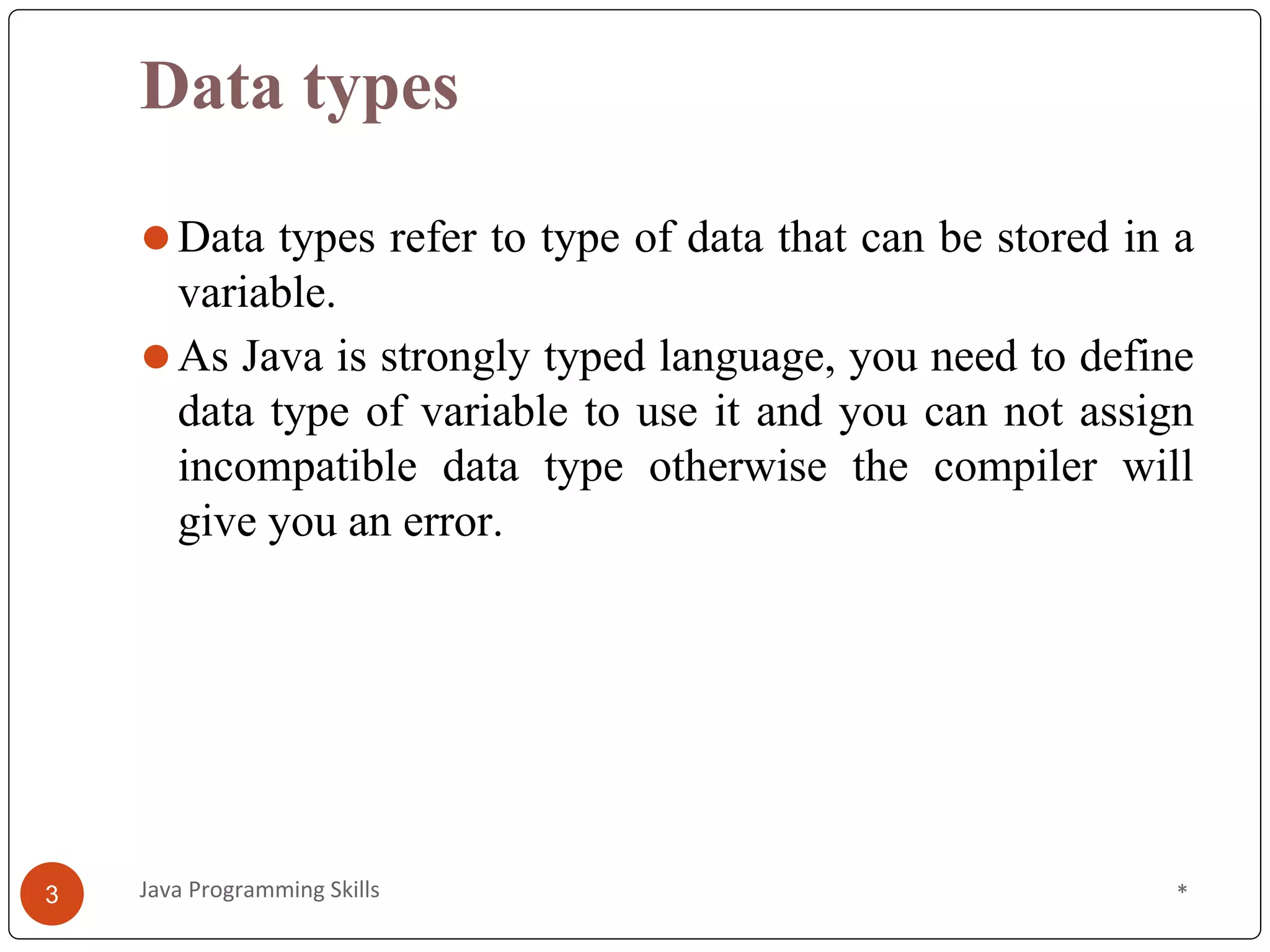
⚫Data types refer to type of data that can be stored in a
variable.
⚫As Java is strongly typed language, you need to define
data type of variable to use it and you can not assign
incompatible data type otherwise the compiler will
give you an error.
*
3 Java Programming Skills
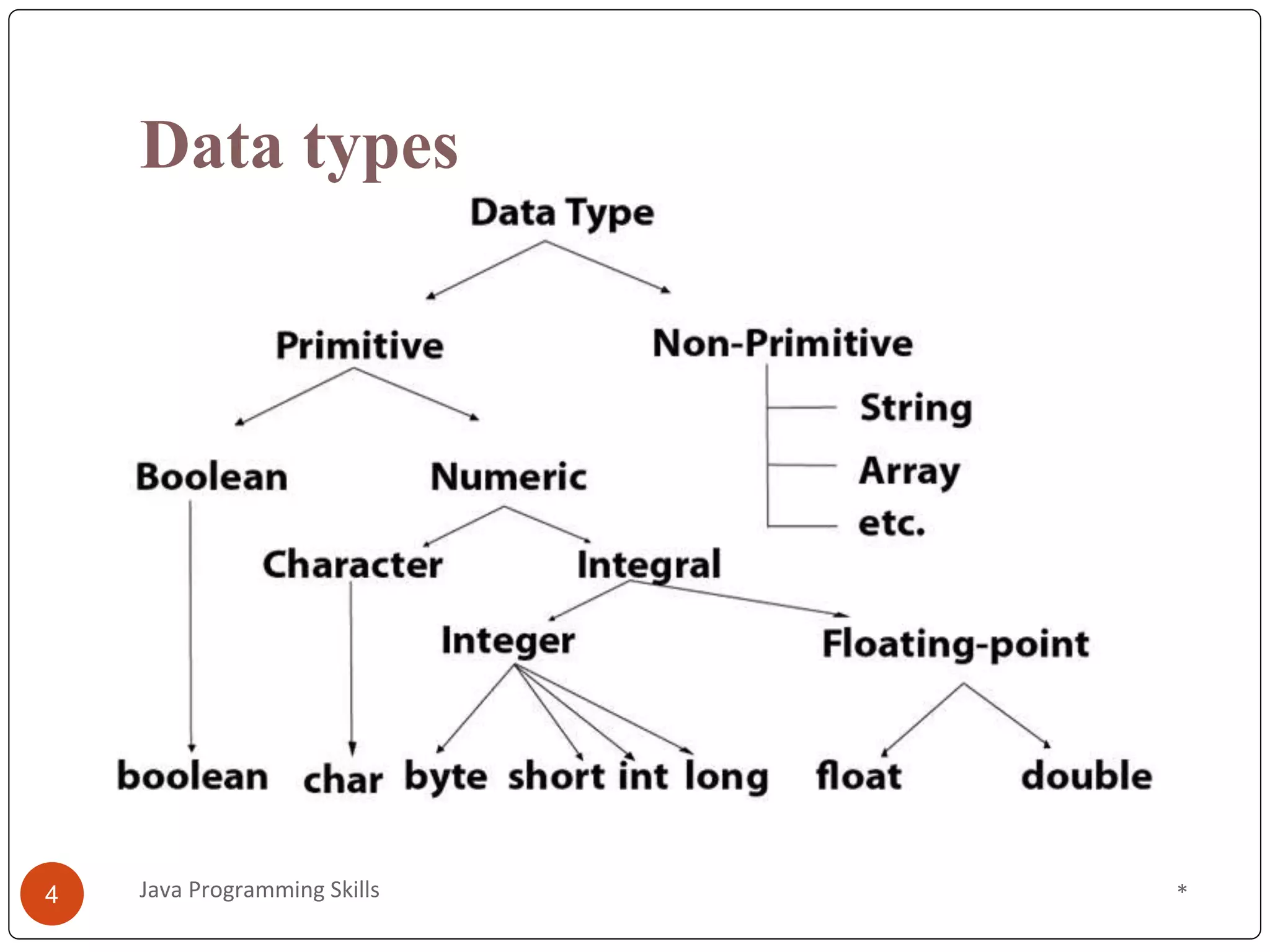
Data types
*
4 Java Programming Skills
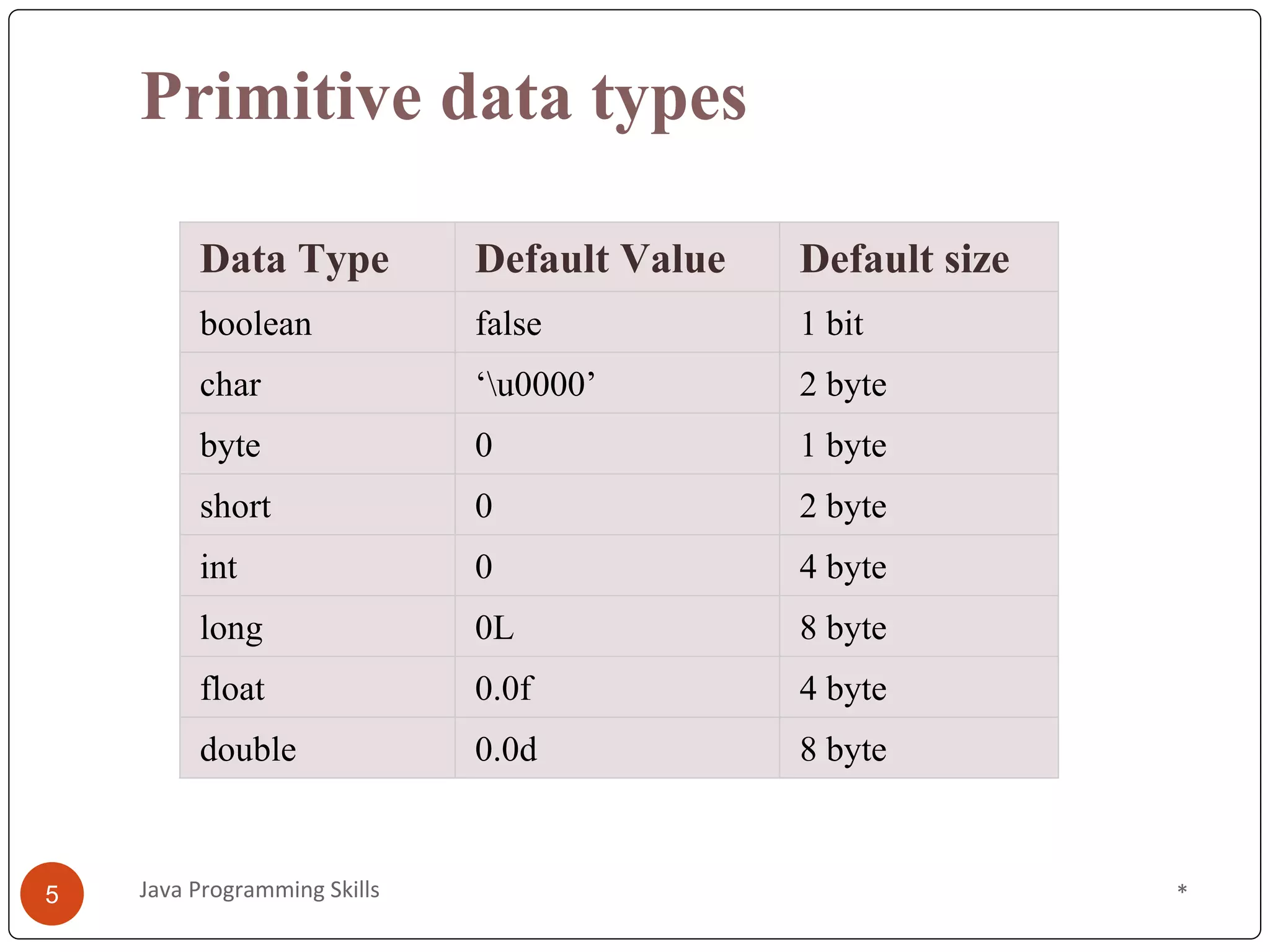
Primitive data types
Data Type Default Value Default size
boolean false 1 bit
char ‘u0000’ 2 byte
byte 0 1 byte
short 0 2 byte
int 0 4 byte
long 0L 8 byte
float 0.0f 4 byte
double 0.0d 8 byte
*
5 Java Programming Skills
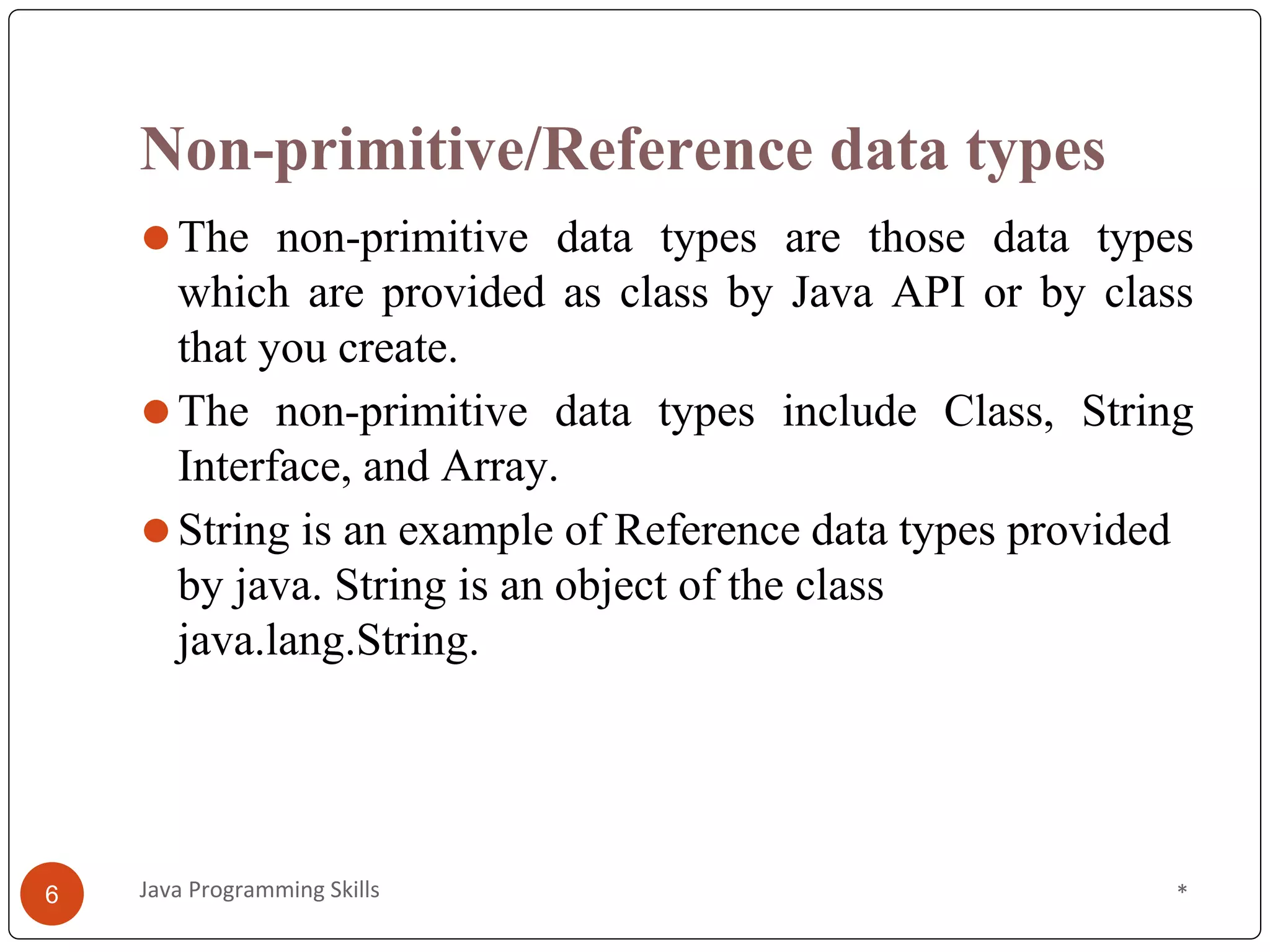
Non-primitive/Reference data types
⚫The non-primitive data types are those data types
which are provided as class by Java API or by class
that you create.
⚫The non-primitive data types include Class, String
Interface, and Array.
⚫String is an example of Reference data types provided
by java. String is an object of the class
java.lang.String.
*
Java Programming Skills
6
//Data type demo program
import java.util.*;
public class Main
{
public static void main(String[] args)
{
int myNum = 5;
float myFloatNum = 9829.33f;
char myLetter = 'D';
boolean myBool = true;
byte myByte = 100;
short myShort = 5000;
long myLong = 2500000;
double myDouble = 9829.23d;
String myText = "Hello";
String[] myBranch = {"CSE", "ECE", "EEE", “CIVIL","MECH"};
*
7 Java Programming Skills
System.out.println("int "+myNum);
System.out.println("float " +myFloatNum);
System.out.println("char "+myLetter);
System.out.println("boolean "+myBool);
System.out.println("byte "+myByte);
System.out.println("short "+myShort);
System.out.println("long "+myLong);
System.out.println("double "+myDouble);
System.out.println("String "+myText);
System.out.println("String array "+Arrays.toString(myBranch));
}// end of main function
} // end of Main Class
*
Java Programming Skills
8
Variables
• These are used to store the values of
elements while the program is executed.
int x=10;
*
9 Java Programming Skills
x
Variables
• These are used to store the values of elements while the
program is executed.
Types of variables
• Local variable
• A Variable which is declared inside a method can be
termed as Local Variable. It is mandatory to initialize local
variable otherwise Compiler will complain about it.
• Instance variable
• A Variable which is declared at class level can be termed
as Instance variable. It is not mandatory to initialize
Instance variable.
• All instance variable will be by default initialized by JVM.
• Static variable
• A Variable which is declared as static is known
as Static variable. Static variables are class level variables.
*
10 Java Programming Skills
Variable Demo Program
public class Main
{
int a; // Instance variable
static int b=20; // static variable
public void prints()
{
int c=10; // local variable
System.out.println("Method local variable: "+c);
}
public static void main(String args[])
{ //Instance and static variable
VariableDemo demo=new VariableDemo();
System.out.println("Instance variable: "+demo.a);
System.out.println("Static variable: "+b);
demo.prints();
}
} *
11 Java Programming Skills
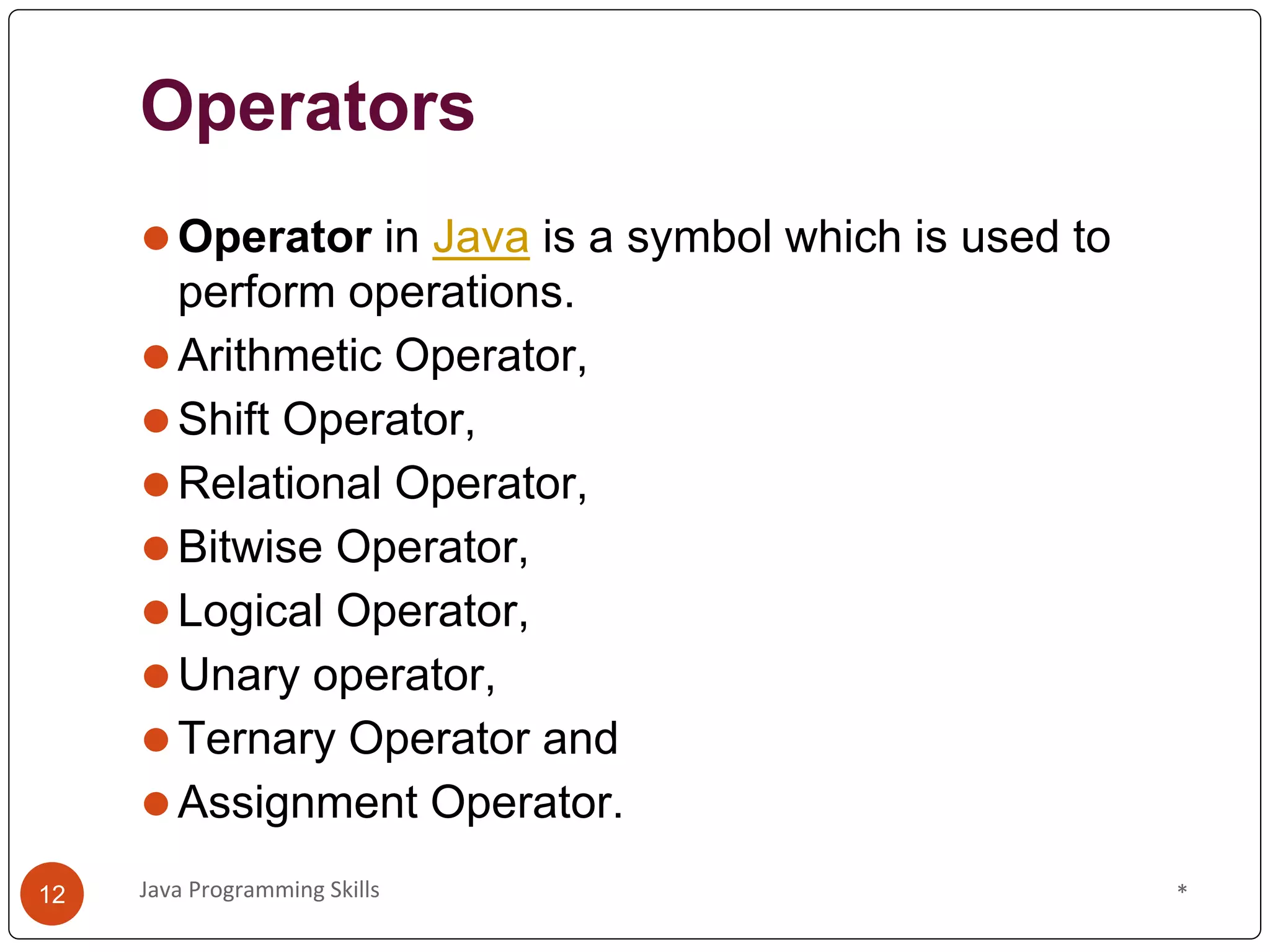
Operators
⚫Operator in Java is a symbol which is used to
perform operations.
⚫Arithmetic Operator,
⚫Shift Operator,
⚫Relational Operator,
⚫Bitwise Operator,
⚫Logical Operator,
⚫Unary operator,
⚫Ternary Operator and
⚫Assignment Operator.
*
Java Programming Skills
12
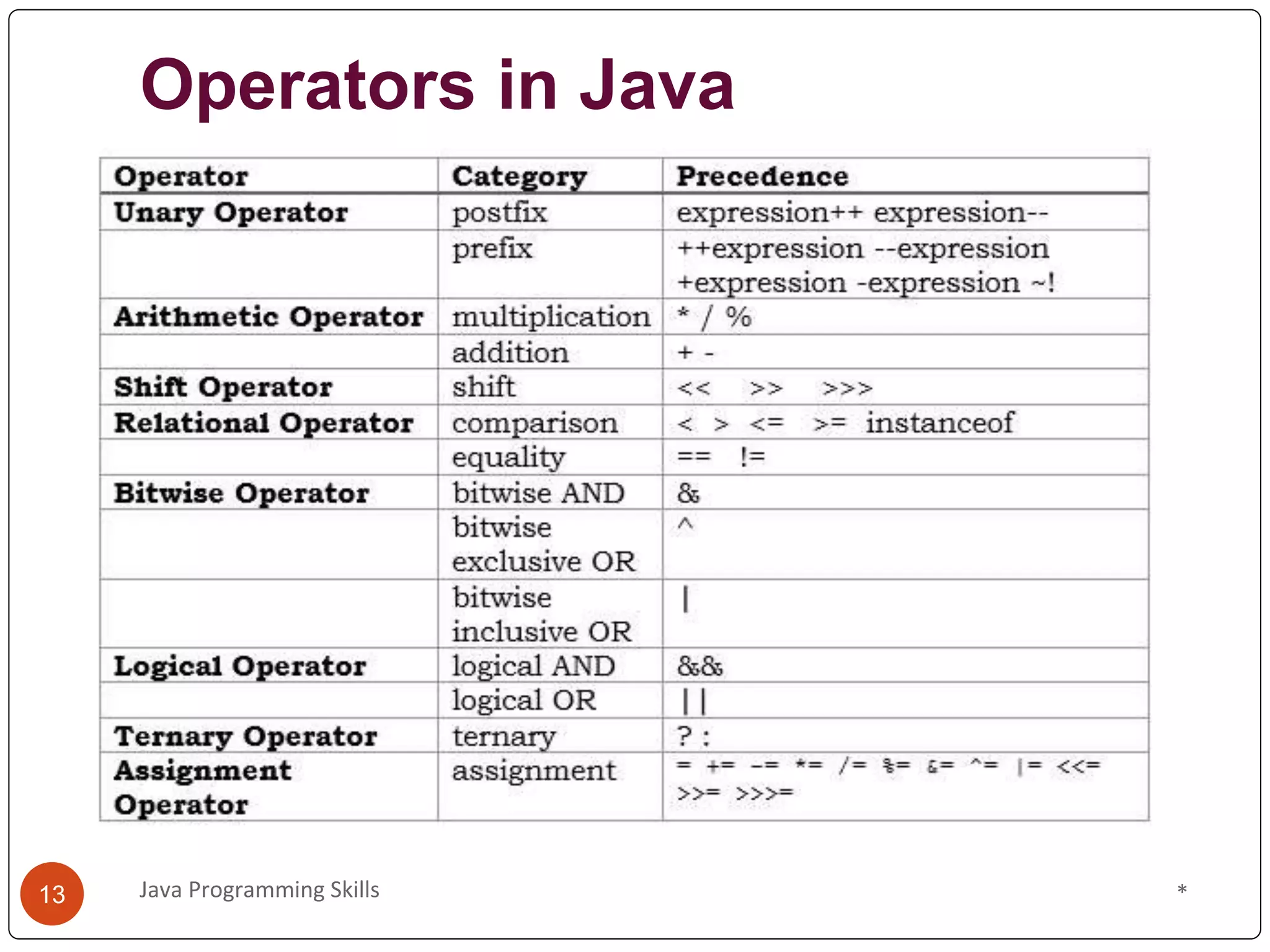
Operators in Java
*
Java Programming Skills
13
Unary Operator
class Main{
public static void main(String args[])
{
int x=10;
System.out.println(x++); // 10(11)
System.out.println(++x); //12
System.out.println(x--); //12(11)
System.out.println(--x); //10
}
}
*
Java Programming Skills
14
Shift Operators
The left shift operator << is used to shift all of the bits in
a value to the left side of a specified number of times.
The right shift operator >> is used to move left operands
value to right by the number of bits specified by the right
operand.
class Main
{
public static void main(String args[])
{
System.out.println(20<<3); //20*2^3=20*8=160
System.out.println(20>>3); //20/2^3=20/8=2
}
}
*
Java Programming Skills
15
Logical and Bitwise
Class Main{
public static void main(String args[])
{
int a=10,b=5,c=20;
System.out.println(a<b&&a<c);//false&&no checking=false
System.out.println(a<b&a<c);//false&true=false
System.out.println(a>b||a<c);//true||no checking=true
System.out.println(a>b|a<c);//true|true=true
}
}
*
Java Programming Skills
16
Ternary operator
⚫This is used as one liner replacement for if-else
statement. This is the only conditional operator which
takes three operands.
class Main{
public static void main(String args[])
{
int a=12, b=15;
int min=(a<b)?a:b;
System.out.println(min); //12
}
}
*
Java Programming Skills
17
Assignment operator
⚫It is used to assign the value on its right to the
operand on its left.
class Main{
public static void main(String args[]){
int a=10, b=20;
a+=4; //a=a+4(a=10+4)
b-=4; //b=b-4(b=20-4)
System.out.println(a); //14
System.out.println(b); //16
}}
*
Java Programming Skills
18
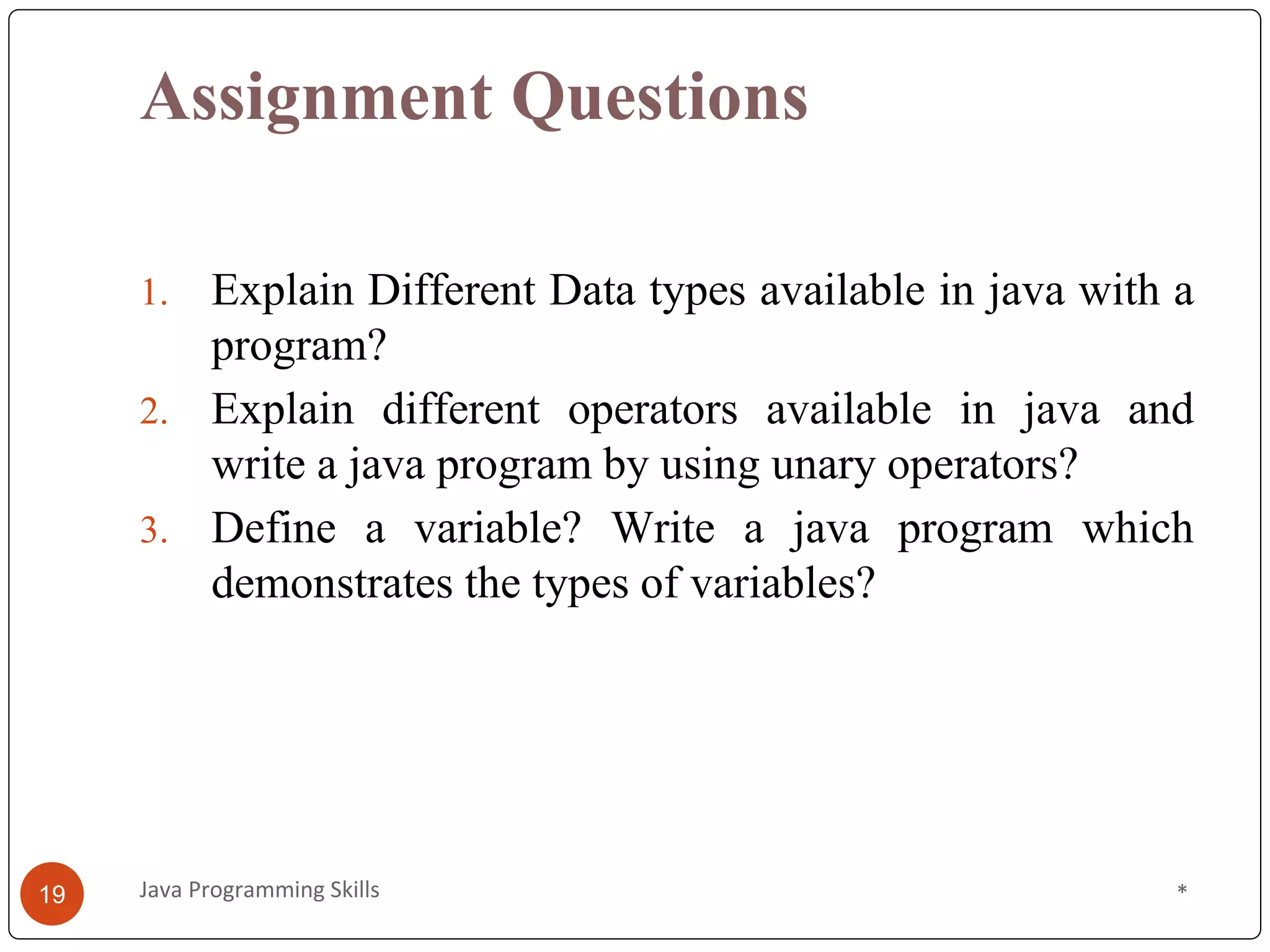
Assignment Questions
1. Explain Different Data types available in java with a
program?
2. Explain different operators available in java and
write a java program by using unary operators?
3. Define a variable? Write a java program which
demonstrates the types of variables?
*
19 Java Programming Skills
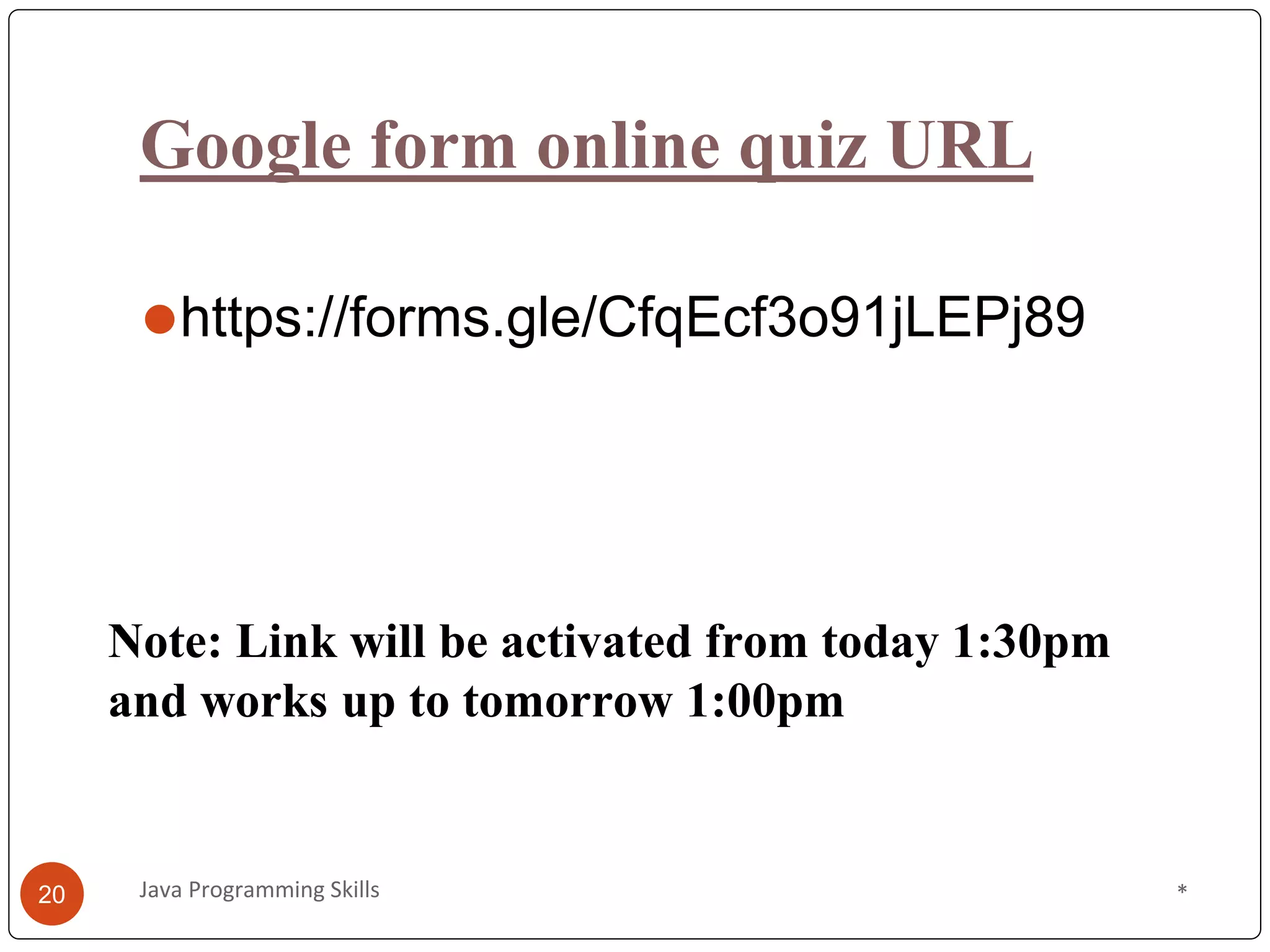
Google form online quiz URL
⚫https://forms.gle/CfqEcf3o91jLEPj89
*
Java Programming Skills
20
Note: Link will be activated from today 1:30pm
and works up to tomorrow 1:00pm

Java PSkills-session2.pptx

  • 1.
    Java Programming Skills ByMr. P. Nagaraju Programming your passion 14/5/2020 1 Java Programming Skills
  • 2.
    Content ⚫Data types ⚫Variables ⚫Operators ⚫Java exampleprograms ⚫Assignment Questions * 2 Java Programming Skills
  • 3.
    Data types ⚫Data typesrefer to type of data that can be stored in a variable. ⚫As Java is strongly typed language, you need to define data type of variable to use it and you can not assign incompatible data type otherwise the compiler will give you an error. * 3 Java Programming Skills
  • 4.
    Data types * 4 JavaProgramming Skills
  • 5.
    Primitive data types DataType Default Value Default size boolean false 1 bit char ‘u0000’ 2 byte byte 0 1 byte short 0 2 byte int 0 4 byte long 0L 8 byte float 0.0f 4 byte double 0.0d 8 byte * 5 Java Programming Skills
  • 6.
    Non-primitive/Reference data types ⚫Thenon-primitive data types are those data types which are provided as class by Java API or by class that you create. ⚫The non-primitive data types include Class, String Interface, and Array. ⚫String is an example of Reference data types provided by java. String is an object of the class java.lang.String. * Java Programming Skills 6
  • 7.
    //Data type demoprogram import java.util.*; public class Main { public static void main(String[] args) { int myNum = 5; float myFloatNum = 9829.33f; char myLetter = 'D'; boolean myBool = true; byte myByte = 100; short myShort = 5000; long myLong = 2500000; double myDouble = 9829.23d; String myText = "Hello"; String[] myBranch = {"CSE", "ECE", "EEE", “CIVIL","MECH"}; * 7 Java Programming Skills
  • 8.
    System.out.println("int "+myNum); System.out.println("float "+myFloatNum); System.out.println("char "+myLetter); System.out.println("boolean "+myBool); System.out.println("byte "+myByte); System.out.println("short "+myShort); System.out.println("long "+myLong); System.out.println("double "+myDouble); System.out.println("String "+myText); System.out.println("String array "+Arrays.toString(myBranch)); }// end of main function } // end of Main Class * Java Programming Skills 8
  • 9.
    Variables • These areused to store the values of elements while the program is executed. int x=10; * 9 Java Programming Skills x
  • 10.
    Variables • These areused to store the values of elements while the program is executed. Types of variables • Local variable • A Variable which is declared inside a method can be termed as Local Variable. It is mandatory to initialize local variable otherwise Compiler will complain about it. • Instance variable • A Variable which is declared at class level can be termed as Instance variable. It is not mandatory to initialize Instance variable. • All instance variable will be by default initialized by JVM. • Static variable • A Variable which is declared as static is known as Static variable. Static variables are class level variables. * 10 Java Programming Skills
  • 11.
    Variable Demo Program publicclass Main { int a; // Instance variable static int b=20; // static variable public void prints() { int c=10; // local variable System.out.println("Method local variable: "+c); } public static void main(String args[]) { //Instance and static variable VariableDemo demo=new VariableDemo(); System.out.println("Instance variable: "+demo.a); System.out.println("Static variable: "+b); demo.prints(); } } * 11 Java Programming Skills
  • 12.
    Operators ⚫Operator in Javais a symbol which is used to perform operations. ⚫Arithmetic Operator, ⚫Shift Operator, ⚫Relational Operator, ⚫Bitwise Operator, ⚫Logical Operator, ⚫Unary operator, ⚫Ternary Operator and ⚫Assignment Operator. * Java Programming Skills 12
  • 13.
    Operators in Java * JavaProgramming Skills 13
  • 14.
    Unary Operator class Main{ publicstatic void main(String args[]) { int x=10; System.out.println(x++); // 10(11) System.out.println(++x); //12 System.out.println(x--); //12(11) System.out.println(--x); //10 } } * Java Programming Skills 14
  • 15.
    Shift Operators The leftshift operator << is used to shift all of the bits in a value to the left side of a specified number of times. The right shift operator >> is used to move left operands value to right by the number of bits specified by the right operand. class Main { public static void main(String args[]) { System.out.println(20<<3); //20*2^3=20*8=160 System.out.println(20>>3); //20/2^3=20/8=2 } } * Java Programming Skills 15
  • 16.
    Logical and Bitwise ClassMain{ public static void main(String args[]) { int a=10,b=5,c=20; System.out.println(a<b&&a<c);//false&&no checking=false System.out.println(a<b&a<c);//false&true=false System.out.println(a>b||a<c);//true||no checking=true System.out.println(a>b|a<c);//true|true=true } } * Java Programming Skills 16
  • 17.
    Ternary operator ⚫This isused as one liner replacement for if-else statement. This is the only conditional operator which takes three operands. class Main{ public static void main(String args[]) { int a=12, b=15; int min=(a<b)?a:b; System.out.println(min); //12 } } * Java Programming Skills 17
  • 18.
    Assignment operator ⚫It isused to assign the value on its right to the operand on its left. class Main{ public static void main(String args[]){ int a=10, b=20; a+=4; //a=a+4(a=10+4) b-=4; //b=b-4(b=20-4) System.out.println(a); //14 System.out.println(b); //16 }} * Java Programming Skills 18
  • 19.
    Assignment Questions 1. ExplainDifferent Data types available in java with a program? 2. Explain different operators available in java and write a java program by using unary operators? 3. Define a variable? Write a java program which demonstrates the types of variables? * 19 Java Programming Skills
  • 20.
    Google form onlinequiz URL ⚫https://forms.gle/CfqEcf3o91jLEPj89 * Java Programming Skills 20 Note: Link will be activated from today 1:30pm and works up to tomorrow 1:00pm