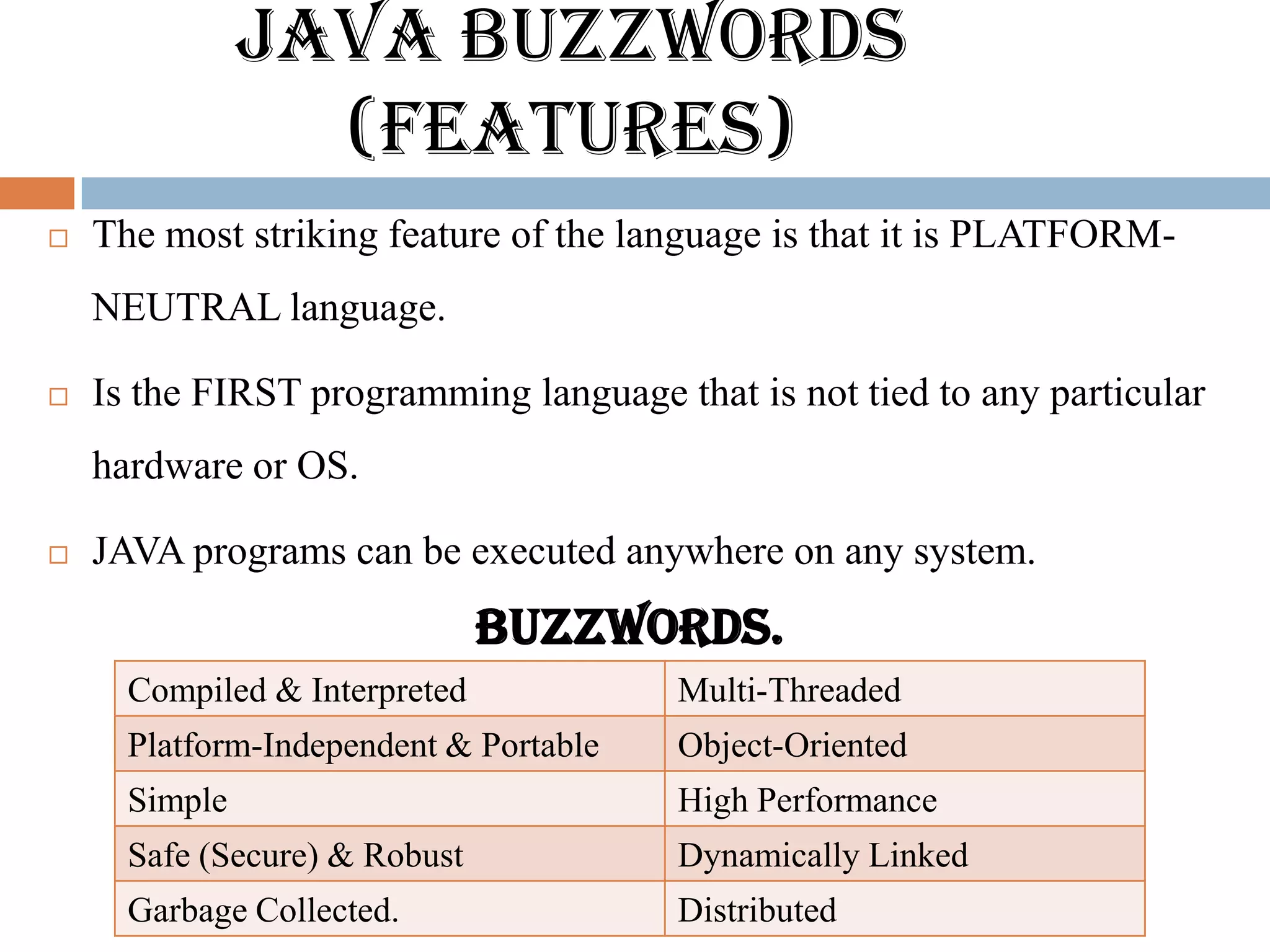
JAVA BUZZWORDS
                 (Features)
   The most striking feature of the language is that it is PLATFORM-
    NEUTRAL language.

   Is the FIRST programming language that is not tied to any particular
    hardware or OS.

   JAVA programs can be executed anywhere on any system.
                               BUZZWORDS.
      Compiled & Interpreted            Multi-Threaded
      Platform-Independent & Portable   Object-Oriented
      Simple                            High Performance
      Safe (Secure) & Robust            Dynamically Linked
      Garbage Collected.                Distributed
PROGRAMMING IN JAVA
             -Ankita Karia
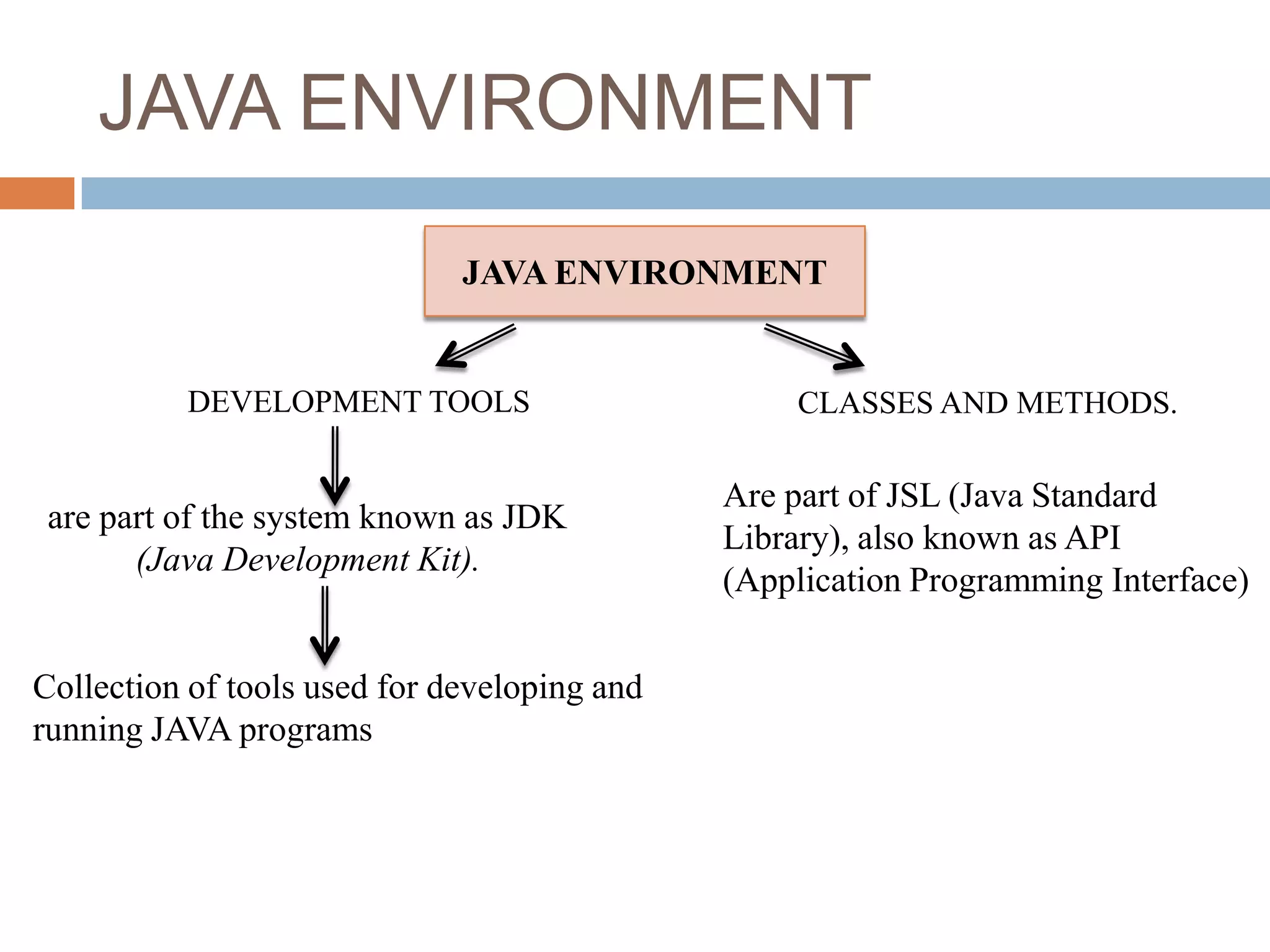
JAVA ENVIRONMENT
                              JAVA ENVIRONMENT


          DEVELOPMENT TOOLS                       CLASSES AND METHODS.

                                              Are part of JSL (Java Standard
 are part of the system known as JDK
                                              Library), also known as API
       (Java Development Kit).
                                              (Application Programming Interface)


Collection of tools used for developing and
running JAVA programs
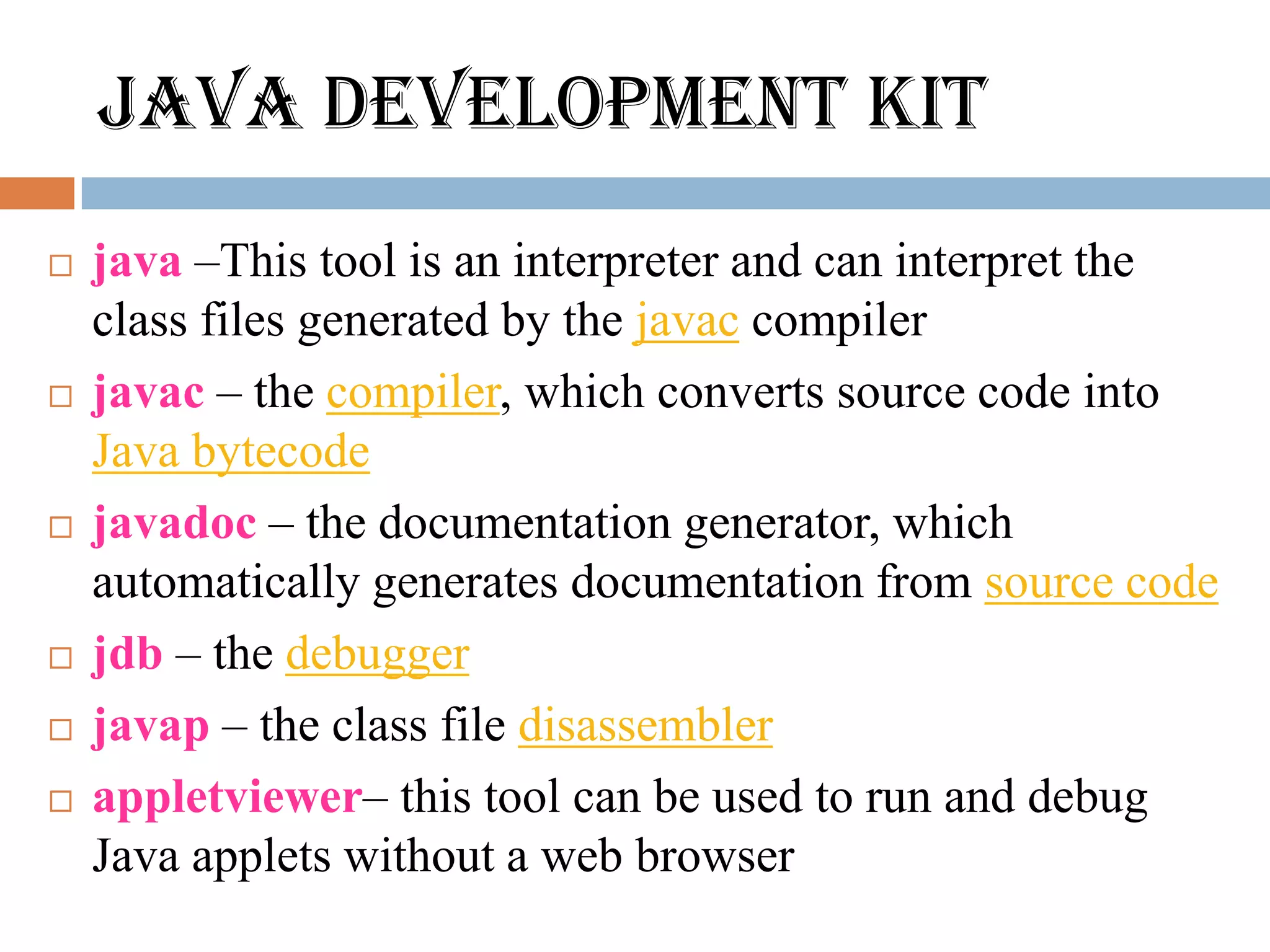
JAVA DEVELOPMENT KIT
   java –This tool is an interpreter and can interpret the
    class files generated by the javac compiler
   javac – the compiler, which converts source code into
    Java bytecode
   javadoc – the documentation generator, which
    automatically generates documentation from source code
   jdb – the debugger
   javap – the class file disassembler
   appletviewer– this tool can be used to run and debug
    Java applets without a web browser
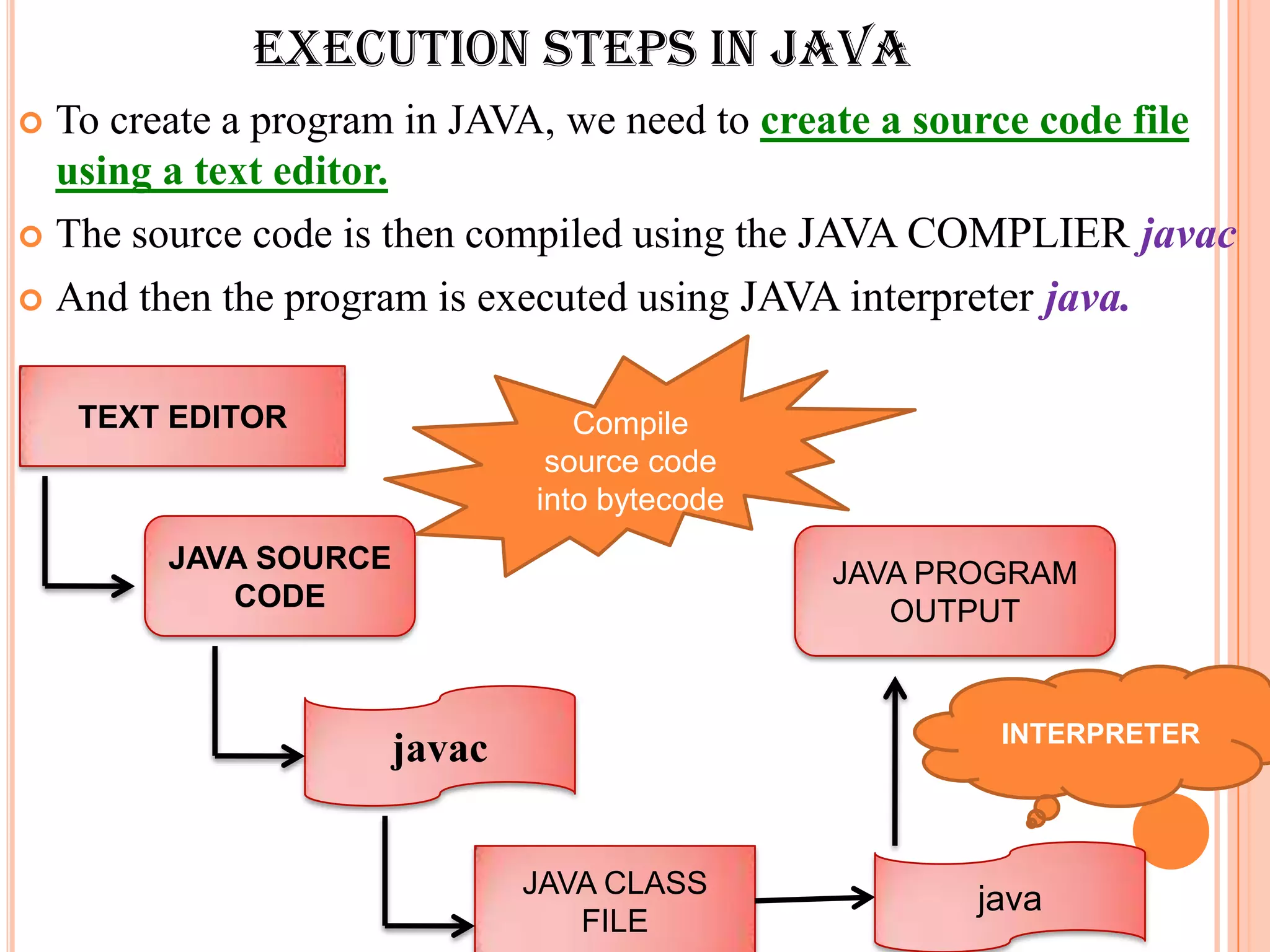
EXECUTION STEPS IN JAVA
 To create a program in JAVA, we need to create a source code file
  using a text editor.
 The source code is then compiled using the JAVA COMPLIER javac

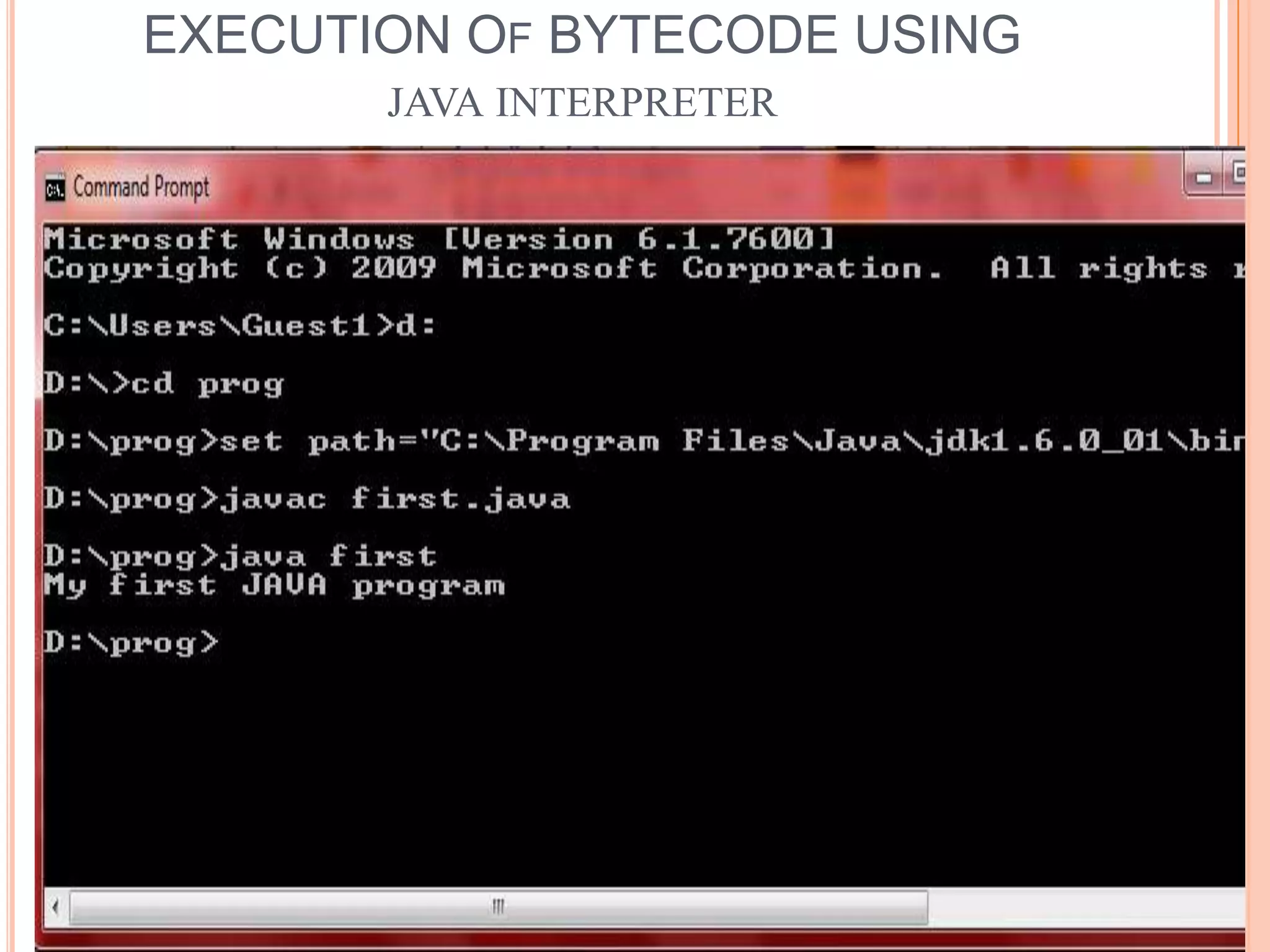
 And then the program is executed using JAVA interpreter java.


    TEXT EDITOR                  Compile
                               source code
                              into bytecode
        JAVA SOURCE                           JAVA PROGRAM
           CODE                                  OUTPUT


                                                      INTERPRETER
                      javac


                              JAVA CLASS
                                                     java
                                 FILE
HOW TO WRITE
                       A
               JAVA PROGRAM?????
     C++ program                        JAVA Program
                           class First
                           {
void main()                  public static void main( String args[])
{                               {
  cout<< “ My first C++          System.out.println(“My first JAVA
   program”;                 program”);
  getch();                    }
}                         }


          Since, JAVA is a true OO Language,
        Everything must be placed inside a class.
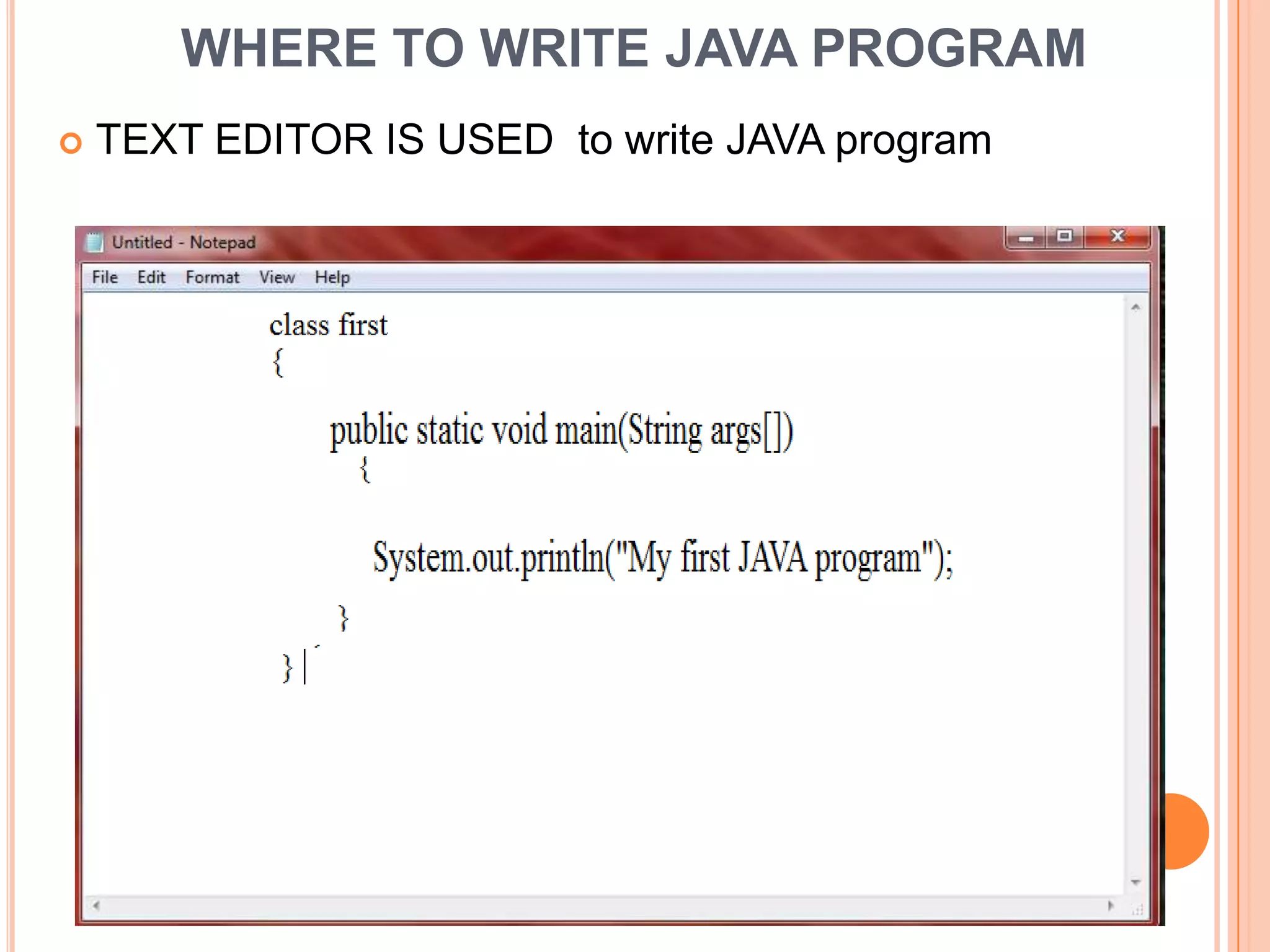
WHERE TO WRITE JAVA PROGRAM
   TEXT EDITOR IS USED to write JAVA program
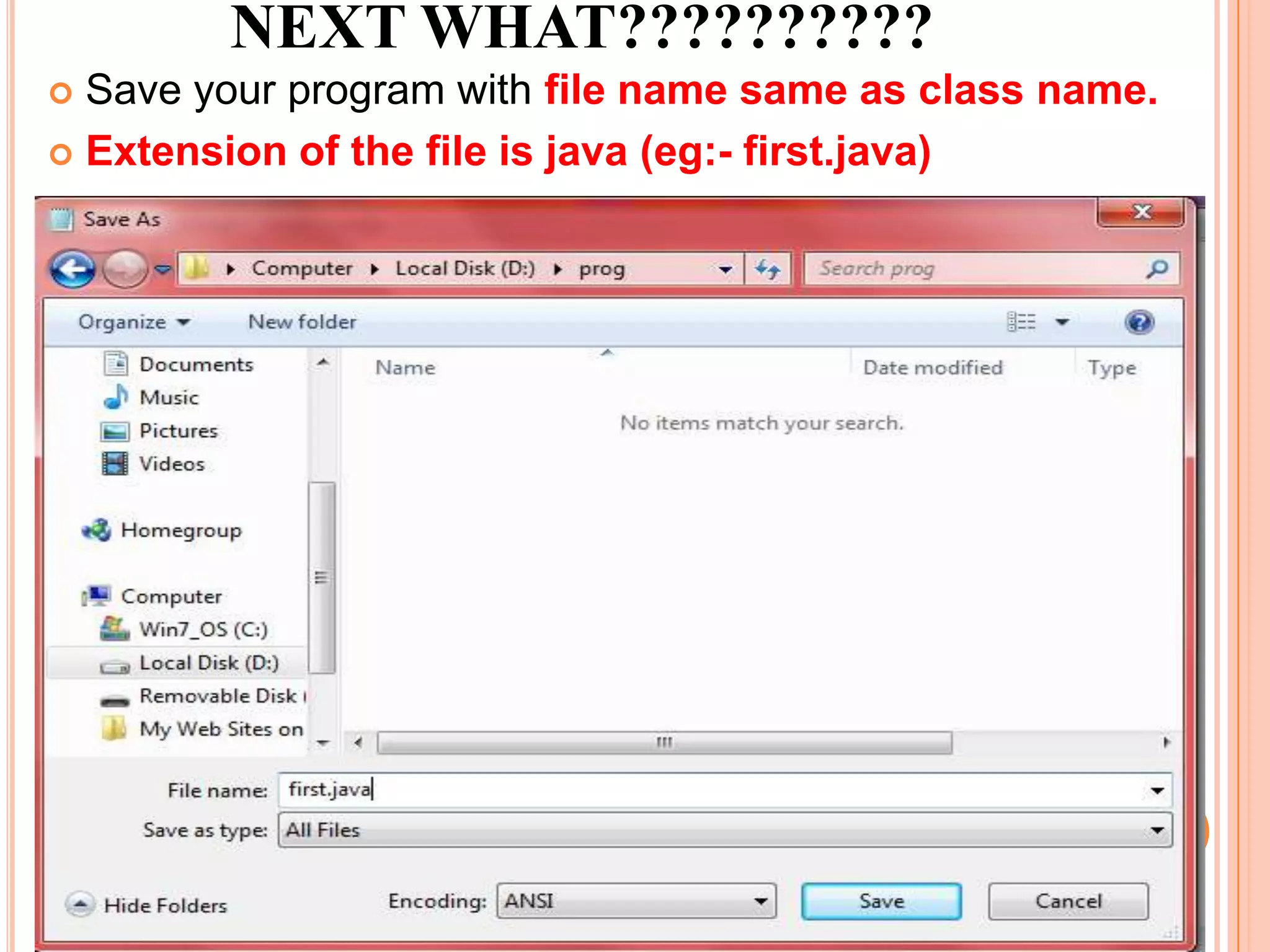
NEXT WHAT??????????
 Save your program with file name same as class name.
 Extension of the file is java (eg:- first.java)
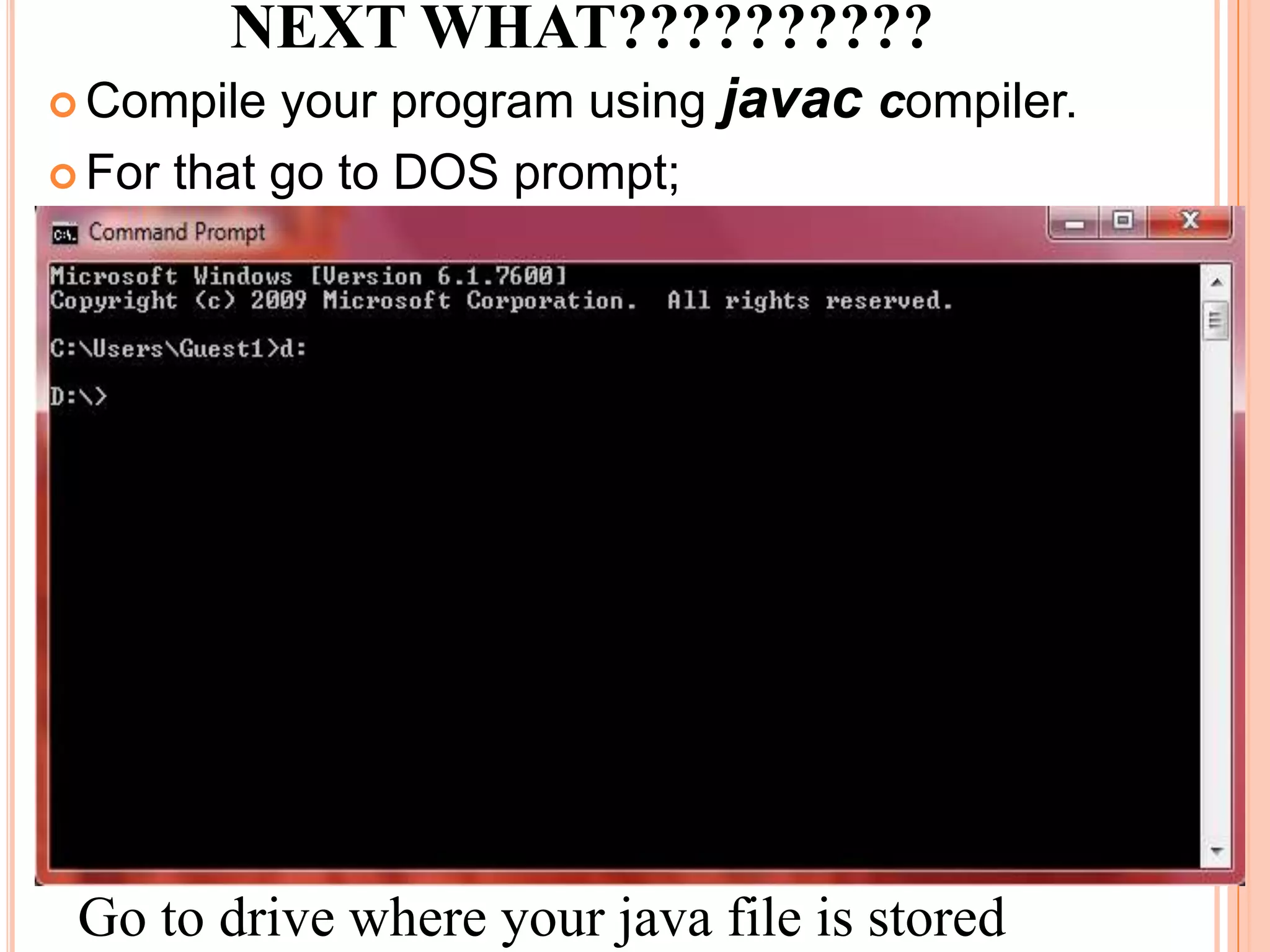
NEXT WHAT??????????
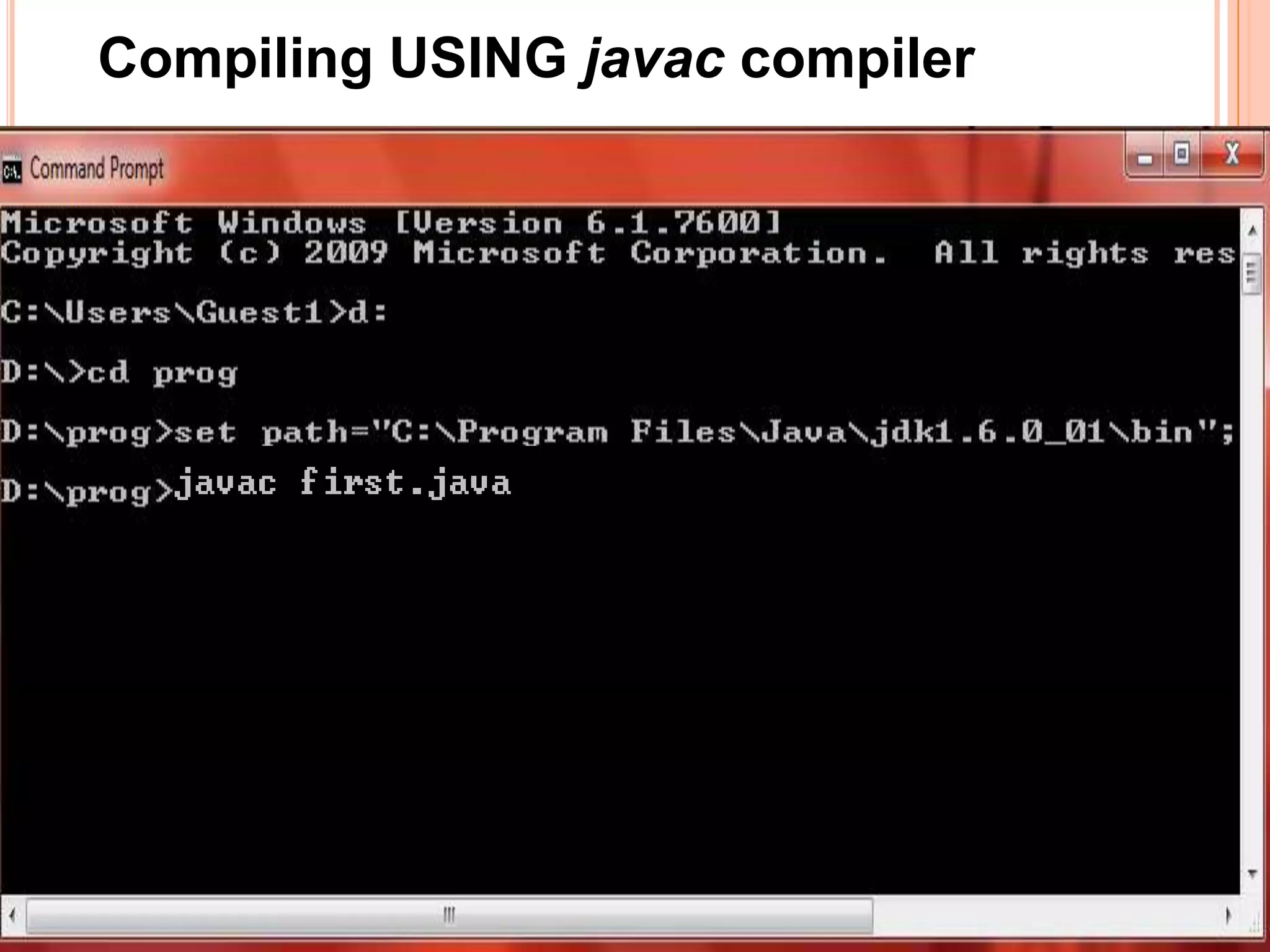
 Compile  your program using javac compiler.
 For that go to DOS prompt;


 Go to drive where your java file is stored
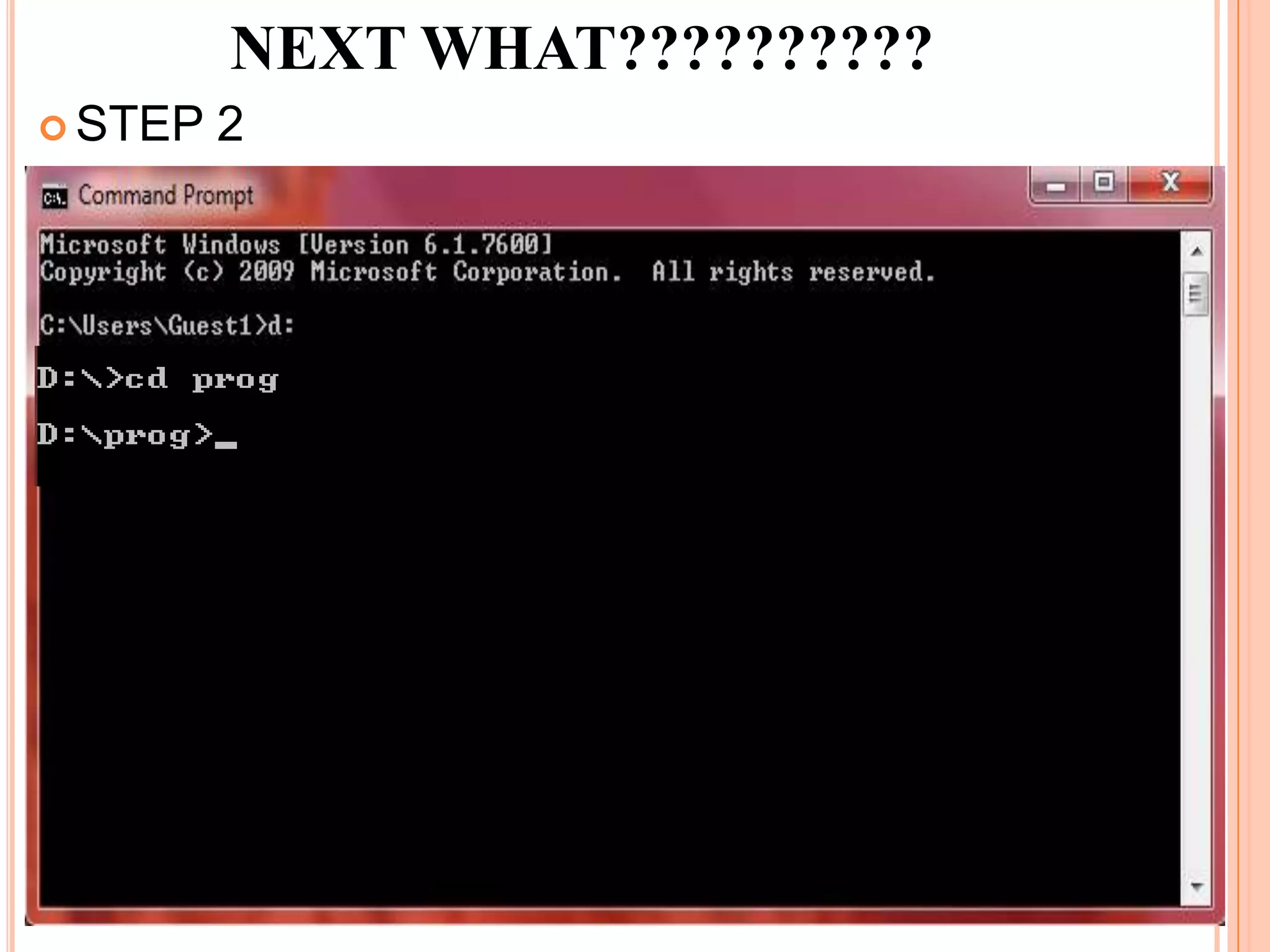
NEXT WHAT??????????
 STEP   2
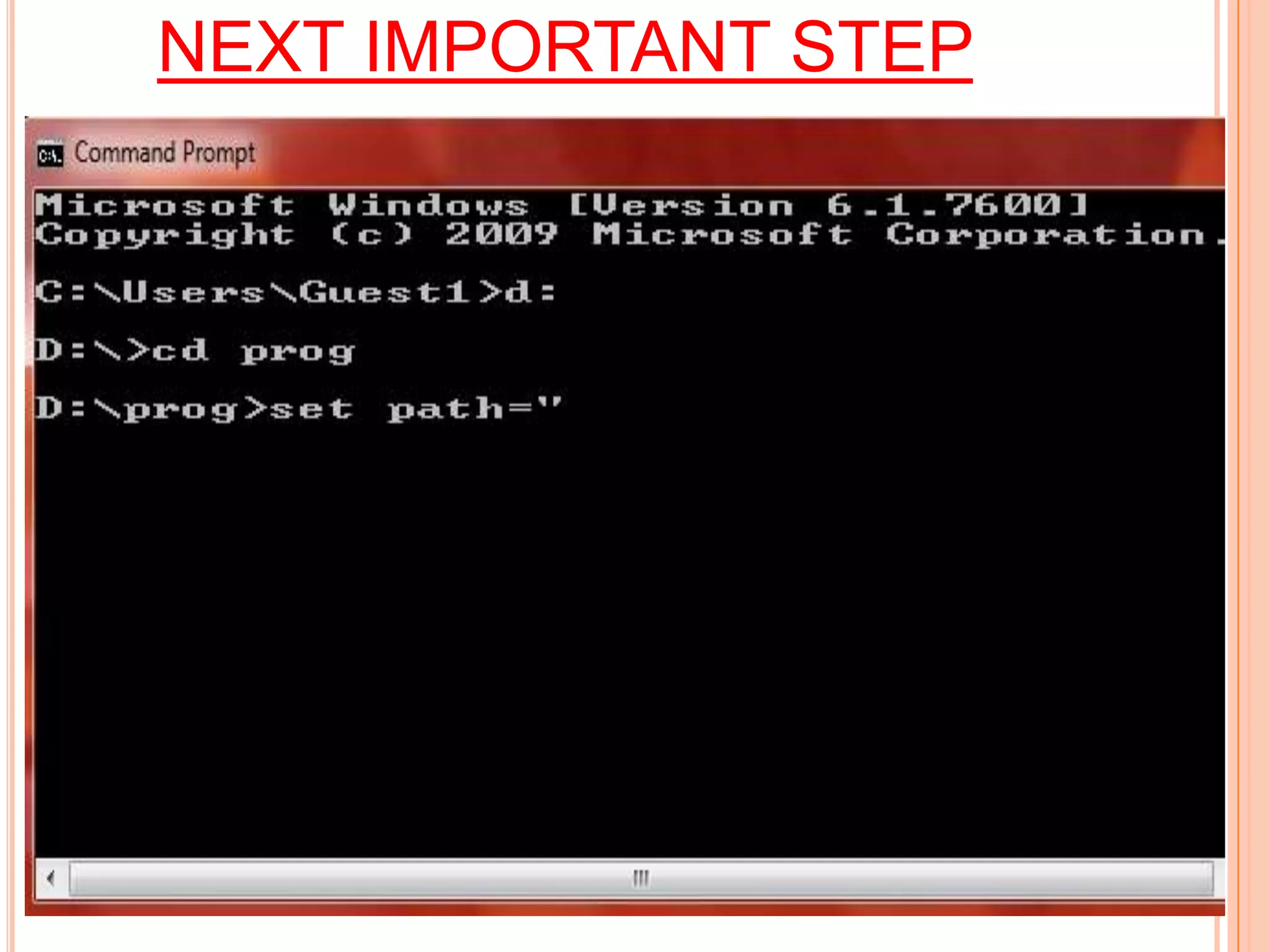
NEXT IMPORTANT STEP
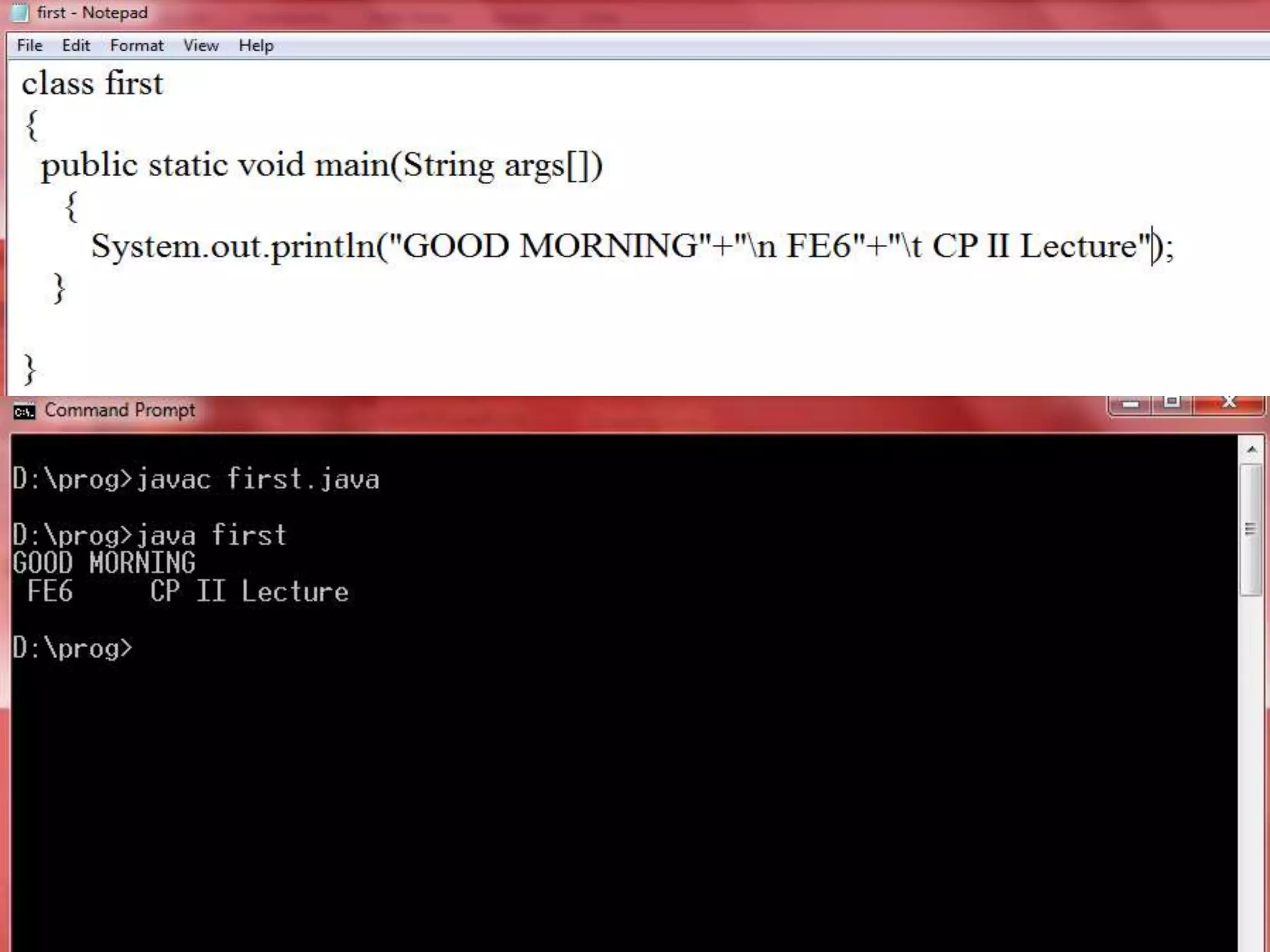
Compiling USING javac compiler
EXECUTION OF BYTECODE USING
       JAVA INTERPRETER
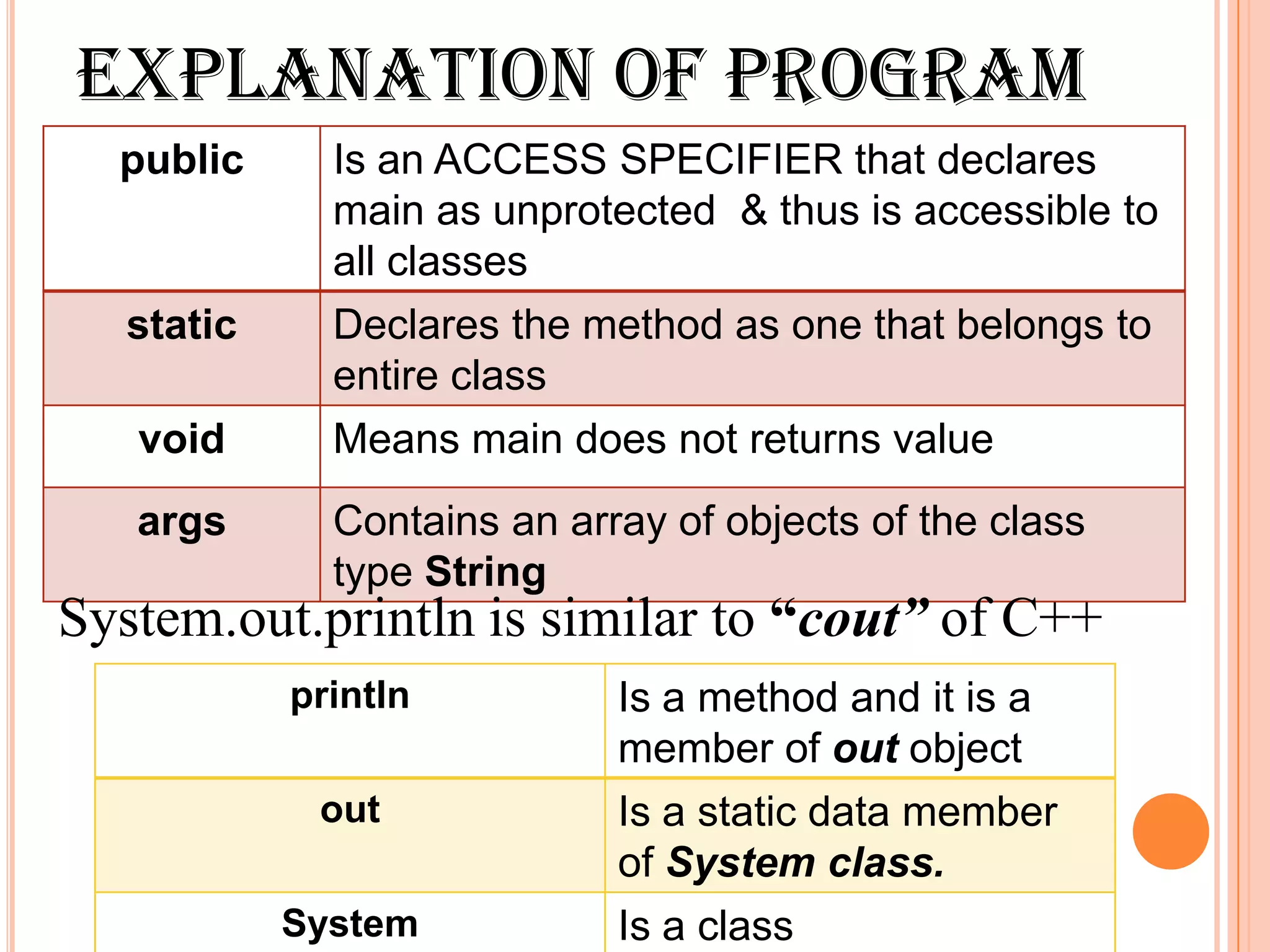
EXPLANATION OF PROGRAM
  public      Is an ACCESS SPECIFIER that declares
              main as unprotected & thus is accessible to
              all classes
   static     Declares the method as one that belongs to
              entire class
   void       Means main does not returns value
   args       Contains an array of objects of the class
              type String
System.out.println is similar to “cout” of C++
            println          Is a method and it is a
                             member of out object
             out             Is a static data member
                             of System class.
            System           Is a class
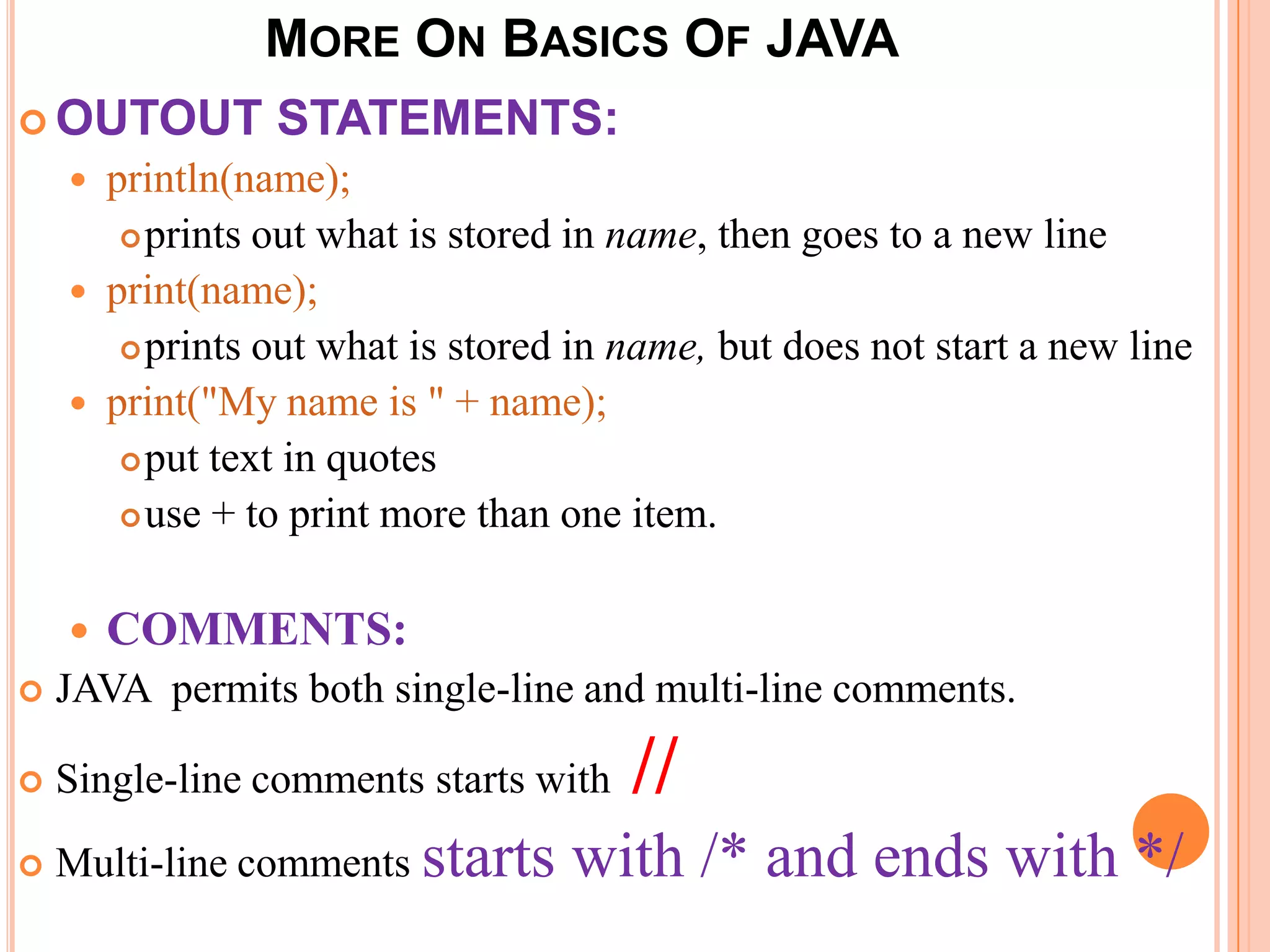
MORE ON BASICS OF JAVA
 OUTOUT          STATEMENTS:
       println(name);
          prints out what is stored in name, then goes to a new line

       print(name);
          prints out what is stored in name, but does not start a new line

       print("My name is " + name);
          put text in quotes

          use + to print more than one item.


       COMMENTS:
   JAVA permits both single-line and multi-line comments.

   Single-line comments starts with    //
   Multi-line comments starts      with /* and ends with */
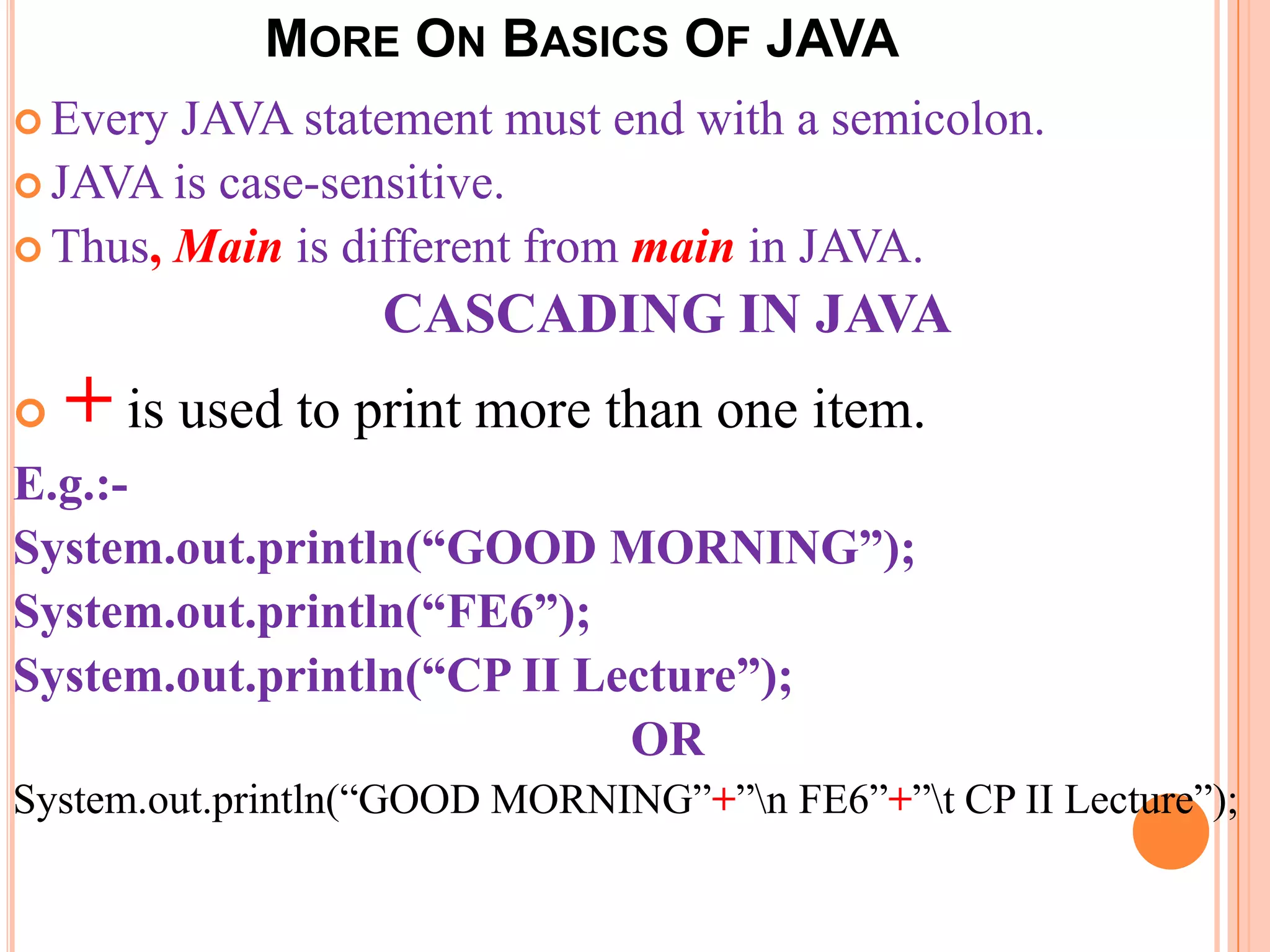
MORE ON BASICS OF JAVA
 Every JAVA statement must end with a semicolon.
 JAVA is case-sensitive.
 Thus, Main is different from main in JAVA.

                   CASCADING IN JAVA
   + is used to print more than one item.
E.g.:-
System.out.println(“GOOD MORNING”);
System.out.println(“FE6”);
System.out.println(“CP II Lecture”);
                            OR
System.out.println(“GOOD MORNING”+”n FE6”+”t CP II Lecture”);
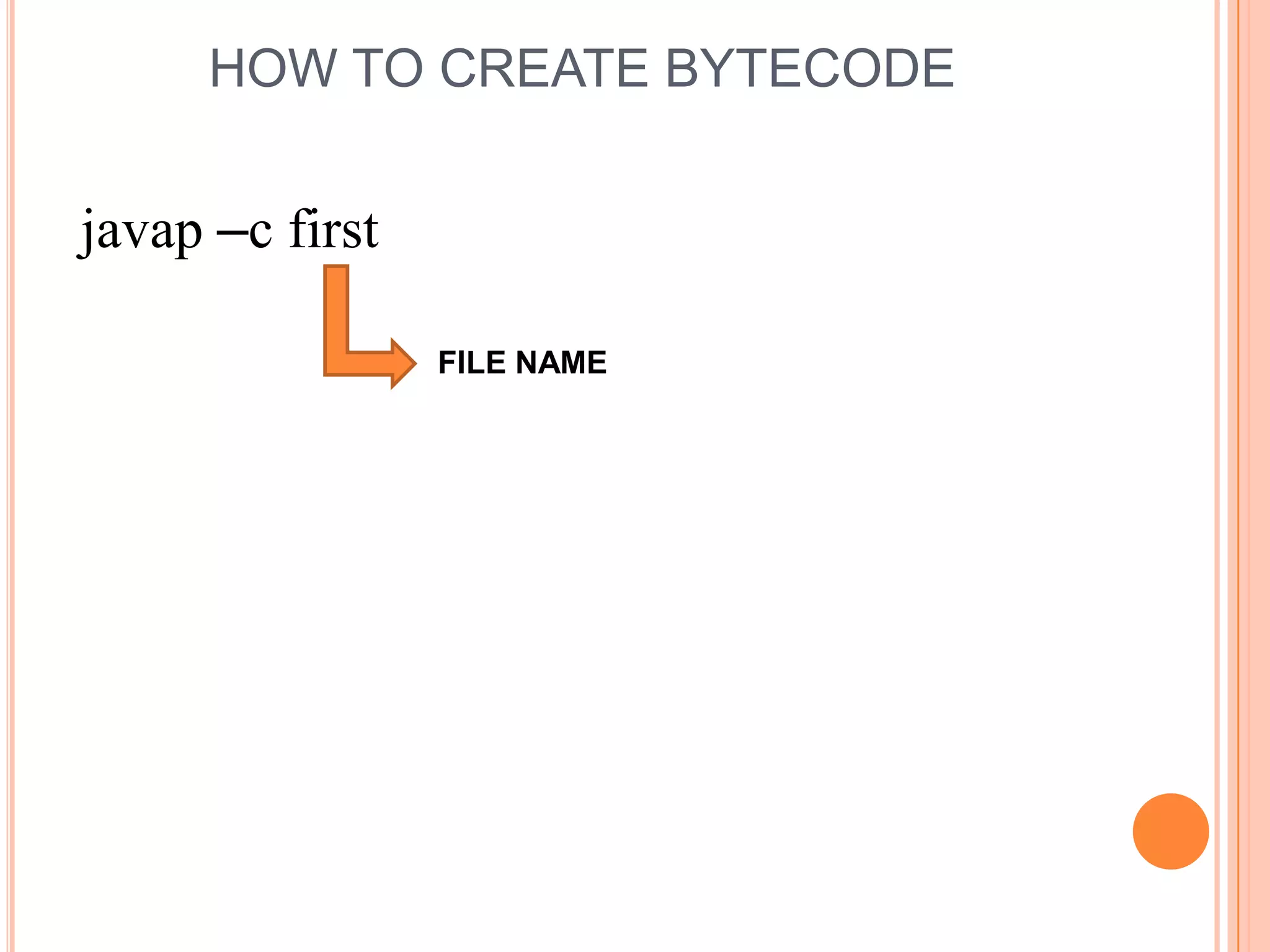
HOW TO CREATE BYTECODE


javap –c first

                 FILE NAME

Programming in Java

  • 1.
    JAVA BUZZWORDS (Features)  The most striking feature of the language is that it is PLATFORM- NEUTRAL language.  Is the FIRST programming language that is not tied to any particular hardware or OS.  JAVA programs can be executed anywhere on any system. BUZZWORDS. Compiled & Interpreted Multi-Threaded Platform-Independent & Portable Object-Oriented Simple High Performance Safe (Secure) & Robust Dynamically Linked Garbage Collected. Distributed
  • 2.
    PROGRAMMING IN JAVA -Ankita Karia
  • 3.
    JAVA ENVIRONMENT JAVA ENVIRONMENT DEVELOPMENT TOOLS CLASSES AND METHODS. Are part of JSL (Java Standard are part of the system known as JDK Library), also known as API (Java Development Kit). (Application Programming Interface) Collection of tools used for developing and running JAVA programs
  • 4.
    JAVA DEVELOPMENT KIT  java –This tool is an interpreter and can interpret the class files generated by the javac compiler  javac – the compiler, which converts source code into Java bytecode  javadoc – the documentation generator, which automatically generates documentation from source code  jdb – the debugger  javap – the class file disassembler  appletviewer– this tool can be used to run and debug Java applets without a web browser
  • 5.
    EXECUTION STEPS INJAVA  To create a program in JAVA, we need to create a source code file using a text editor.  The source code is then compiled using the JAVA COMPLIER javac  And then the program is executed using JAVA interpreter java. TEXT EDITOR Compile source code into bytecode JAVA SOURCE JAVA PROGRAM CODE OUTPUT INTERPRETER javac JAVA CLASS java FILE
  • 6.
    HOW TO WRITE A JAVA PROGRAM????? C++ program JAVA Program class First { void main() public static void main( String args[]) { { cout<< “ My first C++ System.out.println(“My first JAVA program”; program”); getch(); } } } Since, JAVA is a true OO Language, Everything must be placed inside a class.
  • 7.
    WHERE TO WRITEJAVA PROGRAM  TEXT EDITOR IS USED to write JAVA program
  • 8.
    NEXT WHAT??????????  Saveyour program with file name same as class name.  Extension of the file is java (eg:- first.java)
  • 9.
    NEXT WHAT??????????  Compile your program using javac compiler.  For that go to DOS prompt; Go to drive where your java file is stored
  • 10.
  • 11.
  • 12.
  • 13.
    EXECUTION OF BYTECODEUSING JAVA INTERPRETER
  • 14.
    EXPLANATION OF PROGRAM public Is an ACCESS SPECIFIER that declares main as unprotected & thus is accessible to all classes static Declares the method as one that belongs to entire class void Means main does not returns value args Contains an array of objects of the class type String System.out.println is similar to “cout” of C++ println Is a method and it is a member of out object out Is a static data member of System class. System Is a class
  • 15.
    MORE ON BASICSOF JAVA  OUTOUT STATEMENTS:  println(name);  prints out what is stored in name, then goes to a new line  print(name);  prints out what is stored in name, but does not start a new line  print("My name is " + name);  put text in quotes  use + to print more than one item.  COMMENTS:  JAVA permits both single-line and multi-line comments.  Single-line comments starts with //  Multi-line comments starts with /* and ends with */
  • 16.
    MORE ON BASICSOF JAVA  Every JAVA statement must end with a semicolon.  JAVA is case-sensitive.  Thus, Main is different from main in JAVA. CASCADING IN JAVA  + is used to print more than one item. E.g.:- System.out.println(“GOOD MORNING”); System.out.println(“FE6”); System.out.println(“CP II Lecture”); OR System.out.println(“GOOD MORNING”+”n FE6”+”t CP II Lecture”);
  • 18.
    HOW TO CREATEBYTECODE javap –c first FILE NAME