Chapter 2
Basics in Java Programming
• Variable types and identifiers
• Number types, strings, constants
• Operators and operator precedence
• Type Conversion/ Casting
Variable types and identifiers
• Identifiers - symbolic names
• Identifiers are used to name classes, variables,
and methods
• Identifier Rules:
– Must start with a "Java letter"
• A - Z, a - z, _, $, and Unicode letters
– Can contain essentially any number of Java letters and
digits, but no spaces
– Case sensitive!!
• Number1 and number1 are different!
– Cannot be keywords or reserved words
Data Types
• For all data, assign a name (identifier) and a data
type
• Data type tells compiler:
– How much memory to allocate
– Format in which to store data
– Types of operations you will perform on data
• Compiler monitors use of data
• Java "primitive data types"
byte, short, int, long, float, double, char, boolean
Declaring Variables
• Variables hold one value at a time, but that value
can change
• Syntax:
dataType identifier;
or
dataType identifier1, identifier2, …;
• Naming convention for variable names:
– first letter is lowercase
– embedded words begin with uppercase letter
Cont…
• Names of variables should be meaningful and
reflect the data they will store
– This makes the logic of the program clearer
• Don't skimp on characters, but avoid
extremely long names
• Avoid names similar to Java keywords
Integer Types - Whole Numbers
Type Size Minimum Value Maximum Value
in Bytes
byte 1 -128 127
short 2 -32,768 32,767
int 4 -2, 147, 483, 648 2, 147, 483, 647
long 8 -9,223,372,036,854,775,808 9,223,372,036,854,775,807
Example declarations:
int testGrade;
int numPlayers, highScore, diceRoll;
short xCoordinate, yCoordinate;
byte ageInYears;
long cityPopulation;
Floating-Point Data Types
• Numbers with fractional parts
Type Size Minimum Value Maximum Value
in Bytes
float 4 1.4E-45 3.4028235E38
double 8 4.9E-324 1.7976931348623157E308
Example declarations:
float salesTax;
double interestRate;
double paycheck, sumSalaries;
char Data Type
• One Unicode character (16 bits - 2 bytes)
Type Size Minimum Value Maximum Value
in Bytes
char 2 character character
encoded as 0 encoded as FFFF
Example declarations:
char finalGrade;
char newline, tab, doubleQuotes;
boolean Data Type
• Two values only:
true
false
• Used for decision making or as "flag" variables
• Example declarations:
boolean isEmpty;
boolean passed, failed;
Assigning Values to Variables
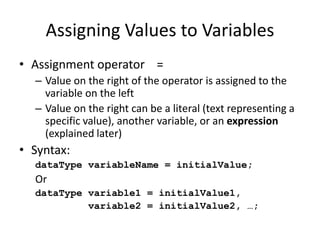
• Assignment operator =
– Value on the right of the operator is assigned to the
variable on the left
– Value on the right can be a literal (text representing a
specific value), another variable, or an expression
(explained later)
• Syntax:
dataType variableName = initialValue;
Or
dataType variable1 = initialValue1,
variable2 = initialValue2, …;
Literals
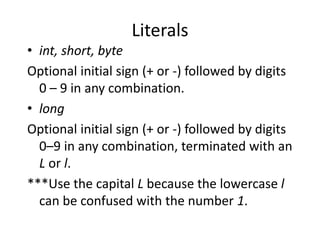
• int, short, byte
Optional initial sign (+ or -) followed by digits
0 – 9 in any combination.
• long
Optional initial sign (+ or -) followed by digits
0–9 in any combination, terminated with an
L or l.
***Use the capital L because the lowercase l
can be confused with the number 1.
Floating-Point Literals
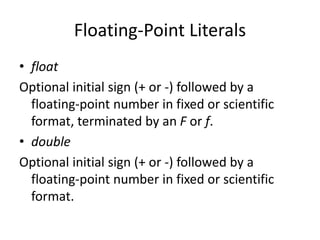
• float
Optional initial sign (+ or -) followed by a
floating-point number in fixed or scientific
format, terminated by an F or f.
• double
Optional initial sign (+ or -) followed by a
floating-point number in fixed or scientific
format.
• Commas, dollar signs, and percent signs (%)
cannot be used in integer or floating-point
literals
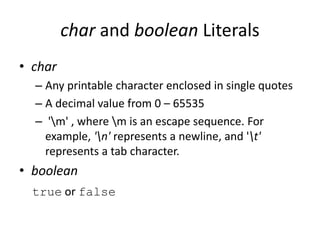
char and boolean Literals
• char
– Any printable character enclosed in single quotes
– A decimal value from 0 – 65535
– 'm' , where m is an escape sequence. For
example, 'n' represents a newline, and 't'
represents a tab character.
• boolean
true or false
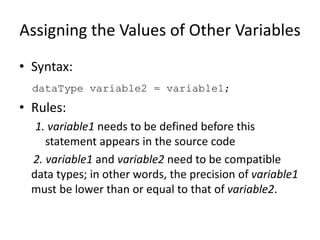
Assigning the Values of Other Variables
• Syntax:
dataType variable2 = variable1;
• Rules:
1. variable1 needs to be defined before this
statement appears in the source code
2. variable1 and variable2 need to be compatible
data types; in other words, the precision of variable1
must be lower than or equal to that of variable2.
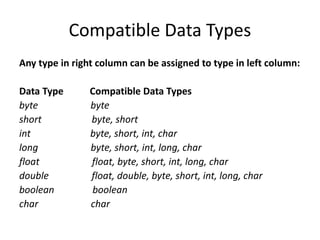
Compatible Data Types
Any type in right column can be assigned to type in left column:
Data Type Compatible Data Types
byte byte
short byte, short
int byte, short, int, char
long byte, short, int, long, char
float float, byte, short, int, long, char
double float, double, byte, short, int, long, char
boolean boolean
char char
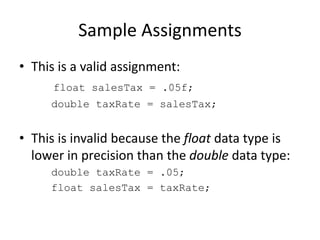
Sample Assignments
• This is a valid assignment:
float salesTax = .05f;
double taxRate = salesTax;
• This is invalid because the float data type is
lower in precision than the double data type:
double taxRate = .05;
float salesTax = taxRate;
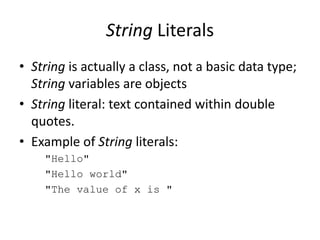
String Literals
• String is actually a class, not a basic data type;
String variables are objects
• String literal: text contained within double
quotes.
• Example of String literals:
"Hello"
"Hello world"
"The value of x is "
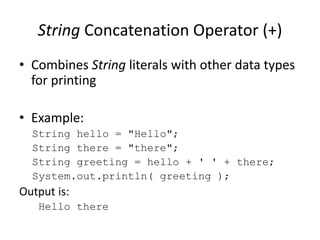
String Concatenation Operator (+)
• Combines String literals with other data types
for printing
• Example:
String hello = "Hello";
String there = "there";
String greeting = hello + ' ' + there;
System.out.println( greeting );
Output is:
Hello there
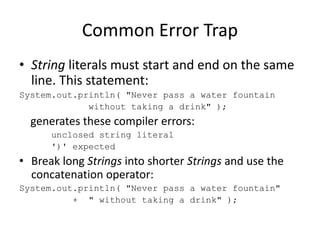
Common Error Trap
• String literals must start and end on the same
line. This statement:
System.out.println( "Never pass a water fountain
without taking a drink" );
generates these compiler errors:
unclosed string literal
')' expected
• Break long Strings into shorter Strings and use the
concatenation operator:
System.out.println( "Never pass a water fountain"
+ " without taking a drink" );
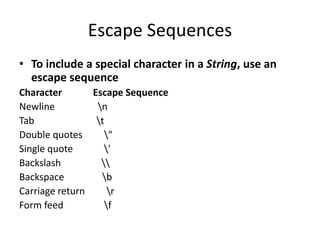
Escape Sequences
• To include a special character in a String, use an
escape sequence
Character Escape Sequence
Newline n
Tab t
Double quotes "
Single quote '
Backslash 
Backspace b
Carriage return r
Form feed f
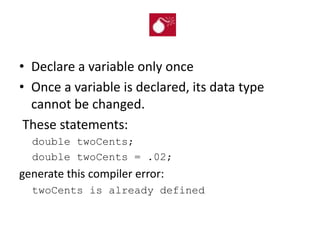
• Declare a variable only once
• Once a variable is declared, its data type
cannot be changed.
These statements:
double twoCents;
double twoCents = .02;
generate this compiler error:
twoCents is already defined
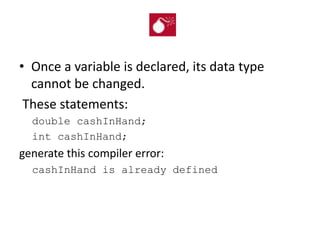
• Once a variable is declared, its data type
cannot be changed.
These statements:
double cashInHand;
int cashInHand;
generate this compiler error:
cashInHand is already defined
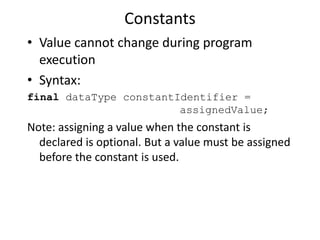
Constants
• Value cannot change during program
execution
• Syntax:
final dataType constantIdentifier =
assignedValue;
Note: assigning a value when the constant is
declared is optional. But a value must be assigned
before the constant is used.
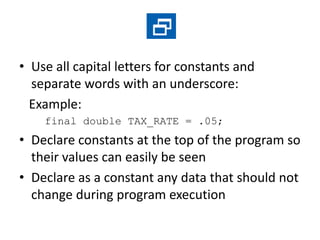
• Use all capital letters for constants and
separate words with an underscore:
Example:
final double TAX_RATE = .05;
• Declare constants at the top of the program so
their values can easily be seen
• Declare as a constant any data that should not
change during program execution
Expressions and Arithmetic Operators
• The Assignment Operator and Expressions
• Arithmetic Operators
• Operator Precedence
• Integer Division and Modulus
• Division by Zero
• Mixed-Type Arithmetic and Type Casting
• Shortcut Operators
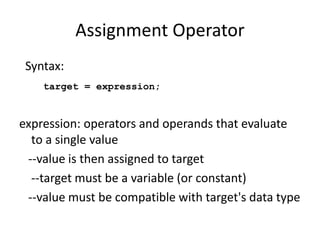
Assignment Operator
Syntax:
target = expression;
expression: operators and operands that evaluate
to a single value
--value is then assigned to target
--target must be a variable (or constant)
--value must be compatible with target's data type
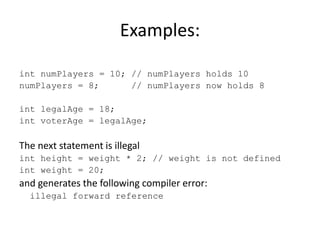
Examples:
int numPlayers = 10; // numPlayers holds 10
numPlayers = 8; // numPlayers now holds 8
int legalAge = 18;
int voterAge = legalAge;
The next statement is illegal
int height = weight * 2; // weight is not defined
int weight = 20;
and generates the following compiler error:
illegal forward reference
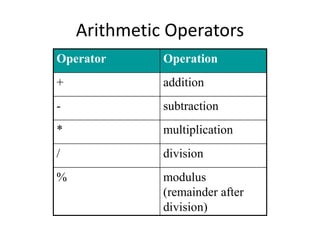
Arithmetic Operators
Operator Operation
+ addition
- subtraction
* multiplication
/ division
% modulus
(remainder after
division)
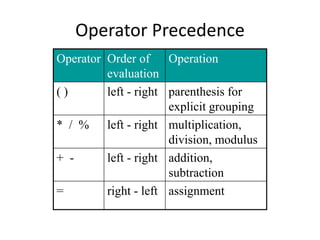
Operator Precedence
Operator Order of
evaluation
Operation
( ) left - right parenthesis for
explicit grouping
* / % left - right multiplication,
division, modulus
+ - left - right addition,
subtraction
= right - left assignment
Example
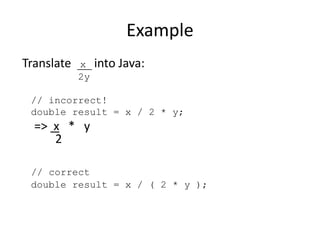
Translate x into Java:
2y
// incorrect!
double result = x / 2 * y;
=> x * y
2
// correct
double result = x / ( 2 * y );
Integer Division & Modulus
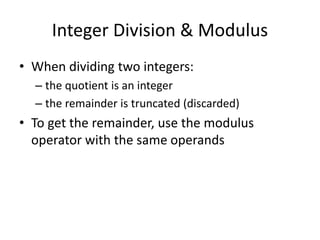
• When dividing two integers:
– the quotient is an integer
– the remainder is truncated (discarded)
• To get the remainder, use the modulus
operator with the same operands
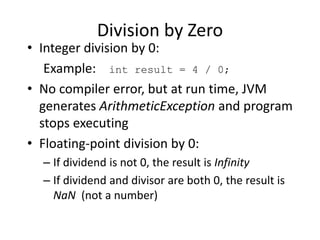
Division by Zero
• Integer division by 0:
Example: int result = 4 / 0;
• No compiler error, but at run time, JVM
generates ArithmeticException and program
stops executing
• Floating-point division by 0:
– If dividend is not 0, the result is Infinity
– If dividend and divisor are both 0, the result is
NaN (not a number)
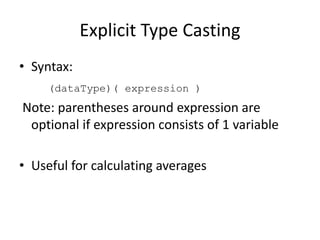
Explicit Type Casting
• Syntax:
(dataType)( expression )
Note: parentheses around expression are
optional if expression consists of 1 variable
• Useful for calculating averages
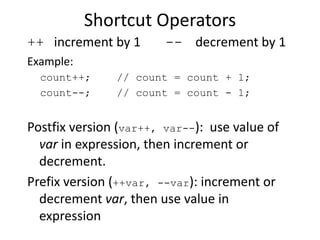
Shortcut Operators
++ increment by 1 -- decrement by 1
Example:
count++; // count = count + 1;
count--; // count = count - 1;
Postfix version (var++, var--): use value of
var in expression, then increment or
decrement.
Prefix version (++var, --var): increment or
decrement var, then use value in
expression
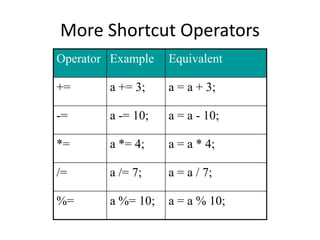
More Shortcut Operators
Operator Example Equivalent
+= a += 3; a = a + 3;
-= a -= 10; a = a - 10;
*= a *= 4; a = a * 4;
/= a /= 7; a = a / 7;
%= a %= 10; a = a % 10;
Common Error Trap
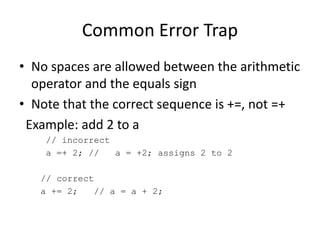
• No spaces are allowed between the arithmetic
operator and the equals sign
• Note that the correct sequence is +=, not =+
Example: add 2 to a
// incorrect
a =+ 2; // a = +2; assigns 2 to 2
// correct
a += 2; // a = a + 2;
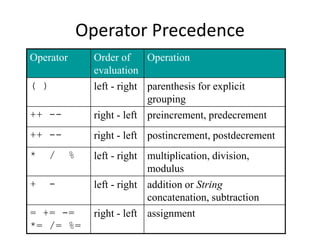
Operator Precedence
Operator Order of
evaluation
Operation
( ) left - right parenthesis for explicit
grouping
++ -- right - left preincrement, predecrement
++ -- right - left postincrement, postdecrement
* / % left - right multiplication, division,
modulus
+ - left - right addition or String
concatenation, subtraction
= += -=
*= /= %=
right - left assignment
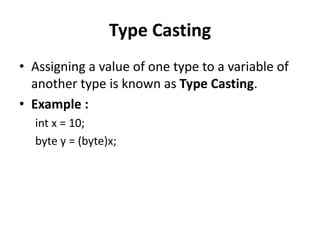
Type Casting
• Assigning a value of one type to a variable of
another type is known as Type Casting.
• Example :
int x = 10;
byte y = (byte)x;
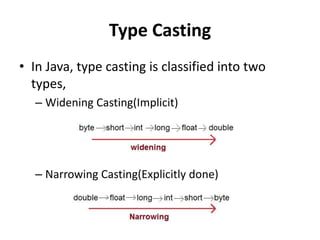
Type Casting
• In Java, type casting is classified into two
types,
– Widening Casting(Implicit)
– Narrowing Casting(Explicitly done)

Java chapter 2

  • 1.
    Chapter 2 Basics inJava Programming
  • 2.
    Basics in JavaProgramming • Variable types and identifiers • Number types, strings, constants • Operators and operator precedence • Type Conversion/ Casting
  • 3.
    Variable types andidentifiers • Identifiers - symbolic names • Identifiers are used to name classes, variables, and methods • Identifier Rules: – Must start with a "Java letter" • A - Z, a - z, _, $, and Unicode letters – Can contain essentially any number of Java letters and digits, but no spaces – Case sensitive!! • Number1 and number1 are different! – Cannot be keywords or reserved words
  • 4.
    Data Types • Forall data, assign a name (identifier) and a data type • Data type tells compiler: – How much memory to allocate – Format in which to store data – Types of operations you will perform on data • Compiler monitors use of data • Java "primitive data types" byte, short, int, long, float, double, char, boolean
  • 5.
    Declaring Variables • Variableshold one value at a time, but that value can change • Syntax: dataType identifier; or dataType identifier1, identifier2, …; • Naming convention for variable names: – first letter is lowercase – embedded words begin with uppercase letter
  • 6.
    Cont… • Names ofvariables should be meaningful and reflect the data they will store – This makes the logic of the program clearer • Don't skimp on characters, but avoid extremely long names • Avoid names similar to Java keywords
  • 7.
    Integer Types -Whole Numbers Type Size Minimum Value Maximum Value in Bytes byte 1 -128 127 short 2 -32,768 32,767 int 4 -2, 147, 483, 648 2, 147, 483, 647 long 8 -9,223,372,036,854,775,808 9,223,372,036,854,775,807 Example declarations: int testGrade; int numPlayers, highScore, diceRoll; short xCoordinate, yCoordinate; byte ageInYears; long cityPopulation;
  • 8.
    Floating-Point Data Types •Numbers with fractional parts Type Size Minimum Value Maximum Value in Bytes float 4 1.4E-45 3.4028235E38 double 8 4.9E-324 1.7976931348623157E308 Example declarations: float salesTax; double interestRate; double paycheck, sumSalaries;
  • 9.
    char Data Type •One Unicode character (16 bits - 2 bytes) Type Size Minimum Value Maximum Value in Bytes char 2 character character encoded as 0 encoded as FFFF Example declarations: char finalGrade; char newline, tab, doubleQuotes;
  • 10.
    boolean Data Type •Two values only: true false • Used for decision making or as "flag" variables • Example declarations: boolean isEmpty; boolean passed, failed;
  • 11.
    Assigning Values toVariables • Assignment operator = – Value on the right of the operator is assigned to the variable on the left – Value on the right can be a literal (text representing a specific value), another variable, or an expression (explained later) • Syntax: dataType variableName = initialValue; Or dataType variable1 = initialValue1, variable2 = initialValue2, …;
  • 12.
    Literals • int, short,byte Optional initial sign (+ or -) followed by digits 0 – 9 in any combination. • long Optional initial sign (+ or -) followed by digits 0–9 in any combination, terminated with an L or l. ***Use the capital L because the lowercase l can be confused with the number 1.
  • 13.
    Floating-Point Literals • float Optionalinitial sign (+ or -) followed by a floating-point number in fixed or scientific format, terminated by an F or f. • double Optional initial sign (+ or -) followed by a floating-point number in fixed or scientific format.
  • 14.
    • Commas, dollarsigns, and percent signs (%) cannot be used in integer or floating-point literals
  • 15.
    char and booleanLiterals • char – Any printable character enclosed in single quotes – A decimal value from 0 – 65535 – 'm' , where m is an escape sequence. For example, 'n' represents a newline, and 't' represents a tab character. • boolean true or false
  • 16.
    Assigning the Valuesof Other Variables • Syntax: dataType variable2 = variable1; • Rules: 1. variable1 needs to be defined before this statement appears in the source code 2. variable1 and variable2 need to be compatible data types; in other words, the precision of variable1 must be lower than or equal to that of variable2.
  • 17.
    Compatible Data Types Anytype in right column can be assigned to type in left column: Data Type Compatible Data Types byte byte short byte, short int byte, short, int, char long byte, short, int, long, char float float, byte, short, int, long, char double float, double, byte, short, int, long, char boolean boolean char char
  • 18.
    Sample Assignments • Thisis a valid assignment: float salesTax = .05f; double taxRate = salesTax; • This is invalid because the float data type is lower in precision than the double data type: double taxRate = .05; float salesTax = taxRate;
  • 19.
    String Literals • Stringis actually a class, not a basic data type; String variables are objects • String literal: text contained within double quotes. • Example of String literals: "Hello" "Hello world" "The value of x is "
  • 20.
    String Concatenation Operator(+) • Combines String literals with other data types for printing • Example: String hello = "Hello"; String there = "there"; String greeting = hello + ' ' + there; System.out.println( greeting ); Output is: Hello there
  • 21.
    Common Error Trap •String literals must start and end on the same line. This statement: System.out.println( "Never pass a water fountain without taking a drink" ); generates these compiler errors: unclosed string literal ')' expected • Break long Strings into shorter Strings and use the concatenation operator: System.out.println( "Never pass a water fountain" + " without taking a drink" );
  • 22.
    Escape Sequences • Toinclude a special character in a String, use an escape sequence Character Escape Sequence Newline n Tab t Double quotes " Single quote ' Backslash Backspace b Carriage return r Form feed f
  • 23.
    • Declare avariable only once • Once a variable is declared, its data type cannot be changed. These statements: double twoCents; double twoCents = .02; generate this compiler error: twoCents is already defined
  • 24.
    • Once avariable is declared, its data type cannot be changed. These statements: double cashInHand; int cashInHand; generate this compiler error: cashInHand is already defined
  • 25.
    Constants • Value cannotchange during program execution • Syntax: final dataType constantIdentifier = assignedValue; Note: assigning a value when the constant is declared is optional. But a value must be assigned before the constant is used.
  • 26.
    • Use allcapital letters for constants and separate words with an underscore: Example: final double TAX_RATE = .05; • Declare constants at the top of the program so their values can easily be seen • Declare as a constant any data that should not change during program execution
  • 27.
    Expressions and ArithmeticOperators • The Assignment Operator and Expressions • Arithmetic Operators • Operator Precedence • Integer Division and Modulus • Division by Zero • Mixed-Type Arithmetic and Type Casting • Shortcut Operators
  • 28.
    Assignment Operator Syntax: target =expression; expression: operators and operands that evaluate to a single value --value is then assigned to target --target must be a variable (or constant) --value must be compatible with target's data type
  • 29.
    Examples: int numPlayers =10; // numPlayers holds 10 numPlayers = 8; // numPlayers now holds 8 int legalAge = 18; int voterAge = legalAge; The next statement is illegal int height = weight * 2; // weight is not defined int weight = 20; and generates the following compiler error: illegal forward reference
  • 30.
    Arithmetic Operators Operator Operation +addition - subtraction * multiplication / division % modulus (remainder after division)
  • 31.
    Operator Precedence Operator Orderof evaluation Operation ( ) left - right parenthesis for explicit grouping * / % left - right multiplication, division, modulus + - left - right addition, subtraction = right - left assignment
  • 32.
    Example Translate x intoJava: 2y // incorrect! double result = x / 2 * y; => x * y 2 // correct double result = x / ( 2 * y );
  • 33.
    Integer Division &Modulus • When dividing two integers: – the quotient is an integer – the remainder is truncated (discarded) • To get the remainder, use the modulus operator with the same operands
  • 34.
    Division by Zero •Integer division by 0: Example: int result = 4 / 0; • No compiler error, but at run time, JVM generates ArithmeticException and program stops executing • Floating-point division by 0: – If dividend is not 0, the result is Infinity – If dividend and divisor are both 0, the result is NaN (not a number)
  • 35.
    Explicit Type Casting •Syntax: (dataType)( expression ) Note: parentheses around expression are optional if expression consists of 1 variable • Useful for calculating averages
  • 36.
    Shortcut Operators ++ incrementby 1 -- decrement by 1 Example: count++; // count = count + 1; count--; // count = count - 1; Postfix version (var++, var--): use value of var in expression, then increment or decrement. Prefix version (++var, --var): increment or decrement var, then use value in expression
  • 37.
    More Shortcut Operators OperatorExample Equivalent += a += 3; a = a + 3; -= a -= 10; a = a - 10; *= a *= 4; a = a * 4; /= a /= 7; a = a / 7; %= a %= 10; a = a % 10;
  • 38.
    Common Error Trap •No spaces are allowed between the arithmetic operator and the equals sign • Note that the correct sequence is +=, not =+ Example: add 2 to a // incorrect a =+ 2; // a = +2; assigns 2 to 2 // correct a += 2; // a = a + 2;
  • 39.
    Operator Precedence Operator Orderof evaluation Operation ( ) left - right parenthesis for explicit grouping ++ -- right - left preincrement, predecrement ++ -- right - left postincrement, postdecrement * / % left - right multiplication, division, modulus + - left - right addition or String concatenation, subtraction = += -= *= /= %= right - left assignment
  • 40.
    Type Casting • Assigninga value of one type to a variable of another type is known as Type Casting. • Example : int x = 10; byte y = (byte)x;
  • 41.
    Type Casting • InJava, type casting is classified into two types, – Widening Casting(Implicit) – Narrowing Casting(Explicitly done)