Object Oriented
Programming in JAVA
Introduction
Java is a powerful, cross-platform, object-
oriented programming language originally
developed by James Gosling at Sun Microsystems
and released in 1995 as a core component of Sun
Microsystems' Java platform. Java was originally
called OAK, and was designed for advanced
software for consumer electronics.
Java is an object-oriented language similar to C++.
The language derives much of its syntax from C
and C++ programming language.
2/3/2015 Object Oriented Programming using JAVA 2
Features of Java
• Simple
• Object-oriented
• Network-savvy
• Robust
• Interpreted
• Secure
• Architecture neutral
• Portable
• High-performance
• Multithreaded
2/3/2015 Object Oriented Programming using JAVA 3
Why Java is Important
• Two reasons :
– Trouble with C/C++ language is that they are not
portable and are not platform independent
languages.
– Emergence of World Wide Web, which demanded
portable programs
• Portability and security necessitated the
invention of Java
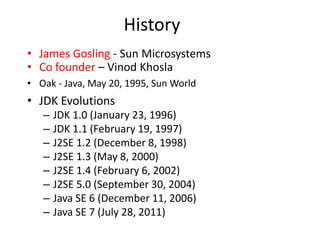
History
• James Gosling - Sun Microsystems
• Co founder – Vinod Khosla
• Oak - Java, May 20, 1995, Sun World
• JDK Evolutions
– JDK 1.0 (January 23, 1996)
– JDK 1.1 (February 19, 1997)
– J2SE 1.2 (December 8, 1998)
– J2SE 1.3 (May 8, 2000)
– J2SE 1.4 (February 6, 2002)
– J2SE 5.0 (September 30, 2004)
– Java SE 6 (December 11, 2006)
– Java SE 7 (July 28, 2011)
Cont..
• Java Editions.
J2SE(Java 2 Standard Edition) - to develop
client-side standalone applications or applets.
J2ME(Java 2 Micro Edition ) - to develop
applications for mobile devices such as cell
phones.
J2EE(Java 2 Enterprise Edition ) - to develop
server-side applications such as Java servlets
and Java ServerPages.
What is java?
• A general-purpose object-oriented language.
• Write Once Run Anywhere (WORA).
• Designed for easy Web/Internet applications.
• Widespread acceptance.
How is Java different from C…
• C Language:
– Major difference is that C is a structure oriented language and
Java is an object oriented language and has mechanism to
define classes and objects.
– Java does not support an explicit pointer type
– Java does not have preprocessor, so we cant use #define,
#include and #ifdef statements.
– Java does not include structures, unions and enum data types.
– Java does not include keywords like goto, sizeof and typedef.
– Java adds labeled break and continue statements.
– Java adds many features required for object oriented
programming.
How is Java different from C++…
• C++ language
Features removed in java:
Java doesn’t support pointers to avoid unauthorized access
of memory locations.
Java does not include structures, unions and enum data
types.
Java does not support operator over loading.
Preprocessor plays less important role in C++ and so
eliminated entirely in java.
Java does not perform automatic type conversions that
result in loss of precision.
Cont…
 Java does not support global variables. Every method
and variable is declared within a class and forms part of
that class.
 Java does not allow default arguments.
 Java does not support inheritance of multiple super
classes by a sub class (i.e., multiple inheritance). This is
accomplished by using ‘interface’ concept.
 It is not possible to declare unsigned integers in java.
 In java objects are passed by reference only. In C++
objects may be passed by value or reference.
Cont …
New features added in Java:
 Multithreading, that allows two or more pieces of the
same program to execute concurrently.
 C++ has a set of library functions that use a common
header file. But java replaces it with its own set of API
classes.
 It adds packages and interfaces.
 Java supports automatic garbage collection.
 break and continue statements have been enhanced in
java to accept labels as targets.
 The use of unicode characters ensures portability.
Cont …
Features that differ:
 Though C++ and java supports Boolean data type, C++ takes
any nonzero value as true and zero as false. True and false in
java are predefined literals that are values for a boolean
expression.
 Java has replaced the destructor function with a finalize()
function.
 C++ supports exception handling that is similar to java's.
However, in C++ there is no requirement that a thrown
exception be caught.
Characteristics of Java
• Java is simple
• Java is object-oriented
• Java is distributed
• Java is interpreted
• Java is robust
• Java is architecture-neutral
• Java is portable
• Java’s performance
• Java is multithreaded
• Java is dynamic
• Java is secure
Java Environment
• Java includes many development tools, classes and
methods
– Development tools are part of Java Development Kit (JDK) and
– The classes and methods are part of Java Standard Library (JSL),
also known as Application Programming Interface (API).
• JDK constitutes of tools like java compiler, java
interpreter and many.
• API includes hundreds of classes and methods grouped
into several packages according to their functionality.
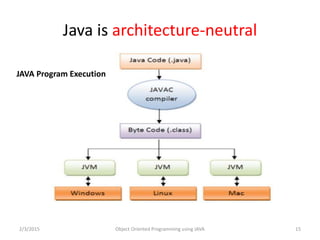
Java is architecture-neutral
2/3/2015 Object Oriented Programming using JAVA 15
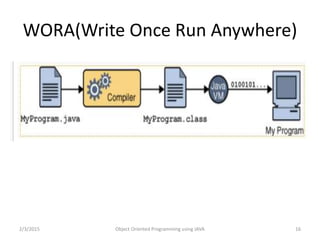
JAVA Program Execution
WORA(Write Once Run Anywhere)
2/3/2015 Object Oriented Programming using JAVA 16
Java Variable
–In Java Objects store there states in
variables. Variable are used as
container to hold some kind of
value(int, long, string…) during life of
application.
Java Types of Variable
• Variable in Java can be defined in different parts
of code(Inside class, Inside method, As Method
Argument) and can have different modifiers.
Depending on these conditions variables can be
divided as 4 types.
• Instance Variable
• Static Variable
• Local Variable
• Method Parameter
Instance Variable
Instance variables are used by Objects to store
there states. Variables which are defined
without STATIC keyword and Outside any
method declaration are object specific and
known as Instance variable. Variables are
known as instance variables because there
values are instance specific and values of
these variables are not shared among
instances.
Java Data types
Data types: It define the natures of value in
programing, Based on the data type of a variable,
the operating system allocates memory and
decides what can be stored in the reserved
memory. Therefore, by assigning different data
types to variables, you can store integers,
decimals, or characters in these variables.
There are two data types available in Java:
• Primitive Data Types
• Reference/Object Data Types
Java Data types
Primitive Data Types
• There are eight primitive data types supported by Java. Primitive data
types are predefined by the language and named by a keyword. Let us
now look into detail about the eight primitive data types.
1. Char
2. Boolean
3. Byte
4. Short
5. Int
6. Long
7. Doubble
8. Float
Java Data types
Primitive Data Types
• There are eight primitive data types supported by Java. Primitive data types are
predefined by the language and named by a keyword. Let us now look into detail
about the eight primitive data types.
1. Char
2. Boolean
3. Byte
4. Short
5. Int
6. Long
7. Doubble
8. Float
Reference Data Types:
• Reference variables are created using defined constructors of the classes. They are
used to access objects. These variables are declared to be of a specific type that
cannot be changed. For example, Employee, Puppy etc.
Java Operator
Operators are used to perform specific kind of operation like they do in
other programming language.
Types of Operator:
• Arithmetic Operators
• Relational Operators
• Post increment/Pre increment
• Post decrement/pre decrement
• Logical Operators
• Assignment Operators
• Misc Operators
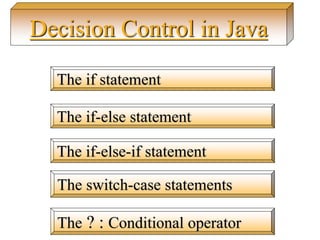
The if statement
The if-else statement
The if-else-if statement
The ? : Conditional operator
Decision Control in Java
The switch-case statements
Java : if statement
if(this condition is true)
Execute this statement;
import java.util.Scanner;
public class Test
{
public static void main(String[] args)
{
Scanner s = new Scanner(System.in);
System.out.print("Enter age number: ");
int age = s.nextInt();
if(age>18)
{
System.out.println(“You are able for vote….”);
}
}
The if-else statement
if(this condition is true)
Execute this statement;
else
Execute this
import java.util.Scanner;
public class Test
{
public static void main(String[] args)
{
Scanner s = new Scanner(System.in);
System.out.print("Enter age number: ");
int age = s.nextInt();
if(age>18)
{
System.out.println(“You are able for vote….”);
}
else
{
System.out.println(“You are not able for vote….”);
}
}
The if-else statement
if(this condition is true)
Execute this statement;
else
Execute this
import java.util.Scanner;
public class Test
{
public static void main(String[] args)
{
Scanner s = new Scanner(System.in);
System.out.print("Enter age number: ");
int age = s.nextInt();
if(age>18)
{
System.out.println(“You are able for vote….”);
}
else
{
System.out.println(“You are not able for vote….”);
}
}
Scanner reader = new Scanner(System.in); char c = reader.nextChar();
Scanner s = new Scanner(System.in);
System.out.println("nEnter the first character: ");
ch1 = (char)s.nextInt();
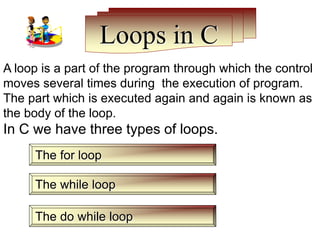
Loops in C
A loop is a part of the program through which the control
moves several times during the execution of program.
The part which is executed again and again is known as
the body of the loop.
In C we have three types of loops.
The for loop
The while loop
The do while loop
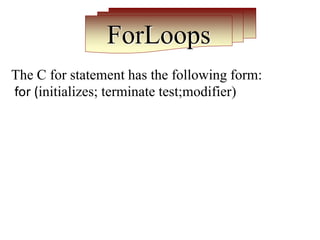
ForLoops
The C for statement has the following form:
for (initializes; terminate test;modifier)
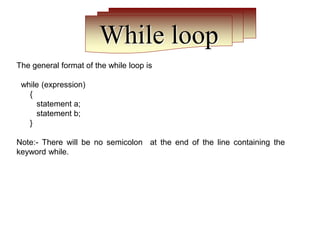
While loop
The general format of the while loop is
while (expression)
{
statement a;
statement b;
}
Note:- There will be no semicolon at the end of the line containing the
keyword while.
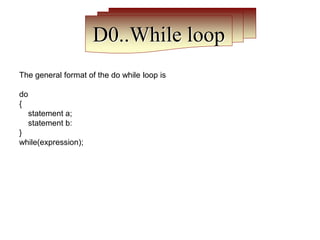
D0..While loop
The general format of the do while loop is
do
{
statement a;
statement b:
}
while(expression);
Foreach loop
Syntax:
Syntax : for(data-type variable_name:array-name)
public class Foreach {
public static void main(String args[])
{
int[] a={10,20,30,40,50};
for(int x:a)
{
System.out.println(x);
}
}
}
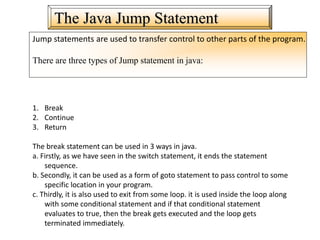
The Java Jump Statement
Jump statements are used to transfer control to other parts of the program.
There are three types of Jump statement in java:
1. Break
2. Continue
3. Return
The break statement can be used in 3 ways in java.
a. Firstly, as we have seen in the switch statement, it ends the statement
sequence.
b. Secondly, it can be used as a form of goto statement to pass control to some
specific location in your program.
c. Thirdly, it is also used to exit from some loop. it is used inside the loop along
with some conditional statement and if that conditional statement
evaluates to true, then the break gets executed and the loop gets
terminated immediately.
The Java Jump Statement
Break Example
class BreakLoop
{
public static void main (String args[])
{
for(int x=0;x<50;x++)
{
if (x==5)
{
break;
System.out.println(“Value of x is : ” +x);
}
}
System.out.println(“Breaked out of loop”);
}
}
The Java Jump Statement
Continue
class BreakLoop
{
public static void main (String args[])
{
for(int x=0;x<50;x++)
{
if (x==5)
{
continue;
System.out.println(“Value of x is : ” +x);
}
}
System.out.println(“Breaked out of loop”);
}
}
The Java Jump Statement
Label with goto :
Label break statement is used to transfer control unconditionally from
one place to another place in program.
import java.util.Scanner;
class labetest1{
public static void main(String arng[]){
int num;
go:{
Scanner data = new Scanner(System.in);
System.out.println("Enter a number");
num=data.nextInt();
if(num>20)
{
System.out.println("You are not a");
break go;
}
}
System.out.println("smart person"); } }
The Java Jump Statement
Return :
The return statement is the last jump statement. The return statement is used to
end the execution of a specific method and then return a value.
This is used in class concept with method
in next syllabus.
Array:
Array is a data structure in java that can hold one or more values in a single variable.
Array is a collection of similar type of values.
Java has two types of arrays, single dimensional and multidimensional arrays.
A few main points about arrays in Java:
Single Dimensional Array
Multi Dimensional Array
To declare a one-dimensional array, you will
use this general form:
type[ ] array-name = new type[size];
Array:Assigning Values to an Array
You can assign values to individual array elements, by using the index number, like:
double[] balance = new double[10];
balance[0] = 4500.0;
You can assign values to the array at the time of declaration, like:
double[] balance = { 2340.0, 4523.69, 3421.0};
You can also create and initialize an array, like:
int [] marks = new int[5] { 99, 98, 92, 97, 95};
In the preceding case, you may also omit the size of the array, like:
int [] marks = new int[] { 99, 98, 92, 97, 95};
int[] score = marks;
Array:Example of Single Dim Array
class MainClass
{
public static void main(String args[])
{
int[] arr ={ 10, 20, 30, 40, 50 };
for(i=0;i<arr.length;i++)
{
SOP("Value is: " + arr[i]);
}
}
}
Array:Input Array element and sum
import java.util.Scanner;
class group{
public static void main(String arng[]){
int total = 0;
int sum[]=new int[5];
Scanner data = new Scanner(System.in);
System.out.println("Enter 5 element of array");
for(int i=0; i<5;i++)
sum[i] = data.nextInt();
for(int i=0; i < 5;i++)
total = total +sum[i];
System.out.println("Sum of array element is:"+total);
}
}
Soring in java
 Definition: Sorting means to put data in order;
either numerically or alphabetically.
Ways to sort arrays:
1. Array with Method
2. Bubble Sort
Soring in java
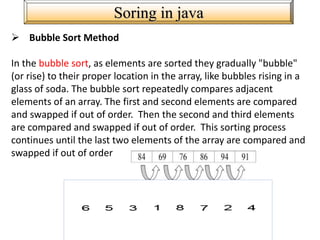
 Bubble Sort Method
In the bubble sort, as elements are sorted they gradually "bubble"
(or rise) to their proper location in the array, like bubbles rising in a
glass of soda. The bubble sort repeatedly compares adjacent
elements of an array. The first and second elements are compared
and swapped if out of order. Then the second and third elements
are compared and swapped if out of order. This sorting process
continues until the last two elements of the array are compared and
swapped if out of order
Array:Sort the Array elements with Method
import java.util.Arrays;
class Sort
{
public static void main(String args[])
{
int data[] = { 4, -5, 2, 6, 1 };
Arrays.sort(data);
for (int c: data)
{
System.out.println(c);
}
}
}
Array:Sort the Array elements using bubble sort
import java.util.Scanner;
class BubbleSort {
public static void main(String []args) {
int n, c, d, swap;
Scanner in = new Scanner(System.in);
System.out.println("Input number of integers to sort");
n = in.nextInt();
int array[] = new int[n];
System.out.println("Enter " + n + " integers");
for (c = 0; c < n; c++)
array[c] = in.nextInt();
Array: bubble sort Continue…….
for (c = 0; c < ( n - 1 ); c++) {
for (d = 0; d < n - c - 1; d++) {
if (array[d] < array[d+1]) /* For ascscending order use < */
{
swap = array[d];
array[d] = array[d+1];
array[d+1] = swap;
}
}
}
System.out.println("Sorted list of numbers");
for (c = 0; c < n; c++)
System.out.println(array[c]);
}
}
Array: 2D Array
Two-dimensional arrays are defined as "an array of arrays". Since an array type is a first-class Java
type, we can have an array of ints, an array of Strings, or an array of Objects.
Syntax:
int[][] a2 = new int[10][5]
E.G
public class two
{
public static void main(String[] args) {
int[][] a2 = new int[10][5];
for (int i=0; i<a2.length; i++) {
for (int j=0; j<a2[i].length; j++) {
a2[i][j] = i;
System.out.print(" " + a2[i][j]);
}
System.out.println("");
} } }
Array: 2D Array Sum of Matrix
import java.util.Scanner;
class Array1
{
public static void main(String args[])
{
int m, n, c, d;
Scanner in = new Scanner(System.in);
System.out.println("Enter the number of rows and columns of matrix");
m = in.nextInt();
n = in.nextInt();
int first[][] = new int[m][n];
int second[][] = new int[m][n];
int sum[][] = new int[m][n];
Array: 2D Array Continue…..
System.out.println("Enter the elements of first matrix");
for ( c = 0 ; c < m ; c++ )
for ( d = 0 ; d < n ; d++ )
first[c][d] = in.nextInt();
System.out.println("Enter the elements of second matrix");
for ( c = 0 ; c < m ; c++ )
for ( d = 0 ; d < n ; d++ )
second[c][d] = in.nextInt();
for ( c = 0 ; c < m ; c++ )
for ( d = 0 ; d < n ; d++ )
sum[c][d] = first[c][d] + second[c][d];
System.out.println("Sum of entered matrices:-");
for ( c = 0 ; c < m ; c++ )
{
for ( d = 0 ; d < n ; d++ )
System.out.print(sum[c][d]+"t");
System.out.println();
}
} }
Array: 2D Array with transpose
class TransposeAMatrix
{
public static void main(String args[])
{
int m, n, c, d;
Scanner in = new Scanner(System.in);
System.out.println("Enter the number of rows and columns of
matrix");
m = in.nextInt();
n = in.nextInt();
int matrix[][] = new int[m][n];
System.out.println("Enter the elements of matrix");
for ( c = 0 ; c < m ; c++ )
for ( d = 0 ; d < n ; d++ )
matrix[c][d] = in.nextInt();
Array: 2D Array with transpose Continue….
int transpose[][] = new int[n][m];
for ( c = 0 ; c < m ; c++ )
{
for ( d = 0 ; d < n ; d++ )
transpose[d][c] = matrix[c][d];
}
System.out.println("Transpose of entered matrix:-");
for ( c = 0 ; c < n ; c++ )
{
for ( d = 0 ; d < m ; d++ )
System.out.print(transpose[c][d]+"t");
System.out.print("n");
}
}
}
Array: Array with String
Java Strings are combination of characters that are widely used in java
programming.
char[] array = { 'z', 'a', 'b' };
String [] name={“amit”,”ravi”,”shyam”}
class Str
{
static String[] firstnames={ “Mohit", “Rohit", “Gopal", "Mary","Anne"
};
public static void main(String args[])
{
for(int i=0;i<5;i++){
System.out.println(firstnames[i]);
}
}
}
Array: Find the length of string
Java Strings are combination of characters that are widely used in java
programming.
char[] array = { 'z', 'a', 'b' };
String [] name={“amit”,”ravi”,”shyam”}
public class stringtest
{
public static void main(String []args) {
String Strex = "Strings are supported in java by using String class";
String strex1 = new String();
strex1 = "Java comes up with string class";
System.out.println("String length=" + Strex.length());
System.out.println("String length=" + strex1.length());
}
Array: java string replace method
Java Strings are combination of characters that are widely used in java
programming.
public class two {
public static void main(String []args) {
String Strex = "Strings are supported in java by using String java class"; // creating simple
Strex = "Java comes up with string class";
System.out.println("The actual string: " + Strex);
System.out.println("String after replace: " + Strex.replace('c', 'C'));
}
}
Array: java string split method
java split string method of String class and breaks string completely by a given
regular expression.
public class splittest {
public static void main(String []args) {
String Strex;
Strex ="name is: Gopal and age is: 30 and salary is: Rs.5000";
for (String Strsplit: Strex.split(" and "))
{
System.out.println(Strsplit);
}
}
}
Array: java string split method
java split string method of String class and breaks string completely by a given
regular expression.
public class splittest {
public static void main(String []args) {
String Strex;
Strex ="name is: Gopal and age is: 30 and salary is: Rs.5000";
for (String Strsplit: Strex.split(" and "))
{
System.out.println(Strsplit);
}
}
}
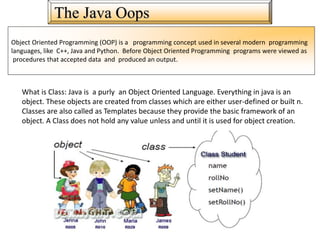
The Java Oops
Object Oriented Programming (OOP) is a programming concept used in several modern programming
languages, like C++, Java and Python. Before Object Oriented Programming programs were viewed as
procedures that accepted data and produced an output.
What is Class: Java is a purly an Object Oriented Language. Everything in java is an
object. These objects are created from classes which are either user-defined or built n.
Classes are also called as Templates because they provide the basic framework of an
object. A Class does not hold any value unless and until it is used for object creation.
The Java Class Example
class A
{
private static int addIntegers(int a, int b)
{
return (a+b);
}
}
public static void main(String[] args)
{
int val1 = 10;
int val2 = 20;
System.out.println("Answer = " + addIntegers(val1, val2));
}
}
The Java Class with method and parameter
class rectangle
{
double l,w;
void get()
{
l=5;
w=5;
}
void area()
{
double a;
a=l*w;
System.out.println("Area is:"+a);
}
class Callmethod
{
public static void main(String args[])
{
rectangle r=new rectangle();
r.get();
r.area();
}
}
The Java Class with method and parameter
class Rectangle
{
int length,width;
void getData(int x, int y)//method
{
length=x;
width=y;
}
int rectArea()
{
int area=length*width;
return(area);
}
}
class GradeBook
{
public static void main(String args[])
{
Rectangle rect1= new Rectangle();
//one way of passing values to object
rect1.length=15;
rect1.width=10;
int area1=rect1.length*rect1.width;
System.out.println("Area1="+area1);
} }
The Java Constructor
Constructor:- A Constructor is a special method that does not
have a return type and a has the same name as that of the
class name. It means that a constructor can act as a normal
method or function but it cannot return any value.
Every class must have at least one constructor.
If there are no constructors for your class, the compiler will
supply a default constructor (no-arg constructor).
A constructor is used to construct an object.
A constructor looks like a method and is sometimes called a
constructor method.
A constructor never returns a value
The Java Default Constructor Example
class box
{
int l,w;
box()
{
l=5;
w=5;
}
void show()
{
System.out.println("Length is:"+l);
System.out.println("width is:"+w);
} }
class GradeBook
{
public static void main(String args[])
{
box b=new box();
b.show(); } }
The Java Constructor Example
class Rectangle
{
int length, width;
Rectangle(int x, int y)//define constru
{
length=x;
width=y;
}
int rectArea()//method
{
return(length*width); } }
class GradeBook
{
public static void main(String args[])
{
Rectangle rect1= new Rectangle(10,20);//calling constr.
int area1=rect1.rectArea();
System.out.println("Area1="+area1);
} }
• Constructor can take value, value is called
“Argument”.
• Argument can be of many types i.e integer,
character, array or any object.
• Constructor can take any no of arguments.
2/3/2015 Object Oriented Programming using JAVA 64
Java Parameterized constructor
class Rectangle {
int length; int breadth;
Rectangle(int len,int bre) {
length = len; breadth = bre;
} }
class RectangleDemo {
public static void main(String args[]) {
Rectangle r1 = new Rectangle(20,10);
System.out.println("Length of Rectangle : " + r1.length);
System.out.println("Breadth of Rectangle : " + r1.breadth);
} }
2/3/2015 Object Oriented Programming using JAVA 65
Parameterized constructor: example
Constructor chaining occurs when a class inherits
another class i.e. in inheritance, as in inheritance
sub class inherits the properties of super class.
Both the super and sub class may have
constructor methods, when an object of sub class
is created it's constructor is invoked it initializes
sub class attributes, now super class constructor
needs to be invoked, to achieve this java provides
a super keyword through which we can pass
arguments to super class constructor.
2/3/2015 Object Oriented Programming using JAVA 66
Java Constructor Chaining
• class Vehicle{
• int speed=50;
• }
•
• class Bike extends Vehicle{
• int speed=100;
•
• void display(){
• System.out.println(super.speed);//will print speed of Vehicle now
• }
• public static void main(String args[]){
• Bike b=new Bike();
• b.display();
•
• }
• }
2/3/2015 Object Oriented Programming using JAVA 67
Java Constructor Chaining Example
• this keyword is used to refer current object
in java programming.
• We can use this keyword in any method or
constructor.
• Use this method referes to the current object
that calls a method or invokes constructor.
2/3/2015 Object Oriented Programming using JAVA 68
Use of this
class Rectangle {
int length; int breadth;
void setDiamentions(int ln,int br) {
this.length = ln;
this.breadth = br;
} }
class RectangleDemo {
public static void main(String args[]) {
Rectangle r1 = new Rectangle(); r1.setDiamentions(20,10);
System.out.println("Length of Rectangle : " + r1.length);
System.out.println("Breadth of Rectangle : " + r1.breadth);
} }
2/3/2015 Object Oriented Programming using JAVA 69
Example
• Object is created using new operator.
• Object gets memory inside the “heap”.
• In C++ , After using object, Memory for objects
gets deallocated by delete().
• In Java deallocation can be done automatically.
• Automatic technique used to deallocate memory
is called “Garbage Collections”.
• Java is smart enough to identify the unused
object or unless objects.
2/3/2015 Object Oriented Programming using JAVA 70
Garbage Collections:Destroying Objects in Java
• Garbage collection is done automatically in java
• As soon as compiler detects that-object is no
longer needed inside the program, Garbage
collection algorithm gets executed automatically
to free up memory from the heap so that free
memory can be used by another objects.
• Different Java Runtimes may have different
approaches for garbage collection.
2/3/2015 Object Oriented Programming using JAVA 71
How garbage collection works?
• In java we can define many number of
methods in a class with same name.
• Defining two or more method with same
name is known as “Method overloading”.
• Compiler determines which method has to
execute automatically.
2/3/2015 Object Oriented Programming using JAVA 72
Method Overloading
class Rectangle {
double length; double breadth;
void area(int length, int width) {
int areaOfRectangle = length * width;
System.out.println("Area of Rectangle : " + areaOfRectangle); }
void area(double length, double width) {
double areaOfRectangle = length * width;
System.out.println("Area of Rectangle : " + areaOfRectangle); } }
class RectangleDemo {
public static void main(String args[]) {
Rectangle r1 = new Rectangle();
r1.area(10, 20); r1.area(10.50, 20.50);
} }
2/3/2015 Object Oriented Programming using JAVA 73
Method Overloading Example
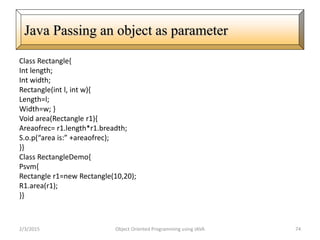
Class Rectangle{
Int length;
Int width;
Rectangle(int l, int w){
Length=l;
Width=w; }
Void area(Rectangle r1){
Areaofrec= r1.length*r1.breadth;
S.o.p(“area is:” +areaofrec);
}}
Class RectangleDemo{
Psvm{
Rectangle r1=new Rectangle(10,20);
R1.area(r1);
}}
2/3/2015 Object Oriented Programming using JAVA 74
Java Passing an object as parameter
• Packages are used in Java in order to prevent naming conflicts, to
control access, to
• make searching/locating and usage of classes, interfaces,
enumerations and
• annotations easier, etc.
• A Package can be defined as a grouping of related types(classes,
interfaces,
• enumerations and annotations ) providing access protection and
name space
• management.
• Some of the existing packages in Java are::
• java.lang - bundles the fundamental classes
• java.io - classes for input , output functions are bundled in this
package
2/3/2015 Object Oriented Programming using JAVA 75
Packages in Java
• When creating a package, you should choose a name
for the package and put a
• package statement with that name at the top of every
source file that contains the
• classes, interfaces, enumerations, and annotation
types that you want to include in the
• package.
• The package statement should be the first line in the
source file. There can be only one
• package statement in each source file, and it applies to
all types in the file.
2/3/2015 Object Oriented Programming using JAVA 76
How to create Package in Java
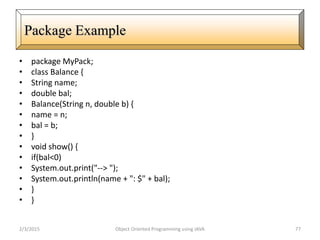
• package MyPack;
• class Balance {
• String name;
• double bal;
• Balance(String n, double b) {
• name = n;
• bal = b;
• }
• void show() {
• if(bal<0)
• System.out.print("--> ");
• System.out.println(name + ": $" + bal);
• }
• }
2/3/2015 Object Oriented Programming using JAVA 77
Package Example
• class AccountBalance {
• public static void main(String args[]) {
• Balance current[] = new Balance[3];
• System.out.println(name + ": $" + bal);
• }
• }
• class AccountBalance {
• public static void main(String args[]) {
• Balance current[] = new Balance[3];
• current[0] = new Balance("K. J. Fielding", 123.23);
• current[1] = new Balance("Will Tell", 157.02);
• current[2] = new Balance("Tom Jackson", -12.33);
• for(int i=0; i<3; i++) current[i].show();
• }
• }
2/3/2015 Object Oriented Programming using JAVA 78
Package Example Continue
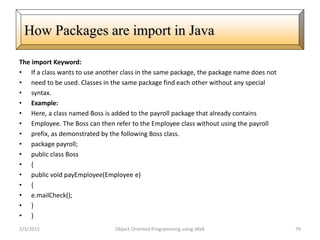
The import Keyword:
• If a class wants to use another class in the same package, the package name does not
• need to be used. Classes in the same package find each other without any special
• syntax.
• Example:
• Here, a class named Boss is added to the payroll package that already contains
• Employee. The Boss can then refer to the Employee class without using the payroll
• prefix, as demonstrated by the following Boss class.
• package payroll;
• public class Boss
• {
• public void payEmployee(Employee e)
• {
• e.mailCheck();
• }
• }
2/3/2015 Object Oriented Programming using JAVA 79
How Packages are import in Java
Continue..
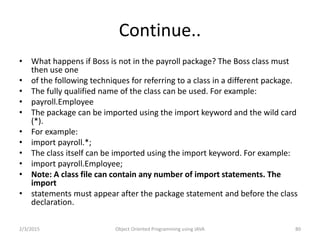
• What happens if Boss is not in the payroll package? The Boss class must
then use one
• of the following techniques for referring to a class in a different package.
• The fully qualified name of the class can be used. For example:
• payroll.Employee
• The package can be imported using the import keyword and the wild card
(*).
• For example:
• import payroll.*;
• The class itself can be imported using the import keyword. For example:
• import payroll.Employee;
• Note: A class file can contain any number of import statements. The
import
• statements must appear after the package statement and before the class
declaration.
2/3/2015 Object Oriented Programming using JAVA 80
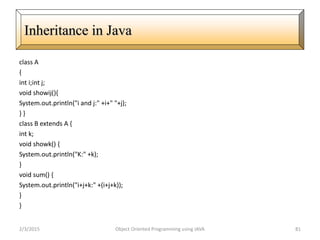
class A
{
int i;int j;
void showij(){
System.out.println("i and j:" +i+" "+j);
} }
class B extends A {
int k;
void showk() {
System.out.println("K:" +k);
}
void sum() {
System.out.println("i+j+k:" +(i+j+k));
}
}
2/3/2015 Object Oriented Programming using JAVA 81
Inheritance in Java
class SimpleInheritance {
public static void main(String arg[]){
A superOb=new A();
B subOb=new B();
superOb.i=10; superOb.j=20;
System.out.println("Contents of SuperOb:");
superOb.showij();
System.out.println();
subOb.i=7; subOb.j=8; subOb.k=9;
System.out.println("contents of subob:");
subOb.showij();
subOb.showk();
System.out.println();
System.out.println("Sum of i,j and k in subOb:");
subOb.sum();
}
}2/3/2015 Object Oriented Programming using JAVA 82
Inheritance in Java…
• class A {
• int i;
• private int j;
• void setij(int x, int y) {
• i = x; j = y; } }
• class B extends A {
• int total;
• void sum() {
• total = i + j; } }
• class Access {
• public static void main(String args[]) {
• B subOb = new B();
• subOb.setij(10, 12);
• subOb.sum();s
• System.out.println("Total is " + subOb.total);
• } }
2/3/2015 Object Oriented Programming using JAVA 83
Method Access in Java
Using super to overcome name hiding.
class A {
int i; }
class B extends A {
int i;
B(int a, int b) {
super.i = a;
i = b; }
void show() {
System.out.println("i in superclass: " + super.i);
System.out.println("i in subclass: " + i);
} }
class UseSuper {
public static void main(String args[]) {
B subOb = new B(1, 2);
subOb.show();
} }2/3/2015 Object Oriented Programming using JAVA 84
A second use of Super
• class A {
• A() {
• System.out.println("Inside A's constructor.");
• } }
• class B extends A {
• B() {
• System.out.println("Inside B's constructor.");
• } }
• class C extends B {
• C() {
• System.out.println("Inside C's constructor.");
• } }
• class CallingCons {
• public static void main(String args[]) {
• C c = new C();
• } }
2/3/2015 Object Oriented Programming using JAVA 85
Constructor in Inheritance
class A {
int i, j;
A(int a, int b) {
i = a; j = b; }
void show() {
System.out.println("i and j: " + i + " " + j); } }
class B extends A {
int k;
B(int a, int b, int c) {
super(a, b);
k = c; }
void show() {
System.out.println("k: " + k); } }
class Override {
public static void main(String args[]) {
B subOb = new B(1, 2, 3);
subOb.show();
} }
2/3/2015 Object Oriented Programming using JAVA 86
Method Overriding
Continue..
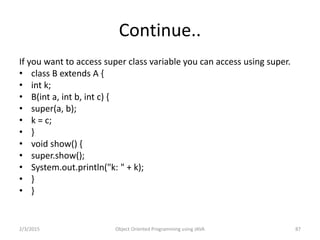
If you want to access super class variable you can access using super.
• class B extends A {
• int k;
• B(int a, int b, int c) {
• super(a, b);
• k = c;
• }
• void show() {
• super.show();
• System.out.println("k: " + k);
• }
• }
2/3/2015 Object Oriented Programming using JAVA 87
• abstract class A {
• abstract void callme();
• void callmetoo() {
• System.out.println("This is a concrete method.");
• } }
• class B extends A {
• void callme() {
• System.out.println("B's implementation of callme.");
• } }
• class AbstractDemo {
• public static void main(String args[]) {
• B b = new B();
• b.callme();
• b.callmetoo();
• } }
Object Oriented Programming using JAVA 88
Using Abstract Classes
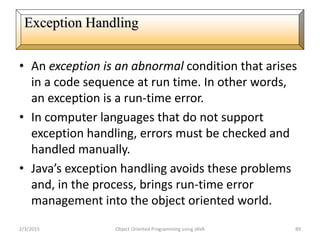
• An exception is an abnormal condition that arises
in a code sequence at run time. In other words,
an exception is a run-time error.
• In computer languages that do not support
exception handling, errors must be checked and
handled manually.
• Java’s exception handling avoids these problems
and, in the process, brings run-time error
management into the object oriented world.
2/3/2015 Object Oriented Programming using JAVA 89
Exception Handling
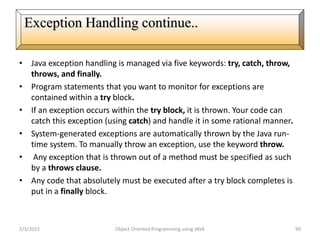
• Java exception handling is managed via five keywords: try, catch, throw,
throws, and finally.
• Program statements that you want to monitor for exceptions are
contained within a try block.
• If an exception occurs within the try block, it is thrown. Your code can
catch this exception (using catch) and handle it in some rational manner.
• System-generated exceptions are automatically thrown by the Java run-
time system. To manually throw an exception, use the keyword throw.
• Any exception that is thrown out of a method must be specified as such
by a throws clause.
• Any code that absolutely must be executed after a try block completes is
put in a finally block.
2/3/2015 Object Oriented Programming using JAVA 90
Exception Handling continue..
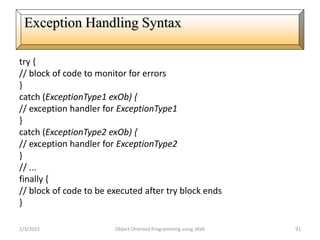
try {
// block of code to monitor for errors
}
catch (ExceptionType1 exOb) {
// exception handler for ExceptionType1
}
catch (ExceptionType2 exOb) {
// exception handler for ExceptionType2
}
// ...
finally {
// block of code to be executed after try block ends
}
2/3/2015 Object Oriented Programming using JAVA 91
Exception Handling Syntax
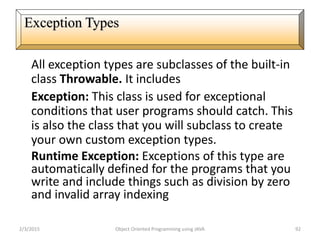
All exception types are subclasses of the built-in
class Throwable. It includes
Exception: This class is used for exceptional
conditions that user programs should catch. This
is also the class that you will subclass to create
your own custom exception types.
Runtime Exception: Exceptions of this type are
automatically defined for the programs that you
write and include things such as division by zero
and invalid array indexing
2/3/2015 Object Oriented Programming using JAVA 92
Exception Types
class Exc {
public static void main(String args[]) {
int d, a;
try {
d = 0;
a = 42 / d;
System.out.println("This will not be printed.");
} catch (ArithmeticException e) {
System.out.println("Division by zero.");
}
System.out.println("After catch statement.");
}
}
2/3/2015 Object Oriented Programming using JAVA 93
Run Time Exception Example
class MultiCatch {
public static void main(String args[]) {
try {
int a = 0;
System.out.println("a = " + a);
int b = 42 / a;
int c[] = { 1 };
c[42] = 99;
} catch(ArithmeticException e) {
System.out.println("Divide by 0: " + e);
} catch(ArrayIndexOutOfBoundsException e) {
System.out.println("Array index oob: " + e);
}
System.out.println(“exception found");
}
}
2/3/2015 Object Oriented Programming using JAVA 94
Multiple Catch Clauses
class NestTry {
public static void main(String args[]) {
try {
int a = 0;
int b = 42 / a;
System.out.println("a = " + a);
try {
if(a==1) a = a/(a-a);
if(a==2) {
int c[] = { 1 };
c[42] = 99;
}} catch(ArrayIndexOutOfBoundsException e) {
System.out.println("Array index out-of-bounds: " + e);
}} catch(ArithmeticException e) {
System.out.println("Divide by 0: " + e);
}}}
2/3/2015 Object Oriented Programming using JAVA 95
Multiple try Statement
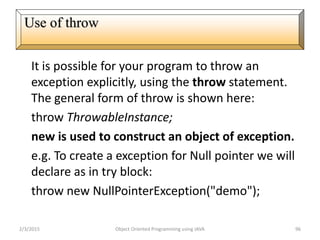
It is possible for your program to throw an
exception explicitly, using the throw statement.
The general form of throw is shown here:
throw ThrowableInstance;
new is used to construct an object of exception.
e.g. To create a exception for Null pointer we will
declare as in try block:
throw new NullPointerException("demo");
2/3/2015 Object Oriented Programming using JAVA 96
Use of throw
class ThrowDemo {
static void exception() {
try {
throw new NullPointerException("demo");
} catch(NullPointerException e) {
System.out.println("Caught inside demoproc.");
throw e;
} }
public static void main(String args[]) {
try {
exception();
} catch(NullPointerException e) {
System.out.println("Recaught: " + e);
}}}
2/3/2015 Object Oriented Programming using JAVA 97
Use of throw example
class ThrowsDemo {
static void throwOne() throws IllegalAccessException {
System.out.println("Inside throwOne.");
throw new IllegalAccessException("demo");
}
public static void main(String args[]) {
try {
throwOne();
} catch (IllegalAccessException e) {
System.out.println("Caught " + e);
}}}
2/3/2015 Object Oriented Programming using JAVA 98
Use of throws
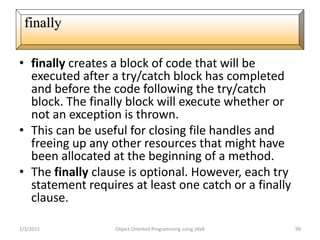
• finally creates a block of code that will be
executed after a try/catch block has completed
and before the code following the try/catch
block. The finally block will execute whether or
not an exception is thrown.
• This can be useful for closing file handles and
freeing up any other resources that might have
been allocated at the beginning of a method.
• The finally clause is optional. However, each try
statement requires at least one catch or a finally
clause.
2/3/2015 Object Oriented Programming using JAVA 99
finally
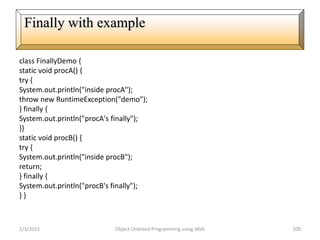
class FinallyDemo {
static void procA() {
try {
System.out.println("inside procA");
throw new RuntimeException("demo");
} finally {
System.out.println("procA's finally");
}}
static void procB() {
try {
System.out.println("inside procB");
return;
} finally {
System.out.println("procB's finally");
} }
2/3/2015 Object Oriented Programming using JAVA 100
Finally with example
static void procC() {
try {
System.out.println("inside procC");
} finally {
System.out.println("procC's finally");
} }
public static void main(String args[]) {
try {
procA();
} catch (Exception e) {
System.out.println("Exception caught");
}
procB();
procC(); } }
2/3/2015 Object Oriented Programming using JAVA 101
Finally with example continue..
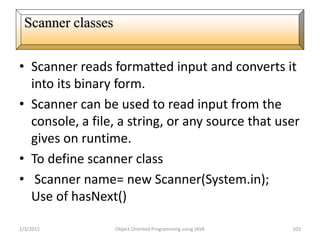
• Scanner reads formatted input and converts it
into its binary form.
• Scanner can be used to read input from the
console, a file, a string, or any source that user
gives on runtime.
• To define scanner class
• Scanner name= new Scanner(System.in);
Use of hasNext()
2/3/2015 Object Oriented Programming using JAVA 102
Scanner classes
Scanner classe Example
else {
String str = conin.next();
if(str.equals("done")) break;
else {
System.out.println("Data format error.");
return;
}
}
}
System.out.println("Average is " + sum / count);
}
}
import java.util.*;
class AvgNums {
public static void main(String
args[]) {
Scanner conin = new
Scanner(System.in);
int count = 0;
double sum = 0.0;
System.out.println("Enter
numbers to average.");
while(conin.hasNext()) {
if(conin.hasNextDouble()) {
sum += conin.nextDouble();
count++;
}
2/3/2015 Object Oriented Programming using JAVA 103
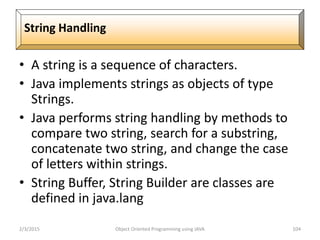
• A string is a sequence of characters.
• Java implements strings as objects of type
Strings.
• Java performs string handling by methods to
compare two string, search for a substring,
concatenate two string, and change the case
of letters within strings.
• String Buffer, String Builder are classes are
defined in java.lang
2/3/2015 Object Oriented Programming using JAVA 104
String Handling
class MakeString {
public static void main(String args[]) {
char c[] = {'J', 'a', 'v', 'a'};
String s1 = new String(c);
String s2 = new String(s1);
System.out.println(s1);
System.out.println(s2);
}
}
2/3/2015 Object Oriented Programming using JAVA 105
String Object creation
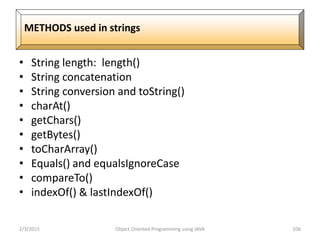
• String length: length()
• String concatenation
• String conversion and toString()
• charAt()
• getChars()
• getBytes()
• toCharArray()
• Equals() and equalsIgnoreCase
• compareTo()
• indexOf() & lastIndexOf()
2/3/2015 Object Oriented Programming using JAVA 106
METHODS used in strings
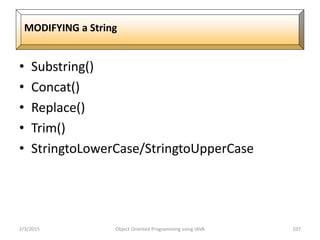
• Substring()
• Concat()
• Replace()
• Trim()
• StringtoLowerCase/StringtoUpperCase
2/3/2015 Object Oriented Programming using JAVA 107
MODIFYING a String
• Length() and capacity
• setLength()
• charAt()& setCharAt()
• getChars()
• Append()
• Insert()
• Reverse()
• Delete() and deleteCharAt()
• Replace()Substring()
2/3/2015 Object Oriented Programming using JAVA 108
String Buffer
2/3/2015 Object Oriented Programming using JAVA 109

Java basic

  • 1.
  • 2.
    Introduction Java is apowerful, cross-platform, object- oriented programming language originally developed by James Gosling at Sun Microsystems and released in 1995 as a core component of Sun Microsystems' Java platform. Java was originally called OAK, and was designed for advanced software for consumer electronics. Java is an object-oriented language similar to C++. The language derives much of its syntax from C and C++ programming language. 2/3/2015 Object Oriented Programming using JAVA 2
  • 3.
    Features of Java •Simple • Object-oriented • Network-savvy • Robust • Interpreted • Secure • Architecture neutral • Portable • High-performance • Multithreaded 2/3/2015 Object Oriented Programming using JAVA 3
  • 4.
    Why Java isImportant • Two reasons : – Trouble with C/C++ language is that they are not portable and are not platform independent languages. – Emergence of World Wide Web, which demanded portable programs • Portability and security necessitated the invention of Java
  • 5.
    History • James Gosling- Sun Microsystems • Co founder – Vinod Khosla • Oak - Java, May 20, 1995, Sun World • JDK Evolutions – JDK 1.0 (January 23, 1996) – JDK 1.1 (February 19, 1997) – J2SE 1.2 (December 8, 1998) – J2SE 1.3 (May 8, 2000) – J2SE 1.4 (February 6, 2002) – J2SE 5.0 (September 30, 2004) – Java SE 6 (December 11, 2006) – Java SE 7 (July 28, 2011)
  • 6.
    Cont.. • Java Editions. J2SE(Java2 Standard Edition) - to develop client-side standalone applications or applets. J2ME(Java 2 Micro Edition ) - to develop applications for mobile devices such as cell phones. J2EE(Java 2 Enterprise Edition ) - to develop server-side applications such as Java servlets and Java ServerPages.
  • 7.
    What is java? •A general-purpose object-oriented language. • Write Once Run Anywhere (WORA). • Designed for easy Web/Internet applications. • Widespread acceptance.
  • 8.
    How is Javadifferent from C… • C Language: – Major difference is that C is a structure oriented language and Java is an object oriented language and has mechanism to define classes and objects. – Java does not support an explicit pointer type – Java does not have preprocessor, so we cant use #define, #include and #ifdef statements. – Java does not include structures, unions and enum data types. – Java does not include keywords like goto, sizeof and typedef. – Java adds labeled break and continue statements. – Java adds many features required for object oriented programming.
  • 9.
    How is Javadifferent from C++… • C++ language Features removed in java: Java doesn’t support pointers to avoid unauthorized access of memory locations. Java does not include structures, unions and enum data types. Java does not support operator over loading. Preprocessor plays less important role in C++ and so eliminated entirely in java. Java does not perform automatic type conversions that result in loss of precision.
  • 10.
    Cont…  Java doesnot support global variables. Every method and variable is declared within a class and forms part of that class.  Java does not allow default arguments.  Java does not support inheritance of multiple super classes by a sub class (i.e., multiple inheritance). This is accomplished by using ‘interface’ concept.  It is not possible to declare unsigned integers in java.  In java objects are passed by reference only. In C++ objects may be passed by value or reference.
  • 11.
    Cont … New featuresadded in Java:  Multithreading, that allows two or more pieces of the same program to execute concurrently.  C++ has a set of library functions that use a common header file. But java replaces it with its own set of API classes.  It adds packages and interfaces.  Java supports automatic garbage collection.  break and continue statements have been enhanced in java to accept labels as targets.  The use of unicode characters ensures portability.
  • 12.
    Cont … Features thatdiffer:  Though C++ and java supports Boolean data type, C++ takes any nonzero value as true and zero as false. True and false in java are predefined literals that are values for a boolean expression.  Java has replaced the destructor function with a finalize() function.  C++ supports exception handling that is similar to java's. However, in C++ there is no requirement that a thrown exception be caught.
  • 13.
    Characteristics of Java •Java is simple • Java is object-oriented • Java is distributed • Java is interpreted • Java is robust • Java is architecture-neutral • Java is portable • Java’s performance • Java is multithreaded • Java is dynamic • Java is secure
  • 14.
    Java Environment • Javaincludes many development tools, classes and methods – Development tools are part of Java Development Kit (JDK) and – The classes and methods are part of Java Standard Library (JSL), also known as Application Programming Interface (API). • JDK constitutes of tools like java compiler, java interpreter and many. • API includes hundreds of classes and methods grouped into several packages according to their functionality.
  • 15.
    Java is architecture-neutral 2/3/2015Object Oriented Programming using JAVA 15 JAVA Program Execution
  • 16.
    WORA(Write Once RunAnywhere) 2/3/2015 Object Oriented Programming using JAVA 16
  • 17.
    Java Variable –In JavaObjects store there states in variables. Variable are used as container to hold some kind of value(int, long, string…) during life of application.
  • 18.
    Java Types ofVariable • Variable in Java can be defined in different parts of code(Inside class, Inside method, As Method Argument) and can have different modifiers. Depending on these conditions variables can be divided as 4 types. • Instance Variable • Static Variable • Local Variable • Method Parameter
  • 19.
    Instance Variable Instance variablesare used by Objects to store there states. Variables which are defined without STATIC keyword and Outside any method declaration are object specific and known as Instance variable. Variables are known as instance variables because there values are instance specific and values of these variables are not shared among instances.
  • 20.
    Java Data types Datatypes: It define the natures of value in programing, Based on the data type of a variable, the operating system allocates memory and decides what can be stored in the reserved memory. Therefore, by assigning different data types to variables, you can store integers, decimals, or characters in these variables. There are two data types available in Java: • Primitive Data Types • Reference/Object Data Types
  • 21.
    Java Data types PrimitiveData Types • There are eight primitive data types supported by Java. Primitive data types are predefined by the language and named by a keyword. Let us now look into detail about the eight primitive data types. 1. Char 2. Boolean 3. Byte 4. Short 5. Int 6. Long 7. Doubble 8. Float
  • 22.
    Java Data types PrimitiveData Types • There are eight primitive data types supported by Java. Primitive data types are predefined by the language and named by a keyword. Let us now look into detail about the eight primitive data types. 1. Char 2. Boolean 3. Byte 4. Short 5. Int 6. Long 7. Doubble 8. Float Reference Data Types: • Reference variables are created using defined constructors of the classes. They are used to access objects. These variables are declared to be of a specific type that cannot be changed. For example, Employee, Puppy etc.
  • 23.
    Java Operator Operators areused to perform specific kind of operation like they do in other programming language. Types of Operator: • Arithmetic Operators • Relational Operators • Post increment/Pre increment • Post decrement/pre decrement • Logical Operators • Assignment Operators • Misc Operators
  • 24.
    The if statement Theif-else statement The if-else-if statement The ? : Conditional operator Decision Control in Java The switch-case statements
  • 25.
    Java : ifstatement if(this condition is true) Execute this statement; import java.util.Scanner; public class Test { public static void main(String[] args) { Scanner s = new Scanner(System.in); System.out.print("Enter age number: "); int age = s.nextInt(); if(age>18) { System.out.println(“You are able for vote….”); } }
  • 26.
    The if-else statement if(thiscondition is true) Execute this statement; else Execute this import java.util.Scanner; public class Test { public static void main(String[] args) { Scanner s = new Scanner(System.in); System.out.print("Enter age number: "); int age = s.nextInt(); if(age>18) { System.out.println(“You are able for vote….”); } else { System.out.println(“You are not able for vote….”); } }
  • 27.
    The if-else statement if(thiscondition is true) Execute this statement; else Execute this import java.util.Scanner; public class Test { public static void main(String[] args) { Scanner s = new Scanner(System.in); System.out.print("Enter age number: "); int age = s.nextInt(); if(age>18) { System.out.println(“You are able for vote….”); } else { System.out.println(“You are not able for vote….”); } } Scanner reader = new Scanner(System.in); char c = reader.nextChar(); Scanner s = new Scanner(System.in); System.out.println("nEnter the first character: "); ch1 = (char)s.nextInt();
  • 28.
    Loops in C Aloop is a part of the program through which the control moves several times during the execution of program. The part which is executed again and again is known as the body of the loop. In C we have three types of loops. The for loop The while loop The do while loop
  • 29.
    ForLoops The C forstatement has the following form: for (initializes; terminate test;modifier)
  • 30.
    While loop The generalformat of the while loop is while (expression) { statement a; statement b; } Note:- There will be no semicolon at the end of the line containing the keyword while.
  • 31.
    D0..While loop The generalformat of the do while loop is do { statement a; statement b: } while(expression);
  • 32.
    Foreach loop Syntax: Syntax :for(data-type variable_name:array-name) public class Foreach { public static void main(String args[]) { int[] a={10,20,30,40,50}; for(int x:a) { System.out.println(x); } } }
  • 33.
    The Java JumpStatement Jump statements are used to transfer control to other parts of the program. There are three types of Jump statement in java: 1. Break 2. Continue 3. Return The break statement can be used in 3 ways in java. a. Firstly, as we have seen in the switch statement, it ends the statement sequence. b. Secondly, it can be used as a form of goto statement to pass control to some specific location in your program. c. Thirdly, it is also used to exit from some loop. it is used inside the loop along with some conditional statement and if that conditional statement evaluates to true, then the break gets executed and the loop gets terminated immediately.
  • 34.
    The Java JumpStatement Break Example class BreakLoop { public static void main (String args[]) { for(int x=0;x<50;x++) { if (x==5) { break; System.out.println(“Value of x is : ” +x); } } System.out.println(“Breaked out of loop”); } }
  • 35.
    The Java JumpStatement Continue class BreakLoop { public static void main (String args[]) { for(int x=0;x<50;x++) { if (x==5) { continue; System.out.println(“Value of x is : ” +x); } } System.out.println(“Breaked out of loop”); } }
  • 36.
    The Java JumpStatement Label with goto : Label break statement is used to transfer control unconditionally from one place to another place in program. import java.util.Scanner; class labetest1{ public static void main(String arng[]){ int num; go:{ Scanner data = new Scanner(System.in); System.out.println("Enter a number"); num=data.nextInt(); if(num>20) { System.out.println("You are not a"); break go; } } System.out.println("smart person"); } }
  • 37.
    The Java JumpStatement Return : The return statement is the last jump statement. The return statement is used to end the execution of a specific method and then return a value. This is used in class concept with method in next syllabus.
  • 38.
    Array: Array is adata structure in java that can hold one or more values in a single variable. Array is a collection of similar type of values. Java has two types of arrays, single dimensional and multidimensional arrays. A few main points about arrays in Java: Single Dimensional Array Multi Dimensional Array To declare a one-dimensional array, you will use this general form: type[ ] array-name = new type[size];
  • 39.
    Array:Assigning Values toan Array You can assign values to individual array elements, by using the index number, like: double[] balance = new double[10]; balance[0] = 4500.0; You can assign values to the array at the time of declaration, like: double[] balance = { 2340.0, 4523.69, 3421.0}; You can also create and initialize an array, like: int [] marks = new int[5] { 99, 98, 92, 97, 95}; In the preceding case, you may also omit the size of the array, like: int [] marks = new int[] { 99, 98, 92, 97, 95}; int[] score = marks;
  • 40.
    Array:Example of SingleDim Array class MainClass { public static void main(String args[]) { int[] arr ={ 10, 20, 30, 40, 50 }; for(i=0;i<arr.length;i++) { SOP("Value is: " + arr[i]); } } }
  • 41.
    Array:Input Array elementand sum import java.util.Scanner; class group{ public static void main(String arng[]){ int total = 0; int sum[]=new int[5]; Scanner data = new Scanner(System.in); System.out.println("Enter 5 element of array"); for(int i=0; i<5;i++) sum[i] = data.nextInt(); for(int i=0; i < 5;i++) total = total +sum[i]; System.out.println("Sum of array element is:"+total); } }
  • 42.
    Soring in java Definition: Sorting means to put data in order; either numerically or alphabetically. Ways to sort arrays: 1. Array with Method 2. Bubble Sort
  • 43.
    Soring in java Bubble Sort Method In the bubble sort, as elements are sorted they gradually "bubble" (or rise) to their proper location in the array, like bubbles rising in a glass of soda. The bubble sort repeatedly compares adjacent elements of an array. The first and second elements are compared and swapped if out of order. Then the second and third elements are compared and swapped if out of order. This sorting process continues until the last two elements of the array are compared and swapped if out of order
  • 44.
    Array:Sort the Arrayelements with Method import java.util.Arrays; class Sort { public static void main(String args[]) { int data[] = { 4, -5, 2, 6, 1 }; Arrays.sort(data); for (int c: data) { System.out.println(c); } } }
  • 45.
    Array:Sort the Arrayelements using bubble sort import java.util.Scanner; class BubbleSort { public static void main(String []args) { int n, c, d, swap; Scanner in = new Scanner(System.in); System.out.println("Input number of integers to sort"); n = in.nextInt(); int array[] = new int[n]; System.out.println("Enter " + n + " integers"); for (c = 0; c < n; c++) array[c] = in.nextInt();
  • 46.
    Array: bubble sortContinue……. for (c = 0; c < ( n - 1 ); c++) { for (d = 0; d < n - c - 1; d++) { if (array[d] < array[d+1]) /* For ascscending order use < */ { swap = array[d]; array[d] = array[d+1]; array[d+1] = swap; } } } System.out.println("Sorted list of numbers"); for (c = 0; c < n; c++) System.out.println(array[c]); } }
  • 47.
    Array: 2D Array Two-dimensionalarrays are defined as "an array of arrays". Since an array type is a first-class Java type, we can have an array of ints, an array of Strings, or an array of Objects. Syntax: int[][] a2 = new int[10][5] E.G public class two { public static void main(String[] args) { int[][] a2 = new int[10][5]; for (int i=0; i<a2.length; i++) { for (int j=0; j<a2[i].length; j++) { a2[i][j] = i; System.out.print(" " + a2[i][j]); } System.out.println(""); } } }
  • 48.
    Array: 2D ArraySum of Matrix import java.util.Scanner; class Array1 { public static void main(String args[]) { int m, n, c, d; Scanner in = new Scanner(System.in); System.out.println("Enter the number of rows and columns of matrix"); m = in.nextInt(); n = in.nextInt(); int first[][] = new int[m][n]; int second[][] = new int[m][n]; int sum[][] = new int[m][n];
  • 49.
    Array: 2D ArrayContinue….. System.out.println("Enter the elements of first matrix"); for ( c = 0 ; c < m ; c++ ) for ( d = 0 ; d < n ; d++ ) first[c][d] = in.nextInt(); System.out.println("Enter the elements of second matrix"); for ( c = 0 ; c < m ; c++ ) for ( d = 0 ; d < n ; d++ ) second[c][d] = in.nextInt(); for ( c = 0 ; c < m ; c++ ) for ( d = 0 ; d < n ; d++ ) sum[c][d] = first[c][d] + second[c][d]; System.out.println("Sum of entered matrices:-"); for ( c = 0 ; c < m ; c++ ) { for ( d = 0 ; d < n ; d++ ) System.out.print(sum[c][d]+"t"); System.out.println(); } } }
  • 50.
    Array: 2D Arraywith transpose class TransposeAMatrix { public static void main(String args[]) { int m, n, c, d; Scanner in = new Scanner(System.in); System.out.println("Enter the number of rows and columns of matrix"); m = in.nextInt(); n = in.nextInt(); int matrix[][] = new int[m][n]; System.out.println("Enter the elements of matrix"); for ( c = 0 ; c < m ; c++ ) for ( d = 0 ; d < n ; d++ ) matrix[c][d] = in.nextInt();
  • 51.
    Array: 2D Arraywith transpose Continue…. int transpose[][] = new int[n][m]; for ( c = 0 ; c < m ; c++ ) { for ( d = 0 ; d < n ; d++ ) transpose[d][c] = matrix[c][d]; } System.out.println("Transpose of entered matrix:-"); for ( c = 0 ; c < n ; c++ ) { for ( d = 0 ; d < m ; d++ ) System.out.print(transpose[c][d]+"t"); System.out.print("n"); } } }
  • 52.
    Array: Array withString Java Strings are combination of characters that are widely used in java programming. char[] array = { 'z', 'a', 'b' }; String [] name={“amit”,”ravi”,”shyam”} class Str { static String[] firstnames={ “Mohit", “Rohit", “Gopal", "Mary","Anne" }; public static void main(String args[]) { for(int i=0;i<5;i++){ System.out.println(firstnames[i]); } } }
  • 53.
    Array: Find thelength of string Java Strings are combination of characters that are widely used in java programming. char[] array = { 'z', 'a', 'b' }; String [] name={“amit”,”ravi”,”shyam”} public class stringtest { public static void main(String []args) { String Strex = "Strings are supported in java by using String class"; String strex1 = new String(); strex1 = "Java comes up with string class"; System.out.println("String length=" + Strex.length()); System.out.println("String length=" + strex1.length()); }
  • 54.
    Array: java stringreplace method Java Strings are combination of characters that are widely used in java programming. public class two { public static void main(String []args) { String Strex = "Strings are supported in java by using String java class"; // creating simple Strex = "Java comes up with string class"; System.out.println("The actual string: " + Strex); System.out.println("String after replace: " + Strex.replace('c', 'C')); } }
  • 55.
    Array: java stringsplit method java split string method of String class and breaks string completely by a given regular expression. public class splittest { public static void main(String []args) { String Strex; Strex ="name is: Gopal and age is: 30 and salary is: Rs.5000"; for (String Strsplit: Strex.split(" and ")) { System.out.println(Strsplit); } } }
  • 56.
    Array: java stringsplit method java split string method of String class and breaks string completely by a given regular expression. public class splittest { public static void main(String []args) { String Strex; Strex ="name is: Gopal and age is: 30 and salary is: Rs.5000"; for (String Strsplit: Strex.split(" and ")) { System.out.println(Strsplit); } } }
  • 57.
    The Java Oops ObjectOriented Programming (OOP) is a programming concept used in several modern programming languages, like C++, Java and Python. Before Object Oriented Programming programs were viewed as procedures that accepted data and produced an output. What is Class: Java is a purly an Object Oriented Language. Everything in java is an object. These objects are created from classes which are either user-defined or built n. Classes are also called as Templates because they provide the basic framework of an object. A Class does not hold any value unless and until it is used for object creation.
  • 58.
    The Java ClassExample class A { private static int addIntegers(int a, int b) { return (a+b); } } public static void main(String[] args) { int val1 = 10; int val2 = 20; System.out.println("Answer = " + addIntegers(val1, val2)); } }
  • 59.
    The Java Classwith method and parameter class rectangle { double l,w; void get() { l=5; w=5; } void area() { double a; a=l*w; System.out.println("Area is:"+a); } class Callmethod { public static void main(String args[]) { rectangle r=new rectangle(); r.get(); r.area(); } }
  • 60.
    The Java Classwith method and parameter class Rectangle { int length,width; void getData(int x, int y)//method { length=x; width=y; } int rectArea() { int area=length*width; return(area); } } class GradeBook { public static void main(String args[]) { Rectangle rect1= new Rectangle(); //one way of passing values to object rect1.length=15; rect1.width=10; int area1=rect1.length*rect1.width; System.out.println("Area1="+area1); } }
  • 61.
    The Java Constructor Constructor:-A Constructor is a special method that does not have a return type and a has the same name as that of the class name. It means that a constructor can act as a normal method or function but it cannot return any value. Every class must have at least one constructor. If there are no constructors for your class, the compiler will supply a default constructor (no-arg constructor). A constructor is used to construct an object. A constructor looks like a method and is sometimes called a constructor method. A constructor never returns a value
  • 62.
    The Java DefaultConstructor Example class box { int l,w; box() { l=5; w=5; } void show() { System.out.println("Length is:"+l); System.out.println("width is:"+w); } } class GradeBook { public static void main(String args[]) { box b=new box(); b.show(); } }
  • 63.
    The Java ConstructorExample class Rectangle { int length, width; Rectangle(int x, int y)//define constru { length=x; width=y; } int rectArea()//method { return(length*width); } } class GradeBook { public static void main(String args[]) { Rectangle rect1= new Rectangle(10,20);//calling constr. int area1=rect1.rectArea(); System.out.println("Area1="+area1); } }
  • 64.
    • Constructor cantake value, value is called “Argument”. • Argument can be of many types i.e integer, character, array or any object. • Constructor can take any no of arguments. 2/3/2015 Object Oriented Programming using JAVA 64 Java Parameterized constructor
  • 65.
    class Rectangle { intlength; int breadth; Rectangle(int len,int bre) { length = len; breadth = bre; } } class RectangleDemo { public static void main(String args[]) { Rectangle r1 = new Rectangle(20,10); System.out.println("Length of Rectangle : " + r1.length); System.out.println("Breadth of Rectangle : " + r1.breadth); } } 2/3/2015 Object Oriented Programming using JAVA 65 Parameterized constructor: example
  • 66.
    Constructor chaining occurswhen a class inherits another class i.e. in inheritance, as in inheritance sub class inherits the properties of super class. Both the super and sub class may have constructor methods, when an object of sub class is created it's constructor is invoked it initializes sub class attributes, now super class constructor needs to be invoked, to achieve this java provides a super keyword through which we can pass arguments to super class constructor. 2/3/2015 Object Oriented Programming using JAVA 66 Java Constructor Chaining
  • 67.
    • class Vehicle{ •int speed=50; • } • • class Bike extends Vehicle{ • int speed=100; • • void display(){ • System.out.println(super.speed);//will print speed of Vehicle now • } • public static void main(String args[]){ • Bike b=new Bike(); • b.display(); • • } • } 2/3/2015 Object Oriented Programming using JAVA 67 Java Constructor Chaining Example
  • 68.
    • this keywordis used to refer current object in java programming. • We can use this keyword in any method or constructor. • Use this method referes to the current object that calls a method or invokes constructor. 2/3/2015 Object Oriented Programming using JAVA 68 Use of this
  • 69.
    class Rectangle { intlength; int breadth; void setDiamentions(int ln,int br) { this.length = ln; this.breadth = br; } } class RectangleDemo { public static void main(String args[]) { Rectangle r1 = new Rectangle(); r1.setDiamentions(20,10); System.out.println("Length of Rectangle : " + r1.length); System.out.println("Breadth of Rectangle : " + r1.breadth); } } 2/3/2015 Object Oriented Programming using JAVA 69 Example
  • 70.
    • Object iscreated using new operator. • Object gets memory inside the “heap”. • In C++ , After using object, Memory for objects gets deallocated by delete(). • In Java deallocation can be done automatically. • Automatic technique used to deallocate memory is called “Garbage Collections”. • Java is smart enough to identify the unused object or unless objects. 2/3/2015 Object Oriented Programming using JAVA 70 Garbage Collections:Destroying Objects in Java
  • 71.
    • Garbage collectionis done automatically in java • As soon as compiler detects that-object is no longer needed inside the program, Garbage collection algorithm gets executed automatically to free up memory from the heap so that free memory can be used by another objects. • Different Java Runtimes may have different approaches for garbage collection. 2/3/2015 Object Oriented Programming using JAVA 71 How garbage collection works?
  • 72.
    • In javawe can define many number of methods in a class with same name. • Defining two or more method with same name is known as “Method overloading”. • Compiler determines which method has to execute automatically. 2/3/2015 Object Oriented Programming using JAVA 72 Method Overloading
  • 73.
    class Rectangle { doublelength; double breadth; void area(int length, int width) { int areaOfRectangle = length * width; System.out.println("Area of Rectangle : " + areaOfRectangle); } void area(double length, double width) { double areaOfRectangle = length * width; System.out.println("Area of Rectangle : " + areaOfRectangle); } } class RectangleDemo { public static void main(String args[]) { Rectangle r1 = new Rectangle(); r1.area(10, 20); r1.area(10.50, 20.50); } } 2/3/2015 Object Oriented Programming using JAVA 73 Method Overloading Example
  • 74.
    Class Rectangle{ Int length; Intwidth; Rectangle(int l, int w){ Length=l; Width=w; } Void area(Rectangle r1){ Areaofrec= r1.length*r1.breadth; S.o.p(“area is:” +areaofrec); }} Class RectangleDemo{ Psvm{ Rectangle r1=new Rectangle(10,20); R1.area(r1); }} 2/3/2015 Object Oriented Programming using JAVA 74 Java Passing an object as parameter
  • 75.
    • Packages areused in Java in order to prevent naming conflicts, to control access, to • make searching/locating and usage of classes, interfaces, enumerations and • annotations easier, etc. • A Package can be defined as a grouping of related types(classes, interfaces, • enumerations and annotations ) providing access protection and name space • management. • Some of the existing packages in Java are:: • java.lang - bundles the fundamental classes • java.io - classes for input , output functions are bundled in this package 2/3/2015 Object Oriented Programming using JAVA 75 Packages in Java
  • 76.
    • When creatinga package, you should choose a name for the package and put a • package statement with that name at the top of every source file that contains the • classes, interfaces, enumerations, and annotation types that you want to include in the • package. • The package statement should be the first line in the source file. There can be only one • package statement in each source file, and it applies to all types in the file. 2/3/2015 Object Oriented Programming using JAVA 76 How to create Package in Java
  • 77.
    • package MyPack; •class Balance { • String name; • double bal; • Balance(String n, double b) { • name = n; • bal = b; • } • void show() { • if(bal<0) • System.out.print("--> "); • System.out.println(name + ": $" + bal); • } • } 2/3/2015 Object Oriented Programming using JAVA 77 Package Example
  • 78.
    • class AccountBalance{ • public static void main(String args[]) { • Balance current[] = new Balance[3]; • System.out.println(name + ": $" + bal); • } • } • class AccountBalance { • public static void main(String args[]) { • Balance current[] = new Balance[3]; • current[0] = new Balance("K. J. Fielding", 123.23); • current[1] = new Balance("Will Tell", 157.02); • current[2] = new Balance("Tom Jackson", -12.33); • for(int i=0; i<3; i++) current[i].show(); • } • } 2/3/2015 Object Oriented Programming using JAVA 78 Package Example Continue
  • 79.
    The import Keyword: •If a class wants to use another class in the same package, the package name does not • need to be used. Classes in the same package find each other without any special • syntax. • Example: • Here, a class named Boss is added to the payroll package that already contains • Employee. The Boss can then refer to the Employee class without using the payroll • prefix, as demonstrated by the following Boss class. • package payroll; • public class Boss • { • public void payEmployee(Employee e) • { • e.mailCheck(); • } • } 2/3/2015 Object Oriented Programming using JAVA 79 How Packages are import in Java
  • 80.
    Continue.. • What happensif Boss is not in the payroll package? The Boss class must then use one • of the following techniques for referring to a class in a different package. • The fully qualified name of the class can be used. For example: • payroll.Employee • The package can be imported using the import keyword and the wild card (*). • For example: • import payroll.*; • The class itself can be imported using the import keyword. For example: • import payroll.Employee; • Note: A class file can contain any number of import statements. The import • statements must appear after the package statement and before the class declaration. 2/3/2015 Object Oriented Programming using JAVA 80
  • 81.
    class A { int i;intj; void showij(){ System.out.println("i and j:" +i+" "+j); } } class B extends A { int k; void showk() { System.out.println("K:" +k); } void sum() { System.out.println("i+j+k:" +(i+j+k)); } } 2/3/2015 Object Oriented Programming using JAVA 81 Inheritance in Java
  • 82.
    class SimpleInheritance { publicstatic void main(String arg[]){ A superOb=new A(); B subOb=new B(); superOb.i=10; superOb.j=20; System.out.println("Contents of SuperOb:"); superOb.showij(); System.out.println(); subOb.i=7; subOb.j=8; subOb.k=9; System.out.println("contents of subob:"); subOb.showij(); subOb.showk(); System.out.println(); System.out.println("Sum of i,j and k in subOb:"); subOb.sum(); } }2/3/2015 Object Oriented Programming using JAVA 82 Inheritance in Java…
  • 83.
    • class A{ • int i; • private int j; • void setij(int x, int y) { • i = x; j = y; } } • class B extends A { • int total; • void sum() { • total = i + j; } } • class Access { • public static void main(String args[]) { • B subOb = new B(); • subOb.setij(10, 12); • subOb.sum();s • System.out.println("Total is " + subOb.total); • } } 2/3/2015 Object Oriented Programming using JAVA 83 Method Access in Java
  • 84.
    Using super toovercome name hiding. class A { int i; } class B extends A { int i; B(int a, int b) { super.i = a; i = b; } void show() { System.out.println("i in superclass: " + super.i); System.out.println("i in subclass: " + i); } } class UseSuper { public static void main(String args[]) { B subOb = new B(1, 2); subOb.show(); } }2/3/2015 Object Oriented Programming using JAVA 84 A second use of Super
  • 85.
    • class A{ • A() { • System.out.println("Inside A's constructor."); • } } • class B extends A { • B() { • System.out.println("Inside B's constructor."); • } } • class C extends B { • C() { • System.out.println("Inside C's constructor."); • } } • class CallingCons { • public static void main(String args[]) { • C c = new C(); • } } 2/3/2015 Object Oriented Programming using JAVA 85 Constructor in Inheritance
  • 86.
    class A { inti, j; A(int a, int b) { i = a; j = b; } void show() { System.out.println("i and j: " + i + " " + j); } } class B extends A { int k; B(int a, int b, int c) { super(a, b); k = c; } void show() { System.out.println("k: " + k); } } class Override { public static void main(String args[]) { B subOb = new B(1, 2, 3); subOb.show(); } } 2/3/2015 Object Oriented Programming using JAVA 86 Method Overriding
  • 87.
    Continue.. If you wantto access super class variable you can access using super. • class B extends A { • int k; • B(int a, int b, int c) { • super(a, b); • k = c; • } • void show() { • super.show(); • System.out.println("k: " + k); • } • } 2/3/2015 Object Oriented Programming using JAVA 87
  • 88.
    • abstract classA { • abstract void callme(); • void callmetoo() { • System.out.println("This is a concrete method."); • } } • class B extends A { • void callme() { • System.out.println("B's implementation of callme."); • } } • class AbstractDemo { • public static void main(String args[]) { • B b = new B(); • b.callme(); • b.callmetoo(); • } } Object Oriented Programming using JAVA 88 Using Abstract Classes
  • 89.
    • An exceptionis an abnormal condition that arises in a code sequence at run time. In other words, an exception is a run-time error. • In computer languages that do not support exception handling, errors must be checked and handled manually. • Java’s exception handling avoids these problems and, in the process, brings run-time error management into the object oriented world. 2/3/2015 Object Oriented Programming using JAVA 89 Exception Handling
  • 90.
    • Java exceptionhandling is managed via five keywords: try, catch, throw, throws, and finally. • Program statements that you want to monitor for exceptions are contained within a try block. • If an exception occurs within the try block, it is thrown. Your code can catch this exception (using catch) and handle it in some rational manner. • System-generated exceptions are automatically thrown by the Java run- time system. To manually throw an exception, use the keyword throw. • Any exception that is thrown out of a method must be specified as such by a throws clause. • Any code that absolutely must be executed after a try block completes is put in a finally block. 2/3/2015 Object Oriented Programming using JAVA 90 Exception Handling continue..
  • 91.
    try { // blockof code to monitor for errors } catch (ExceptionType1 exOb) { // exception handler for ExceptionType1 } catch (ExceptionType2 exOb) { // exception handler for ExceptionType2 } // ... finally { // block of code to be executed after try block ends } 2/3/2015 Object Oriented Programming using JAVA 91 Exception Handling Syntax
  • 92.
    All exception typesare subclasses of the built-in class Throwable. It includes Exception: This class is used for exceptional conditions that user programs should catch. This is also the class that you will subclass to create your own custom exception types. Runtime Exception: Exceptions of this type are automatically defined for the programs that you write and include things such as division by zero and invalid array indexing 2/3/2015 Object Oriented Programming using JAVA 92 Exception Types
  • 93.
    class Exc { publicstatic void main(String args[]) { int d, a; try { d = 0; a = 42 / d; System.out.println("This will not be printed."); } catch (ArithmeticException e) { System.out.println("Division by zero."); } System.out.println("After catch statement."); } } 2/3/2015 Object Oriented Programming using JAVA 93 Run Time Exception Example
  • 94.
    class MultiCatch { publicstatic void main(String args[]) { try { int a = 0; System.out.println("a = " + a); int b = 42 / a; int c[] = { 1 }; c[42] = 99; } catch(ArithmeticException e) { System.out.println("Divide by 0: " + e); } catch(ArrayIndexOutOfBoundsException e) { System.out.println("Array index oob: " + e); } System.out.println(“exception found"); } } 2/3/2015 Object Oriented Programming using JAVA 94 Multiple Catch Clauses
  • 95.
    class NestTry { publicstatic void main(String args[]) { try { int a = 0; int b = 42 / a; System.out.println("a = " + a); try { if(a==1) a = a/(a-a); if(a==2) { int c[] = { 1 }; c[42] = 99; }} catch(ArrayIndexOutOfBoundsException e) { System.out.println("Array index out-of-bounds: " + e); }} catch(ArithmeticException e) { System.out.println("Divide by 0: " + e); }}} 2/3/2015 Object Oriented Programming using JAVA 95 Multiple try Statement
  • 96.
    It is possiblefor your program to throw an exception explicitly, using the throw statement. The general form of throw is shown here: throw ThrowableInstance; new is used to construct an object of exception. e.g. To create a exception for Null pointer we will declare as in try block: throw new NullPointerException("demo"); 2/3/2015 Object Oriented Programming using JAVA 96 Use of throw
  • 97.
    class ThrowDemo { staticvoid exception() { try { throw new NullPointerException("demo"); } catch(NullPointerException e) { System.out.println("Caught inside demoproc."); throw e; } } public static void main(String args[]) { try { exception(); } catch(NullPointerException e) { System.out.println("Recaught: " + e); }}} 2/3/2015 Object Oriented Programming using JAVA 97 Use of throw example
  • 98.
    class ThrowsDemo { staticvoid throwOne() throws IllegalAccessException { System.out.println("Inside throwOne."); throw new IllegalAccessException("demo"); } public static void main(String args[]) { try { throwOne(); } catch (IllegalAccessException e) { System.out.println("Caught " + e); }}} 2/3/2015 Object Oriented Programming using JAVA 98 Use of throws
  • 99.
    • finally createsa block of code that will be executed after a try/catch block has completed and before the code following the try/catch block. The finally block will execute whether or not an exception is thrown. • This can be useful for closing file handles and freeing up any other resources that might have been allocated at the beginning of a method. • The finally clause is optional. However, each try statement requires at least one catch or a finally clause. 2/3/2015 Object Oriented Programming using JAVA 99 finally
  • 100.
    class FinallyDemo { staticvoid procA() { try { System.out.println("inside procA"); throw new RuntimeException("demo"); } finally { System.out.println("procA's finally"); }} static void procB() { try { System.out.println("inside procB"); return; } finally { System.out.println("procB's finally"); } } 2/3/2015 Object Oriented Programming using JAVA 100 Finally with example
  • 101.
    static void procC(){ try { System.out.println("inside procC"); } finally { System.out.println("procC's finally"); } } public static void main(String args[]) { try { procA(); } catch (Exception e) { System.out.println("Exception caught"); } procB(); procC(); } } 2/3/2015 Object Oriented Programming using JAVA 101 Finally with example continue..
  • 102.
    • Scanner readsformatted input and converts it into its binary form. • Scanner can be used to read input from the console, a file, a string, or any source that user gives on runtime. • To define scanner class • Scanner name= new Scanner(System.in); Use of hasNext() 2/3/2015 Object Oriented Programming using JAVA 102 Scanner classes
  • 103.
    Scanner classe Example else{ String str = conin.next(); if(str.equals("done")) break; else { System.out.println("Data format error."); return; } } } System.out.println("Average is " + sum / count); } } import java.util.*; class AvgNums { public static void main(String args[]) { Scanner conin = new Scanner(System.in); int count = 0; double sum = 0.0; System.out.println("Enter numbers to average."); while(conin.hasNext()) { if(conin.hasNextDouble()) { sum += conin.nextDouble(); count++; } 2/3/2015 Object Oriented Programming using JAVA 103
  • 104.
    • A stringis a sequence of characters. • Java implements strings as objects of type Strings. • Java performs string handling by methods to compare two string, search for a substring, concatenate two string, and change the case of letters within strings. • String Buffer, String Builder are classes are defined in java.lang 2/3/2015 Object Oriented Programming using JAVA 104 String Handling
  • 105.
    class MakeString { publicstatic void main(String args[]) { char c[] = {'J', 'a', 'v', 'a'}; String s1 = new String(c); String s2 = new String(s1); System.out.println(s1); System.out.println(s2); } } 2/3/2015 Object Oriented Programming using JAVA 105 String Object creation
  • 106.
    • String length:length() • String concatenation • String conversion and toString() • charAt() • getChars() • getBytes() • toCharArray() • Equals() and equalsIgnoreCase • compareTo() • indexOf() & lastIndexOf() 2/3/2015 Object Oriented Programming using JAVA 106 METHODS used in strings
  • 107.
    • Substring() • Concat() •Replace() • Trim() • StringtoLowerCase/StringtoUpperCase 2/3/2015 Object Oriented Programming using JAVA 107 MODIFYING a String
  • 108.
    • Length() andcapacity • setLength() • charAt()& setCharAt() • getChars() • Append() • Insert() • Reverse() • Delete() and deleteCharAt() • Replace()Substring() 2/3/2015 Object Oriented Programming using JAVA 108 String Buffer
  • 109.
    2/3/2015 Object OrientedProgramming using JAVA 109