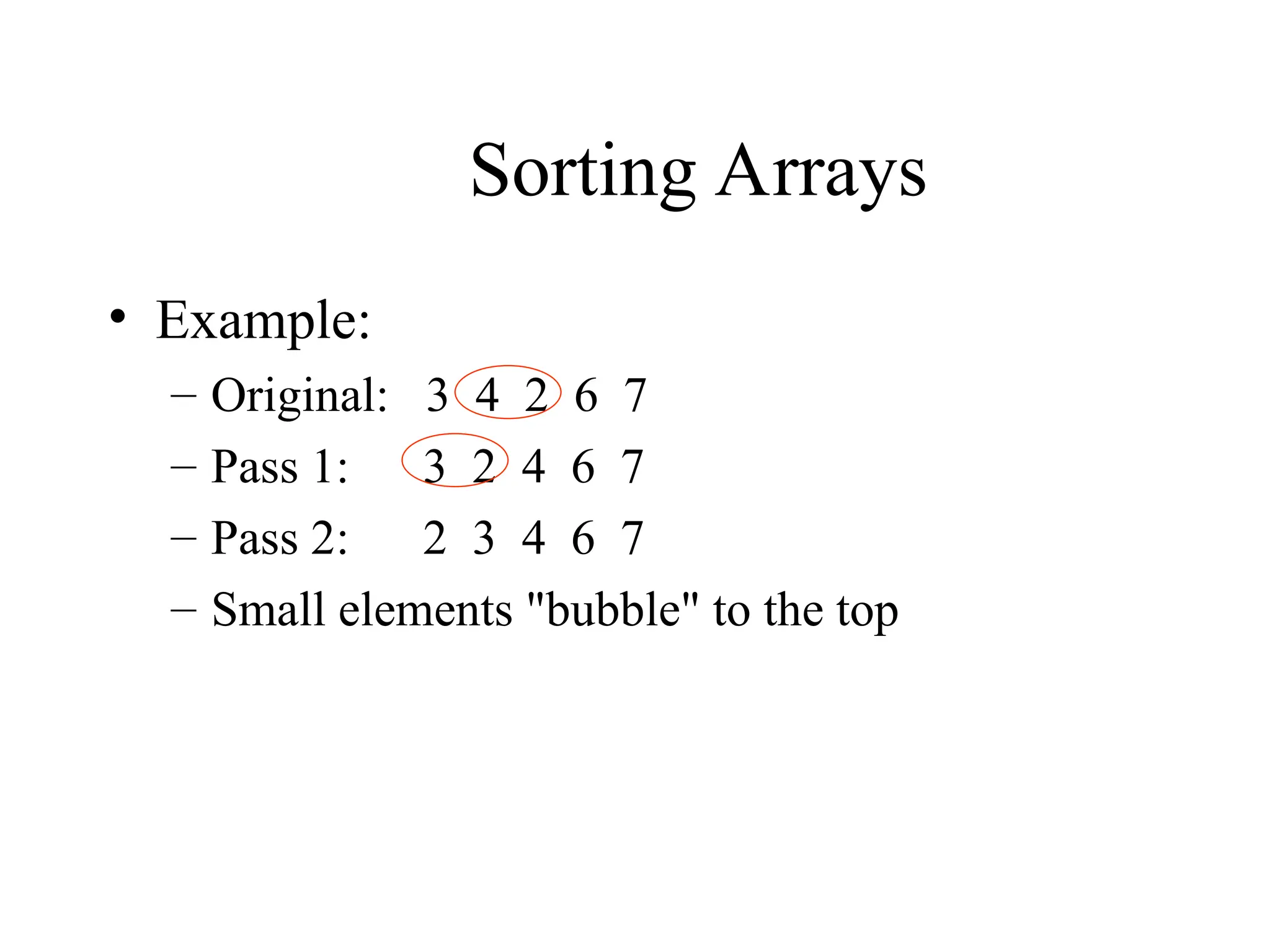
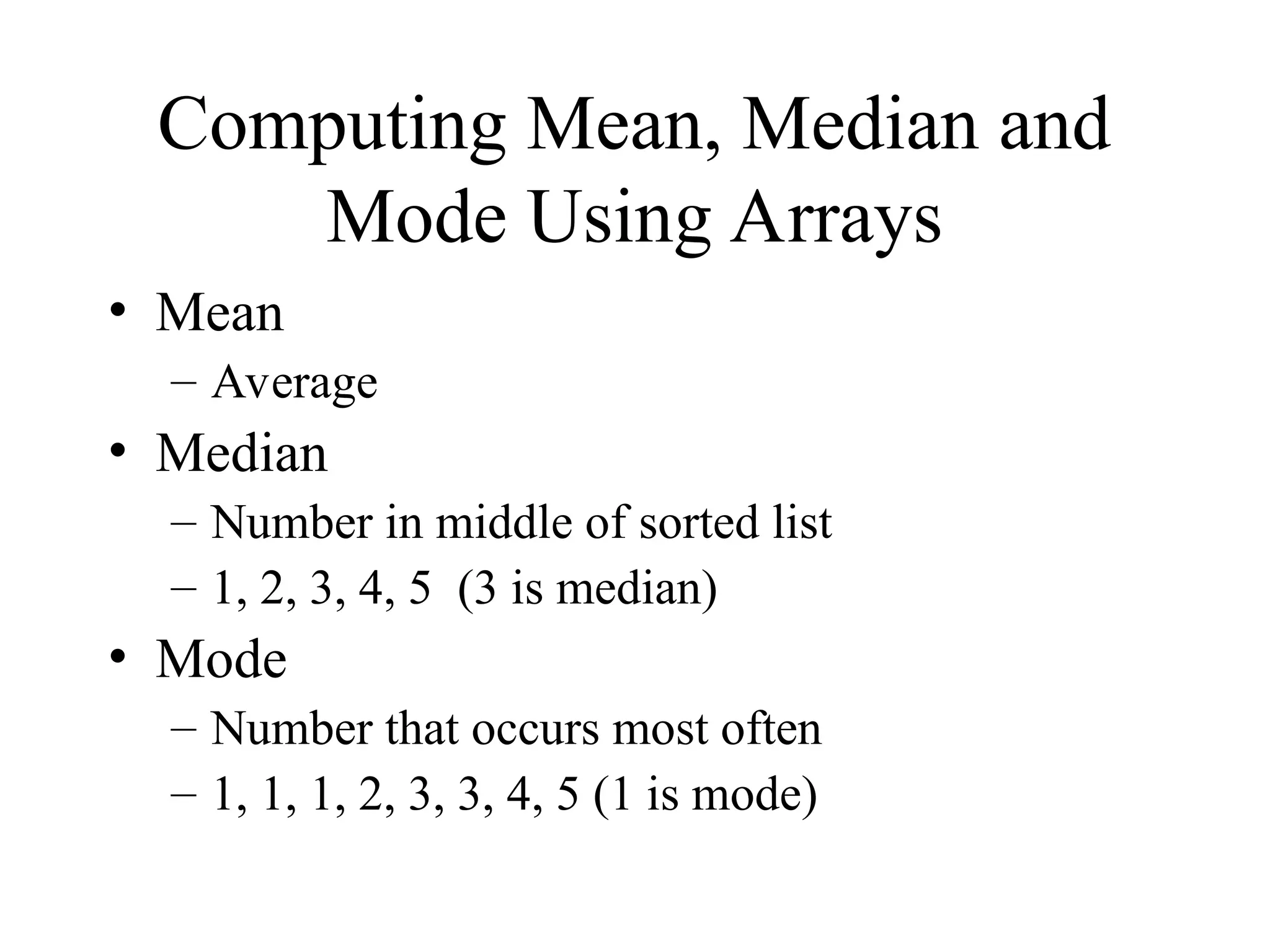
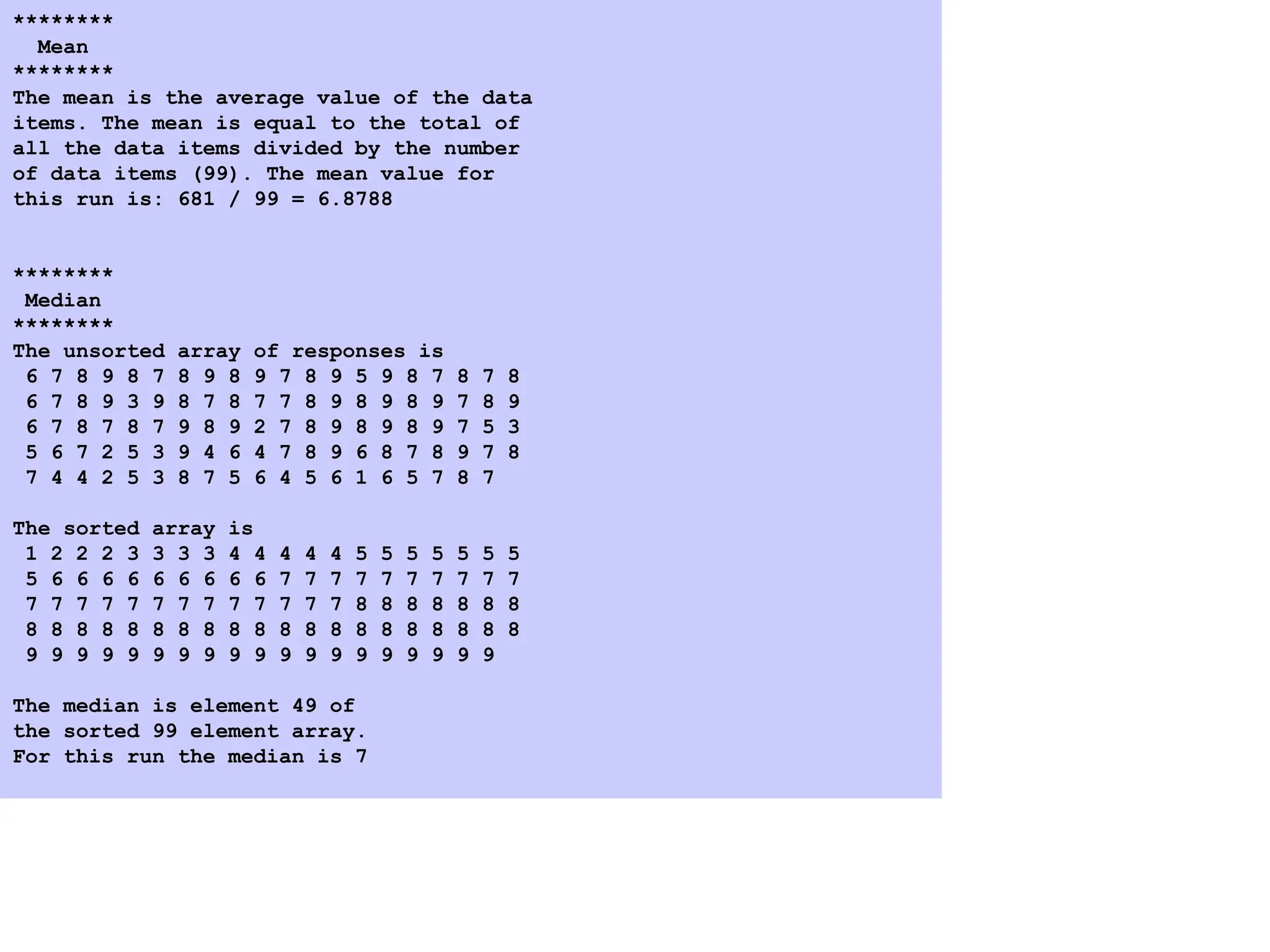
The document provides an overview of arrays in programming, explaining their structure, declaration, and initialization in languages like C and C++. It covers operations on arrays, including passing them to functions, performing sorting techniques, and calculating statistical measures like mean, median, and mode. Additionally, examples of code snippets illustrate concepts related to initializing arrays, reading input, and sorting data.
![Arrays
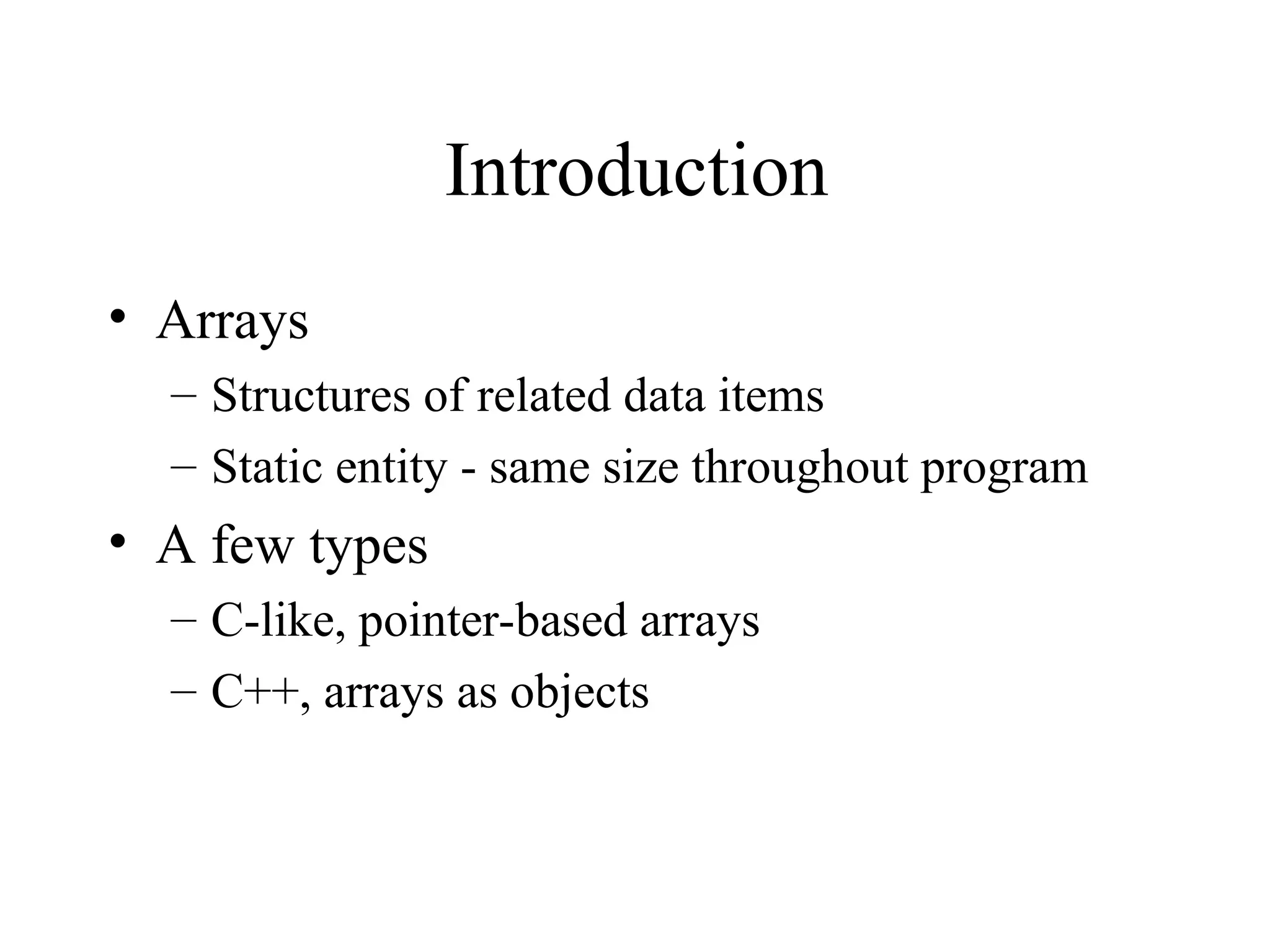
• Array
– Consecutive group of memory locations
– Same name and type
• To refer to an element, specify
– Array name and position number
• Format: arrayname[ position number ]
– First element at position 0
– n element array c:
c[ 0 ], c[ 1 ]…c[ n - 1 ]
• Array elements are like normal variables
c[ 0 ] = 3;
cout << c[ 0 ];
• Performing operations in subscript. If x = 3,
c[ 5 – 2 ] == c[ 3 ] == c[ x ]](https://image.slidesharecdn.com/arrays8-241204053750-946974af/75/its-arrays-ppt-for-first-year-students-3-2048.jpg)
![Arrays
c[6]
-45
6
0
72
1543
-89
0
62
-3
1
6453
78
Name of array (Note that all
elements of this array have
the same name, c)
c[0]
c[1]
c[2]
c[3]
c[11]
c[10]
c[9]
c[8]
c[7]
c[5]
c[4]
Position number of the element
within array c](https://image.slidesharecdn.com/arrays8-241204053750-946974af/75/its-arrays-ppt-for-first-year-students-4-2048.jpg)
![Declaring Arrays
• Declaring arrays - specify:
– Name
– Type of array
– Number of elements
– Examples
int c[ 10 ];
float hi[ 3284 ];
• Declaring multiple arrays of same type
– Similar format as other variables
– Example
int b[ 100 ], x[ 27 ];](https://image.slidesharecdn.com/arrays8-241204053750-946974af/75/its-arrays-ppt-for-first-year-students-5-2048.jpg)
![Examples Using Arrays
• Initializers
int n[ 5 ] = { 1, 2, 3, 4, 5 };
– If not enough initializers, rightmost elements become 0
– If too many initializers, a syntax error is generated
int n[ 5 ] = { 0 }
– Sets all the elements to 0
• If size omitted, the initializers determine it
int n[] = { 1, 2, 3, 4, 5 };
– 5 initializers, therefore n is a 5 element array](https://image.slidesharecdn.com/arrays8-241204053750-946974af/75/its-arrays-ppt-for-first-year-students-6-2048.jpg)
![1 // Fig. 4.4: fig04_04.cpp
2 // Initializing an array with a declaration
3 #include <iostream>
4
5 using std::cout;
6 using std::endl;
7
8 #include <iomanip>
9
10 using std::setw;
11
12 int main()
13 {
14 int n[ 10 ] = { 32, 27, 64, 18, 95, 14, 90, 70, 60, 37 };
15
16 cout << "Element" << setw( 13 ) << "Value" << endl;
17
18 for ( int i = 0; i < 10; i++ )
19 cout << setw( 7 ) << i << setw( 13 ) << n[ i ] << endl;
20
21 return 0;
22 }
Element Value
0 32
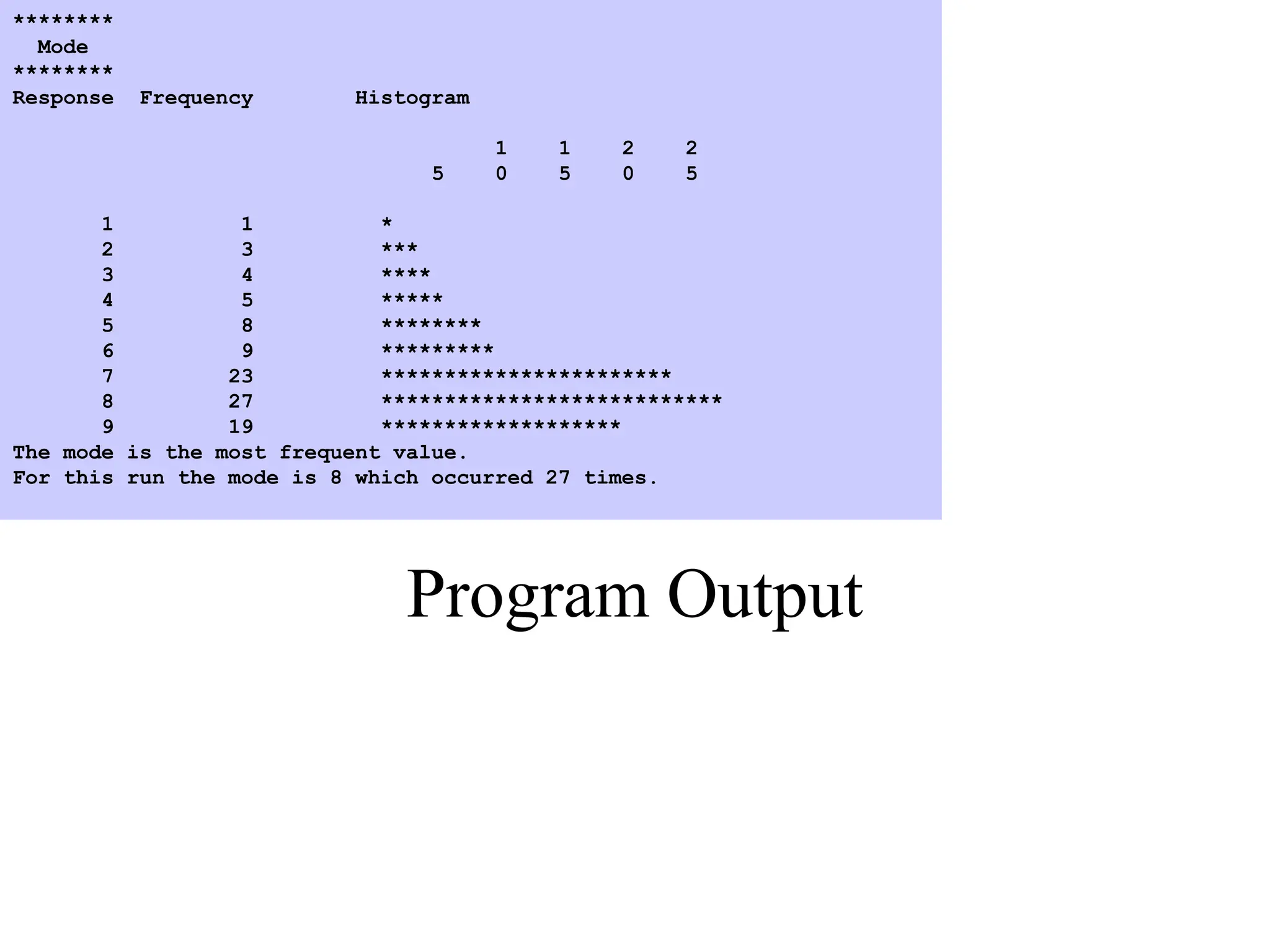
1 27
2 64
3 18
4 95
5 14
6 90
7 70
8 60
9 37](https://image.slidesharecdn.com/arrays8-241204053750-946974af/75/its-arrays-ppt-for-first-year-students-7-2048.jpg)
![Examples Using Arrays
• Strings
– Arrays of characters
– All strings end with null ('0')
– Examples:
char string1[] = "hello";
char string1[] = { 'h', 'e', 'l', 'l', 'o',
'0’ };
– Subscripting is the same as for a normal array
String1[ 0 ] is 'h'
string1[ 2 ] is 'l'
• Input from keyboard
char string2[ 10 ];
cin >> string2;
– Takes user input
– Side effect: if too much text entered, data written beyond
array](https://image.slidesharecdn.com/arrays8-241204053750-946974af/75/its-arrays-ppt-for-first-year-students-9-2048.jpg)
![1 // Fig. 4_12: fig04_12.cpp
2 // Treating character arrays as strings
3 #include <iostream>
4
5 using std::cout;
6 using std::cin;
7 using std::endl;
8
9 int main()
10 {
11 char string1[ 20 ], string2[] = "string literal";
12
13 cout << "Enter a string: ";
14 cin >> string1;
15 cout << "string1 is: " << string1
16 << "nstring2 is: " << string2
17 << "nstring1 with spaces between characters is:n";
18
19 for ( int i = 0; string1[ i ] != '0'; i++ )
20 cout << string1[ i ] << ' ';
21
22 cin >> string1; // reads "there"
23 cout << "nstring1 is: " << string1 << endl;
24
25 cout << endl;
26 return 0;
27 }
Enter a string: Hello there
string1 is: Hello
string2 is: string literal
string1 with spaces between characters is:
H e l l o
string1 is: there](https://image.slidesharecdn.com/arrays8-241204053750-946974af/75/its-arrays-ppt-for-first-year-students-10-2048.jpg)
![Passing Arrays to Functions
• Specify the name without any brackets
– To pass array myArray declared as
int myArray[ 24 ];
to function myFunction, a function call would
resemble
myFunction( myArray, 24 );
– Array size is usually passed to function
• Arrays passed call-by-reference
– Value of name of array is address of the first element
– Function knows where the array is stored
• Modifies original memory locations
• Individual array elements passed by call-by-value
– pass subscripted name (i.e., myArray[ 3 ]) to
function](https://image.slidesharecdn.com/arrays8-241204053750-946974af/75/its-arrays-ppt-for-first-year-students-11-2048.jpg)
![Passing Arrays to Functions
• Function prototype:
void modifyArray( int b[], int arraySize );
– Parameter names optional in prototype
•int b[] could be simply int []
•int arraysize could be simply int](https://image.slidesharecdn.com/arrays8-241204053750-946974af/75/its-arrays-ppt-for-first-year-students-12-2048.jpg)
![1 // Fig. 4.14: fig04_14.cpp
2 // Passing arrays and individual array elements to functions
3 #include <iostream>
4
5 using std::cout;
6 using std::endl;
7
8 #include <iomanip>
9
10 using std::setw;
11
12 void modifyArray( int [], int ); // appears strange
13 void modifyElement( int );
14
15 int main()
16 {
17 const int arraySize = 5;
18 int i, a[ arraySize ] = { 0, 1, 2, 3, 4 };
19
20 cout << "Effects of passing entire array call-by-reference:"
21 << "nnThe values of the original array are:n";
22
23 for ( i = 0; i < arraySize; i++ )
24 cout << setw( 3 ) << a[ i ];
25
26 cout << endl;
27
28 // array a passed call-by-reference
29 modifyArray( a, arraySize );
30
31 cout << "The values of the modified array are:n";](https://image.slidesharecdn.com/arrays8-241204053750-946974af/75/its-arrays-ppt-for-first-year-students-13-2048.jpg)
![32
33 for ( i = 0; i < arraySize; i++ )
34 cout << setw( 3 ) << a[ i ];
35
36 cout << "nnn"
37 << "Effects of passing array element call-by-value:"
38 << "nnThe value of a[3] is " << a[ 3 ] << 'n';
39
40 modifyElement( a[ 3 ] );
41
42 cout << "The value of a[3] is " << a[ 3 ] << endl;
43
44 return 0;
45 }
46
47 // In function modifyArray, "b" points to the original
48 // array "a" in memory.
49 void modifyArray( int b[], int sizeOfArray )
50 {
51 for ( int j = 0; j < sizeOfArray; j++ )
52 b[ j ] *= 2;
53 }
54
55 // In function modifyElement, "e" is a local copy of
56 // array element a[ 3 ] passed from main.
57 void modifyElement( int e )
58 {
59 cout << "Value in modifyElement is "
60 << ( e *= 2 ) << endl;
61 }](https://image.slidesharecdn.com/arrays8-241204053750-946974af/75/its-arrays-ppt-for-first-year-students-14-2048.jpg)
![Program Output
Effects of passing entire array call-by-reference:
The values of the original array are:
0 1 2 3 4
The values of the modified array are:
0 2 4 6 8
Effects of passing array element call-by-value:
The value of a[3] is 6
Value in modifyElement is 12
The value of a[3] is 6](https://image.slidesharecdn.com/arrays8-241204053750-946974af/75/its-arrays-ppt-for-first-year-students-15-2048.jpg)
![1 // Fig. 4.17: fig04_17.cpp
2 // This program introduces the topic of survey data analysis.
3 // It computes the mean, median, and mode of the data.
4 #include <iostream>
5
6 using std::cout;
7 using std::endl;
8 using std::ios;
9
10 #include <iomanip>
11
12 using std::setw;
13 using std::setiosflags;
14 using std::setprecision;
15
16 void mean( const int [], int );
17 void median( int [], int );
18 void mode( int [], int [], int );
19 void bubbleSort( int[], int );
20 void printArray( const int[], int );
21
22 int main()
23 {
24 const int responseSize = 99;
25 int frequency[ 10 ] = { 0 },
26 response[ responseSize ] =
27 { 6, 7, 8, 9, 8, 7, 8, 9, 8, 9,
28 7, 8, 9, 5, 9, 8, 7, 8, 7, 8,
29 6, 7, 8, 9, 3, 9, 8, 7, 8, 7,
30 7, 8, 9, 8, 9, 8, 9, 7, 8, 9,
31 6, 7, 8, 7, 8, 7, 9, 8, 9, 2,
32 7, 8, 9, 8, 9, 8, 9, 7, 5, 3,
33 5, 6, 7, 2, 5, 3, 9, 4, 6, 4,](https://image.slidesharecdn.com/arrays8-241204053750-946974af/75/its-arrays-ppt-for-first-year-students-19-2048.jpg)
![34 7, 8, 9, 6, 8, 7, 8, 9, 7, 8,
35 7, 4, 4, 2, 5, 3, 8, 7, 5, 6,
36 4, 5, 6, 1, 6, 5, 7, 8, 7 };
37
38 mean( response, responseSize );
39 median( response, responseSize );
40 mode( frequency, response, responseSize );
41
42 return 0;
43 }
44
45 void mean( const int answer[], int arraySize )
46 {
47 int total = 0;
48
49 cout << "********n Meann********n";
50
51 for ( int j = 0; j < arraySize; j++ )
52 total += answer[ j ];
53
54 cout << "The mean is the average value of the datan"
55 << "items. The mean is equal to the total ofn"
56 << "all the data items divided by the numbern"
57 << "of data items (" << arraySize
58 << "). The mean value fornthis run is: "
59 << total << " / " << arraySize << " = "
60 << setiosflags( ios::fixed | ios::showpoint )
61 << setprecision( 4 )
62 << static_cast< double >( total ) / arraySize << "nn";
63 }
64
65 void median( int answer[], int size )
66 {
67 cout << "n********n Mediann********n"](https://image.slidesharecdn.com/arrays8-241204053750-946974af/75/its-arrays-ppt-for-first-year-students-20-2048.jpg)
![68 << "The unsorted array of responses is";
69
70 printArray( answer, size );
71 bubbleSort( answer, size );
72 cout << "nnThe sorted array is";
73 printArray( answer, size );
74 cout << "nnThe median is element " << size / 2
75 << " ofnthe sorted " << size
76 << " element array.nFor this run the median is "
77 << answer[ size / 2 ] << "nn";
78 }
79
80 void mode( int freq[], int answer[], int size )
81 {
82 int rating, largest = 0, modeValue = 0;
83
84 cout << "n********n Moden********n";
85
86 for ( rating = 1; rating <= 9; rating++ )
87 freq[ rating ] = 0;
88
89 for ( int j = 0; j < size; j++ )
90 ++freq[ answer[ j ] ];
91
92 cout << "Response"<< setw( 11 ) << "Frequency"
93 << setw( 19 ) << "Histogramnn" << setw( 55 )
94 << "1 1 2 2n" << setw( 56 )
95 << "5 0 5 0 5nn";](https://image.slidesharecdn.com/arrays8-241204053750-946974af/75/its-arrays-ppt-for-first-year-students-21-2048.jpg)
![3.3 Define bubbleSort
96
97 for ( rating = 1; rating <= 9; rating++ ) {
98 cout << setw( 8 ) << rating << setw( 11 )
99 << freq[ rating ] << " ";
100
101 if ( freq[ rating ] > largest ) {
102 largest = freq[ rating ];
103 modeValue = rating;
104 }
105
106 for ( int h = 1; h <= freq[ rating ]; h++ )
107 cout << '*';
108
109 cout << 'n';
110 }
111
112 cout << "The mode is the most frequent value.n"
113 << "For this run the mode is " << modeValue
114 << " which occurred " << largest << " times." << endl;
115}
116
117void bubbleSort( int a[], int size )
118{
119 int hold;
120](https://image.slidesharecdn.com/arrays8-241204053750-946974af/75/its-arrays-ppt-for-first-year-students-22-2048.jpg)
![121 for ( int pass = 1; pass < size; pass++ )
122
123 for ( int j = 0; j < size - 1; j++ )
124
125 if ( a[ j ] > a[ j + 1 ] ) {
126 hold = a[ j ];
127 a[ j ] = a[ j + 1 ];
128 a[ j + 1 ] = hold;
129 }
130}
131
132void printArray( const int a[], int size )
133{
134 for ( int j = 0; j < size; j++ ) {
135
136 if ( j % 20 == 0 )
137 cout << endl;
138
139 cout << setw( 2 ) << a[ j ];
140 }
141}](https://image.slidesharecdn.com/arrays8-241204053750-946974af/75/its-arrays-ppt-for-first-year-students-23-2048.jpg)
![Multiple-Subscripted Arrays
• Multiple subscripts - tables with rows, columns
– Like matrices: specify row, then column.
• Initialize
int b[ 2 ][ 2 ] = { {1, 2}, {3, 4}};
– Initializers grouped by row in braces
int b[ 2 ][ 2 ] = { { 1 }, { 3, 4 } };
Row 0
Row 1
Row 2
Column 0 Column 1 Column 2 Column 3
a[ 0 ][ 0 ]
a[ 1 ][ 0 ]
a[ 2 ][ 0 ]
a[ 0 ][ 1 ]
a[ 1 ][ 1 ]
a[ 2 ][ 1 ]
a[ 0 ][ 2 ]
a[ 1 ][ 2 ]
a[ 2 ][ 2 ]
a[ 0 ][ 3 ]
a[ 1 ][ 3 ]
a[ 2 ][ 3 ]
Row subscript
Array name
Column subscript
1 2
3 4
1 0
3 4](https://image.slidesharecdn.com/arrays8-241204053750-946974af/75/its-arrays-ppt-for-first-year-students-27-2048.jpg)
![Multiple-Subscripted Arrays
• Referenced like normal
cout << b[ 0 ][ 1 ];
– Will output the value of 0
– Cannot reference with commas
cout << b( 0, 1 );
• Will try to call function b, causing a syntax error](https://image.slidesharecdn.com/arrays8-241204053750-946974af/75/its-arrays-ppt-for-first-year-students-28-2048.jpg)
![1 // Fig. 4.23: fig04_23.cpp
2 // Double-subscripted array example
3 #include <iostream>
4
5 using std::cout;
6 using std::endl;
7 using std::ios;
8
9 #include <iomanip>
10
11 using std::setw;
12 using std::setiosflags;
13 using std::setprecision;
14
15 const int students = 3; // number of students
16 const int exams = 4; // number of exams
17
18 int minimum( int [][ exams ], int, int );
19 int maximum( int [][ exams ], int, int );
20 double average( int [], int );
21 void printArray( int [][ exams ], int, int );
22
23 int main()
24 {
25 int studentGrades[ students ][ exams ] =
26 { { 77, 68, 86, 73 },
27 { 96, 87, 89, 78 },
28 { 70, 90, 86, 81 } };
29
30 cout << "The array is:n";
31 printArray( studentGrades, students, exams );
32 cout << "nnLowest grade: "
33 << minimum( studentGrades, students, exams )](https://image.slidesharecdn.com/arrays8-241204053750-946974af/75/its-arrays-ppt-for-first-year-students-29-2048.jpg)
![34 << "nHighest grade: "
35 << maximum( studentGrades, students, exams ) << 'n';
36
37 for ( int person = 0; person < students; person++ )
38 cout << "The average grade for student " << person << " is "
39 << setiosflags( ios::fixed | ios::showpoint )
40 << setprecision( 2 )
41 << average( studentGrades[ person ], exams ) << endl;
42
43 return 0;
44 }
45
46 // Find the minimum grade
47 int minimum( int grades[][ exams ], int pupils, int tests )
48 {
49 int lowGrade = 100;
50
51 for ( int i = 0; i < pupils; i++ )
52
53 for ( int j = 0; j < tests; j++ )
54
55 if ( grades[ i ][ j ] < lowGrade )
56 lowGrade = grades[ i ][ j ];
57
58 return lowGrade;
59 }
60
61 // Find the maximum grade
62 int maximum( int grades[][ exams ], int pupils, int tests )
63 {
64 int highGrade = 0;
65
66 for ( int i = 0; i < pupils; i++ )](https://image.slidesharecdn.com/arrays8-241204053750-946974af/75/its-arrays-ppt-for-first-year-students-30-2048.jpg)
![3. Define functions
67
68 for ( int j = 0; j < tests; j++ )
69
70 if ( grades[ i ][ j ] > highGrade )
71 highGrade = grades[ i ][ j ];
72
73 return highGrade;
74 }
75
76 // Determine the average grade for a particular student
77 double average( int setOfGrades[], int tests )
78 {
79 int total = 0;
80
81 for ( int i = 0; i < tests; i++ )
82 total += setOfGrades[ i ];
83
84 return static_cast< double >( total ) / tests;
85 }
86
87 // Print the array
88 void printArray( int grades[][ exams ], int pupils, int tests )
89 {
90 cout << " [0] [1] [2] [3]";
91
92 for ( int i = 0; i < pupils; i++ ) {
93 cout << "nstudentGrades[" << i << "] ";
94
95 for ( int j = 0; j < tests; j++ )
96 cout << setiosflags( ios::left ) << setw( 5 )
97 << grades[ i ][ j ];
98 }
99 }](https://image.slidesharecdn.com/arrays8-241204053750-946974af/75/its-arrays-ppt-for-first-year-students-31-2048.jpg)
![Program Output
The array is:
[0] [1] [2] [3]
studentGrades[0] 77 68 86 73
studentGrades[1] 96 87 89 78
studentGrades[2] 70 90 86 81
Lowest grade: 68
Highest grade: 96
The average grade for student 0 is 76.00
The average grade for student 1 is 87.50
The average grade for student 2 is 81.75](https://image.slidesharecdn.com/arrays8-241204053750-946974af/75/its-arrays-ppt-for-first-year-students-32-2048.jpg)