WIRELESS	
  AND	
  	
  
INFRASTRUCTURE	
  SECURITY	
  101	
  
Why Care About Wireless
Security?
Speed!
•  Fewer services, less noise in the pipe means better network throughput
Stability of the network
•  Wireless is visible and becoming mission critical to the classroom
Unintentional harm to others
•  Credentials collection
•  Malware risks
•  Permitting spam relays or other unauthorized access

Legal liability
•  You might lose your access to the internet (ISP could yank your plug)
•  Illicit traffic traced to or from your district! (putting you on ban lists)
•  Personal media downloads (movies) could get district sued
•  Potential Loss of future Erate funds if you violate CIPA
How Vulnerable Am I?
LOTS of devices (1 billion by 2015) make big target
•  Android is built on 80 open source libraries and programs w/ known
exploits
! SymbOS/Zitmo.A and Android/Geinimi
•  Ipad/Iphone is vulnerable to PDF and Browser exploits
•  Old tricks like bluejacking (sending txt for $$$)
•  and bluesnarfing data are still out there, especially for older phones
	
  
Bad guys are out there.
•  Fake Netflix app for Android captured passwords and accounts
•  Jailbreak 8.1.2 for Iphone – rootkits your iphone in 20 seconds
•  Public Wifi - Firesheep can see your SSL sessions and take them over
! http://www.youtube.com/watch?v=zi2r7oVLUEc
! fix via https everywhere or vpn fixes, blacksheep detector
! Facesniff does the same thing for android
•  WAPs make man-in-the-middle attacks invisible to users
•  They make $$$ doing this
! Accounts and bank data, spam hosting, click fraud, ID theft
	
  
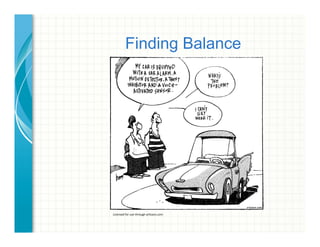
Finding Balance
Licensed	
  for	
  use	
  through	
  ar1zans.com	
  
WAP setup Hints
Use the security options you have
•  Activate WPA2 (user isolation). WEP allows sniffing across the SSID.
•  Change ALL of the default management passwords, record the changes!
•  Turn off SNMP management on exposed interfaces
•  Change the SSID’s name. Hiding the SSID actually broadcasts a “where are you
beacon” from configured clients
•  Only allow your wireless devices (certificates!)
Plan antenna placement
•  Manage for coverage and interference
•  Place it central to the area you want to cover
•  Don’t assume just because you can’t detect it, that hackers can’t
Disable ‘extra’ services
•  Disable FTP, HTTP and other extra services on multi-function routers
•  Disable remote WAN management
•  Disable UPnP
Update firmware
•  Manufacturers frequently release better ways to secure your system
•  Take the free updates - you have little to lose, and you might even gain some
throughput
Alphabet Soup
What Options Do I have? From least trusted to best.
•  WEP/WEP2 – widely used, easy to break, “retired” in 2004. 64 bit. (awful!)
•  WPA/PSK – Preshared key WPA. 256 bit. Keys static, guessable (bad!)
•  WPA/TKIP – Temporal Key WPA. 256 bit. Keys change (good!)
•  WPA/AES – Advanced Encryption WPA. 256 bit. (Better)
•  WPA2/AES – Advanced Encryption WPA2. 256 bit. (BEST!)
Other Concerns:
•  WPS (Wi-Fi protected setup) – easy avenue of attack
•  WPA/TKIP is backwards compatible and has some WEP-like exploits
•  MAC addresses are easily spoofed (just type it in, once you see it)
•  Hidden SSID’s actually create “where are you” broadcasts from the clients!
•  SSID spoofing happens – any domain admins using 802.1x?
•  LEAP is ok for guest traffic, but allows for easily guessed passwords
The Password Game
Passwords and Encryption
•  Enable Passwords and local encryption on mobile devices
•  Leverage activesync and MDM management policies
•  Use DIFFERENT passwords for various admin functions and
segments
•  Force SSL/SSH for activesync and other interlinks
Use everything that’s available to you
•  Use rogue detection and manage it.
•  Do you have an AV client available for mobile devices?
•  New tools allow separation of company vs personal apps and data
•  Review logs
•  AAA - Authentication, Authorization and Accounting in Enterprise
configs
who are you?
what’s your password?
do I really want to let you do that?
let's keep records, shall we?
Dead on Arrival
Patch and update everything both infrastructure & mobile
•  Even Cisco has seen vulnerabilities in embedded software

(Open SSH exploits, SNMP DOS attacks, 6500 blades wRPC exploits)
Change ALL default configurations
•  Change your default passwords, snmp keys, SSIDs, whatever you can
•  Disable Services that should NOT be auto-enabled
•  Enable Services that should be auto-enabled (like password-encryption)
•  Make it hard for the bad guy to ‘guess’ his way in
•  Don’t use *anything* right out of the box - especially not network hardware.
•  Do this for hardware AND software (out of the box isn’t secure by default)
Unmanaged and stand-alone AP’s
•  Management is difficult but not impossible with tools like airwave
•  Avoid WEP (use WPA2)
•  Limited Authentication options
•  Rotate keys periodically
•  Consider sourcing DHCP centrally, protect/mitigate via switch *dhcp snooping*

Policies and Procedures
Leverage your Network Use Policies
•  Document password requirement
•  Get signature to allow remote wipe of mobile devices
•  Consider enabling multiple bad password auto-wipe
•  Document forensic access requirement
•  Require VPN for FERPA student data including nurse traffic
•  Remind Users re: liability as they authorize license agreements 4 apps
•  Extend your *existing* agreements – it’s like a tiny PC
•  Policy should include something about theft reporting
•  Warn users about the dangers of open WiFi connections
Sanity Check
Deny first, allow later
•  You wouldn’t tell your child to allow everyone in the door without permission, so
why allow your network to do so?
-  turn off services you don’t need
-  don’t use ‘DMZ’ firewall ports on SoHo gear, open ONLY the ports you need
-  use a hardware or software firewall for the wireless traffic
Use multiple layers of protection for Wireless segment
•  A password is good
•  A firewall plus a password is even better
Think of it like birth control.
More protection methods decrease your risk.
Keep an eye out & make backups
•  Audit your logs, follow up on suspicious messages, compare to your baseline
•  Ignorance is NOT bliss – it’s an invitation to disaster
•  Make backups of your policies and your device configs.
Task List for the Backbone
Limit access via Guest/Quarantine or Wireless DMZ networks
"  craft ACL to limit exposure
"  disable services you don’t need (cdp, http server, etc.)
"  Portals are only as solid as YOU craft them
Protect your infrastructure on exposed VLANS
"  password protect your VTP domain (or equiv)
"  password protect your routed protocols (EIGRP, OSPF, etc.)
"  Block broadcasting of infrastructure routing to Wireless networks
"  Lock critical MAC addresses to specific ports (avoid spoofing)
Configure auditing/tracking/logging on exposed devices
"  enable NTP
"  enable AAA (Authentication/Authorization/Accounting)
"  enable syslogs
"  display warning banners
Shun bad traffic
"  Null-route illegal traffic (10.0.0.0/8, 172.16.0.0/12, 192.168.0.0/16,127.0.0.0/8 etc.)
"  Use NBAR controls to eat in-line http attacks
Advanced Suggestions
Create filters for routed protocols
•  Make sure the interfaces are set passive where possible (routes out)
•  Don’t listen to updates from hosts you don’t trust (routes in)
•  HSRP is a protocol you should password protect too. Where possible protect
exposure of routing hardware and protocols to guests.
Baseline your organization
•  Set up MRTG graphs so you know what ‘normal’ looks like
•  Set up a sniffer while it looks ‘normal’ so you have something to compare to
Intrusion Detection
•  Leverage WAP Rogue detection and stay current
•  Install Intrusion Detection software on exposed servers to wireless
•  Consider leveraging Blacksheep to detect Firesheep and Facesniff use
•  Force https for ALL traffic where possible
•  Warn users about risk for open SSIDs
•  Watch for unusual traffic from single MAC addresses (>100 connections)
Virtual Networks, Virtual Servers, and SDN
•  These bring new, sometimes unseen networks and critical traffic you may want
to protect into your environment – think backplane
Closing Thoughts
Keep it simple:
A – AAA, Authenticate, Authorize and Audit
B – Be Careful, check your assumptions
C – Change defaults
D – Detect and Deny unwanted hosts/traffic
E – Educate your users so they can protect themselves
Questions? Comments?
References:
Wireless Security:
http://www.howtogeek.com/204697/wi-fi-security-should-you-use-wpa2-aes-wpa2-tkip-
or-both/
http://www.zdnet.com/article/the-six-dumbest-ways-to-secure-a-wireless-lan/
Attack vectors for routers:
http://www.securite.org/presentations/secip/
Router and Switch Security Configuration Guide, NSA
https://www.nsa.gov/ia/_files/switches/switch-guide-version1_01.pdf
https://www.nsa.gov/ia/_files/routers/c4-040r-02.pdf
Improving Security on Cisco Routers
http://www.cisco.com/warp/public/707/21.html
Cartoon - Graham Harrop
http://zone.artizans.com

IT infrastructure security 101

  • 1.
    WIRELESS  AND     INFRASTRUCTURE  SECURITY  101  
  • 2.
    Why Care AboutWireless Security? Speed! •  Fewer services, less noise in the pipe means better network throughput Stability of the network •  Wireless is visible and becoming mission critical to the classroom Unintentional harm to others •  Credentials collection •  Malware risks •  Permitting spam relays or other unauthorized access
 Legal liability •  You might lose your access to the internet (ISP could yank your plug) •  Illicit traffic traced to or from your district! (putting you on ban lists) •  Personal media downloads (movies) could get district sued •  Potential Loss of future Erate funds if you violate CIPA
  • 3.
    How Vulnerable AmI? LOTS of devices (1 billion by 2015) make big target •  Android is built on 80 open source libraries and programs w/ known exploits ! SymbOS/Zitmo.A and Android/Geinimi •  Ipad/Iphone is vulnerable to PDF and Browser exploits •  Old tricks like bluejacking (sending txt for $$$) •  and bluesnarfing data are still out there, especially for older phones   Bad guys are out there. •  Fake Netflix app for Android captured passwords and accounts •  Jailbreak 8.1.2 for Iphone – rootkits your iphone in 20 seconds •  Public Wifi - Firesheep can see your SSL sessions and take them over ! http://www.youtube.com/watch?v=zi2r7oVLUEc ! fix via https everywhere or vpn fixes, blacksheep detector ! Facesniff does the same thing for android •  WAPs make man-in-the-middle attacks invisible to users •  They make $$$ doing this ! Accounts and bank data, spam hosting, click fraud, ID theft  
  • 4.
    Finding Balance Licensed  for  use  through  ar1zans.com  
  • 5.
    WAP setup Hints Usethe security options you have •  Activate WPA2 (user isolation). WEP allows sniffing across the SSID. •  Change ALL of the default management passwords, record the changes! •  Turn off SNMP management on exposed interfaces •  Change the SSID’s name. Hiding the SSID actually broadcasts a “where are you beacon” from configured clients •  Only allow your wireless devices (certificates!) Plan antenna placement •  Manage for coverage and interference •  Place it central to the area you want to cover •  Don’t assume just because you can’t detect it, that hackers can’t Disable ‘extra’ services •  Disable FTP, HTTP and other extra services on multi-function routers •  Disable remote WAN management •  Disable UPnP Update firmware •  Manufacturers frequently release better ways to secure your system •  Take the free updates - you have little to lose, and you might even gain some throughput
  • 6.
    Alphabet Soup What OptionsDo I have? From least trusted to best. •  WEP/WEP2 – widely used, easy to break, “retired” in 2004. 64 bit. (awful!) •  WPA/PSK – Preshared key WPA. 256 bit. Keys static, guessable (bad!) •  WPA/TKIP – Temporal Key WPA. 256 bit. Keys change (good!) •  WPA/AES – Advanced Encryption WPA. 256 bit. (Better) •  WPA2/AES – Advanced Encryption WPA2. 256 bit. (BEST!) Other Concerns: •  WPS (Wi-Fi protected setup) – easy avenue of attack •  WPA/TKIP is backwards compatible and has some WEP-like exploits •  MAC addresses are easily spoofed (just type it in, once you see it) •  Hidden SSID’s actually create “where are you” broadcasts from the clients! •  SSID spoofing happens – any domain admins using 802.1x? •  LEAP is ok for guest traffic, but allows for easily guessed passwords
  • 7.
    The Password Game Passwordsand Encryption •  Enable Passwords and local encryption on mobile devices •  Leverage activesync and MDM management policies •  Use DIFFERENT passwords for various admin functions and segments •  Force SSL/SSH for activesync and other interlinks Use everything that’s available to you •  Use rogue detection and manage it. •  Do you have an AV client available for mobile devices? •  New tools allow separation of company vs personal apps and data •  Review logs •  AAA - Authentication, Authorization and Accounting in Enterprise configs who are you? what’s your password? do I really want to let you do that? let's keep records, shall we?
  • 8.
    Dead on Arrival Patchand update everything both infrastructure & mobile •  Even Cisco has seen vulnerabilities in embedded software
 (Open SSH exploits, SNMP DOS attacks, 6500 blades wRPC exploits) Change ALL default configurations •  Change your default passwords, snmp keys, SSIDs, whatever you can •  Disable Services that should NOT be auto-enabled •  Enable Services that should be auto-enabled (like password-encryption) •  Make it hard for the bad guy to ‘guess’ his way in •  Don’t use *anything* right out of the box - especially not network hardware. •  Do this for hardware AND software (out of the box isn’t secure by default) Unmanaged and stand-alone AP’s •  Management is difficult but not impossible with tools like airwave •  Avoid WEP (use WPA2) •  Limited Authentication options •  Rotate keys periodically •  Consider sourcing DHCP centrally, protect/mitigate via switch *dhcp snooping*

  • 9.
    Policies and Procedures Leverageyour Network Use Policies •  Document password requirement •  Get signature to allow remote wipe of mobile devices •  Consider enabling multiple bad password auto-wipe •  Document forensic access requirement •  Require VPN for FERPA student data including nurse traffic •  Remind Users re: liability as they authorize license agreements 4 apps •  Extend your *existing* agreements – it’s like a tiny PC •  Policy should include something about theft reporting •  Warn users about the dangers of open WiFi connections
  • 10.
    Sanity Check Deny first,allow later •  You wouldn’t tell your child to allow everyone in the door without permission, so why allow your network to do so? -  turn off services you don’t need -  don’t use ‘DMZ’ firewall ports on SoHo gear, open ONLY the ports you need -  use a hardware or software firewall for the wireless traffic Use multiple layers of protection for Wireless segment •  A password is good •  A firewall plus a password is even better Think of it like birth control. More protection methods decrease your risk. Keep an eye out & make backups •  Audit your logs, follow up on suspicious messages, compare to your baseline •  Ignorance is NOT bliss – it’s an invitation to disaster •  Make backups of your policies and your device configs.
  • 11.
    Task List forthe Backbone Limit access via Guest/Quarantine or Wireless DMZ networks "  craft ACL to limit exposure "  disable services you don’t need (cdp, http server, etc.) "  Portals are only as solid as YOU craft them Protect your infrastructure on exposed VLANS "  password protect your VTP domain (or equiv) "  password protect your routed protocols (EIGRP, OSPF, etc.) "  Block broadcasting of infrastructure routing to Wireless networks "  Lock critical MAC addresses to specific ports (avoid spoofing) Configure auditing/tracking/logging on exposed devices "  enable NTP "  enable AAA (Authentication/Authorization/Accounting) "  enable syslogs "  display warning banners Shun bad traffic "  Null-route illegal traffic (10.0.0.0/8, 172.16.0.0/12, 192.168.0.0/16,127.0.0.0/8 etc.) "  Use NBAR controls to eat in-line http attacks
  • 12.
    Advanced Suggestions Create filtersfor routed protocols •  Make sure the interfaces are set passive where possible (routes out) •  Don’t listen to updates from hosts you don’t trust (routes in) •  HSRP is a protocol you should password protect too. Where possible protect exposure of routing hardware and protocols to guests. Baseline your organization •  Set up MRTG graphs so you know what ‘normal’ looks like •  Set up a sniffer while it looks ‘normal’ so you have something to compare to Intrusion Detection •  Leverage WAP Rogue detection and stay current •  Install Intrusion Detection software on exposed servers to wireless •  Consider leveraging Blacksheep to detect Firesheep and Facesniff use •  Force https for ALL traffic where possible •  Warn users about risk for open SSIDs •  Watch for unusual traffic from single MAC addresses (>100 connections) Virtual Networks, Virtual Servers, and SDN •  These bring new, sometimes unseen networks and critical traffic you may want to protect into your environment – think backplane
  • 13.
    Closing Thoughts Keep itsimple: A – AAA, Authenticate, Authorize and Audit B – Be Careful, check your assumptions C – Change defaults D – Detect and Deny unwanted hosts/traffic E – Educate your users so they can protect themselves
  • 14.
    Questions? Comments? References: Wireless Security: http://www.howtogeek.com/204697/wi-fi-security-should-you-use-wpa2-aes-wpa2-tkip- or-both/ http://www.zdnet.com/article/the-six-dumbest-ways-to-secure-a-wireless-lan/ Attackvectors for routers: http://www.securite.org/presentations/secip/ Router and Switch Security Configuration Guide, NSA https://www.nsa.gov/ia/_files/switches/switch-guide-version1_01.pdf https://www.nsa.gov/ia/_files/routers/c4-040r-02.pdf Improving Security on Cisco Routers http://www.cisco.com/warp/public/707/21.html Cartoon - Graham Harrop http://zone.artizans.com