
The magic of
IPython Notebook
in 15 minutes
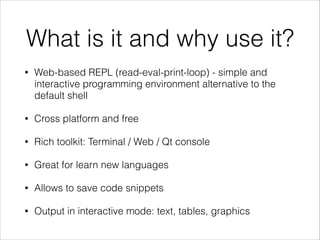
What is it and why use it?
•

Web-based REPL (read-eval-print-loop) - simple and
interactive programming environment alternative to the
default shell

•

Cross platform and free

•

Rich toolkit: Terminal / Web / Qt console

•

Great for learn new languages

•

Allows to save code snippets

•

Output in interactive mode: text, tables, graphics
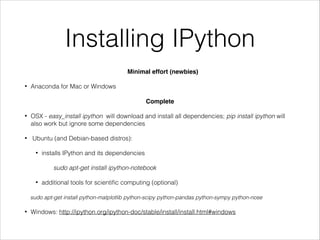
Installing IPython
Minimal effort (newbies)!
•

Anaconda for Mac or Windows

!
Complete!
•

•

OSX - easy_install ipython will download and install all dependencies; pip install ipython will
also work but ignore some dependencies
Ubuntu (and Debian-based distros):
•

installs IPython and its dependencies
sudo apt-get install ipython-notebook

•

additional tools for scientific computing (optional)

sudo apt-get install python-matplotlib python-scipy python-pandas python-sympy python-nose
•

Windows: http://ipython.org/ipython-doc/stable/install/install.html#windows
First steps
•
•

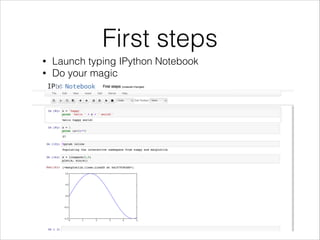
Launch typing IPython Notebook
Do your magic
Characteristics
•

Easy installation

•

Menu with several options

•

Multiple cell types (markdown, raw text, headings)

•

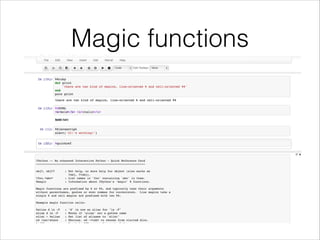
Magics (% inline and %% multiline)

•

Code completion

•

Integrated help

•

Allows download notebooks and load them again from file
Magic functions
IPython SQL
•

Introduces a sql magic for IPython

•

Connect to a db using SQLAlchemy connecting strings

•

Multiple connections can be manteined

•

Dict-style access for result sets is supported

•

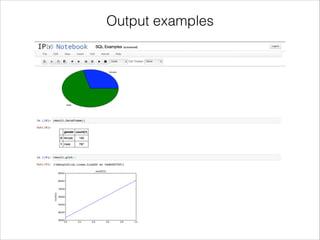
Supports Pandas, Graphing and Dumping

•

https://github.com/catherinedevlin/ipython-sql
Output examples
Thank you

The magic of IPython Notebook

  • 1.
    The magic of IPythonNotebook in 15 minutes
  • 2.
    What is itand why use it? • Web-based REPL (read-eval-print-loop) - simple and interactive programming environment alternative to the default shell • Cross platform and free • Rich toolkit: Terminal / Web / Qt console • Great for learn new languages • Allows to save code snippets • Output in interactive mode: text, tables, graphics
  • 3.
    Installing IPython Minimal effort(newbies)! • Anaconda for Mac or Windows ! Complete! • • OSX - easy_install ipython will download and install all dependencies; pip install ipython will also work but ignore some dependencies Ubuntu (and Debian-based distros): • installs IPython and its dependencies sudo apt-get install ipython-notebook • additional tools for scientific computing (optional) sudo apt-get install python-matplotlib python-scipy python-pandas python-sympy python-nose • Windows: http://ipython.org/ipython-doc/stable/install/install.html#windows
  • 4.
    First steps • • Launch typingIPython Notebook Do your magic
  • 5.
    Characteristics • Easy installation • Menu withseveral options • Multiple cell types (markdown, raw text, headings) • Magics (% inline and %% multiline) • Code completion • Integrated help • Allows download notebooks and load them again from file
  • 6.
  • 7.
    IPython SQL • Introduces asql magic for IPython • Connect to a db using SQLAlchemy connecting strings • Multiple connections can be manteined • Dict-style access for result sets is supported • Supports Pandas, Graphing and Dumping • https://github.com/catherinedevlin/ipython-sql
  • 8.
  • 9.