iPhone Application Development III
            Janet Huang
             2011/12/07
Today’s topic

• iOS programming review
• Facebook API
• Location + Facebook App
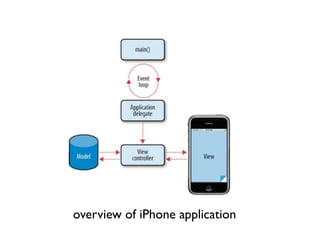
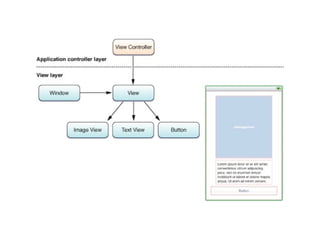
overview of iPhone application
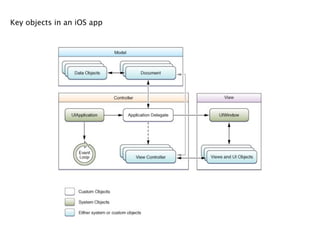
 Key objects in an iOS app
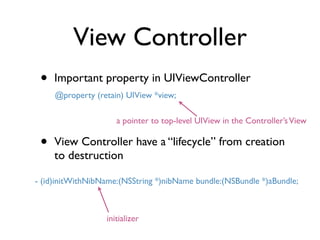
View Controller
View Controller
 •   Important property in UIViewController
     @property (retain) UIView *view;

                     a pointer to top-level UIView in the Controller’s View

 •   View Controller have a “lifecycle” from creation
     to destruction

- (id)initWithNibName:(NSString *)nibName bundle:(NSBundle *)aBundle;


                  initializer
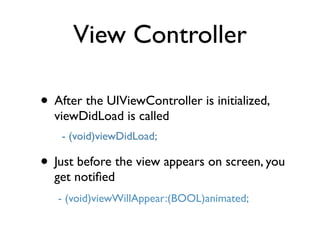
View Controller

• After the UIViewController is initialized,
  viewDidLoad is called
    - (void)viewDidLoad;

• Just before the view appears on screen, you
  get notified
   - (void)viewWillAppear:(BOOL)animated;
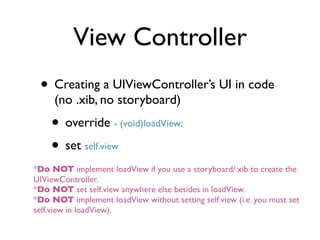
View Controller
 • Creating a UIViewController’s UI in code
     (no .xib, no storyboard)
    • override - (void)loadView;
    • set self.view
*Do NOT implement loadView if you use a storyboard/.xib to create the
UIViewController.
*Do NOT set self.view anywhere else besides in loadView.
*Do NOT implement loadView without setting self.view (i.e. you must set
self.view in loadView).
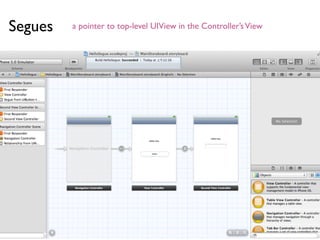
Segues   a pointer to top-level UIView in the Controller’s View
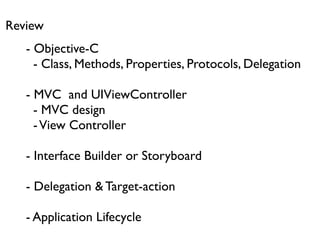
Review
   - Objective-C
     - Class, Methods, Properties, Protocols, Delegation

   - MVC and UIViewController
     - MVC design
     - View Controller

   - Interface Builder or Storyboard

   - Delegation & Target-action

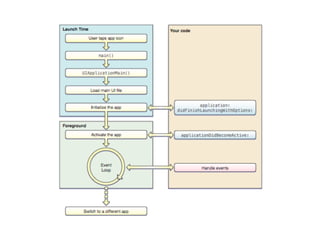
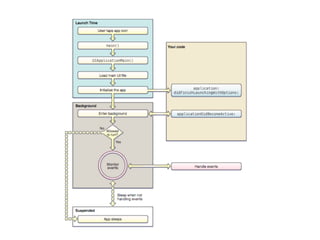
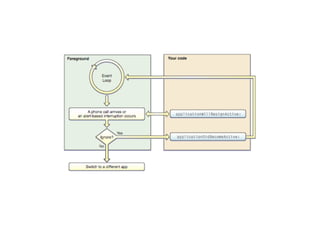
   - Application Lifecycle
MVC
                          should
                                   did
                       will                 target

                       controller
                                          outlet
                      count
Notification


                                          de
                         data


                                   da
 & KVO


                                             le
                                     ta

                                             ga
                                                        action


                                               te
                                         so
                                           urc
                                           es
              model                                  view
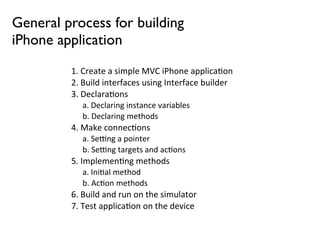
General process for building
iPhone application
         1.	
  Create	
  a	
  simple	
  MVC	
  iPhone	
  applica5on
         2.	
  Build	
  interfaces	
  using	
  Interface	
  builder
         3.	
  Declara5ons
             a.	
  Declaring	
  instance	
  variables
             b.	
  Declaring	
  methods
         4.	
  Make	
  connec5ons
             a.	
  SeDng	
  a	
  pointer
             b.	
  SeDng	
  targets	
  and	
  ac5ons
         5.	
  Implemen5ng	
  methods
             a.	
  Ini5al	
  method
             b.	
  Ac5on	
  methods
         6.	
  Build	
  and	
  run	
  on	
  the	
  simulator
         7.	
  Test	
  applica5on	
  on	
  the	
  device
Facebook API
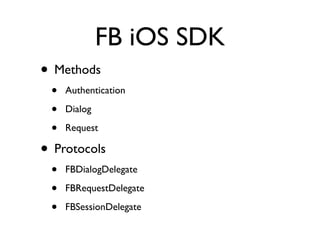
FB iOS SDK
• Methods
 •   Authentication

 •   Dialog

 •   Request

• Protocols
 •   FBDialogDelegate

 •   FBRequestDelegate

 •   FBSessionDelegate
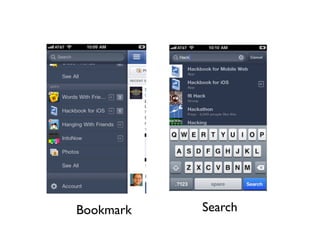
Bookmark   Search
Create a FB iOS App


https://developers.facebook.com/docs/guides/mobile/
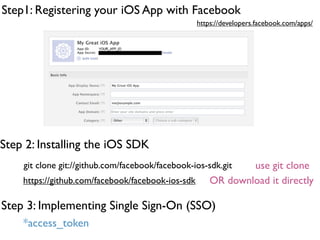
Step1: Registering your iOS App with Facebook
                                                   https://developers.facebook.com/apps/


Step 2: Installing the iOS SDK
    git clone git://github.com/facebook/facebook-ios-sdk.git   use git clone
    https://github.com/facebook/facebook-ios-sdk       OR download it directly

Step 3: Implementing Single Sign-On (SSO)
    *access_token
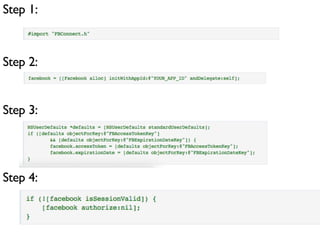
Step 1:


Step 2:


Step 3:


Step 4:
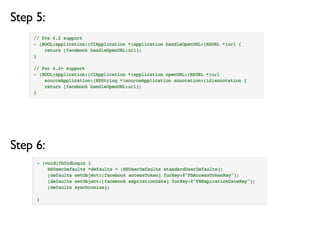
Step 5:


Step 6:
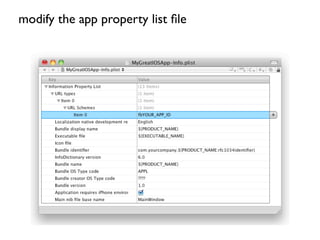
modify the app property list file
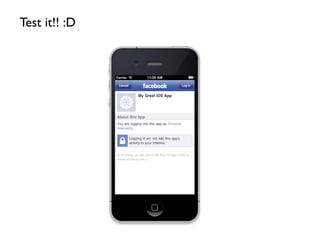
Test it!! :D
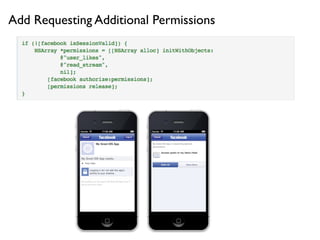
Add Requesting Additional Permissions
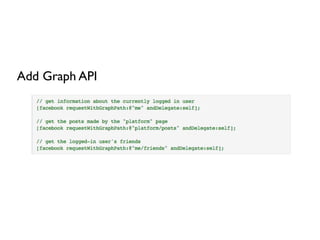
Add Graph API
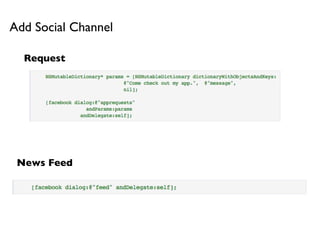
Add Social Channel

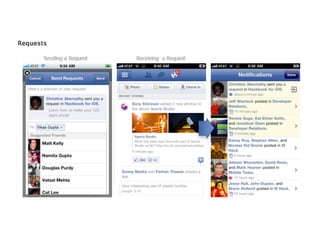
  Request


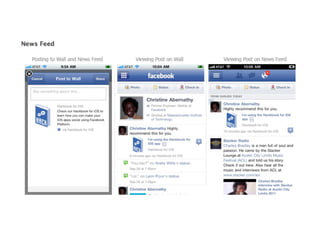
 News Feed
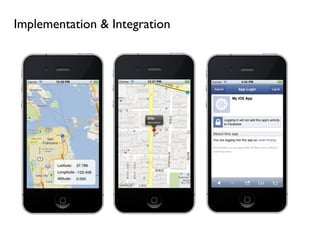
Implementation & Integration

Iphone course 3

  • 1.
    iPhone Application DevelopmentIII Janet Huang 2011/12/07
  • 2.
    Today’s topic • iOSprogramming review • Facebook API • Location + Facebook App
  • 3.
    overview of iPhoneapplication
  • 8.
     Key objects inan iOS app
  • 10.
  • 11.
    View Controller • Important property in UIViewController @property (retain) UIView *view; a pointer to top-level UIView in the Controller’s View • View Controller have a “lifecycle” from creation to destruction - (id)initWithNibName:(NSString *)nibName bundle:(NSBundle *)aBundle; initializer
  • 12.
    View Controller • Afterthe UIViewController is initialized, viewDidLoad is called - (void)viewDidLoad; • Just before the view appears on screen, you get notified - (void)viewWillAppear:(BOOL)animated;
  • 13.
    View Controller •Creating a UIViewController’s UI in code (no .xib, no storyboard) • override - (void)loadView; • set self.view *Do NOT implement loadView if you use a storyboard/.xib to create the UIViewController. *Do NOT set self.view anywhere else besides in loadView. *Do NOT implement loadView without setting self.view (i.e. you must set self.view in loadView).
  • 14.
    Segues a pointer to top-level UIView in the Controller’s View
  • 15.
    Review - Objective-C - Class, Methods, Properties, Protocols, Delegation - MVC and UIViewController - MVC design - View Controller - Interface Builder or Storyboard - Delegation & Target-action - Application Lifecycle
  • 16.
    MVC should did will target controller outlet count Notification de data da & KVO le ta ga action te so urc es model view
  • 17.
    General process forbuilding iPhone application 1.  Create  a  simple  MVC  iPhone  applica5on 2.  Build  interfaces  using  Interface  builder 3.  Declara5ons a.  Declaring  instance  variables b.  Declaring  methods 4.  Make  connec5ons a.  SeDng  a  pointer b.  SeDng  targets  and  ac5ons 5.  Implemen5ng  methods a.  Ini5al  method b.  Ac5on  methods 6.  Build  and  run  on  the  simulator 7.  Test  applica5on  on  the  device
  • 18.
  • 19.
    FB iOS SDK •Methods • Authentication • Dialog • Request • Protocols • FBDialogDelegate • FBRequestDelegate • FBSessionDelegate
  • 23.
    Bookmark Search
  • 24.
    Create a FBiOS App https://developers.facebook.com/docs/guides/mobile/
  • 25.
    Step1: Registering youriOS App with Facebook https://developers.facebook.com/apps/ Step 2: Installing the iOS SDK git clone git://github.com/facebook/facebook-ios-sdk.git use git clone https://github.com/facebook/facebook-ios-sdk OR download it directly Step 3: Implementing Single Sign-On (SSO) *access_token
  • 26.
  • 27.
  • 28.
    modify the appproperty list file
  • 29.
  • 30.
  • 31.
  • 32.
    Add Social Channel Request News Feed
  • 33.