Features of iOS7

PRESENTED BY:
K.Vinodkumar

10291A1246

MD.Zahed Husain

10291A1219
Apple iOS: Amazing OS Now Comes With New
Version

iOS is a mobile operating system developed by Apple. Originally reveal in
2007 for iPhone, later been extended to support other Apple devices like
iPod and iPad.

Let’s start the journey of new apple iPhone OS
>>>
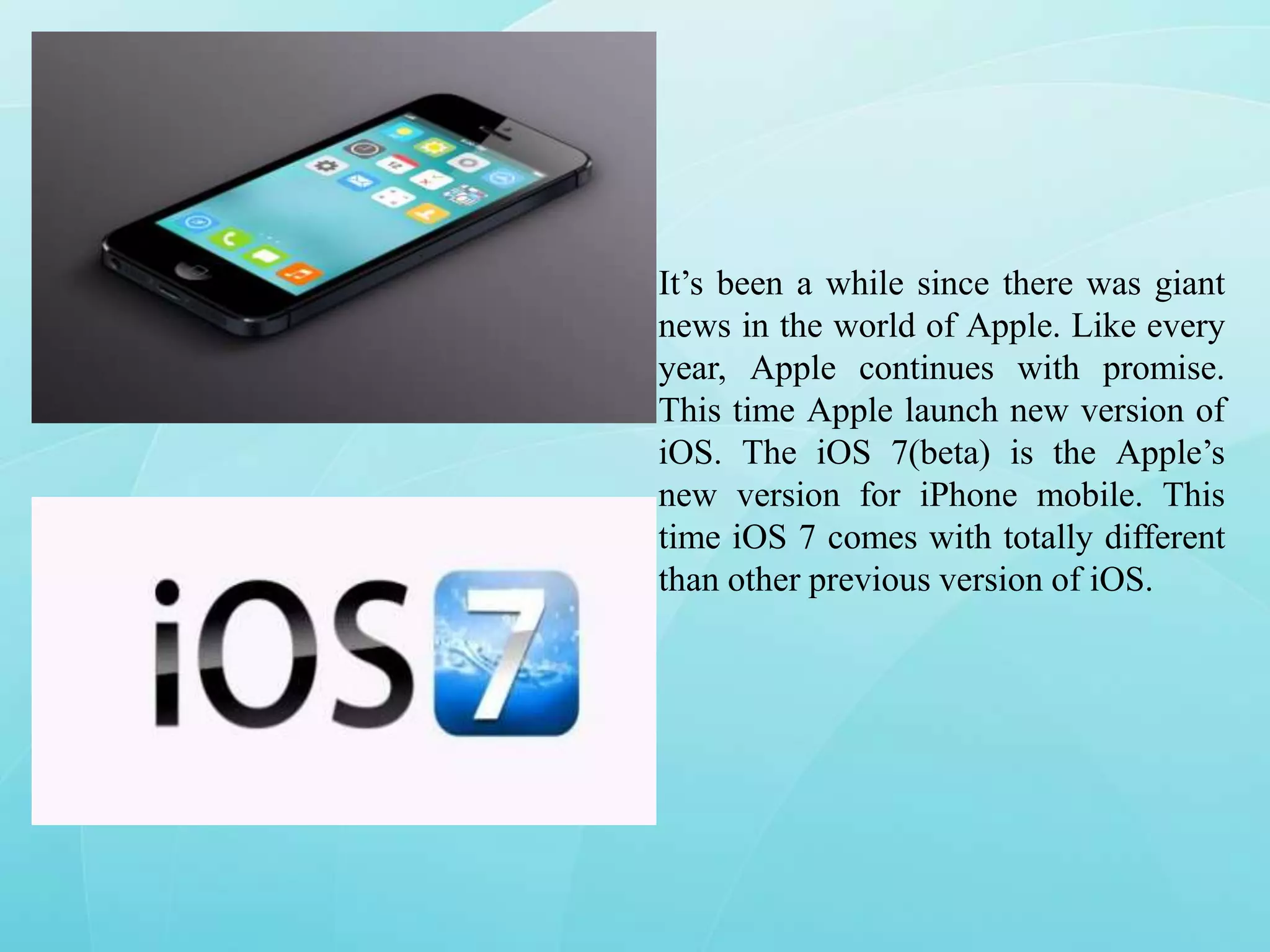
It’s been a while since there was giant
news in the world of Apple. Like every
year, Apple continues with promise.
This time Apple launch new version of
iOS. The iOS 7(beta) is the Apple’s
new version for iPhone mobile. This
time iOS 7 comes with totally different
than other previous version of iOS.
File Transferring and Message, Mail App
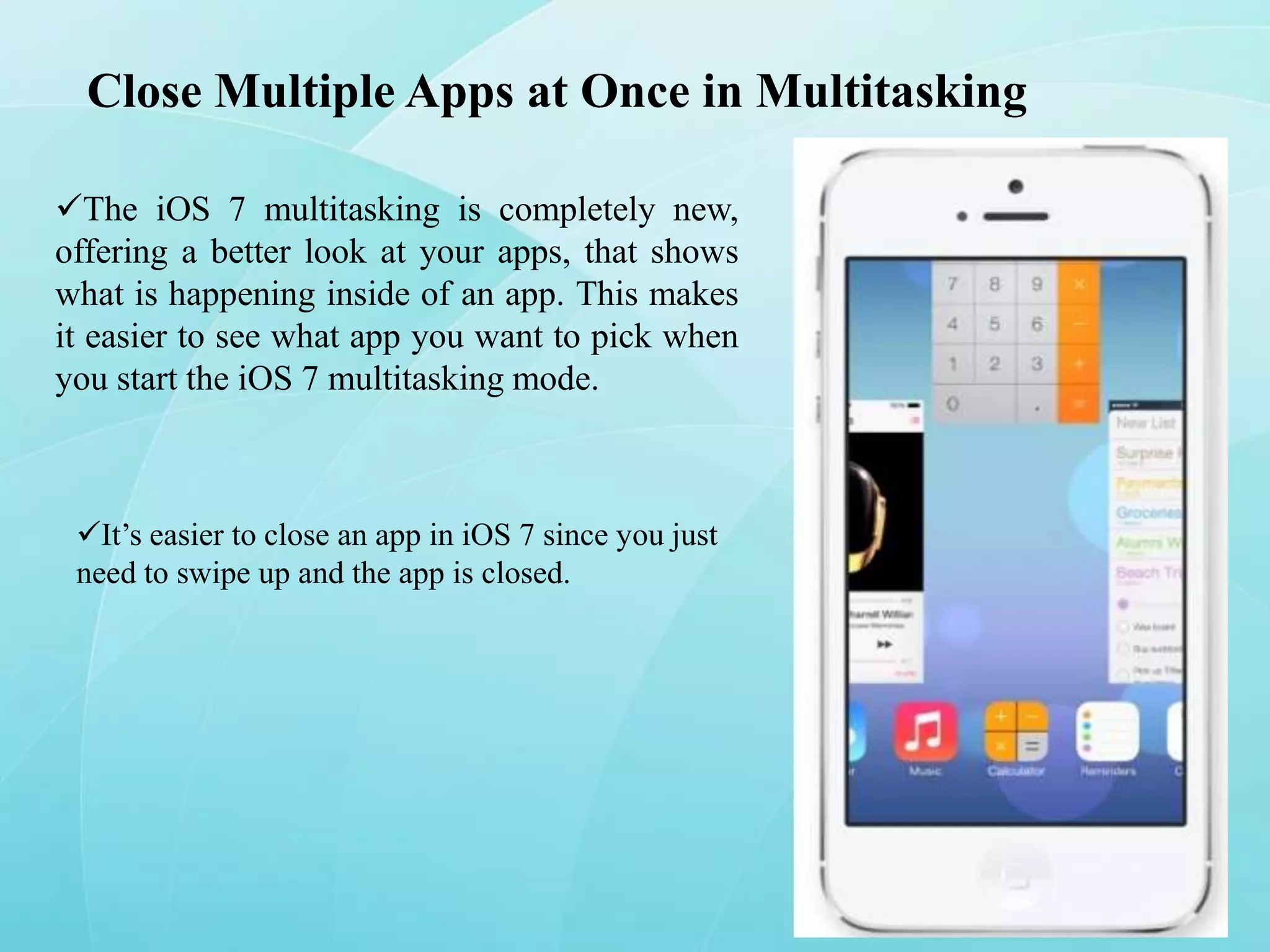
Transferring files between iOS devices is
now easy with this new version. Airdrop a
new method of transferring data using Wi-Fi.
You can share what you viewing currently on
your phone through Airdrop, which is
accessible from Control Center. One more
thing is the message and mail apps have a
new look feeling to match the rest of the OS.
Currently this new version of iOS is
working with iPhone 5, iPhone 4, 4s and
iPod touch 5th generation
Close Multiple Apps at Once in Multitasking
The iOS 7 multitasking is completely new,
offering a better look at your apps, that shows
what is happening inside of an app. This makes
it easier to see what app you want to pick when
you start the iOS 7 multitasking mode.

It’s easier to close an app in iOS 7 since you just
need to swipe up and the app is closed.
Track Data Used By Each App & Cut Them Off
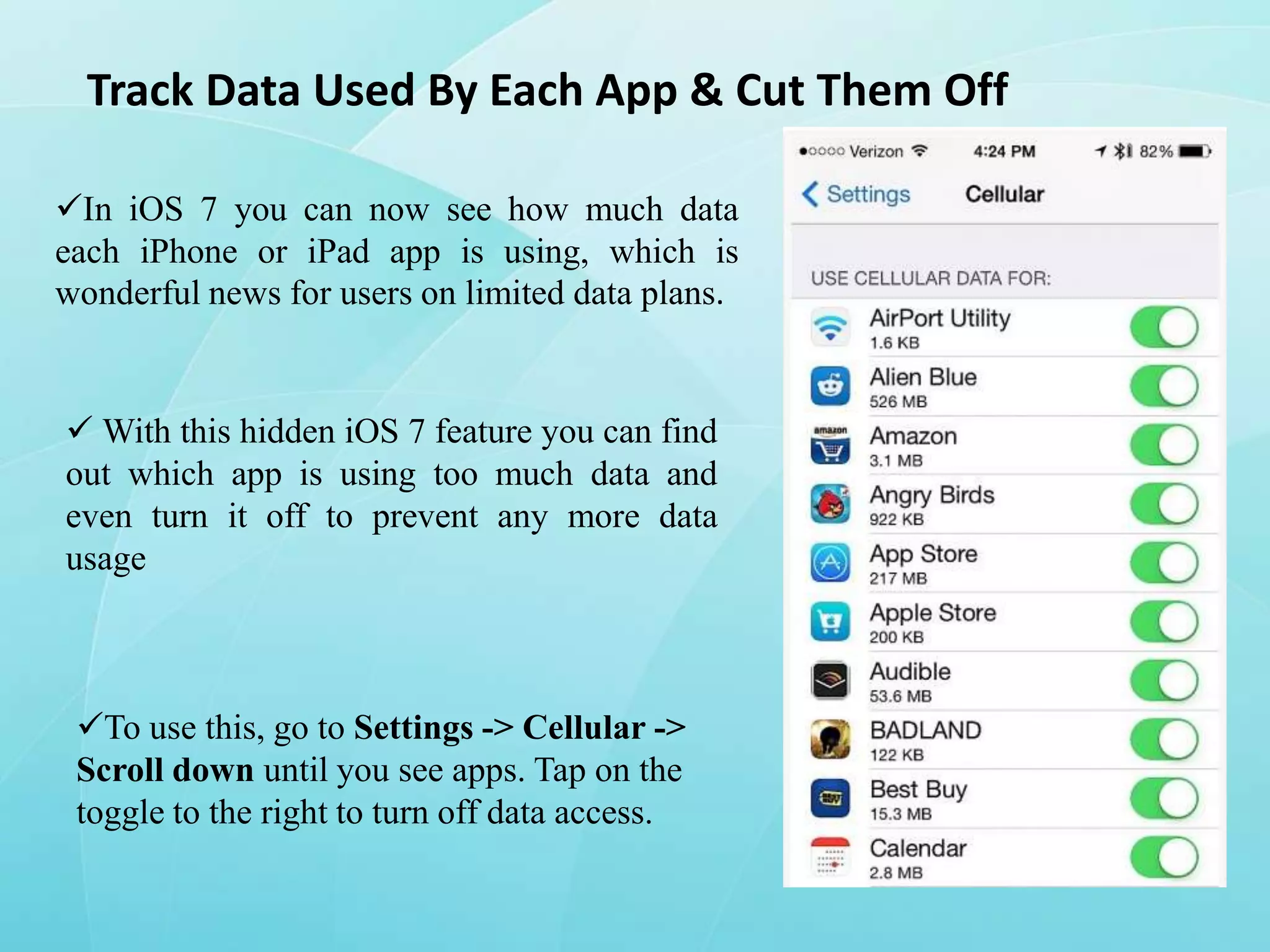
In iOS 7 you can now see how much data
each iPhone or iPad app is using, which is
wonderful news for users on limited data plans.

 With this hidden iOS 7 feature you can find
out which app is using too much data and
even turn it off to prevent any more data
usage

To use this, go to Settings -> Cellular ->
Scroll down until you see apps. Tap on the
toggle to the right to turn off data access.
Zoom While Shooting Video
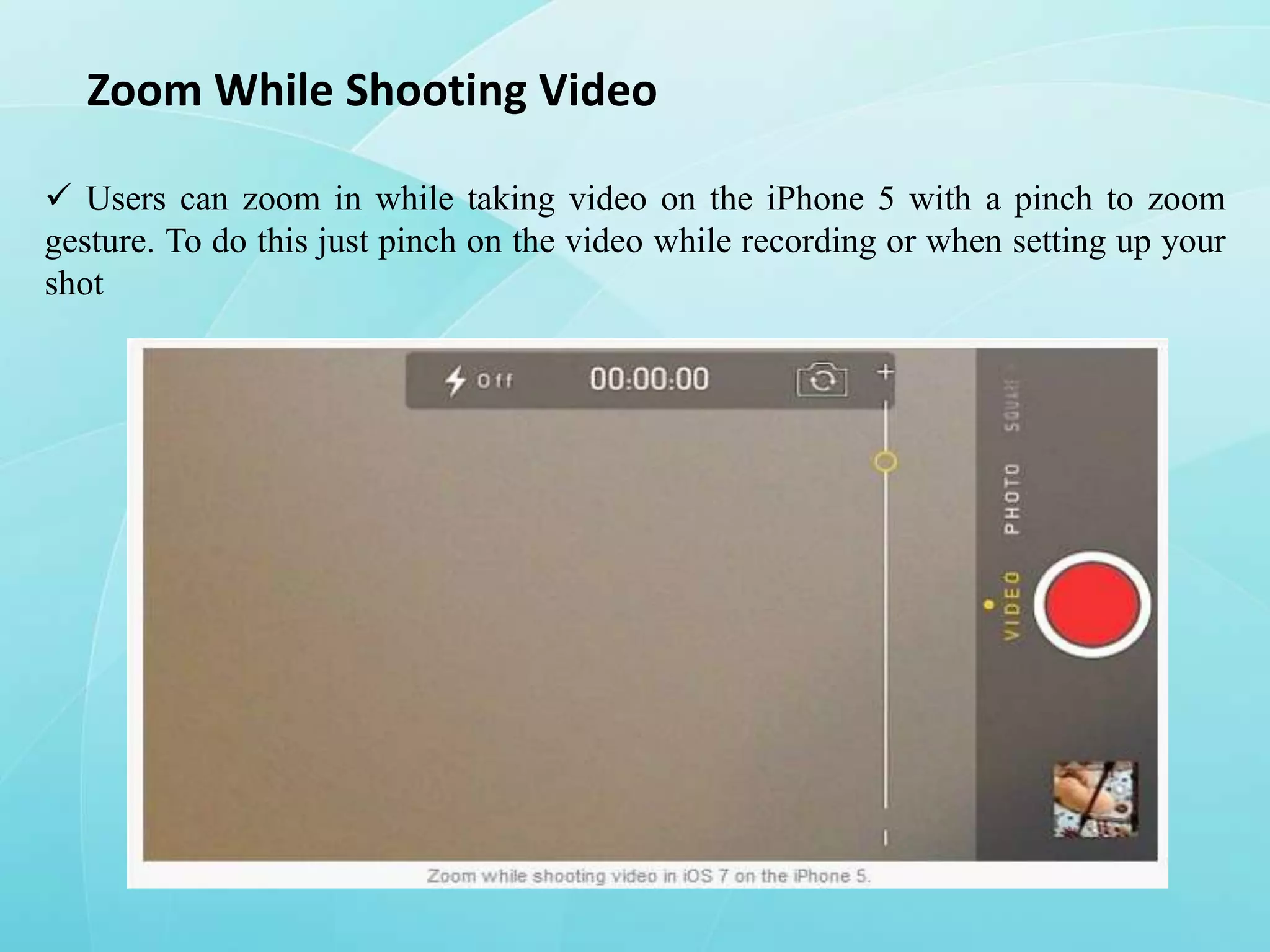
 Users can zoom in while taking video on the iPhone 5 with a pinch to zoom
gesture. To do this just pinch on the video while recording or when setting up your
shot
Share Videos on Photo Stream

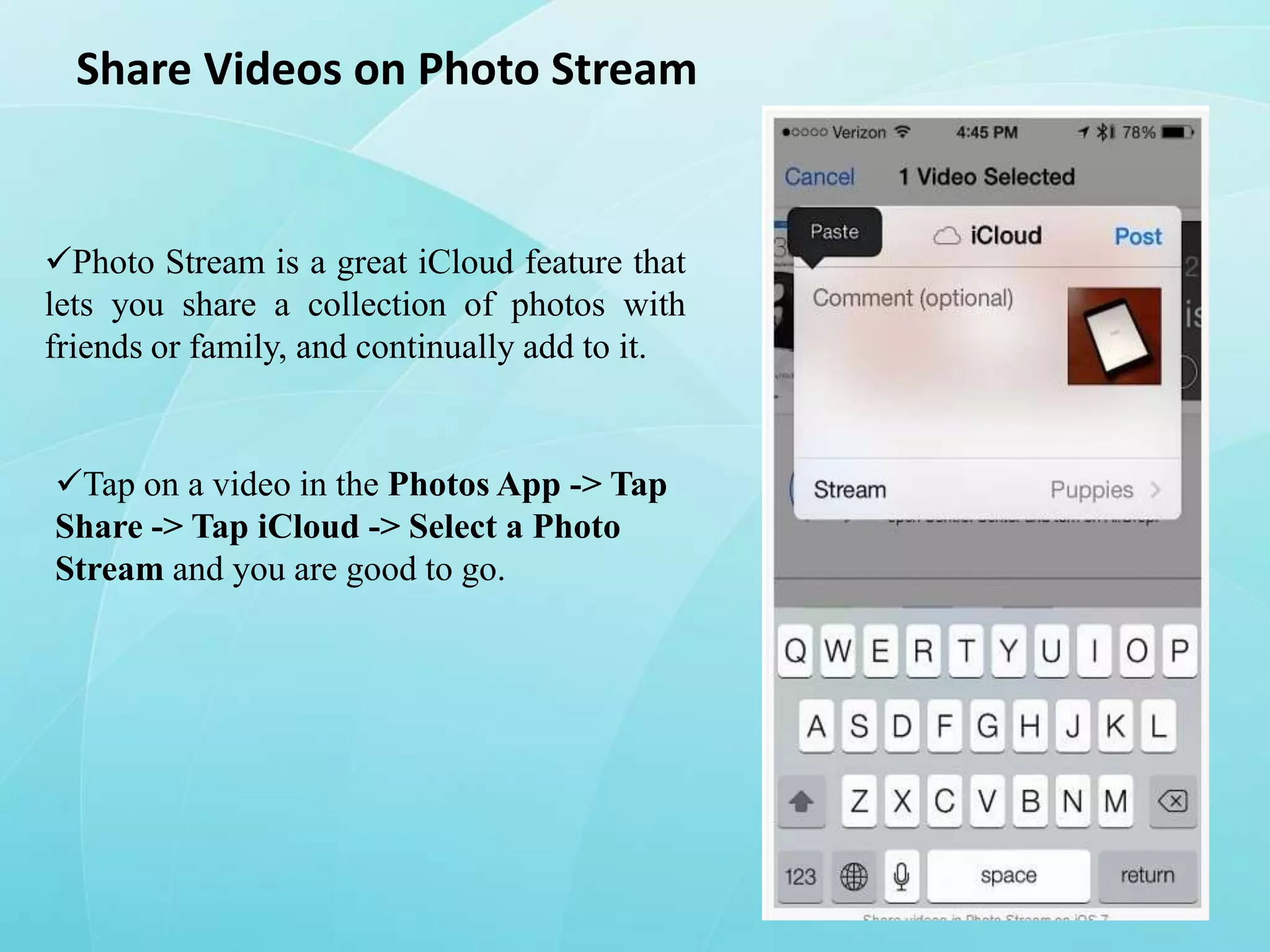
Photo Stream is a great iCloud feature that
lets you share a collection of photos with
friends or family, and continually add to it.

Tap on a video in the Photos App -> Tap
Share -> Tap iCloud -> Select a Photo
Stream and you are good to go.
Fast Access to Safari Buttons
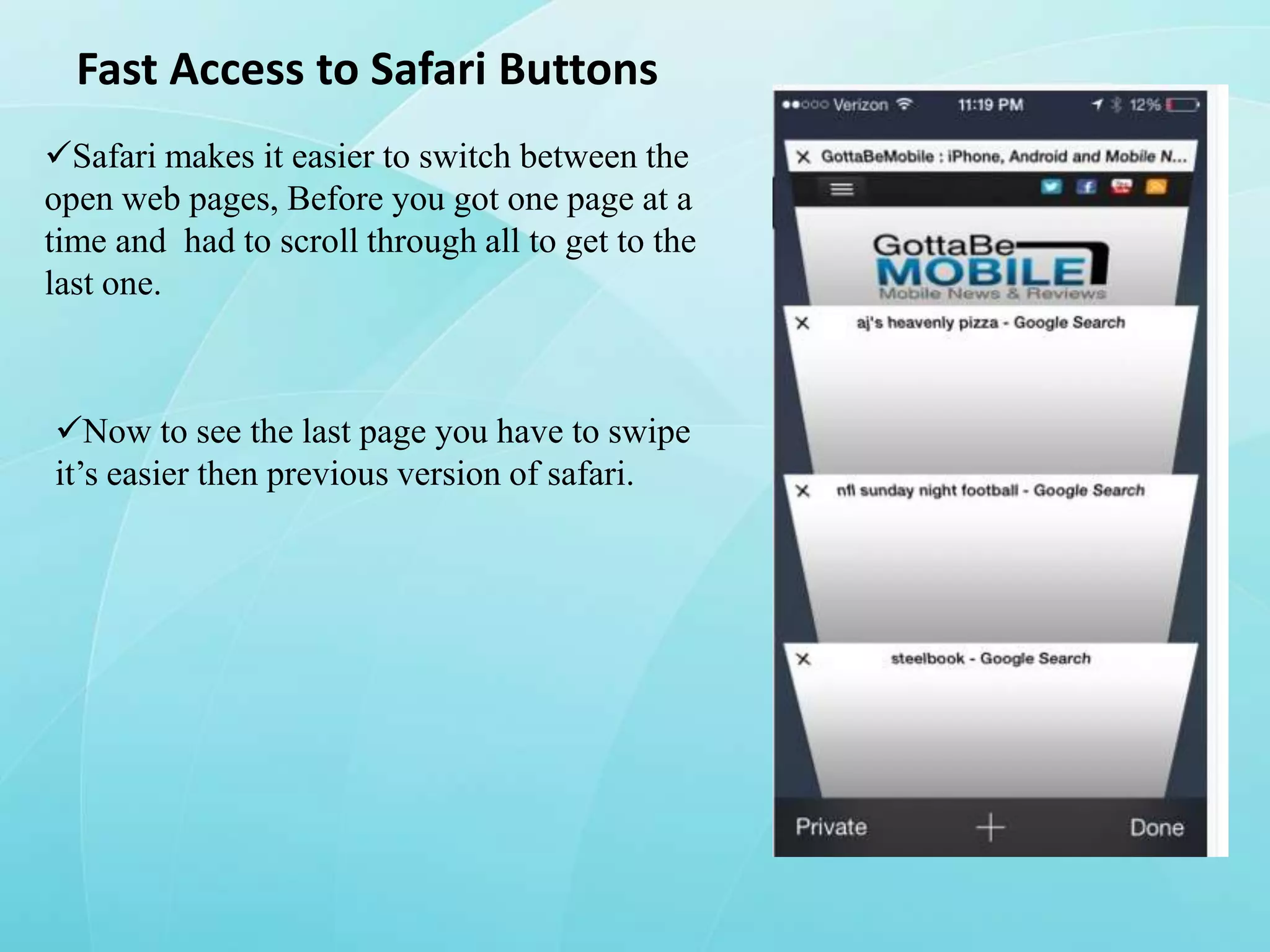
Safari makes it easier to switch between the
open web pages, Before you got one page at a
time and had to scroll through all to get to the
last one.

Now to see the last page you have to swipe
it’s easier then previous version of safari.
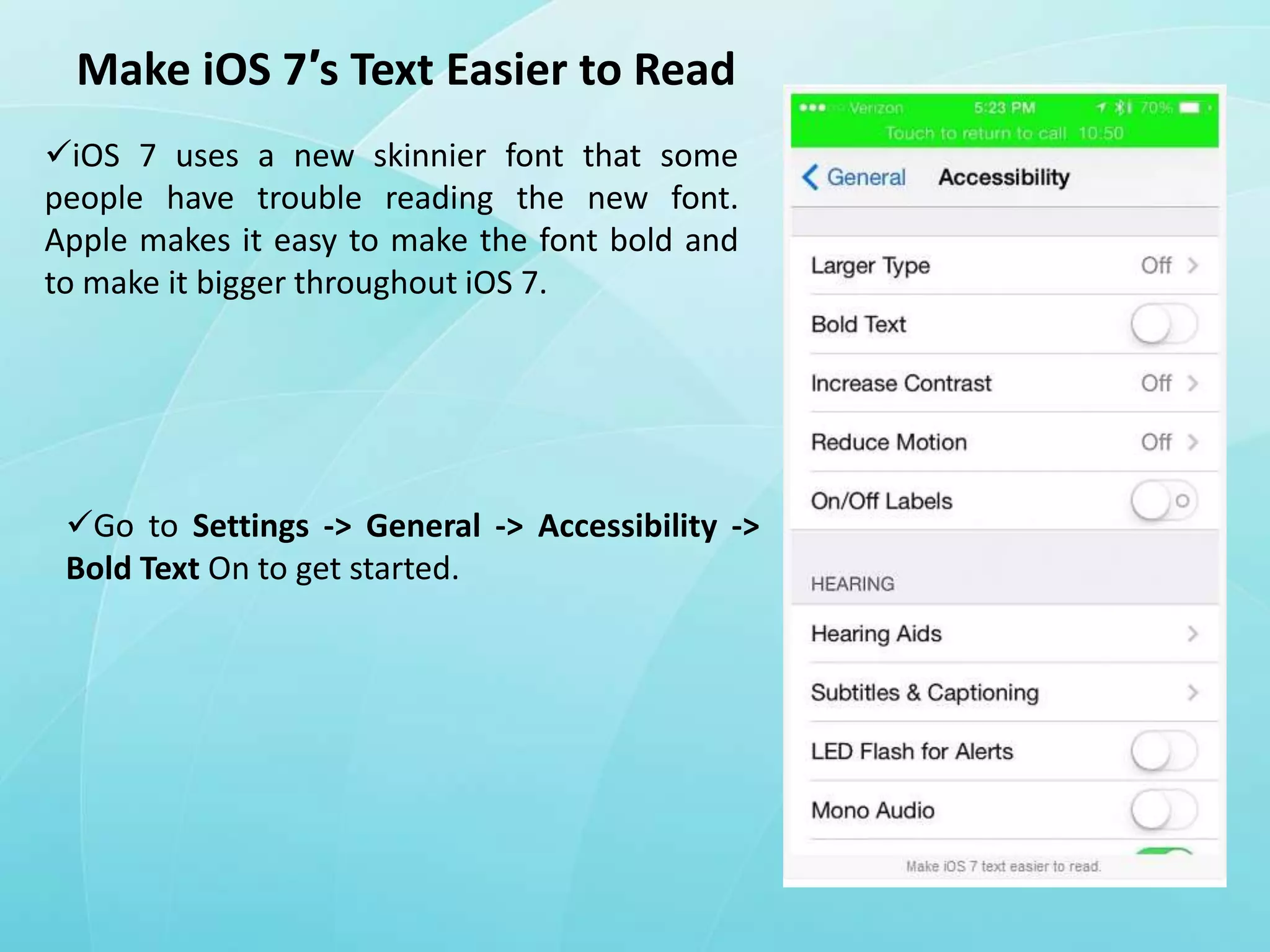
Make iOS 7′s Text Easier to Read
iOS 7 uses a new skinnier font that some
people have trouble reading the new font.
Apple makes it easy to make the font bold and
to make it bigger throughout iOS 7.

Go to Settings -> General -> Accessibility ->
Bold Text On to get started.
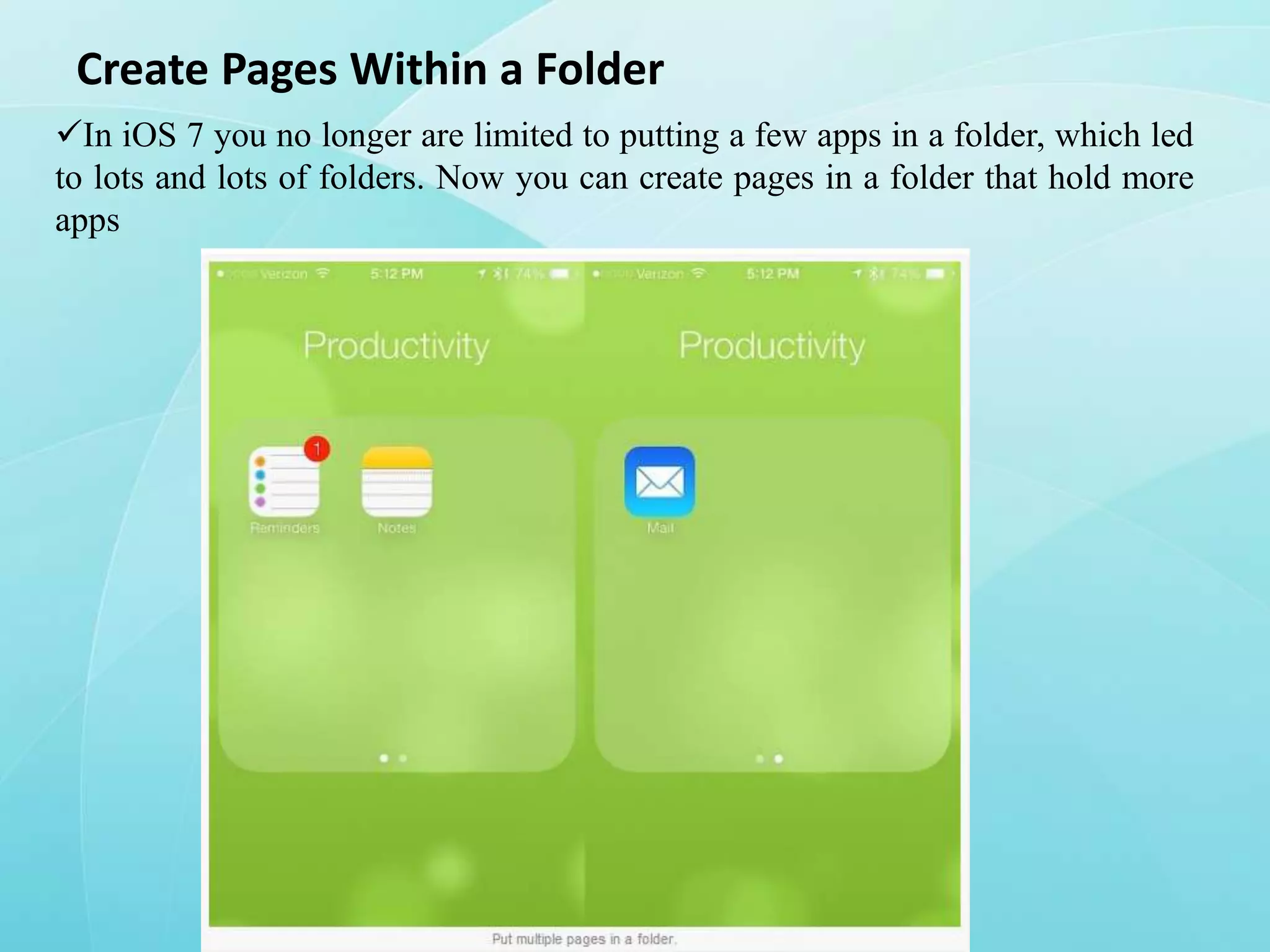
Create Pages Within a Folder
In iOS 7 you no longer are limited to putting a few apps in a folder, which led
to lots and lots of folders. Now you can create pages in a folder that hold more
apps
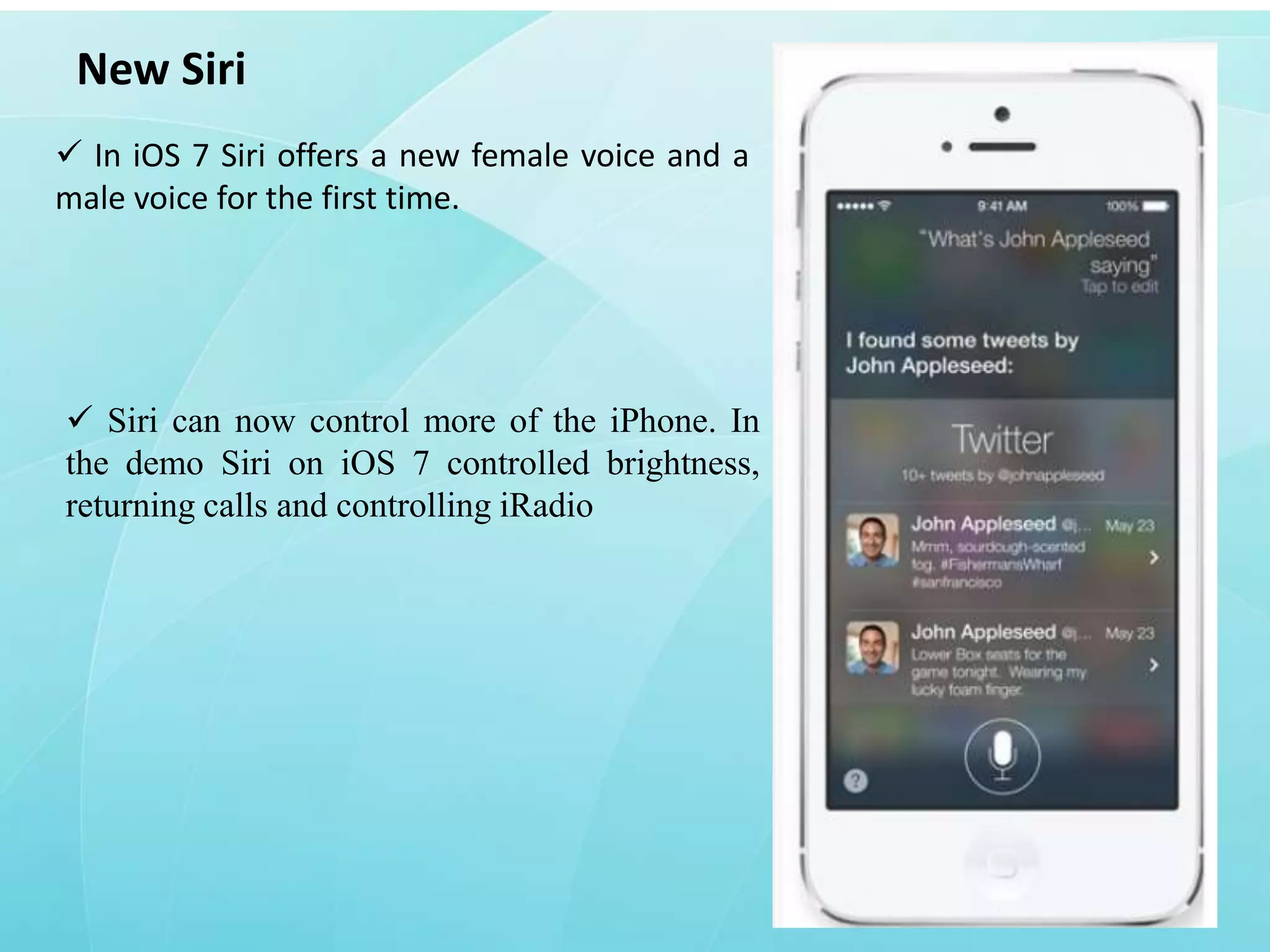
New Siri
 In iOS 7 Siri offers a new female voice and a
male voice for the first time.

 Siri can now control more of the iPhone. In
the demo Siri on iOS 7 controlled brightness,
returning calls and controlling iRadio
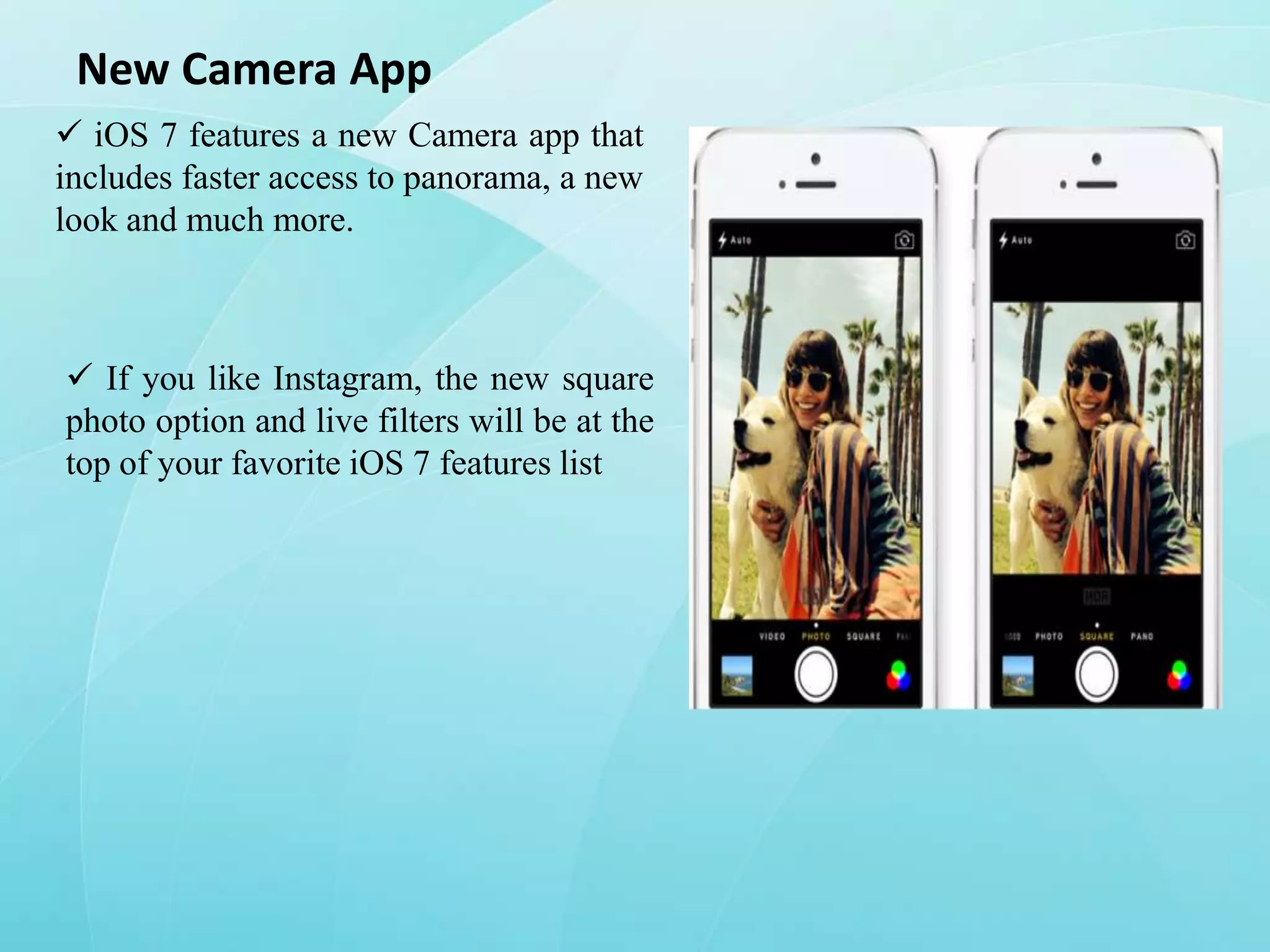
New Camera App
 iOS 7 features a new Camera app that
includes faster access to panorama, a new
look and much more.

 If you like Instagram, the new square
photo option and live filters will be at the
top of your favorite iOS 7 features list
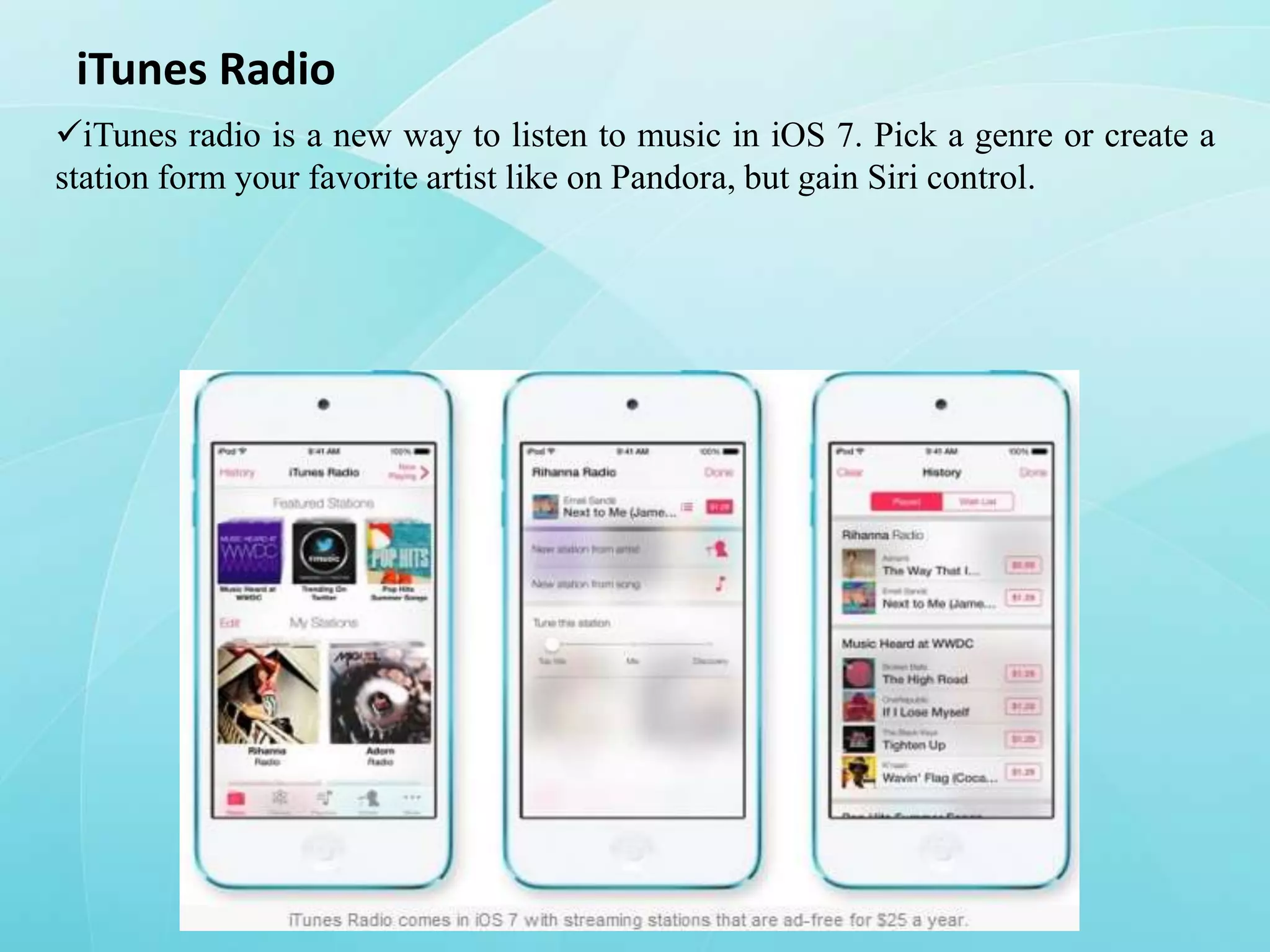
iTunes Radio
iTunes radio is a new way to listen to music in iOS 7. Pick a genre or create a
station form your favorite artist like on Pandora, but gain Siri control.
Conclusion
iOS7 offering more no. of features which makes user to operate very
easy.

This is an advanced OS compare to any other mobiles OS.
iOS7 features

iOS7 features

  • 1.
    Features of iOS7 PRESENTEDBY: K.Vinodkumar 10291A1246 MD.Zahed Husain 10291A1219
  • 2.
    Apple iOS: AmazingOS Now Comes With New Version iOS is a mobile operating system developed by Apple. Originally reveal in 2007 for iPhone, later been extended to support other Apple devices like iPod and iPad. Let’s start the journey of new apple iPhone OS >>>
  • 3.
    It’s been awhile since there was giant news in the world of Apple. Like every year, Apple continues with promise. This time Apple launch new version of iOS. The iOS 7(beta) is the Apple’s new version for iPhone mobile. This time iOS 7 comes with totally different than other previous version of iOS.
  • 4.
    File Transferring andMessage, Mail App Transferring files between iOS devices is now easy with this new version. Airdrop a new method of transferring data using Wi-Fi. You can share what you viewing currently on your phone through Airdrop, which is accessible from Control Center. One more thing is the message and mail apps have a new look feeling to match the rest of the OS. Currently this new version of iOS is working with iPhone 5, iPhone 4, 4s and iPod touch 5th generation
  • 5.
    Close Multiple Appsat Once in Multitasking The iOS 7 multitasking is completely new, offering a better look at your apps, that shows what is happening inside of an app. This makes it easier to see what app you want to pick when you start the iOS 7 multitasking mode. It’s easier to close an app in iOS 7 since you just need to swipe up and the app is closed.
  • 6.
    Track Data UsedBy Each App & Cut Them Off In iOS 7 you can now see how much data each iPhone or iPad app is using, which is wonderful news for users on limited data plans.  With this hidden iOS 7 feature you can find out which app is using too much data and even turn it off to prevent any more data usage To use this, go to Settings -> Cellular -> Scroll down until you see apps. Tap on the toggle to the right to turn off data access.
  • 7.
    Zoom While ShootingVideo  Users can zoom in while taking video on the iPhone 5 with a pinch to zoom gesture. To do this just pinch on the video while recording or when setting up your shot
  • 8.
    Share Videos onPhoto Stream Photo Stream is a great iCloud feature that lets you share a collection of photos with friends or family, and continually add to it. Tap on a video in the Photos App -> Tap Share -> Tap iCloud -> Select a Photo Stream and you are good to go.
  • 9.
    Fast Access toSafari Buttons Safari makes it easier to switch between the open web pages, Before you got one page at a time and had to scroll through all to get to the last one. Now to see the last page you have to swipe it’s easier then previous version of safari.
  • 10.
    Make iOS 7′sText Easier to Read iOS 7 uses a new skinnier font that some people have trouble reading the new font. Apple makes it easy to make the font bold and to make it bigger throughout iOS 7. Go to Settings -> General -> Accessibility -> Bold Text On to get started.
  • 11.
    Create Pages Withina Folder In iOS 7 you no longer are limited to putting a few apps in a folder, which led to lots and lots of folders. Now you can create pages in a folder that hold more apps
  • 12.
    New Siri  IniOS 7 Siri offers a new female voice and a male voice for the first time.  Siri can now control more of the iPhone. In the demo Siri on iOS 7 controlled brightness, returning calls and controlling iRadio
  • 13.
    New Camera App iOS 7 features a new Camera app that includes faster access to panorama, a new look and much more.  If you like Instagram, the new square photo option and live filters will be at the top of your favorite iOS 7 features list
  • 14.
    iTunes Radio iTunes radiois a new way to listen to music in iOS 7. Pick a genre or create a station form your favorite artist like on Pandora, but gain Siri control.
  • 15.
    Conclusion iOS7 offering moreno. of features which makes user to operate very easy. This is an advanced OS compare to any other mobiles OS.