Downloaded 22 times

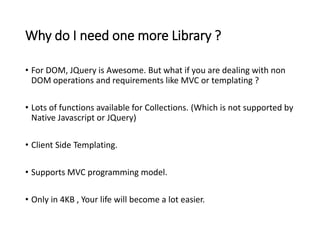
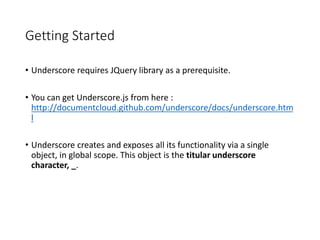
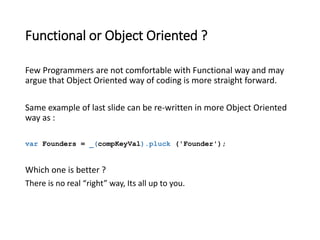
![Example
Lets assume, we have array of key value pair (Map) in JavaScript like
var compKeyVal = [
{company : 'Salesforce', Founder : 'Marc Benioff'},
{company : 'Apple', Founder : 'steve jobs'},
{company : 'Oracle', Founder : 'Larry Ellison'}
];
Requirement : Get Array which will contain name of Founders Only from
above Key Value Pair. It is so simple as writing only one Line
var Founders = _.pluck (compKeyVal, 'Founder');](https://image.slidesharecdn.com/introductiontounderscore-141028201234-conversion-gate02/85/Introduction-to-underscore-js-4-320.jpg)
![Collection
• Array of String, Object or Key-value considered as a collection.
Example :
• [0,4,5,6,7]
• [“StringB”,” StringA”,” StringD”,” StringE”,” StringG”]
• [obj1,obj2,obj3]
• [{Key : Val, Key1 : Val1}, {Key : Val, Key1 : Val1}]](https://image.slidesharecdn.com/introductiontounderscore-141028201234-conversion-gate02/85/Introduction-to-underscore-js-7-320.jpg)
![Sample Array
• Throughout the slides we will use below collection to test different
methods of Underscore.js. This is array of Key value Pairs.
var compKeyVal = [
{company : 'Salesforce', Founder : 'Marc Benioff‘, year :
1999},
{company : 'Apple', Founder : 'steve jobs', year : 1976},
{company : 'Oracle', Founder : 'Larry Ellison', year : 1977}
];](https://image.slidesharecdn.com/introductiontounderscore-141028201234-conversion-gate02/85/Introduction-to-underscore-js-8-320.jpg)
![Select
• This function is used to Select subset of collection.
• Example : Get all values which are founded after 1980.
var ans = _(compKeyVal).select(function(compKey){ return
compKey.year > 1980; });
console.log(ans[0]);
Output :
Object {company: "Salesforce", Founder: "Marc Benioff", year: 1999}](https://image.slidesharecdn.com/introductiontounderscore-141028201234-conversion-gate02/85/Introduction-to-underscore-js-9-320.jpg)
![Pluck
This method extracts simple one dimensional array from collection with
specified property.
Requirement : Get Array which will contain name of “Founders” Only from
above collection. It is so simple as writing only one Line
var Founders = _.pluck (compKeyVal, 'Founder');
console.log(Founders);
Output :
["Marc Benioff", "steve jobs", " Larry Ellison"]](https://image.slidesharecdn.com/introductiontounderscore-141028201234-conversion-gate02/85/Introduction-to-underscore-js-10-320.jpg)
![Map
• Creates array from collection Where each element of resultant array
changed through function.
Example :
var incNames = _(compKeyVal).pluck('company').map(function
(value){return value + '.Inc'});
console.log(incNames);
Output:
["Salesforce.Inc", "Apple.Inc", "Oracle.Inc"]](https://image.slidesharecdn.com/introductiontounderscore-141028201234-conversion-gate02/85/Introduction-to-underscore-js-11-320.jpg)
![Uniq
This Method removes Duplicate values from array.
var unVal =
_.uniq(['Shiva','Soft','Salesforce','Shiva','Soft','Salesforce'
,'Shiva','Soft','Salesforce','Shiva','Soft','Salesforce']);
console.log(unVal);
Output : ["Shiva", "Soft", "Salesforce"]](https://image.slidesharecdn.com/introductiontounderscore-141028201234-conversion-gate02/85/Introduction-to-underscore-js-14-320.jpg)
![Range
Used to create array with values between specified range.
Syntax :
_.range(Starting Number, Ending Number, Number to Increment);
Example :
var randVals = _.range(0, 100, 11);
console.log(randVals);
Output :
[0, 11, 22, 33, 44, 55, 66, 77, 88, 99]](https://image.slidesharecdn.com/introductiontounderscore-141028201234-conversion-gate02/85/Introduction-to-underscore-js-15-320.jpg)
![Intersection
This method returns Common Elements between Arrays.
var arr1 = [1,2,3,4,5,6,7];
var arr2 = [1,3,6,9,10,11,45,67];
var arr3 = [1,6,697,180,131,405,617];
var common = _.intersection(arr1, arr2, arr3 );
console.log(common);
Output:
[1, 6]](https://image.slidesharecdn.com/introductiontounderscore-141028201234-conversion-gate02/85/Introduction-to-underscore-js-16-320.jpg)

This document provides an introduction and overview of the Underscore.js library. It discusses why Underscore.js is useful, especially for non-DOM operations like MVC and templating. It provides examples of how to get started with Underscore.js and demonstrates some of its core functions for working with collections and arrays, including pluck, select, map, all, uniq, range, and intersection.


![Mastering The Collections in JavaScript [Free Meetup]](https://cdn.slidesharecdn.com/ss_thumbnails/javascriptcollections20250204-250205161759-5a1365e2-thumbnail.jpg?width=640&height=640&fit=bounds)


