Introduction to OOPs
Need for OOP paradigm
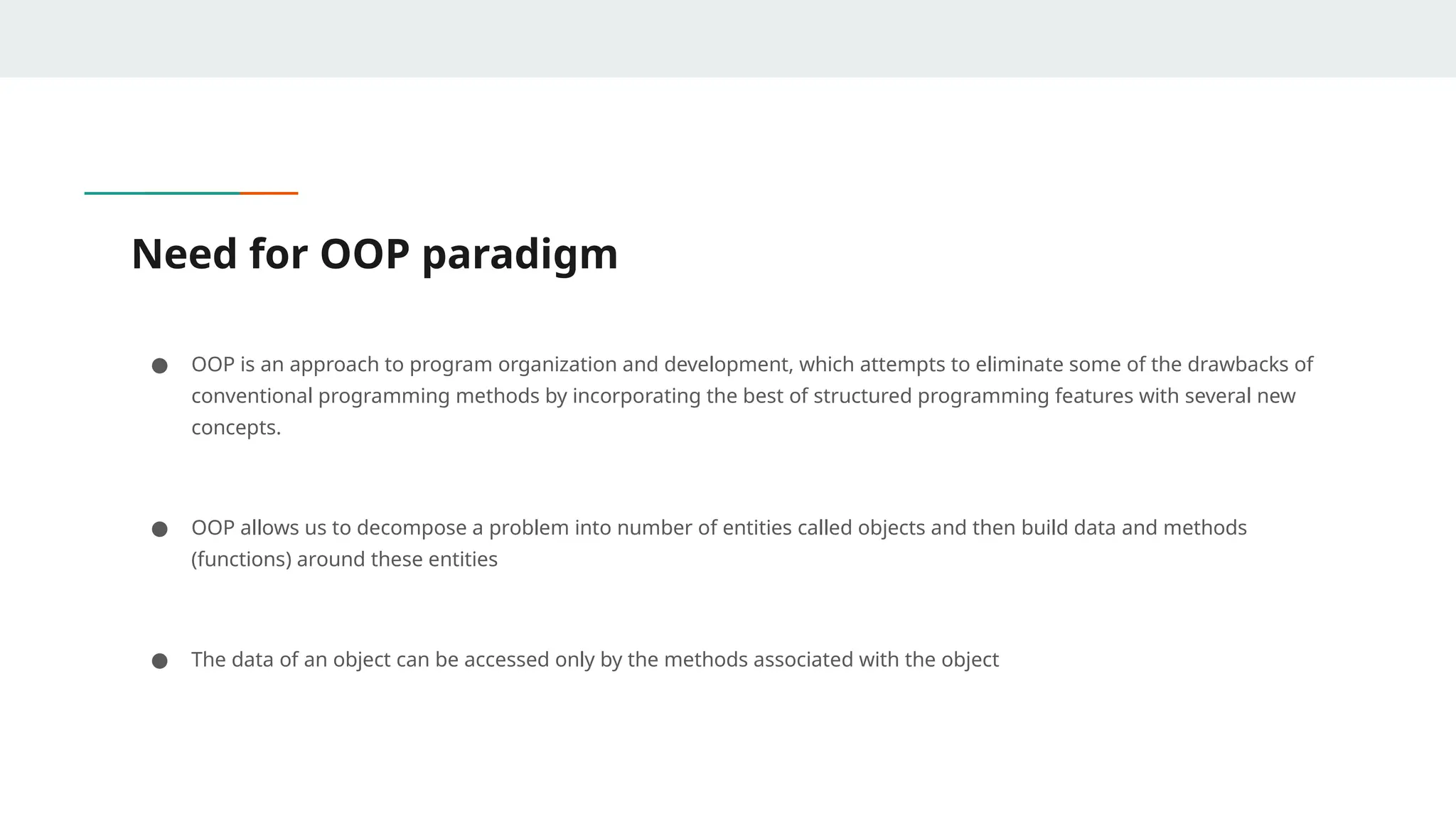
● OOP is an approach to program organization and development, which attempts to eliminate some of the drawbacks of
conventional programming methods by incorporating the best of structured programming features with several new
concepts.
● OOP allows us to decompose a problem into number of entities called objects and then build data and methods
(functions) around these entities
● The data of an object can be accessed only by the methods associated with the object
Difference between Procedural oriented programming and
OOPs
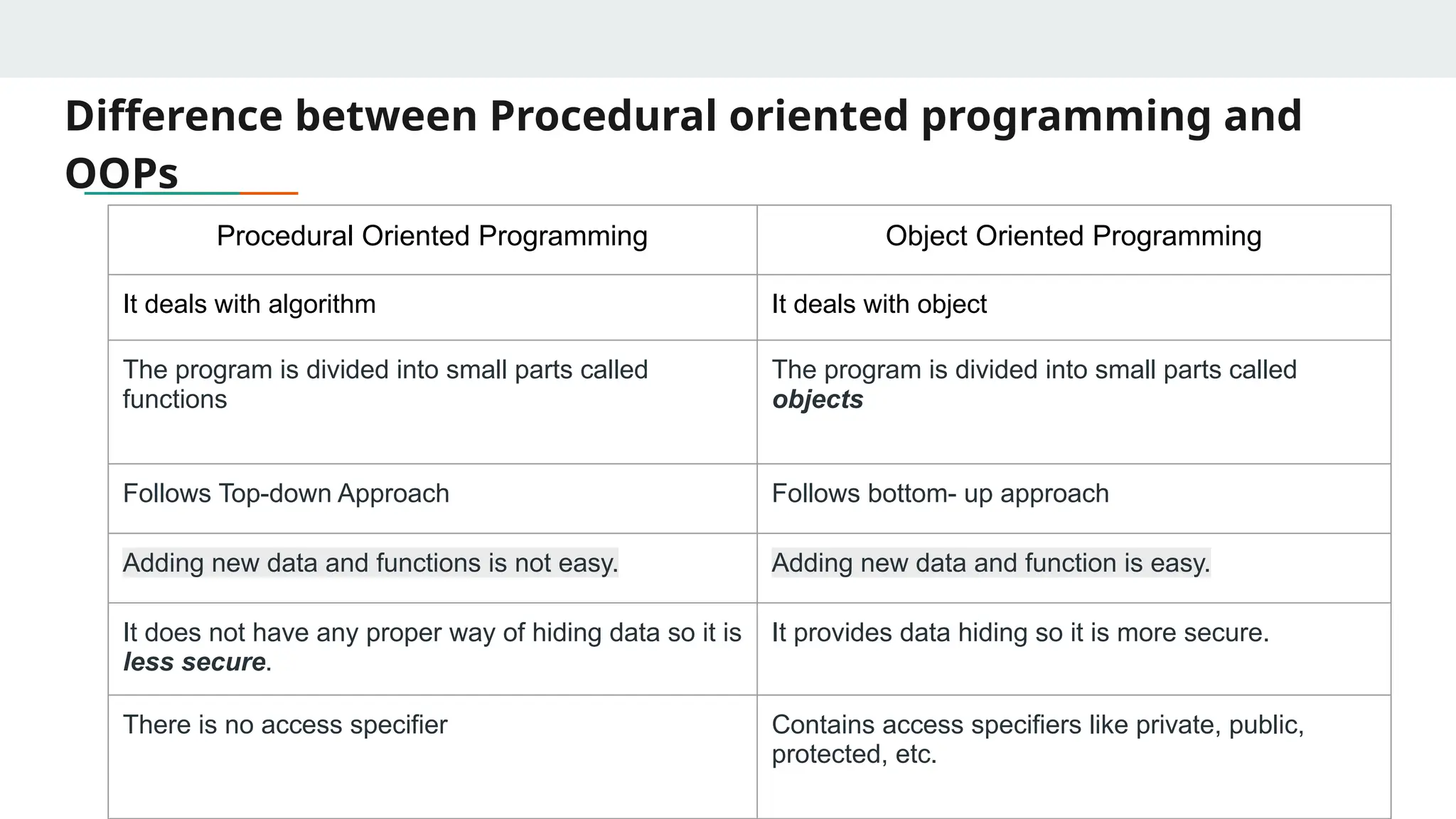
Procedural Oriented Programming Object Oriented Programming
It deals with algorithm It deals with object
The program is divided into small parts called
functions
The program is divided into small parts called
objects
Follows Top-down Approach Follows bottom- up approach
Adding new data and functions is not easy. Adding new data and function is easy.
It does not have any proper way of hiding data so it is
less secure.
It provides data hiding so it is more secure.
There is no access specifier Contains access specifiers like private, public,
protected, etc.
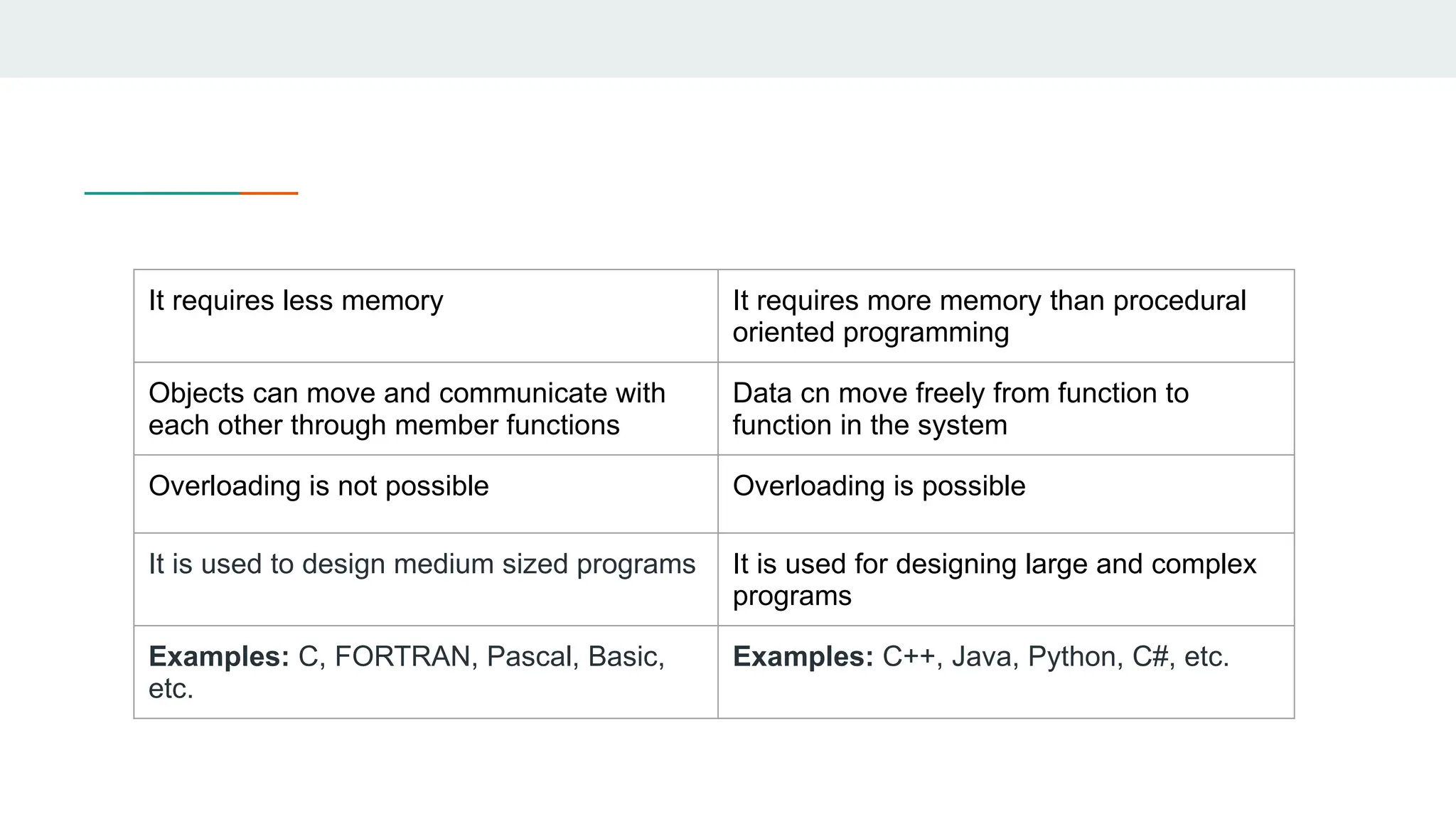
It requires less memory It requires more memory than procedural
oriented programming
Objects can move and communicate with
each other through member functions
Data cn move freely from function to
function in the system
Overloading is not possible Overloading is possible
It is used to design medium sized programs It is used for designing large and complex
programs
Examples: C, FORTRAN, Pascal, Basic,
etc.
Examples: C++, Java, Python, C#, etc.
Introduction
● Object-oriented programming (OOP) is a programming paradigm that uses “Objects “ and their
interactions to design applications.
● It simplifies the software development and maintenance by providing some concepts:
○ Object
○ Class
○ Data Abstraction & Encapsulation
○ Inheritance
○ Polymorphism
○ Dynamic Binding
Object
● Objects are the basic runtime entities in an object-oriented system.
● Characteristics of an object are represented in a class as Properties. The actions that
can be performed by objects become functions of the class and is referred to as
Methods.
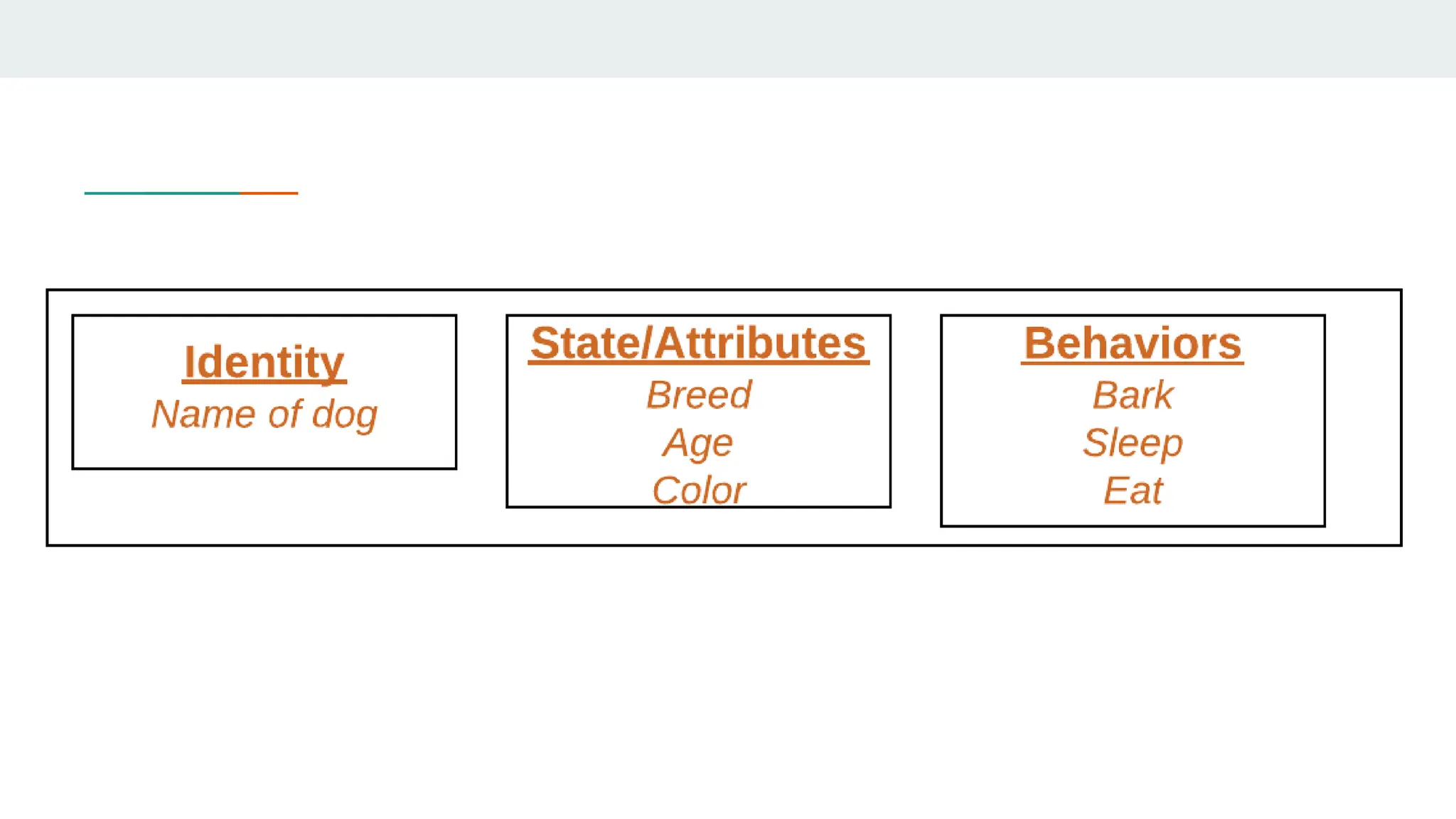
● An object consists of :
○ State: It is represented by attributes of an object. It also reflects the properties of
an object.
○ Behavior: It is represented by methods of an object. It also reflects the response of
an object with other objects.
○ Identity: It gives a unique name to an object and enables one object to interact
with other objects.
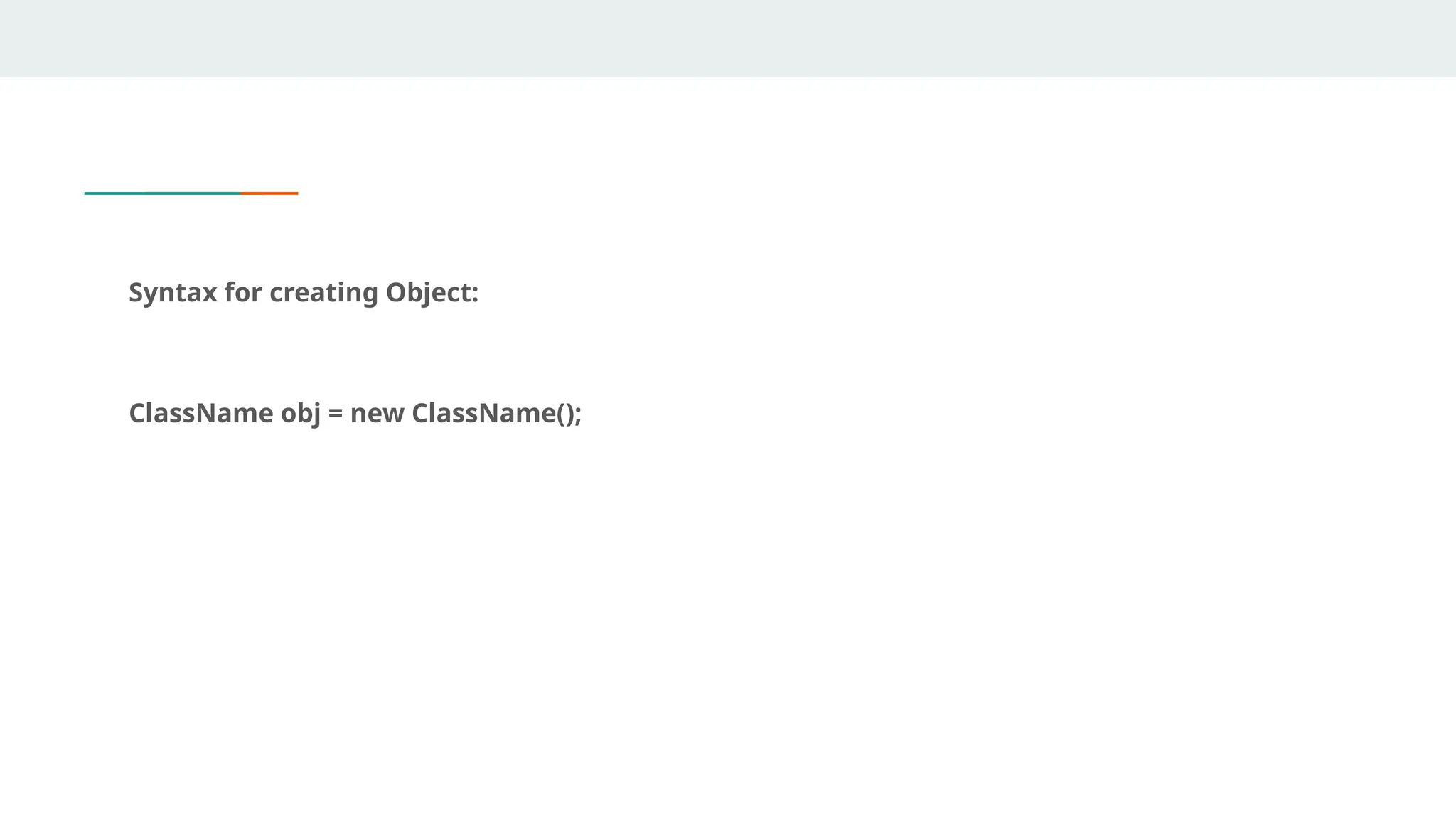
Syntax for creating Object:
ClassName obj = new ClassName();
class
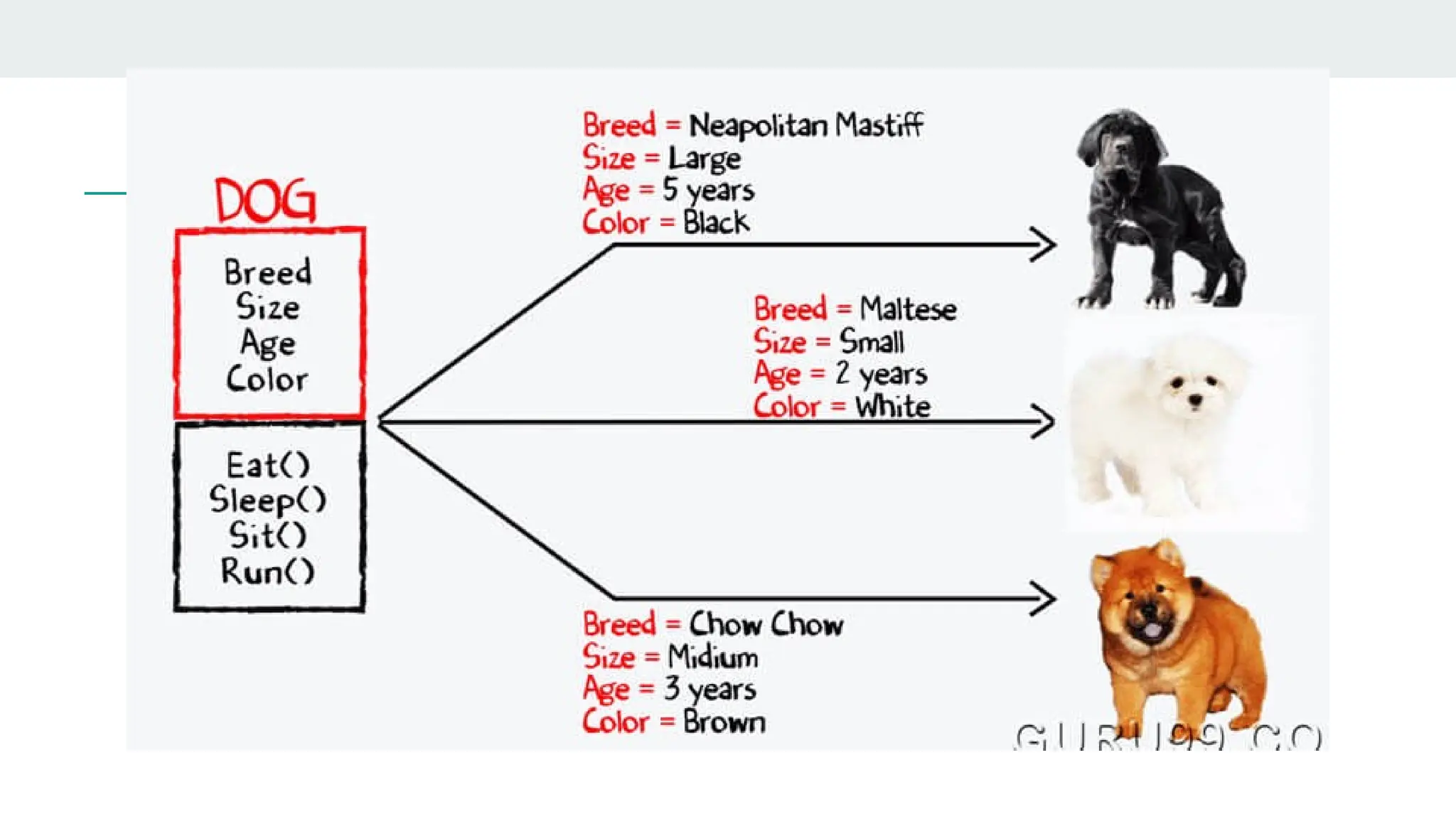
● Class is a set of object which shares common characteristics/ behavior and common
properties/ attributes.
● Class is not a real world entity. It is just a template or blueprint or prototype from which
objects are created.
● Class does not occupy memory.
● Class is a group of variables of different data types and group of methods.
● A class in java can contain:
○ data member, Method, constructor, nested class and
interface
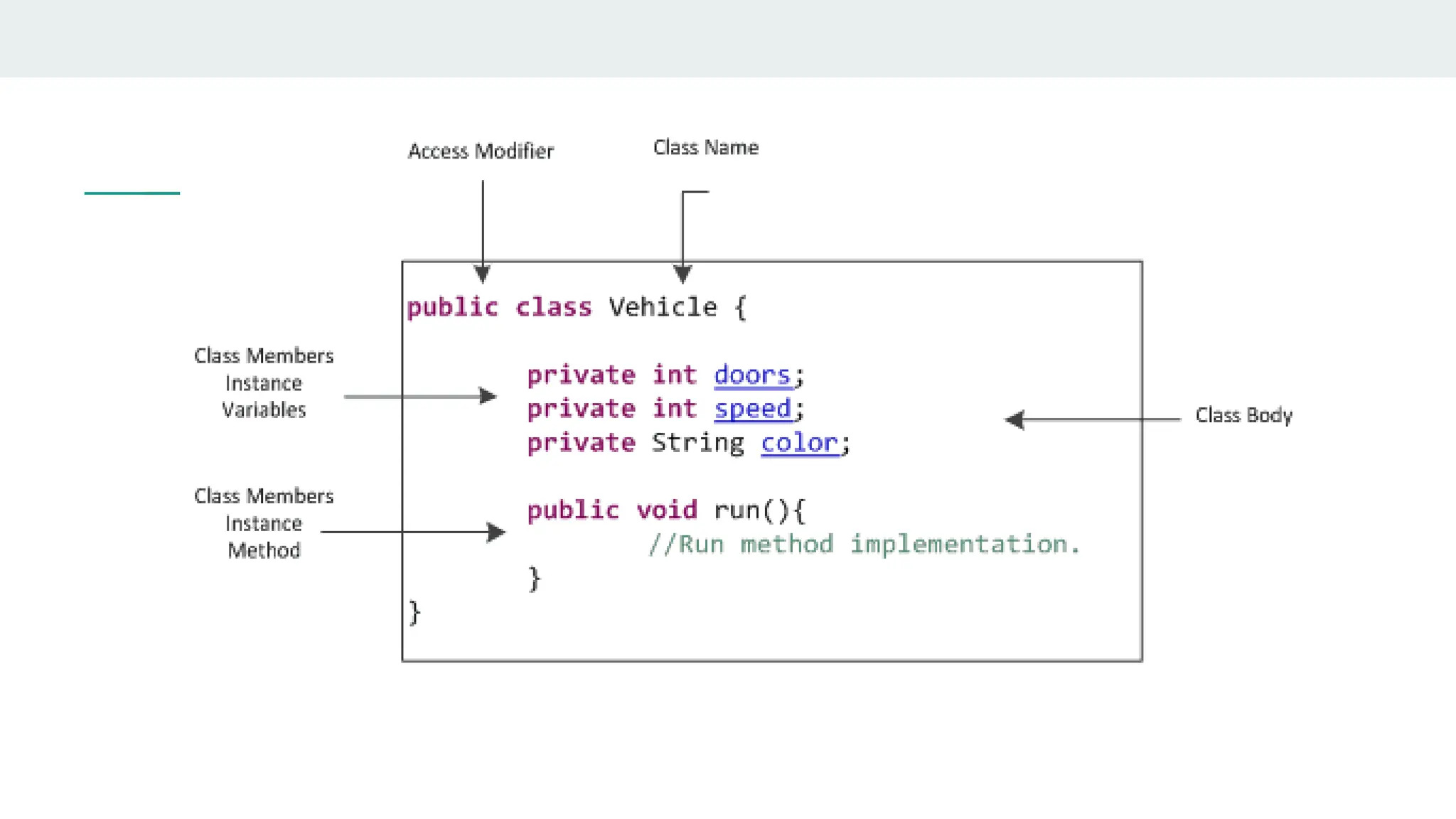
In general, class declarations can include these components, in order:
1. Modifiers: A class can be public or has default access
2. Class keyword: class keyword is used to create a class.
3. Class name: The name should begin with an initial letter (capitalized by
convention).
4. Superclass(if any): The name of the class’s parent (superclass), if any, preceded
by the keyword extends. A class can only extend (subclass) one parent.
5. Interfaces(if any): A comma-separated list of interfaces implemented by the
class, if any, preceded by the keyword implements. A class can implement more
than one interface.
6. Body: The class body is surrounded by braces, { }.
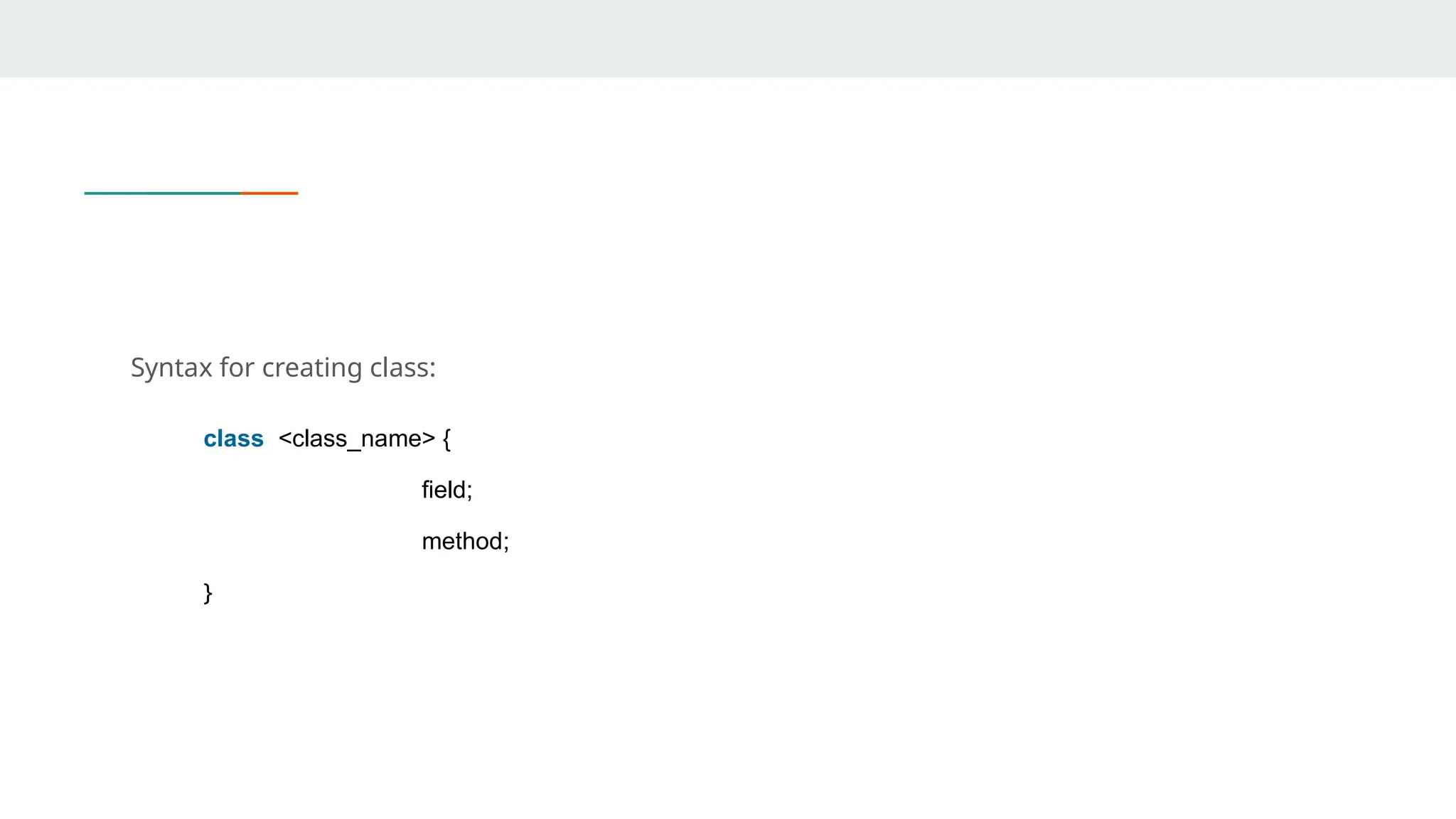
Syntax for creating class:
class <class_name> {
field;
method;
}
Example of class and object
//Java Program to illustrate how to define a class and
fields
//Defining a Student class.
class Student{
//defining fields
int id;//field or data member or instance variable
String name;
//creating main method inside the Student class
public static void main(String args[]){
//Creating an object or instance
Student s1=new Student();//creating an object of
Student
//Printing values of the object
/accessing member through reference variable
System.out.println(s1.id)
System.out.println(s1.name); } }
Inheritance
● Methods allows to reuse a sequence of statements
● Inheritance represents the IS-A relationship which is also known as parent-child
relationship
● Inheritance allows to reuse classes by deriving a new class from an existing one
● The existing class is called the parent class, or superclass, or base class
● The derived class is called the child class or subclass.
● The child class inherits characteristics of the parent class(i.e the child class inherits the
methods and data defined for the parent class
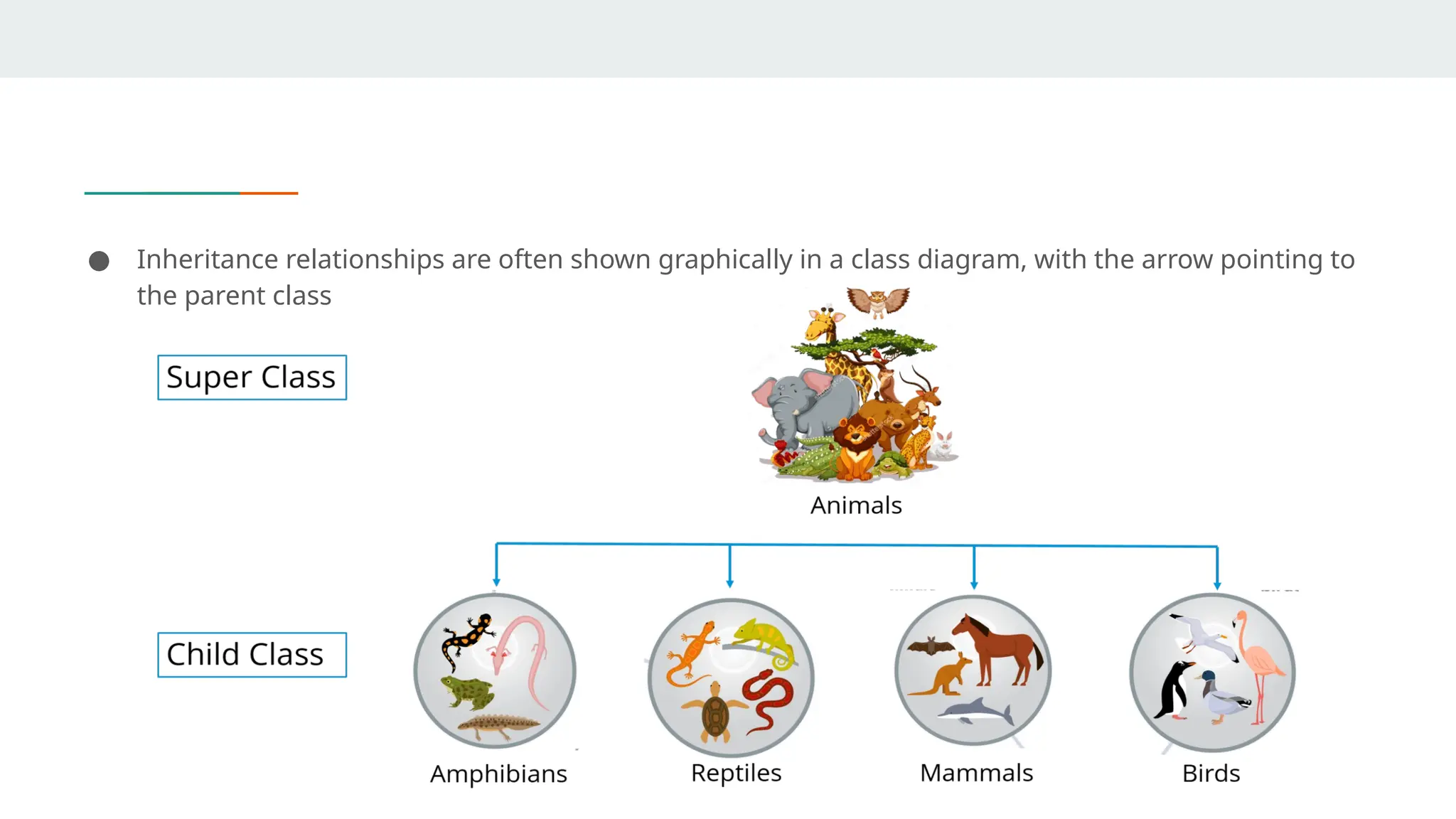
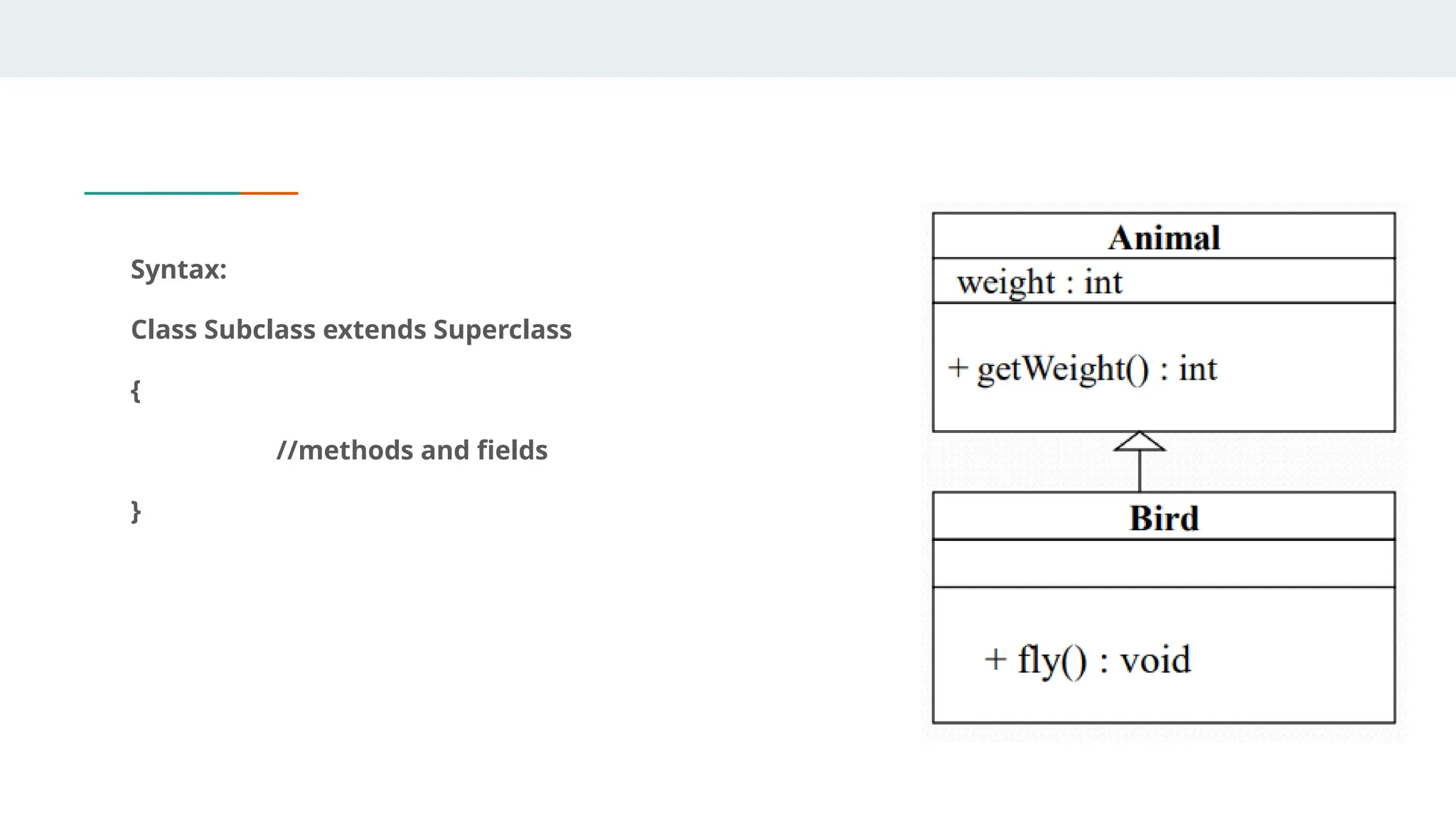
● Inheritance relationships are often shown graphically in a class diagram, with the arrow pointing to
the parent class
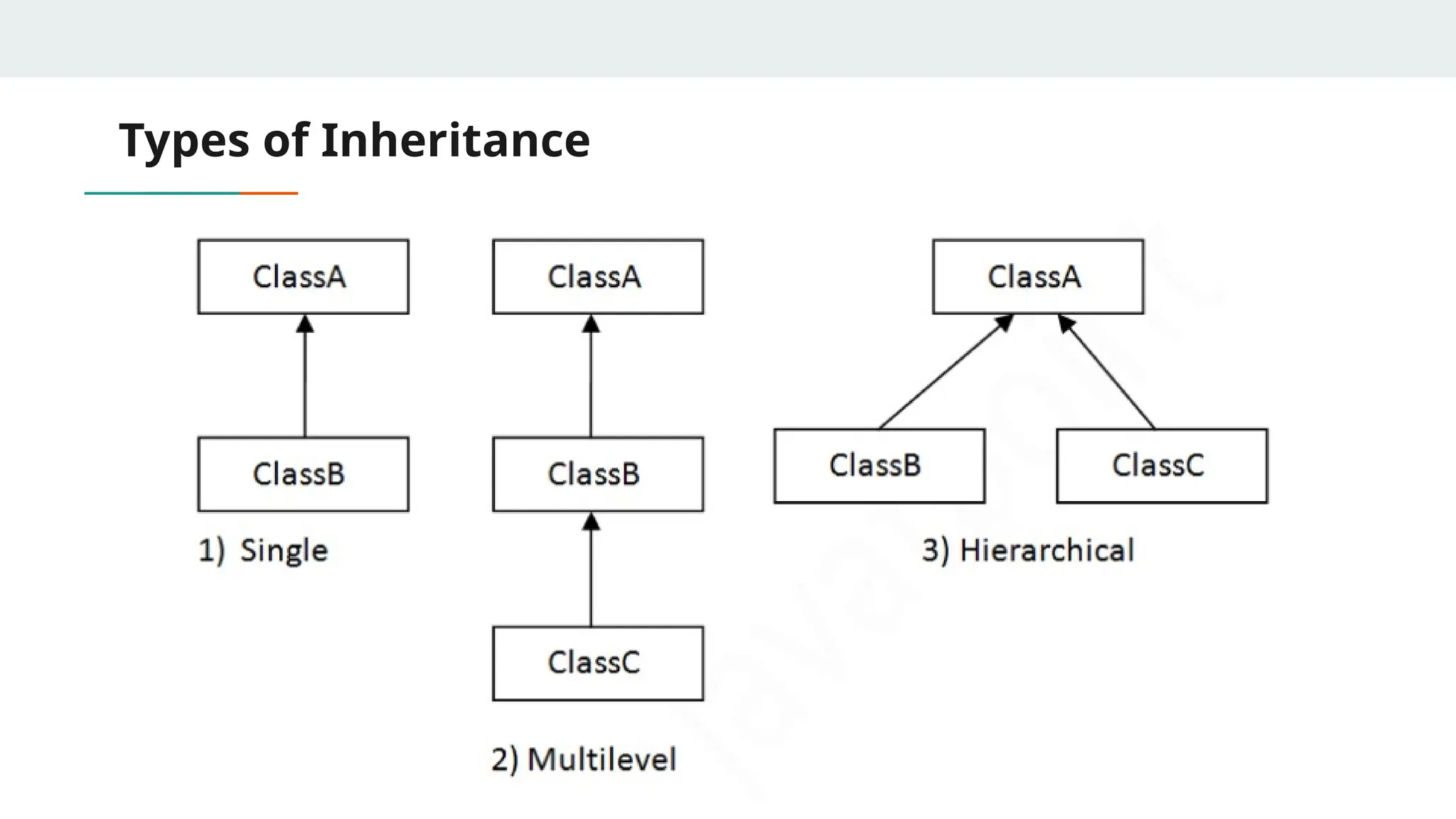
Types of Inheritance
● To reduce the complexity and simplify the language, multiple inheritance is not
supported in java.
● Consider a scenario where A, B, and C are three classes. The C class inherits A
and B classes. If A and B classes have the same method and you call it from child
class object, there will be ambiguity to call the method of A or B class.
● Since compile-time errors are better than runtime errors, Java renders compile-
time error if you inherit 2 classes. So whether you have same method or different,
there will be compile time error.
Syntax:
Class Subclass extends Superclass
{
//methods and fields
}
example
class Employee{
float salary=40000;
}
class Programmer extends Employee{
int bonus=10000;
public static void main(String args[]){
Programmer p=new Programmer();
System.out.println("Programmer salary
is:"+p.salary);
System.out.println("Bonus of Programmer
is:"+p.bonus);
}
}
Polymorphism
● Polymorphism means "many forms", and it occurs when we have many classes that are
related to each other by inheritance.
● Inheritance lets us inherit attributes and methods from another class. Polymorphism
uses those methods to perform different tasks. This allows us to perform a single action
in different ways.
● For example, think of a superclass called Animal that has a method called animalSound().
Subclasses of Animals could be Pigs, Cats, Dogs, Birds - And they also have their own
implementation of an animal sound (the pig oinks, and the cat meows, etc.)
Method Overloading
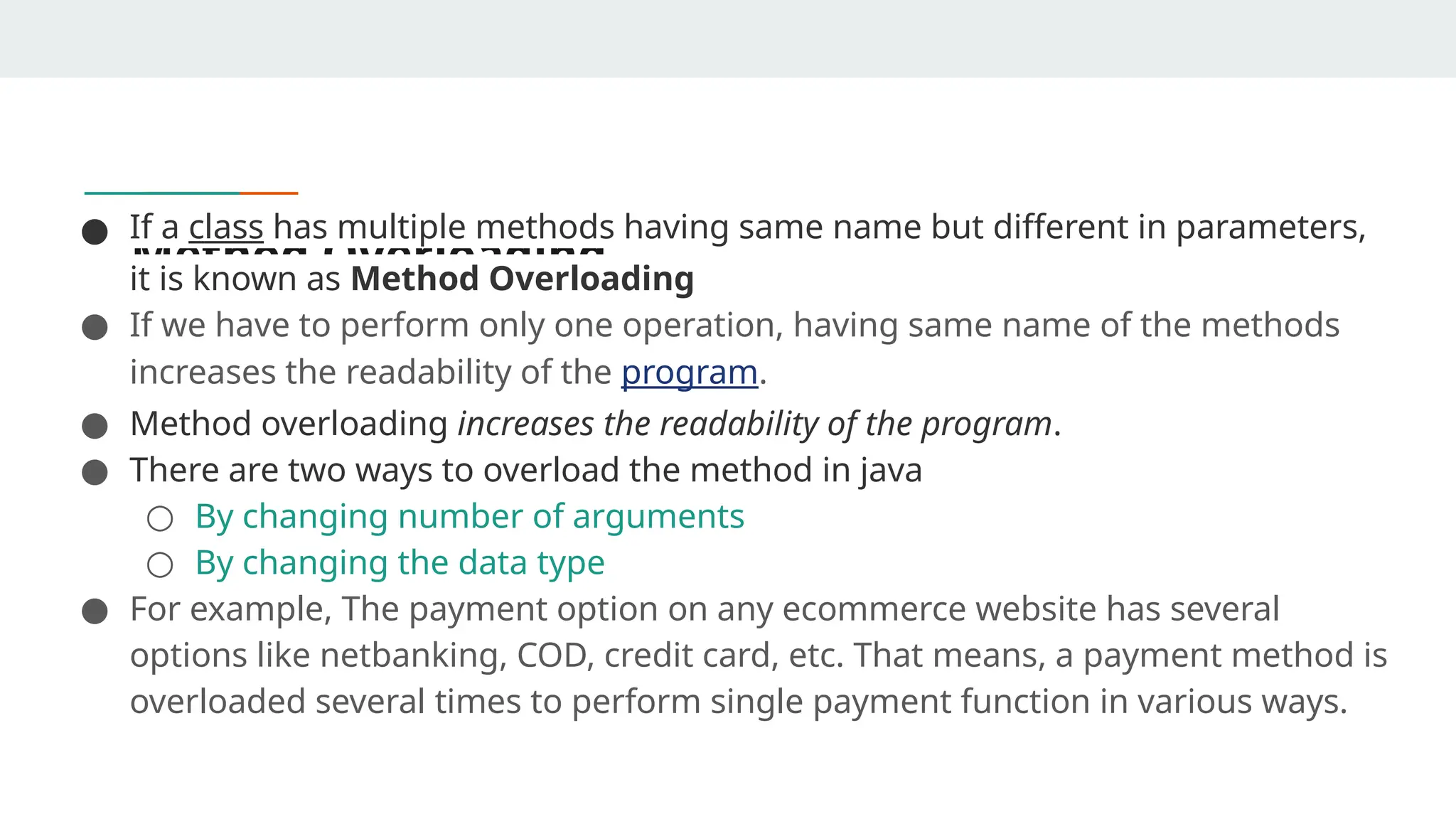
Method Overloading
● If a class has multiple methods having same name but different in parameters,
it is known as Method Overloading
● If we have to perform only one operation, having same name of the methods
increases the readability of the program.
● Method overloading increases the readability of the program.
● There are two ways to overload the method in java
○ By changing number of arguments
○ By changing the data type
● For example, The payment option on any ecommerce website has several
options like netbanking, COD, credit card, etc. That means, a payment method is
overloaded several times to perform single payment function in various ways.
Method Overriding
● There may be some occasions when we want an object to respond to the same method but
have different behavior when that method is called.
● That means, we should override the method defined in the super class. This is possible by
defining a method in a sub class that has the same name, same arguments and same
return type as a method in the super class.
● Then when that method is called, the method defined in the sub class is invoked and
executed instead of the one in the super class. This is known as overriding
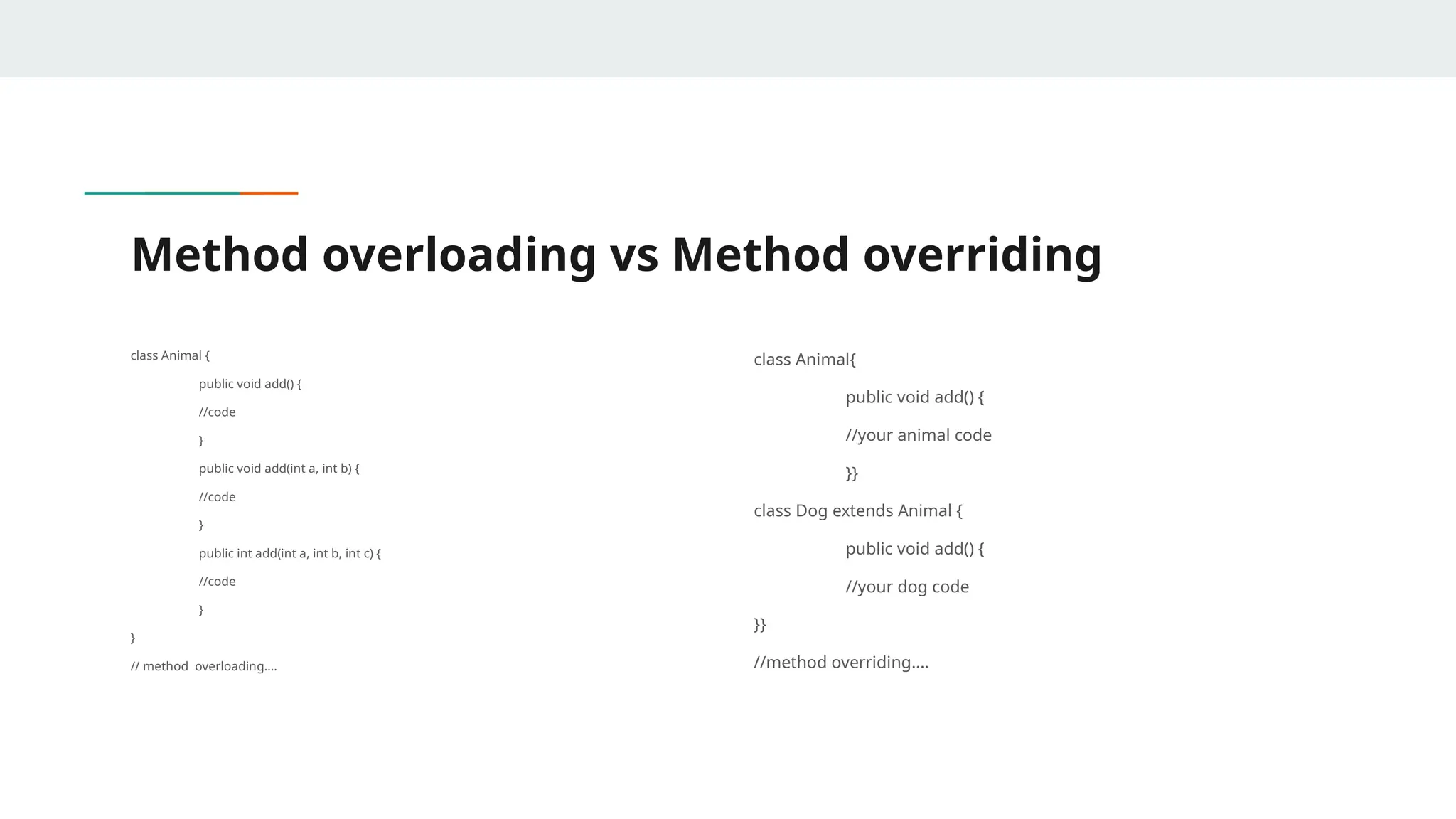
Method overloading vs Method overriding
class Animal {
public void add() {
//code
}
public void add(int a, int b) {
//code
}
public int add(int a, int b, int c) {
//code
}
}
// method overloading….
class Animal{
public void add() {
//your animal code
}}
class Dog extends Animal {
public void add() {
//your dog code
}}
//method overriding….
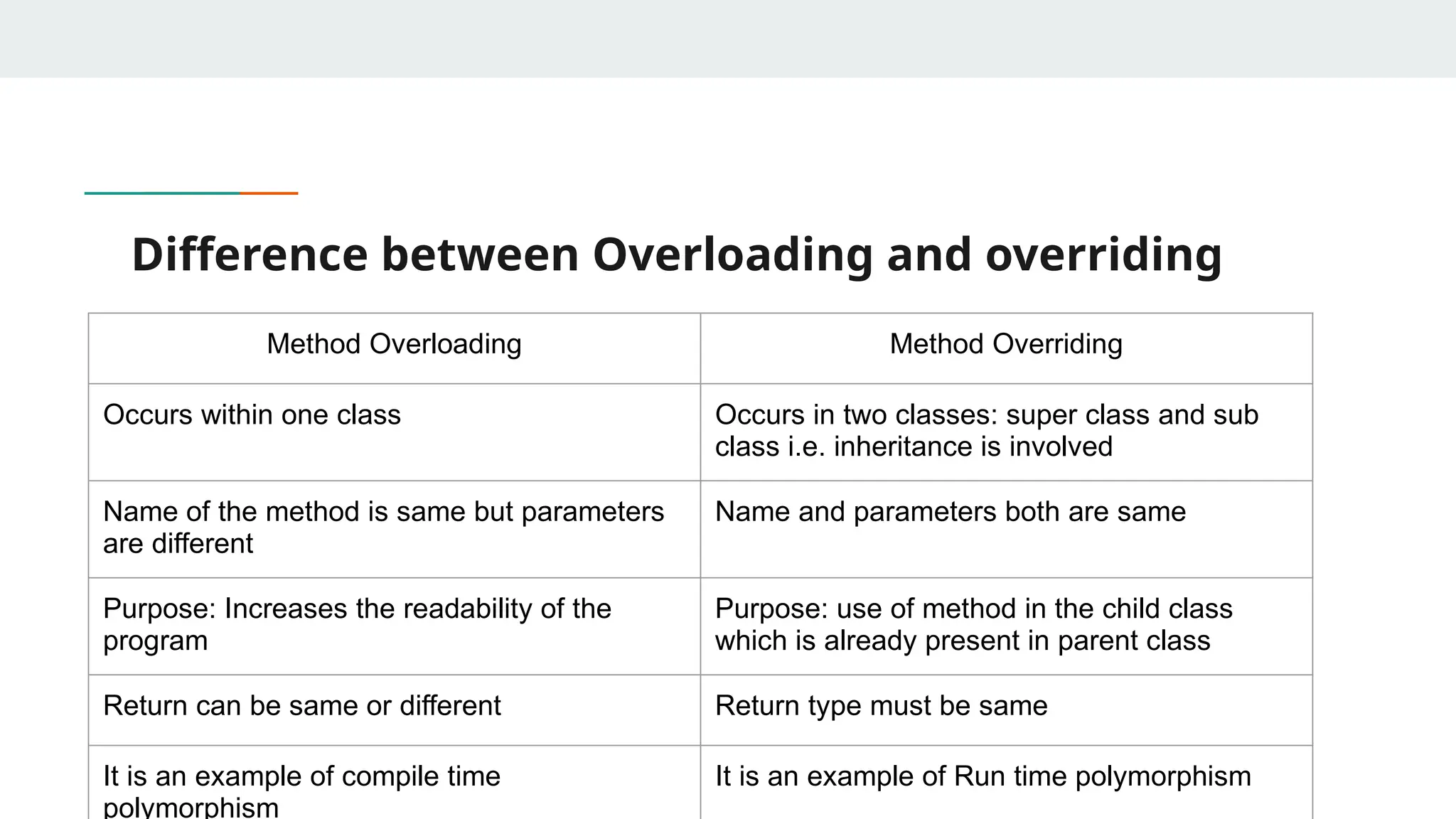
Difference between Overloading and overriding
Method Overloading Method Overriding
Occurs within one class Occurs in two classes: super class and sub
class i.e. inheritance is involved
Name of the method is same but parameters
are different
Name and parameters both are same
Purpose: Increases the readability of the
program
Purpose: use of method in the child class
which is already present in parent class
Return can be same or different Return type must be same
It is an example of compile time
polymorphism
It is an example of Run time polymorphism
Method Binding
● Objects are used to call methods
● Association of method call with the method body is known as binding in Java. There are two
kinds of binding:
○ Static binding
In static binding the method call is bonded with the method body at compile time. This is
also known as early binding. This is done using static, private and, final methods.
○ Dynamic Binding
In dynamic binding the method call is bonded with the method body at run time. This is
also known as late binding. This is done using instance methods.
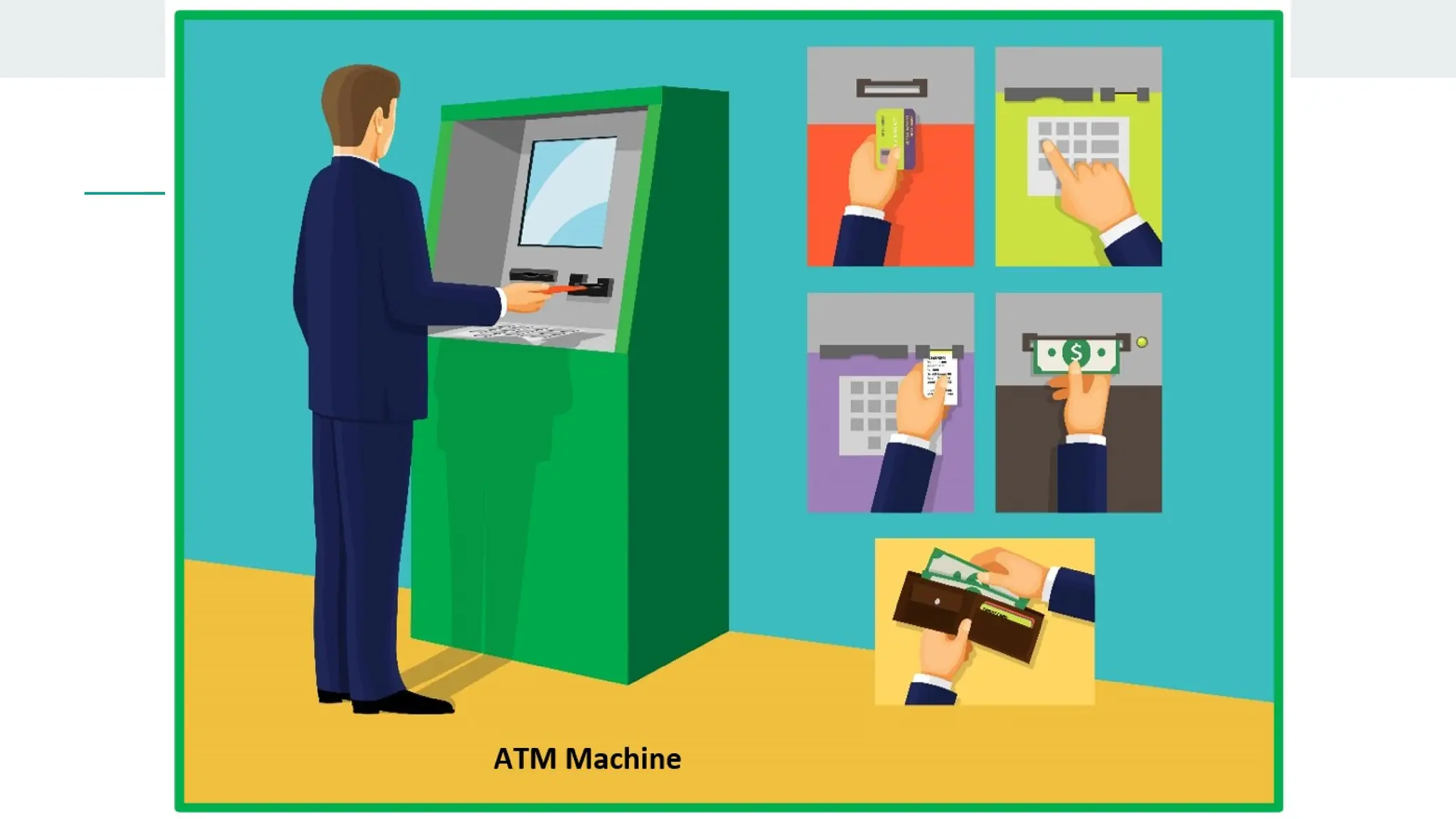
Data Abstraction
Abstraction refers to the act of representing essential features without including the background
details or explanations. since the classes use the concept of data abstraction ,they are known as
abstraction data type(ADT).
Advantages of Abstraction
● It reduces the complexity of viewing things.
● Avoids code duplication and increases reusability.
● Helps to increase the security of an application or program as only
essential details are provided to the user.
● It improves the maintainability of the application.
● It improves the modularity of the application.
● The enhancement will become very easy because without affecting
end-users we can able to perform any type of changes in our internal
Encapsulation
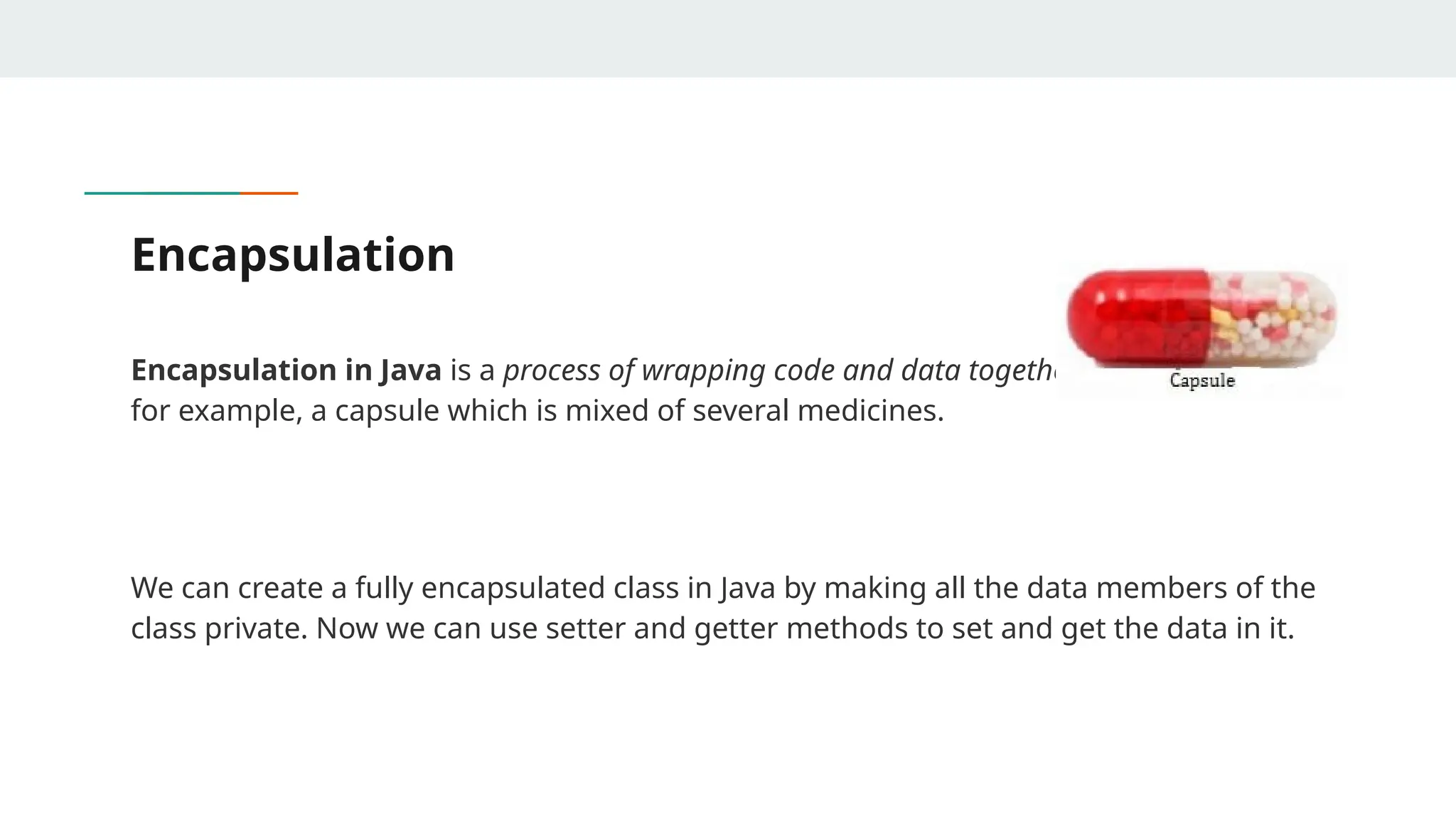
Encapsulation in Java is a process of wrapping code and data together into a single unit,
for example, a capsule which is mixed of several medicines.
We can create a fully encapsulated class in Java by making all the data members of the
class private. Now we can use setter and getter methods to set and get the data in it.
Advantages of Encapsulation
● Data hiding: it is a way of restricting the access of our data members by hiding the implementation
details.Encapsulation also provides a way for data hiding. The user will have no idea about the inner
implementation of the class. It will not be visible to the user how the class is storing values in the
variables. The user will only know that we are passing the values to a setter method and variables are
getting initialized with that value.
● Increased Flexibility: We can make the variables of the class read-only or write-only depending on our
requirement. If we wish to make the variables read-only then we have to omit the setter methods like
setName(), setAge(), etc. from the above program or if we wish to make the variables write-only then
we have to omit the get methods like getName(), getAge(), etc. from the above program
● Reusability: Encapsulation also improves the re-usability and is easy to change with new requirements.
● Testing code is easy: Encapsulated code is easy to test for unit testing
Exceptions in Java
● Exception is an abnormal condition that arises in the code sequence.
● Exceptions occur during compile time or run time.
● “throwable” is the super class in exception hierarchy
● Compile time errors occurs due to incorrect syntax.
● Run-time errors happen when
○ User enters incorrect input
○ Resource is not available (ex. file)
○ Logic error (bug) that was not fixed
Exception Classes
● Throwable serves as the base class for an entire family of classes, declared in java.lang, that your
program can instantiate and throw.
● Throwable has two direct subclasses, Exception and Error.
● Exceptions are thrown to signal abnormal conditions that can often be handled by some catcher,
though it's possible they may not be caught and therefore could result in a dead thread
● Errors are usually thrown for more serious problems, such as OutOfMemoryError, that may not be so
easy to handle. In general, code you write should throw only exceptions, not errors.
● Errors are usually thrown by the methods of the Java API, or by the Java virtual machine itself.

Introduction to OOPs second year cse.pptx

  • 1.
  • 2.
    Need for OOPparadigm ● OOP is an approach to program organization and development, which attempts to eliminate some of the drawbacks of conventional programming methods by incorporating the best of structured programming features with several new concepts. ● OOP allows us to decompose a problem into number of entities called objects and then build data and methods (functions) around these entities ● The data of an object can be accessed only by the methods associated with the object
  • 3.
    Difference between Proceduraloriented programming and OOPs Procedural Oriented Programming Object Oriented Programming It deals with algorithm It deals with object The program is divided into small parts called functions The program is divided into small parts called objects Follows Top-down Approach Follows bottom- up approach Adding new data and functions is not easy. Adding new data and function is easy. It does not have any proper way of hiding data so it is less secure. It provides data hiding so it is more secure. There is no access specifier Contains access specifiers like private, public, protected, etc.
  • 4.
    It requires lessmemory It requires more memory than procedural oriented programming Objects can move and communicate with each other through member functions Data cn move freely from function to function in the system Overloading is not possible Overloading is possible It is used to design medium sized programs It is used for designing large and complex programs Examples: C, FORTRAN, Pascal, Basic, etc. Examples: C++, Java, Python, C#, etc.
  • 5.
    Introduction ● Object-oriented programming(OOP) is a programming paradigm that uses “Objects “ and their interactions to design applications. ● It simplifies the software development and maintenance by providing some concepts: ○ Object ○ Class ○ Data Abstraction & Encapsulation ○ Inheritance ○ Polymorphism ○ Dynamic Binding
  • 6.
    Object ● Objects arethe basic runtime entities in an object-oriented system. ● Characteristics of an object are represented in a class as Properties. The actions that can be performed by objects become functions of the class and is referred to as Methods. ● An object consists of : ○ State: It is represented by attributes of an object. It also reflects the properties of an object. ○ Behavior: It is represented by methods of an object. It also reflects the response of an object with other objects. ○ Identity: It gives a unique name to an object and enables one object to interact with other objects.
  • 8.
    Syntax for creatingObject: ClassName obj = new ClassName();
  • 9.
    class ● Class isa set of object which shares common characteristics/ behavior and common properties/ attributes. ● Class is not a real world entity. It is just a template or blueprint or prototype from which objects are created. ● Class does not occupy memory. ● Class is a group of variables of different data types and group of methods. ● A class in java can contain: ○ data member, Method, constructor, nested class and interface
  • 11.
    In general, classdeclarations can include these components, in order: 1. Modifiers: A class can be public or has default access 2. Class keyword: class keyword is used to create a class. 3. Class name: The name should begin with an initial letter (capitalized by convention). 4. Superclass(if any): The name of the class’s parent (superclass), if any, preceded by the keyword extends. A class can only extend (subclass) one parent. 5. Interfaces(if any): A comma-separated list of interfaces implemented by the class, if any, preceded by the keyword implements. A class can implement more than one interface. 6. Body: The class body is surrounded by braces, { }.
  • 13.
    Syntax for creatingclass: class <class_name> { field; method; }
  • 14.
    Example of classand object //Java Program to illustrate how to define a class and fields //Defining a Student class. class Student{ //defining fields int id;//field or data member or instance variable String name; //creating main method inside the Student class public static void main(String args[]){ //Creating an object or instance Student s1=new Student();//creating an object of Student //Printing values of the object /accessing member through reference variable System.out.println(s1.id) System.out.println(s1.name); } }
  • 15.
    Inheritance ● Methods allowsto reuse a sequence of statements ● Inheritance represents the IS-A relationship which is also known as parent-child relationship ● Inheritance allows to reuse classes by deriving a new class from an existing one ● The existing class is called the parent class, or superclass, or base class ● The derived class is called the child class or subclass. ● The child class inherits characteristics of the parent class(i.e the child class inherits the methods and data defined for the parent class
  • 16.
    ● Inheritance relationshipsare often shown graphically in a class diagram, with the arrow pointing to the parent class
  • 17.
  • 18.
    ● To reducethe complexity and simplify the language, multiple inheritance is not supported in java. ● Consider a scenario where A, B, and C are three classes. The C class inherits A and B classes. If A and B classes have the same method and you call it from child class object, there will be ambiguity to call the method of A or B class. ● Since compile-time errors are better than runtime errors, Java renders compile- time error if you inherit 2 classes. So whether you have same method or different, there will be compile time error.
  • 19.
    Syntax: Class Subclass extendsSuperclass { //methods and fields }
  • 20.
    example class Employee{ float salary=40000; } classProgrammer extends Employee{ int bonus=10000; public static void main(String args[]){ Programmer p=new Programmer(); System.out.println("Programmer salary is:"+p.salary); System.out.println("Bonus of Programmer is:"+p.bonus); } }
  • 21.
    Polymorphism ● Polymorphism means"many forms", and it occurs when we have many classes that are related to each other by inheritance. ● Inheritance lets us inherit attributes and methods from another class. Polymorphism uses those methods to perform different tasks. This allows us to perform a single action in different ways. ● For example, think of a superclass called Animal that has a method called animalSound(). Subclasses of Animals could be Pigs, Cats, Dogs, Birds - And they also have their own implementation of an animal sound (the pig oinks, and the cat meows, etc.)
  • 22.
  • 23.
    Method Overloading ● Ifa class has multiple methods having same name but different in parameters, it is known as Method Overloading ● If we have to perform only one operation, having same name of the methods increases the readability of the program. ● Method overloading increases the readability of the program. ● There are two ways to overload the method in java ○ By changing number of arguments ○ By changing the data type ● For example, The payment option on any ecommerce website has several options like netbanking, COD, credit card, etc. That means, a payment method is overloaded several times to perform single payment function in various ways.
  • 24.
    Method Overriding ● Theremay be some occasions when we want an object to respond to the same method but have different behavior when that method is called. ● That means, we should override the method defined in the super class. This is possible by defining a method in a sub class that has the same name, same arguments and same return type as a method in the super class. ● Then when that method is called, the method defined in the sub class is invoked and executed instead of the one in the super class. This is known as overriding
  • 25.
    Method overloading vsMethod overriding class Animal { public void add() { //code } public void add(int a, int b) { //code } public int add(int a, int b, int c) { //code } } // method overloading…. class Animal{ public void add() { //your animal code }} class Dog extends Animal { public void add() { //your dog code }} //method overriding….
  • 26.
    Difference between Overloadingand overriding Method Overloading Method Overriding Occurs within one class Occurs in two classes: super class and sub class i.e. inheritance is involved Name of the method is same but parameters are different Name and parameters both are same Purpose: Increases the readability of the program Purpose: use of method in the child class which is already present in parent class Return can be same or different Return type must be same It is an example of compile time polymorphism It is an example of Run time polymorphism
  • 27.
    Method Binding ● Objectsare used to call methods ● Association of method call with the method body is known as binding in Java. There are two kinds of binding: ○ Static binding In static binding the method call is bonded with the method body at compile time. This is also known as early binding. This is done using static, private and, final methods. ○ Dynamic Binding In dynamic binding the method call is bonded with the method body at run time. This is also known as late binding. This is done using instance methods.
  • 28.
    Data Abstraction Abstraction refersto the act of representing essential features without including the background details or explanations. since the classes use the concept of data abstraction ,they are known as abstraction data type(ADT).
  • 30.
    Advantages of Abstraction ●It reduces the complexity of viewing things. ● Avoids code duplication and increases reusability. ● Helps to increase the security of an application or program as only essential details are provided to the user. ● It improves the maintainability of the application. ● It improves the modularity of the application. ● The enhancement will become very easy because without affecting end-users we can able to perform any type of changes in our internal
  • 31.
    Encapsulation Encapsulation in Javais a process of wrapping code and data together into a single unit, for example, a capsule which is mixed of several medicines. We can create a fully encapsulated class in Java by making all the data members of the class private. Now we can use setter and getter methods to set and get the data in it.
  • 32.
    Advantages of Encapsulation ●Data hiding: it is a way of restricting the access of our data members by hiding the implementation details.Encapsulation also provides a way for data hiding. The user will have no idea about the inner implementation of the class. It will not be visible to the user how the class is storing values in the variables. The user will only know that we are passing the values to a setter method and variables are getting initialized with that value. ● Increased Flexibility: We can make the variables of the class read-only or write-only depending on our requirement. If we wish to make the variables read-only then we have to omit the setter methods like setName(), setAge(), etc. from the above program or if we wish to make the variables write-only then we have to omit the get methods like getName(), getAge(), etc. from the above program ● Reusability: Encapsulation also improves the re-usability and is easy to change with new requirements. ● Testing code is easy: Encapsulated code is easy to test for unit testing
  • 33.
    Exceptions in Java ●Exception is an abnormal condition that arises in the code sequence. ● Exceptions occur during compile time or run time. ● “throwable” is the super class in exception hierarchy ● Compile time errors occurs due to incorrect syntax. ● Run-time errors happen when ○ User enters incorrect input ○ Resource is not available (ex. file) ○ Logic error (bug) that was not fixed
  • 34.
    Exception Classes ● Throwableserves as the base class for an entire family of classes, declared in java.lang, that your program can instantiate and throw. ● Throwable has two direct subclasses, Exception and Error. ● Exceptions are thrown to signal abnormal conditions that can often be handled by some catcher, though it's possible they may not be caught and therefore could result in a dead thread ● Errors are usually thrown for more serious problems, such as OutOfMemoryError, that may not be so easy to handle. In general, code you write should throw only exceptions, not errors. ● Errors are usually thrown by the methods of the Java API, or by the Java virtual machine itself.