Evolution of OOP’s
Simula, created in the 1960s by Ole-Johan Dahl and
Kristen Nygaard, was among the first programming
languages to introduce and support object-oriented
programming concepts.
Simula introduced the concept of classes and objects,
laying the foundation for modern OOP languages.
In the 1980s, OOP gained widespread popularity with
the release of languages like C++
Today, OOP is a fundamental concept in many
programming languages, including Python, Ruby, and
C#.
3.
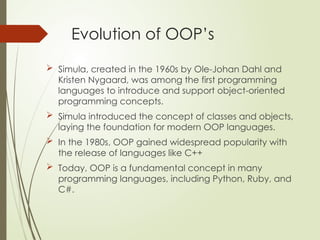
What is C++?
C++ is an object oriented programming language and is
considered as an extension of C.
C++ was developed starting in 1979 by Bjarne Stroustrup, at AT &
T Bell labs.
Initially as "C with Classes". It was later renamed C++ in 1983
Initially stroustrup combined the features of C programming
language as well as Simula67( a first object oriented language)
for developing a most powerful Object oriented programming
language
4.
Procedural programming
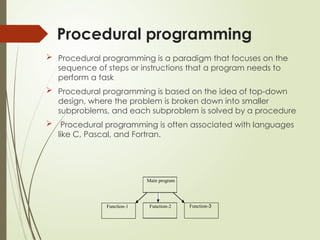
Proceduralprogramming is a paradigm that focuses on the
sequence of steps or instructions that a program needs to
perform a task
Procedural programming is based on the idea of top-down
design, where the problem is broken down into smaller
subproblems, and each subproblem is solved by a procedure
Procedural programming is often associated with languages
like C, Pascal, and Fortran.
Function-3
Function-2
Function-1
Main program
5.
Object-oriented programming
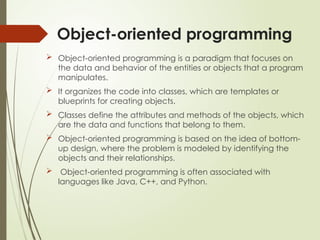
Object-orientedprogramming is a paradigm that focuses on
the data and behavior of the entities or objects that a program
manipulates.
It organizes the code into classes, which are templates or
blueprints for creating objects.
Classes define the attributes and methods of the objects, which
are the data and functions that belong to them.
Object-oriented programming is based on the idea of bottom-
up design, where the problem is modeled by identifying the
objects and their relationships.
Object-oriented programming is often associated with
languages like Java, C++, and Python.
6.
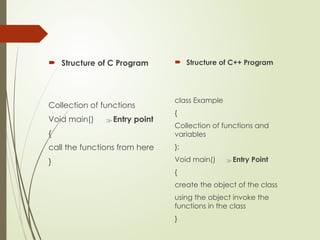
Structure ofC Program
Collection of functions
Void main() Entry point
{
call the functions from here
}
Structure of C++ Program
class Example
{
Collection of functions and
variables
};
Void main() Entry Point
{
create the object of the class
using the object invoke the
functions in the class
}
7.
C vs C++
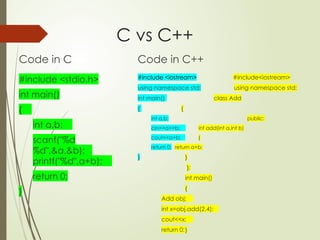
Codein C
#include <stdio.h>
int main()
{
int a,b;
scanf("%d
%d",&a,&b);
printf("%d",a+b);
return 0;
}
Code in C++
#include <iostream> #include<iostream>
using namespace std; using namespace std;
int main() class Add
{ {
int a,b; public:
cin>>a>>b; int add(int a,int b)
cout<<a+b; {
return 0; return a+b;
} }
};
int main()
{
Add obj;
int x=obj.add(2,4);
cout<<x;
return 0;}
8.
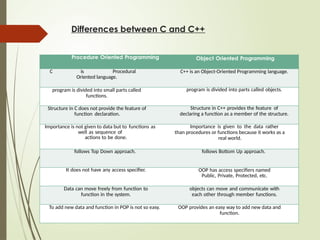
Differences between Cand C++
Procedure Oriented Programming Object Oriented Programming
C is Procedural
Oriented language.
C++ is an Object-Oriented Programming language.
program is divided into small parts called
functions.
program is divided into parts called objects.
Structure in C does not provide the feature of
function declaration.
Structure in C++ provides the feature of
declaring a function as a member of the structure.
Importance is not given to data but to functions as
well as sequence of
actions to be done.
Importance is given to the data rather
than procedures or functions because it works as a
real world.
follows Top Down approach. follows Bottom Up approach.
It does not have any access specifier. OOP has access specifiers named
Public, Private, Protected, etc.
Data can move freely from function to
function in the system.
objects can move and communicate with
each other through member functions.
To add new data and function in POP is not so easy. OOP provides an easy way to add new data and
function.
9.
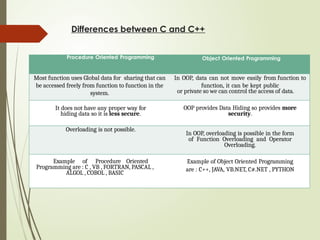
Differences between Cand C++
Procedure Oriented Programming Object Oriented Programming
Most function uses Global data for sharing that can
be accessed freely from function to function in the
system.
In OOP, data can not move easily from function to
function, it can be kept public
or private so we can control the access of data.
It does not have any proper way for
hiding data so it is less secure.
OOP provides Data Hiding so provides more
security.
Overloading is not possible.
In OOP, overloading is possible in the form
of Function Overloading and Operator
Overloading.
Example of Procedure Oriented
Programming are : C , VB , FORTRAN, PASCAL ,
ALGOL , COBOL , BASIC
Example of Object Oriented Programming
are : C++, JAVA, VB.NET, C#.NET , PYTHON
10.
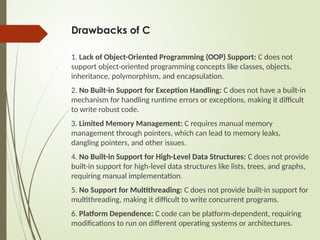
Drawbacks of C
1.Lack of Object-Oriented Programming (OOP) Support: C does not
support object-oriented programming concepts like classes, objects,
inheritance, polymorphism, and encapsulation.
2. No Built-in Support for Exception Handling: C does not have a built-in
mechanism for handling runtime errors or exceptions, making it difficult
to write robust code.
3. Limited Memory Management: C requires manual memory
management through pointers, which can lead to memory leaks,
dangling pointers, and other issues.
4. No Built-in Support for High-Level Data Structures: C does not provide
built-in support for high-level data structures like lists, trees, and graphs,
requiring manual implementation.
5. No Support for Multithreading: C does not provide built-in support for
multithreading, making it difficult to write concurrent programs.
6. Platform Dependence: C code can be platform-dependent, requiring
modifications to run on different operating systems or architectures.
11.
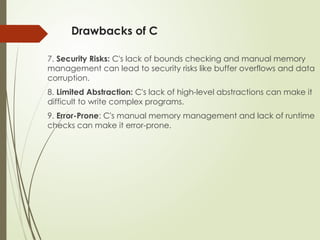
Drawbacks of C
7.Security Risks: C's lack of bounds checking and manual memory
management can lead to security risks like buffer overflows and data
corruption.
8. Limited Abstraction: C's lack of high-level abstractions can make it
difficult to write complex programs.
9. Error-Prone: C's manual memory management and lack of runtime
checks can make it error-prone.
12.
Advantages of OOPsin C++
•Modularity
Code is organized into classes and objects, making it easy to
manage.
•Reusability
Inheritance allows code reuse, reducing redundancy.
•Maintainability
Code updates and debugging become easier with organized
structures.
•Security
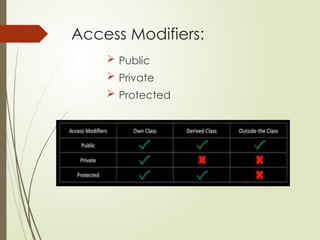
Data hiding using access specifiers (private, protected).
•Flexibility through Polymorphism
Same function behaves differently for different objects.
•Improved Productivity
Better structure means faster development and easier collaboration.
•Scalability
Large projects can be efficiently developed and extended using
What is OOP?
Object-Oriented Programming is a programming
style based on the concept of objects.
Object-oriented programming aims to implement
real-world entities like inheritance, hiding,
polymorphism etc in programming.
Objects contain data and methods.
There are many object-oriented programming
languages including JavaScript, C++, Java, and
Python
C++ is one of the most used OOP languages.
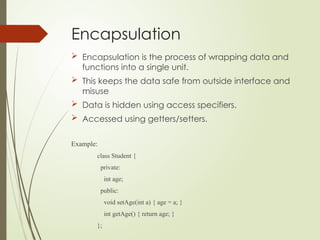
Encapsulation
Encapsulation isthe process of wrapping data and
functions into a single unit.
This keeps the data safe from outside interface and
misuse
Data is hidden using access specifiers.
Accessed using getters/setters.
Example:
class Student {
private:
int age;
public:
void setAge(int a) { age = a; }
int getAge() { return age; }
};
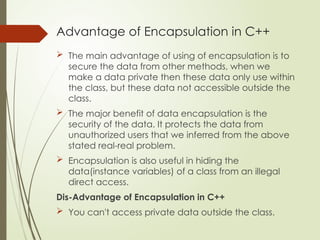
Advantage of Encapsulationin C++
The main advantage of using of encapsulation is to
secure the data from other methods, when we
make a data private then these data only use within
the class, but these data not accessible outside the
class.
The major benefit of data encapsulation is the
security of the data. It protects the data from
unauthorized users that we inferred from the above
stated real-real problem.
Encapsulation is also useful in hiding the
data(instance variables) of a class from an illegal
direct access.
Dis-Advantage of Encapsulation in C++
You can't access private data outside the class.
19.
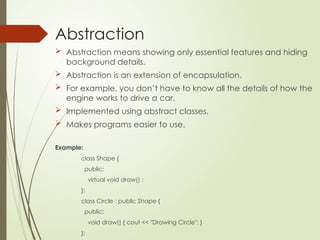
Abstraction
Abstraction meansshowing only essential features and hiding
background details.
Abstraction is an extension of encapsulation.
For example, you don’t have to know all the details of how the
engine works to drive a car.
Implemented using abstract classes.
Makes programs easier to use.
Example:
class Shape {
public:
virtual void draw() ;
};
class Circle : public Shape {
public:
void draw() { cout << "Drawing Circle"; }
};
20.
The benefits ofabstraction:
Simple, high level user interfaces
Complex code is hidden
Security
Easier software maintenance
Code updates rarely change abstraction
21.
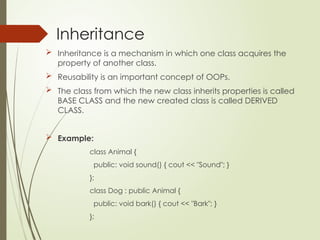
Inheritance
Inheritance isa mechanism in which one class acquires the
property of another class.
Reusability is an important concept of OOPs.
The class from which the new class inherits properties is called
BASE CLASS and the new created class is called DERIVED
CLASS.
Example:
class Animal {
public: void sound() { cout << "Sound"; }
};
class Dog : public Animal {
public: void bark() { cout << "Bark"; }
};
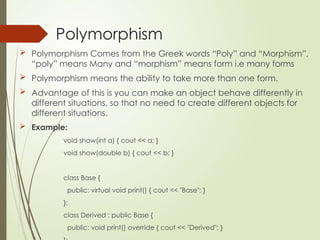
Polymorphism
Polymorphism Comesfrom the Greek words “Poly” and “Morphism”,
“poly” means Many and “morphism” means form i.e many forms
Polymorphism means the ability to take more than one form.
Advantage of this is you can make an object behave differently in
different situations, so that no need to create different objects for
different situations.
Example:
void show(int a) { cout << a; }
void show(double b) { cout << b; }
class Base {
public: virtual void print() { cout << "Base"; }
};
class Derived : public Base {
public: void print() override { cout << "Derived"; }
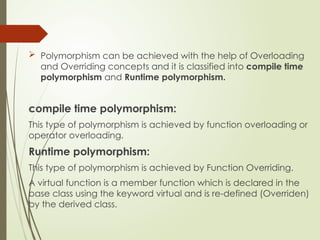
25.
Polymorphism canbe achieved with the help of Overloading
and Overriding concepts and it is classified into compile time
polymorphism and Runtime polymorphism.
compile time polymorphism:
This type of polymorphism is achieved by function overloading or
operator overloading.
Runtime polymorphism:
This type of polymorphism is achieved by Function Overriding.
A virtual function is a member function which is declared in the
base class using the keyword virtual and is re-defined (Overriden)
by the derived class.
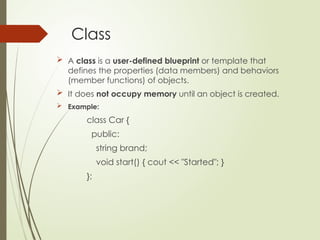
26.
Class
A classis a user-defined blueprint or template that
defines the properties (data members) and behaviors
(member functions) of objects.
It does not occupy memory until an object is created.
Example:
class Car {
public:
string brand;
void start() { cout << "Started"; }
};
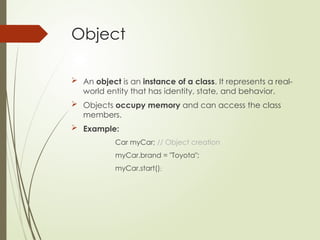
27.
Object
An objectis an instance of a class. It represents a real-
world entity that has identity, state, and behavior.
Objects occupy memory and can access the class
members.
Example:
Car myCar; // Object creation
myCar.brand = "Toyota";
myCar.start();
28.
Advantages of OOPsin C++
•Modularity
Code is organized into classes and objects, making it easy to
manage.
•Reusability
Inheritance allows code reuse, reducing redundancy.
•Maintainability
Code updates and debugging become easier with organized
structures.
•Security
Data hiding using access specifiers (private, protected).
•Flexibility through Polymorphism
Same function behaves differently for different objects.
•Improved Productivity
Better structure means faster development and easier collaboration.
•Scalability
Large projects can be efficiently developed and extended using
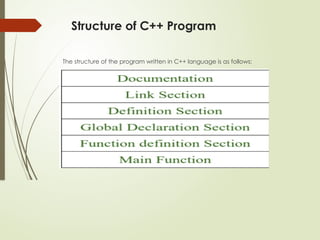
Structure of C++Program
The structure of the program written in C++ language is as follows:
31.
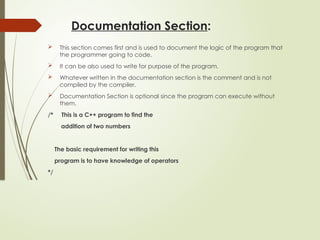
Documentation Section:
Thissection comes first and is used to document the logic of the program that
the programmer going to code.
It can be also used to write for purpose of the program.
Whatever written in the documentation section is the comment and is not
compiled by the compiler.
Documentation Section is optional since the program can execute without
them.
/* This is a C++ program to find the
addition of two numbers
The basic requirement for writing this
program is to have knowledge of operators
*/
32.
Linking Section:
Thelinking section contains two parts:
Header Files:
Generally, a program includes various programming elements like built-in functions,
classes, keywords, constants, operators, etc. that are already defined in the
standard C++ library.
In order to use such pre-defined elements in a program, an appropriate header
must be included in the program.
Standard headers are specified in a program through the preprocessor
directive #include.
When the compiler processes the instruction #include<iostream>, it includes the
contents of the stream in the program.
This enables the programmer to use standard input, output, and error facilities that
are provided only through the standard streams defined in <iostream>.
These standard streams process data as a stream of characters, that is, data is read
and displayed in a continuous flow.
33.
Namespaces:
A namespacepermits grouping of various entities like
classes, objects, functions, and various C++ tokens, etc. under a single
name.
Any user can create separate namespaces of its own and can use them
in any other program.
In the below snippets, namespace std contains declarations for cout,
cin, endl, etc. statements.
Namespaces can be accessed in multiple ways:
using namespace std;
using std :: cout;
34.
Definition Section:
Itis used to declare some constants and assign them some value.
In this section, anyone can define your own datatype using primitive data
types.
In #define is a compiler directive which tells the compiler whenever the
message is found to replace it with “Value”.
#define PI 3.14159
35.
Global Declaration Section:
Here, the variables and the class definitions which are going to be used in the
program are declared to make them global.
The scope of the variable declared in this section lasts until the entire program
terminates.
These variables are accessible within the user-defined functions also.
#include <iostream>
using namespace std;
int a=10;
int func(){
int b=20;
return a+b;
}
36.
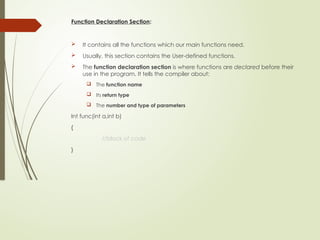
Function Declaration Section:
It contains all the functions which our main functions need.
Usually, this section contains the User-defined functions.
The function declaration section is where functions are declared before their
use in the program. It tells the compiler about:
The function name
Its return type
The number and type of parameters
Int func(int a,int b)
{
//block of code
}
37.
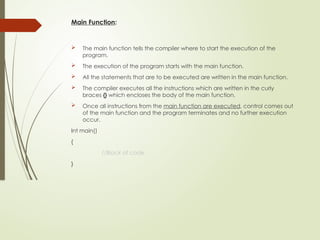
Main Function:
Themain function tells the compiler where to start the execution of the
program.
The execution of the program starts with the main function.
All the statements that are to be executed are written in the main function.
The compiler executes all the instructions which are written in the curly
braces {} which encloses the body of the main function.
Once all instructions from the main function are executed, control comes out
of the main function and the program terminates and no further execution
occur.
Int main()
{
//Block of code
}
38.
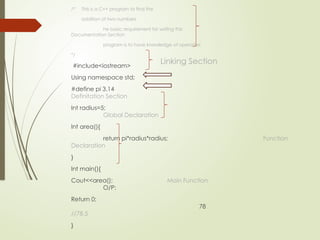
/* This isa C++ program to find the
addition of two numbers
he basic requirement for writing this
Documentation Section
program is to have knowledge of operators
*/
#include<iostream>
Using namespace std;
#define pi 3.14
Definitation Section
Int radius=5;
Global Declaration
Int area(){
return pi*radius*radius; Function
Declaration
}
Int main(){
Cout<<area(); Main Function
O/P:
Return 0;
78
//78.5
}
Linking Section
Basic Input /Output in C++
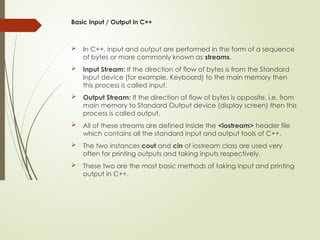
In C++, input and output are performed in the form of a sequence
of bytes or more commonly known as streams.
Input Stream: If the direction of flow of bytes is from the Standard
Input device (for example, Keyboard) to the main memory then
this process is called input.
Output Stream: If the direction of flow of bytes is opposite, i.e. from
main memory to Standard Output device (display screen) then this
process is called output.
All of these streams are defined inside the <iostream> header file
which contains all the standard input and output tools of C++.
The two instances cout and cin of iostream class are used very
often for printing outputs and taking inputs respectively.
These two are the most basic methods of taking input and printing
output in C++.
41.
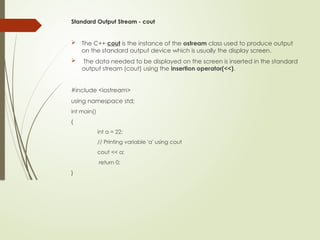
Standard Output Stream- cout
The C++ cout is the instance of the ostream class used to produce output
on the standard output device which is usually the display screen.
The data needed to be displayed on the screen is inserted in the standard
output stream (cout) using the insertion operator(<<).
#include <iostream>
using namespace std;
int main()
{
int a = 22;
// Printing variable 'a' using cout
cout << a;
return 0;
}
42.
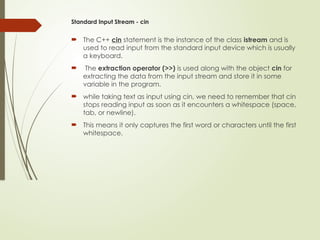
Standard Input Stream- cin
The C++ cin statement is the instance of the class istream and is
used to read input from the standard input device which is usually
a keyboard.
The extraction operator (>>) is used along with the object cin for
extracting the data from the input stream and store it in some
variable in the program.
while taking text as input using cin, we need to remember that cin
stops reading input as soon as it encounters a whitespace (space,
tab, or newline).
This means it only captures the first word or characters until the first
whitespace.
43.
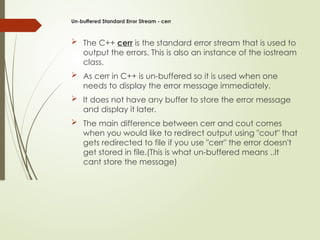
Un-buffered Standard ErrorStream - cerr
The C++ cerr is the standard error stream that is used to
output the errors. This is also an instance of the iostream
class.
As cerr in C++ is un-buffered so it is used when one
needs to display the error message immediately.
It does not have any buffer to store the error message
and display it later.
The main difference between cerr and cout comes
when you would like to redirect output using "cout" that
gets redirected to file if you use "cerr" the error doesn't
get stored in file.(This is what un-buffered means ..It
cant store the message)
44.
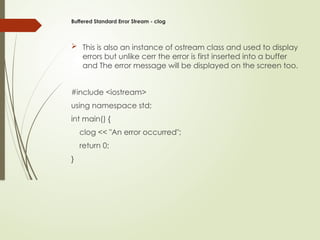
Buffered Standard ErrorStream - clog
This is also an instance of ostream class and used to display
errors but unlike cerr the error is first inserted into a buffer
and The error message will be displayed on the screen too.
#include <iostream>
using namespace std;
int main() {
clog << "An error occurred";
return 0;
}
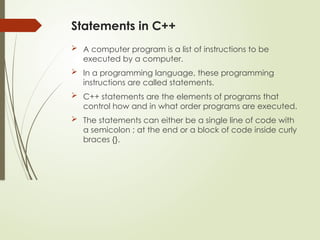
Statements in C++
A computer program is a list of instructions to be
executed by a computer.
In a programming language, these programming
instructions are called statements.
C++ statements are the elements of programs that
control how and in what order programs are executed.
The statements can either be a single line of code with
a semicolon ; at the end or a block of code inside curly
braces {}.
47.
Types of Statements:
InC++, statements are categorized into the following types:
1. Expression Statements
2. Declaration Statements
3. Compound Statements
4. Selection Statements
5. Iteration Statements
6. Jump Statements
7. Exception Handling Statements
48.
1. Expression Statements
Combinations of operators, variables, and constants make an expression.
It can be evaluated to generate a value.
Expression statements in C++ evaluate expressions for their return value.
This statement doesn’t transfer control. An expression has a semicolon at
the end.
Most statements in C++ are expression statements, such as declaring,
assigning, function calls, etc.
Syntax:
[expression ];
Example
int x = 10; // Assignment expression statement
std::cout << "Hello"; // Function call expression statement
49.
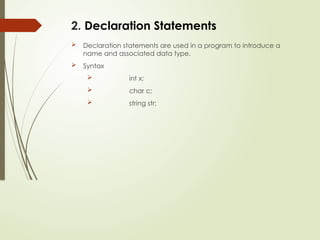
2. Declaration Statements
Declaration statements are used in a program to introduce a
name and associated data type.
Syntax
int x;
char c;
string str;
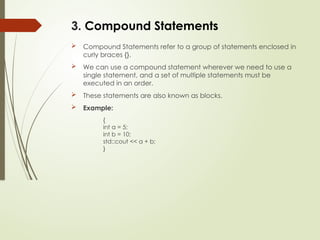
50.
3. Compound Statements
Compound Statements refer to a group of statements enclosed in
curly braces {}.
We can use a compound statement wherever we need to use a
single statement, and a set of multiple statements must be
executed in an order.
These statements are also known as blocks.
Example:
{
int a = 5;
int b = 10;
std::cout << a + b;
}
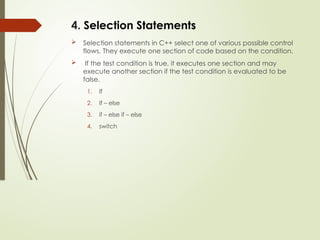
51.
4. Selection Statements
Selection statements in C++ select one of various possible control
flows. They execute one section of code based on the condition.
If the test condition is true, it executes one section and may
execute another section if the test condition is evaluated to be
false.
1. If
2. If – else
3. if – else if – else
4. switch
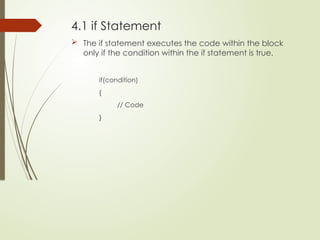
52.
4.1 if Statement
The if statement executes the code within the block
only if the condition within the if statement is true.
if(condition)
{
// Code
}
53.
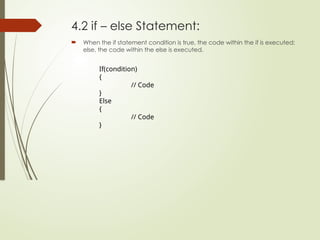
4.2 if –else Statement:
When the if statement condition is true, the code within the if is executed;
else, the code within the else is executed.
If(condition)
{
// Code
}
Else
{
// Code
}
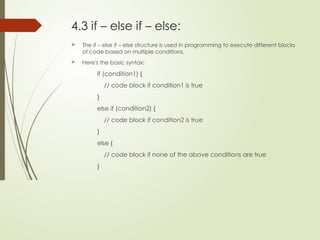
54.
4.3 if –else if – else:
The if – else if – else structure is used in programming to execute different blocks
of code based on multiple conditions.
Here's the basic syntax:
if (condition1) {
// code block if condition1 is true
}
else if (condition2) {
// code block if condition2 is true
}
else {
// code block if none of the above conditions are true
}
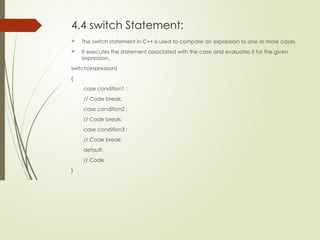
55.
4.4 switch Statement:
The switch statement in C++ is used to compare an expression to one or more cases.
It executes the statement associated with the case and evaluates it for the given
expression.
switch(expression)
{
case condition1 :
// Code break;
case condition2 :
// Code break;
case condition3 :
// Code break;
default:
// Code
}
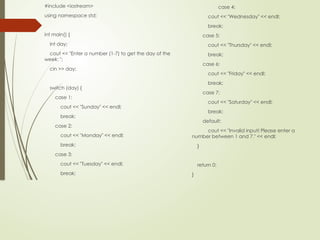
56.
#include <iostream>
using namespacestd;
int main() {
int day;
cout << "Enter a number (1-7) to get the day of the
week: ";
cin >> day;
switch (day) {
case 1:
cout << "Sunday" << endl;
break;
case 2:
cout << "Monday" << endl;
break;
case 3:
cout << "Tuesday" << endl;
break;
case 4:
cout << "Wednesday" << endl;
break;
case 5:
cout << "Thursday" << endl;
break;
case 6:
cout << "Friday" << endl;
break;
case 7:
cout << "Saturday" << endl;
break;
default:
cout << "Invalid input! Please enter a
number between 1 and 7." << endl;
}
return 0;
}
57.
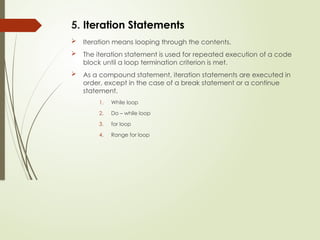
5. Iteration Statements
Iteration means looping through the contents.
The iteration statement is used for repeated execution of a code
block until a loop termination criterion is met.
As a compound statement, iteration statements are executed in
order, except in the case of a break statement or a continue
statement.
1. While loop
2. Do – while loop
3. for loop
4. Range for loop
58.
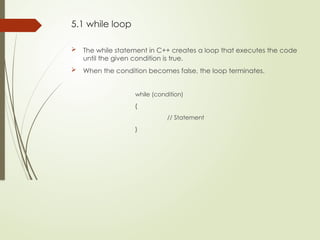
5.1 while loop
The while statement in C++ creates a loop that executes the code
until the given condition is true.
When the condition becomes false, the loop terminates.
while (condition)
{
// Statement
}
59.
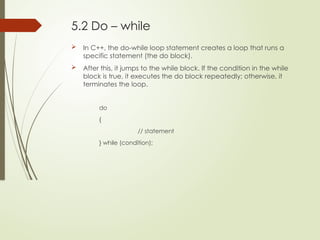
5.2 Do –while
In C++, the do-while loop statement creates a loop that runs a
specific statement (the do block).
After this, it jumps to the while block. If the condition in the while
block is true, it executes the do block repeatedly; otherwise, it
terminates the loop.
do
{
// statement
} while (condition);
60.
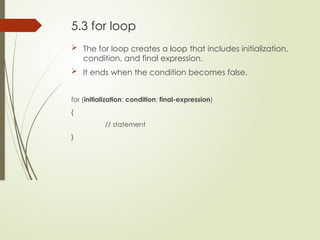
5.3 for loop
The for loop creates a loop that includes initialization,
condition, and final expression.
It ends when the condition becomes false.
for (initialization; condition; final-expression)
{
// statement
}
61.
5.4 range forloop:
It is a type of for loop that iterates over all elements within range.
A range is a collection of items supporting the beginning and end of a function, such as
containers, arrays, etc.
The declaration defines the variable that can take the value of any element in the range.
for (declaration : range) statement;
int main()
{
int numbers[] = {10, 20, 30, 40, 50};
for (int num : numbers)
{
// Range-based for loop
cout << num << " ";
}
return 0;
}
62.
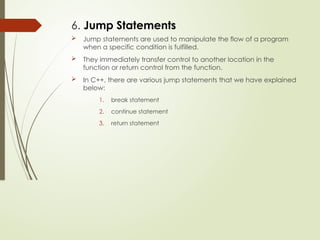
6. Jump Statements
Jump statements are used to manipulate the flow of a program
when a specific condition is fulfilled.
They immediately transfer control to another location in the
function or return control from the function.
In C++, there are various jump statements that we have explained
below:
1. break statement
2. continue statement
3. return statement
63.
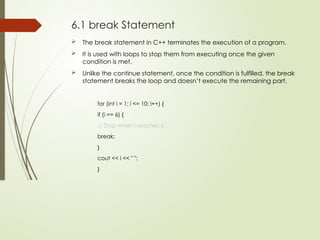
6.1 break Statement
The break statement in C++ terminates the execution of a program.
It is used with loops to stop them from executing once the given
condition is met.
Unlike the continue statement, once the condition is fulfilled, the break
statement breaks the loop and doesn’t execute the remaining part.
for (int i = 1; i <= 10; i++) {
if (i == 6) {
// Stop when i reaches 6
break;
}
cout << i << " ";
}
64.
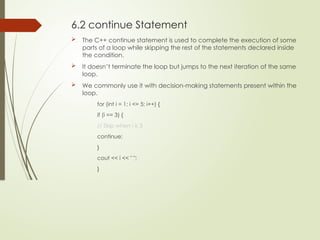
6.2 continue Statement
The C++ continue statement is used to complete the execution of some
parts of a loop while skipping the rest of the statements declared inside
the condition.
It doesn’t terminate the loop but jumps to the next iteration of the same
loop.
We commonly use it with decision-making statements present within the
loop.
for (int i = 1; i <= 5; i++) {
if (i == 3) {
// Skip when i is 3
continue;
}
cout << i << " ";
}
65.
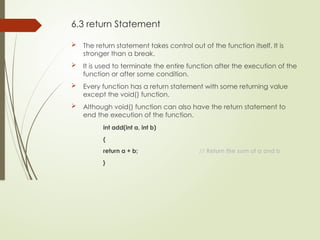
6.3 return Statement
The return statement takes control out of the function itself. It is
stronger than a break.
It is used to terminate the entire function after the execution of the
function or after some condition.
Every function has a return statement with some returning value
except the void() function.
Although void() function can also have the return statement to
end the execution of the function.
int add(int a, int b)
{
return a + b; // Return the sum of a and b
}
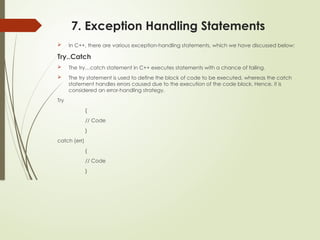
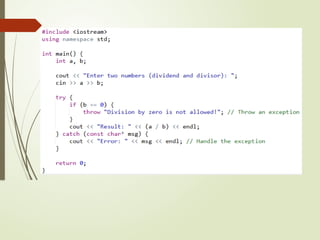
66.
7. Exception HandlingStatements
In C++, there are various exception-handling statements, which we have discussed below:
Try..Catch
The try…catch statement in C++ executes statements with a chance of failing.
The try statement is used to define the block of code to be executed, whereas the catch
statement handles errors caused due to the execution of the code block. Hence, it is
considered an error-handling strategy.
Try
{
// Code
}
catch (err)
{
// Code
}
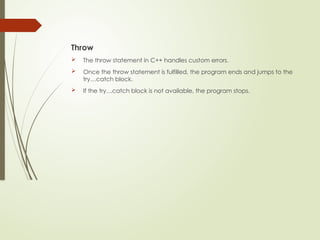
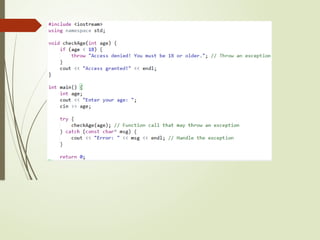
68.
Throw
The throwstatement in C++ handles custom errors.
Once the throw statement is fulfilled, the program ends and jumps to the
try…catch block.
If the try…catch block is not available, the program stops.
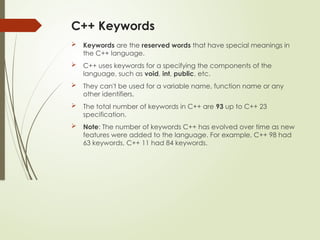
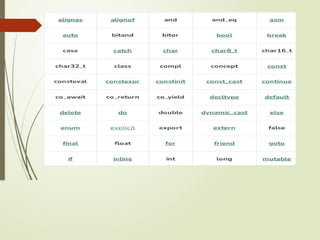
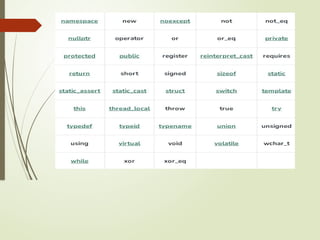
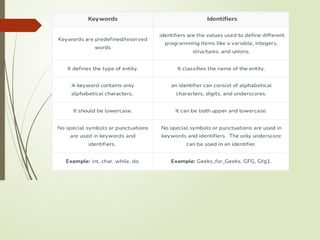
C++ Keywords
Keywordsare the reserved words that have special meanings in
the C++ language.
C++ uses keywords for a specifying the components of the
language, such as void, int, public, etc.
They can't be used for a variable name, function name or any
other identifiers.
The total number of keywords in C++ are 93 up to C++ 23
specification.
Note: The number of keywords C++ has evolved over time as new
features were added to the language. For example, C++ 98 had
63 keywords, C++ 11 had 84 keywords.
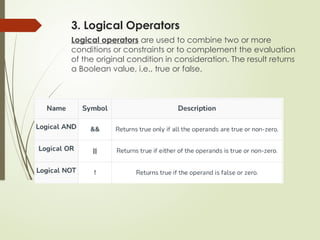
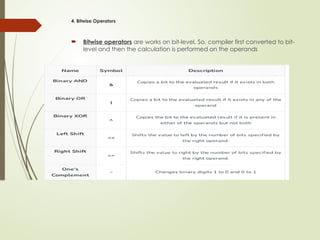
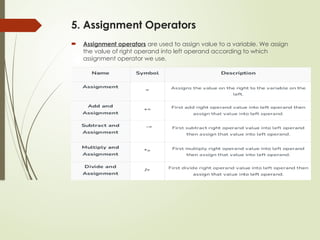
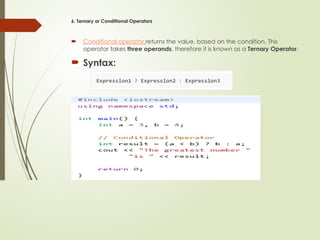
Operators in C++
C++ operators are the symbols that operate on values to perform
specific mathematical or logical computations on given values.
They are the foundation of any programming language.
C++ Operator Types
1. Arithmetic Operators
2. Relational Operators
3. Logical Operators
4. Bitwise Operators
5. Assignment Operators
6. Ternary or Conditional Operators
77.
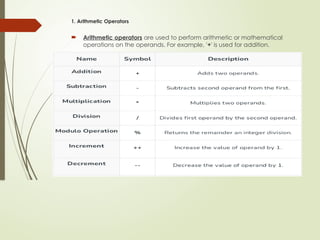
1. Arithmetic Operators
Arithmetic operators are used to perform arithmetic or mathematical
operations on the operands. For example, '+' is used for addition.
3. Logical Operators
Logicaloperators are used to combine two or more
conditions or constraints or to complement the evaluation
of the original condition in consideration. The result returns
a Boolean value, i.e., true or false.
80.
4. Bitwise Operators
Bitwise operators are works on bit-level. So, compiler first converted to bit-
level and then the calculation is performed on the operands
81.
5. Assignment Operators
Assignment operators are used to assign value to a variable. We assign
the value of right operand into left operand according to which
assignment operator we use.
82.
6. Ternary orConditional Operators
Conditional operator returns the value, based on the condition. This
operator takes three operands, therefore it is known as a Ternary Operator.
Syntax:
![1. Expression Statements
Combinations of operators, variables, and constants make an expression.
It can be evaluated to generate a value.
Expression statements in C++ evaluate expressions for their return value.
This statement doesn’t transfer control. An expression has a semicolon at
the end.
Most statements in C++ are expression statements, such as declaring,
assigning, function calls, etc.
Syntax:
[expression ];
Example
int x = 10; // Assignment expression statement
std::cout << "Hello"; // Function call expression statement](https://image.slidesharecdn.com/oopsunit-1-260128143115-3fc3e76a/85/introduction-to-object-oriented-programming-using-c-48-320.jpg)
![5.4 range for loop:
It is a type of for loop that iterates over all elements within range.
A range is a collection of items supporting the beginning and end of a function, such as
containers, arrays, etc.
The declaration defines the variable that can take the value of any element in the range.
for (declaration : range) statement;
int main()
{
int numbers[] = {10, 20, 30, 40, 50};
for (int num : numbers)
{
// Range-based for loop
cout << num << " ";
}
return 0;
}](https://image.slidesharecdn.com/oopsunit-1-260128143115-3fc3e76a/85/introduction-to-object-oriented-programming-using-c-61-320.jpg)