Introduction	To	MATLAB
Mohamed	Jaafar
wadjaafar@gmail.com
wadjaafar@student.uofk.edu
Mahmoud	Badreldin
mahmoudelgabbani@yahoo.com
Course
In	this	course	we’ll	use	Piazza	Q&A	web	service.
◦ Every	student	must	join	the	class	in	Piazza.	
◦ Course	link	:	https://piazza.com/uofk/winter2017/sur412
Outline
• What	Is	MATLAB?
• MATLAB	Environment.
• Variables.
• Operators.
• Vectors	And	Matrices.
• Mathematical	Functions.
• Two	Dimensional	Plotting.
What	is	MATLAB?
• MATLAB is	a	high-performance	language	for	technical	
computing.
• Stands	for	MATrix LABoratory.
• MATLAB	has	many	functions	and	toolboxes	to	help	in	
various	applications.
What	is	MATLAB?
• MATLAB	(commercial)
•MATLAB	is	too	expensive.
• Octave	(Free)
• Scilab (Free)
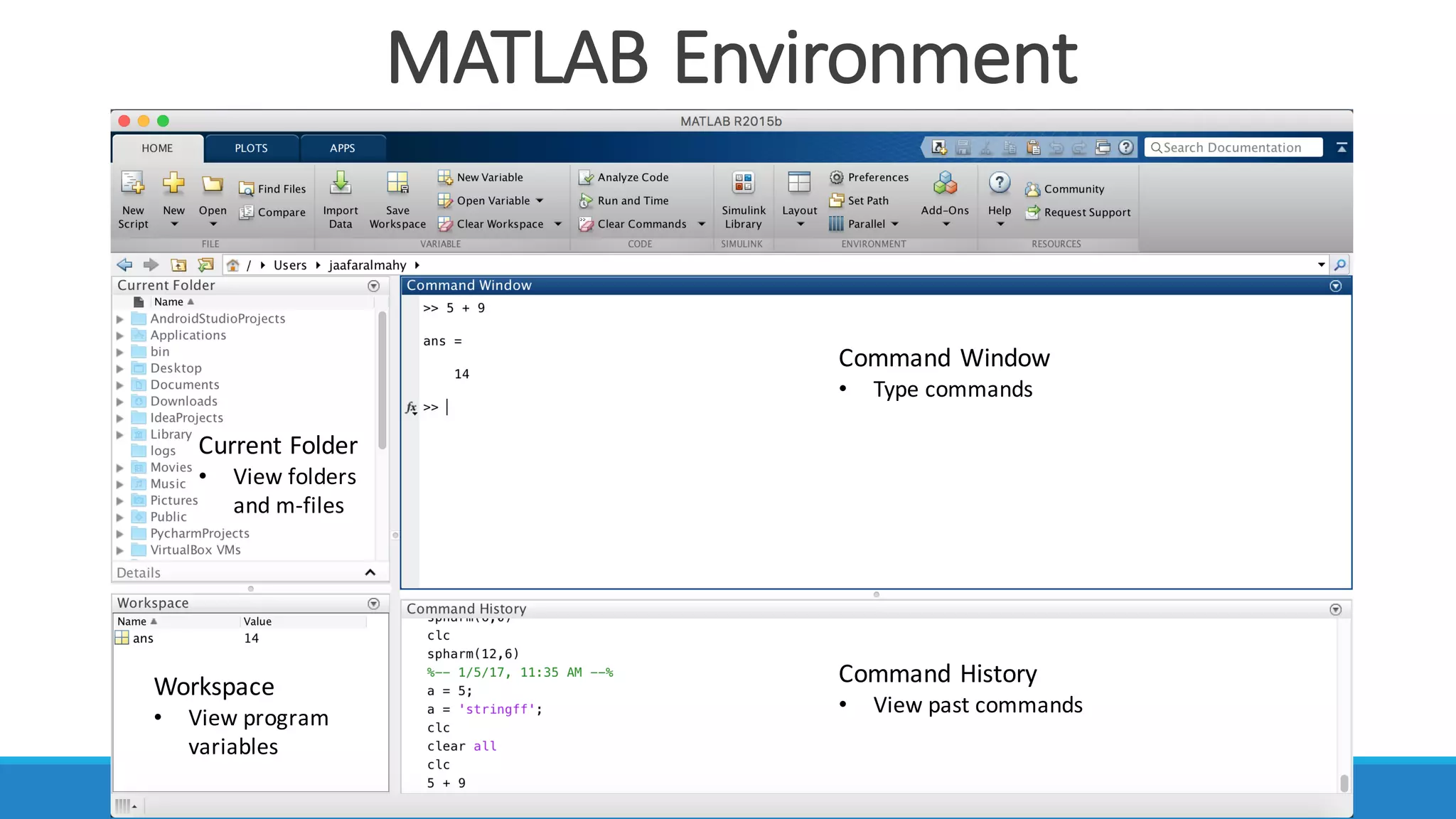
MATLAB	Environment
Command	Window
• Type	commands
Current	Folder
• View	folders	
and	m-files
Workspace
• View	program	
variables
Command	History
• View	past	commands
Variables
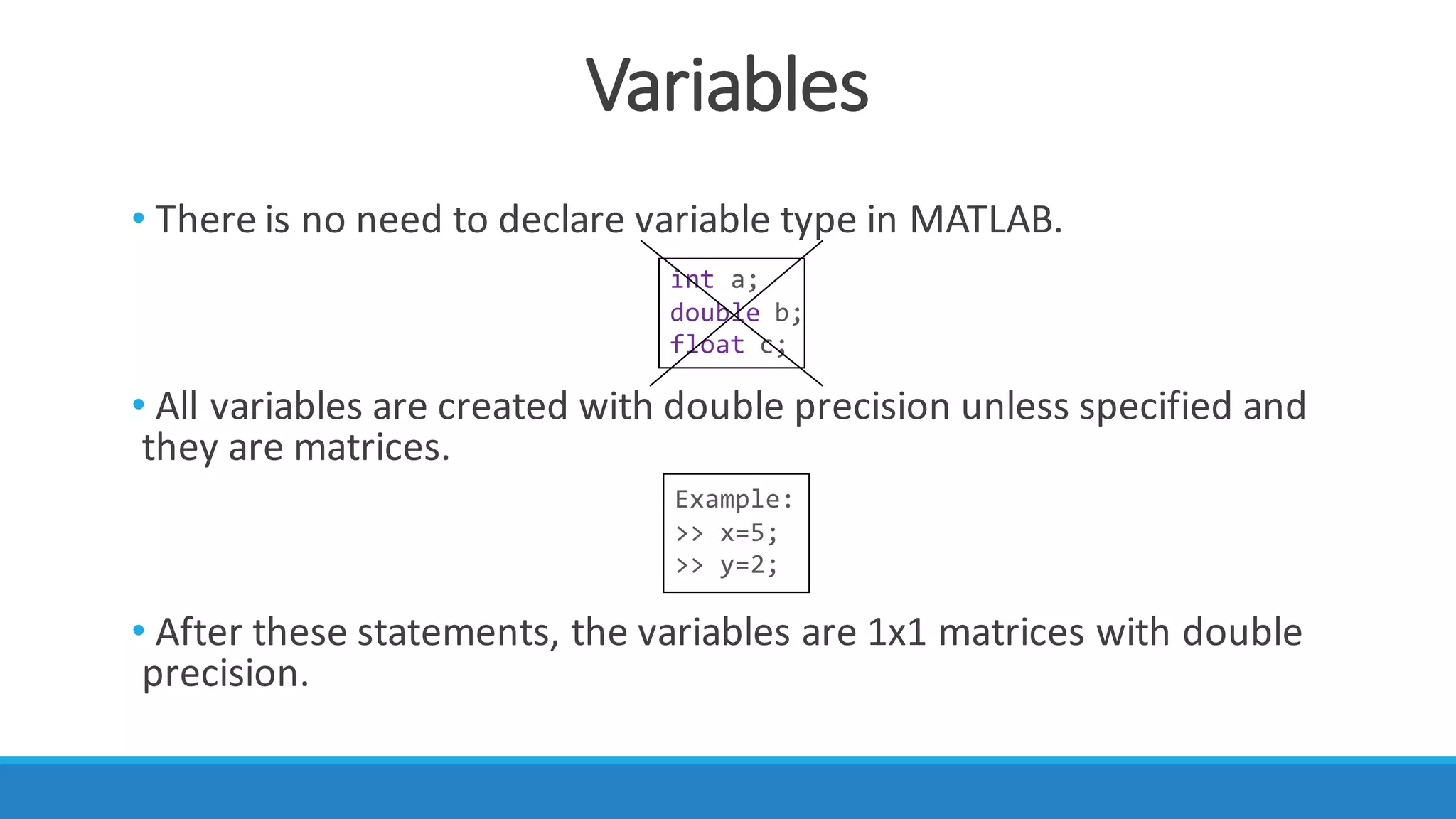
• There	is	no	need	to	declare	variable	type	in	MATLAB.
• All	variables	are	created	with	double	precision	unless	specified	and	
they	are	matrices.
• After	these	statements,	the	variables	are	1x1	matrices	with	double	
precision.
int a;
double b;
float c;
Example:
>> x=5;
>> y=2;
Simple	MATLAB	Program
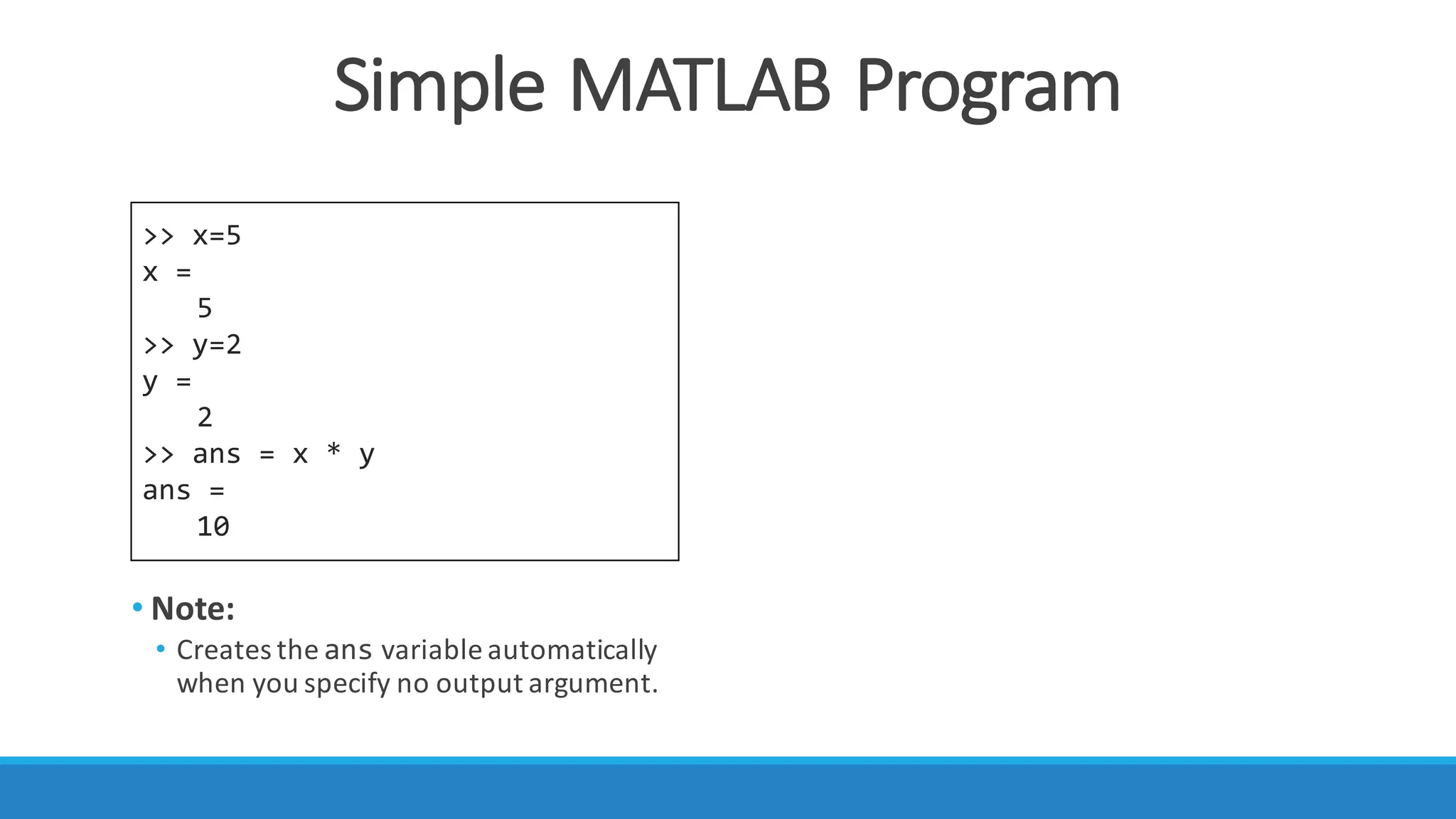
>> x=5
x =
5
>> y=2
y =
2
>> ans = x * y
ans =
10
• Note:
• Creates	the ans variable	automatically	
when	you	specify	no	output	argument.
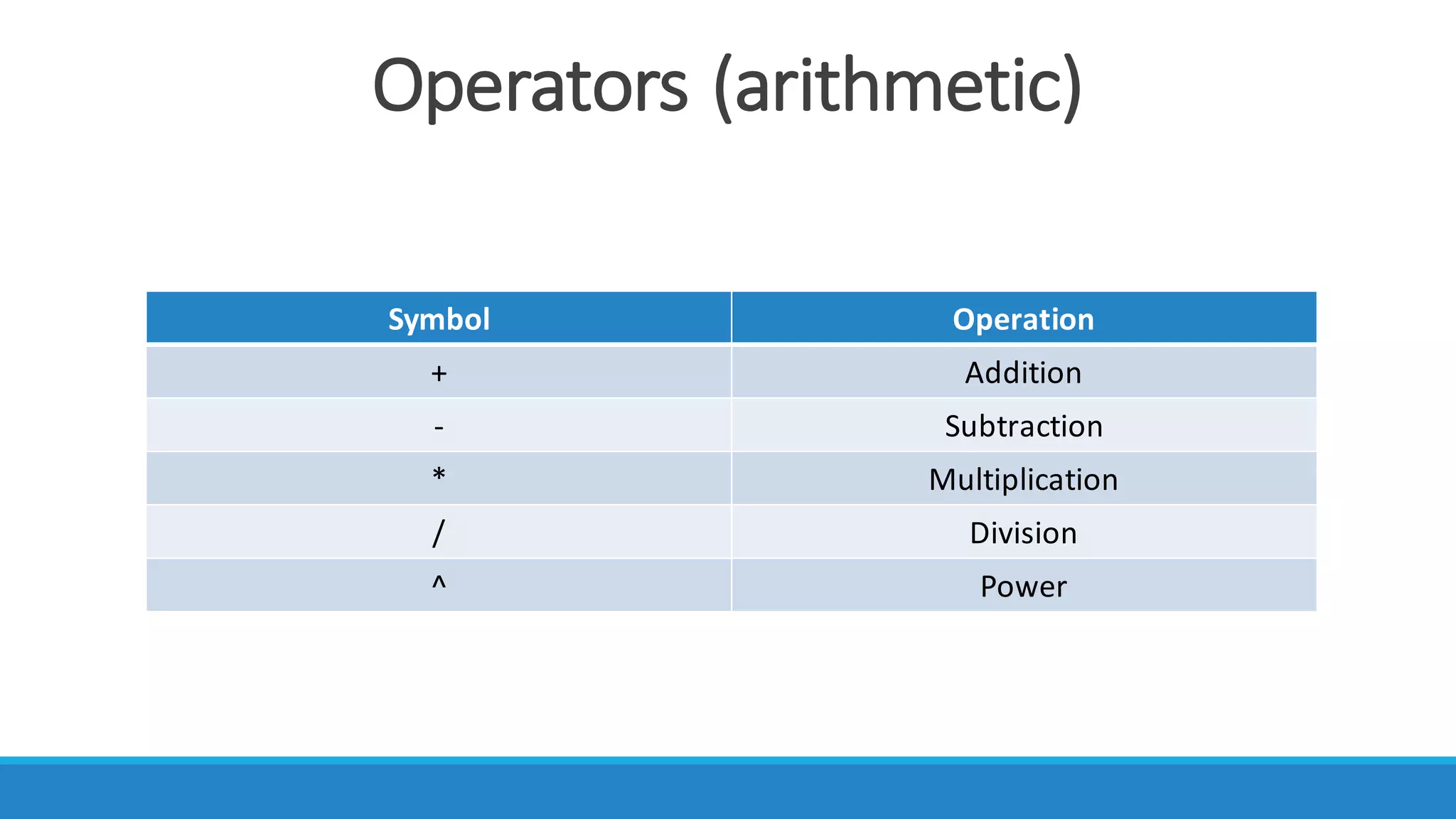
Operators	(arithmetic)
Symbol Operation
+ Addition
- Subtraction	
* Multiplication	
/ Division
^ Power
Operators	(arithmetic)
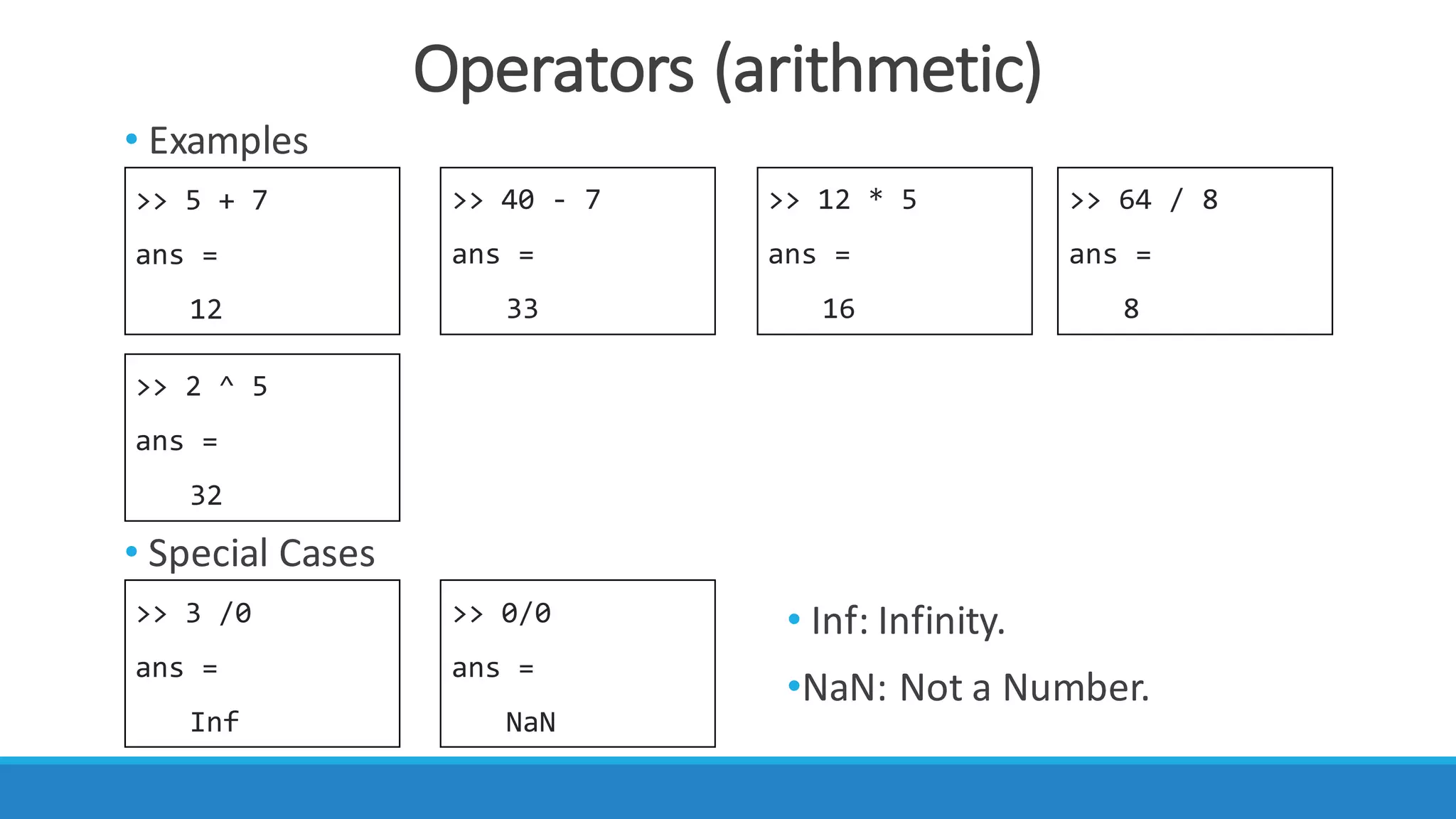
>> 5 + 7
ans =
12
>> 64 / 8
ans =
8
>> 12 * 5
ans =
16
>> 40 - 7
ans =
33
>> 2 ^ 5
ans =
32
>> 3 /0
ans =
Inf
>> 0/0
ans =
NaN
• Examples
• Special	Cases
• Inf:	Infinity.
•NaN:	Not	a	Number.
Vectors	And	Matrices
• In	MATLAB	matrices	are	easy	to	define:
• Use	‘	’	to	separate	row	elements.
• Use	‘;’	to	separate	rows.
>> y = [1 2 3; 4 5 6; 7 8 9]
y =
1 2 3
4 5 6
7 8 9
Vectors	And	Matrices
• Order	of	Matrix	
◦m	=	no.	of	rows.
◦n	=	no.	of	columns.
• Vectors	are	special	case													
m	=	1				 row	vector n	=	1			column	vector
A =
0.9501 0.6068 0.4231
0.2311 0.4860 0.2774m
n
>> x = [1 2 3 4]
x =
1 2 3 4
>> x = [1; 2; 3; 4]
x =
1
2
3
4
Long	Vector,	Matrix
>> x = 1:10
x =
1 2 3 4 5 6 7 8 9 10
>> x = 1:0.5:5
x =
1 1.5 2 2.5 3 3.5 4 4.5 5
>> [1:4; 5:8]
x =
1 2 3 4
5 6 7 8
• If	you	want	to	create	a	row	
vector,	containing	numbers	
from	1	to	10,	you	write
• If	you	want	to	specify	an	
increment	value	other	than	
one,	for	example
• Also	you	can	create	a	matrix	
using	the	colon.
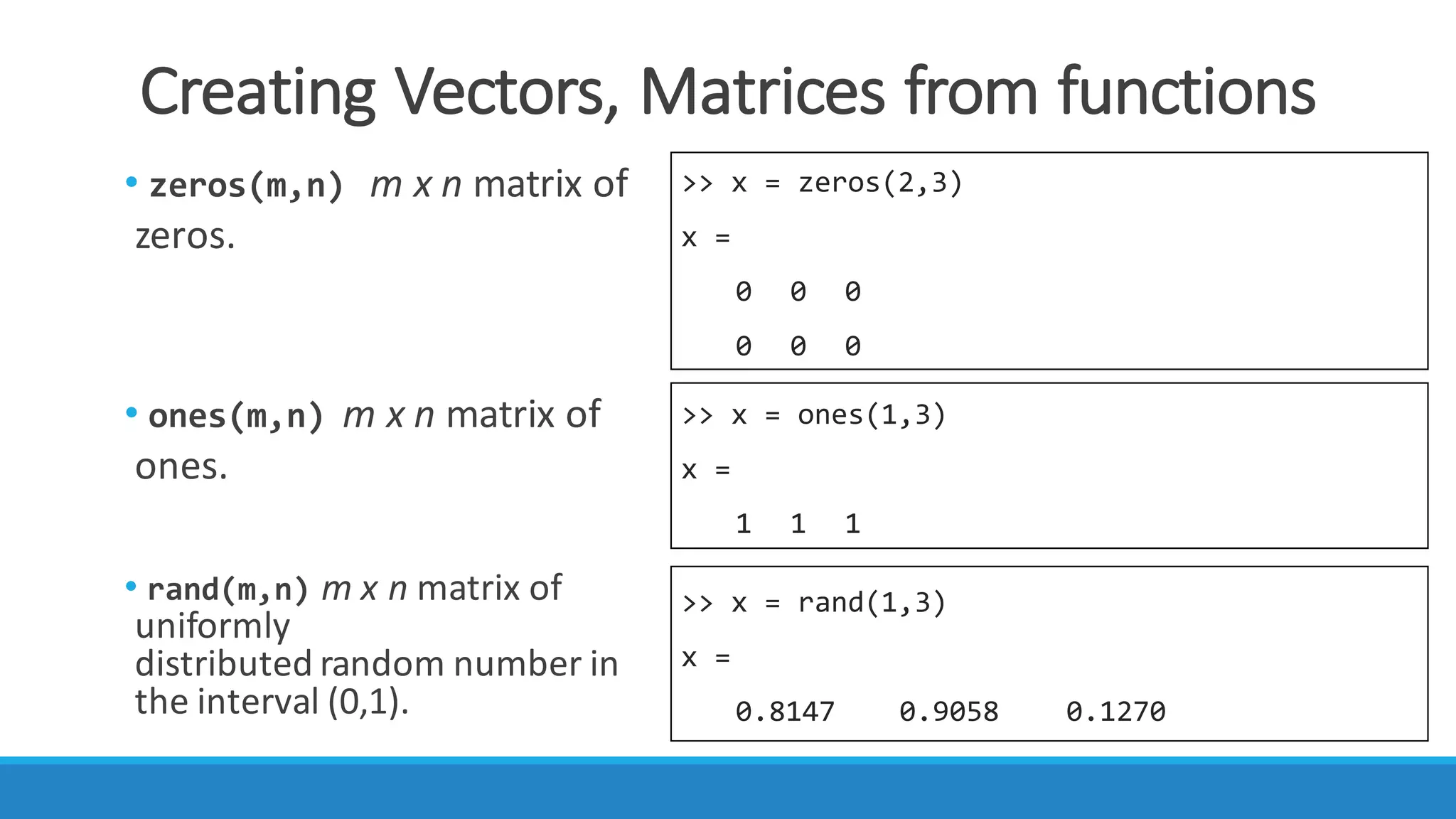
Creating	Vectors,	Matrices	from	functions
>> x = zeros(2,3)
x =
0 0 0
0 0 0
>> x = ones(1,3)
x =
1 1 1
>> x = rand(1,3)
x =
0.8147 0.9058 0.1270
• zeros(m,n) m	x	n	matrix	of	
zeros.
• ones(m,n) m	x	n	matrix	of	
ones.
• rand(m,n) m	x	n	matrix	of	
uniformly	
distributed random number	in	
the	interval	(0,1).
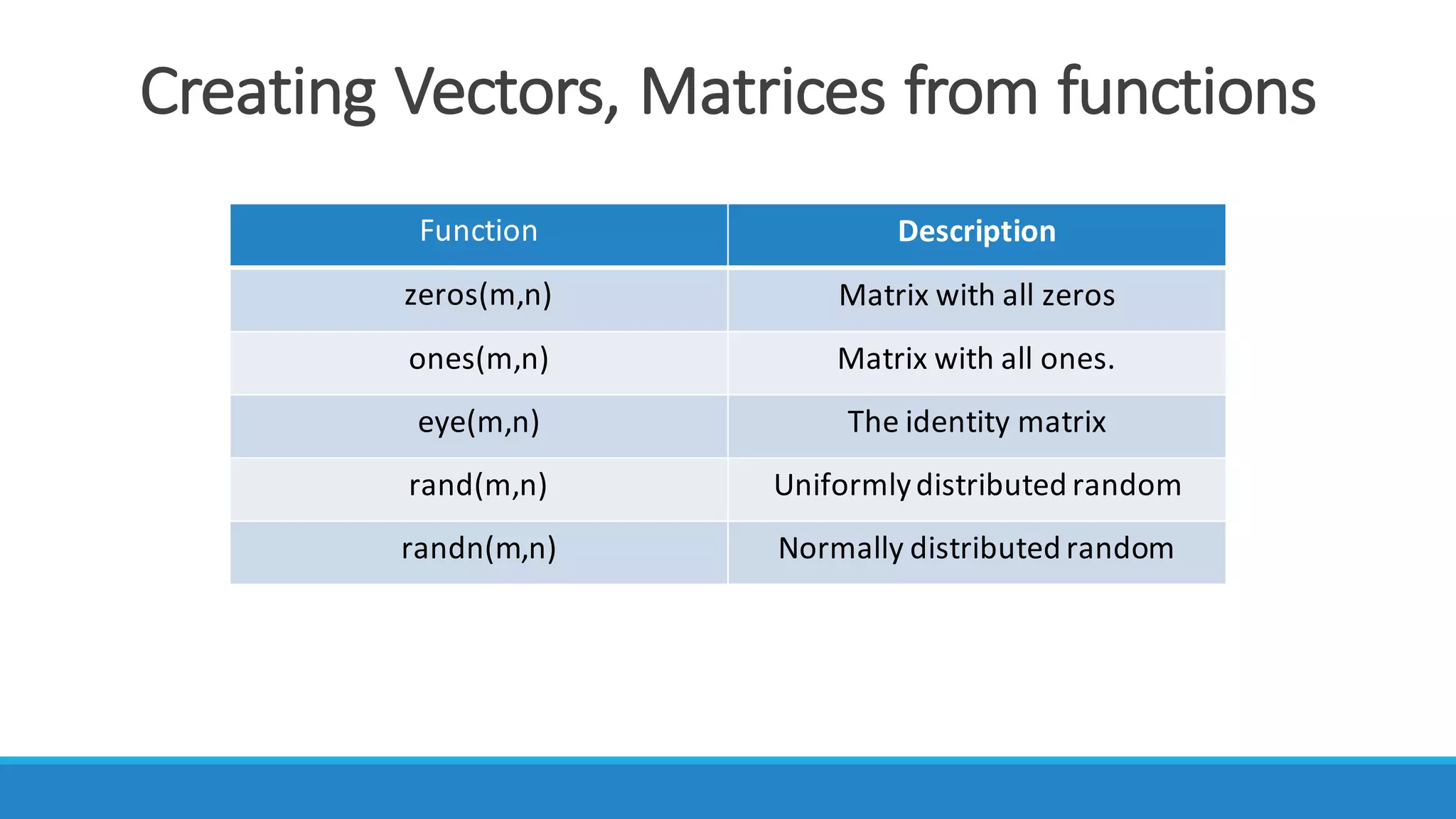
Creating	Vectors,	Matrices	from	functions
Function Description
zeros(m,n) Matrix	with	all	zeros
ones(m,n) Matrix	with	all	ones.
eye(m,n) The	identity	matrix
rand(m,n) Uniformly	distributed	random
randn(m,n) Normally	distributed	random
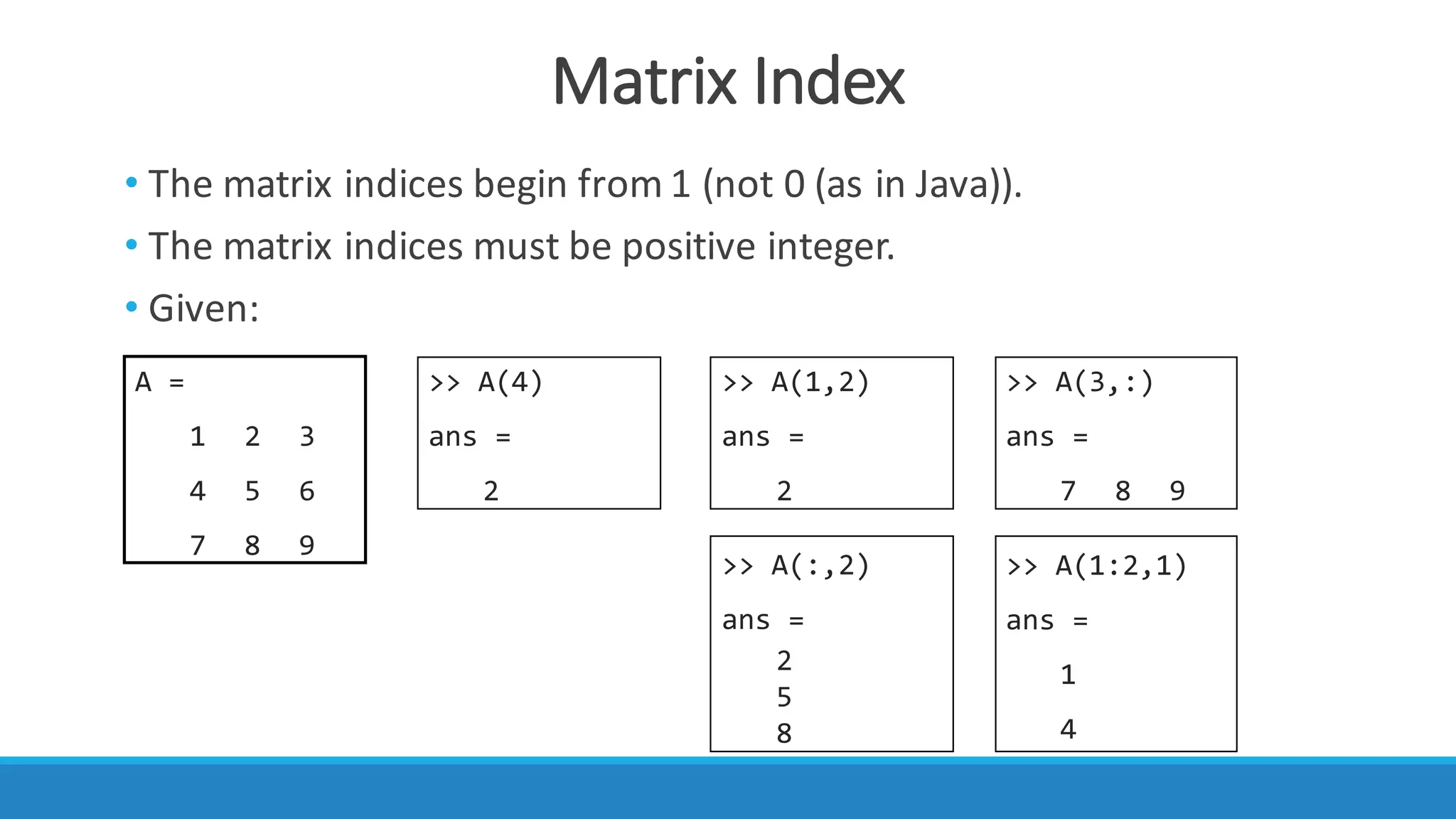
Matrix	Index
• The	matrix	indices	begin	from	1	(not	0	(as	in	Java)).
• The	matrix	indices	must	be	positive	integer.
• Given:
A =
1 2 3
4 5 6
7 8 9
>> A(4)
ans =
2
>> A(1,2)
ans =
2
>> A(3,:)
ans =
7 8 9
>> A(:,2)
ans =
2
5
8
>> A(1:2,1)
ans =
1
4
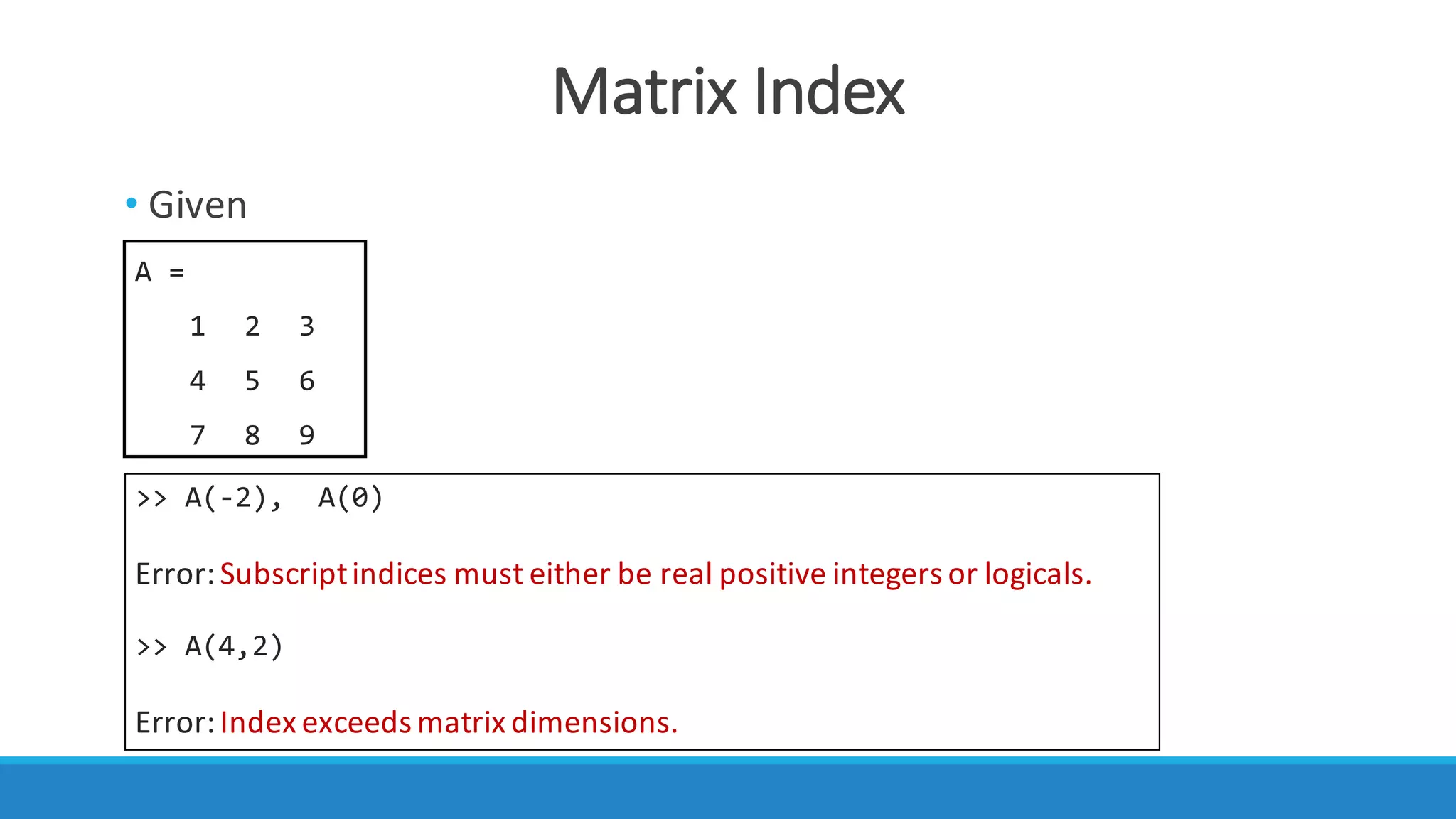
Matrix	Index
• Given
A =
1 2 3
4 5 6
7 8 9
>> A(-2), A(0)
Error:	Subscript	indices must either be	real positive integers or logicals.
>> A(4,2)
Error:	Index	exceeds matrix dimensions.
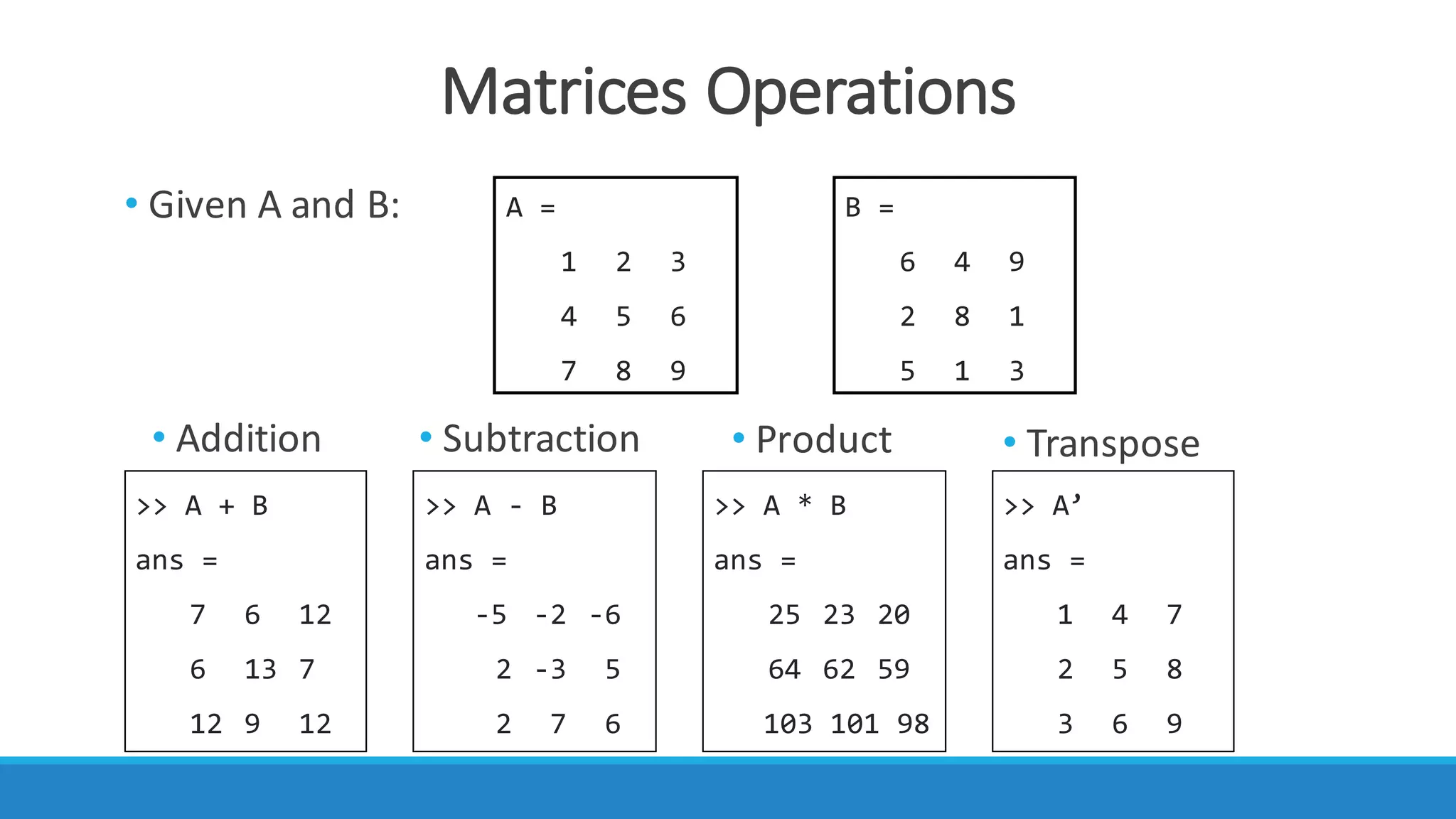
Matrices	Operations
• Given	A	and	B: A =
1 2 3
4 5 6
7 8 9
B =
6 4 9
2 8 1
5 1 3
>> A + B
ans =
7 6 12
6 13 7
12 9 12
>> A - B
ans =
-5 -2 -6
2 -3 5
2 7 6
>> A * B
ans =
25 23 20
64 62 59
103 101 98
>> A’
ans =
1 4 7
2 5 8
3 6 9
• Subtraction• Addition • Product • Transpose
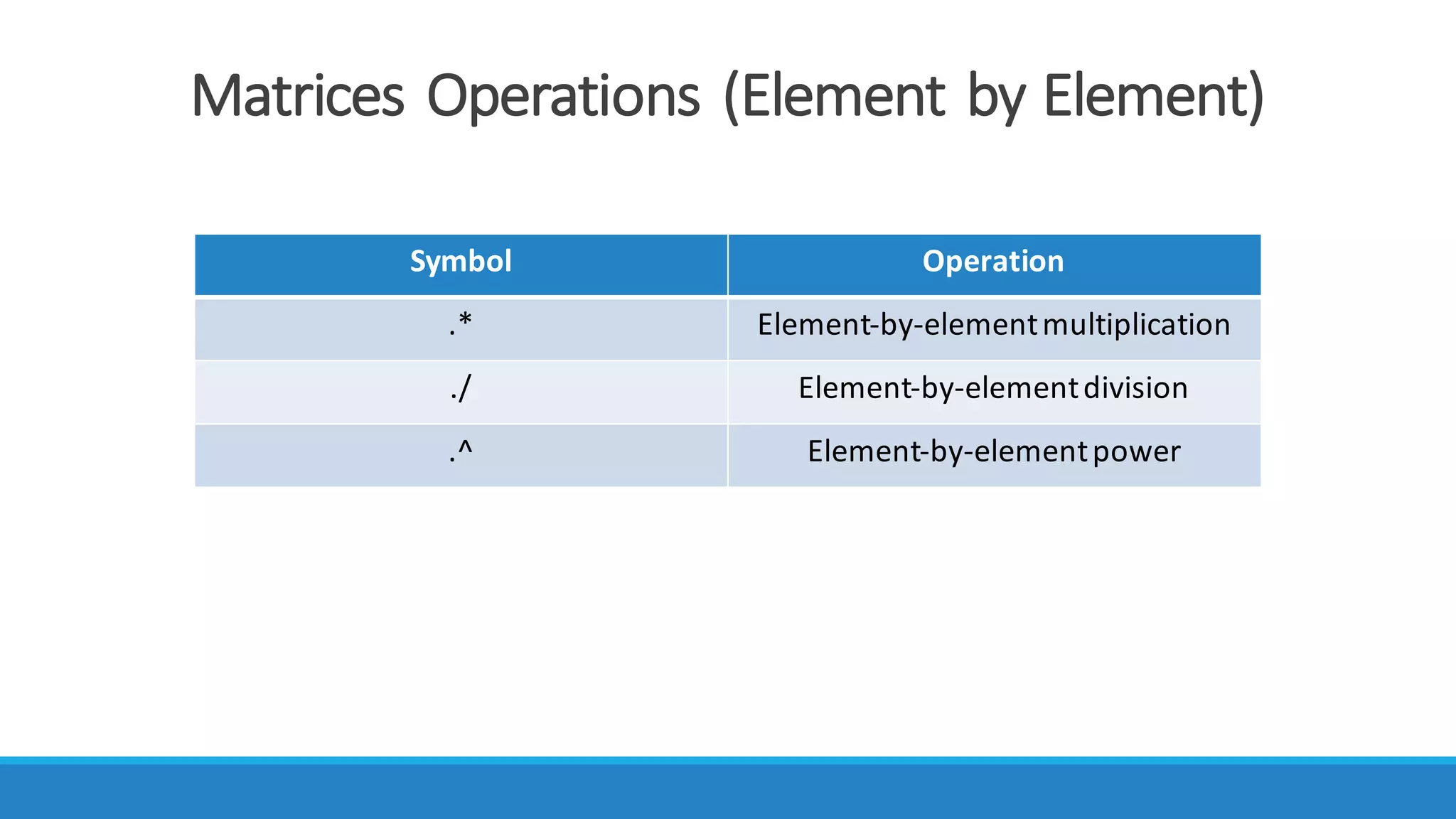
Matrices	Operations (Element	by	Element)
Symbol Operation
.* Element-by-element	multiplication
./ Element-by-element	division
.^ Element-by-element	power
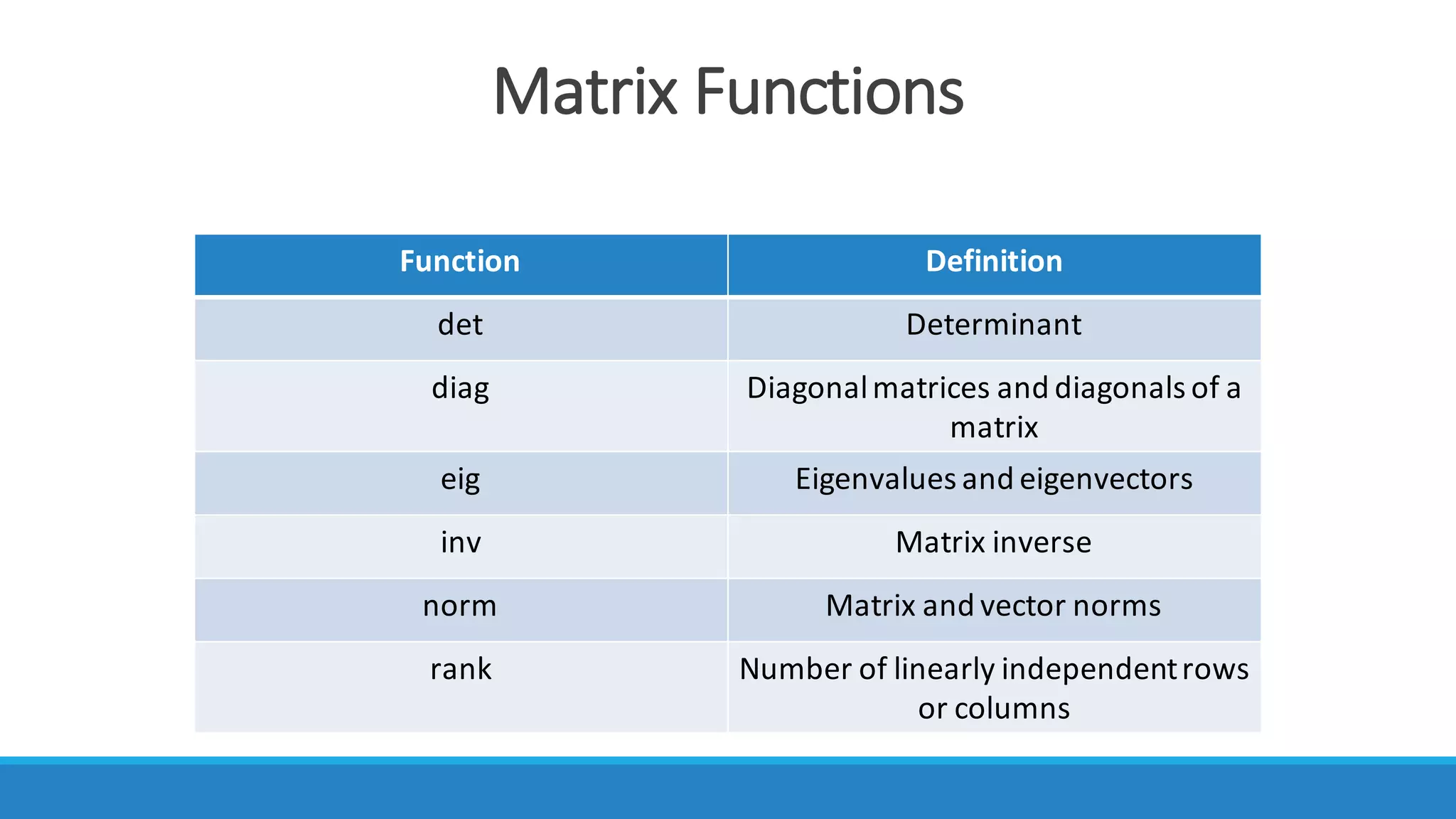
Matrix	Functions	
Function Definition
det Determinant
diag Diagonal	matrices	and	diagonals	of	a	
matrix
eig Eigenvalues	and	eigenvectors	
inv Matrix	inverse
norm Matrix	and	vector	norms
rank Number	of	linearly	independent	rows	
or	columns
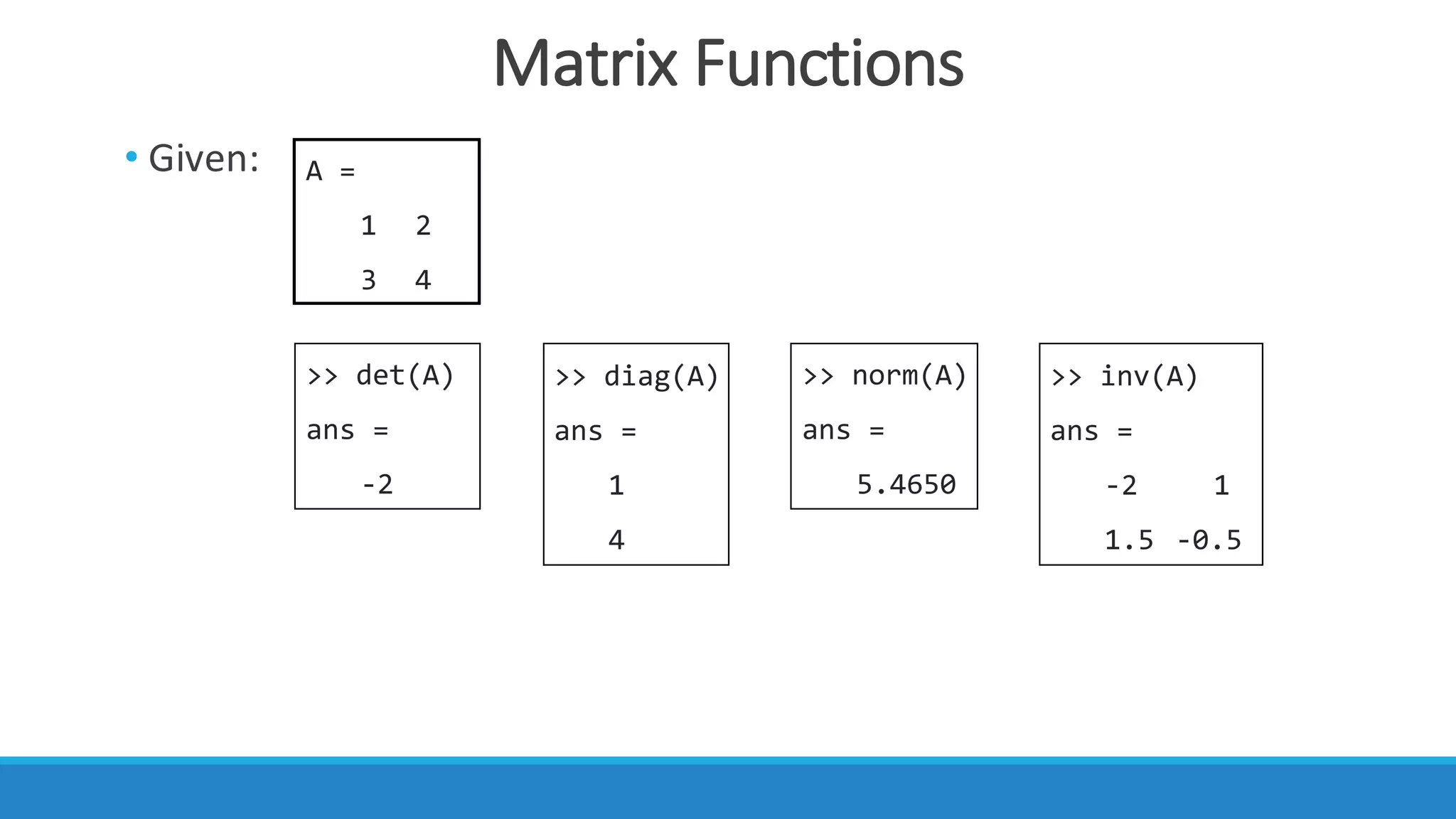
Matrix	Functions
• Given: A =
1 2
3 4
>> det(A)
ans =
-2
>> diag(A)
ans =
1
4
>> inv(A)
ans =
-2 1
1.5 -0.5
>> norm(A)
ans =
5.4650
Concatenation	of	Matrices
>> x = [1 2]
x =
1 2
>> y = [3 4]
y =
3 4
>> A = [x y]
A =
1 2 3 4
>> B = [x; y]
B =
1 2
3 4
• Given:
• you	can	create	a matrix or	construct	one	from	other matrices.
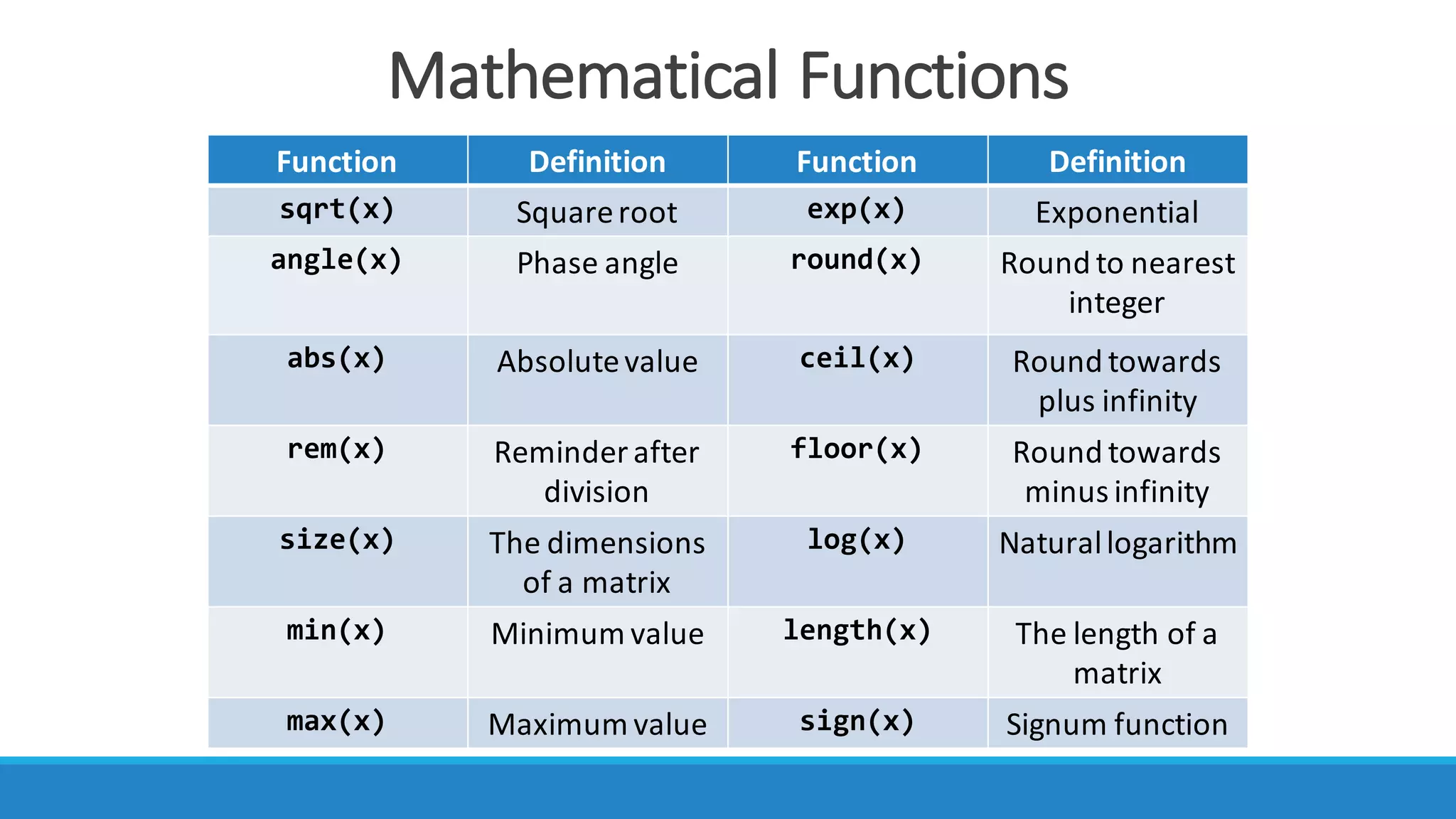
Mathematical	Functions
Function Definition Function Definition
sqrt(x) Square	root exp(x) Exponential
angle(x) Phase	angle round(x) Round	to	nearest	
integer
abs(x) Absolutevalue ceil(x) Round	towards	
plus	infinity
rem(x) Reminder	after	
division
floor(x) Round	towards	
minus	infinity
size(x) The	dimensions	
of	a	matrix
log(x) Natural	logarithm
min(x) Minimum	value length(x) The	length	of	a	
matrix
max(x) Maximum	value sign(x) Signum function
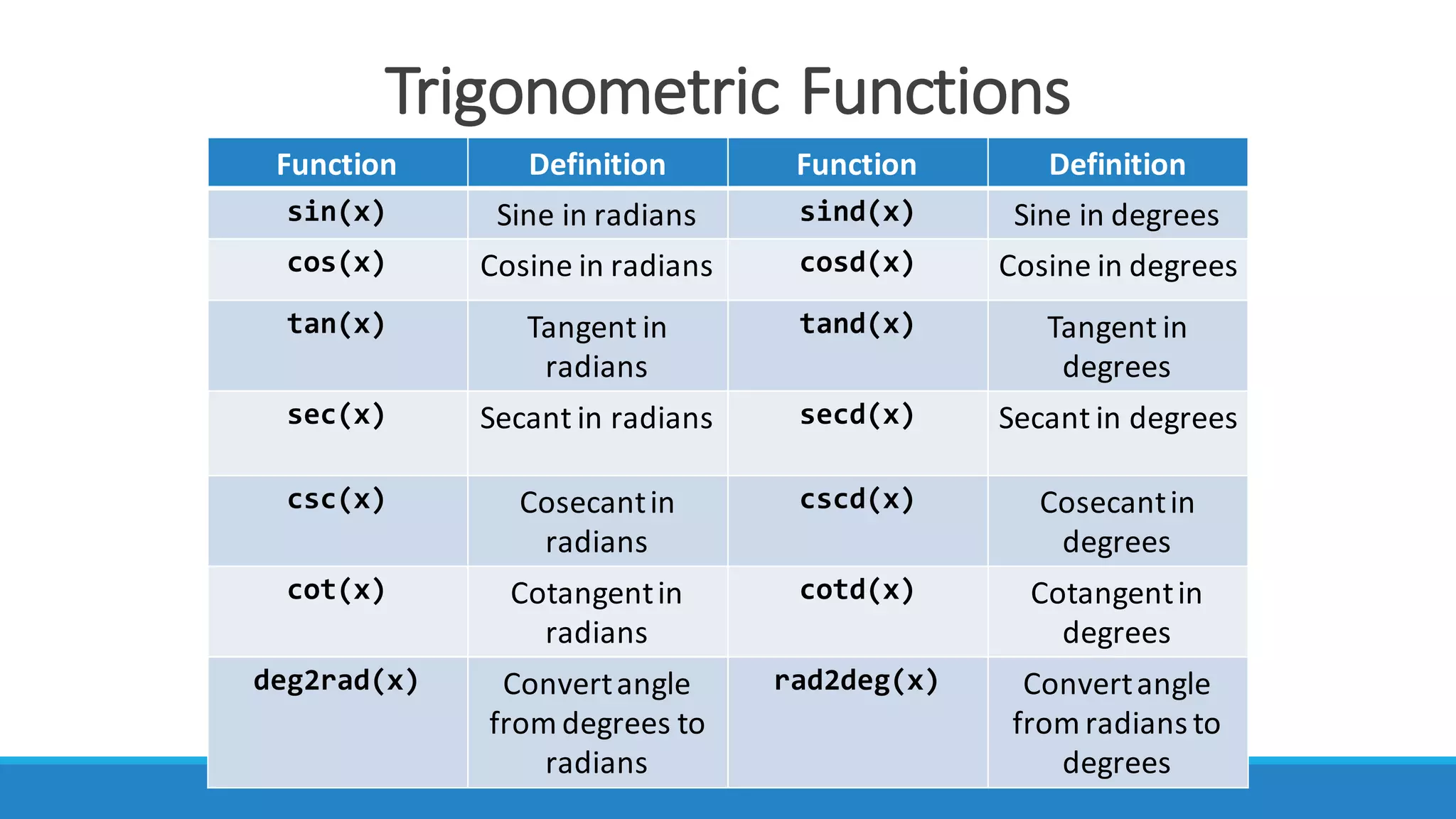
Trigonometric	Functions
Function Definition Function Definition
sin(x) Sine	in	radians sind(x) Sine	in	degrees
cos(x) Cosine in	radians cosd(x) Cosine in	degrees
tan(x) Tangent in	
radians
tand(x) Tangent in	
degrees
sec(x) Secant in	radians secd(x) Secant in	degrees
csc(x) Cosecant	in	
radians
cscd(x) Cosecant	in	
degrees
cot(x) Cotangent	in	
radians
cotd(x) Cotangent	in	
degrees
deg2rad(x) Convert	angle	
from	degrees	to	
radians
rad2deg(x) Convert	angle	
from	radians	to	
degrees
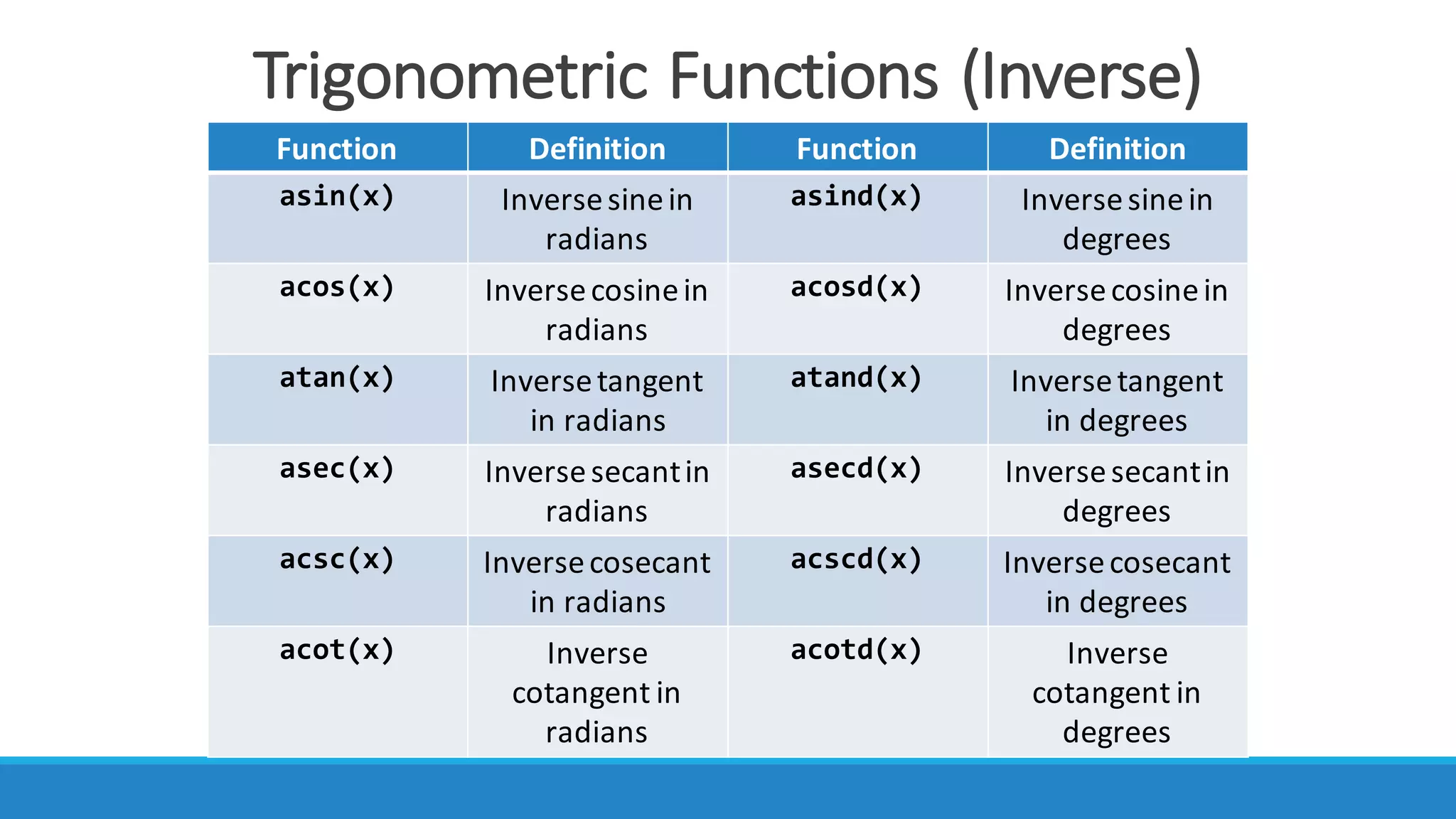
Trigonometric	Functions	(Inverse)
Function Definition Function Definition
asin(x) Inverse	sine	in	
radians
asind(x) Inverse	sine	in	
degrees
acos(x) Inverse	cosinein	
radians
acosd(x) Inverse	cosinein	
degrees
atan(x) Inverse	tangent
in	radians
atand(x) Inverse	tangent
in	degrees
asec(x) Inverse	secantin	
radians
asecd(x) Inverse	secantin	
degrees
acsc(x) Inverse	cosecant	
in	radians
acscd(x) Inverse	cosecant	
in	degrees
acot(x) Inverse	
cotangent	in	
radians
acotd(x) Inverse
cotangent	in	
degrees
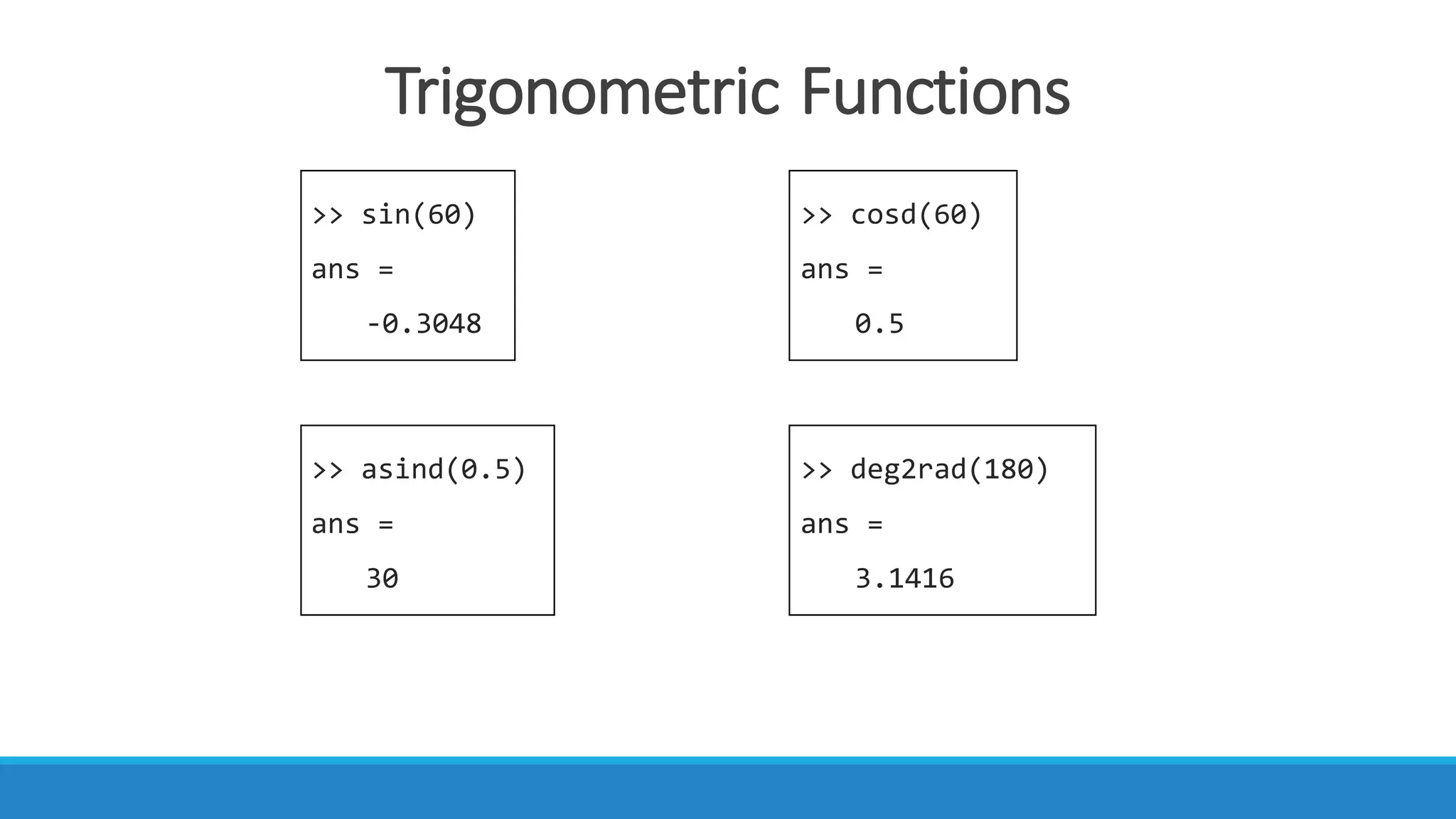
Trigonometric	Functions
>> sin(60)
ans =
-0.3048
>> cosd(60)
ans =
0.5
>> asind(0.5)
ans =
30
>> deg2rad(180)
ans =
3.1416
2D	Plotting	In	MATLAB
• Note:
• The	semicolon(;)	tells	MATLAB	not	to	
display	any	output	from	that	command.
>> x = [0:0.1:2*pi];
>> y = sin(x);
>> plot(x, y)
Sine	function	 in	range	0	≤	x	≤	2π.	
• We	are	going	to	plot	the	function	sin(x) between	0	≤	x	≤	2π.
• First,	we	define	the	range	of	the	independent	variable,	x	to	be	between	0	and	
2π.	i.e.	between	0	and	360.
• Then,	we	define	the	dependent	variable,
y	by	writing	the	command	y	=	sin(x).
• We	plot	using	the	function,	plot(x,y).
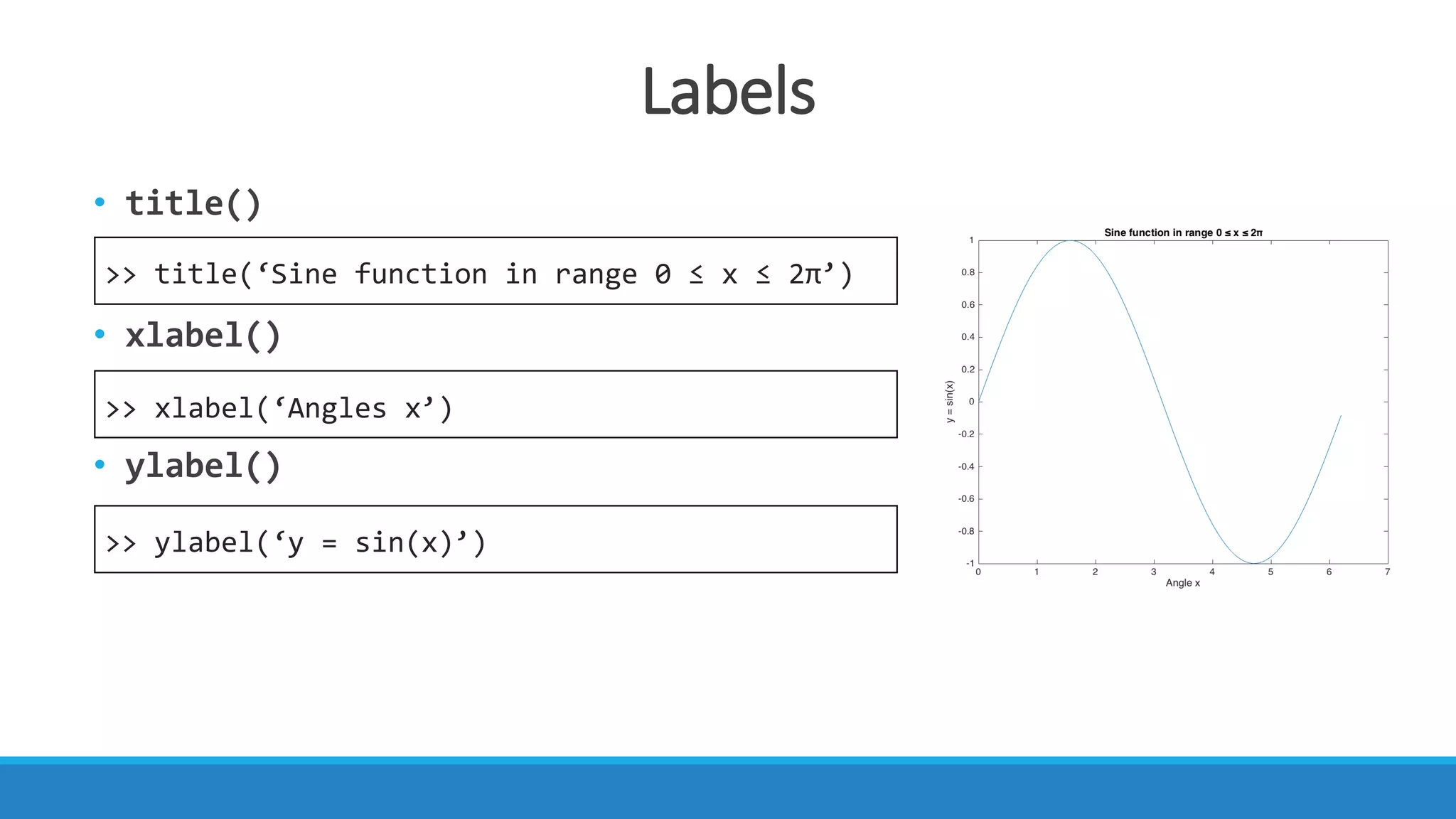
Labels
• title()
• xlabel()
• ylabel()
>> title(‘Sine function in range 0 ≤ x ≤ 2π’)
>> xlabel(‘Angles x’)
>> ylabel(‘y = sin(x)’)

Introduction to MATLAB 1