Intro to Git
By: Shilu Shrestha
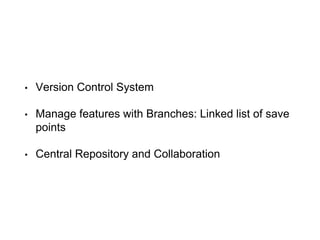
• Version Control System
• Manage features with Branches: Linked list of save
points
• Central Repository and Collaboration
Why Version Control System?
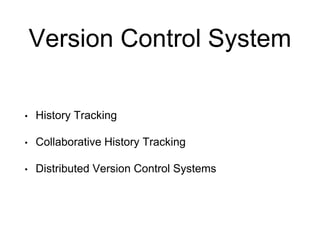
Version Control System
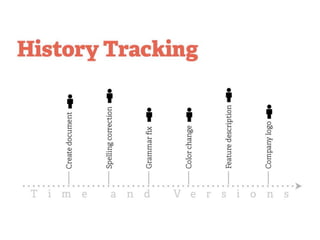
• History Tracking
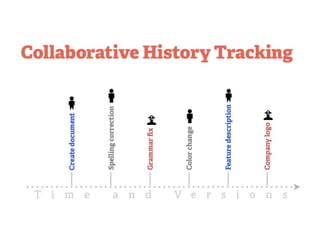
• Collaborative History Tracking
• Distributed Version Control Systems
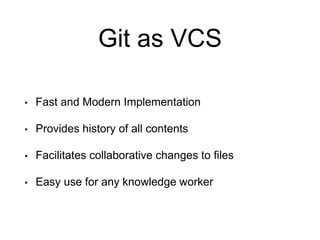
Git as VCS
• Fast and Modern Implementation
• Provides history of all contents
• Facilitates collaborative changes to files
• Easy use for any knowledge worker
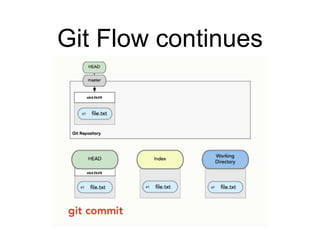
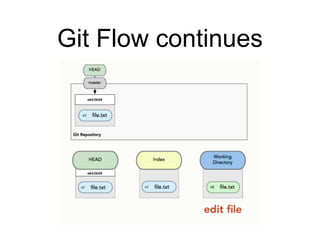
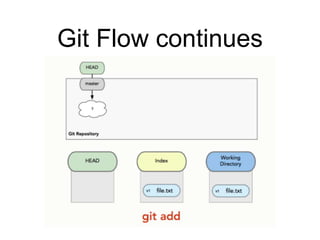
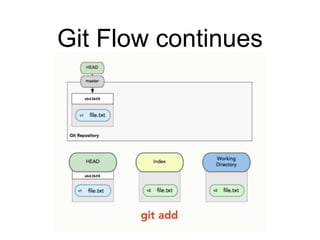
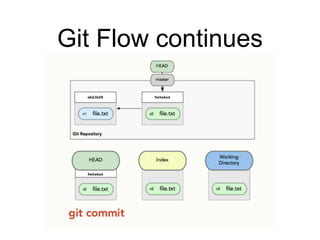
The three trees of Git
• The Head
• The Index
• The Working Directory
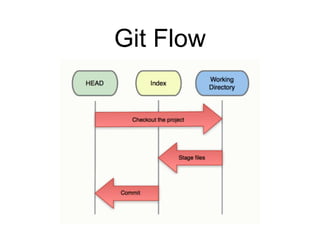
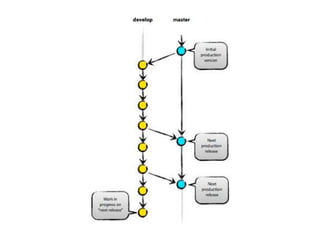
Git Flow
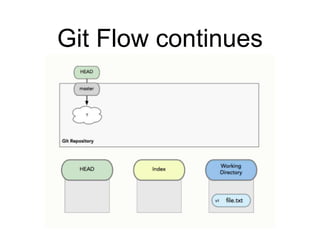
Git Flow continues
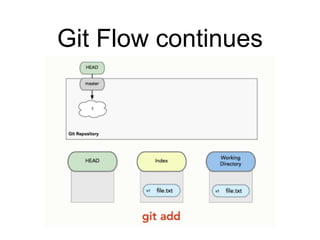
Git Flow continues
Git Flow continues
Git Flow continues
Git Flow continues
Git Flow continues
Git Flow continues
Git Basics
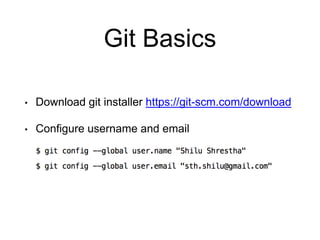
• Download git installer https://git-scm.com/download
• Configure username and email
Git Basics
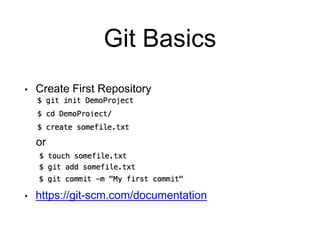
• Create First Repository
or
• https://git-scm.com/documentation
Git Basics
• Getting and Creating Projects
• git init <Project_Name>
• git clone <Project_URL>
Git Basics
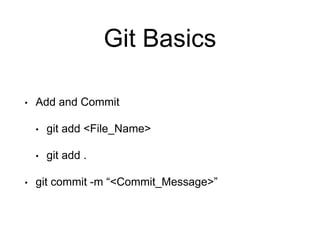
• Add and Commit
• git add <File_Name>
• git add .
• git commit -m “<Commit_Message>”
Git Basics
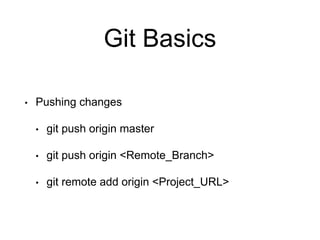
• Pushing changes
• git push origin master
• git push origin <Remote_Branch>
• git remote add origin <Project_URL>
Git Branching
• Git store data as a series of snapshots.
• When you make a commit, Git stores a commit object
that contains a pointer to the snapshot of the content
you staged.
• This object contains the author’s name and email, the
message that you typed, and pointers to the commit or
commits that directly came before this commit.
Git Branching
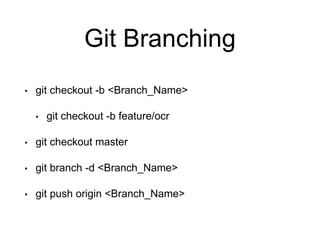
• git checkout -b <Branch_Name>
• git checkout -b feature/ocr
• git checkout master
• git branch -d <Branch_Name>
• git push origin <Branch_Name>
Git Basics
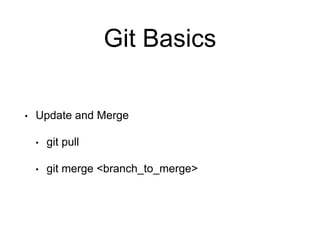
• Update and Merge
• git pull
• git merge <branch_to_merge>
• More on:
• https://git-scm.com/docs
• https://techtrendzy.wordpress.com/2015/09/01/git
-commands/
• http://rogerdudler.github.io/git-guide/

Introduction to git

Editor's Notes

  • #2 Git is a free and open source distributed version control system designed to handle everything from small to very large projects with speed and efficiency. Originally developed in 2005 by Linus Torvalds, the famous creator of the Linux operating system kernel
  • #3 VCS: Allows us to save snapshots of sw project that we are working on Create multiple save points in our project like s1, s2, s3 at different points during its development Branches: Can revert back to previous safe point Save points that are committed are saved on a branch(connects branches together) Central Repository: Push local projects/changes to a location that can be accessed by other developer therefore allows each developer involved in the project to have their own copy of the project in local comp
  • #4 Every role have these tasks. eg. dev, Designer, documents etc Save: when you did it, why and the contents allowing for review in future
  • #5 History: What you did, why you did, what the contents are etcs. For single relatively easy. Collaborate: Who changed it when they changed it why they changed it
  • #8 many VCS require complicated server setup. git locally enabled easy to learn commands.
  • #9  Tree Roles The HEAD last commit snapshot, next parent The Index proposed next commit snapshot The Working Directory sandbox
  • #10 your local repository consists of three "trees" maintained by git. the first one is your Working Directory which holds the actual files. the second one is the Index which acts as a staging area and finally the HEAD which points to the last commit you've made.
  • #11 your local repository consists of three "trees" maintained by git. the first one is your Working Directory which holds the actual files. the second one is the Index which acts as a staging area and finally the HEAD which points to the last commit you've made.
  • #12 your local repository consists of three "trees" maintained by git. the first one is your Working Directory which holds the actual files. the second one is the Index which acts as a staging area and finally the HEAD which points to the last commit you've made.
  • #13 your local repository consists of three "trees" maintained by git. the first one is your Working Directory which holds the actual files. the second one is the Index which acts as a staging area and finally the HEAD which points to the last commit you've made.
  • #14 at this point all three tree have same changes and git status will show no difference now lets edit file.txt then do git status this will show above changes
  • #15 your local repository consists of three "trees" maintained by git. the first one is your Working Directory which holds the actual files. the second one is the Index which acts as a staging area and finally the HEAD which points to the last commit you've made.
  • #16 your local repository consists of three "trees" maintained by git. the first one is your Working Directory which holds the actual files. the second one is the Index which acts as a staging area and finally the HEAD which points to the last commit you've made.
  • #17 your local repository consists of three "trees" maintained by git. the first one is your Working Directory which holds the actual files. the second one is the Index which acts as a staging area and finally the HEAD which points to the last commit you've made.
  • #18 name, email : local records to give you credit for work you’d be doing.
  • #19 Now recorded a historical event in git VCS and repeat the same coding for new, existing or more than one files. Historical event that can be returned to later.
  • #23 First we need to understand how git stores/saves data.
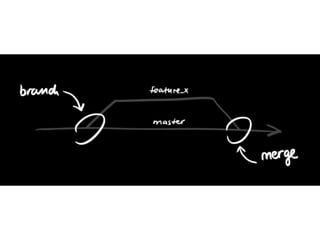
  • #24 Branches are used to develop features isolated from each other. The master branch is the "default" branch when you create a repository. Use other branches for development and merge them back to the master branch upon completion.
  • #25 switch back to master
  • #26 Fast and modern implementation of VCS History of content changes Facilitates collaborative changes Any type of knowledge worker
  • #27 pull: update repo to later merge: merge another branch into active branch