Intro to Git
   Why and How
What is Git?
• Distributed Version Control system (DVC)
• Used/Developed by maintainers of Linux
  Kernel (Linus Torvalds)
• Fast and Efficient Branching/Merging
• Great hosted services for offsite
  repositories (e.g. github.com)
What is Version Control?
•   Snapshots changes in a corpus of text/files
    •   e.g. “track revisions” in MS Word
•   Allows multiple people to edit corpus
•   Can be used for anything that changes over time
    •   Software
    •   CV
    •   Legal Documents
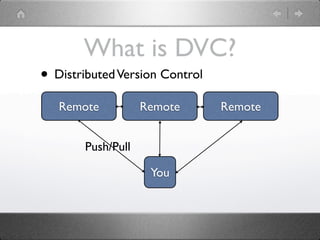
What is DVC?
• Distributed Version Control
   Remote          Remote       Remote


       Push/Pull

                    You
How do I get started?
• Initialize a Git project
  • git init .
  • This creates a .git folder which stores the
    git index (amongst other things)
• Add something to the project
  • git add .
  • git commit -m “first checkin”
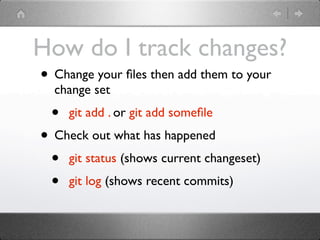
How do I track changes?
• Change your files then add them to your
  change set
 •   git add . or git add somefile
• Check out what has happened
 • git status (shows current changeset)
 • git log (shows recent commits)
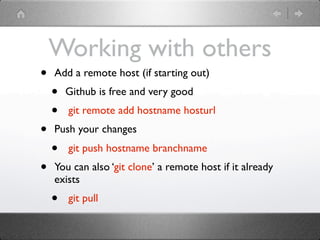
Working with others
•   Add a remote host (if starting out)
    •   Github is free and very good
    •   git remote add hostname hosturl
•   Push your changes
    •   git push hostname branchname
•   You can also ‘git clone’ a remote host if it already
    exists
    •   git pull
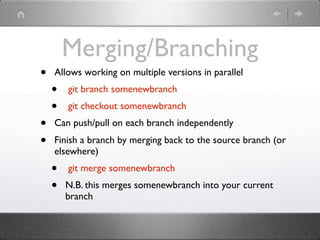
Merging/Branching
•   Allows working on multiple versions in parallel
    •   git branch somenewbranch
    •   git checkout somenewbranch
•   Can push/pull on each branch independently
•   Finish a branch by merging back to the source branch (or
    elsewhere)
    •   git merge somenewbranch
    •   N.B. this merges somenewbranch into your current
        branch
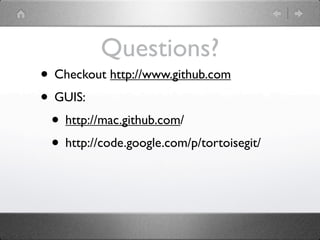
Questions?
• Checkout http://www.github.com
• GUIS:
 • http://mac.github.com/
 • http://code.google.com/p/tortoisegit/

Intro to git

  • 1.
    Intro to Git Why and How
  • 2.
    What is Git? •Distributed Version Control system (DVC) • Used/Developed by maintainers of Linux Kernel (Linus Torvalds) • Fast and Efficient Branching/Merging • Great hosted services for offsite repositories (e.g. github.com)
  • 3.
    What is VersionControl? • Snapshots changes in a corpus of text/files • e.g. “track revisions” in MS Word • Allows multiple people to edit corpus • Can be used for anything that changes over time • Software • CV • Legal Documents
  • 4.
    What is DVC? •Distributed Version Control Remote Remote Remote Push/Pull You
  • 5.
    How do Iget started? • Initialize a Git project • git init . • This creates a .git folder which stores the git index (amongst other things) • Add something to the project • git add . • git commit -m “first checkin”
  • 6.
    How do Itrack changes? • Change your files then add them to your change set • git add . or git add somefile • Check out what has happened • git status (shows current changeset) • git log (shows recent commits)
  • 7.
    Working with others • Add a remote host (if starting out) • Github is free and very good • git remote add hostname hosturl • Push your changes • git push hostname branchname • You can also ‘git clone’ a remote host if it already exists • git pull
  • 8.
    Merging/Branching • Allows working on multiple versions in parallel • git branch somenewbranch • git checkout somenewbranch • Can push/pull on each branch independently • Finish a branch by merging back to the source branch (or elsewhere) • git merge somenewbranch • N.B. this merges somenewbranch into your current branch
  • 9.
    Questions? • Checkout http://www.github.com •GUIS: • http://mac.github.com/ • http://code.google.com/p/tortoisegit/

Editor's Notes